Sing a Song about Ms. Davey

Guest post by Rachel Wood, PhD Candidate studying AI and the future of work, education, and relationships: LinkedIn at www.linkedin.com/in/rachelwoodphd

Opinions expressed are those of the guest blogger.

Every night at bedtime, I sing songs with my son. We snuggle close as the lyrics “lullaby and goodnight, go to sleep…” dance off our lips. Lately, he has begun asking me to make up songs about various important objects in his life- blue blankey, mister fox, and big excavators. I sing songs on the spot that tie melodies to his little world of things. One night, out of his mouth comes “sing a song about Ms. Davey”. Delightfully surprised, I met this request with a smile in my heart because of how it exemplified the fondness he feels toward his school teacher. 

Educators are irreplaceable. They are far more than academic messengers; they serve as overseers of students’ psychological wellbeing. Learning has been and always will be a social experience. We learn from teachers, from peers, from successes, from mistakes, and from interactions with others. Sure, we learn our academic material, but more so, we learn social and relational skills. We begin to learn our place in the world as we rub shoulders with others. Relationships are the foundation for motivation and learning (McKay & Macomber, 2023). Educators offer numerous key psychological and relational nutrients, two of which are object constancy and friction. These unique human components are increasingly important to instill in students amidst a world of proliferating emerging technologies. 

Object Constancy 

Definition: object constancy begins when the “empathic parent holds a vision of the future child and in various ways mediates this vision to the child. The child, in identification with it, can then grow. By internalizing aspects of the parent, the child also internalizes the parent’s image of the child…a primary concern for a teacher is the aiding in the growth and development of another. The idea that teacher’s capacity to imagine future growth, anticipate something for the student, hold that in mind for them, and offer that vision is a reflective way of expanding possibilities and potentialities for them. Perhaps in this way, the successful, authentic, and autonomous student begins in the mind of the teacher” (Danze, 2022, pg. 149).

As overseers of students’ psychological and emotional development, educators contribute to the formation of students’ object constancy. Object constancy is a psychological concept describing how we acquire our internal voice. When we are young, parental figures, family members, and teachers speak into us and speak over us. The tone and content of these voices become embedded in our developing identities. Over time, and with enough repetition, these voices become our own internal voice. For better or for worse, what we hear in our early developmental stages sticks with us. Object constancy is when we internalize external voices, making them our own inner dialog. 

Educators contribute to students’ developing object constancy on a regular basis; recognizing achievements, applauding kindness, and course-correcting missteps. Teachers even have the privilege of helping rewire negative voices ringing in students’ ears. Neuroplasticity is the science that reveals how we can change our thoughts, feelings, and actions, unlearning that which is detrimental and instead, learning what is beneficial. A consistent, encouraging voice from a teacher can act as a counterpoint to disparaging voices that may be lingering in students’ minds. Just as educators help students internalize positive voices, they also create opportunities for students to learn from challenges.

Friction

Definition: friction is “shap[ing] learning as people with different backgrounds and skill sets engage with each other on real problems if these people are provided with the right context. Productive friction is particularly valuable at boundaries because it exposes people to different ways of seeing problems and the potential solutions” (Ward et al., 2011).

All human relationships contain some degree of friction. Friction is the concept of learning through challenges. Friction may be small or great, it may be above or below the surface, and it may be beneficial or consequential. Friction is a necessary element of relationships because it teaches us to consider others, compromise, and reduces our tendency toward self-absorption. Educators encourage, yes, but they also challenge. Both are equally important. Excellent educators can gauge the individual balance for each student between encouragement and challenge. This both affirms students as they are and calls them forward to who they can be. 

AI and Educators 

Definition: Artificial Intelligence, AI is broadly defined as giving a computer human-like capabilities, such as understanding, problem-solving, and reasoning (Enholm et al., 2022).

Object constancy and friction are two components of relationships that cannot be replaced by emerging technologies such as Artificial Intelligence (AI). Sure, on a superficial level you could prompt a Generative AI Large Language Model to mimic these relational elements, but they come naturally in human interactions. There are specific use cases for AI that can offer support in the form of augmentation for teachers who are overwhelmed with work yet longing to return to what led them to education in the beginning: the opportunity to positively influence students through relational connection. There is a place for AI in the classroom that does not threaten but enhances the role of the teacher. Drawing the conclusion that we must choose between teachers and AI is a false dichotomy. Augmenting work with AI can serve as a catalyst to redesign the vocational identity of educators. This ever-present help can afford teachers the opportunity to once again return to a primary role of relational facilitator and guide. Bringing AI into the classroom cannot and will not replace educators, but it may open the door for administrative burdens to lighten and therefore relational dynamics to increase. 

The vital role of educators extends beyond the confines of academic instruction, shaping students’ emotional and psychological landscapes through concepts like object constancy and friction. Just as the simple yet profound request to “sing a song about Ms. Davey” highlights the deep bond students form with their teachers, it underscores the immeasurable value of human connection in education. Successful integration of AI into the classroom is predicated upon the fact that technology complements, not replaces, the relational essence of teaching. Leveraging AI to assist with administrative tasks allows educators to return to their core mission: fostering meaningful relationships that guide and shape students’ development. So tonight, as we sing about Ms. Davey, and by extension countless other educators, may AI serve as a tool to enhance impact, and bolster ongoing service in the name of young minds. 

References

Danze, E. (2022). How the psychoanalytic use of object constancy and internalization can inform our understanding of the teacher/student relationship. ACSA 110th Annual Meeting. https://www.acsa- arch.org/proceedings/Annual%20Meeting%20Proceedings/ACSA.AM.110/ACSA.AM.1 10.20.pdf?v=2

Enholm, I. M., Papagiannidis, E., Mikalef, P., & Krogstie, J. (2022). Artificial intelligence and business value: A literature review. Information Systems Frontiers24(5), 1709-1734. https://doi.org/10.1007/s10796-021-10186-w

McKay, C., & Macomber, G. (2023). The Importance of Relationships in Education: Reflections of Current Educators. Journal of Education203(4), 751-758. 

https://doi.org/10.1177/00220574211057044

Ward, C. J., Nolen, S. B., and Horn, I. S. (2011). Productive friction: How conflict in student teaching creates opportunities for learning at the boundary. International Journal of Educational Research, 50(1), 14-20. https://doi.org/10.1016/j.ijer.2011.04.004

Interested in guest blogging or Rachelle’s consulting services?

Contact Rachelle to schedule sessions about Artificial Intelligence, Coding, AR/VR, and more for your school or event! Submit the Contact Form.

Follow Rachelle on Twitter(X) and Instagram at @Rdene915

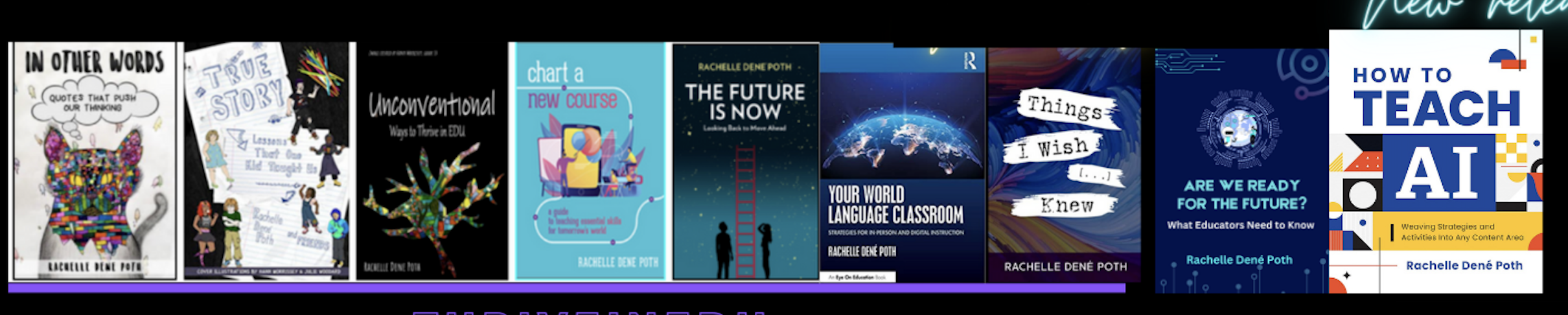
**Interested in writing a guest blog for my site? Would love to share your ideas! Submit your post here. Looking for a new book to read? Find these available at bit.ly/Pothbooks
************ Also check out my THRIVEinEDU Podcast Here!

Join my show on THRIVEinEDU on Facebook. Join the group here.

Screen Time and Eye Health for Students: What Can Be Done Differently?

Modern education looks vastly different for young students today. With the advent of educational technology, students can experience more interactive and immersive lessons thanks to the proper use of screen time. When focused on education purposes, digital tools can improve visual intelligence, stimulate hand-eye coordination, and strengthen tech knowledge while learning other skills in a controlled environment. 

Of course, too much of anything can be a bad thing. A study on screen exposure revealed that children and adolescents are more likely to develop myopia, especially when directly interacting with computers often. This is why it is so important to know the potential repercussions of screen time and how best to navigate it so students reap the benefits. 

How screen time is harming student eye health 

More than 600,000 children have vision difficulties in the United States. Screen exposure has made eye problems an earlier concern, with 10% of preschoolers already having issues and 30% of adolescents having myopia. Furthermore, the latest CDC statistics even reveal that the number of children under 18 getting diagnosed with vision conditions has increased in the last decade. 

The reality is that young kids are exposed to too much screen time, even during their recreational hours, making it harder on their eyes during delicate developmental stages. Blue light exposure is bad enough, but there is also the issue of glare, bad screen practices, and spending too much time in front of the screen. Thankfully, all hope is not lost, and there are ways to do things differently and mitigate the potential negative effects of screen time on students. 

How to promote better eye care for kids in the digital age 

Promote ocular hygiene

Eye care goes a long way in preventing damage and unnecessary strain. A significant part of this is good ocular hygiene, which ties into other cleanliness practices. A recent study in the National Library of Medicine found students touching their faces 23 times per hour, with 27% involving the eyes. From elementary to high school, students must be reminded to avoid their eyes and keep their hands clean when handling shared digital devices. This trickles over to students who already use corrective vision. Older students who wear contact lenses should clean their lenses regularly and replace their contacts upon expiration. They can even be routed to accessible digital ways of getting new lenses properly, especially when dealing with Dailies like the Acuvue Oasys for astigmatism or biweekly like Avira Vitality. The CDC finds that 40% to 90% of contact users don’t follow their lens care instructions, so teachers and parents need to advocate for them to stay on top of things. It’s also critical to teach students, particularly the younger ones, how to properly clean and use their eyeglasses.

Encourage break time

The American Optometric Association encourages the 20-20-20 rule to prevent digital eye strain. Since screen exposure is inevitable, especially considering how many students have their own mobile devices, it’s good to give them these tools to give their eyes a break. The rule indicates that you take a 20-second break for every 20 minutes of screen time. During this break, you must look at an object at least 20 feet away. The simple rule shouldn’t be hard to teach students, and it’s a genuinely effective method of minimizing strain. When using digital devices as a class, you can even set a timer and have everyone in the class practice the 20-20-20 rule together.

Teach proper screen positioning

Common ed-tech tools require students to be in contact with a monitor. Make sure that the screen is at least 20 inches away from the students’ eyes. For lessons that involve tablets or other handheld devices, teach students to keep at least an arm’s length distance when using larger screens. It’s also a good idea to impose a viewing angle that directs their eyes downward when looking at the middle of the screen. 

Know the signs of strain

Many vision problems manifest in unobvious ways, so watch for them. School-aged children can display subtler symptoms like a short attention span, avoidance of reading and other vision or focus-related activities, difficulty keeping track of their place when reading, and turning their heads to the side when looking at something. While other factors may cause these, they can also be manifestations of eye problems. 

Post written in collaboration with Maisy Byrne.


About Rachelle’s blog

Contact Rachelle to schedule sessions about Artificial Intelligence, Coding, AR/VR, and more for your school or your event! Submit the Contact Form.

Follow Rachelle on Twitter(X) and Instagram at @Rdene915

**Interested in writing a blog for my site? Would love to share your ideas! Submit your post here. Sponsored and Collaborative posts are welcome.

Looking for a new book to read? Find these available at bit.ly/Pothbooks or order from me directly bit.ly/bookorderpoth.

************ Also check out my THRIVEinEDU Podcast Here!

Join my show on THRIVEinEDU on Facebook. Join the group here.

Using Text to Speech to support a more inclusive and engaging classroom

In collaboration with ReadSpeaker, guest post by Amy Foxwell

In today’s digital age, technology is a powerful ally in making education more accessible. One notable advancement is Text-to-Speech (TTS) technology, which transforms written text into spoken words. ReadSpeaker, a leading solution in this field, offers a variety of tools to enhance learning, creating a more accessible and engaging experience for all students.

Enhancing Accessibility

For students with visual impairments or reading disabilities such as dyslexia, TTS technology is a game-changer. ReadSpeaker enables these students to access and understand content more easily by converting text into audio. ReadSpeaker also allows users to select the reading language, speed and volume while simultaneously offering a variety of additional study tools to support student reading and writing.

ReadSpeaker Reading and Writing Support 

• Bimodal presentation improves comprehension by presenting information in visual and audio formats at the same time

• Reading tools, such as page mask and reading ruler, available for increased readability

• Dictionary lookup

• Multiple languages available for language fluency and multilingual learners

• Translation check and pronunciation of foreign words and phrases

Supporting Diverse Learning 

ReadSpeaker helps students with diverse needs by providing an alternative method of consuming information. TTS allows students to listen to content while following along, enhancing engagement and retention. ReadSpeaker offers voice for any content, including courses, PDFs, ebooks, web research, training materials, quizzes, OCR images, STEM content and more. Learners enjoy a more immersive reading experience, resulting in greater comprehension, increased self-confidence, and improved academic performance. 

ReadSpeaker and Universal Design for Learning  

The Universal Design for Learning (UDL) framework was developed by CAST to enhance course design to meet the needs of diverse learners. Based on learning science, the UDL framework guides the design of instructional goals, assessments, methods, and materials to meet the individual needs of each student. A champion of UDL for many years, ReadSpeaker provides easy-to-access and easy-to-use text-to-speech for any content on any device and can be used individually or seamlessly integrated into learning platforms or LMSs. ReadSpeaker’s speech-enabled learning tools align with UDL principles by providing visual and auditory alternatives, allowing students to engage with and absorb content in multiple ways according to their needs.  Learn more about ReadSpeaker and UDL here.

Supporting Multilingual Education

In increasingly diverse classrooms, language barriers can pose significant challenges. ReadSpeaker offers multilingual support, allowing students to hear text in their native language or practice new languages. This feature is particularly beneficial for non-native speakers who might find reading in a second language daunting. By listening to the pronunciation and intonation, students can improve their language skills more naturally and effectively.

Second Language Learning: How Text to Speech Can Help https://www.readspeaker.com/blog/second-language-learning/

Enhancing Focus and Reducing Cognitive Load

Reading large amounts of text can be overwhelming, especially for students with attention deficit disorders. TTS technology helps reduce the cognitive load by allowing students to listen to text in addition to reading it. ReadSpeaker’s learning tools, such as highlighting text as it reads aloud, improve student focus, comprehension, and engagement with the content.

Making STEM content engaging and interactive

How does text-to-speech support a student who needs to hear math expressions in class and when working at home? Not every TTS system can accurately read mathematical symbols, and many aren’t set up to understand the code that presents math digitally. ReadSpeaker’s advanced math-reading tools remove this barrier to access by providing accurate audio versions of mathematical expressions and text at once with some of the most lifelike AI voices available.

Improve STEM Accessibility With Text to Speech for Math

https://www.readspeaker.com/blog/readspeaker-launches-web-based-math-audio-reader-for-publishers-to-make-their-educational-content-more-accessible/

Accommodations and Assessments

ReadSpeaker’s text-to-speech solutions provide improved digital accessibility to various populations of learners, including those with learning disabilities, visual impairment, or literacy challenges. TTS tools can be integrated into a secure learning environment or e‑­assessment platform, even in locked browsers and proprietary proctoring systems. This capability allows instructors and administrators to better address the diverse needs of students while more easily meeting accessibility accommodation requirements.

Easily speech-enable assessments

LMS Integration

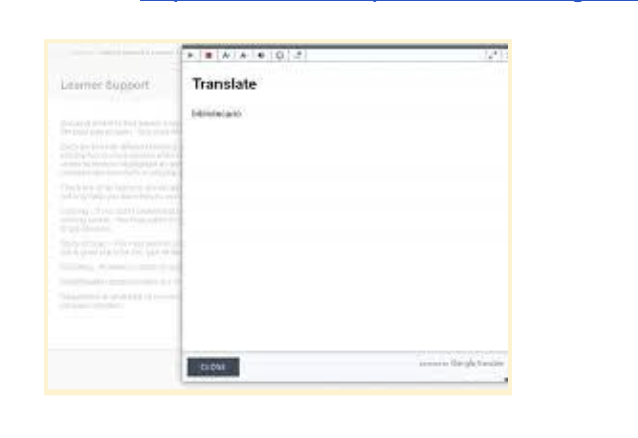
ReadSpeaker for LMS provides text-to-speech plugins and audio-enhanced learning tools that can be easily integrated into any LMS. The ReadSpeaker Listen icon will appear in the course window. The learner can then choose whether to activate the ReadSpeaker tools or not. When activated, the ReadSpeaker Listen button can be moved to wherever the learner prefers. The cloud-based solutions ensure that when course content is updated, it is immediately speech-enabled.

By supporting students with disabilities, accommodating diverse learning styles, promoting inclusion, facilitating multilingual education, and enhancing focus, ReadSpeaker helps create a more equitable learning environment. Embracing such technologies can ensure that every student has the opportunity to succeed and realize their individual goals.

For more information or to set up a personalized demo for your institution, email us at education@readspeaker.com or visit www.readspeaker.com/education

About Rachelle’s blog

Contact Rachelle to schedule sessions about Artificial Intelligence, Coding, AR/VR, and more for your school or your event! Submit the Contact Form.

Follow Rachelle on Twitter(X) and Instagram at @Rdene915

**Interested in writing a guest blog for my site? Would love to share your ideas! Submit your post here. Looking for a new book to read? Find these available at bit.ly/Pothbooks

************ Also check out my THRIVEinEDU Podcast Here!

Join my show on THRIVEinEDU on Facebook. Join the group here.

TeachAid: Saving Time for Teachers

Guest post by laura steinbrink, posted in education

Teachers everywhere are aware of the effect AI is having on students and education in general. While that may bring back pencil and paper activities to help students do their own thinking, AI can offer teachers some much-needed help. Meet TeachAid, which can be, according to their website, “your AI teaching assistant. Time is precious. Spend it teaching! Let us handle the rest.” That appeals to me because there is never enough time in the day to plan engaging and effective lessons, grade student work, attend meetings, and have a life outside of school. Anything that saves me time is worth a try, and the more I look over what Teach Aid can do, the bigger fan of it I become. I have been teaching for 28 years, and while the formative and summative assessments are pre-planned each year, creating the path to those assessments is up to me. After exploring Teach Aid, I believe it is a platform that can be of value to all teachers by providing actual units, activities, lessons, and learning targets. If nothing else, it can spark ideas for lesson activities.

TICKING AWAY THE MOMENTS THAT MAKE UP A DULL DAY

Teach Aid begins the AI unit creation by asking for specific unit information that will help them generate all the teaching materials needed to effectively teach your unit according to your local curriculum, including lesson plans, presentations, assignment descriptions, rubrics, and more. There are 5 steps to creating the unit:

  1. Basic Information
  2. Unit Timeline
  3. Final Assessment
  4. Customization
  5. Review

YOU FRITTER AND WASTE THE HOURS IN AN OFFHAND WAY

It only takes a few minutes, and then the magic happens. At each step of the way, you can edit or revise what is created before clicking for the AI to continue building the unit, lessons, activities, etc. It really is like magic. Things that might take me several minutes to think through appear before my eyes in seconds. The entire unit may take a few minutes, but it is incredibly fast, provides opportunities for editing, and creates everything needed for teaching the unit. The interactive slides have presenter notes on how to teach or conduct the activity. New teachers can have all the help they need with just a few clicks, and experienced teachers can find inspiration and fresh ideas for current units.

KICKING AROUND ON A PIECE OF GROUND IN YOUR HOMETOWN

Depending on where you live, Teach Aid may already have your state or country’s standards loaded into their system. If not, reach out to them so that they can begin to add them. There are also some limitations currently in the subjects available, depending on where you live, but I also expect this list to grow as the company grows. If what you need isn’t listed, you can still build a unit with standards from another state/country or subject to see what ideas you might get from what is created until your subjects or standards are added to those available. I demonstrated how Teach Aid worked for about 30 2nd year Missouri teachers, and I could hear minds exploding. Audible gasps. There are some content limitations currently. PE and art teachers were envious of teachers of the available subjects, but everyone was duly impressed with the speed, thoroughness, and quality of the units, lessons, activities, etc., produced. We were all impressed with the customization built into the unit creation process.

WAITING FOR SOMEONE OR SOMETHING TO SHOW YOU THE WAY

Even the lesson activity building allows for a lot of customization, even if you choose to have it auto-generated.

At this time, Teach Aid is free for teachers to use, and there is enough content there already for you to experience creating units even if your standards or subject matter has not been added yet. Do click the button to request the standards or subject you need, and then explore states or countries that are included and might be similar enough to what you need for you to develop and customize a unit, lesson, and/or activity.

So when you hear AI discussions going on in your building or department, remember Teach Aid and shed some light on the possibilities AI can provide to teachers. Time is a commodity that is in high demand for our profession, so anything that can free up time for us is a win. A no-brainer. Dive in.

HEADINGS ARE PARTIAL LYRICS FROM THE SONG, TIME, BY PINK FLOYD.

Connect with Laura via @SteinbrinkLaura on Twitter/X

Contact Rachelle to schedule sessions about Artificial Intelligence, Coding, AR/VR, and more for your school or event! Submit the Contact Form.

Follow Rachelle on Twitter(X) and Instagram at @Rdene915

**Interested in writing a guest blog for my site? Would love to share your ideas! Submit your post here. Looking for a new book to read? Find these available at bit.ly/Pothbooks

************ Also check out my THRIVEinEDU Podcast Here!

Join my show on THRIVEinEDU on Facebook. Join the group here.