Boosting Classroom Discussions in the New Year with Kialo Edu!

In collaboration with Kialo Edu. All opinions are my own.

Over the past ten to fifteen years, we have seen an increase in the use of technology and how it can transform the way we teach and learn when used purposefully. I am always looking for new tools to explore and to further engage students in learning.

I look for options that help boost student confidence and comfort in our class discussions and provide ways for students to learn how to engage in respectful conversations where they may disagree.

With this in mind, Kialo Edu has emerged as a game-changer. As we prepare our students for their future, we want to promote critical thinking, collaboration, and respectful discourse between students in our classrooms. As an educator who has used Kialo Edu in my classroom, I recognize that this platform is more than just a tool — it is an innovative approach to engaging students in thoughtful discussions and impactful for fostering these essential skills for the future.

What Is Kialo Edu?

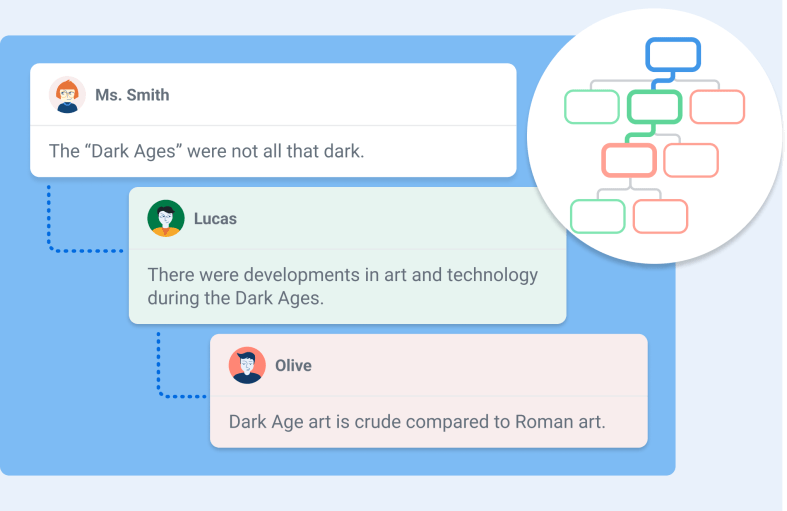
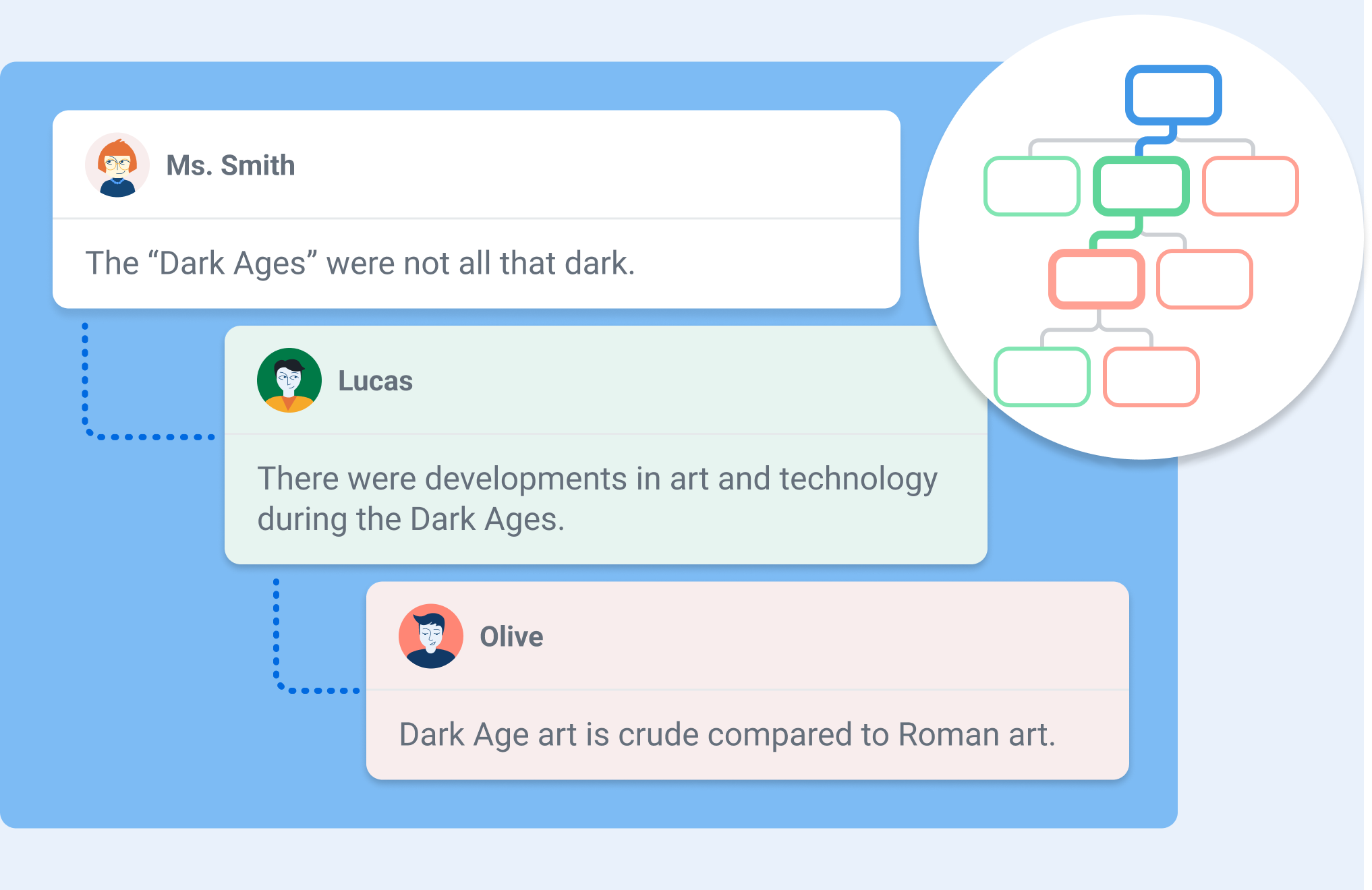
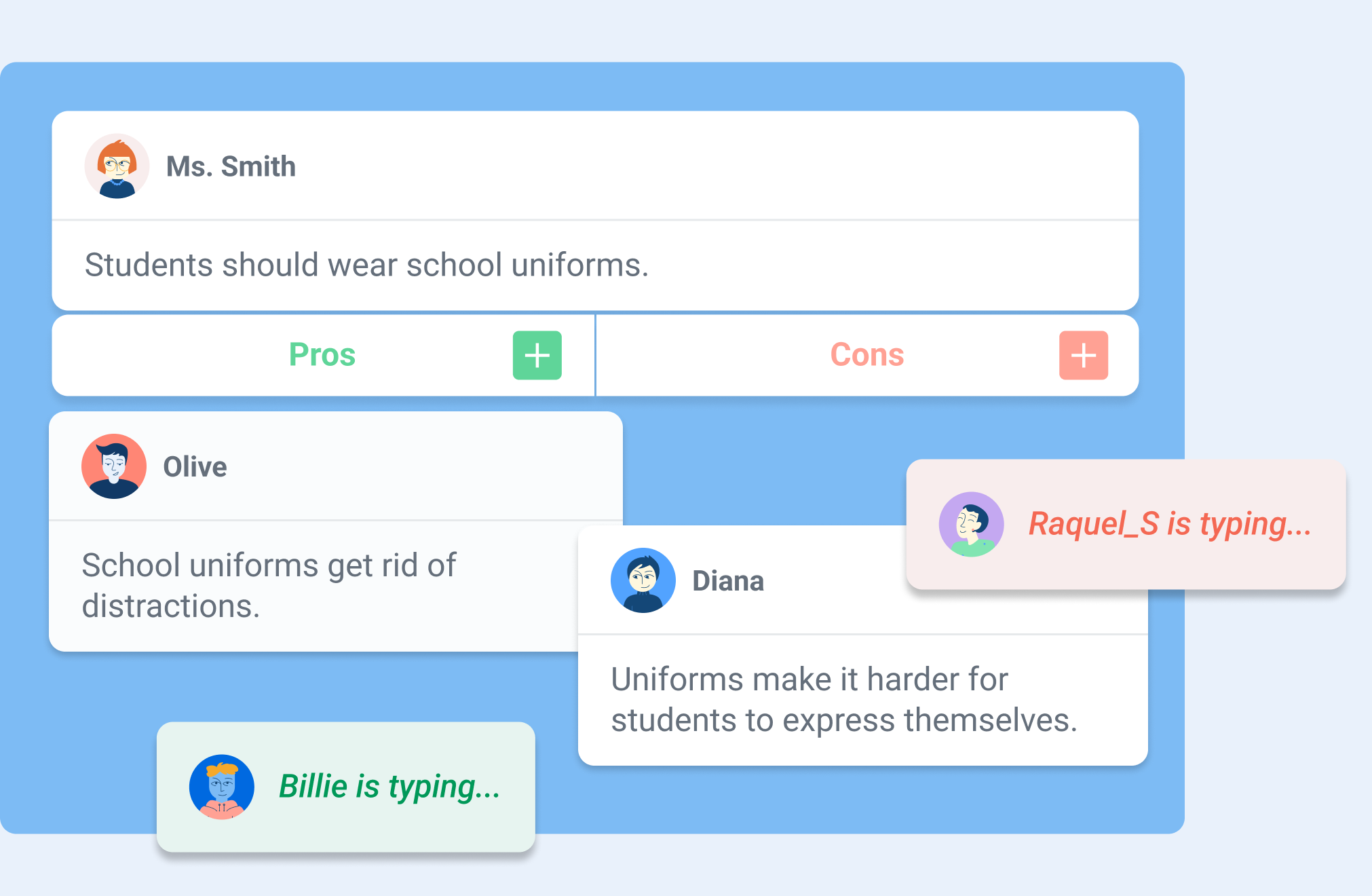
You may be wondering what Kialo Edu is. It is a robust web-based platform designed to facilitate structured, interactive discussions between students while also providing insight into how students are learning and processing the information. I spent a few hours on a weekend testing out its features and was really impressed. One of my favorite features is the “discussion tree,” which is a way to visually map arguments as interconnected branches. Students can look at this, see how their ideas develop, and better understand the logical structure of the conversation. It is very easy to navigate, and I love how it encourages students to consider all the different perspectives their classmates have raised.

To begin, you need a thesis — a central statement or question — that students then support or challenge with pro and con arguments. Each argument, whether a pro or a con, can then have its own set of pros and cons. In this way, discussions can branch into progressively more detailed sub-arguments, creating an organized structure that can make even the most complex discussions manageable and transparent.

Kialo Edu provides an intuitive and visual format for discussions, enriched with features like impact meters for rating arguments, referencing sources in claims, and linking arguments across branches of the discussion. Whether you’re exploring global or societal issues, debating scientific ethics, or dissecting a novel’s character motivations, Kialo Edu makes discussions engaging and meaningful. And it is free to use!
How Kialo Works in Practice

Getting started with Kialo Edu is easy: It begins with simply creating a discussion. After setting a thesis, teachers can add a brief text for instructions or context, set specific tasks for students to complete in the discussion, and even incorporate an image to set the tone. Once ready, students are invited to join and begin contributing arguments, rating their impact, and responding to others. As the discussion unfolds, educators can easily monitor new claims as well as students’ progress toward their tasks. For educators, the virtual classroom management capability of Kialo Edu enables teachers to track student progress at any time. Taking on the student role, I appreciate how Kialo shows my progress as I contribute new arguments, offer supporting arguments, or put forth alternative viewpoints to others’ claims.

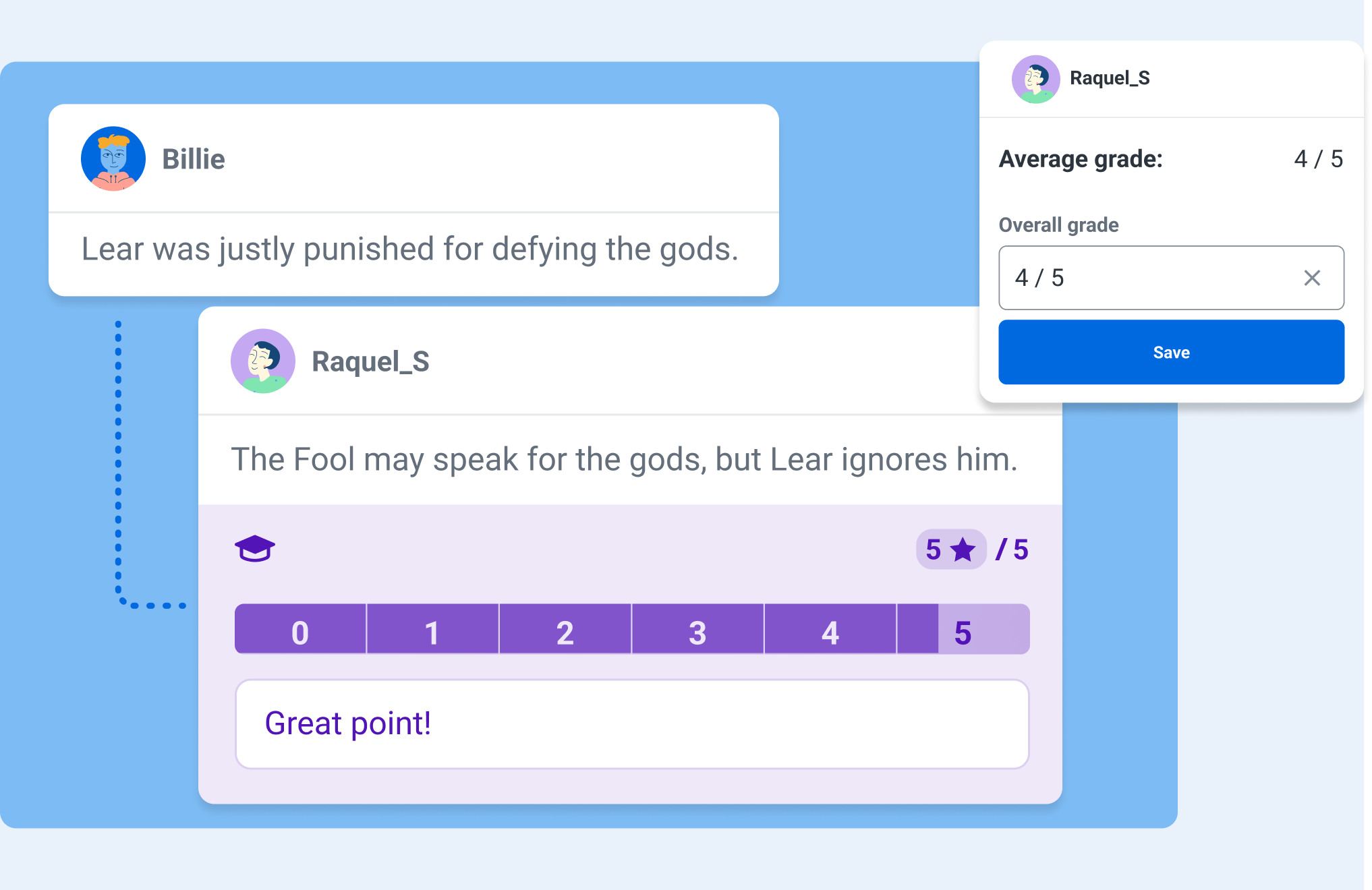
One feature that I really appreciate is the Grading and Feedback tool, which allows educators to filter out individual students’ contributions. This makes it easier to keep track of participation, evaluate the quality of arguments, and provide more targeted feedback to students. There are also comments that remain separate from the main discussion, which allows for side conversations about phrasing, content, or sources without cluttering the primary argument tree.

Bringing Discussions to Life in the Classroom

Fostering Critical Thinking

I’ve used Kialo Edu in my classroom to have students examine their own reasoning behind both academic and real-world topics. For example, when discussing the merits of sustainability practices, each group had to find credible sources and evidence to support their claims. The impact meters helped students recognize the most influential arguments, which then helped them refine their reasoning and presentation.

Building Civil Discourse

Kialo Edu’s perspective-switching feature is a powerful tool for fostering empathy and understanding. After students have voted on the strength of arguments in the discussion, they can then view the discussion tree through the lens of a participant who voted differently. In doing so, students can view and consider opposing arguments as more than just obstacles to their own. This feature is particularly impactful during a debate on a topic such as freedom of speech, where students can deepen their understanding of a complex issue by exploring multiple viewpoints.

Enhancing Collaboration

Sometimes, it makes sense to assign mixed-ability groups to explore different topics. Using Kialo’s Small Group Mode, teachers can hand-pick groups that will encourage diverse viewpoints. Each group then receives its own private copy of a discussion, allowing students to build arguments collaboratively without external distractions. This approach has been valuable when discussing topics where students must learn how to navigate nuanced perspectives.
Why Kialo Edu Works for Educators

Kialo Edu is such a robust platform, and here are a few reasons why I believe that Kialo Edu is a stand-out and a must-try for all educators:

  • Ease of Assessment

Using the Grading and Feedback feature, I can look at a specific student’s work all in one place, evaluate the depth of their arguments in context, and provide targeted feedback.

Kialo Edu aligns with key pedagogical goals, including critical thinking, respectful communication, and information literacy. Its flexibility allows me to adapt it for various subjects and levels, from analyzing historical events in relevant content areas to debating ethical dilemmas in literature.

One of the joys of using Kialo Edu is its versatility. There are many great ways to bring Kialo into every classroom, especially to boost creativity!

Here are a few ways I’ve integrated it into my classroom:

Literary Analysis

Students read “To Kill a Mockingbird” in English and Spanish. Regardless of which language, students can debate whether Atticus Finch’s defense strategy was the best course of action. The discussion tree helps them organize arguments about character motivations and societal norms of the time.

STEM Debates

In my 8th grade STEAM course, during a unit on robotics, students can debate the ethical implications of using AI in healthcare-related fields. Students used the comment section to share research links and refine their arguments, which helped them to present a well-rounded view of the topic.

Decision-Making Activities

For a short discussion, students can use Kialo to choose a class field trip location or engage in a debate on a topic. By weighing the pros and cons of various options, they get to practice their decision-making skills in a fun and engaging way. These are essential skills that will prepare them for the future.

Essay Preparation

Kialo is also a fantastic tool for prewriting activities. Students can use it to map out their arguments for persuasive essays, ensuring their ideas are well-organized and supported by evidence.

As an educator, student safety is a high priority for me. Kialo Edu is focused on aligning to strict privacy standards like GDPR, COPPA, and FERPA, which provides more confidence and security when using it with my students.

Kialo Edu’s commitment to remaining free for educational use ensures accessibility for all schools, regardless of budget constraints.
Tips for getting started with Kialo Edu

If you are wondering how to get started, it is simple! Here are some tips to ensure a smooth and successful implementation:

  • Start small

Begin with a simple topic to familiarize students with the platform. Over time, introduce more complex discussions as students become comfortable.

Set guidelines for respectful discourse, evidence use, and participation. With clear expectations, it will help to set the tone for productive and meaningful discussions.

Encourage students to use the comment feature to refine arguments and share sources. This fosters a deeper understanding of how claims are supported or refuted.

Design rubrics that assess not just the content of arguments but also collaboration, critical thinking, and responsiveness.

The impact of Kialo Edu

Kialo Edu can completely transform the way students approach discussions. They will become more thoughtful, articulate, and respectful in expressing their ideas. Beyond academics, these essential skills will prepare them to navigate a world that demands critical thinking, adaptability, and flexibility.

Kialo Edu is more than just a teaching tool for educators — it’s a pathway to more engaging and meaningful classroom interactions. Whether debating global issues, analyzing literature, or deciding on a field trip, Kialo Edu brings structure, clarity, and engagement to every discussion.

In a world where thoughtful dialogue is more important than ever, Kialo Edu empowers students and teachers alike to explore, analyze, and connect in ways that truly make a difference. I love finding ways to boost classroom discussion, and Kialo Edu is a must-try for all educators.

As educators, we aim to prepare students for tests and life and be adaptable. Kialo Edu provides students with the tools to think critically, argue respectfully, and collaborate effectively — invaluable skills in any field. With its intuitive design, robust features, and commitment to privacy and accessibility, Kialo Edu is a powerful resource to help make the world more thoughtful, one discussion at a time.

About the Author

Dr. Rachelle Dené Poth is a Spanish and STEAM: What’s Next in Emerging Technology Teacher at Riverview High School in Oakmont, PA. Rachelle is also an attorney with a Juris Doctor degree from Duquesne University School of Law and a Master’s in Instructional Technology. Rachelle received her Doctorate in Instructional Technology, and her research focus was on AI and Professional Development. In addition to teaching, she is a full-time consultant and works with companies and organizations to provide PD, speaking, and consulting services. Contact Rachelle for your event!

Rachelle is an ISTE-certified educator and community leader who served as president of the ISTE Teacher Education Network. By EdTech Digest, she was named the EdTech Trendsetter of 2024, one of 30 K-12 IT Influencers to follow in 2021, and one of 150 Women Global EdTech Thought Leaders in 2022.

She is the author of nine books including ‘In Other Words: Quotes That Push Our Thinking,” “Unconventional Ways to Thrive in EDU,” “The Future is Now: Looking Back to Move Ahead,” “Chart A New Course: A Guide to Teaching Essential Skills for Tomorrow’s World, “True Story: Lessons That One Kid Taught Us,” “Things I Wish […] Knew” and her newest “How To Teach AI” is available from ISTE or on Amazon.

Contact Rachelle to schedule sessions about Artificial Intelligence, Coding, AR/VR, and more for your school or event! Submit the Contact Form.

Follow Rachelle on Twitter(X) and Instagram at @Rdene915

**Interested in writing a guest blog for my site? Would love to share your ideas! Submit your post here. Looking for a new book to read? Find these available at bit.ly/Pothbooks
************ Also check out my THRIVEinEDU Podcast Here!

Join my show on THRIVEinEDU on Facebook. Join the group here.
Engaging Students with Factile: The Ultimate Jeopardy Game Maker

In collaboration with Factile. All opinions are my own.

Over the years, I have noticed a decrease in student engagement in my classroom, especially in the fall and spring. Sometimes, disruptions in the learning environment occur because of school activities or testing. Finding ways to authentically and meaningfully engage students can sometimes be a challenge, especially at these and other times during the school year. For educators, finding a nice blend of traditional teaching methods with interactive technology can help foster an engaging and supportive learning environment for all students.

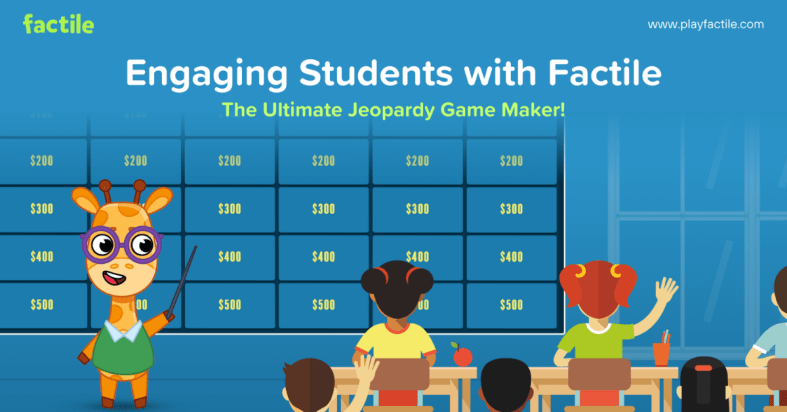
A few months ago, I learned about Factile, the ultimate online Jeopardy game maker! As a huge fan of Jeopardy, years ago, I designed activities for my students in the Jeopardy-style. However, it took way more time than it does now!

Factile helps teachers review different topics, assess students, and reinforce learning, and it is all done in far less time. It provides a fun, interactive way to review the material, improve content retention, and save teachers valuable time. One of the most common challenges that I hear from educators and also experience myself is finding the time to dive in! Factile makes it easy for educators to get started right away. I think it is a must-have tool for educators because it benefits student engagement and helps with retention of the content. And because of how quickly we can create, it boosts teacher efficiency.

The Power of Engagement Through Gamification

Gamification, the practice of applying game-like elements to non-game environments, has been shown to increase student motivation, participation, and content retention. Getting started with Factile was easy and fun! Educators can create and tailor the classic Jeopardy game for their classroom, making learning feel like a fun, competitive challenge between students!

I find Factile to be very useful for reviewing new material, reinforcing key concepts we are covering, or preparing students for upcoming assessments. It definitely adds excitement to the learning experience for students and teachers too! Students in my class always enjoy friendly competition as they race against the clock or buzz in to answer a question. It engages them in more active learning to reinforce their knowledge and deepen their understanding of the content.

It offers more than just Jeopardy-style games. Other options, including Multiple Choice, Memory, and Quiz Bowl game modes, offer more choices for educators in how they choose to design their review sessions. For example, a science teacher could use the Memory mode to help students memorize important terms and definitions, while a history teacher might use the Multiple Choice mode to quiz students on dates and events. As a language and technology teacher, I can use all of these modes in my classroom, and my students truly enjoy the activities and keep asking for more.

Benefits for Students: Engagement and Content Retention

The first time we played a game, students were immediately drawn in. The interactive nature of the platform boosts student engagement levels and leads to more active participation in the classroom. When students are excited about learning, they are more likely to stay involved, leading to better retention of the reviewed content.

Another benefit is that the variety of game modes meets different student interests and needs. For example:

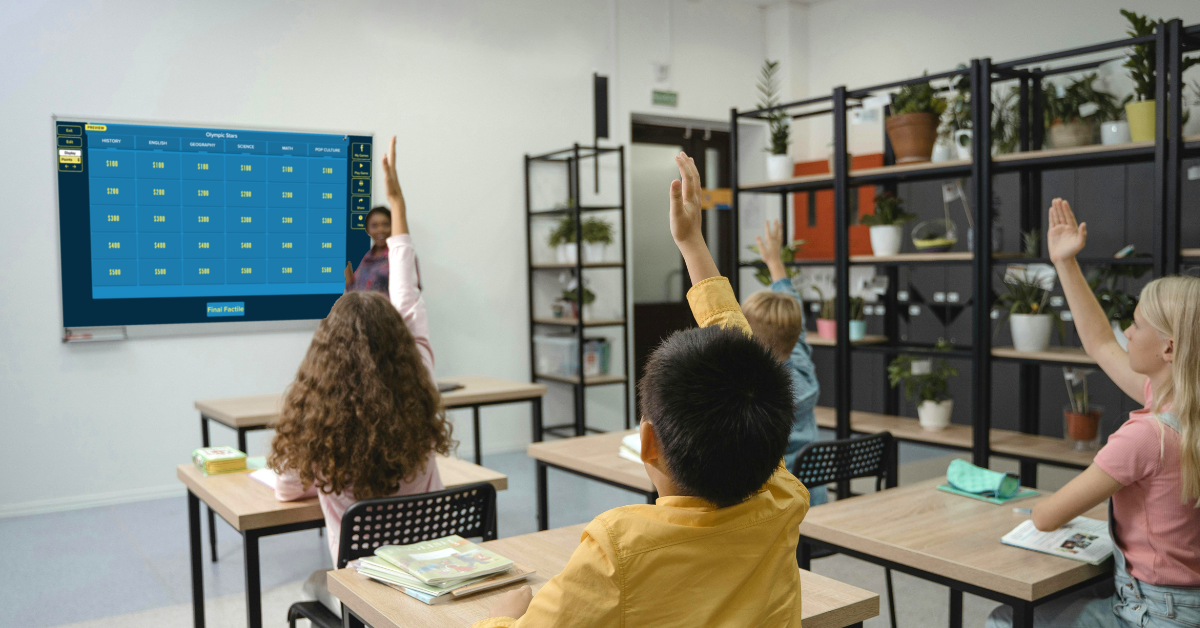
  • Seeing questions displayed on the game board, with the option to include images, videos, and even math equations, is helpful for all students.
  • The game’s buzzer mode, with sound effects and music, enhances the game-playing experience and adds a little extra fun to learning.
  • Buzzing and answering make more active learning possible. This gives students a chance to be a bit competitive while reinforcing their learning through movement and interaction.

You can decide whether or not to use Buzzer Mode. I will leave that up to you! Buzzer Mode allows students to compete in real-time, either individually or in teams. This feature works on various devices, from computers and tablets to smartphones. As students buzz in to answer, they become more invested in the outcome, deepening their focus on the material being reviewed.

Benefits for Teachers

While the benefits for students are clear, teachers also experience significant advantages from using Factile in their classrooms. One of the biggest benefits is time-saving. Creating a Jeopardy-style review game used to be time-consuming, but Factile makes it easy. In just a few clicks, teachers can build engaging review sessions without the need for complicated design tools or extensive prep work.

Teachers can either build their games from scratch or choose from over 2 million pre-made games covering a variety of subjects, from math and science to history and language arts. This vast library of pre-made games helps teachers find relevant content quickly and use it immediately. Teachers also have the option to customize the pre-made games, adapting them to their specific classroom needs and content.

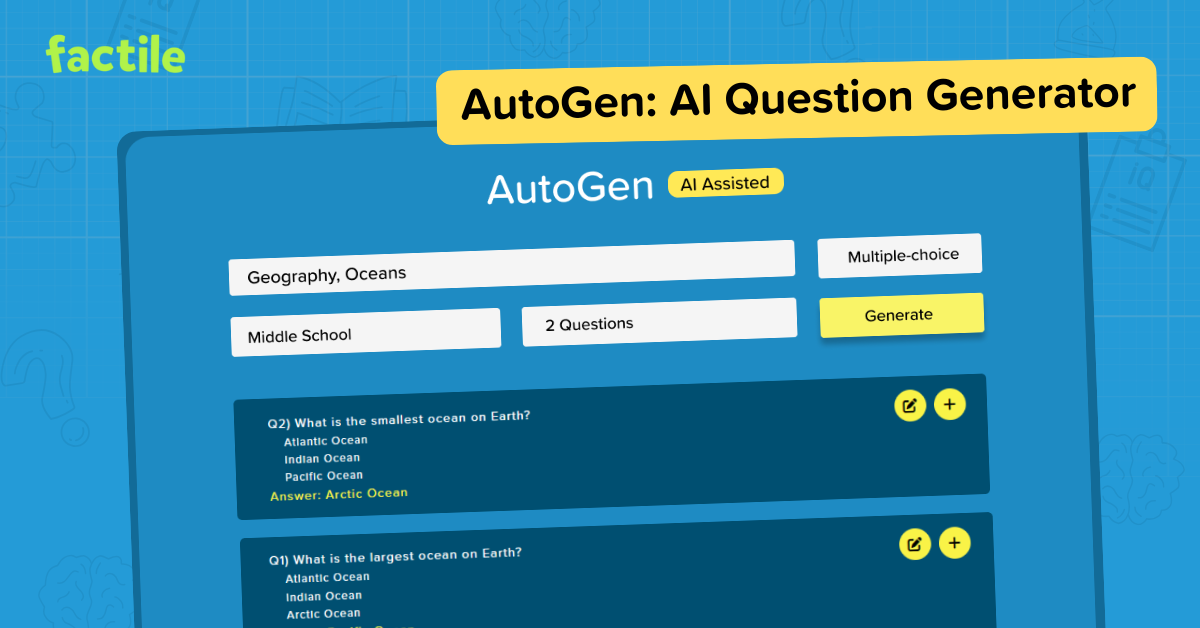
A favorite of mine is the Question Bank feature, which enables teachers to create a bank of questions from which they can generate multiple games on different topics. Using the question bank ensures that students are asked a wide range of questions, which will improve both their recall and their ability to apply the knowledge in different contexts. Another personal favorite is the addition of AutoGen, Factile’s AI-powered tool, which further enhances this process by helping teachers quickly generate questions and answers on any topic, saving valuable time.

Factile also integrates seamlessly with platforms like Google Classroom, making it easy for teachers to assign games and flashcards directly to their students. This feature streamlines the learning process by allowing teachers to monitor student progress and assess understanding outside of the traditional classroom setting.

Tracking Student Progress and Understanding

Factile also helps teachers to track student progress. With the Leaderboard and Analytics feature, teachers can monitor how individual students or teams perform throughout the game. Teachers have real-time feedback on how students understand the material, allowing them to identify areas where additional support or review might be needed.

For example, if a group of students consistently struggles with a particular category or question type, the teacher can use this information to adjust future lessons, ensuring that the entire class is mastering the required content. With Factile, teachers can print quizzes and answer keys directly from the game, which offers more opportunities for assessment and reinforcement of the content.

Factile’s self-paced modes are also valuable for both students and teachers. In Self-Paced Multiple-choice or Interactive Choice modes, students can work through the material independently, outside of class, allowing teachers to assess understanding without needing in-class game time. This asynchronous option gives students flexibility in how they review the material, and the analytics provided by Factile offer insights into individual student progress.

Sharing games and flashcards via email or text further enhances students’ opportunities to build their skills in and out of the classroom. Teachers can easily distribute review materials and ensure all students can access the necessary resources to succeed.

At a time when student engagement and interactive learning are more important than ever, Factile offers a solution that combines the best of both worlds. With its wide array of features and customizable game modes, Factile allows teachers to create engaging and effective review sessions while saving time and improving student outcomes.

Whether you’re looking to boost classroom engagement, improve content retention, or save time on lesson planning, Factile has you covered. It’s free to use, easy to implement, and a game-changer for teachers and students alike. And it is a lot of fun!

So, if you’re ready to try something new, sign up for Factile today and see the impact it can have on your classroom!

Start creating and playing your first Factile game here: https://www.playfactile.com

Dr. Rachelle Dené Poth is a Spanish and STEAM: What’s Next in Emerging Technology Teacher at Riverview High School in Oakmont, PA. Rachelle is also an attorney with a Juris Doctor degree from Duquesne University School of Law and a Master’s in Instructional Technology. Rachelle received her Doctorate in Instructional Technology, and her research focus was on AI and Professional Development. In addition to teaching, she is a full-time consultant and works with companies and organizations to provide PD, speaking, and consulting services. Contact Rachelle for your event!

Rachelle is an ISTE-certified educator and community leader who served as president of the ISTE Teacher Education Network. By EdTech Digest, she was named the EdTech Trendsetter of 2024, one of 30 K-12 IT Influencers to follow in 2021, and one of 150 Women Global EdTech Thought Leaders in 2022.

She is the author of nine books including ‘In Other Words: Quotes That Push Our Thinking,” “Unconventional Ways to Thrive in EDU,” “The Future is Now: Looking Back to Move Ahead,” “Chart A New Course: A Guide to Teaching Essential Skills for Tomorrow’s World, “True Story: Lessons That One Kid Taught Us,” “Things I Wish […] Knew” and her newest “How To Teach AI” is available from ISTE or on Amazon.

Contact Rachelle to schedule sessions about Artificial Intelligence, Coding, AR/VR, and more for your school or event! Submit the Contact Form.

Follow Rachelle on Twitter(X) and Instagram at @Rdene915

**Interested in writing a guest blog for my site? Would love to share your ideas! Submit your post here. Looking for a new book to read? Find these available at bit.ly/Pothbooks

************ Also check out my THRIVEinEDU Podcast Here!

Join my show on THRIVEinEDU on Facebook. Join the group here.

Building an AI Alphabet for Kids…with Help from AI!

Guest blog post by:

Robert W. Maloy

Sharon A. Edwards

Jane Cusson

Chenyang Xu

Torrey Trust

Let’s say you wanted to explain the term “Artificial intelligence” to an elementary school student using words that student would be most likely to understand. Would any of the following explanations help you do so?

What a computer has learned to do.

Something made by humans to look like something made by nature

Teaching a computer to think and learn like a person.

The left side and middle text were written by two of the authors of this blog post; the right hand side text was generated by Estella AI, a chatbot we programmed to produce kid-accessible definitions of words. Our goal was to give adults (teachers, parents, family members, and tutors) options for explaining math, computer, and AI words in terms kids could readily understand.

Language matters! As Sal Khan’s latest book Brave New Words (2024) explains, AI-based terms are becoming commonly used in our daily lives and society. There are terms like “chatbot” (from the words chatter and robot); “hallucination” (computer-generated falsehoods), “algo” (a computer algorithm), and many others that are being used frequently in the media and even in our daily conversations.

Youngsters are hearing, reading, and seeing AI words and they want to understand them. Recently, in a national survey, 66% of 9-17 year-olds said they had some knowledge of what GenAI tools do, and 72% wanted adult support in learning how to use AI correctly and confidently (National 4-H Council, 2023).

Researchers broadly agree that young learners need to hear and use a word multiple times (ranging from 6 to 20) before that term becomes an understood part of their vocabulary (Uchihara, et.al., 2019). But printed and online dictionary definitions do not always teach youngsters to incorporate new and unfamiliar words accurately in communications with other people. For example, the Merriam-Webster Dictionary defines artificial intelligence as “the capability of computer systems or algorithms to imitate intelligent human behavior,” which includes several words and terms students might not completely understand.

To support young learners in attaining AI knowledge through AI vocabulary, we began by creating an alphabet of AI words!

An Alphabet of AI Words for Students

To build a list of AI words, we first used our own ideas, then asked students in our college classes, consulted online lists, prompted two AI chatbots, and came up with the following as a start:

A: Algorithm

B: Bias

C: Chatbot

D: Data

E: Ethics

F: Facial recognition

G: Glitch

H: Hallucination

I: Internet

J: Job automation

K: Keyword

L: Literacy

M: Machine learning

N: Neural network

O: Open source

P: Parameter

Q: Query

R: Robot

S: SIRI

T: Turing test

U: URL

V: Voice recognition

W: WIFI

X: eXploration

Y: You

Z: Zeroes and ones

Writing Kid-Accessible Definitions in Kid-Friendly Language

To define these terms, we wanted to explain new words in what can be called “kid-friendly” or “kid-accessible” language. “Kid-friendly” is another way of saying easily understandable vocabulary. Students gain meaning and understanding from language that makes sense to them.

We have created kid-friendly terms to teach youngsters about written language by focusing attention on the role or function various terms play in written language. An exclamation point can be an “excitement mark”; an interrogative sentence is a “question-asking sentence.”

We tried writing our own kid-accessible definitions for selected AI words:

  • Algorithm = the steps you take to solve a problem.
  • SIRI = A machine voice on your computer or phone that answers questions and helps you do things

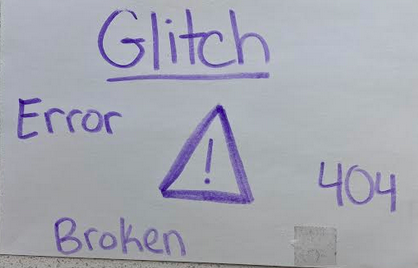
Then we asked college students in our weekly Tutoring in Schools class to create a kid-friendly, student-accessible dictionary/pictionary definition of AI words from our list or choose an Internet/computer term college students imagine youngsters need to know. On a large index card, the college students wrote a definition and drew an image to accompany the definition. Here is the card for the term ”glitch” drawn by one of the co-authors.

An error a machine makes, not you.

AI-Generated Kid-Friendly Definitions

To compare AI-generated definitions with our own and the college students’ creations, we next asked Estella Explainer Math Bot 2, a fine-tuned AI chatbot we built in ChatGPT as part of our Usable Math open online math tutoring platform (https://usablemath.org/) for elementary school students, teachers and families.

Estella Bot is a reading and vocabulary coach for use by teachers and tutors, trained to generate explanations of math word problems and terms at the “easy reading” level as measured on the Flesch/Kincaid Reading Ease scale. It also can produce kid-accessible definitions of AI words. When asked to define the term algorithm, the Estella Bot replied: “An algorithm is like a recipe. It’s a list of steps that you follow to solve a problem or do something, like baking a cake or finding a toy. Computers use algorithms to know what to do.”

Using AI to Learn about AI

Using AI to learn about AI was a remarkable experience for us. While we were initially unsure how to convey complex AI terms clearly to young learners, by writing our own definitions and then getting phrases and ideas from Estella Bot, we saw how AI could provide more ideas and language for teachers, tutors, and other adults. Rather than thinking in terms of accepting or rejecting one definition or another, here is an opportunity to blend all suggestions and possibilities to support young learners in learning about AI.

We even tried asking Estella Bot to generate a fictional math and AI story using “algorithm” and the chatbot responded with “The Treasure Hunt Algorithm,” an adventure students could act out, illustrate as a comic story, or continue to expand further with more characters and plots.

The Treasure Hunt Algorithm

It was a sunny afternoon, and Maya and her friends gathered at the park for a treasure hunt. Maya held up the treasure map, which had a note at the top: Follow the algorithm to find the treasure.

“What’s an algorithm?” asked Jake, scratching his head.

“It’s just a fancy word for a list of steps we need to follow,” Maya explained. “Like when we follow steps to bake cookies, but this time, it’s for finding treasure!”

The group leaned in as Maya read the steps out loud:

  1. Start at the big oak tree.
  2. Walk 10 steps north to the red bench.
  3. Turn right and take 15 steps to the fountain.
  4. Look under the rock with the painted star.

“Let’s try it!” said Emma, grabbing the map.

They all ran to the oak tree, counting their steps out loud. At the red bench, they argued for a moment about which way was right, but Maya pointed to her compass. “Algorithms work best if we stick to the directions exactly,” she said.

When they reached the fountain, they spotted the painted rock. Jake lifted it, and underneath was a small box with shiny stickers, candies, and a note that said, Congratulations, you followed the algorithm!

“This was fun!” said Emma.

With its capacity to provide kid-understandable explanations of complex AI language terms, Estella Bot functions as an always-available learning resource. While some of its explanations may not make sense to every youngster, adults can remix, revise, or create their own explanations based on Estella Bot’s definitions. And the bot’s story writing offers another way to help young learners build their vocabulary while making learning relevant and meaningful.

It can be helpful, though, for adults to start, as we did, in trying to create their own kid-accessible definitions and explanations before turning to an AI chatbot. Beginning with one’s own ideas first turns AI into a tool that users control and a resource that users can adopt and adapt according to the learning goals they want to achieve. Give it a try and let us know what happens. Many AI alphabets for kids are waiting to be created.

About the authors

Robert W. Maloy is a senior lecturer in the College of Education at the University of Massachusetts Amherst.

Sharon A. Edwards is a retired elementary school teacher and clinical faculty member in the College of Education at the University of Massachusetts Amherst.

Jane Cusson is a January 2025 graduate of the University of Massachusetts Amherst who is beginning her career in speech pathology.

Chenyang XU is a doctoral candidate in Learning, Media and Technology at the University of Massachusetts Amherst.

Torrey Trust is a Professor of Learning Technology in the College of Education at the University of Massachusetts Amherst.

About Rachelle

Dr. Rachelle Dené Poth is a Spanish and STEAM: What’s Next in Emerging Technology Teacher at Riverview High School in Oakmont, PA. Rachelle is also an attorney with a Juris Doctor degree from Duquesne University School of Law and a Master’s in Instructional Technology. Rachelle received her Doctorate in Instructional Technology, and her research focus was on AI and Professional Development. In addition to teaching, she is a full-time consultant and works with companies and organizations to provide PD, speaking, and consulting services. Contact Rachelle for your event!

Rachelle is an ISTE-certified educator and community leader who served as president of the ISTE Teacher Education Network. By EdTech Digest, she was named the EdTech Trendsetter of 2024, one of 30 K-12 IT Influencers to follow in 2021, and one of 150 Women Global EdTech Thought Leaders in 2022.

She is the author of nine books including ‘In Other Words: Quotes That Push Our Thinking,” “Unconventional Ways to Thrive in EDU,” “The Future is Now: Looking Back to Move Ahead,” “Chart A New Course: A Guide to Teaching Essential Skills for Tomorrow’s World, “True Story: Lessons That One Kid Taught Us,” “Things I Wish […] Knew” and her newest “How To Teach AI” is available from ISTE or on Amazon.

Contact Rachelle to schedule sessions about Artificial Intelligence, Coding, AR/VR, and more for your school or event! Submit the Contact Form.

Follow Rachelle on Twitter(X) and Instagram at @Rdene915

**Interested in writing a guest blog for my site? Would love to share your ideas! Submit your post here. Looking for a new book to read? Find these available at bit.ly/Pothbooks

************ Also check out my THRIVEinEDU Podcast Here!

Join my show on THRIVEinEDU on Facebook. Join the group here.
Marty the Robot: Your Classroom’s AI Companion

Post in collaboration with Robotical. Opinions expressed are my own.

Artificial intelligence (AI) is no longer a futuristic concept. It has been around since the last century, but it has advanced rapidly in the past few years, especially with the launch of ChatGPT and generative tools. Whether or not we ever realized it, it has been and will continue to be a part of our everyday lives. Think about your daily activities using AI, from the voice assistants on our phones to the recommendation algorithms on our favorite streaming platforms like Netflix. As educators, it’s crucial to equip all students with the knowledge and skills to understand, interact with, and even create AI-powered technologies. But how?

Marty: Your AI-Powered Teaching Assistant

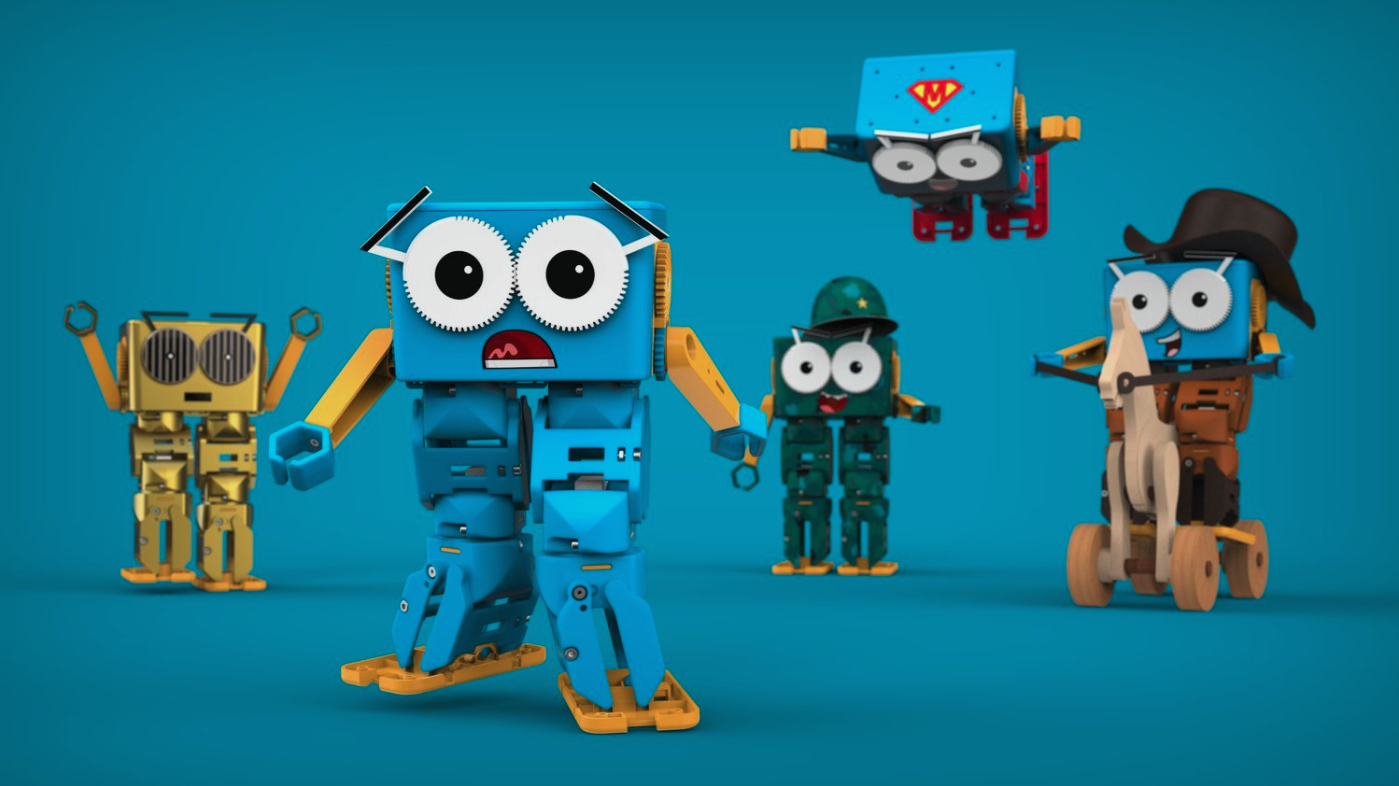
Marty the Robot is a fantastic tool for introducing AI concepts to students of all ages. Marty is a humanoid robot that is specific for education. It is a hands-on, engaging way to provide all students with the opportunity to learn about and explore machine learning, robotics, and computer science. In today’s digital age, artificial intelligence (AI) is all around us. For the younger generations, they have grown up using and relying on AI, and in likely most cases, without even noticing it.

As educators, there are many ways we leverage the power of AI to assist us with tasks, save time, promote productivity, and more. For example, voice assistants respond to our commands, streaming services curate personalized recommendations quickly, and educational apps adapt to individual learning styles, which create personalized learning journeys for students and help us provide the best opportunities for our students.

AI should be part of elementary school students’ learning experience. Whether they learn the basic concepts or have opportunities to work with an AI-powered tool, it is important to move our students beyond passive consumption and empower them to engage actively with these technologies. By understanding how AI works and how to create it, students can become not just users but innovators.

Marty the Robot: A Hands-On AI Companion

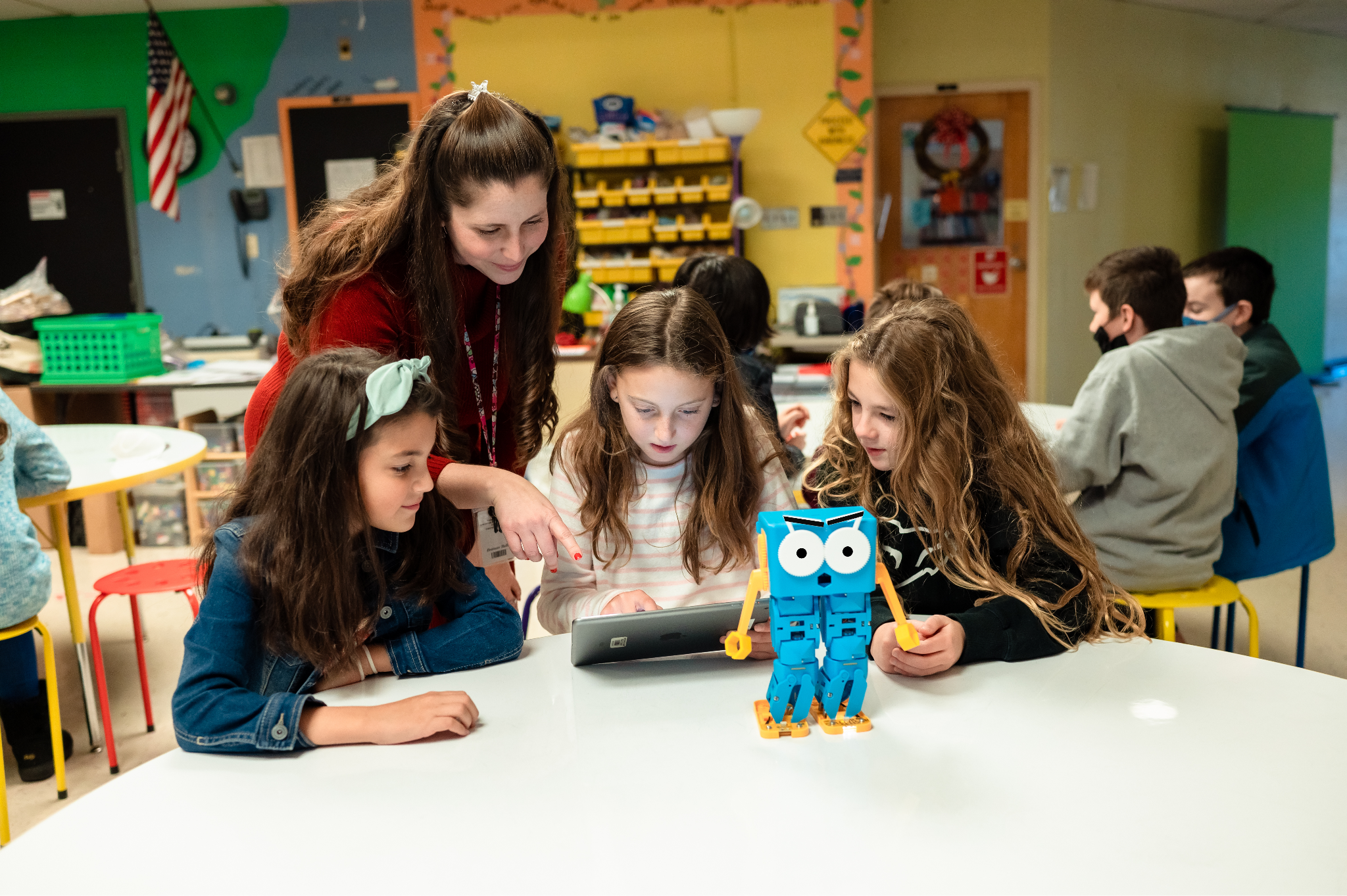
I was thrilled when I received Marty the Robot for my classroom. Marty is a mixture of hardware and software that brings AI concepts to life and engages all students. Marty offers a unique opportunity for students to explore the world of machine learning and robotics and have fun in the process!

Why Choose Marty?

Humanoid Design: Marty’s humanoid form fosters a strong emotional connection with students, making learning more enjoyable and memorable.

Versatile Programming: From screen-free coding to advanced Python programming, Marty supports a wide range of coding skills and learning styles. It meets students’ interests and specific needs.

Customizable AI: Students can teach Marty to recognize sounds, images, and other stimuli, allowing them to create personalized and interactive experiences. It gives them more opportunities to create and innovate.

Curriculum-Aligned Resources: Marty has an extensive library of educational resources, including lesson plans, activities, and tutorials, aligned with various national and regional curricula.

Durable: Marty is a reliable and long-lasting educational tool built to withstand classroom use and even some falls.

Real-World Applications of AI with Marty

Image Recognition: Teach Marty to identify objects, colors, and patterns, fostering visual perception and problem-solving skills.

Sound Recognition: Train Marty to respond to voice commands and sound cues, developing auditory processing and language skills.

Obstacle Avoidance: Implement AI algorithms to enable Marty to navigate obstacles autonomously, teaching students about spatial reasoning and decision-making.

Facial Recognition: Use advanced AI techniques to teach Marty to recognize faces, and students can evaluate its accuracy for detecting faces too..

STEM Learning and Beyond

Marty is more than just a robot; it’s a gateway to a world of STEM possibilities. By building and programming Marty, students develop critical thinking, problem-solving, and creativity skills.

Marty can be used to explore cross-curricular topics, such as language arts, social studies, and art. For instance, students can write stories about Marty’s adventures, create artwork inspired by his design, or study historical figures who have contributed to the field of robotics.

Empowering Future Innovators

By introducing students to AI and robotics through engaging tools like Marty, we are shifting them from consumers and creators and empowering them to become the next generation of innovators. As technology advances, it’s essential to equip all students with the knowledge and skills needed to thrive in our rapidly changing world.

Marty the Robot will engage students and spark creativity and curiosity for learning. By embracing AI and robotics education, we can hopefully inspire our students to become problem-solvers, inventors, and dreamers.

It has been so much fun to see students learning about AI and coding with Marty!

To learn more about Marty the Robot, head to https://robotical.io/. You can even request a trial of Marty, too!

About Rachelle

Dr. Rachelle Dené Poth is a Spanish and STEAM: What’s Next in Emerging Technology Teacher at Riverview High School in Oakmont, PA. Rachelle is also an attorney with a Juris Doctor degree from Duquesne University School of Law and a Master’s in Instructional Technology. Rachelle received her Doctorate in Instructional Technology, and her research focus was on AI and Professional Development. In addition to teaching, she is a full-time consultant and works with companies and organizations to provide PD, speaking, and consulting services. Contact Rachelle for your event!

Rachelle is an ISTE-certified educator and community leader who served as president of the ISTE Teacher Education Network. By EdTech Digest, she was named the EdTech Trendsetter of 2024, one of 30 K-12 IT Influencers to follow in 2021, and one of 150 Women Global EdTech Thought Leaders in 2022.

She is the author of nine books including ‘In Other Words: Quotes That Push Our Thinking,” “Unconventional Ways to Thrive in EDU,” “The Future is Now: Looking Back to Move Ahead,” “Chart A New Course: A Guide to Teaching Essential Skills for Tomorrow’s World, “True Story: Lessons That One Kid Taught Us,” “Things I Wish […] Knew” and her newest “How To Teach AI” is available from ISTE or on Amazon.

Contact Rachelle to schedule sessions about Artificial Intelligence, Coding, AR/VR, and more for your school or event! Submit the Contact Form.

Follow Rachelle on Twitter(X) and Instagram at @Rdene915

**Interested in writing a guest blog for my site? Would love to share your ideas! Submit your post here. Looking for a new book to read? Find these available at bit.ly/Pothbooks

************ Also check out my THRIVEinEDU Podcast Here!

Join my show on THRIVEinEDU on Facebook. Join the group here.

Principal Turnover is a Real Problem

Guest post by Al Kingsley CEO of NetSupport, Inc.

Principal Turnover is a Real Problem. Let’s Do Something About it

It seems that every day, there’s a new education survey, a new report, or some new finding, with its authors begging for our attention – a new or ongoing challenge that merits action.

If you’re in any way like me, most of those surveys earn not much more than a nod, a modest affirmation of the issue under scrutiny. Most of the time, we know already. And honestly, the issues rarely change. The investment and attention lines have been drawn in roughly the same places for some time.

But every once in a while, a new survey comes out that truly opens my eyes or refocuses my attention on critical issues in education.

That was the case in August when the Arizona School Administrators (ASA) and Northern Arizona University (NAU) shared the results of a new study on school and district administrator wellbeing.

As a preamble, the report repeated some sobering statistics about school administration retention, which we may have known but warrants repeating. For example, according to research from 2019, in the United States, “principal tenure averages four years.”

That was before the pandemic. I cannot imagine that it has improved.

If you’re reading this, I don’t need to explain why an average principal tenure of just four years is a serious problem and that is where the Arizona information comes back in.

In their survey of nearly 300 administrators and principals in K12 schools, the organizations wrote that while principals found their work meaningful, they also “noted high levels of job-related stress.” According to the survey, “High levels of stress and poor work-life balance are major factors pushing administrators to consider leaving.”

Administrators also told the survey makers that “Top stressors … included heavy workload, staffing shortages, the political climate in Arizona, and lack of resources/funding.” And that “Overall, administrators rated their work-life balance between poor and fair.”

None of that may be entirely surprising. But none of that is good, either.

We founded NetSupport nearly 36 years ago specifically to make educators’ jobs easier. By educators, we included and focused on IT professionals and school administrators, although we do have products used exclusively by teachers. Our products have been designed, installed, and updated across more than 22 million users worldwide because they reduce the burdens on education professionals in organizing and managing the technology in their schools. Over many years, countless school leaders have told us how our products and services make their jobs better and less stressful.

So, being reminded of the extremely limited tenure of principals in the U.S. and seeing the dismal results from Arizona was a bit of a shock. It was, however, not a surprise. I think we all know how stressful and draining education work is. But seeing this dramatic rate of turnover was a rude reminder that we all must do more to make the work of running a school less stressful, to move the needle on work-life balance to at least fair. If we cannot, we are – we will continue to be – experiencing unhealthy and unproductive high turnover among school leaders.

It’s well worth remembering that we can invest all the time, treasure, and technology we wish in classroom interventions and innovations. Yet, if the administrative layer in a given school is constantly in transition, overwhelmed, or otherwise ineffective, we are wasting those investments.

Likewise, we can create all the school policies we want at the federal, state, or district level, and it won’t matter one bit if the corps of school-level leadership is degraded by “high levels of job-related stress.”

The Arizona report offered several recommendations, such as implementing support programs that “Develop comprehensive wellness programs that address both personal and professional wellbeing” and to “advocate for policies that reduce administrative burdens and provide adequate funding for schools.”

That sounds great. And I understand that very few of us can do much about getting the state or other education overseers to create and fund wellness efforts. We also probably can’t do much on funding. But the part about reducing administrative burdens – we can do something about that.

AI and other technologies are getting too good, too fast to continue to leave such a vital part of our education leadership under these burdens, to allow them to roll these burdens and stresses and eventually into professional flight.

All of us in the education technology ecosystem have to be better, faster, and more intentional in making solutions that include principals. Even if new products are aimed, for example, at personalized learning or managing offsite activities, they should all consider how they will contribute to easing administrative burdens on principals. Any edtech product that does not is only doing half the job.

At the same time, those of us who have solutions that can help administrators need to move from raising our hands to energetically waving them about. The ongoing strain and its consequences are too important for professional modesty.

I realize that there are many issues with, and serious threats to, education. But this one – the stress burden we’re placing on principals – needs moving up a notch or two. So do the solutions that can help.

About Al Kingsley

Al Kingsley, the CEO of NetSupport, Inc., writes about school innovation and education technology. He serves in several capacities in local schools and has published four books about education, leadership, technology, and school governance.


Want to submit a guest blog or work with Rachelle?

Contact Rachelle to schedule sessions or keynotes about Artificial Intelligence, AI and the Law, Cybersecurity, Coding, AR/VR, and more for your school or event! Submit the Contact Form.

Follow Rachelle on BlueSky, Twitter(X) Instagram at @Rdene915

**Interested in writing a guest blog for my site? Would love to share your ideas! Submit your post here. Looking for a new book to read? Find these available at bit.ly/Pothbooks

************ Also check out my THRIVEinEDU Podcast Here!

Join my show on THRIVEinEDU on Facebook. Join the group here.
Teaching Students Cyber Safety Basics

As educators, we must teach students how to stay safe online, especially with the rise of emerging technologies such as artificial intelligence (AI) and generative AI. With the capabilities of technology expanding so rapidly, teaching students about cybersecurity and cyber safety is more important than ever—these are topics that need to be discussed and explored at all grade levels. 

Distinguishing between cybersecurity and cyber safety

Cybersecurity is the practice of protecting electronic devices, networks, and sensitive information from unauthorized access. It means proactively taking measures to ensure that confidentiality is protected and thoroughly checking out the resources that we use. Our access to devices and endless types of technology has transformed how we learn and work. However, it has also led to an increase in dangers that can impact our safety and well-being. We need to help students understand how to utilize the technology with a careful focus on how to stay safe online and protect personal information. Cyber safety awareness is critical for everyone. 

Cyber safety refers to the practice of responsibly using technology and resources available through the internet. It is especially important to use care when accessing and sharing information online to avoid the risks and potential harm that can result, such as cyberbullying, hacking, phishing, identity theft, or exposure to inappropriate content and other online threats. Because of these risks, we must be intentional about helping students understand how to protect their safety and privacy online. 

Continue reading this post on Edutopia.

About Rachelle

Dr. Rachelle Dené Poth is a Spanish and STEAM: What’s Next in Emerging Technology Teacher at Riverview High School in Oakmont, PA. Rachelle is also an attorney with a Juris Doctor degree from Duquesne University School of Law and a Master’s in Instructional Technology. Rachelle received her Doctorate in Instructional Technology, and her research focus was on AI and Professional Development. In addition to teaching, she is a full-time consultant and works with companies and organizations to provide PD, speaking, and consulting services. Contact Rachelle for your event!

Rachelle is an ISTE-certified educator and community leader who served as president of the ISTE Teacher Education Network. By EdTech Digest, she was named the EdTech Trendsetter of 2024, one of 30 K-12 IT Influencers to follow in 2021, and one of 150 Women Global EdTech Thought Leaders in 2022.

She is the author of nine books including ‘In Other Words: Quotes That Push Our Thinking,” “Unconventional Ways to Thrive in EDU,” “The Future is Now: Looking Back to Move Ahead,” “Chart A New Course: A Guide to Teaching Essential Skills for Tomorrow’s World, “True Story: Lessons That One Kid Taught Us,” “Things I Wish […] Knew” and her newest “How To Teach AI” is available from ISTE or on Amazon.

Contact Rachelle to schedule sessions about Artificial Intelligence, Coding, AR/VR, and more for your school or event! Submit the Contact Form.

Follow Rachelle on Twitter(X) and Instagram at @Rdene915

**Interested in writing a guest blog for my site? Would love to share your ideas! Submit your post here. Looking for a new book to read? Find these available at bit.ly/Pothbooks

************ Also check out my THRIVEinEDU Podcast Here!

Join my show on THRIVEinEDU on Facebook. Join the group here.