10 EdTech Tools for Encouraging Classroom Collaboration

Thank you Getting Smart for the opportunity to be a Guest Author for this post.

10 EdTech Tools for Encouraging Classroom Collaboration

By Rachelle Dene Poth

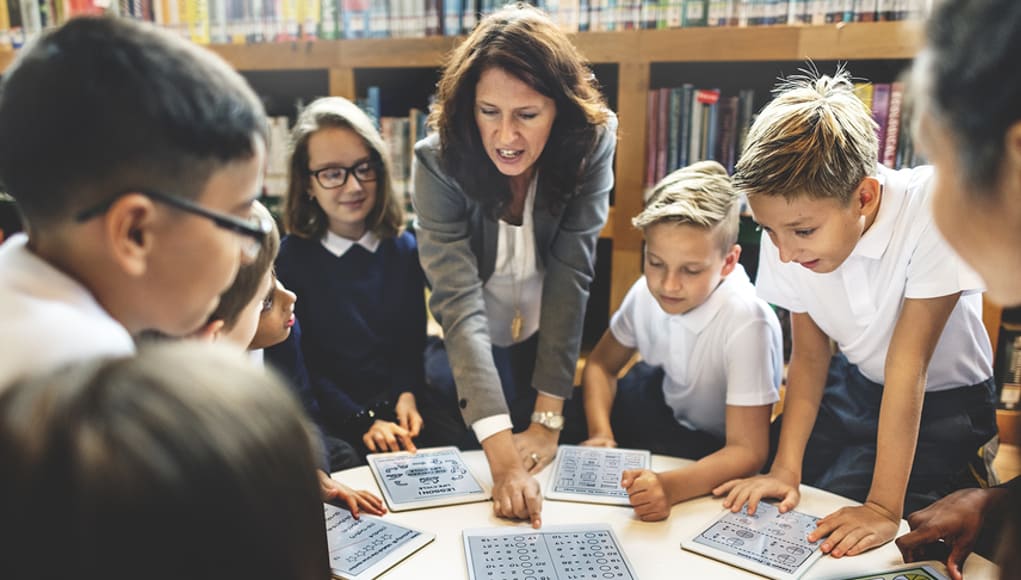
Today’s technology offers so many options for educators and students that deciding on where to begin can be overwhelming. To get started, think about one new approach that could be the catalyst for positive change in your classroom. In looking at your learning environment, what could benefit your students the most?

How do you find tools to help meet your needs? Resources are everywhere: books, blogs, social media like Twitter chats, Voxer groups, your PLN, or even conferences, EdCamps and similar professional development opportunities. But even with all of these resources available, it still comes down to taking a risk and trying something new.

Here are some helpful and versatile technology tools to easily and quickly integrate into your classroom and help meet your needs.

Discussion Tools: Get Them Talking

Teachers need to hear from students, and we know that asking questions or calling on students to discuss a topic can often make them nervous. When students, or anyone, develop that feeling of “being on the spot”, it can become more difficult to encourage students to share what they are thinking, what they are feeling and what their true opinions are. This is where digital tools can provide security and opportunities for students to express themselves. Technology has a true purpose. Students still need to develop an ability and gain confidence to speak in class, but these tools can help by providing a comfortable way for students to develop their voice and express themselves.

Depending on the type of question or discussion format you want for your classroom, there are many tools available that can help.

  1. SurveyMonkey is a good way to ask a variety of questions, find out what students are thinking, use it for a quick formative assessment, and many other possibilities. I have used it to find out how students prepared for tests, what areas they need help with, and even for voting for club officers and planning trips. You have the results quickly and can provide feedback instantly, to plan your next steps in class. It can be a different way to find out about your students and their needs.
  2. TodaysMeet is a backchannel tool that can be used in or out of class, as a way for students to contribute to a discussion or ask questions. It can also be used to provide “office hours” online, for students to ask questions beyond the school day. There are many possible uses for this tool, and setting it up is easy.
  3. GoSoapBox is a response tool that can be used to ask a variety of questions without students having to create accounts. Students simply need an “event code” provided by the teacher to access the activities available. GoSoapBox can be used for polls, discussion questions, quizzes and more, and provides a fast way to assess students or to simply learn more about them and their thoughts.
  4. Recap is a video response tool, where students can respond to a prompt and all responses are compiled into a “daily reel” for teachers to view and provide feedback. Students can respond from anywhere and feel comfortable in sharing their thoughts using this tool.

These are just four of the many options—sometimes it just takes a bit of research. Asking the students for new ways to use the tools you have already been using in class can also be helpful.

Communication Through Collaboration

There are many options which promote student collaboration and enhance writing skills and student voice.

5) Blogging: Through blogging, teachers can provide support for students and help them to gain confidence in writing and speaking. We have used Kidblog to complete many writing tasks and creative writing assignments.

6) Wikispaces: A Wiki has worked really well in our classes for having students collaborate on a topic, create a discussion page, and set it up to inform on a topic, to list just a few examples. We created a wiki on Spanish art and also created our own travel agency.

7) Padlet: Padlet is a “virtual wall” which promotes collaboration, communication, creativity and more because of its versatility. Students can write a response to a discussion question, add resources for a collaborative class project, work in small groups, use it for brainstorming or connect with other students and classrooms throughout the world.

Using digital tools in this way is great because the discussions don’t have to end when class does. These tools give ways to get students talking, share their ideas, so that we can help them grow.

Creating presentations and telling a story

A few options for having students present information in a visual way with options for multimedia include the following:

8) Buncee is a web based tool that can be used for creating presentations, interactive lessons and more, with many options for including different characters, fonts, animations, video and more.

9) Piktochart is a tool for creating infographics, social media flyers, engaging presentations and more. Students have created menus, self-descriptions, movie and tv advertisements, recipe presentations and much more.

10) Visme is a “drag and drop” tool that is easy to use for creating infographics, reports, different presentations and more. It has a library full of images, charts and more, making it easy for users to create exactly what they need.

What are the benefits of these tools?

Each of these tools promote more personalized and meaningful learning for students. These tools can be used to enhance, amplify and facilitate deeper and more authentic learning . Using technology just for the sake of using it doesn’t make sense. But using it to help students find their voice, learn what they want to do, what they can do and what they need help with, does makes sense. Purpose.

For more, see:

Rachelle Dene Poth is a Foreign Language and STEAM Teacher at Riverview Junior Senior High in Oakmont, PA. Follow her on Twitter at @rdene915.

Kidblog: Don’t Let the Learning Stop: How to keep students engaged over extended breaks

Don’t Let the Learning Stop: How to keep students engaged over extended breaks

stocksnap_c91r095cw5

The “Slide”

Throughout the school year, extended breaks provide both teachers and students the opportunity to give their mind a chance to reboot. However, learning opportunities do not have to stop while we take a break from the classroom to devote time to family, friends, and relaxation. Without opportunities for active learning during these extended breaks, some loss of knowledge is inevitable.  Similar to what has been termed the “summer slide”, this phenomenon also occurs during shorter breaks throughout the course of the school year.

There are many opportunities available to avoid this “slide”; teachers can help students engage in learning in fun ways that do not feel like “learning” at all. For my students, this means  blogging. Thanks to the availability of technology and platforms like Kidblog, students can stay connected, while still working on building skills over the break.

From “assignment” to “activity”

So, what turns a blog post from “an assignment by the teacher” over break to a fun student activity? It’s all about the content. For example, students may be asked to write a blog surrounding their time over break. Perhaps they describe what activities they participated in; writing a review of a book or movie they experienced, sharing how they spent time with friends or family, or even posting a new recipe they learned over break. These open-ended prompts enable students to work on their writing and literacy skills in a low-key and fun way. Additionally, it gives teachers the chance to stay connected with their students and provide any necessary feedback.

For more reflection, students may be given prompts which ask them to take a look back at some of the work that they have done prior to the break. They can focus on a few specific skills they have gained as well as their strengths or weaknesses throughout the year. Using blogging as a journal, they may then write a personal blog to themselves addressing these areas.  The blog can be shared with the teacher as a reflection, to explain how they perceive their progress in class and offer some ideas for personal goals or describe areas where improvement can be made. This prompt can be a great way for students to prepare for the year ahead of them.

It’s about staying connected

Blogging enables the students and teachers to communicate through a comfortable medium. It gives students an opportunity to write, read, and practice any critical skills they have learned leading up to the break as well as some reflective writing.  Students are encouraged to be creative while they are engaged in the practice of reflection, setting them up for future growth and helping you as the teacher develop a better understanding of student needs.

Kidblog Post:How to Use Blogging with Project Based Learning

How to Use Blogging with Project Based Learning

pexels-photo-58457

Over the past few years, I have looked for more ways—especially creative ways—to use blogging in my classroom. What initially started as a way to have my students practice their writing skills in a digital format (rather than the traditional “Daily Journal” writing), has taken different forms over the past year.

Blogging brings students’ work into a digital learning space, where they can feel free to share their ideas, to express themselves without so much worry on grammatical accuracy, and build their confidence in the process. It enabled me as the teacher to not only focus on what they were sharing, and assess them as needed, but also to learn about them in the process. It provided me with a way to further personalize my instruction and to be able to give the needed feedback in a more direct way.

I also use student blogs, in addition to my own, as a means to reflect on what I have been doing the classroom. Giving this information to the students affords them an opportunity for that critical reflection as well. So through blogging, many skills are enhanced and many things are possible besides the initial use of writing in response to a prompt.

Blogging with #PBL

Approaching this school year, I had many new ideas in mind, one of which was the implementation of PBL (Project-based learning) in my upper-level Spanish courses. A big part of the undertaking of PBL is for students to have an “essential question,” to think about what they wish to explore further in their studies.  We discuss how it will work, plan to have progress checks throughout, and once they have completed their cycle of research, they prepare to share their information. An important part of PBL is the reflection element.

I chose to use Kidblog as a way for students to take time to reflect on what they have uncovered in their research and to give others an opportunity to learn from them. I can give feedback, and we both have access to that information and refer back to it as often as needed. We can also continue to comment on it moving forward. I can write comments to offer suggestions and provide support. More importantly, a private digital learning space gives students a way to be more independent in their learning. For our PBL, students use their blog as a way to create a guide for themselves during the process. After posting of their initial “Essential Question,” students are reminded of where they started and how far they have come.

All of this valuable information can then be used during the next phase of PBL. It is a great way to track growth, increase communication skills, and collaborate. The use of blogging aids in the building of relationships. It is rewarding to read what students have written, to understand how they worked through their project-based learning experience, and to have that element of reflection as a result of their blogging. For me, it is great to hear directly from students as they share what they have learned, but better to hear them acknowledge how much they have grown.  Being able to review and reflect aids students in planning new goals and continuing their path toward lifelong learning.


********************************************************************

As an addition to this, it is helpful as a teacher to reflect on our practices, in what ways can we improve, how is PBL working in our classroom, what are the thoughts of the students.  Using this information can be quite helpful, as well as referring to the many resources available through BIE, and recent books including Hacking Project Based Learning by Ross Cooper and Erin Murphy, Dive Into Inquiry by Trevor MacKenzie, and Pure Genius by Don Wettrick.  The #pblchat is also a great place to learn on Twitter.

Flipping Roles: Students Move From Edtech Learners To Leader

Student reflections

Published on November 30, 2016

By Formative Educator Rachelle Dene Poth

Technology has created so many ways for teachers to provide choices for students, enable learning to occur anytime and anywhere, and to also be able to further differentiate instruction for the students. In addition to teachers being able to take advantage of the resources available to deliver instruction and assess students, these digital tools also create the possibility for students to take more ownership in their learning and become empowered learners.

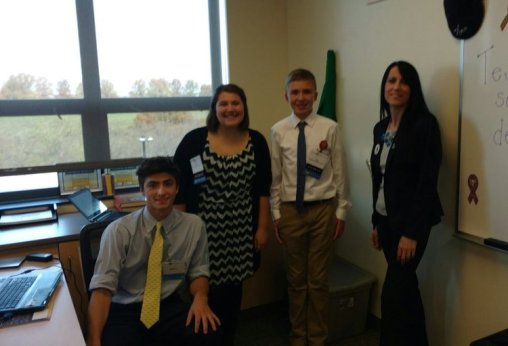
Rachelle and her edtech leaders!

Rachelle and her edtech leaders!

We need to offer diverse learning opportunities for students and to provide the support needed to encourage them to take more ownership in their learning and to become the leaders in the classroom. Students have to be more than just consumers, they need the chance to create, to experience learning from different perspectives and take this new knowledge and apply it in different ways to meet their needs.

How do teachers know what is working in the classroom? Teachers can use assessment tools and monitor student progress, but it is far more valuable and important to classroom culture and growth, to work on relationships and build collaboration by asking students to be a part of the conversation and creation of class materials. When teachers do this, they understand what helps students to learn better, be more engaged, and have a more authentic learning experience.  It also becomes a way to build student confidence and transform them into classroom leaders and advocates, who can then share their knowledge and experience with others in their class and then the community.

Give Them Choices And Let Them Lead

At the end of last year, I wanted to see what students thought about creating these assessments using tools which were traditionally used by teachers to deliver instruction.  Cassy shared her experience in the prior post and emphasized the importance of including students in the decisions of when and how to integrate technology.  Because reflection is key, I took this information and thought about the logical next step.  How could I share the message about Formative, or even more importantly, how could the students share their input with others, especially educators?

Students Take Over

Last month, Cassy had the opportunity to take the lead and present to a group of educators at a technology conference in Pittsburgh, and show how Formative can be used in their classrooms. Cassy had become the teacher, she created a lesson with Formative and offered her perspective on the use of edtech.  This time, I asked several students to participate in an edtech conference, and to present the session. Cassy taught the attendees about Formative. Here are her thoughts on the experience…

Student Perspective On Edtech: Cassy Becomes The Teacher

9th grader Cassy presenting Formative to teachers!

9th grader Cassy presenting Formative to teachers!

Cassy: “On November 8th, 2016, I participated with two other students in TRETC (Three Rivers Educational Technology Conference) where educators and technology directors from the Pittsburgh area presented sessions on uses of technology.  I am extremely grateful that I had this opportunity to share what I learned about and what I have created with technology. Formative was the perfect choice of a tool to share with the group of educators. I feel Formative is a wonderful, interactive and creative way to teach, complete assessments and increase engagement in teaching environments. I was very excited that I was able to inform others about this web tool because it means other students can have the same great opportunity I have been given, which is to use technology to learn and be creative.

Cassy had teachers respond to a Show Your Work question and draw their own flowers!

Cassy had teachers respond to a Show Your Work question and draw their own flowers!

    For the presentation, I created my own Formativewhich included a video, a true/false question, a multiple choice question, a short answer question, and a draw your response question. I included all of these so the group could see how many different options and aspects there are to Formative. I also explained the other possibilites with Formative, how to assign the Formative and answered any questions from educators or technology directors. One teacher asked if we (meaning my Spanish 3 class) have used Formative in the classroom. I told her that we have used it very often and I enjoyed it every time. I also explained how it is possible to see all of the responses of those participating in the Formative. While I talked about all of these great aspects of Formative and more, the group participated in the Formative I created and were able to see all of each other’s’ responses.

The dynamic teacher-student duo showing educators how to act on live responses!

The dynamic teacher-student duo showing educators how to act on live responses!

    I was very pleased with how the group reacted. I felt I had explained Formative well enough that everyone had a general, if not advanced understanding of how Formative worked and the advantages of using it. Seeing the smiles and hearing the laughter of everyone in the room meant that I had accomplished my goal of informing and sharing what I was so passionate about and making an impact with technology.

I am so lucky to have had the opportunity to present at TRETC with my fellow students and my extremely talented and intelligent teacher. Mrs. Poth has opened so many doors for me and has taught me so much. Learning about tools, like Formative, has made me realize how useful technology is for learning. It was wonderful to hear what Mrs. Poth had to say about Formative on top of what I had to share about it. The group was able to see two perspectives on how Formative has impacted the classroom, which I felt made a very big impact.  I admire her opinions and her comments. I am very appreciative that I could hear and see my fellow students and teacher talk about what they love so much about technology.

Being able to present with Mrs. Poth, was a great opportunity. I am very pleased I could share what I love so much about technology. Formative encompasses everything I love about technology: maximum creativity, endless possibilities and strong usefulness. I can’t think of a better tool I would have wanted to present than one that shows and encompasses my passion for technology: Formative.”

Want to learn more about giving your students ownership over edtech and opportunities to present tools to teachers? Tweet to @Rdene915  or @goformative !  

How I Solved My Classroom Management Problems

How I Solved My Classroom Management Problems

Achievement unlocked: Making assignments and resources available to everyone, anytime.

Common Sense Education, posted on September 15, 2016

Rachelle Dene Poth

Classroom teacher, Technology Presenter

Students often have organizational problems. It’s an ongoing struggle, so I’ve always done the best I could to help them stay organized. Years ago, that often came in the form of a planner students were supposed to fill out with assignments, and I’d sign off on it.

There was one particular student with a planner whom I remember. The system worked well when she remembered the planner, but sometimes she didn’t.

On the whiteboard at the back of my room, I have a space where I write down the assignments for students. I keep my door open most days, so if they want to stop in and peek at the board, they can. I’m available anytime; the only thing I ask is that they kind of discreetly come in.

So, this particular student would appear in the morning during homeroom or at the beginning of class to check the whiteboard. Sometimes she got the assignment. But sometimes, what I wrote was erased. Anything can happen: Other students might erase it and write over it, for example.

Then her mom would send an email to clarify things — and I’m really good about checking email, but sometimes email doesn’t go through. And if you call me — well, we work with voicemail extensions so it’s not like there’s a direct line to me. You have to filter through the office, and I’m always available to talk, but obviously if I’m teaching class, I’m not reachable.

Other students would pop in to check on an assignment, or they’d want to stop by and pick up a worksheet. I have everything in my room set out, but students would put papers down, and things would get covered up. So it might not be easy to find.

Or, the students would come in and leave notes saying, “I stopped by to find out … ” or “I wasn’t sure … ,” and they’d leave me a note on the board or on my desk. But if I were going to be late or had a long meeting, I might not see those notes until the next day. And if my board was cleaned that night, I might not see them at all.

So again, the students came in to get help, and I wasn’t there.

That’s when I really started to ask, “What can I do?”

I thought the board was great because students could come in anytime, but that’s not accessible in the evening when they sit down to do homework. Planners are great, too, but what if you forget them or they’re lost? I was looking for something to fix a lot of these things I saw impeding the learning process. The lack of access to resources was really bothering me because I wanted to do more.

I first decided to use the messaging tool Celly to message my students. I used it to send reminders and answer questions. I could quickly respond to messages about homework or what was missed during an absence, and I didn’t have to use class time to help students catch up.

I use it with my Spanish club, too, and now there are other groups in the school that use it for field trips and other things. It’s really quite nice, because if you’re on the bus and you’re missing students, now you can reach them instead of waiting and wondering.

But students were still asking for help finding class materials and keeping them organized. I wanted some kind of assurance that everything was centralized and easy to find. And I hadn’t found an easy way to keep parents in the loop. I decided to give another tool a try: Edmodo.

It’s a web-based app, so students can use their phones to log in, or a computer at home if they don’t have a phone, or a phone with data. Students get a join code so they can join a class when I’ve created one, and parents get a parent code so they can sign up and see what I post to the class and see their kids’ work, the grade they got, and the comments I’ve made. They know everything we’re doing in class.

Usually students log in once a day. I post homework reminders and share links. One of the nice things about Edmodo is students can reply to a post I’ve made and ask a general question, and anyone in the class can answer. For example, if they forget something — a textbook or a worksheet — they can ask, “Can somebody please share an image of the homework?” They help each other out.

It helps me, too, because if a student has been absent for a day or more, they can easily go back and see what you did in class. It’s part of my routine now, and I have five courses. Generally if a student says, “I was absent three days ago. What did I miss?” I have some idea but I’m not exactly sure. So it’s nice to have that reference.

It’s more than just communication — it’s collaboration. And I keep thinking of new ideas I can use it for.

The first two assignments I gave my Spanish 1 and 2 classes this year were discussions on Edmodo. The first was on how they study and learn, with personal kinds of questions so I could get to know them and give them ideas. The second was to come up with five personal learning goals. I gave them a reply, and in a week or two we’re going to reevaluate: “You said you were going to study every day for 30 minutes. What happened?”

You can use it as a reflection tool or as a digital portfolio. If the students do a project with technology, they can put it on Edmodo, and we can go back to it to share learning.

These tools have made a tremendous difference in my ability to provide the best possible learning experience for my students — and that’s what I wanted. And bonus: They’ve made my life easier, too.

Nearpod – Increasing cultural awareness and student engagement through interactive lessons and virtual field trips

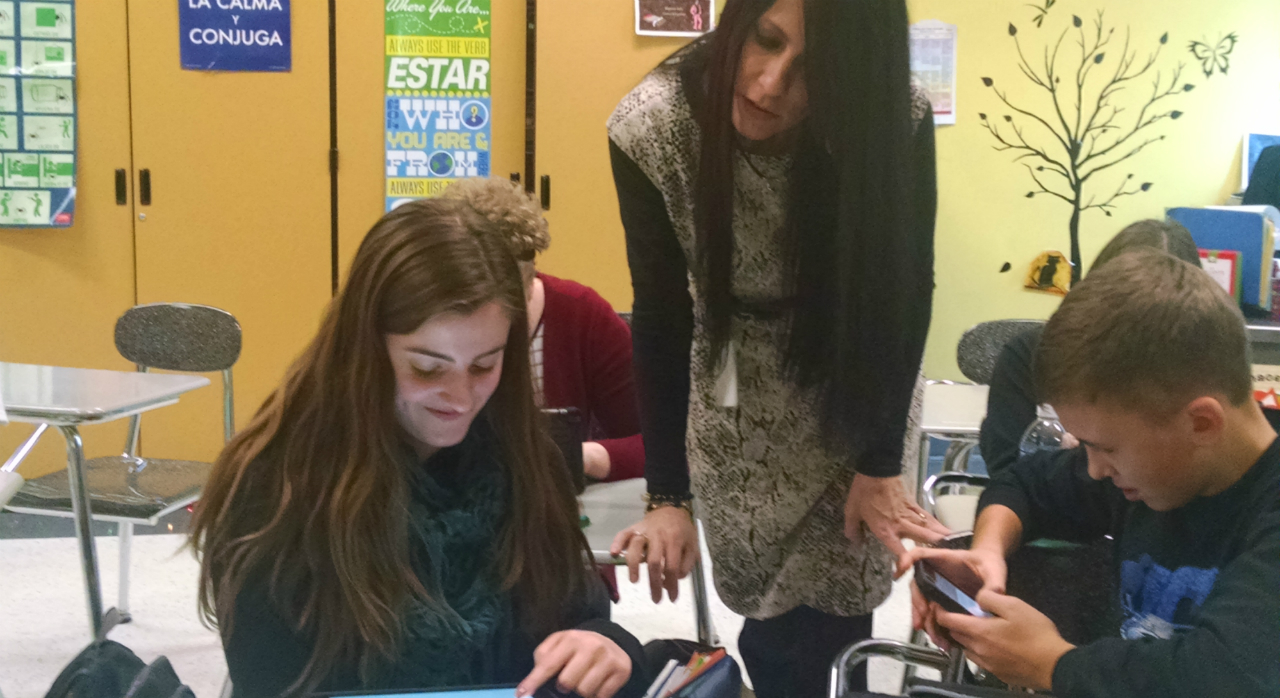
Using Nearpod in class

I have used Nearpod many times, but during the past few months, I had an opportunity to dive in and see what it can provide for student-led learning. As part of conference presentations, graduate coursework and lessons for my Spanish classes, I have a much greater understanding of its capabilities for instruction and the tremendous features it offers for education. At the end of the school year, after noticing a decrease in student engagement and motivation, I wanted to try some innovative, different methods of instruction.

Technology in our classroom: It has a purpose

Students work with many digital tools and choose how to showcase their learning.  Using technology to provide authentic and meaningful learning experiences leads to an increase in student engagement, motivation, and content mastery. I am invested in providing diverse learning opportunities and look for innovative ways to introduce content and promote student choice.  Students need to do more than just be receptors of information, they need to be creators! After reflecting on my practice and thinking about student needs, I had my students create a project using digital tools typically used by teachers to facilitate a lesson.

The Project

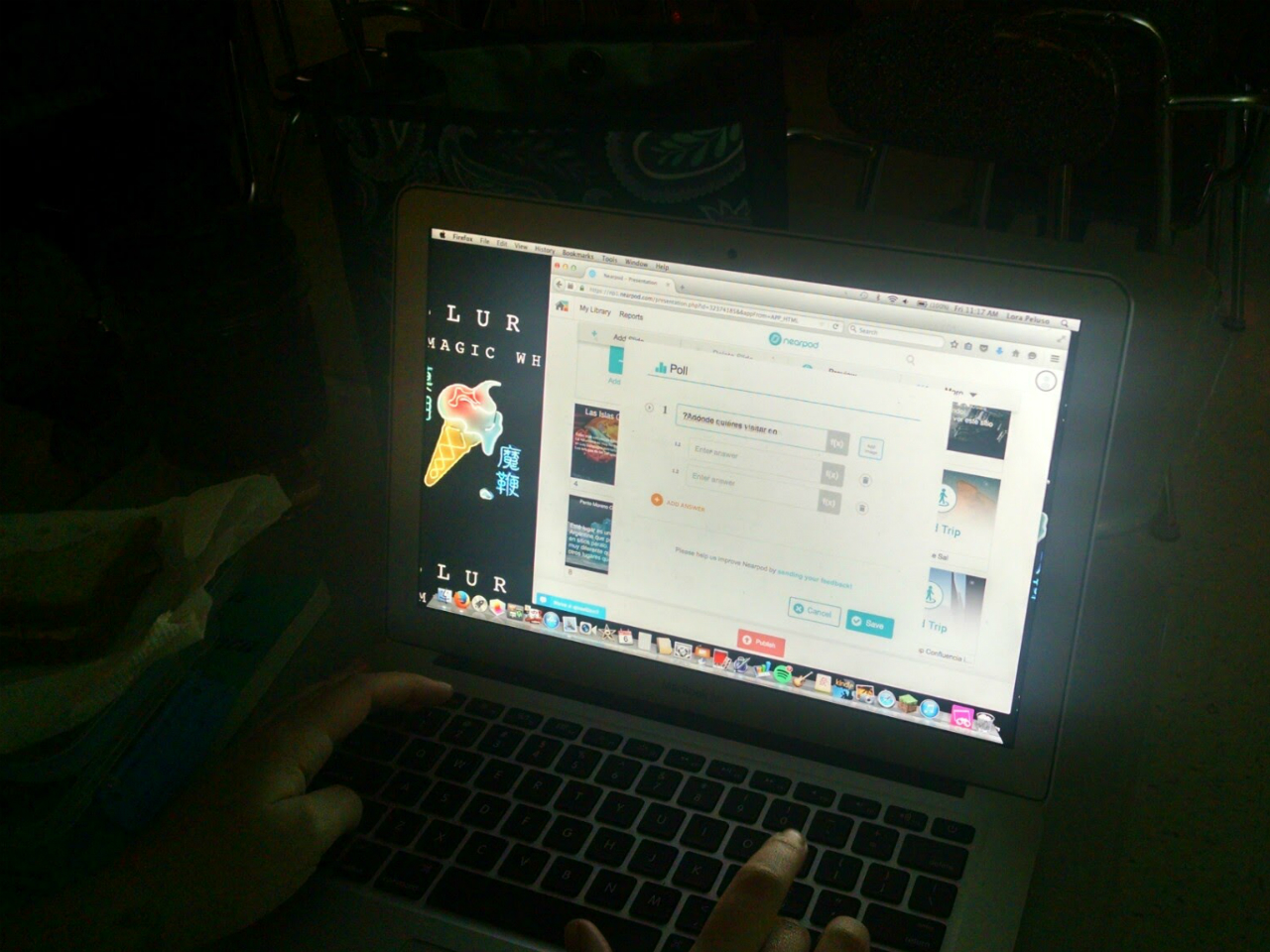
I first used Nearpod to review South American culture and verb tenses.  The virtual field trips were fantastic and the students were much more engaged in the lesson. I then wondered how students would like creating a Nearpod lesson and taking control in the classroom, so I put them up to the challenge! After my students created and facilitated their Nearpod lessons, they had some fantastic feedback about using Nearpod as a tool for both teaching AND learning.

So what did the students say?

“I used Nearpod for a class project about South America, and the amazing virtual tours took my presentation to another level. I consider myself tech-savvy, but I’ve never seen anything like this; I’d recommend Nearpod to anyone wanting a real step-up from Powerpoints, Prezis, or Google Slides!” – Sydney

“As someone who finds technology unnecessary at times, I often do not enjoy using some of the tools I have in the past. Nearpod has really gotten me excited about the possibilities of technology in the classroom! Being able to take an adventure on virtual tours and experience culture first hand is something I have never been able to do before. Nearpod is a great tool for every classroom!”    -Patrick

“Having so many choices for activities to use were educational and fun. Choices make learning more enjoyable for students. It provides more than just listening to a presentation, or watching a video, and not really being held accountable. I recommend Nearpod for other educators and anyone looking for a new way to present information. -Izabel

Learners to leaders

Using Nearpod means that learning is no longer confined to the traditional classroom setting, nor that the “teacher” is the only person providing instruction.  Students were empowered in their learning.  Seeing their transformation from learners to leaders was tremendous. The choice was theirs.

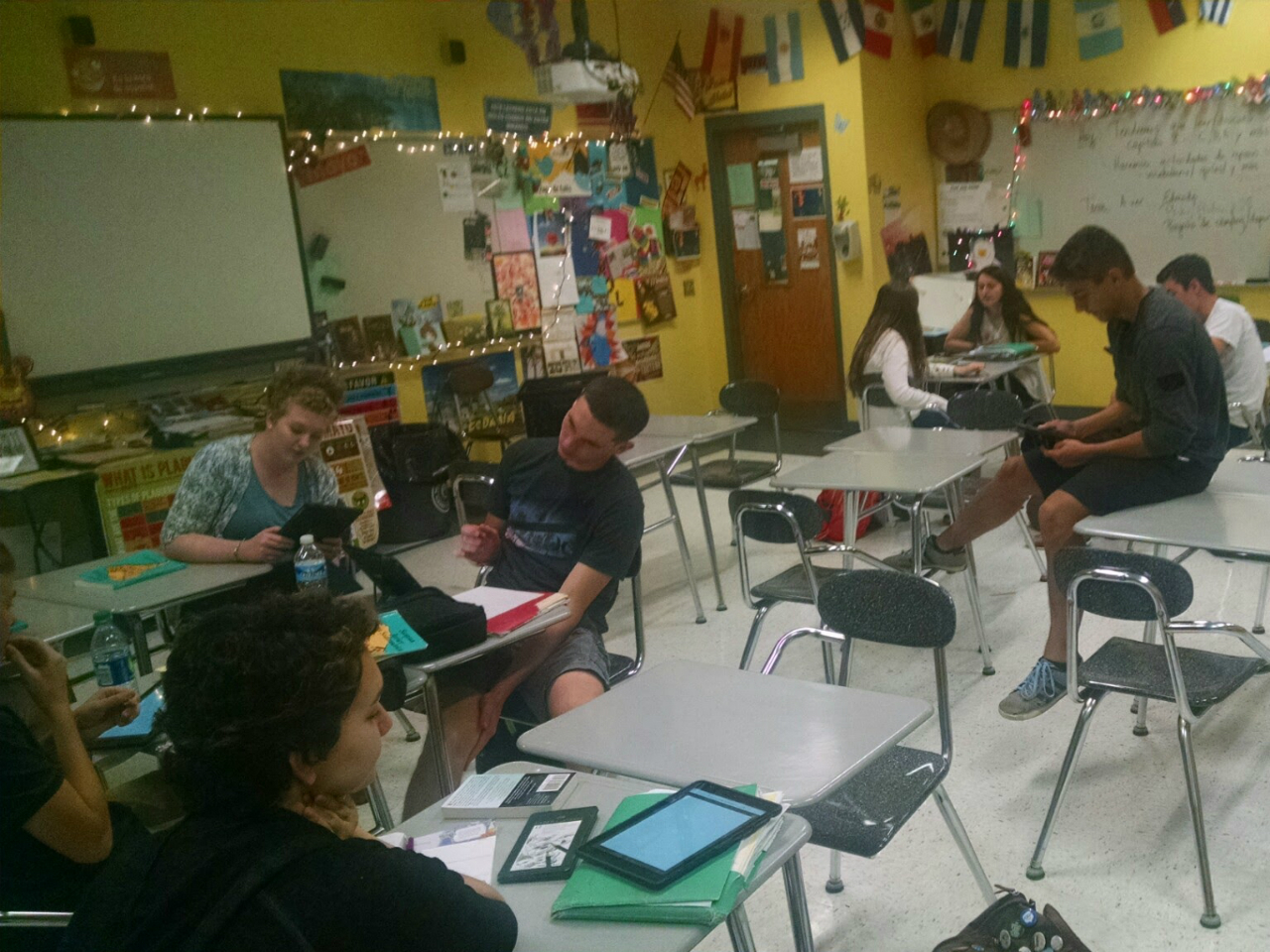
Students teaching a Nearpod lesson 1

Students teaching a Nearpod lesson 2

Students working on projects in class 1

ISTE 2016: My takeways

#ISTE16 Takeaways Part 1: Let’s Talk About Relationships

By Rachelle Dene Poth

ISTE Takeaways

Let’s talk about the relationships (part 1 of a series)

Rachelle Dene Poth

ISTE (International Society for Technology in Education) is a conference that draws in people from all over the world and all levels of education and technology. With an estimate of close to 20,000 people from 70 countries in attendance, this year’s conference was tremendous. An event so large but yet at times seems so small, when you find yourself running into the same people in different areas of such a large event space. It has so much to offer, that it is hard to do it justice by summarizing or simply writing about one aspect of it.  So I thought I would highlight a few of the biggest takeaways that I had, and ones which I gathered from others.


Going to ISTE? What can you expect?
There are a lot of discussions and questions leading up to the conference. For people attending for the first time, the most common questions are: What sessions should I choose? What type of clothing is appropriate? What items should I carry in my bag? What should I expect? What are the “must do” events? and many more questions like this.  Simply put, where do I begin?

I myself was a first-time attendee last year and had absolutely no idea what to expect.  I had been to many different conferences, but none as large as ISTE. I was nervous about not really knowing a lot of people there.  I was fortunate to have just gotten involved with PAECT (Pennsylvania Association for Educational Communications and Technology) and two of the ISTE networks (MLN and Games & Sims).  Being involved with these organizations helped because I knew some people and had some events lined up, but I figured the chances of seeing them with all of our different schedules, were not too likely.

PAECT Friends

IMG_20160626_173826603_TOP-COLLAGE

I tried doing some research, asking questions on social media, reading through and studying the ISTE website to learn as much as I could. I think I studied the program multiple times every day, each week leading up to my travels to Philadelphia. I had a nice schedule planned out, my favorites marked and areas that I wanted to focus on, so it seemed like I was ready to go.  But as I quickly learned last year, and definitely felt the same this year, is that it really doesn’t matter what you decide to do, what schedule you set up to follow, whether or not you know anyone, because no matter what decision you make you can’t go wrong. Honestly. There are no “wrong” or “bad” choices because there are opportunities everywhere. Even if you have a schedule, it is really tough to stick to it. And if you are traveling alone for the first time, don’t worry about being alone. It is a place for building relationships and making connections above anything else. So if you want to learn what ISTE is about let me start by telling you about the relationships and why they matter.

(Photos from #iste2016 Twitter)

(Photo from TechieTeacherTalk @GUAMlovesAT)


It starts with relationships: The value of connections

I had to conquer a big fear this year: my fear of flying. Last year, I traveled by Amtrak to Philly, and it was no problem. I don’t mind traveling alone, I use the time to read, participate in Twitter chats, catch up on work, and enjoy the trip.  But this year, preparing to travel to Denver, with my fear of flying, something I have not done in 21 years, was a bit difficult.  I have avoided air travel, preferring to drive or take a train any distance. However with Colorado being a bit far of a drive, bus ride or travel by train, I was not left with much in the way of options. So that meant flying. Fortunately, I had a good friend providing me with the support to help me get to the airport, get on the plane and get to Denver without worry. At least not too much. I just kept thinking about the week ahead.

My support for the travels started with another conference.  Karyn and I met at a Keystone Technology Innovator Summit in Pennsylvania a few years ago. I was also fortunate that at Karyn had another friend traveling with us, Chris, so I had two amazing companions to ease my nerves and it really made a huge difference during the flight and throughout the conference.

Chris Stengel and Karyn Dobda


Relationships started through Social Media.  Now aside from the travel, another tremendous part of this experience was a group that originated on Facebook, educators connecting in an ISTE2016 group.  The group then transferred into a Voxer group created and led by Rodney Turner. We communicated in the weeks leading up to ISTE. Lots of conversation, lots of questions and more than anything a ton of inspiration and excitement fueled by the chatter, the shared experiences, the anticipation and even more so, motivation provided by the guidance of our named “Concierge Rodney.”

He started each day with a Vox, a countdown to ISTE, an inspiration and a story.  He brought a bunch of people together, a group of connected educators, who became friends, excited to meet F2F after developing these relationships. Becoming friends through technology. I could hardly wait to meet the members of this group, officially, because we had already learned so much about each other. And we even had t-shirts and stickers made for our group, thanks Mike Jaber.   

(Meeting in Bloggers Cafe, VoxUp)

And at conferences like ISTE, meeting your “Tweeps” and #eduheroes finally F2F is a possibility.  Even though we all feel like we already know each other, after many Twitter chats and social media interactions, it is nice to be together and talk (about technology) without the technology.

Sean Gaillard and Natalie Krayenvenger     (Photo from Katrina Keene)


First steps for ISTE

Having these core groups to connect with is something I highly recommend.  All it takes is one or two people and you can build your entire group, so at no point do you feel alone during the conference. One of Rodney’s messages was to be on the lookout for people you notice sitting alone. If you see someone sitting alone, go over and start a conversation, invite people to join you, be welcoming, and it worked. We had our “VoxUp” in the Bloggers Cafe on Sunday before the Keynote, and what a great experience that was.  There were lots of hugs, laughs, smiles and excitement.   This was truly a defining moment.  In looking around, people joined in this group, new connections were made, the excitement and power of this PLN was contagious.  All it took was joining in a group, taking that step and becoming part of something, and having a support system already in place.  Looking around the Bloggers Cafe, there were a lot of small groups of people, gathered to listen to the Keynote, take pictures, make new connections, network and just to absorb everything that was going on. No matter where you looked, you could see the energy and excitement. The energy was so high and it was just the starting point for what would be a phenomenal 3 day event.


So, what should your plan be?

Well, maybe the best plan is to not have a plan.  Maybe just have an idea. A focus.  Time goes by so quickly and the choices are so numerous that it can be overwhelming, especially for a first time attendee.  Not everybody can make the same decision about what would be the best session or event to attend. You have to make your own decision and even though there is comfort in going to a session with somebody you know, it is equally if not more beneficial to go your own way, interact with other educators and create new relationships.  You can then come back to that core group with new ideas and new friends, and you never know, it’s such a small world sometimes that you might all know the same people.  And by going to different sessions and different events, there are more stories and experiences to be shared. So the learning possibilities are even greater.  And friends made along the way become part of different groups but connected into one.
Having these different groups really added to the experience.  We shared ideas, attended events together, grabbed early coffees at Coffee Edu, and so much more. Even if you weren’t at ISTE, you could join in virtually and be a part of the ISTE community as well.  The idea behind attending conferences like ISTE is to make new connections, gain new knowledge, to grow professionally, and to explore.  I can’t think of a better way to start doing this than by focusing on relationships. It is where I start each school year and it is where I focus for conferences like ISTE.

(#coffeeEdu, Thanks Craig Yen for Periscoping for #notatiste)

(Mobile Megashare)


Share your thoughts and experiences and photos, we would love to hear from you! Next up, focus on some of the ISTE events and takeaways.

Recap: Let’s Get Students Talking

I tried Recap at the end of the year and really enjoyed what it offered.   I appreciate the opportunity to have my experience shared on Recap.

Posted on July 20, 2016Posted in Guest Post

Student voice is very important in education today. Teachers benefit greatly by understanding what the students’ needs and interests are, their backgrounds and other experiences they bring with them to the classroom. Students participate in so many diverse learning experiences aimed at providing the best practice through multi-modal instructional methods, to personalize instruction, drive student learning and to provide the resources and support necessary for student success. And while the teacher may believe that each learning experience they provide is valuable and will benefit the students’ growth in the class, it is critical to seek input from the students themselves to really understand the impact these methods have on their learning.

Involving students in conversations can happen in many mediums. With all of the digital tools available today, there are endless possibilities available for substituting the traditional face-to-face conversations or having students write some type of a response such as a self-reflection in class. Having students reflect on a particular learning experience or participate in a discussion after class, are valuable opportunities for teachers as well to learn more about the students and to continue building those vital relationships. Including students in the planning and gathering input from them benefits the learning environment tremendously and there are many ways to do this. I found a new method of encouraging students to share their thoughts this year, through Recap.

Deciding to Try Recap

Toward the end of the school year, I wanted to try some new tools in the classroom, to keep students engaged and motivated through the end of the year. I thought that trying out some new ideas would work well at this time, because I could use the information to reflect and plan over the summer. I came across Recap and was very interested in trying it out with my students.
I was initially unsure of whether it would be easy to implement into my classroom, or even how I would use it, but as with all things, sometimes you have to just take a chance and see how it works out. So I did just that and created a class for my students using Recap. The first time I logged in and created a video in which I asked the students to share their thoughts about some of the projects we had done, some of the tools that we had used, and any other insight that they wanted to provide to me. I explained how Recap would work and set up my recording for them. It was very easy to use and to set up. More important, students were excited about this new experience and felt comfortable in sharing their ideas.

Ideas for Using Recap

There are many uses for Recap in and outside of the classroom to have students respond to a prompt, have a debate on a topic, use it for a speaking assessment, and many more possibilities depending on content and grade level taught. But one of the biggest benefits I think it provides is a comfortable way for students to connect with their teachers and to honestly share their ideas, thoughts or reflections. Students are often afraid to speak up, we all are, and having a tool which enables the assessment or reflection to be done in the comfort of one’s own home or place, is very beneficial.
After the first time my students completed the assignment, watching their responses compiled into a daily reel, several things were clear. I could see that they were comfortable, which was very important to me, especially when trying something new like Recap. I also appreciated the fact that they took the risk to share their ideas and provided honest evaluations of my teaching and their classroom experiences. And I really like that I was able to give them feedback as well following their video responses.

The Foreign Language Classroom

As a foreign language teacher, I can use this in my classroom to have students complete speaking assessments, discuss topics we are working on in class, whether it be a work of art or particular reading, and they can give their honest opinions in a more comfortable, safer environment for expressing themselves. It is also quite useful for students to do a reflection of my instruction or of their own skills, interests and needs in the classroom. The nice thing is that either way, teachers and students can learn about each other, and grow from the feedback given.

I was very excited after this initial experience with Recap and so I tried it with several of my other classes. The response was all positive and I know that I will use it a lot more in the upcoming school year to have students complete speaking assessments, have discussions and more activities like these. But more than these uses, it is a way for me to better understand their needs and to learn more about them in the process. A way to continue building the vital relationships that help to build a positive, supportive classroom environment.

There are many ways to use Recap in the classroom but also as part of professional development, conference presentations and much more.

About Rachelle Dene Poth

She is a Spanish Teacher at Riverview Junior Senior High School in Oakmont, PA. She is also an attorney and earned her Juris Doctor Degree from Duquesne University School of Law and recently received the Master’s Degree in Instructional Technology from Duquesne. She enjoys presenting at conferences on technology and learning more ways to benefit student learning. She is the Communications Chair for the ISTE Mobile Learning Network, a Member at Large for Games & Sims, the Innovation Resources Co-Chair for the Teacher Education Network and the PAECT Historian. Additionally, She is proud to be involved in several communities including being a Common Sense Media Educator, Amazon Inspire Educator, WeVideo Ambassador, Edmodo Certified Trainer, Nearpod Certified Educator and also participate in several other networks. She enjoys blogging and writing for Kidblog and is always looking for new learning opportunities to benefit my students. You can connect with her on Twitter @rdene915.

IMG_20160629_103429847 (2) (1)

TeacherCast Educational Network

Technology Integration - Instructional Coaching - Productivity Secrets for Educators

Leadership Liner Notes: Sean Gaillard

Built on Connection. Tuned for Impact.

Stories by Thomas Oppong on Medium

Dr. Rachelle Dené Poth @Rdene915 Educator, Consultant & Keynote Speaker, Author, Attorney #THRIVEinEDU

Hooked On Innovation

When Innovation slaps you in the face, we slap back.

Teach Better

Dr. Rachelle Dené Poth @Rdene915 Educator, Consultant & Keynote Speaker, Author, Attorney #THRIVEinEDU

BrianKulak.com

Dr. Rachelle Dené Poth @Rdene915 Educator, Consultant & Keynote Speaker, Author, Attorney #THRIVEinEDU

The Principal of Change

Stories of learning and leading

Mandy Froehlich

Dr. Rachelle Dené Poth @Rdene915 Educator, Consultant & Keynote Speaker, Author, Attorney #THRIVEinEDU

Katie Martin

Informed by research, refined by practice

#RocknTheBoat

Rocking today's classrooms, one teacher, student, and class at a time.

User Generated Education

Education as it should be - passion-based.

Learning as I go: Reflections & lessons learned

Dr. Rachelle Dené Poth @Rdene915 Educator, Consultant & Keynote Speaker, Author, Attorney #THRIVEinEDU

Serendipity in Education

Join me, Allyson Apsey, as I stumble upon the fortunes of learning, laughing, and celebrating alongside incredible people.