Transform Public Speaking with Yoodli: Your AI Coach

Guest post by Paula Johnson, see Paula’s other blogs here and subscribe!

Public speaking. Just reading those two words probably made your palms sweat a little. Whether you’re a student giving a book report, a teacher presenting at a PD (with no AC and bad coffee), or someone just trying to sound confident in a meeting, speaking clearly and effectively is a real skill, and one that usually comes with years of awkward ums and cringey filler words.

Enter Yoodli, your friendly-but-firm AI-powered speech coach. Think of it like Toastmasters… if Toastmasters lived inside your laptop and never interrupted you

🧰 What Is Yoodli?

Yoodli is an AI tool designed to help users improve their public speaking skills. It analyzes your speech in real-time or after a recording and gives you feedback on things like:

  • Filler words (“um,” “like,” “you know”)
  • Pacing (Are you sprinting or sedating your audience?)
  • Word choice and sentence complexity
  • Eye contact and body language (with video)
  • And yes, even your “uhhh” to actual word ratio

Yoodli gives you a transcript and a confidence score, plus suggestions that range from helpful to brutally honest. It’s basically Simon Cowell with AI ethics and a smiley face interface.

🏫 Classroom Uses: From the Speech Team to the Math Teacher

Yoodli is one of those tools that sneaks up on you with its usefulness. Here’s how educators can integrate it meaningfully across content areas:

💬 1. Speech & Debate or Language Arts

The most obvious use case. Have students record their speeches or presentations, then analyze their own pacing, tone, and use of filler words using Yoodli. Students can track their growth over time, which is far more helpful (and less awkward) than just watching themselves on video.

🎤 2. ELL/ESL Support

For multilingual students, Yoodli provides private, low-stakes speaking practice. It doesn’t judge accents; it focuses on clarity, pacing, and fluency. Students can speak into the tool and get instant feedback, helping build confidence without the pressure of speaking in front of the class.

🧠 3. Teacher PD & Self-Reflection

Want to see how you really sound during that lesson on quadratic equations? Use Yoodli to record part of your instruction or PD session. You might be surprised how often you say “so yeah” (guilty). This can also be helpful for instructional coaches working with teachers on presentation or communication skills.

🧪 4. Science Fairs and Project-Based Learning

Anytime students are explaining a process or presenting their thinking, Yoodli can give them that extra polish. It encourages students to reflect on how they communicate their ideas, not just what they say, but how they say it.

💻 5. Interview Practice and Career Readiness

Mock interviews? Elevator pitches? College essays turned spoken narratives? Yoodli is ideal for helping students practice for real-world moments where confidence and clarity are key.

🧠 The AI Behind the Tool

Yoodli uses automatic speech recognition (ASR) and natural language processing (NLP) to analyze spoken words in real time. Think of it as a very nerdy parrot that listens, transcribes, and then gently tells you you’re rambling.

Some quick nerd notes:

  • Speech recognition turns your words into text (transcription)
  • NLP analyzes your speech for filler words, tone, sentiment, and repetition
  • Yoodli can detect your pace and word variety over time

Importantly, Yoodli doesn’t train its model on your data without consent. Users can opt into saving their data for progress tracking, but educators should check settings for student accounts. They’ve made good strides toward ethical design—no surprise, since one of the co-founders used to work at Google AI but left to build tech that was more human-focused.

Data privacy tip: Make sure to read the privacy policy if you’re using it with students under 18, and consider creating class-specific accounts or using it in “demo mode” with no login required.


🧪 Try It Out: Tips for Teachers

Here’s how to get rolling without needing a 47-slide training deck:

  • Start small: Have students practice a 1-minute talk on any topic. Favorite food. Least favorite math concept. Why dogs are better than cats. (Yoodli is cat-neutral.)
  • Use the transcript: Yoodli gives a full transcript of each session, great for writing reflection, peer feedback, or revision activities.
  • Gamify it: Who can lower their filler word count the most in one week? Who has the smoothest pacing? Instant leaderboard.
  • Model it: Record yourself first and share the feedback you got. Vulnerability builds classroom trust (and shows that even grown-ups say “like” too much).
  • Be intentional: Don’t let Yoodli become a surveillance tool. Use it for growth, not gotchas. Let students control their recordings and reflection.

👩‍🏫 Final Thoughts: AI Coaching That Doesn’t Need Coffee

Yoodli isn’t replacing speech teachers or taking over your drama class—it’s a supplement, not a substitute. But it is an amazing, low-barrier way to help students hear themselves and improve one of the most universally useful skills: effective communication.

Plus, unlike your coworker in the next room, Yoodli never interrupts you mid-sentence to ask if you’ve “seen the new attendance policy.” So that’s a win.

I believe educators deserve access to tools, knowledge, and support that empower them to do their best work. If my content has helped you, inspired you, or made your day a little lighter, supporting me on Ko-fi helps me continue creating resources that support teachers who are changing the world one student at a time.

If this work supports you, you can support it too: ko-fi.com/paulajohnsontech

About Rachelle

Dr. Rachelle Dené Poth is a Spanish and STEAM: What’s Next in Emerging Technology Teacher at Riverview High School in Oakmont, PA. Rachelle is also an attorney with a Juris Doctor degree from Duquesne University School of Law and a Master’s in Instructional Technology. Rachelle received her Doctorate in Instructional Technology, and her research focus was on AI and Professional Development. In addition to teaching, she is a full-time consultant and works with companies and organizations to provide PD, speaking, and consulting services. Contact Rachelle for your event!

Rachelle is an ISTE-certified educator and community leader who served as president of the ISTE Teacher Education Network. By EdTech Digest, she was named the EdTech Trendsetter of 2024, one of 30 K-12 IT Influencers to follow in 2021, and one of 150 Women Global EdTech Thought Leaders in 2022.

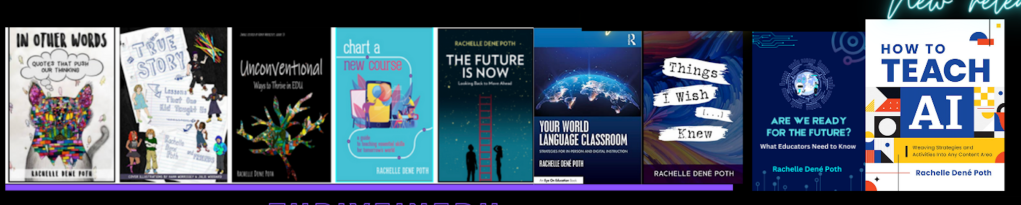
She is the author of ten books, including ‘What The Tech? An Educator’s Guide to AI, AR/VR, the Metaverse and More” and ‘How To Teach AI’. In addition, other books include, “In Other Words: Quotes That Push Our Thinking,” “Unconventional Ways to Thrive in EDU,” “The Future is Now: Looking Back to Move Ahead,” “Chart A New Course: A Guide to Teaching Essential Skills for Tomorrow’s World, “True Story: Lessons That One Kid Taught Us,” “Things I Wish […] Knew” and her newest “How To Teach AI” is available from ISTE or on Amazon.

Contact Rachelle to schedule sessions about Artificial Intelligence, Coding, AR/VR, and more for your school or event! Submit the Contact Form.

Follow Rachelle on Bluesky, Instagram, and X at @Rdene915

**Interested in writing a guest blog for my site? Would love to share your ideas! Submit your post here. Looking for a new book to read? Find these available at bit.ly/Pothbooks

************ Also, check out my THRIVEinEDU Podcast Here!

Join my show on THRIVEinEDU on Facebook. Join the group here.

Increasing Cybersecurity

Schools have experienced an increase in the number of cyberattacks over the past year. Cybersecurity attacks can include data breaches, ransomware, and phishing, all of which disrupt learning. These can result in compromised sensitive personal information, disrupt the learning environment, and, at times, bring a high financial burden due to the need to investigate the attack, add network security, restore files, or make payments to recover the encrypted files stolen in a ransomware attack. We are all susceptible to these attacks and risk having our personally identifiable information (PII) shared with others without even knowing.

With these challenges, schools must take steps to safeguard data and implement policies and best practices for cybersecurity. This can involve everyone in the school:

  • Administrators and IT can work together to create comprehensive cybersecurity policies that outline expectations for staff and students. These policies should include topics like password strength, data protection, and acceptable use of technology.
  • Schools should provide ongoing training for all staff on cybersecurity best practices and incident response procedures.
  • Classroom teachers can guide students in creating strong passwords and teach them about the risks of phishing, malware, and other risks.
  • Students can protect themselves by creating strong passwords, closely evaluating sites and links, and asking for help if they are unsure about an email or a website.

By having clear policies in place and conducting regular audits of digital tools, educators can protect themselves, students, and students’ families from these risks. 

Continue reading the article on Edutopia, where it was originally posted.

About Rachelle

Dr. Rachelle Dené Poth is a Spanish and STEAM: What’s Next in Emerging Technology Teacher at Riverview High School in Oakmont, PA. Rachelle is also an attorney with a Juris Doctor degree from Duquesne University School of Law and a Master’s in Instructional Technology. Rachelle received her Doctorate in Instructional Technology, and her research focus was on AI and Professional Development. In addition to teaching, she is a full-time consultant and works with companies and organizations to provide PD, speaking, and consulting services. Contact Rachelle for your event!

Rachelle is an ISTE-certified educator and community leader who served as president of the ISTE Teacher Education Network. By EdTech Digest, she was named the EdTech Trendsetter of 2024, one of 30 K-12 IT Influencers to follow in 2021, and one of 150 Women Global EdTech Thought Leaders in 2022.

She is the author of ten books, including ‘What The Tech? An Educator’s Guide to AI, AR/VR, the Metaverse and More” and ‘How To Teach AI’. In addition, other books include, “In Other Words: Quotes That Push Our Thinking,” “Unconventional Ways to Thrive in EDU,” “The Future is Now: Looking Back to Move Ahead,” “Chart A New Course: A Guide to Teaching Essential Skills for Tomorrow’s World, “True Story: Lessons That One Kid Taught Us,” “Things I Wish […] Knew” and her newest “How To Teach AI” is available from ISTE or on Amazon.

Contact Rachelle to schedule sessions about Artificial Intelligence, Coding, AR/VR, and more for your school or event! Submit the Contact Form.

Follow Rachelle on Bluesky, Instagram, and X at @Rdene915

**Interested in writing a guest blog for my site? Would love to share your ideas! Submit your post here. Looking for a new book to read? Find these available at bit.ly/Pothbooks

************ Also, check out my THRIVEinEDU Podcast Here!

Join my show on THRIVEinEDU on Facebook. Join the group here.

Imagi Webinar: AI-Ready Educators: Preparing Teachers for the Future of Learning

We had a great turnout for our recent webinar and a great panel! Read more here and check out the recording.

Artificial Intelligence is no longer a concept for the future—it’s transforming classrooms everywhere. The sudden and widespread availability of powerful AI tools has left many educators with a mix of excitement and apprehension. How can we, as educators, prepare our students for an AI-driven future? How do we harness the potential of these tools while carefully and consistently navigating their pitfalls?

These were the central questions addressed in a recent webinar, “The AI-Ready Educator: Preparing Teachers for the Future of Learning,” hosted by ThriveinEDU and Imagi-Labs. The session brought together a panel of experts, including educator, author, and attorney, Dr. Rachelle Dené Poth, who moderated a powerful conversation with panelists Alana Winnick, Beatrice Ionascu, and Ken Shelton about the intersection of computer science, computational thinking, AI, and ethics in modern education.

“We’re not here because we’re experts—we’re here because we’re learners,” said Poth, who has spent the past eight years working with AI in education. “This is a conversation. We’re figuring it out together.” This insightful conversation provided a roadmap for educators looking to become AI-ready.

Understanding the Fundamentals

Before exploring the practical applications of AI in the classroom, it’s essential to understand what AI is. As Beatrice explained, AI systems are designed to perform tasks that typically require human intelligence, such as pattern recognition, language processing, and decision-making, all of which are fueled by data. Ken Shelton further clarified that ‘not all AI is the same,” breaking it down into three types: reactive, predictive, and generative. While we’ve been interacting with reactive AI (like spell check and email spam filters) and predictive AI for years, it’s the recent explosion of generative AI that has captured our collective attention.

Understanding these distinctions is the first step toward developing a nuanced approach to AI in education. A blanket policy to “block all AI,” as Ken pointed out, is not only impractical but also counterproductive, as it would mean eliminating tools we rely on daily. Instead, the focus should be on using these systems effectively and responsibly.

From Educators to Empowerers

The panel opened with introductions from four leaders who are not only immersed in educational innovation but also actively working to shape its future.

Alana Winnick, Educational Technology Director and Data Protection Officer at Pocantico Hills Central School District in New York, emphasized the need for purpose-driven integration of AI. “I also started a program called Students for Innovation, which empowers students to advocate for change in their schools,” she shared. With a book and podcast on generative AI, Winnick has centered her work on amplifying student voices in tech spaces.

Beatrice Ionascu, co-founder and CTO of Imagi, echoed the importance of inspiring student curiosity. “I truly believe that technology education is the key to creating a better world,” she said. “At Imagi, our mission is to make computer science and AI literacy as essential and accessible as reading and math.” With a background in engineering, product design, and education, she brings a unique perspective to building tools that connect students, especially girls, to technology through creative coding.

The Imperative of AI Literacy

A recurring theme throughout the discussion was the concept of “AI literacy.” Ken Shelton offered a comprehensive definition: “AI literacy means knowing, understanding, and using AI in smart and safe ways. It helps people ask good questions about how AI works, how it helps or hurts others, and how it can change or impact the world around us.”

Alana Winnick provided a practical framework for fostering AI literacy in students, assigning them two critical roles: the “detective” and the “DJ”. As detectives, students must be on the lookout for bias and misinformation, understanding that AI is not a magical, infallible source of truth. This is a crucial skill, especially in a world where AI-generated content can be convincingly inaccurate. As DJs, students are encouraged to “remix” AI-generated content, infusing it with their own thoughts, ideas, and voice, ensuring that their work remains a reflection of their own learning and creativity.

The Irreplaceable Human Element

One of the most pressing concerns for educators is the fear that AI will render their roles obsolete. The panelists, however, were unanimous in their belief that the human element in teaching is not only irreplaceable but will become even more critical in an AI-integrated world. Beatrice painted a stark picture of a “dystopic future” where learners are isolated with machines, a vision that underscores the fundamental need for human connection in education.

Ken Shelton passionately argued that AI cannot and should not replace the meaningful interactions that are the bedrock of effective teaching and learning. He cautioned against “cognitively offloading” the human aspects of education to AI, emphasizing that these systems don’t know our students’ individual needs, dreams, and challenges. Alana added that AI, when used thoughtfully, can actually enhance the human element by automating tedious tasks, freeing up teachers to focus on what they do best: building relationships, fostering a positive classroom culture, and providing individualized support. Poth agreed that when using AI in her classroom, she guides students on how to use it for enhancing learning and engages in more conversations and interactions with students because of the time that can be saved when using these tools.

The Role of Computational Thinking

While discussing AI and various important topics, we also emphasized the importance of computational thinking (CT) as a foundational skill for AI readiness. CT includes logic, pattern recognition, decomposition, and abstraction—core elements that help students understand how computers “think” before they ever write a line of code.

Panelists agreed that you can’t fully understand AI without understanding the process of problem-solving that goes into it. Computational thinking is the gateway to coding and beyond.

Winnick added, “We’re seeing kids jump straight to AI tools, but they still need to understand how algorithms are structured, how data works, and how to identify problems worth solving. AI doesn’t replace thinking—it amplifies it when used responsibly.”

AI as a Tool for Creation—not Just Consumption

One key takeaway was that AI should be positioned as a tool that supports students as creators, not just consumers. This shift requires educators to rethink traditional computer science instruction.

“We want students to code, but also to see how AI can help them prototype faster, solve problems differently, or iterate creatively,” Ionascu explained. “That’s why we need to teach both the fundamentals and how to critically use AI tools.”

The panel discussed how students can use AI to generate code, explore new ideas, or debug faster—but only if they’ve first learned the structure and logic of programming.

Ethics Must Be Front and Center

Beyond skills and tools, panelists emphasized that students need to learn how to use AI responsibly, and this starts with intentional discussions about ethics.

“We can’t wait until something goes wrong to start talking about ethics,” said Winnick. “Students need to understand bias, privacy, and the societal impact of AI from the beginning.”

Ionascu added, “In our work at Imagi, we try to normalize conversations about ethics early on. It’s not a separate unit—it’s woven into every experience with technology. Students should be asking, ‘What could go wrong?’ Who is this helping? Who might it harm?”

Shelton also highlighted the role of educators in modeling ethical inquiry. “We don’t need to have all the answers, but we do need to show students how to ask the right questions.” Shelton’s work related to equity is well-known,  and his book “The Promises and Perils of AI in Education: Ethics and Equity Have Entered The Chat,” which he co-authored with Dee Lanier, is a great resource for educators.

Practical Strategies for Educators

The webinar also offered classroom-ready strategies to help educators bridge the gap between foundational computer science and AI-enhanced learning:

  1. Use block-based coding (like Scratch or Imagi) to introduce logic before jumping into text-based languages.
  2. Incorporate AI exploration tools (such as ChatGPT or Google’s Teachable Machine) to show how models are trained.
  3. Encourage journaling or reflection prompts about ethical dilemmas related to AI tools.
  4. Introduce AI early, but always in tandem with skill-building and reflection.

Poth emphasized, “It’s not about having a perfect curriculum. It’s about giving students opportunities to explore, experiment, and reflect.”

Preparing Educators to Prepare Students

At its core, the panel’s message was clear: educators themselves must become AI-literate if they’re going to prepare students for an AI-driven world.

“We have to do the work of learning ourselves,” said Winnick. “That means experimenting with tools, joining communities, reading critically, and being honest with students when we don’t know something yet.”

Ionascu reinforced this, noting that teacher curiosity is contagious. “When students see educators exploring and asking thoughtful questions, it empowers them to do the same.”

As the conversation closed, panelists left attendees with words of encouragement: It is an opportunity to rethink what we teach, how we teach it, and how we prepare students to lead in the future.

The message of the evening was one of hope, responsibility, and action. As AI continues to evolve, so too must our approach to teaching. By grounding our work in computational thinking, ethical reasoning, and curiosity, we can help students not only adapt to the future but shape it. To learn more about the panelists, see below the video. To sign up for our next webinar, register here.

Contact Information:

Consulting Dr. Rachelle Dené Poth: bit.ly/thriveineduPD

X, Instagram, Bluesky: @Rdene915 

LinkedInhttps://www.linkedin.com/in/rachelledenepoth/ 

Website/blog: www.Rdene915.com 

Relevant book: How To Teach AI 

LinkedIn: Beatrice Ionascu

Imagi Labs

Alana Winnick 

AlanaWinnick.com

GenerativeAge.com

Studentsforinnovation.org

Relevant book:  Generative AI

Ken Shelton 

LinkedIn https://www.linkedin.com/in/kenashelton/ 

Twitter  https://x.com/k_shelton 

Website https://kennethshelton.net/ 

Book The Promises and Perils of AI in Education: Ethics and Equity Have Entered The Chat.”

About Rachelle

Dr. Rachelle Dené Poth is a Spanish and STEAM: What’s Next in Emerging Technology Teacher at Riverview High School in Oakmont, PA. Rachelle is also an attorney with a Juris Doctor degree from Duquesne University School of Law and a Master’s in Instructional Technology. Rachelle received her Doctorate in Instructional Technology, and her research focus was on AI and Professional Development. In addition to teaching, she is a full-time consultant and works with companies and organizations to provide PD, speaking, and consulting services. Contact Rachelle for your event!

Rachelle is an ISTE-certified educator and community leader who served as president of the ISTE Teacher Education Network. By EdTech Digest, she was named the EdTech Trendsetter of 2024, one of 30 K-12 IT Influencers to follow in 2021, and one of 150 Women Global EdTech Thought Leaders in 2022.

She is the author of ten books, including ‘What The Tech? An Educator’s Guide to AI, AR/VR, the Metaverse and More” and ‘How To Teach AI’. In addition, other books include, “In Other Words: Quotes That Push Our Thinking,” “Unconventional Ways to Thrive in EDU,” “The Future is Now: Looking Back to Move Ahead,” “Chart A New Course: A Guide to Teaching Essential Skills for Tomorrow’s World, “True Story: Lessons That One Kid Taught Us,” “Things I Wish […] Knew” and her newest “How To Teach AI” is available from ISTE or on Amazon.

Contact Rachelle to schedule sessions about Artificial Intelligence, Coding, AR/VR, and more for your school or event! Submit the Contact Form.

Follow Rachelle on Bluesky, Instagram, and X at @Rdene915

**Interested in writing a guest blog for my site? Would love to share your ideas! Submit your post here. Looking for a new book to read? Find these available at bit.ly/Pothbooks

************ Also, check out my THRIVEinEDU Podcast Here!

Join my show on THRIVEinEDU on Facebook. Join the group here.

Developing AI Literacy

Educators must stay informed, current, and ahead of the game (if possible) when it comes to emerging technologies. This means fostering the development of AI literacy skills. Being AI literate means more than knowing the basics about the technology or understanding relevant terms such as machine learning and algorithms. Literacy involves knowing the uses of AI in the world and being aware of the ethical considerations involved with its use. AI literacy should focus on developing skills to critically evaluate information and content generated by AI as well as to identify misinformation. Teachers should also know how to use AI in safe, ethical, and responsible ways and model this use for students.

Getting Started Teaching AI Literacy Skills

Introducing AI concepts at an earlier age gives students the opportunity to build their knowledge and skills over time—with younger students, starting with the basics of AI, such as focusing on where we see it in daily life. Begin with key definitions, and find resources that have been vetted and are safe for student and educator use. Several organizations provide a wealth of resources for educators, including ready-to-run lessons.

Modeling AI use in the classroom: As we teach students about AI, we can engage them in activities where they evaluate images, text, or videos to decide whether they are AI-generated or real. I have used game-based learning tools, such as Quizizz AI, to quickly create a quiz to check students’ understanding of the concepts covered, or Eduaide.Ai, to make a gamified activity or lesson related to AI literacy.

Continue reading on Edutopia.

About Rachelle

Dr. Rachelle Dené Poth is a Spanish and STEAM: What’s Next in Emerging Technology Teacher at Riverview High School in Oakmont, PA. Rachelle is also an attorney with a Juris Doctor degree from Duquesne University School of Law and a Master’s in Instructional Technology. Rachelle received her Doctorate in Instructional Technology, and her research focus was on AI and Professional Development. In addition to teaching, she is a full-time consultant and works with companies and organizations to provide PD, speaking, and consulting services. Contact Rachelle for your event!

Rachelle is an ISTE-certified educator and community leader who served as president of the ISTE Teacher Education Network. By EdTech Digest, she was named the EdTech Trendsetter of 2024, one of 30 K-12 IT Influencers to follow in 2021, and one of 150 Women Global EdTech Thought Leaders in 2022.

She is the author of ten books, including ‘What The Tech? An Educator’s Guide to AI, AR/VR, the Metaverse and More” and ‘How To Teach AI’. In addition, other books include, “In Other Words: Quotes That Push Our Thinking,” “Unconventional Ways to Thrive in EDU,” “The Future is Now: Looking Back to Move Ahead,” “Chart A New Course: A Guide to Teaching Essential Skills for Tomorrow’s World, “True Story: Lessons That One Kid Taught Us,” “Things I Wish […] Knew” and her newest “How To Teach AI” is available from ISTE or on Amazon.

Contact Rachelle to schedule sessions about Artificial Intelligence, Coding, AR/VR, and more for your school or event! Submit the Contact Form.

Follow Rachelle on Bluesky, Instagram, and X at @Rdene915

**Interested in writing a guest blog for my site? Would love to share your ideas! Submit your post here. Looking for a new book to read? Find these available at bit.ly/Pothbooks

************ Also, check out my THRIVEinEDU Podcast Here!

Join my show on THRIVEinEDU on Facebook. Join the group here.

Reimagining Assessment with AI: Purposeful Tools for Transforming Learning

Educators today have more options than ever for assessing student learning. Years ago, our toolkit was limited to paper-based tests, verbal check-ins, classroom observations, and creative projects. While effective, these methods were time-consuming and often didn’t lead to meaningful engagement with feedback. In my own experience, students would frequently glance at their grade, then toss the paper aside—missing the valuable feedback meant to help them grow.

We know feedback is critical for student growth—it must be authentic, meaningful, and timely. Since the end of 2022, advances in generative AI have introduced powerful tools that can help educators meet these goals more efficiently and effectively. When chosen and implemented thoughtfully, AI-powered tools can transform how we assess, teach, and connect with students.

Rethinking Assessment with AI

AI tools are not a replacement for strong pedagogy; rather, they serve as a support system that can amplify good teaching. Traditional assessments are now being enhanced—or in some cases, reimagined—with technology that provides real-time data, personalized feedback, and engaging formats that meet students where they are.

When deciding whether to integrate a specific AI tool, I always ask myself:

  • Will it help me assess student learning more efficiently?
  • Can it help me provide feedback that students will actually read and act on?
  • Does it allow for differentiation and accessibility?

One major advantage of AI tools is automated scoring and instant feedback, which significantly reduces grading time. This allows educators to focus on what matters most—supporting students. AI-driven analysis offers immediate and valuable insights into student performance, helping educators to identify trends and tailor instruction to meet evolving needs.

AI can also ensure greater consistency in grading and provide accessible pathways for students with diverse needs through features like text-to-speech, translation, and adaptive learning pathways. With AI tracking student progress, questions and assignments can be adjusted in real-time to offer the right level of challenge and support.

Choosing the Right AI Tools: Questions to Guide You

With so many tools available, selection can be overwhelming. To avoid using tech for tech’s sake, consider these essential questions:

  • What is the purpose? Begin with the “why.” What instructional challenge are you trying to solve?
  • Does it support your content area and learning goals? Choose tools aligned with curriculum standards and classroom objectives.
  • Will it elevate your teaching, not replace it? Technology should enhance, not substitute, quality instruction.
  • Is student data safe? Always evaluate data privacy policies and ensure compliance with FERPA, COPPA, or your district’s guidelines.
  • Does it offer choice and voice? Look for tools that let students express learning in various formats—written, spoken, visual, etc.
  • How user-friendly is it for families and students? Accessibility and ease of use matter for long-term success.

I also ask myself:

  • Do I want students to continue discussions beyond class time?
  • How quickly can I provide feedback?
  • Is there an option for audio, video, or scaffolded feedback?

4 AI Tools to Get Started

Here are four versatile AI tools that I regularly recommend for planning, instruction, and assessment:

⭐️ Curipod

A fast way to create interactive, student-driven lessons. Simply input a topic, and Curipod generates an engaging lesson with polls, open-ended questions, word clouds, and more. It’s great for sparking classroom discussion and promoting real-time student voice.

📘 Diffit

Perfect for differentiating content across grade levels and reading abilities. Input a prompt, website, PDF, or even a video link, and Diffit generates reading passages with vocabulary support and comprehension questions. You can export content to Google tools for seamless integration.

🧠 Eduaide.Ai

Designed by teachers, for teachers, Eduaide offers over 120 content creation tools. From syllabi and lesson plans to gamified activities, feedback, and even IEP support, this tool can save hours of planning time while providing high-quality resources that align with best practices.

Quizizz AI

Quizizz AI makes assessment creation fast and fun. Input a webpage, document, or even a set of questions, and the platform generates quizzes with real-world scenarios and themes. Since last Arpil, Quizizz includes accommodation profiles to ensure equitable access for all learners.

Final Thoughts: Plan with Purpose, Teach with Intention

AI should never be a gimmick. Before adopting any new tool, always reflect on how it will support student learning and make your work as an educator more impactful. The most effective tools are the ones that align with your goals and empower students to become active participants in their learning.

We are also responsible for modeling ethical and responsible AI use in our classrooms. As students explore these tools, we can guide them in using AI as a partner in learning, one that supports curiosity, creativity, and critical thinking.

The future of education isn’t just about technology—it’s about purposefully using technology to create more engaging, inclusive, and personalized learning experiences. AI isn’t here to replace us but to support us in doing what we do best: inspiring and empowering learners.

About Rachelle

Dr. Rachelle Dené Poth is a Spanish and STEAM: What’s Next in Emerging Technology Teacher at Riverview High School in Oakmont, PA. Rachelle is also an attorney with a Juris Doctor degree from Duquesne University School of Law and a Master’s in Instructional Technology. Rachelle received her Doctorate in Instructional Technology, and her research focus was on AI and Professional Development. In addition to teaching, she is a full-time consultant and works with companies and organizations to provide PD, speaking, and consulting services. Contact Rachelle for your event!

Rachelle is an ISTE-certified educator and community leader who served as president of the ISTE Teacher Education Network. By EdTech Digest, she was named the EdTech Trendsetter of 2024, one of 30 K-12 IT Influencers to follow in 2021, and one of 150 Women Global EdTech Thought Leaders in 2022.

She is the author of ten books, including ‘What The Tech? An Educator’s Guide to AI, AR/VR, the Metaverse and More” and ‘How To Teach AI.’ In addition, other books include, “In Other Words: Quotes That Push Our Thinking,” “Unconventional Ways to Thrive in EDU,” “The Future is Now: Looking Back to Move Ahead,” “Chart A New Course: A Guide to Teaching Essential Skills for Tomorrow’s World, “True Story: Lessons That One Kid Taught Us,” “Things I Wish […] Knew” and her newest “How To Teach AI” is available from ISTE or on Amazon.

Contact Rachelle to schedule sessions about Artificial Intelligence, Coding, AR/VR, and more for your school or event! Submit the Contact Form.

Follow Rachelle on Bluesky, Instagram, and X at @Rdene915

**Interested in writing a guest blog for my site? Would love to share your ideas! Submit your post here. Looking for a new book to read? Find these available at bit.ly/Pothbooks

************ Also, check out my THRIVEinEDU Podcast Here!

Join my show on THRIVEinEDU on Facebook. Join the group here.

Navigating AI in Education: A Conversation on Emerging Technologies and Preparing Our Students

A recap of our recent webinar with Imagi! Panelists included Dora Palfi, Mike Peck and Lauren Ludwig.

We recognize that technology in education and the world is evolving at an unprecedented pace. With Artificial Intelligence (AI) and other emerging technologies embedded in so much of our lives, for educators, this rapid transformation can and has presented both challenges and opportunities. As guides and mentors, how do we prepare ourselves to best equip students for a future where AI will, without a doubt, become a huge part of their personal and professional lives? I enjoyed moderating this recent webinar hosted by Imagi and with three dynamic panelists: Dora Palfi, Co-founder and CEO of Imagi, a company reimagining technology education for the age of AI; Mike Peck, a K-12 Director of Technology with an extensive background in classroom teaching and co-founder of Ed3DAO and Peck Education, focused on upskilling educators in emerging tech; and Lauren Ludwig, the Director of Makerspace and Technology & Computer Science Department Chair at an all-girls school in New York City, deeply involved in developing AI guidelines for her institution.

We had a great conversation that brought in participants from around the world. We discussed the crucial need for educators to stay current with emerging technologies, practical ways AI is already impacting teaching and learning, strategies for preparing students for an AI-driven future, and inspiring ideas for integrating AI across the curriculum. Here are some of the key insights shared during our discussion.

The Imperative of Staying Current:

I started the discussion by addressing a fundamental question: Why must educators stay informed of emerging technologies like AI? Mike Peck drew a compelling parallel to the internet revolution, highlighting how technology has become intrinsically woven into our daily lives, from the workforce to social interactions. He argued that AI demands our attention, potentially even more transformative than the internet. Ethically and morally, educators are responsible for equipping learners with the tools and competencies they will need in their futures, both professionally and personally. Denying access and understanding of these technologies would be a disservice to students.

Lauren Ludwig echoed this sentiment, emphasizing that AI will likely impact the lives of current students far more profoundly than it will impact educators in their remaining careers. She stressed the importance of open and ongoing conversations about AI in the classroom, even if educators don’t consider themselves experts. Vulnerability and a willingness to explore together with students can foster deeper understanding and critical thinking about the ethical implications of AI.

Dora Palfi, from an innovator’s perspective, underscored the importance of educators embodying a growth mindset and open attitude towards learning. Educators model crucial skills for navigating a rapidly evolving technological landscape by demonstrating a willingness to learn alongside their students. Transparency about the use of AI, even by educators themselves, builds trust and encourages students to engage thoughtfully with these tools.

AI in Action: Real-World Applications in Education:

The panelists then shared how AI is already influencing their work and personal lives. Dora highlighted the power of AI in language learning, using it for grammar correction, seeking nuanced explanations, and generating context-rich examples. This personalized feedback and on-demand support can be invaluable for language learners.

Mike emphasized the importance of educators “getting their hands dirty” and experimenting with AI tools. He suggested identifying repetitive tasks in teaching, such as assessment development or lesson planning, as potential areas where AI could offer efficiency. He also recommended exploring AI in personal life, from generating grocery lists to creating workout plans, as a low-stakes way to understand its capabilities and limitations. Mike shared an innovative example of using AI for role-playing a difficult parent conversation, showcasing its potential for professional preparation. He likened AI to a “copilot” or “sidekick” for brainstorming, copyediting, and capturing thoughts on the go.

Lauren echoed the time-saving benefits of AI in her workflow, particularly in formatting project parameters and creating clear layouts for student assignments. However, she emphasized the dramatic impact of AI on her teaching, necessitating a re-evaluation of curriculum and assessment methods in advanced computer science. She is actively working with colleagues to redesign assignments to be more “AI-resistant” or “AI-proof,” while acknowledging the nuanced considerations for student use. Lauren powerfully stated the evolving adage: “You’re not gonna be replaced by AI, you’re gonna be replaced by someone using AI,” highlighting the necessity of embracing these tools.

Rachelle shared her personal experience of using AI as a tutor during her doctoral studies, particularly for challenging subjects like statistics, where immediate support was crucial. She also highlighted students’ increasing use of AI as a study aid and tutor, emphasizing the need for educators to understand these applications.

Preparing Students for an AI-Driven Future:

I then shifted to the critical question of best preparing students for a future where AI and big data are increasingly integral, as highlighted by the World Economic Forum’s job skills outlook. Lauren emphasized the importance of teaching fundamental problem-solving skills, breaking down complex tasks, and fostering technology agnosticism. Drawing an analogy to sewing, she illustrated how seemingly unrelated activities can build crucial skills in precision, attention to detail, troubleshooting, and sequential thinking – skills that readily translate to coding, debugging, and navigating technological challenges.

Mike stressed the need for a long-term perspective, urging educators to look beyond immediate concerns and consider the exponential growth of AI and related technologies like robotics. He envisioned a future where AI agents will be commonplace, requiring students to develop skills in directing these agents, working collaboratively with them, and navigating complex systems. He highlighted the burgeoning opportunities in entrepreneurship, where AI can lower the barrier to entry for young innovators. Mike emphasized the importance of “problem sensing” – identifying pain points and leveraging technology to create solutions – alongside critical thinking and creativity.

Dora built upon this, emphasizing the importance of fostering creativity and independent thinking. Drawing from the book “Range,” she championed the value of generalists and cross-disciplinary thinking, suggesting that solutions to problems often emerge from unexpected intersections of knowledge. She highlighted Imagi’s approach of integrating coding with art creation to engage students across different subject areas and foster interdisciplinary learning.

Rachelle shared practical strategies for the classroom, such as having students analyze AI-generated content for errors or using AI to create lesson hooks. She stressed the importance of introducing these concepts even in elementary school to build foundational knowledge over time. For educators hesitant to start, she recommended asking AI for ideas on preparing students based on future skills forecasts.

Fostering Curiosity and Creativity Through Interdisciplinary Approaches:

Each panelist advocated for interdisciplinary learning as a key to sparking curiosity and boosting creativity in the age of AI. Mike emphasized that real-world problems are rarely confined to single subject areas, making cross-curricular collaboration essential. He highlighted entrepreneurship as a unifying theme for integrating AI across subjects like marketing, design, and communication. He also stressed the importance of bringing in experts from various industries to provide students with real-world context and demonstrate the practical applications of AI.

Dora shared inspiring examples of interdisciplinary projects using Imagi, such as coding lunar phases in science class or visualizing periodic table elements. She also mentioned literature projects where students code their favorite book characters, demonstrating how technology can enhance engagement and understanding across diverse subjects.

Lauren passionately argued against siloing technology education. She shared examples of history classes creating artifacts in the makerspace and French classes using AI for debates, illustrating how technology can enrich and make learning more relevant and engaging across the curriculum. She believes that open-ended, interdisciplinary projects cater to a wider range of learning styles and promote equity.

Advice for Educators on the AI Journey

The panelists offered encouraging and practical advice for educators who may feel overwhelmed as they begin integrating AI.

Lauren emphasized the importance of leveraging existing resources and not feeling the need to start from scratch. She urged educators to align their AI integration strategies with their school’s values and mission.

Mike emphasized the contextual nature of AI implementation, advising schools to find their path based on their unique needs and learning outcomes. He cautioned against purchasing new tools and recommended starting with free resources to build understanding. He stressed the importance of stakeholder engagement and envisioning a long-term, transformative vision for AI in education.

Dora offered a powerful message: “Action breeds confidence.” She encouraged educators to start experimenting, learn by doing, and not strive for perfection, especially given the rapid pace of change. She echoed the value of Lauren’s resources as a practical starting point.

We ended with a call to action. While integrating AI in education can present complexities, each of the panelists spoke to its immense potential to enhance learning, foster crucial future-ready skills, and empower students to become adaptable, creative problem-solvers. The key takeaway was clear: educators don’t need to be experts, but they need to be willing to explore, experiment, and learn alongside their students as we collectively navigate the changes that AI and other emerging technologies will bring. 

Want to see the recording?  Check it out here or view the video below!  

Sign up for our next webinar, which will be held on Tuesday, June 3rd, at 7:00 p.m. ET. The title is “The AI-Ready Educator—Preparing Teachers for the Future of Learning.” I will be joined by three panelists, and it will be another great conversation. Register here

About Rachelle

Dr. Rachelle Dené Poth is a Spanish and STEAM: What’s Next in Emerging Technology Teacher at Riverview High School in Oakmont, PA. Rachelle is also an attorney with a Juris Doctor degree from Duquesne University School of Law and a Master’s in Instructional Technology. Rachelle received her Doctorate in Instructional Technology, and her research focus was on AI and Professional Development. In addition to teaching, she is a full-time consultant and works with companies and organizations to provide PD, speaking, and consulting services. Contact Rachelle for your event!

Rachelle is an ISTE-certified educator and community leader who served as president of the ISTE Teacher Education Network. By EdTech Digest, she was named the EdTech Trendsetter of 2024, one of 30 K-12 IT Influencers to follow in 2021, and one of 150 Women Global EdTech Thought Leaders in 2022.

She is the author of ten books, including ‘What The Tech? An Educator’s Guide to AI, AR/VR, the Metaverse and More” and ‘How To Teach AI’. In addition, other books include, “In Other Words: Quotes That Push Our Thinking,” “Unconventional Ways to Thrive in EDU,” “The Future is Now: Looking Back to Move Ahead,” “Chart A New Course: A Guide to Teaching Essential Skills for Tomorrow’s World, “True Story: Lessons That One Kid Taught Us,” “Things I Wish […] Knew” and her newest “How To Teach AI” is available from ISTE or on Amazon.

Contact Rachelle to schedule sessions about Artificial Intelligence, Coding, AR/VR, and more for your school or event! Submit the Contact Form.

Follow Rachelle on Bluesky, Instagram, and X at @Rdene915

**Interested in writing a guest blog for my site? Would love to share your ideas! Submit your post here. Looking for a new book to read? Find these available at bit.ly/Pothbooks

************ Also, check out my THRIVEinEDU Podcast Here!

Join my show on THRIVEinEDU on Facebook. Join the group here.

While I Teach, Socrait Collects The Data I’ve Always Needed

In collaboration with Socrait, Opinions expressed are my own

Educators have a lot of responsibilities, from planning lessons, creating assessments, grading, providing feedback to students, communicating with families, analyzing student data, and more. With so many responsibilities, burnout has become a big factor in education. According to the National Center for Education Statistics, nearly 25% of teachers leave the profession within their first three years. The reason? Teachers feel overwhelmed by administrative tasks and paperwork, emotional and physical exhaustion, and a lack of support.

Socrait was developed for this purpose. While AI continues to make an impact in education, not all AI solutions are designed with teachers in mind. Socrait is a voice-enabled class assistant designed by a teacher who understands the demands of the job. Many other AI tools have been created for administrative efficiency, student engagement, or content generation. Few are built specifically to help teachers reclaim their time, reduce burnout, and focus on what truly matters: teaching and connection, like Socrait provides.

Reimaging the classroom

Socrait’s goal is to reduce teacher burnout by lowering cognitive load during the day and streamlining some of the time-consuming aspects of teaching. Reflecting on our classes each day is important for our own growth, but more importantly, to truly understand our students’ needs. Sometimes after a long day or many activities in class, it’s tough to remember who raised their hand, who received a warning, or which family may need me to send a follow-up email.

Socrait helps with this by automating some of the time-consuming (yet essential) aspects of teaching. Tasks such as taking attendance, logging behavioral incidents, tracking student participation, recording praises, reminders, warnings, and even drafting personalized follow-up emails to families are important and can take away valuable time from our students.

These are essential components of classroom management and communication, but they can also add to a teacher’s daily cognitive and emotional load and, of course, reduce the amount of time that teachers can spend working with students. Socrait provides a solution by working with teachers to facilitate these actions.

How Socrait Works

Getting started with Socrait takes only a few minutes.

  • Before class: Open the Socrait app, press the “stream” button, and begin teaching.
  • During class, the app runs quietly in a pouch that comes on a lanyard. Teach class as you normally would; no special voice commands are required.

While teaching, Socrait listens through a secure mobile app and transforms spoken words into a digital log. At the end of class, simply log into your dashboard, and you will see a summary of attendance, praises, reminders, and any warnings given, plus student participation. It can even draft messages to send to parents, ready for teachers to review before sending. Socrait is also compatible with Google Workspace for Education, making it easy for schools and districts to integrate securely. It has plans to integrate through Clever in the upcoming school year!

What I think makes Socrait so unique is the voice-to-text technology that processes speech without needing to save audio or keep a recording. The audio is processed into useful insights without affecting students’ or teachers’ privacy. With Socrait, teachers can evaluate their class data to look for/identify patterns that will help them to target instruction: Are there students who are consistently disengaged or engaged in the lesson? Is praise being evenly distributed throughout the classroom? What are the most frequent reminders given in class? These insights can promote thoughtful reflection and help educators adjust instruction or classroom management strategies to better align with student needs..

I was amazed by its ability to detect and categorize my comments during instruction. It facilitates accurate tracking of both positive reinforcement and behavioral redirection. Here are some of the statements that I made and how they were categorized in my dashboard.

Great job staying focused during group work, Mia.”

I appreciate how you explained your thinking, Kevin—that was clear and well-stated.”

Thanks for your help in class today, John.

These statements were categorized as praise. The following statements were categorized as warnings:

Cody, I’ve asked you twice to put your phone away. If you could please put it in your backpack.

I’m concerned about your grades, Kelly, as this is your third missing assignment.

At the end of class, here is an example of what you see in your dashboard:

Built with Privacy First

When I try a new tool, the first thing I do is look for information related to privacy and data security, especially when it comes to AI-powered tools. Socrait does not store audio recordings but rather functions through real-time streaming to convert speech into text and then generate summaries, which are stored securely.

More Time for What Matters

Socrait helps teachers to save time. Socratit saves the time they used to spend writing notes, sending emails, or filling out behavior logs and gives teachers an assistant that frees up time for what really matters: building relationships, reflecting on lessons, and taking care of themselves.

With Socrait, teachers are able to:

✔️ Track student participation and engagement in real time

✔️ Automatically log attendance and behavior data

✔️ Generate and send follow-up emails after review

✔️ Reflect with accurate, accessible class summaries

Want to give it a try?

Socrait is currently in Alpha testing, and the best feedback comes from teachers using it in their classrooms. If you’re interested in testing a tool that supports teachers instead of overwhelming them, now is the perfect opportunity!

👉 Sign up today at https://socrait.com to be an early user. You’ll be able to use Socrait daily, and your feedback will help shape its development.

About Rachelle

Dr. Rachelle Dené Poth is a Spanish and STEAM: What’s Next in Emerging Technology Teacher at Riverview High School in Oakmont, PA. Rachelle is also an attorney with a Juris Doctor degree from Duquesne University School of Law and a Master’s in Instructional Technology. Rachelle received her Doctorate in Instructional Technology, and her research focus was on AI and Professional Development. In addition to teaching, she is a full-time consultant and works with companies and organizations to provide PD, speaking, and consulting services. Contact Rachelle for your event!

Rachelle is an ISTE-certified educator and community leader who served as president of the ISTE Teacher Education Network. By EdTech Digest, she was named the EdTech Trendsetter of 2024, one of 30 K-12 IT Influencers to follow in 2021, and one of 150 Women Global EdTech Thought Leaders in 2022.

She is the author of ten books, including ‘What The Tech? An Educator’s Guide to AI, AR/VR, the Metaverse and More” and ‘How To Teach AI’. In addition, other books include, “In Other Words: Quotes That Push Our Thinking,” “Unconventional Ways to Thrive in EDU,” “The Future is Now: Looking Back to Move Ahead,” “Chart A New Course: A Guide to Teaching Essential Skills for Tomorrow’s World, “True Story: Lessons That One Kid Taught Us,” “Things I Wish […] Knew” and her newest “How To Teach AI” is available from ISTE or on Amazon.

Contact Rachelle to schedule sessions about Artificial Intelligence, Coding, AR/VR, and more for your school or event! Submit the Contact Form.

Follow Rachelle on Bluesky, Instagram, and X at @Rdene915

**Interested in writing a guest blog for my site? Would love to share your ideas! Submit your post here. Looking for a new book to read? Find these available at bit.ly/Pothbooks
************ Also, check out my THRIVEinEDU Podcast Here!

Join my show on THRIVEinEDU on Facebook. Join the group here.

AI, Creativity and Adobe Express Classroom

Part 2 by Laura Steinbrink, @SteinbrinkLaura

One of my go-to edtech tools for my personal and professional use and for use with students has long been Adobe Express. It has undergone quite the overhaul throughout the years, but I could not ask for more from a creative learning tool. Today’s version is truly something special. If you have not checked it out in a while, you might want to give it another look. From creating videos, graphics, webpages, presentations, voice animations, and editable .pdf documents, Adobe Express has beefed up its capabilities by adding very user-friendly features, from a one-click background remover, quick video editing tools, to audio recording options.

Guided Activities

One of my favorite new features offered by Adobe is the featured activities with built-in lesson videos on how to use the template and complete the activity, ready for teachers to assign. These are creative and fun, often include some of Adobe’s built-in generative AI, and free teachers up to assist students with content creation rather than navigating through the technology. Students who need the extra support can watch the one-minute video to see how to do each step, and those who want to figure it out themselves can jump right in and get started. My students really like this feature because it is handy but not obtrusive.

This has freed me up to walk around the classroom and assist a lot more students with other things, rather than help a few students who struggle with the tech pieces of the assignment. It also lets me introduce a new tech piece with Adobe Express and new content simultaneously, whereas in the past, I would have used two class periods for this to stagger the learning of the tech from the application of the content. I highly recommend trying one of these activities with students.

Adobe Classroom

The wonderful thing about Adobe Express’s Classroom option is that teachers can take any template and assign it to students. They are also working to continually update and improve their templates that are organized by subject, grade level, country, etc., too, but absolutely any template can be assigned to students once a class has been created and students have been enrolled in the class. To ensure that you have the Classroom option, make sure that you sign in with your school account and then, instead of selecting “personal,” select “school or district” account when logging in. You should then see the “Classroom” tool option in the side panel (see image below).

Besides the wonderful ability to assign templates, Adobe Express Classroom provides a gallery view for teachers to see student progress at a glance, and it also provides teachers the ability to turn on the gallery view for students to see each other’s work as well. It is a simple toggle on and off that can be done at any time during the work of a project, making this feature a powerful yet simple way to give students an authentic audience for their work.

In the example above, the students’ names have been blacked out, but you can see their progress is color-coded, and the teacher has access to their work at each step of the way once the progress has been started. It is also easy at a quick glance to see which student or students haven’t started the project yet. This saves a lot of time, and perhaps makes this one of my favorite features of Adobe Express Classroom.

Even if all you want to do is search the educator resources to find a quick activity that you can print or assign through Adobe Express Classroom, I encourage you to explore all that Express has to offer you. It is my one-stop shop for energizing my own creativity, so I know that my students get something out of using it as well. It is never a dull moment when you tap into the power of creating, regardless of your subject matter. Students, and if we’re honest, teachers as well, are familiar with the role of consumer in today’s economy, so I take every opportunity to help them learn to cross over into the creator side and learn tools that can set them apart from competitors in the job market or help them rise to the challenge in college, or just enjoy making something rather than passively scrolling. Creating is definitely more fun.


About Rachelle

Dr. Rachelle Dené Poth is a Spanish and STEAM: What’s Next in Emerging Technology Teacher at Riverview High School in Oakmont, PA. Rachelle is also an attorney with a Juris Doctor degree from Duquesne University School of Law and a Master’s in Instructional Technology. Rachelle received her Doctorate in Instructional Technology, and her research focus was on AI and Professional Development. In addition to teaching, she is a full-time consultant and works with companies and organizations to provide PD, speaking, and consulting services. Contact Rachelle for your event!

Rachelle is an ISTE-certified educator and community leader who served as president of the ISTE Teacher Education Network. By EdTech Digest, she was named the EdTech Trendsetter of 2024, one of 30 K-12 IT Influencers to follow in 2021, and one of 150 Women Global EdTech Thought Leaders in 2022.

She is the author of ten books, including ‘What The Tech? An Educator’s Guide to AI, AR/VR, the Metaverse and More” and ‘How To Teach AI’. In addition, other books include, “In Other Words: Quotes That Push Our Thinking,” “Unconventional Ways to Thrive in EDU,” “The Future is Now: Looking Back to Move Ahead,” “Chart A New Course: A Guide to Teaching Essential Skills for Tomorrow’s World, “True Story: Lessons That One Kid Taught Us,” “Things I Wish […] Knew” and her newest “How To Teach AI” is available from ISTE or on Amazon.

Contact Rachelle to schedule sessions about Artificial Intelligence, Coding, AR/VR, and more for your school or event! Submit the Contact Form.

Follow Rachelle on Bluesky, Instagram, and X at @Rdene915

**Interested in writing a guest blog for my site? Would love to share your ideas! Submit your post here. Looking for a new book to read? Find these available at bit.ly/Pothbooks

************ Also, check out my THRIVEinEDU Podcast Here!

Join my show on THRIVEinEDU on Facebook. Join the group here.
AI, Creativity, and Adobe Express Classroom

Guest post by Laura Steinbrink, @SteinbrinkLaura

Generally speaking, when educators think about artificial intelligence, or AI, it is usually in the frame of a tool students use to cheat, avoid thinking, or come up with an easy and quick answer. We all know that AI can do significant mental heavy lifting for us. The news has been saturated with the accomplishments of large language models like ChatGPT from the beginning, and they are only getting started. However, as we continue exploring their capabilities, edtech companies have successfully integrated them into their products with amazing results that benefit students and teachers alike. Rather than merely limit student thinking by replacing it, AI can also help students break through barriers and expand their creative thinking skills. Adobe for Education is at the forefront of companies that can harness creativity, AI, and their existing edtech platforms to maximize student learning.

Generative AI

Adobe Express also offers four generative AI features for teachers and students to use in their projects and creations. We are only limited in our ability to think of ways to use them because there is plenty of creative and critical thinking power here.

Generate Image

How you use this in the classroom is up to you and your subject matter. It is pretty easy to find ways to use it in ELA or art, for example, but there are applications to be found in other subjects, too. One really fun way to have students use it is for images that they need for presentations. No more searching the internet for an image that might be copyrighted or the incorrect image size, and therefore not visually appealing. The engagement factor of creating their own image cannot be overlooked either. If you are now thinking that you don’t have students create presentations, you might reconsider that. It is a college and career-ready skill that students will need beyond our K-12 classrooms, as is the actual presenting of information. I had a business owner comment recently that she wished more local students graduated high school with the skills to be able to jump right in and do on-the-job presentations. They need both technical skills and communication skills to be able to share information at work or at school. Adobe Express has the tools to help engage them in both.

Generate Text Effects

This feature is just as fun and also as creative as the text-to-image generator. Type in the description of the text you want or fill type you want, look at the examples generated, and choose the one that suits your project the best. This can be used on more than presentations, too, of course. Adobe Express has a lot of template projects that fun text effects can enhance, and again, the engagement factor is huge here, too. If you start a project with just having students create their names with the most creative or crazy test effects, that will help them learn the tools and have a blast while doing it. It can seem like overkill to worry about adding outlines, shadow effects, etc., but creating posts, flyers, newsletters, publications, and presentations that are well-designed and legible is a skill that is not generally taught but should be. With Adobe Express, a few minutes of fun can turn students into competent creators.

Generate Template

This might be the most innovative generative addition to Adobe Express yet. Sometimes a blank canvas is terrifying, just like a blank document or a blank paper. We don’t know where or how to start our paper, project, drawing, etc. Templates help with that, but if we can type in a brief description and then watch AI bring it to life, even if it does not materialize like we suddenly envisioned. However, just seeing the iterations come to life from just a few words can spark more creative ideas for any template or project.

Insert Object

This one was fairly new to me. I saw that it had been added, but I had not tried it until recently. It is simple and also fun to use. Just upload a picture, type in a description of what you want to add to the picture, select your brush size, and color in on the original picture where you would like to add the object.

It is another fun way to create what you need for an image, but this time you start with an image you have but you add something to it. This could really be useful for a variety of situations, and part of the fun for us as educators is to use our own critical thinking to find ways to use these tools that maximize student learning and engagement.

Whether your year is winding down, just beginning, or facing the winter blues, Adobe Express has what you and your students need to inject some creativity and critical thinking, with some talented AI help to fuel the learning needs of your students. It also has the added benefit of engaging your creative juices too, with the flexible templates, powerful tools, and add-ons, which is just as important. Educators need to flex their creative muscle and break through barriers in order to lead students in innovation, and these tools can be the right fit for just such a task.


About Rachelle

Dr. Rachelle Dené Poth is a Spanish and STEAM: What’s Next in Emerging Technology Teacher at Riverview High School in Oakmont, PA. Rachelle is also an attorney with a Juris Doctor degree from Duquesne University School of Law and a Master’s in Instructional Technology. Rachelle received her Doctorate in Instructional Technology, and her research focus was on AI and Professional Development. In addition to teaching, she is a full-time consultant and works with companies and organizations to provide PD, speaking, and consulting services. Contact Rachelle for your event!

Rachelle is an ISTE-certified educator and community leader who served as president of the ISTE Teacher Education Network. By EdTech Digest, she was named the EdTech Trendsetter of 2024, one of 30 K-12 IT Influencers to follow in 2021, and one of 150 Women Global EdTech Thought Leaders in 2022.

She is the author of ten books, including ‘What The Tech? An Educator’s Guide to AI, AR/VR, the Metaverse and More” and ‘How To Teach AI’. In addition, other books include, “In Other Words: Quotes That Push Our Thinking,” “Unconventional Ways to Thrive in EDU,” “The Future is Now: Looking Back to Move Ahead,” “Chart A New Course: A Guide to Teaching Essential Skills for Tomorrow’s World, “True Story: Lessons That One Kid Taught Us,” “Things I Wish […] Knew” and her newest “How To Teach AI” is available from ISTE or on Amazon.

Contact Rachelle to schedule sessions about Artificial Intelligence, Coding, AR/VR, and more for your school or event! Submit the Contact Form.

Follow Rachelle on Bluesky, Instagram, and X at @Rdene915

**Interested in writing a guest blog for my site? Would love to share your ideas! Submit your post here. Looking for a new book to read? Find these available at bit.ly/Pothbooks

************ Also, check out my THRIVEinEDU Podcast Here!

Join my show on THRIVEinEDU on Facebook. Join the group here.

5 Effective Blended Learning Strategies for K-12 Teachers in 2025 

Guest post from Oluwatobi Ogunbanjo, @Acuppateaa

Keeping students engaged in today’s classrooms isn’t easy, is it? You try different teaching methods, but some students learn faster while others struggle to keep up. You see the bored faces, the unfinished assignments, the students zoning out, and it feels like no matter how hard you try, it’s never enough. And let’s be honest, it is frustrating and exhausting. But what if you could create a learning experience that meets students where they are, keeps them engaged, and makes your job easier? That’s exactly what blended learning does, and if done right, it keeps students engaged, personalises learning, and makes your life easier. In this blog post, we’ll break down 5 effective blended learning strategies that K-12 teachers like you can use in 2025 to make learning smoother, smarter, and more fun. 

 Photo by Matt Ragland on Unsplash 

What is Blended Learning? 

Blended learning is a teaching method that combines traditional face-to-face instruction with online learning. Students have some control over their learning pace while still benefiting from in-person support. Now, why does this matter? Well, education isn’t what it used to be. The pandemic shook things up, and suddenly, teachers and students had to adapt to a whole new way of learning. Fast forward to 2025, and blended learning isn’t just a trend; it’s becoming the new normal. It’s flexible, engaging, and meets students where they are (whether in the classroom or behind a screen). Plus, it’s proven to work. Studies show that blending online and in-person learning can boost student success, engagement, and even teacher satisfaction. 

5 Effective Blended Learning Strategies for K-12 

1. Flipped Classroom  

Ever feel like there’s never enough time in class to cover everything? The flipped classroom is here to help. It’s a simple but powerful strategy that allows students to learn the basics at home through videos, slides, or readings and then use class time for discussions, activities, and hands-on practice.   

This works because students can learn at their own pace at home and come to class ready to learn more. Also, you get more time to help students apply what they’ve learned and build critical thinking skills.  To start, record short, engaging lessons using tools like Edpuzzle or Loom and assign them as homework. Then, use class time for group work, experiments, or Q&A sessions.  

For example, your middle school science class can watch a video on the water cycle at home. The next day, instead of lecturing, you guide them through experiments and group discussions. It’s learning that’s both fun and effective!   

2. Flex Learning Model 

The flex model, also known as personalized learning, allows students to control their learning path, move through lessons at their own pace while teachers act as mentors, providing support when needed. To implement the flex model, integrate adaptive learning platforms like Khan Academy or DreamBox, set up a flexible schedule, and provide in-person support as needed. For instance, in a high school English class using the Flex Model, students log into an online learning platform to complete assignments, watch lectures, or participate in discussion forums—all at their own pace. 

Photo by Getty Images on  UnsplashPhoto by Getty Images on  Unsplash 

3. Hybrid Group Projects 

Hybrid group projects are another strategy for blended learning. This strategy is perfect for K-12 teachers because it lets students work together no matter where they are. They learn to communicate, solve problems, and share ideas. These are skills they’ll need long after they leave your classroom. You can start by assigning small, mixed-ability groups and giving them clear goals. Use tools like Flipgrid for video discussions or Padlet for sharing ideas visually. 

4. Station Rotation  

This model keeps students engaged by allowing them to switch between different types of learning activities, including teacher-led instruction, digital practice, and small-group discussions. This works because it accommodates different learning styles, keeps lessons interactive, and helps reinforce concepts through different methods. 

To implement this, set up learning stations in your classroom. One station can focus on direct instruction, another on online activities using tools like Google Classroom, and another on hands-on group work. For example, in an elementary math class, students might rotate between a teacher-led lesson on fractions, a hands-on game, and a digital practice session. 

5. Face-to-face Driver Model  

The face-to-face driver model keeps the traditional classroom setup intact but enhances it with digital tools to support and personalise learning. Teachers remain the central figures, guiding students while integrating online resources to reinforce lessons, provide extra practice, or introduce interactive activities. This strategy works well for students who need additional help without disrupting the entire class flow. 

Tools like Kahoot, Quizlet, or adaptive learning platforms can help students grasp difficult concepts while keeping lessons engaging. To implement, start small. Use online quizzes to check understanding, assign digital reading materials, or incorporate interactive simulations. For example, a math teacher might explain a concept in class and then have students use an app for personalised problem-solving, ensuring they get targeted practice where they need it most.  

Conclusion 

Blended learning helps solve the daily challenges of teaching. Keeping students engaged, meeting different learning needs, and balancing in-person and online instruction can feel exhausting. But with the right strategies, students get to learn in ways that work best for them, and you can focus on meaningful teaching instead of constant catch-up. Try one of these blended learning models and see how it transforms your classroom. 


About Rachelle

Dr. Rachelle Dené Poth is a Spanish and STEAM: What’s Next in Emerging Technology Teacher at Riverview High School in Oakmont, PA. Rachelle is also an attorney with a Juris Doctor degree from Duquesne University School of Law and a Master’s in Instructional Technology. Rachelle received her Doctorate in Instructional Technology, and her research focus was on AI and Professional Development. In addition to teaching, she is a full-time consultant and works with companies and organizations to provide PD, speaking, and consulting services. Contact Rachelle for your event!

Rachelle is an ISTE-certified educator and community leader who served as president of the ISTE Teacher Education Network. By EdTech Digest, she was named the EdTech Trendsetter of 2024, one of 30 K-12 IT Influencers to follow in 2021, and one of 150 Women Global EdTech Thought Leaders in 2022.

She is the author of ten books, including ‘What The Tech? An Educator’s Guide to AI, AR/VR, the Metaverse and More” and ‘How To Teach AI’. In addition, other books include, “In Other Words: Quotes That Push Our Thinking,” “Unconventional Ways to Thrive in EDU,” “The Future is Now: Looking Back to Move Ahead,” “Chart A New Course: A Guide to Teaching Essential Skills for Tomorrow’s World, “True Story: Lessons That One Kid Taught Us,” “Things I Wish […] Knew” and her newest “How To Teach AI” is available from ISTE or on Amazon.

Contact Rachelle to schedule sessions about Artificial Intelligence, Coding, AR/VR, and more for your school or event! Submit the Contact Form.

Follow Rachelle on Bluesky, Instagram, and X at @Rdene915

**Interested in writing a guest blog for my site? Would love to share your ideas! Submit your post here. Looking for a new book to read? Find these available at bit.ly/Pothbooks

************ Also, check out my THRIVEinEDU Podcast Here!

Join my show on THRIVEinEDU on Facebook. Join the group here.