Blended Learning and the Flipped Classroom

The transformation of learning during the COVID-19 pandemic.

Guest post by Dr. Matthew Friedman, @mfriedmanPGH 

School administration and educators continue to face a daunting task in the wake of the COVID-19 pandemic: how to educate students without a classroom. As many schools remain closed, educators rely on Google Classrooms, Zoom, and other online platforms to connect with students. 

Although the pandemic has caused an incredible strain on our society, it has also opened doors for the growth of blended, online and outside the box educational practices. More than ever, people are relying on technology to learn. With the ongoing transformation of blended and online learning, we step further away from the traditional education model and towards a future where students are more active participants in their learning process. 

While the online learning environment has some imperfections and no one is safe from things like Zoom fatigue, the rapid shift to blended and online learning environments has highlighted the resiliency of teachers and students and showed us how beneficial these strategies can be. While much of the future remains uncertain, it seems blended and online learning are finally here to stay. 

What is Blended Learning?

Blended learning is an educational strategy that uses online and technology-based material to support traditional in-person learning. A 2010 study from The U.S. Department of Education found that blended learning strategies yielded better results than classes that solely used in-person strategies. What exactly qualifies as blended learning is still a topic of debate among scholars, but there are a few models that have been recognized for their positive impact on learning:

  • Rotation model: students rotate stations on a fixed schedule, moving from technology-based stations to face-to-face time with their teacher. 
  • Face-to-face driver model: students use technology-based materials on a case-by-case basis. This helps teachers deliver personalized instruction, allowing students to progress at their own pace using technology in the classroom. 
  • Flipped learning model: students complete readings, join online discussions, and conduct research at home before meeting in person at school to further discuss content. 

While the amount of time students will spend in the classroom this year remains uncertain, concepts such as flipped learning seems to offer the most effective model for students and teachers. Flipped learning centers the student as they take on a more active role in their learning process. Unlike the traditional teacher-centered classroom where students show up with a ‘blank slate’ to be filled by the teacher, flipped classrooms require students to study new information online before coming to class. Then, the teacher can give support as needed and dive deeper into the topics.

Many teachers have used the flipped classroom model, especially during the pandemic when students were only coming to school part time. It’s been a great strategy for teachers during the temporary shutdowns, but will this model simply be a tactic for getting through the pandemic — or will this be an instructional model for our future? 

The flipped classroom has actually been in practice long before the pandemic changed life as we know it, and its success implies that it will be a popular model of education for years to come. So, what do people love about flipped learning? First, flipped learning is an opportunity for students to learn how to self-regulate. Flipped learning also teaches students that information is widely available via technology and the internet. Teachers also love the flipped classroom’s ability to provide multimodal content to students; content can be shared in the form of videos, readings, recorded lectures, discussion boards, and interactive labs. 

For many students, the opportunity to introduce themselves to new information at their own pace is a welcome change from the in-person learning style where content is delivered to students at the same time, at the same pace. Teachers can also appreciate the ease at which personalized learning takes place in flipped classrooms. 

But no instructional model is perfect, and we can’t ignore the imperfections of flipped classrooms. The biggest issue facing flipped learning is socioeconomic variation among students; not all students have access to the technology needed in order for flipped classrooms to work. Another obstacle are the differences in students’ personalities; those who struggle to self-regulate and work independently will quickly fall behind their peers. 

The pandemic has challenged much of what we thought we knew about education. We now, more than ever, understand the importance of helping students learn to teach themselves new information and regulate their learning. We also know that in well-planned structures, learning happens outside of the classroom just as successfully as it does inside the classroom. Personalized learning has helped students find that success and  technology has a lot to do with that success. 

Yes — this pandemic has been one of the biggest challenges public education has faced. As educators and people passionate about education, we have to look for learning and growth opportunities in these challenging times. When it comes to education, not only have we learned how to get through the pandemic, we’re also discovering the benefits of non-traditional learning methods. 

With a new school year upon us and a new variant of COVID-19 spreading through the country, consider the challenges that we have faced and the growth we have made as we continue to re-envision what education truly looks like moving forward.

Bio 

Dr. Matthew Friedman serves as an Assistant Superintendent at South Orange Maplewood School District. He has over twenty-three years of experience in public education and has spent the last eighteen years in administrative/ leadership roles, including Assistant Principal, Chief Academic Officer, and Assistant Superintendent. Dr. Friedman has extensive experience in post-secondary education, teaching at both the undergraduate and graduate levels, acting as a Supervisor for the university statewide teacher certification program, and serving as a dissertation chair in the graduate school of education.  Recognized as a visionary leader and educational innovator, he frequently provides educational consulting services on a national level.  In his work, Dr. Friedman is passionate about creating learning environments that foster transformation, designing innovative learning experiences for all learners, curating personalized professional learning opportunities for teachers and administrators, and community building within schools/districts. 
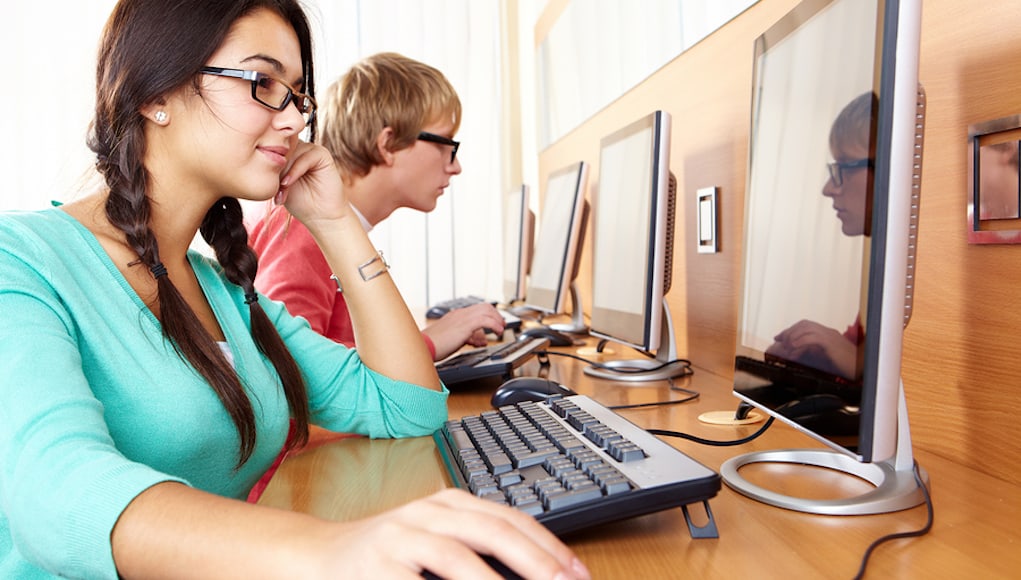
Preparing for the Future: Building Interest in Computer Science

virtual learning experiences

image via Getting Smart post

Over the past couple of weeks, there have been discussions focused on the need for computer science curriculum in schools. During recent Twitter chats and in webinars and panel discussions, educators have shared concerns about bridging the K-12 computer science gaps. There is a growing need for students to develop skills in coding and in STEM-related fields however, there are either real or perceived barriers to providing these opportunities for students.

Possibilities include, lack of resources, or inadequate staffing, perhaps not enough room in student schedules, or a perceived lack of knowledge by educators when it comes to bringing computer science into their classes. For some, it can also be a lack of confidence in knowing where to begin or a hesitancy to not start if we don’t feel confident enough, which was the case for me.

Fortunately, there are many options available for educators to bring CS into their classrooms. The benefits include promoting student agency and self-paced learning, the development of essential SEL skills, and promoting student curiosity and innovation in learning. What I believe is important is that all teachers create opportunities for students to learn about computer science, how to code, and apply coding skills to all grade levels and content areas.

Last year, I referred to the World Economic Forum, for the job outlook for 2022. The report shared the importance for students to develop skills such as collaboration, communication, critical thinking, creativity, and problem-solving. The need for STEM skills will continue to increase as we see new and emerging technologies develop. A prior projection was that 3.5 million STEM jobs will need to be filled by 2025.

In addition to STEM skills, students specifically need exposure to computer science. I recently took one of the newer Microsoft Educator courses on computer science and it also shared some interesting statistics. It stated there will be 49 million more digital jobs created by 2025 in fields including AI, cybersecurity, and data analytics, which will require students to have computer science skills.  Families are also in support of bringing more computer science into our schools, as a Gallup poll from September 2020, reported that 69% of parents and guardians in the United States expect schools to integrate computer science into the curriculum.

As educators, we need to have resources available that enable us to build our own skills but that also provide students with personalized learning opportunities to explore computer science and find something that meets their specific interests and needs. The goal is to better inform students and hopefully to spark curiosity for learning and lead our students to become creators and innovators.

Here are six resources to explore that will give students a chance to see how computer science impacts our world and build their skills in a variety of focus areas.

Amazon Future Engineers: An interesting opportunity for students to learn how computer science, engineering, algorithms, and machine learning are used in Amazon’s fulfillment centers. There are options to take a tour focusing on computer science, or to interact with an Amazon tour guide or to sign up for a one-hour learning experience. There are many resources including slides and activities aligned to the computer science standard available in the Teacher Toolkit. This provides a real-world learning opportunity for students. Teachers can register for tours that will continue through July 1st. This is a good option for in-person or remote learning.

AI World School: Offers a variety of courses and resources for learning about STEM and coding. In addition to three flagship AI courses, there are several micro-courses available divided into the three age groups and with topics including creating with Scratch, building an Android or iOS app, and more advanced options such as JavaScript and Python coding for older students.

CoderZ: A cloud-based STEM learning opportunity, where students can code 3D robots. There are different courses available through CoderZ including CoderZ Adventure for ages 6 through 10, Robotics 101, a self-paced program for ages 11 through 14, Summer Robotics 1 or 2 for ages 11 to 14, and Python gym for students ages 15 and older. It has 3D simulations of robots, students can write and test their own code, and teachers have access to self-paced curriculum and teacher guides. Students receive immediate results of their work which is great for in-person or remote learning. CoderZ integrates with Clever, ClassLink, and Google Classroom.

Grasshopper: For teachers or adult learners looking to build their own skills, Grasshopper is a coding app for beginners. The name is in recognition of Grace Hopper, a pioneer in computer science. The Grasshopper curriculum is divided into topics including fundamentals, array methods, animations, web page design, and more. There are many types of coding activities and lessons available through Grasshopper that are available for free on Android and iOS as well as for desktop use.

Kubo coding: A good program for starting with elementary students specifically grades K through 5. Students can build their coding skills through a tag tile programming language which is a puzzle-like coding concept. Kubo Play is a new simulation tool that works well for a blended learning experience by giving students hands-on coding activities and 300 tasks that cover ISTE standards for coding.

Mblock: Easy to get started with coding by choosing to code with blocks or code with Python. They have featured coding products and additional resources such as online coding training for Scratch, robotics programming, and Python. There are also sample projects where students can view the code and then start creating their own projects.

These are just a few of the resources to explore that will be helpful for learning regardless of whether in-person or virtual. The end of the school year is always a good opportunity to try some new ideas that will help to keep students engaged, and hopefully develop an interest in computer science. These can even be fun options to explore with family and build skills together. Check out the Family code night!

**Interested in writing a guest blog for my site? Would love to share your ideas! Submit your post here. Looking for a new book to read? Find these available at bit.ly/Pothbooks

************ Also check out my THRIVEinEDU Podcast Here!

Join my weekly show on Mondays and Fridays at 5pm EST THRIVEinEDU on Facebook. Join the group here

Facilitating Change

Guest post by Joël McLean, @jprofnb

As school principal, it is my responsibility to facilitate change initiatives based on goals and action steps chosen by my teams. As a connected leader, I have access to resources (people, information) that can help my organization implement change. But this isn’t always easy. Public education is a static organization: change is slow and often complicated. All the more reason to be proactive (anticipate), and to seek out any and all opportunities to collaborate with team members.

Translate Ideas and Vision Into Action

Being able to facilitate doesn’t come automatically. As leaders, we must continuously grow and improve our skills. By adding value to ourselves, we are then able to add value to others.

There is a quote from John Maxwell that has always rang true for me:

“Successful leaders have the courage to take action, while others hesitate.” 

A change leader must be equipped to be able to translate ideas and vision into action. Actions always speak louder than words. A leader must possess the necessary skills, training, and support to answer this call to action. I learned very early in my career as a leader that action is a key factor in gaining people’s trust, and without trust, people will not follow.

Getting People Moving

A great leader understands the need to grow others in their organization. They can’t do it alone. The 3 most important elements to develop are relationships, relationships, and relationships. A leader must discover what drives each and every person on their team. What are their passions, and how can that be leveraged? What is their zone of proximal development? As a leader, if I want to get people moving, I have to invest in them, and walk the path with them. I have to provide opportunities for them to step up as leaders. I have to celebrate their successes, but also allow them to make mistakes. This helps to build trust, and trust helps to get people moving.

Maintaining Forward Momentum

Being able to sustain change and make it a reality takes patience, faith, resilience, skill, humility, and a growth mindset. Throughout the years these have been key elements of my growth plan. Being intentional with my growth has given me the tools and the understanding that are necessary to implement and sustain change initiatives. It is what helps me to keep moving things forward.


Creating The Right Environment For Change to Work

I often make the time to stop and “zoom out” to see the big picture of where my schools are regarding change. This allows me to identify the areas we need to “unfreeze”, and target change initiatives with a laser like focus. I then identify key players within these areas and start having conversations to seed ideas and ask questions. But before having these conversations, I have to be clear about how we can improve this area, and the reasons why it is important to bring change. I offer different forms of data to help support the change initiative. Once unfrozen, I provide whatever support I can to facilitate the change.

Spreading Ideas and Challenge Positions

As a leader, I have to be ready and willing to have the courageous conversations needed to implement and sustain change. Although I can plant the seeds of change, I believe that once people are motivated, the best ideas will come from them. Intrinsic motivation can move mountains, and collaboration is the vehicle that drives positive and healthy cultures.

The culture that I want to develop as a leader is one in which we are constantly challenging positions. We need to be comfortable doing this. That is how we manage to unfreeze processes or habits in order to improve or change them. We should always ask ourselves the question: “How can I make this even better?”.

Anchoring Change

Once change has been achieved, I like to leave a little bit of “wiggle room”. We know that we are implementing change for the better, but we also know that eventually, we most likely will improve it again. Always looking to improve is the “wiggle room” that we have to allow ourselves. Therefore we can fully support a change initiative by refreezing, however I believe that we need to also provide that “wiggle room” to honour the continuous change process.

**Interested in writing a guest blog for my site? Would love to share your ideas! Submit your post here. Looking for a new book to read? Find these available at bit.ly/Pothbooks

************ Also check out my THRIVEinEDU Podcast Here!

Join my weekly show on Mondays and Fridays at 5pm EST THRIVEinEDU on Facebook. Join the group here

Boost engagement and excitement for writing with Pressto!

Sponsored post

As a language teacher, I am always looking for new ideas to spark interest in writing. Sometimes I provide some sentence starters and other times, offer some prompts or themes, to spark curiosity and boost student engagement in writing through the power of choice. Getting started with writing though can sometimes be a challenge as students may struggle with finding the right words or feeling motivated to write and perhaps because of the fear of making mistakes.

It is important that we provide our students with the opportunity to share their ideas, engage in inquiry based learning, explore different resources and provide support to them as they build their writing and media literacy skills. Helping students develop media literacy skills is essential because of how much information is available to them. Students need to be able to access and evaluate information they find and then create an authentic representation of what they have learned. There are many ways that we can create these opportunities in our classrooms, and with Pressto, we have even more choices available that will boost student engagement and motivation for writing during this school year.

What is Pressto?

Pressto is a writing and micro-journalism platform that can be used with students in kindergarten through high school. Through the use of Pressto, students learn how to process information, interpret this information and then communicate their ideas. With Pressto, getting started with writing is easier. Students take on the role of a writer or journalist which adds authenticity and meaning to their learning experience. After choosing a topic, students are personally invested in the writing process and can continue to revise their writing before publishing it and sharing it with their teacher and classmates.

What I love about Pressto is that it helps students to build writing skills in a way that is comfortable and boosts their confidence. Because of the ease of using the Pressto platform and the templates available, students can enjoy the writing process more. As educators seek ways to promote the development of social-emotional learning (SEL) skills, and confidence in writing, using the Pressto platform is very beneficial.

As students write, they can evaluate their own writing and reflect, receive feedback during the writing process, and set new goals for building their skills. In these phases alone, students are building self-awareness and self-management as well as decision making. By sharing their work with others, they focus on building social awareness and relationship skills during the learning process. Using Pressto promotes not only the development of essential media literacy skills but also the SEL skills students need for success.

[feedback from users of Pressto, via Pressto site]

How does Pressto work?

First, students select a topic to write about and can select a template for getting started. As they write, students will receive feedback in the form of tips from Pressto. The tips help students to write a title, select images, focus on the reading level of their text, and emphasize the positivity in the message.

Students build their own digital space through Pressto and can start with a short story and build up to longer narratives, even adding in images to highlight in their newsletter or “zine.” Students will think about the information they are receiving, how to process it and how to best share that information and present their ideas to others.

Also a unique opportunity is available for students through the new Junior Journalism program which gives them the chance to use Pressto and report on activities alongside reporters who are covering stories from the community. Talk about an authentic, real-world learning experience! Check out this video from a fourth grade student who created a newsletter, or “zine” to thank her community for helping her to provide sandwiches for the homeless.

Learning from others

With access to so much information, it is essential that we help students to develop their critical thinking skills and become digitally literate as they navigate all of the information available to them. It is important for students to create and share what they are learning and to be able to build knowledge by exchanging their information with others.

There are a lot of great ways to learn more about how Pressto is being used and its many benefits for students. Check out some of the research available on media literacy. Learn more about Pressto in these testimonials from New York City teachers and some students who are using Pressto. Discover specific uses and experiences from the case studies available to get ideas. Get started today by signing up here: Join Pressto

About the Author

Rachelle Dené Poth is an edtech consultant, presenter, attorney, author, and teacher. Rachelle teaches Spanish and STEAM: What’s nExT in Emerging Technology at Riverview High School in Oakmont, PA. Rachelle has a Juris Doctor degree from Duquesne University School of Law and a Master’s in Instructional Technology. She is a Consultant and Speaker, owner of ThriveinEDU LLC Consulting. She is an ISTE Certified Educator and currently serves as the past-president of the ISTE Teacher Education Network and on the Leadership team of the Mobile Learning Network. At ISTE19, she received the Making IT Happen Award and has received several Presidential Gold Awards for volunteer service to education.

Rachelle is the author of six books, ‘In Other Words: Quotes That Push Our Thinking,” “Unconventional Ways to Thrive in EDU” (EduMatch) and “The Future is Now: Looking Back to Move Ahead,” “Chart A New Course: A Guide to Teaching Essential Skills for Tomorrow’s World” and her newest book, “True Story Lessons That One Kid Taught Us.” Her newest book will be available this summer from Routledge, “Your World Language Classroom: Strategies for In-Person and Digital Instruction.”

Rachelle is a blogger for Getting Smart, Defined Learning, District Administration, NEO LMS, and the STEM Informer with Newsweek.

Follow Rachelle on Twitter @Rdene915 and on Instagram @Rdene915. Rachelle has a podcast, ThriveinEDU https://anchor.fm/rdene915. Find these available at bit.ly/Pothbooks

**Interested in writing a guest blog for my site? Would love to share your ideas! Submit your post here. Looking for a new book to read? Find these available at bit.ly/Pothbooks

************ Also check out my THRIVEinEDU Podcast Here!

Join my weekly show on Mondays and Fridays at 5pm EST THRIVEinEDU on Facebook. Join the group here

Microsoft Literacy Tools and More

G laura steinbrink, republished from her RocknTheBoat blog education

GO

As an English teacher, reading as always been a love of mine personally, as well as a focus of mine professionally. As a high school teacher, though, I have not been taught HOW to teach the reading skills. My expertise is in the analysis and comprehension of texts, so when the district begins to talk about having the English teachers facilitate reading intervention, I throw up my hand to point out that I have no literacy training. I’m probably not the only teacher this has happened to, and if we’re being honest, it is up to everyone in a district to ensure all students can read and have the tools necessary to help them be successful readers. I can’t just say “I have no training” and wash my hands of it. So, let’s get our hands dirty in the work of promoting literacy in our schools. Here are a few Microsoft tools, a bonus new online tool that I am piloting, and texts recommended by my fabulous Professional Learning Network (PLN), who always come to my rescue. I’ve compiled a tasting of what is out there to aid us in this endeavor, but it is by no means an in depth look or exhaustive deep dive into these products, platforms, and books. Get brave and dip your toes in the literacy water with me!

GO

IMMERSIVE READER

I can’t say enough about Microsoft’s Immersive Reader! What’s the big deal? So glad you asked! Immersive Reader is a wonderful free accessibility tool that all students can use. Wether they need help reading as the learn reading skills, struggle with Dyslexia, or speak a different language, Immersive Reader let’s your students:

  • Hear the text read out loud at a speed they choose
  • Choose the language of the text
  • Change screen colors and line spacing to make things easier to read
  • Read just a few lines at a time
  • Break sentences into syllables (great for reading poetry too!)
  • Elect a word to hear it read and see a picture
  • Adjust the font
  • Highlight different parts of speech
Here’s an example of Immersive Reader in action.

NOTHING CAN STOP ME, I’M ALL THE WAY UP

For a complete overview and tutorial of this amazing tool and others offered in Microsoft platforms, explore this overview or go to the Microsoft Education Center and take a free course. I recommend starting with Accessibility, special education, and online learning: Supporting equity in a remote learning environment. Microsoft Education Center offers several courses on supporting literacy and tools that aid in that process.

You may now be wondering where to find Immersive Reader. You may also be thinking that you are a Google School, so this doesn’t help you anyway. Not true. I am currently teaching in a Google School too where my students use Chromebooks. How can I access the amazing features of Immersive Reader? Easy. Office 365 online is available to educators and students for free even if your district doesn’t have a Microsoft subscription. All you need is to use your valid school email address to get started today at Office.com/Student or Office.com/Teachers.

Now that we know how to access Microsoft tools, let’s look at which Microsoft platforms and Microsoft Partners have Immersive Reader:

Microsoft Tools

  • Edge
  • Teams
  • Word
  • OneNote
  • Forms
  • Outlook
  • Lens

Microsoft Partners

Complete list of Microsoft Partners with Immersive Reader

I encourage you to try Immersive Reader this year and let students explore ways that it can help them access the text and improve their reading skills. As you do, check out the rest Microsoft Learning Tools and how they can make the learning more accessible for all learners.

ALL THE WAY UP

THE JUICE

A PLN member, Jamie Ellman reached out recently to introduce me to a new tool online that holds a lot of promise. In fact, you might say I was “juiced” to try it with students this fall. (Sorry-English teacher occupational hazard.) The Juice is a website learning platform to help students develop critical thinking skills while reading current news articles on the reading level they need. This helps students improve their reading and vocabulary in the process. The articles are curated daily from the headlines, leveled into four categories: 5-6, 7-8, 9-10, and 11-12. You set your class up by the level you teach (sorry-this platform doesn’t include grades lower than 5 at this time) and add students. They get a Daily Juice email notification when the Juice is ready. That’s when the fun begins.

Students have a choice each day of 6-7 articles and an ACT word of the day. My plan is to require that they do one article and the Word of the Day each class period. The articles include a quiz when finished, and these are not the type of quiz that students can answer by skimming the articles. They need to understand what they are reading and do a bit of analysis too. There may be just one question per article, or a few questions, but nothing that overwhelms the students.

By providing a choice among the various articles, students can own part of the reading and feel empowered to choose what most interests them. The Juice also provides data that can be used to help students in areas that need additional support. I will incorporate goal setting with the Juice data so that my students can track, own, and be proud of their progress.

Regardless of which devices you use, students can enjoy reading their Daily Juice.

I’M ALL THE WAY UP

LITERACY TEXTS

As I dive deeper into literacy for students, I asked my fabulous professional learning network (PLN) to suggest books that will help us non-literacy teachers help students develop literacy skills and improve their reading comprehension and analysis. After all, I feel that reading is a gateway to an “anything is possible” future, where doors will open for students because of their skills. I don’t want any student to miss out on opportunities because of their lack of reading skills. There were several responses to my query on Twitter for literacy resources, and here are the results:

These are in no particular order.

I’M ALL THE WAY UP

These are in no particular order on the graphic and below:

So as we explore tools, programs, and read up on different strategies and theories, let’s keep in mind that we are here to serve our students. Let them provide input when you try new educational technology. Let them have choice in what works best for them as you offer a choice of tools to use. And because we live in strange pandemic times currently, it’s also best to bring in social emotional learning (SEL) while you work toward student mastery of your standards. Using tools, like The Juice, for goal setting can be huge and ties in with John Hattie‘s 256 influences on learning and their effect sizes. If you have students set a goal prior to beginning a lesson, unit, or area of study, then chart their formative results and summative, all while you, the teacher, are encouraging them to beat that goal, that is self reported grades and ranks second in the top influencers on student learning. Goal setting is also a huge SEL component, so find ways like the one I just described to work that into your courses/classrooms.

NOTHING CAN STOP ME, I’M ALL THE WAY UP

However you choose to do it, let’s work together to improve the literacy of students all over the world. We have the technology. We have the power. Let’s do it. Nothing should stop us from helping students gain and strengthen reading skills. Let’s go all the way up.

HEADINGS ARE PARTIAL LYRICS FROM ALL THE WAY UP BY FAT JOE – PLATA O PLOMO

**Interested in writing a guest blog for my site? Would love to share your ideas! Submit your post here. Looking for a new book to read? Find these available at bit.ly/Pothbooks

************ Also check out my THRIVEinEDU Podcast Here!

Join my weekly show on Mondays and Fridays at 5pm EST THRIVEinEDU on Facebook. Join the group here

Becoming Media Literate Citizens Through Minds-On Learning

Guest post by Robert W. Maloy, Dr. Torrey Trust, Allison Butler and Chenyang Xu

Students today live media saturated lives. Recent research confirms that teens spend some 7.5 hours (450 minutes) a day consuming media, including watching television, streaming video and music, gaming, browsing the web, and scrolling through social media (The Common Sense census: Media use by tweens and teens; Rideout & Robb, 2019). While older individuals are more likely to consume media from their television, younger people spend more time consuming media on their mobile devices (Allen, et.al., 2020). 

All those media connections are formative educational experiences, for as literacy educator Frank Smith (1998) noted more than two decades ago, all of us learn from the company we keep. For youngsters today, multiple media platforms are constant learning companions. While there are benefits to connected learning through and with media, students tend to believe what they see and hear from the media without question. 

During a time of vast misinformation, disinformation, and malinformation (Frayer, 2020), students need opportunities to develop critical media literacy (Kellner & Share, 2007) and critical media production (Goodman, 2003) skills in order to identify and combat disinformation and targeted online manipulation.

Within this all-encompassing media environment, how do elementary, middle, and high school students become media literate? How do they learn to separate accuracy and truth from falsehood and deception? 

Educators everywhere are confronting these questions as a new school year begins. The stark reality is that media literacy cannot be taught, at least in the conventional sense of the word “taught,” for it is not a definition to be memorized or a formula to be applied to get the right answer. Adults cannot tell students to be literate; students must create and build literacy for themselves. Media literacy is a way of thinking and acting – a habit of mind – that students can learn through personal experiences along with the active guidance and support of teachers and other adults. 

Media literacy is also essential for students as they learn their roles and responsibilities as citizens of a democracy. A citizen in a democracy is not just an individual pursuing their own goals; every citizen is a member of multiple communities (family, school, neighborhood, state, and nation) and as such their personal activities and choices impact the lives of countless other people. Therefore, in order to be actively engaged citizens that positively impact the communities in which they live, students must critically analyze the ideas and information they receive from the media so that they can make informed decisions and actions.

As university educators, we have been developing a series of critical media literacy activities that are aligned with the chapters in our Building Democracy for All: Interactive Explorations of Civics and Government eBook. Our activities are being included in a free open access eBook called Critical Media Literacy and Civic Learning. In this eBook, we focus on ideas and strategies that engage students, as civic-minded members of a democratic society, in hands-on/minds-on learning where they build, invent, write, make, draw, design, and share critical understandings about media and its messages to readers and viewers. Our premise is straightforward – students are more likely to value and remember ideas and information that they have created themselves than ideas and information they have been told by teachers.

Starting from that premise, we will discuss three strategies that we used to create the eBook. These strategies can be used by teachers to design and/or remix media literacy activities for their classes.

Strategy 1: Integrate a Critical Media Literacy Perspective

To build learning activities for our eBook, we started with David Buckinham’s (2003) definition of media literacy as “the knowledge, skills and competencies that are required in order to use and interpret media” (p. 36) and media education as “the process of teaching and learning about the media” (p. 4). To these definitions we added the concept of critical media literacy to focus on social justice learning and encourage students to dive deeply into questions of ownership, production, and distribution of media materials. While most of our attention to media (for entertainment and for information) is focused on content and representation, questions of critical media literacy also include looking “behind the scenes,” to learn more about the power of media production. Critical media literacy invites students to engage in a process of continuous inquiry, by asking: What is known about the text (e.g., language, visuals, sounds)? How is this known? And, what is the context for understanding the text? To support that process of critical inquiry across media, we included Critical Media Literacy Guides for analyzing social media, websites, news & newspapers, movies, television, images, advertisements, and comics, cartoons and memes.

Strategy 2: Allow Students to Become Critical Media Producers

Imagine what students could learn if they were asked to tweet the Bill of Rights, design a modern-day Declaration of Independence on TikTok or Snapchat, or write a Yelp review for each song in Hamilton based on its accuracy, credibility, relevance, and presentation of historical events and issues

All of the activities from our media literacy book are designed to put students in the roles of active and critical media producers. In contrast to being passive consumers of media information, these types of activities require students to create knowledge by not just reading and listening, but by making and doing. And, as students are making and doing, they are not simply making to explain, they are making to apply their knowledge and generate new ideas, information, and media. For instance, to learn about the branches of the government, students might analyze political films using the eBook’s Teacher and Student Guide to Analyzing Movies and guiding questions provided in the activity, and then redesign a movie poster based on their critical media analysis. In another example, students learn about political parties by using the Teacher and Student Guide to Analyzing Websites to assess the websites of several members of Congress and then, using what they learned during their analysis, they design a website for a new political party. Whether they are making a video, podcast, social media campaign, Amazon/Yelp review, or some other form of media, students are engaging in critical analysis of media and then applying the techniques, insights, and ideas they discovered during their analysis to produce new media. As critical media producers, students must investigate how and why media is produced and uncover (look behind the scenes) media production techniques and secrets, which allows them to make informed decisions as they generate new media products. 

Strategy 3: Develop Connections Between Academic Content and the Lives of Students

Media literacy and civic learning can easily become abstract concepts for students, far removed from their everyday lives and interests. So, when designing the media literacy activities, we aligned them with current events, technologies, and issues that might pique the interest of students. In the following table, we highlight example real world critical media literacy activities organized by the seven main topic areas in the 2018 Massachusetts 8th Grade Government and Civic Life curriculum framework.

Massachusetts 8th Grade Government and Civic Life Curriculum TopicConnections Between Academic Content and the Lives of Students
Foundations of U.S. Political SystemEvaluate Social Media Community Guidelines for YouTube, Facebook, Tik Tok, and Twitter – How democratic are those policies? Do they encourage active dialogue and debate?
Development of U.S. GovernmentMarketing and Regulating Self-Driving Cars – How do manufacturers promote these products and how are governments regulating their development?
Institutions of U.S. GovernmentExploring How Members of Congress Use Social Media – How do members of congress use social media to persuade and inform their followers?
Rights and Responsibilities of CitizensEvaluating Information about COVID-19 – How are local and national media sites providing information to people about the pandemic?
The Constitution, Amendments and Supreme Court DecisionsAnalyzing the Equal Rights Amendment in the Media – How do citizens and politicians discuss the ERA on Twitter? How might you design a social media campaign to convince a local politician to vote for the ERA?
The Structure of State and Local GovernmentEvaluating Your Privacy on Social Media – How protected is your data and identity online? What would you include in a proposal for a new Amendment to the Constitution to protect your digital privacy?
Freedom of the Press and News/Media LiteracyEvaluating Recommendation Algorithms – How do social media platforms use algorithms to influence your actions and thoughts?

Ultimately, in an era when the media have become a learning companion for most youngsters, there need to be opportunities for students to not only analyze existing online and print media, but also create their own media products through hands-on, minds-on activities. We hope that the activities in the Critical Media Literacy and Civic Learning eBook and the suggestions in this blog can offer educators practical ways to get started in incorporating critical media literacy and critical media production into any grade level and subject. 

Author Bios

Robert W. Maloy is a senior lecturer in the College of Education at the University of Massachusetts Amherst where he coordinates the history teacher education program and co-directs the TEAMS Tutoring Project, a community engagement/service learning initiative through which university students provide academic tutoring to culturally and linguistically diverse students in public schools throughout the Connecticut River Valley region of western Massachusetts. His research focuses on technology and educational change, teacher education, democratic teaching, and student learning. He is coauthor of Transforming Learning with New Technologies (4th edition); Kids Have All the Write Stuff:  Revised and Updated for a Digital Age; Wiki Works: Teaching Web Research and Digital Literacy in History and Humanities Classrooms; We, the Students and Teachers: Teaching Democratically in the History and Social Studies Classroom; Ways of Writing with Young Kids: Teaching Creativity and Conventions Unconventionally; Kids Have All the Write Stuff: Inspiring Your Child to Put Pencil to Paper; The Essential Career Guide to Becoming a Middle and High School Teacher; Schools for an Information Age; and Partnerships for Improving Schools

Torrey Trust, Ph.D. is an Associate Professor of Learning Technology in the Department of Teacher Education and Curriculum Studies in the College of Education at the University of Massachusetts Amherst. Her scholarship and teaching focus on how technology shapes educator and student learning. Specifically, Dr. Trust studies how educators engage with digitally enhanced professional learning networks (PLNs), how emerging pedagogical tools (e.g., HyperDocs), practices (e.g., Making) and technologies (e.g., 3D printers, augmented reality) facilitate new learning experiences, and how to design and use open educational resources (OERs). Dr. Trust served as a professional learning network leader for the International Society for Technology in Education (ISTE) for five years, including a two-year term as the President of the Teacher Education Network from 2016 to 2018. In 2018, Dr. Trust was selected as one of the six recipients worldwide for the ISTE Making IT Happen Award, which “honors outstanding educators and leaders who demonstrate extraordinary commitment, leadership, courage and persistence in improving digital learning opportunities for students.” www.torreytrust.com

Allison Butler is a Senior Lecturer, Director of Undergraduate Advising, and the Director of the Media Literacy Certificate Program in the Department of Communication at the University of Massachusetts Amherst, where she teaches courses on critical media literacy and representations of education in the media. Butler co-directs the grassroots organization, Mass Media Literacy (www.massmedialiteracy.org), where she develops and runs teacher trainings for the inclusion of critical media literacy in K-12 public schools. She is on the Board of ACME (Action Coalition for Media Education) and serves as the Vice President on the Board of the Media Freedom Foundation. She holds an MA and a PhD from New York University. She is the author of numerous articles and books on media literacy, most recently, Educating media literacy: The need for teacher education in critical media literacy (Brill, 2020) and Key scholarship in media literacy: David Buckingham (Brill, 2021).

Chenyang Xu is a doctoral student in the Math, Science, and Learning Technology program in the College of Education at the University of Massachusetts Amherst. He received his Master of Digital Sciences degree in 2019, and Master of Education degree in 2015. His research interests focus on utilizing social media and data science to support higher education and international student services.

**Interested in writing a guest blog for my site? Would love to share your ideas! Submit your post here. Looking for a new book to read? Find these available at bit.ly/Pothbooks

************ Also check out my THRIVEinEDU Podcast Here!

Join my weekly show on Mondays and Fridays at 5pm EST THRIVEinEDU on Facebook. Join the group here

Buncee and Capstone: Dynamic Learning!

Buncee and Capstone! Dynamic Learning

Buncee has been a favorite in my classroom for many years. Students enter my class each year already asking when we can start to create with Buncee and they rely on it because of the endless possibilities that Buncee offers. For anyone that hasn’t used Buncee, it is a multi-purpose content creation tool that can be used with any grade level or content area. It helps to create interactive classroom content, and enables everyone to visualize concepts and communicate ideas creatively.

From the beginning of the school year and throughout, I use Buncee to help students to build relationships, to communicate what they are learning, to make global connections and more. Being able to create an About Me, or digital portfolio, or a quick check-in, are great for promoting SEL and providing students with opportunities to explore and be creative in learning. Seeing what they create not only helps me to better understand where they are on their learning journey, it also helps me to learn about each of them, their needs and specific interests. And when I create my own Buncees, they get to learn about me too!

A new collaboration!

Just last week, Buncee announced that they have been acquired by Capstone, an innovative publisher and education technology provider of children’s content for use in schools and at home. I’ve been familiar with Capstone and the amazing resources it offers and know that the new collaboration will reach more classrooms and create even more opportunities for students to read, learn, share and build skills for the future.

Combining the Capstone content with all of the creativity options available with Buncee, students can create meaningful and visually engaging representations of their learning.

Capstone offers curriculum-aligned content that when combined with the power of creation from Buncee, students will be empowered through voice and choice in learning as they create and can track their own growth and build skills in a digital environment.

Choice matters

Students need multiple ways to express what they are learning and Buncee offers exactly that. As a multimedia and interactive platform, Buncee offers students choices such as adding audio or video, animations, emojis and 3D objects,with choices of more than 35,000 items in the media library to bring their presentations to life. Now there are even PebbleGo templates in the Templates Library

Getting started is easy

Getting started is easy by exploring the Ideas lab or choosing from one of the thousands of ready-to-go templates and ideas available in the Ideas Lab. Think about the potential for reading books and creating visualizations using the power of these two tools. Using Capstone’s digital library collection, students can select and read ebooks or explore articles available on PebbleGo. To process what they have read, they can use Buncee to express learning using a variety of media options that will promote authentic, meaningful and personalized learning for students.

Ideas can be to have students read a story and then retell itusing Buncee, or design an alternate ending, or maybe have them choose a character and continue their own story as that character using Buncee! They can add audio, images or video to truly make it their own and share with classmates.

Thinking about the potential for reading books and creating visualizations using the power of these two tools. Using Capstone’s digital library collection, students can select and read ebooks or explore articles available on PebbleGo. To process what they have read, they can use Buncee to express learning using a variety of media options that will promote authentic, meaningful and personalized learning for students.

I love how Capstone and Buncee together “bring the magic of reading and the power of creativity to classrooms everywhere!” Students will engage more in learning as they have choices in what to create and are excited to explore all of the options with Buncee, especially with the new animations, backgrounds, and stickers available!

Deciding on digital tools can be overwhelming, but Buncee makes it easy! Buncee is a safe and secure platform that provides students and educators with the tools that promote interactive and engaging learning while also offering toolkits that promote the development of essential social-emotional learning (SEL) skills.

Buncee helps educators create a more inclusive classroom and learning experience for students. Buncee continues to provide the resources that will promote students’ academic, emotional and social development.

What I love about Buncee is that they are always adding new templates based on current and relevant events happening in the world. Now with Capstone, there will be even more wonderful learning opportunities available for our students to create and share learning with the world!

Learn more about Buncee and Capstone here.

**Interested in writing a guest blog for my site? Would love to share your ideas! Submit your post here. Looking for a new book to read? Find these available at bit.ly/Pothbooks

************ Also check out my THRIVEinEDU Podcast Here!

Join my weekly show on Mondays and Fridays at 5pm EST THRIVEinEDU on Facebook. Join the group here

Back to school: JabuMind for teacher wellness

Start off the year with JabuMind!

As we head into a new school year, full of excitement for opportunities to connect with students, create learning experiences, prepare our classrooms, we still must make sure to focus on our own self-care and wellbeing. Especially over the past school year, we have all experienced a lot of emotions, frustrations, worked through challenges, in the work that we do and in our daily lives.

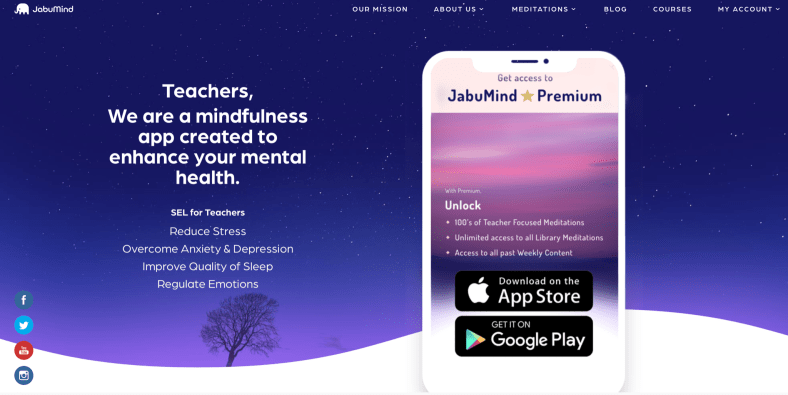
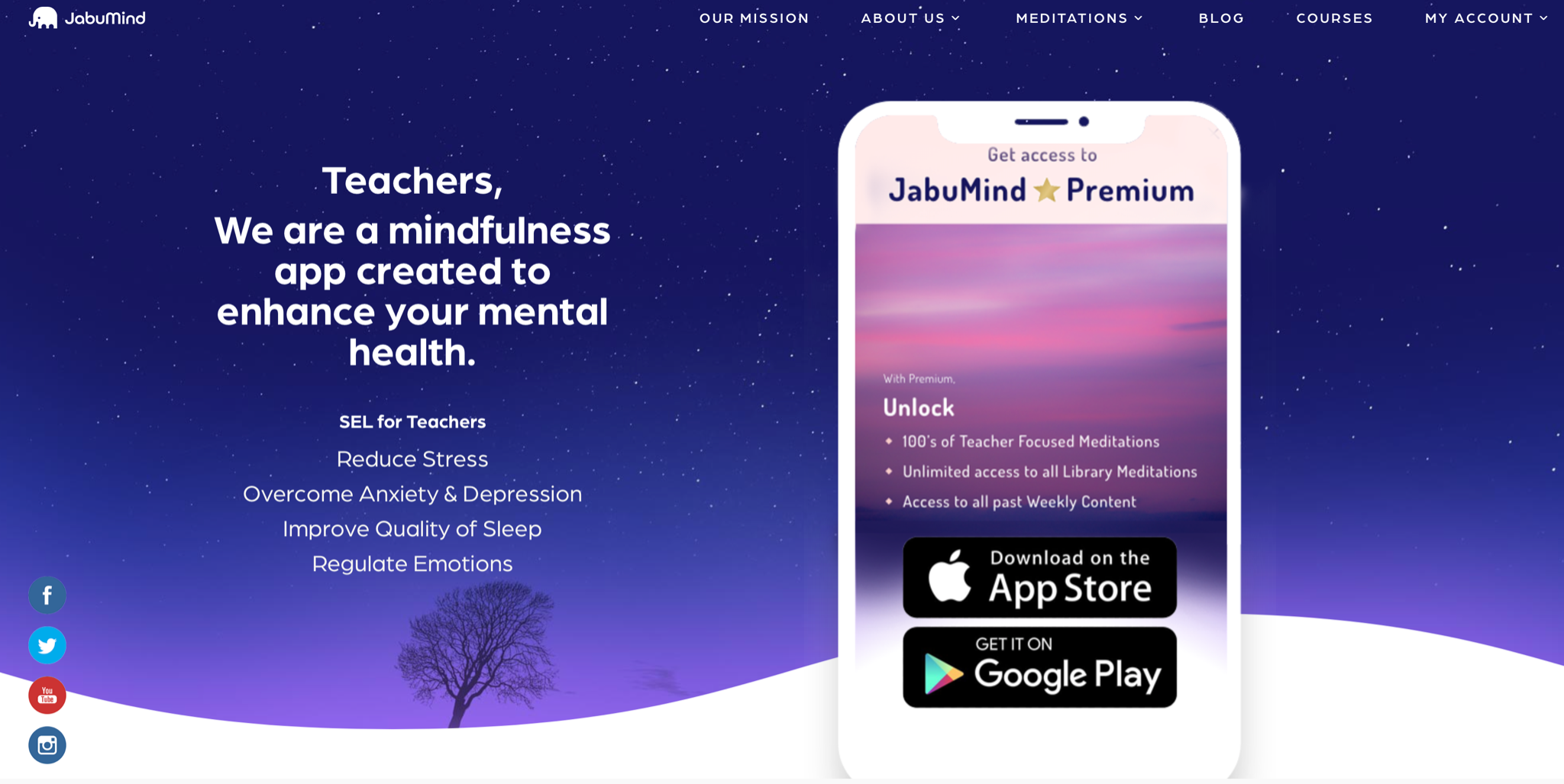
Now is the perfect time to start with JabuMind for Teachers! The JabuMind app can help us be more intentional about taking a break, engaging in mindfulness, and focusing on our own health and wellness. It is important that we start now, as we navigate a new school year and may experience changes and challenges in our daily lives and the work that we do. Challenges faced can lead to exhaustion, frustration and in some cases, teacher burnout.

As educators, we have many tasks that fill our days and the work we do is never done. We are always learning and trying to do more, which is why educators find that taking a break does not come easy. In my own experience, truly taking a break has been an area that I struggle with and when I started using JabuMind for Teachers last year, I noticed a big difference in how I felt.

With all of the changes in this past year, I wanted to try something different. I have been sharing with many educators about how helpful JabuMind has been for me, especially in making time to take a break. With features, like “start your day” for a few minutes of focus in the morning, “release your day” to transition out of the work day, & “bedtime” to clear your mind before sleep, it helps me to clear my mind and focus on mental and physical wellness. It’s great to listen to while getting outside for a walk too!

JabuMind offers so much for educators. The “Weekly” meditations provide the 10 core lessons of iRest®. One lesson is presented each week; all together they create a wellness series for educators. Each day you can use the Feed page to check in and track your quality of sleep & mood and also see the number of Weekly meditations that you have completed. The library provides guided visualizations on a variety of topics and there are also tips for teachers dealing with stress and anxiety, and even helpful resources for communicating with families. It also includes meditations for students in each age group – so useful for that transition time after recess or passing period!

Taking care of ourselves is important so that we can best care for others. We can also share these ideas with our students depending on their age and model the practice of taking breaks or making time for meditation or mindfulness. Finding ways to take a break from screen time and disconnect, will help us with creating more balance in our days.

The premium version of JabuMind offers access to all previous weeks, which I am thankful for! For a few weeks, I was so busy that I missed a few of the weekly materials but now I can go back and continue working through each week. It also includes meditations and tools focused on teacher-requested topics. There is a limited version of the app with free access and it is definitely worth trying out, especially to help with making time to take a break in our day. When we focus on taking those breaks, it definitely helps us to focus more, avoid teacher burnout, and make sure we are more intentional about our self-care and maintaining balance. This is definitely a great app for teachers! Let me know what a difference it makes for you!

Sign up for JabuMind today!

About the Author

Rachelle Dene Poth is an edtech consultant, presenter, attorney, author, and teacher. Rachelle teaches Spanish and STEAM: What’s nExT in Emerging Technology at Riverview High School in Oakmont, PA. Rachelle has a Juris Doctor degree from Duquesne University School of Law and a Master’s in Instructional Technology. She is a Consultant and Speaker, owner of ThriveinEDU LLC Consulting. She is an ISTE Certified Educator and currently serves as the past-president of the ISTE Teacher Education Network and on the Leadership team of the Mobile Learning Network. At ISTE19, she received the Making IT Happen Award and has received several Presidential Gold Awards for volunteer service to education.

Rachelle is the author of six books, ‘In Other Words: Quotes That Push Our Thinking,” “Unconventional Ways to Thrive in EDU” (EduMatch) and “The Future is Now: Looking Back to Move Ahead,” “Chart A New Course: A Guide to Teaching Essential Skills for Tomorrow’s World” and her newest book, “True Story Lessons That One Kid Taught Us.” Her newest book will be available this summer from Routledge, “Your World Language Classroom: Strategies for In-Person and Digital Instruction.”

Rachelle is a blogger for Getting Smart, Defined Learning, District Administration, NEO LMS, and the STEM Informer with Newsweek.

Follow Rachelle on Twitter @Rdene915 and on Instagram @Rdene915. Rachelle has a podcast, ThriveinEDU https://anchor.fm/rdene915. Find these available at bit.ly/Pothbooks

**Interested in writing a guest blog for my site? Would love to share your ideas! Submit your post here. Looking for a new book to read? Find these available at bit.ly/Pothbooks

************ Also check out my THRIVEinEDU Podcast Here!

Join my weekly show on Mondays and Fridays at 5pm EST THRIVEinEDU on Facebook. Join the group here

Early Education in a Remote Learning Environment: the Challenges and Future

Guest post by Dhonam Pemba @dhonampemba

The past almost two years of the pandemic have not been easy for anyone. Millions of parents are home from work, with schools and pre-schools shut down. As the world shifts to an entirely online and remote environment, the youngest of our population can easily be overlooked when it comes to their early education needs. 

Young children are struggling with learning on platforms not designed to meet their specific brain development demands when immersed in an entirely new learning environment. And although we have the technology, the transition from in-class to remote learning has not always been smooth.

Pre-K Unique Needs

Young children learn best through interaction and play. While this can and should be implemented with digital learning, one-dimensional screen experiences are not enough to stimulate early brain development properly.  

Personal Connection

When I saw my young nieces glued to their iPads, playing games that were educational but not hands-on, I knew there had to be a way to bridge online remote learning with hands-on play. With a Ph.D. in Neural Engineering and the creator of award-winning children’s educational apps, I felt uniquely suited to create something that would help young children learn in the digital age. With my team of educators, parents, and childhood development experts, I knew that we’d come up with a solution together. 

Montessori Method

Many parents have heard of Montessori education, a method where children learn through self-directed activity, hands-on learning, and collaborative play: a proven recipe for early childhood learning success that is extremely popular. But nothing on the market combines the unique Montessori method with hands-on remote learning for young children.

The Importance of Play

As I watch my three to five-year-old happily playing at home, I often need to remind myself how much they’re learning simply by having fun. The typical movement in play aid in muscle development, and children learn concrete skills from activities. For example, a child pretending to be their favorite superhero teaches kids to empathize with others and imagine the emotions of the people they’re pretending to be.

Furthermore, actual physical interactions with objects teach young kids about the world around them. Games without physical movement and interaction may help older kids, teenagers, and adults to learn, but it puts pre-K kids at a severe disadvantage.

Technology Epidemic

Kids spend a lot of time on technology. And thanks to the pandemic, almost everything has shifted to a screen. 

Pandemic or no pandemic, using a screen in a school setting is here to stay. This can be seen in the plethora of online learning apps on the market today, from STEM to language learning to homework help. Their scope and popularity are only growing. 

It’s estimated that education systems in the future will be a hybrid approach between AI digital learning and traditional classroom instruction. The benefit of using these advanced technologies in the classroom and remotely means that education is becoming scalable and personalized to individual learning: something that cannot be achieved in a traditional education system.

Early Education and Remote Learning

Unfortunately, the lack of physical objects in remote learning has been especially challenging on young children’s brain development. The one-dimensional approach of zoom and educational apps may hold kids’ attention in the moment, but nothing they see sticks with them.

It’s estimated that pre-K children have lost months of learning experiences the past year due to many school districts scrambling to find suitable substitutes for in-person learning. Early brain development is such a critical time in education that even a worldwide pandemic shouldn’t impede our young children’s remote learning experience – even if they can’t play with a wide range of people like they used to.

Creating an infrastructure that combines remote learning with pre-K kids’ unique hands-on learning needs is paramount for our children’s future success. My particular interest is bridging young children’s early educational needs with modern apps for remote learning uniquely suited to a young child’s brain development.

Solution

We have to combine the personalized, remote, and evidence-based AI software with actual hardware that children can play and interact with. Distant learning is here to stay, but that doesn’t mean that early education should be entirely screen-based. My utmost priority is developing an instructional system that incorporates hands-on learning and Montessori method play while using scalable digital content. And, when children do use the screen, the app should closely mimic the real-world experience to uniquely tailor to their brain developmental level.

Only when we’re able to tap into the unique abilities of the young brain will our pre-K children receive an excellent education in a remote learning environment.

References

https://www.dailyscanner.com/ai-edtech-entrepreneurs-journey-from-neuroscience-to-toys/

https://www.whitbyschool.org/passionforlearning/how-do-children-learn-through-play

https://montessori-nw.org/about-montessori-education

**Interested in writing a guest blog for my site? Would love to share your ideas! Submit your post here. Looking for a new book to read? Find these available at bit.ly/Pothbooks

************ Also check out my THRIVEinEDU Podcast Here!

Join my weekly show on Mondays and Fridays at 5pm EST THRIVEinEDU on Facebook. Join the group here

Exploring Music and Dance Virtually

arts education virtual learning

Hopefully educators have taken some time to relax over the summer and focus on self-care and our wellbeing. To best prepare for a new school year, we must take that time to focus on finding balance in our days and also, making time to explore new ideas and connect with other educators too. I know few educators who truly take the summer off.

For many educators, summer is a time  to engage in professional learning, to reflect on our experiences, to make new connections, and hopefully have plans to implement that we can use regardless of where learning is happening. With schools still designing their plans, it is important to find ideas and activities that help us to provide more active, authentic, and meaningful opportunities for learning.

For educators who teach special areas such as the arts, music, and elective courses, I can imagine that the initial shift to virtual and hybrid learning was even more difficult. Providing instruction in these special areas which rely on hands-on activities, specific equipment, and class demonstrations would present a challenge in planning for remote instruction. As a Spanish teacher, for several years I arranged for my students to learn dances from Argentina and Spain by working with our school’s music and dance teacher, Nathan Hart. My students loved the opportunity to get out of our classroom, to take a “field trip” as they called it, and learn something completely different than what we had been doing. It was a good opportunity for them to learn from someone with years of experience and it was more active learning that broke away from traditional methods that I had been using. It was also a great opportunity to collaborate with one of my colleagues.

As I have been looking for some options available virtually for the new year, I’ve noticed an increase in the number of activities available and the willingness of people to share the work that they do, the talents that they have, the music that they love, or anything they are passionate about. There are so many people coming together to promote positive connections and help others to survive and thrive during this challenging time.

There are some really interesting and unique events happening every day. As we think about ideas to use in this new year, we should focus on options that provide more than just learning experiences. We need to find unique opportunities that will promote student engagement and spark curiosity for learning and exploring new ideas and developing new skills.

Check out these resources to learn some new dances and music styles, listen to live concerts and other performances, and more:

Conga Kids. Provided a series on “Social Dance for Social Distancing” developed as a result of the COVID-19 school closures and to assist in helping educators and families find activities for kids.

Daisy Jopling Music Mentorship Foundation. Ever want to learn how to beatbox? This organization offered classes for anyone interested in learning more about beat-boxing and body percussion. The interactive lessons give those who join an opportunity to learn about the rhythms and breathing involved in beatboxing, and offer everyone the chance to engage in some fun learning experiences.

Dance Reality. Take in a dance lesson with your virtual instructor right in your living room or any space where you have room to dance. Dance Reality is a fun way to learn some basic dance steps in VR and is available on iOS and Android.

EDUHAM at Home: A free digital program for students and their families to explore the world of HAMILTON and America’s founding era together—ultimately creating and performing their own narrative in the form of a song, rap, spoken word, or scene.

Jamaica Center for Arts and Learning. This organization offers weekly pop-up classes in a variety of styles and options including: African Dance, hip-hop, STEM, yoga, drama, and even song writing. Check out the JCAL YouTube Channel for prior recordings.

Lessonface. A digital platform that provides connections for students to take classes in many areas including voice lessons or learning how to play the piano, violin, guitar, trumpet, banjo, ukulele, harmonica, and more. Through Lessonface, students have access to music instructors and can join in live 1:1 lessons as well as group classes.

SPAC Learning. The Saratoga Performing Arts Center (SPAC) offers a virtual learning library and provides a variety of classes and other activities to explore. There are 25 dancers, musicians, and other performing artists who have joined in this project to provide opportunities for families while they are staying at home during the pandemic. Last year, more than 49,000 students participated in their programs, some of which were presented by former Broadway performers. There are some fun classes to explore, my favorite like the kitchen floor dance classes, Stories that move, Virtual dance labs, and the printable “spac-tivities.”

We may not know exactly what the year will hold, but we know that we will need to be innovative, flexible, and open to new ideas. There are many options available that can be used for different grade levels and are beneficial for families to engage in as well.

TeacherCast Educational Network | Developing Standards-Based Instructional Technology Integration

Technology Integration - Instructional Coaching - Productivity Secrets for Educators

Leadership Liner Notes: Sean Gaillard

Built on Connection. Tuned for Impact.

Stories by Thomas Oppong on Medium

Dr. Rachelle Dené Poth @Rdene915 Educator, Consultant & Keynote Speaker, Author, Attorney #THRIVEinEDU

Hooked On Innovation

When Innovation slaps you in the face, we slap back.

Teach Better

Dr. Rachelle Dené Poth @Rdene915 Educator, Consultant & Keynote Speaker, Author, Attorney #THRIVEinEDU

BrianKulak.com

Dr. Rachelle Dené Poth @Rdene915 Educator, Consultant & Keynote Speaker, Author, Attorney #THRIVEinEDU

The Principal of Change

Stories of learning and leading

Mandy Froehlich

Dr. Rachelle Dené Poth @Rdene915 Educator, Consultant & Keynote Speaker, Author, Attorney #THRIVEinEDU

Katie Martin

Informed by research, refined by practice

#RocknTheBoat

Rocking today's classrooms, one teacher, student, and class at a time.

User Generated Education

Education as it should be - passion-based.

Learning as I go: Reflections & lessons learned

Dr. Rachelle Dené Poth @Rdene915 Educator, Consultant & Keynote Speaker, Author, Attorney #THRIVEinEDU

Serendipity in Education

Join me, Allyson Apsey, as I stumble upon the fortunes of learning, laughing, and celebrating alongside incredible people.