Newest blog: Edueto magazine – Talking about Assessments

Published in Edueto, September 29, 2015rocks

Integrating Technology: Let’s Talk Assessments

We all know that we must assess our students regularly using formative and summative assessments.  Assessments are needed in order to determine what learning has occurred, what areas need to be reinforced, and as teachers, what our next steps must be.  We need this information to guide our instruction and help decide what additional opportunities to provide for our students.  We also must assess our students so that we can have the vital information necessary to provide feedback to them, in order to guide their learning. Providing them with timely, relevant feedback is essential to helping their growth and reflection on their learning and needs.  Assessments are an integral part of the learning process for teachers and students for these reasons.  So how can we make assessments more effective, informative and engaging too?

Why use technology for assessments? 

Depending on the number of classes we have, and the number of students in each class, creating numerous assessments in a variety of forms, grading them and providing feedback in a timely manner, can become quite time consuming. However, with the numerous tools available for technology integration, assessing students in a variety of different ways is now available. Teachers can now conduct quick entrance and exit slips, administer surveys, engage students in discussions both in and outside of class, create quizzes and other more formal assessments to determine what learning has occurred. And what’s even better than all of these possibilities mentioned, is how quickly the results can be obtained, evaluated and feedback provided to the students.

Some of the tools available provide instant feedback to teachers in several forms.  Teachers can select to receive downloadable spreadsheets, a quick email with the results and some offer other formats as well, all of which help to develop an understanding of where the students are in terms of their learning and what areas need a bit more focus and instruction.
What differences can you expect?

In my classroom, I need to assess my students on a regular basis because learning a foreign language, especially at the lower levels, requires ongoing evaluation of how the students are understanding the material.  Since I am teaching a language, feedback on a regular basis is critical so students can build their vocabulary and enhance the four language skills.  With the number of students I have in the lower level, providing assessments and giving feedback to the students in a timely manner has always been a priority to me. I wanted to grade quizzes and return them the next day, because that is when I believed it was most needed and effective.  The results of student assessments are necessary so that we can continue our learning plan. However, sometimes due to other time constraints, or the length of assessments, grading their work and returning it the next day, in spite of my best efforts, did not always happen, and for this I needed  to find a solution.

With the tools available through technology, many of these concerns have disappeared and made a tremendous difference in the efficiency of my classroom and my teaching procedures, and the types of assessments I can create for my students and meet their diverse learning styles.

Where to begin: What are some tools to start with?
Using tools such as Edmodo, Kahoot!, Responster, Socrative, Survey Monkey, Quizizz, Riddle and several others like these, I can quickly create discussion questions, quizzes, a survey, or combination of all of these and provide the link to my students to complete in class. There are so many options for creating a formative assessment using any of these tools and many more are available.  Once they’re all finished, I can see the results or even download the results directly to my computer, download the information to a spreadsheet or I can analyze the statistics in a variety of ways. Assessing students using tools such as these, makes the use of entrance slips and exit slips much easier and quicker.  By having your students complete an entrance slip using one of these tools at the beginning of a period, it enables you to have the results within only a few minutes and use this valuable feedback to help guide your instruction for the day or make changes as needed.  You can also use these results to provide valuable information back to the students, one on one, and help them to work on their personal growth and reflection.

The results of the assessments are stored and they can be shared with students in a variety of ways if desired, as well.  Teachers can refer back to the results to track growth, to note patterns in certain classes or students, and to provide individual feedback to students on their strengths and weaknesses. I find it beneficial to my professional growth as well and use these results to reflect on my instruction in class. With technology, assessments are fast and can be saved for later reference.  Paper assessments get lost but assessments created using one of these tools are stored and can be referred to as often as needed.

Benefits of using these tools
There are so many options for conducting assessments in the classroom and in addition to allowing teachers to conduct this type of evaluative work in a quicker manner, it lessens the paperwork involved.  It also benefits students because they learn additional vital technology skills as well.
All of these tools can be used in any grade level or subject area and they do not require students to create an account but can be shared simply through a shareable URL which can be posted on a class website or sent on messaging tool such as Celly, which is used in my classroom, or any other messaging app.  The ability to design, share and evaluate assessments using these and other tools is remarkable.
So if you’re looking for a better way to provide feedback to your students, to streamline some of the assessments that you do in class, and definitely to reduce the amount of paper used, I suggest trying one of these tools that I mentioned. There are many options available but these are just a few of those that I have used at least at the start of my integration of technology into my classroom and ones that have had a huge impact on the assessments conducted in my classroom. My students have truly enjoyed having these alternate ways to show what they know and can do with the material.   Thank you for reading.  I look forward to sharing more ideas with you about tools for student collaboration and sharing of ideas.  Next topic will focus on specific assessment tools and how to use them in your classroom.

Integrating Technology: My ongoing discussion on Edueto Magazine

?Integrating Technology: Taking another step with Blendspace

It takes time, there is no doubt, but we must persist when we take on any new venture. Sometimes it can take longer than we like, because we run into difficulties and roadblocks.  You have to expect new questions to appear while seeking the solution to the prior questions. That’s the nature of the game. But this ongoing cycle also promotes goal setting and makes us more driven as educators.

So if you have been gradually working toward integrating more technology into your classroom, in a way similar to how I started, I hope that you are seeing some results at this point. Maybe you started with a Messaging App.  If so, do you see improvement in the way you can communicate with your students and they can collaborate with one another? Or did you start using an LMS?  Have some of the frustrations which came about because of lost papers, forgotten assignments, or students who missed learning opportunities due to class absences, started to disappear? I hope so. Because if they have, then that means that the steps you are now taking are having a positive effect on your classroom and are enabling you and your students to experience a more efficient and beneficial learning environment.

It takes time, there is no doubt, but we must persist when we take on any new venture. Sometimes it can take longer than we like, because we run into difficulties and roadblocks.  You have to expect new questions to appear while seeking the solution to the prior questions. That’s the nature of the game. But this ongoing cycle also promotes goal setting and makes us more driven as educators.
The next step

In my last post, I was talking about the uses of Blendspace as a means to curate resources and flip your classroom. It does not matter what you ultimately decide to use, but having one place to keep your resources is a really great idea. We can all become overwhelmed by the many new technology tools that are brought to our attention every day. There are so many out there and choosing one can be quite difficult. So how do you make that decision? Looking at sites such as Graphite or EdShelf can help.  Seeing the feedback of other educators that have used some of these technologies in their classroom is definitely a good way to learn more about a tool, its functionality and applicability in your classroom. For example, using something like EdShelf, you can get a summary of the uses of a web tool, see what age group it is recommended for, which areas of instruction it would apply to, and read some stories about user experiences. If you have not checked EdShelf out yet, I recommend taking a look.

Back to Blendspace: Many possibilities

So going back to Blendspace, I like to talk about it because it really does provide a variety of benefits to me both personally and professionally.  It enables me to flip the classroom and to save that vital classroom time when we’re all together, for student interactions, engaging activities, or even for students to work independently while I facilitate their activities, rather than talk the whole class period. I can create a lesson and share it with them through their account on Blendspace or through the URL link and post it on Edmodo. Regardless of how the lesson is shared, they have access to many resources and can learn asynchronously outside of the classroom, on their own schedule, using whatever device they choose.

Learning can take place anywhere at any time. Students can work on a lesson in the car on the way to a game or late at night when they decide to stay up and work on something. It does not matter because the choice is theirs and that’s the great thing about technology and the usefulness of tools like Blendspace which enable flipping the classroom and storing so many resources in one place. I have also used it as a great way to store some of the various assessment tools, presentation software, or examples of projects that I have created. It makes it easier to share ideas with colleagues and at conferences and it’s a great way for me to be able to review the work I have done, to make suggestions to others, and to also see my own growth and reflect on my progress on the learning continuum.

When students create projects for my class, they don’t have to worry about fumbling with a flash drive and I don’t have to worry about losing valuable class time opening emails and attachments.  There is no concern for privacy with any grades or other information being shown. I can compile all of their projects into one lesson, give it a title, and open up one lesson which contains all of their work and display them one after another for the class to enjoy. If the students want to see each other’s work they can access it, it is stored permanently and so we can always go back and obtain the link and see what tools they have already used in class.
Building a Lesson with Blendspace

Building a lesson for any level or discipline is quite easy as well. You can take any topic and using the tools provided such as Google Search, Educreations, Google Drive, Dropbox, selecting a file to upload from your computer, and several others to search for relevant information. All it takes is finding the resource and dragging it into place in your lesson. You can add boxes, move items around, but no matter what you do it is done quickly and enables you to provide a lot of additional learning opportunities and resources for the students. And it can also be used by the students to create a project for your class, if they want to include text or a quiz or a variety of media resources, they have many options.

So these are just some of the reasons why I am really happy that I found Blendspace and how its use has benefitted my classroom. My initial reasons for using it have evolved over the past 3 years and I continue to find new ways to integrate it into my classroom. I hope that you will check it out and create a lesson and see if it works for you. It might be another area which can provide great benefits in your classroom, or it might just lead you to explore other tools. Either way you will be integrating additional technology into your classroom and you and your students will be positively affected.

I hope you are enjoying the information and I look forward to sharing more with you next time, on different ways technology can be used to assess students. Thanks for reading. I would be happy to share ideas with you, feel free to contact me.

Visme: Case Study, thanks to Payman Taei for this opportunity

This was a case study Visme had done on my use of Visme in the classroom. Payman Taei provided me with the great opportunity to share ideas.

Case Study: How a teacher is using Visme in Classroom

image: http://blog.visme.co/wp-content/uploads/2015/05/visme-education.jpg

Today we are interviewing Rachelle Poth, a High School teacher currently teaching Spanish in Pennsylvania.   Rachelle  likes to integrate and keep up with new technologies and she has found Visme to be a great tool to use in the classroom.

Let’s learn a bit more about Rachelle and her experience with Visme in her own words:

You have been teaching for quite some time. Can you share your background with our viewers?

image: http://blog.visme.co/wp-content/uploads/2015/05/visme-education-case-study.jpg

visme-education-case-study

I have been a Foreign Language Teacher at Riverview Junior Senior High School in Oakmont PA since 1997. I currently teach Spanish levels I through IV, but have also taught French during my time at Riverview.

I continued teaching full time and then received my Juris Doctor Degree in June 2006 and passed the Bar Exam that July.  I am currently pursuing my Master’s Degree in Instructional Technology at Duquesne University because of my commitment to lifelong learning and to providing the best possible learning opportunities for my students.

You seem to keep up with new technologies and trends.  Why do you use Technology in classroom?

I love integrating technology into my classroom, and have sought to find new ways to help students learn better through the integration of technology.  Prior to beginning the master’s program, I had started using an LMS, a messaging service and various project based presentation tools to build a more personalized, collaborative and innovative classroom through technology.

I have presented sessions on technology during Professional Development days held within my school district and last March I was nominated as a Pennsylvania Keystone Star for Technology.

From over 400 nominees in Pennsylvania who completed the application process after nomination, I was fortunate to have been selected as 1 of the 100 educators in Pennsylvania to attend a weeklong Keystone Summit held at Kutztown University last July.

My experience at the summit was tremendously valuable and it was an opportunity to interact with other educators, build new connections and share ideas.

I have continued to seek opportunities to share and learn about the integration of technology and enjoy attending conferences and EdCamps, presenting technology sessions, and participating in technology and education related chats through Twitter as often as possible. 

My presentations are focused on ways that technology can be used to provide personalized, creative and enhanced learning opportunities for students and how teachers can use various tools to make this possible.

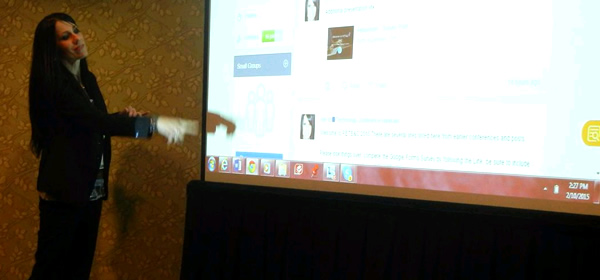
I have presented technology sessions at Lehigh University and the TRETC Conference in Pittsburgh in November.  This February, I had the tremendous opportunity to be involved at PETE&C (Pennsylvania Educational Technology Expo and Conference) for the first time. 

I presented two sessions at PETE&C and also had two teams of my students showing their skills developed through Spanish classes in the showcase. 

I recently presented at the IUP Foreign Language Methodology Conference in April and I will be presenting two sessions at ISTE this summer and am so excited to have such a tremendous opportunity and look forward to meeting new people and re-connecting with colleagues.

What Types of technology do you use in your classroom

image: http://blog.visme.co/wp-content/uploads/2015/05/profile-conference.jpg

profile-conference

Read more at http://blog.visme.co/how-a-teacher-and-students-use-visme-in-classroom-education/#Vu2k0m58BjVCKjAZ.99

Integrating Technology: What are the next steps?

My second post for Edueto Magazine:  Edueto

So you have been working on integrating more technology in your classroom. Maybe you’ve added a social messaging tool such as Celly or Remind or even Class Messenger, there are a lot of great options out there. I can imagine it took some getting used to at first and maybe you even tried using it for only one purpose.  To send a reminder, as a way for students to ask you those late night questions or some other need that you had was in your classroom. I hope that if you chose to add a messaging tool in your classroom, you now feel comfortable with it and that it has brought about the positive changes that it has brought about in my own classroom.

Did you take another step and begin using a Learning Management System?  Even though I use Edmodo, which gains many new users every day and is not something solely used for teachers and their students, but can be used to engage other educators and join a variety of professional communities.  Connecting this way is important for our growth as educators and for building our personal and professional learning networks. But it’s okay if you have not yet gotten to that next step, integrating technology is an ongoing process and it is best done in phases, working towards building your comfort level and learning how to use it effectively. But if you have taken both of these actions, you’re probably ready for some new challenge.

So again I ask you, what is it that would make a difference in your classroom? What do you think that you possibly are not providing or that your students are not giving back? The answer to this question could be the same, but sometimes it can be very different so it comes down to what your individual needs are. I can only tell you from my experience how I progressed on my path of integrating technology, and it did not happen overnight. Although when I speak about the tools that are used to my classroom or I give presentations at conferences or participate in Twitter chats, I talk about a lot of tools that are available but by no means should one infer that I use them with my students every day, all the time. Using technology completely and trying too much at once would impede real learning in the classroom and is much more effective when integrated into units.

Deciding to integrate more technology grew from my curiosity in ways to flip the classroom, so that I had more time to interact with the students and engage them more in the discussion rather than spend valuable class time watching videos or listening to audio activities or sometimes even a teaching a new concept.

So through my research for the answer to this question, led me to a great tool called Blendspace. You might wonder what it is and how it’s different than other tools like it?  You may have used or at least heard of tools like Livebinder and Symbaloo, which many people are familiar with and perhaps even use on a regular basis with their students. But when I found Blendspace and started using it, it was simply a way to avoid the struggle the students had typing in such long URL addresses, which wasn’t an easy task because those great URL shorteners were not around yet. I used Blendspace to create lessons for each chapter in Spanish class.  Students enrolled in their respective classes, had access to shared lessons and I let them have the time to explore the different resources I had put into the lessons. Some of the resources were from my list of favorites and others were ones that I quickly found by using the different tools available through Blendspace for quickly creating a lesson.

Over the years my uses for this have evolved and I will tell you more about that later but for right now my main purpose is to tell you that sometimes it’s beneficial to have a tool like this to curate your materials both for your students and for yourself. I recently presented a 1in3 session at ISTE in Philadelphia and Blendspace is gaining in popularity.  It is an app available in Edmodo, so if you’re looking for a package deal you may decide to choose the same tools that I did. But again, while what I’m telling you may sound like great ideas that seem to be applicable to your personal experience, I still recommend trying these things out first.   Don’t hesitate, create an account, check out the examples that are available and see what other people are using it for. Think about your initial question, and decide if this tool is helping to solve it and providing opportunities.  If you come up with mostly an affirmative answer then by all means continue working with the tool until you are a bit more comfortable. And even better, engage the students in this discovery process, encourage them to seek answers and try new things. It’s all about taking risks and learning, and with technology the learning possibilities are limitless. We learn from each other and even though we have the title as teacher, we don’t always have to be it. EDUETO2

I hope that your answers are coming to you and that you are feeling more comfortable with some of the technology you are using in your classroom. It just takes that first step, some discovery, curiosity and patience.  Take a chance and see what benefits your classroom will receive from something new like Blendspace. I will share some ideas with you but first, see what you can learn on your own.  Or even have your students figure it out with you.

I’d love to hear from you so feel free to contact me with questions at any time. And in closing, don’t stop questioning. Be curious. Be reflective and be active. Think of goals to enhance meaning and growth. Thank you

Integrating Technology: Why should educators make the move?

This is a blog I wrote for the Online Magazine Edueto about integrating technology and how I started with my own classroom.

Blog Link:  Edueto

eduetopic1

It seems that recently there has been an increase in the discussion about the best ways, the best tools, and the best ideas for integrating technology in the classroom. The one thing that all of these themes have in common is that technology does need to be integrated into the classroom, regardless of what level, what course, and what topic is being covered, the possibilities with technology infused into the learning environment are limitless.

Teachers may find themselves on varying ends of the spectrum of what I will refer to as being technology savvy. Teachers who have taught around 20 years or were 80s children like myself, have seen many changes in the world of technology from the entrance of Apple computers and programming in the early 1980s to the start of the Internet in the nineties to cloud computing and other emerging technologies today. There will be more tremendous changes on the horizon.

I find myself in a unique grouping in that I’ve grown up in the age of computing, so for me, adding technology into my classroom was not something I found to be a daunting task. I would not consider it seamless either.  However, with that being said there are always risks involved with starting a new venture such as integrating technology and there are many questions one might ask about where to begin, how to begin and what is the best way to use the new tech while adding to the learning and not having it become an interference.

So where does one begin? Well it depends on where you are now. Have you been using computers and technology or is the concept completely out of your area and new?  In my experience as a foreign language teacher, I had been using some games and activities, and the typical computing tools like word processing and other presentation software, but other than that, the technology used a few years back was somewhat limited in my classroom to audio and video and the occasional use of the Smartboard. But then a period of change occurred, and I realized that there were so many possibilities out there for adding to the learning experience and engaging the students and so I asked myself one question. What am I missing?

This initial question quickly led to additional questions. What is it that I am NOT providing to my students and alternatively what is it that my students could be doing better?  What are they NOT providing for our class?

With this initial question, I placed the demand on myself to seek an answer, I wondered what I could do differently to bridge what I have now termed the “disconnect” which I felt was occurring. So I began my search for ways to solve this problem of disconnect and sought to find one thing that I could change as a way to make a difference. What I came up with is that we needed a better way to communicate. And this may be where you find yourself.

Have you wished that your students would be able to ask you questions when they have a question?  That when you find a good resource or perhaps want to remind a class of something after an extended weekend or break, that there were a reliable way to do that? If you are answering yes to these questions then what you need first is a messaging tool. That’s where I started, & I found Celly which enabled me to send reminders to students, to receive their questions, to share resources and to be available when the students needed, which often was later in the evening or during the weekend when their questions appeared.

So what did this messaging tool do? It began solving the problem of the “disconnect”. It was the first step in a series of changes that I made to my teaching style and to my classroom procedures that have brought about many positive changes in the educational experiences I provide for my students, but more importantly it has enabled them to have more access to the help they need when they need it.

Once I felt confident that this tool was working, I began to think about something else that might need improvement. This would be the next step for you as well.  Perhaps it’s a way to organize your class materials so students can get those extra copies of the papers or find the requirements for the project that’s due the next day or try some of the many web tools and review activities that you have shared with them. If these sound like good ideas to you, then what you need is a Learning Management System. For myself, this was the next step and after some research I found Edmodo. I have made presentations at conferences and my message is the same, which is this:  There are many wonderful learning management systems available and depending on where and what you teach, Edmodo may or may not be the best choice for you.  But I believe that each classroom should have a common site.  For my classroom it is a great choice.   I have worked with many of the other options and I can tell you what you might want to know about them. I have continued to use Edmodo because my students stay with me throughout their Spanish studies, and it makes sense to keep them in the system, so they can see their growth, so I can track their progress and have access to the materials which then become a part of their digital portfolio. Maybe an LMS is not what you want but instead you choose to create a website, for example through Google sites or Weebly or even use Wikispaces as a way to post resources and links.  No matter what you choose you can’t go wrong. Centralizing your materials for your class and your students is a great idea and you and they will benefit from it.

Going back for a moment to my initial word of “disconnect”, perhaps it is clearer now how these two tools really help to solve that problem.  Individually either one would work in my favor to promote the communication and collaboration with the students and to make class materials and resources available, but the combination of them builds even more into what I can offer because the students can be assessed, they can have their voice expressed in many ways using Edmodo or Celly and each year we can track their progress through Edmodo.

So I ask you, what would help you the most? If you were asked to name one thing that you could change or would like to change, figure out what that one thing is and start small and build. Take a step, work with it and then add something else. You may find that your first choice is not the best but it takes action and follow through. So that means give it some time. Trying something new can be a challenge and it is definitely a risk.  It may work and it may not, but as an educator it is our job to actively be taking risks, facing challenges, working toward goals to completion. When all is said and done, we take the time to look back and reflect and that’s what you must do as well.

Did you find an answer to your question or did it bring about additional questions? Keep wondering and keep seeking more information. Be curious.  Be persistent.

Technology changes every day and there will be many opportunities to find the perfect answer to your question, it just may take a little bit of time, but that’s okay. Learning has no time limit.

#BackToSchool: How I Teach a Language Class With infographic Visuals

This is a blog I had written for Piktochart, an infographic I have used in my classroom since last summer.  Students have created projects and I have also used it for my own personal work for presentations and coursework.

Piktochart’s Intro:

Teaching isn’t easy. The school system, which was designed to prepare kids for a normal career path – high school, college, a good and stable job, retirement – hasn’t been updated in decades. Nowadays, kids have other needs and want to explore their different abilities. They (generally speaking) don’t enjoy their experiences, hence they end up bored and not paying attention in class. Luckily, there are some awesome teachers who recognize this, and try their best to encourage kids to learn in a different way.

One of these fantastic teachers is Rachelle Poth. Apart from being an attorney in Pittsburgh, she has been a Spanish and French teacher at Riverview Junior-Senior High School for over 18 years. In addition, she is the Spanish Club Sponsor, the Foreign Language Department Chair and a Member of the Mentoring and Technology Committees.

In her own words, she ‘enjoys finding new ways to use technology with my students and my purpose is to provide a variety of experiences for them that are more than just learning the language of Spanish. I want to help prepare them for the future and enable them to use a variety of tools in their high school and future careers’.

In her search for new technology, Rachelle stumbled upon Piktochart, and started using our tool to diversify and accelerate her children’s learning of a new language. 

Enter Rachelle

As a foreign language teacher for almost 20 years, I have assigned many different student projects in my classes. With each passing year and each passing chapter, we teachers try to come up with new, creative ideas to incorporate into our classroom, and to liven up the projects our students create. In years past, creativity usually came in the form of colored construction paper or poster board or by adding glitter, confetti, bright markers or paint to paper presentations. All of these additions were great and really helped to demonstrate the individuality and creativity of the students. However, some of these elements resulted in a somewhat messy display, glitter-covered teachers and materials. Worse still, these projects would sometimes result in students feeling a bit inhibited because of a perceived lack of creativity or artistic skills in their work.

The Age of Technology

As time has passed and technology capabilities have grown, students, teachers, and society have accumulated so many more options for creating projects or presentations. The possibilities of incorporating the same types of styles and effects into projects exists; however, the end result is much different. As a Spanish teacher, I teach all levels of Spanish and I need to assess my students and provide opportunities for them to complete a variety of multi-themed projects each year. The number of projects that I assign for all four levels requires some serious creativity on my part.

Teaching a Language Class

For example, in Spanish, students study the food and culture of a Spanish-speaking country. The assignment is for them to research and then complete a brief report using Microsoft Word or a similar word processor. In addition to the report, the students have to create a paper menu. For all of these projects (sometimes close to 80 or 90 individual projects), paper was necessary to display the work in the classroom. Most teachers have assigned similar projects in their classrooms. However, today, projects can be easily done using an infographic. This format enables students to complete their whole project using one tool. Within this tool, they have many choices regarding how they will enhance their work. Whether it’s choosing between templates or deciding which artistic object to include, these options are all laid out for the student. During this entire process, the project is readily available. It’s durable and accessible to anyone at any time,  and can easily be added into a digital portfolio.

Piktochart in the Classroom

In my classroom, the great thing about using infographics, especially Piktochart, is that students can create brochures, flyers or posters, and they can add various multi-media elements and select different presentation modes. They’re still completing the exact same assignments before there was Piktochart, but in the process they’re working with technology and enhancing the vital technology skills they will need for their future. Best of all, grading rubrics still apply.

Using Piktochart is one way students can learn to complete a task without the standard form of paper. For example, Spanish II students have created school club flyers and brochures with Piktochart. Their individuality and creativity was reflected in the backgrounds, templates, colors, and objects they chose to add to their work. These tools helped make their learning more meaningful because it was all about student choice. They were engaged and had fun creating their infographics but, more importantly, they were really focused on the processes behind learning the language.

How Teachers Benefit from Introducing Infographics in Their Classroom

Any teacher at any level and in any subject can benefit from using infographics in the classroom. My first step was to create a syllabus for each of my Spanish courses using different infographic tools available. I did this for a few reasons:

  1. Students could easily access the information displayed on our Learning Management System and Edmodo page, which eliminated the possibility of the papers being lost.
  2. Students could see the potential for engaging the reader because of the infographic’s visual aspects.
  3. I was able to show students a different way of presenting information, to encourage trying new things, and to model taking a risk with a new method of conveying information.

It was my way of setting them up for one of their first assignments which was to create an infographic. In Spanish I, the assignment was to write a self-description of interests and family background. In Spanish II, it was to create a school club, and in the higher levels of Spanish, there were respective assignments for creating infographics as well. The students then took these tools and used them in other classes and outside of school. Giving my students the benefits of creativity and technology is really what I aspire to do as a classroom teacher.

I want to teach my students Spanish and Spanish culture, but I also want to teach them skills that will follow them and empower them in the future. It’s my goal to provide them with opportunities for growth and to create a more engaging, meaningful, curiosity-inspiring learning experience.

Some of Rachelle’s Creations

Rachelle uses Piktochart for almost everything, but we wanted to share a few infographics on education. The first one is a talk she gave at EdCamp, on August 1st, about using technology in education.

GLOBAL0 GLOBAL1 GLOBAL2 GLOBAL3 GLOBAL4 GLOBAL5 GLOBAL6 GLOBAL7 GLOBALEND

Week 5: Blog Thoughts

Blog Week 5Chrysanthemum

The information provided for looking at the topics of self-determination and the cost of empowerment and advocacy, to name a few, was a little overwhelming at times and also led me to really question my thoughts about some of these topics again. It is easy to be swayed at times and after each reading, or seeing statistics, or a video, it really does lead one to think and evaluate again.  Having a variety of resources to look at and especially with the videos, to gain firsthand accounts of what is like to live as a person with disabilities and some of the struggle and daily challenges that one would face, in terms of the physical, emotional, or social aspects, but also other costs which can come in many different forms and are not all defined in measurable ways.

Stella

In the video about Stella Young, I found her to be really enjoyable to listen to because of the story that she was telling and her way of presenting the information and her experiences. Her message that we have been lied to about disabilities and that it does not make you exceptional, really stuck in my mind. And the reason is her follow up with “it’s not the disability that makes you exceptional but the questioning of it that does”. She is honest about her reason for speaking, that she is not there to inspire and does not like being told that she’s brave, which she joked about how somebody basically congratulates her for getting up in the morning and remembering her own name. And referring to “inspiration porn” and the images that objectify one group for another and the objectification of the person with disabilities for the benefit of a person without disabilities so that they think “wow my life to be worse.” I found it interesting that she defined being disabled more on a social level and by society rather than through her own body. But definitely left a lasting impression by her positive outlook, and definitely her humor and innovative thinking of her example using barbeque tongs for picking up something you drop and for charging a cellphone by using the chair battery.

The message overall from her is it that it does take determination and that being in control, it’s a combination of things and it does not all come from being disabled but it is a mixture of attitude of the person themselves as well as others in society.

Self-determination
Self-determination is a critical element because if you can believe in designing your plan and controlling your destiny, it will allow a person to be more goal directed, self-regulated and autonomous.  The development starts during childhood but for children, it is the adults who makes the decision even though it they are well-meaning and want to protect the person with disabilities. It is crucial for children to have opportunities to practice the skills enough before leaving high school so that they can be successful in their adulthood. Self-determination means developing the skills of self-awareness, creativity, problem solving, ways to be assertive, and advocacy. As we learned, mentors can be helpful and share their experiences and help for transitions, this can be through the school or through other organizations or agencies which offer programs. The family also needs support in giving opportunities for the students.

You learn self-determination through these components of choice making and problem solving, decision making, common goal setting. But also through some self-analysis through self-regulation, advocacy, awareness, and efficacy; all of which are learned through real world experiences and learning to take risks, make mistakes and reflect. But for persons to develop this, they cannot be over-protected and they learn from failure and for making choices on their own.

Let’s Talk

In the “Let’s talk about intellectual disabilities” video, Loretta really gave a good message and I found her story to be very interesting as well and you could tell she was very passionate about the message she wanted to share with people and being an advocate and how the involvement in the Special Olympics is what she needed, it seems, in order get that motivation.

She says that people have to be fearless and not afraid to talk to people, and to stand up against those who tell you what you cannot do. Having an intellectual disability, and being bullied, but also having anger issues, she was very open her about childhood experience.  This is important because her message can be conveyed to someone that may be in a similar situation and may feel they are helpfulness.  And her example about not being treated by the dentist because she was different, just is appalling to me that people would be treated this way.  Her involvement with Special Olympics provided healthcare which her family did not have and gave community support and advocated for persons with disabilities. These are some of the components that are necessary for self-determination and empowerment. I agree it is important for all people to find a support system, depending on each person’s individual needs. Mentors are important and having a resource like the Special Olympics is a great way to do this. These are skills that persons with disabilities have to develop but also that persons without disabilities need as well in order to achieve success in society.

The Powerpoint that explained the types of communication and how to self-advocate when a person may or may not have a voice, really clarified some of these areas as well. In particular, the types of alternative communication that are available for persons, especially those where the majority of needs fall into groups of intellectual disabilities, autism spectrum disorder, traumatic brain injury or perhaps an illness prevents them from speaking. I found the “rules of engagement” to be interesting when it talked about communicating with people when the traditional method of using a voice is not available.

The lesson learned is that people don’t need a literal voice, there are other ways to communicate and they can be low or high technology items, but at the root of this is still that people have to find a voice so they can assert what is needed. When people can self- advocate, and voice is increased then the assumptions about the person decrease and people are an equal positions of power. As  result,  persons with disabilities can decide what they need rather than having the decisions made for them by parents or overprotective family, or even educators. But it is multi-faceted and the elements including self-awareness and knowledge of rights, ways of communication and forms of leadership are all components that can lead to great success and empowerment in society.

Cost of Empowerment

The most difficult part to grasp was related to the cost of empowerment and if it will ever truly be achieved. It seems that when you hear the word costs, the immediate association is with a price or tangible measures or meaning money. But as we have learned with each passing week, there are many different costs involved in the life of a person with disabilities and those who are interacting with them or providing for them as well. Some of the statistics provided,  I am still not sure that in my mind I can believe some of the differences, however looking at just for example the number of persons with disabilities related to the number(15 million persons capable of working) compared with the 60 percent that are on disability and can receive unemployment. Under costs,  it seems that more people perhaps could be employed if costs was undertaken by an employer, such as providing some type of accessible device to make work more accessible for persons with disabilities.

AAC

One other area of this week’s focus was seeing the augmentative video and the different forms of communication that can be used to express one’s thoughts, ranging from no tech to high tech and the methods used that one must take for the persons with disabilities to learn to use these various devices, which can be emotionally, mentally, and physically draining. I find it amazing that so much technology exists so that it enables persons who are unable to communicate, to function and use words for convey meaning whether it be to use an eye gaze or higher technology such as a PRC or DynaVox. During some of my volunteer hours I had the opportunity to look at many of these devices and seeing the functionality of them and learn firsthand how the children are taught how to use some of them. I find it also brings in elements of self-determination and empowerment as well because the persons have to work harder and set goals, make choices, but also through these devices have a way to express themselves and communicate with others which enhances their empowerment and, self-determination and ability to be advocates for themselves and for others.

Social

Week 3: Thoughts on Social Justice and Prejudice and Discrimination

Throughout the material covered in this week’s module, at times and I felt a bit overwhelmed with all of the information, at times sad or bothered by the realities of what some people in society have to face as part of their daily lives, but mostly I feel more informed about social justice and the effects that prejudice and discrimination can have in society. I also feel more educated and aware of my actions and how I can use my knowledge as an educator to make a difference.

The reading from the text chapters 5 and 6 really provided a wealth of information to help better distinguish the meanings of the words prejudice and discrimination through examples and explanation of key terms. One area that I found interesting was in the definition of stigmatization and how it is society’s tendency to ascribe “deviancy” to a person with disabilities. Through an undesired differentness, this can lead to stigmatization and that any attribute can be considered deviant. With this being the case, the number of persons with disabilities increases and then persons considered deviant are as a result, kind of as described in the text “lumped together”. But what is interesting is deviance is a judgment of the “dominant and defining segment” of the society and it is done without any means of social comparison. I think if each person took time to self- evaluate, they would find deviance within, however it depends on what is considered deviant, and whom.  Even with a disability there are some people that can escape from the stigmatization, however, most cannot because of the resulting shame and alienation which can occur.

Another area that bothered me was the discussion regarding handicapism and how these assumptions and practices promote an unequal treatment of people because of “ an apparent or assumed mental, physical, or behavioral difference”. And between stigmatization and handicapism, they both come down to an assumption or a misconception that could be resolved through increased public awareness of differences and tolerance. It is also interesting that handicapism can be promoted by well-intentioned people because they focus on the person with disabilities and their sole purpose is to help them however because of their kindness the results can be harmful because it causes an unintentional handicapism.  People interested in helping the PWDs end up having a negative effect because it can come across as pity, or increase feelings of stigma as a result.
I also found interesting the discussion of impression management and the different ways in which PWDs make decisions about whether or not to show that they have a disability or opt instead to hide it. Part of the reading from the text and also the having the opportunity to read the different blogs enlightened me on what people have had to endure in the past, and some of the people in a position to educate the public on different disabilities instead chose to try and conceal a disability. Or some which use their celebrity status to draw attention to the disability for what would seem to be a positive benefits such as education or funding, but in the end had more of a negative effect as a result.

Some of the celebrity status or termed “disabled heroes” were people such as Albert Einstein, Helen Keller, Beethoven and I can see how they would be given the disabled hero association, however under my understanding of a hero, they don’t necessarily fit because their actions were not heroic.  Perhaps it is because of heroes today, I think of persons that risk their lives for others in dangerous situations such as law enforcement, those who dedicate their lives to finding cures and helping other people.   I think they each had unique stories and experiences that had an impact on society however I personally learned more from having read the blogs that I chose for part of this week’s assignment and somewhat considered those writers more heroic.
Overall, I am shocked at learning more types of the treatment towards people where they have been dehumanized either because they are seen as animals or objects, relegated to freak shows or made part of a “dwarf tossing” event, or spoken to in “motherese” and infantilized, and not had equal status or considered equal in society at the hands of persons other than themselves

.
In addition to some of the feelings that result from prejudice and discrimination, I also learned a lot about the effects, such as role entrapment and the pity that results towards the persons with disabilities, lowered expectations and decreased opportunities even though their functions for work or leisure may not be affected by the disability. There are so many aspects to what the daily life is like for a person with disabilities and even after more research studies or when people involve in simulation exercises, there still is the possibility to increase prejudice and discrimination because of forced empathy. And through legislation and acts such as the American Disabilities Act, or spokespersons and more education in schools and in the community, people are becoming more aware and society is making things more accessible to all people, however it really is a very complicated area and one in which there is not a quick and easy solution. It takes collaboration on the part of many people in society and in order for changes to happen, people must work together and learn to understand the diversity that does exist in today’s society. And also as a final note, it is important to respect personal boundaries of all people, whether or not stated, everyone is entitled to privacy and personal space. And has the right to simply be left alone, if wanted.

Image Retrieved May 28, 2015 from http://bit.ly/1LOFBE4

Impressions – Week 2

The material covered in the module for this week, really provided a lot of information regarding the sources of prejudice and discrimination and opened my eyes to all of the different aspects of social justice. Through the combination of reading in the textbook, the Charlton reading, as well as the PowerPoint slideshows and watching the video, I have learned that for all people to have access to equal opportunities and equal treatment, requires society to change in many different areas. In order to help ensure that all people are treated equally, regardless of whether it is a PWDs or a PWOD, and to provide means for all people to have a voice.  Having a voice means learning to stand up for oneself or to advocate for others. Looking back over the history of the disability movement, and the progress that has been made, there are many key actions that occurred along the way, however the span of time for these changes has been rather great.

All members of society should have independence, be equal and have access to all the benefits that exist in life. However, that has not always been the case, in particular when it comes to PWDs, or persons who are considered different in society due to gender, race, religion, ethnicity, sexual preference, level of income, or other classification.  Through the readings and other materials, I learned about the different reactions to disabilities, and how people have perceived those with disabilities, at times very inaccurately and harshly, and also how over time people with disabilities have basically been forced into living in isolation and alienated from society or outright neglected. The PWDs were treated almost like criminals by being placed in poor houses or in separate living arrangements, or even institutionalized in asylums. Over time, you can see how people have struggled to gain full citizenship and demand equality and autonomy, but because of prejudice and the negative attitudes or opinions that developed, progress in gaining these things was stagnated. Discrimination resulted it because of people behaving based upon prejudice and treating others differently and poorly because of their membership into a certain group or based on disabilities and differences. I found very interesting reading the information in the power points and in the text, because it really led me to think about the meaning of these words in society but also in terms of institutional discrimination, and how I have seen it or heard of it occurring in a work or educational setting. I have been in experiences where institutional discrimination occurred and while sometimes I know that it has been conscious effort to discriminate, there are times when it does happen unintentionally, as stated in the Smart text.

The text book reading in chapters 3 and 4, informed me of the different responses to disabilities and the different groups of disabilities and the hierarchy of stigma that each group faces. I was quite surprised by some of the information and terminology that is used, and also because of all the different types of prejudice, such as those in the list of 10 sources, some of which I had not considered, but now have a much greater understanding.
I also found it interesting that in this list of 10, that mental illness is the target of greater prejudice. Reading through the different reasons for the prejudice, has made me over the past few days really look at my classroom setting, the school I work in and the world around me. Every day as a teacher I interact with many students, many of which have disabilities and I am in a position to support those with disabilities but also provide resources and support for those without disabilities, in order to help and enhance understanding and acceptance between all students. I have been stereotyped in the workplace and society as well, and it is not a good feeling and definitely not something that I myself do, I want to know people first and not make any judgments based on appearances.

An additional area that I found to be very interesting and informative at least for myself was in chapter 4 the discussion which focused on the emotional responses and feelings regarding disabilities by both PWDs and PWODs. Some of the examples given in the book which talk about how people respond emotionally to having a disability or in reaction to a person with a disability. For example how there were unwritten rules that a person with disabilities should initiate the discussion and disclose information about their disability and communicate with others, basically in an effort to make others comfortable with a disability by being a “cheerful handicapped person”. This section really made me think why does anyone have to justify to another person any reason for how they are.

I was quite surprised by having read this and also about the “Share a smile Becky” barbie doll. It seems like these are ways to almost increase the stereotypes and prejudice toward disabled persons, and also to raise the likelihood that PWODs will pity the PWDs.  The discussion about the “existential angst of disability”, and how PWODs upon seeing PWDs remind them that it could be them in a situation, and that every moment without a disability might be their last. That is a very negative attitude and can lead to a “collective neurosis” which itself is a disabling condition.
I was very interested and moved by the story of a stranger and the information presented by Norman. Watching him and listening to him had a great impact on me and reminded me of a man I know from the gym which I had mentioned in a prior writing, and also of the young woman who spoke to our staff at the beginning of the school year who was unable to walk and unable to speak without the use of a Dynaxox and her the use of her chair.  What the 3 people I mention have in common is that none of them want to be considered disabled, they do not want to be helped or looked at differently, and all 3 want others to look at them as they would anybody else in society. They do not want PWODs to feel pity for them or feel the need to instantly do things for them or hold back opportunities from them, based on the disabilities.  You don’t always know everything about a person, simply by looking at them. You can look at a person using crutches and know that for some reason they can’t walk freely you can see a person with a guide dog, and know that they have a visual impairment, and there are many other examples I could give. But like Norman said, you don’t really know a person until you learn about them and talk to them. And the message in Story of a stranger I think I conveys this perfectly. We found out what his disability was and we could see and hear him, but had no idea about any of his life experiences or what great humor he had for the outlook on life until having listened to him talk. I have the same experience with the young woman that spoke at school as well as the man from the gym.

There is so much information this week and even though I had a Special education class before, I learned more about the disabilities themselves and the history, but I have not learned anything about the prejudice and discrimination involved nor the types of disabilities that carry higher stigma with them. It is important to stay informed, to listen to others speak and to learn to form relationships with people and be an advocate for oneself and for others.

TeacherCast Educational Network | Developing Standards-Based Instructional Technology Integration

Technology Integration - Instructional Coaching - Productivity Secrets for Educators

Leadership Liner Notes: Sean Gaillard

Built on Connection. Tuned for Impact.

Stories by Thomas Oppong on Medium

Dr. Rachelle Dené Poth @Rdene915 Educator, Consultant & Keynote Speaker, Author, Attorney #THRIVEinEDU

Hooked On Innovation

When Innovation slaps you in the face, we slap back.

Teach Better

Dr. Rachelle Dené Poth @Rdene915 Educator, Consultant & Keynote Speaker, Author, Attorney #THRIVEinEDU

BrianKulak.com

Dr. Rachelle Dené Poth @Rdene915 Educator, Consultant & Keynote Speaker, Author, Attorney #THRIVEinEDU

The Principal of Change

Stories of learning and leading

Mandy Froehlich

Dr. Rachelle Dené Poth @Rdene915 Educator, Consultant & Keynote Speaker, Author, Attorney #THRIVEinEDU

Katie Martin

Informed by research, refined by practice

#RocknTheBoat

Rocking today's classrooms, one teacher, student, and class at a time.

User Generated Education

Education as it should be - passion-based.

Learning as I go: Reflections & lessons learned

Dr. Rachelle Dené Poth @Rdene915 Educator, Consultant & Keynote Speaker, Author, Attorney #THRIVEinEDU

Serendipity in Education

Join me, Allyson Apsey, as I stumble upon the fortunes of learning, laughing, and celebrating alongside incredible people.