Agentic AI: What Educators Need to Know

Many conversations have been happening focused on artificial intelligence, especially over the past three years since the launch of ChatGPT. There have been many new technologies developed and advancements in education and work as a result of AI-powered tools. And now, something else is becoming part of the conversation. Have you heard about “agentic AI”? When I have spoken about it, the response has been that it sounds abstract or highly technical, and for some, it even sounds scary. It has become another buzzword to add to the AI-related vocabulary. Agentic AI represents a shift in what AI can do, and for educators specifically, how it can support teaching and learning in ways that go beyond chatbots and text, audio, and image generation.

Whether you teach kindergarten or high school, whether you feel confident with AI or you are just starting to explore it, agentic AI is something you’ll want to understand. Not because it’s an evolving area, but because it is beginning to reshape how educators think about their workflow, student agency, and classroom productivity.

So what is it? Why does it matter? And how can we use it meaningfully in our practice?

What Is Agentic AI?

Agentic AI is different than the tools we have become used to and probably use frequently. Most of the AI tools, such as ChatGPT, Gemini, or Claude, are in the category of generative AI. You provide a prompt, and these LLMs or other tools produce a response. These tools can draft, summarize, translate, and brainstorm, but they only work step-by-step based on your input.

How Agentic AI is different

Agentic AI refers to systems that can take on multi-step tasks, make autonomous decisions within given parameters, and carry out complex workflows with minimal human input. Rather than telling AI what to write, you tell an agent what you want to accomplish, and it decides and then takes the steps needed to get there.

I think of it like moving from having a powerful assistant to a collaborator who takes the initiative and digs into the research and the work.

Examples include AI that can:

  • Analyze student work, identify patterns, and suggest grouping strategies
  • Build a multi-week lesson that includes relevant standards, suggested pacing constraints, classroom goals, and more
  • Draft emails, create slides, and prepare communication resources like newsletters or infographics
  • Review data, generate insights, and highlight actionable next steps

Why Agentic AI Means for Education

The use of agentic AI, at least from my experience, has been about testing its capabilities, saving time, and becoming more efficient, which are beneficial for several reasons, but for one that I think is critical. The time saved can then be used to work with our students and colleagues, and to connect as only humans can.

Here are three ways that agentic AI can assist educators in our work

1. Automating the work that reduces our time with students

Teachers spend enormous amounts of time on administrative tasks and Agentic AI can reduce this load. An agent can help with scheduling, lesson ideas, generating resources for class instruction and more.

2. Supporting Differentiation and Personalization

Differentiation is important and it can take time to find the right ideas for every student. Agentic AI can analyze learning objectives, reading levels, standards, and classroom needs and then generate supports such as modified reading passages, tiered problem sets, alternative explanations for complex ideas, create sentence stems or vocabulary scaffolds, or suggest enrichment activities.

Rather than creating multiple versions of an assignment or assessment, teachers can leverage the agent to design or suggest differentiated materials and then use the time saved to support students more meaningfully.

3. Improving Digital Wellness Through Better Workflow

Digital wellness and balancing the use of tech are also common topics of discussion, especially with so much tech available. Agentic AI can support digital wellness when used purposefully. Instead of having students spend more time navigating apps, notifications, or endless digital distractions, an agent can streamline tasks and reduce digital overwhelm. Ask the agent to organize resources or create a structured plan based on a few ideas, then use the suggestions to build out a plan on your own.

Agentic AI Is Not

Knowing what Agentic AI is and how it works is important. However, it is also important to understand what it is not.

Agentic AI is not:

  • A replacement for teachers
  • A grading automation system that removes human judgment
  • A tool that should work without guardrails
  • Something to hand to students without teaching digital citizenship and AI literacy

Instead, agentic AI should be a partner that is only used in combination with human oversight, reflection, and ethical boundaries.

This is where we, as educators play an essential role.

How to try Agentic AI today

Start with Your Workflow

Try an agent-based tool to:

  • Organize weekly lessons
  • Generate draft template emails (never include any personally identifiable information PII)
  • Build slide decks or provide bullet points for slides
  • Review data (remove PII) and summarize trends

I always suggest starting small. Think about one challenge or a “pain point” and then explore how an agent helps.

Use Agents for Planning and Support

Ask an AI agent to:

  • Create a standards-aligned sequence for a unit
  • Design project-based learning ideas
  • Suggest or generate differentiated materials
  • Identify vocabulary that students may struggle with

Always review carefully. Revise and personalize the outputs through your own experiences and specific needs.

Agentic AI is another change that we need to adjust to and maybe not fully embrace, but at least explore and understand what it is, how it works, and potential benefits or concerns. As with all technology, we have to keep everything focused on human-centered teaching, purposeful and intentional implementation, and setting clear boundaries.

If you have not yet tried agentic AI, take a few moments to see what it can do. I’d love to hear how it goes!

About Rachelle

Dr. Rachelle Dené Poth is a Spanish and STEAM: What’s Next in Emerging Technology Teacher. Rachelle is also an attorney with a Juris Doctor degree from Duquesne University School of Law and a Master’s in Instructional Technology. Rachelle received her Doctorate in Instructional Technology, with a research focus on AI and Professional Development. In addition to teaching, she is a full-time consultant and works with companies and organizations to provide PD, speaking, and consulting services. Contact Rachelle for your event!

Rachelle is an ISTE-certified educator and community leader who served as president of the ISTE Teacher Education Network. By EdTech Digest, she was named the EdTech Trendsetter of 2024, one of 30 K-12 IT Influencers to follow in 2021, and one of 150 Women Global EdTech Thought Leaders in 2022.

She is the author of ten books, including ‘What The Tech? An Educator’s Guide to AI, AR/VR, the Metaverse and More” and ‘How To Teach AI’. In addition, other books include, “In Other Words: Quotes That Push Our Thinking,” “Unconventional Ways to Thrive in EDU,” “The Future is Now: Looking Back to Move Ahead,” “Chart A New Course: A Guide to Teaching Essential Skills for Tomorrow’s World, “True Story: Lessons That One Kid Taught Us,” “Things I Wish […] Knew” and her newest “How To Teach AI” is available from ISTE or on Amazon.

Contact Rachelle to schedule sessions about Artificial Intelligence, AI and the Law, Coding, AR/VR, and more for your school or event! Submit the Contact Form.

Follow Rachelle on Bluesky, Instagram, and X at @Rdene915

**Interested in writing a guest blog for my site? Would love to share your ideas! Submit your post here. Looking for a new book to read? Find these available at bit.ly/Pothbooks

************ Also, check out my THRIVEinEDU Podcast Here!

Join my show on THRIVEinEDU on Facebook. Join the group here.

Vibe Coding and an Hour of AI Adventure for AllClassrooms

A New Twist on the Hour of Code

Computer Science Education Week has been recognized in December each year. The timing selected to coincide with the birthday of Grace Hopper, a pioneer in computing. Every year during Computer Science Education Week, classrooms around the world plan activities to participate in the Hour of Code, to inspire everyone to explore the possibilities and opportunities available through coding. But this year the plans may be a little bit different. There has been a shift to focusing on the Hour of AI.

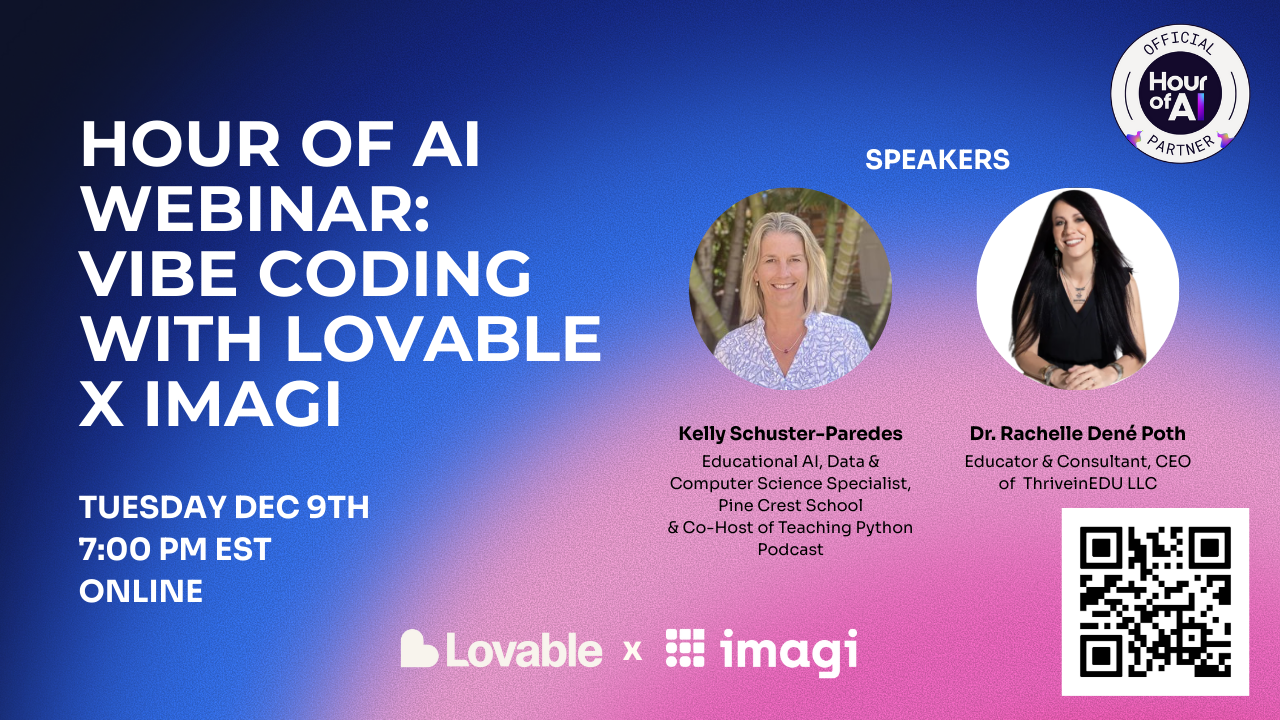
Over the past three years, AI has continued to advance and bring more tools into our classrooms and the world. There are so many possibilities available when it comes to AI and coding and the technology has continued to improve. Now, through a collaboration between Imagi Labs and Lovable, educators and students can dive into coding, without even writing a single line of code. It sounds impossible but it is true. Code is written by educators and students, simply by describing what they want. This is Vibe Coding. And the best part is that you don’t need to have a background in coding to be able to get started! My recent experience with Lovable and Imagi has shown how easy it is to build an app, create a game and more, by simply using natural language prompts. (Sign up to learn more during the Tuesday, December 9th webinar here).

And when it comes to AI, there has been a valid concern around data privacy. With Imagi and Lovable, it is easy to get started without the need for sharing student data or involving a time-consuming and complex setup. Vibe coding and the resources available help to promote computer science and AI literacy in all classrooms and focus on healthy and intentional use of AI.

So What is Vibe Coding?

Vibe Coding is way to dive into coding without writing lines of code. Rather than writing out lines of code, you simply use words to describe the vibe of the program that you want to create and then AI helps to build it. Think about what happens with prompting. With vibe coding, you use natural language prompts to describe the kind of game or app you want to create, and then AI takes care of the task of generating the code. With my more recent experiences, I’ve explored Imagi and Lovable, which is an AI-powered platform that lets anyone (with or without coding experience) create websites, apps, and games by simply describing them.The focus of coding shifts to the wording and then the ideas turn into a working project. You spend time considering the concept, refining the descriptions, and iterating throughout the process.

I have used Imagi Labs for over a year and now, with the new learning experience via vibe coding, I have more ways to focus on Computer Science and AI literacy. Imagi has partnered with Lovable to make vibe coding more classroom-friendly and easier to get started. Through Imagi, educators have access to ready-made curriculum and a special school-safe mode for Lovable that does not require personal student accounts. So now all students can join in an Hour of AI activity safely and experience AI-driven coding, which educators can facilitate with more comfort and confidence.

Why Hour of AI and Vibe Coding?

The Hour of AI is an evolution of the Hour of Code, which I have participate in with my students for years. Initially I thought about it as just an hour, but the reality is that it is meant to be an hour that then inspires you to continue to bring coding and computer science opportunities into all classrooms. There is a growing need to build foundational AI literacy skills in addition to computer science skills, in order to prepare students for the future. Through these resources, whether Hour of Code or Hour of AI, the goal is to show students that anyone can explore AI and coding.

Vibe coding is the perfect activity to explore because it makes it even easier. I think about it like this: if you and your students can write a sentence, explain a concept, then you can start creating with code. Vibe coding does not require prior coding experience. Through Imagi and Lovable, there are tutorials that provide proof that anyone can learn to code and they can do so in a fun, AI-powered way. Commonly referred to as a plug-and-play, I think it is another great opportunity for the Hour of Code/AI season this year! And, to learn how to use it, join us for a great conversation and demo!

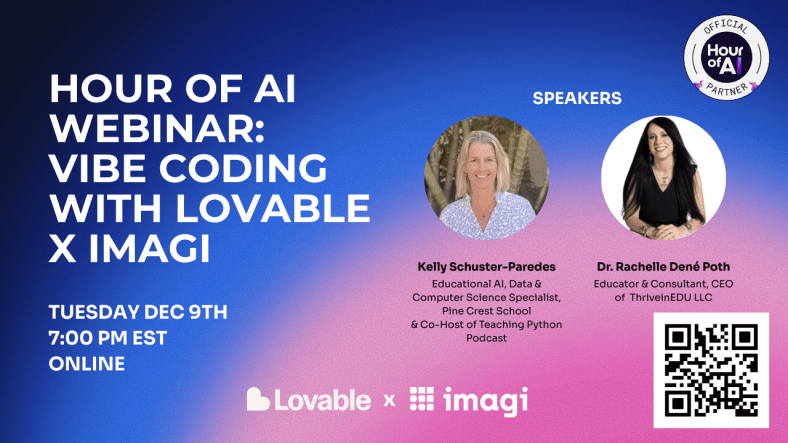
A peek at Tuesday’s webinar.

Creative Coding

What I have always enjoyed during the Hour of Code activities or Computer Science Education Week activities, are the reactions of the students! Whether they build a game or just learn more about coding and become excited about the possibilities, it is always a great learning opportunity for them and for me too.

With opportunities to build and customize their own video game, it draws them right in. The specific project they’ll create is totally up to them, which sparks creativity and builds confidence and excitement in learning. What makes it even better is how students build it. Simply by typing their ideas in plain text, through a prompt, they end up with code that is quickly generated. For example, a student might start with a prompt like, “Create a game where a cat catches falling treats and earns points.” Lovable’s AI will take their prompt and generate an initial game which may have a cat sprite at the bottom of the screen that you can move, and treats dropping from the top. Students then test the game to see how it works and collaborate to improve it.

From there, the creative iteration kicks in. Maybe one student wants the game to be about space, not fruits. They just need to ask the AI to switch the theme. Typing in “Change it to a space game catching asteroids instead of treats.” Starting with games to have students catch items is a great way to get started and because students’ games can be adapted and relevant to any subject or story, the activity will help to engages their personal interests and connect meaningfully with classroom content. The AI takes care of the coding, but students remain the designers, guiding the outcome with their descriptions. And this is how we move them from consumers to creators and innovators!

This process also introduces the concept of prompt refining and debugging in a very digestible way, especially if they are limits in the number of prompts they can use. It requires them to really think through and be specific. Once generated, if the game doesn’t run exactly right on the first try, students then learn to tweak their description by adding more details. They may say to move an item faster or change the color to a lighter shade. Students work on debugging by having a conversation with the AI, which helps them to problem solve too. Students learn how to write prompts and debug creatively while building their game and it results in less frustration and instead sparks curiosity. Students can consider: What happens if I ask the AI to do this? How can I change the appearance of the characters or the background? for a few examples.

Students can publish or share their game, which they always enjoy! For some students, this may be the first time they’ve coded something playable, which is a huge confidence boost and hopefully the moment they realized that coding (and AI) can be creative, fun, and most importantly, something that everyone can do. And another benefit is the collaboration that happens. Want to join us and learn together? Sign up here for our livestream happening Tuesday!

Building AI Literacy and CS Skills

Beyond the excitement of making a game, vibe coding activities provide impactful instructional value. It aligns with traditional computer science foundations and emerging AI literacy standards. Lessons available have been mapped to AI Literacy competencies from the AILit framework, including skills to Evaluate, Create, and Design with AI.

  • Evaluate: Students practice critical thinking by examining what the AI produces and deciding if it’s acceptable or needs some tweaking. For example, if the AI’s first attempt has a bug or the theme is slightly off, students must decide whether to accept the result, refine their prompt, or start again. Students learn to question the AI output rather than trust it immediately, which is a key AI literacy skill they need to develop.
  • Create: Rather than simply playing and consuming a game, students can now collaborate with generative AI to create one. They continue to refine the results and reflect on how their prompts (their thought processes) lead to different outcomes It’s an easy way to introduce how human creativity and AI can work together, rather than have AI replace their thoughts. Students see that AI can assist their creativity, but that their own ideas and adjustments actually are behind the project.
  • Design: By the end, students are able to describe how an AI system like Lovable helped them to build a solution to a problem or project idea. They realize that they have designed a simple software product by leveraging AI and how AI tools might help solve problems in any field. I think this is a great way to engage students in a discussion in any subject or to focus on community issues. A focus on designing with AI for real-world contexts.

Using these tools, students are learning classic computer science concepts in an age-appropriate way. They understand algorithmic logic (the game has rules like “if the cat catches treats, the score increases”), and they practice testing and debugging (when their game doesn’t work as expected, they try again and iterate). The difference is that the AI handles the syntax and heavy coding, which allows students to focus on logic and the game design. It is truly empowering for younger learners and for any learner that may hesitate to try traditional coding. Now, they learn to code in a way that breaks down the challenges that may come from receiving coding errors.

Teacher Support

Trying a new tech tool in class can be time-consuming, but Imagi + Lovable make it easy to dive in. There are a variety of teacher supports available to help teachers feel prepared and confident, even if it’s the first time exploring AI and coding in the classroom. A few of the features:

  • Detailed Lesson Plan: A step-by-step lesson guide is provided, outlining the learning objectives, timing for each part of the activity, discussion questions, and potential student responses. It’s basically a script you can follow or adapt.
  • Slide Deck: There are ready-to-use slides designed for projecting in class while you run the Hour of AI. They introduce key concepts (like “What is AI?” and “What is vibe coding?”), show visual examples, and include prompt examples to guide students. There are also speaker notes.
  • Account Setup Is Simple: Imagi handles creating student accounts for Lovable with one click. The focus is on privacy-first (accounts are anonymous and expire after the event).
  • Troubleshooting Help: Technology is great until it isn’t. But for this, don’t worry because the Hour of AI pack includes a troubleshooting guide for common issues.

There are more supports available! –> Sign up here for our livestream happening Tuesday!

By participating in this event and exploring Vibe coding during the Hour of Code/AI, we are helping students build foundational AI literacy in an engaging way.

If you’ve been thinking about coding and AI, then Computer Science Education Week and the Hour of AI are the perfect time to dive in. Set aside an hour for vibe coding and see the impact when students see their ideas come to life.

Ready to get started? Join the webinar or sign up to get the recording and resources!

Let’s work on fostering creativity and building AI literacy for every student…one vibe at a time!

About Rachelle

Dr. Rachelle Dené Poth is a Spanish and STEAM: What’s Next in Emerging Technology Teacher. Rachelle is also an attorney with a Juris Doctor degree from Duquesne University School of Law and a Master’s in Instructional Technology. Rachelle received her Doctorate in Instructional Technology, with a research focus on AI and Professional Development. In addition to teaching, she is a full-time consultant and works with companies and organizations to provide PD, speaking, and consulting services. Contact Rachelle for your event!

Rachelle is an ISTE-certified educator and community leader who served as president of the ISTE Teacher Education Network. By EdTech Digest, she was named the EdTech Trendsetter of 2024, one of 30 K-12 IT Influencers to follow in 2021, and one of 150 Women Global EdTech Thought Leaders in 2022.

She is the author of ten books, including ‘What The Tech? An Educator’s Guide to AI, AR/VR, the Metaverse and More” and ‘How To Teach AI’. In addition, other books include, “In Other Words: Quotes That Push Our Thinking,” “Unconventional Ways to Thrive in EDU,” “The Future is Now: Looking Back to Move Ahead,” “Chart A New Course: A Guide to Teaching Essential Skills for Tomorrow’s World, “True Story: Lessons That One Kid Taught Us,” “Things I Wish […] Knew” and her newest “How To Teach AI” is available from ISTE or on Amazon.

Contact Rachelle to schedule sessions about Artificial Intelligence, AI and the Law, Coding, Cybersecurity, STEM, AR/VR, and more for your school or speaking event! Submit the Contact Form.

Follow Rachelle on Bluesky, Instagram, Threads, and X at @Rdene915

**Interested in writing a guest blog for my site? Would love to share your ideas! Submit your post here. Looking for a new book to read? Find these available at bit.ly/Pothbooks

************ Also, check out my THRIVEinEDU Podcast Here!

Join my show on THRIVEinEDU on Facebook. Join the group here.

How Curriculum Genie Helps Students Thrive

In collaboration with Learning Genie

Education is evolving faster than ever. Artificial intelligence, personalized learning, and competency-based models are transforming the way educators determine the most effective ways to prepare students for the future. Even with so many options available, in my own experience and for others, the same curriculum may be used each year, in more of a one-size-fits-all format, rather than reflecting the diversity, creativity, and individual needs of our students today.

Each student brings their unique abilities, background experiences, and identities into the classroom. To continue engaging and empowering students in learning, educators need tools that provide robust options and possibilities. We need tools that help us design learning that is relevant, inclusive, and connected. An extra bonus is finding tools that save time, allowing us to spend more time with students.

I have enjoyed using Curriculum Genie, developed by Learning Genie. This innovative platform helps educators transition from traditional instruction to personalized and UDL-aligned learning, supporting the whole learner and also the competencies outlined in the Portrait of a Graduate.

Why Curriculum Needs An Update

A standardized curriculum was initially developed to promote fairness, ensuring that all students had access to the same information. But equal content doesn’t mean equitable learning. If lessons are not adjusted to meet student needs and are not more personalized, then they will fail to:

  • Reflect students’ local cultures or communities, and authentic learning is lost.
  • Connect abstract concepts to real-world experiences, reducing comprehension.
  • Maintain student engagement when lessons feel irrelevant or disconnected.

As educators, we know the need for personalization, but creating differentiated lessons can be time-consuming and, at times, even overwhelming, as we worry about meeting each learner’s needs. Curriculum Genie removes that barrier by making relevance, accessibility, and inclusion achievable and in a platform that is easy to navigate and user-friendly.

Curriculum Genie: AI Meets Authentic Learning

Curriculum Genie is not just another planning tool—it’s an AI-powered educational design partner. It helps teachers build or adapt a curriculum that authentically and meaningfully connects to students’ needs and experiences.

✨ Key Features

1. Location-Based Unit Generation Educators can select a location (state, city, or region), and generate unit planners tailored to that specific place in no time at all. The examples, activities, and cultural connections align with the local environment, which makes the lessons more authentic and relatable.

2. AI Lesson Assistant Teachers can:

  • Create new lessons in a short amount of time that reflect a specific location or cultural context.
  • Transform existing lessons without rewriting them from scratch.
  • Have a thought partner to build out a truly impactful lesson for students.

This flexibility empowers teachers to make any lesson more meaningful while saving hours of preparation time. The time saved can then be spent with students and colleagues, continuing to learn and grow together.

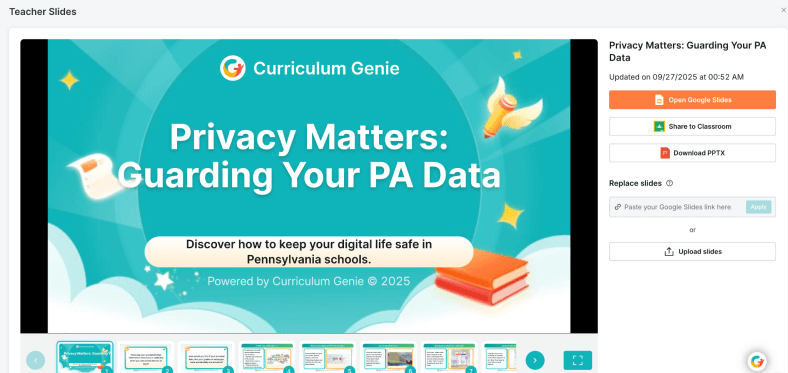
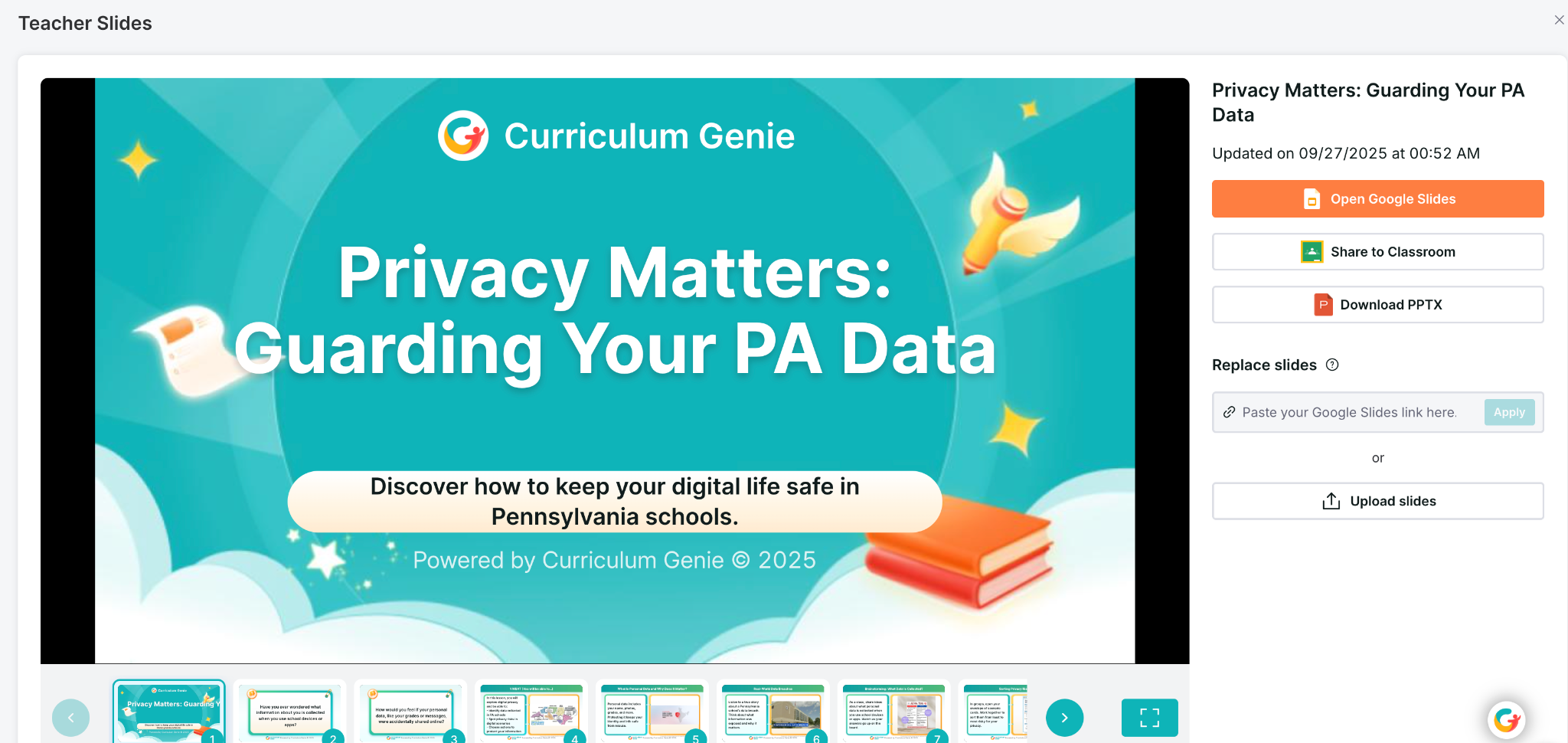
Generates interactive slides!

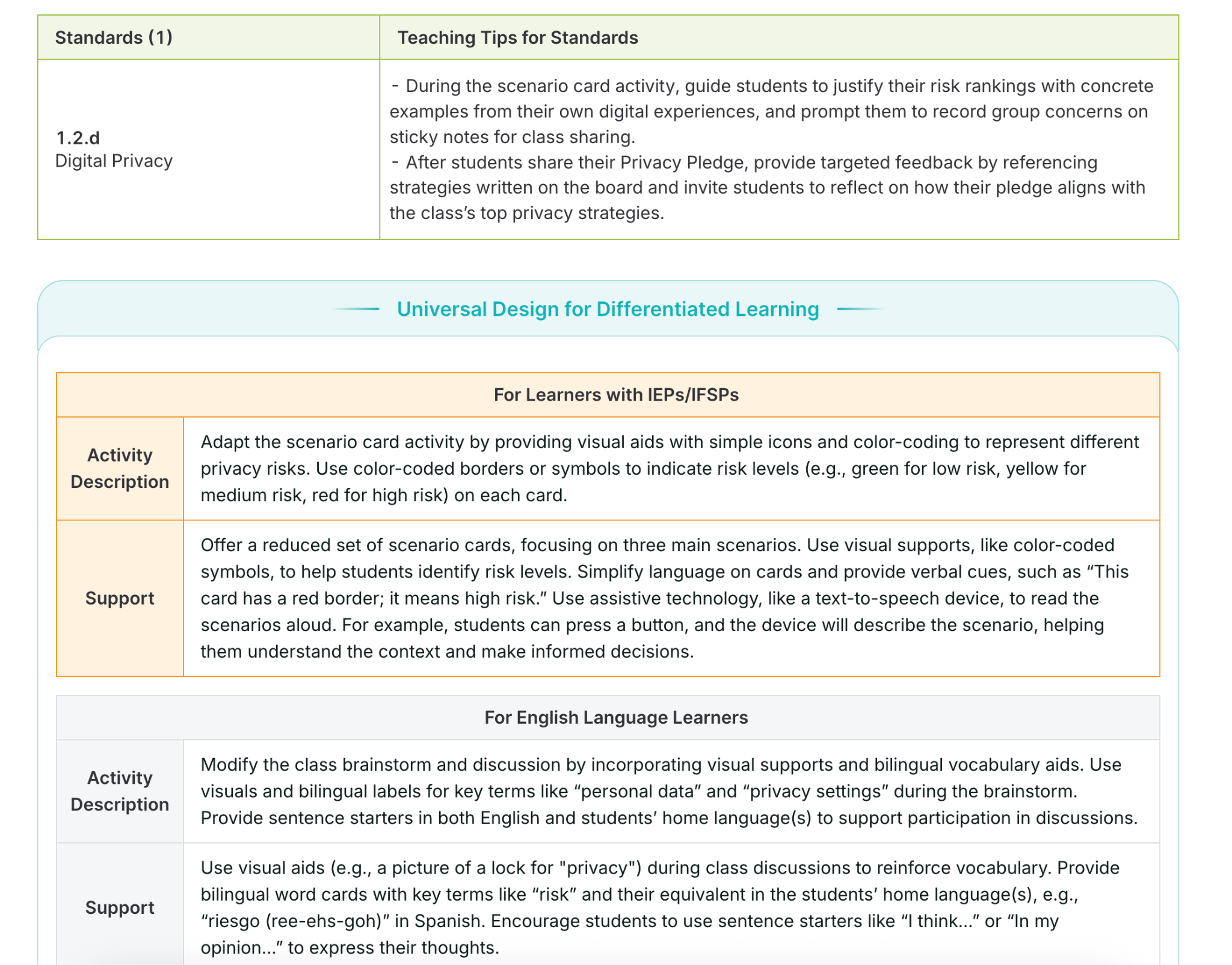
3. UDL-Embedded Supports Curriculum Genie doesn’t just create lessons; it also aligns them with Universal Design for Learning (UDL) principles, helping educators plan for accessibility and inclusion from the start. UDL is a focus area for many educators, and making sure to provide the right supports and activities is key. Curriculum Genie helps with this. Why UDL?

UDL ensures multiple means of:

  • Engagement: Connecting to student interests and motivation.
  • Representation: Presenting information in diverse ways (visual, auditory, tactile).
  • Action & Expression: Giving students options to show what they know.

For example, when designing a science lesson, Curriculum Genie might suggest hands-on experiments, visual diagrams, or video explanations to make sure that every learner can engage and succeed. For my STEAM course, I can create robust lessons focused on digital citizenship and wellness or other important topics that boost student engagement and make truly interactive lessons to amplify learning. How? Curriculum Genie provides all of the resources that I need to make a lesson successful, meaningful, and personalized to my students.

4. IEP and ELL Integration
Supporting diverse learners is a key aspect of Curriculum Genie’s design. It automatically weaves strategies for students with IEPs and English Language Learners, helping educators to build their instructional practices, too.

5. Portrait of a Graduate Alignment Many districts are focusing on the Portrait of a Graduate, and also, Portrait of an AI Graduate, which outline the essential skills our students need to be successful in the future. They develop skills such as critical thinking, communication, creativity, collaboration, and global citizenship.

Curriculum Genie helps educators design lessons that cultivate these competencies through:

  • Real-world, problem-based learning grounded in local and global contexts.
  • Collaborative and inquiry-driven activities that foster communication and creativity.
  • Culturally responsive projects that honor diverse perspectives and promote empathy.

Using Curriculum Genie enables educators to connect academic standards with the Portrait of a Graduate competencies, which ensures that students learn more than the content; it helps them to build the mindset and skills needed for their future.

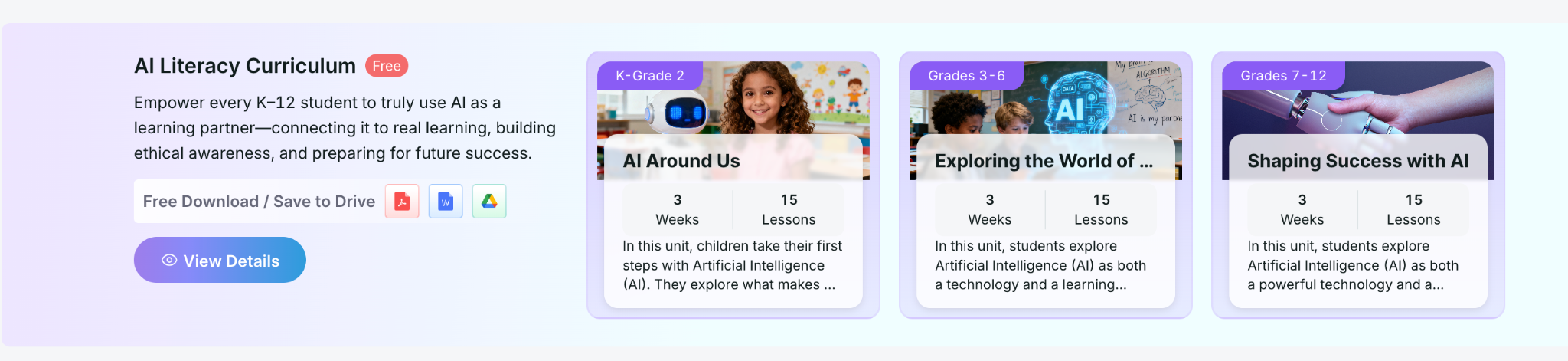
They also offer FREE K-12 Lessons on AI Literacy!

Free AI Literacy Courses for K–12 Educators

Another great feature offered by Learning Genie is that it provides free AI Literacy Courses for K–12 educators.

The courses are self-paced and help teachers and school leaders:

  • Understand how AI works and how it’s shaping learning.
  • Explore classroom-ready strategies for AI integration.
  • Learn to design lessons that teach students to think critically about AI.

You can access these courses and learn more about Curriculum Genie at https://www.learning-genie.com/.

Transforming Education, Together

The future of learning depends on our ability as educators to make education more personal, purposeful, and powerful. Curriculum Genie offers guidance that helps educators move beyond traditional and one-size-fits-all instruction to learning that is inclusive, authentic, and future-focused.

More than just a platform with limited capabilities, through its integration of AI, UDL, Portrait of a Graduate competencies, plus the great and free AI literacy courses, Curriculum Genie supports educators with the tools to make it a reality.

If you’re looking for a new platform that will save you hours of time by addressing many important areas, then I definitely recommend that you dive into Learning Genie and explore creating with Curriculum Genie. I have been amazed at how quickly it creates, how responsive it is, and the quality of resources and materials that it shares for teachers. Learn more and request a demo at https://www.learning-genie.com/

About Rachelle

Dr. Rachelle Dené Poth is a Spanish and STEAM: What’s Next in Emerging Technology Teacher at Riverview High School in Oakmont, PA. Rachelle is also an attorney with a Juris Doctor degree from Duquesne University School of Law and a Master’s in Instructional Technology. Rachelle received her Doctorate in Instructional Technology, and her research focus was on AI and Professional Development. In addition to teaching, she is a full-time consultant and works with companies and organizations to provide PD, speaking, and consulting services. Contact Rachelle for your event!

Rachelle is an ISTE-certified educator and community leader who served as president of the ISTE Teacher Education Network. By EdTech Digest, she was named the EdTech Trendsetter of 2024, one of 30 K-12 IT Influencers to follow in 2021, and one of 150 Women Global EdTech Thought Leaders in 2022.

She is the author of ten books, including ‘What The Tech? An Educator’s Guide to AI, AR/VR, the Metaverse and More” and ‘How To Teach AI’. In addition, other books include, “In Other Words: Quotes That Push Our Thinking,” “Unconventional Ways to Thrive in EDU,” “The Future is Now: Looking Back to Move Ahead,” “Chart A New Course: A Guide to Teaching Essential Skills for Tomorrow’s World, “True Story: Lessons That One Kid Taught Us,” “Things I Wish […] Knew” and her newest “How To Teach AI” is available from ISTE or on Amazon.

Contact Rachelle to schedule sessions about Artificial Intelligence, AI and the Law, Coding, AR/VR, and more for your school or event! Submit the Contact Form.

Follow Rachelle on Bluesky, Instagram, and X at @Rdene915

**Interested in writing a guest blog for my site? Would love to share your ideas! Submit your post here. Looking for a new book to read? Find these available at bit.ly/Pothbooks
************ Also, check out my THRIVEinEDU Podcast Here!

Join my show on THRIVEinEDU on Facebook. Join the group here.
Tips for Using AI and for Talking to Students About It

My Prior post on Edutopia

AI isn’t coming—it’s already here. It has been embedded in the various educational platforms we use and the assessments we give. It’s likely involved in both the professional development we participate in and the writing and work that our students are doing.

As an educator, speaker, and advocate for technology integration, I’ve spent a lot of time researching, using, and teaching with AI so that I can prepare students and other educators. In my classroom, from using a variety of AI tools that help me save time so I can spend it working with students to integrating chatbots to support student learning, I see the value and impact of leveraging this technology. If we want our students to be ready for their future careers, we must start teaching them about AI. They need to move beyond being consumers of content and instead become creators and innovators.

Where Do We See AI?

For educators, many AI-powered platforms help us to target instruction, assess students, and find resources for our lessons.

Confidence building: Encouraging students to speak in class can be a challenge. At the end of 2023, I started to use SchoolAI with my students and created a “Sidekick” for them to have conversations in Spanish based on the content that I used for the prompt. They loved it—it not only helped them build language skills and confidence but also showed how AI can support their learning. MagicSchool AI is another great option, with a tutor function that helps students in areas where they need support. Both of these tools also have historical characters that students can chat with and other features to enhance learning. I love that I can monitor student responses, provide additional support, and adjust instruction as needed.

Using Eduaide, teachers can kick off a class debate with pros and cons and an outline to quickly get started, and they can also develop other collaborative and engaging activities for students.

For language learners, confidence matters. Snorkl enables students to practice speaking and receive real-time AI and teacher feedback. The AI gives real-time feedback on fluency and pronunciation, helping students grow as communicators and build confidence. Snorkl can be used with students starting in kindergarten, and it has a library full of ready-to-use activities. Throughout the times I have used Snorkl or one of the chatbots, the feedback provided has been tailored to each student’s responses and offered insights and examples to support their learning.

Continue reading the rest of this post on Edutopia.

About Rachelle

Dr. Rachelle Dené Poth is a Spanish and STEAM: What’s Next in Emerging Technology Teacher at Riverview High School in Oakmont, PA. Rachelle is also an attorney with a Juris Doctor degree from Duquesne University School of Law and a Master’s in Instructional Technology. Rachelle received her Doctorate in Instructional Technology, and her research focus was on AI and Professional Development. In addition to teaching, she is a full-time consultant and works with companies and organizations to provide PD, speaking, and consulting services. Contact Rachelle for your event!

Rachelle is an ISTE-certified educator and community leader who served as president of the ISTE Teacher Education Network. By EdTech Digest, she was named the EdTech Trendsetter of 2024, one of 30 K-12 IT Influencers to follow in 2021, and one of 150 Women Global EdTech Thought Leaders in 2022.

She is the author of ten books, including ‘What The Tech? An Educator’s Guide to AI, AR/VR, the Metaverse and More” and ‘How To Teach AI’. In addition, other books include, “In Other Words: Quotes That Push Our Thinking,” “Unconventional Ways to Thrive in EDU,” “The Future is Now: Looking Back to Move Ahead,” “Chart A New Course: A Guide to Teaching Essential Skills for Tomorrow’s World, “True Story: Lessons That One Kid Taught Us,” “Things I Wish […] Knew” and her newest “How To Teach AI” is available from ISTE or on Amazon.

Contact Rachelle to schedule sessions about Artificial Intelligence, AI and the Law, Coding, AR/VR, and more for your school or event! Submit the Contact Form.

Follow Rachelle on Bluesky, Instagram, and X at @Rdene915

**Interested in writing a guest blog for my site? Would love to share your ideas! Submit your post here. Looking for a new book to read? Find these available at bit.ly/Pothbooks

************ Also, check out my THRIVEinEDU Podcast Here!

Join my show on THRIVEinEDU on Facebook. Join the group here.
From Curiosity to Confidence: Building AI Literacy Together

In collaboration with Kira

“Where are you with AI today—curious, testing, using weekly, or all in?”

That’s how we opened our recent panel on AI literacy for educators. Whether you feel energized, overwhelmed, or skeptical, you’re not alone, and that’s exactly why having conversations around AI and how to bring it into our schools matters.

Why AI Literacy, Why Now?

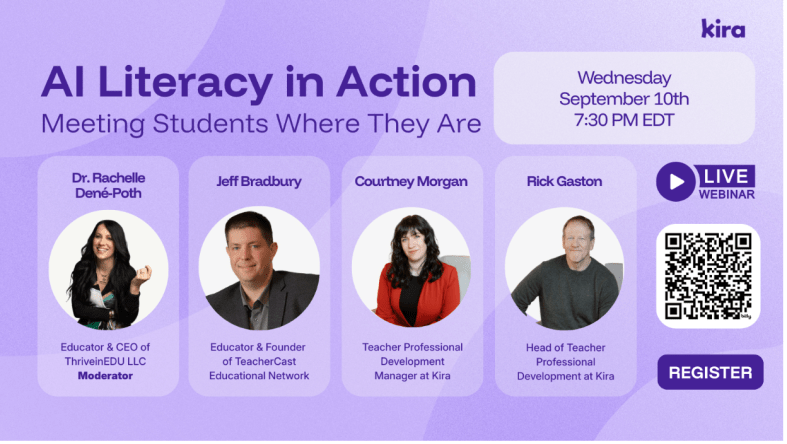
I enjoyed the opportunity to serve as the panelist for this great discussion about AI Literacy. We had so much engagement from attendees from more than 25 countries around the world!

The panelists engaged in rich discussion and offered insight into our role as educators and how we can help our students and ourselves better understand: What do we need to be doing when AI-powered tools surround us?” How does learning change?

Literacy isn’t about knowing how to navigate AI platforms, but rather it is about habits of mind. Asking better questions, evaluating outputs, knowing how to evaluate sources, understanding the limitations of AI, and aligning use with learning goals, ethics, and policy. AI is something that we need to consider and how it is involved in our planning, teaching, assessment, and reflection. And being able to determine whether something is real or not, something that I thought more about after reading the book Futureproof, by Kevin Roos, two years ago. Shifting from digital literacy to discernment is key.

The Skepticism Is Real (and Reasonable)

We started our discussion with what we called initial skepticism. Many teachers are hesitant to introduce AI into their classrooms, schools, or even their own workflows. As Jeff Bradbury put it:

“There are educators out there trying to figure this out, but they are not yet sure how to do it. There are educators out there who are scared. And then you have educators on the other side of the innovation curve… How do you work with all of those at the same time?”

He continued: “That question hits home. In every district I visit, I meet the AI All-Ins, the Cautious Curious, and the Not-Now crowd. Suppose this is your staff, good, because having discussions with educators who have these different viewpoints is key. It means you have internal mentors and internal skeptics—the two groups you need most to build something responsible and resilient, especially when the topic is AI”.

Some ideas shared: Start with a common language or practices. Define “AI literacy” and what that means. Identify how to best use AI (lesson planning, differentiation, feedback drafting) and some ways where you want to avoid the use of AI or be more cautious (grading without verification, sensitive data, replacing teacher judgment). Establishing clear guardrails reduces anxiety and helps to ensure that AI implementation in our schools is consistent and purposeful.

The “Aha” That Changes Everything: Specificity

Jeff told a story about a colleague—a music teacher—who tried AI “seven or eight different ways” to create a budget and concluded, “I hate this thing.” The pivot came with one question: “Were you specific?” Did he tell the AI it was for a middle school music program? The approximate budget? The categories? The constraints?

“You didn’t fail eight ways,” Jeff said. “You found eight ways the system didn’t have enough to listen to you.”

The quality of your prompt is not about clever “hacks”—it’s about context, criteria, and constraints.

Prompting is a pedagogy: We are modeling for students how to ask precise questions, set criteria, and iterate. That is AI literacy.

Meet Teachers Where They Are

Rick Gaston and Courtney Morgan from Kira emphasized a simple, human truth: people learn faster when they feel safe and seen.

“We like to meet teachers where they’re at to help them begin with AI,” Rick said. “Start with lesson content they’re comfortable with and have them experience how quickly AI can provide new ideas in that content area.”

“We believe in learning by doing,” Courtney added. “We facilitate that process so teachers can experience that our AI tools can be their teaching buddies.”

I love that phrase: teaching buddies. Not a shortcut. An assistant or collaborator who drafts, riffs, and reframes so that educators can focus on the human aspects of teaching, such as relationships, feedback, and instructional decision-making.

Time: The Gift Teachers Actually Feel

Jeff’s coaching mantra resonated with the chat: “What is the one thing I can give you that no one else can? Time.” When AI saves a teacher 30 minutes tonight, their stance moves from skeptical to curious. When it saves them three hours before conferences, they become advocates.

Concrete time-savers that build trust:

  • Parent emails: Draft a positive progress update with two examples of growth and one specific next step—translated into Spanish and English.
  • Rubric remix: Convert a long analytic rubric into a student-friendly checklist; add “I can” statements.
  • Formative checks: Generate two exit tickets (one multiple-choice, one open-ended) targeting the same standard; include an answer key/rubric slice.

When teachers see the time they can save and then shift to students or colleague interactions, they’re more willing to explore deeper integrations of AI into their practice.

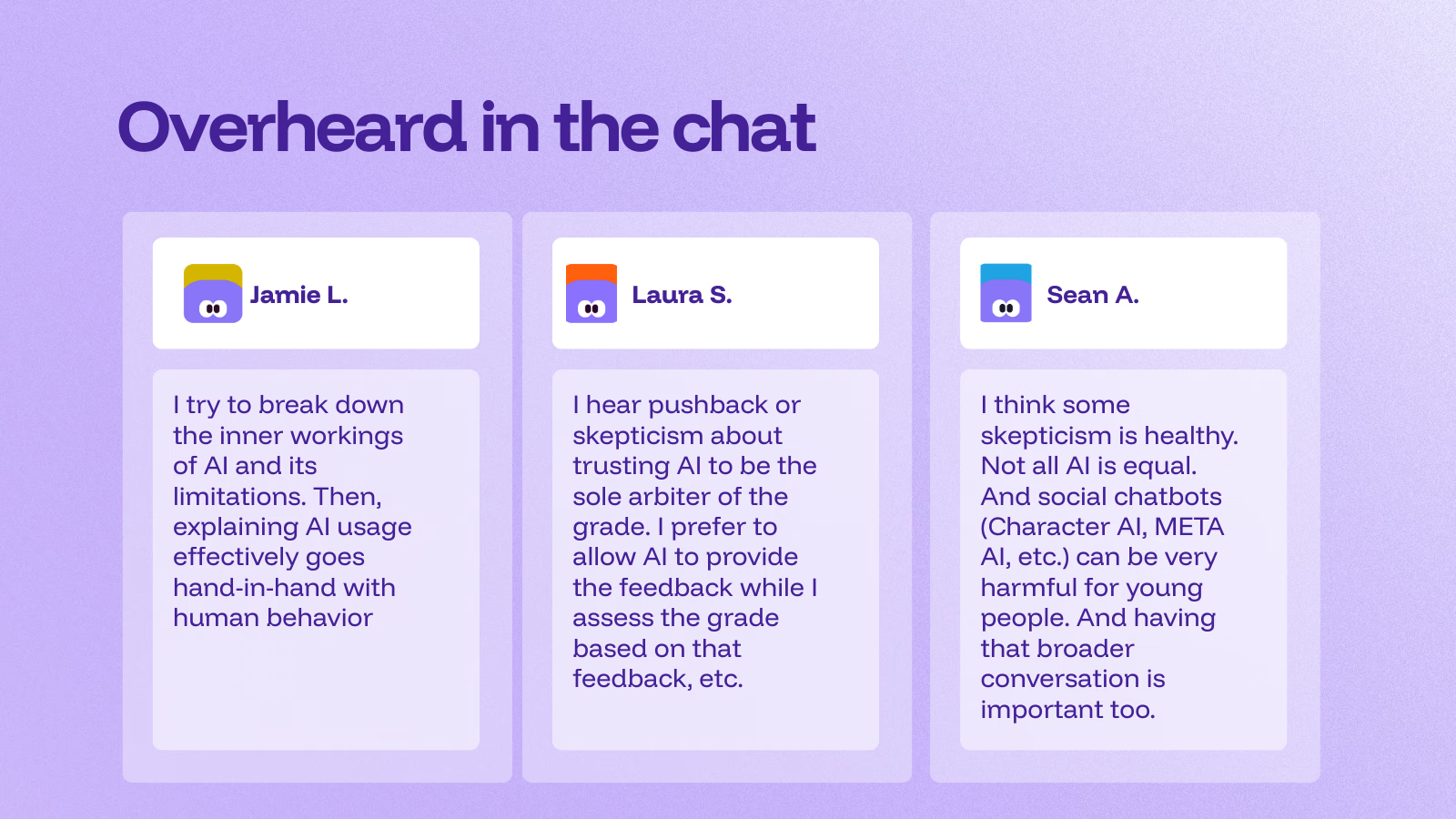
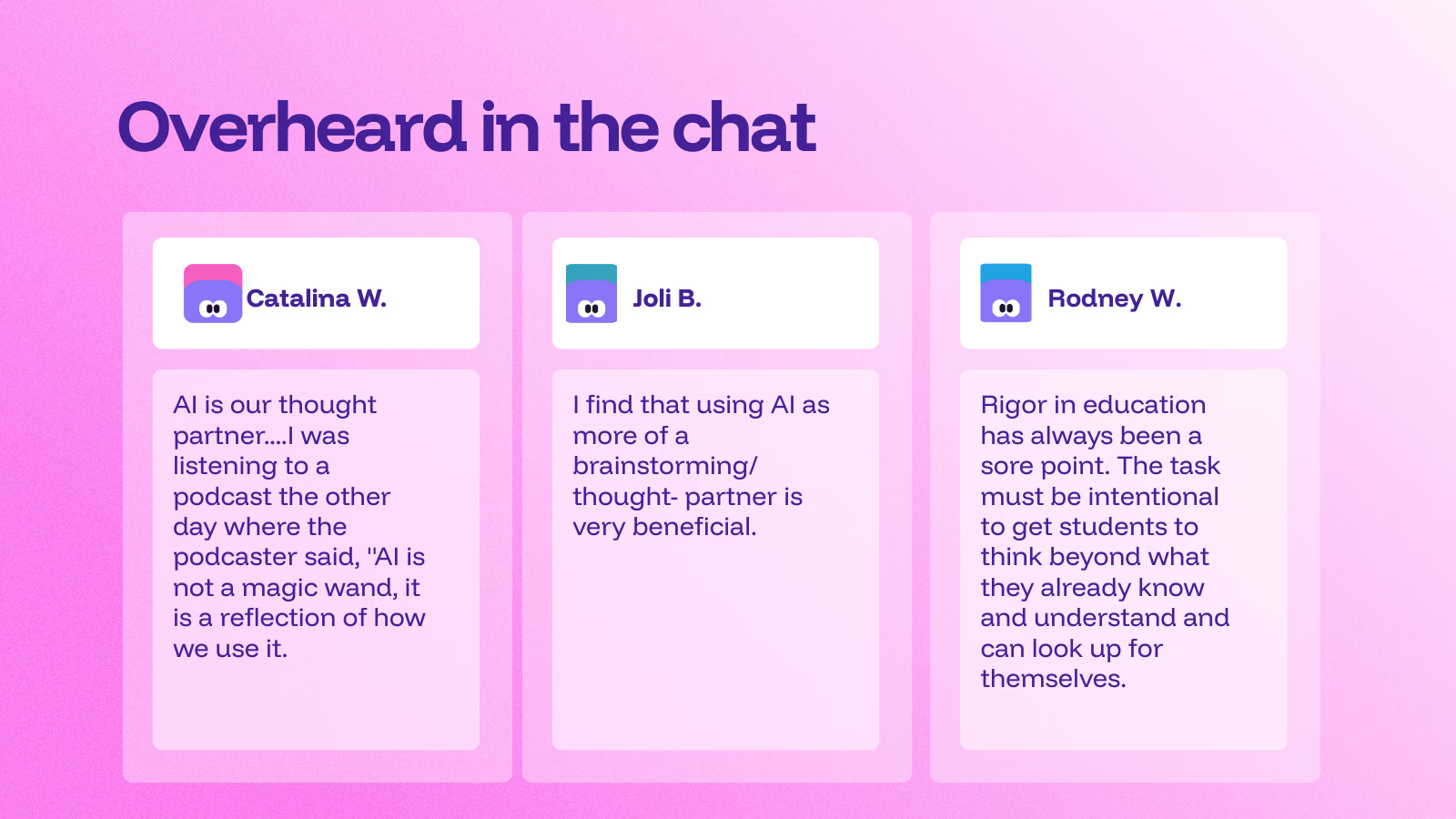
Additional insights from participants (courtesy of Kira)

About Kira

Kira is an AI-powered teaching & learning platform built to save teachers time, personalize instruction, and keep teachers in control. During the panel discussion, attendees had the chance to learn more about the platform and the AI Tutor. “This is just a quick preview of the Kira platform,” said Courtney, “and why we keep mentioning the built-in AI Tutor we’re really proud of.”

At its core, the AI Tutor is designed to coach, rather than simply provide answers. Students can highlight any passage and ask a question, or simply discuss it directly with the tutor. “You’re going to see me try to make it solve the problem for me,” Courtney joked, “but it won’t. Instead, it walks you through highly scaffolded steps.” That means support questions, targeted hints, and extra practice. The Tutor will work at nudging learners toward the how and why, not just the what. You can adjust the support level and reading level per student. It never gives direct answers and provides context-aware, course-specific feedback.

The AI Tutor is subject-agnostic and works across K–12 courses, math included. It’s available to both teachers and students, and it’s been a game-changer for first-time teachers who lean on it to deepen their own understanding while teaching. The message is clear: AI as a teaching buddy, not a replacement.

Differentiation is built in. Teachers can adjust the tutor’s level of support if students are over-relying on it, or increase it for learners who need more targeted assistance, including those with IEPs or language-learning needs. The goal is precision teaching: the right help, to the right student, at the right moment.

Getting started is easy. Kira offers ready-to-use courses, including AI Demystified for students, answering the big questions, “What is AI? What is it doing? How do I use it responsibly?”—and AI 101 for Educators, which builds teacher AI literacy. Looking to be part of a learning community?

Join the upcoming AI 101 for Educators cohort starting in October. Learn more and express your interest here! It is a short, self-paced PD (about 2 hours) for any subject area that builds confidence using AI in real classrooms.

It will cover:

What is AI, and what AI tools are helpful for educators?

How can I teach my students to use AI responsibly?

How can I use AI tools to enhance my students’ critical thinking?

How can I reduce risks and maximize the benefits of using AI in the classroom?

Once you fill out the form, the team at Kira will follow up with more details.

Learn more about their AI 101 PD cohort here.

About Rachelle

Dr. Rachelle Dené Poth is a Spanish and STEAM: What’s Next in Emerging Technology Teacher at Riverview High School in Oakmont, PA. Rachelle is also an attorney with a Juris Doctor degree from Duquesne University School of Law and a Master’s in Instructional Technology. Rachelle received her Doctorate in Instructional Technology, and her research focus was on AI and Professional Development. In addition to teaching, she is a full-time consultant and works with companies and organizations to provide PD, speaking, and consulting services. Contact Rachelle for your event!

Rachelle is an ISTE-certified educator and community leader who served as president of the ISTE Teacher Education Network. By EdTech Digest, she was named the EdTech Trendsetter of 2024, one of 30 K-12 IT Influencers to follow in 2021, and one of 150 Women Global EdTech Thought Leaders in 2022.

She is the author of ten books, including ‘What The Tech? An Educator’s Guide to AI, AR/VR, the Metaverse and More” and ‘How To Teach AI’. In addition, other books include, “In Other Words: Quotes That Push Our Thinking,” “Unconventional Ways to Thrive in EDU,” “The Future is Now: Looking Back to Move Ahead,” “Chart A New Course: A Guide to Teaching Essential Skills for Tomorrow’s World, “True Story: Lessons That One Kid Taught Us,” “Things I Wish […] Knew” and her newest “How To Teach AI” is available from ISTE or on Amazon.

Contact Rachelle to schedule sessions about Artificial Intelligence, AI and the Law, Coding, AR/VR, and more for your school or event! Submit the Contact Form.

Follow Rachelle on Bluesky, Instagram, and X at @Rdene915

**Interested in writing a guest blog for my site? Would love to share your ideas! Submit your post here. Looking for a new book to read? Find these available at bit.ly/Pothbooks

************ Also, check out my THRIVEinEDU Podcast Here!

Join my show on THRIVEinEDU on Facebook. Join the group here.
Leading with AI: Practical Ideas for School and District Administrators

I started researching artificial intelligence in July 2017. I dove into the topic so that I could write a blog post for Getting Smart in January 2018. I had no idea at that point, thinking ahead, how much time I would invest in learning about AI and how much I would invest in working with students and educators over the past 7 1/2 years.

I love working with students in my classroom and also, I am very much aware of the ethical and legal considerations that we have to think about when it comes to any technology, but more specifically AI. Over the past two years, I have challenged myself to go beyond the training that I have done related to AI and different tools, and now I have also been focusing on AI and the law, working with administrators to evaluate policies, create opportunities to provide professional development for the educators in their school systems, and so much more. I am always looking for more opportunities to work within schools.

And with all these opportunities, things have changed a lot from seven years ago when I started presenting, compared with nearly 2 years ago when ChatGPT came out, and even this year. Artificial intelligence isn’t just a buzzword anymore—it’s becoming a tool that education leaders can no longer ignore. As an educator and consultant who works at the intersection of AI, law, and learning, I’ve seen how quickly AI is reshaping classrooms and professional practices. But what about those leading from an administrator’s viewpoint?

For administrators, AI is not just about the tools students or teachers use; it’s about strategy, policy, and shaping the future of learning in your schools. So how can you, as an education leader, leverage AI effectively and responsibly? Here are some ideas and practical tips to help you get started.

1. Streamlining Administrative Work

One of the most immediate uses of AI is in reducing the workload that often takes administrators away from instructional leadership. AI-powered tools can:

  • Draft communications: If you spend time writing newsletters to families, updates to the school board, or memos for staff, AI can help you to generate polished drafts that you can refine and personalize.
  • Summarize long reports: Instead of sifting through dozens of pages, AI can condense state policy updates, research articles, or professional learning reports into actionable takeaways.
  • Automate scheduling: Tools now exist that can suggest meeting times, analyze calendar patterns, and even help coordinate professional development sessions.

💡 Reminder: Always add your authentic voice and context when using AI for communication. AI should be used as an assistant, not as a replacement for the work we do.

2. Using AI for Data-Informed Decisions

Administrators are constantly making decisions based on data. They focus on assessment results, attendance records, and even budgetary considerations. AI can help to identify patterns and provide insights more quickly. For example:

  • Equity checks: AI can highlight disparities in discipline, participation, or achievement data that might otherwise be hidden.
  • Enrollment predictions: Some districts are already using AI to forecast shifts in student numbers and staffing needs.
  • Resource allocation: Imagine tools that analyze spending trends and suggest areas where funds could be more impactful.

💡 Tip: AI should not replace your own judgment. Use it as a lens to see trends and then combine those insights with your leadership expertise and community input.

3. Supporting Teachers with AI

Your role is so important, especially for supporting teachers:

  • Lesson planning: Teachers can use AI to brainstorm activities aligned with standards or to differentiate for diverse learners.
  • Assessment support: AI-powered graders can provide fast feedback on essays or projects, giving teachers more time to focus on deeper feedback.
  • Professional growth: AI-driven platforms can recommend resources or communities based on teachers’ needs and interests.

💡 Tip: Encourage and support teachers as they experiment with AI. Promote ideas like generating quiz questions or creating rubrics. Building confidence and trust is key.

4. Enhancing Communication and Community Engagement

Administrators recognize that clear communication with families and the broader school community is crucial. AI can assist in many ways:

  • Translation tools: AI-driven translators are becoming increasingly accurate, enabling schools to connect with families in their native languages. Promoting accessibility and inclusivity is absolutely essential.
  • Chatbots for FAQs: Districts can set up AI-powered bots on websites to answer common parent questions about schedules, policies, or enrollment.
  • Sentiment analysis: Some tools can gauge community concerns by analyzing feedback surveys or social media mentions.

💡 Reminder: Being transparent helps to build trust. If you’re using AI to engage families, be clear about what it is and how it works.

5. Keeping Students Safe and Supported

Administrators have a responsibility to ensure that AI tools support—not endanger—student well-being. This means looking at both opportunities and risks:

  • Early warning systems: AI can help flag attendance or behavioral patterns that may indicate a student is at risk.
  • Cybersecurity monitoring: With cyber threats on the rise, AI can help IT teams detect unusual activity more quickly.
  • Digital citizenship: As students use AI themselves, administrators can help set the tone for safe, ethical, and responsible use.

💡 Tip: Always vet AI tools for compliance with laws like FERPA and COPPA, and check with legal teams before large-scale implementation. I am available to help you with policy creation and evaluation for your school!

6. Building an AI-Ready Culture

Perhaps the most critical role for administrators is shaping culture. AI is somewhat new(in the sense that GenAi is new and it can be intimidating, but it’s also full of promise. Leaders can set the tone by:

  • Modeling use: Share examples of how you use AI to save time or make decisions.
  • Creating professional learning opportunities: Dedicate PD sessions to exploring AI tools and their classroom applications.
  • Starting conversations: Make space for teachers, students, and families to share questions and concerns.

7. Policy and Ethical Leadership

AI brings with it new challenges in ethics and policy. Administrators should be proactive in:

  • Drafting AI guidelines: Develop policies for teachers and students that encourage innovation while addressing risks.
  • Evaluating vendors: Not every AI tool is created equal. Ask about how tools protect student data, align with standards, and support equity.
  • Monitoring impact: Establish checkpoints to evaluate whether AI tools are meeting their intended goals.

💡 Tip: Create a small task force of teachers, tech staff, and even students to help monitor AI use in your school or district. Shared ownership builds stronger policies.

Planning Ahead

As an administrator, it’s okay to not have all the answers about AI. You just need to be willing to ask the right questions. Over the past seven+ years, I have seen the most success when educators approach AI with curiosity, caution, and courage.

Curiosity allows you to explore the potential of AI without fear.
Caution keeps you grounded in ethics, equity, and student safety.
Courage helps you lead your community into a future that is still unfolding.

AI can be a powerful tool to help administrators focus on what matters most: supporting teachers, empowering students, and building thriving school communities.

The question isn’t whether AI belongs in education leadership—it’s how you, as an administrator, will guide its use. By starting small, asking thoughtful questions, and keeping your community at the center, you can ensure AI becomes an asset rather than a distraction.

About Rachelle

Dr. Rachelle Dené Poth is a Spanish and STEAM: What’s Next in Emerging Technology Teacher at Riverview High School in Oakmont, PA. Rachelle is also an attorney with a Juris Doctor degree from Duquesne University School of Law and a Master’s in Instructional Technology. Rachelle received her Doctorate in Instructional Technology, and her research focus was on AI and Professional Development. In addition to teaching, she is a full-time consultant and works with companies and organizations to provide PD, speaking, and consulting services. Contact Rachelle for your event!

Rachelle is an ISTE-certified educator and community leader who served as president of the ISTE Teacher Education Network. By EdTech Digest, she was named the EdTech Trendsetter of 2024, one of 30 K-12 IT Influencers to follow in 2021, and one of 150 Women Global EdTech Thought Leaders in 2022.

She is the author of ten books, including ‘What The Tech? An Educator’s Guide to AI, AR/VR, the Metaverse and More” and ‘How To Teach AI’. In addition, other books include, “In Other Words: Quotes That Push Our Thinking,” “Unconventional Ways to Thrive in EDU,” “The Future is Now: Looking Back to Move Ahead,” “Chart A New Course: A Guide to Teaching Essential Skills for Tomorrow’s World, “True Story: Lessons That One Kid Taught Us,” “Things I Wish […] Knew” and her newest “How To Teach AI” is available from ISTE or on Amazon.

Contact Rachelle to schedule sessions about Artificial Intelligence, Coding, AR/VR, and more for your school or event! Submit the Contact Form.

Follow Rachelle on Bluesky, Instagram, and X at @Rdene915

**Interested in writing a guest blog for my site? Would love to share your ideas! Submit your post here. Looking for a new book to read? Find these available at bit.ly/Pothbooks

************ Also, check out my THRIVEinEDU Podcast Here!

Join my show on THRIVEinEDU on Facebook. Join the group here.

AI Isn’t Replacing Teachers — It’s Helping Us Teach Better

Guest blog post by Matthew Mawn,@matthew_mawn

If you’ve ever heard the phrase “AI is coming for your job,” you’re not alone. That may be true in some professions. But when I hear it applied to education, I think back to 2020–2021, when the world learned from kitchen tables and bedroom desks. We all saw, in real time, how irreplaceable teachers are, and the immense value they bring to millions of students every day.

Will AI replace teachers? Not from what I can see. Will it help them reach more students and raise achievement for all learners while saving them time on the backend? Absolutely.

Time Saved is Time Invested in Students

What do teachers want? MORE TIME! When do they want it? NOW!

Ask any teacher what they wish they had more of (besides a higher salary), and the answer is almost always the same: time. Time to prepare lessons, to modify materials for all learners, to provide meaningful feedback, to take a full 30-minute lunch break, and actually enjoy it.

U.S. teachers work an average of 53 hours per week, far beyond their contracted hours. Much of that time is consumed by planning, grading, paperwork, and administrative tasks, exactly the kind of work that pulls teachers away from direct interaction with students. It’s such a recognized problem that the New Jersey Department of Education created a grant program called Expanding Innovations in Teacher Climate and Culture, with the sole goal of finding ways to reduce these burdens.

The world of AI is evolving daily, with new tools designed to take these repetitive tasks off teachers’ plates. AI can generate draft lesson plans, create differentiated practice questions in seconds, summarize student performance data into actionable insights, and even draft parent emails. Teachers who use AI at least once a week report saving an average of 5.9 hours each week, adding up to the equivalent of six full weeks over a standard 37.4-week school year.

Take the math teacher who went from spending 90 minutes a week creating Do Now and Closure Google Forms for her three different preps to crafting them in under 10 minutes, letting the AI do the heavy lifting while she simply reviewed, edited, and published. This saved time not only allowed her to do more with less, it also helped alleviate the burnout that comes from teaching multiple preps day in and day out, all while trying to differentiate and create high-quality materials for every learner. AI gives teachers more time both in and outside the classroom, helping restore the work–life balance that’s so hard to maintain during the school year and providing the breathing room they need to give their all to their students.

Turning Time Saved Into Better Learning

AI can save teachers time, but what can that time be used for (besides taking a breath)? For most of us, it means redirecting energy into the parts of teaching that made us want to pursue this profession in the first place: connecting with our students and helping them grow academically.

Differentiation

Every classroom has students with different readiness levels, language needs, and learning preferences. AI tools like Diffit or MagicSchool can instantly create multiple versions of a passage or assignment, differentiated by grade level, complexity, or language. This allows every student to engage with the same core concept, moving together as one cohesive class. Instead of spending an evening retyping and rephrasing, teachers can review and tweak AI drafts in minutes, ready for the next lesson.

Feedback

Timely, specific feedback drives learning but can easily consume hours of a teacher’s time. AI tools such as FeedbackFruits or Rooted Learning can summarize student work or auto-grade Google Forms and release feedback instantly. Teachers can then refine and personalize those comments, giving students actionable guidance while avoiding burnout.

Relationship Building

Extra time also means more one-on-one moments with students and far fewer late nights creating instructional materials for the next day. Will this also mean less coffee consumption? That’s up for debate.

AI isn’t just saving time, it’s giving teachers the capacity to teach better, connect more deeply, and respond to students’ needs in ways that matter most.

Guardrails for Responsible AI Use

AI is making headlines in every industry, but it’s important to remember that not every tool is created equal, and not every use is risk-free. When evaluating AI tools, pay close attention to your students’ data privacy. Many of these tools request student names, work samples, or other information that could violate FERPA or district policies. Always review the privacy policy before moving forward with a tool.

Accuracy is another factor. AI can and does make mistakes, so it’s essential to review the work before sharing it with students. AI is a great starting point, but the final product always needs a teacher’s eyes.

AI is here to stay, and it has the ability to remove time drains, expand access to differentiated materials, and give teachers the time they need to get back to what matters most, their students. It’s not about replacing teachers, it’s about giving them more room to thrive.

About Matt

Matt Mawn, EdD, is the founder of Rooted Learning, an AI-powered platform that generates standards-aligned, differentiated assessments in minutes. He has over 13 years in K–12 leadership, higher education, and edtech. Connect with him on X or visit Rooted Learning.


About Rachelle

Dr. Rachelle Dené Poth is a Spanish and STEAM: What’s Next in Emerging Technology Teacher at Riverview High School in Oakmont, PA. Rachelle is also an attorney with a Juris Doctor degree from Duquesne University School of Law and a Master’s in Instructional Technology. Rachelle received her Doctorate in Instructional Technology, and her research focus was on AI and Professional Development. In addition to teaching, she is a full-time consultant and works with companies and organizations to provide PD, speaking, and consulting services. Contact Rachelle for your event!

Rachelle is an ISTE-certified educator and community leader who served as president of the ISTE Teacher Education Network. By EdTech Digest, she was named the EdTech Trendsetter of 2024, one of 30 K-12 IT Influencers to follow in 2021, and one of 150 Women Global EdTech Thought Leaders in 2022.

She is the author of ten books, including ‘What The Tech? An Educator’s Guide to AI, AR/VR, the Metaverse and More” and ‘How To Teach AI’. In addition, other books include, “In Other Words: Quotes That Push Our Thinking,” “Unconventional Ways to Thrive in EDU,” “The Future is Now: Looking Back to Move Ahead,” “Chart A New Course: A Guide to Teaching Essential Skills for Tomorrow’s World, “True Story: Lessons That One Kid Taught Us,” “Things I Wish […] Knew” and her newest “How To Teach AI” is available from ISTE or on Amazon.

Contact Rachelle to schedule sessions about Artificial Intelligence, Coding, AR/VR, and more for your school or event! Submit the Contact Form.

Follow Rachelle on Bluesky, Instagram, and X at @Rdene915

**Interested in writing a guest blog for my site? Would love to share your ideas! Submit your post here. Looking for a new book to read? Find these available at bit.ly/Pothbooks

************ Also, check out my THRIVEinEDU Podcast Here!

Join my show on THRIVEinEDU on Facebook. Join the group here.
Developing AI Literacy

Educators must stay informed, current, and ahead of the game (if possible) when it comes to emerging technologies. This means fostering the development of AI literacy skills. Being AI literate means more than knowing the basics about the technology or understanding relevant terms such as machine learning and algorithms. Literacy involves knowing the uses of AI in the world and being aware of the ethical considerations involved with its use. AI literacy should focus on developing skills to critically evaluate information and content generated by AI as well as to identify misinformation. Teachers should also know how to use AI in safe, ethical, and responsible ways and model this use for students.

Getting Started Teaching AI Literacy Skills

Introducing AI concepts at an earlier age gives students the opportunity to build their knowledge and skills over time—with younger students, starting with the basics of AI, such as focusing on where we see it in daily life. Begin with key definitions, and find resources that have been vetted and are safe for student and educator use. Several organizations provide a wealth of resources for educators, including ready-to-run lessons.

Modeling AI use in the classroom: As we teach students about AI, we can engage them in activities where they evaluate images, text, or videos to decide whether they are AI-generated or real. I have used game-based learning tools, such as Quizizz AI, to quickly create a quiz to check students’ understanding of the concepts covered, or Eduaide.Ai, to make a gamified activity or lesson related to AI literacy.

Continue reading on Edutopia.

About Rachelle

Dr. Rachelle Dené Poth is a Spanish and STEAM: What’s Next in Emerging Technology Teacher at Riverview High School in Oakmont, PA. Rachelle is also an attorney with a Juris Doctor degree from Duquesne University School of Law and a Master’s in Instructional Technology. Rachelle received her Doctorate in Instructional Technology, and her research focus was on AI and Professional Development. In addition to teaching, she is a full-time consultant and works with companies and organizations to provide PD, speaking, and consulting services. Contact Rachelle for your event!

Rachelle is an ISTE-certified educator and community leader who served as president of the ISTE Teacher Education Network. By EdTech Digest, she was named the EdTech Trendsetter of 2024, one of 30 K-12 IT Influencers to follow in 2021, and one of 150 Women Global EdTech Thought Leaders in 2022.

She is the author of ten books, including ‘What The Tech? An Educator’s Guide to AI, AR/VR, the Metaverse and More” and ‘How To Teach AI’. In addition, other books include, “In Other Words: Quotes That Push Our Thinking,” “Unconventional Ways to Thrive in EDU,” “The Future is Now: Looking Back to Move Ahead,” “Chart A New Course: A Guide to Teaching Essential Skills for Tomorrow’s World, “True Story: Lessons That One Kid Taught Us,” “Things I Wish […] Knew” and her newest “How To Teach AI” is available from ISTE or on Amazon.

Contact Rachelle to schedule sessions about Artificial Intelligence, Coding, AR/VR, and more for your school or event! Submit the Contact Form.

Follow Rachelle on Bluesky, Instagram, and X at @Rdene915

**Interested in writing a guest blog for my site? Would love to share your ideas! Submit your post here. Looking for a new book to read? Find these available at bit.ly/Pothbooks

************ Also, check out my THRIVEinEDU Podcast Here!

Join my show on THRIVEinEDU on Facebook. Join the group here.
Reimagining Assessment with AI: Purposeful Tools for Transforming Learning

Educators today have more options than ever for assessing student learning. Years ago, our toolkit was limited to paper-based tests, verbal check-ins, classroom observations, and creative projects. While effective, these methods were time-consuming and often didn’t lead to meaningful engagement with feedback. In my own experience, students would frequently glance at their grade, then toss the paper aside—missing the valuable feedback meant to help them grow.

We know feedback is critical for student growth—it must be authentic, meaningful, and timely. Since the end of 2022, advances in generative AI have introduced powerful tools that can help educators meet these goals more efficiently and effectively. When chosen and implemented thoughtfully, AI-powered tools can transform how we assess, teach, and connect with students.

Rethinking Assessment with AI

AI tools are not a replacement for strong pedagogy; rather, they serve as a support system that can amplify good teaching. Traditional assessments are now being enhanced—or in some cases, reimagined—with technology that provides real-time data, personalized feedback, and engaging formats that meet students where they are.

When deciding whether to integrate a specific AI tool, I always ask myself:

  • Will it help me assess student learning more efficiently?
  • Can it help me provide feedback that students will actually read and act on?
  • Does it allow for differentiation and accessibility?

One major advantage of AI tools is automated scoring and instant feedback, which significantly reduces grading time. This allows educators to focus on what matters most—supporting students. AI-driven analysis offers immediate and valuable insights into student performance, helping educators to identify trends and tailor instruction to meet evolving needs.

AI can also ensure greater consistency in grading and provide accessible pathways for students with diverse needs through features like text-to-speech, translation, and adaptive learning pathways. With AI tracking student progress, questions and assignments can be adjusted in real-time to offer the right level of challenge and support.

Choosing the Right AI Tools: Questions to Guide You

With so many tools available, selection can be overwhelming. To avoid using tech for tech’s sake, consider these essential questions:

  • What is the purpose? Begin with the “why.” What instructional challenge are you trying to solve?
  • Does it support your content area and learning goals? Choose tools aligned with curriculum standards and classroom objectives.
  • Will it elevate your teaching, not replace it? Technology should enhance, not substitute, quality instruction.
  • Is student data safe? Always evaluate data privacy policies and ensure compliance with FERPA, COPPA, or your district’s guidelines.
  • Does it offer choice and voice? Look for tools that let students express learning in various formats—written, spoken, visual, etc.
  • How user-friendly is it for families and students? Accessibility and ease of use matter for long-term success.

I also ask myself:

  • Do I want students to continue discussions beyond class time?
  • How quickly can I provide feedback?
  • Is there an option for audio, video, or scaffolded feedback?

4 AI Tools to Get Started

Here are four versatile AI tools that I regularly recommend for planning, instruction, and assessment:

⭐️ Curipod

A fast way to create interactive, student-driven lessons. Simply input a topic, and Curipod generates an engaging lesson with polls, open-ended questions, word clouds, and more. It’s great for sparking classroom discussion and promoting real-time student voice.

📘 Diffit

Perfect for differentiating content across grade levels and reading abilities. Input a prompt, website, PDF, or even a video link, and Diffit generates reading passages with vocabulary support and comprehension questions. You can export content to Google tools for seamless integration.

🧠 Eduaide.Ai

Designed by teachers, for teachers, Eduaide offers over 120 content creation tools. From syllabi and lesson plans to gamified activities, feedback, and even IEP support, this tool can save hours of planning time while providing high-quality resources that align with best practices.

Quizizz AI

Quizizz AI makes assessment creation fast and fun. Input a webpage, document, or even a set of questions, and the platform generates quizzes with real-world scenarios and themes. Since last Arpil, Quizizz includes accommodation profiles to ensure equitable access for all learners.

Final Thoughts: Plan with Purpose, Teach with Intention

AI should never be a gimmick. Before adopting any new tool, always reflect on how it will support student learning and make your work as an educator more impactful. The most effective tools are the ones that align with your goals and empower students to become active participants in their learning.

We are also responsible for modeling ethical and responsible AI use in our classrooms. As students explore these tools, we can guide them in using AI as a partner in learning, one that supports curiosity, creativity, and critical thinking.

The future of education isn’t just about technology—it’s about purposefully using technology to create more engaging, inclusive, and personalized learning experiences. AI isn’t here to replace us but to support us in doing what we do best: inspiring and empowering learners.

About Rachelle

Dr. Rachelle Dené Poth is a Spanish and STEAM: What’s Next in Emerging Technology Teacher at Riverview High School in Oakmont, PA. Rachelle is also an attorney with a Juris Doctor degree from Duquesne University School of Law and a Master’s in Instructional Technology. Rachelle received her Doctorate in Instructional Technology, and her research focus was on AI and Professional Development. In addition to teaching, she is a full-time consultant and works with companies and organizations to provide PD, speaking, and consulting services. Contact Rachelle for your event!

Rachelle is an ISTE-certified educator and community leader who served as president of the ISTE Teacher Education Network. By EdTech Digest, she was named the EdTech Trendsetter of 2024, one of 30 K-12 IT Influencers to follow in 2021, and one of 150 Women Global EdTech Thought Leaders in 2022.

She is the author of ten books, including ‘What The Tech? An Educator’s Guide to AI, AR/VR, the Metaverse and More” and ‘How To Teach AI.’ In addition, other books include, “In Other Words: Quotes That Push Our Thinking,” “Unconventional Ways to Thrive in EDU,” “The Future is Now: Looking Back to Move Ahead,” “Chart A New Course: A Guide to Teaching Essential Skills for Tomorrow’s World, “True Story: Lessons That One Kid Taught Us,” “Things I Wish […] Knew” and her newest “How To Teach AI” is available from ISTE or on Amazon.

Contact Rachelle to schedule sessions about Artificial Intelligence, Coding, AR/VR, and more for your school or event! Submit the Contact Form.

Follow Rachelle on Bluesky, Instagram, and X at @Rdene915

**Interested in writing a guest blog for my site? Would love to share your ideas! Submit your post here. Looking for a new book to read? Find these available at bit.ly/Pothbooks

************ Also, check out my THRIVEinEDU Podcast Here!

Join my show on THRIVEinEDU on Facebook. Join the group here.
AI in Education, Part 3: Looking Ahead – The Future of AI in Learning

In the first and second parts of my AI series, I focused on where we see AI in classrooms. Benefits range from personalized learning and accessibility tools to AI-driven grading and support of a teaching assistant. In Part 2, I chose to focus on some of the important considerations related to ethics that must be part of the conversation. Schools need to focus on data privacy, bias, overreliance, and the equity divide. I wanted to focus on the future for this last part in the current AI series. Where do we go from here?

I have seen a shift in the focus of conversations around AI and also a shift in the mindset when thinking about AI. Where there once was heightened concern about the use of AI for cheating on assignments and hesitation to start using AI, now there is more of a realization that AI is here to stay, and its role in education will only grow. The conversation is no longer about whether we should use AI—it’s about how we choose to use it, and more importantly, why.

AI will, without a doubt, be part of that future. It’s our responsibility as educators, tech leaders, school community members, and edtech providers to ensure we’re guiding its integration in a way that best serves students, empowers teachers, and prepares us all for the future.

Here are some things that I have been thinking about:

Human-AI Collaboration in Teaching?

We’ve heard it many times before: AI will never replace great teachers. But it will “change how we teach” and how we think about teaching, impacting our work in many ways.

For some educators, they are just exploring AI or have only recently heard about the possibilities for human-AI collaboration. Have you thought about AI becoming a co-pilot in your classroom? Consider some of the possibilities:

  • Teachers can get real-time insights into student understanding. (Feedback that is authentic, meaningful, and timely is essential. AI helps with timeliness and gives us time back that can be spent providing authentic and meaningful feedback to students.
  • AI assistants can help educators to further differentiate instruction. (Think about the time it takes to evaluate student responses and adjust our instruction to best meet student needs. Using AI can help with saving some valuable time).
  • Brainstorming new ideas can be faster with the help of an AI assistant.

Will AI stick around?

AI is not new, and it is not going away.

Our roles as educators are evolving. Beyond delivering content, we have to be content curators, learning coaches, and mentors. We need to understand how to best leverage the AI tools available to create meaningful learning experiences for all students.

Some things to consider:

  • Shift from thinking that AI is going to replace us. Think of it as a teammate that is always available instead. There are many ways that it can supplement the work we are doing.
  • Work toward ongoing professional learning that supports AI fluency. Move beyond learning how to use a tool, think about its potential for enhancing our work, and be aware of its limitations.
  • Create space in your school or district for educators to experiment, reflect, and share what’s working (and what’s not). Pop-up PD events where someone shares a new idea, resource, or tips are great ways to continue learning and share the teacher talent!

How Can Schools Prepare Students for an AI-Driven World?

As we have probably said ourselves and heard many times, we are preparing students for a future that doesn’t exist yet, while we know that AI will definitely be a part of it. So we have to be intentional in the opportunities we create and the tools we choose to use.

Our students will need to be technologically savvy, but their knowledge needs to go beyond that. They will need to understand how AI works, how it can hallucinate or return inaccurate information, and how to use it ethically and creatively. Understanding AI is about more than computer science—it’s about focusing on skills such as critical thinking, media literacy, and how to innovate responsibly.

What Are The Key Skills for an AI-Ready Generation?

  • AI literacy: Knowing what AI is, how it functions, and how it makes decisions. We talk a lot about AI Literacy, but we need to focus on exactly what it means and how to create opportunities for these skills to be developed.
  • Ethical reasoning: Developing an understanding of bias in algorithms, the importance of data privacy, and the impact of automation on humans and the future of work.
  • Enhanced Creativity: Deciding how to use AI to enhance storytelling, design, research, and innovation.
  • Collaboration and adaptability: These are critical skills which means that developing skills for problem-solving in interdisciplinary, tech-rich environments.

Schools now need to think about: How should we shift our curriculum to reflect this new reality? How often should we bring digital citizenship into our conversations about AI use? Do students have opportunities to create with AI and not just consume it?

What are the Biggest Opportunities with AI on the Horizon?

When I think about the future of AI in education, I think about a lot of concerns, but also focus on the benefits. Often, I say responsibilities versus possibilities, or maybe you have heard of “guidelines and guardrails.” More than just automation or replacing work done by humans, streamlining tasks and more. It’s about amplification. When integrated with purpose and oversight, AI has the potential to:

  • Help educators identify gaps in learning earlier and more accurately.
  • Support neurodiverse learners with personalized, accessible tools.
  • Provide just-in-time support for language learners, students in rural areas, and those who might otherwise be overlooked.
  • Enable more student-centered learning by freeing up educator bandwidth.
  • Support schools and organizations in many of the time-consuming administrative tasks and other responsibilities that take away from time working with students and colleagues.

Also at the school-wide and district-wide level, there has been a rise in AI-informed school operation. I just returned from the ASU+GSV AI Show and saw more of this than in prior events. With AI, schools can take advantage of tools for smart scheduling, predictive analytics for attendance and engagement, and AI-supported mental health monitoring (of course, only when used responsibly and ethically).

But here’s something to remember: AI will not by itself make learning better. It will amplify or enhance the system it’s placed in. While we have new opportunities, the big responsibility belongs to us to use this technology ethically, purposefully, and safely.

What Can We Do?

Here’s how we start:

  • Create school-wide policies for AI that address ethics, bias, and transparency—before tools are adopted.
  • Build educator confidence through ongoing, hands-on training and support.
  • Collaborate across roles— administrators, teachers, tech staff, students, and even the school community, should be involved when AI decisions are made and aware of changes that happen.
  • Model digital citizenship by treating AI as part of the ecosystem of responsible technology use.

Looking Ahead:

We’re all going to need to keep learning and expanding our skills together. AI will continue to evolve quickly, and because of this, education may continue to play catch-up if we don’t dive in and continue to learn and expand the work we do.

We have a chance—right now—to lead the conversation, set the norms, and create the kind of learning environments we believe in—not ones driven by hype or fear but by intentionality, inclusion, and imagination.

Some questions to consider:

  • How do we want our classrooms to feel? What experiences do we want to create for our students?
  • How can AI support relationships, not replace them?
  • What does equitable, empowered learning look like—and how can AI help us get there?

Let’s Keep the Conversation Going

What are you seeing in your school or district right now when it comes to AI? What conversations are happening—or still need to happen?

I’d love to hear how you’re navigating this space, what challenges you’re facing, and what’s working for you. Whether you’re just getting started or already diving in, this is a journey we’re on together.

Drop your thoughts in the comments, send a message, or reach out. I would love to work with you and your school or speak at your event. Contact me at bit.ly/thriveineduPD.

If our current system is inequitable, overworked, and compliance-focused, AI won’t fix that—it might just accelerate it.

Let’s also remember that students are watching how we respond to new tools. They’ll model our curiosity, our caution, and our creativity. If we approach AI with a balanced, thoughtful mindset, they will too.


About Rachelle

Dr. Rachelle Dené Poth is a Spanish and STEAM: What’s Next in Emerging Technology Teacher at Riverview High School in Oakmont, PA. Rachelle is also an attorney with a Juris Doctor degree from Duquesne University School of Law and a Master’s in Instructional Technology. Rachelle received her Doctorate in Instructional Technology, and her research focus was on AI and Professional Development. In addition to teaching, she is a full-time consultant and works with companies and organizations to provide PD, speaking, and consulting services. Contact Rachelle for your event!

Rachelle is an ISTE-certified educator and community leader who served as president of the ISTE Teacher Education Network. By EdTech Digest, she was named the EdTech Trendsetter of 2024, one of 30 K-12 IT Influencers to follow in 2021, and one of 150 Women Global EdTech Thought Leaders in 2022.

She is the author of nine books including, ‘In Other Words: Quotes That Push Our Thinking,” “Unconventional Ways to Thrive in EDU,” “The Future is Now: Looking Back to Move Ahead,” “Chart A New Course: A Guide to Teaching Essential Skills for Tomorrow’s World, “True Story: Lessons That One Kid Taught Us,” “Things I Wish […] Knew” and her newest “How To Teach AI” is available from ISTE or on Amazon.

Contact Rachelle to schedule sessions about Artificial Intelligence, Coding, AR/VR, and more for your school or event! Submit the Contact Form.

Follow Rachelle on Bluesky, Instagram, and X at @Rdene915

**Interested in writing a guest blog for my site? Would love to share your ideas! Submit your post here. Looking for a new book to read? Find these available at bit.ly/Pothbooks

************ Also, check out my THRIVEinEDU Podcast Here!

Join my show on THRIVEinEDU on Facebook. Join the group here.