Guest post by Brian Baker. Opinions expressed are those of the guest blogger.
In a sense, the disruption genAI has caused – regardless of whether you see it as a net positive or negative – has held up a mirror to education, giving us new perspectives into known issues and exposing ones that were under the surface.
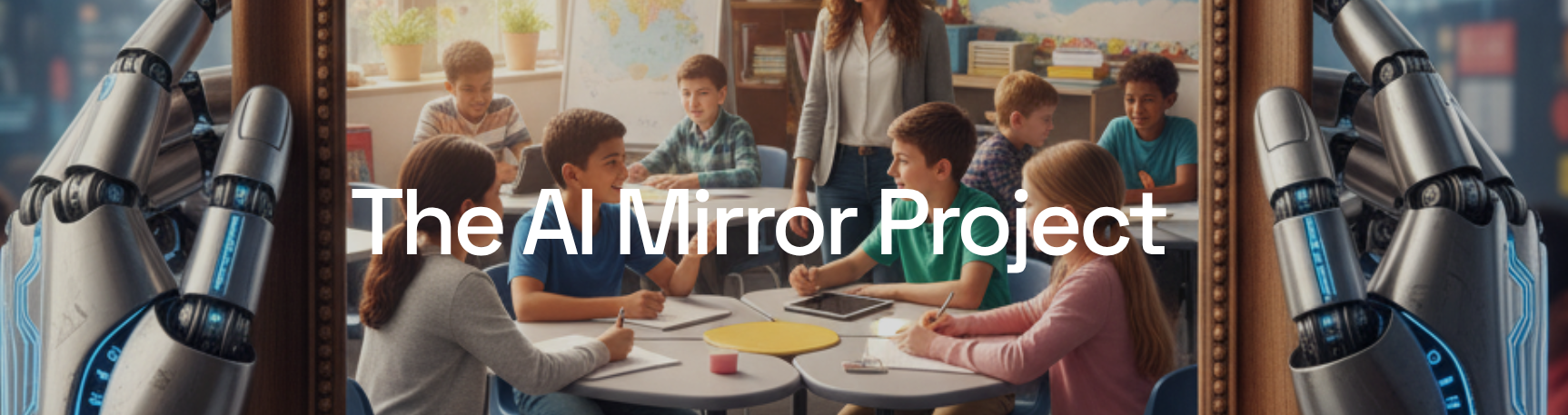
That opportunity for novel insights and increased awareness spurred 24th Century Education, an Oregon-based consulting firm, to launch the AI Mirror Project. The project seeks to capture the voices of those living this unique moment in education by asking:
What has the introduction of genAI taught us about critical issues within the education system?
The project will progress through three phases:
Hearing from you: Through December 19, 2025, our website will collect submissions from educators, students, caregivers, the most enthusiastic AI evangelists, the most critical skeptics – anyone who is involved in any way with the education system and has reflected on these issues. You are welcome to capture your thoughts in text, images, video, audio, or whatever format allows you to best share your voice.
Analysis & research synthesis: We will look for themes among the perspectives that are shared, then synthesize those with available research to better understand the issues identified.
Final report: 24th Century Education will compile and share our findings, hoping to use this disruptive moment as a means to better understand our current reality and work towards our goal of building a better future.
(Gemini, 2025)
While the education system has learned and is continuing to learn many valuable lessons about genAI since its introduction, this project instead focuses on what the introduction of and reaction to these tools has shown us about existing issues and challenges, such as…
Safety and privacy
Assessment
Human connection
Student engagement and relevance of learning experiences
Individual and systemic bias
The interaction between education and other large systems (government, industry, economy)
Education’s role in maintaining democracy
The influence of tech companies
Media literacy and misinformation
Mental health and digital well-being
Anthropomorphization
The role of education and the balance between preparing students for working in the existing economy versus equipping them to shape a more just system
The vital role of teachers
Student agency
Critical thinking and cognitive offloading
… along with any other topic that genAI’s introduction into education has made you consider.
There are many, often competing narratives about AI’s role in education. 24th Century Education is hoping to cut through that discourse and instead dive deeper into some of the existing challenges that have, in some cases, been highlighted by genAI’s impact, and that in others have been obscured by it.
To accomplish that, please share your voice and let us know how this moment has exposed existing issues within education.
AI’s introduction and use have touched on nearly every financial, instructional, and social-emotional function of schools. It has implications for equity, well-being, and the health of our democracy, environment, and economy. It has vast implications for education, a system that binds today’s learning to tomorrow’s reality.
At 24th Century Education, we are fueled by the belief that humanity needs an environment, economy, and society where all people can thrive, and that we must use education today to help students develop the knowledge, skills, and dispositions that they need to create that tomorrow.
We believe understanding the present is essential to building the better future we envision for the education system, and we hope that this project contributes to that mission.
You can visit and make a contribution to the AI Mirror Project here. If you have any questions, please contact 24th Century Education’s Chief Learning Officer, Brian Baker – brian@24thcenturyeducation.com.
About Rachelle
Dr. Rachelle Dené Poth is a Spanish and STEAM: What’s Next in Emerging Technology Teacher at Riverview High School in Oakmont, PA. Rachelle is also an attorney with a Juris Doctor degree from Duquesne University School of Law and a Master’s in Instructional Technology. Rachelle received her Doctorate in Instructional Technology, and her research focus was on AI and Professional Development. In addition to teaching, she is a full-time consultant and works with companies and organizations to provide PD, speaking, and consulting services. Contact Rachelle for your event!
Rachelle is an ISTE-certified educator and community leader who served as president of the ISTE Teacher Education Network. By EdTech Digest, she was named the EdTech Trendsetter of 2024, one of 30 K-12 IT Influencers to follow in 2021, and one of 150 Women Global EdTech Thought Leaders in 2022.
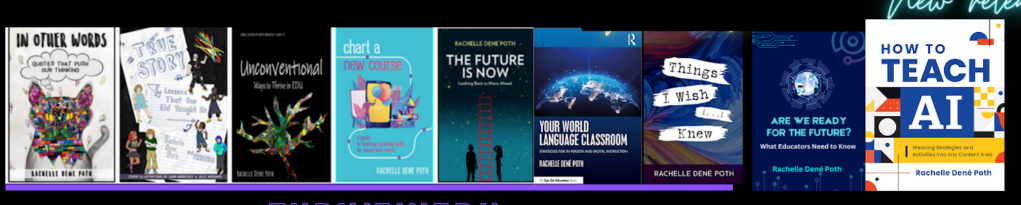
She is the author of ten books, including ‘What The Tech? An Educator’s Guide to AI, AR/VR, the Metaverse and More” and ‘How To Teach AI’. In addition, other books include, “In Other Words: Quotes That Push Our Thinking,” “Unconventional Ways to Thrive in EDU,” “The Future is Now: Looking Back to Move Ahead,” “Chart A New Course: A Guide to Teaching Essential Skills for Tomorrow’s World, “True Story: Lessons That One Kid Taught Us,” “Things I Wish […] Knew” and her newest “How To Teach AI” is available from ISTE or on Amazon.
Contact Rachelle to schedule sessions about Artificial Intelligence, AI and the Law, Coding, AR/VR, and more for your school or event! Submit the Contact Form.
Follow Rachelle on Bluesky, Instagram, and X at @Rdene915
**Interested in writing a guest blog for my site? Would love to share your ideas! Submit your post here. Looking for a new book to read? Find these available at bit.ly/Pothbooks
************ Also, check out my THRIVEinEDU PodcastHere!
Join my show on THRIVEinEDU on Facebook. Join the group here.

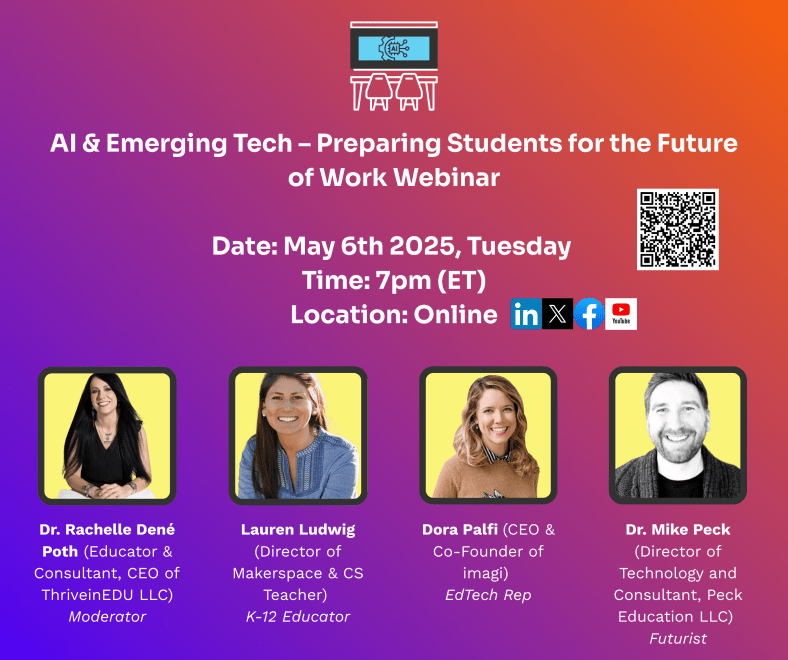
A recap of our recent webinar with Imagi! Panelists included Dora Palfi, Mike Peck and Lauren Ludwig.
We recognize that technology in education and the world is evolving at an unprecedented pace. With Artificial Intelligence (AI) and other emerging technologies embedded in so much of our lives, for educators, this rapid transformation can and has presented both challenges and opportunities. As guides and mentors, how do we prepare ourselves to best equip students for a future where AI will, without a doubt, become a huge part of their personal and professional lives? I enjoyed moderating this recent webinar hosted by Imagi and with three dynamic panelists: Dora Palfi, Co-founder and CEO of Imagi, a company reimagining technology education for the age of AI; Mike Peck, a K-12 Director of Technology with an extensive background in classroom teaching and co-founder of Ed3DAO and Peck Education, focused on upskilling educators in emerging tech; and Lauren Ludwig, the Director of Makerspace and Technology & Computer Science Department Chair at an all-girls school in New York City, deeply involved in developing AI guidelines for her institution.
We had a great conversation that brought in participants from around the world. We discussed the crucial need for educators to stay current with emerging technologies, practical ways AI is already impacting teaching and learning, strategies for preparing students for an AI-driven future, and inspiring ideas for integrating AI across the curriculum. Here are some of the key insights shared during our discussion.
The Imperative of Staying Current:
I started the discussion by addressing a fundamental question: Why must educators stay informed of emerging technologies like AI? Mike Peck drew a compelling parallel to the internet revolution, highlighting how technology has become intrinsically woven into our daily lives, from the workforce to social interactions. He argued that AI demands our attention, potentially even more transformative than the internet. Ethically and morally, educators are responsible for equipping learners with the tools and competencies they will need in their futures, both professionally and personally. Denying access and understanding of these technologies would be a disservice to students.
Lauren Ludwig echoed this sentiment, emphasizing that AI will likely impact the lives of current students far more profoundly than it will impact educators in their remaining careers. She stressed the importance of open and ongoing conversations about AI in the classroom, even if educators don’t consider themselves experts. Vulnerability and a willingness to explore together with students can foster deeper understanding and critical thinking about the ethical implications of AI.
Dora Palfi, from an innovator’s perspective, underscored the importance of educators embodying a growth mindset and open attitude towards learning. Educators model crucial skills for navigating a rapidly evolving technological landscape by demonstrating a willingness to learn alongside their students. Transparency about the use of AI, even by educators themselves, builds trust and encourages students to engage thoughtfully with these tools.
AI in Action: Real-World Applications in Education:
The panelists then shared how AI is already influencing their work and personal lives. Dora highlighted the power of AI in language learning, using it for grammar correction, seeking nuanced explanations, and generating context-rich examples. This personalized feedback and on-demand support can be invaluable for language learners.
Mike emphasized the importance of educators “getting their hands dirty” and experimenting with AI tools. He suggested identifying repetitive tasks in teaching, such as assessment development or lesson planning, as potential areas where AI could offer efficiency. He also recommended exploring AI in personal life, from generating grocery lists to creating workout plans, as a low-stakes way to understand its capabilities and limitations. Mike shared an innovative example of using AI for role-playing a difficult parent conversation, showcasing its potential for professional preparation. He likened AI to a “copilot” or “sidekick” for brainstorming, copyediting, and capturing thoughts on the go.
Lauren echoed the time-saving benefits of AI in her workflow, particularly in formatting project parameters and creating clear layouts for student assignments. However, she emphasized the dramatic impact of AI on her teaching, necessitating a re-evaluation of curriculum and assessment methods in advanced computer science. She is actively working with colleagues to redesign assignments to be more “AI-resistant” or “AI-proof,” while acknowledging the nuanced considerations for student use. Lauren powerfully stated the evolving adage: “You’re not gonna be replaced by AI, you’re gonna be replaced by someone using AI,” highlighting the necessity of embracing these tools.
Rachelle shared her personal experience of using AI as a tutor during her doctoral studies, particularly for challenging subjects like statistics, where immediate support was crucial. She also highlighted students’ increasing use of AI as a study aid and tutor, emphasizing the need for educators to understand these applications.
Preparing Students for an AI-Driven Future:
I then shifted to the critical question of best preparing students for a future where AI and big data are increasingly integral, as highlighted by the World Economic Forum’s job skills outlook. Lauren emphasized the importance of teaching fundamental problem-solving skills, breaking down complex tasks, and fostering technology agnosticism. Drawing an analogy to sewing, she illustrated how seemingly unrelated activities can build crucial skills in precision, attention to detail, troubleshooting, and sequential thinking – skills that readily translate to coding, debugging, and navigating technological challenges.
Mike stressed the need for a long-term perspective, urging educators to look beyond immediate concerns and consider the exponential growth of AI and related technologies like robotics. He envisioned a future where AI agents will be commonplace, requiring students to develop skills in directing these agents, working collaboratively with them, and navigating complex systems. He highlighted the burgeoning opportunities in entrepreneurship, where AI can lower the barrier to entry for young innovators. Mike emphasized the importance of “problem sensing” – identifying pain points and leveraging technology to create solutions – alongside critical thinking and creativity.
Dora built upon this, emphasizing the importance of fostering creativity and independent thinking. Drawing from the book “Range,” she championed the value of generalists and cross-disciplinary thinking, suggesting that solutions to problems often emerge from unexpected intersections of knowledge. She highlighted Imagi’s approach of integrating coding with art creation to engage students across different subject areas and foster interdisciplinary learning.
Rachelle shared practical strategies for the classroom, such as having students analyze AI-generated content for errors or using AI to create lesson hooks. She stressed the importance of introducing these concepts even in elementary school to build foundational knowledge over time. For educators hesitant to start, she recommended asking AI for ideas on preparing students based on future skills forecasts.
Fostering Curiosity and Creativity Through Interdisciplinary Approaches:
Each panelist advocated for interdisciplinary learning as a key to sparking curiosity and boosting creativity in the age of AI. Mike emphasized that real-world problems are rarely confined to single subject areas, making cross-curricular collaboration essential. He highlighted entrepreneurship as a unifying theme for integrating AI across subjects like marketing, design, and communication. He also stressed the importance of bringing in experts from various industries to provide students with real-world context and demonstrate the practical applications of AI.
Dora shared inspiring examples of interdisciplinary projects using Imagi, such as coding lunar phases in science class or visualizing periodic table elements. She also mentioned literature projects where students code their favorite book characters, demonstrating how technology can enhance engagement and understanding across diverse subjects.
Lauren passionately argued against siloing technology education. She shared examples of history classes creating artifacts in the makerspace and French classes using AI for debates, illustrating how technology can enrich and make learning more relevant and engaging across the curriculum. She believes that open-ended, interdisciplinary projects cater to a wider range of learning styles and promote equity.
Advice for Educators on the AI Journey
The panelists offered encouraging and practical advice for educators who may feel overwhelmed as they begin integrating AI.
Lauren emphasized the importance of leveraging existing resources and not feeling the need to start from scratch. She urged educators to align their AI integration strategies with their school’s values and mission.
Mike emphasized the contextual nature of AI implementation, advising schools to find their path based on their unique needs and learning outcomes. He cautioned against purchasing new tools and recommended starting with free resources to build understanding. He stressed the importance of stakeholder engagement and envisioning a long-term, transformative vision for AI in education.
Dora offered a powerful message: “Action breeds confidence.” She encouraged educators to start experimenting, learn by doing, and not strive for perfection, especially given the rapid pace of change. She echoed the value of Lauren’s resources as a practical starting point.
We ended with a call to action. While integrating AI in education can present complexities, each of the panelists spoke to its immense potential to enhance learning, foster crucial future-ready skills, and empower students to become adaptable, creative problem-solvers. The key takeaway was clear: educators don’t need to be experts, but they need to be willing to explore, experiment, and learn alongside their students as we collectively navigate the changes that AI and other emerging technologies will bring.
Want to see the recording? Check it out here or view the video below!
Sign up for our next webinar, which will be held on Tuesday, June 3rd, at 7:00 p.m. ET. The title is “TheAI-ReadyEducator—PreparingTeachersfortheFutureofLearning.” I will be joined by three panelists, and it will be another great conversation. Register here.
About Rachelle
Dr. Rachelle Dené Poth is a Spanish and STEAM: What’s Next in Emerging Technology Teacher at Riverview High School in Oakmont, PA. Rachelle is also an attorney with a Juris Doctor degree from Duquesne University School of Law and a Master’s in Instructional Technology. Rachelle received her Doctorate in Instructional Technology, and her research focus was on AI and Professional Development. In addition to teaching, she is a full-time consultant and works with companies and organizations to provide PD, speaking, and consulting services. Contact Rachelle for your event!
Rachelle is an ISTE-certified educator and community leader who served as president of the ISTE Teacher Education Network. By EdTech Digest, she was named the EdTech Trendsetter of 2024, one of 30 K-12 IT Influencers to follow in 2021, and one of 150 Women Global EdTech Thought Leaders in 2022.
She is the author of ten books, including ‘What The Tech? An Educator’s Guide to AI, AR/VR, the Metaverse and More” and ‘How To Teach AI’. In addition, other books include, “In Other Words: Quotes That Push Our Thinking,” “Unconventional Ways to Thrive in EDU,” “The Future is Now: Looking Back to Move Ahead,” “Chart A New Course: A Guide to Teaching Essential Skills for Tomorrow’s World, “True Story: Lessons That One Kid Taught Us,” “Things I Wish […] Knew” and her newest “How To Teach AI” is available from ISTE or on Amazon.
Contact Rachelle to schedule sessions about Artificial Intelligence, Coding, AR/VR, and more for your school or event! Submit the Contact Form.
Follow Rachelle on Bluesky, Instagram, and X at @Rdene915
**Interested in writing a guest blog for my site? Would love to share your ideas! Submit your post here. Looking for a new book to read? Find these available at bit.ly/Pothbooks
************ Also, check out my THRIVEinEDU PodcastHere!
Join my show on THRIVEinEDU on Facebook. Join the group here.
Generally speaking, when educators think about artificial intelligence, or AI, it is usually in the frame of a tool students use to cheat, avoid thinking, or come up with an easy and quick answer. We all know that AI can do significant mental heavy lifting for us. The news has been saturated with the accomplishments of large language models like ChatGPT from the beginning, and they are only getting started. However, as we continue exploring their capabilities, edtech companies have successfully integrated them into their products with amazing results that benefit students and teachers alike. Rather than merely limit student thinking by replacing it, AI can also help students break through barriers and expand their creative thinking skills. Adobe for Education is at the forefront of companies that can harness creativity, AI, and their existing edtech platforms to maximize student learning.
Generative AI
Adobe Express also offers four generative AI features for teachers and students to use in their projects and creations. We are only limited in our ability to think of ways to use them because there is plenty of creative and critical thinking power here.
Generate Image
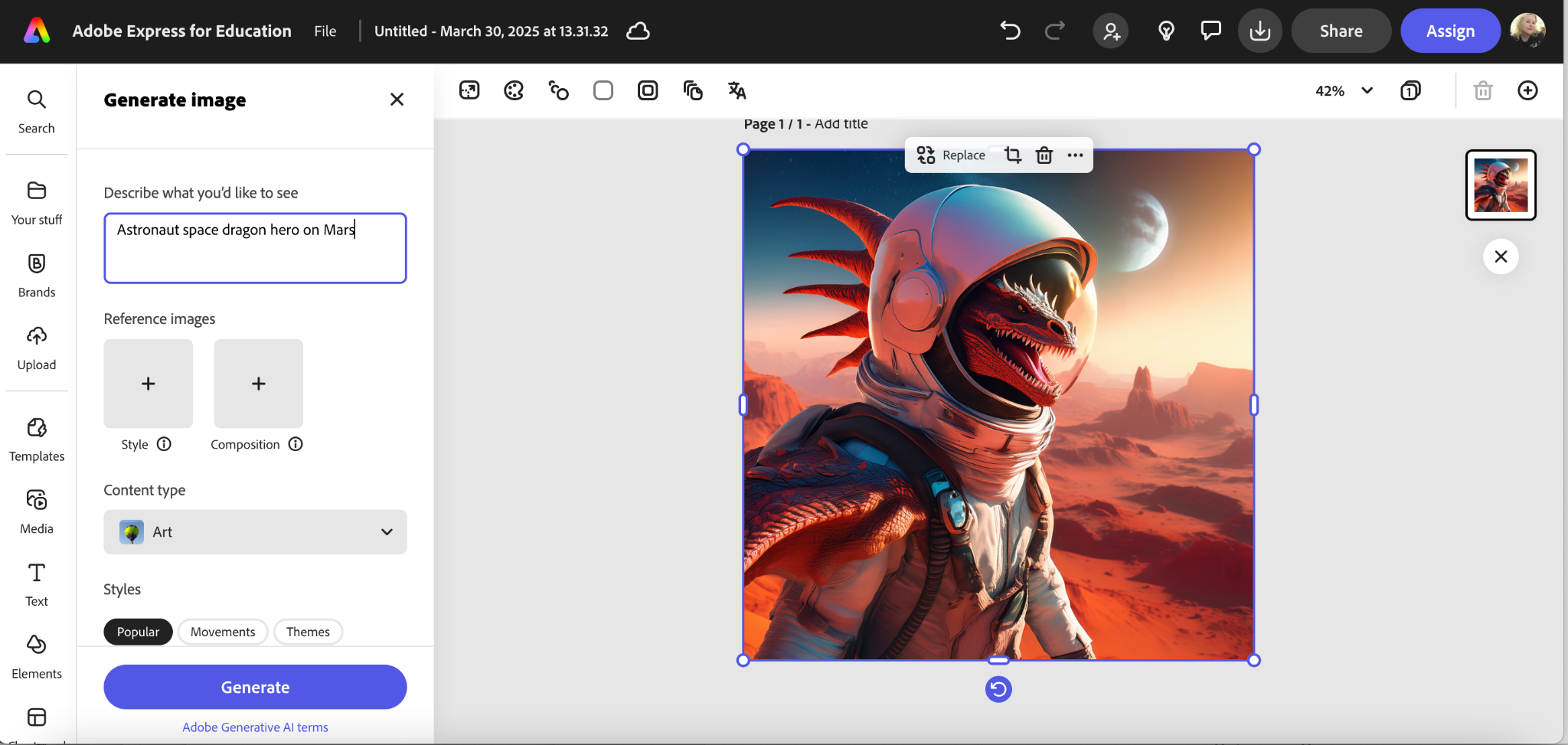
How you use this in the classroom is up to you and your subject matter. It is pretty easy to find ways to use it in ELA or art, for example, but there are applications to be found in other subjects, too. One really fun way to have students use it is for images that they need for presentations. No more searching the internet for an image that might be copyrighted or the incorrect image size, and therefore not visually appealing. The engagement factor of creating their own image cannot be overlooked either. If you are now thinking that you don’t have students create presentations, you might reconsider that. It is a college and career-ready skill that students will need beyond our K-12 classrooms, as is the actual presenting of information. I had a business owner comment recently that she wished more local students graduated high school with the skills to be able to jump right in and do on-the-job presentations. They need both technical skills and communication skills to be able to share information at work or at school. Adobe Express has the tools to help engage them in both.
Generate Text Effects
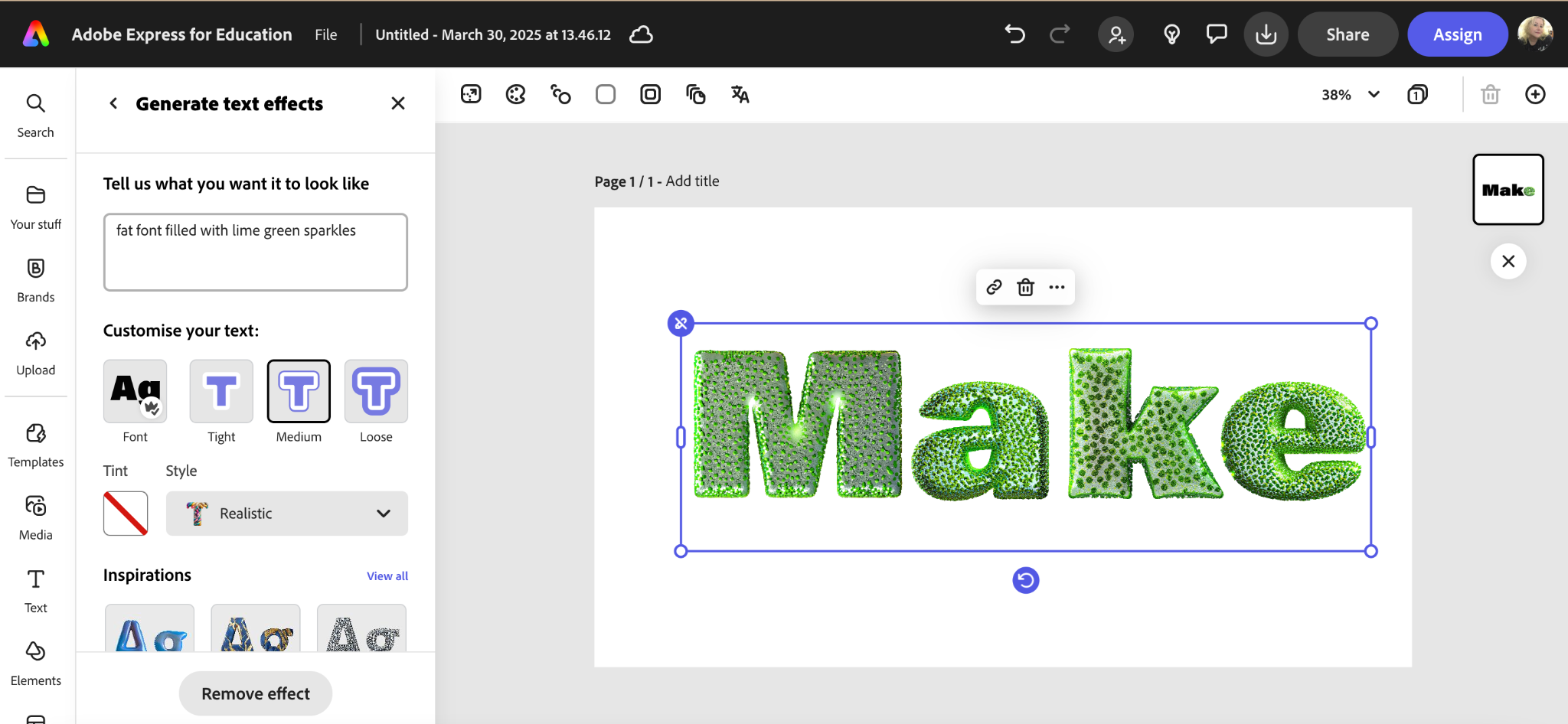
This feature is just as fun and also as creative as the text-to-image generator. Type in the description of the text you want or fill type you want, look at the examples generated, and choose the one that suits your project the best. This can be used on more than presentations, too, of course. Adobe Express has a lot of template projects that fun text effects can enhance, and again, the engagement factor is huge here, too. If you start a project with just having students create their names with the most creative or crazy test effects, that will help them learn the tools and have a blast while doing it. It can seem like overkill to worry about adding outlines, shadow effects, etc., but creating posts, flyers, newsletters, publications, and presentations that are well-designed and legible is a skill that is not generally taught but should be. With Adobe Express, a few minutes of fun can turn students into competent creators.
Generate Template
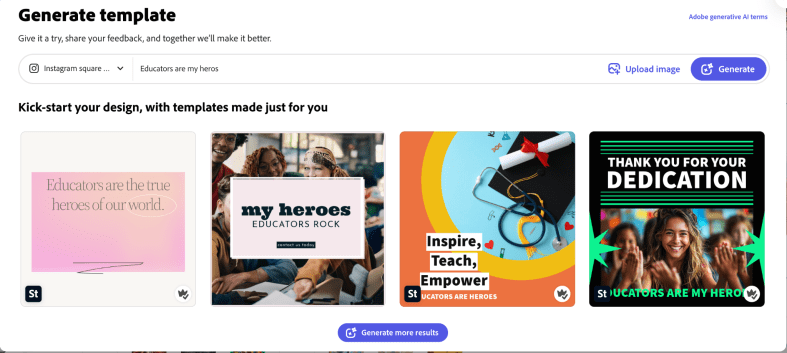
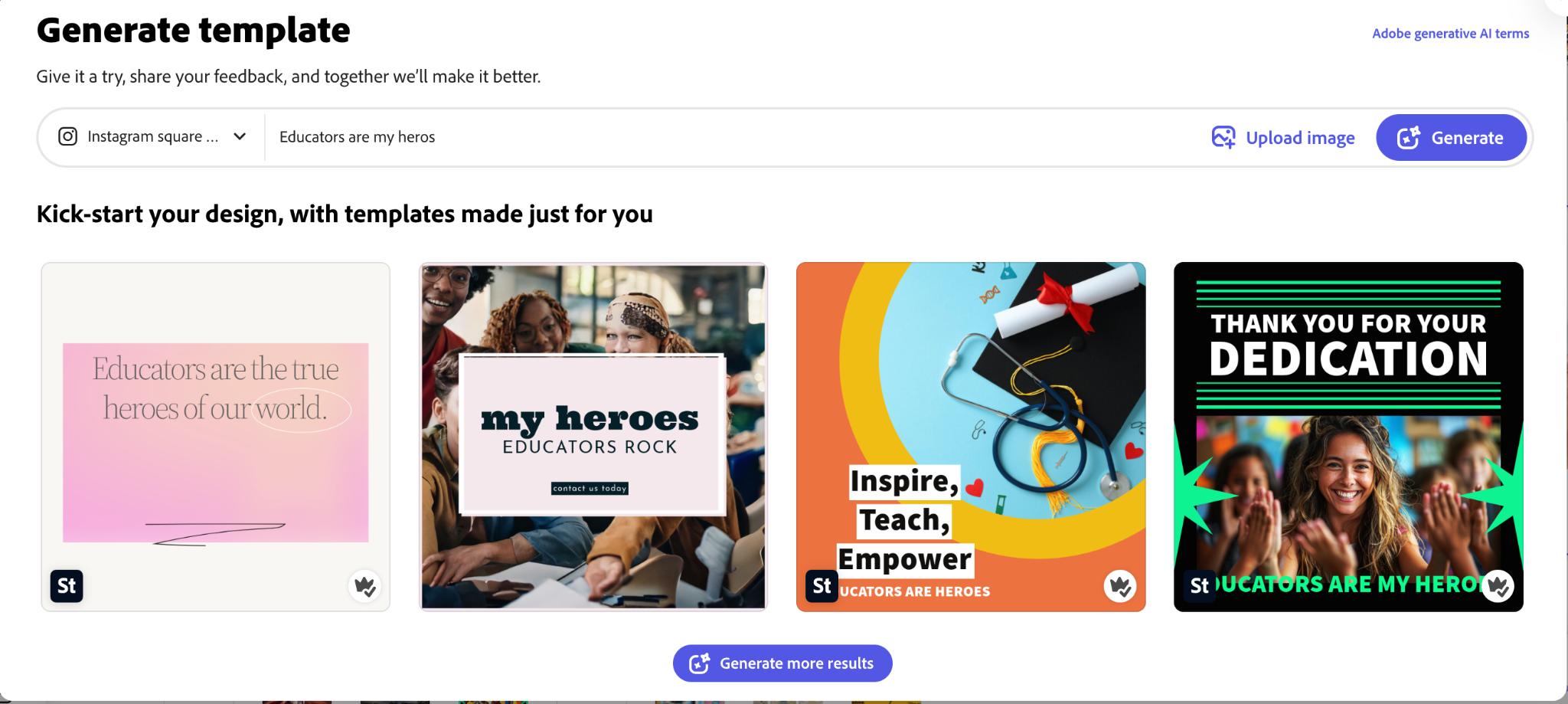
This might be the most innovative generative addition to Adobe Express yet. Sometimes a blank canvas is terrifying, just like a blank document or a blank paper. We don’t know where or how to start our paper, project, drawing, etc. Templates help with that, but if we can type in a brief description and then watch AI bring it to life, even if it does not materialize like we suddenly envisioned. However, just seeing the iterations come to life from just a few words can spark more creative ideas for any template or project.
Insert Object
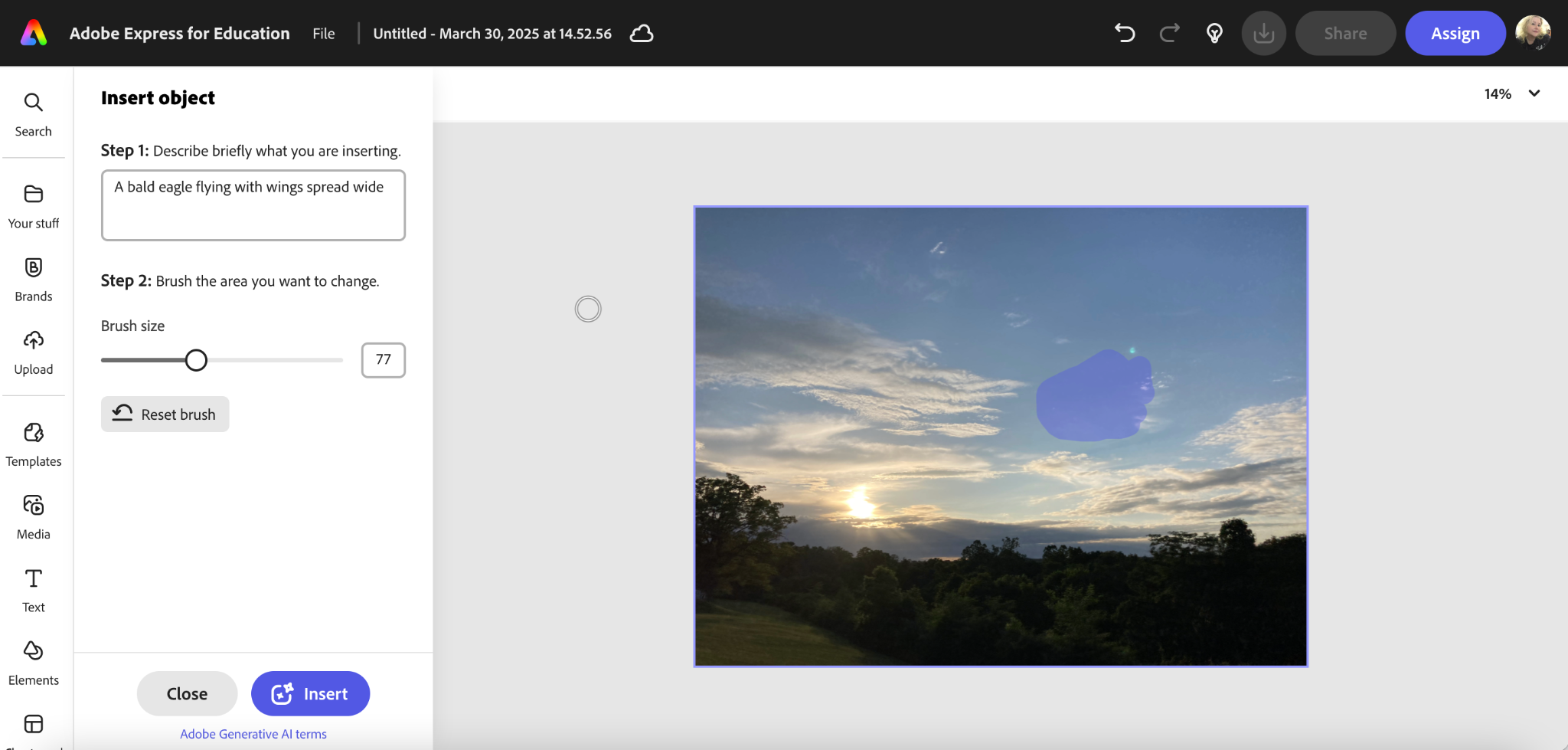
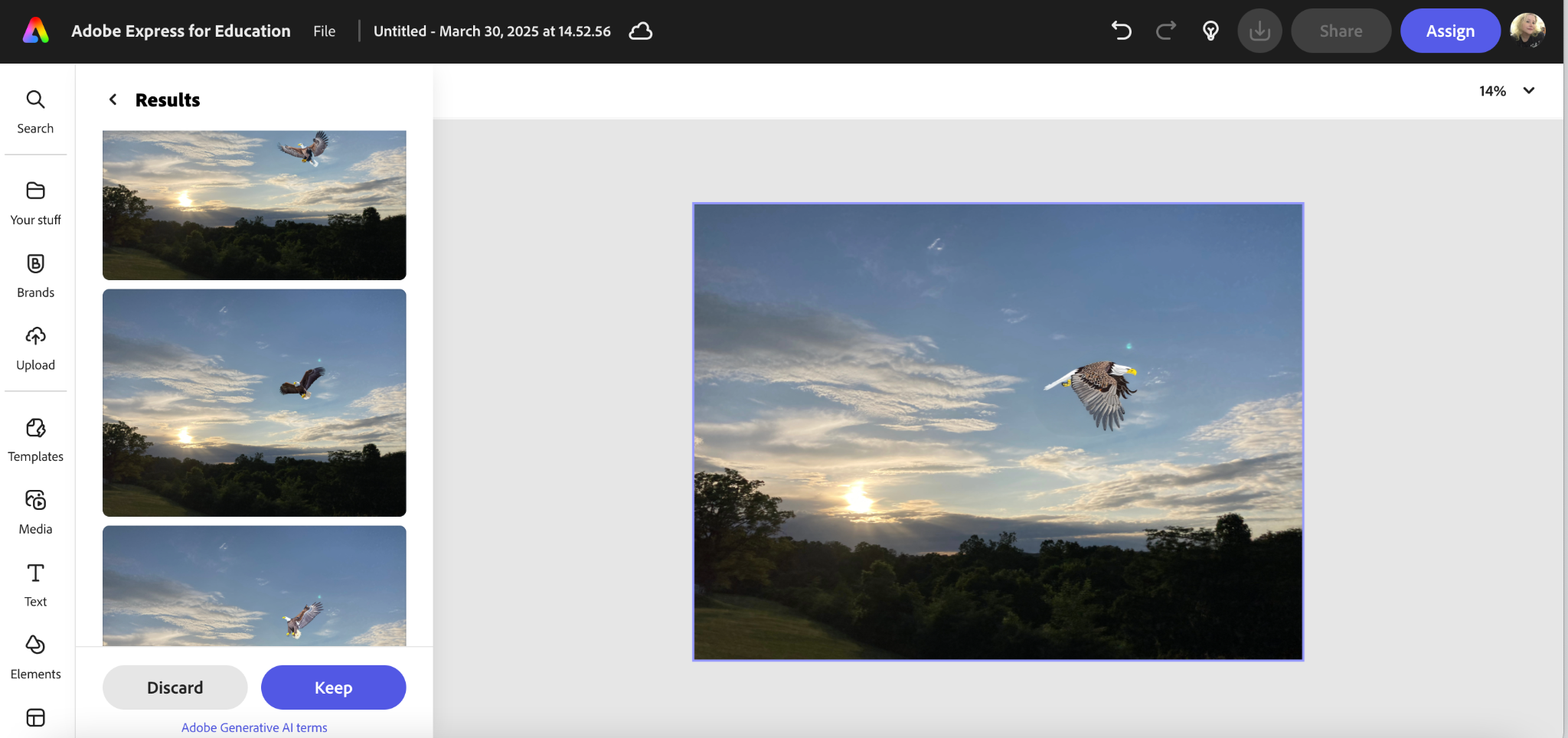
This one was fairly new to me. I saw that it had been added, but I had not tried it until recently. It is simple and also fun to use. Just upload a picture, type in a description of what you want to add to the picture, select your brush size, and color in on the original picture where you would like to add the object.
It is another fun way to create what you need for an image, but this time you start with an image you have but you add something to it. This could really be useful for a variety of situations, and part of the fun for us as educators is to use our own critical thinking to find ways to use these tools that maximize student learning and engagement.
Whether your year is winding down, just beginning, or facing the winter blues, Adobe Express has what you and your students need to inject some creativity and critical thinking, with some talented AI help to fuel the learning needs of your students. It also has the added benefit of engaging your creative juices too, with the flexible templates, powerful tools, and add-ons, which is just as important. Educators need to flex their creative muscle and break through barriers in order to lead students in innovation, and these tools can be the right fit for just such a task.
About Rachelle
Dr. Rachelle Dené Poth is a Spanish and STEAM: What’s Next in Emerging Technology Teacher at Riverview High School in Oakmont, PA. Rachelle is also an attorney with a Juris Doctor degree from Duquesne University School of Law and a Master’s in Instructional Technology. Rachelle received her Doctorate in Instructional Technology, and her research focus was on AI and Professional Development. In addition to teaching, she is a full-time consultant and works with companies and organizations to provide PD, speaking, and consulting services. Contact Rachelle for your event!
Rachelle is an ISTE-certified educator and community leader who served as president of the ISTE Teacher Education Network. By EdTech Digest, she was named the EdTech Trendsetter of 2024, one of 30 K-12 IT Influencers to follow in 2021, and one of 150 Women Global EdTech Thought Leaders in 2022.
She is the author of ten books, including ‘What The Tech? An Educator’s Guide to AI, AR/VR, the Metaverse and More” and ‘How To Teach AI’. In addition, other books include, “In Other Words: Quotes That Push Our Thinking,” “Unconventional Ways to Thrive in EDU,” “The Future is Now: Looking Back to Move Ahead,” “Chart A New Course: A Guide to Teaching Essential Skills for Tomorrow’s World, “True Story: Lessons That One Kid Taught Us,” “Things I Wish […] Knew” and her newest “How To Teach AI” is available from ISTE or on Amazon.
Contact Rachelle to schedule sessions about Artificial Intelligence, Coding, AR/VR, and more for your school or event! Submit the Contact Form.
Follow Rachelle on Bluesky, Instagram, and X at @Rdene915
**Interested in writing a guest blog for my site? Would love to share your ideas! Submit your post here. Looking for a new book to read? Find these available at bit.ly/Pothbooks
************ Also, check out my THRIVEinEDU PodcastHere!
Join my show on THRIVEinEDU on Facebook. Join the group here.
Post in collaboration with Robotical. Opinions expressed are my own.
Artificial intelligence (AI) is no longer a futuristic concept. It has been around since the last century, but it has advanced rapidly in the past few years, especially with the launch of ChatGPT and generative tools. Whether or not we ever realized it, it has been and will continue to be a part of our everyday lives. Think about your daily activities using AI, from the voice assistants on our phones to the recommendation algorithms on our favorite streaming platforms like Netflix. As educators, it’s crucial to equip all students with the knowledge and skills to understand, interact with, and even create AI-powered technologies. But how?
Marty: Your AI-Powered Teaching Assistant
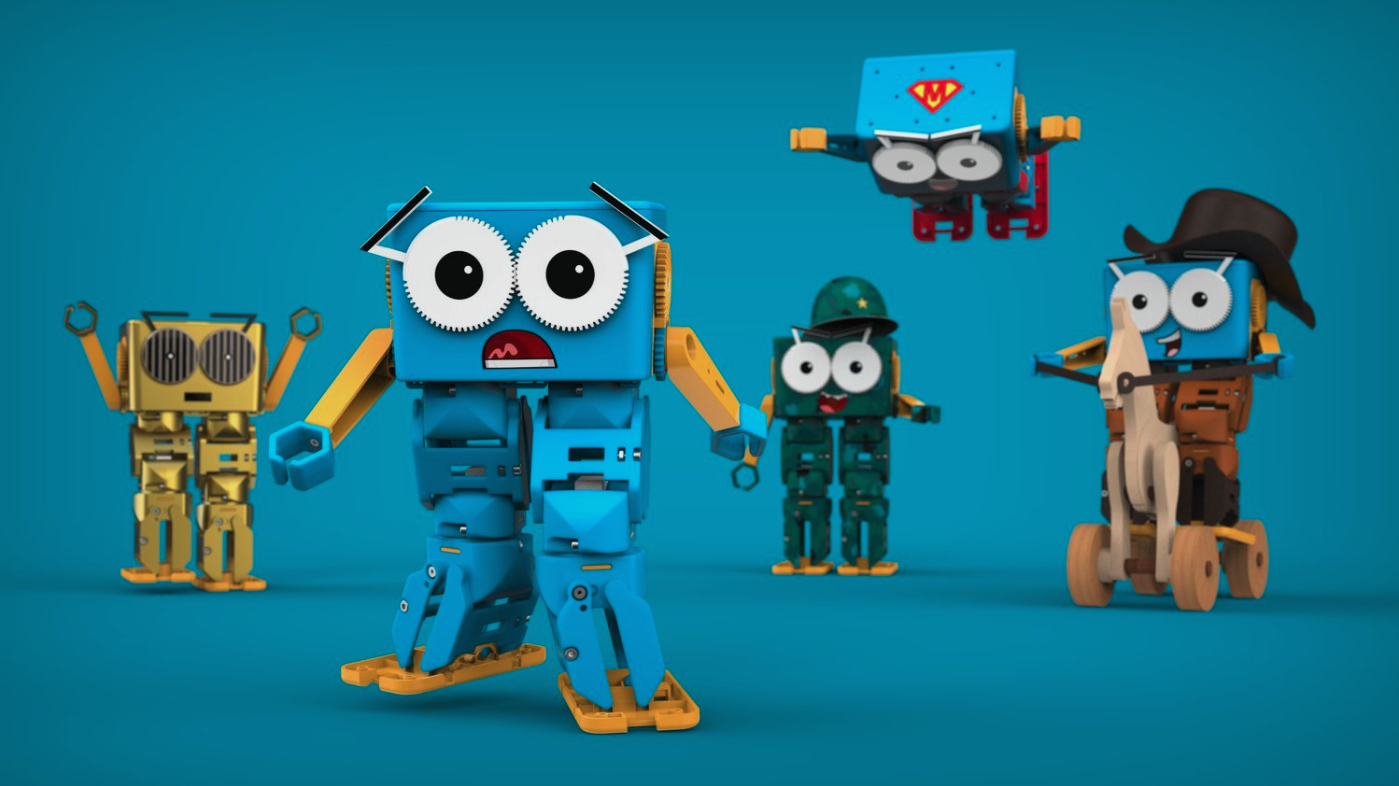
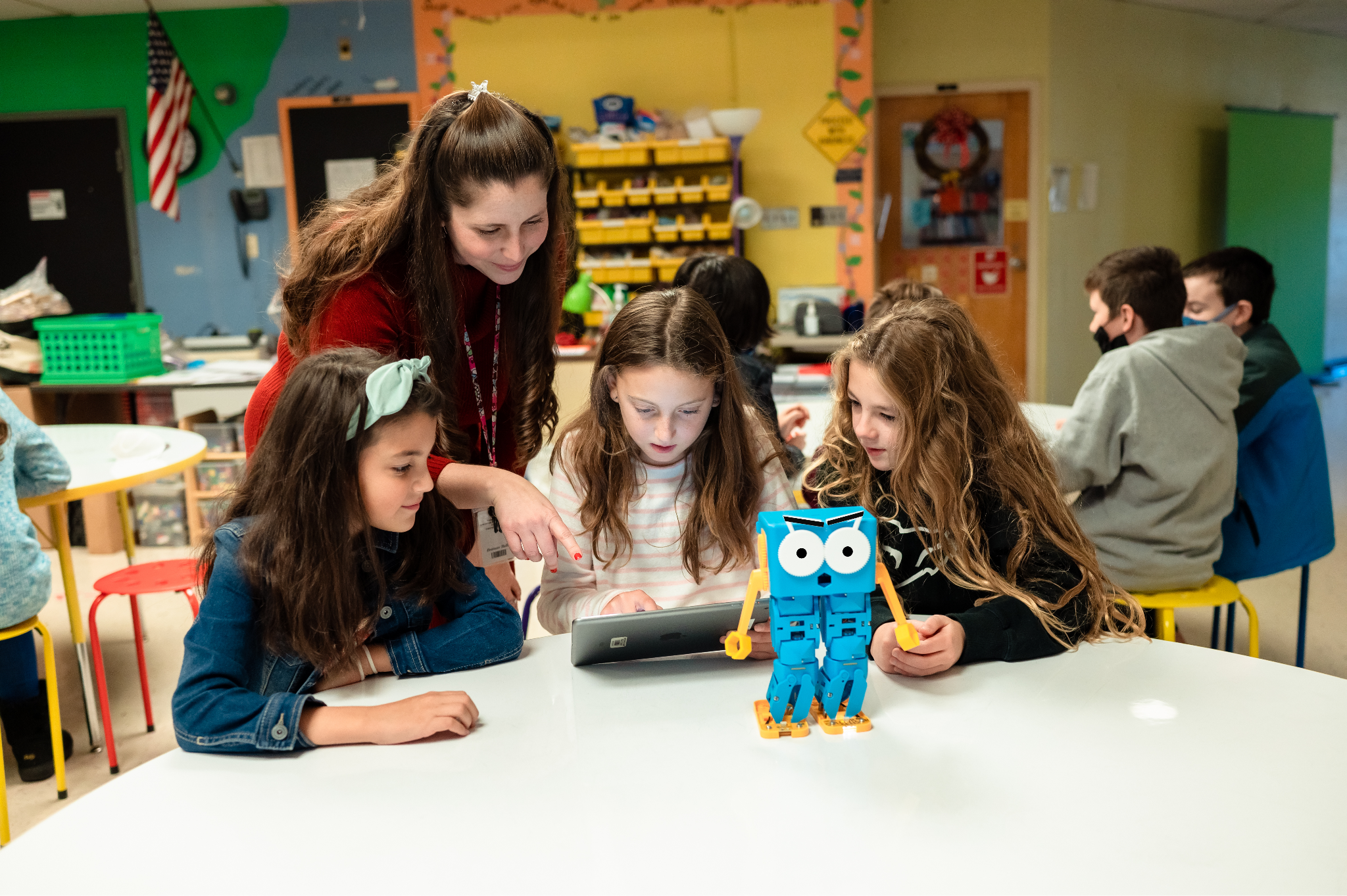
Marty the Robot is a fantastic tool for introducing AI concepts to students of all ages. Marty is a humanoid robot that is specific for education. It is a hands-on, engaging way to provide all students with the opportunity to learn about and explore machine learning, robotics, and computer science. In today’s digital age, artificial intelligence (AI) is all around us. For the younger generations, they have grown up using and relying on AI, and in likely most cases, without even noticing it.
As educators, there are many ways we leverage the power of AI to assist us with tasks, save time, promote productivity, and more. For example, voice assistants respond to our commands, streaming services curate personalized recommendations quickly, and educational apps adapt to individual learning styles, which create personalized learning journeys for students and help us provide the best opportunities for our students.
AI should be part of elementary school students’ learning experience. Whether they learn the basic concepts or have opportunities to work with an AI-powered tool, it is important to move our students beyond passive consumption and empower them to engage actively with these technologies. By understanding how AI works and how to create it, students can become not just users but innovators.
Marty the Robot: A Hands-On AI Companion
I was thrilled when I received Marty the Robot for my classroom. Marty is a mixture of hardware and software that brings AI concepts to life and engages all students. Marty offers a unique opportunity for students to explore the world of machine learning and robotics and have fun in the process!
Why Choose Marty?
Humanoid Design: Marty’s humanoid form fosters a strong emotional connection with students, making learning more enjoyable and memorable.
Versatile Programming: From screen-free coding to advanced Python programming, Marty supports a wide range of coding skills and learning styles. It meets students’ interests and specific needs.
Customizable AI: Students can teach Marty to recognize sounds, images, and other stimuli, allowing them to create personalized and interactive experiences. It gives them more opportunities to create and innovate.
Curriculum-Aligned Resources: Marty has an extensive library of educational resources, including lesson plans, activities, and tutorials, aligned with various national and regional curricula.
Durable: Marty is a reliable and long-lasting educational tool built to withstand classroom use and even some falls.
Real-World Applications of AI with Marty
Image Recognition: Teach Marty to identify objects, colors, and patterns, fostering visual perception and problem-solving skills.
Sound Recognition: Train Marty to respond to voice commands and sound cues, developing auditory processing and language skills.
Obstacle Avoidance: Implement AI algorithms to enable Marty to navigate obstacles autonomously, teaching students about spatial reasoning and decision-making.
Facial Recognition: Use advanced AI techniques to teach Marty to recognize faces, and students can evaluate its accuracy for detecting faces too..
STEM Learning and Beyond
Marty is more than just a robot; it’s a gateway to a world of STEM possibilities. By building and programming Marty, students develop critical thinking, problem-solving, and creativity skills.
Marty can be used to explore cross-curricular topics, such as language arts, social studies, and art. For instance, students can write stories about Marty’s adventures, create artwork inspired by his design, or study historical figures who have contributed to the field of robotics.
Empowering Future Innovators
By introducing students to AI and robotics through engaging tools like Marty, we are shifting them from consumers and creators and empowering them to become the next generation of innovators. As technology advances, it’s essential to equip all students with the knowledge and skills needed to thrive in our rapidly changing world.
Marty the Robot will engage students and spark creativity and curiosity for learning. By embracing AI and robotics education, we can hopefully inspire our students to become problem-solvers, inventors, and dreamers.
It has been so much fun to see students learning about AI and coding with Marty!
To learn more about Marty the Robot, head to https://robotical.io/. You can even request a trial of Marty, too!
About Rachelle
Dr. Rachelle Dené Poth is a Spanish and STEAM: What’s Next in Emerging Technology Teacher at Riverview High School in Oakmont, PA. Rachelle is also an attorney with a Juris Doctor degree from Duquesne University School of Law and a Master’s in Instructional Technology. Rachelle received her Doctorate in Instructional Technology, and her research focus was on AI and Professional Development. In addition to teaching, she is a full-time consultant and works with companies and organizations to provide PD, speaking, and consulting services. Contact Rachelle for your event!
Rachelle is an ISTE-certified educator and community leader who served as president of the ISTE Teacher Education Network. By EdTech Digest, she was named the EdTech Trendsetter of 2024, one of 30 K-12 IT Influencers to follow in 2021, and one of 150 Women Global EdTech Thought Leaders in 2022.
She is the author of nine books including ‘In Other Words: Quotes That Push Our Thinking,” “Unconventional Ways to Thrive in EDU,” “The Future is Now: Looking Back to Move Ahead,” “Chart A New Course: A Guide to Teaching Essential Skills for Tomorrow’s World, “True Story: Lessons That One Kid Taught Us,” “Things I Wish […] Knew” and her newest “How To Teach AI” is available from ISTE or on Amazon.
Contact Rachelle to schedule sessions about Artificial Intelligence, Coding, AR/VR, and more for your school or event! Submit the Contact Form.
Follow Rachelle on Twitter(X) and Instagram at @Rdene915
**Interested in writing a guest blog for my site? Would love to share your ideas! Submit your post here. Looking for a new book to read? Find these available at bit.ly/Pothbooks
************ Also check out my THRIVEinEDU PodcastHere!
Join my show on THRIVEinEDU on Facebook. Join the group here.
In collaboration with Almanack. All opinions are my own.
Education is moving fast. Educators have many responsibilities in their work, requiring flexibility and the ability to balance many things at once. Tasks such as lesson planning, creating assessments and grading, differentiating class materials, and finding ways to boost student engagement can be quite time-consuming. In addition to these tasks, educators want to find the best ways to provide all students with a meaningful, impactful learning experience.
All of these responsibilities demand many hours and can also lead to burnout. However, we are teaching during a time of rapidly evolving educational technology, particularly through AI-powered tools. With the increased use of artificial intelligence (AI) in the world and in education, especially over the past two years, it is important to find tools that leverage this power to enhance student learning and benefit educators.
Almanack is a great option for educators searching through the tools available to find something that will help them streamline their workflow. Having one platform that offers a variety of commonly created resources and other materials makes sense. I often tell educators that they need a toolkit. I think that Almanack is an essential toolkit for educators. It offers many options for educators looking to create different resources for students and those who want to save time and become more efficient, which benefits students because educators have more time available for them.
Some of my favorite Almanack features
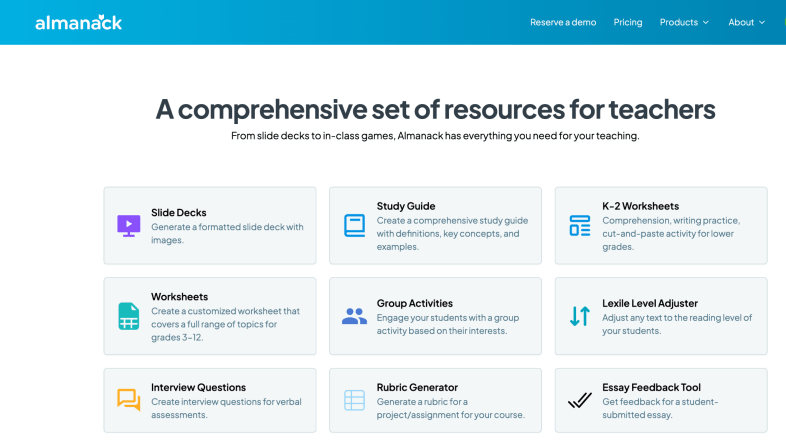
Almanack isn’t just an educational tool; it’s a robust and comprehensive platform that provides various resources to help educators design and implement effective learning experiences in the classroom. Here are a few examples of why I think Almanack stands out:
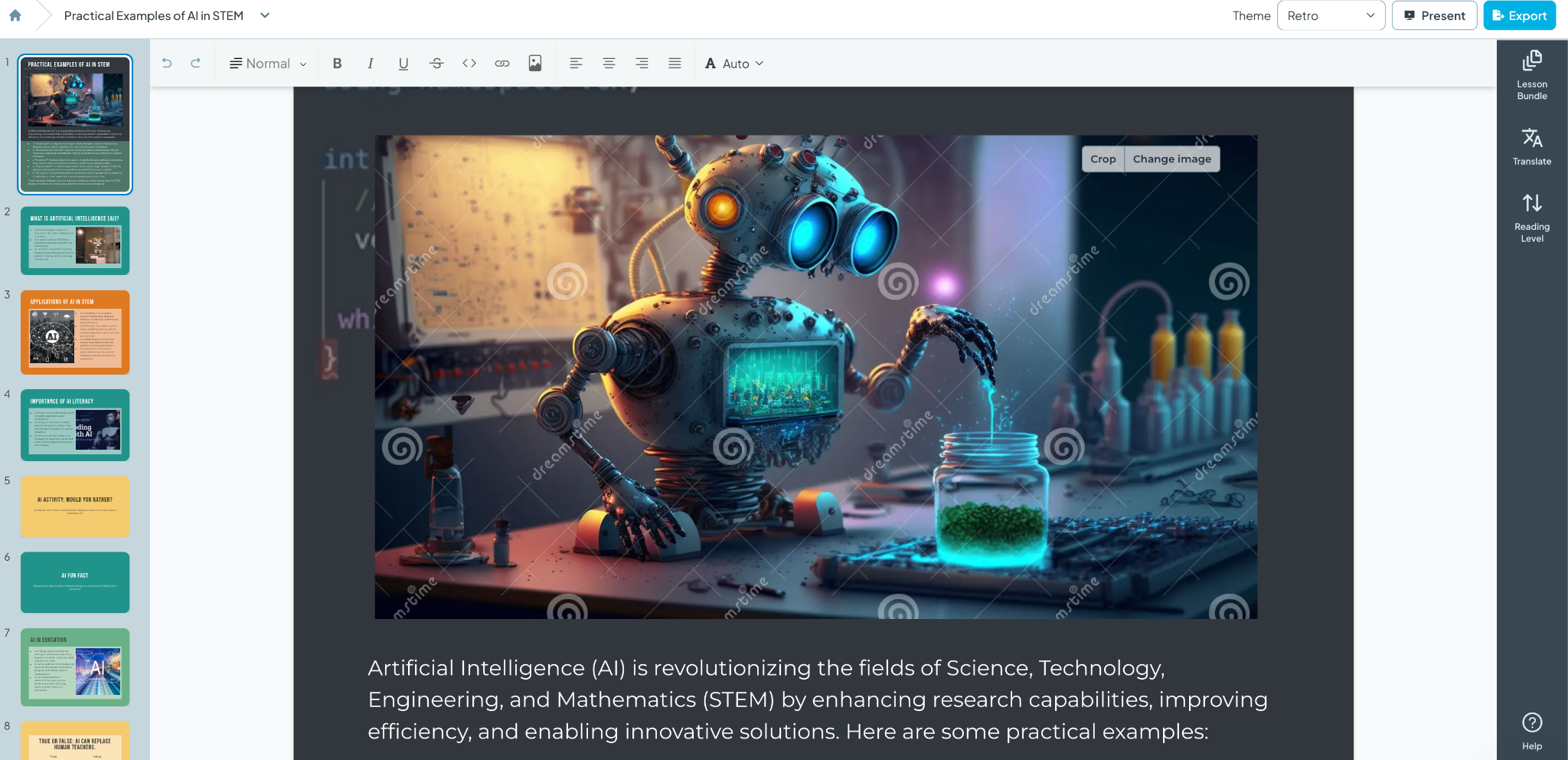
1. Slide Decks and Visual Aids: When I created my first slide deck using Almanack, I was amazed at how professional it looked. The layout, colors, images, and information it generated were all impressive. What would have taken me an hour or more took only a few minutes. Almanack enables educators to leverage AI to create visually appealing slide decks that are informative and more engaging for students. The decks can then be customized with your own images and specific content that aligns with the lesson. See below for an example created simply with a prompt! And it can be translated to different languages!
2. Customizable Worksheets: From K-2 literacy and numeracy activities to advanced topic sheets for grades 3-12, Almanack provides templates that can be customized to fit any subject area. I spend a lot of time creating worksheets for my students and want to provide different activities that best meet my students’ needs. Creating worksheets is easy with Almanack.
3. Interactive Classroom Games: Students love playing games, and when they can interact, the benefits are great. Building collaboration, communication, critical thinking, and problem-solving skills are essential for future success. Almanack offers a variety of options, including Battleship-style review games, Bingo, Forbidden Words, and Jeopardy. What once took a lot of time to create is now easier, and it adds fun to the learning experience, promotes retention, and encourages student participation.
4. Comprehensive Study Guides and Rubrics: Teachers can quickly create graphic organizers, detailed study guides, and rubrics to provide students with clear expectations and study aids to support their learning.
5. Multilingual Support: As a language educator, I always explore the languages available within the tools that I use. Almanack can translate text lesson plans and resources into multiple languages, ensuring no student is left behind due to language barriers. Select the Output language when creating your resource; the translation will be done for you.
Compliance and Security: A Core Priority
A common concern is data privacy and security. Almanack complies with COPPA and FERPA, which shows its commitment to safeguarding student information. It strictly regulates the collection and use of personal data to provide a secure environment for students and educators.
StandardsAligned
Almanack also has state standards pre-loaded on its platform. This helps teachers to save time when creating standards-based assessments. It also allows teachers to design and map their curriculum to ease the overhead of tracking compliance with school curriculum/state standards.
Innovations in Worksheet and Assessment Design
Recent updates to Almanack have introduced features like the ability to create differentiated worksheets. Teachers can design their learning materials to meet the specific needs of their students, ensuring that each student can engage with the content at a level that challenges them appropriately. You can also create answer keys directly within the worksheet editor, simplifying the assessment process and enabling teachers to provide timely and accurate feedback, which is essential for student growth.
Effective Teaching with Almanack’s Lesson Planning Tools
Educators may implement a variety of lesson planning methodologies, such as Understanding by Design (UbD) and the 5E instructional model, which are commonly used since they meet a range of teaching styles and are appropriate for all subject areas. Other great options include resources that help plan a project-based learning activity or a simulation, which help educators foster an engaging and informative classroom environment.
Ease of Use
When I first use a website or try a new digital tool, I focus on its ease of use and how user-friendly it is. Almanack is very user-friendly, making it easy for teachers to create lesson plans and classroom resources in minutes. They don’t need any prior experience in AI or knowledge of how to use complex software. It is a very intuitive platform, so educators don’t have to worry about losing time learning how to use it. They can dive right in.
Almanack offers teachers a comprehensive set of tools. I always recommend exploring the different options and considering what would benefit you and your students right now. Something with gamification? Opportunities for students to collaborate? Or something to help you save time and design engaging lessons and presentations for your students. Explore Almanack’s tools and its integration with some other favorites! Whatever you need to create, getting started with Almanack will be easy!
About Rachelle
Dr. Rachelle Dené Poth is a Spanish and STEAM: What’s Next in Emerging Technology Teacher at Riverview High School in Oakmont, PA. Rachelle is also an attorney with a Juris Doctor degree from Duquesne University School of Law and a Master’s in Instructional Technology. Rachelle received her Doctorate in Instructional Technology, and her research focus was on AI and Professional Development. In addition to teaching, she is a full-time consultant and works with companies and organizations to provide PD, speaking, and consulting services. Contact Rachelle for your event!
Rachelle is an ISTE-certified educator and community leader who served as president of the ISTE Teacher Education Network. By EdTech Digest, she was named the EdTech Trendsetter of 2024, one of 30 K-12 IT Influencers to follow in 2021, and one of 150 Women Global EdTech Thought Leaders in 2022.
She is the author of nine books including ‘In Other Words: Quotes That Push Our Thinking,” “Unconventional Ways to Thrive in EDU,” “The Future is Now: Looking Back to Move Ahead,” “Chart A New Course: A Guide to Teaching Essential Skills for Tomorrow’s World, “True Story: Lessons That One Kid Taught Us,” “Things I Wish […] Knew” and her newest “How To Teach AI” is available from ISTE or on Amazon.
Contact Rachelle to schedule sessions about Artificial Intelligence, Coding, AR/VR, and more for your school or event! Submit the Contact Form.
Follow Rachelle on Twitter(X) and Instagram at @Rdene915
**Interested in writing a guest blog for my site? Would love to share your ideas! Submit your post here. Looking for a new book to read? Find these available at bit.ly/Pothbooks
************ Also check out my THRIVEinEDU PodcastHere!
Join my show on THRIVEinEDU on Facebook. Join the group here.
It is essential in our schools that we focus on promoting responsible AI use in our classrooms and provide opportunities for students to become AI literate. With such increased use of artificial intelligence in the world and our classrooms, it has never been more important to involve students in learning how to use AI ethically, responsibly, and safely. As AI becomes even more common, students need to understand how AI works, its capabilities, and its limitations. They also need to explore how it is being used in the world.
With guided exploration and learning opportunities, we will promote responsible AI use; we can ensure that it is used to benefit students and help them develop “future-ready” skills. AI is a powerful tool, and therefore it requires responsible and informed users. There are special events that focus on developing AI literacy. In April, we recognized AI Literacy Day, designed as a day for learning about and exploring AI. Schools and classrooms hosted events, participated in learning, and had access to resources to support the development of AI literacy skills. AI Literacy Day is led by organizations such as EDSAFE AI, AIEDUCommon Sense Media, AI for Education, and The Tech Interactive, and provides resources that are helpful for educators, especially when there is some concern about the use of AI.
In my classroom, we use various AI-powered tools, and I always seek student feedback. Here are some thoughts after using Snorkl and SchoolAI.
“The chatbot was very helpful. Immersing yourself with technology that helps you learn Spanish or any other language can help a lot. You have real-time conversations, and the chatbot expands the conversation so you can learn even more about the language. It also helps you become more comfortable speaking!” – Lily Hood, 11th-grade student.
The Day of AI, a free event, occurs in May and was held on May 13th. Throughout the day, elementary, middle, and high school students had access to activities and curriculum. In my classroom, whether in my Spanish classes or my STEAM course for 8th graders, we talk a lot about AI. For over six years, I have explored resources to help students understand how and when AI should be used. By modeling the responsible use of different tools and having students interact with AI in the classroom, we will best prepare them for the changes this technology will bring. We often have discussions about the benefits and concerns of any tools that we explore.
When I use something in my classroom, I consider how the tool can enhance the learning experience. I share my thoughts with students before we explore and then ask for their feedback about the experience after. I greatly value their opinions and make time to ask them about what they think and the impact. Here are some student reflections:
Feedback after using SchoolAi to practice Spanish conversation
Antonio Boyer, 11th grade student
“It was so helpful for practicing the language. It knew my level, adjusted the questions to meet my specific needs, and gave me additional practice to help build my skills. It gets you to where you need to be.”
Grace Johnson, 10th grade student, after using Snorkl
“I was amazed when I submitted my response using Snorkl and instantly received feedback with comments about my speaking. It provided questions and explanations to help me understand the grammar more.”
Here are a few tools that students enjoy using. It gives them more insight into the benefits of AI and how it can be used as an enhancer rather than a replacement for doing our own work
Brisk Teaching: A free Chrome extension with four features: Create, Give Feedback, Inspect Writing, and Change Level. I have shown students how I can write something with Google and use the Give Feedback feature of Brisk to analyze my writing and receive feedback. I’ve also shown how I can quickly generate questions based on a video that we are watching in class or how I can quickly generate slides for my presentations.
Eduaide.Ai: A platform for AI-assisted lesson planning that offers more than 100 resources to help teachers create instructional materials. Eduaide has a Content Generator, Teaching Assistant, Feedback Bot, Free-form Chat, and an Assessment Builder. I have explored Eduaide a lot to create fun activities, a project outline, gamification, and also some of the assessment builder options.
Noodle Factory: For AI-driven personalized learning, automated grading and feedback, engaging and interactive lessons, Walter+ adapts to each student’s learning pace, helping to promote a more inclusive and effective learning environment. Noodle Factory offers Walter+, the AI teaching assistant designed for grades K through 12. Walter+ is designed to help educators enhance and transform the learning experiences they provide for students. I definitely recommend exploring Noodle Factory!
School AI: In Spanish classes, I have used it to create a ”Sidekick,” an assistant that engages students in conversations. I prompt the chatbot to focus on specific vocabulary or grammar patterns with my students. In this case, they interact individually, and the chatbot Sidekick adapts to their needs and provides them with feedback and continued questions based on their responses. I share with students what I can see in the teacher dashboard, and it helps them understand the importance of being mindful of the interactions and the information that they share online, specifically when using any generative AI.
Snorkl: An easy-to-use tool that gives students a space to talk through their thought processes while they are learning. Have students explain their learning, solve a problem, or complete any task that we give them. It records their screen and their audio, and we can set it to generate AI feedback for them and then provide feedback directly to them. Students were amazed at how quickly they received feedback and how helpful it was for their learning.
Whether at the end of a school year or exploring over the summer and diving in at the start of a new year, trying some of these tools in your classroom will provide a fun learning experience for your students and you! More importantly, it will help to promote AI literacy which is critical today!
About the Author:
Dr. Rachelle Dené Poth is a Spanish and STEAM: What’s Next in Emerging Technology Teacher at Riverview High School in Oakmont, PA. Rachelle is also an attorney with a Juris Doctor degree from Duquesne University School of Law and a Master’s in Instructional Technology. Rachelle received her Doctorate in Instructional Technology, and her research focus was on AI and Professional Development. In addition to teaching, she is a full-time consultant and works with companies and organizations to provide PD, speaking, and consulting services. Contact Rachelle for your event!
Rachelle is an ISTE-certified educator and community leader and served as president of the ISTE Teacher Education Network. She was named the EdTech Trendsetter of 2024 by EdTech Digest, one of 30 K-12 IT Influencers to follow in 2021 and one of 150 Women Global EdTech Thought Leaders in 2022.
She is the author of nine books including ‘In Other Words: Quotes That Push Our Thinking,” “Unconventional Ways to Thrive in EDU,” “The Future is Now: Looking Back to Move Ahead,” “Chart A New Course: A Guide to Teaching Essential Skills for Tomorrow’s World, “True Story: Lessons That One Kid Taught Us,” “Things I Wish […] Knew” and her newest “How To Teach AI” is available from ISTE or on Amazon.
Contact Rachelle to schedule sessions about Artificial Intelligence, Coding, AR/VR, and more for your school or your event! Submit the Contact Form.
Follow Rachelle on Twitter(X) and Instagram at @Rdene915
**Interested in writing a guest blog for my site? Would love to share your ideas! Submit your post here. Looking for a new book to read? Find these available at bit.ly/Pothbooks
************ Also check out my THRIVEinEDU PodcastHere!
Join my show on THRIVEinEDU on Facebook. Join the group here
The surge in AI integration across various sectors, including education, is becoming more apparent. AI is now involved in tasks like assisting in curriculum design, offering feedback, supporting essay composition, and acting as learning companions, showcasing its multifaceted potential in enhancing classroom practices. The emergence of AI emphasizes the importance of equipping students with advanced cognitive skills, such as critical and analytical thinking. Rather than perceiving AI as a barrier to these higher-order thinking skills (HOTS), it is essential to explore how AI can be leveraged to augment and refine them.
How to Teach Higher-Order Thinking
Prioritizing the cultivation of HOTS is essential for fostering innovation and preparing students for success in this fast-paced world. While some may fear that the rise of AI could diminish the relevance of these skills, a study by the McKinsey Global Institute (2017) on AI and automation suggests otherwise. The study found that while AI and automation may replace certain routine tasks, they also create new opportunities for tasks requiring human-centric skills, including higher-order thinking. Therefore, far from declining, the importance of HOTS is underscored in the age of AI.
Higher-order thinking refers to cognitive processes operating at the top tiers of Bloom’s taxonomy, including analysis, evaluation, and creation. These advanced cognitive skills demand the application of critical thinking, where learners independently generate understanding, make connections, and assess information based on their learning experiences.
Bloom’s Taxonomy Questions for Higher Order Thinking Skills
Developing higher-level questioning requires teachers to possess a profound understanding of Bloom’s Taxonomy levels and the art of questioning.
While questioning serves as a fundamental tool utilized by educators on a daily basis, it is essential to recognize that the purpose of questions aimed at promoting HOTS extends beyond the mere recollection of facts or information. Rather, these inquiries are crafted to stimulate critical thinking and foster a deeper grasp of the content. By prompting students to delve deeper into the material, such questions encourage them to construct a more comprehensive understanding, thereby enabling them to apply their knowledge effectively in real-world contexts.
Open-ended questions aimed at higher-level thinking encourage learners to delve into topics more deeply, utilizing their knowledge and abilities. These types of questions cannot be answered with a simple “yes,” “no,” or brief response. Instead, they encourage individuals to critically analyze the information they’ve acquired and construct cohesive, relevant answers.
Understanding Bloom’s Taxonomy
Bloom’s Taxonomy is a structured hierarchy, developed by Benjamin Bloom back in the 1950s, that classifies thinking behaviors essential for learning. Let’s dive into how you can incorporate Bloom’s Taxonomy in your classroom teaching with strategic questions tailored to each level:
Remember: This is the foundational step. It’s all about remembering facts. The base of Bloom’s pyramid, the “Knowledge” level, is the stepping stone to all higher-order thinking skills. At this stage, students absorb raw facts and figures, laying the groundwork for more complex cognitive tasks
Sample of questions to ask students:
“When did the American Civil War start?
“What is the capital city of Canada?”
Understand: This stage challenges students to grasp the meaning of the information, like interpreting the primary theme of a poem. It’s not just about parroting back facts; it’s about making sense of them. Comprehension, a critical step in Bloom’s Taxonomy, involves not just absorbing information but truly understanding it. Students delve into the “why” and “how” behind concepts, ensuring they can explain and translate information in their own words.
Sample of questions to ask students:
“How would you summarize this chapter to a friend who hasn’t read it?”
“What does this graph indicate about the relationship between X and Y?”
Apply: Can students extend their knowledge to unfamiliar situations? For instance, can they go beyond simply memorizing the Pythagorean theorem and instead use it to address practical challenges like those found in architecture or engineering? The “Application” level in Bloom’s Taxonomy drives students from merely knowing information to applying it in novel scenarios. It’s not just about retaining or understanding; it’s about putting that knowledge into practice, a critical leap in cognitive development.
Sample of questions to ask students:
“How can you demonstrate the law of conservation of energy using a simple experiment?”
“How would you apply the concept of photosynthesis in setting up an efficient greenhouse?”
Analyze: This stage encourages students to dissect information and grasp its structural components. For example, in a science experiment, can they discern the variables, methodologies, and outcomes? The “Analysis” phase of Bloom’s Taxonomy guides students towards the dissection, differentiation, and organization of information. At this stage, learners move beyond simple application of knowledge, delving deeper to comprehend the complex components of a topic and their relationships.
Sample of questions to ask students:
“Based on the historical document, can you identify the underlying causes of the event?”
“Which parts of this experiment were crucial in determining the final outcome?”
Evaluate: In this phase, students assess values, make judgments, and substantiate decisions. They might be challenged with debating the ethics of a historical event or critiquing a piece of art. Occupying the pinnacle of Bloom’s Taxonomy hierarchy, the evaluation stage requires discerning scrutiny and the formulation of judgments based on predetermined criteria. It goes beyond mere identification of pros and cons to providing recommendations or making informed decisions.
Sample of questions to ask students:
“Which method discussed in class do you think is most effective for solving this problem, and why?”
“In comparing these two characters, who do you believe showed greater resilience, and what evidence supports your view?”
Create: In this phase, the emphasis lies on combining elements to construct a novel pattern or structure. Picture it as creating a fresh narrative by blending components from different fairy tales. Culminating Bloom’s hierarchy, the Creating level tasks students with assembling pieces into an original arrangement, devising innovative solutions, or fostering a unique perspective.
Sample of questions to ask students:
“Can you devise a new experiment that would expand on the findings from our previous lab?”
“Can you compose a poem that integrates five different literary devices we’ve discussed this semester?”
Incorporating Technology into Bloom’s Taxonomy Teaching
In an era dominated by technology and AI, educators and presenters are constantly searching for innovative methods to capture their audience’s attention and ensure that learning remains both stimulating and impactful. Enter ClassPoint AI, a groundbreaking tool that automates Bloom’s Taxonomy question generation based on teachers’ PowerPoint slide content.
Incorporating ClassPoint AI into teachers’ education or presentation strategy is not merely about utilizing technology—it’s about transforming the perspective and approach towards assessments and interactions. Here’s how:
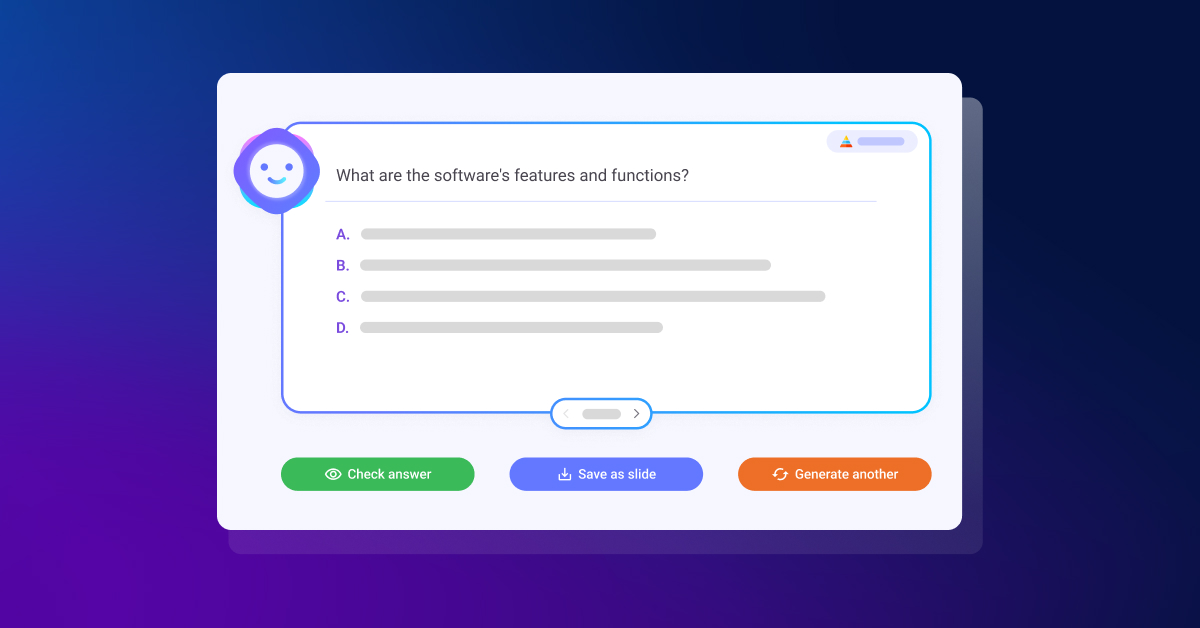
AI-Powered Efficiency: With ClassPoint AI’s AI-generated quiz questions, teachers can instantly transform any PowerPoint slide into an engaging quiz. This not only saves time but also ensures the quiz aligns with the content’s relevance. It is a great way to involve students in the use of AI for purposeful learning!
Versatile Assessment Features: Through its flexible quiz customization, ClassPoint AI breaks the monotony of conventional quizzes. Teachers can tailor quizzes to match specific learning objectives, enhancing engagement and effectiveness. Creating quizzes that meet students’ needs is easy!
Fostering Critical Thinking: Crafting questions based on Bloom’s Taxonomy cognitive complexity hierarchy ensures that students go beyond mere memorization. Instead, they engage in analysis, evaluation, and synthesis of information, resulting in a profound comprehension of the subject matter.
Closing Language Barriers: ClassPoint AI’s multi-language support guarantees inclusivity, ensuring that all learners, whether international students in a classroom or a diverse audience in a global seminar, are accommodated.
While ClassPoint AI is undoubtedly invaluable for educators, its utility transcends the boundaries of traditional classrooms:
Corporate Training Sessions: Utilizing ClassPoint AI, trainers can assess employee comprehension in real-time during workshops, enhancing interactivity and effectiveness.
Webinars and Online Workshops: Incorporating quizzes through ClassPoint AI ensures sustained audience engagement and immediate feedback for presenters.
Language Academies: With ClassPoint AI, language instructors can develop personalized quizzes in various languages, enriching language learning and comprehension.
Bonus: Interactive Classroom Activities You Can Run in Class for Each Bloom’s Taxonomy Level
Utilizing the Bloom’s Taxonomy framework in teaching doesn’t have to be a laborious task. With ClassPoint, each stage of Bloom’s Taxonomy instruction can be amplified through a variety of presentation, interactive quiz and gamification tools.
Here are a few methods for seamlessly incorporating your lessons within the Bloom’s Taxonomy framework:
Lower-Order Thinking Skills
Activities Involving Recalling of Information
Run “Multiple Choice” quizzes to test students’ ability to recall important information
Run “Fill In The Blanks” activities to test students’ understanding of a new topic being taught
Activities to Test Understanding
Run “Word Cloud” as a tool for brainstorming and ideas collection to encourage the solidification of understanding of a new concept being taught.
Run “Audio Record” to encourage students to submit their responses via audio format.
Problem-Solving Activities
Run “Slide Drawing” to encourage students to submit their responses by drawing or editing the teacher’s slide
Run “Short Answer” and solve problems by offering students’ point of view
Analysis
Use “Draggable Objects” to move objects freely during a live presentation where teachers and students can label and classify objects into their respective categories.
Use “Annotation Tools” to build mind maps and concept maps and help students understand the relationships between concepts.
Higher-Order Thinking Skills
Evaluative Activities
Use “Timer” to run debate or role-play activities with students to enhance their critical thinking.
Use “Quick Poll” to gather students’ responses and feedback on a topic being taught.
Creative Activities
Use “Draggable Objects” to create something new by putting together the puzzle pieces on the teachers’ slides.
Run “Video Upload” to encourage submission of projects in the form of videos or vlogs to encourage creativity and innovation.
Embrace The Synergy
In today’s educational landscape, the fusion of Bloom’s Taxonomy with AI heralds a new era of classroom innovation. By embracing this synergy, educators can empower students to develop critical thinking, problem-solving, analysis, evaluation, and creativity—essential competencies for success in the modern world. Tools like ClassPoint AI present an exciting avenue to revolutionize teaching HOTS, offering efficient quiz generation based on Bloom’s Taxonomy and fostering interactive learning experiences. As we navigate this transformative journey, let’s harness the power of AI to cultivate agile, forward-thinking learners.
Guest blogging opportunities
Contact Rachelle to schedule sessions about Artificial Intelligence, Coding, AR/VR, and more for your school or your event! Submit the Contact Form.
Follow Rachelle on Twitter(X) and Instagram at @Rdene915
**Interested in writing a guest blog for my site? Would love to share your ideas! Submit your post here. Contact me directly for a sponsored post.
Looking for a new book to read? Find these available at bit.ly/Pothbooks
************ Also check out my THRIVEinEDU PodcastHere!
Join my show on THRIVEinEDU on Facebook. Join the group here
This post is sponsored by Matatalab, Opinions expressed are based on my own experience
During the past year, we have been exploring a lot of new products as we work on our coding skills in my eighth-grade STEAM class. My students really enjoy trying out different tools to find something that matches their interests and that gives them opportunities to build their coding skills. We also take opportunities to try tools that are geared toward younger students as well, to better understand how students can develop coding skills and the benefits. It also helps to spark interest in coding, which is an in-demand skill for the future.
Sometimes, students hesitate to get started with coding because of a fear of not understanding how to write the code, or troubleshooting if the code does not work. However, with the different options and resources available through Matatalab, my students have really enjoyed the experience and are excited to dive right in.
Matatalab is a company that specializes in developing educational coding products for young children. What I love about using them is that their products are designed to teach early learners the fundamentals of programming in a fun and engaging way through interactive and hands-on learning experiences. It is not all about the technology, Matatalab offers screen-free coding and also comes with cards to teach students about the coding steps. They offer a range of products that are suitable for different age groups and skill levels, from preschoolers to elementary school students and older.
Through the various products available, educators are able to provide opportunities for students to learn about coding, even at an early age as young as 3! Last year I started exploring the Tale-Bot Pro which makes it easy for kids to get started on their own and build their knowledge whether at home or school.
The VinciBot
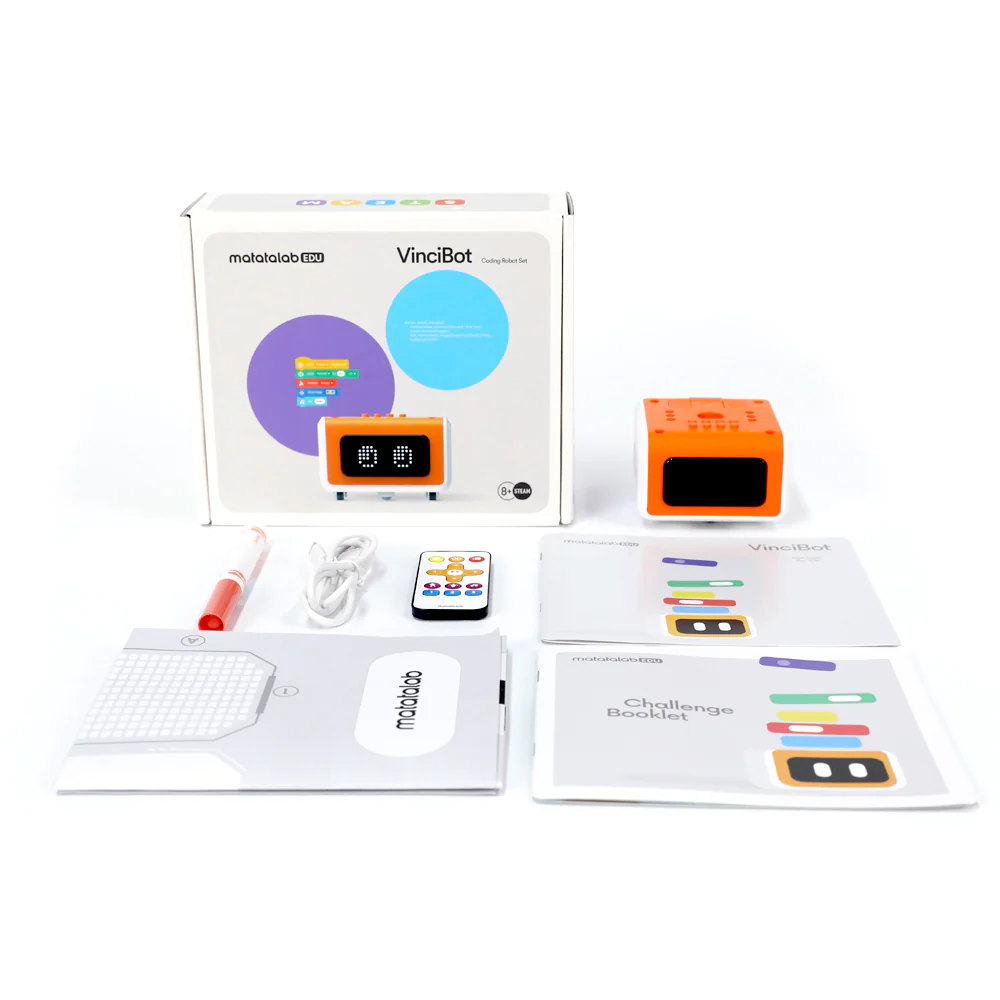
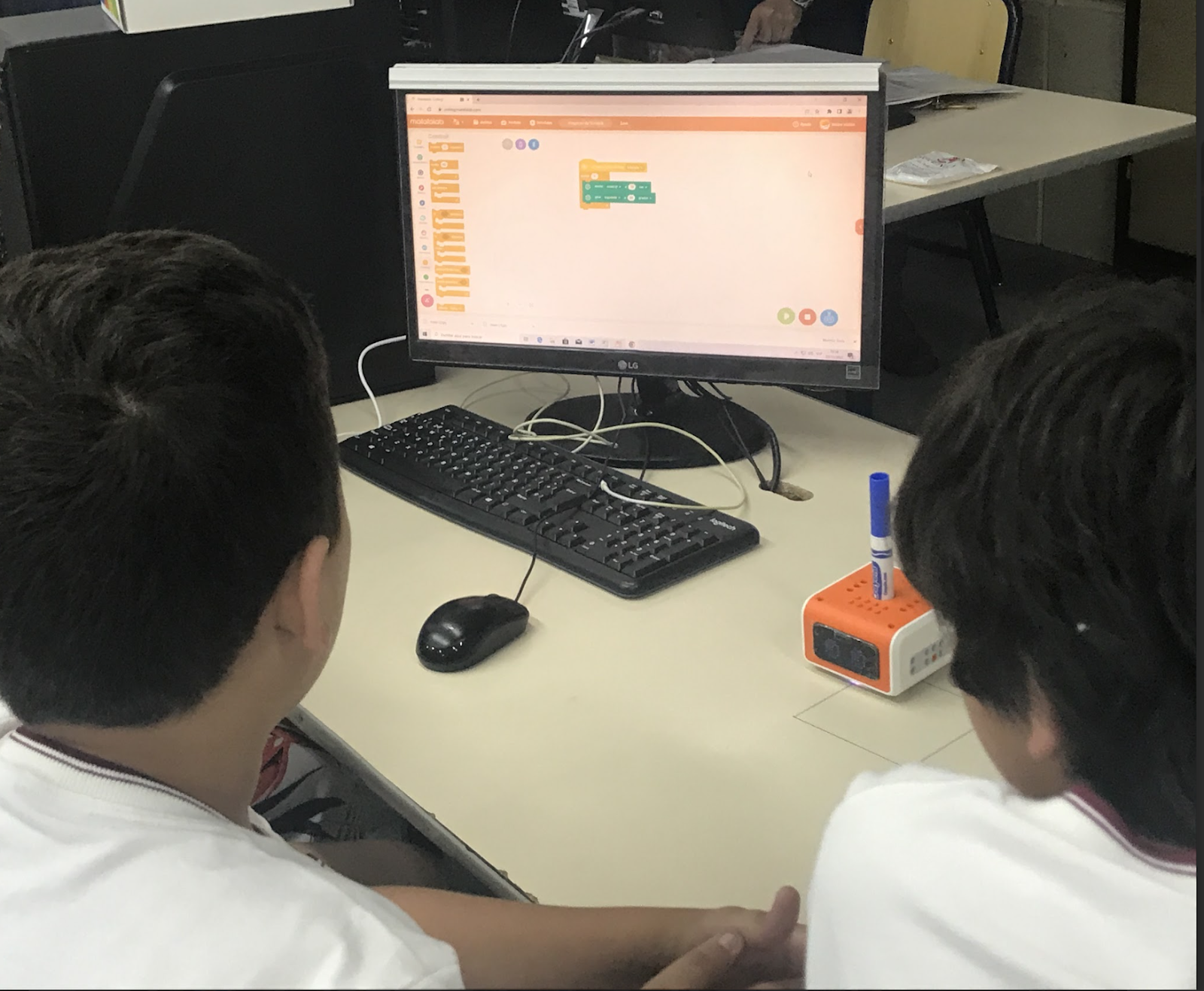
The newest product from Matatalab is the VinciBot which is aimed at slightly older children, ages eight and above. Matatalab products are designed to be intuitive and easy to use. The coding blocks are color-coded, making it simple for students to understand the different types of commands and functions. This helps to make the learning process more accessible and enjoyable, especially for students who may be intimidated by traditional coding methods. By programming the robot, students can develop their problem-solving skills and spatial awareness and have fun working together to explore coding and the world of robotics!
When I brought it into school, my students were lining up to be the first to explore it! VinciBot is the new and maybe even one of the most popular coding products from Matatalab. It is a versatile and interactive robot that is designed to teach the basics of coding in a fun and engaging way. VinciBot can be controlled using a range of programming languages, including Scratch, Python, and the MatataCode App. With these options, it provides each student with a way to engage in coding at a pace that is comfortable and supports them as they build their skills and confidence in coding.
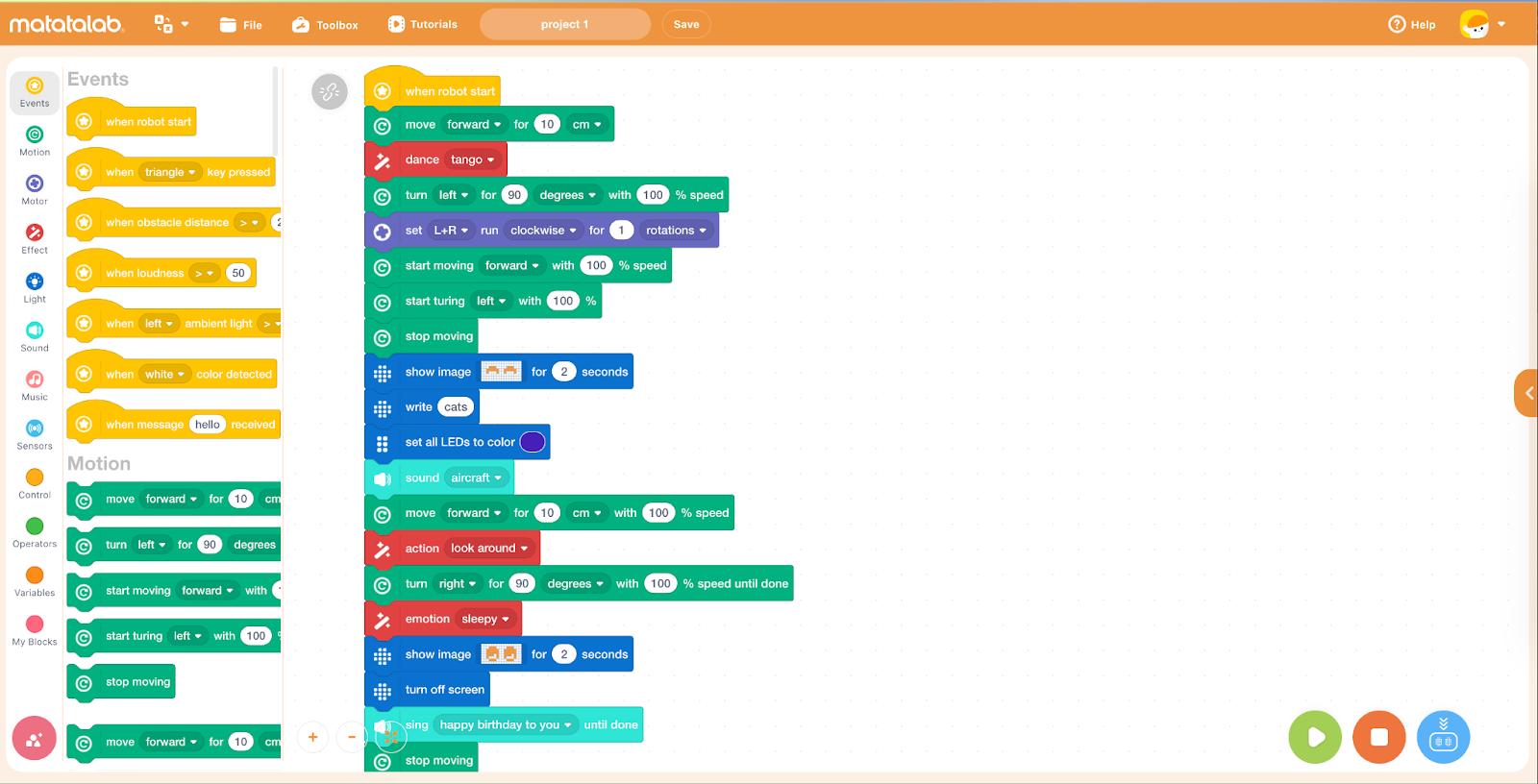
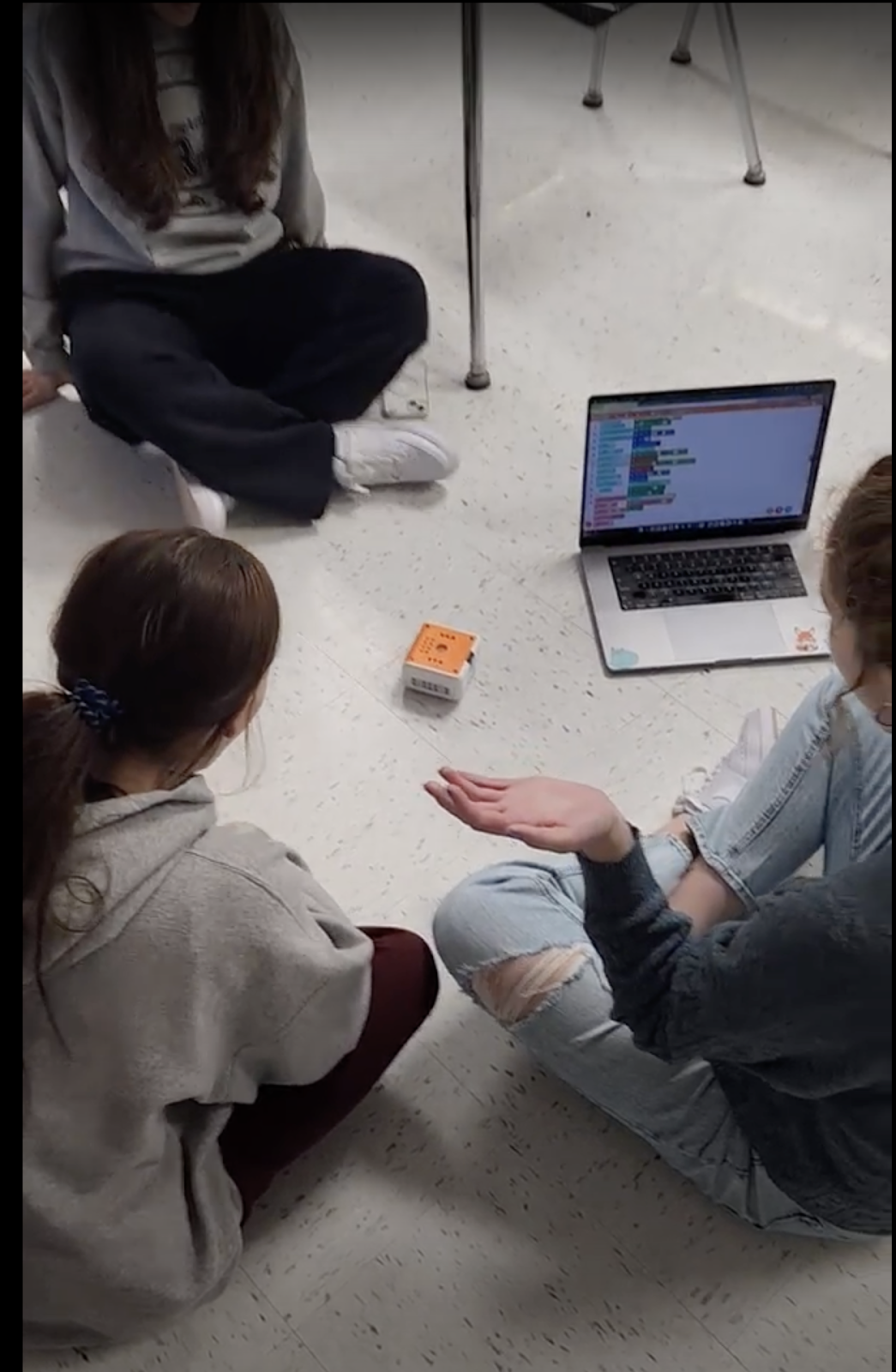
[creating a program for VinciBot]
Features
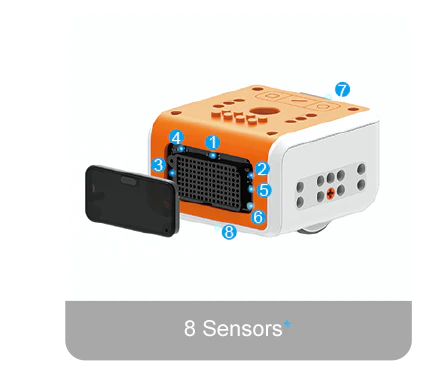
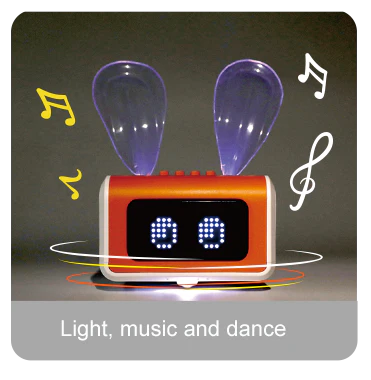
The VinciBot comes with everything you need to provide an engaging learning experience for students. There is a challenge booklet with 18 challenges for students to explore. The VinciBot is equipped with interactive sound, light, and movement effects and has 8 sensors. There are 21 musical instrument sounds, an LED matrix, and an LED RGB light structure. The infrared and ultrasonic sensors allow it to navigate its surroundings and interact with the environment. Students can program VinciBot to complete a variety of actions including dancing and can even program it to sing Happy Birthday! VinciBot also offers the opportunity for students to explore artificial intelligence (AI) through its AI-based teaching scenarios and gameplay. This is a great benefit, especially with the increased interest in getting started with AI, coding, and STEM, having one resource that can provide it all is a great opportunity. The Tiny Machine Learning of VinciBot is available even without the Internet in the classroom. Students will have programmed with the AI data and trained the robot before and perform their program in a non-internet environment. The Tiny ML enables students to go through the whole process by learning about model creation, data acquisition, training, and development to then programming. Engaging in this ongoing learning journey helps them to develop a much greater understanding of AI at their own pace and in their own way.
Learn more through their video tutorials and the overview of the VinciBot in action.
Accessibility
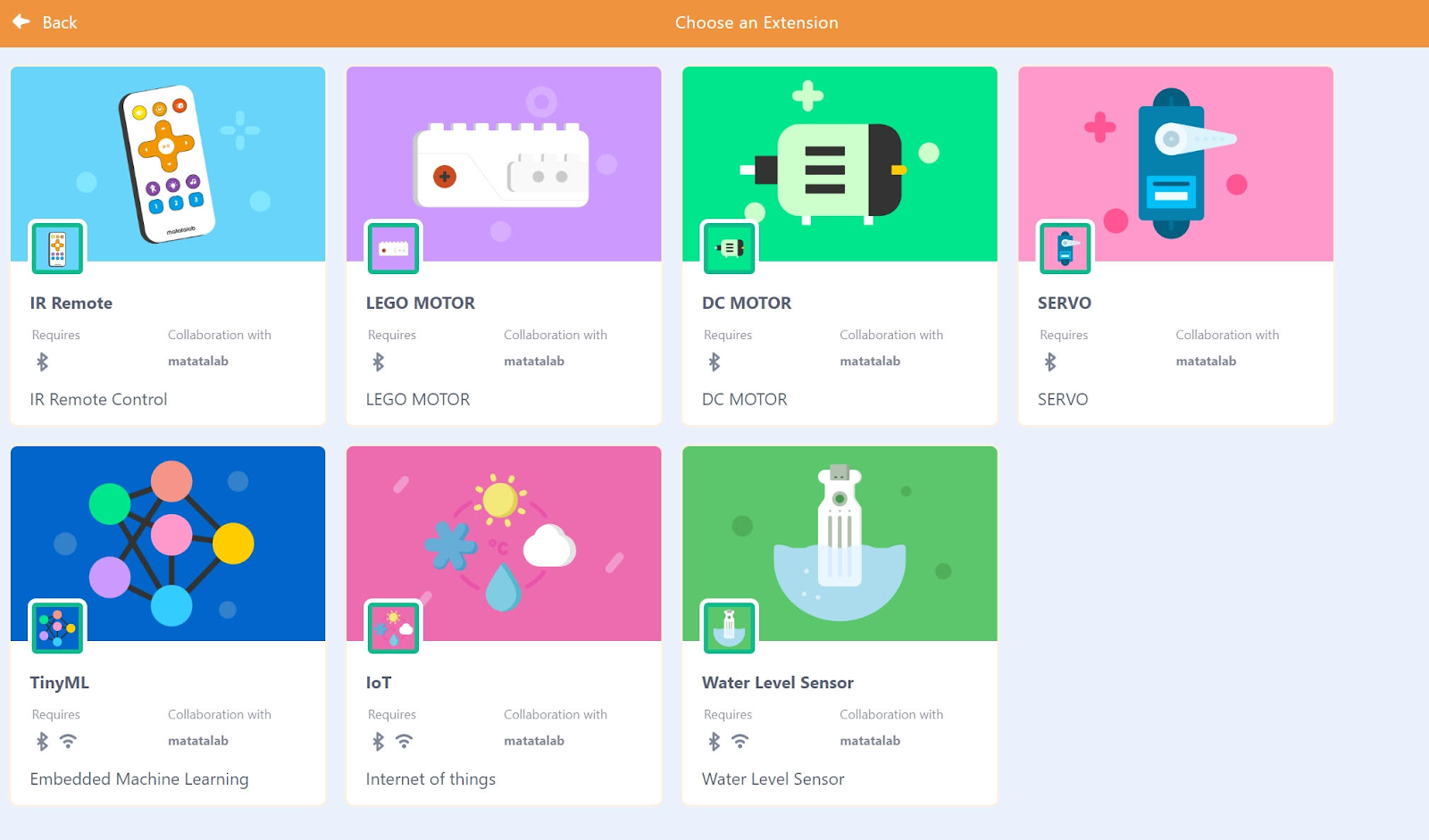
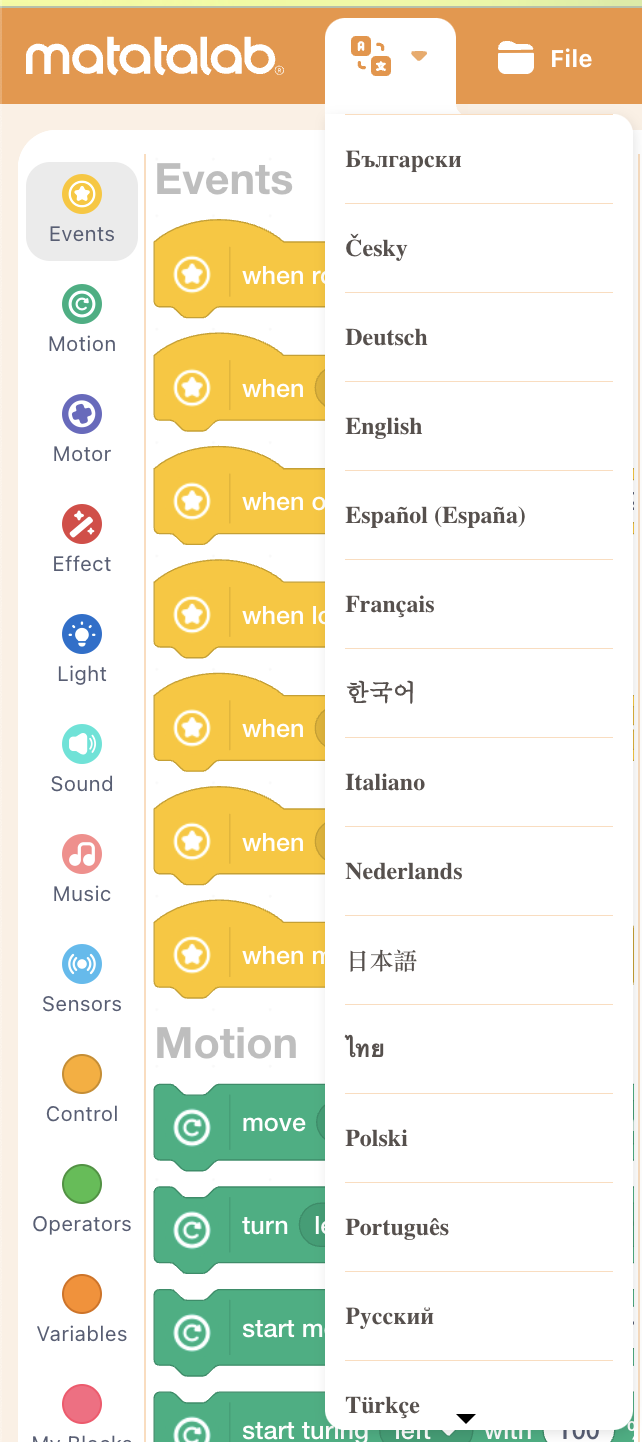
The coding program is available in multiple languages, making it more accessible to a wider audience. This allows children from different countries and backgrounds to learn to code using their native language. Additionally, the programming blocks are designed to be easily understood by young children, regardless of their level of literacy or cognitive ability, promoting inclusivity and accessibility for all.
[Students can select the language for coding, making it more accessible for all students as they build language skills and coding skills together!]
One of the key benefits of VinciBot is that it is designed to grow with the student. As they become more proficient in coding, students can use more advanced programming languages to control VinciBot and develop increasingly complex programs. This means that VinciBot can provide years of educational value for children of all ages.
Extra features
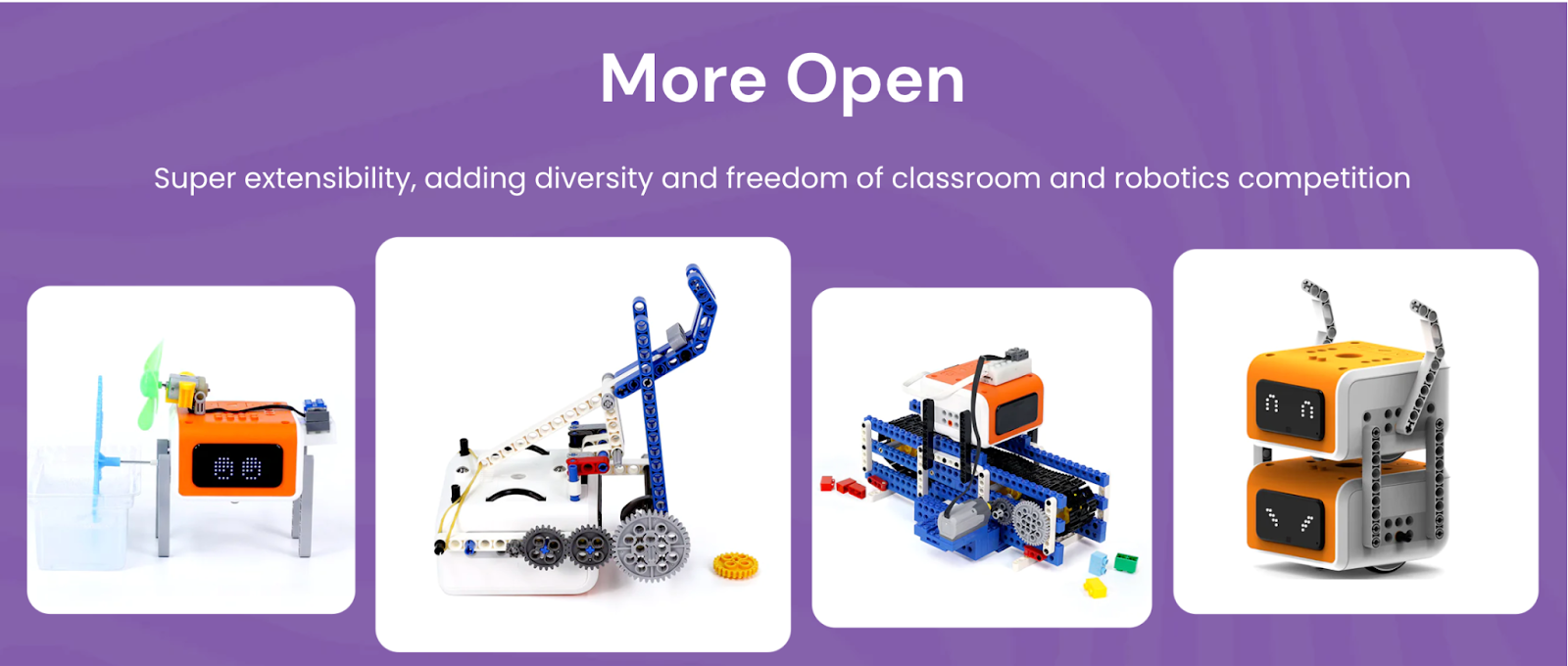
The VinciBot is also compatible with LEGO bricks and other products, making it possible to even combine robots together for a larger project or a robotics competition! Students are so creative and can problem solve and collaborate to design a solution to a challenge or work with design thinking in the classroom.
Benefits of coding
In addition to learning to code, students develop many other skills that are essential for future success. It fosters the development of social-emotional learning (SEL) skills, building self-awareness as students learn to code and evaluate their growth. It fosters self-management as students set goals and problem solve and deal with challenges that can come with coding. Students build relationships as they work with one another to create, while also building skills in communication, collaboration, creativity, critical thinking, and problem-solving.
Why explore Matatalab?
Matatalab products promote hands-on learning and encourage creativity and imagination. Students can use the coding cards to think about the steps in the coding process or use the remote to drive the robot. Once logged in, students are able to create their own programs. Being able to explore their own ideas and interests helps to foster a love of learning and discovery. By encouraging creativity and imagination, Matatalab products help to prepare children for the challenges of the future.
By providing an intuitive and hands-on approach to learning programming, Matatalab products help to prepare our students for the challenges of the future. They are designed to be accessible and engaging for kids of all ages and skill levels. Whether you are a parent or an educator, Matatalab products offer a fun and effective way to introduce kids to the world of coding and programming.
About the Author
Rachelle Dené Poth is a Foreign Language and STEAM Educator at Riverview High School in Oakmont, PA. She is also an Attorney, Edtech Consultant, Speaker, and the Author of seven books about education and edtech. Follow her on Twitter and Instagram at @Rdene915
**Interested in writing a guest blog for my site? Would love to share your ideas! Submit your post here. Looking for a new book to read? Find these available at bit.ly/Pothbooks
************ Also check out my THRIVEinEDU PodcastHere!
Join my weekly show on Mondays and Fridays at 6pm or 6:30 pm ET THRIVEinEDU on Facebook. Join the group here