How Kidblog supports and meets the ISTE Standards for Students


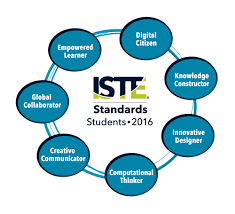
  1. Empowered Learner
  2. Digital Citizen
  3. Knowledge Constructor
  4. Innovative Designer
  5. Computational Thinker
  6. Creative Communicator
  7. Global Collaborator


The Student Standards reflect the skills that we want the students of today to develop, so they can become more connected with their learning and prepare for their future in an increasingly digital world. The use of blogging is a good way to address the ISTE Standards for Students. The new standards, which were released in June 2016, focus more on what we want for students – The pursuit of lifelong learning and ways in which we can help to empower students in their learning. The emphasis is on providing opportunities which promote student voice and choice and help educators to implement technology in ways that will increase student growth and readiness for the future. The ISTE standards represent the skills and qualities that students need for su​​ccess in the 21st century.

Supporting the standards with technology
There are many educational tools (both digital and traditional) available to promote student voice in the classroom. Blogging is one tool that serves to support and meet the ISTE standards. Educators can refer to the standards as a guide for selecting tools to use with students that will amplify learning and promote student choice. The goal is to support students so they begin to take ownership in their learning. A move in the classroom from teacher-centered, to student-centered and optimally, student driven. Here is how Kidblog can help.

1. Empowered Learner: As empowered learners, students “leverage” technology to show their learning and demonstrate their mastery in a platform that is comfortable to them and in a personalized space. Students take more responsibility for and have choices in how to show their learning.

2. Digital Citizen: Blogging promotes digital citizenship as it helps students to develop their social presence. Through blogging, students become active in online communication, learn about proper use of internet and resources and interact in a safe learning environment. Posting online and sharing information helps students to develop the skills they will need in the future and to recognize their responsibility when it comes to digital resources. Blogging gives students the opportunity to practice appropriate and ethical online behaviors, which transfer into the classroom space as well.

3. Knowledge Constructor: Students gather information and resources to use in creating stories, conveying information in a way that is more authentic and meaningful for their learning. The use of blogs helps students to work on their writing skills and ties in nicely with gathering information to share in their digital space. Students can research and analyze the resources, to determine which is most relevant and applicable to their task.

4. Innovative Designer: Students can use the different tools and features in the Kidblog platform to express themselves in a more unique way, share ideas and create in an innovative way. Designing and creating more authentic ways to show their knowledge as well as creating new and more “imaginative” solutions to a question or problem presented.

5. Computational Thinker: Students can use blogs as a way to discuss and talk through a process of decision-making. Blogging is a great format for working through projects or solving complex problems, and to demonstrate the thought processes and analysis involved through their writing.

6. Creative Communicator: Students can use the different features of Kidblog to share their knowledge, convey information or tell a story in a more engaging and creative way, to be shared with peers and the teacher. Blogging opens up more opportunities for students to be more expressive than the traditional formats such as paper or other digital tools. Students can express themselves in a way which promotes creativity and with Kidblog, can incorporate other tools to present their information in a way that supports the learning goals and meets individual student needs and interests.

7. Global Collaborator: Students can use blogs as a way to learn about other cultures and connect with others by posting their blogs and sharing information with peers. Students narrate background experiences and connect with others in a safe learning environment that builds confidence and promotes student learning. Students share their blogs with peers and can also connect with other students from around the world. It facilitates the opportunity to local and global issues and perspectives, and to use the blog as a way to express their thoughts.

The focus of the ISTE Student Standards, helping students to become better with communication, collaboration, critical thinking, problem solving and to express themselves in more creative and innovative ways, falls in line with the features of Kidblog.

7 Tips to Get The Most Out of Blogging This Year

Getting ready for the start of a new school year – new students, new curriculum, and new tools – means teachers have a lot of preparation ahead of them. Whether new to Kidblog or a veteran classroom blogger, these tips will help you get the most out of your class blog this year.

1) There is no better way to start the year than by way of introductions. Blogging can be a great way to get your students comfortable with you as their new teacher, as well as, their new classmates. In my classroom, I also use this time to cover expectations in the classroom. This is all done in a “Welcome back to school” blog post. Choose a fun theme for the class, add some links and include helpful information. Share information about you, including some fun facts, and encourage students to then respond to your post. You can begin to develop those vital relationships for your classroom.

2) Get parents connected. Make the decision to use blogs as a way to keep parents informed about what is going on in the classroom. Set a goal to write a blog post with a weekly update and share what is going on in the classroom, give highlights of upcoming events and activities the students will be participating in. Also, use the blog as a way to share student work with parents, which will really connect the home and the classroom, and involve all members of the learning community.

3) Involve students in planning for blog posts. Encourage students to come up with their own ideas or to work with peers to brainstorm some writing prompts to use throughout the year. Gather their ideas and then draw from their prompts. Involving students in the decision making process in the classroom helps to provide more authentic and meaningful learning experiences. It promotes student voice and choice in the classroom and helps students feel more valued and empowered. By actively engaging them in classroom decisions, students will feel more connected to the content and their peers.

4) Create a bridge between content areas by doing some cross-curricular blog posts. Find time to talk with and encourage other teachers who may not be using blogs, to work with you to create some cross-curricular opportunities. The blog can be a way for students to complete some writing assignments or projects for communicating their ideas and showing their learning. Students create their own personal space to share ideas and really have an opportunity to practice their skills for multiple content areas in a comfortable manner.

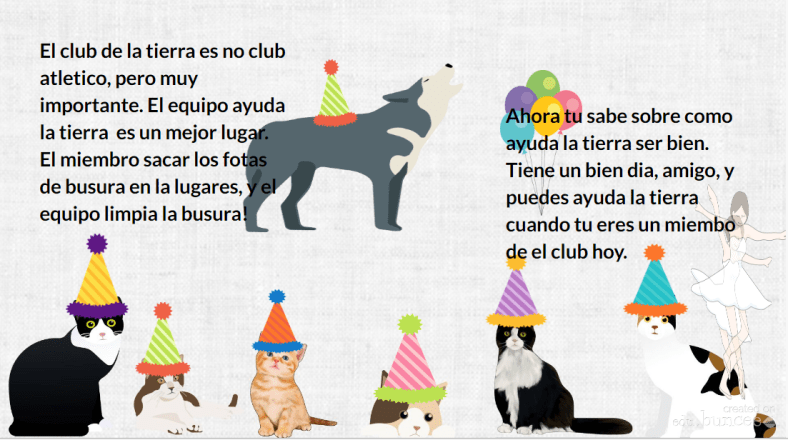
5) Try adding some other tech tools to app smash with Kidblog or use Kidblog as the means to share student work! Implementing other tools will help students develop their technology skills and digital literacy. For example, have students create a Buncee and write about what they’ve created, or, they may share it with a peer to create a story. These apps can be easily embed into Kidblog for their classmates to comment.

6) Have a routine for sharing student blog posts and set aside time in class for the students to work together to share their blogs, offer feedback and learn to reflect on their work. Making time for students to work with peers will build those positive classroom relationships and help students to become more confident in their learning. Their confidence will increase through the writing process and also by communicating and collaborating in the classroom.

7) Be sure to have resources available for students so they understand how to use the blog, how to write a post and to properly cite any images or other information they add to their posts. A great way to do this is by screen-casting a tutorial available to students, as well as, creating a “guide post” that gives students pointers on how to publish a post, the required format, and other information related to your expectations. By providing all the information in a place which is accessible, the process will be much easier for students throughout the year to have the support they need when they need it.

Kidblog

How I Connect Students Through Project-Based Learning

Posted on Teach ThoughtPBLTT.jpg

One area that I’ve tried to focus on more in my teaching recently is collaboration, specifically how students collaborate with one another, and finding more ways to do this in class so that I can facilitate their learning.

I enjoy having students work together within the same class because I believe in the value of building relationships and establishing a positive classroom culture. I also know how effective it is to take advantage of the time in class for students to become more familiar with each other and to work together towards a common goal.

Understanding that not everything can be accomplished in a classroom is a big reason for this shift in my teaching–and this is where I believe that technology can be extraordinarily useful with a real sense of purpose.

The Tools Of Collaboration

I have been using various tools over the past few years which have really opened up the possibilities of how, when, and where students communicate and collaborate.

Our interactions are ​​no longer confined to being in the same classroom, let alone the same school. Collaboration can occur between students across the globe and does not have to be done synchronously. The nature of tools such as Padlet or Wikispaces for example allows students to collaborate on their own terms. Time and place don’t matter as much as purpose and connectivity.

Thinking Bigger

I recall driving home one day and trying to come up with innovative ways to have students create with the language.

I liked the idea of projects, but wanted something more than simply having every student completing an individual project on the same topic. Each of my Spanish courses were at a place where I thought it would be great for them to do a project and work through learning in their own authentic way, so I decided to go big and involve the students from levels 1 through 4 as part of a team project.

I didn’t have a clue how this would work, but it seemed worth figuring out. I hoped that something like this would bring students together and show them the power of technology for collaborating and putting a project like this together, so I gave it some thought and this is what I came up with: A cross-level, cross class team project.

Executing The Project In The Classroom

Here’s how it worked: Spanish IV students had been studying careers and planning for the future. Spanish III was focused on travel and preparing for a trip. Spanish II was learning vocabulary related to a community and and types of activities that one can do in a neighborhood. Spanish I was learning vocabulary for houses, chores and describing living arrangements.

Taking all of these themes into consideration, I decided that one student from Spanish IV would be the ‘Team leader,’ and their ‘mission’ would be finding a job to apply for in a Spanish speaking country with the idea of going to work abroad.

Their task was to create a collaborative space, whether that be by creating a Padlet or Google Slides or something else altogether, and share it with the other members of their ‘team.’

Team leaders also had to write a brief note to their Travel Agent, Community Specialist and Realtor (students from Spanish I, II, and III) to let them know their travel interests and needs they have for moving abroad. The team members would then take this information when creating their part of the project. Spanish III would then plan how their team leader was getting there.

To make it more fun, I included a requirement that each Team Leader wanted a chance to sightsee before starting work, so the Travel Agent’s task was to plan a two-day tour that would meet the interests of their client.

Spanish II would research the neighborhoods where the client would be living and let them know what types of services and businesses were available for their new community. Spanish I, with two members assigned to each team, had to prepare to real estate ads for the clients. Each group would take the information from the notes and try to cater to the needs of their client.

There was a tricky part to this which was that I had to be out of school for a period of time. I was not there to oversee the work, however I use messaging tools like Celly, Voxer, and edmodo to communicate. The biggest tool I used, though, was the concept of collaboration among students.

While I didn’t plan this wrinkle in the beginning, I started to see that I relied on them as much as they relied on me and one another.

Stepping Aside & Letting Students Work: The Outcome

I distributed list of teams to each student. I put the team list on the board and left a space for the team leaders to put their link and their notes or however they saw fit to share this information.

There were problems at first. Students said they did not have the link, or had the link but did not have access and a few other issues, all of which I had expected and told the students to send messages or leave a note on the board. Always plan for failure, and have a backup for your backup.


Ultimately, I wanted the students to practice the vocabulary in their respective Spanish classes, but I also wanted them to learn how to work towards a common goal and without having to be in the same physical space or during the same time. I wanted them to see what great resources are available through technology and how they can work as a team without being in the same place.

The team leaders had the opportunity to say whether or not they really liked what the group members had put together for them, and for me it gave me another opportunity to let the students be creative, independent, to decide whatever they wanted to in terms of this project and that’s very important.

Giving the students a choice in how they show what they know and can do with the material and being open to their ideas was crucial to the success of the project. When planning, keep in mind that even if things don’t turn out the way you had planned, if the critical objectives of the project are met (whether academic standard-based, soft-skill, or something else), then the project has to be considered successful.

While planning is important and leadership essential, the tighter you hold to your vision of things as a teacher, the less ownership students can take over their learning.

Quizlet Live: A student perspective

Teacher to Teacher: Does technology in the classroom help? Ask the students.

Quizlet HQ ·

This post was written by Rachelle Dene Poth and Sean, a student in one of her Spanish classes. Rachelle teaches French, Spanish, and STEAM at Riverview Junior-Senior High School in Pennsylvania. 

quizletlive

Quizlet Live: An instant hit in my classroom

The availability of technology, and especially of digital tools like Quizlet, have opened up tremendous possibilities for classrooms today. Because of the diverse tools available, teachers now have new ways to deliver content both in and out of the classroom, and students have more engaging and personalized ways to learn.

Quizlet is something I have used in my classroom for the past few years in many different ways. I have used it in class to play Quizlet Live, to give students time to use the activities to review while I work with them individually, and to play games like Gravity on the Smartboard. Toward the end of last school year, I was able to beta test Quizlet Live, their newest collaborative in-class game, with my Spanish II class. It was an instant hit. Once we figured out how to play the game (which was easy), it became a great way to practice the vocabulary and verbs. It also created more opportunities for students to work with and learn from their peers, and build those vital classroom relationships that form a positive classroom culture. (To learn more about how to play Quizlet Live, check out my previous post on this topic.)

How to know when the technology has a purpose: Ask the students

IMG_20161108_131159.jpg

Sean, an 11th grader in my Spanish courses, has been an advocate for the use of technology at school. He recently led a presentation for an edtech conference, TRETC (Three Rivers Education and Technology Conference) and chose to present on Quizlet Live. He explained the purpose of the game, highlighted how to play, and led a game with those present — many of whom were playing for the first time. Sean had great, first-hand information to share and, coming from a student, the benefit of using Quizlet Live in the classroom was clear to everyone.

In Sean’s own words

Quizlet has a purpose when it comes to studying or just having fun. For example, in my Spanish II class, we used Quizlet for studying outside of class or to create cards for homework, and then when we met again as a class, we would play Quizlet Live and it would be fun for everyone. It is a tool that can be used multiple ways for school and work. An example of using it outside of school is when we were coming home from the PAECT student technology showcase. We were bored during the bus ride, so Mrs. Poth asked us if we wanted to play and we said sure.

Screen Shot 2017-01-10 at 1.08.33 PM.png

At the time we didn’t know any topics that could be played on Quizlet Live except for school topics, but we were introduced to some of the other topics that could played. We struggled with some of the TV trivia, which dated back to the 1950s, but we worked as a team and won the game. This activity showed our group that there were a variety of things that could be done using Quizlet Live.

This school year, I have already created a Quizlet Live that my class has played and everyone loved it. I will continue to create more Quizlets to use and help out the class, and to also have a fun time at home. We will be presenting a session during our state technology conference, PETE&C, and in addition to the student showcase, we will take over a full session and teach teachers about these tools. The students will once again be the leaders and engage the attendees with Quizlet Live.

6 Digital Tools To Engage Students

 Original Post Published on Teach Thought May 22, 2017, few updates added


Are you looking for some new ways to get students engaged this school year?

Here are 6 tools that I had found to be quite helpful as this school year winds down. More importantly, these are also some of the student favorites, in no particular order.


Flipgrid

Flipgrid is another video response tool that offers ways for students and teachers to interact with a variety of discussion topics. You start by creating a “grid” and then adding a “topic.” There have been some major updates and new features added to Flipgrid this summer. Longer recording length, stickers, gifs, integrations and more. Be sure to check it out!

A grid in my case is one of my Spanish classes.  Students go to the grid to see new topics which are posted for discussion and then record a response and even reply to classmates.

I have used Flipgrid as a way for students to reflect on their project-based learning, and for basic speaking assessments with my Spanish 1 and 2 students, where I can listen to their pronunciation and provide feedback. Flipgrid is also a way to connect students with other classrooms or even professionals in different fields, to connect with real-world applications of the content material.

Some additional features include the ability to give a rating to the response, read the transcript, provide written feedback which can then be emailed to each respondent, as long as an email address has been provided.

When setting up the topic, there are options for recording a video prompt, adding additional details in writing, and then customizing the topic based on whether or not other people can see the responses. You can freeze a topic, so new responses cannot be recorded but all prior responses can be viewed.

There are other features such as tracking the number of views, likes, and comments. Flipgrid is available on Chromebooks, iOS and Android devices and can also be embedded into an LMS or other websites. It is another tool that is easy to set up and might just be what you are looking for, especially at the end of the year,  to have students provide feedback on the course, to offer some information to help with the summer reflection.


This slideshow requires JavaScript.

Recap 2.0

Recap 2.0 is a Question and Answer platform available on Chromebooks, iPads, iPhones and Android devices, which can be implemented right away and is easy to use. Recap enables teachers and students to ask questions, share a reflection, and provides a comfortable way for students to communicate their thoughts. Recap also had many new updates this summer and is a great way to spark curiosity in students and to help students learn ways of asking questions and seeking more independent learning.

Students can submit questions and receive direct feedback from the teacher, parents can receive feedback by email through Recap, and there are many other features available for assessment and classroom management. Recently Recap added another feature to its platform by introducing ‘Journeys.’

In a Recap Journey, teachers create a multi-step path for students. It starts with a 60-second video and then the learning path, which leads to more independent learning and can also be a great way to differentiate instruction. As an end to the “Journey”, students can share their information or create a presentation.

In my experience with the Journeys, I had students explore Spanish-speaking countries and included different links for them to explore more based on their own interests.

It was very easy to create my own Journey and there are also many Journeys available to try through the Recap Discover.

2016 Pioneer Badge

Kahoot!

By now, you’ve likely heard of Kahoot! Especially last week when CHALLENGES came out after a period of Beta testing following discussions at ISTE in San Antonio. I was fortunate to be one of the testers and Challenges are great for having students practice the content and even for fun with family and friends.

Kahoot! is great for assessments and having a game based learning element added to your classroom. It can even be used for professional development or family fun. Kahoot! offers many quizzes in the public library which can be duplicated and then edited to make your own.

When playing, it also has added new features for auto advancing, playing in ” ghost mode ” which enables players to try and beat their first score. ‘Jumble,’ which is one of the most recent additions has proved to be a lot of fun and very beneficial for learning.

In Jumble, you create a question and each of the four colored tiles becomes part of the response. When the question appears on the board, the squares on the board are shown but the order is “jumbled.” Players must then slide the squares into the right order to either spell the word, properly form the sentence, or answer the question.

As a foreign language teacher, this has been quite beneficial for having students practice their spelling as well as for reinforcing proper word order for sentence structure in Spanish. Playing with Jumble mode has livened up the classroom because it is something different to try and the students are always excited about trying new things.

Setting up a game played in Jumble mode, or encouraging students to create games as a review, will add to classroom resources and be more authentic practice for the students.

Buncee

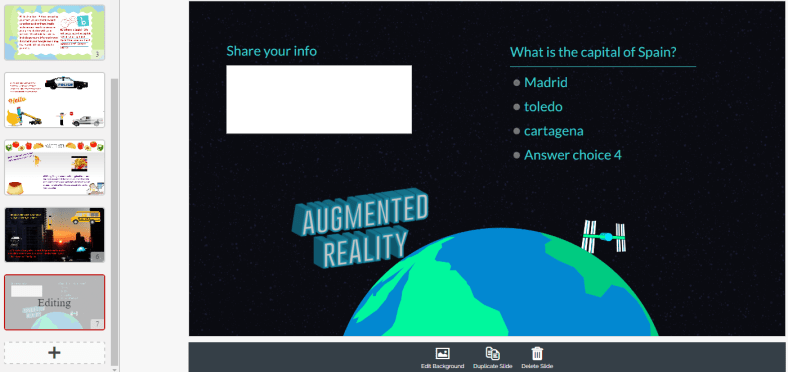
Buncee is a multimedia presentation tool which can be used to create interactive presentations, cards, signs and other engaging visuals.  (see recent post on new Buncee features, and look into Buncee Classroom)

There are many new items added to their library and some additional features, including the ability to use it for assessment. I have enjoyed testing out Buncee with my students. It is easy to create with Buncee, you can add multiple items o n to the canvas and move them around very easily. Teachers can create lessons with assessments through the classroom edition.

But what is most exciting about Buncee is that it offers many ways for students to be creative and more engaged in learning by creating something authentic, as there are thousands of items that you can add to bring it to life and make it your own.

Students can design Buncees for any class and will have the opportunity to create more authentic work which represents what they can do with the language material we have covered. Creating will be a lot of fun for students and teachers. And great for doing a Twitter Chat too! Lots of great templates.

full-1

Telegraph

Telegraph is a very easy site to publish a stand-alone web page, which can be used to create a sign, a newsletter, a journal entry, or anything as an alternative format to pen and paper or using a Word or Google Document.

It is simple to use: type in the website, add a title to it, your name and add some pictures or links to other websites and once you’re finished, you publish it and it provides you with a web address. You can easily share that link with anyone.

My students created a site to tell about a favorite trip, one to talk about sports and favorite athletes, and another some even made Mother’s Day pages and then printed them. If you’re looking for a way to have students practice simple writing skills and do so in a more digital way, I’d recommend trying Telegraph. No log-in is required and it’s very easy to use.

Quizizz

Quizziz is a fun assessment tool that continues to add more features, which makes obtaining feedback from students and providing feedback to them much easier. Some of the newer features include receiving a daily report of the Quizizz summary and being able to send parents the results of a student’s Quizizz game. (See new Quizizz features)

The daily summary report shows the number of Quizizz games used, number of responses, percentage correct as well as additional information. It’s nice to be able to have that data available so quickly. There is also the option to email the data directly to parents, which is great especially for communicating student progress and in a timely manner.

Quizizz is another tool which is easy to implement, you simply create your own by adding your own questions or search from the public Quizizz available and drag in the questions you want and then edit them according to your preferences.

Other benefits include the ability to either play it live or assign it as “practice” or homework. You can store your Quizizz games into Collections to find them easily, quickly build games and it has a much improved UI, and it was pretty good to begin with.

And if you create the Quizizz and do not have enough time for students to finish, no worries because when students use the same login and pin number, they can pick up right where they left off in the game.

This slideshow requires JavaScript.

Building Skills with App Smashing: Buncee, Padlet and now new Buncee Boards!!

Buncee

There are a lot of great digital tools that promote student creativity and choice and give students an opportunity to learn about each other in the process. Two tools that have worked well together for this purpose are Buncee and Padlet. Using these together promotes student creativity, provides more authentic and meaningful ways for students to share backgrounds and introduce themselves to classmates. It builds digital citizenship and technology skills by teaching students how to interact in a virtual space. It promotes communication and collaboration through the sharing of projects and opens the ability to engage in conversation through the commenting feature on Padlet.


When students start the school year, learning about classroom procedures and becoming familiar with their peers are important activities. Teachers go about these procedures in different ways, some even choosing to dive right into the content material and to open up opportunities for these typical procedures on a daily basis. The past few years I have tried to get students to interact more at the start of the year, share who they are, their experiences, their interests and have them set some goals as well. I try to do so with variety of icebreakers or other activities like surveys or classroom games to get the conversations started. However, this year I plan to have students share their information by creating a visual representation. Students will be able to choose from the library of thousands of images, props, icons, animations and more in Buncee to tell their story. The requirement will be that they use very little in terms of text and rather choose the images, animations and even videos to tell their story. I also hope that it creates a way for students to share some learning goals they may have or things they wish their teacher knew.

BunceeJenna

Before the advancements in technology and the increase in types and number of tools available, sharing these creations required either printing or sending through email or storing on a flash drive. But with collaborative tools such as Padlet, it has been very simple to not only share the information quickly but to embed a Buncee project right onto the Padlet so it is fully visible to everyone instantly. By doing this, students have gained new knowledge of technology, developed peer relationships, teachers learn about the students, the students will learn about each other, and it will start the conversations going. By using imagery rather than so many words, students will be able to see some commonalities in the classroom which will help to drive the development of a classroom culture.

Besides the learning potential in this, I think it is a lot of fun and highly engaging for students to create and to see what their classmates have created. I would not be setting a good example if I myself did not create a Buncee and add it into the group. Students need to learn about their teachers as much as the teachers need to learn about the students. I’ve heard the quote and read the quote of Teddy Roosevelt many times “Children do not care how much you know until they know how much you care.”  This couldn’t be truer, so we need to learn about our students and show that we care about them and their success.

BunceeSpain

Combining Buncee and Padlet

Throughout this app smashing (when two tools are used in conjunction to create and present a product), students enhance their skills in many areas. In terms of the ISTE Student Standards, all seven are addressed in completing these activities. The main one addressed is 6, Creative Communicator. Students have a choice and their voice is represented in creating their Buncee. But in the process of creating, they become Global Collaborators because by posting it on Padlet, others can view their work and comment. They are Empowered Learners because they have choice and voice in their learning experiences. Computational Thinkers because they are deciding how to present the information in the Buncee, Innovative designers choosing from the thousands of features available in the library to put into their own creation. Digital Citizens because they are learning to respect others’ work and to publish and post responsibly. For some students, this will be the first time they are really interacting with digital tools and so it will be perhaps a big learning curve. However, everyone will be doing the same thing and there will be comfort in this which will help student confidence to increase. I promote student empowerment and it will be a good way to set up the classroom culture and to help students gain some new skills moving forward.

FETCpresentation

New Buncee Boards! Announced today!

Today is an exciting day for Buncee and the many users of Buncee. The newest feature, Buncee boards, provide a great way to gather resources in one place, open up communication and collaboration, and share ideas with others in and out of the classroom. There are a lot of great ideas for using #BunceeBoards in the classroom, so be sure to check out this post: 10 ways to use Buncee Boards to see some of the ways Buncee Boards can be used in the classroom. There are a lof of great ways to use these in the classroom, and even better, students can have fun sharing, commenting and posting reactions to the boards.

There are many possibilities for using Buncee in the classroom and the nice thing about it, the best thing about it, is that it promotes choice and authentic creations for students and teachers and anyone. It is a skill that students can learn and can share with their families which will open up more learning opportunities beyond the school setting and move it into the community and beyond.


Storytelling with Kidblog

Previously Published on MARCH 9, 2017   Kidblog

hands-hand-book-readingBlogging helps develop critical skills students need. In addition to working on necessary skills for communication and mastering grammar, blogging boosts creativity, increases confidence in expressing thoughts and ideas, and encourages authenticity when students write with purpose. Blogging for increased social interaction in the classroom will also lead to a more positive learning environment and help students develop critical peer relationships and collaboration skills.

The prompts

I have focused on transforming my classroom from “teacher centered” to “student-centered” and, as a result, created a student-driven learning environment. Moving the direction of your classroom in this way can help students emerge from learners to leaders and become more aware of their strengths and weaknesses in writing. Writing prompts are often discouraged in blogging – hindering student creativity. However, there are ways to design prompts that increase student engagement, lead to more authentic and meaningful learning, and provide an opportunity for students to be in charge of their learning.

It is important to offer a varietyof prompts to reinforce student choice and voice in the classroom. Additionally, prompts that include a picture lead to a variety of creative and authentic responses, while also giving students ownership in learning. Not to mention, it is a fun way to practice their writing skills.

Something new I tried this year, in an effort to open up more options for student choice and authentic and meaningful learning, was to design a “let’s tell a story” prompt. My goal was to help students build their vocabulary and refine their writing skills by learning and applying new words outside of our textbook chapter theme. To do this, students in Spanish II read a short Spanish book and while reading, they were tasked with creating a list of unfamiliar vocabulary words in each chapter. These lists would become their personal “dictionary” of (ideally) 50 – 60 words. I wanted them to select words that they did not understand and incorporate these words within their stories. This provided an authentic method for the students to create with the language and practice their writing skills.

Co-creating a story

I decided to have students participate in writing a collaborative story. Using a theme similar to the reader, which was a story involving a student who solved a crime and helped to capture a thief, each student was to select a certain number of their words, and create a story of their own. Once a story had been created, we selected another student to continue the story using different words from their vocabulary “bank”. In the process, I would read each of the posts, provide feedback and keep my own lists of some of the most commonly selected words, so that I could later use these additional words for building vocabulary.

This was a fun way for students to collaborate with their peers and make learning more meaningful through their own choice and voice. It enabled students to work together, to provide support and to keep each other focused on the writing task. After all, collaborative skills are so important, especially for building vital classroom relationships and social interactions.

Overall, this activity was an engaging way for students to practice the language, increase opportunities to show their language skills, all while being the main driver in their learning. Giving students the chance to demonstrate what they know, in their own way, amplifies their learning and connects them with the subject content in a more personalized, meaningful way.

Kidblog

3 Ways to Implement Blended Learning In The Classroom


3 Quick Ways to Implement Blended Learning In The Classroom

Best practices for blending or flipping your classroom continue to be topics of discussion in education today. Much of the discussion focuses on finding clear definitions of what these terms mean and the benefit to classrooms.

There are many resources and ways to educate yourself on this topic available including a diverse selection of books and blogs (such as the book Blended by Michael B. Horn and Heather Staker, and of course the Getting Smart blog) related to the topic, reaching out to colleagues or members of your PLN or attending conferences such as FETC, ISTE, state edtech conferences, edcamps and other professional development experiences.

All of these are great for finding examples, vignettes, templates, suggested tools and ideas. But even with all of these options, sometimes it is more valuable to take a risk and try something out on your own. The outcomes will not always be the same for each teacher, classroom or student, but it’s at least worth a try.

There are different models for implementing blended learning, and the method used will vary depending on your classroom. I recommend starting with one method–if you see positive effects, that you have more time to collaborate in class and your students are more engaged then continue. If not, then use this opportunity as a way to learn more about your students and their needs. As teachers, we need to constantly reflect on our methods and encourage self-assessment with our students, all part of learning and growing together. Getting started can take some risk and exploration, and definitely time.

Here are some different ways to use technology to “blend” or “flip” learning that in my experience have worked well. These tools can offer innovative or creative learning methods in your classroom, opening up the time and space for where and when the learning occurs.

1. Flipping and Blending with Videos

In the past when I heard “flipped classroom” I thought that meant simply assigning a video for students to watch. It can be, as it was originally considered the traditional way of flipping the classroom, but there has to be follow-up, accountability and more than just simply assigning a video. How will we know what the students gained from the experience?

The benefit of having students watch a video outside of class is that it reserves the class time for discussion and peer collaboration, and moves the teacher to more of a facilitator in the classroom. There are video tools such as EDpuzzle and PlayPosit, through which students interact with the video.

By responding to questions throughout, they are held accountable for the material and can show what they are learning. The teacher has instant feedback and can better understand how the students are learning and provide more personalized instruction. Either of these tools are great for the teacher to create lessons, but also provide the opportunity for students to create lessons that can be shared with other students.

In my experience, these tools have both provided a lot of authentic learning, problem-solving, critical thinking and collaboration. More importantly, they create an opportunity for students to move from learners to leaders, and from consumers to creators in the classroom. This is one of our main goals as teachers–to provide opportunities which empower students to take more control and drive their own learning. These leadership opportunities also help the students to feel valued because of the work that they are doing. There are sample lessons or “bulbs” available, so try one of from the library, and see how it works in your classroom.

2. Game Based Learning and “Practice” as Homework Alternatives

Perhaps you want students to simply play a game or have some practice beyond the school day. There are lots of options available, some of which enable students to create and share their games as well.

A few of these that you are probably familiar with are Kahoot, Quizizz and Quizlet. Creating a game with any of these three apps is simple. There are many public games and Quizlet flashcards available to choose from, and it is simple to create your own or for students to create something to share with the class. You can use these to differentiate homework and have students create something more personalized and beneficial for their own learning, and then share these new resources with other students and classes.

It’s another great opportunity to understand student needs because of the types of questions they design and the vocabulary they choose to include. Another bonus is that using something like Quizizz means students can complete it anywhere. Have you tried these  three? Give Gimkit a go. Created by a high school student, this is a game that students enjoy, especially because they can level up, use multipliers and really practice the content with the repetitive questions that help them to build their skills.

3. Discussion Beyond the School Day and Space

There are tools available for having students brainstorm, discuss topics or write reflections which can be accessed at any time and from any place.  For example, Padlet is a “virtual wall” where teachers can post discussion questions, ask students to brainstorm, post project links and more. It is a quick and easy way to connect students and expand where and when learning occurs. Take the posts and use them as discussion starters in the next class.

Synth is great for having students create or respond to a podcast. The idea is that students can do some of these activities outside of the classroom period, and teachers can create prompts which provide opportunities to engage students with their peers in a more comfortable way.

Even though all of these involve technology at some level, they are interactive tools to engage students, to expand and “flatten the walls” of the classroom and offer students an opportunity to do more than just sit and learn; to become more actively involved, giving them a voice and choice, through more authentic learning.

By giving the students a chance to do more than absorb information, but instead to create, design and think critically, we not only give them the knowledge to be successful, we encourage them to create their own path to success. And hopefully, in the process, they learn to better self-assess and reflect, both of which are critical skills they’ll need for success in school and in their careers.


10 EdTech Tools for Encouraging Classroom Collaboration

Thank you Getting Smart for the opportunity to be a Guest Author for this post.

10 EdTech Tools for Encouraging Classroom Collaboration

By Rachelle Dene Poth

Today’s technology offers so many options for educators and students that deciding on where to begin can be overwhelming. To get started, think about one new approach that could be the catalyst for positive change in your classroom. In looking at your learning environment, what could benefit your students the most?

How do you find tools to help meet your needs? Resources are everywhere: books, blogs, social media like Twitter chats, Voxer groups, your PLN, or even conferences, EdCamps and similar professional development opportunities. But even with all of these resources available, it still comes down to taking a risk and trying something new.

Here are some helpful and versatile technology tools to easily and quickly integrate into your classroom and help meet your needs.

Discussion Tools: Get Them Talking

Teachers need to hear from students, and we know that asking questions or calling on students to discuss a topic can often make them nervous. When students, or anyone, develop that feeling of “being on the spot”, it can become more difficult to encourage students to share what they are thinking, what they are feeling and what their true opinions are. This is where digital tools can provide security and opportunities for students to express themselves. Technology has a true purpose. Students still need to develop an ability and gain confidence to speak in class, but these tools can help by providing a comfortable way for students to develop their voice and express themselves.

Depending on the type of question or discussion format you want for your classroom, there are many tools available that can help.

  1. SurveyMonkey is a good way to ask a variety of questions, find out what students are thinking, use it for a quick formative assessment, and many other possibilities. I have used it to find out how students prepared for tests, what areas they need help with, and even for voting for club officers and planning trips. You have the results quickly and can provide feedback instantly, to plan your next steps in class. It can be a different way to find out about your students and their needs.
  2. TodaysMeet is a backchannel tool that can be used in or out of class, as a way for students to contribute to a discussion or ask questions. It can also be used to provide “office hours” online, for students to ask questions beyond the school day. There are many possible uses for this tool, and setting it up is easy.
  3. GoSoapBox is a response tool that can be used to ask a variety of questions without students having to create accounts. Students simply need an “event code” provided by the teacher to access the activities available. GoSoapBox can be used for polls, discussion questions, quizzes and more, and provides a fast way to assess students or to simply learn more about them and their thoughts.
  4. Recap is a video response tool, where students can respond to a prompt and all responses are compiled into a “daily reel” for teachers to view and provide feedback. Students can respond from anywhere and feel comfortable in sharing their thoughts using this tool.

These are just four of the many options—sometimes it just takes a bit of research. Asking the students for new ways to use the tools you have already been using in class can also be helpful.

Communication Through Collaboration

There are many options which promote student collaboration and enhance writing skills and student voice.

5) Blogging: Through blogging, teachers can provide support for students and help them to gain confidence in writing and speaking. We have used Kidblog to complete many writing tasks and creative writing assignments.

6) Wikispaces: A Wiki has worked really well in our classes for having students collaborate on a topic, create a discussion page, and set it up to inform on a topic, to list just a few examples. We created a wiki on Spanish art and also created our own travel agency.

7) Padlet: Padlet is a “virtual wall” which promotes collaboration, communication, creativity and more because of its versatility. Students can write a response to a discussion question, add resources for a collaborative class project, work in small groups, use it for brainstorming or connect with other students and classrooms throughout the world.

Using digital tools in this way is great because the discussions don’t have to end when class does. These tools give ways to get students talking, share their ideas, so that we can help them grow.

Creating presentations and telling a story

A few options for having students present information in a visual way with options for multimedia include the following:

8) Buncee is a web based tool that can be used for creating presentations, interactive lessons and more, with many options for including different characters, fonts, animations, video and more.

9) Piktochart is a tool for creating infographics, social media flyers, engaging presentations and more. Students have created menus, self-descriptions, movie and tv advertisements, recipe presentations and much more.

10) Visme is a “drag and drop” tool that is easy to use for creating infographics, reports, different presentations and more. It has a library full of images, charts and more, making it easy for users to create exactly what they need.

What are the benefits of these tools?

Each of these tools promote more personalized and meaningful learning for students. These tools can be used to enhance, amplify and facilitate deeper and more authentic learning . Using technology just for the sake of using it doesn’t make sense. But using it to help students find their voice, learn what they want to do, what they can do and what they need help with, does makes sense. Purpose.

For more, see:

Rachelle Dene Poth is a Foreign Language and STEAM Teacher at Riverview Junior Senior High in Oakmont, PA. Follow her on Twitter at @rdene915.

12 Tools That Made The Biggest Difference In My Teaching

Posted on TeachThought, January 5, 2017

12 Tools That Made The Biggest Difference In My Teaching This YearRachelle Dene Poth

There are so many digital tools available today to promote student learning in the classroom. The task is in figuring out what you need for your classroom. What could benefit your students the most?

Over the past year, I took as many opportunities to learn as I could, spending time gathering information from reading books and blogs, staying active through social media in Twitter chats, Voxer groups, and by attending many conferences, both physically and virtually. I created long lists of new ideas, new tools, and created new accounts for many digital tools and tried as many as I could.

12 Tools That Made The Biggest Difference In My Teaching This Year

Communication, Collaboration

Technology can help give students a voice, where otherwise they may not be willing to or want to respond, especially within the traditional classroom space.  Here are the tools that changed our classroom this year and why.

1. Recap recap pioneer badge 2017 (1)

A video response tool that can be used for many purposes including formative assessments, student reflections and for sharing student work with parents. One of the biggest benefits of using Recap is that it provides a comfortable way for students to connect with their teachers, to share their ideas, thoughts or reflections, in a way which promotes student voice.

After using Recap with students for assessments, for providing their feedback to me about what they liked and did not like about class, and more, I could see that they were comfortable being able to speak freely, in their own space. I like being able to ask questions, provide different prompts, give feedback, and receive the daily reel that Recap compiles, to make reviewing it an easy process.

2. Voxervoxer
I found out about Voxer after being invited into a group created for ISTE Denver 2016. It started with a group on Facebook, and led to the implementation of Voxer as a means to connect everyone, build excitement for the conference and much more. I was amazed with the diverse uses of Voxer, ranging from individual conversations, a specific topic focused chat focused, a book study and much more.

Becoming more familiar with the different uses  got me to thinking how I could use it as a way to be accessible to students when they needed help with assignments. I had already been using various platforms including a messaging app and an LMS, but thought I would try Voxer out with a small group of students. The students loved it and used it for a few Spanish projects and even on a personal communication basis. After some time reflecting, I thought it could probably be a good tool to use for speaking assessments and to get the students involved in having conversations in Spanish with each other.

There are many uses for Voxer in general, but as an educator, it can be a good way to become more connected, receive and provide support for colleagues and students.

3. PadletPadletBlended
Padlet, which is equated to being a virtual wall, kind of like writing on a bunch of post it notes, has emerged as quite the multi-purpose tool in my classroom. What initially began as a way to have back-channel discussions, emerged as a means to communicate with other classrooms on Digital Learning Day, to have students quickly research and post pictures for a fun class activity, to curate student projects for easy display in the classroom, and even for students to use to create a project which included activities and multimedia links.

The uses keep emerging and I’ve found that sometimes it’s best to turn to the students for some extra ideas of how you can use some of these tools in your classroom.

4. PiktochartPIKTODash
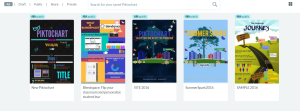
A tool for creating infographics, social media flyers, presentations and more, Piktochart has become one of the tools that my students enjoy because they find that it is easy to use and enjoy the options which enable them to really personalize and make their project authentic. I have used it to create visuals such as birthday cards, classroom signs, Twitter chat graphics, and also for creating presentations for conferences. Regardless of what your needs may be, if you want to give students an option to create something visually engaging, personal to their interests and which enhances their creativity, according to my students this is something that you should try.

5. Vismevisual-storytelling-in-the-classroom-1024x590

Several of my students who have been very hesitant to use anything other than traditional presentation tools through Google or Microsoft Office, have found Visme to be a tool which encouraged them to take some risks and try new things this year. Students had to create a timeline about their summer, or basically anything they wanted, as a back to school project. At first, several asked to use something different, but they quickly found how easy it was to create something and have fun in the process.

Several students enjoyed it so much that they contributed to two blogs about the use of audio and the benefits of it for education as well as other areas. (hearing from the student’s perspective, and seeing them featured for their work was a great experience). So if you want to try something more engaging that promotes creativity, helps to build those vital technology skills and also lets students have fun in the process, then this could be a tool to try in the new year.

You can create infographics, reports, presentations, social media flyers and more. It is an easy drag and drop tool, that encouraged those “hesitant” students to take some risks and try new things. Check out Visme’s video series for “how-to” information!

6. Nearpodnearpod4
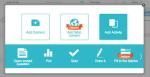
This is one of the game changers in my classroom this year. After many years of using the same Spanish reader in Spanish III, I wanted to add to the learning experience of students by enabling them to see some of the locations described in the book. I had found many videos and magazines, but I found Nearpod to be a much better way to really engage students in the lesson. Not only did students enjoy the lessons because of the interactive nature of it, they were overwhelmed by the ability to become immersed in the virtual field trips and feel like they were in the places they read about in the book.

I knew it was working when those students who were constantly watching the clock move were the last to leave the classroom. The only thing that made this better was when students created their own lessons and took over the classroom, becoming the teachers and giving me the opportunity to become the student and experience it from their perspective. There are many uses for this in the classroom: interactive lessons, multiple question formats, ability to upload content, assigning a lesson for practice and more.

It is definitely worth taking some time to try out, even looking over some of the lessons available in the Nearpod library, and asking your students what they think. And the Nearpod for Subs is AMAZING!

7. FormativeGoForm

A tool that can be used for having students complete formative assessments either live in class or as practice outside of the classroom, and a great way for teachers to get students more involved and be able to provide real-time feedback so that they can continue their learning process. Formative is a tool that has gone through many tremendous changes and improvements throughout the course of this year which make it a great tool for teachers to use for assessing students.

Formative is another tool that my students enjoy using because of the individual benefits of having feedback sent instantly and directly to them, being able to “show” their work or have their answers corrected immediately. It has been a way to create a more interactive classroom and also another tool which I have used to flip roles with students so that I could also learn from their perspective. It is something which students ask to use and which they are excited to tell others about, which is why I know that it is having a positive effect in my classroom.

Join #formativechat on Monday nights

8. QuizizzQuizizz1

A way to involve students in game-based learning in the classroom and also to provide more personalized instruction, based on the feedback you receive when students participate in a live lesson, or when you assign it as a homework practice assignment. I have enjoyed seeing students create their own Quizizz games, which I have found provides more focused practice for the students because they choose the material they need to practice.

Another benefit is that it also enables me to share these resources with the class and with individual students who may need some extra practice There are many features offered by Quizizz, and if time is lacking for creating your own Quizizz, you can gather questions and edit from all the public ones available. Try the game with your students and see what they think, and use their input to help plan the next game!

9. Buncee

The first time I created my own Buncee, I was amazed by the number of choices available for adding elements into my creation. I found myself thinking about how much the students would enjoy creating using it and having so many choices available. I have some students who like to “dab” every time they get an answer correct and so I quickly realized they would really love the fact that they could add a dabbing dancer into their presentation.

I created a Buncee for our annual Open House and was able to record my voice and add extra elements in from the diverse library of choices.  Being able to create a Buncee like this, is a great way to share the information with parents who may not be able to attend. I had students create projects with themes ranging fr9. om a medical chapter to a lesson on teaching verbs and more. Students love the choices and the ideas for how we can use this tool keep growing. But the best part of it is that it enables every student to find something to add into their project and to bring out their creativity. And it definitely builds confidence with a lot of fun in the process.

10. Blendspace TES Teach

A few years ago I found “Blendspace” and it was exactly what I was looking for. I wanted an easier, more reliable way to share some websites with students to use for practice during and outside of the classroom. I had been doing this, by typing the links on paper, but the problem was that deciphering the link (between i’s, l’s, for example) sometimes made it a bit challenging. So when I started using Blendspace, now “TES Teach,”  it was simply as a way to put activities and resources into a lesson and share one link which would open an entire page full of possibilities for enhanced learning.

But over this past year I have found many more uses for it, ranging from providing an asynchronous lesson, curating professional resources, storing student projects for easy presentation in class, and mostly for the simplicity of building a digital lesson full of multimedia resources, from scratch to share with students and colleagues. Creating a lesson is easy to do and can be done quickly when using the TES resources or when adding your own content.

Students can also use it to create their own presentations and this is a great way for them to incorporate a variety of media and to have everything available in one “lesson” using one tool. Accounts are free and you can have students join your class through a “pin” or Google Classroom or through a link. Teachers can also look at the lessons available through TES Teach and try some in the classroom.

11. Storyboard ThatSToryboardCH
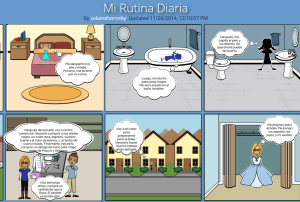
Storyboard That is an online tool that is used to create storyboard and provide a way for students or anyone to tell a story in a comic strip presentation Style. You can create by choosing from so many different characters props background scenes comma speak Bubbles and so much more. It is easy for students to create as this work as a drag and drop tool. It is a lot of fun for students to be able to really personalize the characters and create a very authentic and meaningful representation of the story they are trying to tell.

There are many characters and backgrounds related to specific times in history, you can change the color of the characters, their clothing, adjust their movement and more. It’s really nice for the students because they can customize so much according to their personal needs which really enables them to be creative and have fun and be more engaged in their learning.

Another benefit is that by having an account with school, there are lesson plans and examples available that can really help to see how to integrate StoryboardThat into your classroom, or really into any type of setting, to communicate information in a more visual, creative and innovative way. Another nice feature is that students can use it to present in class and have it presented similar to a power point.

12. BloomzApp bloomz1
Bloomz is a tool which I began using at the end of the past school year, to see how it could enhance my classroom and open up more communication with parents. Bloomz offers a lot of great features, integrates the features of a messaging app, LMS, an event planner and more. It even provides translation capabilities with translation into 84 languages. Teachers can quickly create an event, share permission slips, create a sign-up sheet, track RSVPs, send reminders, and share photos and videos with parents.

Bloomz also enables teachers and parents to communicate instantly, privately, and as often as needed each day throughout the year. It recently added the features of a student timeline for building a digital portfolio to share with parents, as well as a behavior tracking program, for communicating about student behavior and providing positive reinforcement.

Conclusion

Even with all of the great digital tools available, we have to make some decision about what will work the best for our classrooms. What is the purpose for the implementation of technology? In looking over this list, are there any that you think might help to enhance, amplify or facilitate student learning in a more beneficial way than what you are currently doing in your classroom? Determining the answer is the first step, as we know that using technology just to use it doesn’t make sense. However, when we use technology in a way that enables us to help students find their voice, discover more about what they want to do, what they can do and what they need help with, makes sense. These are some of the tools which helped my students and had a positive impact on our classroom and learning experiences this year. To get started with the new year and some of these tools, my advice is to simply choose one of these tools and try it out.  See how it goes and be sure to ask your students for their feedback as well.