How Kidblog supports and meets the ISTE Standards for Students


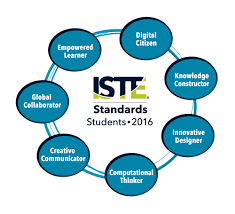
  1. Empowered Learner
  2. Digital Citizen
  3. Knowledge Constructor
  4. Innovative Designer
  5. Computational Thinker
  6. Creative Communicator
  7. Global Collaborator


The Student Standards reflect the skills that we want the students of today to develop, so they can become more connected with their learning and prepare for their future in an increasingly digital world. The use of blogging is a good way to address the ISTE Standards for Students. The new standards, which were released in June 2016, focus more on what we want for students – The pursuit of lifelong learning and ways in which we can help to empower students in their learning. The emphasis is on providing opportunities which promote student voice and choice and help educators to implement technology in ways that will increase student growth and readiness for the future. The ISTE standards represent the skills and qualities that students need for su​​ccess in the 21st century.

Supporting the standards with technology
There are many educational tools (both digital and traditional) available to promote student voice in the classroom. Blogging is one tool that serves to support and meet the ISTE standards. Educators can refer to the standards as a guide for selecting tools to use with students that will amplify learning and promote student choice. The goal is to support students so they begin to take ownership in their learning. A move in the classroom from teacher-centered, to student-centered and optimally, student driven. Here is how Kidblog can help.
1. Empowered Learner: As empowered learners, students “leverage” technology to show their learning and demonstrate their mastery in a platform that is comfortable to them and in a personalized space. Students take more responsibility for and have choices in how to show their learning.

2. Digital Citizen: Blogging promotes digital citizenship as it helps students to develop their social presence. Through blogging, students become active in online communication, learn about proper use of internet and resources and interact in a safe learning environment. Posting online and sharing information helps students to develop the skills they will need in the future and to recognize their responsibility when it comes to digital resources. Blogging gives students the opportunity to practice appropriate and ethical online behaviors, which transfer into the classroom space as well.

3. Knowledge Constructor: Students gather information and resources to use in creating stories, conveying information in a way that is more authentic and meaningful for their learning. The use of blogs helps students to work on their writing skills and ties in nicely with gathering information to share in their digital space. Students can research and analyze the resources, to determine which is most relevant and applicable to their task.

4. Innovative Designer: Students can use the different tools and features in the Kidblog platform to express themselves in a more unique way, share ideas and create in an innovative way. Designing and creating more authentic ways to show their knowledge as well as creating new and more “imaginative” solutions to a question or problem presented.

5. Computational Thinker: Students can use blogs as a way to discuss and talk through a process of decision-making. Blogging is a great format for working through projects or solving complex problems, and to demonstrate the thought processes and analysis involved through their writing.

6. Creative Communicator: Students can use the different features of Kidblog to share their knowledge, convey information or tell a story in a more engaging and creative way, to be shared with peers and the teacher. Blogging opens up more opportunities for students to be more expressive than the traditional formats such as paper or other digital tools. Students can express themselves in a way which promotes creativity and with Kidblog, can incorporate other tools to present their information in a way that supports the learning goals and meets individual student needs and interests.

7. Global Collaborator: Students can use blogs as a way to learn about other cultures and connect with others by posting their blogs and sharing information with peers. Students narrate background experiences and connect with others in a safe learning environment that builds confidence and promotes student learning. Students share their blogs with peers and can also connect with other students from around the world. It facilitates the opportunity to local and global issues and perspectives, and to use the blog as a way to express their thoughts.

The focus of the ISTE Student Standards, helping students to become better with communication, collaboration, critical thinking, problem solving and to express themselves in more creative and innovative ways, falls in line with the features of Kidblog.

7 Tips to Get The Most Out of Blogging This Year

Getting ready for the start of a new school year – new students, new curriculum, and new tools – means teachers have a lot of preparation ahead of them. Whether new to Kidblog or a veteran classroom blogger, these tips will help you get the most out of your class blog this year.

1) There is no better way to start the year than by way of introductions. Blogging can be a great way to get your students comfortable with you as their new teacher, as well as, their new classmates. In my classroom, I also use this time to cover expectations in the classroom. This is all done in a “Welcome back to school” blog post. Choose a fun theme for the class, add some links and include helpful information. Share information about you, including some fun facts, and encourage students to then respond to your post. You can begin to develop those vital relationships for your classroom.

2) Get parents connected. Make the decision to use blogs as a way to keep parents informed about what is going on in the classroom. Set a goal to write a blog post with a weekly update and share what is going on in the classroom, give highlights of upcoming events and activities the students will be participating in. Also, use the blog as a way to share student work with parents, which will really connect the home and the classroom, and involve all members of the learning community.

3) Involve students in planning for blog posts. Encourage students to come up with their own ideas or to work with peers to brainstorm some writing prompts to use throughout the year. Gather their ideas and then draw from their prompts. Involving students in the decision making process in the classroom helps to provide more authentic and meaningful learning experiences. It promotes student voice and choice in the classroom and helps students feel more valued and empowered. By actively engaging them in classroom decisions, students will feel more connected to the content and their peers.

4) Create a bridge between content areas by doing some cross-curricular blog posts. Find time to talk with and encourage other teachers who may not be using blogs, to work with you to create some cross-curricular opportunities. The blog can be a way for students to complete some writing assignments or projects for communicating their ideas and showing their learning. Students create their own personal space to share ideas and really have an opportunity to practice their skills for multiple content areas in a comfortable manner.

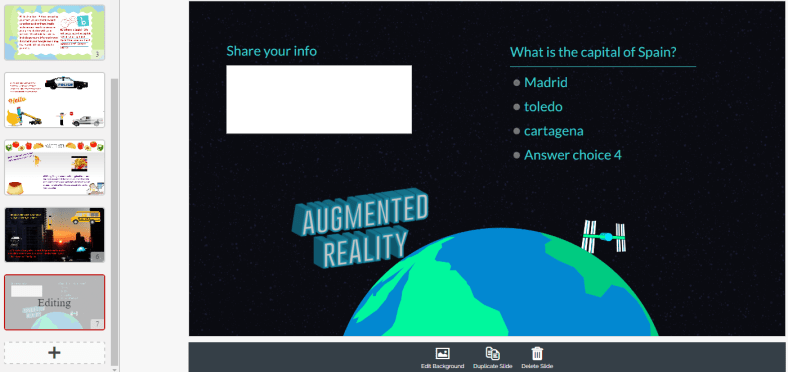
5) Try adding some other tech tools to app smash with Kidblog or use Kidblog as the means to share student work! Implementing other tools will help students develop their technology skills and digital literacy. For example, have students create a Buncee and write about what they’ve created, or, they may share it with a peer to create a story. These apps can be easily embed into Kidblog for their classmates to comment.

6) Have a routine for sharing student blog posts and set aside time in class for the students to work together to share their blogs, offer feedback and learn to reflect on their work. Making time for students to work with peers will build those positive classroom relationships and help students to become more confident in their learning. Their confidence will increase through the writing process and also by communicating and collaborating in the classroom.

7) Be sure to have resources available for students so they understand how to use the blog, how to write a post and to properly cite any images or other information they add to their posts. A great way to do this is by screen-casting a tutorial available to students, as well as, creating a “guide post” that gives students pointers on how to publish a post, the required format, and other information related to your expectations. By providing all the information in a place which is accessible, the process will be much easier for students throughout the year to have the support they need when they need it.

Kidblog

Why we need to reflect: Learning from our Mistakes

Reading the words of John Dewey: “We do not learn from experience…We learn from reflecting on experience.”, I give myself constant reminders to be reflective in my practice. Reflecting led me to really evaluate some things in my classroom.

A few weeks ago, I had a challenging week. Probably the most challenging week as far as behaviors, in several years. It came in the form of disrespectful behaviors, classroom disruptions whether it was students talking out loudly, exchanging words, or other similar interruptions.  I really tried to work through these, with the students, patiently and with every possibly method I could think of. I wanted to push forward and in another post, I explain what happened, but for now, these are the lessons that I have learned. And this is how I reflected and did what I needed to do, to restore balance in my classroom.

I am not one to yell in class, in fact, over the 21 years teaching in my current school, maybe there have been 7 or 8 times that I have really yelled. Whether that is good or bad, not going to decide, but I can say these were not the best reactions  in my years of teaching. However they have led me to take time to really reflect and remember a couple of things.

1) I am the adult and my role is to provide a supportive, engaging place for students to learn, to feel welcome and to thrive.

2) I don’t always know what’s going on in the lives of the students beyond my classroom and so their behaviors may be a result of something happening throughout the day or in their home or social life.

3) I cannot know everything but if I don’t take the time to get to know something about them, that is doing them a disservice.


So I did yell. It felt awful.  I myself further disrupted the learning environment, and for this, I also apologized. I shared this experience with some friends and was asked several times, “why” and “to whom?”


I apologized to my class and to each of the students to whom I yelled, because I did not handle it well. I myself further disrupted the learning and had an effect or impact on not just that student, but on everyone in the classroom. So it was a trying week because I had to really take a hard look at myself and my responses to some situations that I could have handled differently. I could have handled them better. I should have. But I am very open about the fact that I am a work in progress, that I make mistakes and I will own my mistakes and grow from them.

It took a few days for me to really shake off that negative energy and that is an awful feeling. But I did that myself, it was my choice to act, how to handle it and I definitely could have handled it better. I should have handled it better. A lesson learned, a new focus and a new reminder to think before acting and speaking.

Practice patience, use kind words and show empathy.


Teaching is hard sometimes. We can have lesson plans ready, very detailed objectives on the board, every material and activity ready for the students for the day, but one slight ripple ,one small interruption, can completely change the course of even the most perfect plans.

Rita Pierson said “Every kid needs a champion” and even in her math class, when one of her students had missed 18 out of 20 questions on a test, she wrote a plus two. Why? She said because that looks better than a -18 and it tells the student “you got two right and are on your way”.  It sends a positive message. We need to be the positive for the students. We may be the only positive they have each day. 

CHAMPIONSYLVIA

So avoid the negative, focus on relationships, reflection and constant growth. It starts with us and we make an impact, and we may never know how large of an impact we make,  from the smallest interaction.

So make every moment matter, because the students matter, and we need to be their champion. Even when they push back, push back harder with kindness.


Thanks to Sylvia Duckworth for this amazing image.


How I Connect Students Through Project-Based Learning

Posted on Teach ThoughtPBLTT.jpg

One area that I’ve tried to focus on more in my teaching recently is collaboration, specifically how students collaborate with one another, and finding more ways to do this in class so that I can facilitate their learning.

I enjoy having students work together within the same class because I believe in the value of building relationships and establishing a positive classroom culture. I also know how effective it is to take advantage of the time in class for students to become more familiar with each other and to work together towards a common goal.

Understanding that not everything can be accomplished in a classroom is a big reason for this shift in my teaching–and this is where I believe that technology can be extraordinarily useful with a real sense of purpose.

The Tools Of Collaboration

I have been using various tools over the past few years which have really opened up the possibilities of how, when, and where students communicate and collaborate.

Our interactions are ​​no longer confined to being in the same classroom, let alone the same school. Collaboration can occur between students across the globe and does not have to be done synchronously. The nature of tools such as Padlet or Wikispaces for example allows students to collaborate on their own terms. Time and place don’t matter as much as purpose and connectivity.

Thinking Bigger

I recall driving home one day and trying to come up with innovative ways to have students create with the language.

I liked the idea of projects, but wanted something more than simply having every student completing an individual project on the same topic. Each of my Spanish courses were at a place where I thought it would be great for them to do a project and work through learning in their own authentic way, so I decided to go big and involve the students from levels 1 through 4 as part of a team project.

I didn’t have a clue how this would work, but it seemed worth figuring out. I hoped that something like this would bring students together and show them the power of technology for collaborating and putting a project like this together, so I gave it some thought and this is what I came up with: A cross-level, cross class team project.

Executing The Project In The Classroom

Here’s how it worked: Spanish IV students had been studying careers and planning for the future. Spanish III was focused on travel and preparing for a trip. Spanish II was learning vocabulary related to a community and and types of activities that one can do in a neighborhood. Spanish I was learning vocabulary for houses, chores and describing living arrangements.

Taking all of these themes into consideration, I decided that one student from Spanish IV would be the ‘Team leader,’ and their ‘mission’ would be finding a job to apply for in a Spanish speaking country with the idea of going to work abroad.

Their task was to create a collaborative space, whether that be by creating a Padlet or Google Slides or something else altogether, and share it with the other members of their ‘team.’

Team leaders also had to write a brief note to their Travel Agent, Community Specialist and Realtor (students from Spanish I, II, and III) to let them know their travel interests and needs they have for moving abroad. The team members would then take this information when creating their part of the project. Spanish III would then plan how their team leader was getting there.

To make it more fun, I included a requirement that each Team Leader wanted a chance to sightsee before starting work, so the Travel Agent’s task was to plan a two-day tour that would meet the interests of their client.

Spanish II would research the neighborhoods where the client would be living and let them know what types of services and businesses were available for their new community. Spanish I, with two members assigned to each team, had to prepare to real estate ads for the clients. Each group would take the information from the notes and try to cater to the needs of their client.

There was a tricky part to this which was that I had to be out of school for a period of time. I was not there to oversee the work, however I use messaging tools like Celly, Voxer, and edmodo to communicate. The biggest tool I used, though, was the concept of collaboration among students.

While I didn’t plan this wrinkle in the beginning, I started to see that I relied on them as much as they relied on me and one another.

Stepping Aside & Letting Students Work: The Outcome

I distributed list of teams to each student. I put the team list on the board and left a space for the team leaders to put their link and their notes or however they saw fit to share this information.

There were problems at first. Students said they did not have the link, or had the link but did not have access and a few other issues, all of which I had expected and told the students to send messages or leave a note on the board. Always plan for failure, and have a backup for your backup.


Ultimately, I wanted the students to practice the vocabulary in their respective Spanish classes, but I also wanted them to learn how to work towards a common goal and without having to be in the same physical space or during the same time. I wanted them to see what great resources are available through technology and how they can work as a team without being in the same place.

The team leaders had the opportunity to say whether or not they really liked what the group members had put together for them, and for me it gave me another opportunity to let the students be creative, independent, to decide whatever they wanted to in terms of this project and that’s very important.

Giving the students a choice in how they show what they know and can do with the material and being open to their ideas was crucial to the success of the project. When planning, keep in mind that even if things don’t turn out the way you had planned, if the critical objectives of the project are met (whether academic standard-based, soft-skill, or something else), then the project has to be considered successful.

While planning is important and leadership essential, the tighter you hold to your vision of things as a teacher, the less ownership students can take over their learning.

Building Skills with App Smashing: Buncee, Padlet and now new Buncee Boards!!

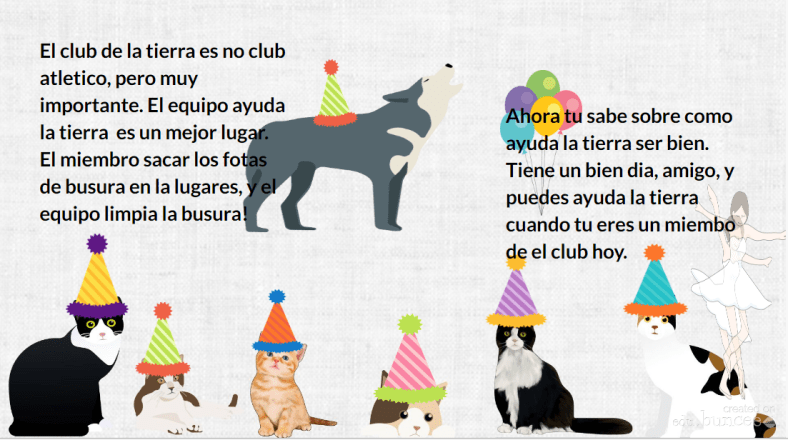
Buncee

There are a lot of great digital tools that promote student creativity and choice and give students an opportunity to learn about each other in the process. Two tools that have worked well together for this purpose are Buncee and Padlet. Using these together promotes student creativity, provides more authentic and meaningful ways for students to share backgrounds and introduce themselves to classmates. It builds digital citizenship and technology skills by teaching students how to interact in a virtual space. It promotes communication and collaboration through the sharing of projects and opens the ability to engage in conversation through the commenting feature on Padlet.


When students start the school year, learning about classroom procedures and becoming familiar with their peers are important activities. Teachers go about these procedures in different ways, some even choosing to dive right into the content material and to open up opportunities for these typical procedures on a daily basis. The past few years I have tried to get students to interact more at the start of the year, share who they are, their experiences, their interests and have them set some goals as well. I try to do so with variety of icebreakers or other activities like surveys or classroom games to get the conversations started. However, this year I plan to have students share their information by creating a visual representation. Students will be able to choose from the library of thousands of images, props, icons, animations and more in Buncee to tell their story. The requirement will be that they use very little in terms of text and rather choose the images, animations and even videos to tell their story. I also hope that it creates a way for students to share some learning goals they may have or things they wish their teacher knew.

BunceeJenna

Before the advancements in technology and the increase in types and number of tools available, sharing these creations required either printing or sending through email or storing on a flash drive. But with collaborative tools such as Padlet, it has been very simple to not only share the information quickly but to embed a Buncee project right onto the Padlet so it is fully visible to everyone instantly. By doing this, students have gained new knowledge of technology, developed peer relationships, teachers learn about the students, the students will learn about each other, and it will start the conversations going. By using imagery rather than so many words, students will be able to see some commonalities in the classroom which will help to drive the development of a classroom culture.

Besides the learning potential in this, I think it is a lot of fun and highly engaging for students to create and to see what their classmates have created. I would not be setting a good example if I myself did not create a Buncee and add it into the group. Students need to learn about their teachers as much as the teachers need to learn about the students. I’ve heard the quote and read the quote of Teddy Roosevelt many times “Children do not care how much you know until they know how much you care.”  This couldn’t be truer, so we need to learn about our students and show that we care about them and their success.

BunceeSpain

Combining Buncee and Padlet

Throughout this app smashing (when two tools are used in conjunction to create and present a product), students enhance their skills in many areas. In terms of the ISTE Student Standards, all seven are addressed in completing these activities. The main one addressed is 6, Creative Communicator. Students have a choice and their voice is represented in creating their Buncee. But in the process of creating, they become Global Collaborators because by posting it on Padlet, others can view their work and comment. They are Empowered Learners because they have choice and voice in their learning experiences. Computational Thinkers because they are deciding how to present the information in the Buncee, Innovative designers choosing from the thousands of features available in the library to put into their own creation. Digital Citizens because they are learning to respect others’ work and to publish and post responsibly. For some students, this will be the first time they are really interacting with digital tools and so it will be perhaps a big learning curve. However, everyone will be doing the same thing and there will be comfort in this which will help student confidence to increase. I promote student empowerment and it will be a good way to set up the classroom culture and to help students gain some new skills moving forward.

FETCpresentation

New Buncee Boards! Announced today!

Today is an exciting day for Buncee and the many users of Buncee. The newest feature, Buncee boards, provide a great way to gather resources in one place, open up communication and collaboration, and share ideas with others in and out of the classroom. There are a lot of great ideas for using #BunceeBoards in the classroom, so be sure to check out this post: 10 ways to use Buncee Boards to see some of the ways Buncee Boards can be used in the classroom. There are a lof of great ways to use these in the classroom, and even better, students can have fun sharing, commenting and posting reactions to the boards.

There are many possibilities for using Buncee in the classroom and the nice thing about it, the best thing about it, is that it promotes choice and authentic creations for students and teachers and anyone. It is a skill that students can learn and can share with their families which will open up more learning opportunities beyond the school setting and move it into the community and beyond.


Storytelling with Kidblog

Previously Published on MARCH 9, 2017   Kidblog

hands-hand-book-readingBlogging helps develop critical skills students need. In addition to working on necessary skills for communication and mastering grammar, blogging boosts creativity, increases confidence in expressing thoughts and ideas, and encourages authenticity when students write with purpose. Blogging for increased social interaction in the classroom will also lead to a more positive learning environment and help students develop critical peer relationships and collaboration skills.
The prompts

I have focused on transforming my classroom from “teacher centered” to “student-centered” and, as a result, created a student-driven learning environment. Moving the direction of your classroom in this way can help students emerge from learners to leaders and become more aware of their strengths and weaknesses in writing. Writing prompts are often discouraged in blogging – hindering student creativity. However, there are ways to design prompts that increase student engagement, lead to more authentic and meaningful learning, and provide an opportunity for students to be in charge of their learning.

It is important to offer a varietyof prompts to reinforce student choice and voice in the classroom. Additionally, prompts that include a picture lead to a variety of creative and authentic responses, while also giving students ownership in learning. Not to mention, it is a fun way to practice their writing skills.

Something new I tried this year, in an effort to open up more options for student choice and authentic and meaningful learning, was to design a “let’s tell a story” prompt. My goal was to help students build their vocabulary and refine their writing skills by learning and applying new words outside of our textbook chapter theme. To do this, students in Spanish II read a short Spanish book and while reading, they were tasked with creating a list of unfamiliar vocabulary words in each chapter. These lists would become their personal “dictionary” of (ideally) 50 – 60 words. I wanted them to select words that they did not understand and incorporate these words within their stories. This provided an authentic method for the students to create with the language and practice their writing skills.

Co-creating a story

I decided to have students participate in writing a collaborative story. Using a theme similar to the reader, which was a story involving a student who solved a crime and helped to capture a thief, each student was to select a certain number of their words, and create a story of their own. Once a story had been created, we selected another student to continue the story using different words from their vocabulary “bank”. In the process, I would read each of the posts, provide feedback and keep my own lists of some of the most commonly selected words, so that I could later use these additional words for building vocabulary.

This was a fun way for students to collaborate with their peers and make learning more meaningful through their own choice and voice. It enabled students to work together, to provide support and to keep each other focused on the writing task. After all, collaborative skills are so important, especially for building vital classroom relationships and social interactions.

Overall, this activity was an engaging way for students to practice the language, increase opportunities to show their language skills, all while being the main driver in their learning. Giving students the chance to demonstrate what they know, in their own way, amplifies their learning and connects them with the subject content in a more personalized, meaningful way.

Kidblog

3 Ways to Implement Blended Learning In The Classroom


3 Quick Ways to Implement Blended Learning In The Classroom

Best practices for blending or flipping your classroom continue to be topics of discussion in education today. Much of the discussion focuses on finding clear definitions of what these terms mean and the benefit to classrooms.

There are many resources and ways to educate yourself on this topic available including a diverse selection of books and blogs (such as the book Blended by Michael B. Horn and Heather Staker, and of course the Getting Smart blog) related to the topic, reaching out to colleagues or members of your PLN or attending conferences such as FETC, ISTE, state edtech conferences, edcamps and other professional development experiences.

All of these are great for finding examples, vignettes, templates, suggested tools and ideas. But even with all of these options, sometimes it is more valuable to take a risk and try something out on your own. The outcomes will not always be the same for each teacher, classroom or student, but it’s at least worth a try.

There are different models for implementing blended learning, and the method used will vary depending on your classroom. I recommend starting with one method–if you see positive effects, that you have more time to collaborate in class and your students are more engaged then continue. If not, then use this opportunity as a way to learn more about your students and their needs. As teachers, we need to constantly reflect on our methods and encourage self-assessment with our students, all part of learning and growing together. Getting started can take some risk and exploration, and definitely time.

Here are some different ways to use technology to “blend” or “flip” learning that in my experience have worked well. These tools can offer innovative or creative learning methods in your classroom, opening up the time and space for where and when the learning occurs.

1. Flipping and Blending with Videos

In the past when I heard “flipped classroom” I thought that meant simply assigning a video for students to watch. It can be, as it was originally considered the traditional way of flipping the classroom, but there has to be follow-up, accountability and more than just simply assigning a video. How will we know what the students gained from the experience?

The benefit of having students watch a video outside of class is that it reserves the class time for discussion and peer collaboration, and moves the teacher to more of a facilitator in the classroom. There are video tools such as EDpuzzle and PlayPosit, through which students interact with the video.

By responding to questions throughout, they are held accountable for the material and can show what they are learning. The teacher has instant feedback and can better understand how the students are learning and provide more personalized instruction. Either of these tools are great for the teacher to create lessons, but also provide the opportunity for students to create lessons that can be shared with other students.

In my experience, these tools have both provided a lot of authentic learning, problem-solving, critical thinking and collaboration. More importantly, they create an opportunity for students to move from learners to leaders, and from consumers to creators in the classroom. This is one of our main goals as teachers–to provide opportunities which empower students to take more control and drive their own learning. These leadership opportunities also help the students to feel valued because of the work that they are doing. There are sample lessons or “bulbs” available, so try one of from the library, and see how it works in your classroom.

2. Game Based Learning and “Practice” as Homework Alternatives

Perhaps you want students to simply play a game or have some practice beyond the school day. There are lots of options available, some of which enable students to create and share their games as well.

A few of these that you are probably familiar with are Kahoot, Quizizz and Quizlet. Creating a game with any of these three apps is simple. There are many public games and Quizlet flashcards available to choose from, and it is simple to create your own or for students to create something to share with the class. You can use these to differentiate homework and have students create something more personalized and beneficial for their own learning, and then share these new resources with other students and classes.

It’s another great opportunity to understand student needs because of the types of questions they design and the vocabulary they choose to include. Another bonus is that using something like Quizizz means students can complete it anywhere. Have you tried these  three? Give Gimkit a go. Created by a high school student, this is a game that students enjoy, especially because they can level up, use multipliers and really practice the content with the repetitive questions that help them to build their skills.

3. Discussion Beyond the School Day and Space

There are tools available for having students brainstorm, discuss topics or write reflections which can be accessed at any time and from any place.  For example, Padlet is a “virtual wall” where teachers can post discussion questions, ask students to brainstorm, post project links and more. It is a quick and easy way to connect students and expand where and when learning occurs. Take the posts and use them as discussion starters in the next class.

Synth is great for having students create or respond to a podcast. The idea is that students can do some of these activities outside of the classroom period, and teachers can create prompts which provide opportunities to engage students with their peers in a more comfortable way.

Even though all of these involve technology at some level, they are interactive tools to engage students, to expand and “flatten the walls” of the classroom and offer students an opportunity to do more than just sit and learn; to become more actively involved, giving them a voice and choice, through more authentic learning.

By giving the students a chance to do more than absorb information, but instead to create, design and think critically, we not only give them the knowledge to be successful, we encourage them to create their own path to success. And hopefully, in the process, they learn to better self-assess and reflect, both of which are critical skills they’ll need for success in school and in their careers.


10 EdTech Tools for Encouraging Classroom Collaboration

Thank you Getting Smart for the opportunity to be a Guest Author for this post.

10 EdTech Tools for Encouraging Classroom Collaboration

By Rachelle Dene Poth

Today’s technology offers so many options for educators and students that deciding on where to begin can be overwhelming. To get started, think about one new approach that could be the catalyst for positive change in your classroom. In looking at your learning environment, what could benefit your students the most?

How do you find tools to help meet your needs? Resources are everywhere: books, blogs, social media like Twitter chats, Voxer groups, your PLN, or even conferences, EdCamps and similar professional development opportunities. But even with all of these resources available, it still comes down to taking a risk and trying something new.

Here are some helpful and versatile technology tools to easily and quickly integrate into your classroom and help meet your needs.

Discussion Tools: Get Them Talking

Teachers need to hear from students, and we know that asking questions or calling on students to discuss a topic can often make them nervous. When students, or anyone, develop that feeling of “being on the spot”, it can become more difficult to encourage students to share what they are thinking, what they are feeling and what their true opinions are. This is where digital tools can provide security and opportunities for students to express themselves. Technology has a true purpose. Students still need to develop an ability and gain confidence to speak in class, but these tools can help by providing a comfortable way for students to develop their voice and express themselves.

Depending on the type of question or discussion format you want for your classroom, there are many tools available that can help.

  1. SurveyMonkey is a good way to ask a variety of questions, find out what students are thinking, use it for a quick formative assessment, and many other possibilities. I have used it to find out how students prepared for tests, what areas they need help with, and even for voting for club officers and planning trips. You have the results quickly and can provide feedback instantly, to plan your next steps in class. It can be a different way to find out about your students and their needs.
  2. TodaysMeet is a backchannel tool that can be used in or out of class, as a way for students to contribute to a discussion or ask questions. It can also be used to provide “office hours” online, for students to ask questions beyond the school day. There are many possible uses for this tool, and setting it up is easy.
  3. GoSoapBox is a response tool that can be used to ask a variety of questions without students having to create accounts. Students simply need an “event code” provided by the teacher to access the activities available. GoSoapBox can be used for polls, discussion questions, quizzes and more, and provides a fast way to assess students or to simply learn more about them and their thoughts.
  4. Recap is a video response tool, where students can respond to a prompt and all responses are compiled into a “daily reel” for teachers to view and provide feedback. Students can respond from anywhere and feel comfortable in sharing their thoughts using this tool.

These are just four of the many options—sometimes it just takes a bit of research. Asking the students for new ways to use the tools you have already been using in class can also be helpful.

Communication Through Collaboration

There are many options which promote student collaboration and enhance writing skills and student voice.

5) Blogging: Through blogging, teachers can provide support for students and help them to gain confidence in writing and speaking. We have used Kidblog to complete many writing tasks and creative writing assignments.

6) Wikispaces: A Wiki has worked really well in our classes for having students collaborate on a topic, create a discussion page, and set it up to inform on a topic, to list just a few examples. We created a wiki on Spanish art and also created our own travel agency.

7) Padlet: Padlet is a “virtual wall” which promotes collaboration, communication, creativity and more because of its versatility. Students can write a response to a discussion question, add resources for a collaborative class project, work in small groups, use it for brainstorming or connect with other students and classrooms throughout the world.

Using digital tools in this way is great because the discussions don’t have to end when class does. These tools give ways to get students talking, share their ideas, so that we can help them grow.

Creating presentations and telling a story

A few options for having students present information in a visual way with options for multimedia include the following:

8) Buncee is a web based tool that can be used for creating presentations, interactive lessons and more, with many options for including different characters, fonts, animations, video and more.

9) Piktochart is a tool for creating infographics, social media flyers, engaging presentations and more. Students have created menus, self-descriptions, movie and tv advertisements, recipe presentations and much more.

10) Visme is a “drag and drop” tool that is easy to use for creating infographics, reports, different presentations and more. It has a library full of images, charts and more, making it easy for users to create exactly what they need.

What are the benefits of these tools?

Each of these tools promote more personalized and meaningful learning for students. These tools can be used to enhance, amplify and facilitate deeper and more authentic learning . Using technology just for the sake of using it doesn’t make sense. But using it to help students find their voice, learn what they want to do, what they can do and what they need help with, does makes sense. Purpose.

For more, see:

Rachelle Dene Poth is a Foreign Language and STEAM Teacher at Riverview Junior Senior High in Oakmont, PA. Follow her on Twitter at @rdene915.

Thanks Edmodo for teaching me about Instagram

Wrong again!  This is the next in the series of posts about how I was wrong about the value of Social Media.

Instagram

I really did not have any understanding about Instagram. I thought it was just another place for posting photos, although very vibrant ones, enhanced with filters and more. I had an account, one which I created at some point, but had not really used. I just didn’t understand it.

My account had a few photos, nothing too exciting, but it somehow was enough to get a few followers. I am not even sure how people found my account and I did not know anything about the settings, there was just no time investment on my part to learn about it.

I had not checked it in a long time and the one day I did, I noticed that several students were now following me. I couldn’t imagine why they would want to follow my account, especially since it was really quite boring. I actually did not even know my own user name. There were maybe 3 photos, and they were not too interesting or vibrant.  I also was surprised that they were able to follow me, but then again, I had not really checked into anything about it, especially the settings. So this made me curious to learn more about it, starting with the settings.

Well, after I changed my username…a few times, I still did not really have intentions to use it, as I already had several other accounts and did not have extra time to post on another site. But then one day, I was selected to carry the Edmodo EdTech baton.  I am an Edmodo Ambassador and I enjoy doing activities which share the uses of Edmodo, especially because it has brought about so many positive changes for my classroom and opened up tremendous learning opportunities for the students.  I did not know what “carrying the baton” meant.  But, it turned out that I had to post photos on Instagram throughout the day I carried the baton.

So this was my purpose for using Instagram and I admit that I had to ask the students exactly how to post things. I did not have a clue! But that is okay because as much as I enjoy learning new things and sharing the information with students, it is so much better to learn from them. There are so many benefits. One, because I can see them engaged at a different level and two, it gives them a different perspective in the classroom, one in which they are the leaders.  You can sense their excitement when they are the ones teaching about something they use and understand.

My use of Instagram was short, only for that Edmodo time period of one day, however, I do enjoy seeing the posts of others, the different filters, and truly appreciate the ability to share information and photos so quickly. I have since posted some photos, and sort of figured out the collages, but I prefer to see the posts of friends.  It is still not something that I use on a regular basis, but I admit, I was again wrong about the value of another social media platform.

I am trying to stay connected through Instagram. I do appreciate the opportunity to stay connected with  friends and family. But there is this whole other side to the use of Instagram which I really did not know. Instagram can also be used for educational purposes, not something that I had thought of aside from when I carried the Edmodo baton.  However, I am currently reading “Social Leadia” by Jennifer Casa-Todd @JCasaTodd and just read about some really fantastic, educational uses of Instagram for all levels of students, kindergarten through high school, and so I think I need to give it a try this year. I just need to think about the ways to use it that would be the most beneficial for students.

But before that, I need to remember what my user name is.

Next up…Snapchat…I have no idea how to use it. But, I am fascinated by #booksnaps thank you Tara Martin @TaraMartinEDU


8 Things I Learned My First Year Of Teaching With Project-Based Learning

8 Things I Learned My First Year Of Teaching With Project-Based Learning

 3.5k

8 Things I Learned My First Year Of Teaching With Project-Based Learning

by Rachelle Dene Poth

My first year of teaching with project-based learning provided as much learning for me as it did my students.

Each year when I head back to my classroom in the fall, I have many ideas of new methods, new tools, and some changes that I want to make in my classes. These changes and ideas are the result of attending summer conferences, reading new books, and maybe the most helpful, student feedback that I review over the summer.

The biggest change I wanted to make this year was to have my students really engage in Project-Based Learning.

Interested in PBL support? Contact TeachThought Professional Development today! 

1. It’s not ‘doing projects.”

My students have completed many projects over the years, and I honestly thought they were doing “PBL”, but after the summer I finally realized that it was not authentic PBL. I was simply having students learn by completing projects. Coming to this realization allowed me to find resources to learn how to implement authentic PBL into my classroom.

If you are feeling the same as I did, don’t worry. There are the resources, tools, and shifts in thinking that can help you on your way.

See also: The Difference Between Projects And Project-Based Learning

2. Students–and parents–need to understand the process.

To get started, I sought out resources that I had learned about over the summer.

I learned that there are several different methods of doing PBL. The theme can be something created by the teacher, independently chosen by the students, or a combination of something in between. Because I had decided to implement PBL with my Spanish 3 and 4, I decided to follow an independent method, enabling students to pursue something of personal interest. The opportunity for students to have choices through more independent learning, leads to a more meaningful experience, a few of the great benefits of PBL.

The opportunity for students to have choices through more independent learning, leads to a more meaningful experience,  a few of the great benefits of PBL. This is difficult without students–and parents!–understanding how PBL works so they can buy-in, support, and believe in this ‘long-tail’ approach to learning.

3. The right technology can make all the difference.

I started by explaining the purpose of doing PBL, what I hoped would be the benefits of doing this in Spanish 3 and 4, and using the resources I found, shared the PBL elements with the students. I wanted to make sure they understood the process, as much as possible, from the start. I knew it would be a learning experience for all of us, requiring ongoing reflection and feedback.

In our classes, we use a few digital tools which help open up opportunities for communication and collaboration. We use Edmodo for our classroom website, messaging apps (Celly and Voxer), and have also used tools such as Kidblog for blogging and writing reflections, and Recap and Flipgrid for video responses.

4. Developing quality Essential Questions takes practice.

I did my best to explain how to create an Essential Question (what TeachThought Professional Development calls ‘Driving Questions’), referring to resources I had found, as well as some books and educators for advice. I had struggled with crafting my own “Essential questions” in the past during curriculum writing and I knew this was an area that I also needed to work on.

What I learned is that Essential Questions are not answered with a yes or no, and answers are not easily found through a Google search. Essential questions will help students to become more curious, to seek more information, and in the process, develop their skills for problem-solving and critical thinking.

Essential questions drive the learning.

Last summer, I had read the book Pure Genius, by Don Wettrick, and had the opportunity to meet him during the Summer Spark Conference in Milwaukee. I also read a few other PBL books including  Reinventing Project-Based Learning: Your Field Guide, by Suzie Boss and Jane Krauss, and Dive Into Inquiry by Trevor MacKenzie.

Once we started, the students had many questions, and I answered as best as I could. However, because this was a new experience for me as well, I sought additional help.  Don Wettrick spoke to my students through a Skype call and later in the fall, Ross Cooper spoke with my students about crafting their Essential questions. Another great resource I consulted over was  Hacking Project-Based Learning book by Ross Cooper and Erin Murphy.

See also: Using The QFT To Drive Inquiry In Project-Based Learning

5. Project-based learning is a team-effort.

We have gone through this twice so far this year, and are now focused on one final PBL theme. It has been a tremendous learning experience for my students and I have learned so much from them. We have covered many new topics related to culture, language, sports, family and traditions.

The students enjoy having the chance to be in the lead, to drive their own learning, and have become more reflective on their work and on this PBL process. I did make mistakes and continue to work on improving each time we do this. The availability of these PBL resources to guide teachers and students and other educators who offer support along the way has made all of the difference.

The most powerful part of this has been the feedback from my students. I asked for the positives, the negatives, what could be different, how could I help more, and they were honest and offered such great information.

6. Project-based learning empowers students.

What I have learned is that it really does benefit students and the teachers to offer these project-based learning experiences for students, to find out about their passions and interests. We learn more about them and from them through their PBL. Having students take over the classroom and present their information opened up so many new learning opportunities for everyone. This is truly a great way to see students empowered in their learning.

Overall, the students are pleased about the work they have done, the progress they have taken and are excited about this next phase. We reviewed the feedback, did a little bit more research, and had some planning conversations.

7. Project-based learning forces students to see learning differently.

We need to create opportunities for students to pursue their interests when they learn. In order to prepare them for the real world, we should provide learning opportunities which connect them with other people, perspectives, and experiences.

The most difficult part for my students at the start of this was thinking about how they were going to present their information, and I kept telling them to work through the research part, gather their information first. I reminded them often to focus on the “what and why” part, and that the final product form would become more apparent as they progressed.

8. Patience is key.

I am pleased with having started PBL this year and I encourage other educators to consider implementing PBL in their classrooms. Yes, there can implementation dip. And without communication with students and parents and even our own colleagues, progress can be slow.

PBL is, however, a different approach to learning. It acknowledges that the school year is a marathon, not a series of sprints. It allows students to design and create and publish and reflect on and revise ideas, and this all takes time. Patience, then, is a critical characteristic of any successful–and sane!–project-based learning teacher! Given time, you’ll eventually help the students see the impact it has had on their learning.