Social Media: Oh goodness…Voxer: Did somebody just say 10-4?

This is the next post in my series about Social Media and the different tools available for learning and connecting. I was wrong about Facebook, Twitter and LinkedIn….and now Voxer. WOW!

I think that this might be one of my favorites, even though it is difficult for me to make any kind of decision when given more than 1 option. But the thing about Voxer is that it enables live communication between anyone and anywhere. It absolutely fascinates me and I am wowed each day by the many ways it can be used.

Why am I such a fan? Well honestly, maybe a part of this is because I had a real set of walkie talkies and was amazed that you could talk into it and somebody, somewhere else could hear and answer you right back.  When I was 13, I remember trying out the set in my parents’ car and talking to someone that ended up living a few streets away.  Michele and I became great friends and it amazes me to this day that I met someone by using the Walkie-Talkie,way back then in 1984. Who knew what the possibilities would be for today, using Voxer, is amazing.

I remember having a set of them sometime in the late 1990’s and using them at the mall, thinking it was the coolest thing ever. (I know, there were probably cell phones, I did not have one yet, they were still in the big bags or attached in cars).

Learning about Voxer

But my first experience with Voxer was becoming involved in a group preparing for ISTE in Denver last summer. How did I find out about this? Ironic moment. You might laugh but it was through a Facebook group. An interesting series of events. Sometimes we question what if? What if I had made a different choice? What if I didn’t go in that direction  and in this case what if I had never created a Facebook account? Still can’t believe that I am asking myself that question.

There are still many things between then and now that would be so different. I would have found less classmates for high school reunions, I wouldn’t know about friends who’ve moved away from or back into the area. Connecting with family and friends, seeing pictures and sharing news would happen a lot less often. So the crazy thing is that the one account I was so hesitant to get, led me to become involved with all of these different social media platforms and build my connections even more. So very wrong I was. 

Adding on Voxer: There was a Facebook group for people attending ISTE 2016, and someone (Rodney Turner, @techyturner) started a Voxer group. I had no clue what it was but I joined it and at the time I was on a basic account, but upgraded to the PRO account, which is nice because if you send a message and you want to recall it, you can. How many times do you wish you could say something over?  Once again, it did not take too long to see the tremendous value in this form of communication as well. Being able to ask a question and have someone answer you immediately, a person who may be on the other side of the world and talking to you live is tremendous. Seeing the green light up that indicates they are talking live is amazing.

Now people might think “well it’s not that much different than talking to somebody on the phone.”  And that is partially true, you are having a conversation or could have a conversation just as you would on the phone, however the difference is if you have a question and you make that phone call, that person may not answer right away, if at all. Being part of a Voxer group, there are many people available to answer instantly while we pose the question. Unlike a phone call, it goes out to many people, leading to many responses and perspectives immediately. 

Some uses

Voxer has been a great platform for leading and participating in a book study, which might sound a little bit different when you think about how traditional book studies occur. It is a great way to connect with others for a book talk. I have been able to connect with so many more educators through Voxer which  has led to more connecting on those other social media platforms, yes Facebook and Twitter and LinkedIn. The ability to listen and learn anywhere at anytime is unbelievable.

With my students, it has been a tremendous way to listen to their PBL ideas and help them brainstorm, for them to ask questions when needed and for them to form their own groups.  They love the capabilities of using Voxer for education and fun!

If you don’t yet have Voxer, try it out. There are so many groups full of conversation, inspiration and motivation and definitely fun! If you want some ideas, let me know.  There are groups for connecting Educators, learning about Snapchat!, Breakouts, LeadupChat and so many more.  Connect with me on Voxer, I am @rdene915


Thanks for reading!voxer

Another social media “risk”: Wrong again

This is the second part of my posts sharing how I was wrong about the value of Social Media for professional learning

So enter Twitter, the “twitterverse”. I was really wrong about this one and as a very reflective person, if I am mistaken, I will readily admit when I am wrong. And I will also take a step back and think about why I was wrong. For Twitter, I had no idea what was out there in the Twitterverse. I really knew nothing about anything related to Twitter.

I have had a Twitter account for probably 10 years, an account that was created only because a family member sent me a link, which required a Twitter account in order to see the post. I used my regular email address (original AOL by the way) and joined Twitter. I think I looked at it a few times for a week and then 5 years went by, never again looking at Twitter.

It wasn’t until the summer of 2014, when I was leading a session at a technology Summit, when someone tweeted about my session, to what they thought was my Twitter account. So I decided to create an account in that username and I have been actively involved in Twitter more or less ever since.

I had the misconception that it was only for celebrities. But I decided to look into it a bit more. I really didn’t know how it worked but I came across a Twitter chat one night and I started to connect with a few people from North Carolina and Tennessee. That was my start toward becoming a more connected educator and seeing the true value in Twitter. I added additional Twitter chats to my weekly activities and looked forward to the interactions with the new friends that I had made.

Shortly before ISTE 2015, I learned about “tweetdeck”. I had no idea what that meant, and I did not ask because I figured that it was something that I should know if I was using Twitter. I think I googled it. Before Tweetdeck, I used one window, with 1 chat and flipped back and forth between each chat window. To say it was a bit difficult at times is an understatement. I decided to try Tweetdeck, during my train ride to ISTE, multitasking by reading my Teach like a Pirate, involved in a Saturday chat with Tweetdeck and amazed at what was happening. It hit me. The power of communication and technology. In and of itself the fact of sitting on a train, reading a book with Wi-Fi access to enable me to use my computer, engage in multiple tasks, communicating with people around the country and world, at any point in the day during the travels. When you stop and think about it, it’s so amazing what we are capable of today. And with these two social media platforms alone, (ones which I adamantly avoided), the possibilities for learning, connecting, and so much more happen instantly anytime and anywhere. But that’s just my view of it and people may not see the value in having accounts with these or may prefer to stay away from social media. And it may not be for everyone, but I’ve learned that you can’t really say that you don’t like something or that you hate something, until you at least give it a try. And you certainly can’t go based on what somebody else says. While I greatly value the opinion of others, and can and have in the past been swayed because of someone else’s opinion, I really try to think about what is best for me. As an educator, I think about what is best for my students. I might love a certain digital tool but if it’s not going to benefit my students,  I won’t just throw it out there and say have fun with it. And that’s what I’m saying about Facebook and Twitter. As a start, either of these would be something that might surprise you in terms of the benefits personally and/or professionally. And again, I admit that I was wrong.  Lessons learned about Facebook and Twitter: Educational value is huge and learning to write concisely is an acquired skill.

I was wrong (really): How I became more involved through Social Media


***This is the first in a series of posts about the benefits of social media tools for education, and how I learned the value of them for becoming more connected.

I was not always into social media and cannot say that I truly saw the value of what each platform might have to offer. Part of this is my fault because I did not take time to learn about Twitter or Facebook and the others, and I had some misconceptions about what each social media platform was being used for. The other part is that I relied on the comments and experiences of others to judge the value and the benefit of trying any of these for my own use.

I love technology.  Ever since I was a child, I have been interested in trying new things, spending time learning and working with all things tech. I was fine with communicating through email, text messaging, and the occasional phone call.  I held off on creating a Facebook account because I thought that it was just a way to tell people what you were doing on a daily basis, “status updates”. I had the perception it was just about updating everyone on the  basic chores and daily life habits that we all take part in. I also did not consider using Twitter because I thought it was simply a way to keep up with what celebrities were doing and I had other ways to do that. Being an avid reader of publications like People magazine or US for many years, I kept up with what was going on in the celebrity world. Enough anyway.

So for me, I didn’t really think about or see any benefit personally, nor professionally, for having either of these social media accounts. So what led to the change? Class reunion planning. I had the task of locating classmates for an upcoming high school class reunion. I graduated with nearly six hundred people, and knew it would be a very tedious task. My options were to spend time looking online or flipping through the pages of a telephone book,  assuming that people still lived in the area or that I could easily locate their information using these methods. The possibility of Facebook had not entered my mind until a friend suggested it. So I gave in, created my Facebook account and little by little, sure enough, I began finding some of my classmates, friends from childhood and college and even making new connections.

Once I started using Facebook more,  I realized that I had been mostly wrong. I found out that not everyone used Facebook as I had thought. It really was a way to locate classmates, reconnect with friends and I started seeing that Facebook could be valuable and not at all what I had thought.

I found different learning communities and groups to join through Facebook. It became a great platform for sharing information, adding resources and amazingly, not that I thought this years ago, has the capability of being a tremendous tool for learning and professional growth. It is a way for people to connect instantly with anyone throughout the world, at any time and can be used as a system of support. You can keep up with friends, family, colleagues, and see how people live in other places of the world by sharing photos or going “live”.

So I discovered that I was wrong. I had this idea of Facebook and its uses in my mind and actively stayed away from it for years. So what is the lesson I learned? I learned that in order to really understand the benefit and use of something, you have to investigate it yourself. You have to take that chance, take a step, take a risk and look into something before making a judgment about its value. (A lesson for life as well). But the flip side is that you can’t just start using something because everybody else is, or you “heard” that it was the best way or best method of doing something. Everybody is different and everything affects people in different ways. I’ve always said that we can all read the same book but get a different story. And that’s the case with Facebook.

Thank you Facebook for being the means through which I have been able to reconnect with friends, join new learning communities and keep up with family and members of my PLN who I do not get to see very often.  It is a means to share good news and bad, but the main point is that it is a way to become connected and we all need to be connected to someone and something.

So I was wrong about the power of social media….and that’s okay, because I know the possibilities now and learned the lesson of keeping an open mind, judging for myself, and then reflecting.


Next up….Twitter!

12 Tools That Made The Biggest Difference In My Teaching

Posted on TeachThought, January 5, 2017

12 Tools That Made The Biggest Difference In My Teaching This YearRachelle Dene Poth

There are so many digital tools available today to promote student learning in the classroom. The task is in figuring out what you need for your classroom. What could benefit your students the most?

Over the past year, I took as many opportunities to learn as I could, spending time gathering information from reading books and blogs, staying active through social media in Twitter chats, Voxer groups, and by attending many conferences, both physically and virtually. I created long lists of new ideas, new tools, and created new accounts for many digital tools and tried as many as I could.

12 Tools That Made The Biggest Difference In My Teaching This Year

Communication, Collaboration

Technology can help give students a voice, where otherwise they may not be willing to or want to respond, especially within the traditional classroom space.  Here are the tools that changed our classroom this year and why.

1. Recap recap pioneer badge 2017 (1)

A video response tool that can be used for many purposes including formative assessments, student reflections and for sharing student work with parents. One of the biggest benefits of using Recap is that it provides a comfortable way for students to connect with their teachers, to share their ideas, thoughts or reflections, in a way which promotes student voice.

After using Recap with students for assessments, for providing their feedback to me about what they liked and did not like about class, and more, I could see that they were comfortable being able to speak freely, in their own space. I like being able to ask questions, provide different prompts, give feedback, and receive the daily reel that Recap compiles, to make reviewing it an easy process.

2. Voxervoxer
I found out about Voxer after being invited into a group created for ISTE Denver 2016. It started with a group on Facebook, and led to the implementation of Voxer as a means to connect everyone, build excitement for the conference and much more. I was amazed with the diverse uses of Voxer, ranging from individual conversations, a specific topic focused chat focused, a book study and much more.

Becoming more familiar with the different uses  got me to thinking how I could use it as a way to be accessible to students when they needed help with assignments. I had already been using various platforms including a messaging app and an LMS, but thought I would try Voxer out with a small group of students. The students loved it and used it for a few Spanish projects and even on a personal communication basis. After some time reflecting, I thought it could probably be a good tool to use for speaking assessments and to get the students involved in having conversations in Spanish with each other.

There are many uses for Voxer in general, but as an educator, it can be a good way to become more connected, receive and provide support for colleagues and students.

3. PadletPadletBlended
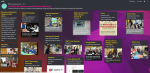
Padlet, which is equated to being a virtual wall, kind of like writing on a bunch of post it notes, has emerged as quite the multi-purpose tool in my classroom. What initially began as a way to have back-channel discussions, emerged as a means to communicate with other classrooms on Digital Learning Day, to have students quickly research and post pictures for a fun class activity, to curate student projects for easy display in the classroom, and even for students to use to create a project which included activities and multimedia links.

The uses keep emerging and I’ve found that sometimes it’s best to turn to the students for some extra ideas of how you can use some of these tools in your classroom.

4. PiktochartPIKTODash
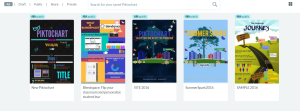
A tool for creating infographics, social media flyers, presentations and more, Piktochart has become one of the tools that my students enjoy because they find that it is easy to use and enjoy the options which enable them to really personalize and make their project authentic. I have used it to create visuals such as birthday cards, classroom signs, Twitter chat graphics, and also for creating presentations for conferences. Regardless of what your needs may be, if you want to give students an option to create something visually engaging, personal to their interests and which enhances their creativity, according to my students this is something that you should try.

5. Vismevisual-storytelling-in-the-classroom-1024x590
Several of my students who have been very hesitant to use anything other than traditional presentation tools through Google or Microsoft Office, have found Visme to be a tool which encouraged them to take some risks and try new things this year. Students had to create a timeline about their summer, or basically anything they wanted, as a back to school project. At first, several asked to use something different, but they quickly found how easy it was to create something and have fun in the process.

Several students enjoyed it so much that they contributed to two blogs about the use of audio and the benefits of it for education as well as other areas. (hearing from the student’s perspective, and seeing them featured for their work was a great experience). So if you want to try something more engaging that promotes creativity, helps to build those vital technology skills and also lets students have fun in the process, then this could be a tool to try in the new year.

You can create infographics, reports, presentations, social media flyers and more. It is an easy drag and drop tool, that encouraged those “hesitant” students to take some risks and try new things. Check out Visme’s video series for “how-to” information!

6. Nearpodnearpod4
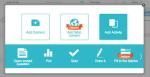
This is one of the game changers in my classroom this year. After many years of using the same Spanish reader in Spanish III, I wanted to add to the learning experience of students by enabling them to see some of the locations described in the book. I had found many videos and magazines, but I found Nearpod to be a much better way to really engage students in the lesson. Not only did students enjoy the lessons because of the interactive nature of it, they were overwhelmed by the ability to become immersed in the virtual field trips and feel like they were in the places they read about in the book.

I knew it was working when those students who were constantly watching the clock move were the last to leave the classroom. The only thing that made this better was when students created their own lessons and took over the classroom, becoming the teachers and giving me the opportunity to become the student and experience it from their perspective. There are many uses for this in the classroom: interactive lessons, multiple question formats, ability to upload content, assigning a lesson for practice and more.

It is definitely worth taking some time to try out, even looking over some of the lessons available in the Nearpod library, and asking your students what they think. And the Nearpod for Subs is AMAZING!

7. FormativeGoForm
A tool that can be used for having students complete formative assessments either live in class or as practice outside of the classroom, and a great way for teachers to get students more involved and be able to provide real-time feedback so that they can continue their learning process. Formative is a tool that has gone through many tremendous changes and improvements throughout the course of this year which make it a great tool for teachers to use for assessing students.

Formative is another tool that my students enjoy using because of the individual benefits of having feedback sent instantly and directly to them, being able to “show” their work or have their answers corrected immediately. It has been a way to create a more interactive classroom and also another tool which I have used to flip roles with students so that I could also learn from their perspective. It is something which students ask to use and which they are excited to tell others about, which is why I know that it is having a positive effect in my classroom.

Join #formativechat on Monday nights

8. QuizizzQuizizz1
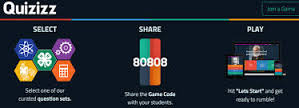
A way to involve students in game-based learning in the classroom and also to provide more personalized instruction, based on the feedback you receive when students participate in a live lesson, or when you assign it as a homework practice assignment. I have enjoyed seeing students create their own Quizizz games, which I have found provides more focused practice for the students because they choose the material they need to practice.

Another benefit is that it also enables me to share these resources with the class and with individual students who may need some extra practice There are many features offered by Quizizz, and if time is lacking for creating your own Quizizz, you can gather questions and edit from all the public ones available. Try the game with your students and see what they think, and use their input to help plan the next game!

9. Buncee

The first time I created my own Buncee, I was amazed by the number of choices available for adding elements into my creation. I found myself thinking about how much the students would enjoy creating using it and having so many choices available. I have some students who like to “dab” every time they get an answer correct and so I quickly realized they would really love the fact that they could add a dabbing dancer into their presentation.

I created a Buncee for our annual Open House and was able to record my voice and add extra elements in from the diverse library of choices.  Being able to create a Buncee like this, is a great way to share the information with parents who may not be able to attend. I had students create projects with themes ranging fr9. om a medical chapter to a lesson on teaching verbs and more. Students love the choices and the ideas for how we can use this tool keep growing. But the best part of it is that it enables every student to find something to add into their project and to bring out their creativity. And it definitely builds confidence with a lot of fun in the process.

10. Blendspace TES Teach

A few years ago I found “Blendspace” and it was exactly what I was looking for. I wanted an easier, more reliable way to share some websites with students to use for practice during and outside of the classroom. I had been doing this, by typing the links on paper, but the problem was that deciphering the link (between i’s, l’s, for example) sometimes made it a bit challenging. So when I started using Blendspace, now “TES Teach,”  it was simply as a way to put activities and resources into a lesson and share one link which would open an entire page full of possibilities for enhanced learning.

But over this past year I have found many more uses for it, ranging from providing an asynchronous lesson, curating professional resources, storing student projects for easy presentation in class, and mostly for the simplicity of building a digital lesson full of multimedia resources, from scratch to share with students and colleagues. Creating a lesson is easy to do and can be done quickly when using the TES resources or when adding your own content.

Students can also use it to create their own presentations and this is a great way for them to incorporate a variety of media and to have everything available in one “lesson” using one tool. Accounts are free and you can have students join your class through a “pin” or Google Classroom or through a link. Teachers can also look at the lessons available through TES Teach and try some in the classroom.

11. Storyboard ThatSToryboardCH
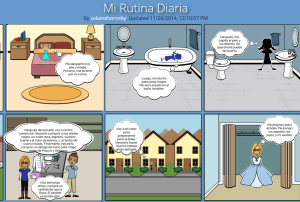
Storyboard That is an online tool that is used to create storyboard and provide a way for students or anyone to tell a story in a comic strip presentation Style. You can create by choosing from so many different characters props background scenes comma speak Bubbles and so much more. It is easy for students to create as this work as a drag and drop tool. It is a lot of fun for students to be able to really personalize the characters and create a very authentic and meaningful representation of the story they are trying to tell.

There are many characters and backgrounds related to specific times in history, you can change the color of the characters, their clothing, adjust their movement and more. It’s really nice for the students because they can customize so much according to their personal needs which really enables them to be creative and have fun and be more engaged in their learning.

Another benefit is that by having an account with school, there are lesson plans and examples available that can really help to see how to integrate StoryboardThat into your classroom, or really into any type of setting, to communicate information in a more visual, creative and innovative way. Another nice feature is that students can use it to present in class and have it presented similar to a power point.

12. BloomzApp bloomz1
Bloomz is a tool which I began using at the end of the past school year, to see how it could enhance my classroom and open up more communication with parents. Bloomz offers a lot of great features, integrates the features of a messaging app, LMS, an event planner and more. It even provides translation capabilities with translation into 84 languages. Teachers can quickly create an event, share permission slips, create a sign-up sheet, track RSVPs, send reminders, and share photos and videos with parents.

Bloomz also enables teachers and parents to communicate instantly, privately, and as often as needed each day throughout the year. It recently added the features of a student timeline for building a digital portfolio to share with parents, as well as a behavior tracking program, for communicating about student behavior and providing positive reinforcement.

Conclusion

Even with all of the great digital tools available, we have to make some decision about what will work the best for our classrooms. What is the purpose for the implementation of technology? In looking over this list, are there any that you think might help to enhance, amplify or facilitate student learning in a more beneficial way than what you are currently doing in your classroom? Determining the answer is the first step, as we know that using technology just to use it doesn’t make sense. However, when we use technology in a way that enables us to help students find their voice, discover more about what they want to do, what they can do and what they need help with, makes sense. These are some of the tools which helped my students and had a positive impact on our classroom and learning experiences this year. To get started with the new year and some of these tools, my advice is to simply choose one of these tools and try it out.  See how it goes and be sure to ask your students for their feedback as well.

Kidblog: Don’t Let the Learning Stop: How to keep students engaged over extended breaks

Don’t Let the Learning Stop: How to keep students engaged over extended breaks

stocksnap_c91r095cw5

The “Slide”

Throughout the school year, extended breaks provide both teachers and students the opportunity to give their mind a chance to reboot. However, learning opportunities do not have to stop while we take a break from the classroom to devote time to family, friends, and relaxation. Without opportunities for active learning during these extended breaks, some loss of knowledge is inevitable.  Similar to what has been termed the “summer slide”, this phenomenon also occurs during shorter breaks throughout the course of the school year.

There are many opportunities available to avoid this “slide”; teachers can help students engage in learning in fun ways that do not feel like “learning” at all. For my students, this means  blogging. Thanks to the availability of technology and platforms like Kidblog, students can stay connected, while still working on building skills over the break.

From “assignment” to “activity”

So, what turns a blog post from “an assignment by the teacher” over break to a fun student activity? It’s all about the content. For example, students may be asked to write a blog surrounding their time over break. Perhaps they describe what activities they participated in; writing a review of a book or movie they experienced, sharing how they spent time with friends or family, or even posting a new recipe they learned over break. These open-ended prompts enable students to work on their writing and literacy skills in a low-key and fun way. Additionally, it gives teachers the chance to stay connected with their students and provide any necessary feedback.

For more reflection, students may be given prompts which ask them to take a look back at some of the work that they have done prior to the break. They can focus on a few specific skills they have gained as well as their strengths or weaknesses throughout the year. Using blogging as a journal, they may then write a personal blog to themselves addressing these areas.  The blog can be shared with the teacher as a reflection, to explain how they perceive their progress in class and offer some ideas for personal goals or describe areas where improvement can be made. This prompt can be a great way for students to prepare for the year ahead of them.

It’s about staying connected

Blogging enables the students and teachers to communicate through a comfortable medium. It gives students an opportunity to write, read, and practice any critical skills they have learned leading up to the break as well as some reflective writing.  Students are encouraged to be creative while they are engaged in the practice of reflection, setting them up for future growth and helping you as the teacher develop a better understanding of student needs.

Project Based Learning: Essential questions and Many Uses of Recap

Posted on December 7, 2016

Posted in Guest Post, User Stories, Why Recap

Excited for the upcoming school year, I decided to start with some new ideas, teaching methods and digital tools. I wanted to continue using some digital tools from last year, but hoped to find different and more creative ways to implement them into the classroom. My motivation for this developed as a combination of time spent over the summer reflecting on the previous year, learning new things at summer conferences and through webinars, and engaging with groups on Voxer. But possibly the most impactful for me, was by obtaining feedback directly from my students. I used Recap over the summer to ask them what they enjoyed in class, what helped or didn’t help, and what they were looking forward to in the new school year. Student voice matters.

A New Experience

The biggest change for my classes this year, was starting PBL (Project Based Learning) with my Spanish 3 and 4 students. When taking on PBL, educators need to have some guidelines set as to how to begin and what the process entails. Students will be taking on a challenging new experience, one which provides opportunities for choices, independent and inquiry based learning. It is a different experience, because the students are in charge of their learning. They are studying something of a personal interest, or a passion to themselves. It is quite liberating and can lead to tremendous, authentic, meaningful learning opportunities, which will be highly beneficial for the students. It can also be a bit scary, because of the amount of independence involved in this method. So there are guidelines and resources available to educators that can help with implementing PBL in the classroom, and guiding students to develop their “Essential Questions.”

Getting Started

There are many great resources available for educators to learn more about and implement PBL (Project based learning) in the classroom. To begin this with my students, I first did some research to prepare myself for this new learning experience. I started with the Bucks Institute for Education (BIE, http://www.bie.org) for guidance before implementing it in my classes. I wanted to be prepared so that I could help to guide the students, even though I knew that I would also need some support along the way.

I carefully read over and took notes from the “8 Essentials for PBL” from BIE and also referred to several publications from ISTE for PBL. Other helpful resources were the weekly blog posts by Ross Cooper and Erin Murphy, offering advice focused on #HackingPBL, to be included in their upcoming publication, “Hacking Project Based Learning”, which will be published this month.

Another helpful book was “Dive Into Inquiry” by Trevor MacKenzie, through which I enjoyed hearing his experience and sharing the helpful images of rubrics with my students. During this process, I was also fortunate to have conversations with these educators, and early on, Don Wettrick, author of “Pure Genius”  spoke to my students about PBL and how to get started, giving them great information and asking thought-provoking questions to challenge them. We had a Skype call with Ross Cooper, who listened to and offered advice to several of my students on crafting their Essential Questions. The students even later got to meet Ross and Erin and talk about the Hacking PBL book.

Next Steps

Taking all of this information in, I guided my students through each step in the process, with focus on the beginning stages of PBL. The first step is to decide upon the Essential Question. What is an Essential Question? From my research, I have learned that it is not something that can easily be answered by conducting a quick Google search or with a Yes or a No. An essential question requires more. It leads students to research and critical thinking, problem solving, independent learning, progress checks and reflection along the way. When focusing on the Essential Question, it is not readily apparent what the end result of the student learning experience will be. My students initially struggled with not knowing where their research would lead. An essential question requires more, leads to more student inquiry and should be something that will sustain student interest along the way.

img_20160926_104209100

Using Recap to focus on the Essential Question and PBL

Rather than have students write their Essential Questions, I asked them to think about what they wanted to study and to share their responses through Recap. I found this was beneficial because they could think through and explain their thoughts, and I could provide feedback directly to them. Having the opportunity to see and listen to the students as they shared their interests enabled me to understand the motivation behind their Essential Question. This method was very beneficial for me.

When we started our PBL, we decided to set aside Fridays as their “PBL” day, and they worked on it independently for the first 9 weeks. We had regular check-ins for updates and at the end, each student shared the product of their PBL experience, which could have taken any form, depending on where their research led them.

One very unique way that one of my students decided to share the information was by using Recap. Recap is a great tool for having students respond or reflect and gives them a comfortable method for sharing information with their teacher and also peers if they choose. One particular student suggesting using Recap to record separate videos of the results of her PBL study on Argentina and the tango. Using Recap for this purpose was a really great way for her to not only share her information and the reasoning of how she crafted her Essential Question, but also her thoughts and steps taken along the way.  Using Recap made  it very obvious to the audience how excited and engaged she was as a result of having the choice to pursue learning  about an area of interest and passion. Even without the video component, the audio itself was enough to inform and engage the listeners in her topic. I could tell that she had chosen an Essential Question which led her through a tremendous learning experience,with sustained inquiry and engagement, and had truly gone through the Project Based Learning process. Selecting this as the “public product” was a great idea, and it also provided her with something to reflect upon as well.

***********************

Using Recap to share the results of PBL

Marina: For my recent Spanish PBL project I decided to use Recap! PBL stands for Project Based Learning which means we come up with a topic that we are interested in learning more about. The first step is to state our essential question, the focus of our research and then being to explore and expand our knowledge. Along the way we might have more questions come up that we may not know how to answer, so we keep searching, learning and expanding our knowledge to find answers  to them. At the end of the PBL project we are basically an “expert” and we can share our findings with our class, in any way that we choose.

image

For my presentation, I decided to use Recap. Recap is like no other tool we have ever used in our classroom and it is by far one of my favorites. Recap is a tool that allows you to record a two minute long video, to answer a prompt, share information, or anything you want. It allows you, as the student, to answer questions that your teacher or professor sends you and you can record yourself, with as many tries as you want and then send it right to your teacher. As a teacher you can create questions and send them through Recap to your students, allowing them to respond in the comfort of their home or anywhere to answer your questions and have a continuous chat with feedback. Or like I did with my PBL, you can just make videos by yourself,  you don’t even need a question to be sent to you to be able to make one.

I love using Recap because I feel comfortable at my house recording my thoughts and then having them on my account to show and share with my whole class.

For my Spanish PBL product, I used Recap and recorded myself at home. I spent the time studying the Argentine tango and I was able to research my topic and prepare to make a couple of two minute videos to talk about and share what I had learned during our PBL. I didn’t have to worry about having to talk in front of the whole class and forget what I was going to say. With Recap it was stress free to present in front of my class because I pre-recorded it.

My class absolutely loved it because it was so different than just using Powerpoint or some other web tool that they had seen before. So not only did they learn about the Argentine Tango, they saw they could use Recap in a different way.

Recap is an amazing tool that can bring a whole new element to classrooms everywhere, at any time, because it is so simple and easy and not to mention a lot of fun! I really suggest it to students and teachers because trust me, they will love it!


Check out Rachelle’s Pioneer Page

Kidblog Post:How to Use Blogging with Project Based Learning

How to Use Blogging with Project Based Learning

pexels-photo-58457

Over the past few years, I have looked for more ways—especially creative ways—to use blogging in my classroom. What initially started as a way to have my students practice their writing skills in a digital format (rather than the traditional “Daily Journal” writing), has taken different forms over the past year.

Blogging brings students’ work into a digital learning space, where they can feel free to share their ideas, to express themselves without so much worry on grammatical accuracy, and build their confidence in the process. It enabled me as the teacher to not only focus on what they were sharing, and assess them as needed, but also to learn about them in the process. It provided me with a way to further personalize my instruction and to be able to give the needed feedback in a more direct way.

I also use student blogs, in addition to my own, as a means to reflect on what I have been doing the classroom. Giving this information to the students affords them an opportunity for that critical reflection as well. So through blogging, many skills are enhanced and many things are possible besides the initial use of writing in response to a prompt.

Blogging with #PBL

Approaching this school year, I had many new ideas in mind, one of which was the implementation of PBL (Project-based learning) in my upper-level Spanish courses. A big part of the undertaking of PBL is for students to have an “essential question,” to think about what they wish to explore further in their studies.  We discuss how it will work, plan to have progress checks throughout, and once they have completed their cycle of research, they prepare to share their information. An important part of PBL is the reflection element.

I chose to use Kidblog as a way for students to take time to reflect on what they have uncovered in their research and to give others an opportunity to learn from them. I can give feedback, and we both have access to that information and refer back to it as often as needed. We can also continue to comment on it moving forward. I can write comments to offer suggestions and provide support. More importantly, a private digital learning space gives students a way to be more independent in their learning. For our PBL, students use their blog as a way to create a guide for themselves during the process. After posting of their initial “Essential Question,” students are reminded of where they started and how far they have come.

All of this valuable information can then be used during the next phase of PBL. It is a great way to track growth, increase communication skills, and collaborate. The use of blogging aids in the building of relationships. It is rewarding to read what students have written, to understand how they worked through their project-based learning experience, and to have that element of reflection as a result of their blogging. For me, it is great to hear directly from students as they share what they have learned, but better to hear them acknowledge how much they have grown.  Being able to review and reflect aids students in planning new goals and continuing their path toward lifelong learning.


********************************************************************

As an addition to this, it is helpful as a teacher to reflect on our practices, in what ways can we improve, how is PBL working in our classroom, what are the thoughts of the students.  Using this information can be quite helpful, as well as referring to the many resources available through BIE, and recent books including Hacking Project Based Learning by Ross Cooper and Erin Murphy, Dive Into Inquiry by Trevor MacKenzie, and Pure Genius by Don Wettrick.  The #pblchat is also a great place to learn on Twitter.

Implementing an App in the Classroom in 3 Steps

Thank you to Meghan and EdTech: Focus on K-12:  Glad to be a part of this discussion.

Two education experts offer up best practices for utilizing mobile technology.

With more and more K–12 students owning mobile devices, and with Pearson Education reporting that 72 percent of elementary students and 66 percent of middle school students want use mobile devices more in classroom, now might be the best time to add an app as a regular part of school work.

However, as EdTech reported, a survey done by Kent State University’s Research Center for Educational Technology (RCET) found that 30 percent of general education had received training on apps, and 87 percent wished to receive some sort of training on mobile apps.

We’ve consulted with a researcher and an educator who have expertise in adding mobile technology — particularly apps — into the classroom.

Step One: Identify What Kind of App You’d Like to Use

For Rachelle Poth, a Spanish teacher at Pennsylvania’s Riverview Junior/Senior High School, using mobile technology in her classroom came out of a desire to provide easier and more accessible communication with her students. For Poth, the messaging app Celly was the perfect fit to remind students of assignments and provide a place to put class resources.

“[Using an app] can seem overwhelming for a teacher who isn’t necessarily using technology at all or not using it much,” Poth says. “The key is to look at your classroom and ask, ‘What is one thing that is bothering me or taking up too much time?’”

Poth, who is also an education technology mentor with Common Sense Education, says that finding an app that will work with your class is dependent on what category you might need. She recommends the following:

  • For messaging: Celly and Remind for communicating with students, and Bloomz for parent-teacher communication
  • For assessment: Quiz creation tools like Quizlet and Kahoot!
  • For classroom organization: Learning management tools like Edmodo and Google Classroom

Another way to figure out where an app might be helpful is by asking students, Poth says.

“Pose the question to students, like, ‘If you could change one thing about homework, what would it be?’” she says. “You might hear no more homework at first, but if you dig deeper, you’ll find issues.”

Step Two: Find a Quality App and Test It

Once educators have decided what they want in an app, they might get overwhelmed by the sheer number of options.

Poth recommends reading teacher reviews and sample uses on a site like Common Sense Education or EdShelf. She also says you can chat with the communities on those sites or on Twitter to get feedback from other educators.

At Kent State’s RCET, Karl Kosko, an assistant professor, and others are evaluating apps specifically for special education teachers as part of the SpedApps project. Their database can be accessed by all educators.

Once a teacher has found the right app, he or she will need to do one more thing before introducing it to students: Test it.

“It seems like a very simple thing, but it is the first and foremost,” Kosko says. “Educators should play through the app and think about how their students will use it and misuse it.”

Step Three: Make Sure the App Connects with Your Lesson

Perhaps the most important step of all for educators is choosing technology that supports their teaching and their curricula.

Kosko suggests that teachers really think about how they are going to teach their students to use the app, and then use it for a purpose that will work in the classroom.

“Don’t just use it randomly,” he says. “The apps should be related to something students are currently learning.”

Also, if using anything that needs technology at home, Poth says teachers need to be aware of what students have access to.

“At the beginning of each school year, I give my students a paper and ask them what kind of device they have, if they access at home and what kind of tools they know how to use,” she says.

WAVEBREAKMEDIA/THINKSTOCK

Technology Can Make The Learning Process More Transparent

TeachThought: Thanks to Terry Heick for publishing part two of this post.

Technology Can Make The Learning Process More Transparentby Rachelle Dene Poth

In my last post, Finding Out What Students Are Thinking: 10 Tools To Get Them Talking, I shared tools that can help promote student communication.

The additional benefit for using tools like these is that you can take what you hear and learn and the next day in class anonymously share some ideas to get the discussion going.

Even if you try to keep things anonymous, you will have the students who immediately fess up and say “yeah that’s mine,” because that’s just what the students do, which is okay because they are willingly sharing what they said.

And if it does come down to a right or wrong kind of question and that student is in fact incorrect, that’s an even better lesson–a better example for the other students in the classroom to show that it’s okay to answer something and to be wrong.

These are the experiences that build character and growth mindset and help students become more involved in their own learning path.

A Few More Tools: Communication Through Collaboration

If you’re looking for a way to have students speak more regularly about different topics, share their ideas, or be more involved in class discussions, you may want to consider some other format for “talking.”

Having students write in their own blog, where they can keep their responses private and you can respond directly, is a great way to learn about the students and what they are thinking. Having this communication format is also helpful with relationship building.

Through blogging, you can give feedback which helps to provide support for students and can help them to gain confidence. By building confidence in this way, they have a chance to become more open to and comfortable with sharing their ideas in class.

As teachers, any opportunity to share our own experiences, especially when we share experiences that reflect our fears of making mistakes and taking risks, is helpful to our students.  Showing that we are sometimes wrong is okay, because we are all are constantly growing.

Writing Spaces

So what about some tools?

Wikispaces is a social writing platform for creating an online space for collaboration. Creating a wiki might be a great way to have students collaborate together on a topic if they are working in small groups. Some options for collaboration are creating a page for a discussion, set up a pro/con debate, or a even class website. Students can build confidence and comfort by collaborating in this way.

Padlet is a virtual wall for posting thoughts, discussion, and more. It could also be another way for students to work together and build some of these skills for collaborating any time and anywhere.

Tools For Reflection & Feedback

Choosing the right tool comes down to what type of conversation you looking to involve students in.

Is it open-ended?

Do you want the students to speak out in class or do you want them to think about something, have time to process it and answer after class?

That’s the benefit of offering blended or flipped learning experiences. The conversations don’t have to end when class ends. The questions don’t have to be asked during class because teachers can set up questions after class using tools like these I’ve shared, or Let’s Recap.

Let’s Recap is a way to record a prompt, ask questions, and then have students respond through video. Teachers can then view the response or see the daily reel, and provide feedback to each student.

A tool such as TodaysMeet can be useful for a “backchannel” chat in class, or to open up discussion after the school day ends. Either way, it is another quick option to get the conversation going or to use as a way for students to ask questions.

The goal of all of these tools is to get them talking–to know what their thoughts are–so that we can help them grow.

Why Does Student Feedback Matter?

Teachers need student feedback to help guide our next steps and provide learning experiences which are meaningful.  We want our students to feel comfortable. Depending on the age group being taught, the content being covered, and whether the technology is available and accessible to the students, you can determine which of these tools might facilitate learning the best.

Using technology just to use it doesn’t make sense. But using it to help students find their voice, learn more about what they want to do, what they can do, and what they are having trouble understanding does.

These tools and others like them, can help to connect those ends. And since learning feedback is critical to student growth, sometimes we need other methods for connecting with the students; this is when technology has a purpose.

Technology can expedite the feedback process and gives us real live results. We can give feedback to the students, the information is saved, and we can use it as a way to give a voice to those who would not necessarily be willing to use their voice in the classroom.

For now, maybe keep it simple. Start with the question, “What do I need to know about my students?”

Then look at these tools and others like them and start experimenting.

How Students Can Use Timeline Templates in the Classroom

Written by: Rachelle Dene Poth

Published on November 11, 2016

How Students Can Use Timeline Templates in the Classroom

As a foreign language teacher, I am always looking for innovative ways to allow my students to demonstrate what they have learned.

I want students to be able to choose a tool that brings out their creative side and, as a result, leads to a more authentic and meaningful learning experience.

Because learning a language can be difficult, I try to design a variety of activities and projects that will provide students with practice and unique opportunities to develop their language skills through the creation of their projects.

RELATED: Visme Introduces New Infographic Timeline Templates


Using a Timeline Template as a Learning Tool

using-a-timeline-template-as-a-learning-tool

As a student, I recall having to create a timeline in a history or science class to display events or processes. Timelines are a great way to help students organize thoughts and can be very beneficial for meeting the needs of different learning styles.

Creating timelines on paper or poster board are still great options, especially when availability and accessibility of technology and resources is an issue. However, through the use of digital tools, it is much easier to create a timeline that is more visually engaging and provides additional interactive features.

With a tool like Visme, students can select their preferred timeline template and add icons, search for images within the platform or upload their own. With such a wide selection of fonts and other graphic assets, they are able to enhance their visual thinking skills and create a personalized learning product.


How to Use Timelines in the Classroom

types of timelines for classroom and education

In each level, we discuss topics like childhood, recipes, travel plans, school schedules, future plans and more. It had not occurred to me before that I could have students create a timeline to narrate these events.

A timeline could be just as effective as the traditional narrative format, so I decided to go with it and have students choose a timeline template for one of the summer assignments, which entailed narrating a sequence of ten events.

I looked forward to seeing what students created with Visme. Some used the timeline templates available and others decided to design their own timelines from scratch.


Ideas for Timeline Projects

ideas-for-timeline-projects for students

In an educational setting, the use of an infographic timeline can serve many purposes. Students can use it to narrate a personal experience or illustrate something they have learned in class. Teachers can use one to show students the steps they should follow in a process, rather than a traditional word document or other worksheet.

For example, here are just a few ideas of how teachers and educators in general can use timeline templates in the classroom:

  • In a physics or chemistry lab, a teacher could easily create an infographic timeline to tell students how to complete the lab assignment.
  • In an elementary setting, teachers could create a timeline to help students learn how to count to 10, learn the alphabet, or even show the steps to tying one’s shoe.
  • In a cooking class, a timeline template can be customized with your own information to explain the sequence of food preparation, steps in a recipe or procedures for cleaning up the classroom space.

There really are a lot of options available to teachers and students in an educational setting, or to anyone who wants to highlight events or the chronology of something.

And even if the subject matter at hand does not seem like it could involve the creation of a timeline, this is a great opportunity to let students devise their own way of thinking about a topic.


Why Choose Visme?

visme timeline template

Creating a timeline with Visme is a simple and engaging process. The timeline templates available can help teachers and students create something very visual and clearly labeled that can be quickly customized to their needs because of Visme’s easy-to-use drag-and-drop tool.

I decided that the “back to school” summer assignment for some of my Spanish classes this year would be to create a timeline that included at least ten events. Some options included sharing summer experiences, creating a top ten list of favorite activities, talking about a special summer trip–no topic was off limits as long as it included the required grammar topics.

Part of their task was to also choose whether they wanted to create a horizontal or vertical timeline.


Questions to Consider

Any time I try something new, I ask students about their learning experiences. Was it something beneficial? Did it help them learn the material better?

Student feedback is so vital to what we do as teachers, so I took this as an opportunity to try something new with them and let them decide how they wanted to complete this task and then to gather information and reflect on their feedback.

The students were excited to work with the new timeline templates and happy to share their experiences and opinions:


What Students Had to Say

examples of student timeline projects


Christoph

“To start, I absolutely love Visme. I have used it for two Spanish Projects so far, and it is a very easy tool to use. The presentation style makes it very easy to present information in a way that is pleasing to the eye and engaging. Along with this, it makes it possible to share large amounts of information for completing projects of any size, in a much cleaner and clearer format.

I can picture myself using Visme in the future to create mini-presentations as well as large scale projects that I could use notecards with as well. In addition, Visme offers an option to switch things up from a normal presentation.

In class, after ten people have shared Powerpoint presentations, a teacher finds it nice to have another well-made project shown that stands out and is different from all the others.

quote Visme timeline templates

Finally, Visme allows the user to create things with more detail than any other project-creating website or tool. There are a plethora of tools that can be utilized to enhance the project such as icons, shapes, pictures, audio, and a ton of themes. I would recommend this to other students and will continue using Visme in the future for more classes!”


Marina

“Visme was such an amazing tool to work with for our Spanish timeline project! I absolutely loved being able to create my own template while also being able to choose from a lot of different timeline templates.

Visme is a very easy tool to use. Everything is set up and labeled so if a person would have not read the directions about how to use the site to create, they still would have been able to use it. It is an amazing tool for presentations and is unlike any other presentation tools we have ever used. They give you so many options with how to make your project really unique.

quote Visme timeline templates

Visme allows you to insert audio, pictures, shapes and many other wonderful details to customize and really make it your own. I would recommend Visme to a lot of the people in my class because it is unlike any tool we have used before!”


Cassy

“Visme is a great tool to use for projects, presentations, infographics and more. My favorite thing about Visme is how easy it is to use. The timeline templates create an outline that allow you to organize your information in a way that is attractive to the eye. I enjoyed using Visme because it also enabled me to be creative with my project.

Visme has so many options and variations in creating my project. I could insert photos, text, graphics, backgrounds and add audio to enhance my project.

quote Visme timeline templates

I can complete a project in a variety of different ways to fit my needs for what is best for my assignment. It is also very easy to share the work that I have created using Visme. I can publish my work to social media and websites or just present my project to my class.

I am appreciative that I am able to use Visme in class. Web tools like Visme can enhance my learning and understanding of many topics while also letting me be creative and use my imagination. You can create with Visme in an easy and organized fashion.”


Your Turn

What types of infographic projects have you tried with your students or in a classroom setting? If you have any specific projects or ideas you’d like to share, don’t hesitate to drop us a line in the comments section below.

And if you haven’t already taken Visme for a test run, you can sign up here and use it for free for as long as you like.

90% of all information transmitted to our brains is visual.
People remember…
Become a more effective visual communicator.With Visme, you can create, share or download your visuals with no design training.It’s free! Take a tour.

About the Author

Rachelle Poth is a Spanish Teacher at Riverview Junior Senior High School in Oakmont, PA. She is also an attorney and earned her Juris Doctor Degree from Duquesne University School of Law and recently received the Master’s Degree in Instructional Technology from Duquesne.

She enjoys presenting at conferences on technology and learning more ways to advance student learning. Connect with her on Twitter @rdene915.

Leave a Reply

Name (required)

Mail (will not be published) (required)

Website

timeline template classroom header

How Students Can Use Timeline Templates in the Classroom

Mastering Infographics

November 11, 2016

visual-thinking5

How to Unlock Your Creative Potential Through Visual Thinking

Mastering Infographics

September 8, 2016

Load More

Create Stunning Infographics

Want to set yourself apart from the rest? Start creating stunning infographics within minutes with our easy drag-and-drop software. Access 100+ beautiful templates, 100+ free fonts and millions of images and icons right now.

Start Creating Now for Free

Savehttps://accounts.google.com/o/oauth2/postmessageRelay?parent=http%3A%2F%2Fblog.visme.co&jsh=m%3B%2F_%2Fscs%2Fapps-static%2F_%2Fjs%2Fk%3Doz.gapi.en.bRDJBM_7ci0.O%2Fm%3D__features__%2Fam%3DAQ%2Frt%3Dj%2Fd%3D1%2Frs%3DAGLTcCOSwnIWUMP5w0nTVAkpqqeITg0qCA#rpctoken=314119063&forcesecure=1