Counting the days…?

It’s back to school time! Depending on who you are, your feelings about heading back to school might differ dramatically. And I don’t just mean whether you are a parent versus a teacher, I mean even within these two groups. Among those of us in the classroom, the realization that we are headed back to school brings about a lot of different reactions. Of course there is still that perception that teachers have the best, easiest job, because we have summers off and all those holiday vacations as well, and don’t forget about the weekends. And there may even be a perception that teachers are happy when the school year ends. I have been asked many times, “How many days left until you’re off for the summer?”

I have never been one to count down the days till the end of the school year. While I am cognizant of the end of the year, I don’t, nor have I ever posted a countdown of how many days until summer vacation begins. A few years back there was a countdown board posted, but it was just for a student’s birthday. (Fun fact, she had written using a sharpie, so it kind of became a permanent birthday countdown board).

For me, I consider school to be year-round. Even though I don’t have to report to my classroom during the summer months, I am still involved in professional learning and trying to grow and learn as much as I can during that period of “free” time. I love being able to set my own schedule, in my own space, definitely perks of having the summer off. But I know that there are educators who do count the days until the end of the year, not because of excitement for a family event or vacation, or any special occasion, simply because they are done “working” for the summer.  I think that to be in education today, you really have to love what you do. You have to know your “why” behind it and you need to stay focused on what your purpose is for having chosen to be in this amazing profession.

Just like any other job, teaching has its challenging moments as well. And who hasn’t been excited about the weekend or an extended holiday break coming around? That’s natural regardless of what profession you are in. But if you are in education and you are counting down the days, you end up conveying the message to students that you cannot wait for the year to end. Why would they want to be in your class, or even be positive about being a student your class whenever you’re sending the message that you can’t wait to have a break over the summer? That may be blunt, but that’s exactly what I think of when I hear of “countdowns” in classrooms. 

I know that students may count down the days, especially seniors, until summer vacation starts. This is understandable because they have spent so much time in classrooms, sitting in uncomfortable desks for nearly eight hours a day and then going home to do even more work. And I know there’s a big controversy regarding the benefits of whether or not homework should even be given, especially when we think about the real world and the jobs that are out there, like teaching, where work does not end at the end of the “work day”. But at this point in time, I think that we need to focus on preparing students to make decisions about their future. To do this, I changed my practice of nightly homework and instead, created more ways for them to work in class and for me to work with them individually and in small groups. It is also important to stay positive about the learning experience and to do that means not counting down until the end of the school year.

Now the flip side is the back to school. Some parents are thrilled to have their children head back to school after a busy summer of family activities and hectic schedules. Some teachers are not as excited to head back to school because for them it means giving up that flexibility in the schedule where they can spend time doing what they want, learning, or just simply relaxing with family and friends.  But there are some educators who are excited about heading back to the classroom, so much in fact that they go in over the summer to prepare their classroom, to buy school supplies for their students and to really work on making it a welcoming place starting with Day one.

Now don’t get me wrong, I have enjoyed this summer, and I am somewhat sad that there are two weeks remaining before I head back to school for the year. However, once I get there, I’m happy to be there. The opportunity to work with students and my colleagues and to just have something new and exciting to learn and explore every single day inspires and motivates me. And I think if you are in the business of counting down the days until the school year ends and openly sharing how upset you are that the school year is beginning again, you might want to consider a career change.  Again, apologies for being slightly blunt.


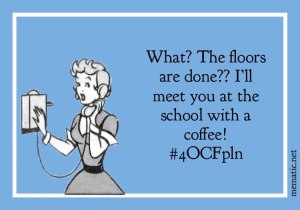
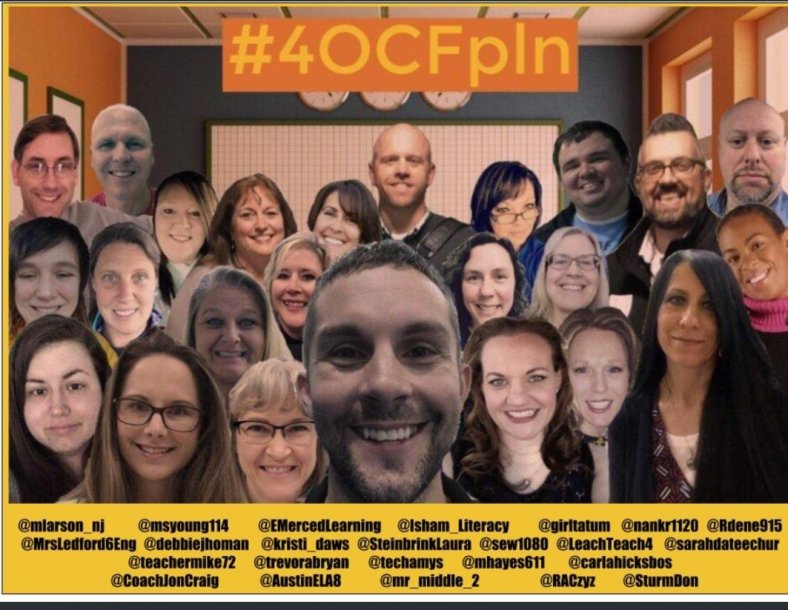
A few weeks ago my #4OCFPLN noticed that there were tons of negative memes being placed on Twitter and social media by educators about heading back to school. So to make a difference, they began to create their own memes with positive messages and excitement for heading back into the classroom. Think about it. As an educator you have the opportunity to do something different every single day. You make the decisions, it’s your classroom, you interact with the students and your colleagues and you have the power to make it something wonderful and unique and fun. It is YOUR choice to make it amazing. If you don’t enjoy heading back into the classroom, then maybe you should think about the way that you are doing things and ask the students for some input. Don’t be afraid to mix things up a little bit. Especially if you find that teaching can be overwhelming at times or if you have been counting down at the end of the year.

Each summer I spend a lot of time traveling to conferences, reading a lot of books and trying to take care of things that I can’t get done during the school year. I do stay connected with my students over the summer, as they have some ongoing reading to do to keep up their language skills. As much as I love teaching, I definitely get used to my routine of sleeping in later or staying up late and reading, and not really having any set schedule to follow. But a lot of the time I find that I’m thinking about what I’m going to do once I get back into the classroom, how can I be better than I was last year, and what can I do differently to really make it an exciting learning experience for my students.

So if you are thrilled to be heading back to school, I think that’s awesome. Please share your positive outlook with others who may not be as excited as you. And if you are thinking about how sad you are that school is starting so quickly, think back to your previous year and some of your best interactions, or your best lessons or even your worst lessons. What made them go so well and why do you think some of them didn’t go as well? Invest some of your remaining summer “break” rethinking the lessons that didn’t go as well and make those the point that you start the new year with. Challenge yourself to do something different and something better than the year before. Maybe that will be the motivation and the catalyst that you need to build some excitement for heading back and greeting your students for the upcoming school year.
2fn33h

Welcome back to school!


Here are a few from the #4OCFPLN –
1534006495342_0994470725_6570db251534006495356_0901452263_6570db251534006495357_0184287231_6570db25


It’s not too late to take advantage of the summer for learning

Rachelle Dene Poth

While it’s true, that most teachers do have their summers “off.”, I know that the reality is quite the opposite. Being involved in a few different PLNs,( #4OCFPLN , #EDUGLADIATORS, #EDUMATCH) the talk has been about our ongoing pursuit of learning, with the benefit being that we have the extra time to spend on personal and professional growth. As for myself, I had a tremendously busy but awesome June, several conferences and so many opportunities to make new connections and learn.  I know many educators who participate in some form of professional development or get involved in teaching summer classes, working at camps, or find other temporary employment. Summer is a great time to learn, explore and seek out new opportunities. It’s also an excellent time to continue to build PLN!


It is the end of July, (I cannot believe it!), but there is still plenty of time for PD, and the best part is that so much of the PD is available any time, through Twitter, Voxer, learning communities through ISTE, Google Communities, as well as the different edtech companies that offer webinars and podcasts for educators.   We all need a break, time to relax, reflect and recharge, but it is really nice to be able to learn over the summer and create our own schedule for learning and growing as educators. And also to come up with a few new ideas to get the year started.

Some ideas for summer learning

As has been the case the past few years, this has been a summer full of conferences (Superior Tech 4 Teachers, Summer Spark and ISTE), as well as virtual events including EdChange Global and EdCamp Voice on Voxer. There are ongoing book studies, Twitter Chats, Voxer groups, Google Hangouts, Podcasts, Webinars and more. There are also some great blogs to read, see the side of my page for those that I follow).  So many choices, but where to begin? My advice?  At least what has worked for me, is to think about an area that you would like to improve upon or something maybe you have been wanting to try, and make that a goal in the upcoming school year.  


Twitter chats and Voxer Groups

There are so many chats going on, some nights are difficult to keep up with Tweetdeck because you don’t want to miss the conversation. But the nice thing is that you can always go back and read through, see the resources shared and add to your PLN. If you are not on Voxer, I highly recommend that you give it a try. You can read about it in my prior post linked above, but it is so helpful for engaging in conversations with educators from around the world. Groups are available based on interest areas such as Blended Learning, ARVRinEDU, BreakoutEDU, PasstheScopeEDU, and there are some for PLN/PLFs such as Edugladiators, Edumatch and the #4OCFPLN !! Interested in a book study? There are those too. I have been in an Innovators Mindset, Four O’Clock Faculty, What School Could Be, Let Them Speak, LAUNCH and a few more. Let me know if you want to join any that I belong to, or I can share a link of groups as well.

4OCFPLN

20180625_202832

Matt, two Spanish Teachers!

FOUR awesome opportunities! (online and on your schedule!)

Going on now is the Ditch Summit, hosted by Matt Miller! Different speakers each day from July 25-29, awesome way to learn. Sign up here  You will receive an email each morning and you have until August 10th to watch the videos, so plenty of time. Don’t forget to get your Badges!

Coming up next week, there will be a few virtual learning events that might be of interest. Quizlet will be holding an “unconference” on August 1st and 2nd. Join in to see what the new topics are and the ideas for using Quizlet. Register here .quizletlive

The Hive Summit kicks off on August 1st and goes for 14 days of learning, great speakers and promises to be a fantastic opportunity for adding to our toolkits. And there are live chats each day as well #HiveSummit,  lots of ways to learn and connect. More information here. 

The following week is EdmodoCon, a two-day virtual event held on August 6th and 7th. I was fortunate to speak at EdmodoCon last summer and brought back so many new ideas, so I definitely recommend checking it out.

IMG_20170801_184215600.jpg

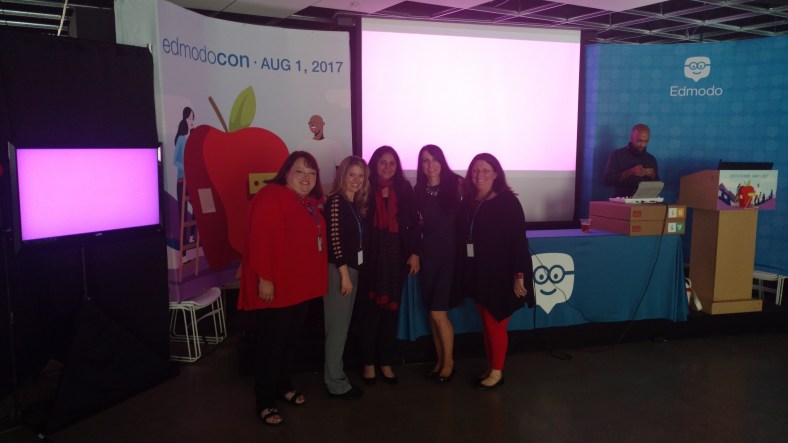
Celebrating our time speaking at Edmodocon 2017

Last few weeks of summer

Sign up for one of those virtual learning events, jump into a Twitter chat, or read a book (See BookCampPD) for some recommendations or join in the chat on Saturday mornings, 9:00 a.m. EST. Meredith Johnson has a great lineup of authors.

Lots of ways to learn, on a relaxed summer schedule, and have a little extra time for the PD that you need. You don’t have to leave the comfort of your home, move away from the pool, or be anywhere specific. Find something that you are curious about and make some time for it now, before the school year arrives and time starts to disappear quickly. You might find that these experiences will get you excited to return to school and feeling refreshed! 

And if you have extra time, check out the upcoming conferences(EdSurge 60+) and see where your PLN might be headed! Let me know if you will be attending iNACOL, FETC or ASCD Empower


12 Tools to Try…before summer break!

Updated from the Original Post on Getting Smart, January 19, 2018

Looking for new ideas to try before the end of the school year? If you have not tried some of this, now is the time!

There are so many digital tools available today that offer opportunities for promoting student creativity, student voice, and expanding where and how students learn. I had my own list of the tools that I found made a big difference in my classroom, but decided to ask students for their input.

Here is a list of tools to try in 2018, (or to try before the end of the year, let’s keep learning!)

Each of these offer multiple ways for students to create, connect and engage in more authentic learning experiences.

Promoting Connected Learners

We were able to take our learning to a whole new level this year through Project Based Learning (PBL). Using these tools enabled us to connect with students from several Spanish speaking countries, which created tremendous possibilities for more authentic learning and broadening our cultural understanding.

1) Edmodo: Virtual learning space, where teachers can set up a digital classroom to connect students with the resources they need, in a safe learning environment. Edmodo can be used for assessments and integrates with Microsoft Office and Google, making it easy to share files with students. Students relied on Edmodo to connect with students in Argentina, Mexico and Spain for their PBL. One student said “these connections enabled me to sculpt my PBL, and learn in ways that books, videos and regular classroom lessons cannot provide.”

2) Flipgrid: Video response tool, which became one of the most talked about tools this past year after launching new features, making it even easier and more fun for students to share their ideas. Students can record up to a five minute response, add emojis to their photos and access the “grid” quickly through a grid code. It is a great tool for helping students to become more comfortable and confident in sharing their ideas and sparking curiosity with their peers.

3) Padlet: Padlet, a virtual wall, is a favorite in our classroom. Students can create a digital portfolio by uploading files and links to projects, curate resources for PBL, or have discussions with classrooms around the world. Other popular ways to use Padlet are to ask questions, post homework, or as a classroom website. Newer features include being able to “like”, “grade” or “upvote” a post and directly transfer posts to another Padlet wall.

4) Recap: Recap 2.0 is a free video response tool, which integrates with Edmodo, Canvas, Schoology, Google Classroom and Blackboard, making it easy to implement right away. It provides a comfortable way for teachers and students to ask questions by setting them up in a “Queue”. Students can submit questions and receive direct feedback, in a safe moderated environment.

Tools to Engage Students in Learning

5) Quizlet Live: Quizlet Live is a fun way to encourage student collaboration by playing a team game using a set of Quizlet study cards. Teachers select a set of study cards, launch a Live game by providing students with a join code, and students are divided into teams. To play, you need at least four players and a study set with at least 12 unique terms. Only one member of the team has the correct answer and answering incorrectly bounces the team score back to zero.

6) Quizizz: Quizizz has launched some new features, including integrating with Edmodo and Google Classroom, which makes sharing or assigning games and reviewing results much easier. When playing live, students can see the class accuracy reflected as it updates the leaderboard live with each response. There are thousands of games available in the library, making it easy to get started or create your own.

7) Kahoot!: Some big changes to the layout and options of the platform make it easier to navigate and review questions in class. Teachers can now assign “challenges” to students as a fun way to practice by sharing a code. The new “Nickname Generator” creates fun and unique usernames such as “Mystery Panda” or “Fantastic Bat” to students. It definitely saves time rather than waiting for students try to come up with their own “creative” names.

8) Kidblog: Blogging has many benefits for helping students to express themselves and begin to develop their online presence. Teachers can provide students with a variety of writing prompts to not only assess student learning, but promote creativity, communication, collaboration and digital citizenship skills. With Kidblog, teachers can even AppSmash (use two or more apps or tools together to complete a task) by embedding other tech tools into the platform, such as Buncee, Flipgrid or by uploading images and documents directly from Google Drive.

Creativity, Assessments, Interactive Lessons and More

9) Buncee: Buncee, a versatile presentation and assessment tool, is great for creating multimedia projects full of animations, graphics, audio, and videos. Choose from thousands of templates, backgrounds, animations and other graphics to create invitations, classroom signs, and unique “Buncees” for any purpose. Buncee enables every student to find exactly what they need to add into their project and to bring out their creativity.

10) Formative: An interactive tool for creating formative assessments, for use in class or as student-paced practice. Students enjoy using Formative because they receive feedback quickly, they are able to “show” their work and when done as practice, move at their own pace. Teachers can create Formatives with different question types, content and even the ability to upload and transform files. Try having students create their own Formatives as a way to have more personalized and authentic practice.

Immersive Learning, Coding and Problem Solving

11) Nearpod: Nearpod continues to be a game changer in our classroom. It provides so many options for presenting material as well as assessing students through diverse activities. The chance to be immersed in the virtual field trips and explore places around the world is of tremendous value for students. Educators can quickly create interactive lessons which include multiple question formats, the ability to upload content, BBC lessons, PhET simulations, and even add in GIFS! Nearpod integrates with Google Classroom and Canvas, and most recently with Remind, making it even easier to share lessons. Nearpod also added 27 “College Tours”, available in VR, a great way to have students experience different schools by immersing in the campus, without having to travel the distance.

12) CoSpacesEDU: CoSpacesEDU provides students with a way to not only create their own “spaces”, but to be able to walk in the spaces created by their peers. To explore in VR (Virtual Reality) and problem solve by figuring out how to code using Blockly, offers students a truly authentic way to learn, create and problem solve. The Gallery is full of examples to get you started with ideas for your classroom. Use CoSpaces to have students represent a scientific concept, a book report, or create a scene representing something studied in any content area. Talk about creativity, imagination, innovation and critical thinking, and more all in one tool.

In the End

These are just 12 of the many tools out there for education. The most important thing to remember is the “Why”? behind using these in the classroom. While these 12 tools made a difference in my classroom, they may not have the same impact in yours, but I do recommend giving them a try. Think about the tools you are currently using to amplify or facilitate student learning. What is making a difference in how, what and where students learn? Could one of these be used in place of another, as a way to engage students more in learning, or even better, provide opportunities for students to move from consumers to creators?

My advice is to simply choose one of these 12 tools and give it a try. See how it goes, ask your students for some feedback, and then plan your next steps.

Rubicon Summit: Classroom’s Journey To Student-Led, Interactive Lessons

A Classroom’s Journey To Student-Led, Interactive Lessons

Written for the RUBICON SUMMIT

About two years ago, I found myself struggling to find ways to keep my students engaged in the lesson. I tried to get them involved more in class activities by offering more choices and providing opportunities for them to be part of the decisions made about what we were doing in the classroom. Why did I do this? Partially because I saw – and could feel – a decrease in student motivation and engagement. It was approaching the end of the school year, and the focus had shifted more to “when does summer begin?”

So I tried to do things a bit differently, think creatively, and take some risks. I wanted to keep us all moving, to finish strong at the end of the school year and begin summer vacation with a sense of accomplishment, to celebrate all that we had learned throughout the year and also what we had gained from these new experiences.

Educational Technology and Digital Tools with Purpose
Educational Technology provides so many resources that enable students to learn anywhere and at any time, and at a pace that is comfortable for each student. We can instruct from inside the traditional classroom, ​”​the brick-and-mortar​” ​as it is called, or from anywhere around the world. Using digital tools provides more differentiation and personalized learning, and provides opportunities for the students to move from consumers to creators. When students have choices in how to show what they have learned, they are more likely to be engaged and excited for learning. They will feel valued​,​ and the lesson and learning will be more meaningful because it has been made perso​n​al to them.

Creating Interactive Lessons
What did I change? I started by having my students create some interactive lessons using educational technology tools like Formative, Nearpod, and EDPuzzle, or even games with Kahoot! and Quizizz. It proved to be a very beneficial learning experience for all of us. By doing this, we had extra resources available that could be shared with students who might need some extra practice. I thought it went so well that I decided to take it a step further and start a “teacher for a day” activity during which the students create a lesson based on a grammar topic or vocabulary.

I stepped back and had the students lead our classroom. It was a really good way to learn a lot more about the students, to better understand what their needs were in terms of the content material, and for the students to learn about each other. Giving students the control and the opportunity to become the creators and leaders in the class has tremendous benefits and it has been something that we have enjoyed.

Giving Students the Control
At first when students created interactive lessons, I would launch the lesson and control it on the SmartBoard, but find ways to involve the student who created it during the presentation. I eventually decided to move aside, and took a seat in the back of the room, having the student lead the lesson, give explanations, answer questions, call upon students for answers, and provide feedback. Having the opportunity to sit back and experience this was tremendous. The students enjoyed the activity, supported each other, collaborated, and provided some positive feedback to each of their classmates. I was very impressed with how well they taught, led, and learned during each of the “teacher for a day” lessons.

Empowering Students in Learning
The use of these digital tools means ​that ​the “time and place for learning” is no​ longer​ confined to the ​traditional time and setting of the physical ​classroom​. It opens up the learning environment ​to​ anywhere​, at any time and at a pace that is comfortable for the students as well. Learning and having timely, purposeful and authentic feedback is critical ​for growth to happen. When we shift our focus to creating opportunities, giving students the control, leaving the decision making to students to choose ​how t​o show what they have learned, or ​letting them​ design their own assessments, they are more empowered in their learning.

What are the Next Steps?
Have a conversation with your students and ask for their honest feedback. What did they like? What did they not like? Which lesson or format seemed to help the most? What did it feel like to be in control, decide how to deliver the lesson, and experience being the teacher? You can have this as a face to face conversation, students can respond on paper, or use one of the many digital tools available for communication. No matter which way you choose, look to your students for the valuable feedback to decide your next steps. Be sure to ask yourself these same questions and continue to reflect on steps taken and progress made!

For more strategies about integrating technology into instruction, read Overcome

EdTech’s Problems With Blended Learning!

EdmodoCon 2017

Honored and Amazed: EdmodoCon 2017


I have been a huge fan of Edmodo the last four years and it has really brought about tremendous, positive changes in my classroom, for my students and opened up a lot of new opportunities for me as well  Edmodocon, an online conference, takes place in August and is held at Edmodo headquarters in San Mateo, California. Each spring, Edmodo accepts proposals from educators to be selected as one of the featured speakers during this event. The last two years I had submitted a proposal to speak at EdmodoCon, not fully understanding the magnitude of it even though I had watched it each year, and definitely not expecting that I would be one of those selected to present.  I took a chance again this past year and submitted a proposal and definitely put some extra time into what I wanted to say and decided to just go for it. Honestly, I did not think that I would be selected.

​Finding out I was one of the educators selected to speak at ​EdmodoCon was really an emotional moment where I felt a little bit overwhelmed, very surprised, tremendously honored, and definitely scared. There was also ongoing disbelief that I had been chosen.

I had watched ​EdmodoCon the last two years and knew how it was set up​,​ where the people were speaking from​,​ and also that many thousands of people were watching from around the world while the event was ​streaming live. All of these images passed through my mind a​t​ a glimpse when I found out I was selected but the excitement ​was sometimes exchanged for nerves. I​ just could not believe that I was chosen and could not wait to attend.
I have been using Edmodo ​since 2015 and it truly has made a huge impact in my classroom. I found it almost accidentally, looking to find a way to open up more access for my students and to help solve some problems in communication, and availability. Over the years, the way​s​ that we have used Edmodo has changed and many new features have been added, making it even better than it already was. Having the opportunity to see the people working behind the scenes at Edmodo and to talk with ​each person was phenomenal.

How does one prepare for ​EdmodoCon?

Unlike any other presentation you have prepared for! While I have given many presentations in the form of Professional Development sessions, speaking at conferences and online learning ​events, preparing for something like this was a much greater feat. My session would be a ​2​​0 to ​30 minute presentation, speaking ​live from​ Edmodo. I needed to craft a message that would inform the participants or “Edmodians”, who were​ ​already familiar with Edmodo and knew so much about it. My goal was to convey my message of why and how it has made such an impact ​in​ my classroom.
Countless hours spent crafting the presentation​,​ re​-​working the images​,​ thinking through what I would say on August 1st, and lots of communication between myself and N​iccolina and ​Claire. The support I received was fantastic. The team was always readily available to give guidance and feedback, to do practice run​s​ ​or​ whatever was needed. They were there to support me and all of the speakers and definitely made the whole experience phenomenal, and always found ways to calm those nerves with reassurances and positive encouragement.


Prepping for EdmodoCon

I think I lucked out because I had the benefit of a little preparation when I was asked to speak about Edmodo during the Microsoft Hack the Classroom in San Antonio​ while at ISTE​ this summer. I prepared a​ ​5 minute “Ignite” talk on the integration of Microsoft Office with Edmodo and this experience definitely help​ed​ me to better prepare for EdmodoCon, but then again it was unlike any other experience I have had. It gave me some practice speaking in a studio setting with a live audience, microphone and cameras, but it didn’t quite prepare me for the full experience since it was only a five minute talk. But nevertheless, I am grateful for having had that opportunity to connect and to get a little bit of practice in before heading to the main event. Being able to step out of my comfort zone, and do something like this for the first time, was a challenge and I was very nervous about it, but having this experience definitely helped.

Heading to EdmodoCon

Going ​to San Francisco, arriving at Edmodo Headquarters, and meeting the other educators was tremendous. I was very excited about the day, getting to spend time at Edmodo, practicing a little and just being in the same space with educators from around the world, and having time to sit down with them and share how we use Edmodo was awesome. Being there and having the support and generosity of the whole Edmodo team, becoming connected with these other educators, really added so much more to what I already love about Edmodo. The whole team of Edmodo is people focus​ed,​ they work ​​for the students, they are a family and they are there to be a constant source of  support and encouragement to one another.

The way that we were all welcomed by the team was unlike anything I have ever experienced. We were greeted at check-in with welcome bags full of Edmodo gear, picked up by members of the team and driven to Edmodo headquarters where we had time to tour the office and also to ask questions of all of the team members working hard to make Edmodo what it is. We had catered meals, access to anything we could possibly want to make our time there more comfortable and most of all, we experienced a true sense of belonging and being part of the Edmodo family. Being able to meet for the first time people who have done nothing but work to make Edmodo a better platform for students and for education and who truly value the input from educators and the connections made, was an honor. Edmodo is how I made changes to my classroom that enabled me to open up more access to the resources the students need and also access to a world full of learning opportunities. Being selected to speak there and to share my experience with so many educators around the world was very humbling.

It is probably the most nervous I have ever been before a presentation and waiting for it to be my turn to speak was definitely a challenge for me to stay calm and focused.  But hearing Jennifer’s presentation before mine helped and once I entered into the room and put the headset on, my nerves pushed aside and I was ready to go. Of course I was still nervous but I felt like I could get through it, I was ready to share our story.  And I think the one thing that really helped to break the ice for me was when my slide deck would not load correctly and I just had to go on and start talking with fingers crossed that it would actually work. It’s really not much of a surprise that I would have some kind of a technical difficulty because I often joke that the technology cloud of darkness follows me at times. But the show must go on and if my slides did not work well then I was just going to have to talk my way through it as best as I could. Fortunately it only took a few minutes for everything to reload and so I was able to carry on through the presentation.

How did it go? I think for the most part I am pleased with how it went and I caught myself getting a little emotional at the start because it really hit me that I was speaking there and I have been so thankful for what Edmodo has provided for me to make things available for my students in my classroom. But standing there and having that chance to speak and share our experience with my own personal learning revelations about my teaching methods and why I needed to change was bittersweet.

Because I’m a reflective person and I did want to evaluate my speaking and be mindful of words or mannerisms that catch my attention, I watch the replay of the video. I first noticed the look on my face when told that my slides weren’t loading and then I should just start, it was a look of wait what? And as for my overall presentation, of course I did come up with a few things  that I would change. But that’s how we learn and grow and move forward. We have to reflect, we will make mistakes, we will face challenges and while it is important to acknowledge these, the most important thing is that we share our message and that we also share our learning and reflections in the process.


Edmodocon was amazing and it gave me a lot of new ideas for this school year and ways we can use Edmodo to knock down those classroom walls and to bring in opportunities for students to learn more about the world and to provide a safe space for them to connect with other students in the world. We can empower our connected learners.

Celebrating together after EdmodoCon 2017

IMG_20170801_184215600.jpg


Social Media: Oh goodness…Voxer: Did somebody just say 10-4?

This is the next post in my series about Social Media and the different tools available for learning and connecting. I was wrong about Facebook, Twitter and LinkedIn….and now Voxer. WOW!

I think that this might be one of my favorites, even though it is difficult for me to make any kind of decision when given more than 1 option. But the thing about Voxer is that it enables live communication between anyone and anywhere. It absolutely fascinates me and I am wowed each day by the many ways it can be used.

Why am I such a fan? Well honestly, maybe a part of this is because I had a real set of walkie talkies and was amazed that you could talk into it and somebody, somewhere else could hear and answer you right back.  When I was 13, I remember trying out the set in my parents’ car and talking to someone that ended up living a few streets away.  Michele and I became great friends and it amazes me to this day that I met someone by using the Walkie-Talkie,way back then in 1984. Who knew what the possibilities would be for today, using Voxer, is amazing.

I remember having a set of them sometime in the late 1990’s and using them at the mall, thinking it was the coolest thing ever. (I know, there were probably cell phones, I did not have one yet, they were still in the big bags or attached in cars).

Learning about Voxer

But my first experience with Voxer was becoming involved in a group preparing for ISTE in Denver last summer. How did I find out about this? Ironic moment. You might laugh but it was through a Facebook group. An interesting series of events. Sometimes we question what if? What if I had made a different choice? What if I didn’t go in that direction  and in this case what if I had never created a Facebook account? Still can’t believe that I am asking myself that question.

There are still many things between then and now that would be so different. I would have found less classmates for high school reunions, I wouldn’t know about friends who’ve moved away from or back into the area. Connecting with family and friends, seeing pictures and sharing news would happen a lot less often. So the crazy thing is that the one account I was so hesitant to get, led me to become involved with all of these different social media platforms and build my connections even more. So very wrong I was. 

Adding on Voxer: There was a Facebook group for people attending ISTE 2016, and someone (Rodney Turner, @techyturner) started a Voxer group. I had no clue what it was but I joined it and at the time I was on a basic account, but upgraded to the PRO account, which is nice because if you send a message and you want to recall it, you can. How many times do you wish you could say something over?  Once again, it did not take too long to see the tremendous value in this form of communication as well. Being able to ask a question and have someone answer you immediately, a person who may be on the other side of the world and talking to you live is tremendous. Seeing the green light up that indicates they are talking live is amazing.

Now people might think “well it’s not that much different than talking to somebody on the phone.”  And that is partially true, you are having a conversation or could have a conversation just as you would on the phone, however the difference is if you have a question and you make that phone call, that person may not answer right away, if at all. Being part of a Voxer group, there are many people available to answer instantly while we pose the question. Unlike a phone call, it goes out to many people, leading to many responses and perspectives immediately. 

Some uses

Voxer has been a great platform for leading and participating in a book study, which might sound a little bit different when you think about how traditional book studies occur. It is a great way to connect with others for a book talk. I have been able to connect with so many more educators through Voxer which  has led to more connecting on those other social media platforms, yes Facebook and Twitter and LinkedIn. The ability to listen and learn anywhere at anytime is unbelievable.

With my students, it has been a tremendous way to listen to their PBL ideas and help them brainstorm, for them to ask questions when needed and for them to form their own groups.  They love the capabilities of using Voxer for education and fun!

If you don’t yet have Voxer, try it out. There are so many groups full of conversation, inspiration and motivation and definitely fun! If you want some ideas, let me know.  There are groups for connecting Educators, learning about Snapchat!, Breakouts, LeadupChat and so many more.  Connect with me on Voxer, I am @rdene915


Thanks for reading!voxer

Another social media “risk”: Wrong again

This is the second part of my posts sharing how I was wrong about the value of Social Media for professional learning

So enter Twitter, the “twitterverse”. I was really wrong about this one and as a very reflective person, if I am mistaken, I will readily admit when I am wrong. And I will also take a step back and think about why I was wrong. For Twitter, I had no idea what was out there in the Twitterverse. I really knew nothing about anything related to Twitter.

I have had a Twitter account for probably 10 years, an account that was created only because a family member sent me a link, which required a Twitter account in order to see the post. I used my regular email address (original AOL by the way) and joined Twitter. I think I looked at it a few times for a week and then 5 years went by, never again looking at Twitter.

It wasn’t until the summer of 2014, when I was leading a session at a technology Summit, when someone tweeted about my session, to what they thought was my Twitter account. So I decided to create an account in that username and I have been actively involved in Twitter more or less ever since.

I had the misconception that it was only for celebrities. But I decided to look into it a bit more. I really didn’t know how it worked but I came across a Twitter chat one night and I started to connect with a few people from North Carolina and Tennessee. That was my start toward becoming a more connected educator and seeing the true value in Twitter. I added additional Twitter chats to my weekly activities and looked forward to the interactions with the new friends that I had made.

Shortly before ISTE 2015, I learned about “tweetdeck”. I had no idea what that meant, and I did not ask because I figured that it was something that I should know if I was using Twitter. I think I googled it. Before Tweetdeck, I used one window, with 1 chat and flipped back and forth between each chat window. To say it was a bit difficult at times is an understatement. I decided to try Tweetdeck, during my train ride to ISTE, multitasking by reading my Teach like a Pirate, involved in a Saturday chat with Tweetdeck and amazed at what was happening. It hit me. The power of communication and technology. In and of itself the fact of sitting on a train, reading a book with Wi-Fi access to enable me to use my computer, engage in multiple tasks, communicating with people around the country and world, at any point in the day during the travels. When you stop and think about it, it’s so amazing what we are capable of today. And with these two social media platforms alone, (ones which I adamantly avoided), the possibilities for learning, connecting, and so much more happen instantly anytime and anywhere. But that’s just my view of it and people may not see the value in having accounts with these or may prefer to stay away from social media. And it may not be for everyone, but I’ve learned that you can’t really say that you don’t like something or that you hate something, until you at least give it a try. And you certainly can’t go based on what somebody else says. While I greatly value the opinion of others, and can and have in the past been swayed because of someone else’s opinion, I really try to think about what is best for me. As an educator, I think about what is best for my students. I might love a certain digital tool but if it’s not going to benefit my students,  I won’t just throw it out there and say have fun with it. And that’s what I’m saying about Facebook and Twitter. As a start, either of these would be something that might surprise you in terms of the benefits personally and/or professionally. And again, I admit that I was wrong.  Lessons learned about Facebook and Twitter: Educational value is huge and learning to write concisely is an acquired skill.

Kidblog: Don’t Let the Learning Stop: How to keep students engaged over extended breaks

Don’t Let the Learning Stop: How to keep students engaged over extended breaks

stocksnap_c91r095cw5

The “Slide”

Throughout the school year, extended breaks provide both teachers and students the opportunity to give their mind a chance to reboot. However, learning opportunities do not have to stop while we take a break from the classroom to devote time to family, friends, and relaxation. Without opportunities for active learning during these extended breaks, some loss of knowledge is inevitable.  Similar to what has been termed the “summer slide”, this phenomenon also occurs during shorter breaks throughout the course of the school year.

There are many opportunities available to avoid this “slide”; teachers can help students engage in learning in fun ways that do not feel like “learning” at all. For my students, this means  blogging. Thanks to the availability of technology and platforms like Kidblog, students can stay connected, while still working on building skills over the break.

From “assignment” to “activity”

So, what turns a blog post from “an assignment by the teacher” over break to a fun student activity? It’s all about the content. For example, students may be asked to write a blog surrounding their time over break. Perhaps they describe what activities they participated in; writing a review of a book or movie they experienced, sharing how they spent time with friends or family, or even posting a new recipe they learned over break. These open-ended prompts enable students to work on their writing and literacy skills in a low-key and fun way. Additionally, it gives teachers the chance to stay connected with their students and provide any necessary feedback.

For more reflection, students may be given prompts which ask them to take a look back at some of the work that they have done prior to the break. They can focus on a few specific skills they have gained as well as their strengths or weaknesses throughout the year. Using blogging as a journal, they may then write a personal blog to themselves addressing these areas.  The blog can be shared with the teacher as a reflection, to explain how they perceive their progress in class and offer some ideas for personal goals or describe areas where improvement can be made. This prompt can be a great way for students to prepare for the year ahead of them.

It’s about staying connected

Blogging enables the students and teachers to communicate through a comfortable medium. It gives students an opportunity to write, read, and practice any critical skills they have learned leading up to the break as well as some reflective writing.  Students are encouraged to be creative while they are engaged in the practice of reflection, setting them up for future growth and helping you as the teacher develop a better understanding of student needs.

Making Global Connections: How and Why it Matters

ecg

See what great events will be happening during #ECGC17

Making Global Connections: How and why it matters

A post written as part of the EdChange Global Classrooms event coming up on February 28th. Sign up today.

by Rachelle Dene Poth

It is amazing today what we can accomplish through the use of technology. In the past, the methods we relied on for communicating with friends, family, other schools, and abroad were limited to telephone calls, letters, meeting in person (if geographical location afforded this), for a few examples. And for providing opportunities for students to connect with other students or classrooms, these connections were limited to classrooms located within the same school or at the furthest point a nearby school. These interactions had to be set up in advance by means of a telephone call or through letters in standard mail. (I am referring back to my own elementary and high school experience, a time in which cell phones and the Internet did not exist). Providing diverse learning experiences, took a good deal of time and collaboration for everyone, between setting up required transportation, schedule planning and logistics, and the actual interaction time needed for the result to be a beneficial learning experience. Another factor was the cost involved, if transportation to another location was necessary.

Today, these types of activities and learning experiences for students can be set up instantly, even without any pre-planning, because of the diverse tools offered with technology. By simply using a form of social media or by connecting with a member of your PLN, and perhaps using a tool like Voxer, we enable a quick conversation instantly. And time and place do not matter, there is no need to move either group or anyone who is going to be connected.  We are able to simply talk, share an image, livestream videos, collaborate to add resources, (anything is possible) and connect our classroom and students, with another classroom and students somewhere in the world. Amazing.

How we can open up these opportunities

We have so many options for helping our students to become globally connected with other students and experiences. We need to promote these connections so that students develop a broader understanding of diverse world cultures, experiences and have an appreciation of different perspectives. With so many resources available, we can bring learning experiences to life, immerse students into different cultures and parts of the world, by simply connecting. It just takes one step forward. 

A few examples of how easily this can be accomplished are through some of the web based tools available to teachers and students today. Through the use of video tools, many of which are available as free platforms, we now enable classrooms to connect with others throughout the world, regardless of differences in time and place. You can truly see what others experience in their day-to-day learning and living, and have conversations in real time, at a moment’s notice. Students can participate in activities like a mystery Skype or collaborate through a discussion, by using tools such as  Padlet or Wikispaces or use something like Appear.In or Zoom, for a live interaction or even Google Hangouts. These are just a few of the many options available to classrooms today. To promote conversation without video, we can use collaborative tools such as Padlet, TodaysMeet or perhaps use Wikispaces or even a class Twitter account, (depending on grade level), as ways to have students connect through writing. In addition to learning about different cultures and establishing global connections, we work on other critical skills like communication and collaboration, digital citizenship and help to engage students more in the learning environment.  Imagine being able to have a conversation with people from 80 different countries at the same time. Regardless of geographical location or time zone, everyone can connect using one of these forms of technology and the many others that are out there.


Getting Started

Connecting globally requires that we as educators be connected. It starts with us. We have to build our own professional and globally connected network so that we can provide these learning opportunities to our students. It is worth the time, the risk,and the effort to seek out learning communities and build a community of support. We become stronger and better together, and when we collaborate to provide opportunities for our students to learn from other students, to gain new perspectives, to experience the multitude of ways of collaborating and communicating globally, we take their educational experience to a whole new level. Become a more globally connected classroom today. #ECGC17    EdChange Global Classrooms


ecg2

Sign up today and display your badge!

Piktochart: An edtech interview

This is a post by Jacqueline Jensen, following our Blab interview talking edtech in the classroom.  Thanks for this post and the opportunity Jacqueline and Piktochart!

Talking EdTech with Teachers

As Piktochart’s Community Evangelist, fostering community among our 5-million-strong user base is one of my primary goals. As I wrote after first joining, my role here on the Piktochart team focuses on interacting with our users at every level — from live events around the world and conference talks to jumping onto the latest up and coming social platform to chat with Piktochart users.

So far, we’ve tried a number of new initiatives. We think it’s important to share valuable content with not only our user community, but with startups, designers, educators, and marketers all across the globe. When we tried out Blab, we picked an awesome guest and gathered community questions to chat about.

Back in June, we went looking for educators to join us to discuss more about how to bring technology into the classroom. Education technology, also known simply as EdTech, refers to the creation and use of software and hardware intended to bring technology to education.

This segment of the technology world has heated up thanks to investment from organizations like the Bill and Melinda Gates Foundation, the United States government, and even tech venture capital investment firms like Andreessen Horowitz. In fact, in just the first half of 2015, private investors alone poured $2.5 billion into EdTech companies — leading to the creation of countless technologies for classrooms around the world.

Here at Piktochart, our team was thrilled to hear we were recently honored in the American Association of School Librarian’s 2016 Best Websites for Teaching and Learning. Educators have been using Piktochart in their classrooms since we launched in 2012, and we couldn’t be more pleased to know we are making a difference in the minds of students around the world.

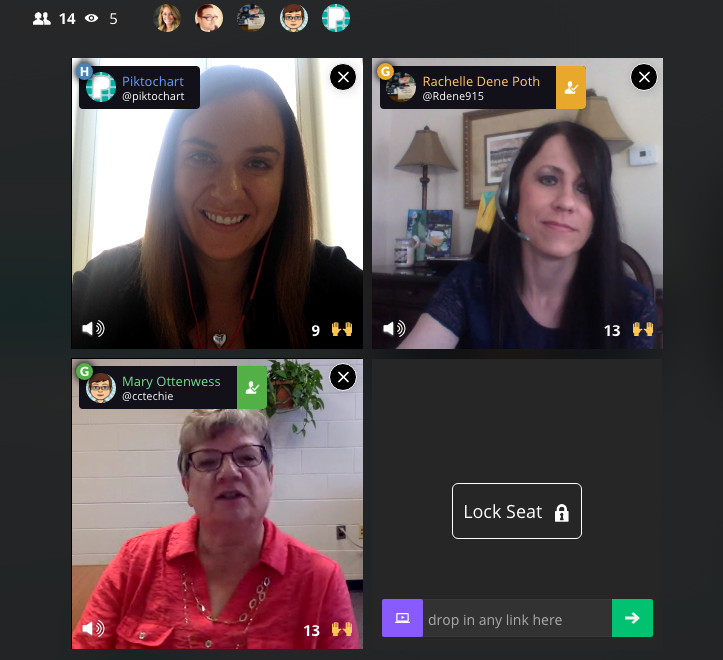
To get the skinny on what’s going on in classrooms when it comes to EdTech — from best practices and challenges to favorite tools and privacy policies — we brought in two Piktochart users who are making a big impact by bringing technology into their school. For the first time, we had two guests on our Blab,Rachelle Poth and Mary Ottenwess.

Rachelle is a foreign language teacher at Riverview Junior-Senior High School in Oakmont, PA. She enjoys using technology in the classroom and finding ways for students to have more choices in their learning. She has presented at several technology conferences in Pennsylvania and at ISTE in Denver this past June.

Mary has been in education for 25 years. She started out in a public high school library and is now the Instructional Technology Specialist at Catholic Central High School in Grand Rapids, MI. She was the one that didn’t step back when they asked for volunteers to run the computer lab and thus her adventures in EdTech began!


What is your biggest pain point with your school’s current EdTech setup?

Rachelle said her biggest complaint when it comes to EdTech tools, which is shared by other teachers she talks to, is the fact that things sometimes don’t go as planned with technology.

“Best case scenario doesn’t always happen when it comes to technology,” she said. “You have to be prepared for the little bumps that come along the way.”

Mary echoed Rachelle’s thoughts about technology being unpredictable. She also added that limited professional development time for teachers is another hurdle when it comes to her school’s EdTech setup.

“An hour once a month just isn’t enough time,” said Mary. “Students come in an hour late and we have a meeting with all teachers at the school. Teachers will go around and talk about what they are using in their classrooms, discuss a particular tool, or discuss a method. Because we are trying to cover so much in a single hour, hitting everyone’s skill and comfort level as well as giving them time to try the tool often means a lot of 1:1 follow-up.”

“As a workaround for time, we have teachers create tutorials to view prior to the professional development sessions,” noted K-12 EdTech coordinatorCourtney Kofeldt in the chat.

What opportunities are given to kids through EdTech and how can teachers learn to embrace them?

Mary said EdTech really expands a student’s world. They can collaborate and share with not only each other, but with experts in the field. Students can use project-based learning and inquiry-learning, and they can use and develop real-world skills for college or a career. For teachers, Mary thinks technology makes things simpler.

Rachelle agreed. She believes the opportunities provided by technology are tremendous.

“Technology provides opportunities to students to allow them to show what they have learned and to use a tool that is meaningful to them. Without the technology, they wouldn’t have been as engaged,” she said. “I don’t use technology for the sake of using it, but rather as a way to increase opportunities.”

When given a choice of tools to utilize on their projects, Rachelle finds students talk to their friends about the learning curve of each software. Students work together, collaborate, and learn from each other about how to use technology.

What’s the best thing technology has allowed you to do in your school that you couldn’t have done otherwise?

Mary shared an example from her school, Catholic Central High School in Grand Rapids, MI. Using technology, a French teacher was able to bring in a video feed from a classroom in Canada. The American students communicate in French to sharpen their skills, and they’re also able to learn more about the other students culturally.

“Students are not only collaborating with the students in another country, but those next to them in their classroom too,” explained Mary. “It’s fun to watch the collaboration.”

Rachelle says that technology has allowed her to continue the conversation with students after class time ends. She found more and more that her students had questions once they got home and started working on their homework or projects, and technology allowed her to be available to them during those key moments.

“It really bothered me that when class ended, that would stop their learning process in a sense,” she said. “I use technology to bridge that disconnect. I use messaging to help.”

Do you as the teacher (or your school) assess the privacy and security of a tool before letting students try it?

Rachelle said she pays close attention to privacy and security settings before bringing a tool into the classroom. She does this by creating an account on her own and reviewing the settings herself. Rachelle also sends home a notice to parents at the beginning of the year informing them of the tools that will be used in the classroom.

She also relies on the thoughts of other teachers, and she noted these sites and communities as her go-to sources:

  • Common Sense Graphite, a community of educators who take the guesswork out of finding innovative ways to use technology in the classroom;
  • EdShelf, a socially-curated discovery engine of websites, mobile apps, desktop programs, and electronic products for teaching and learning;
  • EdCamp, an organic, participant-driven professional learning experience led by a community created by educators, for educators.

Mary added that her school has a tech team on staff who will verify security before launching a new tool in the classroom. First, they start with a pilot program and monitor progress while the new EdTech tool is being tested in the classroom. During that pilot, they will be on the lookout for glitches or security holes.

Which tool/platform/methodology has been the biggest hit in your classroom and why?

Rachelle, Mary, and participants in the chat were excited to share their favorite EdTech tools! Check out the list below:

What are 3 most important skills kids have gained in your classroom thanks to technology?

Everyone agreed that more collaboration and creativity is taking place in the classroom thanks to technology.

“I have noticed students really develop the 6C’s — Communication, Collaboration, Critical Thinking, Creativity, Character, and Citizenship — when tech is integrated,” said Courtney Kofeldt in the chat.

Rachelle added she often notices that projects from her students go above and beyond her expectations. “Technology gives them that voice to speak out and be part of something when otherwise they wouldn’t have been,” she said.

Mary says teachers have benefitted from technology as a way to improve their skills, too. She notices more collaboration happening between teachers and growth of their professional networks thanks to technology making it easier to work together.

Thanks to technology, both students and teachers alike are building up their confidence. “It’s ok to have something not work,” explained Mary. “Technology allows students to take the lead. Teachers aren’t always the one with all the knowledge.”

Mary also touched on her school’s Digital Citizenship Course, which is an ever-changing movement to educate students on the proper use of technology — when to use it (or leave it behind) and best practices.

“I teach motion graphics at UCLA, and it is wonderful to see what the students create once they understand the tools,” added Eric Rosner in the chat.

How can teachers improve their tech skills in order to make classes more interactive and multimedia oriented?

Rachelle’s advice is simple:

“Just pick something and start it!” she said. “Really. You don’t know if it’ll work for you until you try it. Pick something small and give it a try.”

She suggested teachers consider learning new tools alongside students. Rather than a teacher-driven project, why not try a student-driven project? She found her students enjoy it, and as a teacher, it keeps her fresh. Use the challenge of a new tool as a learning lesson for both the students and the educator.

“Not everything is going to work, and that’s ok,” added Mary. “We teach our kids to learn from failure, and we need to do the same.”

Mary advised teachers to expand their professional network to get to know other educators. Social channels are a great way to do this — and Mary specifically suggested getting involved in Twitter chats. For a comprehensive list of Twitter chats all about education, check out this list Mary shared with us on the Blab!

What are your recommendations for someone who is just starting to use technology in the classroom, and may be a bit hesitant?

Rachelle suggested focusing on one area in your classroom you can try to improve using technology. Give a new EdTech tool a shot, use it minimally, and be patient with getting comfortable with it.

Mary suggested finding another educator who is using technology you’d like to try and simply watching them use the tool in their classroom. Finding a tech mentor is key to getting comfortable!

How can tech help all students to be engaged, to reach each student?

If students are on different levels, Mary said EdTech tools can help bridge that gap. She particularly likes Khan Academy for this purpose. She also suggested putting up a rubric for an assignment, but allowing students to choose their technology tool to complete the project.

“Students are not all the same,” added Rachelle. “By giving them choice with technology tools, you’ll see they can create anything they desire, and you learn more about them as individuals. When the choices are given and nothing is set in stone, it pays off.”


The team at Piktochart had a blast during our Blab with Rachelle Poth and Mary Ottenwess! Thanks to both of them for stopping by! If you’re interested in learning more about how Piktochart can help out in your classroom, check out a few more of our EdTech posts!

This post originally appeared on Piktochart’s blog here.