Technology Can Make The Learning Process More Transparent

TeachThought: Thanks to Terry Heick for publishing part two of this post.

Technology Can Make The Learning Process More Transparentby Rachelle Dene Poth

In my last post, Finding Out What Students Are Thinking: 10 Tools To Get Them Talking, I shared tools that can help promote student communication.

The additional benefit for using tools like these is that you can take what you hear and learn and the next day in class anonymously share some ideas to get the discussion going.

Even if you try to keep things anonymous, you will have the students who immediately fess up and say “yeah that’s mine,” because that’s just what the students do, which is okay because they are willingly sharing what they said.

And if it does come down to a right or wrong kind of question and that student is in fact incorrect, that’s an even better lesson–a better example for the other students in the classroom to show that it’s okay to answer something and to be wrong.

These are the experiences that build character and growth mindset and help students become more involved in their own learning path.

A Few More Tools: Communication Through Collaboration

If you’re looking for a way to have students speak more regularly about different topics, share their ideas, or be more involved in class discussions, you may want to consider some other format for “talking.”

Having students write in their own blog, where they can keep their responses private and you can respond directly, is a great way to learn about the students and what they are thinking. Having this communication format is also helpful with relationship building.

Through blogging, you can give feedback which helps to provide support for students and can help them to gain confidence. By building confidence in this way, they have a chance to become more open to and comfortable with sharing their ideas in class.

As teachers, any opportunity to share our own experiences, especially when we share experiences that reflect our fears of making mistakes and taking risks, is helpful to our students.  Showing that we are sometimes wrong is okay, because we are all are constantly growing.

Writing Spaces

So what about some tools?

Wikispaces is a social writing platform for creating an online space for collaboration. Creating a wiki might be a great way to have students collaborate together on a topic if they are working in small groups. Some options for collaboration are creating a page for a discussion, set up a pro/con debate, or a even class website. Students can build confidence and comfort by collaborating in this way.

Padlet is a virtual wall for posting thoughts, discussion, and more. It could also be another way for students to work together and build some of these skills for collaborating any time and anywhere.

Tools For Reflection & Feedback

Choosing the right tool comes down to what type of conversation you looking to involve students in.

Is it open-ended?

Do you want the students to speak out in class or do you want them to think about something, have time to process it and answer after class?

That’s the benefit of offering blended or flipped learning experiences. The conversations don’t have to end when class ends. The questions don’t have to be asked during class because teachers can set up questions after class using tools like these I’ve shared, or Let’s Recap.

Let’s Recap is a way to record a prompt, ask questions, and then have students respond through video. Teachers can then view the response or see the daily reel, and provide feedback to each student.

A tool such as TodaysMeet can be useful for a “backchannel” chat in class, or to open up discussion after the school day ends. Either way, it is another quick option to get the conversation going or to use as a way for students to ask questions.

The goal of all of these tools is to get them talking–to know what their thoughts are–so that we can help them grow.

Why Does Student Feedback Matter?

Teachers need student feedback to help guide our next steps and provide learning experiences which are meaningful.  We want our students to feel comfortable. Depending on the age group being taught, the content being covered, and whether the technology is available and accessible to the students, you can determine which of these tools might facilitate learning the best.

Using technology just to use it doesn’t make sense. But using it to help students find their voice, learn more about what they want to do, what they can do, and what they are having trouble understanding does.

These tools and others like them, can help to connect those ends. And since learning feedback is critical to student growth, sometimes we need other methods for connecting with the students; this is when technology has a purpose.

Technology can expedite the feedback process and gives us real live results. We can give feedback to the students, the information is saved, and we can use it as a way to give a voice to those who would not necessarily be willing to use their voice in the classroom.

For now, maybe keep it simple. Start with the question, “What do I need to know about my students?”

Then look at these tools and others like them and start experimenting.

Some Alternatives to Traditional Homework

Posted in Edutopia Community Discussion, the second part of my thoughts on Homework Alternatives.

As a student in elementary and high school, I recall having homework assignments in most, if not all of my classes each night. I remember carrying home a lot of worksheets, lugging home several textbooks, and at times transporting poster board and binders back and forth to school.  We had a lot of tests, pop quizzes, and projects.  Most of the time, I remember the homework was the same for each student, in each class, and I cannot recall now nor do I even know if I was aware back then, of students doing different assignments. I understand why teachers assign homework which is the same, the purpose is to assess students on a particular skill, and maybe it just really works for that learning target. And some benefits for students are having a peer, to work through an assignment with or ask for clarification, can be helpful.  But it can also be detrimental, for a few reasons.  Students are not getting the practice they need by having the same assignment, and the possibility of students copying assignments is also something to consider.  Copying assignments leads to a loss of learning, and students will have to re-learn the material twice. There is a lot of discussion about the real value of and purpose for homework, and these are just a few of the pros and cons to consider.


Over the past few years, with the rise of technology and so many options available for learning experiences through it, solely using a worksheet or assigning the same homework does not have to persist. I have noticed variations in my students, both during our interactions in the classroom but also while grading assignments and projects, or even just reading the responses to their reflections or blogs.  For homework, some students can finish the worksheet in two minutes, possibly before the end of the class period, if time remains.  And there are others, who may struggle to complete the work and as a result, end up spending 20 or 30 minutes on the exact same assignment. So, I asked myself, how can I reach both types of learners, and provide opportunities that will be beneficial, meaningful, but more importantly more personal to their needs. How can I give each student the practice that they need?

Making some changes

So how did I decide to change the “everybody has the same homework” practice?  After a holiday break and taking some time to reflect over the first part of the year and talking with students, I decided to seek ways to give students options for the type of homework they wanted to complete.  I came up with two or three choices of how I could do this, and will admit, that I was a bit anxious, since changing the traditional homework assignments would involve taking a risk.  But I truly believed that it was worth it, to see what, if any difference it would make for my students.

The three options I started with were:

1.    Quizlet: I had sets of cards and as an alternate assignment, I asked the students to select and complete activities which they felt would help them the most.  Because we have a class account, I can monitor their progress and they have many options for practicing the vocabulary, playing games and other activities to build their skills.

2.    Kahoot!: We have played games of Kahoot! in class for the past few years, and initially I was using it as a class game, using games which I created. But I soon realized that making up so many quizzes was really time consuming.  While there are lots of public quizzes available, I wanted to have the questions be more specific to their needs.  So for a different type of homework assignment, I asked students to create their own Kahoot! game using a specific number of terms or verbs and share it with our class. This led to more authentic practice and a lot more resources for all students to learn from.

3.    Blendspace: I have an account with Blendspace, and I can create and share lessons that I have created which include videos, games, tutorials and much more.  As homework practice, I can decide to assign a particular lesson for students to work through or I can simply share the URL and provide resources and give students the choice to use the resources within the lesson.

4.    Other options: Some other ideas for changing the type of homework assignments used are to create a list of different assignments or tasks and give students some choices in how to practice the content material. They may decide to work through all of them, or simply use some, but the important thing is that the choice is theirs and the practice will be more meaningful. Assigning homework in this way encourages students to have a choice on where to begin, not all students have to do the same thing, and it helps to focus on their individual needs.


What did the students think?

The students appreciated having more of a choice in assignments.  Using these options gave them the chance to try some new ways of learning, which they were not used to, but it was a way to provide differentiation.  I know that having a lot of games available to play in class with Kahoot and the extra Quizlet study cards, benefitted all students. The one tricky part is being able to monitor their work, but this comes with developing the relationships and having clear expectations. Including students in the conversation and making sure we focus on the accountability and responsibility aspects will help. The students are more engaged, become more empowered by having a choice in their learning path.

We can use methods like this to focus on the areas where students need help the most. Personalizing the homework assignments in these ways can prove to be time consuming, as far as tracking their work, but it is completely worth it because of how beneficial it is to their learning. And that is what matters most.

#ISTE16 Part 2: Highlights & Takeaways

#ISTE16 Part 2: Highlights & Takeaways

By Rachelle Dene Poth

This post is part two of #ISTE16 reflections from Rachelle. Click here to read part 1: Let’s Talk About Relationships.

Where does one start to describe the highlights from a conference experience like ISTE? The tremendous number and types of events offered during this experience make it a real challenge to focus on only a few here. There are so many wonderful things that you could highlight about the conference. With numerous concurrent events, pulling you in so many directions and with all of the choices, how can you possibly decide on a schedule? It definitely is not an easy task, but it does not have to be difficult either. You just need a little focus.

So how do you focus? Talk to people about some of the “must” events, but also think about what your personal focus might be. What are you hoping to gain from attending ISTE? So many choices. I believe that no matter which option you choose, you can’t be wrong because of the endless opportunities available at a conference of this magnitude.

Planning with #ISTE15 in Mind

Even though I had attended ISTE last year, and had a pretty good idea of what to expect, I don’t know that I was any more prepared. It seems to me, that each day had one event people considered to be a “must attend.” Aside from having this one focal point, the rest of the days were filled quickly with a combination of time spent at the poster sessions, playgrounds, Keynotes, Ignites, and 1 in 3 sessions. Every day was also filled with networking and connecting everywhere: stopping in the Expo hall to grab some swag; hanging out in the Bloggers Cafe and the PLN Lounge; enjoying ice cream and shopping for ISTE wear and books at ISTE Central; and so much more.

With so much to do, I think sometimes it’s better off to not put too much thought into having the “master plan/schedule” because you don’t know who you might meet, what you might find or where you will end up once you enter the convention center. It is so easy to be pulled in so many different directions, so it is always a good idea to have a flexible “plan” of where to start but keep your options open because there’s a whole lot going on out there in the world of ISTE

My #ISTE Highlights

A lot of people come in for the pre-conference events starting on Saturday with Hack Education’s ISTE Unplugged and the Mobile Learning Network’s Mobile Megashare. Both of these offered opportunities for people to meet up with their Twitter friends or “tweeps”, make new connections and do a lot of learning and networking. The great thing about these two events on Saturday is that there are so many diverse topics for discussion and so many people to share and brainstorm ideas with. And nobody says you have to stay at either one for the whole time. Just like the EdCamp “law of two feet”, you can go back and forth whenever you want, because you are in charge of your learning. This is your personalized PD. Enjoy the time to CHOOSE what you what to learn about.

For the Mobile Megashare, there were 24 tables each with a presenter or presenters facilitating a discussion about a topic. Attendees were able to choose a table to join in and could come and go as they wanted, or just move about the room and listen in and participate in a bunch of different conversations, moving around from table to table and idea to idea. .

There were two unconference events attached to ISTE, #HackEd and Teachmeet. #HackEd was much like a traditional Edcamp, and with TeachMeet, you can submit an idea to present on a topic for either a 2, 7 or 20-minute time period. It’s another place to connect and make new friends, and really build up the excitement for the rest of the conference.

Sunday night kicked off officially with the Keynote speech by Dr. Michio Kaku, who questioned whether we are “equipping students for the 1950’s or cultivating future ready learners.” The Balco Theater was packed, and more people gathered in the Bloggers Cafe to spend some time collaborating and to listen in to the Keynote. In the first two days alone there were many opportunities for personalized professional development and learning.

More Highlights

New #ISTE Student Standard: One of the highlights this year was the launch of the newISTE Standards for Students. The updated version was released and includes 7 standards of student statements, with focus on empowering student learners and giving students a voice through technology. There was a lot of excitement and discussion of these new standards and the focus toward student-centered learning.

Keynotes:
The two other inspirational and motivating keynotes were given by Dr. Ruha Benjamin and Michelle Cordy. Both shared experiences and messages that called upon educators to take action to provide opportunities and digital equity for all learners.

#CoffeeEDU: If you’re not an early riser, then get up early and go to #CoffeeEdu. Join in the conversations, get a great start to the day, talk with Alice Keeler and make some new connections.

Parties!: If you don’t normally stay out late, then make sure you get to the Gaggle party or EdTech Karaoke. The Gaggle Party was held at the Denver Athletic Club, multiple levels of nothing but fun and ETK was at the City Hall Events Center. Both of these events are a lot of fun and well attended, so you need to at least make some time to stop in for a bit to find out what the buzz is all about and why so many people are so quick to get those badges and passes to attend.

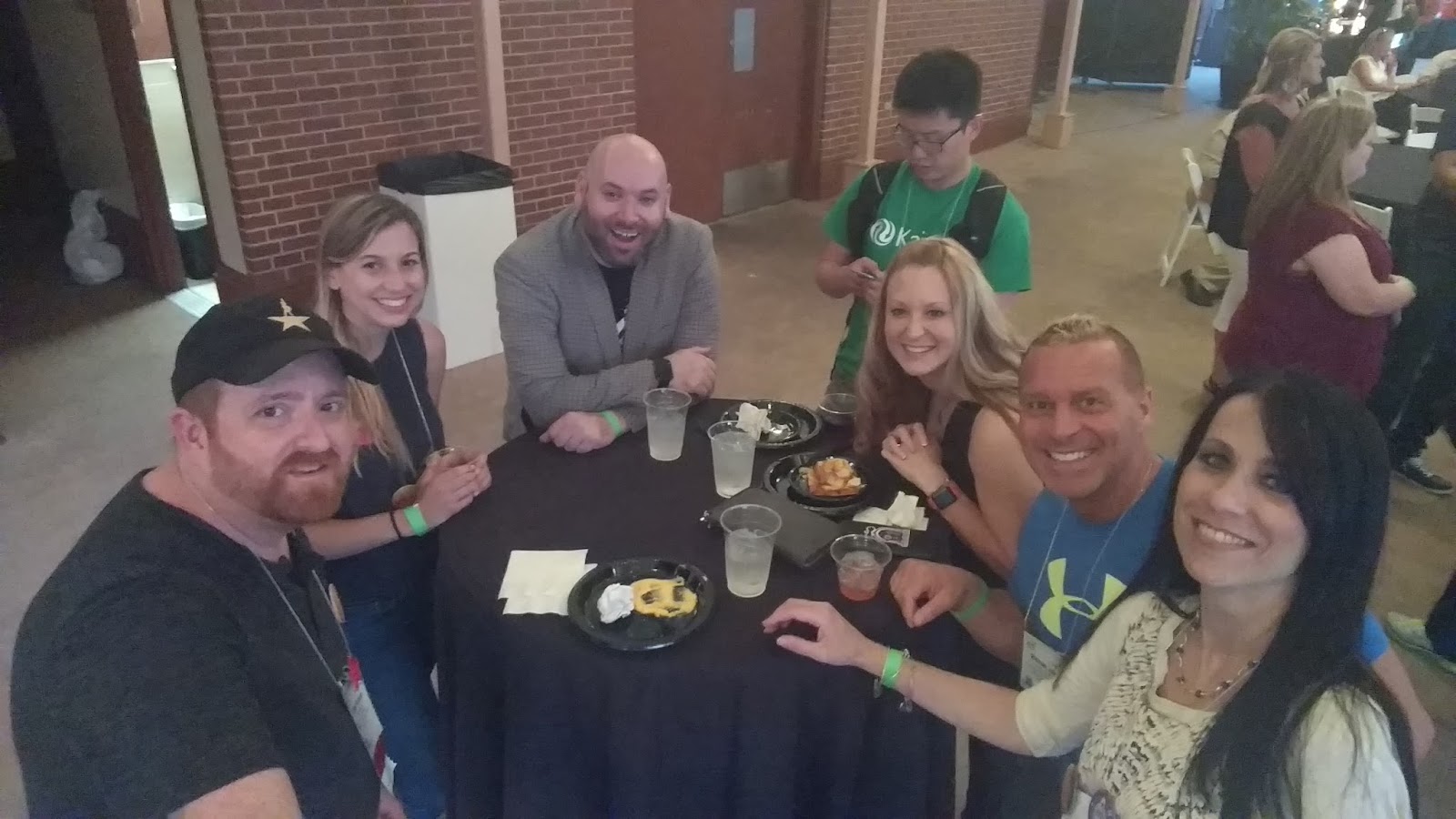
Hanging at Gaggle: Sean Farnum, Melanie Broder, Bryan Miller, Edward Sun, Katrina Keene & Michael Jaber
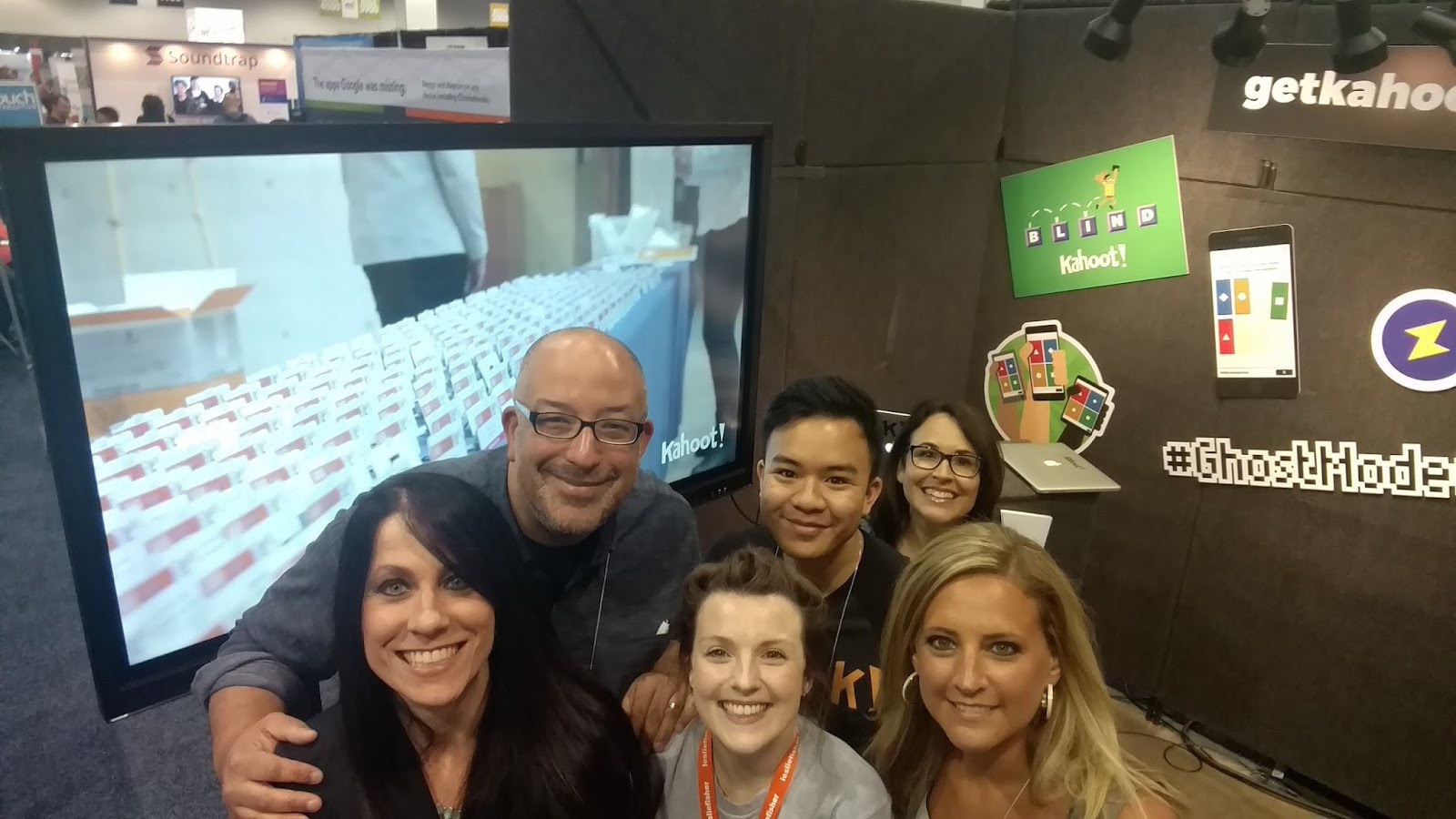
Sean Gaillard, Fran Siracusa, Mandy Froehlich and Kahoot!

At #ISTE16, the opportunities for learning came from all directions. Everything and everyone is always moving. Doors opening to sessions, lines crowding the hall, students excitedly sharing their work, drawing you into their poster sessions, and all of the different tables and topics that each of the playgrounds offered. It is hard to pass any one of these opportunities up. And it’s even harder to decide when to stop and when to keep going. It’s variety and connecting that made this learning special.

Planning Ahead: #ISTE17

Now is the time to plan your schedule for #ISTE2017. The location for next year is San Antonio, TX from June 25-28, and now is the time to start planning ahead. Not deciding on where or how you want to spend your time while there, but planning to be there to experience the awesomeness of ISTE and the Connected World. See you in San Antonio!

What are your takways and highlights from #ISTE16? Share in the comments or on Twitter with #TheEduCal!