Making Global Connections: How and Why it Matters

ecg

See what great events will be happening during #ECGC17

Making Global Connections: How and why it matters

A post written as part of the EdChange Global Classrooms event coming up on February 28th. Sign up today.

by Rachelle Dene Poth

It is amazing today what we can accomplish through the use of technology. In the past, the methods we relied on for communicating with friends, family, other schools, and abroad were limited to telephone calls, letters, meeting in person (if geographical location afforded this), for a few examples. And for providing opportunities for students to connect with other students or classrooms, these connections were limited to classrooms located within the same school or at the furthest point a nearby school. These interactions had to be set up in advance by means of a telephone call or through letters in standard mail. (I am referring back to my own elementary and high school experience, a time in which cell phones and the Internet did not exist). Providing diverse learning experiences, took a good deal of time and collaboration for everyone, between setting up required transportation, schedule planning and logistics, and the actual interaction time needed for the result to be a beneficial learning experience. Another factor was the cost involved, if transportation to another location was necessary.

Today, these types of activities and learning experiences for students can be set up instantly, even without any pre-planning, because of the diverse tools offered with technology. By simply using a form of social media or by connecting with a member of your PLN, and perhaps using a tool like Voxer, we enable a quick conversation instantly. And time and place do not matter, there is no need to move either group or anyone who is going to be connected.  We are able to simply talk, share an image, livestream videos, collaborate to add resources, (anything is possible) and connect our classroom and students, with another classroom and students somewhere in the world. Amazing.

How we can open up these opportunities

We have so many options for helping our students to become globally connected with other students and experiences. We need to promote these connections so that students develop a broader understanding of diverse world cultures, experiences and have an appreciation of different perspectives. With so many resources available, we can bring learning experiences to life, immerse students into different cultures and parts of the world, by simply connecting. It just takes one step forward. 

A few examples of how easily this can be accomplished are through some of the web based tools available to teachers and students today. Through the use of video tools, many of which are available as free platforms, we now enable classrooms to connect with others throughout the world, regardless of differences in time and place. You can truly see what others experience in their day-to-day learning and living, and have conversations in real time, at a moment’s notice. Students can participate in activities like a mystery Skype or collaborate through a discussion, by using tools such as  Padlet or Wikispaces or use something like Appear.In or Zoom, for a live interaction or even Google Hangouts. These are just a few of the many options available to classrooms today. To promote conversation without video, we can use collaborative tools such as Padlet, TodaysMeet or perhaps use Wikispaces or even a class Twitter account, (depending on grade level), as ways to have students connect through writing. In addition to learning about different cultures and establishing global connections, we work on other critical skills like communication and collaboration, digital citizenship and help to engage students more in the learning environment.  Imagine being able to have a conversation with people from 80 different countries at the same time. Regardless of geographical location or time zone, everyone can connect using one of these forms of technology and the many others that are out there.


Getting Started

Connecting globally requires that we as educators be connected. It starts with us. We have to build our own professional and globally connected network so that we can provide these learning opportunities to our students. It is worth the time, the risk,and the effort to seek out learning communities and build a community of support. We become stronger and better together, and when we collaborate to provide opportunities for our students to learn from other students, to gain new perspectives, to experience the multitude of ways of collaborating and communicating globally, we take their educational experience to a whole new level. Become a more globally connected classroom today. #ECGC17    EdChange Global Classrooms
 

ecg2

Sign up today and display your badge!

4 Simple Ideas To Use Technology To Engage Students

Thank you Terry Heick and TeachThought for this opportunity to share ideas for some tech tools to engage students. Published Monday, September 26, 2016.

4 Simple Ideas To Use Technology To Engage Students        
by Rachelle Dene Poth
 

Fall is an exciting time of the year.

Summer provides an opportunity to relax, but is also a time to explore new ideas and reflect on the previous year. We have to ask ourselves what worked and what did not. With the start of each school year, teachers begin by establishing classroom procedures, getting to know the students, and then starting their instruction.

Even with the best plans thought out in advance, things can come up that limit our time to try something new. There is nothing wrong with sticking to some of the same instructional strategies and using some of the same tools that were used last year. We all have methods and tools we use that are beneficial to our students. But summer does offer an opportunity to think about some new things to bring to our classroom and our students at the start of the new school year.

Because time is a factor, it can seem overwhelming to try too many new things at once. It is helpful to think about maybe just slightly altering how we used a certain tool or presented a topic in the prior year. Start by focusing on one thing at a time and see how it goes. The most important part is to remember that we want to implement something that will positively benefit our students. It should be something that has a true purpose and will amplify the learning experiences and potential for our students.

Below are a few ideas that I have used in my classroom which have been fun for the students and had positive effects on their learning.

4 Simple Ideas To Use Technology To Engage Students

Idea: Use infographics to create an engaging syllabus

Instead of creating your course syllabus on paper and handing it out to your students, try creating an infographic to post online through your class website or LMS if you have one. It will be easier to read, model a sense of enthusiasm for your own craft, and separate your classroom from others in the eyes of students/parents/admin.

With a graphic, you can also print and laminate the infographic to keep it accessible in your classroom. There are many tools to choose from for creating one and many options for implementing them into your course. In order to create one you simply take the information from your document and paste it into the infographic.

There are many choices available for templates, icons, fonts and much more. As an alternative to having your students complete assignments or projects which traditionally are done on paper or using a Word document, have them create something creative and visual using one of the infographic tools available. It will be a more engaging, visual way to share information, have a more authentic learning experience, and they can be created rather quickly.

Some recommendations of tools to create infographics are Canva, Piktochart, Smore and Visme.

Idea: Create interactive lessons

Students need to be actively involved in the classroom and in learning.  A good way to do this is through interactive video lessons. There are many digital tools available which enable a teacher to choose a video from YouTube or other video source, and use it to create a quick interactive lesson with questions or other activities for the students to complete. The nice thing about the tools available for interactive video lessons is that there are some lessons available for public use allowing you to try them out with your class first before creating your own.

Trying one of these out first is a good way to see what the students think, and use their feedback to help guide the next steps, whether to create one and which tool to use. Offering lessons like this is great for having students complete assignments outside of the traditional “brick and mortar” classroom as part of an asynchronous lesson or in a blended or flipped learning environment. You can quickly assess students, track their progress, and hold them accountable for having watched the videos.

A few suggestions of some of the tools available are EDpuzzle, Playposit, Vizia, and even a Google document could be used with questions added in for students to complete. My suggestion is that you choose one of these options, see what is available, and then be very clear how you can use it to benefit your class. There are tutorials available on the websites which offer guidance to help you to create your first video.

Simply select a video that you would typically show in class or assign for students to watch outside of class and think about the questions you could or would ask to check their understanding. It is easy to add your video into the lesson editor, add in different question styles including true and false, multiple choice or short answer, in addition to other formats. There are also options for quizzes to be self-graded, making the data available right away.

Each tool offers different features which add extra benefits to learning. For example, you can also see how long it took the student to view the video and if they tried to skip through it, depending on which tool you choose.

Idea: Student Created Lessons

Instead of the teacher creating the lessons, you could also have the students create lessons to share with the class. When I did this with my students, they sent their completed video lessons to me and I completed the lesson. It gave them an opportunity to see what teachers see and an opportunity to provide feedback to their “student.” By doing this, the students learned in a more authentic way because they decided which video to use, created the questions and as a result, it reinforced the material; it was more personal for them.

Teachers learn by seeing the type of content the students choose and can use this information to guide the next steps in the lesson. The class as a whole learns and benefits by having more resources available for practice and students can become more proficient in the content. One other great thing besides improved learning is that it can be fun for students to create these videos as well.

And fun is good, yes?

Idea: Use engaging digital quizzes & tools

There are a variety of tools to use for creating quizzes and lessons for students to complete in and outside of class.

In many cases, you can upload your own documents or PowerPoint presentations into the lesson, and keep everything organized in one place. Using some formative assessment tools like Formative, Kahoot, Nearpod, Quizizz, and Quizlet to name a few, are ways to have some fun with the students and add to the learning resources available for your classes.

Students enjoy creating their own quizzes and lessons, having a choice in the tool and types of questions included, and being able to further develop their technology skills in the process. These activities are all highly beneficial to student growth. By giving students more choices, we empower them in the classroom.

Conclusion

When used with a purpose, there a lot of ways that technology helps teachers and students. Using technology saves time, makes feedback available immediately, and gives students the chance to be creators and have a choice. It also promotes learning outside of the traditional classroom setting, which reserves the time in class to do other activities, to clear up any misunderstandings and to spend time getting to know the students and giving individual feedback.

Once you decide on one of these ideas, give it some time, see how it goes, and then think about taking the next step. Be sure to involve the students in the conversation because their input is vital and it matters. When students feel valued, learning is more meaningful and this leads to many positive results. Teachers and students working together, creating lessons, providing feedback, will add to a positive classroom culture.

Perhaps one of these areas is the next step that you could take, try and see how your students respond. It was a nice change in my classroom, my students were creative, engaged, and really enjoyed the chance to lead. The learning that occurred was more meaningful and they recalled the content information much more when they created their own product or recalled the work of one of their classmates.

Either way, it was a much more meaningful experience, and something that I will continue to do this school year to grow my classroom.

4 Simple Ideas To Use Technology To Engage Students; image attribution flickr user flickeringbrad

How I Solved My Classroom Management Problems

How I Solved My Classroom Management Problems

Achievement unlocked: Making assignments and resources available to everyone, anytime.

Common Sense Education, posted on September 15, 2016

Rachelle Dene Poth

Classroom teacher, Technology Presenter

Students often have organizational problems. It’s an ongoing struggle, so I’ve always done the best I could to help them stay organized. Years ago, that often came in the form of a planner students were supposed to fill out with assignments, and I’d sign off on it.

There was one particular student with a planner whom I remember. The system worked well when she remembered the planner, but sometimes she didn’t.

On the whiteboard at the back of my room, I have a space where I write down the assignments for students. I keep my door open most days, so if they want to stop in and peek at the board, they can. I’m available anytime; the only thing I ask is that they kind of discreetly come in.

So, this particular student would appear in the morning during homeroom or at the beginning of class to check the whiteboard. Sometimes she got the assignment. But sometimes, what I wrote was erased. Anything can happen: Other students might erase it and write over it, for example.

Then her mom would send an email to clarify things — and I’m really good about checking email, but sometimes email doesn’t go through. And if you call me — well, we work with voicemail extensions so it’s not like there’s a direct line to me. You have to filter through the office, and I’m always available to talk, but obviously if I’m teaching class, I’m not reachable.

Other students would pop in to check on an assignment, or they’d want to stop by and pick up a worksheet. I have everything in my room set out, but students would put papers down, and things would get covered up. So it might not be easy to find.

Or, the students would come in and leave notes saying, “I stopped by to find out … ” or “I wasn’t sure … ,” and they’d leave me a note on the board or on my desk. But if I were going to be late or had a long meeting, I might not see those notes until the next day. And if my board was cleaned that night, I might not see them at all.

So again, the students came in to get help, and I wasn’t there.

That’s when I really started to ask, “What can I do?”

I thought the board was great because students could come in anytime, but that’s not accessible in the evening when they sit down to do homework. Planners are great, too, but what if you forget them or they’re lost? I was looking for something to fix a lot of these things I saw impeding the learning process. The lack of access to resources was really bothering me because I wanted to do more.

I first decided to use the messaging tool Celly to message my students. I used it to send reminders and answer questions. I could quickly respond to messages about homework or what was missed during an absence, and I didn’t have to use class time to help students catch up.

I use it with my Spanish club, too, and now there are other groups in the school that use it for field trips and other things. It’s really quite nice, because if you’re on the bus and you’re missing students, now you can reach them instead of waiting and wondering.

But students were still asking for help finding class materials and keeping them organized. I wanted some kind of assurance that everything was centralized and easy to find. And I hadn’t found an easy way to keep parents in the loop. I decided to give another tool a try: Edmodo.

It’s a web-based app, so students can use their phones to log in, or a computer at home if they don’t have a phone, or a phone with data. Students get a join code so they can join a class when I’ve created one, and parents get a parent code so they can sign up and see what I post to the class and see their kids’ work, the grade they got, and the comments I’ve made. They know everything we’re doing in class.

Usually students log in once a day. I post homework reminders and share links. One of the nice things about Edmodo is students can reply to a post I’ve made and ask a general question, and anyone in the class can answer. For example, if they forget something — a textbook or a worksheet — they can ask, “Can somebody please share an image of the homework?” They help each other out.

It helps me, too, because if a student has been absent for a day or more, they can easily go back and see what you did in class. It’s part of my routine now, and I have five courses. Generally if a student says, “I was absent three days ago. What did I miss?” I have some idea but I’m not exactly sure. So it’s nice to have that reference.

It’s more than just communication — it’s collaboration. And I keep thinking of new ideas I can use it for.

The first two assignments I gave my Spanish 1 and 2 classes this year were discussions on Edmodo. The first was on how they study and learn, with personal kinds of questions so I could get to know them and give them ideas. The second was to come up with five personal learning goals. I gave them a reply, and in a week or two we’re going to reevaluate: “You said you were going to study every day for 30 minutes. What happened?”

You can use it as a reflection tool or as a digital portfolio. If the students do a project with technology, they can put it on Edmodo, and we can go back to it to share learning.

These tools have made a tremendous difference in my ability to provide the best possible learning experience for my students — and that’s what I wanted. And bonus: They’ve made my life easier, too.

Digital Tools to Build Communication Skills

Digital Tools to Build Communication Skills

Use reflective practice to encourage student relationships!

Posted on Common Sense Education on September 12, 2016

Rachelle Dene Poth

Classroom teacher
Riverview High School
Oakmont, PA
CATEGORIESIn the Classroom

Reflection is part of our practice — it has to be for us to grow as professionals and for our students to be successful. Reflection is an ongoing process; it happens after each class period, at the end of the day, and even in the evening. Reflecting on instructional practices and our interactions with students is important, and we must use this reflection time to plan for the future.

Oftentimes, reflection starts and ends with relationships. How does what we say and do help our students become confident learners and sharers? While the first few weeks of school are normally busy and chaotic, it’s important to take time to build relationships, and the best way to do this is to foster your students’ communication skills.

Talking and technology

There are lots of ways to get students talking to build relationships. Depending on the level you teach, some options might be easier or more feasible than others — but if you want to learn about your students, it might be as easy as creating a Google form and asking some general questions to get an idea of their interests. Immediately, this can lead to more discussion, some laughs, and a lot of learning about each other.

Another idea is to have students participate in a scavenger hunt. There are many digital tools available, such as Klikalu Playerand Social Scavenger. Whether you use a new digital tool or stick with tried-and-true paper activities, creating something that gets all your students involved, connected, and working together will build the engagement and respect needed to sustain positive peer relationships and a positive classroom all year long.

Set up a way to communicate

Teachers want to hear from students. We want students to feel comfortable coming to us for help, asking questions in class, and getting involved in classroom conversations. Unfortunately, many students struggle with speaking out; they become too nervous to answer or feel embarrassed asking a question. To create a feeling of support in the classroom, fostering communication is key. Luckily, many digital tools are available to help build students’ communication skills.

If this sounds like something that could benefit your classroom, try one of the many great messaging tools available: Bloomz,Celly, Voxer, Remind, or any of the dozens of similar apps. Once you feel comfortable with your choice, start thinking about another way you can add to the learning experience in your classroom.

A helpful way to implement these tools is to think about connections — who am I connecting to whom or what, and why? When students have opportunities to work with technology, having a choice in how they learn, are included in the conversation, and are asked for feedback engages and empowers them within the classroom. Start the conversations and keep them going, and soon your classroom will be filled with confident students.

#ISTE16 Part 2: Highlights & Takeaways

#ISTE16 Part 2: Highlights & Takeaways

By Rachelle Dene Poth

This post is part two of #ISTE16 reflections from Rachelle. Click here to read part 1: Let’s Talk About Relationships.

Where does one start to describe the highlights from a conference experience like ISTE? The tremendous number and types of events offered during this experience make it a real challenge to focus on only a few here. There are so many wonderful things that you could highlight about the conference. With numerous concurrent events, pulling you in so many directions and with all of the choices, how can you possibly decide on a schedule? It definitely is not an easy task, but it does not have to be difficult either. You just need a little focus.

So how do you focus? Talk to people about some of the “must” events, but also think about what your personal focus might be. What are you hoping to gain from attending ISTE? So many choices. I believe that no matter which option you choose, you can’t be wrong because of the endless opportunities available at a conference of this magnitude.

Planning with #ISTE15 in Mind

Even though I had attended ISTE last year, and had a pretty good idea of what to expect, I don’t know that I was any more prepared. It seems to me, that each day had one event people considered to be a “must attend.” Aside from having this one focal point, the rest of the days were filled quickly with a combination of time spent at the poster sessions, playgrounds, Keynotes, Ignites, and 1 in 3 sessions. Every day was also filled with networking and connecting everywhere: stopping in the Expo hall to grab some swag; hanging out in the Bloggers Cafe and the PLN Lounge; enjoying ice cream and shopping for ISTE wear and books at ISTE Central; and so much more.

With so much to do, I think sometimes it’s better off to not put too much thought into having the “master plan/schedule” because you don’t know who you might meet, what you might find or where you will end up once you enter the convention center. It is so easy to be pulled in so many different directions, so it is always a good idea to have a flexible “plan” of where to start but keep your options open because there’s a whole lot going on out there in the world of ISTE

My #ISTE Highlights

A lot of people come in for the pre-conference events starting on Saturday with Hack Education’s ISTE Unplugged and the Mobile Learning Network’s Mobile Megashare. Both of these offered opportunities for people to meet up with their Twitter friends or “tweeps”, make new connections and do a lot of learning and networking. The great thing about these two events on Saturday is that there are so many diverse topics for discussion and so many people to share and brainstorm ideas with. And nobody says you have to stay at either one for the whole time. Just like the EdCamp “law of two feet”, you can go back and forth whenever you want, because you are in charge of your learning. This is your personalized PD. Enjoy the time to CHOOSE what you what to learn about.

For the Mobile Megashare, there were 24 tables each with a presenter or presenters facilitating a discussion about a topic. Attendees were able to choose a table to join in and could come and go as they wanted, or just move about the room and listen in and participate in a bunch of different conversations, moving around from table to table and idea to idea. .

There were two unconference events attached to ISTE, #HackEd and Teachmeet. #HackEd was much like a traditional Edcamp, and with TeachMeet, you can submit an idea to present on a topic for either a 2, 7 or 20-minute time period. It’s another place to connect and make new friends, and really build up the excitement for the rest of the conference.

Sunday night kicked off officially with the Keynote speech by Dr. Michio Kaku, who questioned whether we are “equipping students for the 1950’s or cultivating future ready learners.” The Balco Theater was packed, and more people gathered in the Bloggers Cafe to spend some time collaborating and to listen in to the Keynote. In the first two days alone there were many opportunities for personalized professional development and learning.

More Highlights

New #ISTE Student Standard: One of the highlights this year was the launch of the newISTE Standards for Students. The updated version was released and includes 7 standards of student statements, with focus on empowering student learners and giving students a voice through technology. There was a lot of excitement and discussion of these new standards and the focus toward student-centered learning.

Keynotes:
The two other inspirational and motivating keynotes were given by Dr. Ruha Benjamin and Michelle Cordy. Both shared experiences and messages that called upon educators to take action to provide opportunities and digital equity for all learners.

#CoffeeEDU: If you’re not an early riser, then get up early and go to #CoffeeEdu. Join in the conversations, get a great start to the day, talk with Alice Keeler and make some new connections.

Parties!: If you don’t normally stay out late, then make sure you get to the Gaggle party or EdTech Karaoke. The Gaggle Party was held at the Denver Athletic Club, multiple levels of nothing but fun and ETK was at the City Hall Events Center. Both of these events are a lot of fun and well attended, so you need to at least make some time to stop in for a bit to find out what the buzz is all about and why so many people are so quick to get those badges and passes to attend.

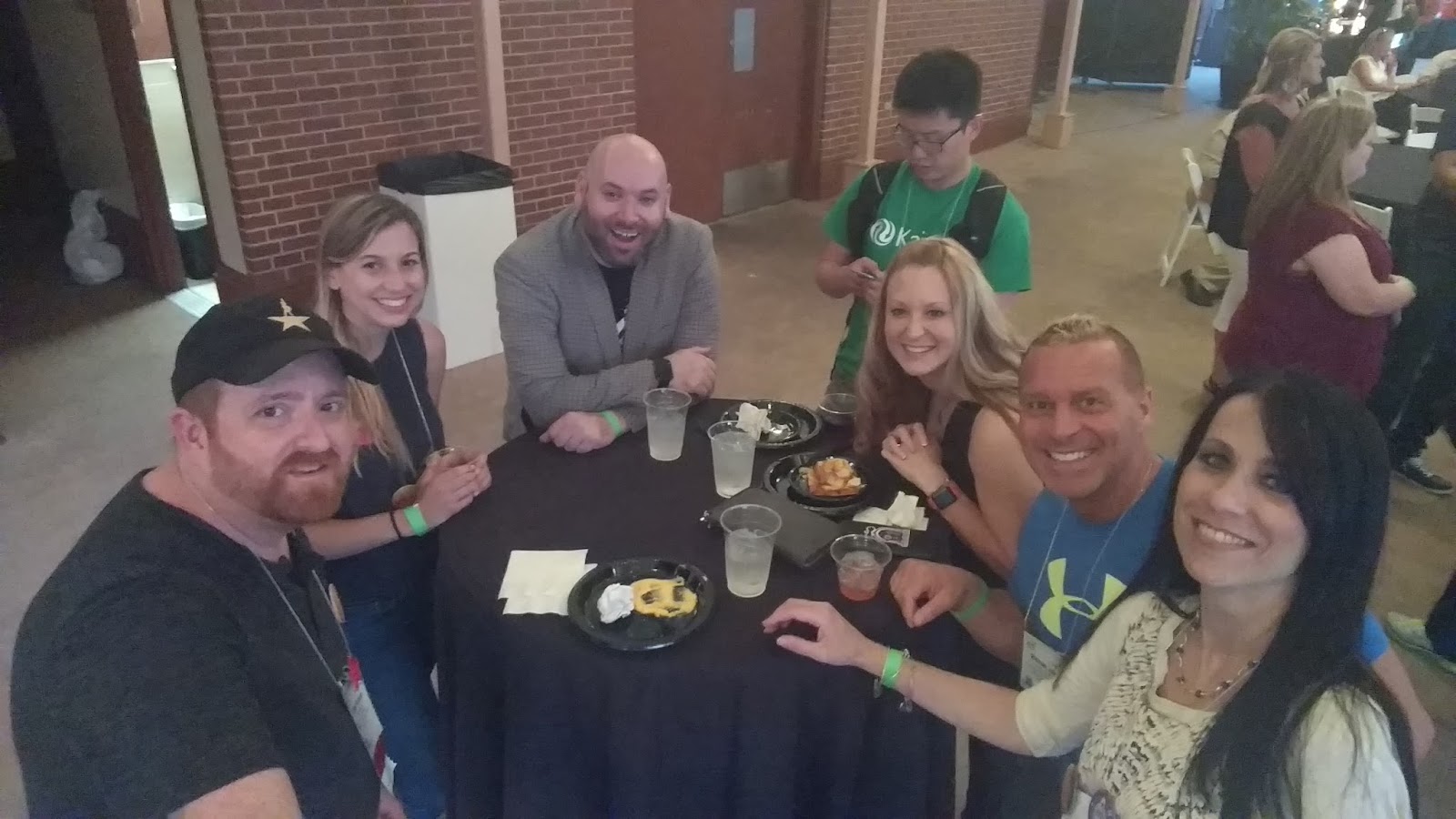
Hanging at Gaggle: Sean Farnum, Melanie Broder, Bryan Miller, Edward Sun, Katrina Keene & Michael Jaber
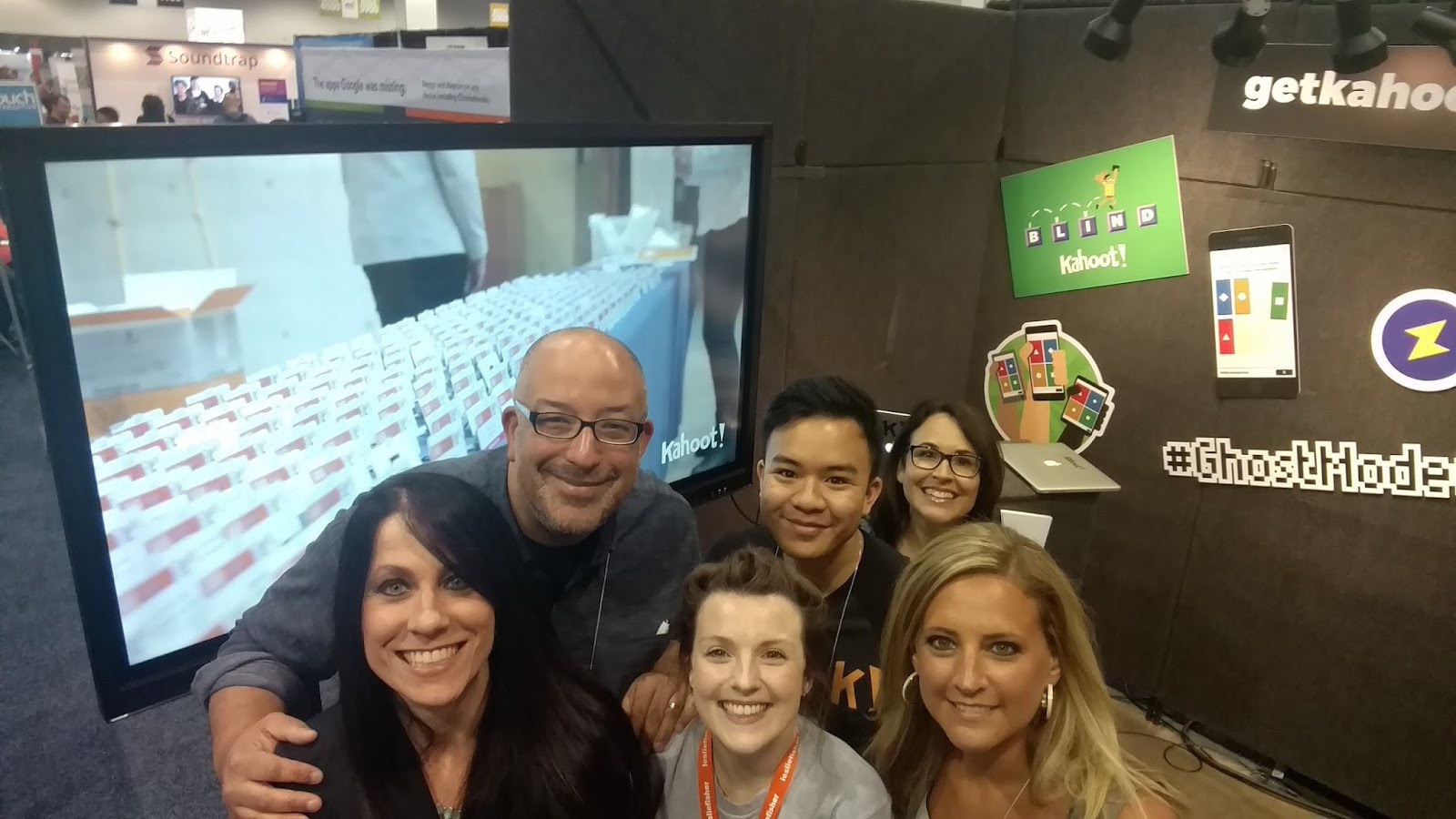
Sean Gaillard, Fran Siracusa, Mandy Froehlich and Kahoot!

At #ISTE16, the opportunities for learning came from all directions. Everything and everyone is always moving. Doors opening to sessions, lines crowding the hall, students excitedly sharing their work, drawing you into their poster sessions, and all of the different tables and topics that each of the playgrounds offered. It is hard to pass any one of these opportunities up. And it’s even harder to decide when to stop and when to keep going. It’s variety and connecting that made this learning special.

Planning Ahead: #ISTE17

Now is the time to plan your schedule for #ISTE2017. The location for next year is San Antonio, TX from June 25-28, and now is the time to start planning ahead. Not deciding on where or how you want to spend your time while there, but planning to be there to experience the awesomeness of ISTE and the Connected World. See you in San Antonio!

What are your takways and highlights from #ISTE16? Share in the comments or on Twitter with #TheEduCal!

ISTE 2016: My takeways

#ISTE16 Takeaways Part 1: Let’s Talk About Relationships

By Rachelle Dene Poth

ISTE Takeaways

Let’s talk about the relationships (part 1 of a series)

Rachelle Dene Poth

ISTE (International Society for Technology in Education) is a conference that draws in people from all over the world and all levels of education and technology. With an estimate of close to 20,000 people from 70 countries in attendance, this year’s conference was tremendous. An event so large but yet at times seems so small, when you find yourself running into the same people in different areas of such a large event space. It has so much to offer, that it is hard to do it justice by summarizing or simply writing about one aspect of it.  So I thought I would highlight a few of the biggest takeaways that I had, and ones which I gathered from others.


Going to ISTE? What can you expect?
There are a lot of discussions and questions leading up to the conference. For people attending for the first time, the most common questions are: What sessions should I choose? What type of clothing is appropriate? What items should I carry in my bag? What should I expect? What are the “must do” events? and many more questions like this.  Simply put, where do I begin?

I myself was a first-time attendee last year and had absolutely no idea what to expect.  I had been to many different conferences, but none as large as ISTE. I was nervous about not really knowing a lot of people there.  I was fortunate to have just gotten involved with PAECT (Pennsylvania Association for Educational Communications and Technology) and two of the ISTE networks (MLN and Games & Sims).  Being involved with these organizations helped because I knew some people and had some events lined up, but I figured the chances of seeing them with all of our different schedules, were not too likely.

PAECT Friends

IMG_20160626_173826603_TOP-COLLAGE

I tried doing some research, asking questions on social media, reading through and studying the ISTE website to learn as much as I could. I think I studied the program multiple times every day, each week leading up to my travels to Philadelphia. I had a nice schedule planned out, my favorites marked and areas that I wanted to focus on, so it seemed like I was ready to go.  But as I quickly learned last year, and definitely felt the same this year, is that it really doesn’t matter what you decide to do, what schedule you set up to follow, whether or not you know anyone, because no matter what decision you make you can’t go wrong. Honestly. There are no “wrong” or “bad” choices because there are opportunities everywhere. Even if you have a schedule, it is really tough to stick to it. And if you are traveling alone for the first time, don’t worry about being alone. It is a place for building relationships and making connections above anything else. So if you want to learn what ISTE is about let me start by telling you about the relationships and why they matter.

(Photos from #iste2016 Twitter)

(Photo from TechieTeacherTalk @GUAMlovesAT)


It starts with relationships: The value of connections

I had to conquer a big fear this year: my fear of flying. Last year, I traveled by Amtrak to Philly, and it was no problem. I don’t mind traveling alone, I use the time to read, participate in Twitter chats, catch up on work, and enjoy the trip.  But this year, preparing to travel to Denver, with my fear of flying, something I have not done in 21 years, was a bit difficult.  I have avoided air travel, preferring to drive or take a train any distance. However with Colorado being a bit far of a drive, bus ride or travel by train, I was not left with much in the way of options. So that meant flying. Fortunately, I had a good friend providing me with the support to help me get to the airport, get on the plane and get to Denver without worry. At least not too much. I just kept thinking about the week ahead.

My support for the travels started with another conference.  Karyn and I met at a Keystone Technology Innovator Summit in Pennsylvania a few years ago. I was also fortunate that at Karyn had another friend traveling with us, Chris, so I had two amazing companions to ease my nerves and it really made a huge difference during the flight and throughout the conference.

Chris Stengel and Karyn Dobda


Relationships started through Social Media.  Now aside from the travel, another tremendous part of this experience was a group that originated on Facebook, educators connecting in an ISTE2016 group.  The group then transferred into a Voxer group created and led by Rodney Turner. We communicated in the weeks leading up to ISTE. Lots of conversation, lots of questions and more than anything a ton of inspiration and excitement fueled by the chatter, the shared experiences, the anticipation and even more so, motivation provided by the guidance of our named “Concierge Rodney.”

He started each day with a Vox, a countdown to ISTE, an inspiration and a story.  He brought a bunch of people together, a group of connected educators, who became friends, excited to meet F2F after developing these relationships. Becoming friends through technology. I could hardly wait to meet the members of this group, officially, because we had already learned so much about each other. And we even had t-shirts and stickers made for our group, thanks Mike Jaber.   

(Meeting in Bloggers Cafe, VoxUp)

And at conferences like ISTE, meeting your “Tweeps” and #eduheroes finally F2F is a possibility.  Even though we all feel like we already know each other, after many Twitter chats and social media interactions, it is nice to be together and talk (about technology) without the technology.

Sean Gaillard and Natalie Krayenvenger     (Photo from Katrina Keene)


First steps for ISTE

Having these core groups to connect with is something I highly recommend.  All it takes is one or two people and you can build your entire group, so at no point do you feel alone during the conference. One of Rodney’s messages was to be on the lookout for people you notice sitting alone. If you see someone sitting alone, go over and start a conversation, invite people to join you, be welcoming, and it worked. We had our “VoxUp” in the Bloggers Cafe on Sunday before the Keynote, and what a great experience that was.  There were lots of hugs, laughs, smiles and excitement.   This was truly a defining moment.  In looking around, people joined in this group, new connections were made, the excitement and power of this PLN was contagious.  All it took was joining in a group, taking that step and becoming part of something, and having a support system already in place.  Looking around the Bloggers Cafe, there were a lot of small groups of people, gathered to listen to the Keynote, take pictures, make new connections, network and just to absorb everything that was going on. No matter where you looked, you could see the energy and excitement. The energy was so high and it was just the starting point for what would be a phenomenal 3 day event.


So, what should your plan be?

Well, maybe the best plan is to not have a plan.  Maybe just have an idea. A focus.  Time goes by so quickly and the choices are so numerous that it can be overwhelming, especially for a first time attendee.  Not everybody can make the same decision about what would be the best session or event to attend. You have to make your own decision and even though there is comfort in going to a session with somebody you know, it is equally if not more beneficial to go your own way, interact with other educators and create new relationships.  You can then come back to that core group with new ideas and new friends, and you never know, it’s such a small world sometimes that you might all know the same people.  And by going to different sessions and different events, there are more stories and experiences to be shared. So the learning possibilities are even greater.  And friends made along the way become part of different groups but connected into one.
Having these different groups really added to the experience.  We shared ideas, attended events together, grabbed early coffees at Coffee Edu, and so much more. Even if you weren’t at ISTE, you could join in virtually and be a part of the ISTE community as well.  The idea behind attending conferences like ISTE is to make new connections, gain new knowledge, to grow professionally, and to explore.  I can’t think of a better way to start doing this than by focusing on relationships. It is where I start each school year and it is where I focus for conferences like ISTE.

(#coffeeEdu, Thanks Craig Yen for Periscoping for #notatiste)

(Mobile Megashare)


Share your thoughts and experiences and photos, we would love to hear from you! Next up, focus on some of the ISTE events and takeaways.