Blogging: Assessing Student Growth

Assessing Student Growth Over Time

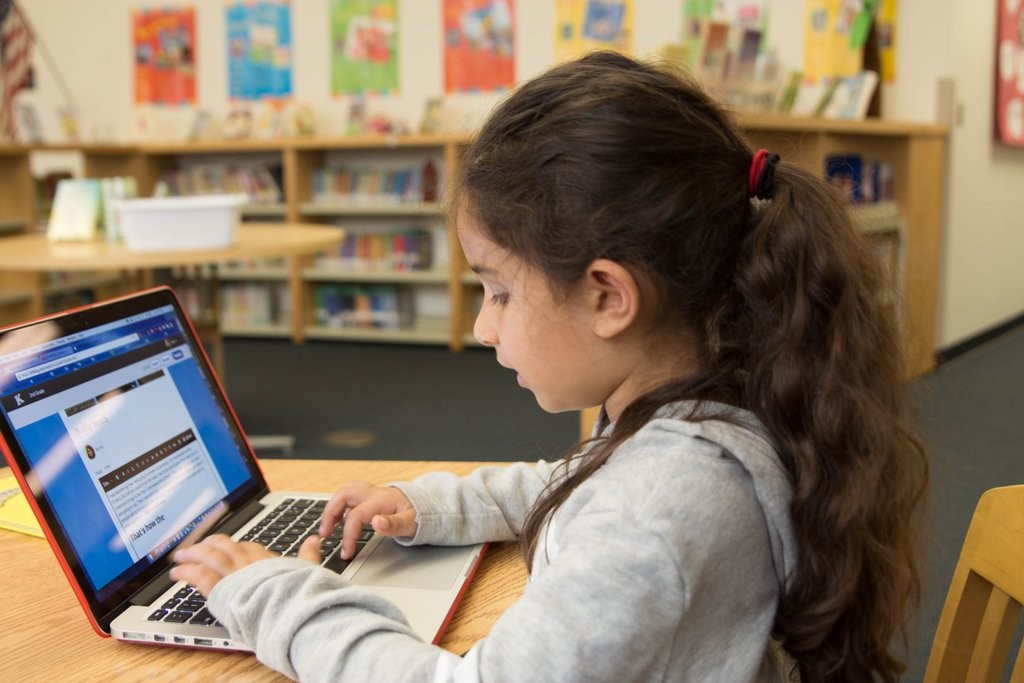
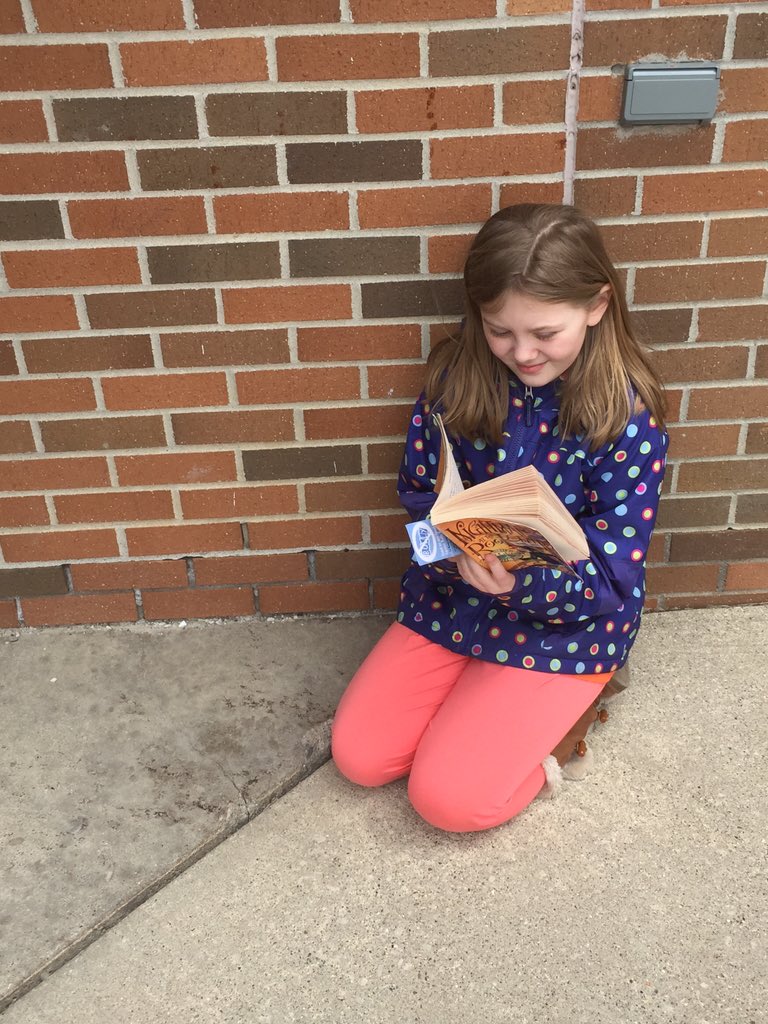
@CESMediaCenter Ana works on KB post about buddy bench

Blogging is an effective classroom tool used to exceed learning objectives beyond traditional methods. It offers more than just a platform for writing and sharing ideas. It is a means for teachers to assess, connect, empower, and understand their students. For students, it is a way to to find their voice, while continuously learning more about their interests, strengths, and areas of growth.

There are many innovative ways to use blogging in the classroom to meet these goals. As a teacher, you simply need to be open to new ideas, implement creative lesson plans, and relinquish some control by offering the students a chance to choose their own inspiration for writing.  These choices, this freedom in writing, lead to higher student engagement, more meaningful learning, and an enhanced classroom experience for both teachers and students.

Within my classroom, blogging has become one of the best tools to promote literacy skills, while building students’ confidence to express ideas without the fear of making mistakes. Additionally, it has become a way to learn about my students and create a deeper teacher-student relationship. Blogs offer teachers the ability to learn about students and for students to learn about themselves. Yet, what I have found most valuable is blogging’s ability to foster an engaging learning environment, personal to each student, while providing a means for student growth to be tracked and to promote student reflection in the process.

With Kidblog, we have an opportunity for assessing students in multiple areas of communication. It provides a unique, personalized environment for encouraging students to convey their thoughts, demonstrate understanding and make meaning out of content material. Because of Kidblog’s ability to be used class-over-class, year-over-year, students can begin blogging at a young age and continue into higher grade levels. At each phase, they further develop their skills, find comfort sharing knowledge and ideas freely, and continuously develop their content-rich digital portfolio. This ever-growing content can later be used as a focal point to help students see their progress and reflect on their work. They are able to review their first blog posts, compared to their current blog posts, and acknowledge their progress as writers throughout the year.

This progress is built upon the ability to engage students in the writing process through student collaboration and the opportunity to reach an authentic audience. In my class, students are asked to review the comments, to re-read their work, and to consider how they have developed over the year.  It has proven to be an effective way to provide feedback to students, to teach them to reflect and work on goal setting, but in a way that puts the control in their hands.

Students often surprise themselves. They develop skills in ways that are personal to them, and they can use this to track their own growth throughout the year. Even those students who initially were not the biggest fan of writing have been motivated after realizing their progress throughout the year.  Additionally, by taking a look back at where they started and where they are now, students will be inspired to take the next steps to keep moving forward.


Current Kidblog members: If you’re a teacher with multiple colleagues using Kidblog in your school/district, Admin Pro is simply a better plan for you.  Email membership@kidblog.org to learn about benefits and volume discounts.

ABOUT THE AUTHOR

I am a Foreign Language Teacher at Riverview Junior Senior High School in Oakmont, PA. I am also an attorney and received my Juris Doctor Degree from Duquesne University School of Law, and I will receive my Master’s Degree in Instructional Technology from Duquesne University in May 2016. I have presented at several conferences on technology, including PETE&C in Pennsylvania and four sessions at ISTE in Philadelphia in 2015. I look forward to presenting at these and other conferences again this year and enjoy sharing ideas and collaborating with others. I am an officer for ISTE Mobile Learning Network and Games & Sims Network, the PAECT Historian, and fortunate to represent several communities working with educational technology. 

Listening to Student Voices: Piktochart

This is a story done about one of my students, after working with Piktochart and participating in their user story last year, thought hearing from students about the benefits of Piktochart and other tools in the classroom.  Thank you to Jacqueline Jensen and Piktochart for this great post, originally posted on Medium. 

User Story: Students Using Piktochart

In this user story, we talk with Dana Grover, a high school student in Pittsburgh, about how she uses Piktochart inside and outside the classroom, why she thinks visual storytelling is important for her generation, and her favorite EdTech tools.

The fast pace of technology advancement is affecting students outside andinside the classroom. At Piktochart, we often talk to teachers about how they are using Piktochart in the classroom. Uses range from creating a new visual take of the traditional syllabus to utilizing one of our 500 templates to quickly turn text-based material into engaging visuals for the classroom.

But we felt like we were missing an important voice in the conversation. What do students think about Piktochart? Do they think that visual storytelling is a trend that will stick for their generation?

Meet Dana Grover

Dana Grover lives in Pittsburgh, Pennsylvania and is a student at Riverview High School.

“I am a theatre enthusiast who is involved with the marching and concert bands, orchestra, and chorus, along with the Spanish, drama, cinema, and Model United Nations clubs at Riverview,” she told me. “If someone were to look for me outside of school, they would find me in the kitchen, listening to my extensive music collection, or just relaxing.”

Dana first learned about Piktochart about a year ago. In fact, a big part of her discovery of Piktochart was thanks to her Spanish teacher, Rachelle Poth, who we profiled recently in our video user story series. Check out how Rachelle uses Piktochart in her classroom. Video on Youtube of User Story

Piktochart User Story — Rachelle Poth

“Technology is a big part of our Spanish curriculum,” said Dana. “We find new and interesting ways to use it, and showcase our knowledge through it. When I started taking Spanish, all of our projects had to be created using some sort of digital presentation application.”

Dana said when Ms. Poth discovered Piktochart as a tool for students to use to create their presentations, she was quick to share it with all of her students, “as she is prone to do with all great tools,” recalled Dana.

Dana said the way class projects are set up leads students to use new websites each time something is created. “So when I had already used Visme, Sway,Glogster, and others, I decided to try Piktochart,” she said.

“What made me want to explore Piktochart more was when my peers presented in class and I saw how organized and aesthetically pleasing their projects were,” Dana said.

When she thought about what she and her peers needed in an EdTech tool, Dana pointed to one must-have:

“We need to be able to express ourselves in creative ways. Piktochart lends itself to this perfectly,” said Dana.

“Everyone wants technology to be fast and easy to use,” she continued. “Teenagers want lots of choices when creating projects, because we are our own projects, and we want to be able to have choices and create ourselves in creative ways.”

Dana’s Work on Piktochart

When I asked Dana to share her favorite project on Piktochart with me, she was quick to point to an infographic she made about one of her favorite shows — HBO’s The Leftovers.

“Piktochart was the perfect tool to use for this project,” she said. “The Leftoversis such a good, well thought-out, creative show, and I needed a website that was going to be able to do it justice. I was really pleased with all of the options I had when making this project. I felt like I was able to create exactly what I had envisioned it to be, which is not the case for a lot of tools.”

Dana’s Tips and Tricks for Using Piktochart

Dana knows what’s it’s like being new to using Piktochart, so I was curious to hear some of her tips and tricks for newbies.

“The first thing I would show them would be text features, photo options, and background choices,” she said. “Not only are those the basics to creating an infographic, but Piktochart does a really nice job of making these features accessible, easy to use, and extensive in their range of creativity.”

Dana said that when she first started making infographics, she wanted to make the visual longer. The problem, she recalled, was that she couldn’t figure out how to add blocks to build on to her visual.

“It probably took me a good 10 minutes before I realized that when I had a block selected, in the upper left hand corner was a button to add more blocks,” she said. “And below, there is the option to re-size them, which is really helpful.”

For those who are new to using Piktochart, this is what Dana is talking about. This is how to add more blocks!

Dana told me she loves how many symbols, shapes, and colors can be put into visuals she creates using Piktochart.

“Lots of applications have options, but not nearly as many as Piktochart for creative purposes,” she said. “My presentations don’t have to be dry when I use Piktochart. Whatever I envision for my project, odds are I can create it with Piktochart.”

Dana’s Favorite EdTech Tools

When she’s not creating on Piktochart, Dana said she loves using Storybird. Storybird lets anyone make visual stories in seconds. The team curates artwork from illustrators and animators around the world and inspires writers of any age to turn those images into fresh stories.

“Storybird is another great website because it is fun to use and really simple,” said Dana. “I love that people are able to write their own stories and use professional artwork to accompany it. The best part is that you can order your story as a hard or soft cover book. Everyone who worked on it is cited — the author, the illustrator, and the website.”

Another tool in Dana’s toolbox is Sway. Sway, a digital storytelling app, was recently released by Microsoft and is part of Microsoft Office.

“Sway’s layout is very interesting, with options to make a beautiful cover page and online poster-style infographics,” explained Dana. “There are a lot of options on Sway when it comes to pictures, so when I created mine, I only used images from the website, which was really helpful to save time and citation effort.”


Looking for more ways to utilize Piktochart to make students excited in the classroom? Or maybe you’re looking for ways you can use infographics to make your next school assignment shine? Take a look at how teachers and students alike are using Piktochart in the classroom!

Student voices, learners become leaders

Empowering Students To Find The Best Resources For Them

May 23, 2016  – Shared on the Formative Community Forum

By Guest Author Rachelle Dene Poth

HS French and Spanish Teacher Rachelle Dene Poth argues for more student voice, choice, and leadership when finding the right materials for every student. One of her students, Cassy, a 9th grader in Spanish I, reflects on what she’s learned from that experience.

Resources Are Everywhere: Where Do We Start?

Teachers work hard to find diverse resources to help students learn. Supplemental materials can be found in textbooks and other resources, through a quick search online or implementation of teacher-created or student-made materials.  An online search will result in a tremendous list of resources which includes webpages, images, documents, videos, and other media formats for a teacher to choose from. It seems simple enough, but it really isn’t quite that simple.  The challenge is finding the right resource for each student.  Being able to do this requires more than just conducting a simple online search. It requires that we truly know our students and understand their needs. Students do not all respond the same way when it comes to learning and feedback and developing these relationships will help teachers to provide the best learning opportunities.  Finding something that will enable each student to have an opportunity to grow, receive personal feedback, to experience learning multiple ways, is something that teachers strive to provide for their student.

Choosing Tech Tools For Students Is A Good Starting Point…But What’s The Next Step?

Technology offers many ways for teachers to differentiate instruction through digital tools. The number of tools and the features available changes every day. Finding something that works for everyone may take a little bit of time, and it involves some risk taking, flexibility and reflection to truly find what works best for each student.  And while teachers are good at determining what might work best for their students, it is important to hear from the students themselves.  Asking the students directly what helps them to learn better, stay engaged, and feel challenged will enable teachers to differentiate instruction and provide appropriate opportunities for all students.  Student voice in how they learn and their opinion of tools used in the classroom offers the teacher valuable information and different perspectives.  So it is worthwhile to take the time to investigate some tools, ask the students to try new things and then see what they think.

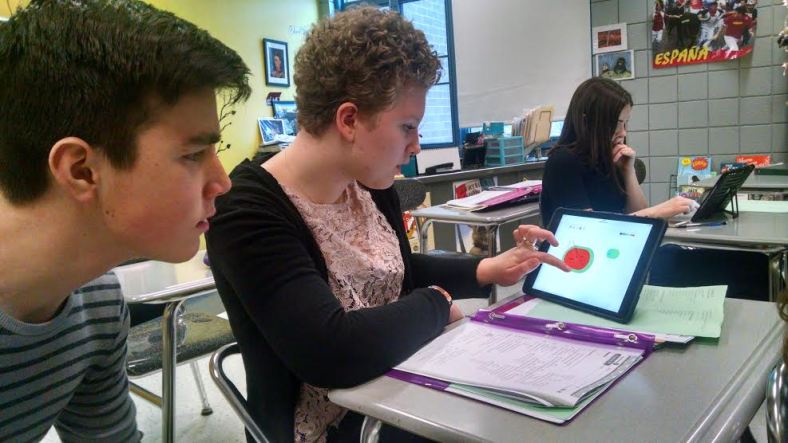
Rachelle's students drawing a watermelon with our "Show Your Work" drawing tool!

Rachelle’s students drawing a watermelon with our “Show Your Work” drawing tool!

Give Them Choices And Let Them Lead

So I wanted to know, what do students get from the choices they are given? Does it make a difference?  What helps the students to learn?  A few years ago I started giving the students different options for how to complete a project or an assignment. Other times,  rather than assigning a worksheet for  homework, they had other options such as creating a game, participating in a classroom discussion online, or even the use of blogging, all which made learning more personalized and meaningful for each student. I value the feedback that I receive from the students and when I try something new, I always want to know what they think of it. In order to learn more about student needs, I decided to have one of my students become the teacher, create a lesson using Formative, and share their thoughts about the new experience and the benefits.

Student Perspective On Edtech: Cassy Becomes The Teacher

Cassie getting ready to show tech tools that help her learning "catapult".

Cassie getting ready to show tech tools that help her learning “catapult”.

Cassy: I believe technology is an important part of learning and is a great asset to teachers and to students. Technology allows students to have the freedom to choose how to do projects, homework assignments or other classroom activities. This freedom allows students to thrive and do the best they can. I know that I love the process of finding a new website, game, project or teaching tool that I can use to help my learning catapult. It is also fun to explore the possibilities of technology and what it offers me. I can be creative and innovative. Classes which integrate technology are completely different than those which do not, because they provide more opportunities for students to learn.
Formative is a great example of the infinite possibilities technology can offer students and teachers.Documents, websites, pictures, questions and drawings are integrated into this program which allows for differentiation and creativity in various ways. Also, many people can participate in one formative assignment. The teacher or creator of the formative can see individual responses and work with the student one on one and provide personal feedback. Formative creates an effective learning experience while keeping a fun atmosphere.
On May 16th, 2016, I participated with other students in the PAECT (Pennsylvania Association for Educational Communications and Technology) student technology showcase, where students from Pennsylvania showed how they use technology to its fullest potential. I made my own Formative and allowed others to try it, and highlighted all of the different uses and how effective it is for education. I enjoyed sharing how a digital tool like Formative can provide different learning activities, enhance how students learn and how teachers can teach.

"Formative is a great example of the infinite possibilities technology can offer students and teachers."- Cassie

“Formative is a great example of the infinite possibilities technology can offer students and teachers.”- Cassie

Why Having Tech Available In The Classroom Matters

I feel that making students turn off their phones or computers is not fair and is not smart choice. Teachers do that for their benefit, not for the students. The current  generation of students is extremely involved and knowledgeable about technology. If all teachers could dive into the world of technology and understand its importance, significance and benefits, and then take the time to explore new ways to integrate some technology into class, it would make a huge difference in a student’s learning experience. I don’t know why more teachers don’t use technology to teach because it is a way to get the students more involved in the learning material.

What Do Students Want?

I want teachers to empower, engage and inspire me. I want teachers to give me the freedom to be creative while I am learning. I want teachers to make learning relevant to my time, and my life experience. Technology is the way to do that, to get students involved. It allows me to have my own voice and learn in the way that is best for me. I do not want to be held back from the infinite possibilities that technology offers any longer.

Student Voices: Listen To What They Say

Rachelle: It is clear that students have opinions about technology and its benefits.  Having choices in how to learn, being exposed to different learning tools and styles, and receiving feedback are all benefits of technology integration and ones which positively impact students.  When they have opportunities to work with technology and choose how they learn, including them in the conversation and asking for feedback empowers students even more. Since students are the group most affected by the technology used in the classroom, we need to hear what they have to say.

Storybird: Students tell stories with beautiful images.

Recently posted on Edueto Magazine

The path to integrating more technology into the classroom

So if you have been following along with my posts since I started writing


for Edueto, you can see that my method of and path toward integrating technology has taken many turns. I first started by trying to find one area of my teaching and my classroom that I could improve. After some consideration, reflecting on my practice, observing the daily routines, I determined there was a “disconnect” occurring between my students and myself. I did not feel that I was as accessible to them and their needs as I could be or more importantly, wanted to be. But the counterpart of this was that I also felt the students should bear some of the responsibility and be accountable for accessing classroom materials and asking for help when they needed.

Over the past two and a half years, it has been an ongoing, evolving process. One which has led to greater reflection, additional changes, and more than I could have imagined. It all started with the simple addition of one tool into our classroom, Celly, for messaging. This first step solved that disconnect and brought about so many positive changes for my classroom. From the beginning of this tech integration journey until now, the variety of ways that we have found uses for Celly are tremendous.

Once I felt comfortable with that first step, I began working with other areas of technology integration. I began using Edmodo for our LMS, which helped with the original issue of “disconnect” and provided access for the class resources and a central location for students to get what they needed. Edmodo provides a lot for teachers and students and has many apps available which we use and enable students to connect with automatically.

These initial steps evolved into the integration of alternate assessment tools such as Kahoot, Quizlet, SurveyMonkey, Riddle, Quizizz and more. These are just a few of the great tools that can be used for formative assessments and some also for student reflections. Once I felt comfortable with these choices, and I could see the benefits for my students, my next step was finding more ways for the students to show what they had learned and what they could do with the material. My prior post focused on project based learning and the benefits, so I would like to share one tool, Storybird, and how it can be used to give students an engaging, creative way to present information.

Storybird

While I have always enjoyed the traditional paper style presentations, I found that moving over to digital formats and letting the students choose from a variety of the creative web tools available for completing their projects, served many purposes. It was important that I offer resources that would give students meaningful ways to demonstrate their learning, but also have fun and be creative in the process. I wanted something that could meet their unique interests. So I started looking for different ways for students to present their information, but still be comfortable with creating the end product and learn something new in the process, technology skills.

One of the first tools we tried was Storybird. It has been one that my students have enjoyed using in Spanish and for other classes, and have shared with family and friends.

I first came across Storybird in the summer of 2014 while taking a course in special education, and I had to create a project that would describe legislation in this area. While there were many choices out there for presentation formats, I wanted to create more of a book style presentation, with vivid images that would add to the information. My search led me to Storybird and so I decided to give it a try.

Getting started

It was really easy to get started. I created an account and searched the available themes, until I found one representing an educational setting, and began creating my project. The themes are full of images created by various artists that contribute to the book with their vibrant illustrations.   Storybird was very easy to use, to add my information and also to select from a variety of very vivid and engaging images to highlight my content. Editing the images and changing the layout was simple, and I really enjoyed presenting my information in this way.

When I assigned the first project of the new school year, I added Storybird to the list of student choices and several students used it for their projects. Each student chose different themes based on their individual preferences and the end products were vibrant, engaging, and authentic, but most of all creative.

Student Reaction

The students were very excited about their work with Storybird and truly enjoyed being able to have a choice in how to show what they had learned and finding a theme that best suited their own personal interests. In addition to creating and seeing these beautiful books online, you can have them printed into a book and see the story come to life. I was truly amazed the day I opened the package and saw the beautiful books that my students had written and had been prepared by Storybird. Each student’s book had their name on the cover and I had placed an inscription inside the cover, to detail the purpose for creating the book. The students were excited to see their names on the book and enjoyed reading each other’s. I wanted more to add to our classroom library and so I asked the students to share their work with me so more of their books could be printed and displayed in our room.

Since then I have shared their work at conferences and with other colleagues, and the students have proudly shared their work during technology showcases. I recently found out about a few students who had used Storybird to create books for telling a story to a sibling, inviting someone to a homecoming dance and several other really neat uses for Storybird. Technology can really enhance the learning process and benefit students in your classroom, but it is when students extend this learning to other areas and uses, that you realize it truly has made an impact on their learning.

There are many other great tools out there for project based learning. Offering a variety of choices for students enables them to find something meaningful and enjoy the experience.  If you have not used Storybird, try it out. Students have used it in many of their other courses after Spanish and have found exactly the theme they needed. I will continue to share some of these tools with you and some examples, as always feel free to send me your comments or questions I would love to hear from you.

story


Quizlet Live: Recent Post on Quizlet

Keeping Students Engaged: A Teacher’s Quick Guide to Quizlet Live

News ·

This is a guest blog post by Rachelle Dene Poth, a teacher who uses Quizlet Live with her classes.

As a teacher winding down the school year, it seems we need something extra to keep students motivated and engaged. Fortunately, in today’s learning environment there are a lot of great resources available for use in classrooms that are tremendously beneficial for both teachers and students. The use of digital tools like Quizlet have introduced new methods for teachers to deliver instruction, personalize learning, and engage students in and outside of the classroom.

I frequently use Quizlet with my foreign language students to help them practice vocabulary and verb conjugations. Since Quizlet makes learning more personalized, I typically create study sets related to the chapter we are covering in class, or track their progress through Quizlet by creating sets dedicated to terms that my students are struggling with. What’s most helpful is the variety of activities Quizlet offers students to do at any time, ranging from flashcards, practice tests, audio activities, and playing a game of Scatter or Gravity. With countless ways to use Quizlet, I’m excited to share my experience with Quizlet Live, which I had the opportunity to beta test with my students.

screencap1@2x.png

My first game!

With the recent addition of Quizlet Live to my classroom, students have been more engaged and eager to learn new material with this interactive game. When I first tested the game, I let students figure out how to answer questions as a team, which improved their focus on selecting the correct answer. Although students typically sit with their respective teams when playing Quizlet Live, my students decided to remain in their seats and call out their team name, or in Spanish (i.e. “tengo” or “no tengo”), to signify whether or not they had the right answer. I noticed that when students chose not to sit with their team, they were more mindful of their own answers, working through each choice. As the game progressed, they learned the mechanics more quickly and wanted to play over and over again.

Letting students learn on their own

Not only did I enjoy seeing their excitement and desire to keep playing the game, it was rewarding to see them truly learn the material and work through the activity on their own as well as on a team. My foreign language students told the other class about Quizlet Live and it was great to hear them so eager to share their experience. Without much delay, the second class started the game and I shared a few pointers that I learned from the previous group. I knew how to guide students with the second beta test and wanted them to figure out how the game worked on their own. My involvement was briefly as a facilitator, then as an observer. This helped me assess what they could learn on their own and also encouraged students to help each other. I could work with them individually or within the groups, be involved in their thought processes and problem solving, and ultimately use this information to guide my next steps in the lesson.

Since testing Quizlet Live, my students have asked to play Quizlet Live every day and they tell me that it really helps their critical thinking skills since they can retain vocabulary better with the repeat practice.

screencap2@2x.png

Key tips for getting the most when using Quizlet Live

  1. Pick a study set with at least 12 terms for the students to practice. Give a brief explanation of how the game works, then let them figure it out on their own and use their experience to guide the next game.
  2. Have at least 6 players since the game will generate 3-4 players on a team. Each team is assigned an animal name and you can see the progress of each team as you go through the 12 questions. The first team to answer 12 questions correctly wins, but if an incorrect answer is selected, the team starts back at zero and has to earn points again to clear their board. As questions appear, each student starts with 4 possible answers on their screen. One member of the team has the right answer, the other members can only see blocks below each team member’s name. As answers are used, the blocks below each member’s name show a checkmark. Players can only see their their answers and the game continues until one team reaches 12.
  3. Shuffle the teams after a few games to provide new opportunities for students to collaborate with each other, and shuffle the card sets to get new terms and practice as much as possible.
  4. Make sure to complete the review with your students, which can be done with Quizlet Live’s feature. Once the game is over you can review the study set to assess and give feedback, and the students also see the correct answers on their screens during the game.
  5. Collaboration is key! Teamwork truly makes learning successful and I’ve seen my students become more engaged with their peers as they work together to master new material. In addition to providing new learning experiences, giving valuable feedback to the students helps them grow.

Quizlet Live is free to all teachers, and just requires signing up for a Quizlet account to start. Inject a new study activity in the classroom and see the positive effect it has on your students!

Rachelle Dene Poth teaches French and Spanish at RIverview Junior-Senior High School in Oakmont, Pennsylvania. She can be reached at rdene915@gmail.com  @rdene915 or through her website: www.rdene915.wordpress.comquizletlive

Integrating Technology: Edutopia discussion

EdutopiaApril19

An updated post from a prior blog I wrote for Edueto Magazine.

Integrating Technology: Getting Started with the First Steps
RELATED TAGS: Technology Integration,Classroom Technology,All Grades,All Subjects
More Related Discussions

Rachelle Dene Poth
Posted 04/19/2016 9:36PM | Last Commented 04/19/2016 9:36PM

Every day, there are tons of discussions to be found through social media, online resources, conversations with colleagues and more. Becoming involved in Twitter chats or being a member in a Google Community or other Learning Network, are ways to access some of the resources that describe the best ways, the best tools, and the best ideas for integrating technology in the classroom. Educating oneself about the tools available and best strategies for integrating technology into the classroom is never a bad idea. But the most important thing is that there has to be a first step. Teachers have to take a chance and find some way to integrate technology into the classroom. Not all teachers may feel comfortable with the idea of technology integration, and may find themselves on varying ends of the spectrum of what I will refer to as being technology savvy.

Teachers who have taught around 20 years or were 80s children like myself, have seen many changes in the world of technology from the entrance of Apple computers and programming in the early 1980s to the start of the Internet in the nineties to cloud computing and other emerging technologies today. There will continue to be more tremendous and innovative changes in technology available.

I was an 80s child and I have grown up in the age of computing, fascinated at the opportunity to program computers in 7th grade. Because of this fascination and continued interest in learning about the tools available, incorporating technology into my classroom was not something I was afraid to do nor would I consider that it has been a seamless process either. Risks are always involved when trying something new such as integrating technology. With any new venture comes many questions such as where to begin, how to begin and what is the best way to use the new tech so it does not interfere with the learning process.

Getting Started

So where to begin? This is the most difficult question when first starting. There are some things that you have to ask yourself. How comfortable are you with computers and web 2.0 tools? For several years, I had been using technology with my students in the form of some online language learning games and activities, or occasionally had students’ complete projects using word processing or some other presentation software. Besides these occasional activities, other than audio and video resources for my course, the technology use in my classroom was limited. Although at the time, I thought that I was really providing a variety of technology opportunities for my students.

The Changing Point

I had attended a national conference and realized that there were so many possibilities out there for enhancing learning experiences and new ways to engage students, so I reflected a bit to figure out what I could add to my classroom that would benefit my students and bring about positive changes.

I also asked myself, what is it that I am not offering my students, and also, what is something that the students could do as well, to enhance their experiences.

For my classroom, it came down to what I have referred to as a “disconnect” between my students, our class and their access to the vital resources. I focused on finding something that could make a difference. I decided to start with finding a way to facilitate communication.

Communication Resources: Why We Need Them

We have all experienced this in our classrooms. How many times have your students come in to class after a long weekend, with questions about the homework, that they did not complete because they did not understand it? And then there are the times when students missed class and appeared the start of class, wondering what they missed in their absence. These situations led me to find Celly. Celly is a messaging tool that can be used in many ways. When I started, it was simply a way for me to send reminders to students, to be accessible for their questions, to provide helpful resources and to be available when the students needed, which often was later in the evening or during the weekend when they were working on their assignments and had the questions appear.

So how did this impact my classroom? It quickly helped to solve the problem of the “disconnect”. Integrating Celly into my classroom was the first step in a series of changes that I made to my classroom procedures that has brought about many positive changes in the educational experiences I provide for my students. Most importantly for me, it provides the students with a way to get help when they need it. If this sounds like something that could benefit your classroom, try one of the many great messaging tools available. There are many choices and it simply takes starting with one, working with it and seeing how it can impact your classroom and students. Once you feel comfortable with your choice, then start thinking about another way that you can add to the learning experience in your classroom. Just remember to find what works best for YOU and your students, that is an important aspect to keep in mind. Integrating technology is great when it adds to the experience and provides new opportunities and extends learning and communication. But the important thing to remember is that it has to be beneficial for your classroom.

Another Step for Communication and Collaboration.

After some time had passed and new ways for using Celly had been found, I started looking for something else that I could improve in my classroom. This would be the next step for you as well. It might be finding a way to keep your class materials organized and accessible for students or find the requirements for a project that’s due the next day. Or maybe you post some many web tools and review activities that you have shared with them. If these sound like some areas that may be beneficial, then what you need is a Learning Management System or a classroom website. For myself, this was the next step and after some research I found Edmodo.

I have made presentations at conferences and my message is the same, which is this: There are many wonderful learning management systems available and options for creating websites, and depending on where and what you teach, Edmodo may or may not be the best choice for you. But I believe that each classroom should have a common site. For my classroom Edmodo has been a great choice. I have worked with many of the other options and I can tell you what you might want to know about them. I have continued to use Edmodo because my students stay with me throughout their Spanish studies, and it makes sense to keep them in the system, so they can see their growth, so I can track their progress and have access to the materials which then become a part of their digital portfolio. Maybe an LMS is not what you want but instead you choose to create a website, for example through Google sites, Google Classroom, Weebly or even use Wikispaces as a way to post resources and links. No matter what you choose you can’t go wrong. Creating a space online for your class materials and to communicate with your students is a great idea and you will see the benefits of this.

Making the Decision

In my experiences, referring back to that feeling of “disconnect”, I hope it is clearer now how these two tools really helped to solve that problem. By choosing a messaging tool or creating a class websites or using an LMS, either would serve to promote the communication and collaboration with the students, have class materials and resources readily available, but in my classroom, having both of these in place enhances the learning experiences and support I provide for my students. I have new options for ways to communicate with students, different ways to assess their learning, and students have more support available through these communication and collaboration tools.

So now it is your turn. Think about your students and your classroom. Ask yourself, what is something that could help make the learning experience better? Is there something that you would like to change? Think about it and when you figure out what that one thing is, do a bit of research, find a tool, start small and build. Try it within your classroom and give it some time. You may decide that it is not working as you had hoped, and that is part of the learning process. Give it some time. It is a risk to try something new and different, but well worth it. Sometimes we are successful and other times we are not, and this is something that as educators we need to experience as well. We have to model challenges and struggles for our students, to show it is okay to try something new, to set goals, and that there will be challenges along the way. It is part of learning, reflecting and continuing to grow.

If you have wanted to integrate more technology into your classroom, now is the time to start. Find something, work with it and keep going. It is an ongoing learning process and well worth it for you and your students.

So keep wondering, taking risks, and be persistent.

But more than that, be patient. Learning has no time limit.

Retelling the Story: Kidblog post

Thank you Kidblog, my recent post published April 14, 2016

Retelling the Story: What Comes Next?

@mrsgrun4th reading and blogging at recess 3

My prior blog posts have focused on the benefits of blogging for students and teachers in the classroom. Some of these posts included using blogs as a way to encourage students to write freely without fear of mistakes, as a way to build relationships with classmates and the teacher, and as a way to create with a new language and build their vital language skills.  In addition to these, there are many ways to use blogs in place of a traditionally used assignment or assessment. It is simple to set up a loose prompt for students and use their blog as a way to assess their learning in relation to topics covered in class, while welcoming creativity.

Retelling the story:

Recently, I have used blogging as a means for students to retell portions of a story that we have been reading in class in a way that helps them better understand the meaning of the book. In my Spanish class, we use leveled readers throughout the year to build our language skills. Sometimes we will discuss the readers in class and other times students may complete a worksheet with comprehension questions. While, these are both great methods to determine what students have learned, they do not allow for student creativity or differentiation.  To assure all students have the opportunity to be involved in the discussion, expressing their creative views and offering insights, I have the students blog.

Screen Shot 2016-04-13 at 2.10.09 PM

What happens next?

Recently, I assigned the students the task of reading a chapter in the Spanish reader “Amigos Detectives” and asked them to write about what they read. I gave some guiding questions to provide ideas and spark their creativity. In addition to answering some of my questions, I asked the students to either predict what may come next in the story or to create a new title for the current or next chapter. Later, I asked them to create their own chapter and give some of the highlights of what might happen to the main characters. This encourages deeper thinking and creativity, while the blogging medium gives the students an opportunity to share their ideas and opinions on a higher level.

Screen Shot 2016-04-13 at 2.10.23 PM


Student example


The benefit:

Giving blog assignments related to a reading has increased the levels of comprehensive reading being done by my students.  The requirements given, a summarization, retelling the story, or creating a next chapter, lead to more student involvement in the reading process and makes it more interesting and personal process. Students are able to choose how they demonstrate comprehension of the language, which increases student motivation. Additionally, it  provides a great prompt for classroom discussion. Using blogs as the medium enables students to narrate in their own personal way and hopefully have fun in the process.

Blogging provides a more engaging way to have students show what they have learned, to express what interested them, and to create with the language.  Students truly enjoy sharing story predictions and choosing our favorites from the newly created titles.

How I Got Started Using Technology To Assess Student Learning


Thank you Terry Heick for publishing this post today in TeachThought.

How I Got Started Using Technology To Assess Student Learning

by Rachelle Dene Poth

If you are looking for another way to integrate technology into your classroom, why not start with assessment?

In order to learn what our students need and how we can better design our lessons to prepare them, we use formative and summative assessments.  Assessments are vital in for determining what learning has occurred, what areas need to be reinforced, and what our next steps must be. This kind of information helps to guide our instruction and provide additional opportunities for our students. Assessments give us the information we need to provide feedback to them, to guide their learning, and to set new goals.

(See ‘The Most Important Question Every Question Should Answer.’)

Providing timely, relevant learning feedback is essential to personal growth and reflection for student learning.  So how can we make assessments more effective, informative and engaging too?

Why use technology for assessments?

Depending on the number of classes and students in each class, creating assessments in a variety of forms, grading them and providing feedback in a timely manner, can become quite time consuming. However, with the numerous digital tools available, teachers have many choices available for assessing students.

Options exist for using quick entrance and exit slips, surveys, having students interact in discussions both in and outside of the classroom, just for a few examples. There are so many possibilities, and what’s even better is how quickly results are obtained, can be evaluated and feedback provided to the students.

Teachers have choices in the types of feedback they receive. In addition to live results, teachers can save data in downloadable spreadsheets, receive emails with the results and some tools offer other formats as well. These all enhance the ability of teachers to further their understanding of where the students are in terms of their learning and what areas need a bit more focus and instruction.

What changes will you notice in your classroom?

As a foreign language teacher, I need to assess my students regularly because learning a foreign language, especially at the lower levels, requires an ongoing evaluation of the students’ understanding and ability to use the language.  Providing regular feedback is critical for students to learn structure, build their vocabulary and enhance the four language skills.

Teachers with larger classes find that providing assessments and giving feedback to the students in a timely manner can be challenging and need a way to make this process easier.  However, sometimes due to other time constraints, or the length of assessments, grading student work and returning it the next day, in spite of one’s best efforts, is not always possible, and for this there are solutions.

With the variety of digital tools available, many of these concerns have disappeared and make a tremendous difference in the efficiency of classrooms and teaching procedures, and the types of assessments that teachers can create for students to meet the diverse learning styles.

Where to begin: What are some tools to start with?

Using tools such as GoFormative, Kahoot!, Quizizz, Riddle, SurveyMonkey, and others like these, I have quickly created discussion questions, quizzes, reflection surveys, or combination of all of these.  There are so many options for creating formative assessments by using any of these and other tools available today.  As the students finish, teachers can see the live results or download the results directly to their computer, and can analyze the data in a variety of ways. It is a great way to focus on the needs of each individual student, but also for the class as a whole, to address what the areas are that the students need some help with.

Integrating tools for assessment such as these, makes the use of entrance and exit slips easier and quicker to use.  Having students complete an entrance slip for example, using one of these tools at the beginning of a period, enables you to have the results within a few minutes and use this valuable feedback to help guide the lesson for the day and make changes as needed based on the data.  The results can then provide valuable feedback to the students, one on one, and help them to work on their personal growth and reflection.

Teachers can refer back to the results to track student growth, to note patterns in certain classes or students, and to work with students on determining strengths and weaknesses. I have found it very beneficial to my professional growth and use these results to reflect on my instructional methods. Paper assessments get lost but assessments created using one of these tools are stored and can be referred to as often as needed.


Benefits of using digital tools for assessment

So many options are available for assessing students, giving them a way to express thoughts, learning and be involved in the classroom. These tools enable teachers to conduct this type of evaluative work faster, decreases the paperwork, and provides more time for working with the students using the data.  Students benefit because they have this feedback when they need it most and also learn additional vital technology skills in the process.

Some quick examples: Use GoFormative to have students complete assessments in class, respond to them with feedback instantly and track their progress. They can draw, write, watch a video and much more. Kahoot! and Quizizz can be used in class as an engaging way to assess students and then use the information to focus on areas which need review. Quizizz can even be assigned as homework, which students actually ask for.

And taking it a step further, students can create their own games with either of these, further enhancing their learning and involvement in the course. Riddle and SurveyMonkey can be used for quizzes, reflective surveys, and more, it all depends on what your needs are.

SURVEY

These are just a few of many ways to use these tools. Each of the tools mentioned can be used in any grade level or subject area and they do not require students to create an account but can be shared simply through a shareable URL, posted on a class website or written on the board.  The ability to design, share and evaluate students using these and other tools is remarkable.
So if you’re looking for better, more effective ways to provide feedback to your students, and to reduce the amount of paper used, I recommend trying out one of these tools.

There are many options available but these are just a few that I used when I started integrating more technology into my classroom and that have had a tremendous impact on the assessments I have created for students. My students have responded positively and truly enjoy having alternate ways to show what they know and can do with the material.

Using these tools really enables teachers to personalize instruction and help students to reach their fullest potential in the classroom.


Images from each website

Blendspace: How it can benefit your classroom

What Is Blendspace?

 Thanks to Terry Heick and TeachThought for publishing this today.

What Is Blendspace? Using Blendspace In The Classroom

by Rachelle Dene Poth

In my prior two posts, I talked about the way I started to gradually work toward integrating more technology into my classroom.

I focused on what I thought was an area that could use some improvement, and found that there was a disconnect occurring.  I needed a better way to communicate and collaborate with my students and for them to access help when they needed it and the resources that would help them to be successful.  So for me I started with Celly (a messaging app) and once I felt comfortable, integrated Edmodo as our classroom LMS.

BLEND

Once I felt like these were having a positive impact on my classroom, which came in the form of solving problems of lost papers, forgotten assignments, and missed learning opportunities due to class absences.  I began searching for another way to make some improvements and found a tool called Blendspace.

Change takes time, there is no doubt, but we must persist when we take on any new venture. Sometimes it can take longer than we like because we run into difficulties and roadblocks.  In the search for answers to your initial questions, new questions arise, And that is the nature of the game. it becomes an ongoing cycle which helps in the promotion of goal setting and growth as teachers.

How Does Blendspace Fit?

Blendspace is a tool that provides many possibilities and initially I used it as a method of curating resources and flipping my classroom. There are similar tools available, and regardless of which you choose, having one place to keep your resources is a really great idea. So how do you make the decision of which to rely on?

Looking at sites such as Graphite or EdShelf can help. Reading blogs and participating in Twitter chats are also great ways to find out what others are using and their thoughts.  For example, using something like Graphite or EdShelf, you can get a summary of the uses of a web tool, read the reviews and stories about user experiences. Hearing about how other educators are using tools like Blendspace is tremendously helpful when deciding on what tool to integrate into your classroom.

3 Ways To Use Blendspace In The Classroom

1. Flip Your Classroom

I like Blendspace because it really does provide a variety of benefits to me both personally and professionally.  It can be used as a way to flip the classroom and to save that vital classroom time for student interactions, engaging activities, or having students work independently while teachers facilitate their activities and provide feedback one-on-one.

Blendspace can be used to create a lesson using the TES Resources tab, then shared with students through their class account or through a direct link. Regardless of how the lesson is shared, students have access to many resources and can learn asynchronously outside of the classroom, on their own schedule, using whatever device they choose.

This means that, in ideal circumstances, learning can take place anywhere at any time. The choice is the students’ and that’s the great thing about technology and the usefulness of tools like Blendspace. It can also be used to store favorite web tools, presentations, or one’s personal work. It makes it easier to share ideas with colleagues, and organized teaching and learning materials with students.

BlendspacesSpanish5A

2. Present Student Work In Class

Blendspace is a way to avoid fumbling with flash drives, losing valuable class time opening emails and attachments.  All of the student projects can be added by their URL or uploaded into one lesson, given it a title, and in class, only one lesson has to be opened to display the student work for the class to enjoy.

FOODSImage

3. Build A Lesson

Building a lesson for any level or discipline is easy with Blendspace. Simply choose your topic and by using the TES Resource tools provided such as Google Search, Educreations, Google Drive, Dropbox, uploads from your computer, and more, you can quickly build a lesson.  All it takes is finding the resource and dragging it into place in your lesson.

You can add boxes, move items around, and no matter what you do it is done quickly. It really is a great way to share information, keep track of projects, and so much more. These are just some of the reasons why I am really happy that I found Blendspace and how its use has benefited my classroom. I recommend checking it out if you have not, and letting me know in the comments below what your experience was!

BlendspaceLessonCreation

Promote Student Expression​ through Storytelling

Published on March 17, 2016 by Kidblog. Thankful for the opportunity to be a Blogger for Kidblog.

Promote Student Expression​ through Storytelling

Practicing commenting on paper @woodlandtaglets @anna_bilyeuDepending on particular class content, concepts, or topics, blogging can have a strong, positive impact on several aspects of the learning process.  Recently, I have found that providing students with a short prompt and having them create or tell a story has been extremely beneficial. In doing this, they not only build knowledge and skills in the relevant academic area, but also improve their writing, literacy, and critical thinking skills.  In addition to these learning opportunities, blogging also gives students a means to build skills in technology and become reflective writers in the process.

One way to guide students in writing successful stories is to provide them with writing prompts. Typically, I aim to supply a writing prompt focused on a certain theme we have been covering in class.  This assignment enables me to provide differentiation in their learning and lends itself to more student creativity and choice. I post a writing prompt related to a recent class lesson or theme and ask the students to be creative with their responses. Being a foreign language teacher, I often provide my students with a few specific elements that I would like the responses to contain. Depending on the content area, these elements range from the use of a specific verb or verb tense, a focus on grammar usage, topic of discussion, specific style of narration, or a method of debating an issue.

One example in a foreign language class may be discussing one’s childhood.  By providing a prompt which asks for students to discuss their childhood, they are focused on narrating in the past tense and using specific themed vocabulary.  By requiring students to use a few specific verbs in the blog, it helps to guide their practice with an area in which students may be having some difficulty.

Using blogging in this way has helped promote student discussion and creativity and has served as an alternate means for student assessment. It enables teachers to provide reinforcement of specific content in an individualized way that promotes more authentic learning. For students, it provides a unique way to complete a homework assignment, share ideas, and develop critical thinking skills and learning in multiple areas.

Kidblog has been an awesome medium to get students creating and writing in class. One feature of Kidblog that has helped increase engagement for students in any writing prompt and, in some cases, may also be used as a prompt itself, is the ability to add a photo to your post. Using the photo as a focus helps promote discussion and increase curiosity. Kidblog provides students with the option to enhance creativity through the diverse images and formatting choices. Images and customized formatting brings students’ writing to life and provides a way for instruction to be personalized for each student.

Giving students options empowers them in their choice for writing, and leads to a more engaging and fun learning experience.

TeacherCast Educational Network | Developing Standards-Based Instructional Technology Integration

Technology Integration - Instructional Coaching - Productivity Secrets for Educators

Leadership Liner Notes: Sean Gaillard

Built on Connection. Tuned for Impact.

Stories by Thomas Oppong on Medium

Dr. Rachelle Dené Poth @Rdene915 Educator, Consultant & Keynote Speaker, Author, Attorney #THRIVEinEDU

Hooked On Innovation

When Innovation slaps you in the face, we slap back.

Teach Better

Dr. Rachelle Dené Poth @Rdene915 Educator, Consultant & Keynote Speaker, Author, Attorney #THRIVEinEDU

BrianKulak.com

Dr. Rachelle Dené Poth @Rdene915 Educator, Consultant & Keynote Speaker, Author, Attorney #THRIVEinEDU

The Principal of Change

Stories of learning and leading

Mandy Froehlich

Dr. Rachelle Dené Poth @Rdene915 Educator, Consultant & Keynote Speaker, Author, Attorney #THRIVEinEDU

Katie Martin

Informed by research, refined by practice

#RocknTheBoat

Rocking today's classrooms, one teacher, student, and class at a time.

User Generated Education

Education as it should be - passion-based.

Learning as I go: Reflections & lessons learned

Dr. Rachelle Dené Poth @Rdene915 Educator, Consultant & Keynote Speaker, Author, Attorney #THRIVEinEDU

Serendipity in Education

Join me, Allyson Apsey, as I stumble upon the fortunes of learning, laughing, and celebrating alongside incredible people.