Agentic AI: What Educators Need to Know

Many conversations have been happening focused on artificial intelligence, especially over the past three years since the launch of ChatGPT. There have been many new technologies developed and advancements in education and work as a result of AI-powered tools. And now, something else is becoming part of the conversation. Have you heard about “agentic AI”? When I have spoken about it, the response has been that it sounds abstract or highly technical, and for some, it even sounds scary. It has become another buzzword to add to the AI-related vocabulary. Agentic AI represents a shift in what AI can do, and for educators specifically, how it can support teaching and learning in ways that go beyond chatbots and text, audio, and image generation.

Whether you teach kindergarten or high school, whether you feel confident with AI or you are just starting to explore it, agentic AI is something you’ll want to understand. Not because it’s an evolving area, but because it is beginning to reshape how educators think about their workflow, student agency, and classroom productivity.

So what is it? Why does it matter? And how can we use it meaningfully in our practice?

What Is Agentic AI?

Agentic AI is different than the tools we have become used to and probably use frequently. Most of the AI tools, such as ChatGPT, Gemini, or Claude, are in the category of generative AI. You provide a prompt, and these LLMs or other tools produce a response. These tools can draft, summarize, translate, and brainstorm, but they only work step-by-step based on your input.

How Agentic AI is different

Agentic AI refers to systems that can take on multi-step tasks, make autonomous decisions within given parameters, and carry out complex workflows with minimal human input. Rather than telling AI what to write, you tell an agent what you want to accomplish, and it decides and then takes the steps needed to get there.

I think of it like moving from having a powerful assistant to a collaborator who takes the initiative and digs into the research and the work.

Examples include AI that can:

  • Analyze student work, identify patterns, and suggest grouping strategies
  • Build a multi-week lesson that includes relevant standards, suggested pacing constraints, classroom goals, and more
  • Draft emails, create slides, and prepare communication resources like newsletters or infographics
  • Review data, generate insights, and highlight actionable next steps

Why Agentic AI Means for Education

The use of agentic AI, at least from my experience, has been about testing its capabilities, saving time, and becoming more efficient, which are beneficial for several reasons, but for one that I think is critical. The time saved can then be used to work with our students and colleagues, and to connect as only humans can.

Here are three ways that agentic AI can assist educators in our work

1. Automating the work that reduces our time with students

Teachers spend enormous amounts of time on administrative tasks and Agentic AI can reduce this load. An agent can help with scheduling, lesson ideas, generating resources for class instruction and more.

2. Supporting Differentiation and Personalization

Differentiation is important and it can take time to find the right ideas for every student. Agentic AI can analyze learning objectives, reading levels, standards, and classroom needs and then generate supports such as modified reading passages, tiered problem sets, alternative explanations for complex ideas, create sentence stems or vocabulary scaffolds, or suggest enrichment activities.

Rather than creating multiple versions of an assignment or assessment, teachers can leverage the agent to design or suggest differentiated materials and then use the time saved to support students more meaningfully.

3. Improving Digital Wellness Through Better Workflow

Digital wellness and balancing the use of tech are also common topics of discussion, especially with so much tech available. Agentic AI can support digital wellness when used purposefully. Instead of having students spend more time navigating apps, notifications, or endless digital distractions, an agent can streamline tasks and reduce digital overwhelm. Ask the agent to organize resources or create a structured plan based on a few ideas, then use the suggestions to build out a plan on your own.

Agentic AI Is Not

Knowing what Agentic AI is and how it works is important. However, it is also important to understand what it is not.

Agentic AI is not:

  • A replacement for teachers
  • A grading automation system that removes human judgment
  • A tool that should work without guardrails
  • Something to hand to students without teaching digital citizenship and AI literacy

Instead, agentic AI should be a partner that is only used in combination with human oversight, reflection, and ethical boundaries.

This is where we, as educators play an essential role.

How to try Agentic AI today

Start with Your Workflow

Try an agent-based tool to:

  • Organize weekly lessons
  • Generate draft template emails (never include any personally identifiable information PII)
  • Build slide decks or provide bullet points for slides
  • Review data (remove PII) and summarize trends

I always suggest starting small. Think about one challenge or a “pain point” and then explore how an agent helps.

Use Agents for Planning and Support

Ask an AI agent to:

  • Create a standards-aligned sequence for a unit
  • Design project-based learning ideas
  • Suggest or generate differentiated materials
  • Identify vocabulary that students may struggle with

Always review carefully. Revise and personalize the outputs through your own experiences and specific needs.

Agentic AI is another change that we need to adjust to and maybe not fully embrace, but at least explore and understand what it is, how it works, and potential benefits or concerns. As with all technology, we have to keep everything focused on human-centered teaching, purposeful and intentional implementation, and setting clear boundaries.

If you have not yet tried agentic AI, take a few moments to see what it can do. I’d love to hear how it goes!

About Rachelle

Dr. Rachelle Dené Poth is a Spanish and STEAM: What’s Next in Emerging Technology Teacher. Rachelle is also an attorney with a Juris Doctor degree from Duquesne University School of Law and a Master’s in Instructional Technology. Rachelle received her Doctorate in Instructional Technology, with a research focus on AI and Professional Development. In addition to teaching, she is a full-time consultant and works with companies and organizations to provide PD, speaking, and consulting services. Contact Rachelle for your event!

Rachelle is an ISTE-certified educator and community leader who served as president of the ISTE Teacher Education Network. By EdTech Digest, she was named the EdTech Trendsetter of 2024, one of 30 K-12 IT Influencers to follow in 2021, and one of 150 Women Global EdTech Thought Leaders in 2022.

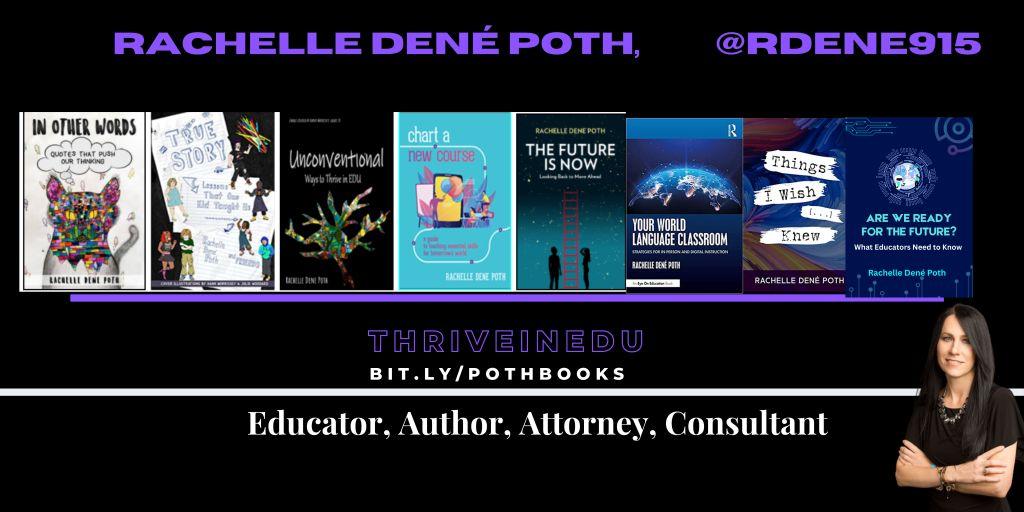
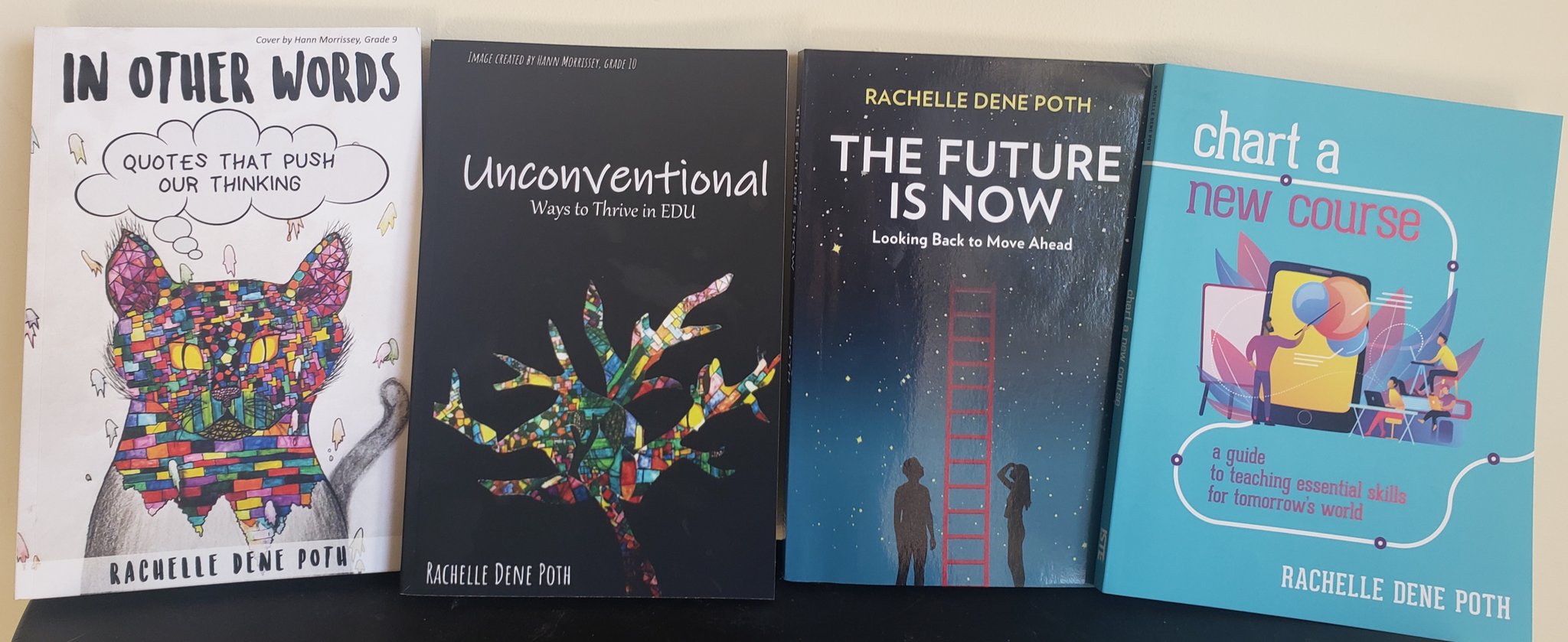
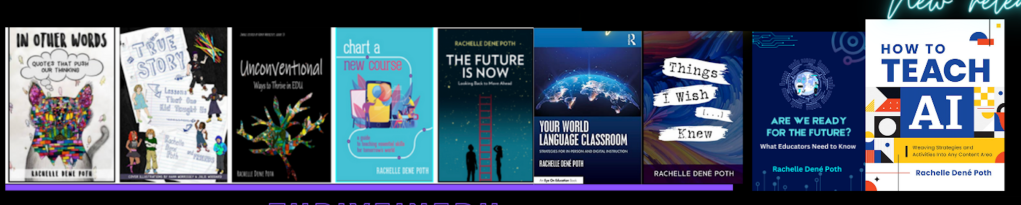
She is the author of ten books, including ‘What The Tech? An Educator’s Guide to AI, AR/VR, the Metaverse and More” and ‘How To Teach AI’. In addition, other books include, “In Other Words: Quotes That Push Our Thinking,” “Unconventional Ways to Thrive in EDU,” “The Future is Now: Looking Back to Move Ahead,” “Chart A New Course: A Guide to Teaching Essential Skills for Tomorrow’s World, “True Story: Lessons That One Kid Taught Us,” “Things I Wish […] Knew” and her newest “How To Teach AI” is available from ISTE or on Amazon.

Contact Rachelle to schedule sessions about Artificial Intelligence, AI and the Law, Coding, AR/VR, and more for your school or event! Submit the Contact Form.

Follow Rachelle on Bluesky, Instagram, and X at @Rdene915

**Interested in writing a guest blog for my site? Would love to share your ideas! Submit your post here. Looking for a new book to read? Find these available at bit.ly/Pothbooks
************ Also, check out my THRIVEinEDU Podcast Here!

Join my show on THRIVEinEDU on Facebook. Join the group here.

Empowering Teachers with Conversational AI

In collaboration with Kyron Learning, All opinions are my own

As educators, we have access to a wide variety of digital tools to bring into our classrooms. We use these to enhance learning and provide new opportunities for students to build content knowledge, as well as help them to develop essential digital skills. With the right methods and tools, educators are able to achieve the goal of providing the most authentic, meaningful, and personalized learning experiences for all students. Leveraging these resources helps us to do this more efficiently and effectively and enables us to provide timely feedback and support to our students.

Now, with the power of generative AI, there are even more valuable resources available for educators to bring into their classrooms. We can use these tools to enhance the content being taught and also to support students so they learn how to interact with AI responsibly and safely.

Kyron Learning is a revolutionary interactive video learning platform that leverages conversational AI to transform the way educators can support their students. Kyron empowers teachers by saving them time, personalizing instruction, and providing valuable student data. With Kyron, students have access to a personal tutor who works with them as they build their skills in an engaging space. The power of AI helps teachers create interactive lessons that are student-paced and student-focused. As students work through a lesson, it truly feels like a one-on-one tutoring session with a real teacher. Students can ask and respond to questions, engage in further discussions, and receive immediate feedback, all made possible by Kyron’s AI assistant. The “conversational engine” listens to the student’s responses and selects the most appropriate pre-recorded video segment to play next. When you try a Kyron lesson for the first time, you will be amazed at how well it flows!

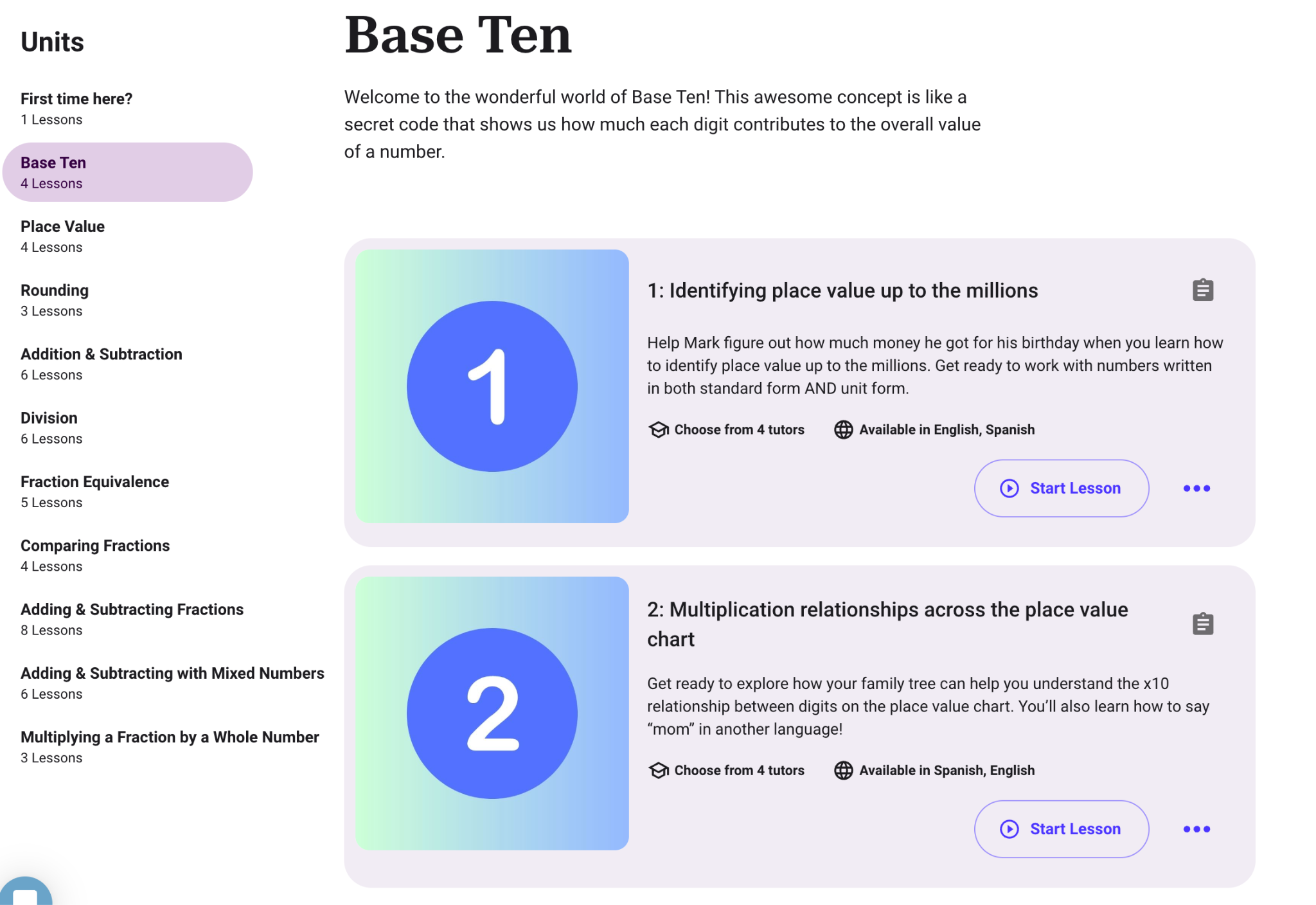
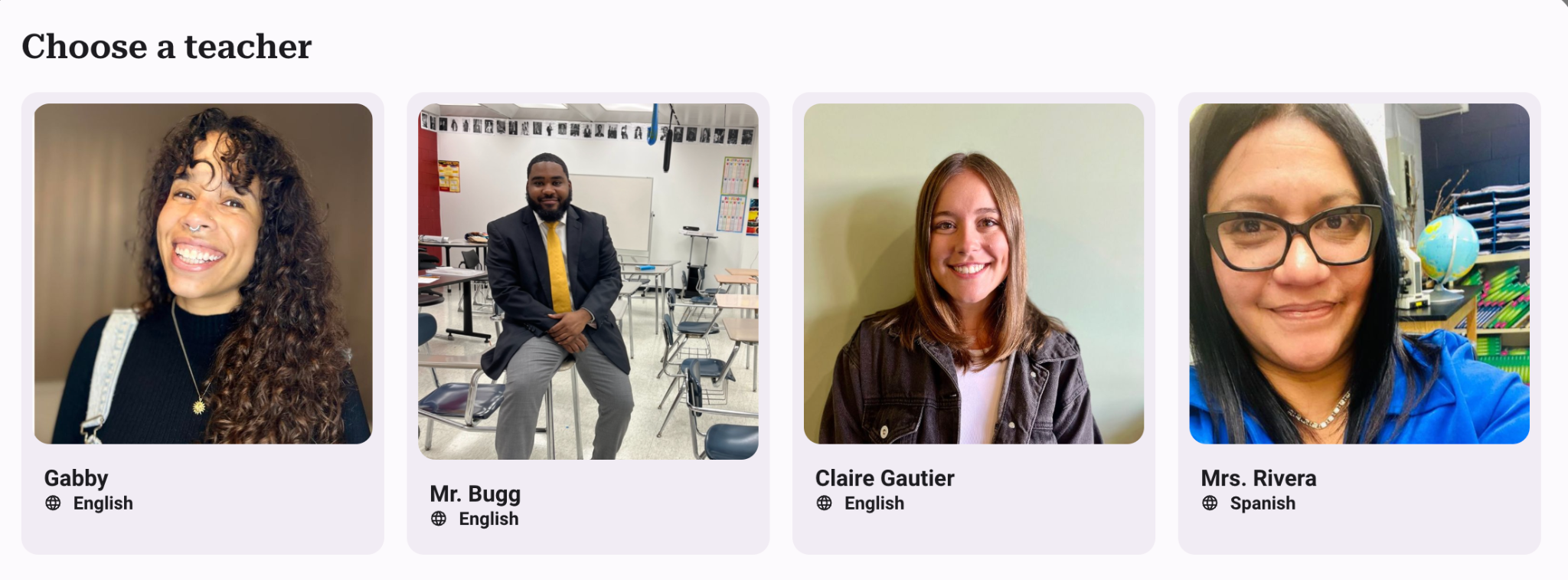
Using Kyron, teachers can provide additional opportunities for students that give them more individualized learning experiences. It is easy to get started by simply choosing from the many lessons already available for students. Are you teaching math? Explore the lessons available such as “Base Ten,” “Place Value,” or “Comparing Fractions.” You will see the objectives, the number of lessons, and the languages available. You can even choose your tutor! With Kyron, teachers also have access to resources such as blogs and other materials to get them started!

Kyron Studio

Newly available in March, teachers can now create their own lessons for students using Kyron Studio! In addition to what Kyron already provides, with Kyron Studio, teachers can become AI tutors! Educators are also able to share and collaborate on lessons, leveraging the collective expertise of the teaching community. In Kyron Studio, teachers can design multi-modal AI-facilitated tutoring sessions for their students and make them even more personalized.

The sessions can be customized based on each teacher’s curriculum and include videos and visuals. It is a learning experience that engages and helps every learner to understand a concept in an authentic way and at their own pace.

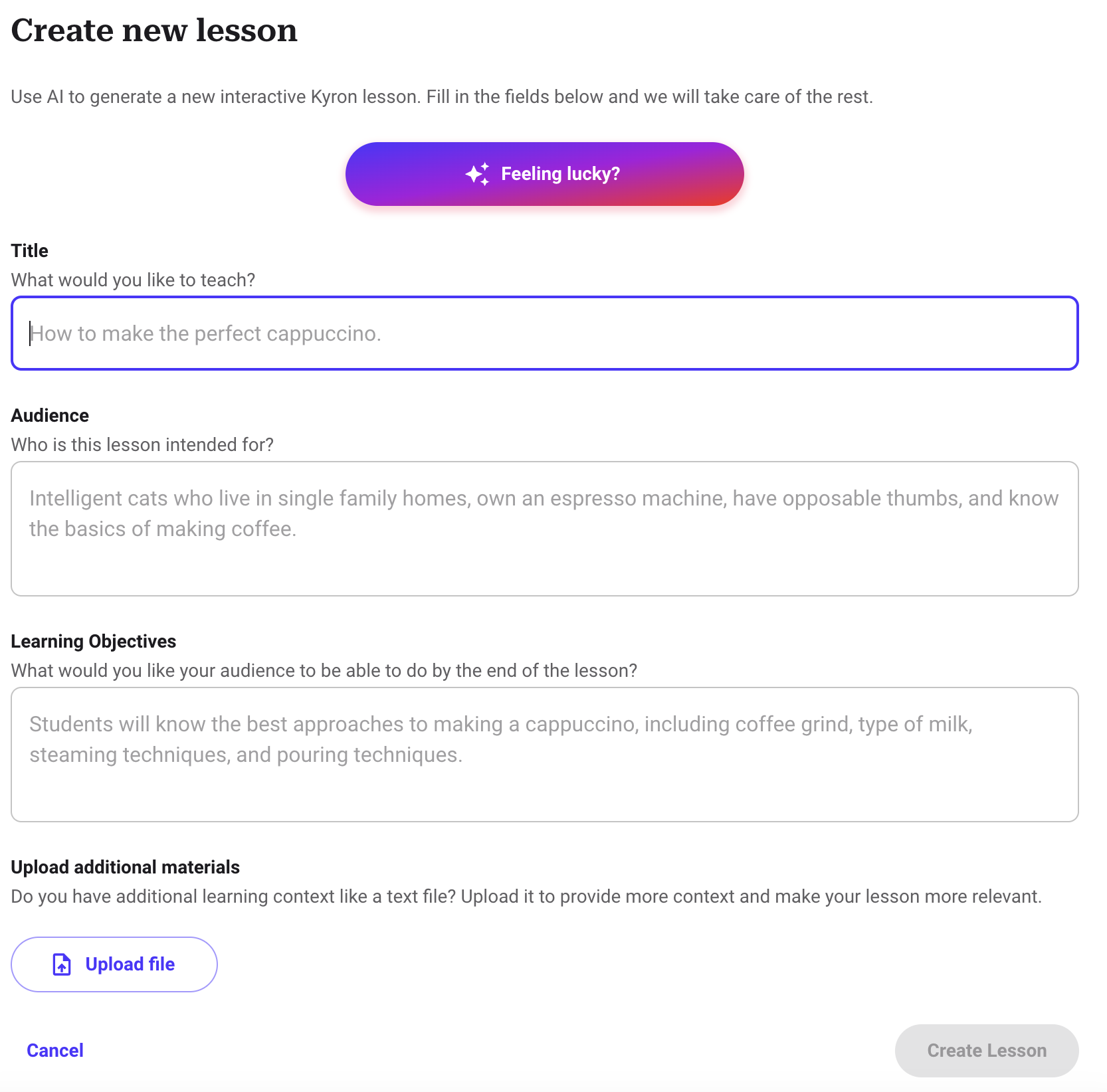
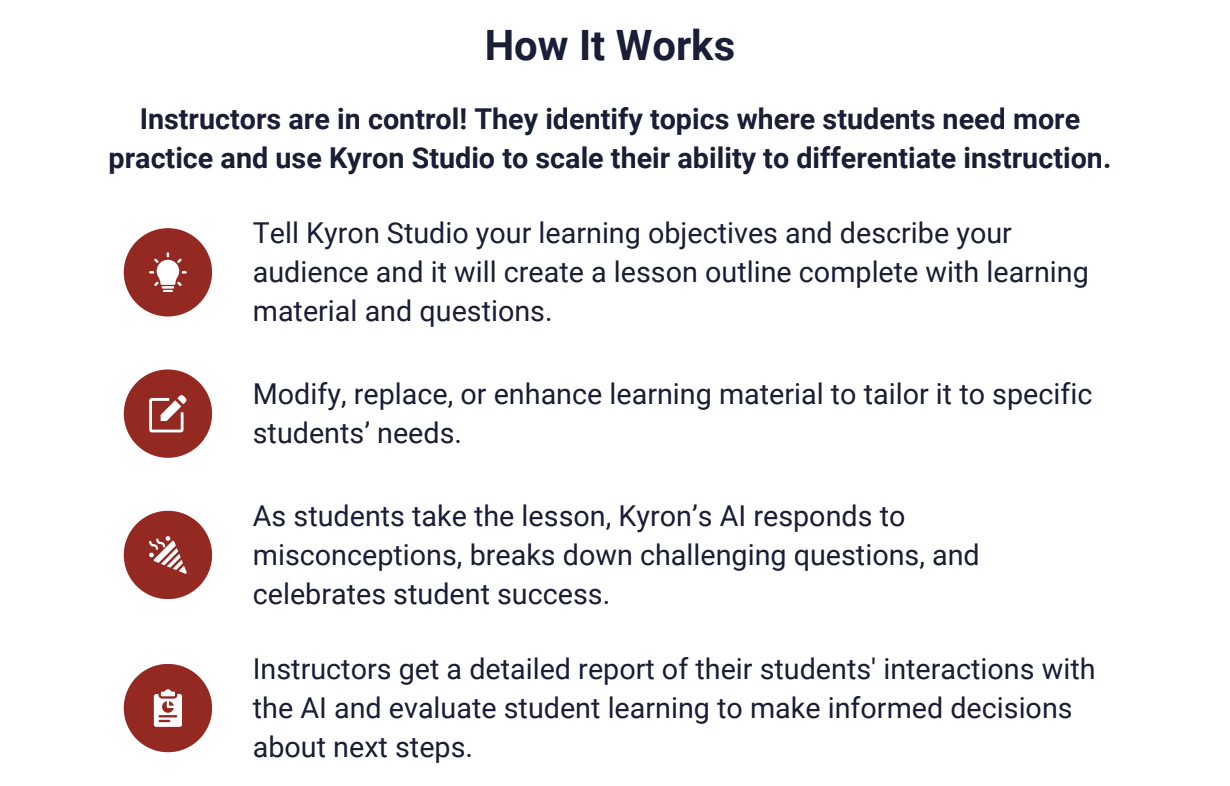
Getting started with Kyron Studio is easy! You simply enter your objectives and provide relevant information about your learners, and a lesson outline with materials and questions will be generated. Once the lesson is generated, teachers can make any changes to the AI-generated content.

Learning with Kyron is fun!

As students work through lessons, they experience those “aha” moments when they finally understand something, and you can see their excitement! It is an engaging learning experience for students and one that also teaches them about purposeful and safe uses of AI. It benefits teachers because they can see students’ progress and support them right when they need it! While we all know technology can’t replicate the relationships between a teacher and a student, Kyron aims to also provide a supportive digital environment where students feel seen and valued.

I worked through several lessons and really enjoyed the experience. It was very different from other interactive lessons and platforms that place students in the lead. To start, I spent time selecting a lesson to dive into and then was surprised that I was able to choose my tutor! I enjoyed testing how my tutor would respond to my answers and questions. I told my tutor that I was confused, entered incorrect answers, and asked for help and more clarification. Each time it responded to me in such a personalized way that helped me to understand. If I got an answer wrong, my tutor provided me with an explanation or another example. It was amazing to see how well it responded to my questions and adjusted similarly to how a teacher would with students in the classroom.

Some of the great features of Kyron are:

Multimodal Learning: Lessons can incorporate videos, images, and text, catering to diverse learning preferences and creating a more engaging experience.

Easy Lesson Creation: Kyron Studio offers an automated and user-friendly interface for educators to build custom AI-powered tutoring sessions.

Educator Choice: Educators control lesson content, can upload their own visuals, and curate the questions and answers, which makes it more authentic for students.

Assessment and Misconception Detection: Kyron identifies student misconceptions during lessons, providing valuable insights for educators to personalize and target instruction.

Focus on Safety and Ethics: Kyron prioritizes student safety by implementing controls and moderation layers to prevent inappropriate interactions.

Commitment to Transparency: User data is anonymized and used ethically to enhance the platform.

Supporting Educators and Students

In an increasingly digital world, especially with the rapid advancements in AI, what I value about Kyron is its approach when it comes to the use of AI and the creation of this platform. The key principles are:

  • Connect, Engage, Encourage: When students complete a lesson, they are supported and receive encouraging feedback during their learning journey.
  • Teach Through Dialogue: The lessons are interactive and fun for students to complete because they are involved in a conversation. Through prompts that promote critical thinking and problem-solving, students can build their skills in ways that meet their pace and specific needs.
  • Work in Concert with Teachers: Kyron provides high-quality, differentiated curriculum and gives teachers access to real-time student progress data. It helps teachers to target instruction and personalize instruction for every student.

There are so many great lessons available to start with, or just dive in and create your own lesson in very little time. I definitely recommend that you try some lessons to experience how unique Kyron is.

Ready to transform your classroom and empower your students? Visit Kyron Learning today at http://app.kyronlearning.com and see how Kyron can help you create a personalized and engaging learning experience for all students!

And if you want to learn more and connect with other educators, Kyron just launched a community for educators called the Visionaries! Educators can join at www.kyronlearning.com/visionaries. Explore the great resources such as tutorials and more!

About the Author:

Rachelle Dené is a Spanish and STEAM: What’s Next in Emerging Technology Teacher at Riverview High School in Oakmont, PA. Rachelle is also an attorney with a Juris Doctor degree from Duquesne University School of Law and a Master’s in Instructional Technology. Rachelle is currently finishing her doctorate with a focus on AI and Professional Development. In addition to teaching, she is a full-time consultant and works with companies and organizations to provide PD, speaking, and consulting services. Contact Rachelle for your event!

Rachelle is an ISTE-certified educator and community leader and served as president of the ISTE Teacher Education Network. She was named one of 30 12 IT Influencers to follow in 2021 and one of 150 Women Global EdTech Thought Leaders in 2022.

She is the author of eight books including ‘In Other Words: Quotes That Push Our Thinking,” “Unconventional Ways to Thrive in EDU,” “The Future is Now: Looking Back to Move Ahead,” “Chart A New Course: A Guide to Teaching Essential Skills for Tomorrow’s World, “True Story: Lessons That One Kid Taught Us,” and her newest book “Things I Wish […] Knew” is now available at bit.ly/thingsiwishedu.

Contact Rachelle to schedule sessions about Artificial Intelligence, Coding, AR/VR, and more for your school or your event! Submit the Contact Form.

Follow Rachelle on Twitter(X) and Instagram at @Rdene915

**Interested in writing a guest blog for my site? Would love to share your ideas! Submit your post here. Looking for a new book to read? Find these available at bit.ly/Pothbooks

************ Also check out my THRIVEinEDU Podcast Here!

Join my show on THRIVEinEDU on Facebook. Join the group here

Focus in the new school year: Building relationships

Focus in the new school year: Building relationships

Rachelle Dene Poth

It is time for many to head back to the classrooms and prepare for a new year of learning and growing. It is an exciting time for educators and students to have new opportunities to learn and to reconnect. Hopefully educators and students are excited and recharged for the new year and the possibility of new ideas for learning.

For me, I am intentional in planning activities to get to know my students and for them to know one another. I often rely on some traditional methods like icebreakers and conversations, however, I also enjoy using some of the different digital tools as a way to gather some quick feedback but also to learn more about the students in our classroom.

By planning for some relationships building on that first day and during the first week back to school, we can focus on the environment and culture we are creating for our students. Covering course details and class expectations are important, but we should start by building a solid foundation so that we can work together. By starting here, we foster a positive classroom culture and welcoming environment for learning.

Learning Together

Starting from the very first day, we should be intentional about being present. Being at our classroom doors and in the hallways to greet our students as they arrive and welcome them to school is a great way to start. It is important to acknowledge all students as we see them in the halls and throughout the building, a positive step in creating a supportive climate in the building and in each classroom. We have the power to do this when we are visible and make connections to help foster a positive space for learning.

Starting back to the daily routine of school after a summer break, or any extended break during the year, always presents a good opportunity to try new ideas and to build relationships. Using intentional strategies, we can get to know our students by using games and activities that will connect classmates and will positively impact the learning environment

We can use low tech or no tech to do some icebreakers and other games to learn about one another and in some cases, review the content from the prior year. As educators, it is during this time that we should encourage students to share their stories, to make their own connections and to share with us what their goals are for our class. Fortunately, there are some easy ways to get started, whether or not edtech is involved, but it can be a great way to introduce some of the digital tools that will be used throughout the year.

Start connecting

In my classroom, we use a lot of tools throughout the year and many are focused on streamlining communication and collaboration within our classroom but also for connecting globally. Being available to our students when they have questions or need access to class resources is important since their questions do not stop when the school day ends, or over the weekend break. We also want our students to be able to connect globally and using these tools to help them facilitate these connections makes sense. Always focus on the why behind using an edtech tool in your classrooms.

How do we find the right tools

My first recommendation is that educators talk to PLN and colleagues about specific needs in a tool. Do we want students to be able to connect, to ask questions, to access classroom resources, and to interact online? Or do we want students to create presentations that they can share or collaborate in? Or maybe we want alternative ways for students to show their learning based on their needs and interests? All of these options exist. Here are five tools to explore and that are easy to get started with.

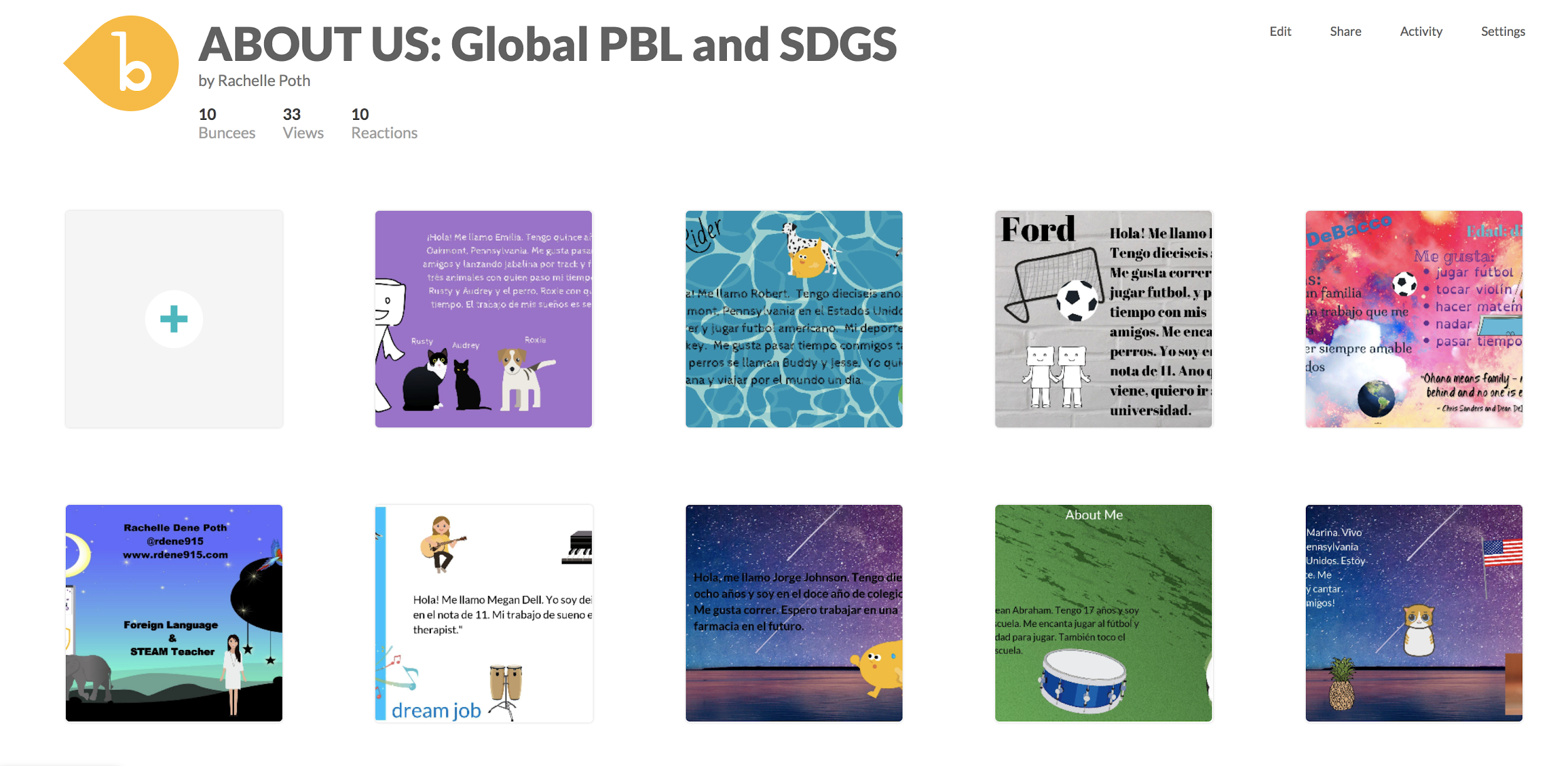
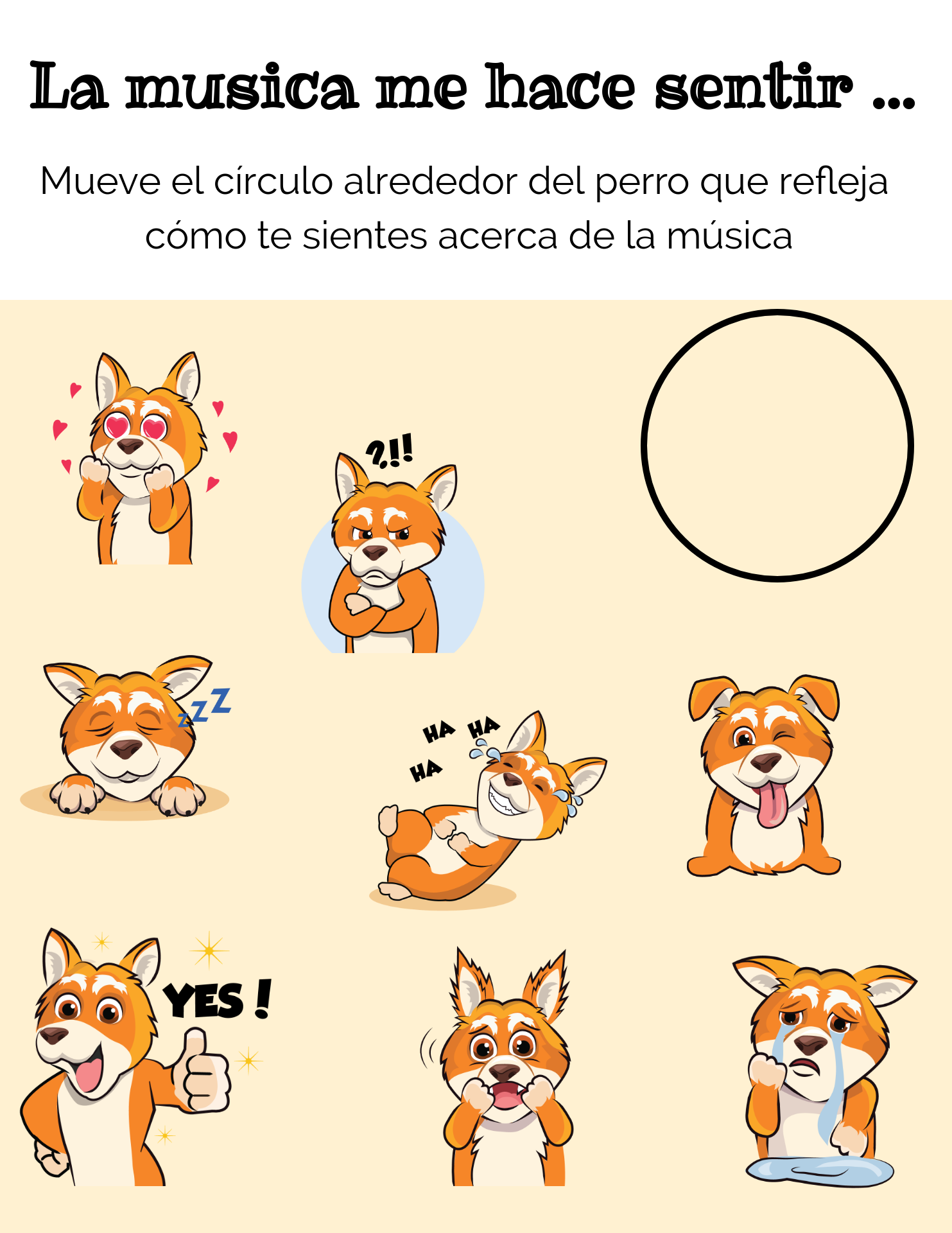
  1. Buncee is a “one stop tool” that educators and students need for creating a multimedia presentation full of animations, emojis, stickers, 360 images and also includes audio and video and a lot more. So many ways to create graphics, bookmarks, presentations, flipped lessons and more.
  2. Remind makes communication easier by enabling the sending of reminders, links to resources, or even photos, and it integrates with other digital tools that teachers use for learning.
  3. Padlet is thought of as a virtual wall. It helps students to collaborate, write a response to a discussion question, or even add resources for a collaborative class project, or for brainstorming,
  4. Wakelet is a great tool for curating content to share with students or for having students contribute to a Wakelet collection. As a teacher, I love using the Wakelet extension to save articles and websites that I come across while doing research.
  5. Synth is for podcasting. Students can create a podcast to discuss a topic, perhaps interview a “special guest.” It can be a different way to engage students in a discussion, promote student voice and implement a new tech tool in the classroom.

One thing to keep in mind is to make sure we are aware of any accessibility issues for our students and their families. Find out about the kind of technology and internet access available to the students when they are not in school.

Learn With Students

We learn so much from our students. Beyond the content that we teach, there are so many opportunities to extend the learning that happens in our classrooms. Whether from a quick conversation or during fun activities that we include in the lesson, we are always learning Trying some new strategies and using some of the many different digital tools to expand how, when, and where students learn can be a good example to set for students. Take some risks in the classroom and use one of these to help build and foster positive relationships. Why not have students create an About Me Buncee or Padlet, or share stories using Synth and then listen, and stay connected with Remind. As educators, it gives us a way to extend our own learning and to continue to learn and grow with our students. Sometimes we just need a new idea or tool to spark that curiosity and excitement for learning.

BIO

Rachelle Dene Poth is a Foreign Language and STEAM Teacher at Riverview Junior/Senior High in Oakmont, PA. She is also an Edtech Consultant, Attorney and author. Follow her on Twitter at @Rdene915


**Interested in writing a guest blog for my Rdene915 site? Would love to share your ideas! Submit your post here.


Looking for a new book to read? Many stories from educators, two student chapters, and a student-designed cover for In Other Words.

Find these available at bit.ly/Pothbooks  

What skills will students need


I’ve been thinking about the world of education and work right now. We are experiencing so many changes, uncertainties and yet have to determine how to plan for the upcoming school year and what types of learning experiences to design for our students. For myself, something that keeps coming to mind is providing ways for students to have more choices, to become flexible with learning and new ideas, and to consider strategies or tools that enable us to transition between our physical and virtual learning spaces.  I thought back to some research that I started a few years ago and how that can help us now as we consider options in the new school year.

About two years ago, I read about something called the “gig economy.” Not knowing what that meant, I turned to Google to do a search and within .30 seconds, I had over 35 million results. After a more advanced search and filter, I learned that the term refers to jobs or work assignments that are the equivalent to a “gig.” Short-termed, specific types of tasks. Common applications of this are jobs that employ freelancers or independent contractors. When searching for the top “gig economy” jobs, a few common themes of the top 10 list include Deep Learning (think AI and machine learning), Bitcoin, Blockchain and Social Media Marketing.

Employment in a gig economy is on the rise, which means that our students need to develop a variety of skills that will prepare them to adapt to the changing landscape of work since we cannot predict what jobs will exist in the future. With statistics such as:

  • In 2015, 54 million people worked as freelancers and on average earned an estimate of 17% more per hour than full-time employees.
  • A projected 60% of companies plan to hire more freelancers rather than full-time employees. In 2016, 35% of workers were freelancers and it leads me to wonder what the number will rise to in another 10 years?

We need to prepare students for their future by offering innovative and challenging learning experiences. Experiences that will push their problem solving, critical thinking, creativity and collaboration skills and that involve real-world experiences.

As a Spanish and STEAM teacher, I am commonly asked why students need to learn a foreign language, or why I have them create different projects using emerging technologies rather than traditional document or powerpoint style presentations. My response is always that students need to develop a variety of skills that will enable them to adapt and be marketable to multiple job possibilities in the future. The ability to communicate in another language can benefit students in many ways and it is always a marketable skill to have.

Students also need the opportunity to explore their interests, whether in the arts, music, technology, through entrepreneurial courses, as a few examples. Learning how to establish oneself as an independent contractor, to be self-employed and to understand the traditional components of working in business, but yet preparing for non-traditional forms of business and work.

What experiences will help?

Entrepreneurial Courses: How can educators best prepare students for a gig economy workforce or to possibly become entrepreneurs? By designing learning experiences where students have an opportunity to explore, create, and innovate and have choices in the how, what and where they learn, we will offer more possibilities for inquiry-based learning and foster a growth mindset. Some schools offer programs and courses which lend themselves to these types of possibilities for students.

In my own school, we have a course on entrepreneurship, sports and entertainment management, and a variety of STEAM courses where students design problems to solve and explore emerging technologies. Patsy Kvortek, one of our business teachers, recognized a need for more relevant courses that provide students with opportunities to learn in more authentic ways. She believed that these courses “would prepare students for future success.” She created a course in “Entrepreneurship” and “Sports and Entertainment Management”  a few years ago and has continued to build more real-world experiences and project-based learning into the curriculum. In her classes, students learn about project management, business management, social media, finances and how to plan large events. In courses like this and others like it offered across the country, students are not only developing skills that will prepare them for many career options, they are also building critical skills of communication, collaboration, problem-solving and as an added benefit, SEL (Social and Emotional Learning) skills as well.

Project-based learning: Alan November, international keynote speaker, and author, said we have to “teach students ​how to learn.​”​ During his keynote, November stated: “I think we should begin to move more and more toward the skill side, because if we teach you to memorize and regurgitate content and your job is wiped out by technology, you’re not well prepared to reinvent yourself if you didn’t learn how to learn.”

November’s message reinforces the importance for students to learn to communicate, collaborate, problem-solve, and think critically. These are key skills that will benefit students whether they choose to enroll in college, get a job, pursue specialized training, or possibly take a gap year to explore the world and different learning experiences before deciding.

Project-based learning (PBL) helps students to create their own learning path by looking for an answer to a question they come up with and not having a specific direction to go, nor one right answer to find. With PBL, students ​engage in sustained inquiry and the skills of critical thinking, creativity, and problem-solving become part of the learning process. Students need more real-world experiences, especially those like in place-based learning where they can assess needs that exist in their own community or look globally, and then brainstorm possible solutions. Learning beyond the classroom walls with a more authentic purpose will benefit all students.

STEM and Emerging Technologies: Artificial Intelligence is a growing area in education and in the world. It is estimated that 40% of the jobs will be replaced by AI, so how can we prepare students to be competitive? We create opportunities for students to become the creators of AI, to learn how to code, to design new technologies that will make an impact on not only their learning experience but for the future. Even using AI for learning, students have access to virtual tutors and can enroll in online courses that are taught by AI, which expand the how, when and where they can learn. Knowing how to code becomes a skill that is marketable to many areas. Students can become app designers, create new innovations, and develop the critical “21st-century” skills that they need to be successful in whatever their goals may be.

Educators can facilitate greater, more personalized learning experiences for students by fostering a “STEM mindset” in students. As Dr. Jacie Maslyk states, “The way we engage with our students can build confidence and fuel curiosity.” In a world where the future of learning and work are uncertain, the best way we can provide for our students is to push their curiosity, promote risk-taking and challenge them to explore emerging technologies and different STEM concepts and be there to support them along the way.


**Interested in writing a guest blog for my Rdene915 site? Would love to share your ideas! Submit your post here.


Looking for a new book to read? Many stories from educators, two student chapters, and a student-designed cover for In Other Words.

Find these available at bit.ly/Pothbooks  

Guest Post: 5 Ways to Empower Your Students with OneNote

Guest Post by: Jeni Long & Sallee Clark, @salleeclark @Jlo731 @Jenallee1

Instructional Technologists from Eagle Mountain Saginaw ISD, Ft Worth, TX

#Jenallee #MIEExpert #MicrosoftEDU #Onederful

https://linktr.ee/thejenalleeshow

As you probably know by now, #Jenallee LOVES OneNote! We feel it is one of the best educational technology applications for our students for many reasons. (Check out the original post here).

  1. When we look at using technology, we do not look at the technology first and then decide what to teach… We look at what our learning objective is and then we select an application to fit our goals. Because OneNote offers a vast amount of educational benefits, we like suggesting it for teachers to utilize. Through using OneNote, teachers can help their students master their learning objectives first, while also utilizing one application versus a new app each week.
  2. One phrase we use a lot with teachers is to “Select an educational technology application and own it”. Meaning, don’t get overwhelmed with all of the different applications available, yet select one and learn how to use it in your classroom well. Own that one app and then move on to another when you are ready.
  3. With OneNote, students have the opportunity to learn through research based strategies including the ability to:
    • Justify their work both verbally and through writing
    • See worked examples in action
    • Listen to direct instruction or videos of instruction
    • Collaborate with their peers
    • Receive timely feedback from their teachers
    • And so much more

All of this is great but the real question is how? Here are 5 ways we use OneNote to empower our students.

#1 Student Portfolios

Student portfolios offer students the ability to create products, evaluate their creations, revise their products, and curate their best work throughout the year. It allows the students time to reflect upon their growth, set goals and truly see the evidence, purpose, & benefit of their learning. Read this blog post to see step by step directions on how to create and implement student portfolios in the K-3 classroom.

#2 Worked Examples

Recently we ran across a great article online written by Shaun Killian, “8 Strategies Robert Marzano & John Hattie Agree On” We really enjoyed reading this article because it showed the strategies both researchers found in their study of how students learn. One of the strategies both agreed upon was utilizing direct instruction.

Robert Marzano claims, “It is important to explicitly teach your students,” while Hattie says, “Direct Instruction involves explicitly teaching a carefully sequenced curriculum. And, it has built-in cumulative practice.” Hattie also highlighted the power of giving students worked examples.

OneNote makes it easy for teachers to implement this strategy into their daily instruction.

Here’s How:

  • Teachers can directly teach their students specific content from OneNote. It is an infinite white board! It goes on and on and on. The draw feature offers teachers ease in writing content (space pen is our favorite), highlighting content to be learned, and it automatically saves and updates in student notebooks or shared OneNotes! Boom! You just provided your students with class notes so that they can refer back to your content at any time.
  • We love the replay feature. Work out a math problem, label a diagram, fill in the blanks, and students can “replay” those steps at a later time. Once class is over and students want to review the content taught, they can simply click on View > Replay and see the steps replayed as many times as needed!! Did you catch that? As many times as needed! This is powerful and empowering for students! Check it out in action below

Replay ink strokes in OneNote for Windows 10

  • Don’t want to write? No problem! OneNote allows you to insert a printout of any PDF, Word, or image into OneNote. Why is this beneficial? Well, now students can follow along and make their own notes, highlight, and learn as you directly tell them the content to be learned with examples of what to do and what not to do.
  • According to Sebastian Waack and his Visible Learning chart of Hattie’s strategies, video review of lessons has a .88 effect size! Wow! This is also a way to provide examples for students that explicitly teach the content. OneNote makes it easy to embed YouTube videos into your pages! Simply copy the link and paste it in the page. All students can view the video in your OneNote.

#3 OneNote Breakouts

Looking for a way to help your students engage in problem solving and bring a slightly competitive gaming aspect into learning? Try using a OneNote Breakout! In the same article mentioned above by Shaun Killian, “8 Strategies Robert Marzano & John Hattie Agree On” It is also mentioned that both Marzano and Hattie both agree that problem solving and collaboration are high yield strategies. OneNote Breakouts offer students the ability to engage in solving relative problems in a collaborative way. This allows students to apply their knowledge of concepts to solve problems. “They also agree that inter-group competition can increase the effect of cooperative learning even more.” Breakouts are the way to go!

How does it work?

Students work together to “Breakout or escape” a series of challenges all housed in a OneNote. We complete this by locking pages in a OneNote and students reveal the lock combinations through completing various challenges utilizing their knowledge of concepts. Find out more about how we create and use breakouts with our students in this blog post.

#4 Feedback

We also know from Visible Learning that offering feedback has .70 effect size! Wow! OneNote offers teachers a powerful and meaningful way to give feedback to students. While students are working on content, teachers can access and see their progress. We want to offer our students feedback during the entirety of their work, not just at the end of a project. OneNote allows teachers to see student progress in real time, leave feedback throughout the process, and truly impact learning.

#5 Differentiation

OneNote offers teachers ease in differentiating content and providing accommodations for students. With the ability to distribute pages, teachers can distribute specific content to specific students, groups, or the entire class. That means you can distribute articles to groups of students according to reading level, or chunk assignments for certain students, or provide graphic organizers to specific students, etc. This allows the teacher the ability to scaffold instruction for their students strategically and with ease.

Not only can I send out individualized assignments, I can also empower my students with access to content. Students that may struggle with reading, writing, have dyslexia or ADHD, etc. are empowered by the learning tools that are built in to OneNote! According to Visible Learning, we see that when students with learning needs utilize technology, the effect size is 0.57. Utilizing OneNote with these students is a great way to empower them to be able to access content on their own, read on their own, and to write on their own. Let’s just say… they own their learning. We think Mike Tholfsen, Microsoft Product Manager, says it best!

OneNote Learning Tools are non-stigmatizing, mainstream, built in, and free.

So what are Learning Tools? These are tools built into Microsoft OneNote, Word, Forms, and many other partner companies. See the list of partner companies below

These tools include:

Immersive Reader – Reads any typed text, PDF, or word documents to the students!

Features include:

  • Human like recorded voices in both male and female
  • Reading speed settings
  • Customization for background color
  • Font options
  • Grammar options
  • Line focus
  • Picture dictionary
  • Translates a word or the entire document into over 80 different languages (yes, it still reads many of these languages!)
  • https://youtu.be/3n5emMEm3

Check out these click by click tutorials by MicrosoftEDU!

Want to see how we use Microsoft OneNote to offer our students audio tests? Check out this Jenallee blog post.

Recently we shared all of these ways and more on an episode of Ditch That Textbook with Matt Miller and Holly Clark. Watch the episode to learn more.

https://youtu.be/HopiR25ZlH8


**Interested in writing a guest blog for my site? Would love to share your ideas! Submit your post here.


Looking for a new book to read? Many stories from educators, two student chapters, and a student-designed cover for In Other Words.

Find these available at bit.ly/Pothbooks  


Providing Different Learning Tools

As educators, it is important that we find ways to provide more personalized learning experiences to meet the individual needs of our students. What this means is that beyond simply offering more choices in the types of assessments we offer students, we must do more by learning to understand the specific learning styles and interests of each of our students. We must differentiate our instruction and to do so requires that we develop a clear picture and gain a deeper understanding of the various learning styles of the students in our classrooms. When we do this, we can then design lessons that are focused on the specific student learning styles and offer more individualized choices for students. Whether that offers more options to work independently or in groups based on a specific topic, an area of interest or even based on the level of understanding of the content, we serve them best by having the right resources available for them.

Each of our students have specific needs and preferences for how they learn and we do the best for them when we help them to identify these preferences and then offer a variety of materials and resources for them to explore. It is not about always using a digital tool or shifting away from traditional methods, but rather being able to determine which of these options will work best for each of our students. It also means helping students to become more self-aware of their own interests. One change that has helped me to better identify these styles and guide students in my classroom is by using the station rotation model.

Through the use of stations, I am able to provide multiple activities that enable students to interact with the content in a variety of ways. There are tech and no-tech options, student and teacher-created materials, hands-on activities to choose from, and times where students decide on a focus for their group. By providing a variety of learning options for each student, giving them all the opportunity to explore, we empower students with more meaningful and personalized learning that will lead to more student engagement and content retention.

Learning Styles: The VARK Model

In 1987, Neil Fleming designed what has become known as the VARK model. Fleming developed this model as a way to help students learn more about their individual learning preferences. The VARK learning styles include: visual, auditory, read/write, and kinesthetic.

Personally, I have always been more of a visual and somewhat kinesthetic or “hands-on” learner. At varying points throughout my life, I can recall taking a test and being able to see specific notes that I had written in my notebook, but still being unable to respond to questions. I tended to create graphic organizers and had my system for making more visual connections with the content. Many of my students are visual learners and over the past two years, have often noticed that they have specific ways of processing the information in class as well as how they prepare and respond during assessments. We must be able to provide different options for our students where they can choose a format that will best suit their interests and needs in more authentic and personalized ways.

Visual Learners

Visual learners are more likely to use charts, icons, images and are able to more easily visualize information and as a result, can retain it longer. An estimate is that visual learners make up approximately 65% of the population, and remember 75% of what they read or see. Visuals learners prefer to do projects and presentations that involve creating visualizations of their learning. For visual learners, some good options include creating infographics, using Augmented and Virtual reality for creating immersive experiences, designing 3D objects, sketchnoting, or using digital tools such as Padlet or Wakelet to curate content in ways that promote better visualization of content. Visual learners would also benefit by creating a mindmap or making flashcards, which can also be done using a digital tool like Quizlet.

Auditory Learners

Auditory learners listen carefully and often focus on the tone or the rate of speech, and may also benefit more by having supplemental resources made available to them such as videos or audio recordings. Learners of this type can recall information such as song lyrics and conversations, and can often recreate a story more easily because of that auditory connection they have. There are many options to engage auditory learners more by selecting options that promote listening and speaking skills. Some ideas include using video response or podcasting tools to have students explain concepts or brainstorm ideas. Another option is by creating a more interactive presentation using a tool such as Voice Thread, students will connect with the sounds, dialogue, and tone used in a presentation such as this, where they can listen and respond.  Another idea is to use Flipgrid to post a question and have students also respond to classmates to further the discussion and promote higher-order thinking. Try using Synth to create a podcast for students to have the active listening component addressed, and invite students to listen and respond to the prompts by adding a thread to the podcast.

Read/Write Learners

Read/write learners prefer to have the text available to them in some written/tangible format. Whether students first take notes and then decide to rewrite their notes for additional practice, or read over their notes each day for review and class preparation, these learners benefit from sustained interactions with the text. The more they interact with written formats, the better equipped they are to understand the content. Beyond writing in pen or pencil, or creating a document, using some tools such as Kidblog, for writing a story and getting started with blogging is a good way to promote reading and writing opportunities. Another idea is to have students create a multimedia presentation with a tool like Buncee to tell a story, adding text and icons to make the content more meaningful. These options make the activities more authentic and aligned with the needs of learners of this type.

Kinesthetic Learners

Kinesthetic learners learn best through hands-on learning opportunities. Students spend a lot of time sitting in classrooms and perhaps more passively learning. We need to design ways for students to be more active in the classroom. Some choices would be through a STEAM curriculum, the use of makerspaces, place-based learning, game-based learning and creation, designing projects and having students engage in project-based learning (PBL).

Multimodal Learners

For some students, providing options that foster a multimodal learning style is most beneficial. A multi-modal learning style means that you benefit through multiple ways of processing the information which can be through images, sounds, movement, speech, audio, visuals and more.  When I have used stations in my classroom, providing the different options at each station was helpful for students who are multimodal learners, to be able to interact with the content in different ways. Some of the tools that I have used include NearpodKahootQuizlet, in addition to giving students options to create something based on their own choice, which lends itself to more hands-on learning. The use of infographics, hyperdocs, choice boards, and even digital breakouts can give students a variety of ways to engage with the content and provide activities that will meet each learning style.

All students benefit from multimodal learning options that support a Universal Design for Learning (UDL). Providing something for each student and offering a mix of learning tools will help students to master the content in more authentic and personalized ways.

Interested in learning more about your own learning style preferences? You can take the VARK questionnaire and find out what type of learner you are.

Interested in writing a guest blog for my site? Would love to share your ideas! Submit your post here.


Looking for a new book to read? Many stories from educators, two student chapters, and a student-designed cover for In Other Words.

Find these available at bit.ly/Pothbooks  


3  books.png


ONE SIZE DOES NOT FIT ALL

Guest Post by Kristen Koppers, @Mrs_Koppers

Educator and Author of Differentiated Instruction in the Teaching Profession 

The movie Sisterhood of the Traveling Pants was one movie that brought together friendship through hardships. But a single pair of pants (no matter the size of each of the girls) fit perfectly to where they would wear the pants, write on them, and send them to each other throughout the summer.

We all know that wearing a pair of pants in one size does not mean that another pair of pants will fit even with the same size. The fact that one pair of pants can fit four different girls ‘perfectly’ who all have different body types is not realistic. Although the movie focused on the jeans, it was more about the friendship of the four girls during their personal problems they went through without each other.

The same idea goes for teaching and learning. While we hope that one size pair of pants (learning styles) would fit more than one student, we know that is not the case. Students come from a variety of backgrounds, cultures, schools, and learning abilities so we cannot think that one curriculum or one “pair of pants” can fit all. This goes the same for purchasing a Halloween costume or outfit where the tag says “one size fits most.” Someone who weighs 120 pounds wearing the same costume that a person who weighs 30 pounds more won’t fit the same way. While the outfit will fit both sizes, the look will be quite different.

ONE SIZE DOES NOT FIT ALL – What many forget is that teachers come from all backgrounds, cultures, educational institutions, and ethics. We cannot expect one teacher to teach the same way as other teachers. This is the same for students. It would be a perfect world if one style of teaching will reach all students. However, this is not the case. Differentiating work can be difficult as well to meet the needs of all students. In order to have that perfect pair of pants to fit all students, teachers must be willing to put their ego and pride aside and stretch the pants just a little wider so that not one size person but multiple sizes can fit.

The struggle is real. We all know how it is to try and fit into a fresh pair of washed jeans. The jeans that fit you the day before now feels tighter 24 hours later. If we think about how that one pair of jeans fit the day earlier and then the next day they don’t, this is how many students feel. One day they feel like they understood the information and then the next day nothing makes sense.

Using Differentiated Instruction is not about separating all students or creating one lesson plan for many. It’s about assessing student needs throughout the year. While one lesson plan will help several students at one point, another lesson plan may not work for the rest. Assessing students needs does not need to be cumbersome. It can be as simple as noticing non-verbal clues in the classroom to written work.

Recently, we were reading a novel by Gabriel Garcia Marquez. Students were intrigued by the reading and began to focus on the plot. It wasn’t until they were to share out what they learned to the class that everything unfolded. When I moved around the room, most groups were able to explain what they were thinking. However, between the individual group discussions and the informal presentation, something went wrong. This is where I used differentiated instruction. We discussed the lesson, the assignment, and guidelines. It was the connection from what they read to their knowledge that seemed ‘not to fit.’

As an educator of 16 years and instead of taking it as an insult to my teaching, I swallowed my pride of experience and began to learn how to fit into a pair of jeans that did not fit me. After a large group discussion, I was able to use differentiated instruction to meet the needs of all the abilities in my classroom. Students were given the choice to keep their grade or complete one of the two alternative assignments to replace the previous grade. Instead of making this decision, I let the students choose because, after all, they are the ones who truly know their own learning ability.

When one pair of pants does not fit, we shouldn’t just give them away and buy a larger or small pair, we need to stretch them a little to fit.

Follow Kristen on Twitter and Check out her book! Differentiated Instruction in the Teaching Profession

Buncee: More than just a presentation tool

Buncee: More than just a presentation tool!

There are a lot of great digital tools out there for educators to bring into their classrooms. When it comes to deciding on a specific tool to use, we must always think about our purpose and perhaps ask ourselves a few questions, such as: why are we looking for a digital tool, what are we hoping to accomplish by using it and how will it benefit students and learning? I’m often asked by colleagues either to recommend a new tool or direct them to something specific based on their requirements, such as video, audio, text and more. Because Buncee is such a versatile tool and offers so many options all-in-one, I find myself recommending it a lot. It is easy to get started with and full of choices for teachers and students.

Educators want to use tools that promote student choice and student voice and offer more than just one purpose. The reason I recommend Buncee is because it offers much more than simply being a way to create presentations. In addition to all of the wonderful things that can be created using Buncee, there are additional benefits for educators and students that might be overlooked or simply not thought of when getting started. For example, educators can meet the ISTE Standards for Students and Educators. By having students create with Buncee, students become empowered learners, creative communicators, innovative designers, knowledge constructors and engage in learning that meets each of the ISTE standards. With technology, we want to make sure that it is being used in a way that amplifies student voice and choice in learning.

However, Buncee does more than that. Beyond addressing the ISTE standards and providing students with more authentic and personalized learning experiences when creating with Buncee, there are other skills that are being addressed. In my own classroom, we have used Buncee for many different projects and even for project-based learning (PBL). My students created Buncees to share with their global peers in Argentina and Spain. Creating an “About Me” Buncee enabled all students to develop a more global understanding and become aware of cultural differences, as well as to develop empathy in the process.

Students enjoy creating with Buncee and even more than seeing their own creations, they really enjoy seeing what their classmates create. I have noticed that students become more comfortable with one another in class and start to build closer connections while working on their Buncees. Even the quietest students begin to ask questions, interact more and have been more engaged in creating when using Buncee than they had with other tools before. Students tell me that they enjoy teaching one another, learning about their classmates in unique ways, and feel like they are part of a classroom community.

Knowing that students are picking up on this has been a great way to foster the social-emotional skills (SEL) students need now and in the future. Buncee is so invested in providing a lot of options and opportunities for students and educators to enjoy learning, creating and growing together. Now Buncee has templates available to address SEL.

What is Social-emotional learning?

CASEL (The Collaborative for Academic, Social, and Emotional Learning), formed in 1994, is an organization which actively works toward promoting the importance of developing SEL skills in education. SEL is focused on five competencies: self-awareness, self-management, social awareness, relationship skills, and responsible decision making. The development of these skills can benefit the level of student engagement as well, leading to higher academic achievement and reduce discipline issues in the classroom.

Providing opportunities for students to interact through the use of digital tools and activities in the classroom promotes the development of social-emotional learning skills. Using some of the Buncee templates and emojis, students can comfortably express how they are feeling, provide a quick check-in based on their level of understanding, share personality characteristics or likes and dislikes, or respond to questions in class, for a few options. Buncee is “giving a voice to the voiceless.”

In my own experience, I have seen students who have preferred to not speak out in class or who voiced that they were not creative or would not be able to do a presentation, design amazing Buncees and be excited to share with their classmates. Students build confidence while creating and the benefit is that they become more engaged in and excited to share their learning and interact with classmates. It helps to foster the development of skills such as problem-solving, working with different layouts, visualizing and displaying student learning.

It is always a good idea to ask students for feedback. I want to know what their thoughts are, if the tool or strategy is making a difference for them and if so, how. Here are some student thoughts about Buncee.

“It helps me to express my ideas more easily and make presentations which are much more interactive for myself and for my classmates.”

It is made in a way that allows students to make it really personal and specific to what they need. If students are enjoying their work and are able to make it their own, then they will be more willing to learn and will improve because of using Buncee.”

Hearing from students is important and making sure that all students feel comfortable expressing themselves is even more important. With Buncee, students have many choices to find what interests them and to express themselves in a way that is authentic, meaningful and personalized.

Ideas for the end of the school year

With the summer break approaching, educators and students alike could use some fresh ideas to keep the energy high and finish the year strong. I have found that the end of the school year is a great time to try some new activities and tools and use it as an opportunity to try things that may have been on a list somewhere, but that you did not have the chance to do. Why not try some different methods and different tools to help students to review in preparation for final exams, create a project, or before moving on to the next level of a course. Also, depending on the course taught, some of these ideas can be carried into the summer, as a way to avoid the “summer slide.”

There are many options for getting students more engaged in learning, some rely on tech tools and others are simple hands-on activities that have the students deciding how to use the materials to learn. Regardless of the content area or level taught, technology can open up new possibilities that might just be the catalyst to spark curiosity in students or to help to engage them more in learning, and then their own motivation can take over.  I decided to try some different strategies, tools, student developed ideas, and more importantly, to step aside more in the classroom and let the students lead.

5 Ideas for Engaging Students

Here are five different ways that I found to bring about positive changes in the classroom, engage students more in learning, and also build relationships within our classroom. Hopefully, you will be able to try a few of these and push through strong until the end of the year!

  1. Games and Music: Earlier this year, I started to use more music and games in the classroom. The students became more involved in creating their own games and also writing some songs, to use as mnemonic devices. Why not have students create their own song using course related vocabulary, and set it to the music of a randomly selected song. It can be a really authentic way for them to create, have fun and remember the content in a more meaningful way. For my class, the most popular song was “Despacito” and students did a great job!
  2. Learning Stations: Try creating stations in your classroom by randomly dividing students into small groups, and have a different activity ready for each station. I like to mix the tech tools with traditional tools, so students can do some hands-on creating where students make flashcards or other visual which can be used as a resource, complete a worksheet or use dry erase boards and come up with a way to practice. For a few tech ideas, try setting up some iPads and giving students a game of Quizizz or Gimkit to play, or an interactive lesson using EDPuzzle or Playposit.  Using stations in class leads to more opportunities for student interaction and for the teacher to work directly with each group and each student. GImkitCreateGimkitLIbrary
  3. New Tech tools: Why not take the last couple of weeks of school as an opportunity to try out some of the newer tech tools or revisit some of the popular tech tools that may have some updates.  I try to learn as much as I can about new tools, but I am eager to have my students try them in class and to give me feedback on what they think. Here are a few of the most recent tools we have tried. Each tool makes it easy to get started either by having a library of ready-made games or by integrating with a tool like Quizlet, where study sets can be used to create a game. QuizalizeGimKit, and Flipquiz. Each of these is a game-based learning tool, and offer a new and exciting way to practice the course material, and also to help students continue to build peer relationships in the classroom. null
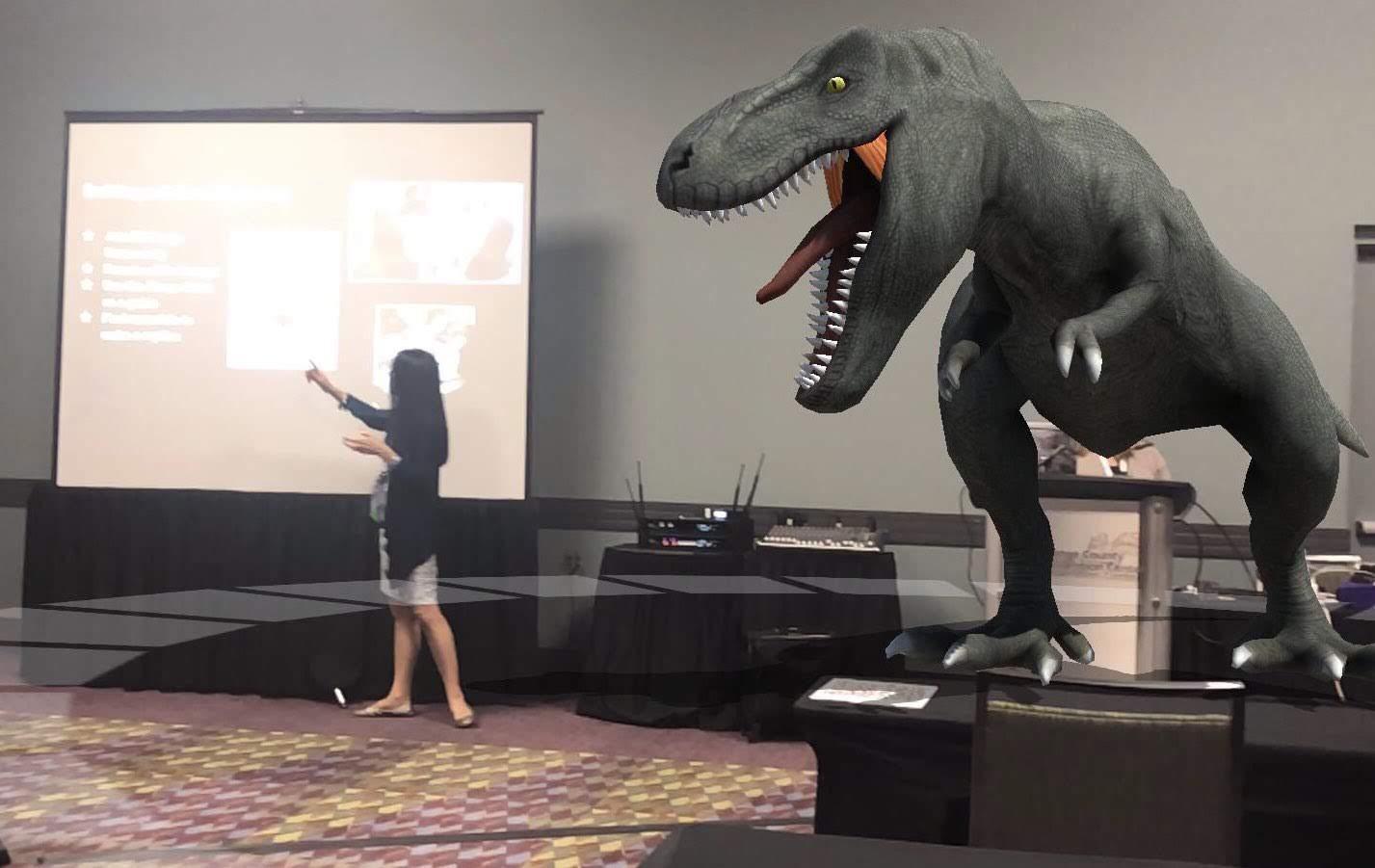
  4. Augmented and Virtual Reality: There is a lot of talk today about the benefit of using augmented and virtual reality tools in the classroom. There are so many different tools to choose from,  but I will recommend three tools to check out that can create more immersive learning experiences. Students can create using MetaverseAppCoSpacesEDUand also creating or joining lessons in Nearpod. Students are very creative and offering them a chance to design an augmented or virtual reality experience, in which they include the content material and also create additional learning resources for the classroom is so beneficial. Again, there are samples available in the library for each of these tools and creating with them is something that the students catch on to rather quickly. If you are looking for a different way to do a project, and to engage students more, then trying some AR/VR might be the way to go. Using Nearpod as a way to have students work through an interactive lesson, and then adding in 3D objects or Virtual Field Trips will really help students to better experience what they are studying. The next step would be to have the students create their own Nearpod lesson for class, multi-media, all in one tool. IMG_20170530_145553.jpgnull
  5. Podcast, Video Responses and More! Ever thought about having students create a podcast to discuss a topic, perhaps interview a “special guest”, maybe someone who takes on the role of a famous person being studied, or shares their thoughts about something covered in the class. It could be a good experience for students to practice interviewing someone, or even doing their own podcast, as a way to build some confidence and have fun while doing so. Maybe use Synth or Flipgrid and have students post responses to a question of the week, or have each student post a question for the classmates to respond to. It can be a different way to engage all students in a discussion, promote student voice and implement a new tech tool in the classroom.

In trying one or all of these activities, students have an opportunity to be more active in the classroom, work together, build relationships, collaborate and engage in more authentic learning experiences. If you need some ideas or would like to see some student examples, let me know. The best part of trying new things in the classroom is learning right along with the students, and sometimes, they learn before you. And this is one of the best parts!

Socrates: Engaging Students and Empowering Teachers

Learning at the Speed of You

In the spring, I like to explore new tools and ideas for use in my own classroom and for colleagues who want to try something new before the school year ends. Spring is the perfect time to try out teaching methods or tools that you perhaps did not have time for yet, or to find something that will keep students engaged through the end of the school year and maybe even to use to avoid the “summer slide.”

A few weeks ago, I came across Socrates, a learning platform also referred to as a “learning engine.” Socrates offers many valuable features for students and teachers, that make it a standout and I am looking forward to sharing its features, ideas to get started and tips over the next few weeks.

The story behind Socrates

I’m always interested in the people behind the product and learning about their motivation for designing something for educators and students. To learn more, I contacted Brian Rosenberg, the Co-Founder, and Chief Executive Officer, to gather some background information on the platform, to find out how it uses Artificial Intelligence, which is a key area of interest for me, and the types of resources available for students, teachers, parents and for homeschooling. The platform, created by Education Revolution, LLC has already received recognition several times this year. Socrates offers such distinct features, which makes it clear why it was endorsed by and received a grant from the National Science Foundation. Less than 5% of the companies are chosen, and Socrates, selected for its unique innovation and having a clear benefit to society was the first winner in Nevada in six years. More recently at the Magnet Schools Conference in Baltimore, Brian had a chance to share the vision of Socrates. He shared that the platform “was created to help provide equal access to students regardless of their socio-economic background.”

Impressive features

I scheduled a demo with Brian and was able to “experience” the platform from the perspective of a teacher and student. As Brian showed me the different components in the Teacher Dashboard, the analytics, and a variety of information available for teachers to use to guide instruction was impressive. One of the first things I consider is ease of navigating through the platform and whether the layout is visually engaging and rich in terms of content.

One aspect of Socrates that makes it unique is that it functions through the use of Artificial Intelligence and cloud computing, there is no IT setup and it can be used on any device. Socrates is fully automated and using the AI, it can quickly assess individual student or whole class needs, and then make adjustments in the learning path. While it the artificial intelligence allows it to automatically adjust for each student, it provides extensive tool for teachers to take over the learning experience and is designed to be a teacher assistant, not a teacher replacement According to Brian, there are 1300 categories of information with millions of questions, and it can adjust to particular topics as students progress, and goes question by question to make changes and create a unique learning path for each student.

Currently available content is Math and ELA (K-5) with Science about to release. During our recent conversation, Brian highlighted a “roadmap” for some updates and new features coming up in the platform over the next few months and at the beginning of 2020. There are plans to roll out activities for K-8 Science, grades 6-8 Math and Language Arts throughout the summer and early fall. Later this year and into early 2020, plans are in the works for Social Studies, ESL, high school Math, and even Test Prep. The number of resources currently available within Socrates is impressive, but with the additional features being added, it will provide an even more robust learning platform.

Socrates recently launched in Mexico, and therefore the teacher and student application is available in English or Spanish.

I will have the opportunity to explore the Socrates platform on my own and will take a closer look at each of the features, comparing it to other tools that have the same end goal as Socrates: providing students with a unique, individualized, learning path.

Experiencing the Power of Socrates

A few of the features that I will be looking at:

  • Dynamic Assessment: How the platform assesses students to find out the specific student needs.
  • Teacher Dashboard: Explore how to move students between classes, look at options available for each student, sorting of data
  • Weekly Reports: Look at the information available, ease of obtaining a snapshot of student progress
  • Command Center: Closer look at features and tools available.
  • Navigation of platform: Evaluate the learning curve for teachers and students, watch tutorial videos
  • Categories of Games: Explore the different categories, rewards, and badges available for students
  • Shop: Look at “cards” available to students, some examples are Greek Mythology, Presidents and more.

If you have been using Socrates, I would love to hear from you. If you have not yet tried it, I recommend getting started here. Socrates offers a 30-day free trial, and Brian encouraged teachers to try it out for the rest of the school year and said that their students can use it over the summer at no charge if they sign up before the end of the school year.

The classroom version: http://withsocrates.com/classroom/

***Coupon code is THRIVEinEDU2019. It can be used for the classroom edition or for the summer edition ($39.99 for the summer for teachers with summer school classes)

Connect with them on Social Media to keep informed of the great new features coming. Twitter is learnwithsocra1Facebook is learnwithsocrates

In Other Words, my new book is now available! Click here for more information on how to get a signed copy.


TeacherCast Educational Network

Technology Integration - Instructional Coaching - Productivity Secrets for Educators

Leadership Liner Notes: Sean Gaillard

Built on Connection. Tuned for Impact.

Stories by Thomas Oppong on Medium

Dr. Rachelle Dené Poth @Rdene915 Educator, Consultant & Keynote Speaker, Author, Attorney #THRIVEinEDU

Hooked On Innovation

When Innovation slaps you in the face, we slap back.

Teach Better

Dr. Rachelle Dené Poth @Rdene915 Educator, Consultant & Keynote Speaker, Author, Attorney #THRIVEinEDU

BrianKulak.com

Dr. Rachelle Dené Poth @Rdene915 Educator, Consultant & Keynote Speaker, Author, Attorney #THRIVEinEDU

The Principal of Change

Stories of learning and leading

Mandy Froehlich

Dr. Rachelle Dené Poth @Rdene915 Educator, Consultant & Keynote Speaker, Author, Attorney #THRIVEinEDU

Katie Martin

Informed by research, refined by practice

#RocknTheBoat

Rocking today's classrooms, one teacher, student, and class at a time.

User Generated Education

Education as it should be - passion-based.

Learning as I go: Reflections & lessons learned

Dr. Rachelle Dené Poth @Rdene915 Educator, Consultant & Keynote Speaker, Author, Attorney #THRIVEinEDU

Serendipity in Education

Join me, Allyson Apsey, as I stumble upon the fortunes of learning, laughing, and celebrating alongside incredible people.