The Summer Spark experience

Thanks Adam Schoenbart  and The EduCal for the opportunity to share what a great event this was for everyone.

summerspark2016

The Summer Spark Experience

By Rachelle Dene Poth

What is the Summer Spark? In the words of lead organizer, Chuck Taft, it’s a conference with the goal to “set the the stage for all participants to innovate, collaborate, and connectate (Chuck’s word) and set the stage for exciting summer PD, renewed enthusiasm in the profession of teaching, and get fired up for their best ever year of teaching.” I can tell you that the Summer Spark delivered all of this and much more.

The Summer Spark was held at the University School of Milwaukee on June 13-14, 2016. I discovered the event through Twitter, and I am excited to share my Summer Spark experience from this year’s event.

A Great Start to Summer

If you are looking for a great way to kick off your summer learning, I highly recommend joining Summer Spark next year! Mark the dates on your calendar now: June 12th – 13th, 2017. Learn more about the event here and start planning your trip. No matter where you live, traveling to USM is well worth it!

It was two days full of learning opportunities which included keynotes, networking time, tracked sessions, workshops, unconferences, fabulous food and a ton of fun. The days included presentations led by authors including George Couros, Jason Bretzmann, Kenny Bosch, Shelley Burgess, Don Wettrick, Julie Smith, Michael Matera, Matt Miller, and Quinn Rollins. Each day kicked off with a fabulous keynote speech, inspiring all of those present to seek more opportunities for themselves and for their students and calling on all education professionals to take action and expand their learning possibilities. #USMSpark was trending, and Twitter was full of inspiring posts and pics to share the experience with those in attendance and people everywhere. Check out the Twitter feed for quotes, pics, and inspiration.
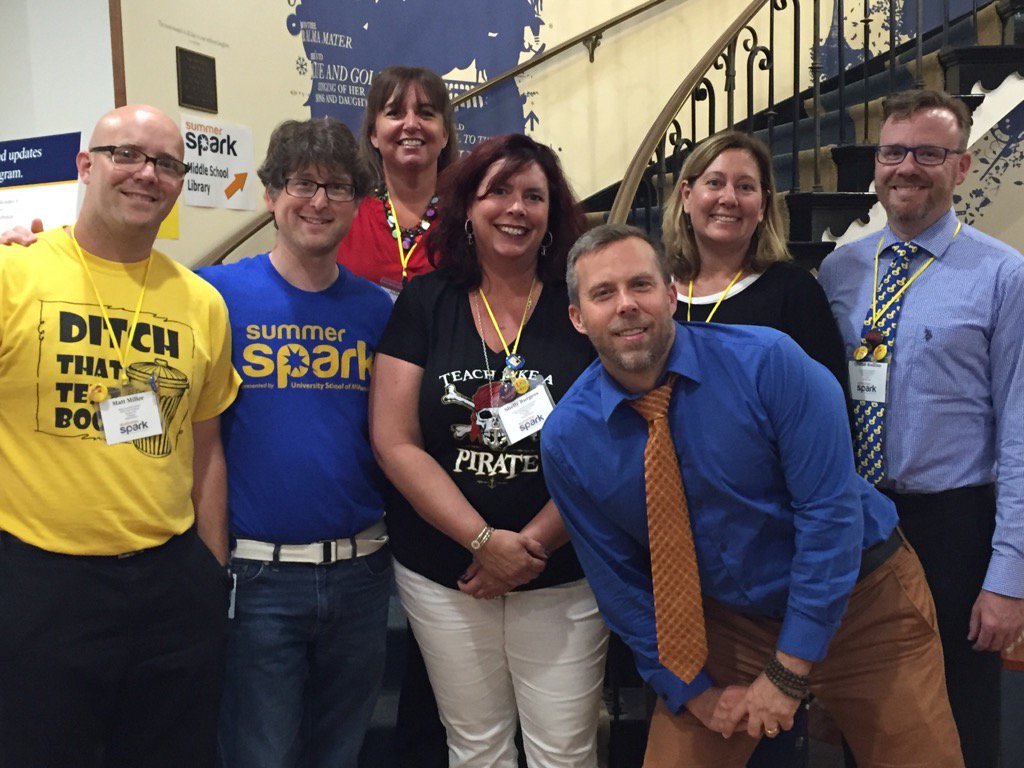
Summer Spark 2016 Begins!

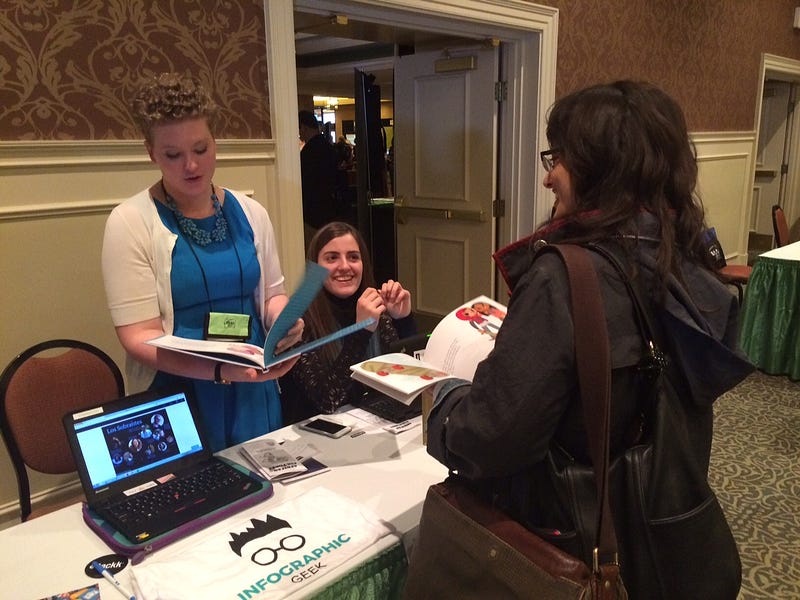
It started with a welcome breakfast, which was fantastic, and time to meet and greet. For me, it was the opportunity to finally meet a friend in person and learn together in the same place, rather than learning virtually, as we had for the past few years. For many, it was an opportunity to reconnect with friends from last year’s conference, to meet “tweeps” face to face, and to make new friends as well. For everyone, it was the start of what would be an inspiring and invigorating two days of learning and growth. No matter where you looked, people were engaged in conversations, smiling, laughing, taking photos, posting tweets and having a lot of fun together.

The Summer Spark conference had sessions organized into strands for learning which would help attendees to select a particular learning topic and find sessions most relevant in their area of interest. There were so many opportunities for networking and personalized learning with the great offering of presentations, so many in fact it made it hard to narrow down to just one choice for each time slot. However, with so many opportunities to sit down and talk with one another, plus the availability of presentations and collaborative notes through the conference site, there were alternate methods of gaining new knowledge and ideas, even if you couldn’t attend all the sessions you wanted at the same time.

And at the end of Day 1, there were 25 teams racing against the clock in a Spark Treasure hunt, frantically trying to solve various puzzles and tasks, engage in “tomfoolery” to unlock the box. Congratulations to Team Typewriter! A thrilling end to the first day, fueled by innovation, collaboration, and “connectating.”

Day 2 was no different, kicking it off with another motivating keynote by Don Wettrick, with the message to “accept the challenge: I don’t care if you teach 20 years, just don’t teach the same year 20 times.” The keynote was followed by “unconferences” in the traditional EdCamp style, and attendees were called on to come to the front and pitch a session (which also gave you some extra tickets for those great raffle prizes). There were a lot of great topics ranging from alternate assessments to Google Classroom, infographics and interactive lessons, gamification, elementary apps, creating an innovative genius hour, getting started with Twitter, and so much more.

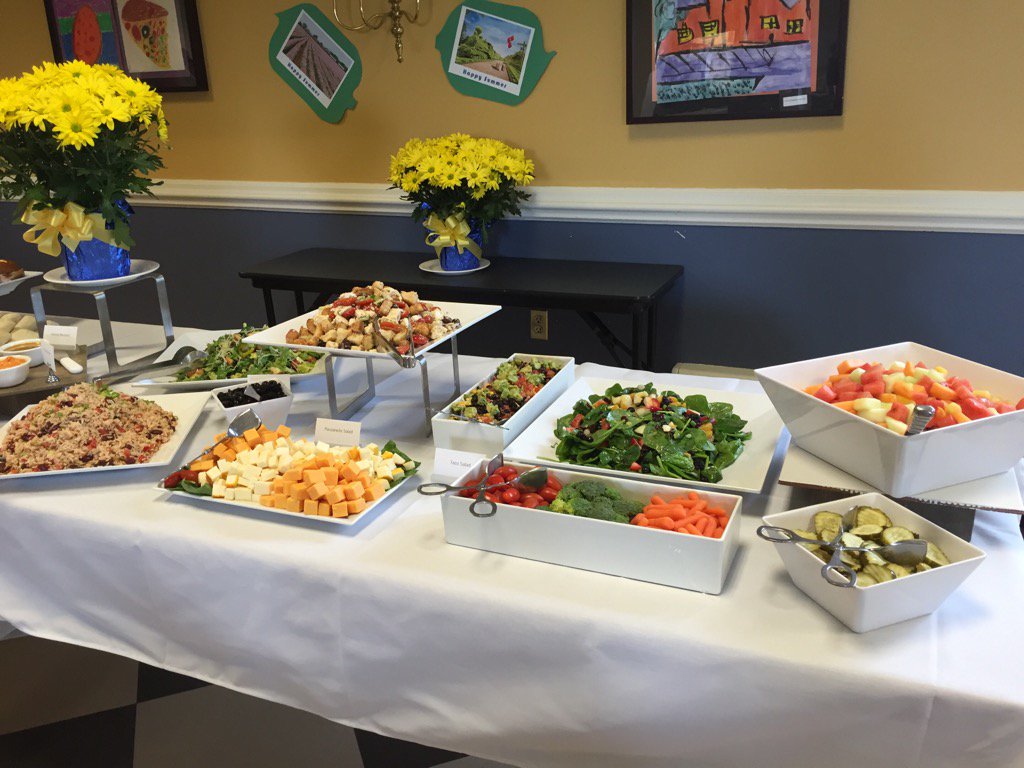
There were additional presentations before and after another tremendous lunch buffet, some trivia games and the day was rounded out with 90 minute workshops allowing for a deeper dive into the morning’s topics. It was a fantastic two day learning experience that drew to a close on Tuesday afternoon with the raffle and announcement of the dates for next year’s Summer Spark.
My Takeaways

It was such a phenomenal event, led by the host Chuck Taft and his team who provided everything and more that you could possibly want. The welcome, the students helping the attendees, the tech support, the staff and everyone at the school made this a truly outstanding experience for everyone. There were lots of highlights throughout the two days, new connections made, friends meeting face to face finally, and lots of fun and excitement.

I am thankful to have had the opportunity to attend Summer Spark and be able to share some of my knowledge, but more importantly, to meet and learn from so many others. The trip from Pittsburgh was well worth it and I look forward to attending again next year. Conferences like this connect people, enable Twitter friends to meet face-to-face, or to make new friends and to walk away at the start of summer with some new ideas and new directions to go. I’m thankful to have left energized and excited for the future.

Thanks Chuck Taft and all of the Summer Spark conference planners for a truly amazing opportunity and I am honored to have been able to be a part of this experience.

Thoughts from Attendees

Here are some thoughts from other participants about their Summer Spark experience:

  • “The atmosphere was electric” (Nick Davis)
  • My brain won’t stop thinking about all of the amazing ideas I got from #USMSpark. I dreamt about it last night! (Neelie Barthenheier)
  • “Already going through withdrawals after a 7 hour drive home, missing the magic, excitement, and connectedness of the conference. I know the magic of being around so many teacher authors/ entrepreneurs was empowering“ (Dean Meyer)
  • “I was blown away by @USMSpark! Thank you so much for an amazing 2 days of learning and growing!” (Rebecca Gauthier)
  • “You knocked it out of the park! #USMSpark was a fabulous conference!” (Tisha Richmond)
  • “Truly humbling experience to be surrounded by so many passionate, visionary educators. I wouldn’t miss #USMSpark” (Brian Durst)
  • “Can’t say enough about the hard work, dedication, positive, encouraging, energizing nature of the the heart & soul of #USMSpark “ (Jason Bretzmann)
  • “A big thank you to a terrific host @Chucktaft at #USMSpark. So many new friends, ideas, and passion as a result” (Mike Jaber)
  • “So much learning and working together…this is what it’s about. Getting better so WE can make education better!” (Brit Francis)
  • “Wanted to make sure I told you how awesome #USMSpark was & loved meeting you in person! I’m excited about coming back next year :)” (Mandy Froehlich)
  • “Thank you for your passion, commitment, enthusiasm, & humor. Thanks for igniting the spark” (Yau-Jau Ku)
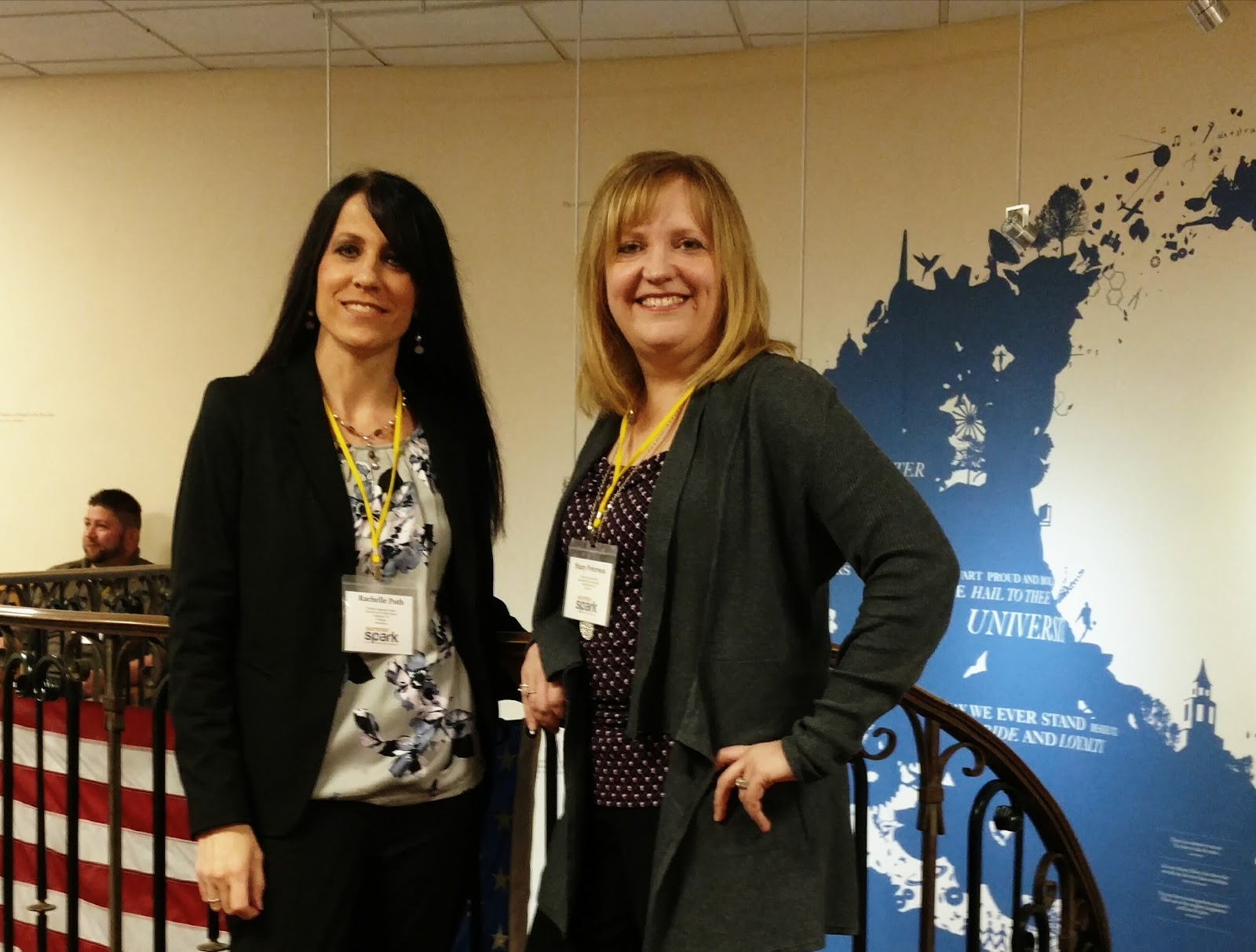
Learning Together Finally!
Thanks #usmspark!

Rachelle Dene Poth is a Spanish Teacher at Riverview Junior Senior High School in Oakmont, PA. She is also an attorney and earned her Juris Doctor Degree from Duquesne University School of Law and Master’s Degree in Instructional Technology from Duquesne. Rachelle enjoys presenting at conferences on technology and learning more ways to benefit student learning. She serves as the Communications Chair for the ISTE Mobile Learning Network, a Member at Large for Games & Sims, and is the PAECT Historian. Additionally, Rachelle is a Common Sense Media Educator, Amazon Educator, WeVideo Ambassador, Edmodo Certified Trainer and also participates in several other networks. She enjoys blogging and writing for Kidblog and is always looking for new learning opportunities to benefit my students. Connect with Rachelle on Twitter @rdene915.

What students can gain from blogging

Thanks to Edutopia for this recent post on June 20, 2016

Blogging

As a foreign language teacher, I constantly look for new, engaging ways for students to work on their reading, writing, speaking and listening skills in and outside of the classroom.  It is also very important to me that they develop confidence in expressing themselves with the language.  Confidence is sometimes an issue because of the fear students have of making a mistake, either writing something incorrectly, or pronouncing a word wrong. The fear exists and often it causes students to be more hesitant before responding and not participate as much.   The fear of mistakes is not something that is specific to students.  Teachers have this same fear, as do all people.  I have noticed more this year, than in prior years, that students struggle with this and as a result, it limits their learning potential.  So I have worked on finding ways to encourage them to use the language and be creative, and to leave that fear behind.

I took some opportunities to ask students why they did not answer a question on an assignment or a test, or respond in class, and before hearing their response, I already knew what they would say.   They “figured it would be wrong” or they “didn’t know the whole answer” so they left it blank or did not complete the assignment.  Sometimes the students would even write on their papers that they were wrong, or would draw a big X or a frown next to a response.

Seeing these responses, or hearing their reactions, made me want to find ways to help build their confidence levels and to keep them learning.   I tried encouraging them to speak more in class, emphasized that it was more important to try and express themselves and create with the language, rather than worry about being wrong.  I thought that by providing opportunities for them to choose a topic, to know that they were not being graded based on perfect grammar, but rather receiving points for having made the effort and created with the language.  The way to do this was through blogging.

Blogging helps students develop content area skills and confidence

I thought that blogging would be a good way for the students to have a more meaningful and personalized learning experience because they could choose a topic and write about something that they wanted to.  While I emphasized the importance of using the related vocabulary and verbs, I also made it clear that I was more concerned with them using the language, expressing their ideas, and then taking time to look at mistakes and learn from them. Reading their blogs was a great way for me to focus on their individual needs but also to learn more about each student.  It is helpful as a teacher to understand where the students are coming from, what their interests are, and their learning styles, and blogging is a very beneficial method to accomplish these tasks.

Some students initially were not in favor of blogging and at times, seemed almost pained at the idea of having to “blog”, however it is really not any different than filling in a worksheet or making up sentences for class.  It took a little time, but in the end, many students enjoyed blogging and made their blog posts a very creative and personal space, but also were able to look at their growth over the course of the year, and see the progress that they had made.   Blogging is a great tool  for practicing language skills and many others, but also a way to look back and see how you have improved.   The ease of sharing ideas and creating with the language, plus the increase in confidence, are some of the reasons why I think blogging is beneficial for any student or teacher, but also why it will be a practice which continues in my classroom next school year.

Thinking about Improving Homework

Thanks Terry Heick and TeachThought for publishing this recent post on June 20, 2016.

IMG_20160425_133159414

The end of the school year can be challenging with so many changes occurring: the weather, spring sports, weeks of standardized testing, field trips and other activities lead to oftentimes, chaotic schedules.  These changes can decrease motivation in students and in some cases, teachers as well, and result in a feeling that the school year is over before it really is.

I notice this gradual transformation each year, and do my best to mix things up, to keep learning going, and to stay strong until the end.  This year seemed to be a more challenging year, although I cannot pinpoint why, but as I mentioned in my prior post, I decided to do something about it. I made the decision to try some new methods, reevaluate how I have been doing things in my classroom, and what could I be doing better.

The last grading period has been a time to test out some new tools, give students new opportunities, more choices and be a little less structured, allowing for some spontaneity in our learning.  So as part of my “staying strong till the finish”, after mixing up the seating arrangements and receiving positive responses, I shifted my focus to a new area:  Homework

What Is Homework, Anyway?

Recently I have been giving a lot of thought to homework.  My focus has been on really looking at the types and the frequency of assignments I give.  Over the past few years, I have changed my thinking and tried to move away from a “one size fits all” assignment and move toward a more personalized, authentic assignment.  There have been several reasons for this change in thought.

Hearing from other educators at conferences, input from my students, and as a language teacher, also having to find ways to avoid student use of translators for assignments. These experiences, in addition to a little frustration from homework not being completed, have led me to really try some new methods in this area.

Some of the areas I considered when thinking about homework were: the types of assessments I use in my classroom, my students, the frequency of homework completion, the type of homework, and even more closely, a look at the individuals within each group of students that I am teaching.  My goal is to continue to reflect on whether or not the type of instruction and the strategies I am using, are beneficial to them and if the homework I assign truly has value and builds their skills, or is it just busy work. A lot of the discussion out there now is about getting rid of homework assignments and traditional grading.

Why I Decided To Do Something Different

I have been teaching foreign languages for almost 20 years, and I notice how quickly time has passed, when I find myself teaching a concept and I feel like I just taught the same thing the day before. This “déjà vu” experience leads me to think about the progress I am making with the curriculum in the current school year, and how I have paced my instruction throughout the year. But what I have come to realize more this year than any other, is that it should not be the goal to be at the same point at the same time each year. In my mind, that simply should not be how it goes.

I think a lot of people consider teaching as a profession in which the same plans are used, lessons are taught at the same pace, the same assignments and tests are given each year. If we truly did that, then the profession of teaching would seem to be a rather easy and predictable one. However, that is not the way it is.

I had a conversation with someone that thought teachers simply used the same exact materials each year, with each class, and that teaching was a really easy profession.  This conversation bothered me, and the last part about it being “easy” really hit me. So this inspired me to think about my teaching practice.  What materials I was I using in class? How was I providing instruction for my students and was I using the same resources each year with each class?  Had I been doing the same thing in my classroom every year?  Did I simply pull out a folder to make copies or open up a computer to reprint what I had used each of the 19 years prior to this one?

Honestly, sometimes yes. I had. I had used the same worksheet, or a document for a part of a test over the years.  I hadn’t done this because I was lazy.  In some cases it was for providing a quick activity or assessment, and others it was because I thought the materials were valuable and would help the students to learn.

Thinking About Homework In Your Classroom

Ask yourself these same questions.  What do you come up with?  If you have been doing the same thing, then maybe it is time to make a few changes.  Think about what would work best for and help your students.  This means more than just looking at each individual class, it means really looking at the needs of each individual student.  To do this requires that we get to know our students, and to know our students means we have to build relationships and understand where they’re coming from and what they’re interested in doing in class.

What helps them to learn the best?  What do they want and need from us?  So I decided to use this as an opportunity to take a bit of a risk and try some new methods during this final grading period. It made sense because then I could really think about it over the summer and start fresh in the fall.

The first homework experiment

Students have a lot of homework and I do believe in the value of homework.  It is the way we help students to practice and figure out what they know and what they don’t know and how they can become better. It is one of many ways teachers can assess students and learn about their needs, provide instruction and valuable feedback.  But I’ve changed my thinking about homework.  I used to think that I had to give students homework every day.  And I also thought that homework had to be the same for each student and each class. In part, my methods were a result of the experience I had as a high school student.  I decided to change the daily homework assignments and make things more personal,  let the students determine for themselves what they could do for homework, and have choices.

Just as a start, I assigned each student to be the teacher for the next class period.   With a partner for example, we are working on the past tense in Spanish and in pairs, I let the students decide which verb tense they would like to teach their partner.  The homework was to simply come to class the next day with a way to teach their partner the verbs.  I said it could be something tangible in the form of a worksheet or any activity that they found, a website, a video, a game, or another resource. It really did not matter to me as long as whatever they had they could use in class and they could teach.

I believed that in the process the students would learn more and also develop collaborative learning skills.

What Did The Students Think?

While they taught, I moved around to interact with each group to see what it was they had prepared. There were worksheets found online, worksheets that students created, handwritten pages of notes, flashcards, some had found websites with games and others had found videos or had created a Kahoot or Quizizz game for their partner to play. But what was most important was that they sought out resources, they had an opportunity to teach someone else and their homework was personalized not only for them, but also for other students. It went well and they were enjoying it and learning.

I will admit that I was nervous about doing this.  Not requiring a specific form or product for each student to show in class, and being open to any format the students brought in, was very different. It was a risk. But I was amazed at how creative they were, how engaged each group was, and the variety of “homework” that had been done.

Student feedback is very important for me and I value their input and regularly engage them in informal conversations or will have them complete a survey.  I want to know their thoughts. What did they like?  What did they not like?  Did they learn? Was this an effective way to practice the material we were covering in class?  We spent two days doing this first assignment, so each person could teach.  And then I had them switch groups, and teach again.  The end result was that students were teachers, the learning was personal, they were engaged, felt valued, and the experience was meaningful and beneficial to their learning.

It is a risk and when you don’t necessarily have the whole plan set out, and you just kind of go with it, you might be surprised at the results.  Giving the students control, seeing their interactions, and knowing that this homework was the type that was beneficial to each of them, encouraged me to continue to find new ways to give more classroom control to the students.  Giving up some control is not always easy, but in doing this, it opens up more opportunities for facilitating learning, providing individualized instruction and building those relationships which are the foundation of education.

Using Technology To Help Students Lead Their Own Learning

IMG_20160504_111504184

Using Technology To Help Students Lead Their Own Learning


by Rachelle Dene Poth

Technology provides ways for students to learn anywhere and at any time, and affords the possibility of providing learning at a pace that is comfortable for each student.

Teachers can teach students from inside the traditional classroom, “the brick-and-mortar” as it is called, or from other places anywhere around the world. Lessons can be pre-recorded and shared or streamed live, and students can access these types of tools at any time and refer back to them as needed. The availability of tools which lend themselves to more interaction between the teacher and the students–and the content can continue, in the mind of the student, to grow.

There are many options available and the best part is that with so many choices, it is possible to find something that meets the needs of each class and each student. Using digital tools provides more differentiation and personalized learning, and can provide opportunities for the students to take on the role of teachers and to create their own lesson and lead. Students can create with these tools and share lessons with the class, thereby increasing the resources available to all students. Or simply use the opportunity to become the creator, as a way to help them learn the material in a more meaningful and authentic way.

They Can Learn Anytime, Anywhere

The use of technology can mean that learning is no longer confined to the traditional time and setting of the classroom. In this way, it opens up the learning environment to anytime, anywhere–and at a pace that is comfortable for the students as well.

Teachers and students can access so many resources to teach the content and to help understand and then apply the knowledge they have gained. And when students are given choices in how to show what they have learned, they are more likely to be engaged and excited for learning. They will feel valued, and the lesson and learning will be more meaningful because it has been made personal to them. Given support, students can find resources that meet their needs, and teachers can also use these resources to find out what the student needs are.

With the multiple ways to assess students using digital tools today, teachers can have the data instantly, through live results, and can provide feedback to students when they need it the most. Students can take this information and then build on their own skills, and when they can’t or choose not to, you know where to start when helping them and their families growing as master learners.

It Give Them Choices

The timing and quality of learning feedback is critical for growth to happen. Students can also make choices about what types of activities they want to use and therefore are more empowered in their learning and can self-direct. If you give some of the control and leave the decision making to students to choose how to show what they have learned, or let them design their own homework assignment, they have the chance to be more empowered, and build momentum that can endure after the unit is over.

Giving students opportunities to work with each other and take on a new role, such as that of a teacher, enables you to also provide more one-on-one feedback. Teachers can become more of a facilitator and move around the classroom and learn more about the students and their needs, and also build relationships in the process. Relationships are key to student growth, and choice can be a significant boost here.

It Can Help Them Find Resources More Relevant To Them

One of the advantages of digital tools is that it can make some things more accessible; anytime, anywhere access to information, past work, groups, experts, and more are not the only benefit of technology. The resources and materials have more of an opportunity to stay up-to-date, and there are many so choices that each student can find something that is relevant to them.


Using Technology To Help Students Lead Their Own Learning; adapted image attribution flickr user sparkfunelectronics

Listening to Student Voices: Piktochart

This is a story done about one of my students, after working with Piktochart and participating in their user story last year, thought hearing from students about the benefits of Piktochart and other tools in the classroom.  Thank you to Jacqueline Jensen and Piktochart for this great post, originally posted on Medium. 

User Story: Students Using Piktochart

In this user story, we talk with Dana Grover, a high school student in Pittsburgh, about how she uses Piktochart inside and outside the classroom, why she thinks visual storytelling is important for her generation, and her favorite EdTech tools.

The fast pace of technology advancement is affecting students outside andinside the classroom. At Piktochart, we often talk to teachers about how they are using Piktochart in the classroom. Uses range from creating a new visual take of the traditional syllabus to utilizing one of our 500 templates to quickly turn text-based material into engaging visuals for the classroom.

But we felt like we were missing an important voice in the conversation. What do students think about Piktochart? Do they think that visual storytelling is a trend that will stick for their generation?

Meet Dana Grover

Dana Grover lives in Pittsburgh, Pennsylvania and is a student at Riverview High School.

“I am a theatre enthusiast who is involved with the marching and concert bands, orchestra, and chorus, along with the Spanish, drama, cinema, and Model United Nations clubs at Riverview,” she told me. “If someone were to look for me outside of school, they would find me in the kitchen, listening to my extensive music collection, or just relaxing.”

Dana first learned about Piktochart about a year ago. In fact, a big part of her discovery of Piktochart was thanks to her Spanish teacher, Rachelle Poth, who we profiled recently in our video user story series. Check out how Rachelle uses Piktochart in her classroom. Video on Youtube of User Story

Piktochart User Story — Rachelle Poth

“Technology is a big part of our Spanish curriculum,” said Dana. “We find new and interesting ways to use it, and showcase our knowledge through it. When I started taking Spanish, all of our projects had to be created using some sort of digital presentation application.”

Dana said when Ms. Poth discovered Piktochart as a tool for students to use to create their presentations, she was quick to share it with all of her students, “as she is prone to do with all great tools,” recalled Dana.

Dana said the way class projects are set up leads students to use new websites each time something is created. “So when I had already used Visme, Sway,Glogster, and others, I decided to try Piktochart,” she said.

“What made me want to explore Piktochart more was when my peers presented in class and I saw how organized and aesthetically pleasing their projects were,” Dana said.

When she thought about what she and her peers needed in an EdTech tool, Dana pointed to one must-have:

“We need to be able to express ourselves in creative ways. Piktochart lends itself to this perfectly,” said Dana.

“Everyone wants technology to be fast and easy to use,” she continued. “Teenagers want lots of choices when creating projects, because we are our own projects, and we want to be able to have choices and create ourselves in creative ways.”

Dana’s Work on Piktochart

When I asked Dana to share her favorite project on Piktochart with me, she was quick to point to an infographic she made about one of her favorite shows — HBO’s The Leftovers.

“Piktochart was the perfect tool to use for this project,” she said. “The Leftoversis such a good, well thought-out, creative show, and I needed a website that was going to be able to do it justice. I was really pleased with all of the options I had when making this project. I felt like I was able to create exactly what I had envisioned it to be, which is not the case for a lot of tools.”

Dana’s Tips and Tricks for Using Piktochart

Dana knows what’s it’s like being new to using Piktochart, so I was curious to hear some of her tips and tricks for newbies.

“The first thing I would show them would be text features, photo options, and background choices,” she said. “Not only are those the basics to creating an infographic, but Piktochart does a really nice job of making these features accessible, easy to use, and extensive in their range of creativity.”

Dana said that when she first started making infographics, she wanted to make the visual longer. The problem, she recalled, was that she couldn’t figure out how to add blocks to build on to her visual.

“It probably took me a good 10 minutes before I realized that when I had a block selected, in the upper left hand corner was a button to add more blocks,” she said. “And below, there is the option to re-size them, which is really helpful.”

For those who are new to using Piktochart, this is what Dana is talking about. This is how to add more blocks!

Dana told me she loves how many symbols, shapes, and colors can be put into visuals she creates using Piktochart.

“Lots of applications have options, but not nearly as many as Piktochart for creative purposes,” she said. “My presentations don’t have to be dry when I use Piktochart. Whatever I envision for my project, odds are I can create it with Piktochart.”

Dana’s Favorite EdTech Tools

When she’s not creating on Piktochart, Dana said she loves using Storybird. Storybird lets anyone make visual stories in seconds. The team curates artwork from illustrators and animators around the world and inspires writers of any age to turn those images into fresh stories.

“Storybird is another great website because it is fun to use and really simple,” said Dana. “I love that people are able to write their own stories and use professional artwork to accompany it. The best part is that you can order your story as a hard or soft cover book. Everyone who worked on it is cited — the author, the illustrator, and the website.”

Another tool in Dana’s toolbox is Sway. Sway, a digital storytelling app, was recently released by Microsoft and is part of Microsoft Office.

“Sway’s layout is very interesting, with options to make a beautiful cover page and online poster-style infographics,” explained Dana. “There are a lot of options on Sway when it comes to pictures, so when I created mine, I only used images from the website, which was really helpful to save time and citation effort.”


Looking for more ways to utilize Piktochart to make students excited in the classroom? Or maybe you’re looking for ways you can use infographics to make your next school assignment shine? Take a look at how teachers and students alike are using Piktochart in the classroom!

Storybird: Students tell stories with beautiful images.

Recently posted on Edueto Magazine

The path to integrating more technology into the classroom

So if you have been following along with my posts since I started writing


for Edueto, you can see that my method of and path toward integrating technology has taken many turns. I first started by trying to find one area of my teaching and my classroom that I could improve. After some consideration, reflecting on my practice, observing the daily routines, I determined there was a “disconnect” occurring between my students and myself. I did not feel that I was as accessible to them and their needs as I could be or more importantly, wanted to be. But the counterpart of this was that I also felt the students should bear some of the responsibility and be accountable for accessing classroom materials and asking for help when they needed.

Over the past two and a half years, it has been an ongoing, evolving process. One which has led to greater reflection, additional changes, and more than I could have imagined. It all started with the simple addition of one tool into our classroom, Celly, for messaging. This first step solved that disconnect and brought about so many positive changes for my classroom. From the beginning of this tech integration journey until now, the variety of ways that we have found uses for Celly are tremendous.

Once I felt comfortable with that first step, I began working with other areas of technology integration. I began using Edmodo for our LMS, which helped with the original issue of “disconnect” and provided access for the class resources and a central location for students to get what they needed. Edmodo provides a lot for teachers and students and has many apps available which we use and enable students to connect with automatically.

These initial steps evolved into the integration of alternate assessment tools such as Kahoot, Quizlet, SurveyMonkey, Riddle, Quizizz and more. These are just a few of the great tools that can be used for formative assessments and some also for student reflections. Once I felt comfortable with these choices, and I could see the benefits for my students, my next step was finding more ways for the students to show what they had learned and what they could do with the material. My prior post focused on project based learning and the benefits, so I would like to share one tool, Storybird, and how it can be used to give students an engaging, creative way to present information.

Storybird

While I have always enjoyed the traditional paper style presentations, I found that moving over to digital formats and letting the students choose from a variety of the creative web tools available for completing their projects, served many purposes. It was important that I offer resources that would give students meaningful ways to demonstrate their learning, but also have fun and be creative in the process. I wanted something that could meet their unique interests. So I started looking for different ways for students to present their information, but still be comfortable with creating the end product and learn something new in the process, technology skills.

One of the first tools we tried was Storybird. It has been one that my students have enjoyed using in Spanish and for other classes, and have shared with family and friends.

I first came across Storybird in the summer of 2014 while taking a course in special education, and I had to create a project that would describe legislation in this area. While there were many choices out there for presentation formats, I wanted to create more of a book style presentation, with vivid images that would add to the information. My search led me to Storybird and so I decided to give it a try.

Getting started

It was really easy to get started. I created an account and searched the available themes, until I found one representing an educational setting, and began creating my project. The themes are full of images created by various artists that contribute to the book with their vibrant illustrations.   Storybird was very easy to use, to add my information and also to select from a variety of very vivid and engaging images to highlight my content. Editing the images and changing the layout was simple, and I really enjoyed presenting my information in this way.

When I assigned the first project of the new school year, I added Storybird to the list of student choices and several students used it for their projects. Each student chose different themes based on their individual preferences and the end products were vibrant, engaging, and authentic, but most of all creative.

Student Reaction

The students were very excited about their work with Storybird and truly enjoyed being able to have a choice in how to show what they had learned and finding a theme that best suited their own personal interests. In addition to creating and seeing these beautiful books online, you can have them printed into a book and see the story come to life. I was truly amazed the day I opened the package and saw the beautiful books that my students had written and had been prepared by Storybird. Each student’s book had their name on the cover and I had placed an inscription inside the cover, to detail the purpose for creating the book. The students were excited to see their names on the book and enjoyed reading each other’s. I wanted more to add to our classroom library and so I asked the students to share their work with me so more of their books could be printed and displayed in our room.

Since then I have shared their work at conferences and with other colleagues, and the students have proudly shared their work during technology showcases. I recently found out about a few students who had used Storybird to create books for telling a story to a sibling, inviting someone to a homecoming dance and several other really neat uses for Storybird. Technology can really enhance the learning process and benefit students in your classroom, but it is when students extend this learning to other areas and uses, that you realize it truly has made an impact on their learning.

There are many other great tools out there for project based learning. Offering a variety of choices for students enables them to find something meaningful and enjoy the experience.  If you have not used Storybird, try it out. Students have used it in many of their other courses after Spanish and have found exactly the theme they needed. I will continue to share some of these tools with you and some examples, as always feel free to send me your comments or questions I would love to hear from you.

story


Quizlet Live: Recent Post on Quizlet

Keeping Students Engaged: A Teacher’s Quick Guide to Quizlet Live

News ·

This is a guest blog post by Rachelle Dene Poth, a teacher who uses Quizlet Live with her classes.

As a teacher winding down the school year, it seems we need something extra to keep students motivated and engaged. Fortunately, in today’s learning environment there are a lot of great resources available for use in classrooms that are tremendously beneficial for both teachers and students. The use of digital tools like Quizlet have introduced new methods for teachers to deliver instruction, personalize learning, and engage students in and outside of the classroom.

I frequently use Quizlet with my foreign language students to help them practice vocabulary and verb conjugations. Since Quizlet makes learning more personalized, I typically create study sets related to the chapter we are covering in class, or track their progress through Quizlet by creating sets dedicated to terms that my students are struggling with. What’s most helpful is the variety of activities Quizlet offers students to do at any time, ranging from flashcards, practice tests, audio activities, and playing a game of Scatter or Gravity. With countless ways to use Quizlet, I’m excited to share my experience with Quizlet Live, which I had the opportunity to beta test with my students.

screencap1@2x.png

My first game!

With the recent addition of Quizlet Live to my classroom, students have been more engaged and eager to learn new material with this interactive game. When I first tested the game, I let students figure out how to answer questions as a team, which improved their focus on selecting the correct answer. Although students typically sit with their respective teams when playing Quizlet Live, my students decided to remain in their seats and call out their team name, or in Spanish (i.e. “tengo” or “no tengo”), to signify whether or not they had the right answer. I noticed that when students chose not to sit with their team, they were more mindful of their own answers, working through each choice. As the game progressed, they learned the mechanics more quickly and wanted to play over and over again.

Letting students learn on their own

Not only did I enjoy seeing their excitement and desire to keep playing the game, it was rewarding to see them truly learn the material and work through the activity on their own as well as on a team. My foreign language students told the other class about Quizlet Live and it was great to hear them so eager to share their experience. Without much delay, the second class started the game and I shared a few pointers that I learned from the previous group. I knew how to guide students with the second beta test and wanted them to figure out how the game worked on their own. My involvement was briefly as a facilitator, then as an observer. This helped me assess what they could learn on their own and also encouraged students to help each other. I could work with them individually or within the groups, be involved in their thought processes and problem solving, and ultimately use this information to guide my next steps in the lesson.

Since testing Quizlet Live, my students have asked to play Quizlet Live every day and they tell me that it really helps their critical thinking skills since they can retain vocabulary better with the repeat practice.

screencap2@2x.png

Key tips for getting the most when using Quizlet Live

  1. Pick a study set with at least 12 terms for the students to practice. Give a brief explanation of how the game works, then let them figure it out on their own and use their experience to guide the next game.
  2. Have at least 6 players since the game will generate 3-4 players on a team. Each team is assigned an animal name and you can see the progress of each team as you go through the 12 questions. The first team to answer 12 questions correctly wins, but if an incorrect answer is selected, the team starts back at zero and has to earn points again to clear their board. As questions appear, each student starts with 4 possible answers on their screen. One member of the team has the right answer, the other members can only see blocks below each team member’s name. As answers are used, the blocks below each member’s name show a checkmark. Players can only see their their answers and the game continues until one team reaches 12.
  3. Shuffle the teams after a few games to provide new opportunities for students to collaborate with each other, and shuffle the card sets to get new terms and practice as much as possible.
  4. Make sure to complete the review with your students, which can be done with Quizlet Live’s feature. Once the game is over you can review the study set to assess and give feedback, and the students also see the correct answers on their screens during the game.
  5. Collaboration is key! Teamwork truly makes learning successful and I’ve seen my students become more engaged with their peers as they work together to master new material. In addition to providing new learning experiences, giving valuable feedback to the students helps them grow.

Quizlet Live is free to all teachers, and just requires signing up for a Quizlet account to start. Inject a new study activity in the classroom and see the positive effect it has on your students!

Rachelle Dene Poth teaches French and Spanish at RIverview Junior-Senior High School in Oakmont, Pennsylvania. She can be reached at rdene915@gmail.com  @rdene915 or through her website: www.rdene915.wordpress.comquizletlive

TeacherCast Educational Network | Developing Standards-Based Instructional Technology Integration

Technology Integration - Instructional Coaching - Productivity Secrets for Educators

Leadership Liner Notes: Sean Gaillard

Built on Connection. Tuned for Impact.

Stories by Thomas Oppong on Medium

Dr. Rachelle Dené Poth @Rdene915 Educator, Consultant & Keynote Speaker, Author, Attorney #THRIVEinEDU

Hooked On Innovation

When Innovation slaps you in the face, we slap back.

Teach Better

Dr. Rachelle Dené Poth @Rdene915 Educator, Consultant & Keynote Speaker, Author, Attorney #THRIVEinEDU

BrianKulak.com

Dr. Rachelle Dené Poth @Rdene915 Educator, Consultant & Keynote Speaker, Author, Attorney #THRIVEinEDU

The Principal of Change

Stories of learning and leading

Mandy Froehlich

Dr. Rachelle Dené Poth @Rdene915 Educator, Consultant & Keynote Speaker, Author, Attorney #THRIVEinEDU

Katie Martin

Informed by research, refined by practice

#RocknTheBoat

Rocking today's classrooms, one teacher, student, and class at a time.

User Generated Education

Education as it should be - passion-based.

Learning as I go: Reflections & lessons learned

Dr. Rachelle Dené Poth @Rdene915 Educator, Consultant & Keynote Speaker, Author, Attorney #THRIVEinEDU

Serendipity in Education

Join me, Allyson Apsey, as I stumble upon the fortunes of learning, laughing, and celebrating alongside incredible people.