Unfinished Business: A Different Peer Review Strategy

Guest post by laura steinbrink, posted in education

EVERY ROSE HAS ITS THORN

This strategy is based on Liz Lerman’s Critical Response Process, which has amazing potential even outside of its intended use. After reading her book on this process, I have been pondering ways to use this model with students of all ages, and with some restructuring according to the age or grade level of the student, I believe it is possible. To use this, students must be creating, writing, or have a product that is in progress or not complete, or maybe even a rough draft. Then, as students are in the process of creating, whether it be writing, artwork, research, project-based learning (PBL), presentation, etc., this process can help students refine their work with controlled peer feedback. There are three roles for this process, and if you have a small class, then you can do this whole group. For larger classes, you may need to conduct the process with the whole group as a model, and then break it up into smaller groups if necessary.

JUST LIKE EVERY NIGHT HAS ITS DAWN

The purpose of this strategy is not to “fix” the student’s work, but to provide questions to clarify areas that need more work and statements to point out strengths of the work in progress. This is actually the hardest part for me, as I am generally in “fix it” mode. This is also the part that needs to be addressed up front with the students the first time you do this with them. They are not to offer ways to fix any part that the creator is struggling with but to come up with questions to ask the creator about those issues that will help them come up with their own solution. In step 5 below, you could allow an opinion to contain a “here’s what I would do,” but the creator is still the one deciding whether or not to accept or act on those ideas.

JUST LIKE EVERY COWBOY SINGS HIS SAD, SAD SONG

What is particularly striking about this process or strategy is the potential for students to truly see that the process of creating is important, there’s usually more than one right way to do something, the class can truly be a learning community, and that revising work is a natural part of the creating process. Students often get into the rut of the “one and done” mode. We write a paper, create a product, paint a picture, and then turn it in and move on. This occurs even when we use our beloved rubrics. I have conducted workshops on how to effectively use rubrics, like the single-point rubric, and teachers have complained that they hand back a rubric and the student looks at it and tosses it in the trash. My question to all who have experienced this is, “Was there a grade on it?” If so, that’s the feedback the student wanted. No need to reflect. A teacher in my previous district pointed out that she handed back the rubrics and a student looked at it and crumpled it up, and that the student was my son. I asked him about it later, and he said, “It had a 100% on it. What did I need to look at or do with the rubric?” Right. No need to reflect at that point is a common student reaction. I encourage not putting grades on rubrics, instead, it is better to use them to guide instruction and feedback in the process of creating the work.

EVERY ROSE HAS ITS THORN

The Unfinished Business strategy can help students see that revising as we go is a common and productive practice. Research shows us that reflecting is a powerful learning strategy, so what better way to teach it than to have students reflect on feedback to find ways to improve and revise the work in progress? According to John Hattie and Helen Timperly, feedback is the “consequence of performance.” So to elicit strong feedback to help learners value the creation and revision process, try the strategy below and adjust as needed to fit your learners.

Role 1: Artist/Maker

Offers a work-in-progress for review and is prepared to examine the work critically in conversation with other people.

Role 2: Responder

Commits to the artist/maker’s intent to make excellent work. They question and respond to questions. They want the artist/maker to do their best work.

Role 3: Facilitator

Initiates each step, keeps the process and students on track, and works to help the artist/maker and responders frame useful questions and responses. The project rubric, if you have one, would be helpful here. Students can either form questions based on the criteria or you can have premade questions from the criteria that students can ask. Giving students a question to ask when first trying this or each time it is tried can really help get a productive conversation going. Those questions would be scaffolds for the responders. Most questions they will need to generate independently and need to be useful to the artist/maker.

Step 1: Artist/Maker shares the work in progress or a part of the work that they are struggling with or aren’t sure of at that moment in the creation process, or even after a draft or prototype has been completed.

Step 2: Responders then respond to what was meaningful, surprising, interesting, exciting, and/or striking in the work they have just witnessed, heard, read, etc. Each responder verbally or on a sticky note writes one positive response to the work. They cannot use “I like” or “I love” in the statement. Instead of saying/writing “I like the way you…” students write or say things like “Your thesis statement is strong and engaging” or “The color choice really complements the piece,” depending on the type of work being reviewed.

Step 3: The artist/maker then asks any questions they may have about the work. In answering, responders must stay on topic with the question and may only express opinions in direct response to the artist’s questions. This might be tricky, so after a practice round or two, determining a limit on the questions the artist/maker may ask might help with the facilitation. Time constraints in general mean that having the artist ask 1-3 questions would prevent the process from dragging on, which is important for the engagement of the responders. All responders should write down a response and the artist/maker can choose one or two to call on verbally. The artist receives all written responses also. On the same sticky note, (Use one or two per student responder for each session.)

Step 4: Responders write out neutral questions about the work on the same sticky note, and the artist chooses 1-3 students to ask their questions and then they respond to those questions.

Questions are neutral when they do not have an opinion added to them. This step is one of the most fundamental, challenging, and misunderstood steps of the Critical Response Process as noted by Liz Lerman. The questions are focused on anything unclear, confusing, complicated, or too simplistic about the work and should promote critical thinking among the responders. This part of the process is meant to provide the artist/maker with areas to consider for improving the work. The artist/maker has ultimate control over the end product, and responders are not there to “fix” the work, so they should not include solutions. The “fixers” in your classroom may struggle with this, so be prepared to help them suppress that instinct.

Step 5: (Optional-if time permits) Responders state opinions about the work in progress, given permission from the artist; the artist/maker considers the opinions but has the option to say no. Here is where you could include “fix it” ideas from those students who are your “fixers.” This round may be best if it is oral and not written down. The artist/maker calls on one or two responders, and again, the decisions lie with the artist/maker to accept one, some, all, or none of the proffered suggestions.

YEAH IT DOES

Students who are in the role of responder will still get a lot out of this process. The artist/maker will as well. This will provide the motivation to reflect on the work and then revise it. This is the beauty in this strategy for me, as there are times when getting students to review, edit, or revise their work is like Sisyphus rolling his rock up the hill each day. Again, revise this as needed for younger learners. This strategy can also promote an inclusive and safe learning environment when done properly (manage unhelpful criticisms), which can lead to students taking academic risks. Set up time in your pacing guide for this in place or in addition to any peer review feedback activities that are already built-in, and then do the strategy. It could work as a one-day weekly activity or as needed. The goal is for students to manage their own learning, and you will know you have achieved that goal when students start requesting the strategy to receive help with their work. Good luck, and tag me on Twitter or comment below if you find it useful.

Hattie, J., & Timperley, H. (2016). The Power of Feedback. Review of Educational Research. https://doi.org/10.3102/003465430298487

HEADINGS ARE PARTIAL LYRICS FROM EVERY ROSE HAS ITS THORN BY POISON.

Source: LyricFind
Songwriters: Bobby Dall / Bret Michaels / Bruce Anthony Johannesson / Rikki Rocket
Every Rose Has Its Thorn lyrics © Universal Music Publishing Group, Warner Chappell Music, Inc

**Interested in writing a guest blog for my site? Would love to share your ideas! Submit your post here. Looking for a new book to read? Find these available at bit.ly/Pothbooks

************ Also check out my THRIVEinEDU Podcast Here!

Join my weekly show on Fridays at 6pm ET THRIVEinEDU on Facebook. Join the group here

Spring Ideas to Boost Engagement!

The start of a new year is a great time to ​think about the progress we have made so far this year and consider trying some different methods and tools in our classrooms. Taking time to reflect on what has worked, what we have not tried, and areas, where we may be having some challenges, is important. We want to continue to reflect and implement new strategies and tools that will benefit our students and transform learning.

Just like at the beginning of a new school year, focusing on the continued building of relationships is essential year-round. To do so, we have to be intentional about evaluating our teaching practice and the opportunities that we provide for our students. For our personal and professional growth, we need to make time for ​reflecting on our daily work as ​​educators​. What are some areas that we notice where we have grown in our practice? Are there some methods or tools that we have on our list but have lacked the time to try? Have we asked students for feedback about their experiences in our classroom and what helps them to learn best? I think that this is important for our practice. Using surveys and having conversations with students makes a difference. There are even great tools available for educators to use such as LessonLoop, which helps teachers to better understand student engagement and their specific needs in our classrooms.  Another tool that helps educators to really focus on their methods and classroom interactions is Edthena, a virtual coaching platform. Teachers can record themselves teaching a lesson and then the AI Coach uses prompts to guide you about your lesson and what your perception of their effectiveness was. With videos, we can go back and focus on specific parts of our lesson, and our delivery and then use this to guide our reflection.

Taking time to reflect is important so that we can start the new year fresh. Now is the perfect opportunity to dive in and start the new year off with some fresh ideas! By choosing some methods or focus areas and then leveraging different tools, we can transform student learning and provide opportunities for building essential skills such as SEL. The power of choice not only helps students to build content area skills but also will lead them forward into their future careers with a variety of skill sets. With different tools and methods, we can spark curiosity for learning and foster creativity in learning!

For educators, this means we have to be willing to try new ideas, make mistakes and try again. Doing this sets a good model for our students. We want them to become more comfortable with learning and making mistakes and the process of learning itself.

Choosing methods in our classrooms that help to foster joy in learning and also foster the development of social-emotional learning (SEL) skills, will benefit students now and in the future. Being able to master the content while also developing skills that enable students to collaborate and develop strong and supportive relationships are important for future workplace success.

One thing to keep in mind is to find ways to streamline the workflow and the types of methods and tools that we are using. We want to provide choices but not overwhelm students in the process. Finding methods and tools that are versatile and applicable to different content areas and grade levels is key.  Here are four ideas to start with:

  1. Elementari is a tool we started to use this year and it has been fun seeing what the students create. There are many options available with Elementari, including the option for students to create an interactive story and build their skills in coding. There are more than 10,000 illustrations and sounds available to choose from.
  2. Genially can be used for genius hour, project-based learning (PBL), interactive lessons, and more. We have used it in my Spanish and STEAM classes for projects and I have used it personally for creating resumes, digital portfolios, and even presentations. Students can work individually or together on a collaborative presentation which also promotes digital citizenship skills too! Genially has thousands of templates to choose from with options for STEM and more.
  3. Spaces EDU is a great tool that teachers can use individually and create different types of “spaces.” There are individual, class, and group spaces through which teachers and students can collaborate and communicate using multimedia options. With an individual space, students can share their learning with teachers in a space where they are able to build confidence in learning. Individual spaces work well for methods like genius hour and PBL or for checking in with students.  A group space has been fun for doing activities in stations or a collaborative PBL or even something fun like a scavenger hunt. Spaces EDU also has curriculum tags and more that help teachers to connect the curriculum to the activities created in Spaces.
  4. STEM-related: There are some new resources we have explored this year including iBlocksPBL which helps educators to dive into PBL and students can learn about relevant topics related to the SDGs that help them to develop essential SEL skills, especially in the competencies of self-awareness and self-management. A few years ago I used Hummingbird Robots with my STEAM class and more recently, we used the Finch robots from Birdbrain Technologies. Teachers can use these tools in any content area and have students create something to reflect what they are learning in class while building coding skills and even learning about AI. These are just a few to explore in your classroom.  If you are interested in PBL, SEL, and STEM, any of these options would help to focus on those areas with the use of one tool. Involve students in the conversation and see what the impact is of using the different methods like genius hour or PBL or trying one of these tools. And for our own growth, using a survey created with Google or Microsoft Forms, or trying the LessonLoop student engagement survey, can help us to plan with our students’ interests in mind and continue to reflect on our practice. Taking risks and facing challenges along the way is a great model to set for students!

About the Author:

Rachelle Dené is a Spanish and STEAM: What’s nExT in Emerging Technology Teacher at Riverview High School in Oakmont, PA. Rachelle is also an attorney with a Juris Doctor degree from Duquesne University School of Law and a Master’s in Instructional Technology. Rachelle is an ISTE Certified Educator and serves as the past president of the ISTE Teacher Education Network. She was named one of 30 K-12 IT Influencers to follow in 2021.

She is the author of seven books including ‘In Other Words: Quotes That Push Our Thinking,” “Unconventional Ways to Thrive in EDU”, “The Future is Now: Looking Back to Move Ahead,” “Chart A New Course: A Guide to Teaching Essential Skills for Tomorrow’s World, “True Story: Lessons That One Kid Taught Us” and her newest book “Things I Wish […] Knew” is now available at bit.ly/thingsiwishedu.

Follow Rachelle on Twitter @Rdene915 and on Instagram @Rdene915. Rachelle has a podcast, ThriveinEDU available at https://anchor.fm/rdene915

**Interested in writing a guest blog for my site? Would love to share your ideas! Submit your post here. Looking for a new book to read? Find these available at bit.ly/Pothbooks

************ Also check out my THRIVEinEDU Podcast Here!

Join our weekly show on Fridays at 6pm ET THRIVEinEDU on Facebook. Join the group here

TCEA 2023 – What a great event!

By Author(s) Name(s):  Rachelle Dené Poth

I recently attended my fourth TCEA conference. This year marked the 43rd year of the TCEA (Texas Computer Educators Association) Convention and Exposition which was held in San Antonio, Texas at the Henry B. Gonzalez Convention Center.  Since the first time I attended TCEA in San Antonio in 2017, it has become one of my must-attend conferences each year. With more than 700 sessions to choose from on a variety of important topics, TCEA provided a great learning experience for educators again this year. There were also lots of spaces for educators to connect and build their network. Luann Hughes served as the 2023 Convention Chair and sent emails each day with an overview of the day’s schedule, some “Sessions to Savor” and other helpful information to get attendees excited for the day!

The highlights

The people:   It is so nice to be able to join together in person at events like the TCEA conference again. For some people, this may have been the first time meeting a friend face-to-face or the first time seeing a friend in the past few years.  For me, I love the opportunities to spend time with friends, make new connections and build our learning networks. 

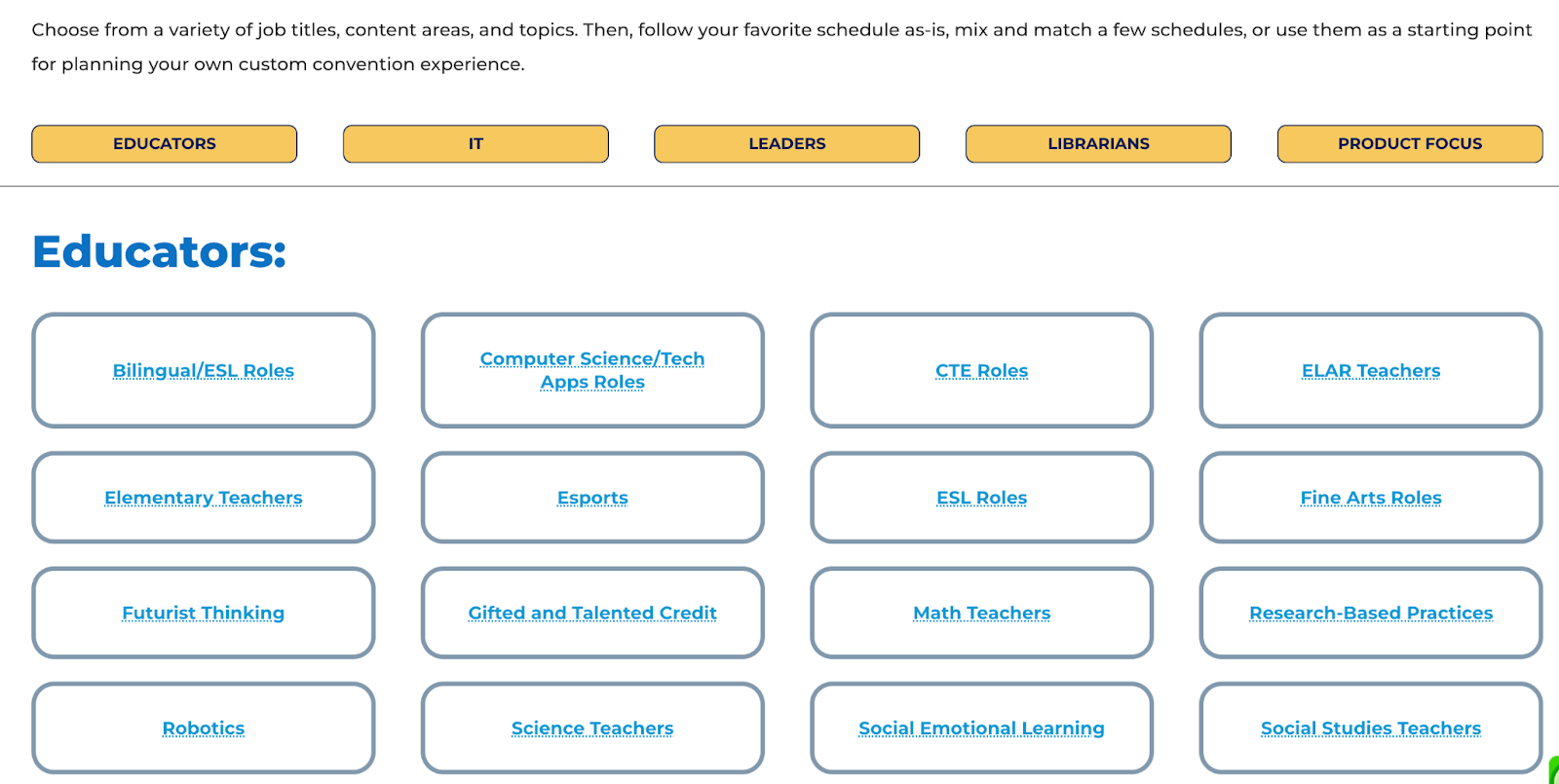
The mock schedules: Deciding on sessions to attend can always be a challenge especially when there are so many choices. One of the things I love about TCEA is that they put together mock schedules focused on the different roles of educators. The conference planning team reviews all sessions being offered for roles such as classroom teachers, IT, leaders, and librarians, or with a specific focus on SEL or STEM, special populations, and other important topics in education. Being able to look at a sample schedule helps any attendee but definitely, a first-time attendee to build a schedule focused on their specific interests and needs for professional learning. 

Power Hours: There were a variety of session types and events during the conference. Each day started with a Power Hour with a featured speaker. On Monday, Dr. Adam Saenz focused on “The Power of a Teacher” and how important it is to remember the “why” behind the work that we do and the importance of focusing on relationships. On Tuesday, Dr. Michael Hinojosathe spoke about “How to Leverage Educational Technology as a Learning Strategy.” He has more than 40 years of experience in public education, as a teacher, coach, and superintendent/CEO. On Wednesday, the Power Hour “Keep it REAL. Keep it FUN. Keep it UP!” with Joe Dombrowski, an educator who has studied the art of improv comedy. He shared ideas and personal stories about how he uses improv to boost student engagement. His goal is to help students “want to be in school rather than have to be in school.” There was a lot of laughter during his inspiring session.

[Kaitlin Roig-DeBellis]

Thursday’s Power Hour was with Kaitlin Roig-DeBellis, a former Sandy Hook Elementary teacher and the founder and executive director of Classes 4 Classes. She inspired educators with her message focused on making choices with “purpose, passion, perspective, resilience, and hope.” 

One of many interesting spaces in the center.

The sessions and topics

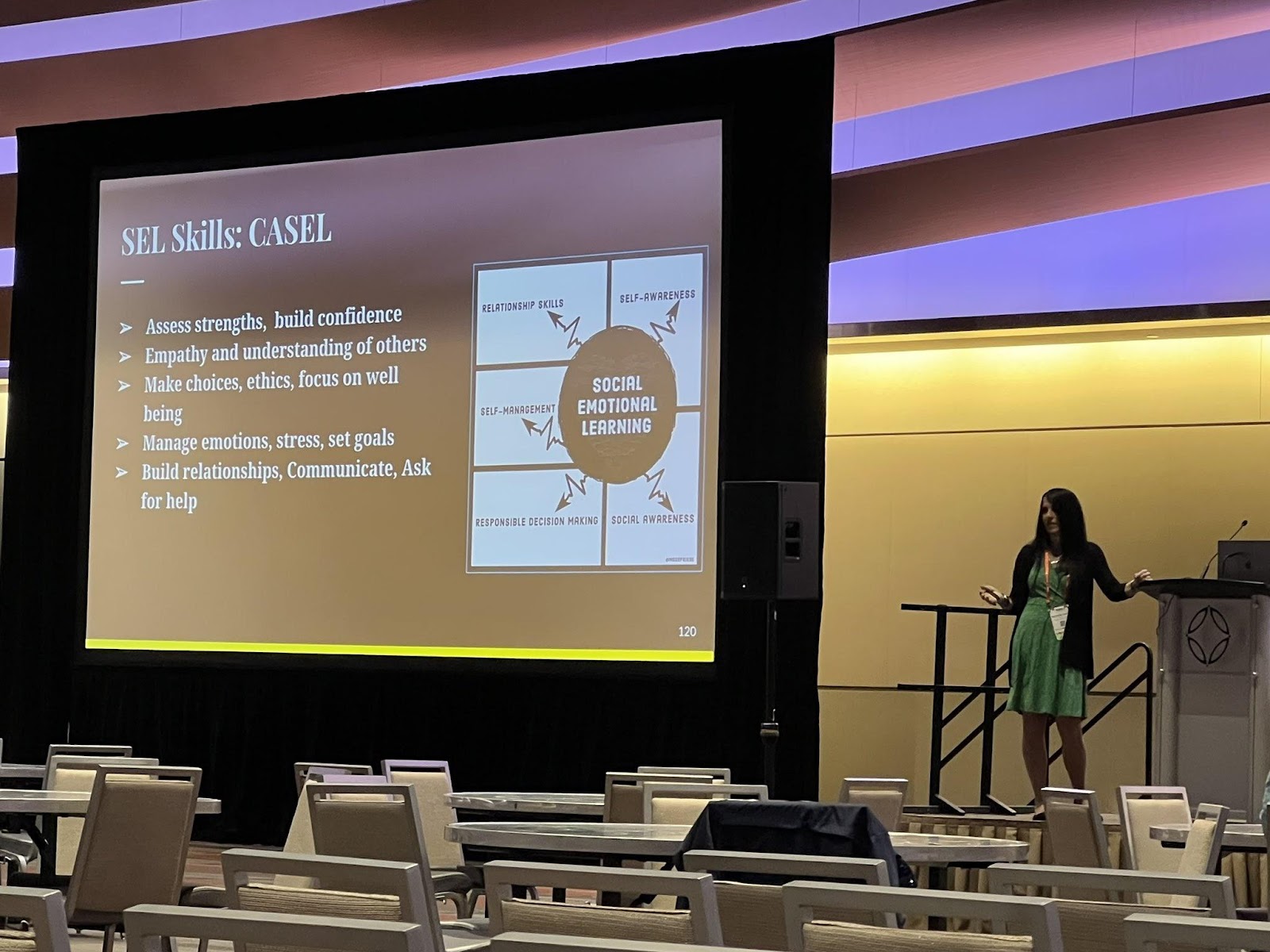
There were several hot topics this year.  Attendees were very interested in learning about AI and in particular, ChatGPT, and its implications for education. Blockchain, NFTs, and the metaverse were also of interest, with several sessions available covering each of these. I presented a few sessions on artificial intelligence, emerging tech like NFTs, blockchain, the metaverse, and augmented and virtual reality. I also presented and attended several sessions on SEL. There were so many great sessions to choose from. As a presenter, I learn so much from attendees and I look forward to those opportunities to connect. The interactions in sessions lead to new connections and spark interest in new areas for teachers who walk away feeling more confident in diving into some of these new topics and trends.

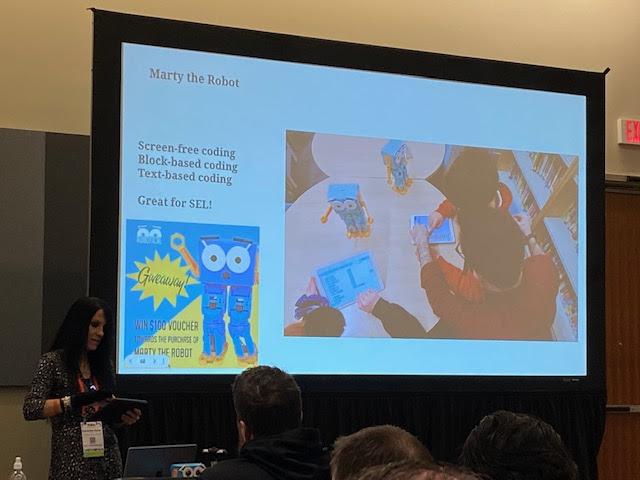
One of my presentations focused on Chart A New Course: Teaching Essential Skills. Sharing methods and tools like BookWidgets, StoryJumper, Marty the Robot and many more!

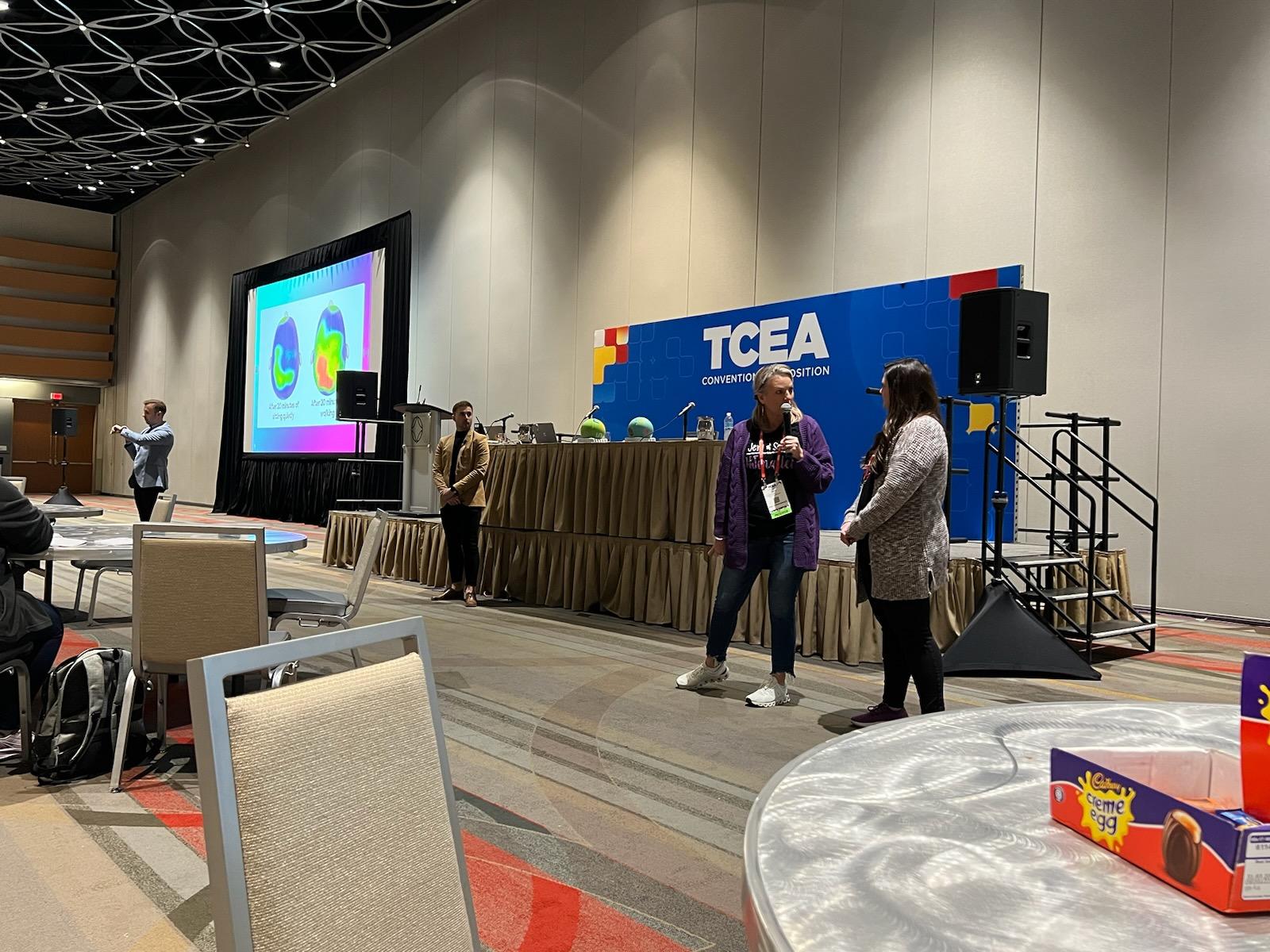
Jaime Donally had a great experience for anyone looking to learn about augmented and virtual reality during her sessions such as “Top AR/VR Trends to Transform Learning” and the Digcit VR Journey. Rabbi Michael Cohen (The Tech Rabbi) presented a few sessions on Cryptocurrency, Blockchain, NFTs, and web 3. Also, a big focus was on SEL, with a great session for teachers presented by Jenallee, the eTwinz, and Scott Bricker. Many sessions covered these topics and drew large crowds. Monica Burns had so many ideas to share in her “15 Ways to Collect Actionable Formative Assessment Data” session. She presented quick ideas and also digital tools that help educators gather important data about student learning. 

Strategies for Teachers Session by Jenalee and the eTwinz

There were a variety of sessions focused on specific tools such as Google from Dr. Desiree Alexander who had a lot of great tips for streamlining Google Drive.  Holly Clark and Matt Miller presented on AI and ChatGPT and shared some ideas for how educators can explore this technology and ways to help students understand it and its implications for learning now and working in the future. Another engaging session was “Three by Thursday! Electrifying Strategies to Ensure Engagement in Learning” by Stormy Daniels and Wendy Hedeen.  These are just some of the many topics you could explore and sessions that provided actionable strategies and many resources and also helped with building confidence in taking some risks in our classrooms. 

The poster sessions: At each conference, poster sessions are a great way to take in a lot of new ideas in a short amount of time. Being able to interact one-on-one and ask questions specific to your needs in these topic areas really does make a difference. There were poster sessions for CTE, Librarians, Professional Learning, STEM, CTE, and content areas. Sometimes it can be tough to decide which sessions to attend at a conference, but there were opportunities everywhere, especially through the poster sessions. 

Panel and Roundtable Discussions: There were roundtable and panel discussions held each day on topics such as equity, personalized professional learning, sustainability, and really relevant focus points for educators.  Each day had a variety of panel discussions focused on issues relevant to classroom teachers, educators, and librarians and provided an engaging space to ask questions and make new connections. 

Presenting on AI and sharing Marty the Robot

The big topics: Some of the big topics in emerging technology this year were blockchain, cryptocurrency, the metaverse, NFTs, and also ChatGPT.  There were also a lot of sessions focused on SEL for students and ideas for educators for their own well-being. TCEA even had an SEL room available for educators to take time to relax in a calming and relaxing environment. It was also a space where educators could learn more about SEL practices and gather some resources. 

The Exhibit Hall

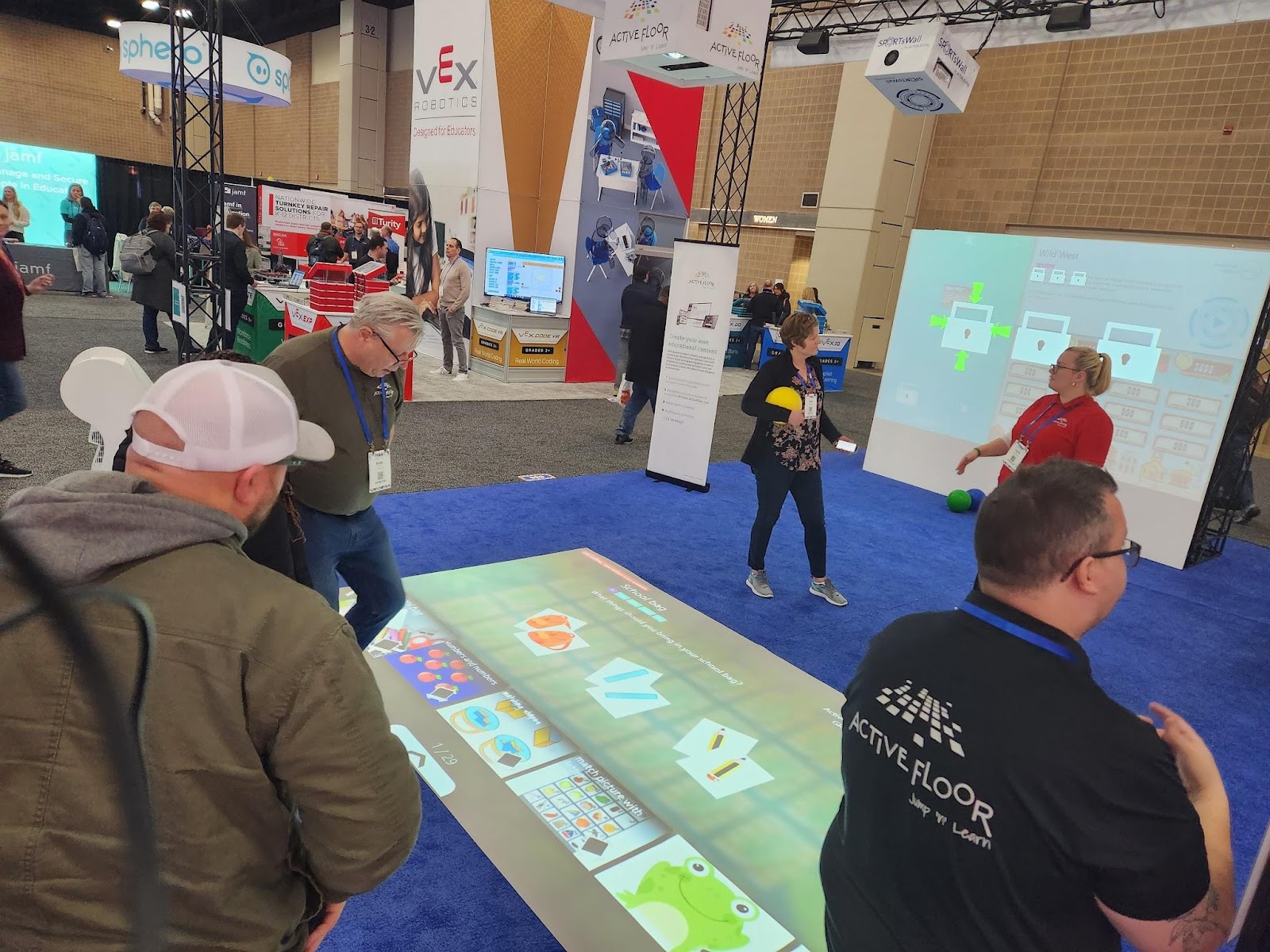
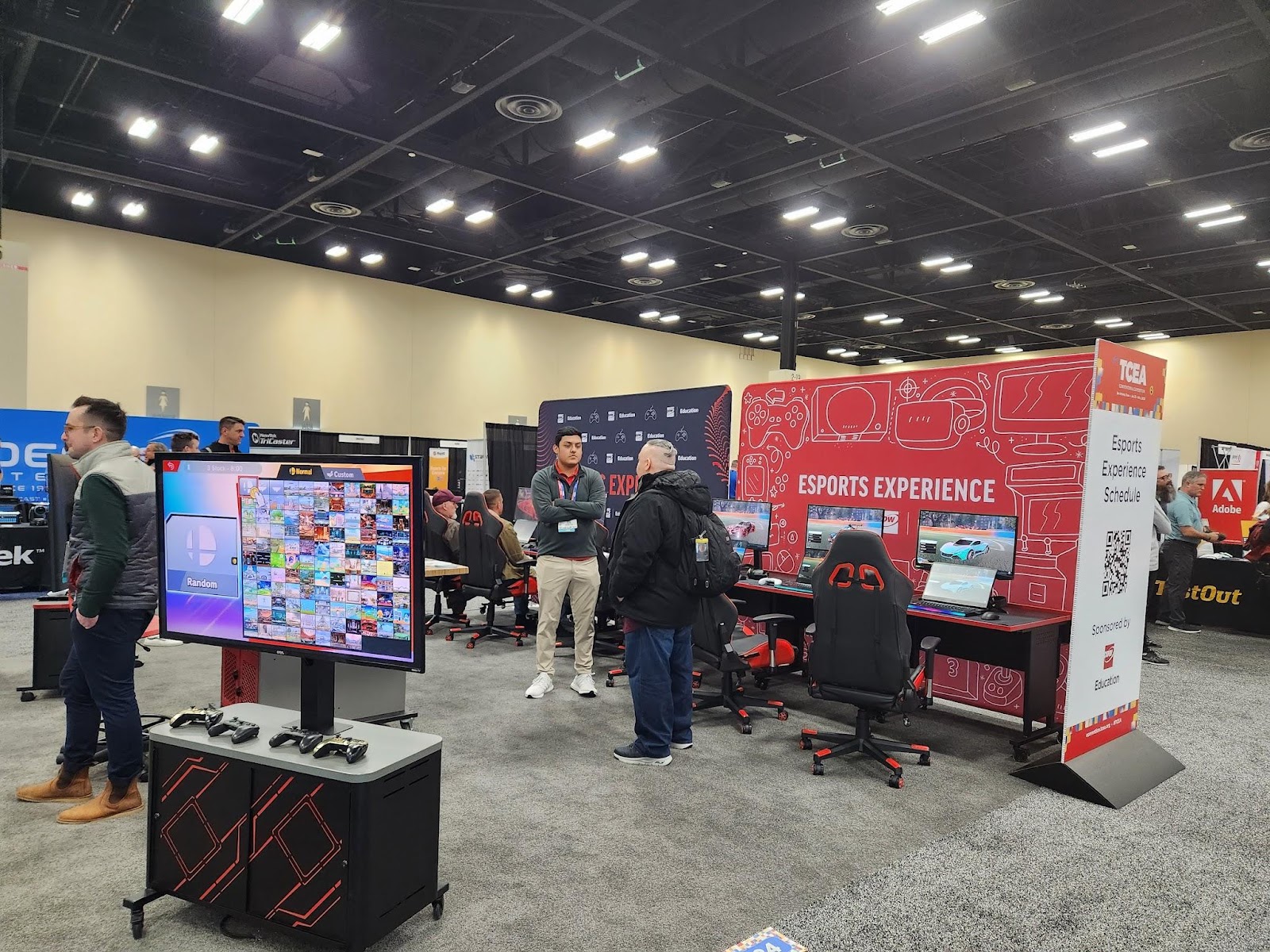
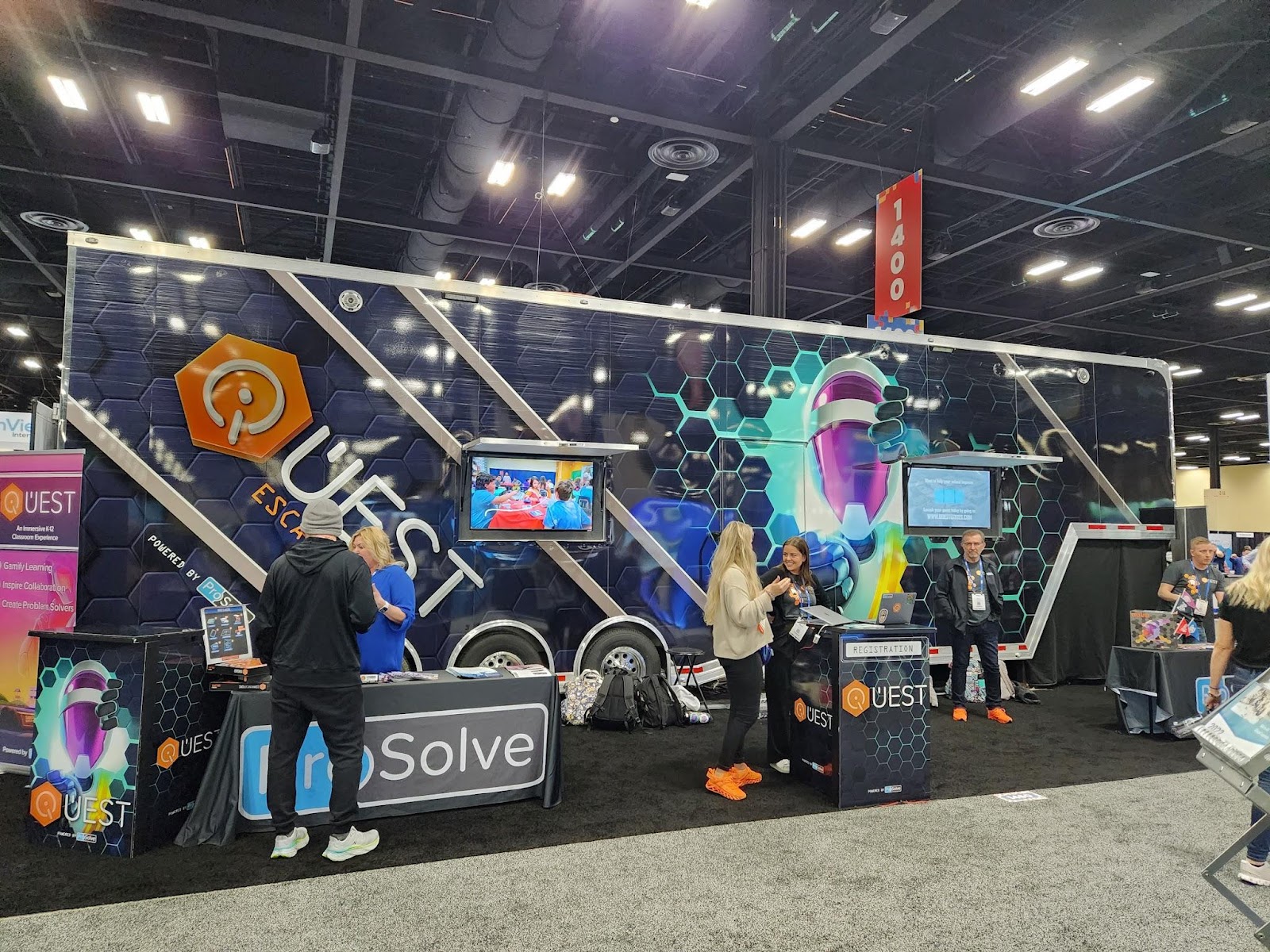
I enjoyed exploring the exhibit hall this year with so many companies present and different opportunities to interact with cutting-edge technologies and new ideas for STEM and emerging technologies.  Some of the favorites were the Escape Room bus, the Esports area, and of course the endless swag that was available to attendees.  There was a lot of interest in STEM-related resources such as Ozobot, Sphero, Marty the Robot,  and more hands-on learning materials for younger students like this awesome learning mat from Active Floor. 

It is also another great way to learn some new ideas by checking out the different technologies and solutions or catching some of the booth demos given by educators. It gives attendees the chance to learn about a lot in that one space and also to walk away with some fun swag too!

Esports was popular this year with several sessions happening as well as a space in the expo for attendees to take in the esports experience. Throughout the hall, there were booth demos by educators sharing their experiences of using some of the tools like Book Creator, Edpuzzle, Kami, and Spaces EDU, and many booths with live presentations happening every 15 minutes. 

Attendees could also step inside and take a tour of a fully renovated, 43-foot school bus that has become a makerspace on wheels. It’s a STEAM dream come true!

The Quest Escape Room bus

The space that TCEA creates

Arriving at TCEA each year, attendees are welcomed as soon as they enter the space. There are volunteers ready to assist you and lead you in the right direction, make sure you are enjoying the experience and check in on presenters to make sure everything is set to go. Don’t worry about attending this conference alone. It is a welcoming space and you will meet and connect with educators right away! 

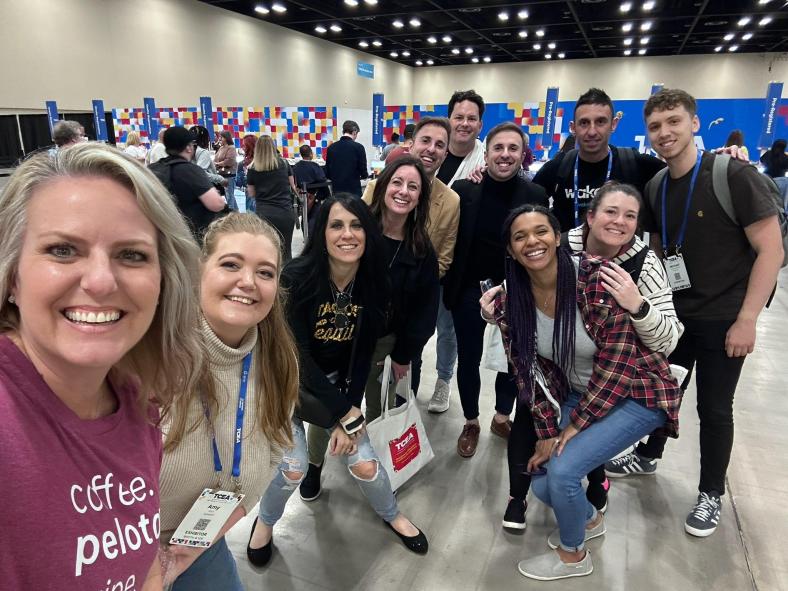
Meeting up with friends at registration to kick off the week!

Planning for next year! 
If you have been thinking about attending a conference, I definitely recommend TCEA. It has become a favorite event each year. The topics and strands focused on different roles for educators, the variety of sessions, and the welcoming TCEA staff and volunteers, really provide a tremendous learning experience for all attendees.

Next year’s conference will be held February 3-7, 2024 in Austin, Texas.

About the Author

Rachelle Dené is a Spanish and STEAM: What’s nExT in Emerging Technology Teacher at Riverview High School in Oakmont, PA. Rachelle is also an attorney with a Juris Doctor degree from Duquesne University School of Law and a Master’s in Instructional Technology. Rachelle is an ISTE Certified Educator and serves as the past president of the ISTE Teacher Education Network. She was named one of 30 K-12 IT Influencers to follow in 2021.

She is the author of seven books including ‘In Other Words: Quotes That Push Our Thinking,” “Unconventional Ways to Thrive in EDU”, “The Future is Now: Looking Back to Move Ahead,” “Chart A New Course: A Guide to Teaching Essential Skills for Tomorrow’s World, “True Story: Lessons That One Kid Taught Us” and her newest book “Your World Language Classroom: Strategies for In-person and Digital Instruction” and Things I Wish […] Knew.

**Interested in writing a guest blog for my site? Would love to share your ideas! Submit your post here. Looking for a new book to read? Find these available at bit.ly/Pothbooks

************ Also check out my THRIVEinEDU Podcast Here!

Join my weekly show on Fridays at 6pm ET THRIVEinEDU on Facebook. Join the group here

Response to Intervention (RTI): An Introduction

Guest post by Dr. Shelly Vohra in collaboration with @ClassComposer

Response to Intervention (RTI) is a strategy geared towards students who face learning challenges. Students struggle for a variety of reasons and it’s important to understand why these students are struggling and the best way to create a learning path so that they are successful and feel good about themselves. The premise behind “interventions” is to ensure that students receive the supports they need so that the gaps in learning are not exacerbated. It is important to note, however, that “gaps” should not be seen as deficits; rather gaps are areas of growth for students and each student has their own areas of growth based on a wide range of assessments. I, personally, have an issue with the term “gaps” but that is a topic of discussion for another time. It is also important to know that RTI is not a program; it is an approach that identifies student needs based on collecting data from various sources and in a variety of ways and then identifies and applies relevant instructional strategies to develop those skills in students.

Gathering and accessing data

When it comes to data, there are many sources available for educators to learn about the needs of individual students. Being able to gather all of this information, sort through it, share it with other teachers, and develop a plan can take time. Not having a streamlined space for this makes it challenging. With Class Composer, educators have everything they need to be able to monitor student progress. The information is readily accessible to anyone, at any time. It enables all teachers to access the information they need about each individual student when they need it.

With Class Composer, it is easy to track and record student growth toward individualized goals and share this information within your PLC to best provide for all students. Simplify how you manage all the assessment data collected!

Supporting teachers to support students

As it is, one of the most important parts of the RTI process is to build a team to effectively support students who are struggling. The team should include classroom teachers, administrators, teachers who support special education students and those students who are learning English, the school psychologist, speech-language therapist, and parents. Teachers provide targeted teaching and then use formative assessment practices to determine if the intervention strategies are working.

With Class Composer, it makes it easier for teachers to have access to all this information in one space. It enables teachers to create a supportive learning community for students. These teacher-student connections lead to the development of the essential relationships that need to exist for all students to be successful. The simplified space creates a better way for teams to collaborate and access the information they need when they need it.

If they are not working, the team must decide how they will adapt and modify their instructional practices to ensure that students are indeed learning and growing. A significant aspect to keep in mind is that formative assessments inform us of what we must do to ensure student success, not what the student needs to do. In other words, how are we adjusting our practice to best support students? Assessment informs instruction; it is our responsibility to continuously revise what we are doing so that students meet the learning goals related to curriculum standards and expectations.

Even though there is no one correct way to implement RTI, it is a three-tiered approach and you can think of it as a pyramid in which each tier increases in the intensity of support. They are:

(1) whole class

(2) small group, and

(3) intensive interventions.

Some school boards call this a multi-tiered system of supports or MTSS. Although there are many benefits to this approach, I also see several problems and issues arising from the basic foundation upon which RTI and MTSS were built.

I will be discussing these issues in future blog posts as well as digging deeper into this system of support and how to best implement this framework so that all students succeed, grow, and have positive self-worth.

About the Author

Dr. Shelly Vohra is an educator, coach, and consultant. Dr. Vohra teaches undergraduate and graduate level courses in Technology and Mathematics as well as working with students who are learning English. She holds an M.Ed in Adult Education & Distant Learning and a Ph.D. in Educational Technology. Dr. Vohra has over 20 years of experience in education (K-12) teaching various subject areas. Dr. Vohra has written several courses related to Indigenous Education, Multilingual Learners, and Mathematics.

Most recently, she was on a writing team that revised the Science Curriculum (K-8) for Ontario. She has presented at various conferences in Canada and the U.S.A. Dr. Vohra’s work includes designing learning experiences for students through an integrated curriculum lens that combines inquiry with equity. Her research interests include social media in education and blended learning, Dr. Vohra is currently writing a book on her journey. You can find her blog at https://techdiva29.wordpress.com/. Her website will also be launching in late Fall. You can also follow her on Twitter @raspberryberet3 and on Instagram @elevate_ed_21.

**Interested in writing a guest blog for my site? Would love to share your ideas! Submit your post here. Looking for a new book to read? Find these available at bit.ly/Pothbooks

************ Also check out my THRIVEinEDU Podcast Here!

Join my weekly show on Fridays at 6pm ET THRIVEinEDU on Facebook. Join the group here

Your staff is the biggest key to making your SEL program work

Guest Post by Al Kingsley, @AlKingsley_EDU

One of the largest questions schools are facing this year is how to try to improve student behavior. We all understand that one side effect of the pandemic was students were deprived of learning key social skills that can help regulate their behavior.

The National Center for Education Statistics reports that 84% of schools agree that student behavioral development has been negatively impacted and that has led to everything from student misconduct to acts of disrespect toward teachers and staff to prohibited use of electronic devices.

In reaction, many schools have used their COVID relief federal funding to start or bolster existing social-emotional learning programs. In fact, 88 of the top 100 districts in the U.S. reported spending funds on SEL – that meant more districts expanded SEL than sought additional technology, teacher training, or extended learning opportunities.

And that’s not a surprise. Many studies show that addressing and building students’ social-emotional skills can result in better academic performance, fewer disruptive behaviors, and less emotional distress.

As a quick aside, if your district is still searching for a solution, I have a detailed column that explains how to best vet a new program, considering your district’s available funds, current climate, and hoped-for outcome.

But if like so many districts, you have already purchased a program and are in the early stages of implementation, I have some advice that seeks to flatten your learning curve, enhance buy-in from staff, and start producing results quicker.

The first key lesson is that even if you have chosen the right program, simply buying something and beginning to train staff isn’t enough to guarantee success. Just as we know that students do better when they understand the relevance of the work they are completing, your staff is more likely to find success if they believe in the option you’ve chosen.

One way to accomplish this is by sharing with them the process you went through to choose your solution. You likely not only gauged your product’s effectiveness in schools in general but also studied exactly how it worked in schools that mirror your district. Let your teachers know what research went into it, and freely share any examples you have from other implementations, from successes to roadblocks.

If you completed a trial with a small group, let staff know. Allowing teachers and others to talk with multiple people about implementation will help tamp down fear of the unknown.

You should also set clear expectations for your program, even if it’s already been rolled out district-wide. Explaining that usage can deepen in coming years will offer a roadmap to staff, and help teachers see the end goal without allowing day-to-day frustrations to hamper their efforts.

The last method to improve your staff’s buy-in is to extend your SEL program to include care for their social and emotional states. During the last several years, teachers may have been working so hard to mitigate the negative effects from the pandemic on students, they ignored their own self-care. Teacher resignations and polls that show increased unhappiness in their jobs are proof that stress, extra work, and uncertainty have taken their toll on your staff.

Remind your teachers to take care of themselves and offer them programs in yoga or controlled breathing. This can not only reduce their stress, but also prove you care about their well-being. In short, take care of your staff like you hope they take care of your students.

Above all, remind staff that all of this work takes time to master, like any new skill. While you can’t expect students to absorb SEL lessons and improve behavior immediately, if staff is consistent with their lessons, progress will begin in mere weeks. This will then reinforce the importance of your SEL program.

Al Kingsley is an author, the CEO of NetSupport, Chair of a Multi-Academy Trust in the UK, Education Author and co-chair of Workstream 5 at the Foundation for Educational Development, whose mandate is to develop a framework for long-term vision and sustainable planning for education in England. He travels the world, speaking about and studying education. Al’s latest book is My School Governance Handbook. @AlKingsley_Edu.

Guest blog opportunities

**Interested in writing a guest blog for my site? Would love to share your ideas! Submit your post here. Looking for a new book to read? Find these available at bit.ly/Pothbooks

************ Also check out my THRIVEinEDU Podcast Here!

Join my weekly show on Fridays at 6pm ET THRIVEinEDU on Facebook. Join the group here
Preparing students with essential skills

In preparing students for the essential skills they need for the future, we have different methods and digital tools that we can bring into our classroom space. But what skills do students really need? 

A great resource to explore is the skills outlook provided by the World Economic Forum. The top skills cited include emotional intelligence, collaboration, communication, creativity, critical thinking, and problem-solving.

What is important to note is that these skills align with the five core competencies of social-emotional learning (SEL) skills of self-awareness, social awareness, self-management, relationship building, and decision-making.  

Because of the changes that we experienced in the past year, I believe that it is important to have various options, whether teaching in-person, hybrid, or virtually. Choosing methods like Genius hour or project-based learning, activities such as scavenger hunts or learning stations, or selecting digital tools that promote more interaction with and between students will help foster the development of essential future-ready and SEL skills.

How to foster the development of future-ready skills

Educators might wonder how to build SEL activities into the classroom and whether it takes a lot of time. Depending on the methods or tools chosen, some of them do require more planning and preparation initially, but there are so many benefits that the time is definitely worth it.

Here are four methods to consider: 

Digital breakouts and Escape rooms

These have become more popular over the past few years. Even during virtual learning, they can be a great way to have students work together and build skills of collaboration, communication, problem-solving, and critical thinking. Using breakouts and escape rooms is also beneficial for the development of social-emotional learning skills as well. There are a lot of ready-to-use games available to get started with.


Read more: Fostering the development of SEL skills in your classroom


Genius hour

With Genius hour, students explore an interest or a passion. It is focused on inquiry-based and student-driven learning, and infuses more student choice and student agency. Students have a chance to “Share their genius” with classmates. Genius hour builds student curiosity, encourages collaboration, and will help students to become more confident as they explore on their own and share their knowledge.

Learning stations

When I changed my classroom a few years ago and changed the rows into stations, there were many benefits for students and my own practice. With stations, using a mix of hands-on materials and digital tools enables students to experience more personalized learning and promotes the development of SEL.

It enables educators to develop a better understanding of where each student is on the learning journey to better plan for their lessons. Using stations also creates a collaborative classroom community where students can engage in activities with their peers, which supports building self-awareness, social awareness, and peer relationships.

Project-based learning

With methods like project-based learning (PBL) or problem-based learning, students drive their own learning, leading them to become more independent and have choices that lead to more authentic and meaningful opportunities.

It helps them to develop self-management skills in particular when setting goals for their research and dealing with any that come with independent work like PBL. Giving students the chance to explore something of personal interest or curiosity, promotes independence in learning, builds student agency, and also helps us to learn about their passions and interests, which assist us in designing learning activities with them in mind. As educators, we must focus on connecting them with the world and preparing them for whatever they decide to do in the future.


Read more: 10 DOs and DON’Ts in Project-Based Learning


Using technology to build future-ready skills

Especially during the past school year, digital tools helped facilitate learning in many different settings. Choose one or two versatile tools that will promote student choice and empower them to move from content consumers to creators.

Here are three ideas using digital tools:

  1. Interactive lessons: With some of the platforms available, we can keep students engaged in learning by including a variety of activities that promote collaboration, discussion, and creativity in learning while they build skills in the content they are learning. Some of my favorites include using Formative, Google Jamboard, Nearpod, and Classkick, all of which are beneficial for connecting students in learning, whether in-person or remote, and which enable educators to have access to data or information about where students are in the learning process.
  2. Multimedia presentations: Students can develop vital technology and digital citizenship skills as they learn to create multimedia presentations to demonstrate learning. Our favorites include using tools that offer options for all students that meet their specific interests and comfort levels with technology. Check out Buncee, which has designed an SEL toolkit with ready-to-use template activities for grades K-6 and 7-12 in addition to having thousands of ideas for classroom use and more than 38,000 items in their media library. Using a tool like Wakelet enables students to include images, text, Flipgrid short videos, and other links to share with classmates and their teachers. It is simple to get started with, and it offers students the chance to create their own lesson or even a digital portfolio to show their learning journey. Book Creator is another option for having students collaborate on a book and include audio, video, text, images, and more and build SEL skills. Read more: 8 Digital tools for engaging classroom presentations
  3. Digital portfolios: Spaces offers a digital portfolio platform that assists teachers in better understanding students, their interests, and their needs in learning. Digital portfolios help students to develop SEL skills of self-awareness and self-management. Having students share their portfolios with classmates is also helpful for building relationships and social awareness. The benefits of portfolios are that students track their growth over time and can identify strengths and areas where they can set new goals.

There are many methods and tools to explore, but it’s important to focus on the why behind the choices we make for our students. The use of digital tools promotes collaboration, communication, creativity, and many more essential skills while also promoting the power of choice for students to share what they have learned.

**Interested in writing a guest blog for my site? Would love to share your ideas! Submit your post here. Looking for a new book to read? Find these available at bit.ly/Pothbooks

************ Also check out my THRIVEinEDU Podcast Here!

Join my weekly show on Fridays at 6pm ET THRIVEinEDU on Facebook. Join the group here
Learning about the metaverse

When it comes to education, there are always new ideas, methods, and technologies. As we have seen, especially over the past two years, the number of tools available and the advances in technology are increasing tremendously. In our schools, we have to prepare our students so that they understand what these technologies are, how they are being used now, and what the impact might be on them in the future. 

For most people, topics like augmented and virtual reality and artificial intelligence may be new. Understanding the differences between AR and VR for example and how these technologies are being used in the world and in education is important, especially with the use of AR and VR in different areas of work. Now enter the term “metaverse” which may be a new concept to many, however, it has actually been around for almost three decades. Neal Stephenson, an American science fiction author introduced the concept of the metaverse in his novel, Snow Crash back in 1992.

For some people, the term metaverse may have been first heard when Mark Zuckerberg announced that he was changing the name of Facebook to Meta back in October of 2021. To help people understand what his ideas were for the metaverse, he released a short video about how the metaverse would work. I recommend sharing this video with students to spark a conversation first.

With these emerging technologies and also with things like blockchain, NFTs, and web3 for a few others, how can educators keep up so that we can prepare our students? With so many responsibilities in our daily work, how do we find time to learn more about the metaverse? What are the best resources and how can we provide opportunities for students to drive their own learning about these emerging technologies?

Understanding what the metaverse is

First, it is important to have a working definition of the metaverse. The metaverse is “a simulated digital environment that uses augmented reality (AR), virtual reality (VR), and blockchain, along with concepts from social media, to create spaces for rich user interaction mimicking the real world.” A few years ago, I read the book Ready Player One, which has been used to provide a glimpse into what the metaverse might look like. For getting started with learning about the metaverse, having a good based understanding of what the metaverse is would be the first step.

Years ago, people were using Second Life, which was a way for meeting with others in a virtual world. When I first used it in 2015, I was not sure what to think. For anyone who has not experienced it, you would create your own avatar, and communicate and interact with others in a virtual space. It was being used in place of traditional meeting tools like Google Hangouts or Zoom for example. Using this as a comparison,  the metaverse would be quite similar, except used for more than just meetings. It would be for all aspects of personal and professional life. Can you imagine spending 24 hours in the metaverse? Think about everything that you do in a typical day and what that might look like in the metaverse? What are the benefits and drawbacks? A good question to ask students and see what their responses are. Check out a video of a young woman who spent 24 hours in a VR headset and what the impact it was on her as a result. 

You can check out some of the videos available that provide a simulated metaverse experience. videos 

You may be familiar with Fortnite and Roblox, which are platforms that demonstrate the concept of the metaverse. Roblox is even providing lesson plans and activities that are aligned with the ISTE Standards. Engaging in the metaverse experience also does not require the use of headsets as the environments can be accessed through a computer and using a variety of web VR such as Engage VR for Mozilla Hubs for example. 

What else do we need to know?

More than just knowing what the metaverse is, we need to understand how it works, what devices and technology are needed, and what other concepts we need to be knowledgeable about. With life spent in the metaverse, everyday tasks like making purchases, working, going to school, socializing, and entertainment will look different. We will need to understand how to buy things and keep track of information, so we also need to understand blockchain, cryptocurrency, and NFTs.  Think about the age of the students that you teach or work with. Fast forward ten years, will students be going to school and working in the metaverse?  If so, then we have to do what we can to prepare them and ourselves.  What are the skills that students will need to interact in the metaverse?

But will the metaverse disappear?

There has been a lot of growth in the use of the metaverse since October 2021. In education, some colleges are not only thinking about holding classes in the metaverse, some have already done so.  Research is being done to explore what the benefits of learning in the metaverse might be. Stanford unveiled a metaverse learning experience for students in June of 2021. Using the platform Engage VR, more than 250 students wearing headsets participated in class in virtual reality. In total, students completed two courses and spent 3,500 hours together in the metaverse rather than the traditional classroom or virtual meeting space like Zoom or Teams.

In the spring, it was announced by Victory XR that ten “metaversities” would be launching in the fall. While there are concerns about the metaverse, there are also some anticipated benefits to these options. Considering the increasing and sometimes prohibitive cost of traditional universities, a metaversity might lead to more opportunities for students. 

Thinking about benefits, providing education via the metaverse could resolve common issues such as class sizes or lack of adequate learning materials due to tight budgets. Students would be able to immerse more in learning experiences and in some cases, may feel more connected to and included in learning. A survey found that 80% of respondents felt more included in the metaverse. With permission settings, teachers would have more control over student interactions in the metaverse. In higher education, there can be a digital twin, which is a professor who is in the physical classroom space but through an avatar, is able to engage with students in the virtual space too.  

With these emerging technologies, it is important that we all explore new ideas and ways to best prepare our students and ourselves for what these technologies will bring. 


A recent article in Forbes shared some of the potential benefits of the metaverse. In the metaverse, people can make purchases, hold meetings, own land, buy and sell real estate, and even buy clothing for their avatars. It would have its own virtual economy for these transactions, which brings up another issue, financial literacy, and understanding how the concept of money and finances would work in the metaverse. When it comes to the impact the metaverse might have on the economy, it is estimated that it could become an $800 billion market by 2024.

**Interested in writing a guest blog for my site? Would love to share your ideas! Submit your post here. Looking for a new book to read? Find these available at bit.ly/Pothbooks

************ Also check out my THRIVEinEDU Podcast Here!

Join my weekly show on Fridays at 6pm ET THRIVEinEDU on Facebook. Join the group here
Making Math Usable for Young Learners

Guest post by:

Sharon A. Edwards

Sai Gattupalli

University of Massachusetts Amherst

Everyone wants to improve math learning for elementary school-age children. Computation, calculation, and problem-solving skills are essential tools for young learners to have. Each builds the mathematical foundations, conceptual building blocks, for future understandings of math instruction in middle school, high school, college, and careers. But national test scores are lower than pre-pandemic as are interest and engagement of many young learners.

To develop tools to support math learning for students, teachers, and families, we and our University of Massachusetts Amherst colleague Robert Maloy, are developing a free open for use online system called Usable Math:

https://usablemath.org/

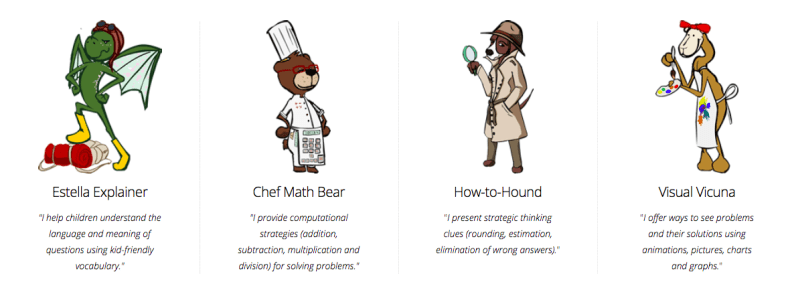
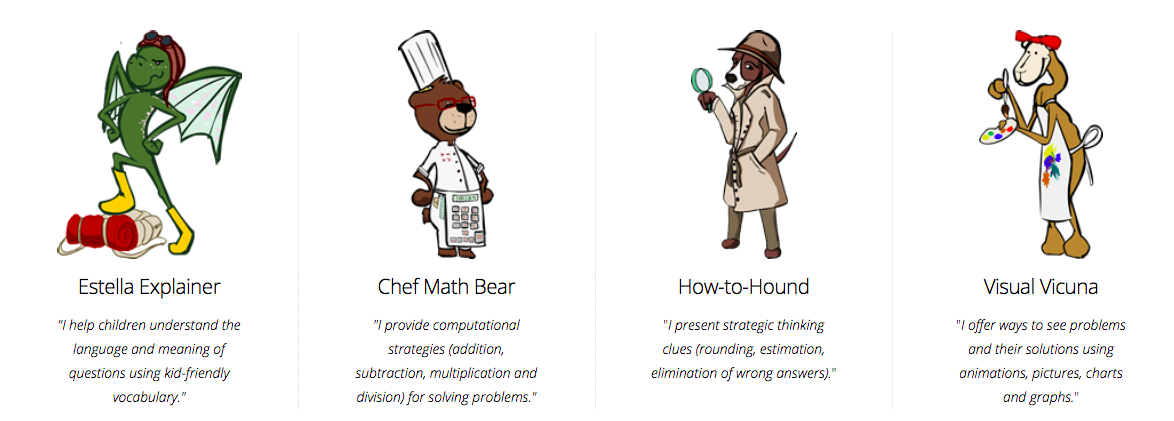
Usable Math provides a unique interactive problem-solving model of activities for youngsters learning mathematical reasoning and computation skills with word problems. Using computers, tablets, smartphones, students, and teachers can access standardized test questions from the Massachusetts MCAS tests and receive multiple learning strategies from four virtual coaches we call learning coaches. Estella Explainer, Chef Math Bear, How-to Hound, and Visual Vicuna are the characters offering words, images, pictures, charts, graphs, animations, and gifs to engage students’ thinking as they read, compute, and strategically solve word problems. The model supports estimating, comparing, understanding vocabulary, and identifying ways to be math solvers seeking right answers in different ways.

To date, we have published interactive modules about fractions, addition, rounding/estimation, geometry, money, data analysis, measurement, and more are on the way.

The name Usable Math encompasses our goals and purposes for the system design:

  • U Able meaning you (every young math learner) can be a math problem solver.
  • Us Able meaning together all of us (students, teachers, and family members in classrooms and homes) can be a team of math problem solvers.
  • Usable meaning anyone (young or older) is able to develop their math problem-solving skills with curiosity, practice, and clues for thinking from the online coaches. For this reason, the system is open and free and works on multiple digital devices, including desktops, laptops, tablets, and smartphones.

Usable Math is designed so users control the process of what learners see and how quickly they see each problem, the coaching clues, answer choices and the answer to the problem. A click-to-see approach lets children and adults use a mouse or a tap to reveal the inner workings of the math word problems one step at a time. Each click of the mouse or return key reveals additional strategies for youngsters to use in solving math problems strategically.

Click-to-see proceeds like this. With the first click, a problem appears on the screen, some with and others without their answer choices being shown depending on what the problem is asking learners to do. In this example, seeing the answers is necessary to problem-solving it.

Click a second time and the system displays Estella Explainer’s hint, a reading strategy intended to reframe the math question in more straightforward, kid-accessible language. The math problem continues to display at the top of the screen, while each hint appears in the bottom section of the screen. The idea is to engage children in actively conversing about the problem from the lens of Estella Explainer’s scaffolding hint.

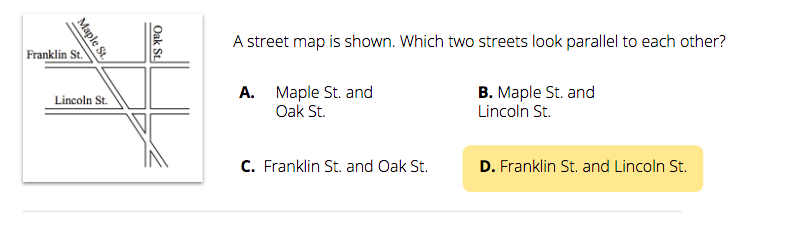
With another click, Chef Math Bear offers a computational strategy. With another click, a strategic thinking idea appears from How-to-Hound. And with another click, a hint in the form of a movie, chart, graph, or picture appears from Visual Vicuna. In each instance, students and adults have opportunities to analyze and discuss with one another what they think or know, or have learned from the coaches to help them answer the question. When all of the coaching hints are visible on the screen below the question, another click either shows the answer choices or if those are part of the question already, highlights the solution to the problem from among the answer choices. Then before continuing to the next word problem, a motivational statement (“You know parallel lines when you see them” or “You SOLVED the puzzle”) appears along with a surprising visual, a gif, or an image to elicit smiles or delight or laughter to emphasize the accomplishment and encourage viewing the next problem.

Enabling children and adults to choose how quickly or slowly they see information when analyzing problem-solving strategies from the coaches is a deliberate different practice from expectations in many classroom settings. In math, youngsters have mistakenly been taught that being “smart” with math means being the first or one of the first to answer questions correctly or to complete practice worksheets swiftly. By not taking the time needed to read and think through possible problem-solving strategies, students make mistakes, confuse key concepts, and begin to believe that math is a skill only some are competent to learn.

We want Usable Math to be different for several reasons. First, the design of the system makes it possible for children and adults to have productive collaborative problem-solving discussions before choosing an answer. They can “work” the problem, discussing what each puzzle teaches and how it might be solved using different ways. This focuses on the math concepts of the problem and the illustration instead of immediately identifying a procedure to use to find an answer.

Second, the presence of four coaches, with their own problem-solving points of view or perspectives offers choice for students. They can, and do, find a coach who becomes their math friend whose ideas help them to approach problem-solving with confidence. The use of animations and visuals allows the coaches to offer information along with surprising, engaging learning. Children keep coming back to see what the coaches have to say and do. Engagement produces learning.

Third, youngsters and adults discover how math is really about all maths. Look again at that term “maths.” Putting the “s” on math broadens its meaning and changes how it is to be taught and learned. While maths is a term used by educators throughout the world, it is not used or thought of often in classrooms in this country. Maths indicates that there is not one single subject called math, but many ways to think about mathematical topics and concepts. Maths urges children and adults to think like solvers of problems, not recallers of formulas. Maths stresses conceptual understanding with procedural knowledge.

It is our goal to have Usable Math promote maths learning for students, teachers, and families in all topics of maths. We welcome your thoughts and responses and your suggestions for how to revise this coaching system in the future.

Sharon A. Edwards is a Clinical Faculty in the College of Education at the University of Massachusetts Amherst. Retired from public school teaching, she taught primary grades for 32 years at the Mark’s Meadow Demonstration Laboratory School, a public school in Amherst, Massachusetts.

Sai Gattupalli is a Learning Sciences doctoral student in the College of Education at the University of Massachusetts Amherst. His research interests are broadly focused on learner culture, learning through game play, and game design.

**Interested in writing a guest blog for my site? Would love to share your ideas! Submit your post here. Looking for a new book to read? Find these available at bit.ly/Pothbooks

************ Also check out my THRIVEinEDU Podcast Here!

Join my weekly show on Fridays at 6pm ET THRIVEinEDU on Facebook. Join the group here
Reflective Teaching and Powerful Professional Learning with LessonLoop

Reflective Teaching and Powerful Professional Learning with LessonLoop

Educators are always looking for new ideas to boost student engagement in the classroom. To do so, they need to understand student interests and needs and also be intentional about reflecting on their teaching practice. While teachers want to understand the impact of their instructional methods and tools on students’ learning, they often don’t have time to solicit feedback from individual students, and students are afraid to provide honest feedback when they feel saying the wrong thing could impact their grade. Yet students need to be part of the conversation, because not only is student voice a powerful tool that can be used to engage students in their learning, but student feedback surveys are better predictors of academic growth than principal observation and teacher self-ratings (Hanover Research 2013). 

As Alex Isaacs, an 8th-grade math teacher notes, “LessonLoop allows me to quickly conduct a survey with great questions built-in where I can quickly push this out to my students to better inform my practice.” 

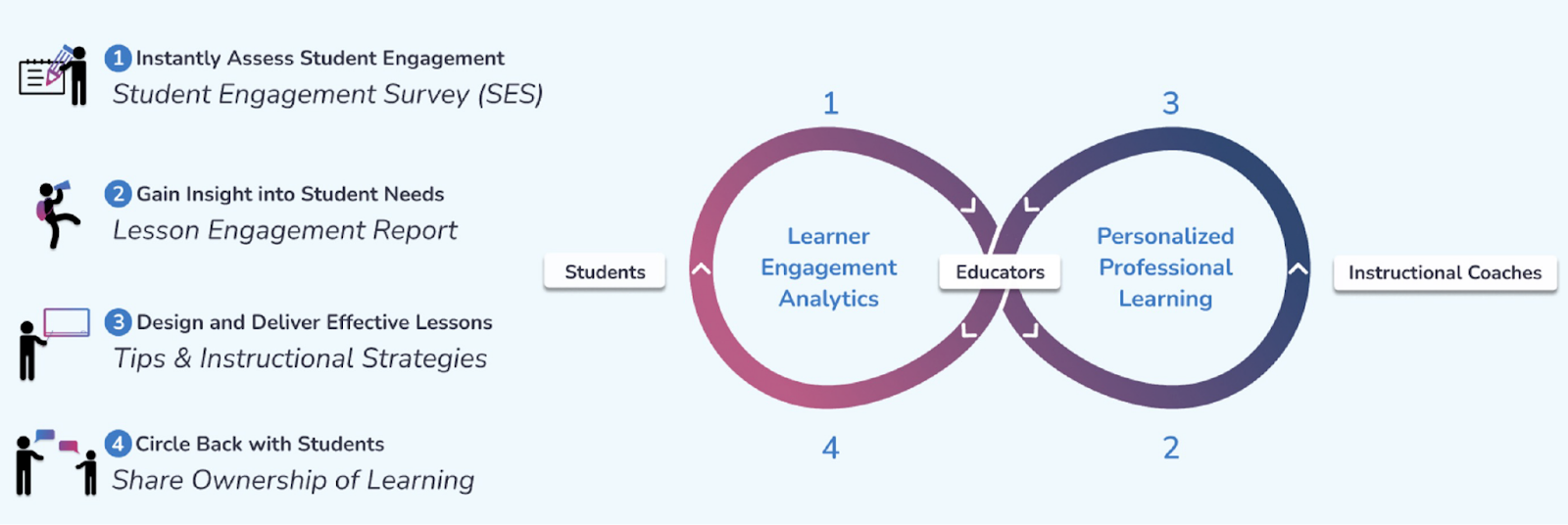
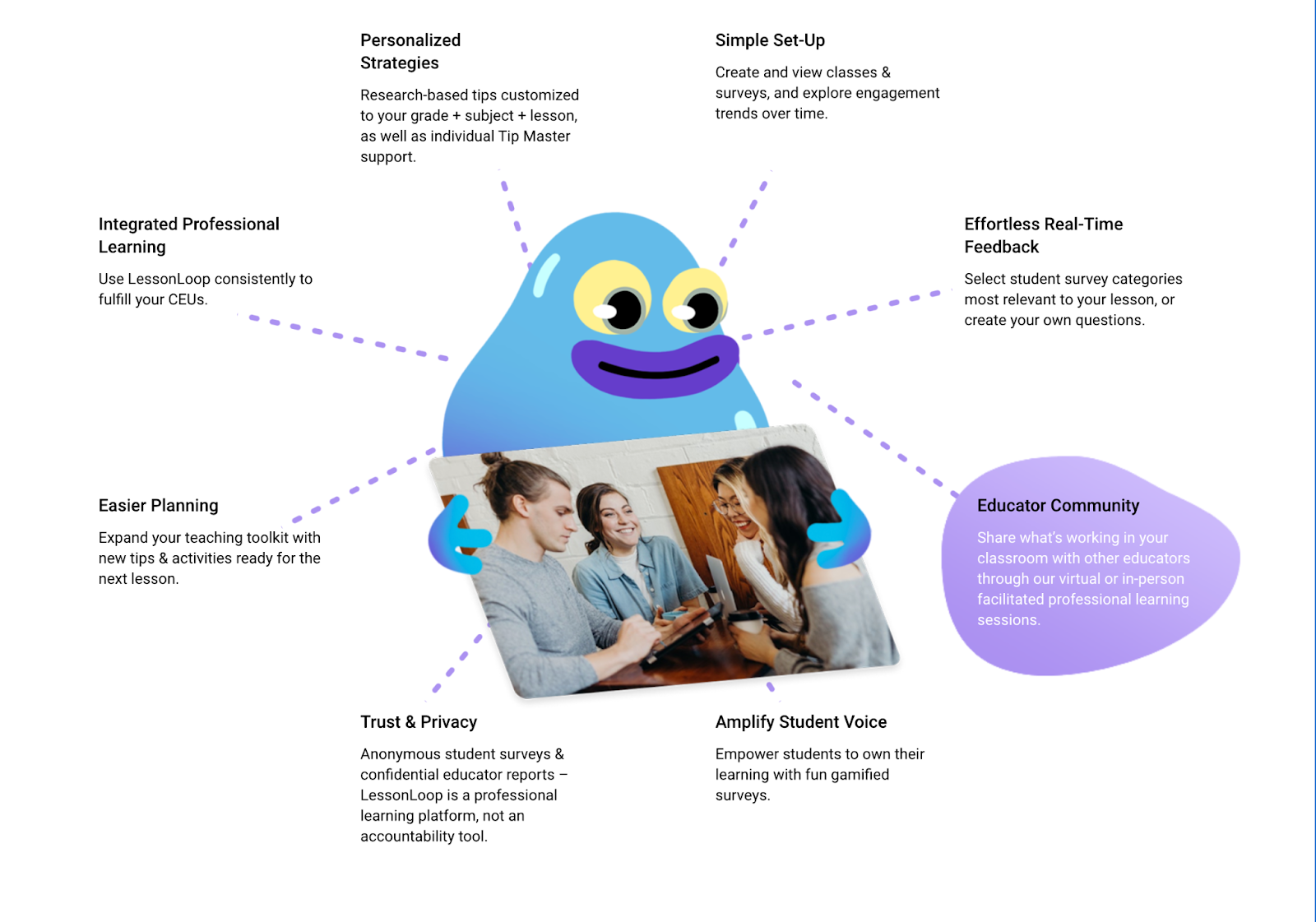
LessonLoop instantly shows you how engaged your students are with a class lesson so you can gain immediate insights and adjust your instruction in real-time to help them learn better. As shown below, LessonLoop works through the four simple steps of:

1. Anonymously survey students, 

2. Review instant actionable lesson engagement reports, 

3. Receive personalized instructional recommendations, 

4. Discuss results with students so learners feel seen and heard. 

How LessonLoop Works

How do the surveys guide teachers about their practice?

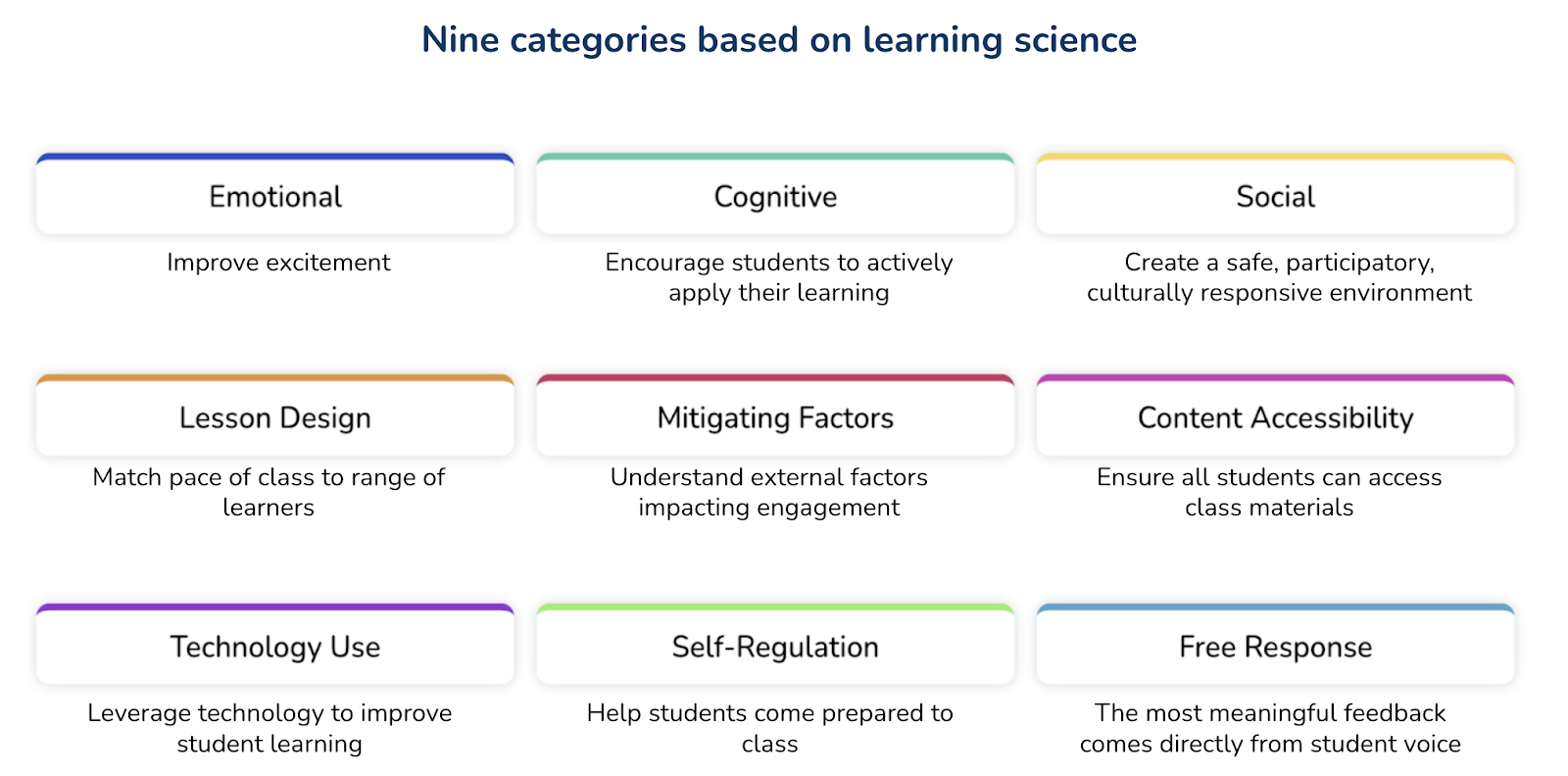
LessonLoop measures student engagement in nine actionable categories (see below) that provide you with insight on how to calibrate your instruction to support active learning at each student’s just-right instructional level. With these categories, teachers have better ways to focus on the specific needs and interests of their students. Especially for social-emotional learning (SEL) and determining student progress in class, the categories and questions provide tremendous insight for teachers with information not easily accessible in any other way. 

With the information the surveys provide, teachers have many ways to evaluate, analyze and then act upon authentic student feedback to improve their practice. Working with LessonLoop’s instructional coaches/Tip Masters, they can explore new methods and tools to help address some of the areas indicated in the survey.

Sample Lesson Engagement Report

What can we learn about student engagement from using LessonLoop?

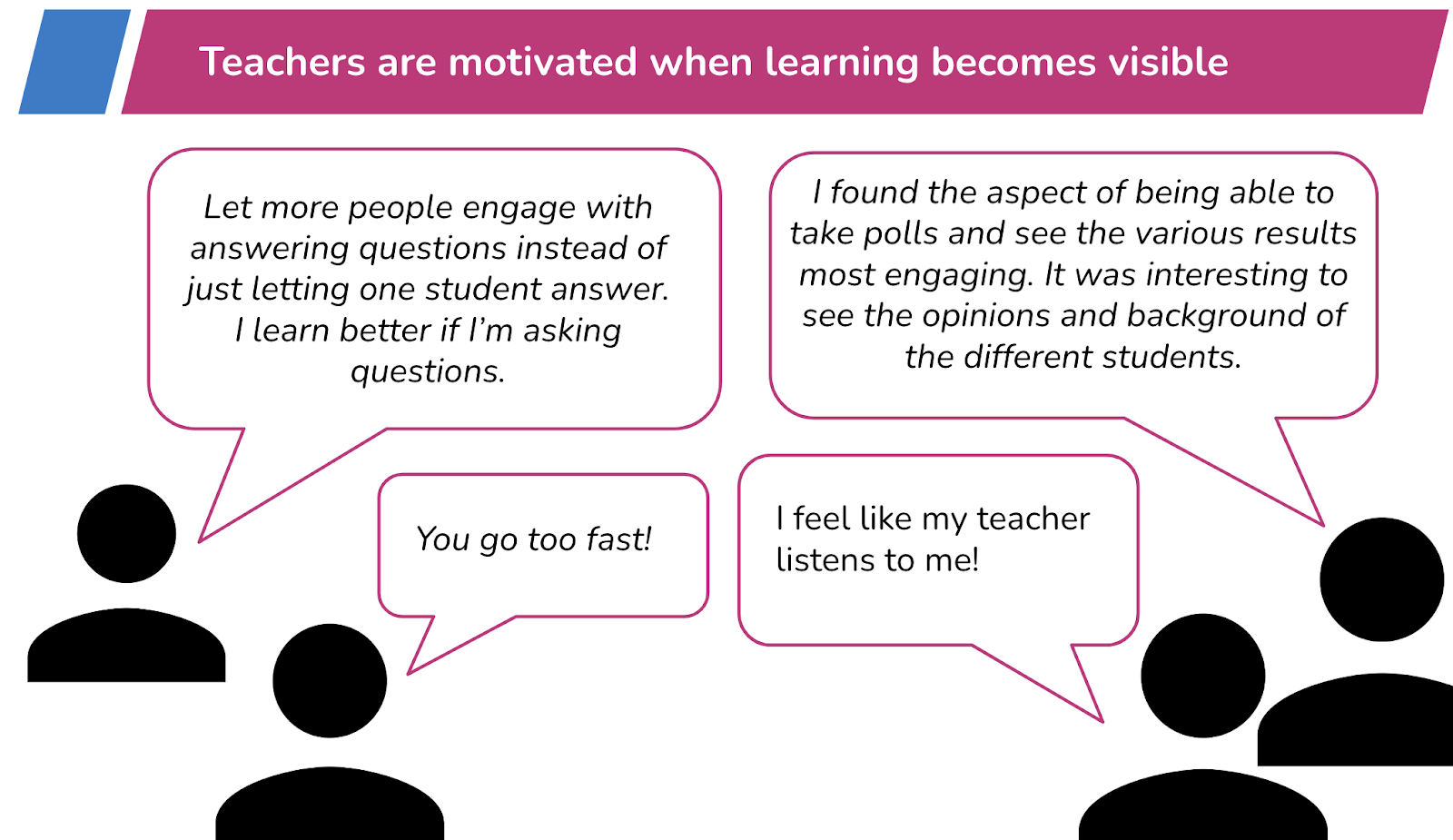
Through lesson embedded feedback, teachers better understand the impact of their instructional strategies and how students experience the learning environment. By reviewing the responses, especially the free responses, teachers receive feedback that promotes reflective practice. Using the survey results, Tip Masters work with each teacher to find strategies and tools that will increase active student learning.

Sample LessonLoop Student Free Responses

How does LessonLoop facilitate getting to know students? 

LessonLoop provides opportunities for every student to share their perspective on their immediate environment and how they are experiencing a lesson. Incorporating student voice allows students to experience a sense of respect and empowerment from their teacher. With LessonLoop, students can provide valuable feedback to their teacher and all feedback is provided through an anonymous survey, which promotes more honest feedback. Students feel comfortable responding to the survey, and because their opinions are heard, they feel more connected to and comfortable in their classroom community. When teachers circle back and discuss how to improve a lesson with students, students feel their voice is impactful and are empowered to take ownership of their learning. Students that feel seen and heard have greater motivation for and engagement in learning because they feel like an impactful member of the classroom community. 

How does the gamification aspect of LessonLoop lead to better and more authentic, honest feedback from students?  

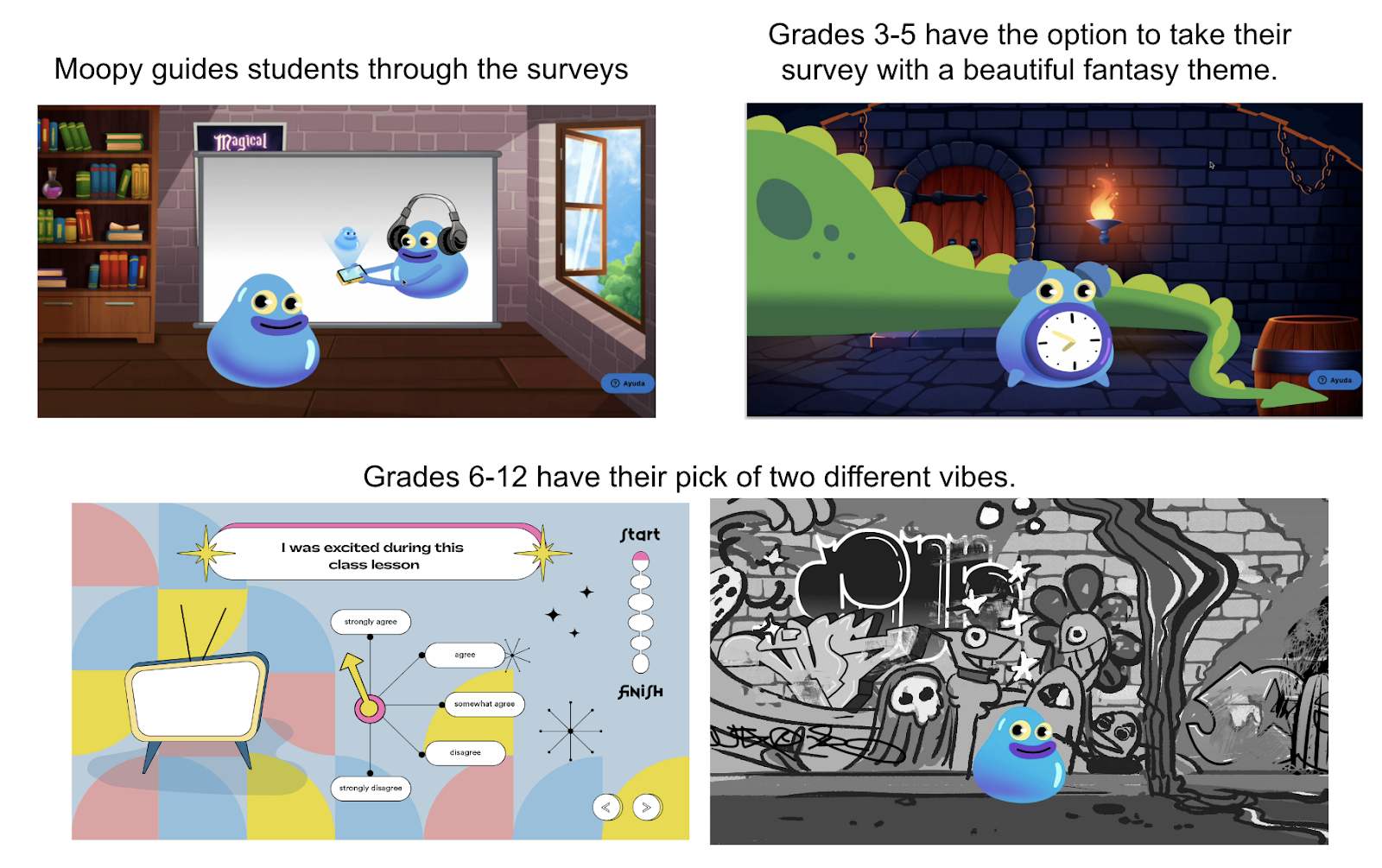
LessonLoop incorporates gamification elements through our fun, animated surveys (see pictures below). According to Dr. Shawn Clybor, “These gamification elements keep students more alert, more active in engagement, and therefore more likely to read the questions and think about their answers.”  LessonLoop is designed to be a robust platform that informs instruction and involves students in their learning experiences. It is also meant to “encourage joyfulness, to be fun, to be funny,” says Clybor.  Using it becomes its own experience, building bonds between teachers and students.

LessonLoop Gamified Surveys

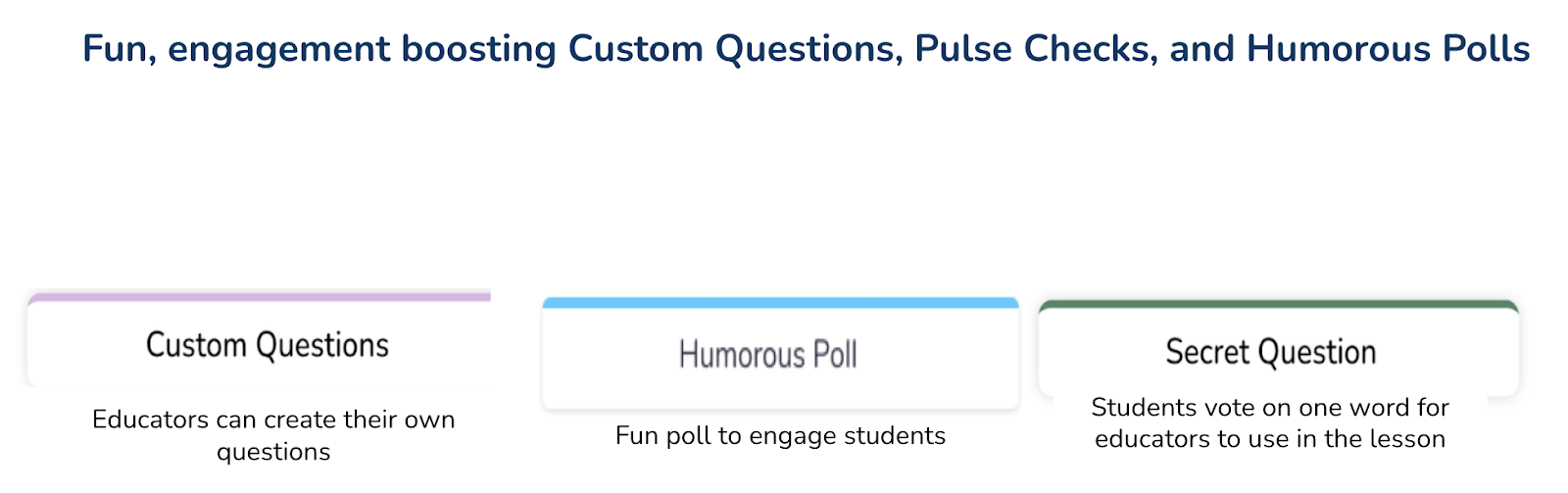
In addition to the gamified surveys, LessonLoop provides educators the ability to ask custom questions and generate two new games (humorous poll and secret word) with one click. These games focus on student engagement at the beginning of class, serve as a pick-me-up if attention is flagging mid-class, or are a fun way to end a student engagement survey.

What professional learning comes with LessonLoop?

LessonLoop provides personalized data-driven professional learning for teachers.  While all teachers have access to a knowledge base of free tips, with a paid tips subscription, every teacher is assigned an experienced Tip Master to help with reviewing their surveys and finding strategies and tools to try. The real-time lesson-embedded feedback helps educators better connect their instruction to students and be more reflective in their practice. Professional Learning Communities (PLCs) also benefit as all teachers receive instructional recommendations from subject-area specialists and coaches! PLCs can be organized around student-centered data for engagement and professional learning. Within the PLCs, teachers can share ideas and provide support to one another which then enhances the learning experience for all students. In addition, educators accumulate continuing education units (CEUs) based on minutes of use of the platform aligned with Learning Forward and/or Charlotte Danielson standards.

What to expect with LessonLoop

So many benefits!

Student Engagement Surveys: 

  • Amplify student voice through anonymous surveys
  • Strong predictor of academic outcomes 
  • Provide missing actionable data on why students aren’t learning 
  • Provide daily feedback on the delivery of the curriculum with a clear focus on social-emotional learning (SEL),  critical thinking and collaboration, and culturally responsive instruction.

We are offering free trials of LessonLoop to educators who provide feedback on our new gamified student surveys. Click here for a free trial!  And if you missed our webinar, here is the link!
Follow Rachelle on Twitter @Rdene915 and on Instagram @Rdene915. Rachelle has a podcast, ThriveinEDU available at https://anchor.fm/rdene915

**Interested in writing a guest blog for my site? Would love to share your ideas! Submit your post here. Looking for a new book to read? Find these available at bit.ly/Pothbooks

************ Also check out my THRIVEinEDU Podcast Here!

Adult SEL and Why it Matters

In Collaboration with Peekapak

Social-emotional learning (SEL) is an area that we need to intentionally focus on in our classrooms. As we reflect on the challenges experienced this past year, we must closely focus on our own well-being and make sure we can provide the right support for our students. For many educators, SEL has become a new addition to planning for each day. We need to be intentional in facilitating opportunities for our students to build their SEL skills each day and to do so, we need access to the right resources and support.

In our classrooms, it is crucial that we model SEL skills for our students. For example, the importance of building and maintaining positive relationships, developing self-awareness and social awareness are essential for everyone. And as we have experienced this year, being able to manage stress, making decisions and focusing on self-care practices are vital for us as educators and in our daily lives. Educators need access to the right professional development to know how to bring SEL curriculum into every classroom. With Peekapak, schools have access to structured and easy to use curriculum for students and SEL workshop resources for educators.

Research shows that teacher well-being has a substantial effect on school climate. If educators are experiencing burnout and elevated levels of stress and do not have the right strategies to push through, it will negatively impact students. To prevent this, we need to establish routines, work with colleagues and with students, and build trust with each other.

Building Our SEL competencies

To learn more about SEL, there are many resources and professional learning opportunities available. Peekapak offers the SEL Summit which has been providing informative webinars each month full of valuable ideas and resources for getting started. These webinars have been a great opportunity to not only learn about how to build holistic and school-wide strategies, but also ways that educators can practice SEL skills and feel more confident to bring it to life in our classrooms. During these live sessions, it is also a great opportunity to ask questions and connect with other educators.

During the most recent June 15th “SEL Starts with Adults” SEL Summit, the panelists discussed the latest research and shared some best practices and tips for supporting educator SEL. You can access the recording here to learn how the panelists have been supporting SEL in their schools and what their plans are for the coming school year.

Here are a few of my favorite tips from the event, given the importance of starting the year with a focus on SEL. There was a “Turn off the Noise” suggestion from Dr. Salvatore, encouraging us to limit distractions and give yourself mind breaks when possible. Additionally, I found Dr. Grant’s “Caller #10” activity to be an intriguing way to not only show appreciation for staff, but to get the students excited for their teachers to call and possibly win a well-deserved prize. Some other strategies included icebreakers during meetings, creating activities during PD days, trying out “half smiles,” and providing opportunities for staff collaboration. This emphasis on self-care and mental health is essential for teacher wellbeing, and more schools need to provide such resources for educators that promote SEL, and in doing so, help design meaningful experiences for students.

You can access the June 15th recording here to learn in greater detail the different ways the panelists have been supporting SEL in their schools and what their plans are for the coming school year. I think that if we all recognize and work toward improving SEL for all of us it is going to benefit us as educators and we can nurture all students through the upcoming recovery in the years ahead.

Sign up for your free trial with Peekpak today!

____________________________________________________________________

____

_____