Spark Career Curiosity for Future Career Paths

Updated from a prior post

In today’s ever-changing job market, we need to help students develop a variety of skills that will enable them to be flexible with the changes we are seeing in the world of work. It is also important that students have opportunities to consider a variety of career paths. It’s not enough to just focus on the careers and options that exist today, as technology and the jobs in demand are constantly evolving. To help students take ownership of their career journey and be curious about opportunities available, educators can explore the resources provided by Defined Learning to help students learn about their options.

Defined Learning offers a variety of tools and resources to help K through 12 students explore career options and develop the skills needed to succeed in the future, whether in college or career. There are materials available for students in elementary, middle, and high school and each has a listing of possible career choices and

Here are some ideas to get students excited about creating their own career paths:

  • Encourage Career Exploration

One of the best ways to get students excited about creating their own career paths is to encourage them to explore their interests and passions. Ask students about their interests and provide opportunities for students to exchange ideas with classmates. Sparking interest in career exploration happens when students have a chance to dive into their own curiosity and tap into their personal interests. When students are passionate about something, they are more likely to be motivated and engaged in their work. Sharing resources will provide students with access to a wide range of real-world career scenarios that can help them identify their interests and passions. These resources may inspire students to think about the types of careers that would enable them to pursue their passions while also making a difference in the world. It includes job descriptions, education requirements, and salary information.

In addition to exploring different careers, students also need to develop the skills necessary to succeed in the workforce. Defined Learning Career offers resources to help students develop these skills through career courses. Each Career Course focuses on providing students with relevant career experiences and skills needed for a specific career. Each career course is a collection of projects that gives students hands-on learning opportunities. Teachers can supplement these materials by having students create materials they need for careers of interest such as resumes and cover letters, or preparing for an interview. Through the career clusters, students also create products of their learning that can be uploaded into their portfolio to track their growth. Students can explore to learn about the demand for specific careers and

Educators can incorporate these resources into their curriculum, either as standalone lessons or as part of larger projects. By helping students develop these skills, educators can empower them to take ownership of their career paths and feel confident in their ability to succeed.

One of the best ways to get students excited about their future careers is to give them real-world experiences. Defined Learning Career Courses offers a variety of units and career clusters that have projects and project descriptions to give students real-world learning experiences. To bring it to life even more, educators can help students to find opportunities to engage in virtual job shadowing or connect within the community to learn about industry-specific projects.

By incorporating these types of experiences into their curriculum, educators can help students see how their education is directly relevant to their future careers. This can be especially valuable for students who may not have a clear idea of what they want to do after graduation. Having a variety of options to explore within one platform is so helpful for educators looking to provide more choices for students and for students to have guided support as they learn about careers through the pathways. Exploring the work of commercial and industrial designers, a baker, a hazmat technician, and other careers will spark some curiosity.

In order to create their own career paths, students need to be able to think outside the box. Defined Learning Career resources can be used to help students think creatively about their future careers. Especially for students that may be unsure about future plans, exploring these real-world tasks can be so beneficial.

For example, students can explore non-traditional career paths, such as entrepreneurship or freelancing, game designers, and learn about the skills and resources they will need to succeed in these types of careers. By encouraging students to think outside the box, educators can help them see the possibilities for their future careers and feel excited about the opportunities that lie ahead. Educators can also offer their own guidance by providing one-on-one meetings with students to discuss their career goals and help them create a plan for achieving those goals. By offering this kind of support, educators can help students feel more confident in their ability to navigate the constantly changing job market.

Getting students excited about creating their own career paths is essential to best prepare them for the future. Defined Learning offers a variety of resources to help educators foster career exploration, develop career readiness skills, and incorporate real-world experiences, through a range of project-based learning experiences that help students develop the skills they will need to succeed. By utilizing these tools, educators can empower their students to take ownership of their future careers and feel confident in their ability to succeed.

Author

Rachelle Dené is a Spanish and STEAM: What’s Next in Emerging Technology Teacher at Riverview High School in Oakmont, PA. Rachelle is also an attorney with a Juris Doctor degree from Duquesne University School of Law and a Master’s in Instructional Technology. Rachelle is an ISTE Certified Educator and Community Leader and served as president of the ISTE Teacher Education Network. She was named one of 30 K-12 IT Influencers to follow in 2021.

She is the author of seven books including ‘In Other Words: Quotes That Push Our Thinking,” “Unconventional Ways to Thrive in EDU” “The Future is Now: Looking Back to Move Ahead,” “Chart A New Course: A Guide to Teaching Essential Skills for Tomorrow’s World, “True Story: Lessons That One Kid Taught Us” and her newest book “Things I Wish […] Knew” is now available at bit.ly/thingsiwishedu.

Follow Rachelle on Twitter @Rdene915 and on Instagram @Rdene915. Rachelle has a podcast, ThriveinEDU available at https://anchor.fm/rdene915.

Looking for PD for your school? I provide in-person and virtual training on the following topics. If you want to learn more about and explore AI and ChatGPT, contact me to schedule! Rdene915@gmail.com 

**Interested in writing a guest blog or submitting a sponsored post for my site? Would love to share your ideas! Submit your post here. Looking for a new book to read? Find these available at bit.ly/Pothbooks

3 Ways to Get Students Excited About Creating Their Own Career Paths

By Rachelle Dené Poth,

In today’s ever-changing job market, we need to help students develop a variety of skills that will enable them to be flexible with the changes we are seeing in the world of work. It is also important that students have opportunities to consider a variety of career paths. It’s not enough to just focus on the careers and options that exist today, as technology and the jobs in demand are constantly evolving.

To help students take ownership of their career journey and be curious about the opportunities available, educators can explore the resources provided by Defined Careers to help students learn about their options. Defined Careers is an online platform that offers a variety of tools and resources to help K through 12 students explore and experience career options and develop the skills needed to succeed in the future, whether in college or career. There are materials available for students in elementary, middle and high school and each has a listing of possible career choices.

Here are a few ideas for how educators can use Defined Careers to get their students excited about creating their own career paths:

1. Encourage Career Exploration

One of the best ways to get students excited about creating their own career paths is to encourage them to explore their interests and passions. Ask students about their interests and provide opportunities for students to exchange ideas with classmates. Sparking interest in career exploration happens when students have a chance to dive into their own curiosity and tap into their personal interests. When students are passionate about something, they are more likely to be motivated and engaged in their work. Sharing resources will provide students with access to a wide range of real-world career scenarios that can help them identify their interests and passions. These resources may inspire students to think about the types of careers that would enable them to pursue their passions while also making a difference in the world. Defined Careers offers a wealth of information for all grade levels and different areas of work. It includes job descriptions, education requirements, and salary information.

To make this learning experience more engaging and build communication skills and classroom collaboration, educators can also have students create brief presentations or share what they learned about different careers. This can help students get excited about the possibilities and start to envision their own career paths.

2. Foster Career Readiness Skills

In addition to exploring different careers, students also need to develop the skills necessary to succeed in the workforce. Defined Careers offers resources to help students develop these skills through career courses. Each Career Course focuses on providing students with relevant career experiences and skills needed for a specific career. Each career course is a collection of projects that gives students hands-on learning opportunities.  Teachers can supplement these materials by having students create materials they need for careers of interest such as resumes and cover letters, or preparing for an interview. Through the career clusters, students also create products of their learning that can be uploaded into their portfolio to track their growth. Students can explore to learn about the demand for specific careers.

Educators can incorporate these resources into their curriculum, either as standalone lessons or as part of larger projects. By helping students develop these skills, educators can empower them to take ownership of their career paths and feel confident in their ability to succeed.

3. Incorporate Real-World Experiences

One of the best ways to get students excited about their future careers is to give them real-world experiences. Defined Careers’ Courses offers a variety of units and career clusters that have projects and project descriptions to give students real-world learning experiences.  To bring it to life even more,  educators can help students to find opportunities to engage in virtual job shadowing or connect within the community to learn about industry-specific projects.

By incorporating these types of experiences into their curriculum, educators can help students see how their education is directly relevant to their future careers. This can be especially valuable for students who may not have a clear idea of what they want to do after graduation. Having a variety of options to explore within one platform is so helpful for educators looking to provide more choices for students and for students to have guided support as they learn about careers through the pathways. Exploring the work of commercial and industrial designers, a baker, a hazmat technician and other careers will spark some curiosity.

4. Encourage Students to Think Outside the Box

In order to create their own career paths, students need to be able to think outside the box. Defined Careers resources can be used to help students think creatively about their future careers. Especially for students that may be unsure about future plans, exploring these real-world tasks can be so beneficial.

For example, students can explore non-traditional career paths, such as interior designer, an artist, or a game designer, and learn about the skills and resources they will need to succeed in these types of careers. By encouraging students to think outside the box, educators can help them see the possibilities for their future careers and feel excited about the opportunities that lie ahead. Educators can also offer their own guidance by providing one-on-one meetings with students to discuss their career goals and help them create a plan for achieving those goals. By offering this kind of support, educators can help students feel more confident in their ability to navigate the constantly changing job market.

Getting students excited about creating their own career paths is essential to best prepare them for the future. Defined Careers offers a variety of resources to help educators foster career exploration, develop career readiness skills, and incorporate real-world experiences through a range of project-based learning experiences that help students develop the skills they will need to succeed. By utilizing these tools, educators can empower their students to take ownership of their future careers and feel confident in their ability to succeed. 

About the Author:

Rachelle Dené is a Spanish and STEAM: What’s Next in Emerging Technology Teacher at Riverview High School in Oakmont, PA. Rachelle is also an attorney with a Juris Doctor degree from Duquesne University School of Law and a Master’s in Instructional Technology. Rachelle is an ISTE Certified Educator and Community Leader and served as president of the ISTE Teacher Education Network. She was named one of 30 K-12 IT Influencers to follow in 2021.

She is the author of seven books including ‘In Other Words: Quotes That Push Our Thinking,” “Unconventional Ways to Thrive in EDU,” “The Future is Now: Looking Back to Move Ahead,” “Chart A New Course: A Guide to Teaching Essential Skills for Tomorrow’s World, “True Story: Lessons That One Kid Taught Us,” and her newest book “Things I Wish […] Knew” is now available at bit.ly/thingsiwishedu.


Looking for PD for your school? I provide in-person and virtual training on the following topics. If you want to learn more about and explore AI and ChatGPT, contact me to schedule! Rdene915@gmail.com 

**Interested in writing a guest blog or submitting a sponsored post for my site? Would love to share your ideas! Submit your post here. Looking for a new book to read? Find these available at bit.ly/Pothbooks

ISTELIVE 23: Another Great Experience

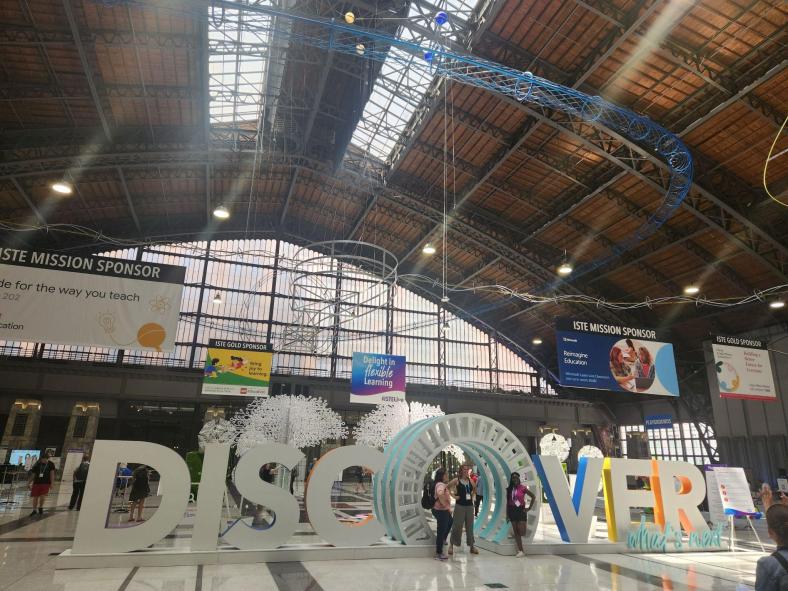
This was my ninth time attending the ISTE conference, the third time it was held in Philadelphia, Pennsylvania. There were a few years that the in-person event did not happen but ISTE held a virtual conference that enabled educators to connect and learn with other educators from around the world. It is the reason I look forward to the summer and a conference I look forward to because it brings in people from more than 80 countries from around the world. It offers so many different ways to learn through the poster sessions, the playgrounds, the concurrent sessions, panel discussions, workshops and other special events.

But beyond those specific learning spaces, there are lots of opportunities to connect with educators and build your PLN. It’s not just the learning that happens in those session rooms and spaces. It is about the learning that also happens on your walk to the sessions and while in the open spaces. A time when you can walk and talk or sit and have a conversation. And even once the conference day ends, the social events that happen later in the evening, are always great for connecting with friends and making new ones.

The conference was a little bit different for me this year because even though my schedule was busy it didn’t feel as overly busy as in prior years. I had the opportunity to join in some new adventures, present sessions on some of my favorite topics, and had the honor of being involved in the Closing Mainstage.

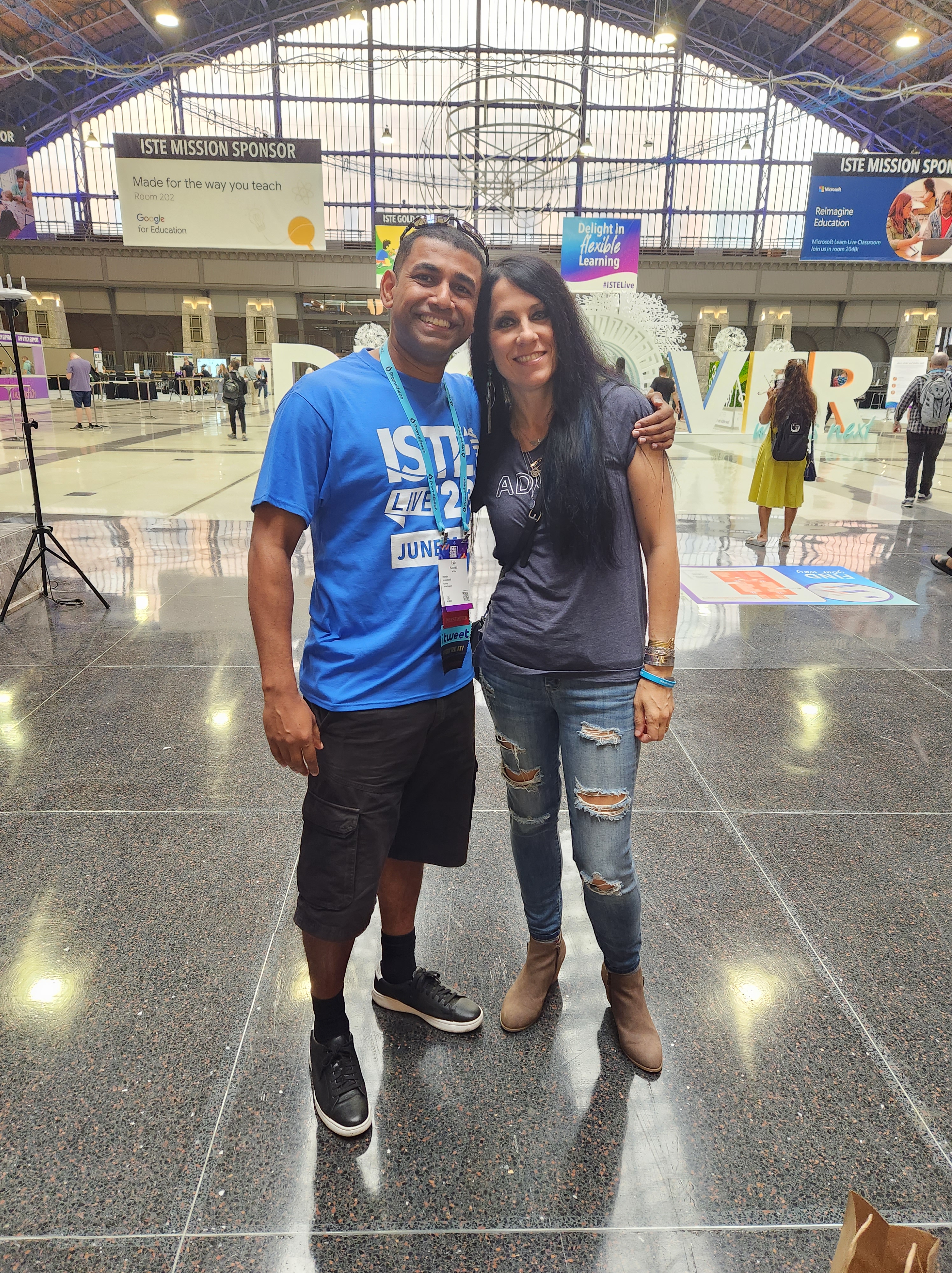
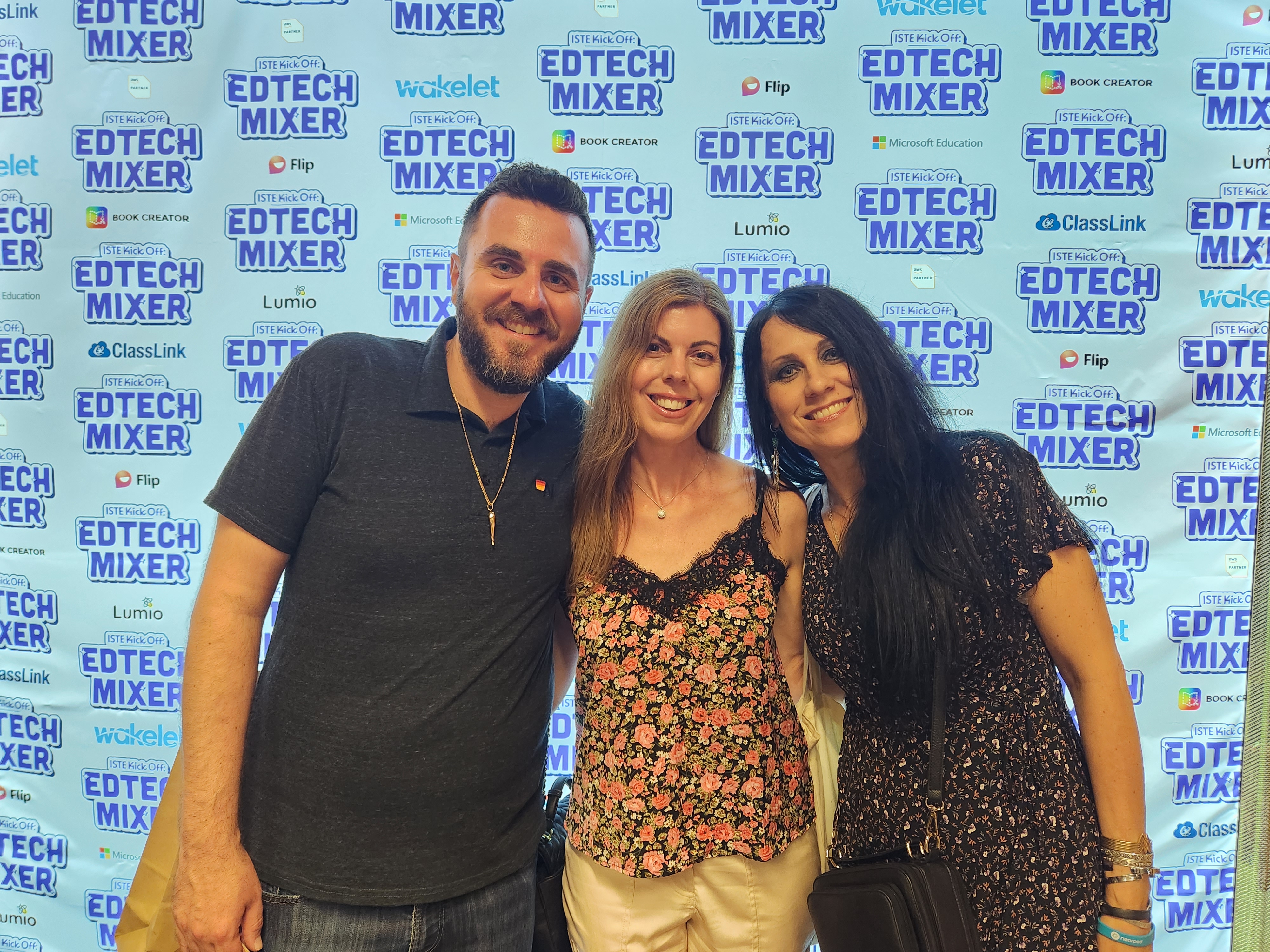
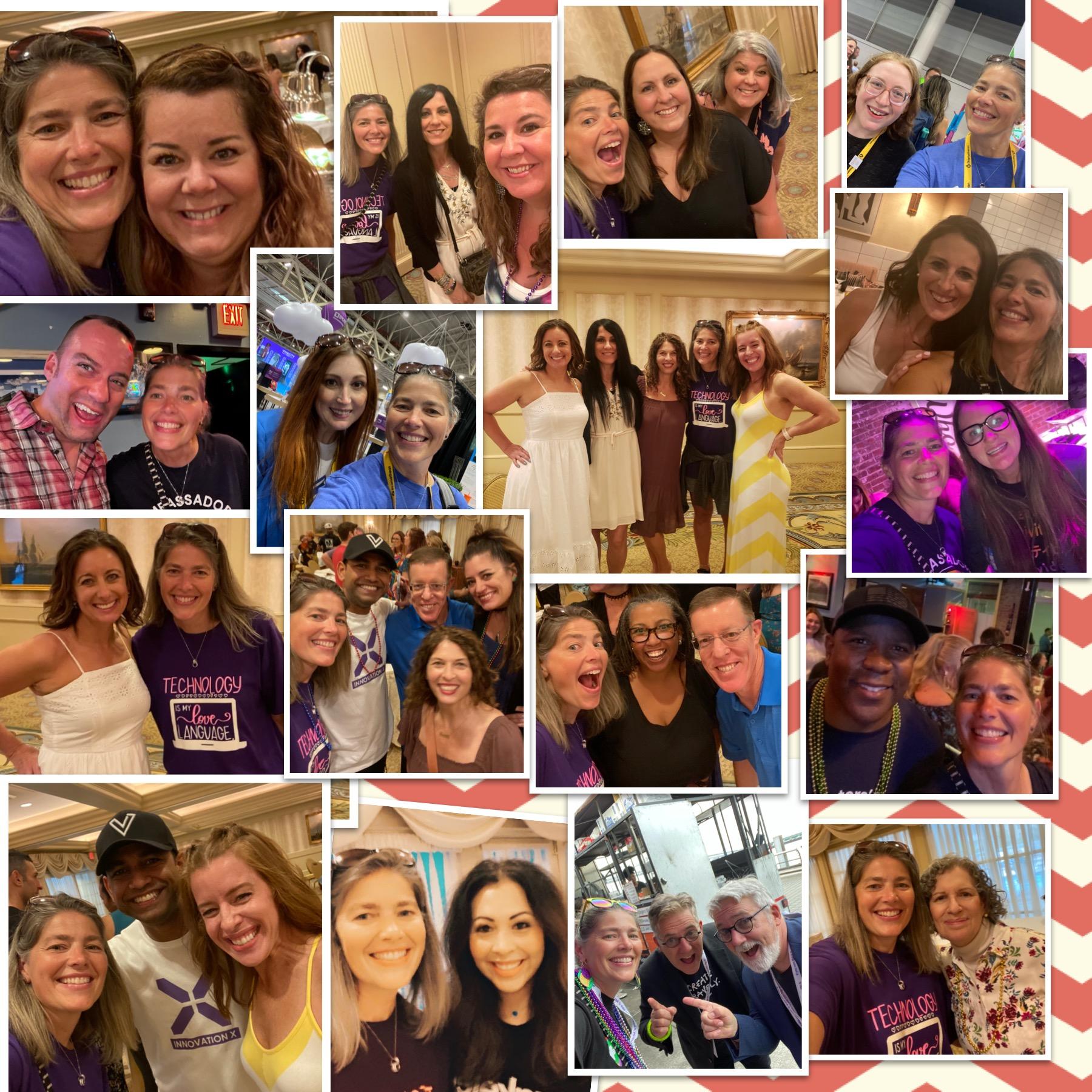
For me, as soon as I met friends at the airport, the excitement started. Then as soon as I arrived at the convention center to register on Sunday afternoon, it took a good 25 minutes to get there because I kept passing friends along the way, some of whom I had not seen in more than 5 years and a few that had never met in person. And when that happens, you have to stop and enjoy those moments.

Registration can definitely wait. Taking the time to stop, grab a quick picture, a hug, even a quick conversation makes all the difference. It brings those connections to life and reminds you to not miss out on opportunities, no matter how tired you are.

Presenting with friends

There wasn’t much time to waste as I had a workshop with my good friend Melody McAllister on Sunday. While we have done a live show for years, it was the first time presenting together officially. The focus was on podcasting and live streaming. We had a great crowd, our session was sold out and it was a high point in the conference for me. Being able to present with friends, share each other’s perspectives, and learn together, really makes a difference. For a long time, I did sessions by myself and that definitely helps me to build my own comfort level and confidence but I have definitely grown to prefer having friends present with me because we can bring in our different backgrounds and experiences and it’s just fun.

Another highlight was my Immerse Students in Learning session, all about AI, AR, and VR, topics which I have been presenting on for a little over 5 years. It has been amazing to see the increased interest in AI especially over the past 6 months with the entrance of ChatGPT, it has stirred up a lot of conversation and will continue to do so.

It’s a lot of fun to share with educators how I got started in teaching about AI in my classroom, knowing very little but also knowing that I needed to just dive right in. And that’s the advice that I often give. You don’t have to be an expert, you just need to have one idea, one method, one tool to start with and put it in the hands of the students. It’s important to also engage in conversations about these topics and these technologies so that we can be mindful of any concerns but also aware of the potential benefits not just in education but in preparing the students for their future and how these technologies might be used in the world of work.

Presenting with students

Another highlight was being able to co-present with Namya Joshi, (#EachOneTeachTen) a young student from India who we had hoped would be able to attend in person but thanks to technology and the power of using Zoom, I was able to bring her in to present with me during that session. Powerful to hear from students and I definitely recommend any time you can involve students in sharing the impact of these tools, and in this case the importance of STEM, then we need to do this. Hearing from her, (at actually 3:00 in the morning because of the time difference), did not diminish her spark for STEM and she was definitely an inspiration.

ISTEVerse

The three-day augmented and virtual reality ISTEVerse experience was a big hit and I tried to direct people to stop there as much as I could because a lot of people don’t realize the benefits of it until they experience it. And without access to the resources or know how to sort through all of the tools that are available, it can be hard to dive in and explore. That space had a variety of opportunities for people to learn about augmented and virtual reality, how to have students create rather than just consume, and that AR/VR is something that can be used in all content areas and grade levels.

Coffee with Kai’s Clan

Social events

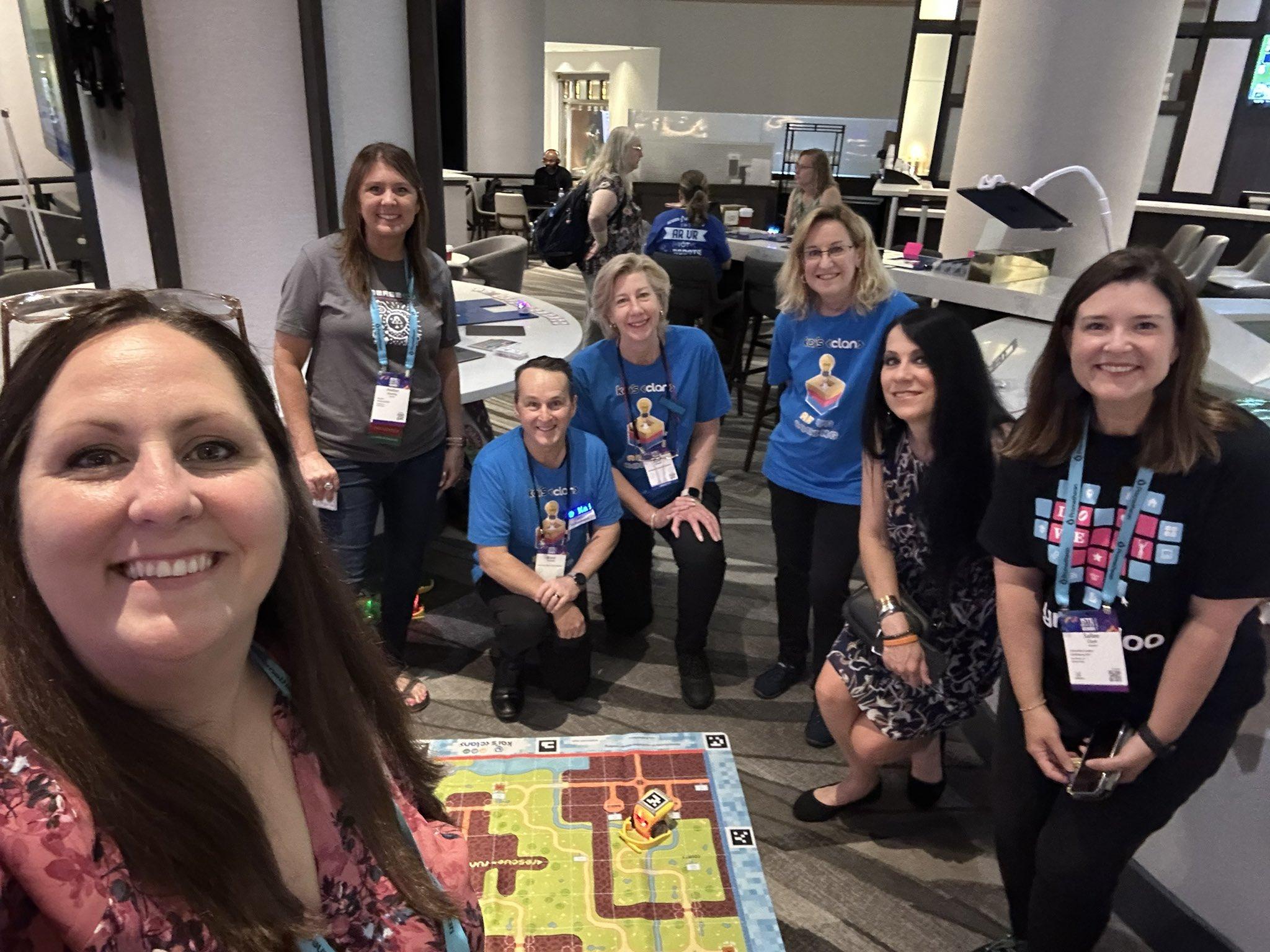
And everybody kept busy with social events, which are great spaces for networking. Whether the Edtech karaoke, casual gatherings for coffee or small sit-down dinners, there were opportunities everywhere. Learning still happens in these spaces. What I’ve discovered over the years is that PD does not only mean sitting down in a session and listening to a presentation. PD is so many different things and there are so many ways for people to choose the type of PD that is going to impact them the most.

Those early morning CoffeeEDUs with Alice Keeler, the social events and mixers held by some of the companies that we all know, and quaint gatherings by some other companies that enable you to really engage in conversation and get to know the people behind the products and their passion for what they’re doing. An amazing dinner with the BookWidgets team was a lovely opportunity to relax, enjoy the conversation and spend time with friends.

Dinner with BookWidgets

The Closing Mainstage: AI in Education

And one final highlight as I’m rolling these out in chronological order, was the Closing Mainstage on Wednesday. I was honored to be selected as the person to introduce and then interview the keynote speaker Kevin Roose. He is a New York Times columnist, a bestselling author of three books and he writes about technology, education, finance, and AI. We had the opportunity to sit down and talk for about 20 minutes. I had a lot of questions for him but tried to streamline them to those that are on the minds of many educators that I’ve spoken to, and some questions based on what I had read in his most recent book Futureproof.

Some of the biggest takeaways from that conversation are:

  • As educators, we need to be willing to embrace new ideas, trends, and technologies, even if we don’t fully understand them or we feel like we’re not the expert, we have to keep up with the changes that are coming.
  • We have to prepare our students and understand how these tools can be beneficial to us and to students, but we also have to be cautious as with all things, and question their purpose.
  • Consider any potential concerns or harm that can come from using them whether safety, security, or privacy. Ethics needs to be part of the conversations that we have and continue to have as these tools continue to evolve.
  • If we look at the positives, for teachers, as Kevin stated on his podcast dividing the AI between the “relational and the logistical.” We need teachers, humans, for the relational so that we can work with the students, we can have conversations, and support them as they learn. But we can benefit from the logistical or the clerical tasks that AI can do like helping us with some of the grading or having it be able to see trends in student responses and create a personalized learning path for them in real time. We can use traditional assessments and give students feedback one-on-one, but we can also find a way to balance the use of the technology so that we have more time to work with our students and provide for them with exactly what they need.

It was a great conference and it’s hard to believe that it has come and gone already but before you know it, it will be June 2024 and we will be in Denver for ISTE. The last time it was held there was in 2016 and that was the first time that I got on an airplane in many years and so I’m looking forward to returning to the conference next year. If you have not ever attended but have been giving it some thought, I definitely recommend that you try to go. And if attending in person is not an option, take advantage of the virtual learning that is available. Several of my sessions were recorded and live streamed and many of the other sessions were as well. So you can join in, interact in the chat, build your network, and learn from wherever you are and whenever you want to.

Jenn Womble and Adam Phyall

Wakelet and Capstone friends

The power of these global networks is that there is something for every educator and it’s important to keep pushing ourselves to learn and grow and adapt with the changes that we have seen and will continue to see in education.

See you in Denver next June!

About the author

Rachelle Dené is a Spanish and STEAM: What’s Next in Emerging Technology Teacher at Riverview High School in Oakmont, PA. Rachelle is also an attorney with a Juris Doctor degree from Duquesne University School of Law and a Master’s in Instructional Technology. Rachelle is an ISTE Certified Educator and serves as the past president of the ISTE Teacher Education Network. She was recently named one of 30 K-12 IT Influencers to follow in 2021.

She is the author of seven books including ‘In Other Words: Quotes That Push Our Thinking, Unconventional Ways to Thrive in EDU, The Future is Now: Looking Back to Move Ahead, Chart A New Course: A Guide to Teaching Essential Skills for Tomorrow’s World, True Story: Lessons That One Kid Taught Us, Your World Language Classroom: Strategies for In-Person and Digital Instruction and her newest book Things I WIsh [….] Knew is now available.

Follow Rachelle on Twitter @Rdene915 and on Instagram @Rdene915. Rachelle has a podcast, ThriveinEDU available at https://anchor.fm/rdene915.

Looking for PD for your school? I provide in-person and virtual training on the following topics. If you want to learn more about and explore AI and ChatGPT, contact me to schedule! Rdene915@gmail.com

**Interested in writing a guest blog or submitting a sponsored post for my site? Would love to share your ideas! Submit your post here. Looking for a new book to read? Find these available at bit.ly/Pothbooks

BLACK FRIDAYS for EDUCATORS: ISTE 2023

Guest post by Melisa Hayes, 2nd grade teacher, @MrsHayesFam

It’s that time of year again when the biggest tech conference comes together to show off their tech toys; educators & consultants share amazing strategies, resources, and more! For many, it’s another year. For others, it’s the 1st time. In any case, It’s an exciting time! It’s like Black Friday. The anticipation or dread of packing, creating your schedule for the week, & preparing for your presentation gives many goosebumps. The suspense of getting on the plane or in a vehicle and taking off makes your heart race. Arriving in Philly & thinking about all your friends you’ve only spoken to virtually and getting to physically hug for the 1st time or friends you can’t wait to hug again!

The day is finally here and you have arrived, it’s official. Christmas has come early. The love you feel when you see your friends/family is such a rush of emotion. I remember last year at my first ISTE and seeing my family for the first time. It was a HIGH. A drug that I didn’t want to stop using! For me, these educators are my family. The rush of emotions I felt is hard to explain. Most people can’t understand, my husband being one of them (LOL) I have established a relationship with so many. We know each other even if we’ve never met. The impact each has had on not only me but my 2nd-grade family is just astronomical! These amazing educators have zoomed with my kids and some have Zoomed with them for years! I actually plan to use Microsoft Flip to showcase these family members to my kiddos!

The EXPO/North Pole is miles and miles of tech toys and rock stars showing off the latest and greatest resources. For teachers, It’s Christmas. The giveaways you’ll receive are astronomical! For me, It’s all about the PEOPLE. Get that camera ready and take LOTS of pics to capture those memories. You want to savor every moment! Also, make sure to have comfy shoes. Whether flip flops, crocs, tennis shoes, or any comfortable footwear you’ll need since the convention center is approximately 1.3 million square feet. That’s a lot of traveling so be prepared:)

Snacks are essential as well as chargers, camera/device to capture the memories, Advil for sore muscles or a headache, and a HUGE bag for all those giveaways from the expo:) It would be good to have labels with your name and address so you don’t have to fill out SO MANY slips for giveaways:) Have an open mind when hearing all theories, strategies, and resources. These amazing ideas can always be scaffolded or differentiated for our kids.

Last piece of advice, ENJOY EVERY MINUTE of Black FridayS… These days fly by and before you know it, you have to say goodbye to family/friends. Sign up for all the activities and enjoy all the amazing learning and tech toys that you may win:) Lastly, make memories. You never know what life has in store so savor every moment! #ISTELIVE

About the Author

Melisa Hayes

Melisa is a 2nd-grade teacher in Hilliard, Ohio, and has taught for 26 years. Melisa has a Master’s in Education degree and is passionate about inclusion, blending technology into the curriculum and creating experiences in the classroom, such experiences focus on creativity, Stem, coding, and more. She earned the recognition of Global Teacher of the Year in 2020. She is also a Microsoft Flipsider, Wakelet, Whiteboard Chat, Night Zookeeper, Teach Better Ambassador and an Apple Distinguished Educator.

Connect with me on Twitter @MrsHayesFam

Looking for some PD for your school? I provide in-person and virtual training on the following topics. If you want to learn more about and explore AI and ChatGPT, contact me to schedule! Rdene915@gmail.com

**Interested in writing a guest blog or submitting a sponsored post for my site? Would love to share your ideas! Submit your post here. Looking for a new book to read? Find these available at bit.ly/Pothbooks

How Teachers Can Enhance Learning Engagement with an Interactive Video Quiz

In Collaboration with Sheryl Place, BookWidgets

In today’s digital era, educators are constantly seeking innovative ways to make learning more interactive and engaging for students. One such tool that has gained popularity among teachers is an interactive Video Quiz. This powerful educational technology combines the use of videos with interactive quizzes, fostering active participation and enhancing comprehension. There are a few tools you can use to create interactive question videos. Think about Edpuzzle or EducaPlay. An alternative to Edpuzzle you might have heard of is the BookWidgets Video Quiz with the possibility to pause a video and ask over 35 different question types!

In this blog post, we will explore the features and benefits of the BookWidgets Video Quiz and how it can revolutionize the learning experience for students.

BookWidgets, a teacher content creation and evaluation tool, simplifies content creation, feedback, and grading processes while enhancing student learning experiences. Its innovative resources empower educators to effortlessly create interactive content and promote personalized learning.

What is a Video Quiz Widget?

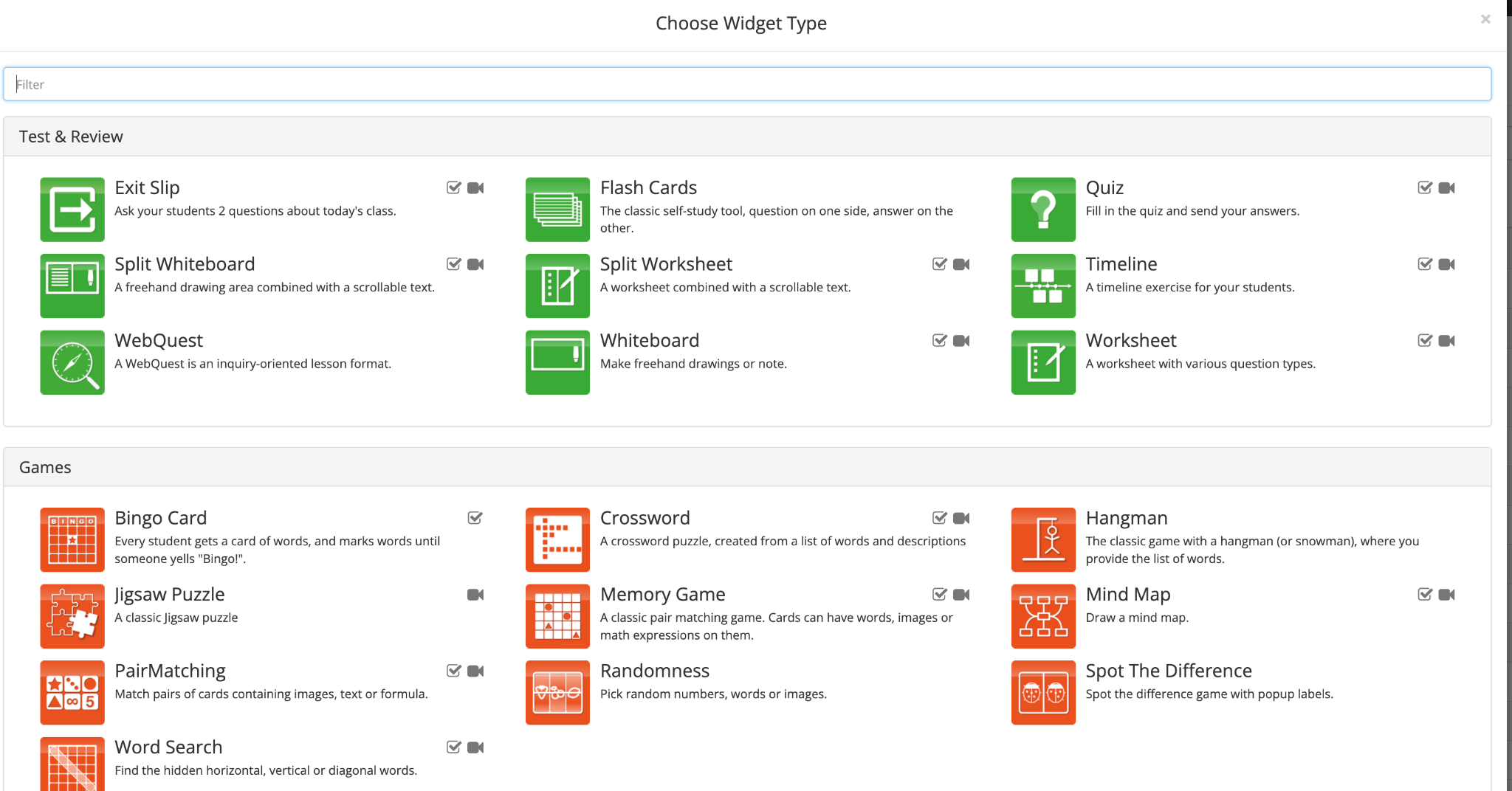
BookWidgets has various types of digital exercises template teachers can fill with their own lesson content. They are called “widgets”. The BookWidgets Video Quiz is one of the 40 widget types you can choose. It seamlessly integrates with YouTube and Vimeo platforms. Educators can choose from a wide range of question types including multiple-choice, true/false, fill-in-the-blanks, voice recording, and more, and insert them at specific stopping points or cue points in the video. There are great ideas for getting started with a Video Quiz.

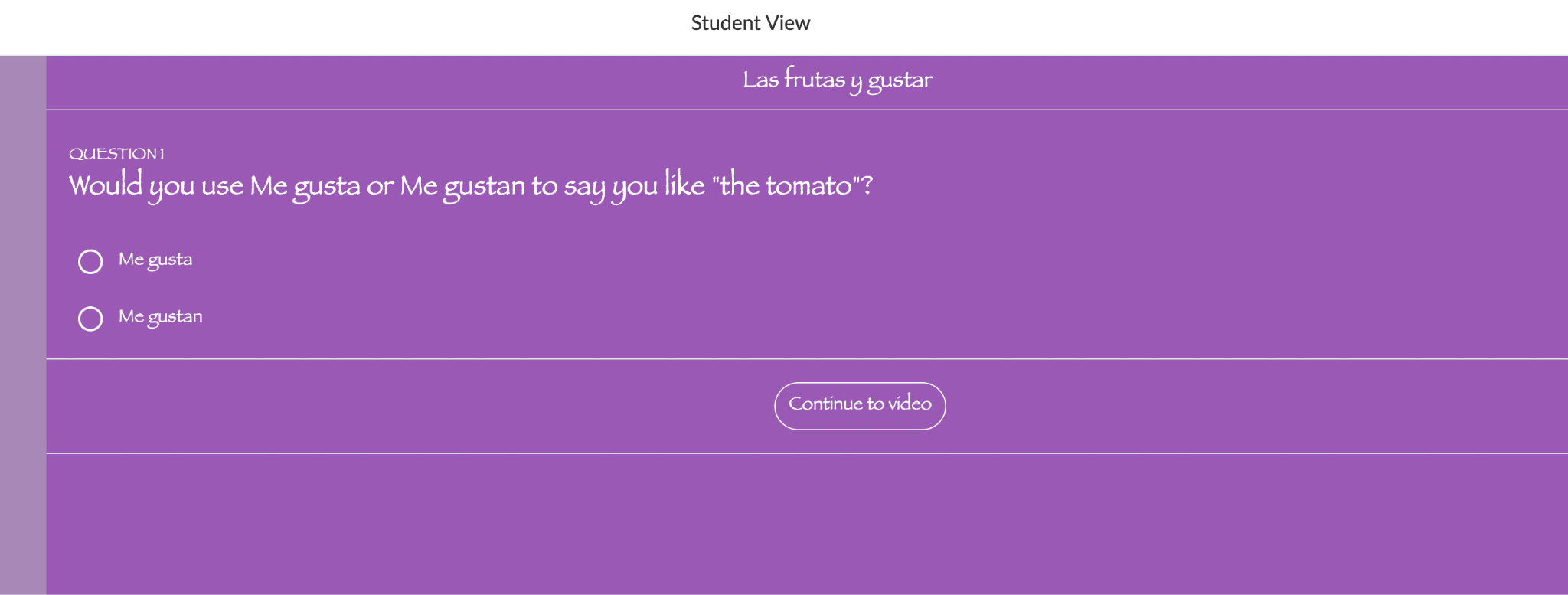
Creating interactive lessons for students is so easy! Check out this Spanish I video quiz on the verb “gustar” and “las frutas. “Adding in a few questions to check for student understanding and giving them an opportunity to learn at their pace and review as needed is why I love using the video quizzes in BookWidgets. Simply choose a video from Vimeo, YouTube,or one of your own created videos for your students that you may show in class. Rather than use these alone, instead, create a video quiz in BookWidgets for them to extend their learning beyond the classroom and for you to be able to understand where they are in the learning process!

Engaging Students with Interactive Learning:

One of the key advantages of the BookWidgets Video Quiz is its ability to captivate students’ attention and keep them actively engaged throughout the learning process. There are more than 35 question types to choose from to add to the quiz which makes it easier to customize the quiz for any grade level or content area.

By embedding questions within videos, students are prompted to think critically, analyze content, and apply their knowledge in real-time. This interactive approach encourages active participation, leading to improved comprehension and retention of the subject matter. Video Quizzes are perfect for Flipped Learning. Learn more about the use of BookWidgets for flipping your classroom learning space!

Customization and Flexibility:

BookWidgets Video Quiz offers educators a high degree of customization and flexibility. Teachers can tailor the quiz to suit their specific instructional goals, selecting the video content and designing the questions accordingly. The interactive elements of the videos help to capture students’ attention and make the learning process more engaging for them.

Teachers also have the option to add hints, explanations, and feedback to guide students’ learning process. I like adding in a note at the beginning or end of the video quiz to remind students to jot down some notes or hints at grammar topics or specific vocabulary to focus on for example. This adaptability empowers teachers to create personalized assessments that cater to the diverse learning needs of their students.

One of the best things about BookWidgets is that it offers more than 40 interactive templates for teachers to use as they design activities to help students build their skills. The many templates and options available to create widgets enables educators to create activities that enable students to work at their own pace ​and experience more active learning which, as a result, becomes more meaningful. When learning is meaningful, it will also boost student engagement and create a more authentic experience for our students.

We have used the bingo cards, crosswords, snowman games, jigsaw puzzles, video quizzes, and word searches in my classes. Each of these offers opportunities to differentiate the instruction and provide more choices for students as they practice the vocabulary and related content. In my own classroom as a language educator, I also want to be able to assess students’ speaking skills and within BookWidgets, having the option for students to record their voices is great​ for designing assessments and guiding students in the feedback process. Here are some additional examples that can be used in language classes!

Real-time Assessment and Feedback:

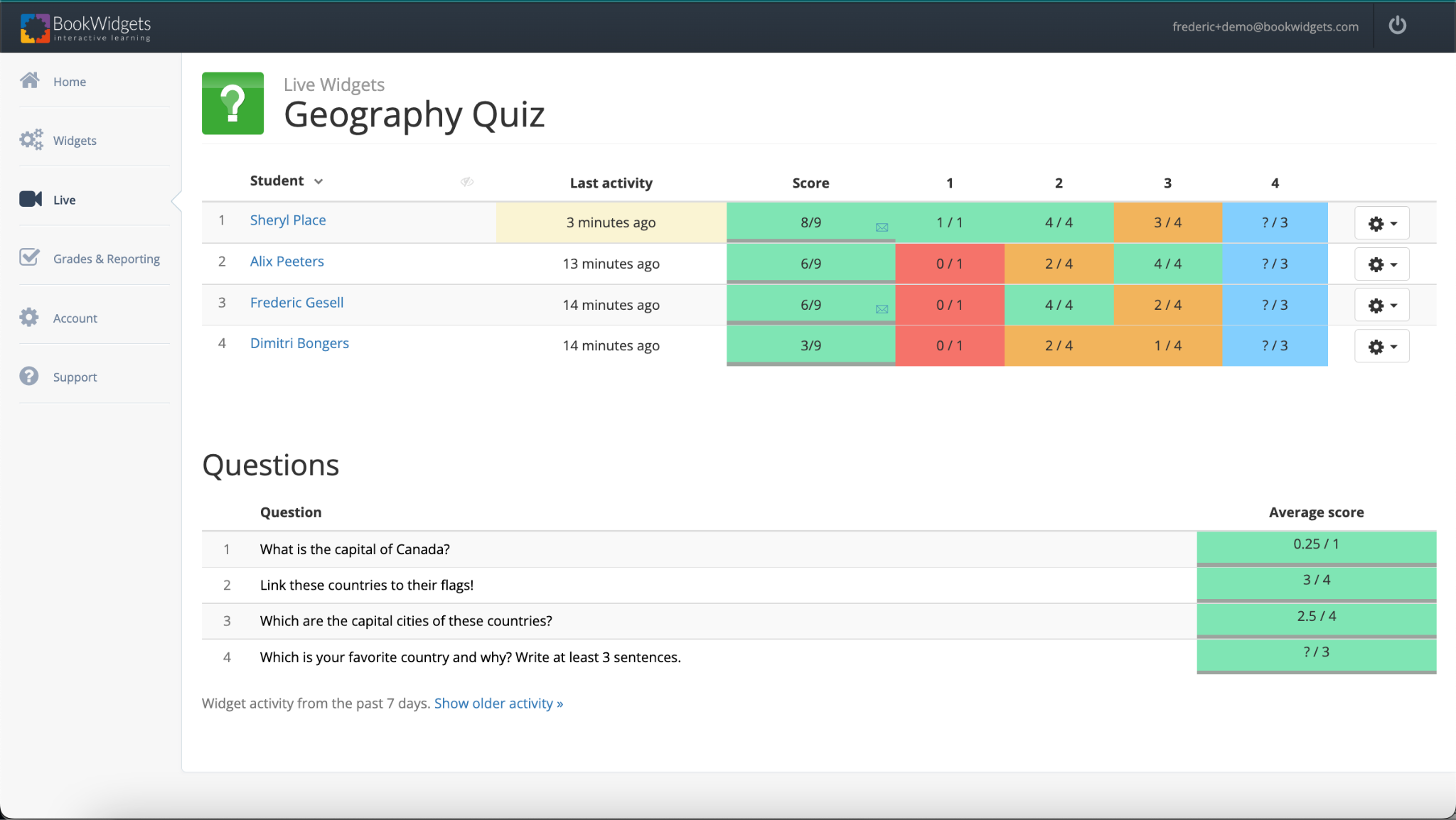
One of the most significant advantages of the BookWidgets Video Quiz is its ability to provide instant assessment and feedback to students. Teachers are able to view student progress using LIVE mode and immediately see where students may need support and encouragement or enrichment.

What is so great about BookWidgets is being able to have access to real-time data. Within the dashboard, I can quickly see the flashcards that my students have practiced​, how much time ​they spent on them, and even how many times they flipped a specific card. Being able to see their work helps me to better plan my instruction and the activities that I design for them. Understanding our students’ needs is essential so we can provide additional resources and encouragement for them as they engage with and master the content.

As students complete the quiz, their responses are automatically graded, saving teachers valuable time. Immediate feedback allows students to gauge their understanding of the content, identify areas for improvement, and reinforce their learning. Such timely feedback fosters a continuous learning loop and helps students stay motivated. We know the importance of authentic, meaningful,and timely feedback and with BookWidgets, educators can respond to students’ needs right away and have a clear understanding of where students are in the learning process. Saving time with our assessments by using these tools enables us to then spend that time with students and engage in meaningful conversations about their progress.

Tracking Progress and Analytics:

Via the Reporting Dashboard, BookWidgets offers valuable insights into student progress and performance through its analytics feature. Teachers can easily track individual and class-wide progress, identify patterns, and assess the effectiveness of their instructional strategies. These analytics enable educators to make data-driven decisions, modify their teaching methods if necessary, and provide targeted support to students who may require additional assistance.

When we have this data, we can provide more timely responses to student needs in our classrooms. The Dashboard makes it easy to identify areas that we can focus more on with individual students or the class and also provides us with an opportunity to reflect on the activities and strategies we are using.

BookWidgets FREE in Google Classroom We have some exciting news for schools using BookWidgets within Google Classroom! If your school has the Google Workspace Teaching & Learning Upgrade Edition or Google for Education Plus Edition, you can now use the BookWidgets add-on in Google Classroom for free until August 31st.

Every teacher can find the add-on in Google Classroom and start using it immediately. Just follow the steps below (and share them with your fellow teachers):

  • Go to Google Classroom,
  • Select a class and go to “Classwork“,
  • Click on “Create” and choose “Assignment“,
  • Fill in the details of your assignment. Then, click the BookWidgets add-on under the “add-ons” section in your assignment. If BookWidgets is unavailable, ask your Google Workspace administrator to add or allow the BookWidgets add-on;
  • After clicking the add-on, BookWidgets will pop up and you’re ready to go!

Make sure to watch this webinar to get started with the BookWidgets add-on in Google Classroom. New to BookWidgets and still figuring out the added value for your students? This blog post will get you inspired!

Why Video Quizzes Make A Difference

Incorporating the BookWidgets Video Quiz into educational practices opens up a world of interactive and engaging learning experiences. By combining videos with interactive quizzes, teachers can foster active learning, customize assessments, provide instant feedback, and track student progress effectively. This powerful tool not only enhances comprehension but also encourages critical thinking, collaboration, and self-directed learning. With the BookWidgets Video Quiz, educators have a versatile tool at their disposal to create dynamic and impactful learning experiences that prepare students for success in the digital age.

Get started today!

Create an account! It is easy to get started and create your own widgets to use in your classroom. Want 3 months to try it out? Sign up here!

Are you headed to ISTE 23 in Philadelphia? Don’t miss the chance to meet with the BookWidgets Team and join in sessions for opportunities to learn more about BookWidgets! Stop by the Chopped Playground to learn from Lucie Join Kate for “SCAMPERing into Human-Centered Design and Sheryl’s session on Creative Grading and Assessment at the Learning in Disguise Playground. Don’t miss the Lightning Talks and Kate’s session on Reimagine Education – Human-Centered and “Understanding Microsoft Teams The Digital Learning Hub in My Classroom and Yours with Kate, Sheryl, and Jeff Bradbury! Rachelle will be sharing about BookWidgets during her session “Chart A New Course” on Tuesday morning at 10:00 am!

Looking for some PD for your school? I provide in-person and virtual training on the following topics. If you want to learn more about and explore AI and ChatGPT, contact me to schedule! Rdene915@gmail.com

**Interested in writing a guest blog or submitting a sponsored post for my site? Would love to share your ideas! Submit your post here. Looking for a new book to read? Find these available at bit.ly/Pothbooks

ReadSpeaker: Accessibility for All

The Case for Normalizing Accessibility Tools in Schools

Guest post by Paul Stisser,

The cornerstone of education is building pathways to success for all students. The right accessibility tools can often help, making it possible for students of all abilities to thrive. But when the same tools that provide assistance to students leave them vulnerable to stares, harassment, or bullying from classmates, they ultimately do as much harm as good. So how can we make sure students get the assistive technology they need while preventing them from feeling self-conscious? The answer is to make tools available to all students and normalize assistive technology.

In schools today, about one in seven children receive special education services. But some children never receive the proper diagnosis to qualify for the support they need. For other students, requests are tangled up in slow-moving processes. The result is there may be even more students than we realize who can benefit from assistive technology. At the same time, more classes are using digital content, especially after the pandemic ushered in a new wave of digital materials, educational apps, and tech-enabled curricula. While the move to higher degrees of digital education has led to big strides in personalization and accessibility of learning, the Office for Civil Rights is also receiving a growing number of complaints about digital accessibility in K-12 schools.

By prioritizing digital accessibility, we have the power to solve the challenges students with disabilities face and improve the learning experience for all students. It’s similar to the effect of curb cuts on sidewalks. While the initial intention of curb cuts was to help people in wheelchairs, they also benefit people with strollers, wheeled luggage, and bicycles. Similarly, when we take steps to enhance accessibility for all students, we foster a stronger sense of belonging in the classroom. Whether it involves making websites more accessible, enabling students of diverse learning styles to easily engage with content, or harnessing text-to-speech (TTS) tools to support those developing reading skills, English language learners, and auditory learners, the path to inclusivity and student success starts with normalizing accessibility. Below are just a few ideas schools and districts can adopt to introduce accessibility tools to more students.

Talk to students

Including the voices of students in conversations about tools and what they need can be very useful. Students can tell you what is working with the technology they have and what else they might need. When talking to students be sure to include diverse perspectives, with voices from students who need accommodations as well as those who don’t. The way you collect feedback can vary too, depending on the culture of your district or school. Many leaders have success with everything from student representatives on technology committees to conducting surveys and focus groups. Remember that candid, informal conversations can surface great ideas too!

Ask vendors about accessibility

When evaluating new edtech, ask vendors about accessibility. Districts and schools should lead the conversation and ensure that products were designed with accessibility as central to their design, not as an afterthought or add-in. By prioritizing accessible tools and features, you add to the voices calling on the edtech community to make inclusivity a key value.

Find tools that connect to your LMS

When students have to log out of one platform and into another to get the support they need, it creates unnecessary opportunities for distractions. That’s true for students who need accommodations as well as those who don’t. Support tools that are connected to your LMS create a seamless experience for all students, keeping them focused on what they need to do. Additionally, LMS-integrated tools reduce the risk of anyone noticing that students who need support are getting it. Familiarize yourself with the 1edtech standards for interoperability. Choose products that are vetted for interoperability or certified.

Emphasize quality

When it comes to accessibility there are often many choices that are low-cost or free. But these tools can come at a cost. For example, there’s a wide variety of voice quality and learner experiences in TTS solutions. Voices that don’t sound realistic or are simply poor quality can cause students to lose focus while learning and stop using the tool.

Paying for tools can also bring helpful features that go beyond the edtech’s core function. Some TTS tools do more than read text. They can be customized with colors and fonts, and the voice sped up or slowed down. They can mask the page and hide distracting ads to keep learners focused, highlight text as it is being read, give multiple language options, and include a speech-enabled dictionary.

When we give all students the chance to use accessibility tools we unlock new levels of classroom inclusivity. By making support tools available to all students, we reduce barriers to engaging with digital content, embrace all learning abilities and learning styles, and foster a stronger sense of belonging. So, let’s normalize accessibility tools so all students can not only succeed but soar.

Since joining ReadSpeaker in 2013, Paul Stisser has been a leader in ReadSpeaker’s TTS Education initiatives. Prior to ReadSpeaker, Paul worked at D2L and start-up Moblmedia. He also has 14 years of education and teaching experience in Rochester, NY, specializing in Special Education and At-Risk Students. Paul attended St. Bonaventure University with degrees in History and Literacy. Currently, he resides in Saint Augustine, Florida.

Blog of Rachelle Dené Poth

Looking for some PD for your school? I provide in-person and virtual training on the following topics. If you want to learn more about and explore AI and ChatGPT, contact me to schedule! Rdene915@gmail.com

**Interested in writing a guest blog or submitting a sponsored post for my site? Would love to share your ideas! Submit your post here. Looking for a new book to read? Find these available at bit.ly/Pothbooks

Diving into STEM and Fun with Marty!

In collaboration with @RoboticalLtd, All opinions expressed are my own.

How can we create opportunities for students to dive into coding and STEM? With Marty the Robot, students will take the lead! Marty the Robot from Robotical is a versatile and engaging tool that can be used to enhance learning in any classroom! Marty is a humanoid robot that can dance, walk, and even wiggle his eyebrows!

What I love about Marty is that it is so easy to get started, even for beginners. Marty has a variety of sensors, including distance sensors, light sensors, and touch sensors, which can be programmed using Scratch or Python, two popular programming languages for beginners. With these options, children as young as seven years old can start learning to program and control the robot with ease. With the screen-free option, remote controller, and even MartyBlocks Jr (based on Scratch Jr), Marty can be used with children as young as four! The screen-free option is perfect for learning about the steps in the process and watching how Marty responds. Using the infrared sensors and color sensors on his feet, he can figure out which direction to move in and even dance and play music when he is placed on the color cards.

And Marty’s keeps on getting better! What’s new in 2023?

The Robotical team has been working tirelessly behind the scenes to bring you Marty’s new drag-and-drop sound blocks. This latest addition to the MartyBlocks coding environment (based on Scratch) allows students to expand their creativity, get even more technical, and will add extra personality to every robot.

Marty is customizable. The robot can be assembled and disassembled, allowing users to modify and upgrade its parts to suit their needs. Students can have fun decorating Marty and create a lot of fun ways for Marty to move around and interact! This means that as users’ programming skills and knowledge of robotics and engineering concepts improve, they can modify the robot to make it more complex and challenging.

Marty the Robot is now delivered with pre-installed LED eyes. Programmable in every color under the rainbow, these lights are the perfect addition to the robots and will add a pop of color and sparkle to every lesson. Not to mention, this new addition will also allow teachers to take advantage of Robotical’s disco eye lessons, expanding students’ knowledge of LEDs and lights, testing students to program different colors as reactions, and allowing students to explore different patterns and timing orders.

Marty is suitable for a wide range of age groups, from primary school children to adults. Children can use the robot to learn basic programming concepts, while older students and adults can use the robot to build more complex projects and explore advanced robotics and engineering concepts.

Building essential skills

There are many ways to use Marty to build STEM skills and SEL (Social-Emotional Learning) competencies. For SEL, students can use Marty to practice teamwork and collaboration skills. They can work in groups to build projects and share ideas for improving the robot’s performance. Additionally, students can use the robot to develop problem-solving skills, as they will need to debug code and troubleshoot any issues that arise during the robot’s operation. Students can use the robot to develop perseverance and resilience, as they work to overcome challenges and setbacks during the project-building process.

For STEM skills, students can use the robot to learn programming concepts, including loops, conditionals, and variables. They can also explore robotics concepts such as sensor technology, motor control, and movement algorithms. Additionally, students can use the robot to build projects, such as obstacle courses or mazes, which require them to think creatively and apply their knowledge of programming and robotics.

Here are some reminders for when using Marty the Robot in class:

Have fun! Marty is a fun and engaging robot! Marty can dance, walk, talk, and more.

Teach others. Marty can be used to teach others about coding, robotics, and STEM.

Make music. Marty can be used to make music. Marty has a built-in speaker and can play a variety of sounds.

Be creative. Design fun programs to get Marty up and moving, dancing and talking!

Ideas for Marty!

Build an obstacle course: Challenge students to build an obstacle course using cardboard boxes, ramps, and other materials. Then, program Marty to navigate through the course. Students will need to use their engineering and coding skills to ensure that Marty can safely navigate through the obstacles.

Build a robot team: In groups, students can build multiple Marty robots and program them to work together. They can experiment with different algorithms to control the movement and behavior of the robots. This activity develops teamwork, programming, and engineering skills.

Explore sensor technology: Marty the Robot comes with a variety of sensors, including distance sensors, light sensors, and touch sensors. Students can use these sensors to create programs that respond to changes in the robot’s environment. For example, they can program Marty to move away from objects or to stop when it detects a certain color. This activity encourages problem-solving and programming skills.

Have a dance party: Encourage students to create a fun and lively dance routine for Marty. Students can program the robot to dance along to their favorite songs. This activity encourages creativity, problem-solving, and programming skills.

Create a science experiment: Marty the Robot can be used to conduct a variety of science experiments, such as measuring the speed of sound or testing the effects of gravity. Students can program the robot to collect data and perform calculations, helping them to develop their scientific inquiry and data analysis skills.

Marty goes above and beyond to help deliver STEAM subjects (and more) in an accessible, interactive, and engaging way. Get started today! In the Knowledge Base, teachers can find support articles and lots of other information to help them get started. You can sign up for a free trial! Also check out my podcast episode with Hal Speed, Head of North America Robotical.

About the author

Rachelle Dené is a Spanish and STEAM: What’s Next in Emerging Technology Teacher at Riverview High School in Oakmont, PA. Rachelle is also an attorney with a Juris Doctor degree from Duquesne University School of Law and a Master’s in Instructional Technology. Rachelle is an ISTE Certified Educator and serves as the past president of the ISTE Teacher Education Network. She was recently named one of 30 K-12 IT Influencers to follow in 2021.

She is the author of seven books including ‘In Other Words: Quotes That Push Our Thinking, Unconventional Ways to Thrive in EDU, The Future is Now: Looking Back to Move Ahead, Chart A New Course: A Guide to Teaching Essential Skills for Tomorrow’s World, True Story: Lessons That One Kid Taught Us, Your World Language Classroom: Strategies for In-Person and Digital Instruction and her newest book Things I WIsh [….] Knew is now available.

Follow Rachelle on Twitter @Rdene915 and on Instagram @Rdene915. Rachelle has a podcast, ThriveinEDU available at https://anchor.fm/rdene915.

Looking for PD for your school? I provide in-person and virtual training on the following topics. If you want to learn more about and explore AI and ChatGPT, contact me to schedule! Rdene915@gmail.com 

**Interested in writing a guest blog or submitting a sponsored post for my site? Would love to share your ideas! Submit your post here. Looking for a new book to read? Find these available at bit.ly/Pothbooks

The Key to Reducing Burnout in K-12 Schools? Supporting Substitute Teachers

Guest post by Mike Teng, in collaboration with @SwingEDU

Teachers continue to experience high levels of burnout, at rates that are the highest of all industries. From lack of confidence to impacts on physical and mental health, we see signs of teachers at all stages of burnout in districts and schools across the country.

One acute challenge affecting teacher burnout is a limited pool of substitute teachers. With fewer people to relieve permanent teachers, K-12 leaders are left playing an increasingly challenging game of chess, moving students and staff around for continued coverage and learning.

The truth is that the same burnout teachers feel is hitting substitutes too. Being a substitute means living with unpredictability. They never know when an assignment will come, where it will be, or how long it will last. Then, when there is an opening they can fill, substitutes face more questions. Where do I park? Where can I keep my lunch? How long will it take me to get paid? Of course, many substitutes understand and accept the unknowns of their job. Quickly adapting to and learning in new environments is part of the package. But with the addition of stress from the COVID-19 pandemic, concerns about safety at school, and changes in students’ behaviors, among other factors, unpredictability is taking its toll.

The substitute shortage isn’t a new trend. Before the pandemic, districts struggled to find adequate coverage for absences. But according to a study from the Annenberg Institute, the problem has gotten worse. Today, 77 percent of districts have staffing problems because of unfilled substitute requests — up from about 20 percent pre-pandemic. Put those percentages in the context of nearly 600,000 substitute teachers covering 30 million teacher absences each year, and it’s easy to see the severity of the problem.

The challenge goes beyond the stress and anxiety of trying to find someone to fill a teacher’s spot for the day or week. Teachers remain one of the most important influences on student success, and unfilled absences can have a big impact on achievement. Schools may also be forced to have non-teaching staff to fill in, combine classrooms, or even group students in large spaces like the gym, cafeteria, or library with minimal supervision. In extreme cases, schools might have to close.

Better support for substitute teachers can help solve the problem. When substitutes are supported they are more likely to accept additional assignments, become quality placements, and stick with the profession over time offering more consistent relief to teachers. By adopting a few simple practices districts and schools can make their relationships with substitutes stronger.

Be welcoming

Substitute teachers are adept at stepping into new situations. Schools and districts often count on substitutes to be able to figure out information on their own, adapt on the fly, and keep their focus on providing students with quality instruction. But K-12 leaders can still meet substitutes halfway to create a more welcoming and supportive environment. A standard welcome packet can be something districts and schools make once and then use over and over with substitutes. Welcome packets could include information about parking, the teacher’s lounge, where to find lesson plans, contact information for key school staff, and timeframes for payments. Making digital PDF packets will make it easy to email the information as soon as a substitute accepts an assignment.

Provide peer connections

Most teachers and staff members in a building are friendly, but they’re also busy. If a substitute has a question during the day it can be hard to figure out who to ask. Assigning a peer to be a point of contact helps to eliminate the confusion. The point of contact’s role should not only be to answer questions but to make the substitute feel welcome. That could mean greeting the substitute when they arrive or checking in on them during the day. Creating peer connections for substitutes gives them a small dose of community support that can help them feel more confident during their assignment.

Show substitutes appreciation

It can be easy to see substitutes as only temporary staff members. But they are educators and important parts of students’ learning experiences. When we recognize substitute teachers and show them appreciation in ways we would for a permanent teacher it can build their confidence. One idea is to include a small note of appreciation in their welcome packet. Some leaders choose to follow up at the end of an assignment with a quick thank you email or give positive feedback during the day. For longer-term substitutes, including them in school-wide celebrations of educators and treating them the same as other staff members are effective steps.

Remove barriers to entry

Historically most substitutes were retired teachers or others in education who wanted to continue to give back. As fewer people choose the profession, we need different sources for substitutes. But the requirements to become a substitute teacher often create more barriers than doorways. We can make it easier for more people to become substitute teachers by building more pathways for people to enter the field. By finding better, more meaningful ways to assess instructional quality and classroom management skills, we can make substitute teaching more enticing to qualified people and simultaneously deepen the roster of available substitutes.

Caring for the well-being of substitute teachers is not only the right thing to do, but it also has a significant impact on the entire school community. When substitute teachers feel supported and valued, they are more likely to be reliable and committed, creating a more dependable pool of substitutes to draw on to fill absences. This, in turn, gives teachers the assurance that their class is in good hands and creates better retention of individual substitutes because they have confidence they’ll be welcome and supported at a school.

Mike Teng is the CEO and co-founder of Swing Education, a tech-enabled marketplace matching substitute teachers with schools in need. Before founding Swing, Mike was a software engineer in the private sector and then the tech director at a K-12 charter school network.

Learn more @SwingEDU

Blog of Rachelle Dené Poth

Looking for some PD for your school? I provide in-person and virtual training on the following topics. If you want to learn more about and explore AI and ChatGPT, contact me to schedule! Rdene915@gmail.com

**Interested in writing a guest blog or submitting a sponsored post for my site? Would love to share your ideas! Submit your post here. Looking for a new book to read? Find my books available at bit.ly/Pothbooks or via Amazon, Barnes and Noble, or EduMatch titles in bulk order.

Bringing STEM to All Classrooms

With a prediction of a need for 3.5 million jobs related to STEM by 2025, we need to focus on finding ways to bring STEM learning opportunities to all students in every classroom. Doing so can be a challenge, depending on whether we have access to the right resources or if teachers feel that they don’t have enough knowledge or resources available to get started. As I have learned in my own experiences, we just need enough information and a few resources to start with. Once we dive in, we can make a shift to being a facilitator of learning in our classrooms. We need to embrace the opportunities to co-learn with our students so that we can best prepare them and ourselves with the skills needed in the future.

With many unknowns when it comes to jobs that will exist in the future, we need to create a variety of learning experiences such as those made possible through STEM-based activities. The skills that are necessary today may not be needed in a few years. Jobs in demand and skill sets needed are constantly changing. To stay informed, I recommend referring to the Job Skills Outlook created by the World Economic Forum. Some of the top ten in-demand skills are collaboration, communication, critical thinking, problem solving and ideation, and resilience. Each of these are areas that we can focus on in our classrooms. Being flexible enough to adapt to a changing landscape of learning and work is key.

When we choose methods or tools, we should focus on how we can make sure our instruction is relevant to the growing demands in the world of work. These in-demand skills can be fostered through STEM activities and learning experiences.

Why STEM skills impact future success

Many skills can be built through STEM such as creativity, critical thinking, innovation, problem-solving, and teamwork which will help students to be successful in the future. Through STEM, students also build social-emotional learning (SEL) skills, especially in the areas of self-awareness and self-management. By focusing on the five SEL competencies, research has shown that it increases student achievement and has a positive impact on student wellbeing. STEM promotes the development of SEL and empowers students with new ways to create, innovate, iterate, and reflect, which are directly related to the skills needed today. Students set goals, make decisions, collaborate, and build relationships that prepare them for the future and foster SEL.

Ideas for any classroom

First, there are many different STEM challenges that we can use in our classrooms that do not require many materials or the investment of a lot of time to get started. With some STEM challenges, asking students to find materials to design with or reaching out to the school and school community to ask for specific items to have on hand for a STEM/STEAM makerspace are helpful for creating more opportunities.

STEM challenges help students to build many skills which are essential in the workplace. A few examples are the Cup Tower Challenge, the Straw Challenge or the Parachute Challenge. There are even some free STEM challenges to do Around the Home to involve families in the learning!

An easy challenge without much prep is giving students a design challenge. Have students choose materials and design a structure representing their name, or a concept from class that meets a certain requirement such as height for example. Each of these can be used in all grade levels.

For all classrooms, connecting students with a guest speaker, whether in person or virtual, who works in one of the STEM fields can be highly beneficial. For students to explore careers and connect with real-world examples, it will spark curiosity and students may learn that they have a deep interest in pursuing a STEM-related career.

Project-based learning (PBL) is a method that can be used to focus on STEM. Connecting with another teacher and engaging students in a cross-curricular collaboration creates an authentic and purposeful way for them to build content knowledge in a relevant and meaningful way.

Resources to explore for STEM

  • Birdbrain Technologies. When I started to teach STEAM, my 8th-grade students learned to code by using the Hummingbird Robots from Birdbrain. We focused on French and Spanish culture and students created projects to represent something they learned. Birdbrain also has the Finch Robot, which can also be used in any content area. With the Finch, students can explore AI and robotics using Google Teachable Machine with the Finch. Teachers can sign up for a trial period with these resources.
  • CODE.org Offers many resources to help students of all ages learn about coding and STEM-related fields like computer science. According to statistics from the site, 67% of new STEM jobs are in computing, and as of today, only 54% of schools offer computer science courses to students.
  • CSFirst from Google: There are many resources to help educators get started with teaching computer science and that are aligned to the CSTA and ISTE Standards. Activities include focus areas of art and storytelling in addition to other free materials. Teachers can participate in distance training and download the lessons and other ready-to-use materials.
  • Defined Learning: They offer a variety of resources for educators to learn about STEM and topics such as PBL and SEL. Explore their blogs to find ideas for your classroom and check out their PBL solution that offers everything that teachers need to get started in the classroom.
  • Elementari: A platform that can be used for storytelling and coding together. Students can create a book and learn about coding by creating interactive stories. There are examples to explore that can be remixed. Teachers can incorporate STEM into any classroom by having students and have students
  • GoldieBlox: Offers materials for girls to become more involved in STEAM and also has activities and materials for use at home. They recently started the “Code Along” initiative with other STEM organizations including Black Girls CODE, with the goal of bridging the opportunity gap for underrepresented communities in STEM fields such as computer science.
  • Ozobot. A one-inch robot that can be used in any classroom and that has lessons and ideas available for subjects including English Language Arts, math, and more. There are also two different ways to code using Ozobots, screen-free by using markers and color codes and with the program on the computer. Some students have written a book summary and programmed the Ozobot to move around and stop at each point in the story timeline. There are many creative ways to use Ozobot in the classroom.
  • Marty the Robot. My students were thrilled when I brought Marty in for class. Marty is a humanoid that offers multiple ways to learn about coding. With infrared sensors on his feet, he responds to color cards, providing screen-free coding. The app has block- and text-based coding and students can quickly create a program to have Marty walk, dance and talk. Teachers can request a trial of Marty in their classroom.
  • Scratch and Scratch Jr. are free resources for students of ages 8 through 16. There are more than 70 languages available which help to promote accessibility and because Scratch is free, it also promotes equity in learning.

With STEM, we provide opportunities for students to drive their own learning. The knowledge gained and skills developed through STEM experiences will enable students to adapt to a changing world of education and work.

Looking for PD for your school? I provide in-person and virtual training on the following topics. If you want to learn more about and explore AI and ChatGPT, contact me to schedule! Rdene915@gmail.com 

**Interested in writing a guest blog or submitting a sponsored post for my site? Would love to share your ideas! Submit your post here. Looking for a new book to read? Find these available at bit.ly/Pothbooks

Five ways to demonstrate learning

As educators, it is important that we provide a variety of options for students to develop their content area knowledge and skills in ways that meet their interests and needs. When choosing methods and tools to use, it is also important to create opportunities for students to develop social-emotional learning (SEL) skills as they are essential for personal and professional growth. 

Our decisions need to focus on helping students by designing assessments and ways for students to show what they have learned while also promoting voice and choice in learning. Depending on the types of methods and tools we use for our assessments, they must help students to identify where they are on their learning journey and provide us with evidence of student learning that we can use to provide feedback and additional resources for our students.  

Some questions to consider when deciding on methods or tools can be:

  • How can we promote more interactive and collaborative experiences for students?
  • Which tools assist us by providing access to real-time feedback?
  • What are some ways to promote more student choice in learning?

As educators had to seek new ways to assess students and provide opportunities for students to share what they were learning, ask questions, interact, and feel connected to a classroom community, many sought digital tools. Technology has provided many options for learning and enables educators to find something that meets each student’s needs and interests and sometimes even their comfort level.

It is important to convey to students why we choose a certain method or digital tool for use in our classroom and doing this helps us to stay clearly focused on our purpose. Consider how the method or tool will enhance learning or provide more benefits for students beyond being a way to practice the content or take an assessment.  The use of digital tools promotes collaboration, communication, creativity, and many more of the essential skills while also boosting student engagement in learning as they have the power of choice in how to share what they have learned.

Here are five ways for students to demonstrate learning. 

  1. Blogging: Blogging has been effective in my Spanish classes for years. With the digital tools available, it makes it easier for students to have a space to build their writing skills as they share ideas with their teacher and possibly their peers. Having students engage in blog writing also helps to promote the development of digital citizenship skills, especially if they have the opportunity to respond to classmates and provide feedback. One option that has been great to try with my students is Spaces. Using Spaces promotes communication and collaboration between teacher and student or it can be between students and include audio as well. 
  2. Data visualization: Being able to process information and create a representation of what has been learned helps students to better retain what they have learned. For visual learners, using tools to create a concept map or an infographic can help with processing a lot of information. With tools like Canva or Piktochart, students can choose from templates available to help them get started with designing an infographic. These tools and others like them to promote critical thinking skills and creativity as students decide how to best illustrate what they have learned. There are also options for students who prefer to not use technology such as drawing a concept map or creating a sketchnote to capture what has been learned. 
  3. Digital Storytelling: Whether at the beginning of a new unit or at the end, having students create something using one of the many digital tools available will help them to share their learning in authentic and meaningful ways. use of digital storytelling or making a video. My students enjoy using tools that offer multimedia options and libraries full of choices in characters, backgrounds, animations, and more to tell their story. Some of our favorites include BunceeBook CreatorGenially, and Story Jumper.  With several of these, students can even work together to create a presentation or a book to share with classmates. 
  1. Game-based assessments: Encourage practice and be able to provide feedback and more targeted lessons by using some of the digital tools available to do a pulse-check for where students are in the learning process. We can implement some hands-on games through flashcards, gestures, and conversations or leverage some of the game-based learning tools, such as Blooket, Gimkit, Kahoot!, Quizizz, and Quizlet Live!  Each of these offers a variety of question types or modes of play that will connect students with the content and provide us with real-time data to help plan our next steps and give meaningful feedback to our students.
  2. Interactive Lessons: Using tools that promote student engagement through the variety of content and activities that can be added to the lesson helps educators to better understand student progress and enables students to build self-awareness in learning. With tools like Edpuzzle, Formative, Nearpod, and Pear Deck, educators have many options for adding content and activities to help students to build their skills. What I really appreciate about tools like these is that we can provide students with a variety of ways to demonstrate their learning through open-ended responses, polls, multiple-choice questions, quizzes, and more, depending on the tool. Formative was a game changer in our classroom last year because I could use it to create lessons with videos and audio instructions that students could work through at their own pace. I could also use it in class for assessments which enabled me to provide timely feedback directly to students and adjust my lessons as needed. These options enable us to differentiate our instruction while promoting student choice in voice and learning. 

These are just some of the many ways that we can have our students demonstrate what they are learning. Whether through technology and the many tools available that facilitate communication, collaboration, and creativity, or using traditional methods, it is important to offer choices to our students. When we can provide options that promote agency in learning, it leads to more meaningful experiences that promote the development of essential skills for the future and empower students through self-driven learning.

Author

Rachelle Dené is a Spanish and STEAM Emerging Technology Teacher at Riverview Junior Senior High School in Oakmont, PA. Rachelle is also an attorney with a Juris Doctor degree from Duquesne University School of Law and a Master’s in Instructional Technology. Rachelle is an ISTE Certified Educator and serves as the past president of the ISTE Teacher Education Network.  She is the author of sevens books including ‘In Other Words: Quotes That Push Our Thinking,” “Unconventional Ways to Thrive in EDU” “The Future is Now: Looking Back to Move Ahead,” “Chart A New Course: A Guide to Teaching Essential Skills for Tomorrow’s World”, “True Story: Lessons That One Kid Taught Us,” “Your World Language Classroom: Strategies for In-person and Digital Instruction” and “Things I Wish [..] Knew.” All books are available on Amazon and at Barnes and Noble. 

I am available for PD sessions in-person and virtually on a variety of topics. Key focus areas are AI, ChatGPT, AR and VR, SEL, and STEM.

**Interested in writing a guest blog for my site? Would love to share your ideas! Submit your post here. Looking for a new book to read? Find these available at bit.ly/Pothbooks
************ Also check out my THRIVEinEDU Podcast Here!