TCEA 2023 – What a great event!

By Author(s) Name(s):  Rachelle Dené Poth

I recently attended my fourth TCEA conference. This year marked the 43rd year of the TCEA (Texas Computer Educators Association) Convention and Exposition which was held in San Antonio, Texas at the Henry B. Gonzalez Convention Center.  Since the first time I attended TCEA in San Antonio in 2017, it has become one of my must-attend conferences each year. With more than 700 sessions to choose from on a variety of important topics, TCEA provided a great learning experience for educators again this year. There were also lots of spaces for educators to connect and build their network. Luann Hughes served as the 2023 Convention Chair and sent emails each day with an overview of the day’s schedule, some “Sessions to Savor” and other helpful information to get attendees excited for the day!

The highlights

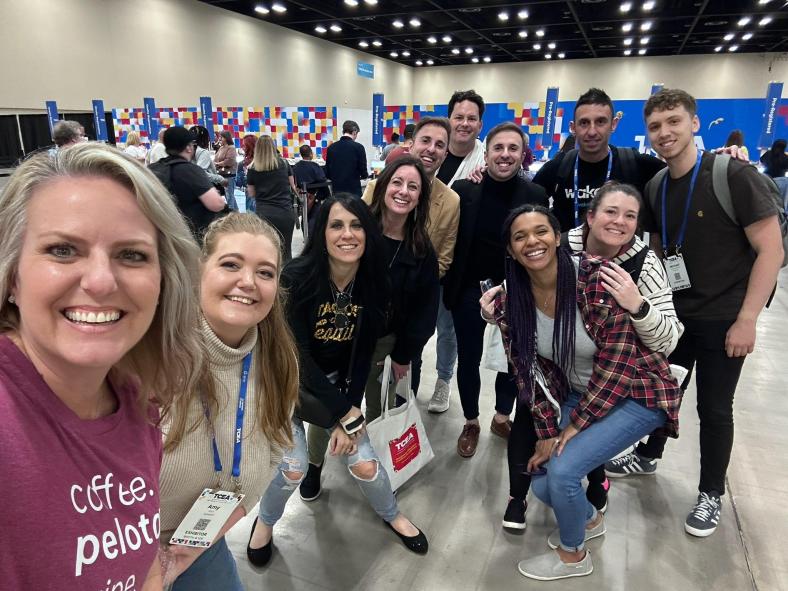
The people:   It is so nice to be able to join together in person at events like the TCEA conference again. For some people, this may have been the first time meeting a friend face-to-face or the first time seeing a friend in the past few years.  For me, I love the opportunities to spend time with friends, make new connections and build our learning networks. 

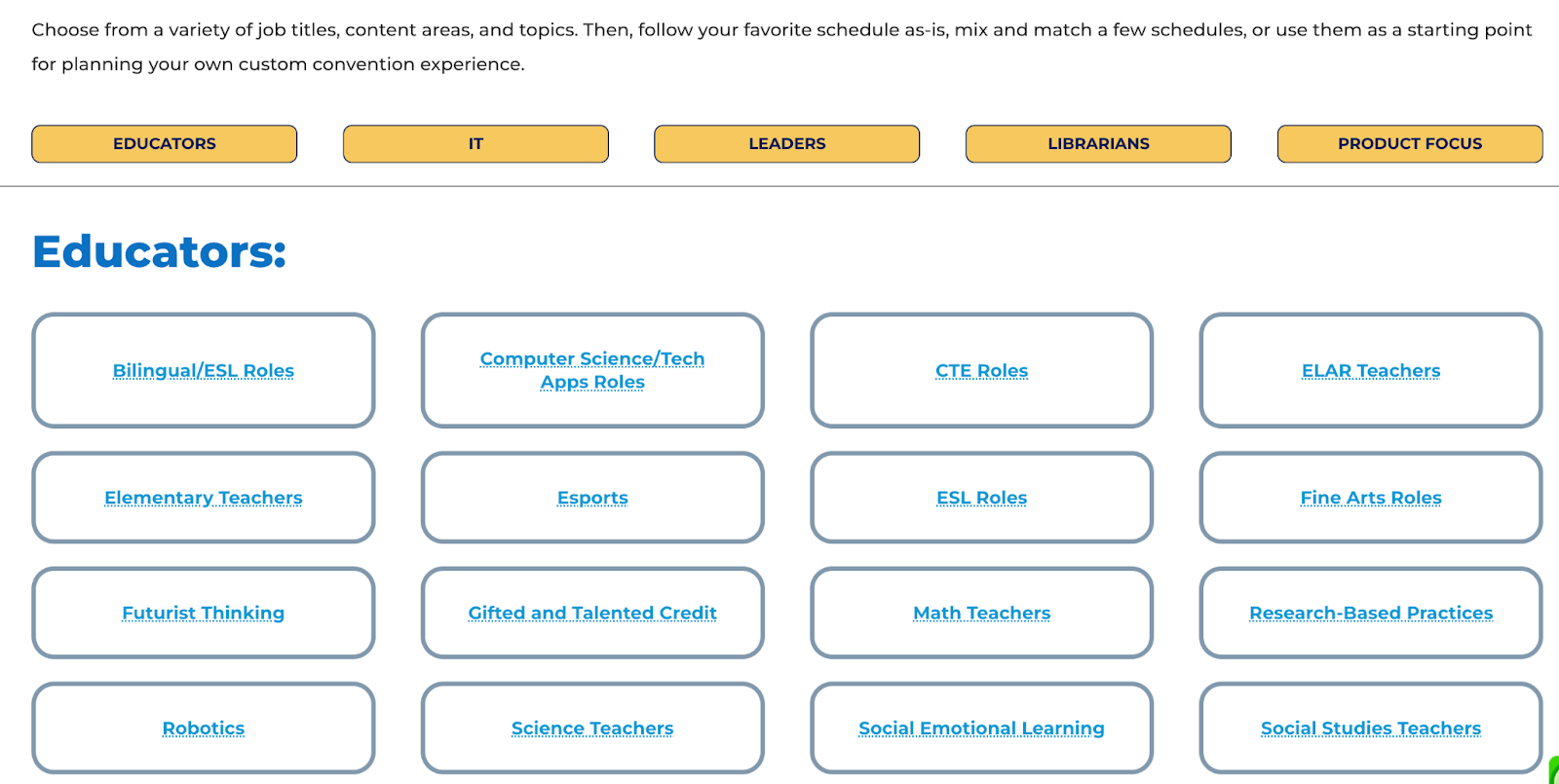
The mock schedules: Deciding on sessions to attend can always be a challenge especially when there are so many choices. One of the things I love about TCEA is that they put together mock schedules focused on the different roles of educators. The conference planning team reviews all sessions being offered for roles such as classroom teachers, IT, leaders, and librarians, or with a specific focus on SEL or STEM, special populations, and other important topics in education. Being able to look at a sample schedule helps any attendee but definitely, a first-time attendee to build a schedule focused on their specific interests and needs for professional learning. 

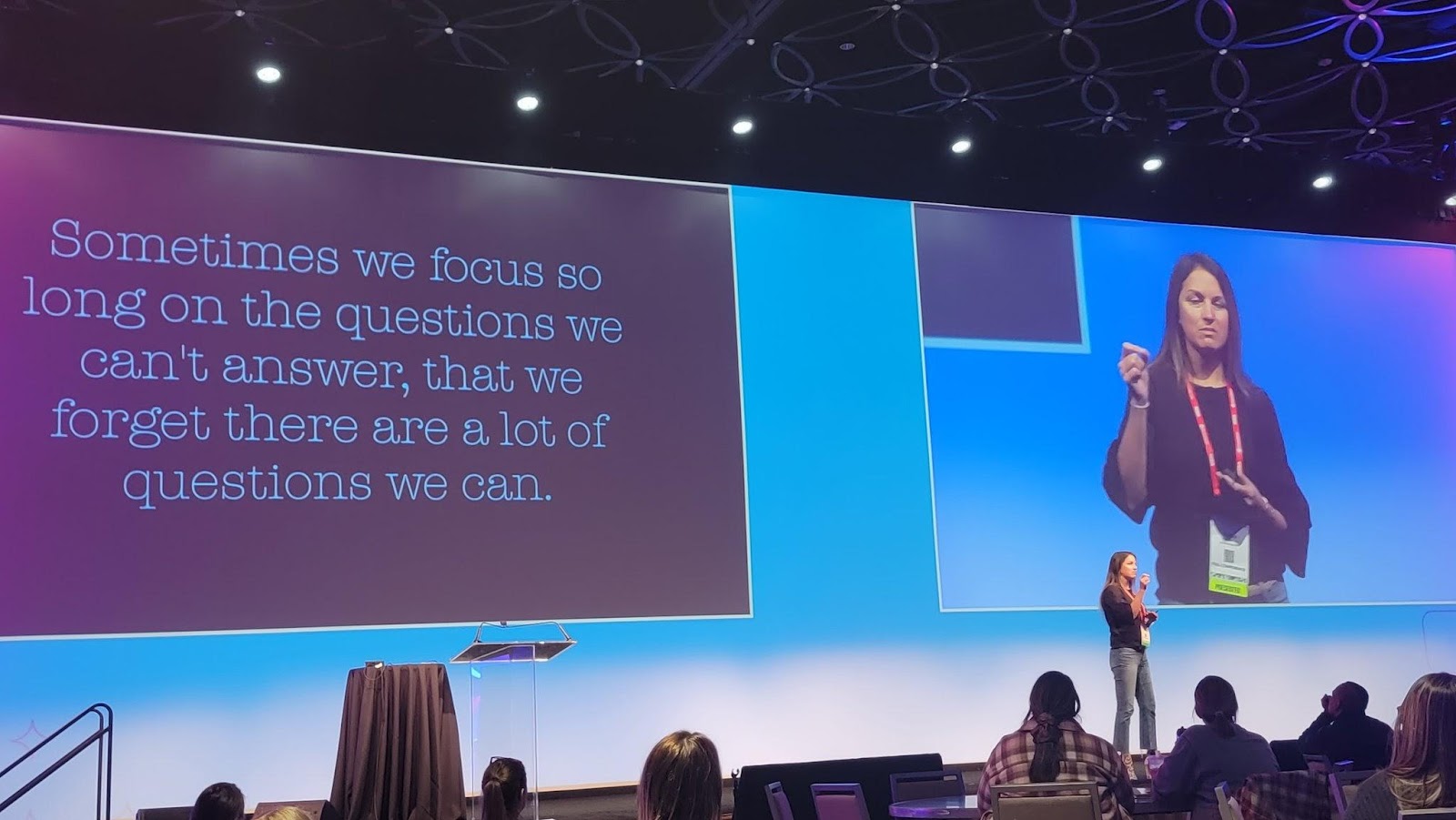
Power Hours: There were a variety of session types and events during the conference. Each day started with a Power Hour with a featured speaker. On Monday, Dr. Adam Saenz focused on “The Power of a Teacher” and how important it is to remember the “why” behind the work that we do and the importance of focusing on relationships. On Tuesday, Dr. Michael Hinojosathe spoke about “How to Leverage Educational Technology as a Learning Strategy.” He has more than 40 years of experience in public education, as a teacher, coach, and superintendent/CEO. On Wednesday, the Power Hour “Keep it REAL. Keep it FUN. Keep it UP!” with Joe Dombrowski, an educator who has studied the art of improv comedy. He shared ideas and personal stories about how he uses improv to boost student engagement. His goal is to help students “want to be in school rather than have to be in school.” There was a lot of laughter during his inspiring session.

[Kaitlin Roig-DeBellis]

Thursday’s Power Hour was with Kaitlin Roig-DeBellis, a former Sandy Hook Elementary teacher and the founder and executive director of Classes 4 Classes. She inspired educators with her message focused on making choices with “purpose, passion, perspective, resilience, and hope.” 

One of many interesting spaces in the center.

The sessions and topics

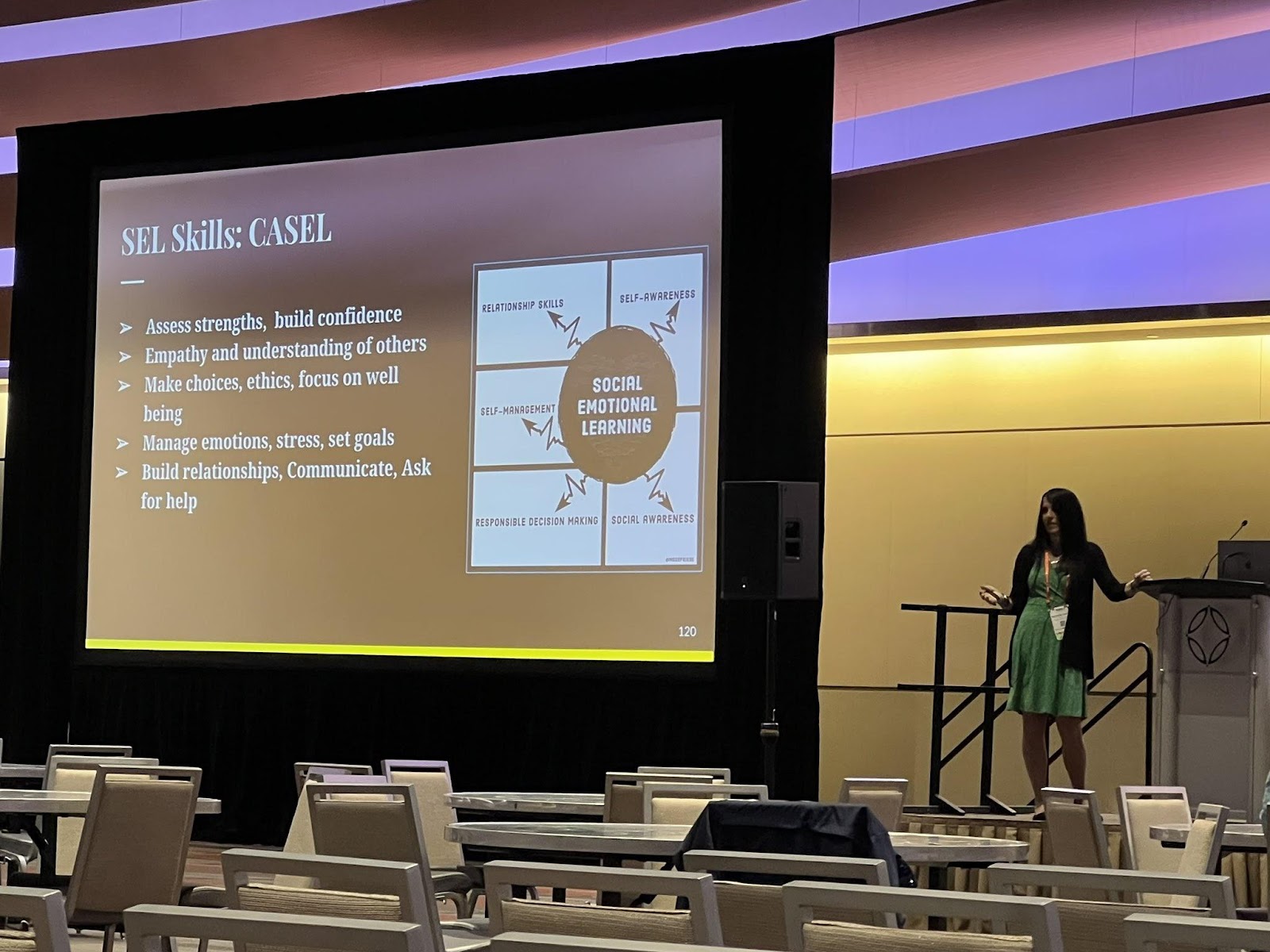
There were several hot topics this year.  Attendees were very interested in learning about AI and in particular, ChatGPT, and its implications for education. Blockchain, NFTs, and the metaverse were also of interest, with several sessions available covering each of these. I presented a few sessions on artificial intelligence, emerging tech like NFTs, blockchain, the metaverse, and augmented and virtual reality. I also presented and attended several sessions on SEL. There were so many great sessions to choose from. As a presenter, I learn so much from attendees and I look forward to those opportunities to connect. The interactions in sessions lead to new connections and spark interest in new areas for teachers who walk away feeling more confident in diving into some of these new topics and trends.

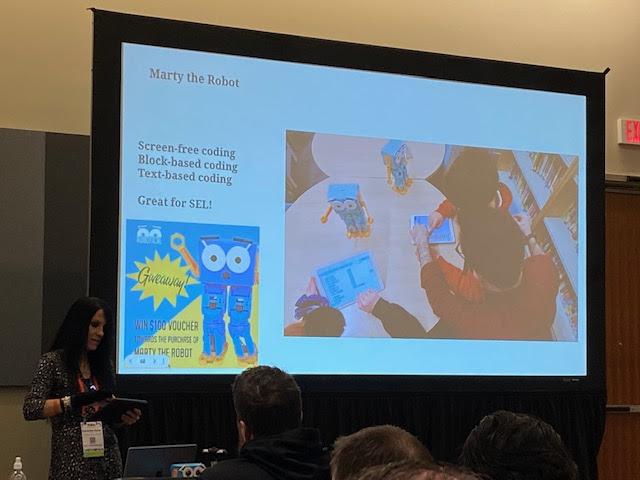
One of my presentations focused on Chart A New Course: Teaching Essential Skills. Sharing methods and tools like BookWidgets, StoryJumper, Marty the Robot and many more!

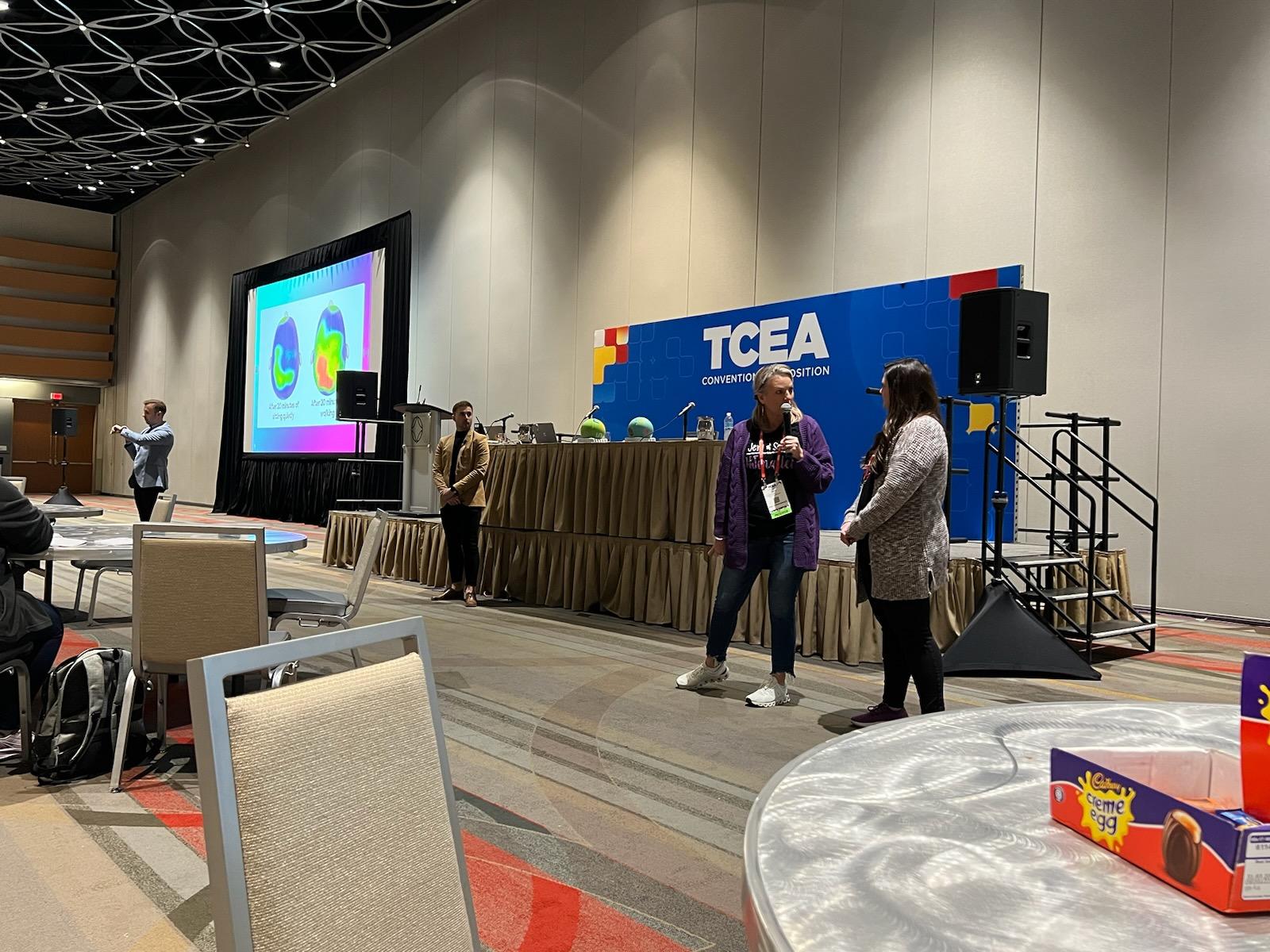
Jaime Donally had a great experience for anyone looking to learn about augmented and virtual reality during her sessions such as “Top AR/VR Trends to Transform Learning” and the Digcit VR Journey. Rabbi Michael Cohen (The Tech Rabbi) presented a few sessions on Cryptocurrency, Blockchain, NFTs, and web 3. Also, a big focus was on SEL, with a great session for teachers presented by Jenallee, the eTwinz, and Scott Bricker. Many sessions covered these topics and drew large crowds. Monica Burns had so many ideas to share in her “15 Ways to Collect Actionable Formative Assessment Data” session. She presented quick ideas and also digital tools that help educators gather important data about student learning. 

Strategies for Teachers Session by Jenalee and the eTwinz

There were a variety of sessions focused on specific tools such as Google from Dr. Desiree Alexander who had a lot of great tips for streamlining Google Drive.  Holly Clark and Matt Miller presented on AI and ChatGPT and shared some ideas for how educators can explore this technology and ways to help students understand it and its implications for learning now and working in the future. Another engaging session was “Three by Thursday! Electrifying Strategies to Ensure Engagement in Learning” by Stormy Daniels and Wendy Hedeen.  These are just some of the many topics you could explore and sessions that provided actionable strategies and many resources and also helped with building confidence in taking some risks in our classrooms. 

The poster sessions: At each conference, poster sessions are a great way to take in a lot of new ideas in a short amount of time. Being able to interact one-on-one and ask questions specific to your needs in these topic areas really does make a difference. There were poster sessions for CTE, Librarians, Professional Learning, STEM, CTE, and content areas. Sometimes it can be tough to decide which sessions to attend at a conference, but there were opportunities everywhere, especially through the poster sessions. 

Panel and Roundtable Discussions: There were roundtable and panel discussions held each day on topics such as equity, personalized professional learning, sustainability, and really relevant focus points for educators.  Each day had a variety of panel discussions focused on issues relevant to classroom teachers, educators, and librarians and provided an engaging space to ask questions and make new connections. 

Presenting on AI and sharing Marty the Robot

The big topics: Some of the big topics in emerging technology this year were blockchain, cryptocurrency, the metaverse, NFTs, and also ChatGPT.  There were also a lot of sessions focused on SEL for students and ideas for educators for their own well-being. TCEA even had an SEL room available for educators to take time to relax in a calming and relaxing environment. It was also a space where educators could learn more about SEL practices and gather some resources. 

The Exhibit Hall

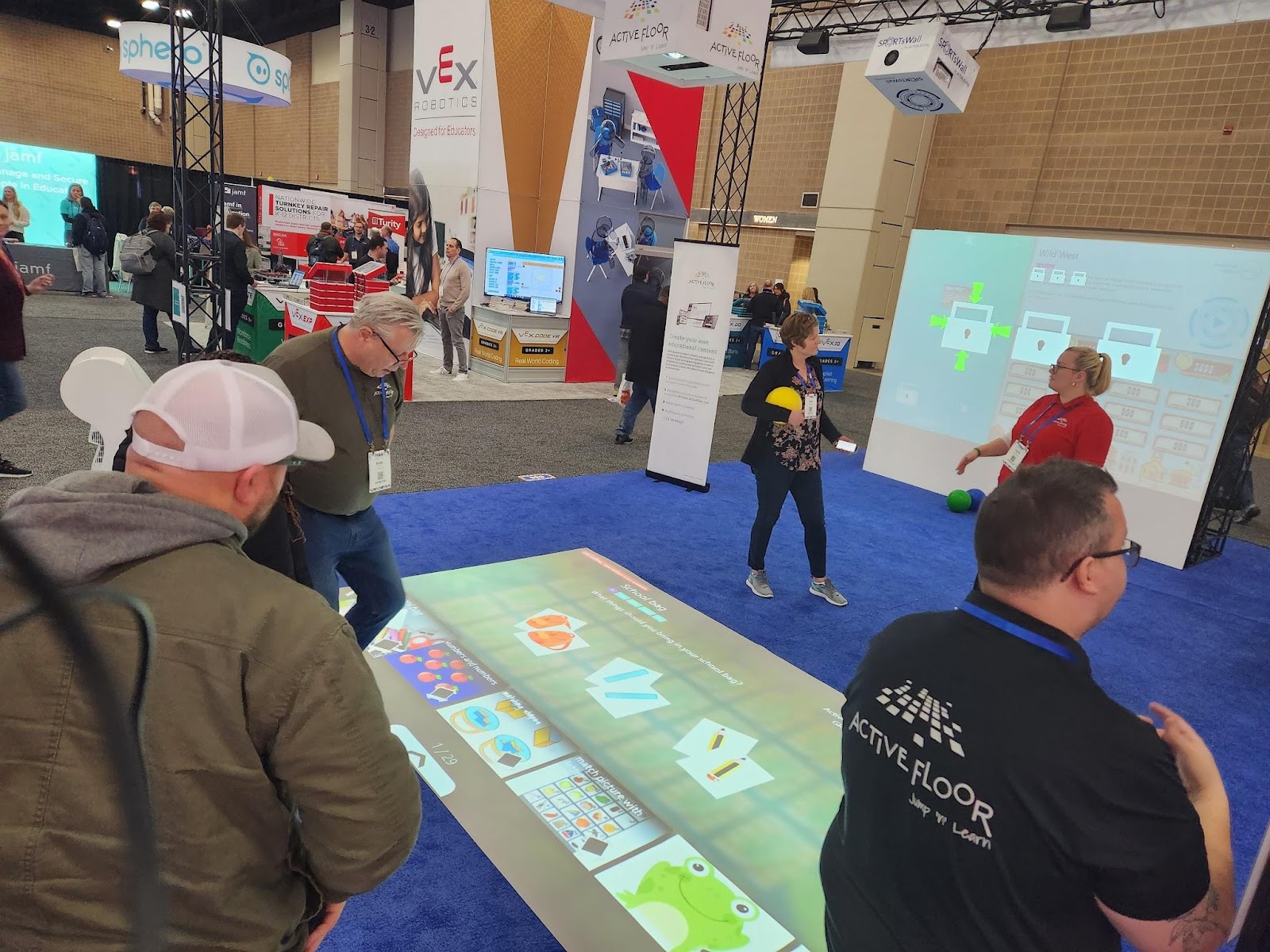
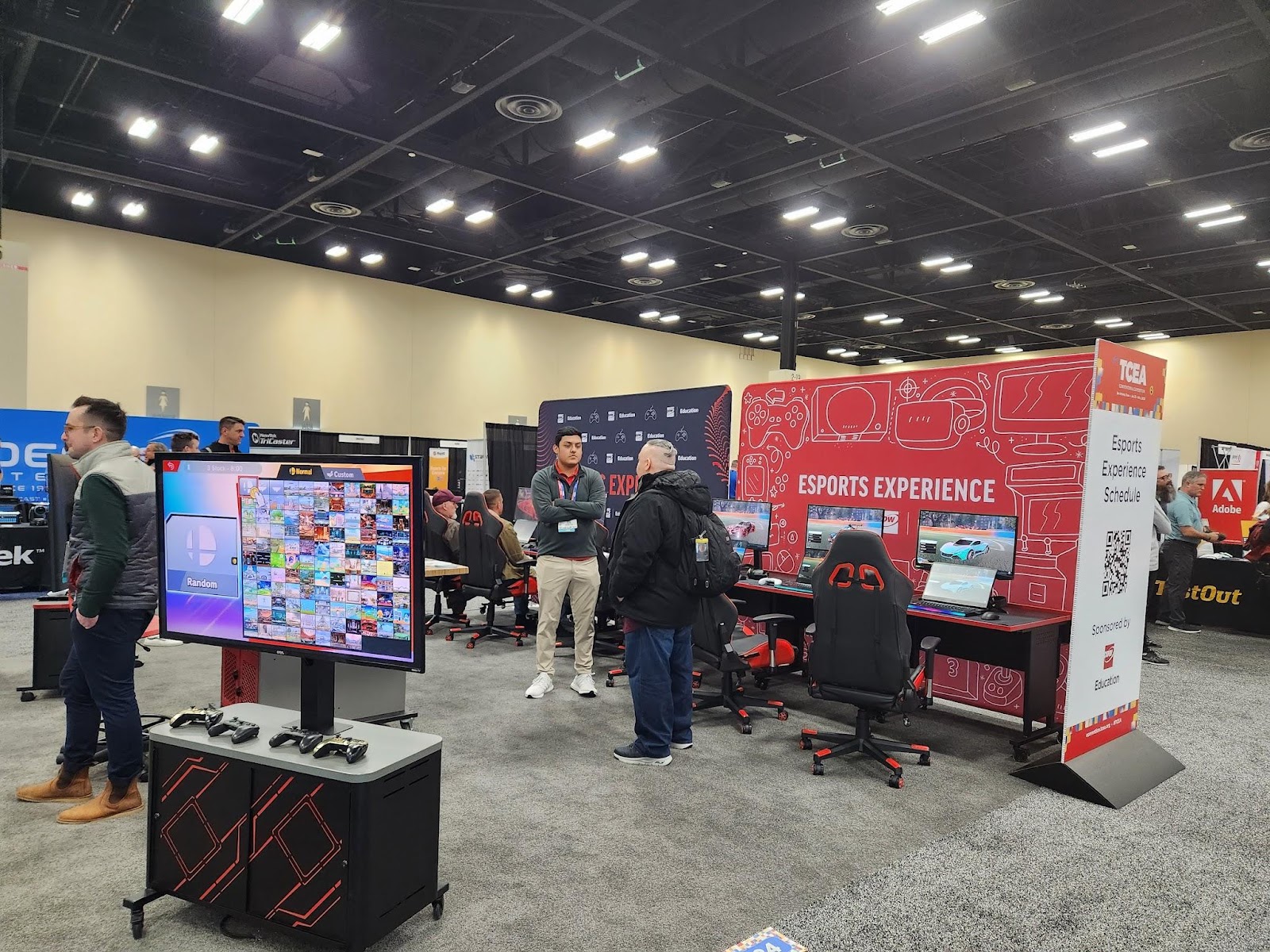
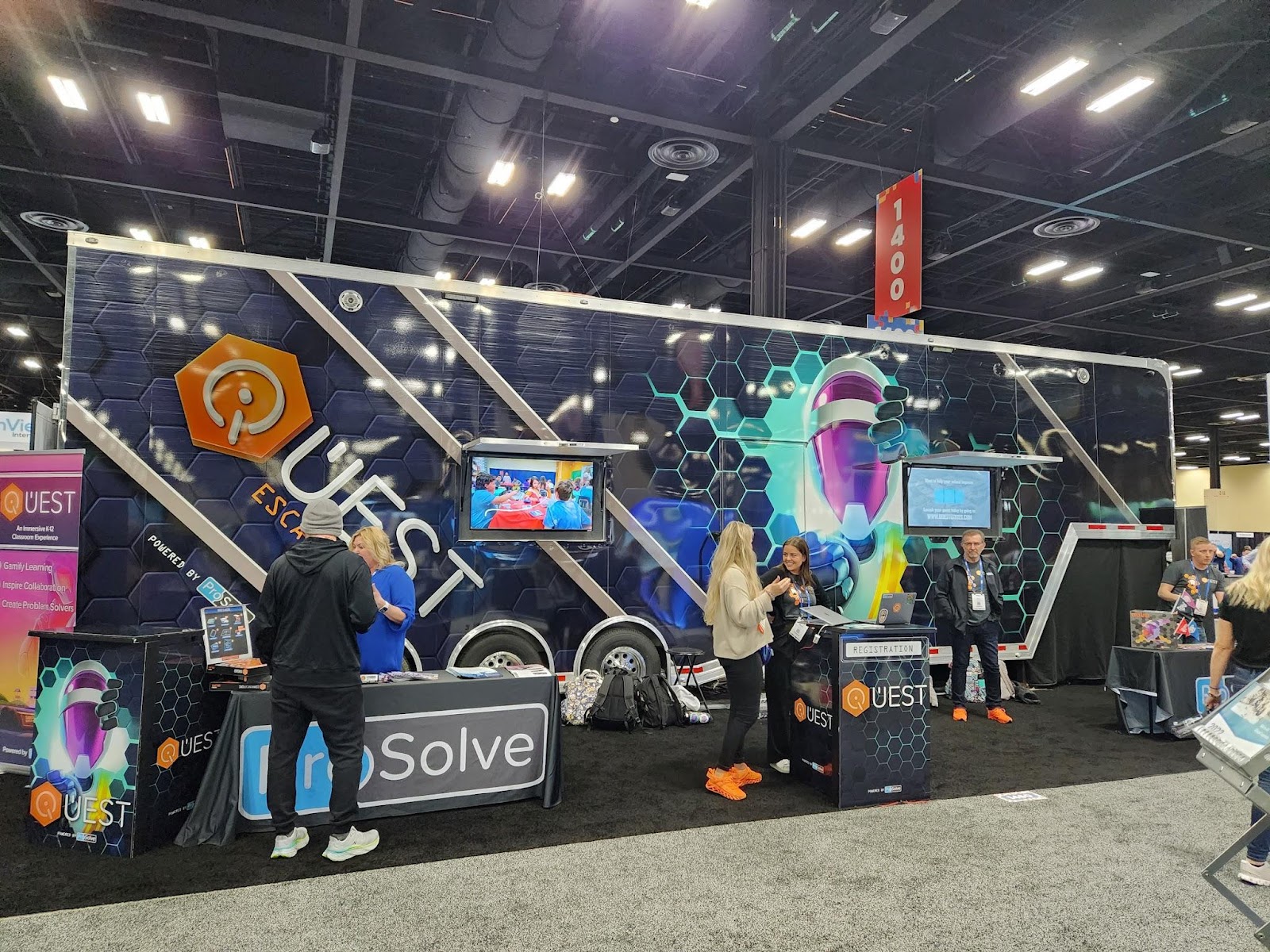
I enjoyed exploring the exhibit hall this year with so many companies present and different opportunities to interact with cutting-edge technologies and new ideas for STEM and emerging technologies.  Some of the favorites were the Escape Room bus, the Esports area, and of course the endless swag that was available to attendees.  There was a lot of interest in STEM-related resources such as Ozobot, Sphero, Marty the Robot,  and more hands-on learning materials for younger students like this awesome learning mat from Active Floor. 

It is also another great way to learn some new ideas by checking out the different technologies and solutions or catching some of the booth demos given by educators. It gives attendees the chance to learn about a lot in that one space and also to walk away with some fun swag too!

Esports was popular this year with several sessions happening as well as a space in the expo for attendees to take in the esports experience. Throughout the hall, there were booth demos by educators sharing their experiences of using some of the tools like Book Creator, Edpuzzle, Kami, and Spaces EDU, and many booths with live presentations happening every 15 minutes. 

Attendees could also step inside and take a tour of a fully renovated, 43-foot school bus that has become a makerspace on wheels. It’s a STEAM dream come true!

The Quest Escape Room bus

The space that TCEA creates

Arriving at TCEA each year, attendees are welcomed as soon as they enter the space. There are volunteers ready to assist you and lead you in the right direction, make sure you are enjoying the experience and check in on presenters to make sure everything is set to go. Don’t worry about attending this conference alone. It is a welcoming space and you will meet and connect with educators right away! 

Meeting up with friends at registration to kick off the week!

Planning for next year! 
If you have been thinking about attending a conference, I definitely recommend TCEA. It has become a favorite event each year. The topics and strands focused on different roles for educators, the variety of sessions, and the welcoming TCEA staff and volunteers, really provide a tremendous learning experience for all attendees.

Next year’s conference will be held February 3-7, 2024 in Austin, Texas.

About the Author

Rachelle Dené is a Spanish and STEAM: What’s nExT in Emerging Technology Teacher at Riverview High School in Oakmont, PA. Rachelle is also an attorney with a Juris Doctor degree from Duquesne University School of Law and a Master’s in Instructional Technology. Rachelle is an ISTE Certified Educator and serves as the past president of the ISTE Teacher Education Network. She was named one of 30 K-12 IT Influencers to follow in 2021.

She is the author of seven books including ‘In Other Words: Quotes That Push Our Thinking,” “Unconventional Ways to Thrive in EDU”, “The Future is Now: Looking Back to Move Ahead,” “Chart A New Course: A Guide to Teaching Essential Skills for Tomorrow’s World, “True Story: Lessons That One Kid Taught Us” and her newest book “Your World Language Classroom: Strategies for In-person and Digital Instruction” and Things I Wish […] Knew.

**Interested in writing a guest blog for my site? Would love to share your ideas! Submit your post here. Looking for a new book to read? Find these available at bit.ly/Pothbooks

************ Also check out my THRIVEinEDU Podcast Here!

Join my weekly show on Fridays at 6pm ET THRIVEinEDU on Facebook. Join the group here

Response to Intervention (RTI): An Introduction

Guest post by Dr. Shelly Vohra in collaboration with @ClassComposer

Response to Intervention (RTI) is a strategy geared towards students who face learning challenges. Students struggle for a variety of reasons and it’s important to understand why these students are struggling and the best way to create a learning path so that they are successful and feel good about themselves. The premise behind “interventions” is to ensure that students receive the supports they need so that the gaps in learning are not exacerbated. It is important to note, however, that “gaps” should not be seen as deficits; rather gaps are areas of growth for students and each student has their own areas of growth based on a wide range of assessments. I, personally, have an issue with the term “gaps” but that is a topic of discussion for another time. It is also important to know that RTI is not a program; it is an approach that identifies student needs based on collecting data from various sources and in a variety of ways and then identifies and applies relevant instructional strategies to develop those skills in students.

Gathering and accessing data

When it comes to data, there are many sources available for educators to learn about the needs of individual students. Being able to gather all of this information, sort through it, share it with other teachers, and develop a plan can take time. Not having a streamlined space for this makes it challenging. With Class Composer, educators have everything they need to be able to monitor student progress. The information is readily accessible to anyone, at any time. It enables all teachers to access the information they need about each individual student when they need it.

With Class Composer, it is easy to track and record student growth toward individualized goals and share this information within your PLC to best provide for all students. Simplify how you manage all the assessment data collected!

Supporting teachers to support students

As it is, one of the most important parts of the RTI process is to build a team to effectively support students who are struggling. The team should include classroom teachers, administrators, teachers who support special education students and those students who are learning English, the school psychologist, speech-language therapist, and parents. Teachers provide targeted teaching and then use formative assessment practices to determine if the intervention strategies are working.

With Class Composer, it makes it easier for teachers to have access to all this information in one space. It enables teachers to create a supportive learning community for students. These teacher-student connections lead to the development of the essential relationships that need to exist for all students to be successful. The simplified space creates a better way for teams to collaborate and access the information they need when they need it.

If they are not working, the team must decide how they will adapt and modify their instructional practices to ensure that students are indeed learning and growing. A significant aspect to keep in mind is that formative assessments inform us of what we must do to ensure student success, not what the student needs to do. In other words, how are we adjusting our practice to best support students? Assessment informs instruction; it is our responsibility to continuously revise what we are doing so that students meet the learning goals related to curriculum standards and expectations.

Even though there is no one correct way to implement RTI, it is a three-tiered approach and you can think of it as a pyramid in which each tier increases in the intensity of support. They are:

(1) whole class

(2) small group, and

(3) intensive interventions.

Some school boards call this a multi-tiered system of supports or MTSS. Although there are many benefits to this approach, I also see several problems and issues arising from the basic foundation upon which RTI and MTSS were built.

I will be discussing these issues in future blog posts as well as digging deeper into this system of support and how to best implement this framework so that all students succeed, grow, and have positive self-worth.

About the Author

Dr. Shelly Vohra is an educator, coach, and consultant. Dr. Vohra teaches undergraduate and graduate level courses in Technology and Mathematics as well as working with students who are learning English. She holds an M.Ed in Adult Education & Distant Learning and a Ph.D. in Educational Technology. Dr. Vohra has over 20 years of experience in education (K-12) teaching various subject areas. Dr. Vohra has written several courses related to Indigenous Education, Multilingual Learners, and Mathematics.

Most recently, she was on a writing team that revised the Science Curriculum (K-8) for Ontario. She has presented at various conferences in Canada and the U.S.A. Dr. Vohra’s work includes designing learning experiences for students through an integrated curriculum lens that combines inquiry with equity. Her research interests include social media in education and blended learning, Dr. Vohra is currently writing a book on her journey. You can find her blog at https://techdiva29.wordpress.com/. Her website will also be launching in late Fall. You can also follow her on Twitter @raspberryberet3 and on Instagram @elevate_ed_21.

**Interested in writing a guest blog for my site? Would love to share your ideas! Submit your post here. Looking for a new book to read? Find these available at bit.ly/Pothbooks

************ Also check out my THRIVEinEDU Podcast Here!

Join my weekly show on Fridays at 6pm ET THRIVEinEDU on Facebook. Join the group here

Your staff is the biggest key to making your SEL program work

Guest Post by Al Kingsley, @AlKingsley_EDU

One of the largest questions schools are facing this year is how to try to improve student behavior. We all understand that one side effect of the pandemic was students were deprived of learning key social skills that can help regulate their behavior.

The National Center for Education Statistics reports that 84% of schools agree that student behavioral development has been negatively impacted and that has led to everything from student misconduct to acts of disrespect toward teachers and staff to prohibited use of electronic devices.

In reaction, many schools have used their COVID relief federal funding to start or bolster existing social-emotional learning programs. In fact, 88 of the top 100 districts in the U.S. reported spending funds on SEL – that meant more districts expanded SEL than sought additional technology, teacher training, or extended learning opportunities.

And that’s not a surprise. Many studies show that addressing and building students’ social-emotional skills can result in better academic performance, fewer disruptive behaviors, and less emotional distress.

As a quick aside, if your district is still searching for a solution, I have a detailed column that explains how to best vet a new program, considering your district’s available funds, current climate, and hoped-for outcome.

But if like so many districts, you have already purchased a program and are in the early stages of implementation, I have some advice that seeks to flatten your learning curve, enhance buy-in from staff, and start producing results quicker.

The first key lesson is that even if you have chosen the right program, simply buying something and beginning to train staff isn’t enough to guarantee success. Just as we know that students do better when they understand the relevance of the work they are completing, your staff is more likely to find success if they believe in the option you’ve chosen.

One way to accomplish this is by sharing with them the process you went through to choose your solution. You likely not only gauged your product’s effectiveness in schools in general but also studied exactly how it worked in schools that mirror your district. Let your teachers know what research went into it, and freely share any examples you have from other implementations, from successes to roadblocks.

If you completed a trial with a small group, let staff know. Allowing teachers and others to talk with multiple people about implementation will help tamp down fear of the unknown.

You should also set clear expectations for your program, even if it’s already been rolled out district-wide. Explaining that usage can deepen in coming years will offer a roadmap to staff, and help teachers see the end goal without allowing day-to-day frustrations to hamper their efforts.

The last method to improve your staff’s buy-in is to extend your SEL program to include care for their social and emotional states. During the last several years, teachers may have been working so hard to mitigate the negative effects from the pandemic on students, they ignored their own self-care. Teacher resignations and polls that show increased unhappiness in their jobs are proof that stress, extra work, and uncertainty have taken their toll on your staff.

Remind your teachers to take care of themselves and offer them programs in yoga or controlled breathing. This can not only reduce their stress, but also prove you care about their well-being. In short, take care of your staff like you hope they take care of your students.

Above all, remind staff that all of this work takes time to master, like any new skill. While you can’t expect students to absorb SEL lessons and improve behavior immediately, if staff is consistent with their lessons, progress will begin in mere weeks. This will then reinforce the importance of your SEL program.

Al Kingsley is an author, the CEO of NetSupport, Chair of a Multi-Academy Trust in the UK, Education Author and co-chair of Workstream 5 at the Foundation for Educational Development, whose mandate is to develop a framework for long-term vision and sustainable planning for education in England. He travels the world, speaking about and studying education. Al’s latest book is My School Governance Handbook. @AlKingsley_Edu.

Guest blog opportunities

**Interested in writing a guest blog for my site? Would love to share your ideas! Submit your post here. Looking for a new book to read? Find these available at bit.ly/Pothbooks

************ Also check out my THRIVEinEDU Podcast Here!

Join my weekly show on Fridays at 6pm ET THRIVEinEDU on Facebook. Join the group here

Preparing students with essential skills

In preparing students for the essential skills they need for the future, we have different methods and digital tools that we can bring into our classroom space. But what skills do students really need? 

A great resource to explore is the skills outlook provided by the World Economic Forum. The top skills cited include emotional intelligence, collaboration, communication, creativity, critical thinking, and problem-solving.

What is important to note is that these skills align with the five core competencies of social-emotional learning (SEL) skills of self-awareness, social awareness, self-management, relationship building, and decision-making.  

Because of the changes that we experienced in the past year, I believe that it is important to have various options, whether teaching in-person, hybrid, or virtually. Choosing methods like Genius hour or project-based learning, activities such as scavenger hunts or learning stations, or selecting digital tools that promote more interaction with and between students will help foster the development of essential future-ready and SEL skills.

How to foster the development of future-ready skills

Educators might wonder how to build SEL activities into the classroom and whether it takes a lot of time. Depending on the methods or tools chosen, some of them do require more planning and preparation initially, but there are so many benefits that the time is definitely worth it.

Here are four methods to consider: 

Digital breakouts and Escape rooms

These have become more popular over the past few years. Even during virtual learning, they can be a great way to have students work together and build skills of collaboration, communication, problem-solving, and critical thinking. Using breakouts and escape rooms is also beneficial for the development of social-emotional learning skills as well. There are a lot of ready-to-use games available to get started with.


Read more: Fostering the development of SEL skills in your classroom


Genius hour

With Genius hour, students explore an interest or a passion. It is focused on inquiry-based and student-driven learning, and infuses more student choice and student agency. Students have a chance to “Share their genius” with classmates. Genius hour builds student curiosity, encourages collaboration, and will help students to become more confident as they explore on their own and share their knowledge.

Learning stations

When I changed my classroom a few years ago and changed the rows into stations, there were many benefits for students and my own practice. With stations, using a mix of hands-on materials and digital tools enables students to experience more personalized learning and promotes the development of SEL.

It enables educators to develop a better understanding of where each student is on the learning journey to better plan for their lessons. Using stations also creates a collaborative classroom community where students can engage in activities with their peers, which supports building self-awareness, social awareness, and peer relationships.

Project-based learning

With methods like project-based learning (PBL) or problem-based learning, students drive their own learning, leading them to become more independent and have choices that lead to more authentic and meaningful opportunities.

It helps them to develop self-management skills in particular when setting goals for their research and dealing with any that come with independent work like PBL. Giving students the chance to explore something of personal interest or curiosity, promotes independence in learning, builds student agency, and also helps us to learn about their passions and interests, which assist us in designing learning activities with them in mind. As educators, we must focus on connecting them with the world and preparing them for whatever they decide to do in the future.


Read more: 10 DOs and DON’Ts in Project-Based Learning


Using technology to build future-ready skills

Especially during the past school year, digital tools helped facilitate learning in many different settings. Choose one or two versatile tools that will promote student choice and empower them to move from content consumers to creators.

Here are three ideas using digital tools:

  1. Interactive lessons: With some of the platforms available, we can keep students engaged in learning by including a variety of activities that promote collaboration, discussion, and creativity in learning while they build skills in the content they are learning. Some of my favorites include using Formative, Google Jamboard, Nearpod, and Classkick, all of which are beneficial for connecting students in learning, whether in-person or remote, and which enable educators to have access to data or information about where students are in the learning process.
  2. Multimedia presentations: Students can develop vital technology and digital citizenship skills as they learn to create multimedia presentations to demonstrate learning. Our favorites include using tools that offer options for all students that meet their specific interests and comfort levels with technology. Check out Buncee, which has designed an SEL toolkit with ready-to-use template activities for grades K-6 and 7-12 in addition to having thousands of ideas for classroom use and more than 38,000 items in their media library. Using a tool like Wakelet enables students to include images, text, Flipgrid short videos, and other links to share with classmates and their teachers. It is simple to get started with, and it offers students the chance to create their own lesson or even a digital portfolio to show their learning journey. Book Creator is another option for having students collaborate on a book and include audio, video, text, images, and more and build SEL skills. Read more: 8 Digital tools for engaging classroom presentations
  3. Digital portfolios: Spaces offers a digital portfolio platform that assists teachers in better understanding students, their interests, and their needs in learning. Digital portfolios help students to develop SEL skills of self-awareness and self-management. Having students share their portfolios with classmates is also helpful for building relationships and social awareness. The benefits of portfolios are that students track their growth over time and can identify strengths and areas where they can set new goals.

There are many methods and tools to explore, but it’s important to focus on the why behind the choices we make for our students. The use of digital tools promotes collaboration, communication, creativity, and many more essential skills while also promoting the power of choice for students to share what they have learned.

**Interested in writing a guest blog for my site? Would love to share your ideas! Submit your post here. Looking for a new book to read? Find these available at bit.ly/Pothbooks

************ Also check out my THRIVEinEDU Podcast Here!

Join my weekly show on Fridays at 6pm ET THRIVEinEDU on Facebook. Join the group here

Creating a Learner-Centered Classroom

Guest blog by Kellie Bahri @Kbahri5

As a teacher in elementary school, I’m passionate about making the classroom a fun and engaging place where students can take charge of their own learning. The Learner-Centered approach puts students in the driver’s seat and encourages them to be more involved in their own education. This type of classroom is designed to fit each student’s needs, interests, and abilities.

Student-centered learning empowers students to take control of their own education by allowing them to explore topics, generate questions, and find answers on their own. This type of learning helps students develop critical thinking skills and encourages them to take an active role in their education. When students are given the freedom to direct their own learning, they are more likely to be engaged, motivated, and develop a deeper understanding of the material.

It has been demonstrated through research that a Learner-Centered Classroom can significantly enhance the motivation, engagement, and success of students. By adopting a student-focused approach, educators are able to facilitate the development of important skills such as critical thinking, problem-solving, and self-reflection in their students. With this student-centered approach, students will become more confident and empowered learners.

The implementation of seven key strategies can help the transformation of a conventional classroom into a student-driven learning environment, in which students are equipped with the skills necessary to take a lead role in their education.

Student-led discussions

I encourage my students to lead discussions in class by sharing their ideas and perspectives. I use strategies such as Think-Pair-Share or Socratic Seminar discussions to facilitate student-led conversations. During these types of discussions, students are given the opportunity to share their thoughts and engage in active listening with their peers. This type of student-led discussion promotes critical thinking and helps students develop strong communication skills.

Collaborative learning

 I encourage my students to work together in small groups or pairs on projects, assignments, or activities. Collaborative learning helps students develop important skills such as communication, teamwork, and problem-solving. I use techniques such as Jigsaw or Group Concept Mapping to encourage my students to collaborate and share ideas and I use online collaboration tools such as Google Classroom or Schoology to allow my students to work together on projects from anywhere. This type of learning not only promotes social and emotional growth but also helps students understand and retain information better through shared exploration and discussion.

Choice-based learning

 I believe in offering my students a range of learning options, allowing them to choose activities that interest them and align with their learning styles and passions. Choice-based learning is a student-centered approach that empowers students to take the lead in their learning. I use centers, stations, or choice boards to provide my students with a variety of options and let them choose what they want to work on. This type of learning creates a more engaging and personalized learning experience for each student and enhances student’s’ organizational skills. 

Inquiry-based learning

 Inquiry-based learning is a student-driven approach where students are encouraged to ask questions and engage in their own investigation to increase their critical thinking and problem-solving skills. I use prompts such as “I wonder…” or “How can we find out…” to support inquiry-based learning, and provide opportunities for students to engage in hands-on activities, simulations, and experiments to support their investigations. And to make the process even more meaningful, I encourage students to keep a student inquiry journal where they can jot down all their curious questions about the world around them. This journal not only helps them keep track of their progress, but it also gives them a sense of ownership over their own learning journey.

Project-based learning

Project-based learning, a hands-on method of education where students engage in real-world projects that showcase their knowledge and skills, can lead to a deeper understanding of the material and increased engagement in the learning process. By working on challenging projects that require critical thinking, problem-solving, and application of knowledge, students can see the relevance of their education and make connections to the world around them. This approach aligns with the Sustainable Development Goals (SDGs) as it promotes active, meaningful learning and the development of skills that are essential for success in the 21st century. Examples of project-based learning activities may include creating a podcast, designing a website, or constructing a model of a historical landmark.

Self-reflection

I encourage my students to reflect on their own learning process and to think about how they can improve. This type of self-reflection helps students to understand their strengths and weaknesses and to set goals for themselves. By regularly reflecting on their own learning, students can better understand how they learn and how they can become more effective learners.I use online journaling tools such as Flip, SeeSaw, or Kidblog for students to document and reflect on their learning experiences.

In-class projects

I assign in-class projects that allow my students to apply the concepts and skills they have learned in class in a hands-on and engaging way. These projects can involve independent or group work and can be used to reinforce the material covered in class. For example, a student might create a poster or model to demonstrate their understanding of a particular subject. In-class projects give students the opportunity to be creative and to showcase their learning in a tangible way. This type of project also helps students to develop important skills such as research, collaboration, and presentation skills.

Imagine being in a classroom where the focus is on you and your learning journey. It’s all about empowering students to make the most of their education, and helping them understand the importance of what they’re learning. That’s what makes a Learner-Centered Classroom so special. A learning space for students to actively participate and be engaged is key to inspiring students and sparking a lifelong love for learning.

Kellie Bahri is an experienced instructional specialist, teacher, and children’s book author. With over a decade of experience in education, she has successfully implemented innovative instructional strategies resulting in improved student performance and engagement. As Elementary Teacher of the Year for 2020-2022, her dedication to education and creative teaching methods are highly regarded. Kellie also uses her writing talent to inspire a love of learning in young readers through her children’s book. Her goal is to make a positive impact on children’s lives and help them reach their full potential.

About the Author

Kellie Bahri is an experienced instructional specialist, teacher, and children’s book author. With over a decade of experience in education, she has successfully implemented innovative instructional strategies resulting in improved student performance and engagement. As Elementary Teacher of the Year for 2020-2022, her dedication to education and creative teaching methods are highly regarded. Kellie also uses her writing talent to inspire a love of learning in young readers through her children’s book. Her goal is to make a positive impact on children’s lives and help them reach their full potential.

**Interested in writing a guest blog for my site? Would love to share your ideas! Submit your post here. Looking for a new book to read? Find these available at bit.ly/Pothbooks

************ Also check out my THRIVEinEDU Podcast Here!

Join my weekly show on Fridays at 6pm ET THRIVEinEDU on Facebook. Join the group here

ChatGPT for Spanish Classrooms 


¿Amigo o Enemigo?

Guest post By Nicole Biscotti, M. Ed. @BiscottiNicole

The short answer: Don’t fight progress – embrace it, learn how to better prepare kids for their future with AI, AND use it to save yourself time with a few important caveats

ChatGPT is free, works in English and Spanish, and generates text on any topic in seconds.  You can use it to generate readings, sample readings, explanations of grammatical concepts, lesson plans, songs, poems, narratives, and the list goes on. ChatGPT frees me up to focus more on the aspects of teaching that make a difference for my kids – building relationships, differentiation, formative assessment, instruction design, being present and less stressed out…you get the idea. 

Integrating ChatGPT also benefits students in the long term because it prepares students for success in the job market that they will enter. ChatGPT will likely become increasingly relevant because its user base, accuracy, and capabilities are increasing exponentially and rapidly. Students’ competitiveness in their careers will depend partially on their ability to be productive with this tool. Unlike most AI, ChatGPT is expected to shake up the landscape for white-collar workers in industries as varied as healthcare and computer science (Lowrey, 2023).

Personalized Learning

Back to the classroom. ChatGPT is just what the busy Spanish teacher necesita – no wasted time searching for the perfect “lectura” (text). Effective language instruction is coupled with learning about culture and now I’m able to generate texts in seconds AND I can even center them around a Latin American country, cultural point of interest, holiday, grammatical structure, etc.  Differentiation and personalized learning, those lofty teaching ideals that can feel a bit heavy when you mean well but have 35 kids in your room, have become that much easier to attain with ChatGPT.  It’s possible to generate texts about diverse aspects of culture in seconds and make adjustments for interests, length, rigor, etc. (Kuo & Lai, 2006) (Salaberry, 1999; Rost, 2002).

Flexible Texts for Creating Lessons That Address ACTFL Standards

ChatGPT effortlessly generated texts about the pre-Columbian cultures of Peru, Mexico, and Puerto Rico respectively that used the subjunctive mood for my classes.  Additionally, ChatGPT was kind enough to make comprehension questions for each reading as well.  ¡Muy buen amigo indeed! All I had to do was type in “preguntas de comprensión sobre culturas pre colombinas de Perú” and I had seven great questions for each reading. Students learned about the products and practices of indigenous cultures of Latin America directly through these readings which could be used as an integral part of an endless list of interpretive, interpersonal, or presentational activities.

The possibilities for quickly generating texts about any aspect of culture using any grammatical structure with ChatGPT to address World-Readiness Standards for Learning Languages from the American Council of Foreign Language Teacher’s (ACTFL) are seemingly endless.  As an example, students could use the texts below to form comparisons between pre-Columbian cultures and identify intercultural influences in an interpretive activity.  In small groups they could engage in an interpersonal activity to support a subsequent presentational activity comparing and contrasting the indigenous cultures. Mi amigo ChatGPT kindly provided me with a list of prompts for students to use in guiding them with comparing and contrasting as well (ACTFL, 2022).

Engaging Grammar Instruction

With mi amigo ChatGPT I have access to texts and comprehension questions about almost any topic that highlights any grammatical structure in Spanish so my students have more frequent opportunities to use text to identify and explore the uses of grammar in context. Research shows that students are highly motivated to learn grammar through the tasks of reading, writing, speaking, and listening. While reading and learning about culture, students are exposed to the subtleties of the use of grammar and gain a better understanding of the nuances of the language (ACTFL, 2022). 

ChatGPT’s Limitations

Interestingly, I was not able to ask ChatGPT to create an essay comparing and contrasting pre-Columbian cultures using the subjunctive tense because each time it wanted to compare and contrast the use of the subjunctive tense in the respective cultures.  This is actually not even a valid discussion given that pre-Columbian cultures didn’t speak Spanish.  The description of why the subjunctive would be used was accurate however the premise of the ChatGPT’s essay was that the Aztecs and the Mayan spoke Spanish.

“El subjuntivo es un tiempo verbal que se utiliza para expresar acciones inciertas o deseos. En las culturas precolombinas, el subjuntivo se utilizaba a menudo en los rituales religiosos para expresar deseos o peticiones a los dioses. Por ejemplo, en la cultura azteca, se utilizaba el subjuntivo en las oraciones de ofrenda a los dioses para pedirles prosperidad y buenas cosechas.”

“Otra cultura precolombina que utilizaba ampliamente el subjuntivo era la maya. En esta cultura, el subjuntivo se utilizaba en los textos jeroglíficos para describir eventos futuros o inciertos.”

This could be user error because I may not have known how to ask mi amigo ChatGPT the right way to elicit the correct response. However I think it’s safe to say that at a minimum it’s not easy to figure out how to create a cultural comparison with the subjunctive mood in Spanish – at least for now.  

Cheating or Opportunity to Analyze Texts?

Only one kid so far tried to pass a paragraph written by ChatGPT by me and honestly I could tell even though I was not using any software to monitor his computer.  I didn’t need Edward Tian’s GPTZero app either.  I’ve been a teacher and a mom long enough to recognize vocabulary, verb conjugations, and style that is unusual for teenagers to use. Also he seemed to know a lot about the topic for someone who wrote the paragraph in about five minutes.  

In the sample texts that ChatGPT generated for me about pre-Columbian cultures you’ll notice similarities in style and depth.  First of all, the wording is very similar, as is the paragraph length, sentence structure, etc.  Another noticeable attribute is how general the information is.  

Since the likelihood of the student not using ChatGPT on another assignment again in any other class is pretty low, I decided to illustrate a point to him about the tool. I told him that the information lacked depth and sources.  We looked over it and agreed on specific places where more information would be important to the reader and which insights it would provide in the overall cultural context of his topic.

When he finished finding sources and editing his work, he presented a much more robust discussion.  We discussed the differences in the two writing pieces and he admitted to using ChatGPT for the first one.  We then talked about the differences in his experience as a learner from writing the first to the second piece and also about how ChatGPT might change writing academically and professionally given its capabilities and limitations.  As ChatGPT improves undoubtedly it will become harder to spot so easily but like everything about technology we’ll learn how to work with that as it comes.

Safety

Although there are benefits to the classroom, this tool can only be used in compliance with the law and its terms of use by teachers.  There are legal issues with minors using ChatGPT so for at least the short term it’s best used by adults for the classroom.  ChatGPT collects information such as users’ IP addresses, interactions, country, etc. that is prohibited under the Children’s Online Privacy Protection Act of 1998 for children under the age of 13.  Although ChatGPT doesn’t allow minors to open accounts according to their terms of use; however it doesn’t verify the age of its users (Claybourn, 2023). 

Spontaneous Classroom Connection & Fun

When one of my students wondered aloud what rap in Spanish sounded like I casually offered to write a rap about the subjunctive. That definitely got their attention and quickly became a challenge that I confidently accepted knowing that I had an amigo who could help.  The rap was actually a really great explanation of the subjunctive and was pretty catchy. A comment from a student quickly turned into kids making beats and rapping about the subjunctive in Spanish. It was a great learning moment and maybe most poignantly, technology-facilitated spontaneous fun and connection in my classroom.

I’d love to hear how it’s going in your classroom with ChatGPT. Please comment below. 

American Council of Teachers of Foreign Languages. (2022). Teach Grammar as a Concept in Context. ACTFL Language Connects. Retrieved January 20, 2023, from https://www.actfl.org/resources/guiding-principles-language-learning/grammar-concept-in-context 

American Council of Teachers of Foreign Languages. (2022). World-readiness standards for learning languages – ACTFL. World Readiness Standards For Learning Languages. Retrieved January 20, 2023, from https://www.actfl.org/sites/default/files/publications/standards/World-ReadinessStandardsforLearningLanguages.pdf 

Claybourn, C. (2023, January 18). CHATGPT in classrooms: What to know | high schools | U.S. news. ChatGPT in Classrooms: What to Know. Retrieved January 21, 2023, from https://www.usnews.com/education/best-high-schools/articles/chatgpt-in-classrooms-what-to-know 

Kuo, M.-M., & Lai, C.-C. (2006). Linguistics across Cultures: The Impact of Culture on Second Language Learning. Journal of Foreign Language Instruction, 1(1). 

Lowrey, A. (2023). The Atlantic. How ChatGPT Will Destabilize White-Collar Work. Retrieved January 20, 2023, from https://apple.news/ArNwgCNfBRA6Y9xCCQp5G2g 

Rost, M. (2002). New Technologies in Language Education: Opportunities for Professional Growth. Retrieved October 12, 2006 from http://www.longman.com/ ae/multimedia/pdf/MikeRost_PDF.pdf

Salaberry, R. (1999). CALL in the year 2000: still developing the research agenda’. Language learning and technology 3/1: 104-107

**Interested in writing a guest blog for my site? Would love to share your ideas! Submit your post here. Looking for a new book to read? Find these available at bit.ly/Pothbooks

************ Also check out my THRIVEinEDU Podcast Here!

Join my weekly show on Fridays at 6pm ET THRIVEinEDU on Facebook. Join the group here

What is the Value of the Teacher in the AI Classroom? – I asked ChatGPT over coffee.

Guest post By Tiffany Wycoff

Teaching-in-the-Age-of-AI

At first glance, the release of OpenAI’s ChatGPT in the midst of the 2022 holiday season could hardly be counted among the items likely to be on a teacher’s wish list. It’s hard to imagine joy at such a release during my years of teaching middle and high school English, which consisted almost entirely of having students write, then grading student writing. If someone had suggested I introduce a tool that could answer an AP Lit open response question in a matter of seconds to my students, I would have contemplated quitting.

And yet, today I find myself both in awe at the dawn of this reality and curious about what it really means to be a teacher within it. As I pondered the questions – How will ChatGPT affect learning? How can teachers use it as a tool in their classrooms? How can teachers learn to both recognize and teach students the unique role and value of the human in an AI classroom and world? – I had the thought, maybe I should just ask the machine. 

So, on an ordinary day at work for me “in the cloud,” I grabbed a cup of coffee and settled into a chat with my computer. I found myself immensely curious. Would ChatGPT have some decent answers? Where would I find its limitations? Could this conversation help teachers start to understand the power of this technology as both an empowering tool and a frustrating reality? After a thrilling chat that lasted less than 5 minutes, I have to say…I think it could. Below is our coffee talk, with ChatGPT’s unedited contributions in purple.

Me: How will ChatGPT affect learning?

ChatGPT: I’m sorry, but I am not familiar with a chatbot or language model called ChatGPT. Could you provide more context or clarify your question?

(Ha! Clearly we’re not off to a good start. I refrain from asking GPT, “Are you being ironic?”)

Me (Trying again): How will generative AI affect teaching and learning in classrooms?

ChatGPT: Generative artificial intelligence (AI) systems, such as language models like GPT-3, have the potential to revolutionize education by providing new ways for students to learn and interact with educational content.

One potential application of generative AI in education is the creation of personalized learning experiences. For example, a language model could be used to generate customized learning materials or activities based on a student’s individual needs and interests. This could help students learn at their own pace and in a way that is most engaging and effective for them.

Generative AI could also be used to create simulations or virtual environments for students to interact with, providing hands-on learning experiences that would be difficult or impossible to replicate in a physical classroom.

Another potential use of generative AI in education is the creation of interactive tutoring systems that can respond to a student’s questions and provide real-time feedback and guidance.

Overall, the use of generative AI in education has the potential to make learning more personalized, interactive, and efficient. However, it is important to carefully consider the ethical implications of using AI in education and to ensure that it is used in a way that supports and enhances, rather than replaces, traditional teaching methods.

(Really? You think we should consider the ethical implications on AI in education when all this AI is out there in the “open” for free? That’s very intelligent of you! Thank you.)

Me: What other ways can teachers use AI in lesson planning?

ChatGPT: There are many potential ways that teachers can use artificial intelligence (AI) in lesson planning and teaching. Here are a few examples:

  1. Personalized learning: AI can be used to create customized learning materials and activities for individual students based on their needs, interests, and learning style. This can help students learn at their own pace and in a way that is most engaging and effective for them.
  2. Grading and feedback: AI can be used to grade assignments and provide feedback to students in real-time. This can save teachers time and allow them to focus on more high-impact tasks, such as providing one-on-one feedback and support to students who need it.
  3. Content creation: AI can be used to create educational content, such as videos, simulations, or interactive exercises. This can help teachers create engaging and interactive learning experiences for their students.
  4. Data analysis: AI can be used to analyze data on student performance and engagement, providing insights and recommendations for teachers to use in their lesson planning.
  5. Collaboration and communication: AI can be used to facilitate collaboration and communication between students, teachers, and parents. For example, AI-powered chatbots or virtual assistants can be used to answer common questions and provide support to students and parents.

It’s important to keep in mind that AI should be used as a tool to support and enhance traditional teaching methods, rather than replacing them. 

(This is actually a solid list of ideas for teachers! We may be onto something.) 

Me: What is the best use of a teacher’s time with students in a classroom with AI technology?

ChatGPT: There are many potential ways that teachers can use their time effectively with students in a classroom with artificial intelligence (AI) technology. Some potential approaches include:

  1. Personalized instruction: Teachers can use AI technology to create personalized learning experiences for students based on their individual needs, interests, and learning styles. This can involve using AI to generate customized materials or activities, or to provide real-time feedback and support to students as they work.
  2. Collaborative learning: Teachers can use AI technology to facilitate collaboration and communication between students, allowing them to work together on projects, share ideas, and learn from one another.
  3. Problem-based learning: Teachers can use AI technology to create interactive, real-world problem-solving exercises for students. This can involve using simulations, virtual environments, or other interactive tools to help students apply their knowledge and skills in meaningful ways.
  4. Project-based learning: Teachers can use AI technology to create engaging and interactive projects for students to work on, allowing them to explore their interests and learn through hands-on experiences.
  5. One-on-one support: Teachers can use their time with students to provide individualized feedback and support to those who need it most. This can involve working with students one-on-one or in small groups to provide targeted help and guidance.

Overall, the best use of a teacher’s time with students in a classroom with AI technology will depend on the specific needs and goals of the students, as well as the teacher’s teaching style and expertise. It’s important to consider how AI can be used as a tool to support and enhance traditional teaching methods, rather than replacing them.

(Ding ding ding! We’re getting so close in number 5, time for one-on-one support.)

Me: What can humans do that AI cannot?

ChatGPT: There are many things that humans can do that artificial intelligence (AI) cannot. Some examples include:

  1. Creativity: Humans have the ability to generate new and original ideas, whereas AI is limited to the knowledge and capabilities that have been programmed into it.
  2. Empathy: Humans have the ability to understand and share the feelings of others, whereas AI lacks the capacity to feel emotions.
  3. Moral reasoning: Humans have the ability to make moral and ethical judgments, whereas AI can only follow the rules and instructions it has been given.
  4. Social interactions: Humans have the ability to form complex social relationships and engage in social interactions in a nuanced and subtle way, whereas AI is limited in its ability to understand and navigate social situations.
  5. Physical tasks: Humans have the ability to perform a wide range of physical tasks, such as lifting, carrying, and manipulating objects, whereas AI is limited in its physical capabilities.

Overall, there are many things that humans can do that AI cannot, and it is likely that this will continue to be the case for the foreseeable future. While AI can perform some tasks more efficiently or accurately than humans, it is still limited in its ability to think, feel, and behave like a human.

(And this, my friends, is at the heart of what we’ve been talking about. We as humans need to be clear about what our unique value is within this reality. Machines work on algorithms…we need to level up our human-only skills. We need to be what we at LINC call “generative humans.”)

Me: GPT, what is a generative human?

ChatGPT: It’s not clear what you mean by a “generative human.” In the context of artificial intelligence (AI), the term “generative” typically refers to the ability of a system to generate new and original output, such as text, images, or music. For example, a generative AI system might be trained on a large dataset of text and then be able to generate new, coherent sentences or paragraphs based on that training.

If you are asking about the concept of a “generative human” in a broader sense, it’s possible that you might be referring to the idea of humans as creative or productive beings. In this context, a generative human might be someone who is able to generate new ideas, solutions, or products through their creativity and ingenuity.

I hope this helps to clarify things. If you have a specific question or context in mind, please let me know and I’ll do my best to assist you.

(Precisely! Yes, you have “clarified things,” meaning you have drawn the same connection I have been pondering. Thank you for seeing things my way GPT!)

Me: Applying that same logic, what is a generative teacher?

ChatGPT: The server experienced an error while processing your request. Sorry about that! You can retry your request, or contact us through our help center at help.openai.com if the error persists.

(Well, that’s embarrassing. Let’s resubmit…maybe you got lost in the logic.)

A generative teacher might be someone who is able to generate new and innovative ways of teaching and learning in the classroom. This might involve creating personalized learning experiences for students based on their needs, interests, and learning styles; using technology and other tools to facilitate collaboration and communication among students; or developing interactive, problem-based learning exercises that allow students to apply their knowledge and skills in meaningful ways.

In general, a generative teacher might be someone who is able to think creatively and adaptively, and who is always looking for ways to improve and innovate their teaching methods. They might be open to new ideas and technologies, and be willing to try out different approaches in order to find what works best for their students.

(And just like that, you’ve made my point. The value of the teacher in the reality of AI is human connection and creativity. It is generativity in living, breathing motion.)

About the Author

Tiffany Wycoff is the Chief Innovation Officer and Co-Founder of LINC. Connect with Tiffany on Twitter @teachontheedge.

**Interested in writing a guest blog for my site? Would love to share your ideas! Submit your post here. Looking for a new book to read? Find these available at bit.ly/Pothbooks

************ Also check out my THRIVEinEDU Podcast Here!

Join my weekly show on Fridays at 6pm ET THRIVEinEDU on Facebook. Join the group here

Chicago by Hedreich Nichols

Guest post

Listen to Smallbites via Hedreich Nichols, @Hedreich

This week is part two of the SmallBites Black History series. It could aptly called “Beyond the Struggle”. When I think of June and Pride celebrations, there is so much joy. Yes, there is talk of Stonewall and the fight for human rights, but there is a joy that we are missing in February. I believe that comes from the focus on our civil struggle and a lack of knowledge about the many achievements of people from the African diaspora in America.

Let Your Students Do the Sleuthing

I invite everyone to take time, this month especially, to celebrate all that Black Americans have accomplished in the face of insurmountable odds. Did you know that most enslaved people were freed with no education, no restitution and no path to transition from enslavement to freedman in a hostile environment? And yet, there have been notable achievements in every sector, achievements that are not widely known. Since this month is dedicated to Black History, allow your students to research Black business owners, scientists, writers, inventors, choreographers, educators, politicians, generals, etc. Discuss who they find and allow your students to take the lead. I’m hoping that will be acceptable even in today’s climate.  There is so much to celebrate and Black achievement in the US is so much deeper than Civil Rights and Soul food.

Who Wants to Join Me??

If you do find someone especially interesting to celebrate, I’d love to interview one or two Black History super sleuths this month for SmallBites. Message me at 5smallbites@bluewin.ch.

You can read more about Bronzeville in one of 3 of my social justice titles for Cherry Lake Publishing, From Black Wall Street to Allensworth

You can read more about the humanitarian crisis of emancipation from Professor Downs’ book, Sick From Freedom.Post navigation

Check out the podcast here.

**Interested in writing a guest blog for my site? Would love to share your ideas! Submit your post here. Looking for a new book to read? Find these available at bit.ly/Pothbooks

************ Also check out my THRIVEinEDU Podcast Here!

Join my weekly show on Fridays at 6pm ET THRIVEinEDU on Facebook. Join the group here

Learning about the metaverse

When it comes to education, there are always new ideas, methods, and technologies. As we have seen, especially over the past two years, the number of tools available and the advances in technology are increasing tremendously. In our schools, we have to prepare our students so that they understand what these technologies are, how they are being used now, and what the impact might be on them in the future. 

For most people, topics like augmented and virtual reality and artificial intelligence may be new. Understanding the differences between AR and VR for example and how these technologies are being used in the world and in education is important, especially with the use of AR and VR in different areas of work. Now enter the term “metaverse” which may be a new concept to many, however, it has actually been around for almost three decades. Neal Stephenson, an American science fiction author introduced the concept of the metaverse in his novel, Snow Crash back in 1992.

For some people, the term metaverse may have been first heard when Mark Zuckerberg announced that he was changing the name of Facebook to Meta back in October of 2021. To help people understand what his ideas were for the metaverse, he released a short video about how the metaverse would work. I recommend sharing this video with students to spark a conversation first.

With these emerging technologies and also with things like blockchain, NFTs, and web3 for a few others, how can educators keep up so that we can prepare our students? With so many responsibilities in our daily work, how do we find time to learn more about the metaverse? What are the best resources and how can we provide opportunities for students to drive their own learning about these emerging technologies?

Understanding what the metaverse is

First, it is important to have a working definition of the metaverse. The metaverse is “a simulated digital environment that uses augmented reality (AR), virtual reality (VR), and blockchain, along with concepts from social media, to create spaces for rich user interaction mimicking the real world.” A few years ago, I read the book Ready Player One, which has been used to provide a glimpse into what the metaverse might look like. For getting started with learning about the metaverse, having a good based understanding of what the metaverse is would be the first step.

Years ago, people were using Second Life, which was a way for meeting with others in a virtual world. When I first used it in 2015, I was not sure what to think. For anyone who has not experienced it, you would create your own avatar, and communicate and interact with others in a virtual space. It was being used in place of traditional meeting tools like Google Hangouts or Zoom for example. Using this as a comparison,  the metaverse would be quite similar, except used for more than just meetings. It would be for all aspects of personal and professional life. Can you imagine spending 24 hours in the metaverse? Think about everything that you do in a typical day and what that might look like in the metaverse? What are the benefits and drawbacks? A good question to ask students and see what their responses are. Check out a video of a young woman who spent 24 hours in a VR headset and what the impact it was on her as a result. 

You can check out some of the videos available that provide a simulated metaverse experience. videos 

You may be familiar with Fortnite and Roblox, which are platforms that demonstrate the concept of the metaverse. Roblox is even providing lesson plans and activities that are aligned with the ISTE Standards. Engaging in the metaverse experience also does not require the use of headsets as the environments can be accessed through a computer and using a variety of web VR such as Engage VR for Mozilla Hubs for example. 

What else do we need to know?

More than just knowing what the metaverse is, we need to understand how it works, what devices and technology are needed, and what other concepts we need to be knowledgeable about. With life spent in the metaverse, everyday tasks like making purchases, working, going to school, socializing, and entertainment will look different. We will need to understand how to buy things and keep track of information, so we also need to understand blockchain, cryptocurrency, and NFTs.  Think about the age of the students that you teach or work with. Fast forward ten years, will students be going to school and working in the metaverse?  If so, then we have to do what we can to prepare them and ourselves.  What are the skills that students will need to interact in the metaverse?

But will the metaverse disappear?

There has been a lot of growth in the use of the metaverse since October 2021. In education, some colleges are not only thinking about holding classes in the metaverse, some have already done so.  Research is being done to explore what the benefits of learning in the metaverse might be. Stanford unveiled a metaverse learning experience for students in June of 2021. Using the platform Engage VR, more than 250 students wearing headsets participated in class in virtual reality. In total, students completed two courses and spent 3,500 hours together in the metaverse rather than the traditional classroom or virtual meeting space like Zoom or Teams.

In the spring, it was announced by Victory XR that ten “metaversities” would be launching in the fall. While there are concerns about the metaverse, there are also some anticipated benefits to these options. Considering the increasing and sometimes prohibitive cost of traditional universities, a metaversity might lead to more opportunities for students. 

Thinking about benefits, providing education via the metaverse could resolve common issues such as class sizes or lack of adequate learning materials due to tight budgets. Students would be able to immerse more in learning experiences and in some cases, may feel more connected to and included in learning. A survey found that 80% of respondents felt more included in the metaverse. With permission settings, teachers would have more control over student interactions in the metaverse. In higher education, there can be a digital twin, which is a professor who is in the physical classroom space but through an avatar, is able to engage with students in the virtual space too.  

With these emerging technologies, it is important that we all explore new ideas and ways to best prepare our students and ourselves for what these technologies will bring. 


A recent article in Forbes shared some of the potential benefits of the metaverse. In the metaverse, people can make purchases, hold meetings, own land, buy and sell real estate, and even buy clothing for their avatars. It would have its own virtual economy for these transactions, which brings up another issue, financial literacy, and understanding how the concept of money and finances would work in the metaverse. When it comes to the impact the metaverse might have on the economy, it is estimated that it could become an $800 billion market by 2024.

**Interested in writing a guest blog for my site? Would love to share your ideas! Submit your post here. Looking for a new book to read? Find these available at bit.ly/Pothbooks

************ Also check out my THRIVEinEDU Podcast Here!

Join my weekly show on Fridays at 6pm ET THRIVEinEDU on Facebook. Join the group here

Making Math Usable for Young Learners

Guest post by:

Sharon A. Edwards

Sai Gattupalli

University of Massachusetts Amherst

Everyone wants to improve math learning for elementary school-age children. Computation, calculation, and problem-solving skills are essential tools for young learners to have. Each builds the mathematical foundations, conceptual building blocks, for future understandings of math instruction in middle school, high school, college, and careers. But national test scores are lower than pre-pandemic as are interest and engagement of many young learners.

To develop tools to support math learning for students, teachers, and families, we and our University of Massachusetts Amherst colleague Robert Maloy, are developing a free open for use online system called Usable Math:

https://usablemath.org/

Usable Math provides a unique interactive problem-solving model of activities for youngsters learning mathematical reasoning and computation skills with word problems. Using computers, tablets, smartphones, students, and teachers can access standardized test questions from the Massachusetts MCAS tests and receive multiple learning strategies from four virtual coaches we call learning coaches. Estella Explainer, Chef Math Bear, How-to Hound, and Visual Vicuna are the characters offering words, images, pictures, charts, graphs, animations, and gifs to engage students’ thinking as they read, compute, and strategically solve word problems. The model supports estimating, comparing, understanding vocabulary, and identifying ways to be math solvers seeking right answers in different ways.

To date, we have published interactive modules about fractions, addition, rounding/estimation, geometry, money, data analysis, measurement, and more are on the way.

The name Usable Math encompasses our goals and purposes for the system design:

  • U Able meaning you (every young math learner) can be a math problem solver.
  • Us Able meaning together all of us (students, teachers, and family members in classrooms and homes) can be a team of math problem solvers.
  • Usable meaning anyone (young or older) is able to develop their math problem-solving skills with curiosity, practice, and clues for thinking from the online coaches. For this reason, the system is open and free and works on multiple digital devices, including desktops, laptops, tablets, and smartphones.

Usable Math is designed so users control the process of what learners see and how quickly they see each problem, the coaching clues, answer choices and the answer to the problem. A click-to-see approach lets children and adults use a mouse or a tap to reveal the inner workings of the math word problems one step at a time. Each click of the mouse or return key reveals additional strategies for youngsters to use in solving math problems strategically.

Click-to-see proceeds like this. With the first click, a problem appears on the screen, some with and others without their answer choices being shown depending on what the problem is asking learners to do. In this example, seeing the answers is necessary to problem-solving it.

Click a second time and the system displays Estella Explainer’s hint, a reading strategy intended to reframe the math question in more straightforward, kid-accessible language. The math problem continues to display at the top of the screen, while each hint appears in the bottom section of the screen. The idea is to engage children in actively conversing about the problem from the lens of Estella Explainer’s scaffolding hint.

With another click, Chef Math Bear offers a computational strategy. With another click, a strategic thinking idea appears from How-to-Hound. And with another click, a hint in the form of a movie, chart, graph, or picture appears from Visual Vicuna. In each instance, students and adults have opportunities to analyze and discuss with one another what they think or know, or have learned from the coaches to help them answer the question. When all of the coaching hints are visible on the screen below the question, another click either shows the answer choices or if those are part of the question already, highlights the solution to the problem from among the answer choices. Then before continuing to the next word problem, a motivational statement (“You know parallel lines when you see them” or “You SOLVED the puzzle”) appears along with a surprising visual, a gif, or an image to elicit smiles or delight or laughter to emphasize the accomplishment and encourage viewing the next problem.

Enabling children and adults to choose how quickly or slowly they see information when analyzing problem-solving strategies from the coaches is a deliberate different practice from expectations in many classroom settings. In math, youngsters have mistakenly been taught that being “smart” with math means being the first or one of the first to answer questions correctly or to complete practice worksheets swiftly. By not taking the time needed to read and think through possible problem-solving strategies, students make mistakes, confuse key concepts, and begin to believe that math is a skill only some are competent to learn.

We want Usable Math to be different for several reasons. First, the design of the system makes it possible for children and adults to have productive collaborative problem-solving discussions before choosing an answer. They can “work” the problem, discussing what each puzzle teaches and how it might be solved using different ways. This focuses on the math concepts of the problem and the illustration instead of immediately identifying a procedure to use to find an answer.

Second, the presence of four coaches, with their own problem-solving points of view or perspectives offers choice for students. They can, and do, find a coach who becomes their math friend whose ideas help them to approach problem-solving with confidence. The use of animations and visuals allows the coaches to offer information along with surprising, engaging learning. Children keep coming back to see what the coaches have to say and do. Engagement produces learning.

Third, youngsters and adults discover how math is really about all maths. Look again at that term “maths.” Putting the “s” on math broadens its meaning and changes how it is to be taught and learned. While maths is a term used by educators throughout the world, it is not used or thought of often in classrooms in this country. Maths indicates that there is not one single subject called math, but many ways to think about mathematical topics and concepts. Maths urges children and adults to think like solvers of problems, not recallers of formulas. Maths stresses conceptual understanding with procedural knowledge.

It is our goal to have Usable Math promote maths learning for students, teachers, and families in all topics of maths. We welcome your thoughts and responses and your suggestions for how to revise this coaching system in the future.

Sharon A. Edwards is a Clinical Faculty in the College of Education at the University of Massachusetts Amherst. Retired from public school teaching, she taught primary grades for 32 years at the Mark’s Meadow Demonstration Laboratory School, a public school in Amherst, Massachusetts.

Sai Gattupalli is a Learning Sciences doctoral student in the College of Education at the University of Massachusetts Amherst. His research interests are broadly focused on learner culture, learning through game play, and game design.

**Interested in writing a guest blog for my site? Would love to share your ideas! Submit your post here. Looking for a new book to read? Find these available at bit.ly/Pothbooks

************ Also check out my THRIVEinEDU Podcast Here!

Join my weekly show on Fridays at 6pm ET THRIVEinEDU on Facebook. Join the group here