Using Text to Speech to support a more inclusive and engaging classroom

In collaboration with ReadSpeaker, guest post by Amy Foxwell

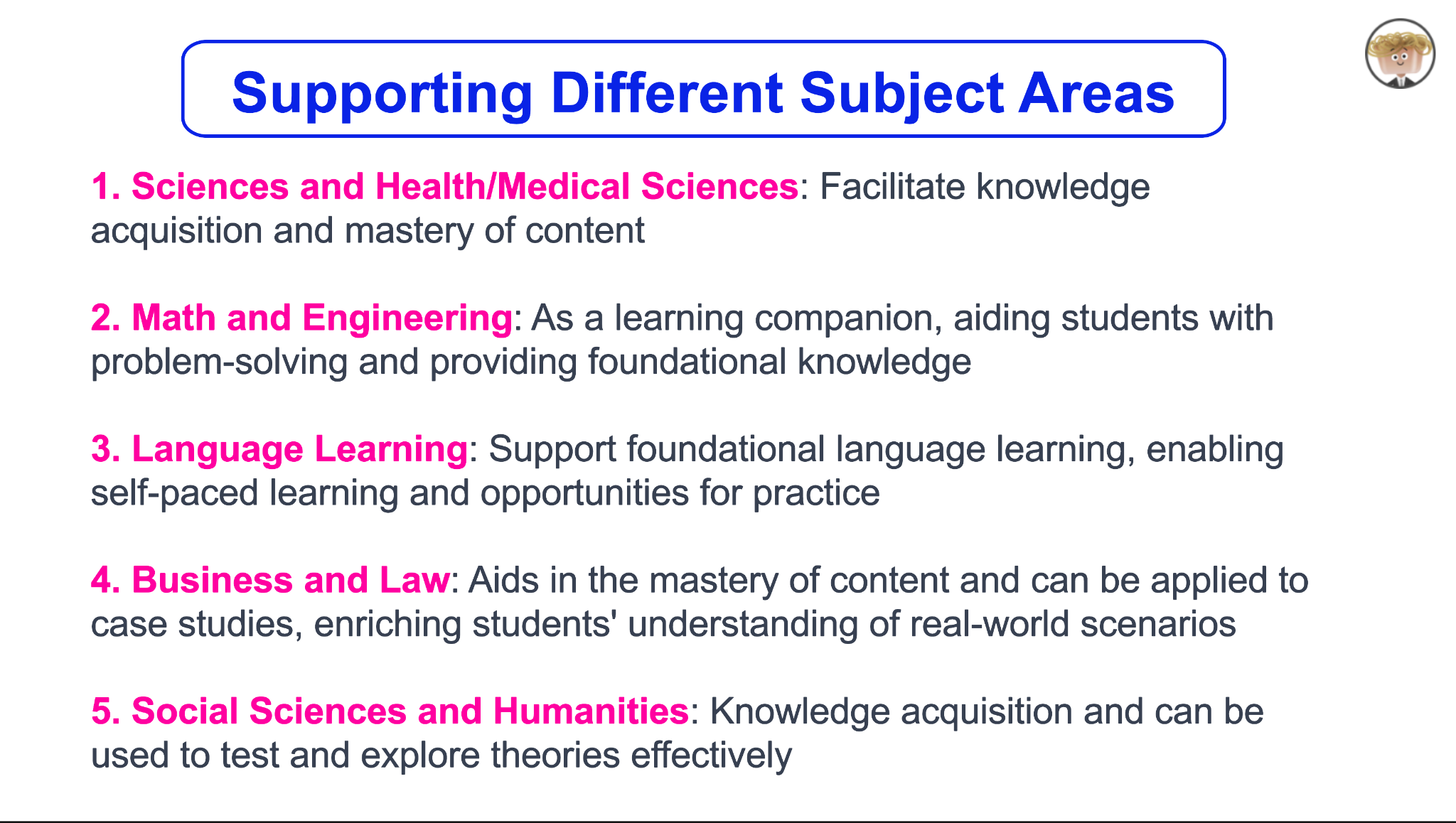
In today’s digital age, technology is a powerful ally in making education more accessible. One notable advancement is Text-to-Speech (TTS) technology, which transforms written text into spoken words. ReadSpeaker, a leading solution in this field, offers a variety of tools to enhance learning, creating a more accessible and engaging experience for all students.

Enhancing Accessibility

For students with visual impairments or reading disabilities such as dyslexia, TTS technology is a game-changer. ReadSpeaker enables these students to access and understand content more easily by converting text into audio. ReadSpeaker also allows users to select the reading language, speed and volume while simultaneously offering a variety of additional study tools to support student reading and writing.

ReadSpeaker Reading and Writing Support 

• Bimodal presentation improves comprehension by presenting information in visual and audio formats at the same time

• Reading tools, such as page mask and reading ruler, available for increased readability

• Dictionary lookup

• Multiple languages available for language fluency and multilingual learners

• Translation check and pronunciation of foreign words and phrases

Supporting Diverse Learning 

ReadSpeaker helps students with diverse needs by providing an alternative method of consuming information. TTS allows students to listen to content while following along, enhancing engagement and retention. ReadSpeaker offers voice for any content, including courses, PDFs, ebooks, web research, training materials, quizzes, OCR images, STEM content and more. Learners enjoy a more immersive reading experience, resulting in greater comprehension, increased self-confidence, and improved academic performance. 

ReadSpeaker and Universal Design for Learning  

The Universal Design for Learning (UDL) framework was developed by CAST to enhance course design to meet the needs of diverse learners. Based on learning science, the UDL framework guides the design of instructional goals, assessments, methods, and materials to meet the individual needs of each student. A champion of UDL for many years, ReadSpeaker provides easy-to-access and easy-to-use text-to-speech for any content on any device and can be used individually or seamlessly integrated into learning platforms or LMSs. ReadSpeaker’s speech-enabled learning tools align with UDL principles by providing visual and auditory alternatives, allowing students to engage with and absorb content in multiple ways according to their needs.  Learn more about ReadSpeaker and UDL here.

Supporting Multilingual Education

In increasingly diverse classrooms, language barriers can pose significant challenges. ReadSpeaker offers multilingual support, allowing students to hear text in their native language or practice new languages. This feature is particularly beneficial for non-native speakers who might find reading in a second language daunting. By listening to the pronunciation and intonation, students can improve their language skills more naturally and effectively.

Second Language Learning: How Text to Speech Can Help https://www.readspeaker.com/blog/second-language-learning/

Enhancing Focus and Reducing Cognitive Load

Reading large amounts of text can be overwhelming, especially for students with attention deficit disorders. TTS technology helps reduce the cognitive load by allowing students to listen to text in addition to reading it. ReadSpeaker’s learning tools, such as highlighting text as it reads aloud, improve student focus, comprehension, and engagement with the content.

Making STEM content engaging and interactive

How does text-to-speech support a student who needs to hear math expressions in class and when working at home? Not every TTS system can accurately read mathematical symbols, and many aren’t set up to understand the code that presents math digitally. ReadSpeaker’s advanced math-reading tools remove this barrier to access by providing accurate audio versions of mathematical expressions and text at once with some of the most lifelike AI voices available.

Improve STEM Accessibility With Text to Speech for Math

https://www.readspeaker.com/blog/readspeaker-launches-web-based-math-audio-reader-for-publishers-to-make-their-educational-content-more-accessible/

Accommodations and Assessments

ReadSpeaker’s text-to-speech solutions provide improved digital accessibility to various populations of learners, including those with learning disabilities, visual impairment, or literacy challenges. TTS tools can be integrated into a secure learning environment or e‑­assessment platform, even in locked browsers and proprietary proctoring systems. This capability allows instructors and administrators to better address the diverse needs of students while more easily meeting accessibility accommodation requirements.

Easily speech-enable assessments

LMS Integration

ReadSpeaker for LMS provides text-to-speech plugins and audio-enhanced learning tools that can be easily integrated into any LMS. The ReadSpeaker Listen icon will appear in the course window. The learner can then choose whether to activate the ReadSpeaker tools or not. When activated, the ReadSpeaker Listen button can be moved to wherever the learner prefers. The cloud-based solutions ensure that when course content is updated, it is immediately speech-enabled.

By supporting students with disabilities, accommodating diverse learning styles, promoting inclusion, facilitating multilingual education, and enhancing focus, ReadSpeaker helps create a more equitable learning environment. Embracing such technologies can ensure that every student has the opportunity to succeed and realize their individual goals.

For more information or to set up a personalized demo for your institution, email us at education@readspeaker.com or visit www.readspeaker.com/education

About Rachelle’s blog

Contact Rachelle to schedule sessions about Artificial Intelligence, Coding, AR/VR, and more for your school or your event! Submit the Contact Form.

Follow Rachelle on Twitter(X) and Instagram at @Rdene915

**Interested in writing a guest blog for my site? Would love to share your ideas! Submit your post here. Looking for a new book to read? Find these available at bit.ly/Pothbooks

************ Also check out my THRIVEinEDU Podcast Here!

Join my show on THRIVEinEDU on Facebook. Join the group here.

TeachAid: Saving Time for Teachers

Guest post by laura steinbrink, posted in education

Teachers everywhere are aware of the effect AI is having on students and education in general. While that may bring back pencil and paper activities to help students do their own thinking, AI can offer teachers some much-needed help. Meet TeachAid, which can be, according to their website, “your AI teaching assistant. Time is precious. Spend it teaching! Let us handle the rest.” That appeals to me because there is never enough time in the day to plan engaging and effective lessons, grade student work, attend meetings, and have a life outside of school. Anything that saves me time is worth a try, and the more I look over what Teach Aid can do, the bigger fan of it I become. I have been teaching for 28 years, and while the formative and summative assessments are pre-planned each year, creating the path to those assessments is up to me. After exploring Teach Aid, I believe it is a platform that can be of value to all teachers by providing actual units, activities, lessons, and learning targets. If nothing else, it can spark ideas for lesson activities.

TICKING AWAY THE MOMENTS THAT MAKE UP A DULL DAY

Teach Aid begins the AI unit creation by asking for specific unit information that will help them generate all the teaching materials needed to effectively teach your unit according to your local curriculum, including lesson plans, presentations, assignment descriptions, rubrics, and more. There are 5 steps to creating the unit:

  1. Basic Information
  2. Unit Timeline
  3. Final Assessment
  4. Customization
  5. Review

YOU FRITTER AND WASTE THE HOURS IN AN OFFHAND WAY

It only takes a few minutes, and then the magic happens. At each step of the way, you can edit or revise what is created before clicking for the AI to continue building the unit, lessons, activities, etc. It really is like magic. Things that might take me several minutes to think through appear before my eyes in seconds. The entire unit may take a few minutes, but it is incredibly fast, provides opportunities for editing, and creates everything needed for teaching the unit. The interactive slides have presenter notes on how to teach or conduct the activity. New teachers can have all the help they need with just a few clicks, and experienced teachers can find inspiration and fresh ideas for current units.

KICKING AROUND ON A PIECE OF GROUND IN YOUR HOMETOWN

Depending on where you live, Teach Aid may already have your state or country’s standards loaded into their system. If not, reach out to them so that they can begin to add them. There are also some limitations currently in the subjects available, depending on where you live, but I also expect this list to grow as the company grows. If what you need isn’t listed, you can still build a unit with standards from another state/country or subject to see what ideas you might get from what is created until your subjects or standards are added to those available. I demonstrated how Teach Aid worked for about 30 2nd year Missouri teachers, and I could hear minds exploding. Audible gasps. There are some content limitations currently. PE and art teachers were envious of teachers of the available subjects, but everyone was duly impressed with the speed, thoroughness, and quality of the units, lessons, activities, etc., produced. We were all impressed with the customization built into the unit creation process.

WAITING FOR SOMEONE OR SOMETHING TO SHOW YOU THE WAY

Even the lesson activity building allows for a lot of customization, even if you choose to have it auto-generated.

At this time, Teach Aid is free for teachers to use, and there is enough content there already for you to experience creating units even if your standards or subject matter has not been added yet. Do click the button to request the standards or subject you need, and then explore states or countries that are included and might be similar enough to what you need for you to develop and customize a unit, lesson, and/or activity.

So when you hear AI discussions going on in your building or department, remember Teach Aid and shed some light on the possibilities AI can provide to teachers. Time is a commodity that is in high demand for our profession, so anything that can free up time for us is a win. A no-brainer. Dive in.

HEADINGS ARE PARTIAL LYRICS FROM THE SONG, TIME, BY PINK FLOYD.

Connect with Laura via @SteinbrinkLaura on Twitter/X

Contact Rachelle to schedule sessions about Artificial Intelligence, Coding, AR/VR, and more for your school or event! Submit the Contact Form.

Follow Rachelle on Twitter(X) and Instagram at @Rdene915

**Interested in writing a guest blog for my site? Would love to share your ideas! Submit your post here. Looking for a new book to read? Find these available at bit.ly/Pothbooks

************ Also check out my THRIVEinEDU Podcast Here!

Join my show on THRIVEinEDU on Facebook. Join the group here.

Tips for Back-to-School

As we head back into our classrooms for a new school year, educators are thinking about class schedules, grading, lesson plans, school meetings, observations, and so much more. Getting back into the daily teaching schedule can be a challenge, especially after having the summer “off.”

However, many educators don’t take the summer off. Instead, they take advantage of the extra time to engage in professional learning. Whether by attending conferences, joining book studies, participating in online learning events, or even heading to their classroom to prepare for the new school year, being prepared for school is always on teachers’ minds. Having the summer off, even if only for a few weeks, is nice because it provides time to relax and recharge and also time to be better prepared than the year before.

No matter how many years of experience an educator has, a new school year can be stressful. I think it is important to start the year with goals and use our prior experiences to set clear focus points for ourselves and our students.

For many years, I remember conversations with colleagues about how they couldn’t sleep the night before the first day of school. Attributing it to being excited and nervous about starting a new school year and doing it right. In my experience, I always slept well and never really worried about being prepared for the first day of school. For me, it was always the second day and every day after that. For me, the first day of school was simply the time to introduce myself to students, talk about what they could expect in my class, and provide any materials they needed to take home for their families. I started each year with rules and procedures. Unfortunately, I did not realize that the content could wait. I should have placed more importance on creating a supportive classroom community and focusing on building relationships first. Now that I know better before the year starts, there are some questions that I ask myself:

Did I reflect enough on my teaching practice, and have I identified areas I want and need to work on?

Am I prepared with new ideas, whether different methods or digital tools, to bring into my classroom to help engage students in learning?

What are some ways that we can build relationships and get to know one another?

How can I create a welcoming classroom space that fosters creativity and curiosity for learning?

Many more questions cross my mind and likely cross the minds of educators everywhere. It comes down to thinking about and reflecting on what we learned about our practice and methods used during the past school year. What activities and methods have made an impact not only on student learning but also on building essential social-emotional learning (SEL) skills? Which methods or tools helped students feel more connected with their classmates and the content? Cultivating a learning environment where students have choices, feel comfortable, and become more confident amplifies their learning potential. It leads to a supportive classroom community.

As we head into a new school year, it is always the perfect time to try a few new ideas and see how the students respond and the impact on learning and then decide where to go from there. Teaching the content material is important, but finding ways to boost student engagement and foster the development of essential SEL skills is also important. With so many things to consider, I am choosing five focus points for starting the new school year:

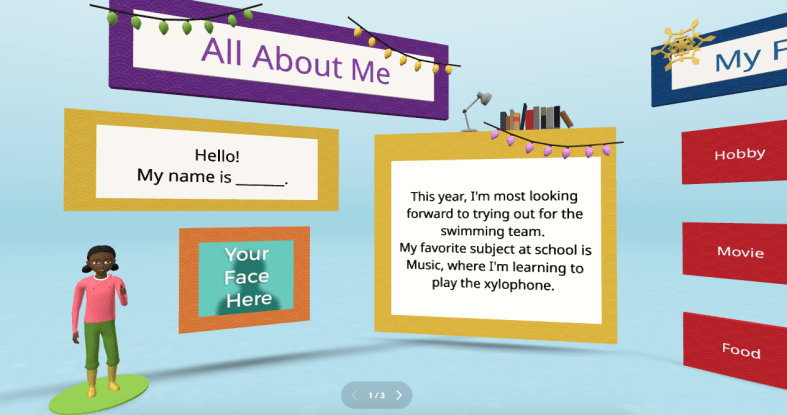
  • Build Relationships: Starting on day one, we need to get to know our students and let them get to know us, too. When we create opportunities for students to connect with each other and build a collaborative and supportive space, we will see how it positively impacts the learning that happens in our classroom. By starting with relationship building, we will create a space where students feel comfortable making mistakes and know they are supported by us and their peers. Creating a comfortable, supportive space is essential for learning. Have students create an “About Me” or use icebreakers to get to know each other and make sure that you participate too.
  • Set goals and reflect: At the start of the school year, have students set some goals for themselves in your class. Not just students it’s also important that we set goals for ourselves and share them with our students. When we do this together, we hold each other accountable and provide the support that we all need in our classroom space. We know the importance of SEL and by setting goals and reflecting on them throughout the year, we will be focusing on self-awareness and self-management in particular, which are essential for student learning and being prepared for the future. Provide some questions for reflection, such as: How do I think it went? What would I change? Are there areas that I can improve upon?
  • Create a community: Students need to know how to access resources for the class and to be able to connect with the teacher and classmates. It is important to set up a space or have a system for being able to communicate with students. Sending an email every Friday with a recap of the week, using a messaging app, or designing a class website are all good ways to create a learning community. Having a space where students can interact and access the resources they need to be successful is important, and we have definitely learned how essential it is after our experiences over the past couple of years. Another thing to consider is how to involve students more in the design of the learning experiences in the classroom and have them truly be a part of the learning community.
  • Promote collaboration: In preparing students for the future, we know that one of the essential skills they need is the ability to communicate and collaborate with others. Students need opportunities to do this in the classroom as well as in a virtual space. Using different methods, like station rotations, where students can work with peers, or through digital tools like Padlet, we can promote collaboration. Students can build content area skills while also building digital citizenship skills and SEL skills.
  • Foster creativity and curiosity for learning: When we create a learning environment where students feel welcomed and supported, they will feel more comfortable participating in class activities, interacting with their peers, and taking risks with learning. Provide students with different choices for creating and sharing what they have learned. Use methods like Genius Hour or PBL to spark curiosity and promote student-driven learning. Offer choices in digital tools that foster creativity, such as Book Creator, Canva, Genially, Storybird or Storyboard That.

Start the year with some focus areas and involve students in the discussion. Get their feedback, ask for ideas, and enjoy the learning process together. Don’t be afraid to take some risks with new ideas or tools. With new ideas, we can boost student engagement and creativity, spark curiosity for learning, and student needs and interests are better met.

About the Author:

Dr. Rachelle Dené Poth is a Spanish and STEAM: What’s Next in Emerging Technology Teacher at Riverview High School in Oakmont, PA. Rachelle is also an attorney with a Juris Doctor degree from Duquesne University School of Law and a Master’s in Instructional Technology. Rachelle received her Doctorate in Instructional Technology, and her research focus was on AI and Professional Development. In addition to teaching, she is a full-time consultant and works with companies and organizations to provide PD, speaking, and consulting services. Contact Rachelle for your event!

Rachelle is an ISTE-certified educator and community leader who served as president of the ISTE Teacher Education Network. By EdTech Digest, she was named the EdTech Trendsetter of 2024, one of 30 K-12 IT Influencers to follow in 2021, and one of 150 Women Global EdTech Thought Leaders in 2022.

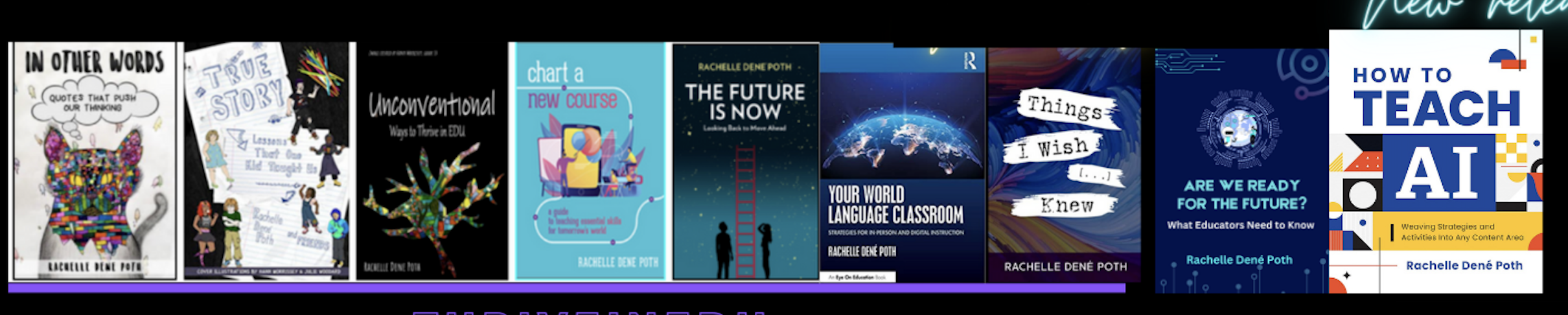
She is the author of nine books including ‘In Other Words: Quotes That Push Our Thinking,” “Unconventional Ways to Thrive in EDU,” “The Future is Now: Looking Back to Move Ahead,” “Chart A New Course: A Guide to Teaching Essential Skills for Tomorrow’s World, “True Story: Lessons That One Kid Taught Us,” “Things I Wish […] Knew” and her newest “How To Teach AI” is available from ISTE or on Amazon.

Contact Rachelle to schedule sessions about Artificial Intelligence, Coding, AR/VR, and more for your school or event! Submit the Contact Form.

Follow Rachelle on Twitter(X) and Instagram at @Rdene915

**Interested in writing a guest blog for my site? Would love to share your ideas! Submit your post here. Looking for a new book to read? Find these available at bit.ly/Pothbooks

************ Also check out my THRIVEinEDU Podcast Here!

Join my show on THRIVEinEDU on Facebook. Join the group here.

Collaborate with Walter, Your AI Teaching Assistant

In collaboration with Noodle Factory, all opinions are my own.

As an educator constantly seeking innovative methods to enhance learning and teaching, my exploration recently led me to an exciting platform: Noodle Factory. When I find a new tool, especially when it comes to AI, I love sharing my experiences so that other educators can get started.

It has been fun exploring its various options and, in particular, its standout features, such as Walter+, the AI teaching assistant designed for grades K through 12. Walter+ is designed to help educators enhance and transform the learning experiences they provide for students. Noodle Factory makes it easy to get started by providing guidance, being available for questions, and even doing a demo! For any educator wondering where to begin with AI in their classroom, I definitely recommend exploring Noodle Factory and seeing the impact on student learning. Giving students a chance to learn about and interact with AI is important.

Why AI in Education Matters

The integration of AI in education is reshaping how educators deliver the content and impacting how students engage with the material. With purposeful use and the right pedagogical practices, AI tools can assist educators in various ways. It can help to personalize learning, automate grading, and create engaging, interactive content while complementing traditional teaching methods. Noodle Factory provides tools that are not just innovative but also intuitive and effective for use in the classroom. Especially as educators seek more efficient ways to deliver instruction and provide feedback to students, knowing how to leverage the power of AI is key. Noodle Factory offers innovative tools that enhance both learning and teaching processes.

First Experiences with Noodle Factory

When I first started with Noodle Factory, I was quite surprised by how easy it was to generate personalized learning resources for students. By uploading some of my teaching materials onto the platform, I saw how Walter+ tailored these resources into personalized learning experiences. I was impressed with its AI-driven dialogue system, which engages students in meaningful conversations and helps enhance their overall comprehension and retention of the content.

Using AI-powered tools such as Walter+ to create personalized learning experiences has been a game changer. I uploaded my teaching materials and waited briefly while Walter transformed them into interactive, engaging learning modules specific to my students’ needs. Noodle Factory’s ability to generate context-aware conversation flows and also, its ability to provide multilingual support enables educators to effectively reach students coming from different language backgrounds.

My favorite Noodle Factory Features

There are great features in Noodle Factory that will significantly impact teaching and students’ learning:

AI-driven Personalized Learning: Walter+ adapts to each student’s learning pace, helping to promote a more inclusive and effective learning environment.

We know that in order to accommodate students’ diverse learning needs, we have to understand where they are in the learning process and provide authentic, meaningful, and timely feedback. When this is possible in real-time, teachers can adjust, and each student can receive tailored educational experiences, which we know is crucial for learning. It provides students with instant, constructive feedback, which is key to fostering their academic growth.

Automated Grading and Feedback: We know that grading can take a great deal of time, especially when providing specific feedback for students. With Noodle Factory, educators can save time and provide students with immediate, actionable feedback, helping them understand their strengths and areas for improvement. This, of course, means that teachers can spend more time working directly with students, too!

Engaging and Interactive Content Creation Tools: With the various options available, I am able to boost student engagement. Noodle Factory’s tools enable me to transform traditional lessons into more interactive sessions that spark students’ interest and foster deeper learning. Student engagement, which can be a challenge, is now an area that we can boost because of the tools available to us.

Results: Positive Impact on Teaching and Learning!

By using Noodle Factory, educators will see a boost in student engagement and learning performance. Noodle Factory helps with our productivity through its features, such as automated grading and real-time insights into students’ progress. Being able to grab a quick glimpse into where students are in the learning journey is so helpful for targeting our instruction as needed. Gathering feedback from students is also important as it helps us to know what works for them and how to enhance their learning experiences. It also assists with providing a personalized approach through an interactive learning environment.

The real-time performance tracking and flexible assessment modules help teachers tailor their teaching strategies in real time to best meet individual student needs. Give Noodle Factory a try today and see the impact it makes in your classroom, for students, and for your work as an educator!

Interested in experiencing this transformative tool? Great news! I’m offering an exclusive code for my readers to try the premium plan (Educator Plus) on Noodle Factory. Discover how Walter+ can enhance your teaching and provide your students with an unmatched educational experience. And be sure to let me know how it goes for you!

P.S. Check out my podcast episode, where I chat with the Co-Founders of Noodle Factory Yvonne and Jim! Listen here!

About the Author:

Dr. Rachelle Dené Poth is a Spanish and STEAM: What’s Next in Emerging Technology Teacher at Riverview High School in Oakmont, PA. Rachelle is also an attorney with a Juris Doctor degree from Duquesne University School of Law and a Master’s in Instructional Technology. Rachelle received her Doctorate in Instructional Technology, and her research focus was on AI and Professional Development. In addition to teaching, she is a full-time consultant and works with companies and organizations to provide PD, speaking, and consulting services. Contact Rachelle for your event!

Rachelle is an ISTE-certified educator and community leader who served as president of the ISTE Teacher Education Network. By EdTech Digest, she was named the EdTech Trendsetter of 2024, one of 30 K-12 IT Influencers to follow in 2021, and one of 150 Women Global EdTech Thought Leaders in 2022.

She is the author of nine books including ‘In Other Words: Quotes That Push Our Thinking,” “Unconventional Ways to Thrive in EDU,” “The Future is Now: Looking Back to Move Ahead,” “Chart A New Course: A Guide to Teaching Essential Skills for Tomorrow’s World, “True Story: Lessons That One Kid Taught Us,” “Things I Wish […] Knew” and her newest “How To Teach AI” is available from ISTE or on Amazon.

Contact Rachelle to schedule sessions about Artificial Intelligence, Coding, AR/VR, and more for your school or your event! Submit the Contact Form.

Follow Rachelle on Twitter(X) and Instagram at @Rdene915

**Interested in writing a guest blog for my site? Would love to share your ideas! Submit your post here. Looking for a new book to read? Find these available at bit.ly/Pothbooks

************ Also check out my THRIVEinEDU Podcast Here!

Join my show on THRIVEinEDU on Facebook. Join the group here.

Start the New School Year with Nous AI from MatataStudio!

In collaboration with MatataStudio EDU, Opinions are my own

The Nous AI Set is one of MatataStudio’s standout products. I have used all of their other great products in my classroom and have been amazed by what you can do with the Nous Set!

I had a chance to stop by their booth while attending and presenting at ISTE 2024 in Denver. It was awesome to see all of their fabulous products for students of all ages! It was also great to speak with their amazing team and learn about the options and new resources that are coming from MatataStudio for students! Thank you, Vivian!

[At the booth during ISTE, so many awesome learning resources to explore!]

Nous AI is designed to provide students with an understanding of artificial intelligence (AI) and enable them to build their knowledge through the various activities they can choose from and complete independently! What makes Nous different is its modular design. Students can choose how to design it, which allows it to support a variety of AI technologies and functions. Students can learn about machine learning, neural networks, machine vision, speech recognition, and autonomous driving capabilities, and more. It also offers tools like MatataChat and a range of other AI applications that are available right on its touchscreen.

The robot comes with a metal structure, and it is also compatible with building block structures, so it is a versatile tool for boosting creativity and problem-solving in its assembly and through robotics projects. The expandable electronic module system allows students to customize and enhance their projects, fostering a sense of ownership and creativity and leading to more authentic learning. Whether it’s programming with graphical interfaces or diving into Python programming, the Nous AI Set provides students with a comprehensive platform to explore the world of AI and have fun while doing so.

Engaging in Design and Engineering Thinking

What I appreciate about the Nous AI Set is how it encourages students to engage in design and engineering thinking, which helps them develop a greater interest in the learning process. In my classroom, I’ve seen students become deeply involved in designing, building, and testing their projects. A hands-on approach to learning is essential for developing critical thinking and problem-solving skills, which are crucial for future careers in STEM fields and beneficial in so many areas.

The Nous AI Set allows students to iterate on their designs, test different solutions, and refine their projects as they go. This iterative process is key to helping students build essential skills such as resilience and problem-solving. When students learn to view challenges as opportunities for growth rather than as obstacles, it provides them with skills that will benefit them now and as they prepare for the future. By focusing on the learning process rather than just the final product, students develop a deeper understanding of the principles of engineering and design.

Why should you explore Nous AI?

The Nous AI Robot is a transformative tool for STEAM education and works well in any classroom. MatataStudio offers options for each grade band and provides educators with a comprehensive and engaging way to teach AI and coding to all students. Its modular design, dual programming capabilities, and extensive learning resources make it suitable for students of varying skill levels and interests.

There are many possibilities, and with the Nous AI Set, we can help better prepare students for the future. As an educator who has seen the great impact on student collaboration in building the robot and the ideas that students generated, I recommend the Nous AI Robot for any classroom looking to incorporate AI and robotics into their curriculum, especially as a fun, impactful way to start a new school year! And explore new ideas and challenges throughout the year.

Whether you have years of experience or are new to teaching AI and coding, the Nous AI Robot provides the tools and resources to create a dynamic and interactive learning environment. The focus on hands-on learning and building connections to real-world applications ensures that students not only learn but also experience the exciting world of AI and robotics. There are so many tutorials available to help educators and students get started!

Real-World Applications

The Nous AI Robot is not just a learning tool; it also provides students with insights into real-world AI applications. For example, students can dive in and learn about AI through its activities focused on image recognition, speech recognition, and autonomous driving. Students can see how AI technologies are used in everyday life. These opportunities help students see the relevance of what they are learning, and hopefully, it will inspire them to pursue careers in AI and technology. It is so easy to use with its programmable touchscreen, which sparks curiosity for learning!

Project-based learning (PBL) is a great way to engage students in authentic, meaningful, and real-world learning. It is an essential component of the Nous AI curriculum. Students engage in projects that require them to build and then apply their knowledge of AI, programming, and engineering. The projects help reinforce AI concepts through practical application, which makes learning more effective, memorable, and fun for all students!

The Right Resources for Educators

MatataStudio doesn’t just provide innovative tools—they also offer fantastic learning resources to support educators and students. Educators can access online tutorials and curriculum guides, and various professional development resources are available. MatataStudio ensures that educators have everything they need to effectively integrate the Nous AI Set into their classrooms. These resources are invaluable in helping educators guide their students through the various functionalities of the robot, ensuring a comprehensive understanding of AI and programming.

I had a chance to explore these guides, and everything educators need to get started is available!

The curriculum guides provided by MatataStudio align with CSTA (Computer Science Teachers Association) and ISTE (International Society for Technology in Education) standards, as well as the 5 Big Ideas in AI, ensuring that the content is relevant and aligned with best practices in education.

As a STEAM educator who greatly values bringing STEM to all classrooms and learning about AI, I appreciate the resources provided because they are incredibly helpful for educators who want to plan and deliver lessons that are engaging and educational for all students.

With these options, educators don’t have to worry about spending a lot of time looking for the right resources and lessons to dive in. MatataStudio provides everything you need to get students started and let them take the lead! Create and innovate in our classrooms!

About the Author:

Dr. Rachelle Dené Poth is a Spanish and STEAM: What’s Next in Emerging Technology Teacher at Riverview High School in Oakmont, PA. Rachelle is also an attorney with a Juris Doctor degree from Duquesne University School of Law and a Master’s in Instructional Technology. Rachelle received her Doctorate in Instructional Technology, and her research focus was on AI and Professional Development. In addition to teaching, she is a full-time consultant and works with companies and organizations to provide PD, speaking, and consulting services. Contact Rachelle for your event!

Rachelle is an ISTE-certified educator and community leader and served as president of the ISTE Teacher Education Network. She was named the EdTech Trendsetter of 2024 by EdTech Digest, one of 30 K-12 IT Influencers to follow in 2021, and one of 150 Women Global EdTech Thought Leaders in 2022.

She is the author of nine books including ‘In Other Words: Quotes That Push Our Thinking,” “Unconventional Ways to Thrive in EDU,” “The Future is Now: Looking Back to Move Ahead,” “Chart A New Course: A Guide to Teaching Essential Skills for Tomorrow’s World, “True Story: Lessons That One Kid Taught Us,” “Things I Wish […] Knew” and her newest “How To Teach AI” is available from ISTE or on Amazon.

Contact Rachelle to schedule sessions about Artificial Intelligence, Coding, AR/VR, and more for your school or your event! Submit the Contact Form.

Follow Rachelle on Twitter(X) and Instagram at @Rdene915

**Interested in writing a guest blog for my site? Would love to share your ideas! Submit your post here. Looking for a new book to read? Find these available at bit.ly/Pothbooks

Connecting your classroom to home

Building a strong home-to-school partnership with families is important throughout the school year. Students need to have consistent support both in and out of the classroom, and the best way to achieve this is by establishing relationships between the school community and the families and students that we support. I start the year by emailing families and students using our gradebook messaging system. I introduce myself and share my excitement for the new school year, provide some resources that we will use in class, and make sure that families know that I am available to support them and my students. Many times I receive an email from families right away and it is great to start forming those connections and learning about my students and their families.

Why the home-to-school partnership is essential

We want to engage families in their children’s day-to-day learning experiences. Establishing consistent collaboration with families will help us cultivate an environment for learning at home and at school.

Continue reading the rest of this article on Edutopia.

About the Author:

Dr. Rachelle Dené Poth is a Spanish and STEAM: What’s Next in Emerging Technology Teacher at Riverview High School in Oakmont, PA. Rachelle is also an attorney with a Juris Doctor degree from Duquesne University School of Law and a Master’s in Instructional Technology. Rachelle received her Doctorate in Instructional Technology, and her research focus was on AI and Professional Development. In addition to teaching, she is a full-time consultant and works with companies and organizations to provide PD, speaking, and consulting services. Contact Rachelle for your event!

Rachelle is an ISTE-certified educator and community leader and served as president of the ISTE Teacher Education Network. She was named the EdTech Trendsetter of 2024 by EdTech Digest, one of 30 K-12 IT Influencers to follow in 2021, and one of 150 Women Global EdTech Thought Leaders in 2022.

She is the author of nine books including ‘In Other Words: Quotes That Push Our Thinking,” “Unconventional Ways to Thrive in EDU,” “The Future is Now: Looking Back to Move Ahead,” “Chart A New Course: A Guide to Teaching Essential Skills for Tomorrow’s World, “True Story: Lessons That One Kid Taught Us,” “Things I Wish […] Knew” and her newest “How To Teach AI” is available from ISTE or on Amazon.

Contact Rachelle to schedule sessions about Artificial Intelligence, Coding, AR/VR, and more for your school or your event! Submit the Contact Form.

Follow Rachelle on Twitter(X) and Instagram at @Rdene915

**Interested in writing a guest blog for my site? Would love to share your ideas! Submit your post here. Looking for a new book to read? Find these available at bit.ly/Pothbooks

************ Also check out my THRIVEinEDU Podcast Here!

Join my show on THRIVEinEDU on Facebook. Join the group here

Dear Stressed Me

Guest post by Dr. Amy Mathews-Perez, a Director of Special Programs in a public school in Central Texas. Connect with Amy on X (formerly Twitter) at @drgrowtoknow, on Facebook at DrAmy MP, or at her website dramyperez.com

I’m wondering how you read the title of this blog. Did you read it as Dear, Stressed Me (self pity-ish) or as the beginning of a letter? Either way works (and both apply at some point or another for all of us, right?) and serve as an opportunity to self-reflect on why you read it that way. The intention was that the title is the beginning of a note – to yourself.

We all get stressed out, no doubt. Stress is not a selective force – it impacts every one of us in different ways, at different times, for different reasons, for different lengths of time, and with different results/responses. If you have spent time reflecting, you’ve probably figured out (or are figuring out) how to talk yourself through these stressful times. There is a popular quote by Zig Ziglar: “The most influential person you will talk to all day is you.” There are also many varieties of this message floating around, but the point is the same: Self-talk is powerful.

The hard part about self-talk is easy to identify: judgment. We second guess ourselves, we feel silly, we want to do it “right.” However, I want to make you aware of two important things related to self-talk: (1) You already talk to yourself, whether out loud or just in your head -or both for some of us. When it is instinctive, we don’t pause to evaluate it, we just do it. Whether we are pumping ourselves up to do something challenging (EX: A job interview), calming ourselves down to get through something difficult (EX: Getting pulled over) or celebrating our success in getting something accomplished (EX: We got the job?). Here is your challenge: pay attention next time it happens, and then add to it with an intentional, positive phrase. The second thing I want to make you aware of is this: (2) There is no “right” or “perfect” way to do self-talk. You know yourself – or are learning about yourself. We figure out if we need a voice of rant, rage, encouragement, empowerment, cheer (or all of these). Some of us need a pep-talk, some of us need to be reminded to live up to our potential, some of us need to be remotivated with goals, some of us need a “no-excuses” approach, and some of us need empathy during times of stress.

We live, we learn; we stress, we recover; we breathe and continue going forward in learning.

Understanding the value of positive talk, encouragement and kindness, imagine if you could facilitate a positive outcome for someone else that is going through a stressful time. This blog provides a method for you to do that. Originally intended for leaders in work settings, this activity can be done with any group or person you choose.

Whatever your relationship (leader, friend, co-worker, etc.) I’m going to assume that you want to help others be their best; you do your best to meet the needs of others. There will be times when your support will be effective & that is awesome. However, other times, a person’s “self-talk” support can be more helpful than our support. A common situation we all face is that we get so busy we don’t take the time to think about motivating ourselves or others, much less by writing it down. So, here is an activity that capitalizes on creating that opportunity for others: it honors each person’s self-awareness/knowledge and allows you to support each person individually during stressful times. This is an activity that I’ve done with my staff for three years in a row and it has had multiple positive outcomes every time.

You pick the “Who” & the “When.”. Here is the “How” (then we’ll visit the benefits):

  • Give each person a blank note card & envelope. (have each person seated away from each other)
  • Have the person write their name on the envelope.
  • Ask each person to write themselves a “Dear Stressed Me” note. Assure them that this is 100% confidential; NO ONE will read their note.
  • Once they each complete the note, have them put it in the envelope that they put their name on – and seal the envelope.
  • Collect the envelopes and put them in a place you’ll remember.
  • During the school year, when you notice that one of those people is stressed out, hand-deliver their note to them. (If you want to give them a treat when you do that, that typically brings a smile; a Sonic drink, candy bar, favorite pen, etc., but this is not foundational to this activity)
  • When they say, “Thank you” (they typically do) you can respond with something like: “Don’t thank me, thank yourself.”

What they are really thanking you for is “seeing” them; acknowledging them, and showing care about them being stressed. Done with authenticity, this can build relationships, ease stress, and create a moment to take a breath. As an added benefit, it promotes the value of you being in tune with each person because YOU are going to give each person their own note….at a time that you notice they need it. Notice a need, share your care, and build resiliency.

I believe in positive intent, and I’m passionate about empowering and encouraging others. I hope that this has provided an easy action you can take, and, equally importantly, I hope you take time to validate yourself for the hard work you’ve done, the progress you’ve made, and your willingness to learn. If you use this activity & would like to share your outcomes, I’d appreciate the opportunity to connect. dramymp@gmail.com or on X @drgrowtoknow.

About Amy

Texas-born & raised, Amy is in her 32nd year of serving public education. General Ed. Teacher, SLP, Diagnostician, SPED Supervisor, Assistant Principal, Principal, and Director of Special Education are roles she’s held. She is the CEO of Making Education Special for All (M.E.S.A), an LLC dedicated to training, facilitation, consultation, and speaking engagements that revolve around information, motivation, and insights on why and how to make education special for all stakeholders. Her passions are communication, joy, authenticity, and empowerment. “Life is short but our influence is never-ending,” and Amy is committed to connecting with others through service and smiles.

Rachelle’s blog

Dr. Rachelle Dené Poth is a Spanish and STEAM: What’s Next in Emerging Technology Teacher at Riverview High School in Oakmont, PA. Rachelle is also an attorney with a Juris Doctor degree from Duquesne University School of Law and a Master’s in Instructional Technology. Rachelle received her Doctorate in Instructional Technology, and her research focus was on AI and Professional Development. In addition to teaching, she is a full-time consultant and works with companies and organizations to provide PD, speaking, and consulting services. Contact Rachelle for your event!

Rachelle is an ISTE-certified educator and community leader who served as president of the ISTE Teacher Education Network. By EdTech Digest, she was named the EdTech Trendsetter of 2024, one of 30 K-12 IT Influencers to follow in 2021, and one of 150 Women Global EdTech Thought Leaders in 2022.

She is the author of nine books including ‘In Other Words: Quotes That Push Our Thinking,” “Unconventional Ways to Thrive in EDU,” “The Future is Now: Looking Back to Move Ahead,” “Chart A New Course: A Guide to Teaching Essential Skills for Tomorrow’s World, “True Story: Lessons That One Kid Taught Us,” “Things I Wish […] Knew” and her newest “How To Teach AI” is available from ISTE or on Amazon.

Contact Rachelle to schedule sessions about Artificial Intelligence, Coding, AR/VR, and more for your school or your event! Submit the Contact Form.

Follow Rachelle on Twitter(X) and Instagram at @Rdene915

**Interested in writing a guest blog for my site? Would love to share your ideas! Submit your post here. Looking for a new book to read? Find these available at bit.ly/Pothbooks

************ Also check out my THRIVEinEDU Podcast Here!

Join my show on THRIVEinEDU on Facebook. Join the group here.

A look back at AI in education


A slight update of my first post on AI in 2018. Image above generated by AI.
 

Over the past seven years, I have focused on learning more about artificial intelligence. Initially I thought I understood the meaning of  AI. But I did not.

In early 2018, I noticed that AI was becoming an increasingly popular topic of discussion in the blogs that I was reading and in social media posts. When I first started thinking of AI, I had a flashback to the 2004 movie I, Robot, which starred Will Smith. In the movie, set in 2035, robots filled public service positions and were able to think like humans and take action. Then, I thought about virtual assistants such as Alexa and Siri. But what is AI, and how do we use it daily?

What is AI?

A quick Google search turns up more than 615 million results. AI is computer code that displays some form of intelligence, learning and problem-solving in what has been referred to as a “super intelligence.” AI “learns” on its own, and makes adjustments and improvements based on past iterations. As AI becomes “smarter,” its knowledge base grows, and it is able to complete more tasks. Digging a little deeper, I found #AskAboutAI, a research project launched by Getting Smart, which identified over 100 applications of AI.

Shehzad Najib, CEO and co-founder of Kinteract, told me a few years ago: “You shouldn’t notice that AI is working. You should notice that life is easier and you’re saving time.”

Keep that in mind. Here are a few ways that we interact with AI daily:

  • Communication: We all use email and receive a lot of spam. AI is used to streamline the amount of spam allowed through filters, and it continues to learn over time as you mark items as spam.
  • Travel: If you use driving apps such as Uber or Lyft, you have experienced machine learning, a form of AI that determines your estimated arrival time. In the airline industry, “human-steered” flight time is estimated to be about seven minutes, leaving the rest to autopilot, which is AI.
  • Social networks: Most people are engaging in some form of social media use. Years ago, Facebook shared results of how AI successfully detects spam but was not as successful at detecting hate speech or cyberbullying. When photos are used in social media, AI uses facial detection to suggest a name for photo tagging. If you’ve wondered how it recognizes your friends and family without even typing a name into the platform. It learns over time.
  • Shopping: Many people use Amazon and similar services. They are quite helpful, and who doesn’t appreciate it when suggestions are provided for other items of interest? AI analyzes your prior data and makes decisions based on your preferences over time.
  • Fraud protection: When making purchases online or in person, systems analyze your purchasing trends and locations and can immediately flag and send alerts for unusual transactions.

Were you familiar with all of these AI uses? Thinking back to Shehzad’s statement, these do save time and often go unnoticed because they are just performing what they have been programmed to do.


What can AI do for education?

One of the most interesting articles that I read during my initial research, came from an article in Forbes, which highlighted 10 ways to use AI in education. Looking at these, how much has changed? Remember, this article is from nearly 10 years ago, which was the original post before its update in 2017.

  1. AI can automate basic activities in education, such as grading.
  2. Educational software can be adapted to student needs.
  3. AI can point out places where courses need improvements.
  4. AI tutors can help support students.
  5. AI-driven programs can give students and educators helpful feedback.
  6. AI is altering how we find and interact with information.
  7. AI could change teachers’ roles.
  8. AI can make trial-and-error learning less intimidating.
  9. Data powered by AI can change how schools find, teach, and support students.
  10. AI could change where students learn, who teaches them, and how students acquire basic skills.

Regardless of the technology we choose to explore and use in education, we have to focus on the technology’s purpose. What are the benefits of using AI? Is it practical to use AI?

Time is always a consideration, and when it comes to providing authentic, meaningful, and personalized learning experiences for our students, we need to make the most of it. AI can make an impact here.

For example, students and teachers can connect and have instant access to resources that meet their specific needs. AI will make decisions based on responses and interactions.

AI can save teachers time in grading and help to provide differentiated instruction that adjusts as students continue to work through class materials. AI analyzes data faster, so teachers can act on it faster and, again, have more time to work with students.

We must actively explore the resources that are being shared in the education world today. There are many blogs, books, podcasts, webinars, and other learning opportunities for educators.  We have so many digital tools available to choose from. Have fun exploring but be mindful of not just the possibilities, but always focus on our responsibilities as educators. 

If you want to learn more, check out recent Edutopia and Getting Smart blogs. Many AI books are available, including my recent book. Keep on learning and growing, and don’t be afraid of not being the expert. We are all learning as we go!

About the Author:

Dr. Rachelle Dené Poth is a Spanish and STEAM: What’s Next in Emerging Technology Teacher at Riverview High School in Oakmont, PA. Rachelle is also an attorney with a Juris Doctor degree from Duquesne University School of Law and a Master’s in Instructional Technology. Rachelle received her Doctorate in Instructional Technology, and her research focus was on AI and Professional Development. In addition to teaching, she is a full-time consultant and works with companies and organizations to provide PD, speaking, and consulting services. Contact Rachelle for your event!

Rachelle is an ISTE-certified educator and community leader who served as president of the ISTE Teacher Education Network. By EdTech Digest, she was named the EdTech Trendsetter of 2024, one of 30 K-12 IT Influencers to follow in 2021, and one of 150 Women Global EdTech Thought Leaders in 2022.

She is the author of nine books including ‘In Other Words: Quotes That Push Our Thinking,” “Unconventional Ways to Thrive in EDU,” “The Future is Now: Looking Back to Move Ahead,” “Chart A New Course: A Guide to Teaching Essential Skills for Tomorrow’s World, “True Story: Lessons That One Kid Taught Us,” “Things I Wish […] Knew” and her newest “How To Teach AI” is available from ISTE or on Amazon.

Contact Rachelle to schedule sessions about Artificial Intelligence, Coding, AR/VR, and more for your school or your event! Submit the Contact Form.

Follow Rachelle on Twitter(X) and Instagram at @Rdene915

**Interested in writing a guest blog for my site? Would love to share your ideas! Submit your post here. Looking for a new book to read? Find these available at bit.ly/Pothbooks

************ Also check out my THRIVEinEDU Podcast Here!

Join my show on THRIVEinEDU on Facebook. Join the group here.
*

Effective Professional Development on AI

Over the past few years, we have seen many changes in education. We live in an increasingly digital world that involves rapid technological advancements through emerging technologies such as artificial intelligence (AI). The technologies are not only impacting our lives as educators, but they are impacting the world of work our students will enter.

To best prepare our students, educators must constantly adapt and evolve to keep up with these changes. However, there are challenges when it comes to these technologies: a lack of professional learning opportunities, not enough time to participate, and uncertainty about the best options for learning. Bringing in new technology can also feel like adding to an already overflowing plate.

Beyond the basic technology skills that educators need for every day teaching, they also need to be knowledgeable about emerging technologies, particularly AI, and how to bring them into their classrooms. With these technologies impacting our work, especially with the capabilities of AI to generate content and concerns about the impact of this technology on our work, it is essential that educators receive training. Over the past five years, my work has focused on collaborating with teachers to get them started with emerging technology including, more recently, AI. Here are some things that work when designing AI-related professional learning.

AI professional development for educators

Professional development focused on implementing classroom technology goes beyond simply training educators to use it and apply it to their curriculum. It requires rich and personalized learning experiences that will engage educators and enable them to see the possibilities for amplifying learning through educational technology.

Continue reading the original post via Edutopia

About the Author:

Dr. Rachelle Dené Poth is a Spanish and STEAM: What’s Next in Emerging Technology Teacher at Riverview High School in Oakmont, PA. Rachelle is also an attorney with a Juris Doctor degree from Duquesne University School of Law and a Master’s in Instructional Technology. Rachelle received her Doctorate in Instructional Technology, and her research focus was on AI and Professional Development. In addition to teaching, she is a full-time consultant and works with companies and organizations to provide PD, speaking, and consulting services. Contact Rachelle for your event!

Rachelle is an ISTE-certified educator and community leader who served as president of the ISTE Teacher Education Network. By EdTech Digest, she was named the EdTech Trendsetter of 2024, one of 30 K-12 IT Influencers to follow in 2021, and one of 150 Women Global EdTech Thought Leaders in 2022.

She is the author of nine books including ‘In Other Words: Quotes That Push Our Thinking,” “Unconventional Ways to Thrive in EDU,” “The Future is Now: Looking Back to Move Ahead,” “Chart A New Course: A Guide to Teaching Essential Skills for Tomorrow’s World, “True Story: Lessons That One Kid Taught Us,” “Things I Wish […] Knew” and her newest “How To Teach AI” is available from ISTE or on Amazon.

Contact Rachelle to schedule sessions about Artificial Intelligence, Coding, AR/VR, and more for your school or your event! Submit the Contact Form.

Follow Rachelle on Twitter(X) and Instagram at @Rdene915

**Interested in writing a guest blog for my site? Would love to share your ideas! Submit your post here. Looking for a new book to read? Find these available at bit.ly/Pothbooks

************ Also check out my THRIVEinEDU Podcast Here!

Join my show on THRIVEinEDU on Facebook. Join the group here.
Nous AI Set: A Transformative Tool for Middle School STEAM Education

In collaboration with MatataStudio EDU, All opinions are my own

When it comes to STEAM courses (Science, Technology, Engineering, Arts, Mathematics), especially in the past year and a half, the integration of artificial intelligence (AI) and robotics has increased. AI can no longer be thought of as a passing fad or trend; instead, it is a necessity for students in all classrooms.

For many years, I didn’t think I could bring these opportunities to my students; however, I have realized that to best prepare all students, every educator needs to include activities that help students develop their skills in these growing areas.

As a Spanish and STEAM teacher, I bring in a variety of learning experiences for all students to engage in innovative learning opportunities. Over the past three years, we have really enjoyed working with the robots and coding resources from MatataStudio, and we were thrilled to get the newest model, the Nous AI Set! My motivation for selecting this was the focus on AI, one of my key areas of interest for the past seven years! I also love seeing how students respond to the new tools we use, how they dive in and collaborate, and what they create! Remember, we just need to get them started and then see where the learning journey takes them and learn from their experiences, too!

With Matata, we started by testing the Tale-Bot Pro, VinciBot, and now Nous AI Set. What I value the most is that there are tools for all learners of all levels. Even though I teach an 8th-grade STEAM class, we still explore the different robots to understand the students’ learning experience. Now, we are excited about the Nous AI Set and the variety of ways you can build and learn from it!

What is Nous AI?

The Nous AI Set is a modular AI educational tool that will revolutionize how educators teach their students about coding and AI. As an 8th-grade STEAM educator, I had the opportunity to explore this innovative tool. It is always fun to dive in and see the benefits and then share our learning with other educators. It helps others know what to expect and how to get started, answers some common questions, and hopefully provides some ideas, too! We will look at its capabilities, its educational value, and how it can be a game-changer in the classroom.

Benefits and Features

The Nous AI Set will support comprehensive AI education for both primary and secondary schools. It offers a wide range of AI technologies and functionalities. This robot is designed to be suitable for students aged 12 and up. The focus areas for working with the Nous AI Set are for developing computational and design thinking skills and problem-solving skills. In addition to these 21st-century and in-demand skills, it will also help students develop their digital literacy skills, which are essential in today’s advancing digital world.

Key Features and Capabilities of the Nous AI Set

Modular Design and Compatibility

At first, I did not realize the different options for creating the robot. With the Nous AI Set, multiple options are available. It has a highly modular design that is compatible with various structures and electronic modules. Through different options, it helps to spark creativity and allows students to build and program a wide range of projects. Whether students design simple robots or dive into creating more complex AI-driven tasks, the possibilities are endless! And student engagement and motivation in learning increases!

Programming that meets your needs!

Something that I really appreciate about the Nous AI Set is its dual programming capability. Beginners can start with block-based programming (Blockly) to learn basic AI functions such as face detection and image classification. As they progress, students can transition to text-based programming (Python), exploring advanced AI concepts like machine learning, neural networks, and autonomous driving.

[We built it this way first]

Teach students about Machine Learning

MatataStudio’s Nous AI Set covers fundamental AI topics, including machine learning, computer vision, and speech recognition. It supports AI model training and data collection. When students learn through a more hands-on approach, they can connect with and understand complex AI concepts by engaging in practical application and meaningful and relevant learning. Working together, they develop these essential skills and have fun learning!

[Trying to figure out how to assemble it, letting students take the lead!]

The Right Resources!

MatataStudio provides extensive learning resources for all of its products. Educators know that they are supported through access to online tutorials, e-books, and even video-based courses. The resources are beneficial because not only do they support educators, but they also help guide students through the various functionalities of the robot, ensuring a comprehensive understanding of AI and programming.

Engaging in Design and Engineering Thinking

The Nous AI Set’s design encourages students to think, process information, solve problems, and think like engineers. Students can design and build their projects, test different solutions, and iterate on their designs. We want students to focus on the ongoing learning process rather than a finite product. This learning process promotes critical thinking and problem-solving skills, which are essential for future engineers, scientists, and other in-demand STEM-related fields.

What I love about the Nous AI Set is that there are so many choices available and tutorials to help you get started! See some examples below.

Improving Digital Literacy

Being digitally literate is crucial in today’s digital age. By using the Nous AI Set, students improve their digital literacy by engaging in programming and AI applications. They have opportunities to learn how to use technology creatively and responsibly, which will best prepare them for future digital challenges.

From passive to active learning!

The Nous AI Set offers a variety of interactive activities that make learning more engaging and fun. Students shift from being consumers of learning to becoming more active creators. Activities like MatataChat and MatataDraw allow students to explore basic computer vision and speech recognition. These activities lead to discussions between students and will spark curiosity about learning. The activities are not only educational but also highly engaging, keeping students motivated and interested.

[Working on a project and following the steps closely to see all of its capabilities.]

Real-World Applications

The Nous AI Set is not just a learning tool; it also provides students with insights into real-world AI applications. For instance, through activities involving image recognition, speech recognition, and autonomous driving, students can see how AI technologies are used in everyday life. This exposure helps them understand the relevance of what they are learning and inspires them to pursue careers in AI and technology.

Why should you explore Nous AI?

There are so many possibilities, and with the Nous AI Set, we will better prepare students for the future. As an educator who has seen the collaboration in building and the ideas that students generated, I recommend the Nous AI Set for any classroom looking to incorporate AI and robotics into their curriculum.

About the Author:

Dr. Rachelle Dené Poth is a Spanish and STEAM: What’s Next in Emerging Technology Teacher at Riverview High School in Oakmont, PA. Rachelle is also an attorney with a Juris Doctor degree from Duquesne University School of Law and a Master’s in Instructional Technology. Rachelle received her Doctorate in Instructional Technology, and her research focus was on AI and Professional Development. In addition to teaching, she is a full-time consultant and works with companies and organizations to provide PD, speaking, and consulting services. Contact Rachelle for your event!

Rachelle is an ISTE-certified educator and community leader who served as president of the ISTE Teacher Education Network. By EdTech Digest, she was named the EdTech Trendsetter of 2024, one of 30 K-12 IT Influencers to follow in 2021, and one of 150 Women Global EdTech Thought Leaders in 2022.

She is the author of nine books including ‘In Other Words: Quotes That Push Our Thinking,” “Unconventional Ways to Thrive in EDU,” “The Future is Now: Looking Back to Move Ahead,” “Chart A New Course: A Guide to Teaching Essential Skills for Tomorrow’s World, “True Story: Lessons That One Kid Taught Us,” “Things I Wish […] Knew” and her newest “How To Teach AI” is available from ISTE or on Amazon.

Contact Rachelle to schedule sessions about Artificial Intelligence, Coding, AR/VR, and more for your school or your event! Submit the Contact Form.

Follow Rachelle on Twitter(X) and Instagram at @Rdene915

**Interested in writing a guest blog for my site? Would love to share your ideas! Submit your post here. Looking for a new book to read? Find these available at bit.ly/Pothbooks

************ Also check out my THRIVEinEDU Podcast Here!

Join my show on THRIVEinEDU on Facebook. Join the group here.