Recently posted on Edueto Magazine
The path to integrating more technology into the classroom
So if you have been following along with my posts since I started writing
for Edueto, you can see that my method of and path toward integrating technology has taken many turns. I first started by trying to find one area of my teaching and my classroom that I could improve. After some consideration, reflecting on my practice, observing the daily routines, I determined there was a “disconnect” occurring between my students and myself. I did not feel that I was as accessible to them and their needs as I could be or more importantly, wanted to be. But the counterpart of this was that I also felt the students should bear some of the responsibility and be accountable for accessing classroom materials and asking for help when they needed.
Over the past two and a half years, it has been an ongoing, evolving process. One which has led to greater reflection, additional changes, and more than I could have imagined. It all started with the simple addition of one tool into our classroom, Celly, for messaging. This first step solved that disconnect and brought about so many positive changes for my classroom. From the beginning of this tech integration journey until now, the variety of ways that we have found uses for Celly are tremendous.
Once I felt comfortable with that first step, I began working with other areas of technology integration. I began using Edmodo for our LMS, which helped with the original issue of “disconnect” and provided access for the class resources and a central location for students to get what they needed. Edmodo provides a lot for teachers and students and has many apps available which we use and enable students to connect with automatically.
These initial steps evolved into the integration of alternate assessment tools such as Kahoot, Quizlet, SurveyMonkey, Riddle, Quizizz and more. These are just a few of the great tools that can be used for formative assessments and some also for student reflections. Once I felt comfortable with these choices, and I could see the benefits for my students, my next step was finding more ways for the students to show what they had learned and what they could do with the material. My prior post focused on project based learning and the benefits, so I would like to share one tool, Storybird, and how it can be used to give students an engaging, creative way to present information.
Storybird
While I have always enjoyed the traditional paper style presentations, I found that moving over to digital formats and letting the students choose from a variety of the creative web tools available for completing their projects, served many purposes. It was important that I offer resources that would give students meaningful ways to demonstrate their learning, but also have fun and be creative in the process. I wanted something that could meet their unique interests. So I started looking for different ways for students to present their information, but still be comfortable with creating the end product and learn something new in the process, technology skills.
One of the first tools we tried was Storybird. It has been one that my students have enjoyed using in Spanish and for other classes, and have shared with family and friends.
I first came across Storybird in the summer of 2014 while taking a course in special education, and I had to create a project that would describe legislation in this area. While there were many choices out there for presentation formats, I wanted to create more of a book style presentation, with vivid images that would add to the information. My search led me to Storybird and so I decided to give it a try.
Getting started
It was really easy to get started. I created an account and searched the available themes, until I found one representing an educational setting, and began creating my project. The themes are full of images created by various artists that contribute to the book with their vibrant illustrations. Storybird was very easy to use, to add my information and also to select from a variety of very vivid and engaging images to highlight my content. Editing the images and changing the layout was simple, and I really enjoyed presenting my information in this way.
When I assigned the first project of the new school year, I added Storybird to the list of student choices and several students used it for their projects. Each student chose different themes based on their individual preferences and the end products were vibrant, engaging, and authentic, but most of all creative.
Student Reaction
The students were very excited about their work with Storybird and truly enjoyed being able to have a choice in how to show what they had learned and finding a theme that best suited their own personal interests. In addition to creating and seeing these beautiful books online, you can have them printed into a book and see the story come to life. I was truly amazed the day I opened the package and saw the beautiful books that my students had written and had been prepared by Storybird. Each student’s book had their name on the cover and I had placed an inscription inside the cover, to detail the purpose for creating the book. The students were excited to see their names on the book and enjoyed reading each other’s. I wanted more to add to our classroom library and so I asked the students to share their work with me so more of their books could be printed and displayed in our room.
Since then I have shared their work at conferences and with other colleagues, and the students have proudly shared their work during technology showcases. I recently found out about a few students who had used Storybird to create books for telling a story to a sibling, inviting someone to a homecoming dance and several other really neat uses for Storybird. Technology can really enhance the learning process and benefit students in your classroom, but it is when students extend this learning to other areas and uses, that you realize it truly has made an impact on their learning.
There are many other great tools out there for project based learning. Offering a variety of choices for students enables them to find something meaningful and enjoy the experience. If you have not used Storybird, try it out. Students have used it in many of their other courses after Spanish and have found exactly the theme they needed. I will continue to share some of these tools with you and some examples, as always feel free to send me your comments or questions I would love to hear from you.








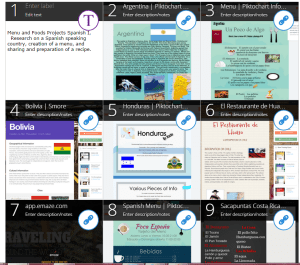


 In years past, these stories, essays, reflections and authentic creations were shared using paper and other supplies to create a visual representation.
 I have always liked having possibilities and the freedom to search for tools that meet my needs and interests. I value this freedom of choice greatly for my students as well. Deciding to move toward more personalized instructional opportunities was one of the greatest changes in my classroom that has led to truly amazing benefits for my students as well as for my own professional growth.
 One of the reasons I look forward to students’ projects is that by giving them a choice in the type of tool to use, I learn a lot about their interests. They have the freedom to find something that engages them and lets them be creative in their own way. They can express their individuality and in the process of learning and showing what they know and can do, they have fun.
 Students have also described their city or a city they would like to live in using a cartoon character or an animated comic strip. They have also created videos using their camera and a tool that helps them edit and combine it into a finished product.
 Try this: Keep the same requirements but give the students some choices by offering a variety a presentation tools and let them teach you some new things about technology. Also, let them drive their learning, become more engaged and as a result inspire others to do the same.
 Learning as I go: Reflections & lessons learned