Empowering Educators with Almanack’s Teaching Tools

In collaboration with Almanack. All opinions are my own.

Education is moving fast. Educators have many responsibilities in their work, requiring flexibility and the ability to balance many things at once. Tasks such as lesson planning, creating assessments and grading, differentiating class materials, and finding ways to boost student engagement can be quite time-consuming. In addition to these tasks, educators want to find the best ways to provide all students with a meaningful, impactful learning experience.

All of these responsibilities demand many hours and can also lead to burnout. However, we are teaching during a time of rapidly evolving educational technology, particularly through AI-powered tools. With the increased use of artificial intelligence (AI) in the world and in education, especially over the past two years, it is important to find tools that leverage this power to enhance student learning and benefit educators.

Almanack is a great option for educators searching through the tools available to find something that will help them streamline their workflow. Having one platform that offers a variety of commonly created resources and other materials makes sense. I often tell educators that they need a toolkit. I think that Almanack is an essential toolkit for educators. It offers many options for educators looking to create different resources for students and those who want to save time and become more efficient, which benefits students because educators have more time available for them.
Some of my favorite Almanack features

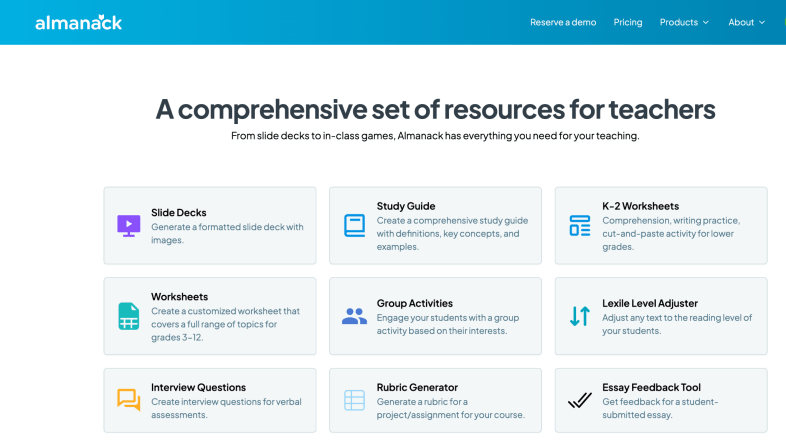
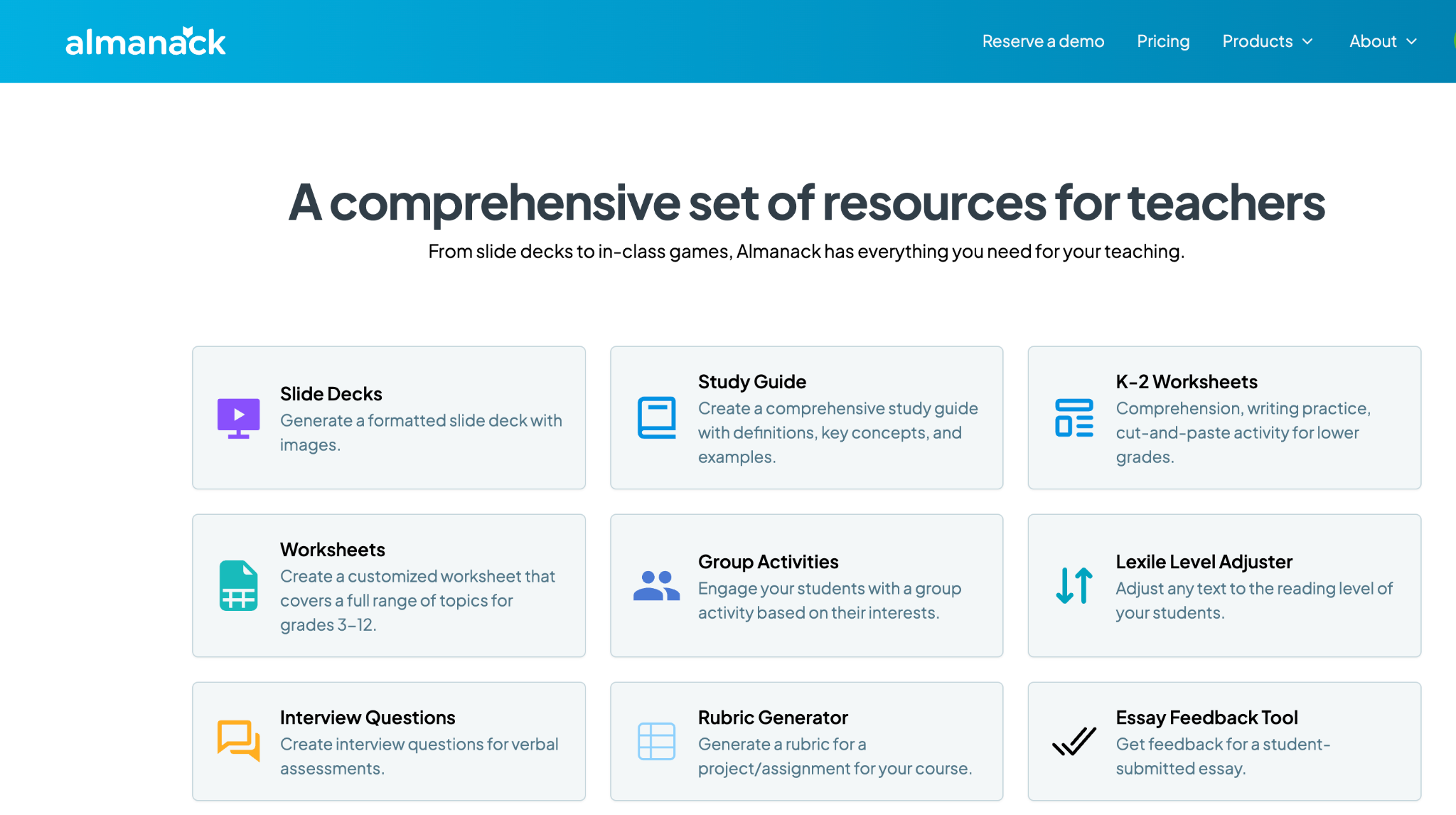
Almanack isn’t just an educational tool; it’s a robust and comprehensive platform that provides various resources to help educators design and implement effective learning experiences in the classroom. Here are a few examples of why I think Almanack stands out:

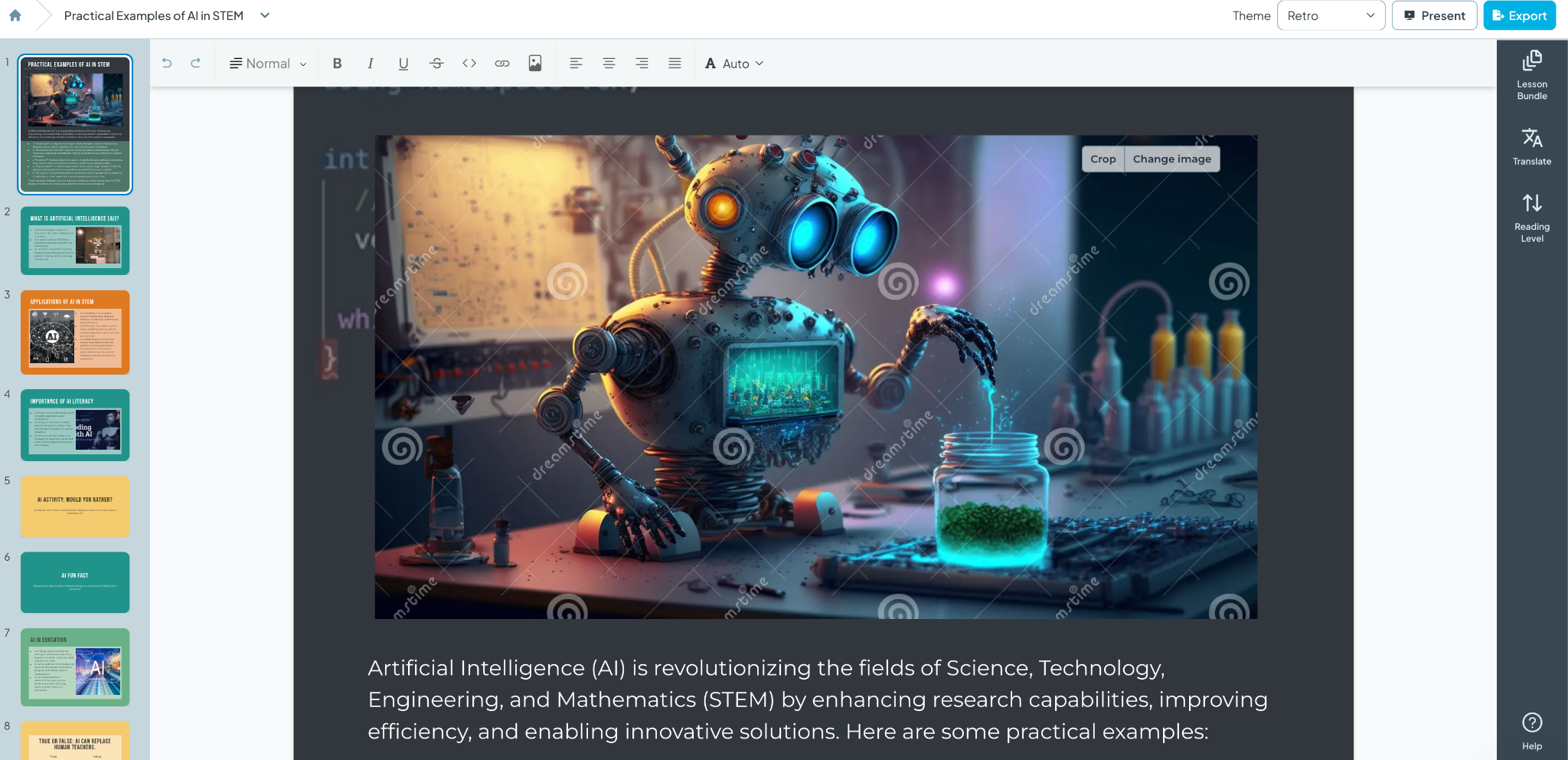
1. Slide Decks and Visual Aids: When I created my first slide deck using Almanack, I was amazed at how professional it looked. The layout, colors, images, and information it generated were all impressive. What would have taken me an hour or more took only a few minutes. Almanack enables educators to leverage AI to create visually appealing slide decks that are informative and more engaging for students. The decks can then be customized with your own images and specific content that aligns with the lesson. See below for an example created simply with a prompt! And it can be translated to different languages!
2. Customizable Worksheets: From K-2 literacy and numeracy activities to advanced topic sheets for grades 3-12, Almanack provides templates that can be customized to fit any subject area. I spend a lot of time creating worksheets for my students and want to provide different activities that best meet my students’ needs. Creating worksheets is easy with Almanack.

3. Interactive Classroom Games: Students love playing games, and when they can interact, the benefits are great. Building collaboration, communication, critical thinking, and problem-solving skills are essential for future success. Almanack offers a variety of options, including Battleship-style review games, Bingo, Forbidden Words, and Jeopardy. What once took a lot of time to create is now easier, and it adds fun to the learning experience, promotes retention, and encourages student participation.

4. Comprehensive Study Guides and Rubrics: Teachers can quickly create graphic organizers, detailed study guides, and rubrics to provide students with clear expectations and study aids to support their learning.

5. Multilingual Support: As a language educator, I always explore the languages available within the tools that I use. Almanack can translate text lesson plans and resources into multiple languages, ensuring no student is left behind due to language barriers. Select the Output language when creating your resource; the translation will be done for you.

Compliance and Security: A Core Priority

A common concern is data privacy and security. Almanack complies with COPPA and FERPA, which shows its commitment to safeguarding student information. It strictly regulates the collection and use of personal data to provide a secure environment for students and educators.

Standards Aligned

Almanack also has state standards pre-loaded on its platform. This helps teachers to save time when creating standards-based assessments. It also allows teachers to design and map their curriculum to ease the overhead of tracking compliance with school curriculum/state standards.

Innovations in Worksheet and Assessment Design

Recent updates to Almanack have introduced features like the ability to create differentiated worksheets. Teachers can design their learning materials to meet the specific needs of their students, ensuring that each student can engage with the content at a level that challenges them appropriately. You can also create answer keys directly within the worksheet editor, simplifying the assessment process and enabling teachers to provide timely and accurate feedback, which is essential for student growth.

Effective Teaching with Almanack’s Lesson Planning Tools

Educators may implement a variety of lesson planning methodologies, such as Understanding by Design (UbD) and the 5E instructional model, which are commonly used since they meet a range of teaching styles and are appropriate for all subject areas. Other great options include resources that help plan a project-based learning activity or a simulation, which help educators foster an engaging and informative classroom environment.
Ease of Use

When I first use a website or try a new digital tool, I focus on its ease of use and how user-friendly it is. Almanack is very user-friendly, making it easy for teachers to create lesson plans and classroom resources in minutes. They don’t need any prior experience in AI or knowledge of how to use complex software. It is a very intuitive platform, so educators don’t have to worry about losing time learning how to use it. They can dive right in.

Almanack offers teachers a comprehensive set of tools. I always recommend exploring the different options and considering what would benefit you and your students right now. Something with gamification? Opportunities for students to collaborate? Or something to help you save time and design engaging lessons and presentations for your students. Explore Almanack’s tools and its integration with some other favorites! Whatever you need to create, getting started with Almanack will be easy!

About Rachelle

Dr. Rachelle Dené Poth is a Spanish and STEAM: What’s Next in Emerging Technology Teacher at Riverview High School in Oakmont, PA. Rachelle is also an attorney with a Juris Doctor degree from Duquesne University School of Law and a Master’s in Instructional Technology. Rachelle received her Doctorate in Instructional Technology, and her research focus was on AI and Professional Development. In addition to teaching, she is a full-time consultant and works with companies and organizations to provide PD, speaking, and consulting services. Contact Rachelle for your event!

Rachelle is an ISTE-certified educator and community leader who served as president of the ISTE Teacher Education Network. By EdTech Digest, she was named the EdTech Trendsetter of 2024, one of 30 K-12 IT Influencers to follow in 2021, and one of 150 Women Global EdTech Thought Leaders in 2022.

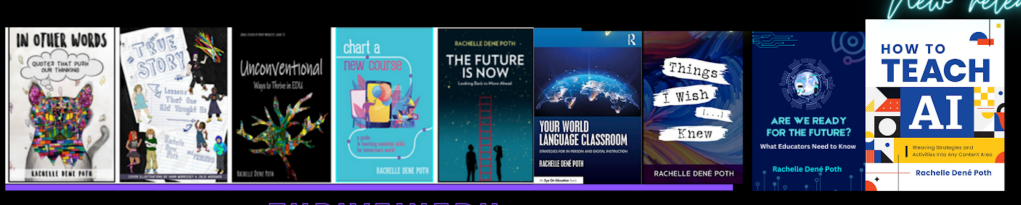
She is the author of nine books including ‘In Other Words: Quotes That Push Our Thinking,” “Unconventional Ways to Thrive in EDU,” “The Future is Now: Looking Back to Move Ahead,” “Chart A New Course: A Guide to Teaching Essential Skills for Tomorrow’s World, “True Story: Lessons That One Kid Taught Us,” “Things I Wish […] Knew” and her newest “How To Teach AI” is available from ISTE or on Amazon.

Contact Rachelle to schedule sessions about Artificial Intelligence, Coding, AR/VR, and more for your school or event! Submit the Contact Form.

Follow Rachelle on Twitter(X) and Instagram at @Rdene915

**Interested in writing a guest blog for my site? Would love to share your ideas! Submit your post here. Looking for a new book to read? Find these available at bit.ly/Pothbooks
************ Also check out my THRIVEinEDU Podcast Here!

Join my show on THRIVEinEDU on Facebook. Join the group here.
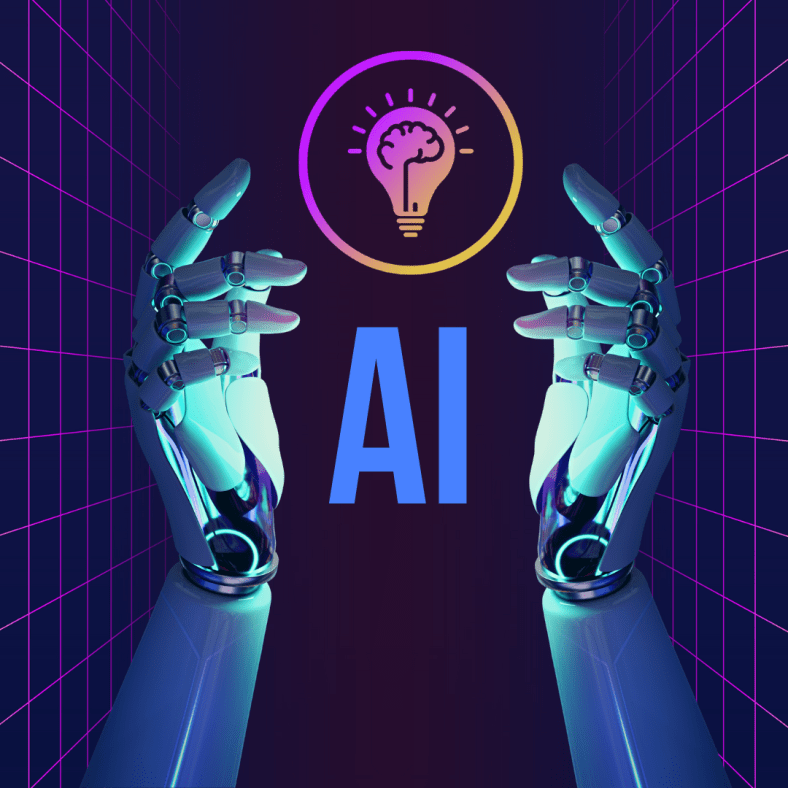
7 Ways AI is Set to Make Teachers’ Jobs Easier

Collaborative blog post.

Since the early 2000s, education has had to evolve with the rapid integration of technology into the classroom. From the general use of computers and laptops for schoolwork to the rise of smartphones and tablets in the classroom, teachers have had to be agile to keep up with these changing trends. Unfortunately, despite these advancements, many teachers struggle in their jobs, leading to a mass exodus in recent years. In August this year alone, Statista reported that 51,000 teachers and other educational staff quit their jobs in the United States. As the education sector is struggling to find teachers to replace them, artificial intelligence (AI) could be the next advancement that not only changes how students learn but also improves the teaching profession by making the job easier. In a guest post by Matthew Rhoads, Ed.D., he wrote that AI can improve teachers’ workflow by providing opportunities for them to optimize their workflow and instruction in the classroom. Below are 7 ways that AI will make teachers’ jobs easier.

Grading

One of the biggest reasons for teacher stress and burnout is the extra work they must do in addition to teaching. Grading is one of the most time-consuming tasks and is often done outside of regular school hours, eating into a teacher’s work-life balance. As discussed in A Look Back at AI in Education, AI grading tools can automate this process. AI can appraise student work instantaneously with very little human input needed, thereby increasing the time teachers can spend on other aspects of their job as well as increasing their free time. These tools also provide much faster feedback to the students, which in turn will help with engagement.

Roleplaying

One factor of AI that will provide a new dimension to how students learn about different subjects is Generative AI (GenAI). MongoDB details how GenAI is based on foundation models that can perform tasks like classification, sentence completion, the generation of images or voice, and synthetic (artificially generated) data. This means that teachers can use AI to educate students through roleplaying. Gabriel Rshaid, co-founder and director at The Learnerspace & The Global School, writes on LinkedIn that GenAI systems that can impersonate a famous, historical, or even current person as well as replicate historical situations. He argues that not only will it foster critical thinking, but it will also elevate the level of interest and engagement for students. Lack of engagement in lessons is regularly touted as a common issue in modern classrooms, leading to added stress for teachers.

Foreign Language Teaching

Language learning in the classroom can be very difficult for teachers due to the lack of one-on-one time with students. With AI, students can speak to a Language Learning Model such as ChatGPT or an AI interlocutor to create a dialogue that is exactly pitched at their level. In a previous post on AI Literacy, we asked a student about the benefits of using AI for language learning. She replied: “The chatbot was very helpful. Immersing yourself with technology that helps you learn Spanish or any other language can help a lot. You have real-time conversations, and the chatbot expands the conversation so you can learn even more about the language. It also helps you become more comfortable speaking!” As students engage with the AI on their own terms, foreign language teachers will have more time to address individual needs.

Plan Lessons

Like grading, a good amount of time outside teaching is spent planning lessons due to the amount of research and reinvention needed. AI can streamline and optimize this process by not only creating new plans from scratch very quickly but also analyzing past lesson plans to cater to the teacher’s own preferences and style of teaching. Curriculum standards also change very frequently, and AI can be used to ensure that the lessons are updated with the latest requirements. This decreases the time teachers spend on planning lessons and increases their ability to work with students.

Personalized Learning For Students

One of the major issues that makes a teacher’s job difficult is not being able to adapt their teaching methods for individual students. It is not possible for teachers to create personalized learning plans for each student in their classroom, which can lead to some students getting left behind and resulting in a lack of engagement. AI-powered adaptive learning platforms can analyze students’ strengths and weaknesses and provide personalized lessons and study paths. 

Improve Classroom Management

While AI will revolutionize how teachers can adapt their lessons to students to improve their learning outcomes, another important aspect of AI that will make a teacher’s job easier is classroom management. A Medium post notes how “one of the most pressing challenges for teachers has always been classroom management,” with discipline being one of the most difficult aspects of the job. When it comes to class management, AI can create a more harmonious classroom environment by being able to “detect when a student is distracted, struggling with a concept, or even feeling unwell.” This will allow teachers to immediately intervene and address the issues before they escalate and result in classroom disruption.

Reduce Burnout

As the above benefits show, AI can have a positive impact on many different facets of teaching to make the job easier. By improving each of the above aspects, AI will reduce overall burnout in teachers, which is having a massive impact on the industry. HMH’s 9th Annual Educator Confidence Report found that burnout is a critical issue, with 82% of educators citing that what they need most is a more balanced workload. Education and students are changing fast, with one teacher noting that “today’s student is different from students even five years ago.” AI will not only allow teachers to keep up, but it will also reduce their workload and give them more time to focus on their students. This will make their job easier and improve their work-life balance, which will hopefully stem the number of teachers leaving the profession.


About Rachelle

Dr. Rachelle Dené Poth is a Spanish and STEAM: What’s Next in Emerging Technology Teacher at Riverview High School in Oakmont, PA. Rachelle is also an attorney with a Juris Doctor degree from Duquesne University School of Law and a Master’s in Instructional Technology. Rachelle received her Doctorate in Instructional Technology, and her research focus was on AI and Professional Development. In addition to teaching, she is a full-time consultant and works with companies and organizations to provide PD, speaking, and consulting services. Contact Rachelle for your event!

Rachelle is an ISTE-certified educator and community leader who served as president of the ISTE Teacher Education Network. By EdTech Digest, she was named the EdTech Trendsetter of 2024, one of 30 K-12 IT Influencers to follow in 2021, and one of 150 Women Global EdTech Thought Leaders in 2022.

She is the author of nine books including ‘In Other Words: Quotes That Push Our Thinking,” “Unconventional Ways to Thrive in EDU,” “The Future is Now: Looking Back to Move Ahead,” “Chart A New Course: A Guide to Teaching Essential Skills for Tomorrow’s World, “True Story: Lessons That One Kid Taught Us,” “Things I Wish […] Knew” and her newest “How To Teach AI” is available from ISTE or on Amazon.

Contact Rachelle to schedule sessions about Artificial Intelligence, Coding, AR/VR, and more for your school or event! Submit the Contact Form.

Follow Rachelle on Twitter(X) and Instagram at @Rdene915

**Interested in writing a guest blog for my site? Would love to share your ideas! Submit your post here. Looking for a new book to read? Find these available at bit.ly/Pothbooks

************ Also check out my THRIVEinEDU Podcast Here!

Join my show on THRIVEinEDU on Facebook. Join the group here.

Effective Professional Development on AI

Over the past few years, we have seen many changes in education. We live in an increasingly digital world that involves rapid technological advancements through emerging technologies such as artificial intelligence (AI). The technologies are not only impacting our lives as educators, but they are impacting the world of work our students will enter.

To best prepare our students, educators must constantly adapt and evolve to keep up with these changes. However, there are challenges when it comes to these technologies: a lack of professional learning opportunities, not enough time to participate, and uncertainty about the best options for learning. Bringing in new technology can also feel like adding to an already overflowing plate.

Beyond the basic technology skills that educators need for every day teaching, they also need to be knowledgeable about emerging technologies, particularly AI, and how to bring them into their classrooms. With these technologies impacting our work, especially with the capabilities of AI to generate content and concerns about the impact of this technology on our work, it is essential that educators receive training. Over the past five years, my work has focused on collaborating with teachers to get them started with emerging technology including, more recently, AI. Here are some things that work when designing AI-related professional learning.

AI professional development for educators

Professional development focused on implementing classroom technology goes beyond simply training educators to use it and apply it to their curriculum. It requires rich and personalized learning experiences that will engage educators and enable them to see the possibilities for amplifying learning through educational technology.

Continue reading the original post via Edutopia

About the Author:

Dr. Rachelle Dené Poth is a Spanish and STEAM: What’s Next in Emerging Technology Teacher at Riverview High School in Oakmont, PA. Rachelle is also an attorney with a Juris Doctor degree from Duquesne University School of Law and a Master’s in Instructional Technology. Rachelle received her Doctorate in Instructional Technology, and her research focus was on AI and Professional Development. In addition to teaching, she is a full-time consultant and works with companies and organizations to provide PD, speaking, and consulting services. Contact Rachelle for your event!

Rachelle is an ISTE-certified educator and community leader who served as president of the ISTE Teacher Education Network. By EdTech Digest, she was named the EdTech Trendsetter of 2024, one of 30 K-12 IT Influencers to follow in 2021, and one of 150 Women Global EdTech Thought Leaders in 2022.

She is the author of nine books including ‘In Other Words: Quotes That Push Our Thinking,” “Unconventional Ways to Thrive in EDU,” “The Future is Now: Looking Back to Move Ahead,” “Chart A New Course: A Guide to Teaching Essential Skills for Tomorrow’s World, “True Story: Lessons That One Kid Taught Us,” “Things I Wish […] Knew” and her newest “How To Teach AI” is available from ISTE or on Amazon.

Contact Rachelle to schedule sessions about Artificial Intelligence, Coding, AR/VR, and more for your school or your event! Submit the Contact Form.

Follow Rachelle on Twitter(X) and Instagram at @Rdene915

**Interested in writing a guest blog for my site? Would love to share your ideas! Submit your post here. Looking for a new book to read? Find these available at bit.ly/Pothbooks

************ Also check out my THRIVEinEDU Podcast Here!

Join my show on THRIVEinEDU on Facebook. Join the group here.

AI Literacy: Opportunities for Students to Learn

It is essential in our schools that we focus on promoting responsible AI use in our classrooms and provide opportunities for students to become AI literate. With such increased use of artificial intelligence in the world and our classrooms, it has never been more important to involve students in learning how to use AI ethically, responsibly, and safely. As AI becomes even more common, students need to understand how AI works, its capabilities, and its limitations. They also need to explore how it is being used in the world.

With guided exploration and learning opportunities, we will promote responsible AI use; we can ensure that it is used to benefit students and help them develop “future-ready” skills. AI is a powerful tool, and therefore it requires responsible and informed users. There are special events that focus on developing AI literacy. In April, we recognized AI Literacy Day, designed as a day for learning about and exploring AI. Schools and classrooms hosted events, participated in learning, and had access to resources to support the development of AI literacy skills. AI Literacy Day is led by organizations such as EDSAFE AI, AIEDU Common Sense Media, AI for Education, and The Tech Interactive, and provides resources that are helpful for educators, especially when there is some concern about the use of AI.

In my classroom, we use various AI-powered tools, and I always seek student feedback. Here are some thoughts after using Snorkl and SchoolAI.

“The chatbot was very helpful. Immersing yourself with technology that helps you learn Spanish or any other language can help a lot. You have real-time conversations, and the chatbot expands the conversation so you can learn even more about the language. It also helps you become more comfortable speaking!” – Lily Hood, 11th-grade student.

The Day of AI, a free event, occurs in May and was held on May 13th. Throughout the day, elementary, middle, and high school students had access to activities and curriculum. In my classroom, whether in my Spanish classes or my STEAM course for 8th graders, we talk a lot about AI. For over six years, I have explored resources to help students understand how and when AI should be used. By modeling the responsible use of different tools and having students interact with AI in the classroom, we will best prepare them for the changes this technology will bring. We often have discussions about the benefits and concerns of any tools that we explore.

When I use something in my classroom, I consider how the tool can enhance the learning experience. I share my thoughts with students before we explore and then ask for their feedback about the experience after. I greatly value their opinions and make time to ask them about what they think and the impact. Here are some student reflections:

Feedback after using SchoolAi to practice Spanish conversation

Antonio Boyer, 11th grade student

“It was so helpful for practicing the language. It knew my level, adjusted the questions to meet my specific needs, and gave me additional practice to help build my skills. It gets you to where you need to be.”

Grace Johnson, 10th grade student, after using Snorkl

“I was amazed when I submitted my response using Snorkl and instantly received feedback with comments about my speaking. It provided questions and explanations to help me understand the grammar more.”

Here are a few tools that students enjoy using. It gives them more insight into the benefits of AI and how it can be used as an enhancer rather than a replacement for doing our own work

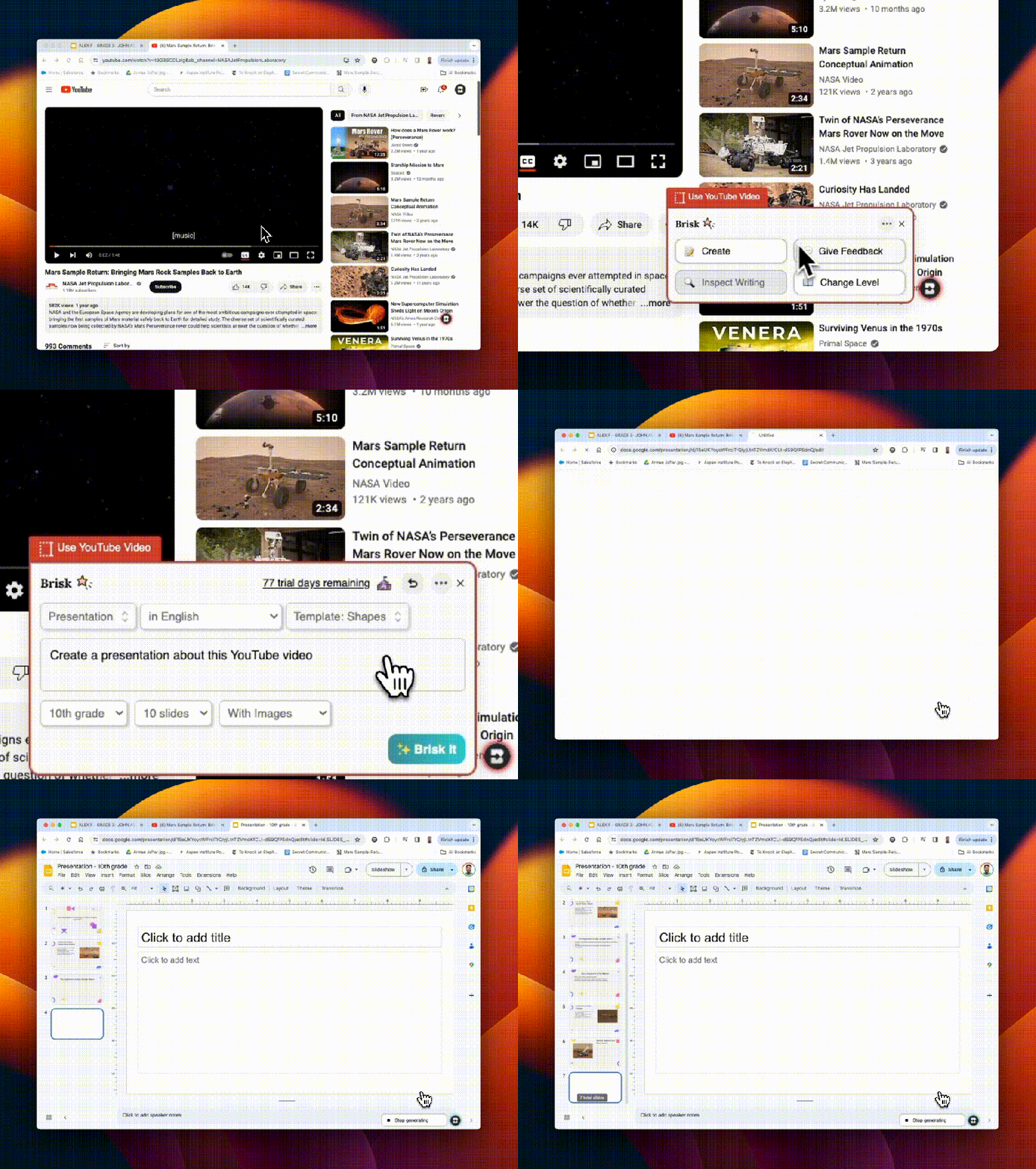
  • Brisk Teaching: A free Chrome extension with four features: Create, Give Feedback, Inspect Writing, and Change Level. I have shown students how I can write something with Google and use the Give Feedback feature of Brisk to analyze my writing and receive feedback. I’ve also shown how I can quickly generate questions based on a video that we are watching in class or how I can quickly generate slides for my presentations.
  • Eduaide.Ai: A platform for AI-assisted lesson planning that offers more than 100 resources to help teachers create instructional materials. Eduaide has a Content Generator, Teaching Assistant, Feedback Bot, Free-form Chat, and an Assessment Builder. I have explored Eduaide a lot to create fun activities, a project outline, gamification, and also some of the assessment builder options.
  • Noodle Factory: For AI-driven personalized learning, automated grading and feedback, engaging and interactive lessons, Walter+ adapts to each student’s learning pace, helping to promote a more inclusive and effective learning environment. Noodle Factory offers Walter+, the AI teaching assistant designed for grades K through 12. Walter+ is designed to help educators enhance and transform the learning experiences they provide for students. I definitely recommend exploring Noodle Factory!
  • School AI: In Spanish classes, I have used it to create a ”Sidekick,” an assistant that engages students in conversations. I prompt the chatbot to focus on specific vocabulary or grammar patterns with my students. In this case, they interact individually, and the chatbot Sidekick adapts to their needs and provides them with feedback and continued questions based on their responses. I share with students what I can see in the teacher dashboard, and it helps them understand the importance of being mindful of the interactions and the information that they share online, specifically when using any generative AI.
  • Snorkl: An easy-to-use tool that gives students a space to talk through their thought processes while they are learning. Have students explain their learning, solve a problem, or complete any task that we give them. It records their screen and their audio, and we can set it to generate AI feedback for them and then provide feedback directly to them. Students were amazed at how quickly they received feedback and how helpful it was for their learning.

Whether at the end of a school year or exploring over the summer and diving in at the start of a new year, trying some of these tools in your classroom will provide a fun learning experience for your students and you! More importantly, it will help to promote AI literacy which is critical today!

About the Author:

Dr. Rachelle Dené Poth is a Spanish and STEAM: What’s Next in Emerging Technology Teacher at Riverview High School in Oakmont, PA. Rachelle is also an attorney with a Juris Doctor degree from Duquesne University School of Law and a Master’s in Instructional Technology. Rachelle received her Doctorate in Instructional Technology, and her research focus was on AI and Professional Development. In addition to teaching, she is a full-time consultant and works with companies and organizations to provide PD, speaking, and consulting services. Contact Rachelle for your event!

Rachelle is an ISTE-certified educator and community leader and served as president of the ISTE Teacher Education Network. She was named the EdTech Trendsetter of 2024 by EdTech Digest, one of 30 K-12 IT Influencers to follow in 2021 and one of 150 Women Global EdTech Thought Leaders in 2022.

She is the author of nine books including ‘In Other Words: Quotes That Push Our Thinking,” “Unconventional Ways to Thrive in EDU,” “The Future is Now: Looking Back to Move Ahead,” “Chart A New Course: A Guide to Teaching Essential Skills for Tomorrow’s World, “True Story: Lessons That One Kid Taught Us,” “Things I Wish […] Knew” and her newest “How To Teach AI” is available from ISTE or on Amazon.

Contact Rachelle to schedule sessions about Artificial Intelligence, Coding, AR/VR, and more for your school or your event! Submit the Contact Form.

Follow Rachelle on Twitter(X) and Instagram at @Rdene915

**Interested in writing a guest blog for my site? Would love to share your ideas! Submit your post here. Looking for a new book to read? Find these available at bit.ly/Pothbooks

************ Also check out my THRIVEinEDU Podcast Here!

Join my show on THRIVEinEDU on Facebook. Join the group here

End of the school year? Dive into Brisk Teaching Today!

In collaboration with Brisk Teaching, All opinions are my own

The life of an educator is always quite busy! There are so many demands on our days that finding extra time to try something different can be tough! However, when you find out about a great tool that not only helps you to save time and is easy to use but also provides many other benefits that will enhance instruction and impact students, then it’s definitely worth diving into some exploration!

Especially during this school year, which brought even more tools, educators are increasingly turning to technology to streamline workflows and enhance instructional quality. A few months ago, I started exploring something new that I found, and I love sharing it with educators. Brisk Teaching, an AI-powered Chrome extension, is designed specifically for educators! What makes it incredibly powerful is how seamless it is to use. Brisk is not an additional app or tool that you have to manage – it integrates directly into the tools teachers are already using (Google Docs, slides, articles, YouTube videos) to save you time right where you’re already working! Efficiency and productivity with Brisk!

The end of the school year is the perfect time to try out these great features and see how Brisk can save time, help with assessments, and more.

Here’s a look at some of Brisk Teaching’s key features, which are helping educators do more in less time! Brisk’s key features include Content Creation, Feedback, Inspect writing, and Differentiation.

Content Creation

Brisk Teaching is amazing in how it transforms the way educators create their materials. With Brisk, you can quickly transform articles, YouTube videos, Google Docs, and other content into worksheets, quizzes, presentations, and more – right from the original sources. I really enjoy using awesome features like the AI Presentation Maker and AI Lesson Plan Generator, which enable teachers to design high-quality, engaging instructional content in minutes! For example, my favorite option, the AI Presentation Maker, enables educators to convert information obtained from articles, websites, or YouTube videos directly into a Google Slides presentation. The slides are created within minutes, and they automatically save directly in your Google Drive so you can easily change them as you normally would when using Google Slides. It just streamlines the whole process, all possible with a simple prompt, grade level, and design selection. It has been so much fun to demonstrate how quickly the slides are generated from a simple prompt of a few words.

Educators are amazed to see each slide being generated with content, images, and a great layout! Brisk not only simplifies the creation process but also ensures that the content is relevant and engaging for students.

The AI Lesson Plan Generator generates comprehensive plans in alignment with specific teaching objectives, grade levels, and more, which significantly reduces the time that teachers spend on lesson planning. Quickly generate a detailed rubric with the AI Rubric Generator or some Depth of Knowledge (DOK) questions. Brisk Teaching empowers educators to produce a variety of educational resources efficiently, which gives them more time to spend working with students!

Feedback

As we know, feedback is essential for learning. It needs to be authentic, meaningful, and timely. With Brisk Teaching, educators can provide this feedback even faster using the Targeted Feedback Generator. This feature enables educators to provide individualized comments to each student right within the student’s Google Docs.

Additionally, there are several feedback styles to choose from, including Glow & Grow praises and actionable Next Steps. The feedback will help students understand their strengths and identify areas for improvement. For educators, by automating the feedback process, Brisk helps educators keep providing feedback in a time-sensitive manner and promotes more consistent feedback for students. Choosing from the feedback styles can also help foster a supportive learning environment.

Inspect Writing

When you first explore the Inspect Writing feature of Brisk Teaching, seeing the replay of how a student has completed their assignment is really cool. The Inspect Writing feature provides educators with some insight into a student’s writing process, starting with any initial drafts to their final submission. With the replay, educators can develop a greater understanding of how a student approaches their work and can then use this to better target instructional approaches and provide more personalized feedback to better meet student needs and help them to grow.

Inspect writing is also a good way to engage a discussion about academic integrity. I see this as a way to focus on accountability also, especially when working with a group, and also as a way to focus on time management when conducting research or writing.

Differentiation

It is essential that all educators ensure that students have access to the learning materials that best match their reading levels and language needs. Promoting inclusivity is critical, and with Brisk Teaching tools like the Text Leveler and Translate Text Tool, educators can instantly adjust the complexity of texts or translate them into different languages for students. With these options, we can ensure that all classroom materials we use are accessible to students from varying linguistic and academic backgrounds and learning needs.

Why I recommend Brisk

Brisk Teaching is more than just a tool; it provides a comprehensive solution that has been designed by educators for educators. It aims to reduce burnout and enhance instructional effectiveness. It is easy to integrate in the classroom and its key features help to streamline our workflow and save time for us to work more with students and colleagues! As technology continues to evolve, tools like Brisk Teaching will continue to add new features in response to educator and student needs. Stay tuned for some other exciting features coming from Brisk. Brisk Boost for Students coming soon!

Teachers use free! Sign up here: https://www.briskteaching.com/

Check out tips to get started on their PD page: https://www.briskteaching.com/brisk-professional-development-resources

Guest blogging opportunities

Contact Rachelle to schedule sessions about Artificial Intelligence, Coding, AR/VR, and more for your school or your event! Submit the Contact Form.

Follow Rachelle on Twitter(X) and Instagram at @Rdene915

**Interested in writing a guest blog for my site? Would love to share your ideas! Submit your post here. Contact me directly for a sponsored post.

Looking for a new book to read? Find these available at bit.ly/Pothbooks

************ Also check out my THRIVEinEDU Podcast Here!

Join my show on THRIVEinEDU on Facebook. Join the group here

Saving Time and Learning About AI

*AI is one of my favorite areas to work in and I love sharing ideas!

As a classroom teacher with almost six years of experience integrating AI into my teaching practice and training other educators, I have enjoyed exploring the possibilities through AI and engaging in conversations with students and teachers. Every educator needs to learn about AI and how we can leverage this technology to benefit our students and enhance our work. To best provide for our students, we need to understand how this technology will impact them and us.

Especially as we see such as increase in technology in education, it is essential that we embrace and understand emerging technologies, especially AI and how it can impact not only our work but the benefits it can offer for student learning. In my work as a classroom teacher and consultant, I enjoy helping other educators get started with AI.

Why Educators Need to Understand the AI Tools Available

Our roles as educators have continued to change over the years. Not only do we teach the content, but we serve as mentors, facilitators of learning, and co-learners with our students, especially as we embrace these emerging technologies. It is important that we explore the benefits and how it can help us to “work smarter, not harder” so that we have more time to work with students, build relationships and support them in their learning journey.

AI, ChatGPT, and other forms of generative AI have become some of the most talked about topics in education this past year. But with all technology comes some hesitancy, especially with something as powerful as AI. Schools need to provide opportunities for students to learn about this changing technology because of its impact on their future. Not only can AI tools enhance creativity and productivity, they can also provide educators with valuable insights into student learning and assist with some of the time-consuming tasks that educators have.

How to leverage some tools with benefits

I like to think of three key areas where AI can make an impact for educators and for students.

1. Personalized Learning: Through AI, educators can provide tailored learning experiences based on AI-driven analytics that provide valuable insights into student performance and learning trends. It can adapt to each student’s strengths, weaknesses, and learning pace.

2.Efficiency and Productivity: Another benefit of AI is greater efficiency. Educators may spend more time on clerical tasks that takes time away from working directly with students. The right AI tools can help to automate or streamline tasks uch as grading assignments or providing feedback, giving teachers more time with their students.

3. Creating and supplementing the content: Through AI-powered platforms, teachers can curate various educational resources for their students and their own professional learning. With generative AI in particular, quickly being able to create lessons, activities, assessments, prompts for discussion, and presentations by providing a short prompt with keywords, educators can create engaging lessons for students in far less time.

But how do we know where to begin?

Tools to Explore

With so many different tools becoming available or integrating AI into them, it can be hard to keep up. My recommendation is to select one or two to start with. Explore how they work and the content that is created. Take time to evaluate the accuracy of the information and even involve students in discussions about the benefits for their learning.

Here are five AI-powered tools that will help teachers with personalized learning, efficiency, and saving time. I have created and experimented with so many tools, and my students’ responses have always been positive. Embracing these tools also sparks curiosity for learning. Creating and sharing these resources with our students leads to rich conversations about AI’s benefits and the proper use of this technology for creating and learning. See below for an additional article link and my contact form to bring me to your school or provide coaching.

  • Curipod: Enables teachers to create interactive lessons in minutes using AI. Teachers simply type in a topic, and a ready-to-run lesson is generated with text, images, and activities such as polls, open-ended responses, word clouds, and more. There are even activities to build in that focus on SEL check-ins. Use my code CURIRACHELLE
  • Eduaide.Ai: An AI-assisted lesson development tool that provides educators with more than 100 resource types to choose from. It offers the ability to translate the generated content into more than 15 languages instantly. Educators can generate a syllabus and discussion prompts, use the Teaching Assistant to help with creating IEP plans, write emails, or even create a list of accommodations for students in addition to many other options. I enjoy using Eduaide for a variety of tasks, especially creating lesson and project outlines and testing out the feedback bot! Try some and then tag @eduaideAI and @Rdene915 in a tweet and win a book!
  • Quizizz: With Quizizz, teachers can design quizzes that create a personalized learning path in response to each student’s responses and based on their needs. Teachers can also create lessons with Quizizz, which now has AI enhancements that can adjust question difficulty, check grammar, redesign questions to reflect real-world scenarios, create a quiz from a URL or PDF, and more features on the way.
  • Slidesgo: Provides access to free templates via Google Slides and now has the AI Presentation Maker. With this new functionality, presentations can be created within minutes. Start by choosing a topic, selecting a tone such as casual, creative, or professional, making changes, and downloading your presentation. A time saver, for sure! I really enjoyed testing it out and creating some amazing presentations! Want to learn more? Be sure to check out their recent survey, which has great insights into AI and tools for education! Dive into exploring more today!

Also, head to my additional post via Edutopia for more AI tools to try here: 7 Tools

Do you want to learn more about AI and how to bring it into your classroom? I have six years of experience working with students and teachers and would love to work with your school, at your conference or individual coaching: bit.ly/thriveineduPD

About Rachelle

Follow Rachelle on Twitter @Rdene915 and on Instagram @Rdene915. Rachelle has a podcast, ThriveinEDU, available at https://anchor.fm/rdene915.

Looking for PD for your school or keynotes for your conference? I provide in-person and virtual training on the following topics. If you want to learn more about and explore AI and ChatGPT, contact me to schedule! Rdene915@gmail.com or use the Book Me form on my website.

**Interested in writing a guest blog or submitting a sponsored post for my site? Would love to share your ideas! Submit your post here. Looking for a new book to read? Find these available at bit.ly/Pothbooks