Collaborate with Walter, Your AI Teaching Assistant

In collaboration with Noodle Factory, all opinions are my own.

As an educator constantly seeking innovative methods to enhance learning and teaching, my exploration recently led me to an exciting platform: Noodle Factory. When I find a new tool, especially when it comes to AI, I love sharing my experiences so that other educators can get started.

It has been fun exploring its various options and, in particular, its standout features, such as Walter+, the AI teaching assistant designed for grades K through 12. Walter+ is designed to help educators enhance and transform the learning experiences they provide for students. Noodle Factory makes it easy to get started by providing guidance, being available for questions, and even doing a demo! For any educator wondering where to begin with AI in their classroom, I definitely recommend exploring Noodle Factory and seeing the impact on student learning. Giving students a chance to learn about and interact with AI is important.

Why AI in Education Matters

The integration of AI in education is reshaping how educators deliver the content and impacting how students engage with the material. With purposeful use and the right pedagogical practices, AI tools can assist educators in various ways. It can help to personalize learning, automate grading, and create engaging, interactive content while complementing traditional teaching methods. Noodle Factory provides tools that are not just innovative but also intuitive and effective for use in the classroom. Especially as educators seek more efficient ways to deliver instruction and provide feedback to students, knowing how to leverage the power of AI is key. Noodle Factory offers innovative tools that enhance both learning and teaching processes.

First Experiences with Noodle Factory

When I first started with Noodle Factory, I was quite surprised by how easy it was to generate personalized learning resources for students. By uploading some of my teaching materials onto the platform, I saw how Walter+ tailored these resources into personalized learning experiences. I was impressed with its AI-driven dialogue system, which engages students in meaningful conversations and helps enhance their overall comprehension and retention of the content.

Using AI-powered tools such as Walter+ to create personalized learning experiences has been a game changer. I uploaded my teaching materials and waited briefly while Walter transformed them into interactive, engaging learning modules specific to my students’ needs. Noodle Factory’s ability to generate context-aware conversation flows and also, its ability to provide multilingual support enables educators to effectively reach students coming from different language backgrounds.

My favorite Noodle Factory Features

There are great features in Noodle Factory that will significantly impact teaching and students’ learning:

AI-driven Personalized Learning: Walter+ adapts to each student’s learning pace, helping to promote a more inclusive and effective learning environment.

We know that in order to accommodate students’ diverse learning needs, we have to understand where they are in the learning process and provide authentic, meaningful, and timely feedback. When this is possible in real-time, teachers can adjust, and each student can receive tailored educational experiences, which we know is crucial for learning. It provides students with instant, constructive feedback, which is key to fostering their academic growth.

Automated Grading and Feedback: We know that grading can take a great deal of time, especially when providing specific feedback for students. With Noodle Factory, educators can save time and provide students with immediate, actionable feedback, helping them understand their strengths and areas for improvement. This, of course, means that teachers can spend more time working directly with students, too!

Engaging and Interactive Content Creation Tools: With the various options available, I am able to boost student engagement. Noodle Factory’s tools enable me to transform traditional lessons into more interactive sessions that spark students’ interest and foster deeper learning. Student engagement, which can be a challenge, is now an area that we can boost because of the tools available to us.

Results: Positive Impact on Teaching and Learning!

By using Noodle Factory, educators will see a boost in student engagement and learning performance. Noodle Factory helps with our productivity through its features, such as automated grading and real-time insights into students’ progress. Being able to grab a quick glimpse into where students are in the learning journey is so helpful for targeting our instruction as needed. Gathering feedback from students is also important as it helps us to know what works for them and how to enhance their learning experiences. It also assists with providing a personalized approach through an interactive learning environment.

The real-time performance tracking and flexible assessment modules help teachers tailor their teaching strategies in real time to best meet individual student needs. Give Noodle Factory a try today and see the impact it makes in your classroom, for students, and for your work as an educator!

Interested in experiencing this transformative tool? Great news! I’m offering an exclusive code for my readers to try the premium plan (Educator Plus) on Noodle Factory. Discover how Walter+ can enhance your teaching and provide your students with an unmatched educational experience. And be sure to let me know how it goes for you!

P.S. Check out my podcast episode, where I chat with the Co-Founders of Noodle Factory Yvonne and Jim! Listen here!

About the Author:

Dr. Rachelle Dené Poth is a Spanish and STEAM: What’s Next in Emerging Technology Teacher at Riverview High School in Oakmont, PA. Rachelle is also an attorney with a Juris Doctor degree from Duquesne University School of Law and a Master’s in Instructional Technology. Rachelle received her Doctorate in Instructional Technology, and her research focus was on AI and Professional Development. In addition to teaching, she is a full-time consultant and works with companies and organizations to provide PD, speaking, and consulting services. Contact Rachelle for your event!

Rachelle is an ISTE-certified educator and community leader who served as president of the ISTE Teacher Education Network. By EdTech Digest, she was named the EdTech Trendsetter of 2024, one of 30 K-12 IT Influencers to follow in 2021, and one of 150 Women Global EdTech Thought Leaders in 2022.

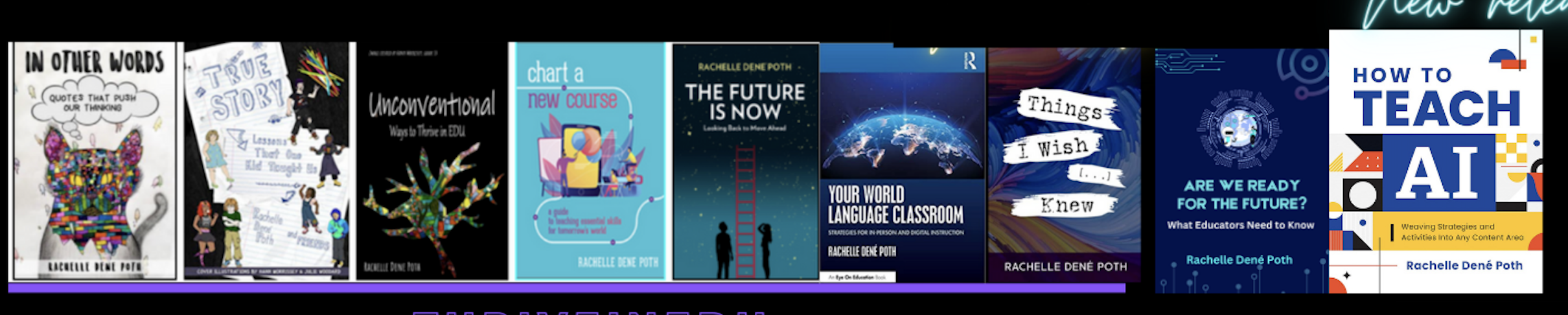
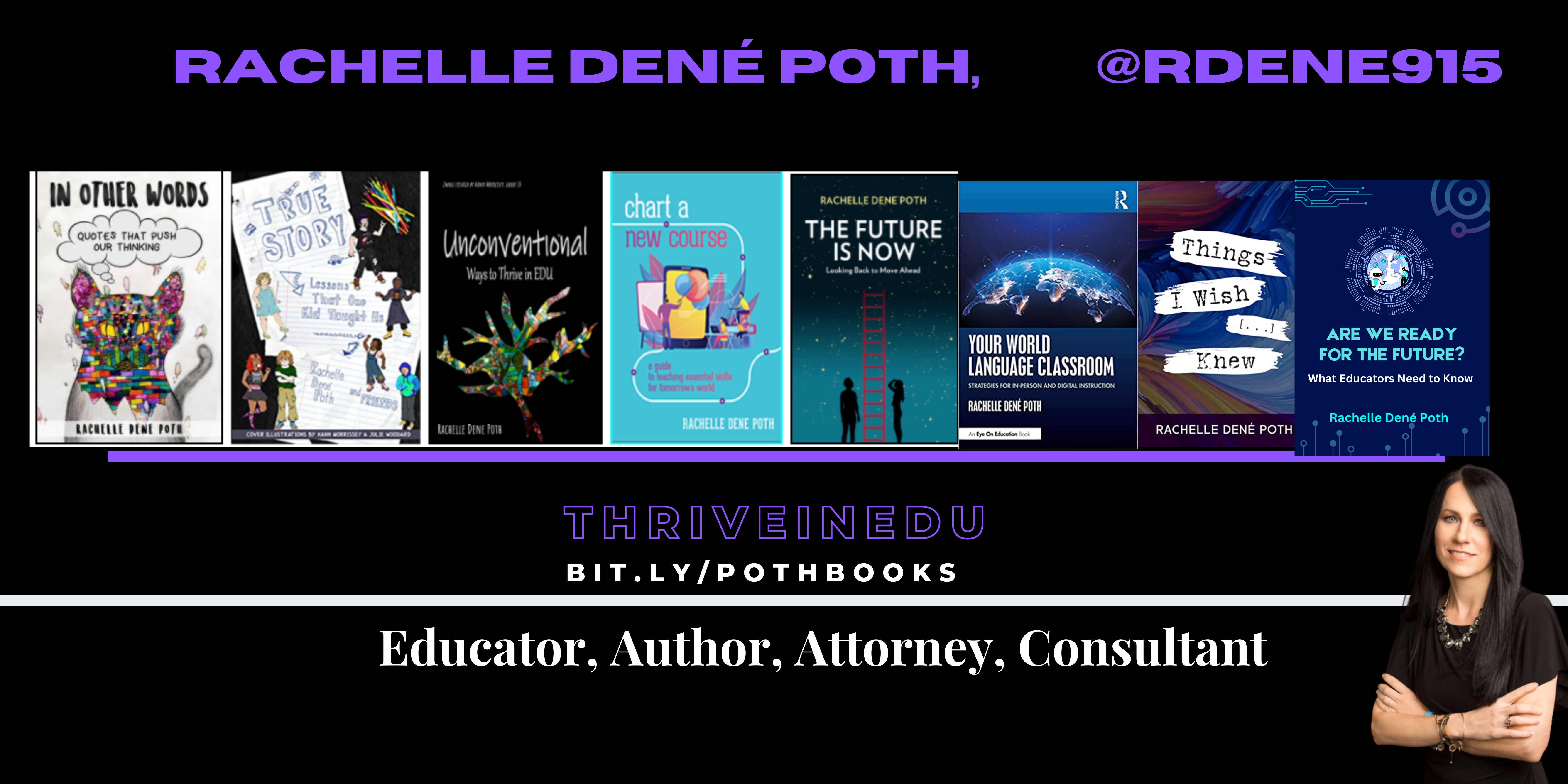
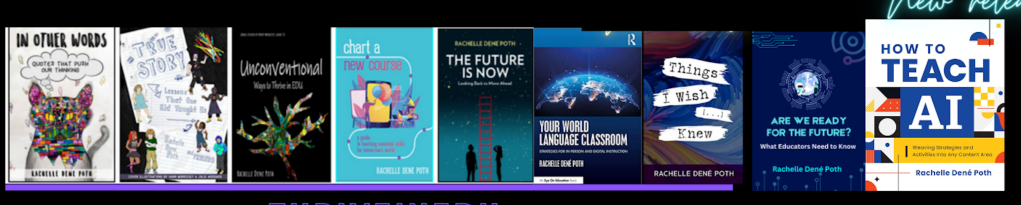
She is the author of nine books including ‘In Other Words: Quotes That Push Our Thinking,” “Unconventional Ways to Thrive in EDU,” “The Future is Now: Looking Back to Move Ahead,” “Chart A New Course: A Guide to Teaching Essential Skills for Tomorrow’s World, “True Story: Lessons That One Kid Taught Us,” “Things I Wish […] Knew” and her newest “How To Teach AI” is available from ISTE or on Amazon.

Contact Rachelle to schedule sessions about Artificial Intelligence, Coding, AR/VR, and more for your school or your event! Submit the Contact Form.

Follow Rachelle on Twitter(X) and Instagram at @Rdene915

**Interested in writing a guest blog for my site? Would love to share your ideas! Submit your post here. Looking for a new book to read? Find these available at bit.ly/Pothbooks
************ Also check out my THRIVEinEDU Podcast Here!

Join my show on THRIVEinEDU on Facebook. Join the group here.
Effective Professional Development on AI

Over the past few years, we have seen many changes in education. We live in an increasingly digital world that involves rapid technological advancements through emerging technologies such as artificial intelligence (AI). The technologies are not only impacting our lives as educators, but they are impacting the world of work our students will enter.

To best prepare our students, educators must constantly adapt and evolve to keep up with these changes. However, there are challenges when it comes to these technologies: a lack of professional learning opportunities, not enough time to participate, and uncertainty about the best options for learning. Bringing in new technology can also feel like adding to an already overflowing plate.

Beyond the basic technology skills that educators need for every day teaching, they also need to be knowledgeable about emerging technologies, particularly AI, and how to bring them into their classrooms. With these technologies impacting our work, especially with the capabilities of AI to generate content and concerns about the impact of this technology on our work, it is essential that educators receive training. Over the past five years, my work has focused on collaborating with teachers to get them started with emerging technology including, more recently, AI. Here are some things that work when designing AI-related professional learning.

AI professional development for educators

Professional development focused on implementing classroom technology goes beyond simply training educators to use it and apply it to their curriculum. It requires rich and personalized learning experiences that will engage educators and enable them to see the possibilities for amplifying learning through educational technology.

Continue reading the original post via Edutopia

About the Author:

Dr. Rachelle Dené Poth is a Spanish and STEAM: What’s Next in Emerging Technology Teacher at Riverview High School in Oakmont, PA. Rachelle is also an attorney with a Juris Doctor degree from Duquesne University School of Law and a Master’s in Instructional Technology. Rachelle received her Doctorate in Instructional Technology, and her research focus was on AI and Professional Development. In addition to teaching, she is a full-time consultant and works with companies and organizations to provide PD, speaking, and consulting services. Contact Rachelle for your event!

Rachelle is an ISTE-certified educator and community leader who served as president of the ISTE Teacher Education Network. By EdTech Digest, she was named the EdTech Trendsetter of 2024, one of 30 K-12 IT Influencers to follow in 2021, and one of 150 Women Global EdTech Thought Leaders in 2022.

She is the author of nine books including ‘In Other Words: Quotes That Push Our Thinking,” “Unconventional Ways to Thrive in EDU,” “The Future is Now: Looking Back to Move Ahead,” “Chart A New Course: A Guide to Teaching Essential Skills for Tomorrow’s World, “True Story: Lessons That One Kid Taught Us,” “Things I Wish […] Knew” and her newest “How To Teach AI” is available from ISTE or on Amazon.

Contact Rachelle to schedule sessions about Artificial Intelligence, Coding, AR/VR, and more for your school or your event! Submit the Contact Form.

Follow Rachelle on Twitter(X) and Instagram at @Rdene915

**Interested in writing a guest blog for my site? Would love to share your ideas! Submit your post here. Looking for a new book to read? Find these available at bit.ly/Pothbooks

************ Also check out my THRIVEinEDU Podcast Here!

Join my show on THRIVEinEDU on Facebook. Join the group here.
End of the school year? Dive into Brisk Teaching Today!

In collaboration with Brisk Teaching, All opinions are my own

The life of an educator is always quite busy! There are so many demands on our days that finding extra time to try something different can be tough! However, when you find out about a great tool that not only helps you to save time and is easy to use but also provides many other benefits that will enhance instruction and impact students, then it’s definitely worth diving into some exploration!

Especially during this school year, which brought even more tools, educators are increasingly turning to technology to streamline workflows and enhance instructional quality. A few months ago, I started exploring something new that I found, and I love sharing it with educators. Brisk Teaching, an AI-powered Chrome extension, is designed specifically for educators! What makes it incredibly powerful is how seamless it is to use. Brisk is not an additional app or tool that you have to manage – it integrates directly into the tools teachers are already using (Google Docs, slides, articles, YouTube videos) to save you time right where you’re already working! Efficiency and productivity with Brisk!

The end of the school year is the perfect time to try out these great features and see how Brisk can save time, help with assessments, and more.

Here’s a look at some of Brisk Teaching’s key features, which are helping educators do more in less time! Brisk’s key features include Content Creation, Feedback, Inspect writing, and Differentiation.

Content Creation

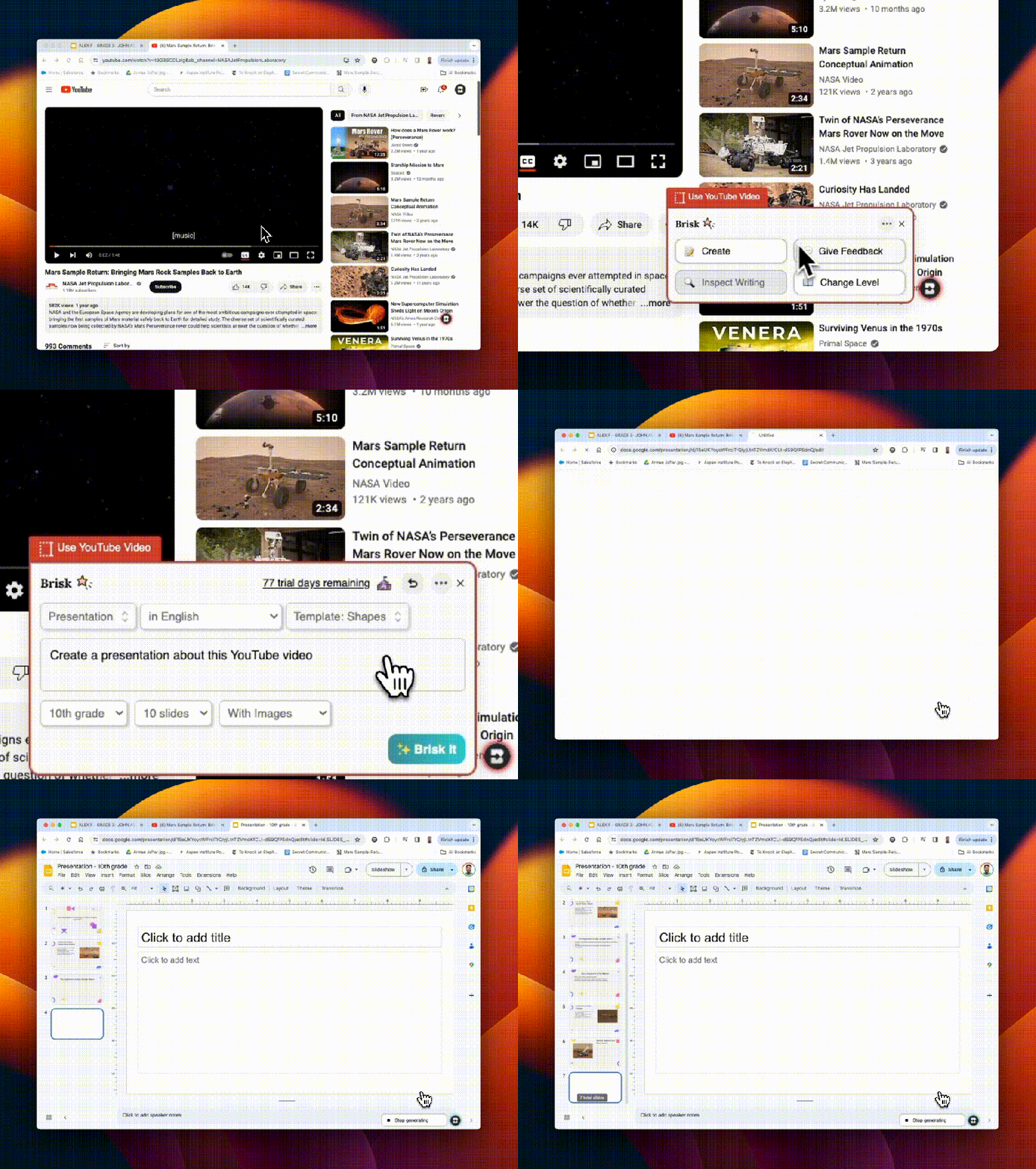
Brisk Teaching is amazing in how it transforms the way educators create their materials. With Brisk, you can quickly transform articles, YouTube videos, Google Docs, and other content into worksheets, quizzes, presentations, and more – right from the original sources. I really enjoy using awesome features like the AI Presentation Maker and AI Lesson Plan Generator, which enable teachers to design high-quality, engaging instructional content in minutes! For example, my favorite option, the AI Presentation Maker, enables educators to convert information obtained from articles, websites, or YouTube videos directly into a Google Slides presentation. The slides are created within minutes, and they automatically save directly in your Google Drive so you can easily change them as you normally would when using Google Slides. It just streamlines the whole process, all possible with a simple prompt, grade level, and design selection. It has been so much fun to demonstrate how quickly the slides are generated from a simple prompt of a few words.

Educators are amazed to see each slide being generated with content, images, and a great layout! Brisk not only simplifies the creation process but also ensures that the content is relevant and engaging for students.

The AI Lesson Plan Generator generates comprehensive plans in alignment with specific teaching objectives, grade levels, and more, which significantly reduces the time that teachers spend on lesson planning. Quickly generate a detailed rubric with the AI Rubric Generator or some Depth of Knowledge (DOK) questions. Brisk Teaching empowers educators to produce a variety of educational resources efficiently, which gives them more time to spend working with students!

Feedback

As we know, feedback is essential for learning. It needs to be authentic, meaningful, and timely. With Brisk Teaching, educators can provide this feedback even faster using the Targeted Feedback Generator. This feature enables educators to provide individualized comments to each student right within the student’s Google Docs.

Additionally, there are several feedback styles to choose from, including Glow & Grow praises and actionable Next Steps. The feedback will help students understand their strengths and identify areas for improvement. For educators, by automating the feedback process, Brisk helps educators keep providing feedback in a time-sensitive manner and promotes more consistent feedback for students. Choosing from the feedback styles can also help foster a supportive learning environment.

Inspect Writing

When you first explore the Inspect Writing feature of Brisk Teaching, seeing the replay of how a student has completed their assignment is really cool. The Inspect Writing feature provides educators with some insight into a student’s writing process, starting with any initial drafts to their final submission. With the replay, educators can develop a greater understanding of how a student approaches their work and can then use this to better target instructional approaches and provide more personalized feedback to better meet student needs and help them to grow.

Inspect writing is also a good way to engage a discussion about academic integrity. I see this as a way to focus on accountability also, especially when working with a group, and also as a way to focus on time management when conducting research or writing.

Differentiation

It is essential that all educators ensure that students have access to the learning materials that best match their reading levels and language needs. Promoting inclusivity is critical, and with Brisk Teaching tools like the Text Leveler and Translate Text Tool, educators can instantly adjust the complexity of texts or translate them into different languages for students. With these options, we can ensure that all classroom materials we use are accessible to students from varying linguistic and academic backgrounds and learning needs.

Why I recommend Brisk

Brisk Teaching is more than just a tool; it provides a comprehensive solution that has been designed by educators for educators. It aims to reduce burnout and enhance instructional effectiveness. It is easy to integrate in the classroom and its key features help to streamline our workflow and save time for us to work more with students and colleagues! As technology continues to evolve, tools like Brisk Teaching will continue to add new features in response to educator and student needs. Stay tuned for some other exciting features coming from Brisk. Brisk Boost for Students coming soon!

Teachers use free! Sign up here: https://www.briskteaching.com/

Check out tips to get started on their PD page: https://www.briskteaching.com/brisk-professional-development-resources

Guest blogging opportunities

Contact Rachelle to schedule sessions about Artificial Intelligence, Coding, AR/VR, and more for your school or your event! Submit the Contact Form.

Follow Rachelle on Twitter(X) and Instagram at @Rdene915

**Interested in writing a guest blog for my site? Would love to share your ideas! Submit your post here. Contact me directly for a sponsored post.

Looking for a new book to read? Find these available at bit.ly/Pothbooks

************ Also check out my THRIVEinEDU Podcast Here!

Join my show on THRIVEinEDU on Facebook. Join the group here

AI Image Wizardry: 8 Tips to Get You Started

Guest post by Megan Lowe, Passionate Educator, and Tech Enthusiast

Opinions expressed are those of the guest blogger.

Lessons Learned (TL;DR)

  • Push back, refine, reiterate: it takes time!
  • AI image generators have a bias
  • Learn some great tokens
  • Free tools don’t get you too far
  • The race is on; no image generator is superior to all others
  • Engage with the community
  • Count the fingers
  • Check out Kids Think Wide

The Genesis of a Family-Driven Project

In April 2023, our family – comprising two dynamic teenagers, a mom in education, and a tech-savvy husband – embarked on a quest fueled by a simple yet profound question: ‘What great things can we accomplish with AI today?’ This question ignited our passion project, Kids Think Wide.

‘Kids Think Wide’: Born from AI

Our initial challenge was finding a name that echoed our vision and passion, particularly for art. We sought guidance from ChatGPT, which suggested names like ‘kidsthinkingdiversely.com’. However, seeking a more kid-friendly name, we settled on ‘Kids Think Wide’. This title perfectly aligns with our goal of expanding young minds through AI-driven educational tools. AI’s role extended beyond naming; it was instrumental in designing our logo, creating web content, and assisting in coding. Admittedly, AI solutions aren’t flawless – we’ve encountered coding limitations and often diverged from AI suggestions. In this creative process, we learned to embrace the journey and be patient, open to change, and always learning.

Crafting a Universe of AI-Generated Content

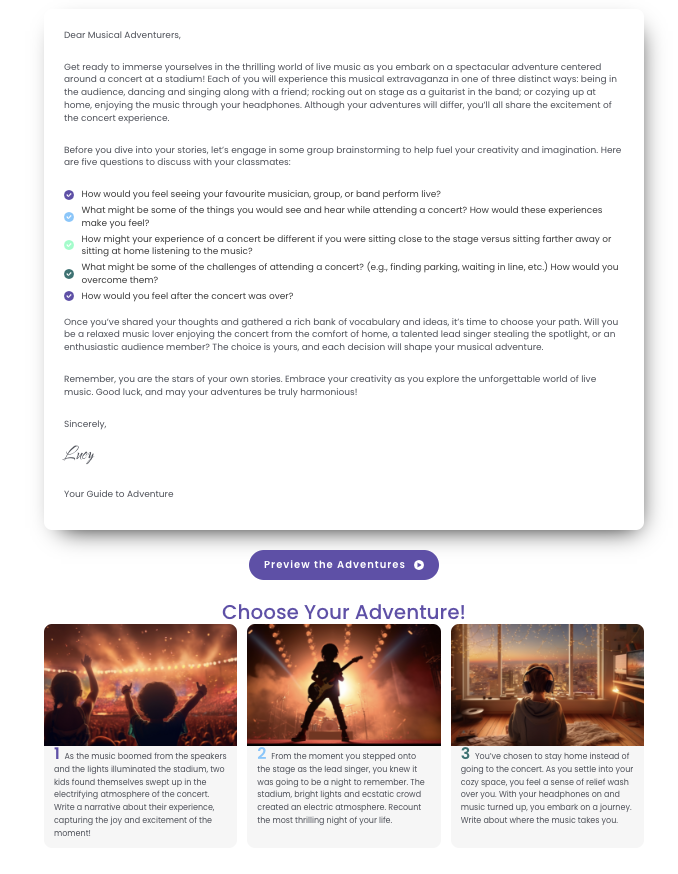
‘Kids Think Wide’ is dedicated to fostering a more equitable educational landscape. We are committed to representing everyone, promoting gender equality, and amplifying historically overlooked or unheard voices in engaging and fun ways! We’ve created over 10,000 AI-generated images and published approximately 400 on Kids Think Wide.  A writing prompt and discussion questions accompany each image to help prepare and inspire students to write. Our unique offerings include ‘choose your own adventure’ stories. In these, students collaboratively brainstorm and build ideas for their narratives before selecting from 3 to 5 adventure paths to personalize them, such as:

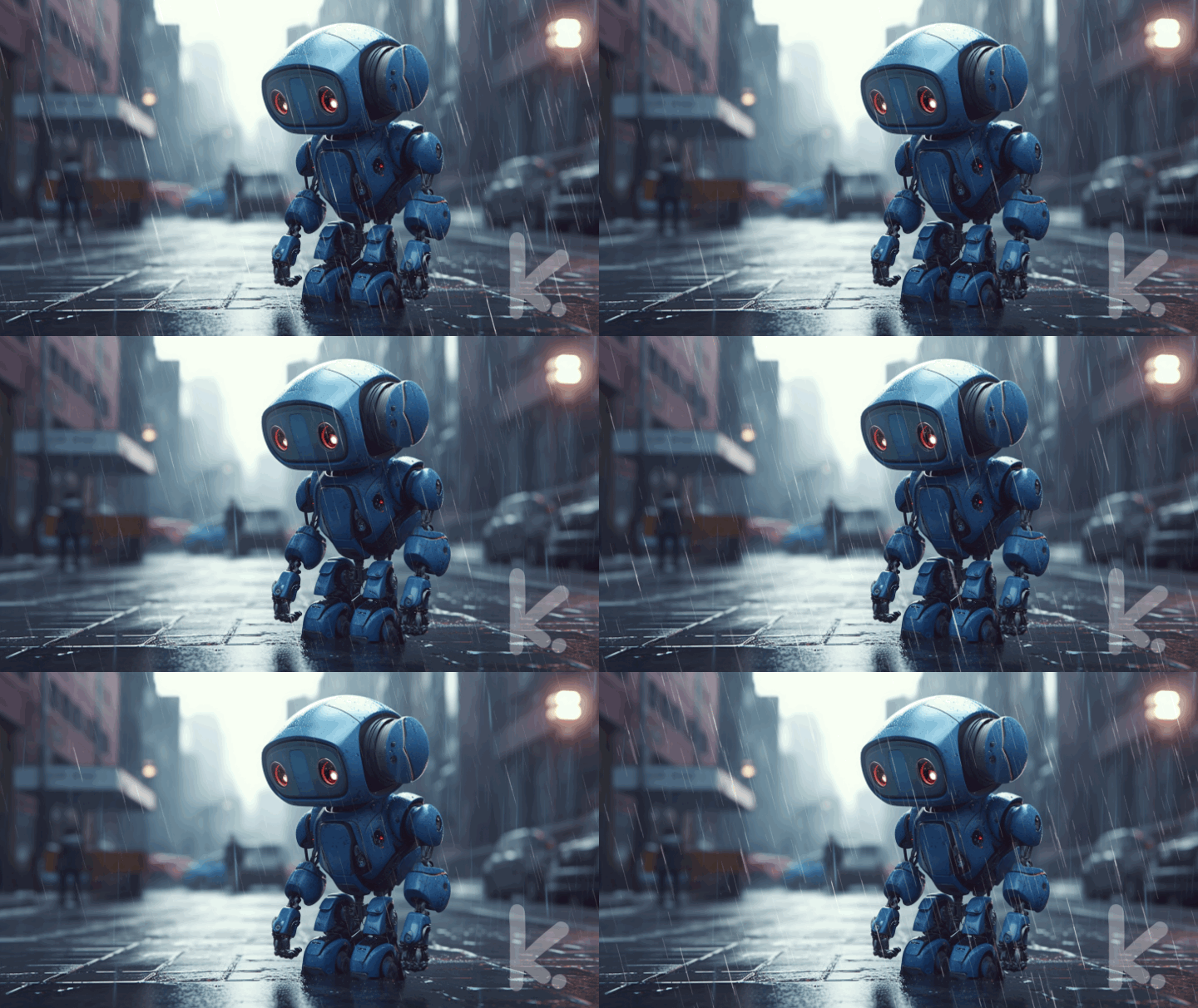
Additionally, we’ve leveraged the popularity of short-form videos, similar to reels and TikTok, using animated images, or ‘Sparks’, to captivate and spark enthusiasm for creative writing among students.

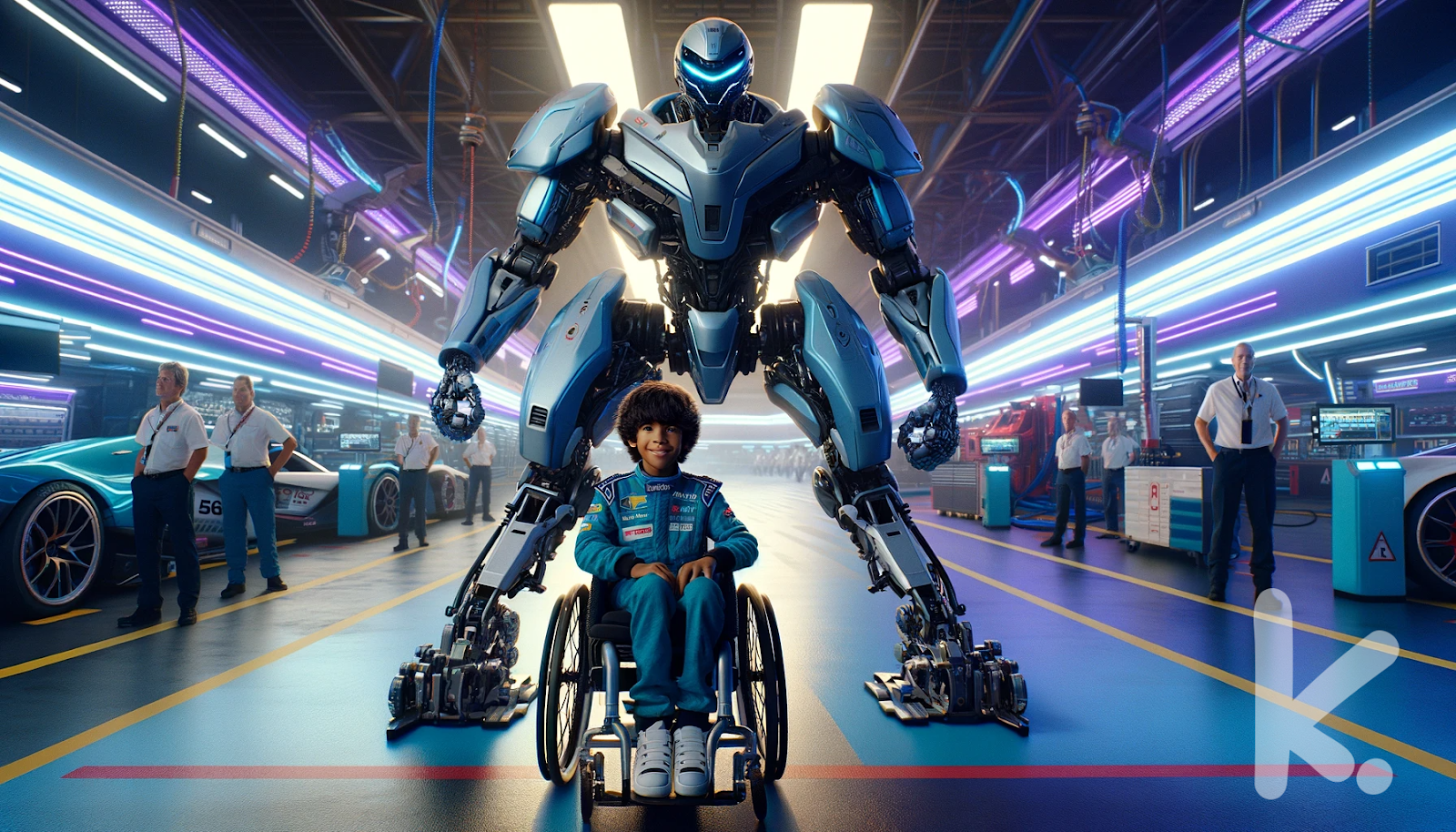
Our journey with AI also revealed the biases and limitations inherent in image generators. We’ve found it’s easier to create images that involve subjects that are very common online – celebrities, movie scenes, and well-photographed places but getting an accurate representation of a wheelchair can be more challenging. 

AI has allowed us to create scenes that challenge reality:

Journey through time, space, and into other worlds:

Create the fun, wild and whimsical:

The Evolution and Magic of AI-Generated Images

The last nine months have seen dramatic advancement in AI-generated images. The improvement in image quality, accuracy in prompt interpretation, and the ability to adjust specific image elements has been remarkable. Our journey through this dynamic domain has been an exhilarating blend of discovery and creativity. While perfecting an image is usually challenging and time-consuming, the results are frequently astonishing and rewarding. We start simple and slowly build on prompts. The arrangement of phrases and the specific words chosen play crucial roles. However, you can unlock unexpected and extraordinary outcomes through iteration, experimentation, and patience. It helps to know tokens (short phrases that often produce excellent results), e.g., playful mood, cinematic, low Angle shot, bokeh, or Chiaroscuro to name a few! On other occasions, it might require 30, 50, or even more re-rolls and remixes to create an image that genuinely captivates and is worth sharing.

While free tools provide a starting point, they often have limitations; investment in paid resources is usually necessary for more advanced or specific requirements.

As AI image generation rapidly evolves, we find ourselves exploring various tools. Midjourney stands out with its detailed control and often superior imagery, while Adobe Firefly is notable for its dedication to diversity and inclusivity. On the other hand, Dall-E brings a sense of whimsy to its creations. Each platform offers a unique experience. It’s not uncommon to initially admire an image, only to later discover anomalies like an extra limb or oddly placed fingers – the quirks of AI can lead to both amusing distortions and unexpected additions. 

Engage with the AI Community

Our journey has shown us how important connecting with the AI community is. There are many skilled and helpful creators out there. We often turn to Twitter to engage with this community. It’s an excellent place for learning, sharing experiences, and finding support. 

Check out the following: 

Hashtags – #aiart #digitalart #aiartcommunity #promptshare #LeonardoAI #midjourney #ArtificialInteligence 

Creators – @nickfloats, @HBCoop_, @saana_ai, @ProperPrompter, @ciguleva, @techhalla, @madaro_art, @Mr_AllenT, @OrctonAI

Final Thoughts and What’s to Come

‘Kids Think Wide’ has evolved from a simple ‘what if’ conversation into a reality, thanks to AI’s extraordinary capabilities. This concept, unimaginable even nine months ago, has come to life through our family’s collective imagination and AI’s power. We’re excited to unveil more awe-inspiring images, thought-provoking writing prompts, and enhanced interactivity, all while staying at the forefront of AI developments. As ‘Kids Think Wide’ continues to grow, one thing is sure: the best is yet to come, with AI playing a pivotal role in our journey.

You discover a pair of magical headphones in your pocket during recess. When you put them on, every sound around you changes into a beautiful sensation. The bounce of a basketball might feel like a gentle tap on your shoulder, and the teacher’s whistle might look like a rainbow flashing across the sky.

Write about your recess experience with these headphones. What sensations do you encounter with the different sounds of recess? How does this magical hearing change how you play and interact with your friends?

Thanks to Megs for the guest post


Rachelle Dené is a Spanish and STEAM: What’s Next in Emerging Technology Teacher at Riverview High School in Oakmont, PA. Rachelle is also an attorney with a Juris Doctor degree from Duquesne University School of Law and a Master’s in Instructional Technology. Rachelle is an ISTE-certified educator and community leader and served as president of the ISTE Teacher Education Network. She was named one of 30 12 IT Influencers to follow in 2021 and one of 150 Women Global EdTech Thought Leaders in 2022.

She is the author of eight books including ‘In Other Words: Quotes That Push Our Thinking,” “Unconventional Ways to Thrive in EDU,” “The Future is Now: Looking Back to Move Ahead,” “Chart A New Course: A Guide to Teaching Essential Skills for Tomorrow’s World, “True Story: Lessons That One Kid Taught Us,” and her newest book “Things I Wish […] Knew” is now available at bit.ly/thingsiwishedu.

Contact Rachelle to schedule sessions for your school about Artificial Intelligence, Coding, AR/VR, and more! Contact Form

Follow her on Twitter and Instagram at @Rdene915

**Interested in writing a guest blog for my site? Would love to share your ideas! Submit your post here. Looking for a new book to read? Find these available at bit.ly/Pothbooks

************ Also check out my THRIVEinEDU Podcast Here!

7 AI Tools That Help Teachers Work More Efficiently

These apps and websites can help teachers boost their productivity, personalize learning, and create lesson content.

Over the past five years, I’ve explored ways to integrate AI into my teaching practice—even before ChatGPT and other generative AI became some of the most talked-about topics in education. Every educator needs to learn about AI and how we can leverage this technology to benefit our students and enhance our own work. To best provide for our students, we need to understand how this technology will impact them and us. What better way than to explore new tools via AI in our teaching practice?

Continue reading this post on Edutopia here.

About the Author:

Rachelle Dené is a Spanish and STEAM: What’s Next in Emerging Technology Teacher at Riverview High School in Oakmont, PA. Rachelle is also an attorney with a Juris Doctor degree from Duquesne University School of Law and a Master’s in Instructional Technology. Rachelle is an ISTE-certified educator and community leader and served as president of the ISTE Teacher Education Network. She was named one of 30 12 IT Influencers to follow in 2021 and one of 150 Women Global EdTech Thought Leaders in 2022.

She is the author of eight books including ‘In Other Words: Quotes That Push Our Thinking,” “Unconventional Ways to Thrive in EDU,” “The Future is Now: Looking Back to Move Ahead,” “Chart A New Course: A Guide to Teaching Essential Skills for Tomorrow’s World, “True Story: Lessons That One Kid Taught Us,” and her newest book “Things I Wish […] Knew” is now available at bit.ly/thingsiwishedu.

Contact Rachelle to schedule sessions for your school about Artificial Intelligence, Coding, AR/VR, and more! Contact Form

Follow her on Twitter and Instagram at @Rdene915

**Interested in writing a guest blog for my site? Would love to share your ideas! Submit your post here. Looking for a new book to read? Find these available at bit.ly/Pothbooks

************ Also check out my THRIVEinEDU Podcast Here!

Join my show on THRIVEinEDU on Facebook. Join the group here

B