How I Connect Students Through Project-Based Learning

Posted on Teach ThoughtPBLTT.jpg

One area that I’ve tried to focus on more in my teaching recently is collaboration, specifically how students collaborate with one another, and finding more ways to do this in class so that I can facilitate their learning.

I enjoy having students work together within the same class because I believe in the value of building relationships and establishing a positive classroom culture. I also know how effective it is to take advantage of the time in class for students to become more familiar with each other and to work together towards a common goal.

Understanding that not everything can be accomplished in a classroom is a big reason for this shift in my teaching–and this is where I believe that technology can be extraordinarily useful with a real sense of purpose.

The Tools Of Collaboration

I have been using various tools over the past few years which have really opened up the possibilities of how, when, and where students communicate and collaborate.

Our interactions are ​​no longer confined to being in the same classroom, let alone the same school. Collaboration can occur between students across the globe and does not have to be done synchronously. The nature of tools such as Padlet or Wikispaces for example allows students to collaborate on their own terms. Time and place don’t matter as much as purpose and connectivity.

Thinking Bigger

I recall driving home one day and trying to come up with innovative ways to have students create with the language.

I liked the idea of projects, but wanted something more than simply having every student completing an individual project on the same topic. Each of my Spanish courses were at a place where I thought it would be great for them to do a project and work through learning in their own authentic way, so I decided to go big and involve the students from levels 1 through 4 as part of a team project.

I didn’t have a clue how this would work, but it seemed worth figuring out. I hoped that something like this would bring students together and show them the power of technology for collaborating and putting a project like this together, so I gave it some thought and this is what I came up with: A cross-level, cross class team project.

Executing The Project In The Classroom

Here’s how it worked: Spanish IV students had been studying careers and planning for the future. Spanish III was focused on travel and preparing for a trip. Spanish II was learning vocabulary related to a community and and types of activities that one can do in a neighborhood. Spanish I was learning vocabulary for houses, chores and describing living arrangements.

Taking all of these themes into consideration, I decided that one student from Spanish IV would be the ‘Team leader,’ and their ‘mission’ would be finding a job to apply for in a Spanish speaking country with the idea of going to work abroad.

Their task was to create a collaborative space, whether that be by creating a Padlet or Google Slides or something else altogether, and share it with the other members of their ‘team.’

Team leaders also had to write a brief note to their Travel Agent, Community Specialist and Realtor (students from Spanish I, II, and III) to let them know their travel interests and needs they have for moving abroad. The team members would then take this information when creating their part of the project. Spanish III would then plan how their team leader was getting there.

To make it more fun, I included a requirement that each Team Leader wanted a chance to sightsee before starting work, so the Travel Agent’s task was to plan a two-day tour that would meet the interests of their client.

Spanish II would research the neighborhoods where the client would be living and let them know what types of services and businesses were available for their new community. Spanish I, with two members assigned to each team, had to prepare to real estate ads for the clients. Each group would take the information from the notes and try to cater to the needs of their client.

There was a tricky part to this which was that I had to be out of school for a period of time. I was not there to oversee the work, however I use messaging tools like Celly, Voxer, and edmodo to communicate. The biggest tool I used, though, was the concept of collaboration among students.

While I didn’t plan this wrinkle in the beginning, I started to see that I relied on them as much as they relied on me and one another.

Stepping Aside & Letting Students Work: The Outcome

I distributed list of teams to each student. I put the team list on the board and left a space for the team leaders to put their link and their notes or however they saw fit to share this information.

There were problems at first. Students said they did not have the link, or had the link but did not have access and a few other issues, all of which I had expected and told the students to send messages or leave a note on the board. Always plan for failure, and have a backup for your backup.


Ultimately, I wanted the students to practice the vocabulary in their respective Spanish classes, but I also wanted them to learn how to work towards a common goal and without having to be in the same physical space or during the same time. I wanted them to see what great resources are available through technology and how they can work as a team without being in the same place.

The team leaders had the opportunity to say whether or not they really liked what the group members had put together for them, and for me it gave me another opportunity to let the students be creative, independent, to decide whatever they wanted to in terms of this project and that’s very important.

Giving the students a choice in how they show what they know and can do with the material and being open to their ideas was crucial to the success of the project. When planning, keep in mind that even if things don’t turn out the way you had planned, if the critical objectives of the project are met (whether academic standard-based, soft-skill, or something else), then the project has to be considered successful.

While planning is important and leadership essential, the tighter you hold to your vision of things as a teacher, the less ownership students can take over their learning.

6 Digital Tools To Engage Students

 Original Post Published on Teach Thought May 22, 2017, few updates added


Are you looking for some new ways to get students engaged this school year?

Here are 6 tools that I had found to be quite helpful as this school year winds down. More importantly, these are also some of the student favorites, in no particular order.


Flipgrid

Flipgrid is another video response tool that offers ways for students and teachers to interact with a variety of discussion topics. You start by creating a “grid” and then adding a “topic.” There have been some major updates and new features added to Flipgrid this summer. Longer recording length, stickers, gifs, integrations and more. Be sure to check it out!

A grid in my case is one of my Spanish classes.  Students go to the grid to see new topics which are posted for discussion and then record a response and even reply to classmates.

I have used Flipgrid as a way for students to reflect on their project-based learning, and for basic speaking assessments with my Spanish 1 and 2 students, where I can listen to their pronunciation and provide feedback. Flipgrid is also a way to connect students with other classrooms or even professionals in different fields, to connect with real-world applications of the content material.

Some additional features include the ability to give a rating to the response, read the transcript, provide written feedback which can then be emailed to each respondent, as long as an email address has been provided.

When setting up the topic, there are options for recording a video prompt, adding additional details in writing, and then customizing the topic based on whether or not other people can see the responses. You can freeze a topic, so new responses cannot be recorded but all prior responses can be viewed.

There are other features such as tracking the number of views, likes, and comments. Flipgrid is available on Chromebooks, iOS and Android devices and can also be embedded into an LMS or other websites. It is another tool that is easy to set up and might just be what you are looking for, especially at the end of the year,  to have students provide feedback on the course, to offer some information to help with the summer reflection.


This slideshow requires JavaScript.

Recap 2.0

Recap 2.0 is a Question and Answer platform available on Chromebooks, iPads, iPhones and Android devices, which can be implemented right away and is easy to use. Recap enables teachers and students to ask questions, share a reflection, and provides a comfortable way for students to communicate their thoughts. Recap also had many new updates this summer and is a great way to spark curiosity in students and to help students learn ways of asking questions and seeking more independent learning.

Students can submit questions and receive direct feedback from the teacher, parents can receive feedback by email through Recap, and there are many other features available for assessment and classroom management. Recently Recap added another feature to its platform by introducing ‘Journeys.’

In a Recap Journey, teachers create a multi-step path for students. It starts with a 60-second video and then the learning path, which leads to more independent learning and can also be a great way to differentiate instruction. As an end to the “Journey”, students can share their information or create a presentation.

In my experience with the Journeys, I had students explore Spanish-speaking countries and included different links for them to explore more based on their own interests.

It was very easy to create my own Journey and there are also many Journeys available to try through the Recap Discover.

2016 Pioneer Badge

Kahoot!

By now, you’ve likely heard of Kahoot! Especially last week when CHALLENGES came out after a period of Beta testing following discussions at ISTE in San Antonio. I was fortunate to be one of the testers and Challenges are great for having students practice the content and even for fun with family and friends.

Kahoot! is great for assessments and having a game based learning element added to your classroom. It can even be used for professional development or family fun. Kahoot! offers many quizzes in the public library which can be duplicated and then edited to make your own.

When playing, it also has added new features for auto advancing, playing in ” ghost mode ” which enables players to try and beat their first score. ‘Jumble,’ which is one of the most recent additions has proved to be a lot of fun and very beneficial for learning.

In Jumble, you create a question and each of the four colored tiles becomes part of the response. When the question appears on the board, the squares on the board are shown but the order is “jumbled.” Players must then slide the squares into the right order to either spell the word, properly form the sentence, or answer the question.

As a foreign language teacher, this has been quite beneficial for having students practice their spelling as well as for reinforcing proper word order for sentence structure in Spanish. Playing with Jumble mode has livened up the classroom because it is something different to try and the students are always excited about trying new things.

Setting up a game played in Jumble mode, or encouraging students to create games as a review, will add to classroom resources and be more authentic practice for the students.

Buncee

Buncee is a multimedia presentation tool which can be used to create interactive presentations, cards, signs and other engaging visuals.  (see recent post on new Buncee features, and look into Buncee Classroom)

There are many new items added to their library and some additional features, including the ability to use it for assessment. I have enjoyed testing out Buncee with my students. It is easy to create with Buncee, you can add multiple items o n to the canvas and move them around very easily. Teachers can create lessons with assessments through the classroom edition.

But what is most exciting about Buncee is that it offers many ways for students to be creative and more engaged in learning by creating something authentic, as there are thousands of items that you can add to bring it to life and make it your own.

Students can design Buncees for any class and will have the opportunity to create more authentic work which represents what they can do with the language material we have covered. Creating will be a lot of fun for students and teachers. And great for doing a Twitter Chat too! Lots of great templates.

full-1

Telegraph

Telegraph is a very easy site to publish a stand-alone web page, which can be used to create a sign, a newsletter, a journal entry, or anything as an alternative format to pen and paper or using a Word or Google Document.

It is simple to use: type in the website, add a title to it, your name and add some pictures or links to other websites and once you’re finished, you publish it and it provides you with a web address. You can easily share that link with anyone.

My students created a site to tell about a favorite trip, one to talk about sports and favorite athletes, and another some even made Mother’s Day pages and then printed them. If you’re looking for a way to have students practice simple writing skills and do so in a more digital way, I’d recommend trying Telegraph. No log-in is required and it’s very easy to use.

Quizizz

Quizziz is a fun assessment tool that continues to add more features, which makes obtaining feedback from students and providing feedback to them much easier. Some of the newer features include receiving a daily report of the Quizizz summary and being able to send parents the results of a student’s Quizizz game. (See new Quizizz features)

The daily summary report shows the number of Quizizz games used, number of responses, percentage correct as well as additional information. It’s nice to be able to have that data available so quickly. There is also the option to email the data directly to parents, which is great especially for communicating student progress and in a timely manner.

Quizizz is another tool which is easy to implement, you simply create your own by adding your own questions or search from the public Quizizz available and drag in the questions you want and then edit them according to your preferences.

Other benefits include the ability to either play it live or assign it as “practice” or homework. You can store your Quizizz games into Collections to find them easily, quickly build games and it has a much improved UI, and it was pretty good to begin with.

And if you create the Quizizz and do not have enough time for students to finish, no worries because when students use the same login and pin number, they can pick up right where they left off in the game.

This slideshow requires JavaScript.

8 Things I Learned My First Year Of Teaching With Project-Based Learning

8 Things I Learned My First Year Of Teaching With Project-Based Learning

 3.5k

8 Things I Learned My First Year Of Teaching With Project-Based Learning

by Rachelle Dene Poth

My first year of teaching with project-based learning provided as much learning for me as it did my students.

Each year when I head back to my classroom in the fall, I have many ideas of new methods, new tools, and some changes that I want to make in my classes. These changes and ideas are the result of attending summer conferences, reading new books, and maybe the most helpful, student feedback that I review over the summer.

The biggest change I wanted to make this year was to have my students really engage in Project-Based Learning.

Interested in PBL support? Contact TeachThought Professional Development today! 

1. It’s not ‘doing projects.”

My students have completed many projects over the years, and I honestly thought they were doing “PBL”, but after the summer I finally realized that it was not authentic PBL. I was simply having students learn by completing projects. Coming to this realization allowed me to find resources to learn how to implement authentic PBL into my classroom.

If you are feeling the same as I did, don’t worry. There are the resources, tools, and shifts in thinking that can help you on your way.

See also: The Difference Between Projects And Project-Based Learning

2. Students–and parents–need to understand the process.

To get started, I sought out resources that I had learned about over the summer.

I learned that there are several different methods of doing PBL. The theme can be something created by the teacher, independently chosen by the students, or a combination of something in between. Because I had decided to implement PBL with my Spanish 3 and 4, I decided to follow an independent method, enabling students to pursue something of personal interest. The opportunity for students to have choices through more independent learning, leads to a more meaningful experience, a few of the great benefits of PBL.

The opportunity for students to have choices through more independent learning, leads to a more meaningful experience,  a few of the great benefits of PBL. This is difficult without students–and parents!–understanding how PBL works so they can buy-in, support, and believe in this ‘long-tail’ approach to learning.

3. The right technology can make all the difference.

I started by explaining the purpose of doing PBL, what I hoped would be the benefits of doing this in Spanish 3 and 4, and using the resources I found, shared the PBL elements with the students. I wanted to make sure they understood the process, as much as possible, from the start. I knew it would be a learning experience for all of us, requiring ongoing reflection and feedback.

In our classes, we use a few digital tools which help open up opportunities for communication and collaboration. We use Edmodo for our classroom website, messaging apps (Celly and Voxer), and have also used tools such as Kidblog for blogging and writing reflections, and Recap and Flipgrid for video responses.

4. Developing quality Essential Questions takes practice.

I did my best to explain how to create an Essential Question (what TeachThought Professional Development calls ‘Driving Questions’), referring to resources I had found, as well as some books and educators for advice. I had struggled with crafting my own “Essential questions” in the past during curriculum writing and I knew this was an area that I also needed to work on.

What I learned is that Essential Questions are not answered with a yes or no, and answers are not easily found through a Google search. Essential questions will help students to become more curious, to seek more information, and in the process, develop their skills for problem-solving and critical thinking.

Essential questions drive the learning.

Last summer, I had read the book Pure Genius, by Don Wettrick, and had the opportunity to meet him during the Summer Spark Conference in Milwaukee. I also read a few other PBL books including  Reinventing Project-Based Learning: Your Field Guide, by Suzie Boss and Jane Krauss, and Dive Into Inquiry by Trevor MacKenzie.

Once we started, the students had many questions, and I answered as best as I could. However, because this was a new experience for me as well, I sought additional help.  Don Wettrick spoke to my students through a Skype call and later in the fall, Ross Cooper spoke with my students about crafting their Essential questions. Another great resource I consulted over was  Hacking Project-Based Learning book by Ross Cooper and Erin Murphy.

See also: Using The QFT To Drive Inquiry In Project-Based Learning

5. Project-based learning is a team-effort.

We have gone through this twice so far this year, and are now focused on one final PBL theme. It has been a tremendous learning experience for my students and I have learned so much from them. We have covered many new topics related to culture, language, sports, family and traditions.

The students enjoy having the chance to be in the lead, to drive their own learning, and have become more reflective on their work and on this PBL process. I did make mistakes and continue to work on improving each time we do this. The availability of these PBL resources to guide teachers and students and other educators who offer support along the way has made all of the difference.

The most powerful part of this has been the feedback from my students. I asked for the positives, the negatives, what could be different, how could I help more, and they were honest and offered such great information.

6. Project-based learning empowers students.

What I have learned is that it really does benefit students and the teachers to offer these project-based learning experiences for students, to find out about their passions and interests. We learn more about them and from them through their PBL. Having students take over the classroom and present their information opened up so many new learning opportunities for everyone. This is truly a great way to see students empowered in their learning.

Overall, the students are pleased about the work they have done, the progress they have taken and are excited about this next phase. We reviewed the feedback, did a little bit more research, and had some planning conversations.

7. Project-based learning forces students to see learning differently.

We need to create opportunities for students to pursue their interests when they learn. In order to prepare them for the real world, we should provide learning opportunities which connect them with other people, perspectives, and experiences.

The most difficult part for my students at the start of this was thinking about how they were going to present their information, and I kept telling them to work through the research part, gather their information first. I reminded them often to focus on the “what and why” part, and that the final product form would become more apparent as they progressed.

8. Patience is key.

I am pleased with having started PBL this year and I encourage other educators to consider implementing PBL in their classrooms. Yes, there can implementation dip. And without communication with students and parents and even our own colleagues, progress can be slow.

PBL is, however, a different approach to learning. It acknowledges that the school year is a marathon, not a series of sprints. It allows students to design and create and publish and reflect on and revise ideas, and this all takes time. Patience, then, is a critical characteristic of any successful–and sane!–project-based learning teacher! Given time, you’ll eventually help the students see the impact it has had on their learning.


Another social media “risk”: Wrong again

This is the second part of my posts sharing how I was wrong about the value of Social Media for professional learning

So enter Twitter, the “twitterverse”. I was really wrong about this one and as a very reflective person, if I am mistaken, I will readily admit when I am wrong. And I will also take a step back and think about why I was wrong. For Twitter, I had no idea what was out there in the Twitterverse. I really knew nothing about anything related to Twitter.

I have had a Twitter account for probably 10 years, an account that was created only because a family member sent me a link, which required a Twitter account in order to see the post. I used my regular email address (original AOL by the way) and joined Twitter. I think I looked at it a few times for a week and then 5 years went by, never again looking at Twitter.

It wasn’t until the summer of 2014, when I was leading a session at a technology Summit, when someone tweeted about my session, to what they thought was my Twitter account. So I decided to create an account in that username and I have been actively involved in Twitter more or less ever since.

I had the misconception that it was only for celebrities. But I decided to look into it a bit more. I really didn’t know how it worked but I came across a Twitter chat one night and I started to connect with a few people from North Carolina and Tennessee. That was my start toward becoming a more connected educator and seeing the true value in Twitter. I added additional Twitter chats to my weekly activities and looked forward to the interactions with the new friends that I had made.

Shortly before ISTE 2015, I learned about “tweetdeck”. I had no idea what that meant, and I did not ask because I figured that it was something that I should know if I was using Twitter. I think I googled it. Before Tweetdeck, I used one window, with 1 chat and flipped back and forth between each chat window. To say it was a bit difficult at times is an understatement. I decided to try Tweetdeck, during my train ride to ISTE, multitasking by reading my Teach like a Pirate, involved in a Saturday chat with Tweetdeck and amazed at what was happening. It hit me. The power of communication and technology. In and of itself the fact of sitting on a train, reading a book with Wi-Fi access to enable me to use my computer, engage in multiple tasks, communicating with people around the country and world, at any point in the day during the travels. When you stop and think about it, it’s so amazing what we are capable of today. And with these two social media platforms alone, (ones which I adamantly avoided), the possibilities for learning, connecting, and so much more happen instantly anytime and anywhere. But that’s just my view of it and people may not see the value in having accounts with these or may prefer to stay away from social media. And it may not be for everyone, but I’ve learned that you can’t really say that you don’t like something or that you hate something, until you at least give it a try. And you certainly can’t go based on what somebody else says. While I greatly value the opinion of others, and can and have in the past been swayed because of someone else’s opinion, I really try to think about what is best for me. As an educator, I think about what is best for my students. I might love a certain digital tool but if it’s not going to benefit my students,  I won’t just throw it out there and say have fun with it. And that’s what I’m saying about Facebook and Twitter. As a start, either of these would be something that might surprise you in terms of the benefits personally and/or professionally. And again, I admit that I was wrong.  Lessons learned about Facebook and Twitter: Educational value is huge and learning to write concisely is an acquired skill.

Post on Storyboard That

Encouraging Creativity and Innovative Designs

Students Share Their Stories

By Rachelle Dene Poth


Thank you Storyboard That for the opportunity to share our story!
Find this and other great teacher resources in our Education Blog!

Storyboard That is a tool which offers many opportunities, not only for education, but for anyone looking to share information, tell a story, or produce a product in a more visually engaging way. It is a very authentic tool that promotes critical thinking, communication, and creativity. It fosters innovation in designing and empowers students in the learning process. Students take control of how they show what they have learned and can now do with the material, in their own personal way. Each of these opportunities help to promote the integration of the new ISTE Student Standards.

By using Storyboard That, students are able to select from so many templates with diverse options for themes, backgrounds, characters, text, props, and more. The tool applies to any level and any content area quite easily. It offers so much, that providing students with opportunities to express themselves and apply their learning in a unique way that is more meaningful, is easily done.

Some Options for Classroom Use of Storyboard That

There are so many possibilities for having students complete a project with Storyboard That. Teachers can use one of the many lesson plans available to implement with their classes. Whether you teach History, English, Foreign Languages and more, Storyboard That is a great option to provide to students, it will appeal to students because of the variety of options available to express creativity and promote student choice and voice.

Deciding how to best use digital tools can be challenging at times, but a good place to start is to hear directly from the students. Involving the students in the classroom decisions and then asking for reflections on their experience with using the tool helps educators to understand if and how technology is enhancing their learning process. Asking students to share the ease of creating with it, how it enhances or amplifies their learning and in general, what their perspective is about this particular tool, are important to include in teaching practice.

Students as Advocates

Several of my students have used and become advocates for the use of Storyboard That and share the impact it has had on providing more meaningful learning for them and their classmates. Celaine and Emma have created with it and produced visually engaging projects that have enhanced their learning.

Celaine has used this tool for many projects as well as for conference presentations over the past few years. She has become an advocate for its use, for teaching others how to use it at conferences and at school, and serving as a role model for other students with a positive message of the benefits of technology for learning. Here are her thoughts on why you should try Storyboard That and what you can expect from its for learning in your classroom:

Before I started using Storyboard That, my school assignments were rather dull. I tried to put my own personal touches into every slideshow presentation that I made, but after a while it got boring just typing text onto a slide, adding photos and animations etc. When I found Storyboard That, my educational mindset flipped 180 degrees. Now I could finally have some say in my assignments and showcase my personality by creating something that showed exactly what I pictured in my mind. Plus, I actually enjoyed doing my school work again because there were so many ways that I could personalize my assignment. I could choose characters and make them look any way I wanted them to. I could even choose from a variety of backgrounds that date from medieval times to mythical times to the present. That is what I love about Storyboard That: it allows anyone to create a visually appealing presentation in a unique format that will engage students in their learning and allow teachers to learn about/from their students.

In Spanish 3, students were to create a project using chapter vocabulary related to the medical field and had the task of telling a story, using any tool for their project creation. Emma has also participated in several technology showcases and is an advocate for having choices in project tools and how beneficial these tools can be for learning. Emma decided to use Storyboard That to create her medical story, selecting from the diverse backgrounds to really bring her story to life. Emma shares her thoughts on Storyboard That:

Storyboard That has given me the opportunity to truly personalize and create projects exactly the way I would like. It has endless possibilities for creativity and imagination. I really enjoyed using Storyboard That because it enabled me to put so many different things into the medical project. I was able to type anything into the search box and get back some great options, that were exactly what I was looking for. For example, I searched the word “pumpkin” and I got back multiple pictures of pumpkins and jack-o-lanterns so I was able to have choices and find the perfect picture. I found Storyboard That to be the perfect choice for the medical project because, as with most of our projects, this one did not require too many specifics. The requirements were mostly just to be creative and have fun as long as we use the proper vocabulary and verb conjugations.

I have noticed that other web tools do not offer the same amount of options that Storyboard That does for project and presentation making. Some other web tools seem to be limited in the offerings for backgrounds and templates that you can use. Also, I have noticed that it can be a little confusing and difficult to understand some of these other tools. With Storyboard That, it is very easy and simple to figure out how to put in your own backgrounds, characters, images, animations, etc. Storyboard That has made project making a lot more fun.

Kidblog Post:How to Use Blogging with Project Based Learning

How to Use Blogging with Project Based Learning

pexels-photo-58457

Over the past few years, I have looked for more ways—especially creative ways—to use blogging in my classroom. What initially started as a way to have my students practice their writing skills in a digital format (rather than the traditional “Daily Journal” writing), has taken different forms over the past year.

Blogging brings students’ work into a digital learning space, where they can feel free to share their ideas, to express themselves without so much worry on grammatical accuracy, and build their confidence in the process. It enabled me as the teacher to not only focus on what they were sharing, and assess them as needed, but also to learn about them in the process. It provided me with a way to further personalize my instruction and to be able to give the needed feedback in a more direct way.

I also use student blogs, in addition to my own, as a means to reflect on what I have been doing the classroom. Giving this information to the students affords them an opportunity for that critical reflection as well. So through blogging, many skills are enhanced and many things are possible besides the initial use of writing in response to a prompt.

Blogging with #PBL

Approaching this school year, I had many new ideas in mind, one of which was the implementation of PBL (Project-based learning) in my upper-level Spanish courses. A big part of the undertaking of PBL is for students to have an “essential question,” to think about what they wish to explore further in their studies.  We discuss how it will work, plan to have progress checks throughout, and once they have completed their cycle of research, they prepare to share their information. An important part of PBL is the reflection element.

I chose to use Kidblog as a way for students to take time to reflect on what they have uncovered in their research and to give others an opportunity to learn from them. I can give feedback, and we both have access to that information and refer back to it as often as needed. We can also continue to comment on it moving forward. I can write comments to offer suggestions and provide support. More importantly, a private digital learning space gives students a way to be more independent in their learning. For our PBL, students use their blog as a way to create a guide for themselves during the process. After posting of their initial “Essential Question,” students are reminded of where they started and how far they have come.

All of this valuable information can then be used during the next phase of PBL. It is a great way to track growth, increase communication skills, and collaborate. The use of blogging aids in the building of relationships. It is rewarding to read what students have written, to understand how they worked through their project-based learning experience, and to have that element of reflection as a result of their blogging. For me, it is great to hear directly from students as they share what they have learned, but better to hear them acknowledge how much they have grown.  Being able to review and reflect aids students in planning new goals and continuing their path toward lifelong learning.


********************************************************************

As an addition to this, it is helpful as a teacher to reflect on our practices, in what ways can we improve, how is PBL working in our classroom, what are the thoughts of the students.  Using this information can be quite helpful, as well as referring to the many resources available through BIE, and recent books including Hacking Project Based Learning by Ross Cooper and Erin Murphy, Dive Into Inquiry by Trevor MacKenzie, and Pure Genius by Don Wettrick.  The #pblchat is also a great place to learn on Twitter.

Implementing an App in the Classroom in 3 Steps

Thank you to Meghan and EdTech: Focus on K-12:  Glad to be a part of this discussion.

Two education experts offer up best practices for utilizing mobile technology.

With more and more K–12 students owning mobile devices, and with Pearson Education reporting that 72 percent of elementary students and 66 percent of middle school students want use mobile devices more in classroom, now might be the best time to add an app as a regular part of school work.

However, as EdTech reported, a survey done by Kent State University’s Research Center for Educational Technology (RCET) found that 30 percent of general education had received training on apps, and 87 percent wished to receive some sort of training on mobile apps.

We’ve consulted with a researcher and an educator who have expertise in adding mobile technology — particularly apps — into the classroom.

Step One: Identify What Kind of App You’d Like to Use

For Rachelle Poth, a Spanish teacher at Pennsylvania’s Riverview Junior/Senior High School, using mobile technology in her classroom came out of a desire to provide easier and more accessible communication with her students. For Poth, the messaging app Celly was the perfect fit to remind students of assignments and provide a place to put class resources.

“[Using an app] can seem overwhelming for a teacher who isn’t necessarily using technology at all or not using it much,” Poth says. “The key is to look at your classroom and ask, ‘What is one thing that is bothering me or taking up too much time?’”

Poth, who is also an education technology mentor with Common Sense Education, says that finding an app that will work with your class is dependent on what category you might need. She recommends the following:

  • For messaging: Celly and Remind for communicating with students, and Bloomz for parent-teacher communication
  • For assessment: Quiz creation tools like Quizlet and Kahoot!
  • For classroom organization: Learning management tools like Edmodo and Google Classroom

Another way to figure out where an app might be helpful is by asking students, Poth says.

“Pose the question to students, like, ‘If you could change one thing about homework, what would it be?’” she says. “You might hear no more homework at first, but if you dig deeper, you’ll find issues.”

Step Two: Find a Quality App and Test It

Once educators have decided what they want in an app, they might get overwhelmed by the sheer number of options.

Poth recommends reading teacher reviews and sample uses on a site like Common Sense Education or EdShelf. She also says you can chat with the communities on those sites or on Twitter to get feedback from other educators.

At Kent State’s RCET, Karl Kosko, an assistant professor, and others are evaluating apps specifically for special education teachers as part of the SpedApps project. Their database can be accessed by all educators.

Once a teacher has found the right app, he or she will need to do one more thing before introducing it to students: Test it.

“It seems like a very simple thing, but it is the first and foremost,” Kosko says. “Educators should play through the app and think about how their students will use it and misuse it.”

Step Three: Make Sure the App Connects with Your Lesson

Perhaps the most important step of all for educators is choosing technology that supports their teaching and their curricula.

Kosko suggests that teachers really think about how they are going to teach their students to use the app, and then use it for a purpose that will work in the classroom.

“Don’t just use it randomly,” he says. “The apps should be related to something students are currently learning.”

Also, if using anything that needs technology at home, Poth says teachers need to be aware of what students have access to.

“At the beginning of each school year, I give my students a paper and ask them what kind of device they have, if they access at home and what kind of tools they know how to use,” she says.

WAVEBREAKMEDIA/THINKSTOCK

Flipping Roles: Students Move From Edtech Learners To Leader

Student reflections

Published on November 30, 2016

By Formative Educator Rachelle Dene Poth

Technology has created so many ways for teachers to provide choices for students, enable learning to occur anytime and anywhere, and to also be able to further differentiate instruction for the students. In addition to teachers being able to take advantage of the resources available to deliver instruction and assess students, these digital tools also create the possibility for students to take more ownership in their learning and become empowered learners.

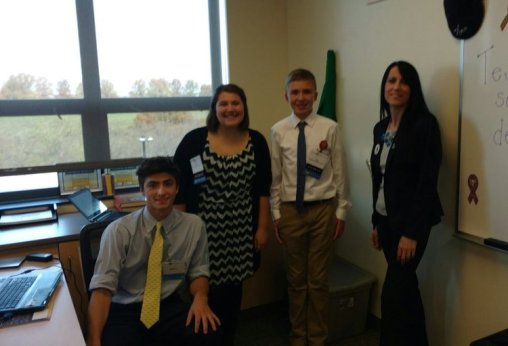
Rachelle and her edtech leaders!

Rachelle and her edtech leaders!

We need to offer diverse learning opportunities for students and to provide the support needed to encourage them to take more ownership in their learning and to become the leaders in the classroom. Students have to be more than just consumers, they need the chance to create, to experience learning from different perspectives and take this new knowledge and apply it in different ways to meet their needs.

How do teachers know what is working in the classroom? Teachers can use assessment tools and monitor student progress, but it is far more valuable and important to classroom culture and growth, to work on relationships and build collaboration by asking students to be a part of the conversation and creation of class materials. When teachers do this, they understand what helps students to learn better, be more engaged, and have a more authentic learning experience.  It also becomes a way to build student confidence and transform them into classroom leaders and advocates, who can then share their knowledge and experience with others in their class and then the community.

Give Them Choices And Let Them Lead

At the end of last year, I wanted to see what students thought about creating these assessments using tools which were traditionally used by teachers to deliver instruction.  Cassy shared her experience in the prior post and emphasized the importance of including students in the decisions of when and how to integrate technology.  Because reflection is key, I took this information and thought about the logical next step.  How could I share the message about Formative, or even more importantly, how could the students share their input with others, especially educators?

Students Take Over

Last month, Cassy had the opportunity to take the lead and present to a group of educators at a technology conference in Pittsburgh, and show how Formative can be used in their classrooms. Cassy had become the teacher, she created a lesson with Formative and offered her perspective on the use of edtech.  This time, I asked several students to participate in an edtech conference, and to present the session. Cassy taught the attendees about Formative. Here are her thoughts on the experience…

Student Perspective On Edtech: Cassy Becomes The Teacher

9th grader Cassy presenting Formative to teachers!

9th grader Cassy presenting Formative to teachers!

Cassy: “On November 8th, 2016, I participated with two other students in TRETC (Three Rivers Educational Technology Conference) where educators and technology directors from the Pittsburgh area presented sessions on uses of technology.  I am extremely grateful that I had this opportunity to share what I learned about and what I have created with technology. Formative was the perfect choice of a tool to share with the group of educators. I feel Formative is a wonderful, interactive and creative way to teach, complete assessments and increase engagement in teaching environments. I was very excited that I was able to inform others about this web tool because it means other students can have the same great opportunity I have been given, which is to use technology to learn and be creative.

Cassy had teachers respond to a Show Your Work question and draw their own flowers!

Cassy had teachers respond to a Show Your Work question and draw their own flowers!

    For the presentation, I created my own Formativewhich included a video, a true/false question, a multiple choice question, a short answer question, and a draw your response question. I included all of these so the group could see how many different options and aspects there are to Formative. I also explained the other possibilites with Formative, how to assign the Formative and answered any questions from educators or technology directors. One teacher asked if we (meaning my Spanish 3 class) have used Formative in the classroom. I told her that we have used it very often and I enjoyed it every time. I also explained how it is possible to see all of the responses of those participating in the Formative. While I talked about all of these great aspects of Formative and more, the group participated in the Formative I created and were able to see all of each other’s’ responses.

The dynamic teacher-student duo showing educators how to act on live responses!

The dynamic teacher-student duo showing educators how to act on live responses!

    I was very pleased with how the group reacted. I felt I had explained Formative well enough that everyone had a general, if not advanced understanding of how Formative worked and the advantages of using it. Seeing the smiles and hearing the laughter of everyone in the room meant that I had accomplished my goal of informing and sharing what I was so passionate about and making an impact with technology.

I am so lucky to have had the opportunity to present at TRETC with my fellow students and my extremely talented and intelligent teacher. Mrs. Poth has opened so many doors for me and has taught me so much. Learning about tools, like Formative, has made me realize how useful technology is for learning. It was wonderful to hear what Mrs. Poth had to say about Formative on top of what I had to share about it. The group was able to see two perspectives on how Formative has impacted the classroom, which I felt made a very big impact.  I admire her opinions and her comments. I am very appreciative that I could hear and see my fellow students and teacher talk about what they love so much about technology.

Being able to present with Mrs. Poth, was a great opportunity. I am very pleased I could share what I love so much about technology. Formative encompasses everything I love about technology: maximum creativity, endless possibilities and strong usefulness. I can’t think of a better tool I would have wanted to present than one that shows and encompasses my passion for technology: Formative.”

Want to learn more about giving your students ownership over edtech and opportunities to present tools to teachers? Tweet to @Rdene915  or @goformative !  

Piktochart: An edtech interview

This is a post by Jacqueline Jensen, following our Blab interview talking edtech in the classroom.  Thanks for this post and the opportunity Jacqueline and Piktochart!

Talking EdTech with Teachers

As Piktochart’s Community Evangelist, fostering community among our 5-million-strong user base is one of my primary goals. As I wrote after first joining, my role here on the Piktochart team focuses on interacting with our users at every level — from live events around the world and conference talks to jumping onto the latest up and coming social platform to chat with Piktochart users.

So far, we’ve tried a number of new initiatives. We think it’s important to share valuable content with not only our user community, but with startups, designers, educators, and marketers all across the globe. When we tried out Blab, we picked an awesome guest and gathered community questions to chat about.

Back in June, we went looking for educators to join us to discuss more about how to bring technology into the classroom. Education technology, also known simply as EdTech, refers to the creation and use of software and hardware intended to bring technology to education.

This segment of the technology world has heated up thanks to investment from organizations like the Bill and Melinda Gates Foundation, the United States government, and even tech venture capital investment firms like Andreessen Horowitz. In fact, in just the first half of 2015, private investors alone poured $2.5 billion into EdTech companies — leading to the creation of countless technologies for classrooms around the world.

Here at Piktochart, our team was thrilled to hear we were recently honored in the American Association of School Librarian’s 2016 Best Websites for Teaching and Learning. Educators have been using Piktochart in their classrooms since we launched in 2012, and we couldn’t be more pleased to know we are making a difference in the minds of students around the world.

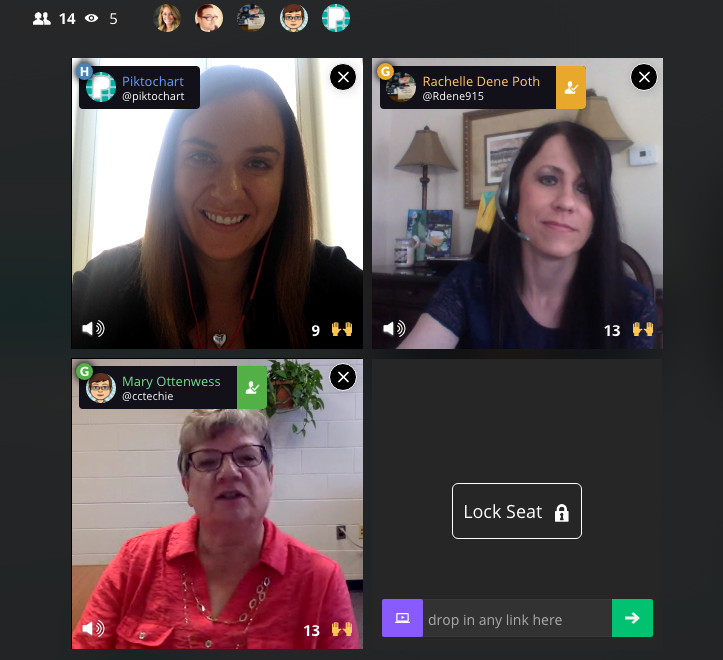
To get the skinny on what’s going on in classrooms when it comes to EdTech — from best practices and challenges to favorite tools and privacy policies — we brought in two Piktochart users who are making a big impact by bringing technology into their school. For the first time, we had two guests on our Blab,Rachelle Poth and Mary Ottenwess.

Rachelle is a foreign language teacher at Riverview Junior-Senior High School in Oakmont, PA. She enjoys using technology in the classroom and finding ways for students to have more choices in their learning. She has presented at several technology conferences in Pennsylvania and at ISTE in Denver this past June.

Mary has been in education for 25 years. She started out in a public high school library and is now the Instructional Technology Specialist at Catholic Central High School in Grand Rapids, MI. She was the one that didn’t step back when they asked for volunteers to run the computer lab and thus her adventures in EdTech began!


What is your biggest pain point with your school’s current EdTech setup?

Rachelle said her biggest complaint when it comes to EdTech tools, which is shared by other teachers she talks to, is the fact that things sometimes don’t go as planned with technology.

“Best case scenario doesn’t always happen when it comes to technology,” she said. “You have to be prepared for the little bumps that come along the way.”

Mary echoed Rachelle’s thoughts about technology being unpredictable. She also added that limited professional development time for teachers is another hurdle when it comes to her school’s EdTech setup.

“An hour once a month just isn’t enough time,” said Mary. “Students come in an hour late and we have a meeting with all teachers at the school. Teachers will go around and talk about what they are using in their classrooms, discuss a particular tool, or discuss a method. Because we are trying to cover so much in a single hour, hitting everyone’s skill and comfort level as well as giving them time to try the tool often means a lot of 1:1 follow-up.”

“As a workaround for time, we have teachers create tutorials to view prior to the professional development sessions,” noted K-12 EdTech coordinatorCourtney Kofeldt in the chat.

What opportunities are given to kids through EdTech and how can teachers learn to embrace them?

Mary said EdTech really expands a student’s world. They can collaborate and share with not only each other, but with experts in the field. Students can use project-based learning and inquiry-learning, and they can use and develop real-world skills for college or a career. For teachers, Mary thinks technology makes things simpler.

Rachelle agreed. She believes the opportunities provided by technology are tremendous.

“Technology provides opportunities to students to allow them to show what they have learned and to use a tool that is meaningful to them. Without the technology, they wouldn’t have been as engaged,” she said. “I don’t use technology for the sake of using it, but rather as a way to increase opportunities.”

When given a choice of tools to utilize on their projects, Rachelle finds students talk to their friends about the learning curve of each software. Students work together, collaborate, and learn from each other about how to use technology.

What’s the best thing technology has allowed you to do in your school that you couldn’t have done otherwise?

Mary shared an example from her school, Catholic Central High School in Grand Rapids, MI. Using technology, a French teacher was able to bring in a video feed from a classroom in Canada. The American students communicate in French to sharpen their skills, and they’re also able to learn more about the other students culturally.

“Students are not only collaborating with the students in another country, but those next to them in their classroom too,” explained Mary. “It’s fun to watch the collaboration.”

Rachelle says that technology has allowed her to continue the conversation with students after class time ends. She found more and more that her students had questions once they got home and started working on their homework or projects, and technology allowed her to be available to them during those key moments.

“It really bothered me that when class ended, that would stop their learning process in a sense,” she said. “I use technology to bridge that disconnect. I use messaging to help.”

Do you as the teacher (or your school) assess the privacy and security of a tool before letting students try it?

Rachelle said she pays close attention to privacy and security settings before bringing a tool into the classroom. She does this by creating an account on her own and reviewing the settings herself. Rachelle also sends home a notice to parents at the beginning of the year informing them of the tools that will be used in the classroom.

She also relies on the thoughts of other teachers, and she noted these sites and communities as her go-to sources:

  • Common Sense Graphite, a community of educators who take the guesswork out of finding innovative ways to use technology in the classroom;
  • EdShelf, a socially-curated discovery engine of websites, mobile apps, desktop programs, and electronic products for teaching and learning;
  • EdCamp, an organic, participant-driven professional learning experience led by a community created by educators, for educators.

Mary added that her school has a tech team on staff who will verify security before launching a new tool in the classroom. First, they start with a pilot program and monitor progress while the new EdTech tool is being tested in the classroom. During that pilot, they will be on the lookout for glitches or security holes.

Which tool/platform/methodology has been the biggest hit in your classroom and why?

Rachelle, Mary, and participants in the chat were excited to share their favorite EdTech tools! Check out the list below:

What are 3 most important skills kids have gained in your classroom thanks to technology?

Everyone agreed that more collaboration and creativity is taking place in the classroom thanks to technology.

“I have noticed students really develop the 6C’s — Communication, Collaboration, Critical Thinking, Creativity, Character, and Citizenship — when tech is integrated,” said Courtney Kofeldt in the chat.

Rachelle added she often notices that projects from her students go above and beyond her expectations. “Technology gives them that voice to speak out and be part of something when otherwise they wouldn’t have been,” she said.

Mary says teachers have benefitted from technology as a way to improve their skills, too. She notices more collaboration happening between teachers and growth of their professional networks thanks to technology making it easier to work together.

Thanks to technology, both students and teachers alike are building up their confidence. “It’s ok to have something not work,” explained Mary. “Technology allows students to take the lead. Teachers aren’t always the one with all the knowledge.”

Mary also touched on her school’s Digital Citizenship Course, which is an ever-changing movement to educate students on the proper use of technology — when to use it (or leave it behind) and best practices.

“I teach motion graphics at UCLA, and it is wonderful to see what the students create once they understand the tools,” added Eric Rosner in the chat.

How can teachers improve their tech skills in order to make classes more interactive and multimedia oriented?

Rachelle’s advice is simple:

“Just pick something and start it!” she said. “Really. You don’t know if it’ll work for you until you try it. Pick something small and give it a try.”

She suggested teachers consider learning new tools alongside students. Rather than a teacher-driven project, why not try a student-driven project? She found her students enjoy it, and as a teacher, it keeps her fresh. Use the challenge of a new tool as a learning lesson for both the students and the educator.

“Not everything is going to work, and that’s ok,” added Mary. “We teach our kids to learn from failure, and we need to do the same.”

Mary advised teachers to expand their professional network to get to know other educators. Social channels are a great way to do this — and Mary specifically suggested getting involved in Twitter chats. For a comprehensive list of Twitter chats all about education, check out this list Mary shared with us on the Blab!

What are your recommendations for someone who is just starting to use technology in the classroom, and may be a bit hesitant?

Rachelle suggested focusing on one area in your classroom you can try to improve using technology. Give a new EdTech tool a shot, use it minimally, and be patient with getting comfortable with it.

Mary suggested finding another educator who is using technology you’d like to try and simply watching them use the tool in their classroom. Finding a tech mentor is key to getting comfortable!

How can tech help all students to be engaged, to reach each student?

If students are on different levels, Mary said EdTech tools can help bridge that gap. She particularly likes Khan Academy for this purpose. She also suggested putting up a rubric for an assignment, but allowing students to choose their technology tool to complete the project.

“Students are not all the same,” added Rachelle. “By giving them choice with technology tools, you’ll see they can create anything they desire, and you learn more about them as individuals. When the choices are given and nothing is set in stone, it pays off.”


The team at Piktochart had a blast during our Blab with Rachelle Poth and Mary Ottenwess! Thanks to both of them for stopping by! If you’re interested in learning more about how Piktochart can help out in your classroom, check out a few more of our EdTech posts!

This post originally appeared on Piktochart’s blog here.

Some Alternatives to Traditional Homework

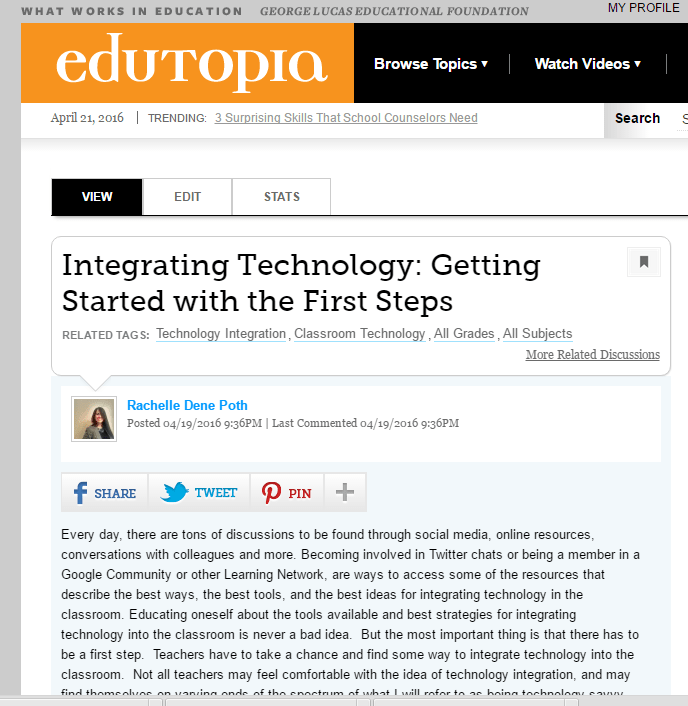
Posted in Edutopia Community Discussion, the second part of my thoughts on Homework Alternatives.

As a student in elementary and high school, I recall having homework assignments in most, if not all of my classes each night. I remember carrying home a lot of worksheets, lugging home several textbooks, and at times transporting poster board and binders back and forth to school.  We had a lot of tests, pop quizzes, and projects.  Most of the time, I remember the homework was the same for each student, in each class, and I cannot recall now nor do I even know if I was aware back then, of students doing different assignments. I understand why teachers assign homework which is the same, the purpose is to assess students on a particular skill, and maybe it just really works for that learning target. And some benefits for students are having a peer, to work through an assignment with or ask for clarification, can be helpful.  But it can also be detrimental, for a few reasons.  Students are not getting the practice they need by having the same assignment, and the possibility of students copying assignments is also something to consider.  Copying assignments leads to a loss of learning, and students will have to re-learn the material twice. There is a lot of discussion about the real value of and purpose for homework, and these are just a few of the pros and cons to consider.


Over the past few years, with the rise of technology and so many options available for learning experiences through it, solely using a worksheet or assigning the same homework does not have to persist. I have noticed variations in my students, both during our interactions in the classroom but also while grading assignments and projects, or even just reading the responses to their reflections or blogs.  For homework, some students can finish the worksheet in two minutes, possibly before the end of the class period, if time remains.  And there are others, who may struggle to complete the work and as a result, end up spending 20 or 30 minutes on the exact same assignment. So, I asked myself, how can I reach both types of learners, and provide opportunities that will be beneficial, meaningful, but more importantly more personal to their needs. How can I give each student the practice that they need?

Making some changes

So how did I decide to change the “everybody has the same homework” practice?  After a holiday break and taking some time to reflect over the first part of the year and talking with students, I decided to seek ways to give students options for the type of homework they wanted to complete.  I came up with two or three choices of how I could do this, and will admit, that I was a bit anxious, since changing the traditional homework assignments would involve taking a risk.  But I truly believed that it was worth it, to see what, if any difference it would make for my students.

The three options I started with were:

1.    Quizlet: I had sets of cards and as an alternate assignment, I asked the students to select and complete activities which they felt would help them the most.  Because we have a class account, I can monitor their progress and they have many options for practicing the vocabulary, playing games and other activities to build their skills.

2.    Kahoot!: We have played games of Kahoot! in class for the past few years, and initially I was using it as a class game, using games which I created. But I soon realized that making up so many quizzes was really time consuming.  While there are lots of public quizzes available, I wanted to have the questions be more specific to their needs.  So for a different type of homework assignment, I asked students to create their own Kahoot! game using a specific number of terms or verbs and share it with our class. This led to more authentic practice and a lot more resources for all students to learn from.

3.    Blendspace: I have an account with Blendspace, and I can create and share lessons that I have created which include videos, games, tutorials and much more.  As homework practice, I can decide to assign a particular lesson for students to work through or I can simply share the URL and provide resources and give students the choice to use the resources within the lesson.

4.    Other options: Some other ideas for changing the type of homework assignments used are to create a list of different assignments or tasks and give students some choices in how to practice the content material. They may decide to work through all of them, or simply use some, but the important thing is that the choice is theirs and the practice will be more meaningful. Assigning homework in this way encourages students to have a choice on where to begin, not all students have to do the same thing, and it helps to focus on their individual needs.


What did the students think?

The students appreciated having more of a choice in assignments.  Using these options gave them the chance to try some new ways of learning, which they were not used to, but it was a way to provide differentiation.  I know that having a lot of games available to play in class with Kahoot and the extra Quizlet study cards, benefitted all students. The one tricky part is being able to monitor their work, but this comes with developing the relationships and having clear expectations. Including students in the conversation and making sure we focus on the accountability and responsibility aspects will help. The students are more engaged, become more empowered by having a choice in their learning path.

We can use methods like this to focus on the areas where students need help the most. Personalizing the homework assignments in these ways can prove to be time consuming, as far as tracking their work, but it is completely worth it because of how beneficial it is to their learning. And that is what matters most.