Close Your Eyes

Guest post by Brian Kulak @bkulak11

It’s a short list, but the older I get, the longer it becomes. 

Jeff Buckley’s “Last Goodbye.”

Pearl Jam’s “Release.”

James’s “Out To Get You.”

Regardless of where I am (except in the car; I’m not a lunatic) or what’s happening in my life, there are certain songs that make me close my eyes. A reaction both genuinely involuntary and intimately purposeful. A strange, dichotomous shutting off of one sense in favor of another, telling our eyes to sit this one out while our ears do the heavy lifting. 

And then there’s the goosebumps. The sensation, dubbed frisson, is triggered by a dopamine flood measuring 4-5 seconds associated with seeing, hearing, or experiencing something that triggers an emotional response. Interestingly, the brain elicits the same reaction to fear. 

I like to think about it as moment recognition. My conscious decision to dim everything else in an effort to brighten the experience of a deeply personal, infinitely resonant moment in my life. But in order for it to take hold, to really matter, I have to remember that moment, often at a random, unrelated or loosely connected time. 

So I do. 

And it works. 

Now, while I don’t walk around my school, eyes shut, meditating on moment recognition, the practice itself has made its way into my leadership. Instead of song lyrics, however, it’s small moments with kids, staff, and community. 

When a kindergartener found out he would be repeating this year, he said, “it’s okay. I love kindergarten, and Mr. Kulak is my best friend.” 

When I responded to a Twitter question about leadership catchphrases, a teacher chimed in that I often say, “I trust you” and don’t even realize it. Now, I do. 

During the promotion, a Tatem OG, whose final child was leaving, approached me sheepishly and asked for a hug. I told her to bring it in, and she cried while we hugged. 

Education, unlike any other profession, is a mosaic of these experiences. Without the predictability or isolation of other fields, we have daily opportunities to create and store these brief moments of zen. And the best part? They will always include other people.

So do it. Find small moments for which you close your eyes, literally or figuratively, and store them up. There will come a time, and it might be soon, when you want to close your eyes because of frustration or fatigue, and when you do, behind your eyelids and just within reach will be these moments of frisson. 

Close your eyes. 

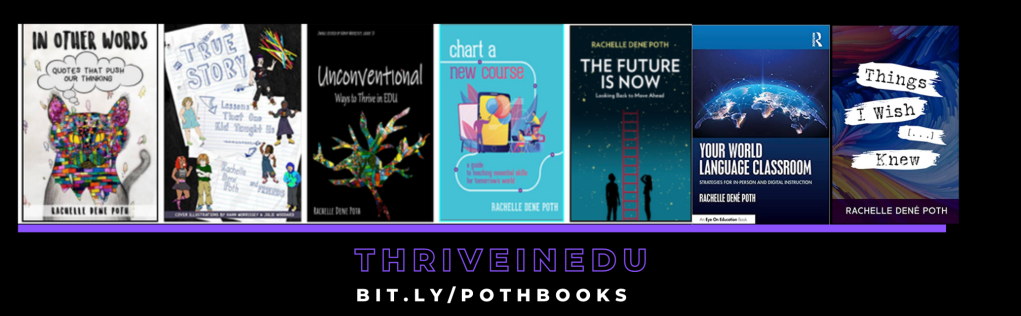
**Interested in writing a guest blog for my site? Would love to share your ideas! Submit your post here. Looking for a new book to read? Find these available at bit.ly/Pothbooks

************ Also check out my THRIVEinEDU Podcast Here!

Join our weekly show on Fridays at 6pm ET THRIVEinEDU on Facebook. Join the group here

Creating a Learner-Centered Classroom

Guest blog by Kellie Bahri @Kbahri5

As a teacher in elementary school, I’m passionate about making the classroom a fun and engaging place where students can take charge of their own learning. The Learner-Centered approach puts students in the driver’s seat and encourages them to be more involved in their own education. This type of classroom is designed to fit each student’s needs, interests, and abilities.

Student-centered learning empowers students to take control of their own education by allowing them to explore topics, generate questions, and find answers on their own. This type of learning helps students develop critical thinking skills and encourages them to take an active role in their education. When students are given the freedom to direct their own learning, they are more likely to be engaged, motivated, and develop a deeper understanding of the material.

It has been demonstrated through research that a Learner-Centered Classroom can significantly enhance the motivation, engagement, and success of students. By adopting a student-focused approach, educators are able to facilitate the development of important skills such as critical thinking, problem-solving, and self-reflection in their students. With this student-centered approach, students will become more confident and empowered learners.

The implementation of seven key strategies can help the transformation of a conventional classroom into a student-driven learning environment, in which students are equipped with the skills necessary to take a lead role in their education.

Student-led discussions

I encourage my students to lead discussions in class by sharing their ideas and perspectives. I use strategies such as Think-Pair-Share or Socratic Seminar discussions to facilitate student-led conversations. During these types of discussions, students are given the opportunity to share their thoughts and engage in active listening with their peers. This type of student-led discussion promotes critical thinking and helps students develop strong communication skills.

Collaborative learning

 I encourage my students to work together in small groups or pairs on projects, assignments, or activities. Collaborative learning helps students develop important skills such as communication, teamwork, and problem-solving. I use techniques such as Jigsaw or Group Concept Mapping to encourage my students to collaborate and share ideas and I use online collaboration tools such as Google Classroom or Schoology to allow my students to work together on projects from anywhere. This type of learning not only promotes social and emotional growth but also helps students understand and retain information better through shared exploration and discussion.

Choice-based learning

 I believe in offering my students a range of learning options, allowing them to choose activities that interest them and align with their learning styles and passions. Choice-based learning is a student-centered approach that empowers students to take the lead in their learning. I use centers, stations, or choice boards to provide my students with a variety of options and let them choose what they want to work on. This type of learning creates a more engaging and personalized learning experience for each student and enhances student’s’ organizational skills. 

Inquiry-based learning

 Inquiry-based learning is a student-driven approach where students are encouraged to ask questions and engage in their own investigation to increase their critical thinking and problem-solving skills. I use prompts such as “I wonder…” or “How can we find out…” to support inquiry-based learning, and provide opportunities for students to engage in hands-on activities, simulations, and experiments to support their investigations. And to make the process even more meaningful, I encourage students to keep a student inquiry journal where they can jot down all their curious questions about the world around them. This journal not only helps them keep track of their progress, but it also gives them a sense of ownership over their own learning journey.

Project-based learning

Project-based learning, a hands-on method of education where students engage in real-world projects that showcase their knowledge and skills, can lead to a deeper understanding of the material and increased engagement in the learning process. By working on challenging projects that require critical thinking, problem-solving, and application of knowledge, students can see the relevance of their education and make connections to the world around them. This approach aligns with the Sustainable Development Goals (SDGs) as it promotes active, meaningful learning and the development of skills that are essential for success in the 21st century. Examples of project-based learning activities may include creating a podcast, designing a website, or constructing a model of a historical landmark.

Self-reflection

I encourage my students to reflect on their own learning process and to think about how they can improve. This type of self-reflection helps students to understand their strengths and weaknesses and to set goals for themselves. By regularly reflecting on their own learning, students can better understand how they learn and how they can become more effective learners.I use online journaling tools such as Flip, SeeSaw, or Kidblog for students to document and reflect on their learning experiences.

In-class projects

I assign in-class projects that allow my students to apply the concepts and skills they have learned in class in a hands-on and engaging way. These projects can involve independent or group work and can be used to reinforce the material covered in class. For example, a student might create a poster or model to demonstrate their understanding of a particular subject. In-class projects give students the opportunity to be creative and to showcase their learning in a tangible way. This type of project also helps students to develop important skills such as research, collaboration, and presentation skills.

Imagine being in a classroom where the focus is on you and your learning journey. It’s all about empowering students to make the most of their education, and helping them understand the importance of what they’re learning. That’s what makes a Learner-Centered Classroom so special. A learning space for students to actively participate and be engaged is key to inspiring students and sparking a lifelong love for learning.

Kellie Bahri is an experienced instructional specialist, teacher, and children’s book author. With over a decade of experience in education, she has successfully implemented innovative instructional strategies resulting in improved student performance and engagement. As Elementary Teacher of the Year for 2020-2022, her dedication to education and creative teaching methods are highly regarded. Kellie also uses her writing talent to inspire a love of learning in young readers through her children’s book. Her goal is to make a positive impact on children’s lives and help them reach their full potential.

About the Author

Kellie Bahri is an experienced instructional specialist, teacher, and children’s book author. With over a decade of experience in education, she has successfully implemented innovative instructional strategies resulting in improved student performance and engagement. As Elementary Teacher of the Year for 2020-2022, her dedication to education and creative teaching methods are highly regarded. Kellie also uses her writing talent to inspire a love of learning in young readers through her children’s book. Her goal is to make a positive impact on children’s lives and help them reach their full potential.

**Interested in writing a guest blog for my site? Would love to share your ideas! Submit your post here. Looking for a new book to read? Find these available at bit.ly/Pothbooks

************ Also check out my THRIVEinEDU Podcast Here!

Join my weekly show on Fridays at 6pm ET THRIVEinEDU on Facebook. Join the group here

Chicago by Hedreich Nichols

Guest post

Listen to Smallbites via Hedreich Nichols, @Hedreich

This week is part two of the SmallBites Black History series. It could aptly called “Beyond the Struggle”. When I think of June and Pride celebrations, there is so much joy. Yes, there is talk of Stonewall and the fight for human rights, but there is a joy that we are missing in February. I believe that comes from the focus on our civil struggle and a lack of knowledge about the many achievements of people from the African diaspora in America.

Let Your Students Do the Sleuthing

I invite everyone to take time, this month especially, to celebrate all that Black Americans have accomplished in the face of insurmountable odds. Did you know that most enslaved people were freed with no education, no restitution and no path to transition from enslavement to freedman in a hostile environment? And yet, there have been notable achievements in every sector, achievements that are not widely known. Since this month is dedicated to Black History, allow your students to research Black business owners, scientists, writers, inventors, choreographers, educators, politicians, generals, etc. Discuss who they find and allow your students to take the lead. I’m hoping that will be acceptable even in today’s climate.  There is so much to celebrate and Black achievement in the US is so much deeper than Civil Rights and Soul food.

Who Wants to Join Me??

If you do find someone especially interesting to celebrate, I’d love to interview one or two Black History super sleuths this month for SmallBites. Message me at 5smallbites@bluewin.ch.

You can read more about Bronzeville in one of 3 of my social justice titles for Cherry Lake Publishing, From Black Wall Street to Allensworth

You can read more about the humanitarian crisis of emancipation from Professor Downs’ book, Sick From Freedom.Post navigation

Check out the podcast here.

**Interested in writing a guest blog for my site? Would love to share your ideas! Submit your post here. Looking for a new book to read? Find these available at bit.ly/Pothbooks

************ Also check out my THRIVEinEDU Podcast Here!

Join my weekly show on Fridays at 6pm ET THRIVEinEDU on Facebook. Join the group here

Learning about the metaverse

When it comes to education, there are always new ideas, methods, and technologies. As we have seen, especially over the past two years, the number of tools available and the advances in technology are increasing tremendously. In our schools, we have to prepare our students so that they understand what these technologies are, how they are being used now, and what the impact might be on them in the future. 

For most people, topics like augmented and virtual reality and artificial intelligence may be new. Understanding the differences between AR and VR for example and how these technologies are being used in the world and in education is important, especially with the use of AR and VR in different areas of work. Now enter the term “metaverse” which may be a new concept to many, however, it has actually been around for almost three decades. Neal Stephenson, an American science fiction author introduced the concept of the metaverse in his novel, Snow Crash back in 1992.

For some people, the term metaverse may have been first heard when Mark Zuckerberg announced that he was changing the name of Facebook to Meta back in October of 2021. To help people understand what his ideas were for the metaverse, he released a short video about how the metaverse would work. I recommend sharing this video with students to spark a conversation first.

With these emerging technologies and also with things like blockchain, NFTs, and web3 for a few others, how can educators keep up so that we can prepare our students? With so many responsibilities in our daily work, how do we find time to learn more about the metaverse? What are the best resources and how can we provide opportunities for students to drive their own learning about these emerging technologies?

Understanding what the metaverse is

First, it is important to have a working definition of the metaverse. The metaverse is “a simulated digital environment that uses augmented reality (AR), virtual reality (VR), and blockchain, along with concepts from social media, to create spaces for rich user interaction mimicking the real world.” A few years ago, I read the book Ready Player One, which has been used to provide a glimpse into what the metaverse might look like. For getting started with learning about the metaverse, having a good based understanding of what the metaverse is would be the first step.

Years ago, people were using Second Life, which was a way for meeting with others in a virtual world. When I first used it in 2015, I was not sure what to think. For anyone who has not experienced it, you would create your own avatar, and communicate and interact with others in a virtual space. It was being used in place of traditional meeting tools like Google Hangouts or Zoom for example. Using this as a comparison,  the metaverse would be quite similar, except used for more than just meetings. It would be for all aspects of personal and professional life. Can you imagine spending 24 hours in the metaverse? Think about everything that you do in a typical day and what that might look like in the metaverse? What are the benefits and drawbacks? A good question to ask students and see what their responses are. Check out a video of a young woman who spent 24 hours in a VR headset and what the impact it was on her as a result. 

You can check out some of the videos available that provide a simulated metaverse experience. videos 

You may be familiar with Fortnite and Roblox, which are platforms that demonstrate the concept of the metaverse. Roblox is even providing lesson plans and activities that are aligned with the ISTE Standards. Engaging in the metaverse experience also does not require the use of headsets as the environments can be accessed through a computer and using a variety of web VR such as Engage VR for Mozilla Hubs for example. 

What else do we need to know?

More than just knowing what the metaverse is, we need to understand how it works, what devices and technology are needed, and what other concepts we need to be knowledgeable about. With life spent in the metaverse, everyday tasks like making purchases, working, going to school, socializing, and entertainment will look different. We will need to understand how to buy things and keep track of information, so we also need to understand blockchain, cryptocurrency, and NFTs.  Think about the age of the students that you teach or work with. Fast forward ten years, will students be going to school and working in the metaverse?  If so, then we have to do what we can to prepare them and ourselves.  What are the skills that students will need to interact in the metaverse?

But will the metaverse disappear?

There has been a lot of growth in the use of the metaverse since October 2021. In education, some colleges are not only thinking about holding classes in the metaverse, some have already done so.  Research is being done to explore what the benefits of learning in the metaverse might be. Stanford unveiled a metaverse learning experience for students in June of 2021. Using the platform Engage VR, more than 250 students wearing headsets participated in class in virtual reality. In total, students completed two courses and spent 3,500 hours together in the metaverse rather than the traditional classroom or virtual meeting space like Zoom or Teams.

In the spring, it was announced by Victory XR that ten “metaversities” would be launching in the fall. While there are concerns about the metaverse, there are also some anticipated benefits to these options. Considering the increasing and sometimes prohibitive cost of traditional universities, a metaversity might lead to more opportunities for students. 

Thinking about benefits, providing education via the metaverse could resolve common issues such as class sizes or lack of adequate learning materials due to tight budgets. Students would be able to immerse more in learning experiences and in some cases, may feel more connected to and included in learning. A survey found that 80% of respondents felt more included in the metaverse. With permission settings, teachers would have more control over student interactions in the metaverse. In higher education, there can be a digital twin, which is a professor who is in the physical classroom space but through an avatar, is able to engage with students in the virtual space too.  

With these emerging technologies, it is important that we all explore new ideas and ways to best prepare our students and ourselves for what these technologies will bring. 


A recent article in Forbes shared some of the potential benefits of the metaverse. In the metaverse, people can make purchases, hold meetings, own land, buy and sell real estate, and even buy clothing for their avatars. It would have its own virtual economy for these transactions, which brings up another issue, financial literacy, and understanding how the concept of money and finances would work in the metaverse. When it comes to the impact the metaverse might have on the economy, it is estimated that it could become an $800 billion market by 2024.

**Interested in writing a guest blog for my site? Would love to share your ideas! Submit your post here. Looking for a new book to read? Find these available at bit.ly/Pothbooks

************ Also check out my THRIVEinEDU Podcast Here!

Join my weekly show on Fridays at 6pm ET THRIVEinEDU on Facebook. Join the group here

Making Math Usable for Young Learners

Guest post by:

Sharon A. Edwards

Sai Gattupalli

University of Massachusetts Amherst

Everyone wants to improve math learning for elementary school-age children. Computation, calculation, and problem-solving skills are essential tools for young learners to have. Each builds the mathematical foundations, conceptual building blocks, for future understandings of math instruction in middle school, high school, college, and careers. But national test scores are lower than pre-pandemic as are interest and engagement of many young learners.

To develop tools to support math learning for students, teachers, and families, we and our University of Massachusetts Amherst colleague Robert Maloy, are developing a free open for use online system called Usable Math:

https://usablemath.org/

Usable Math provides a unique interactive problem-solving model of activities for youngsters learning mathematical reasoning and computation skills with word problems. Using computers, tablets, smartphones, students, and teachers can access standardized test questions from the Massachusetts MCAS tests and receive multiple learning strategies from four virtual coaches we call learning coaches. Estella Explainer, Chef Math Bear, How-to Hound, and Visual Vicuna are the characters offering words, images, pictures, charts, graphs, animations, and gifs to engage students’ thinking as they read, compute, and strategically solve word problems. The model supports estimating, comparing, understanding vocabulary, and identifying ways to be math solvers seeking right answers in different ways.

To date, we have published interactive modules about fractions, addition, rounding/estimation, geometry, money, data analysis, measurement, and more are on the way.

The name Usable Math encompasses our goals and purposes for the system design:

  • U Able meaning you (every young math learner) can be a math problem solver.
  • Us Able meaning together all of us (students, teachers, and family members in classrooms and homes) can be a team of math problem solvers.
  • Usable meaning anyone (young or older) is able to develop their math problem-solving skills with curiosity, practice, and clues for thinking from the online coaches. For this reason, the system is open and free and works on multiple digital devices, including desktops, laptops, tablets, and smartphones.

Usable Math is designed so users control the process of what learners see and how quickly they see each problem, the coaching clues, answer choices and the answer to the problem. A click-to-see approach lets children and adults use a mouse or a tap to reveal the inner workings of the math word problems one step at a time. Each click of the mouse or return key reveals additional strategies for youngsters to use in solving math problems strategically.

Click-to-see proceeds like this. With the first click, a problem appears on the screen, some with and others without their answer choices being shown depending on what the problem is asking learners to do. In this example, seeing the answers is necessary to problem-solving it.

Click a second time and the system displays Estella Explainer’s hint, a reading strategy intended to reframe the math question in more straightforward, kid-accessible language. The math problem continues to display at the top of the screen, while each hint appears in the bottom section of the screen. The idea is to engage children in actively conversing about the problem from the lens of Estella Explainer’s scaffolding hint.

With another click, Chef Math Bear offers a computational strategy. With another click, a strategic thinking idea appears from How-to-Hound. And with another click, a hint in the form of a movie, chart, graph, or picture appears from Visual Vicuna. In each instance, students and adults have opportunities to analyze and discuss with one another what they think or know, or have learned from the coaches to help them answer the question. When all of the coaching hints are visible on the screen below the question, another click either shows the answer choices or if those are part of the question already, highlights the solution to the problem from among the answer choices. Then before continuing to the next word problem, a motivational statement (“You know parallel lines when you see them” or “You SOLVED the puzzle”) appears along with a surprising visual, a gif, or an image to elicit smiles or delight or laughter to emphasize the accomplishment and encourage viewing the next problem.

Enabling children and adults to choose how quickly or slowly they see information when analyzing problem-solving strategies from the coaches is a deliberate different practice from expectations in many classroom settings. In math, youngsters have mistakenly been taught that being “smart” with math means being the first or one of the first to answer questions correctly or to complete practice worksheets swiftly. By not taking the time needed to read and think through possible problem-solving strategies, students make mistakes, confuse key concepts, and begin to believe that math is a skill only some are competent to learn.

We want Usable Math to be different for several reasons. First, the design of the system makes it possible for children and adults to have productive collaborative problem-solving discussions before choosing an answer. They can “work” the problem, discussing what each puzzle teaches and how it might be solved using different ways. This focuses on the math concepts of the problem and the illustration instead of immediately identifying a procedure to use to find an answer.

Second, the presence of four coaches, with their own problem-solving points of view or perspectives offers choice for students. They can, and do, find a coach who becomes their math friend whose ideas help them to approach problem-solving with confidence. The use of animations and visuals allows the coaches to offer information along with surprising, engaging learning. Children keep coming back to see what the coaches have to say and do. Engagement produces learning.

Third, youngsters and adults discover how math is really about all maths. Look again at that term “maths.” Putting the “s” on math broadens its meaning and changes how it is to be taught and learned. While maths is a term used by educators throughout the world, it is not used or thought of often in classrooms in this country. Maths indicates that there is not one single subject called math, but many ways to think about mathematical topics and concepts. Maths urges children and adults to think like solvers of problems, not recallers of formulas. Maths stresses conceptual understanding with procedural knowledge.

It is our goal to have Usable Math promote maths learning for students, teachers, and families in all topics of maths. We welcome your thoughts and responses and your suggestions for how to revise this coaching system in the future.

Sharon A. Edwards is a Clinical Faculty in the College of Education at the University of Massachusetts Amherst. Retired from public school teaching, she taught primary grades for 32 years at the Mark’s Meadow Demonstration Laboratory School, a public school in Amherst, Massachusetts.

Sai Gattupalli is a Learning Sciences doctoral student in the College of Education at the University of Massachusetts Amherst. His research interests are broadly focused on learner culture, learning through game play, and game design.

**Interested in writing a guest blog for my site? Would love to share your ideas! Submit your post here. Looking for a new book to read? Find these available at bit.ly/Pothbooks

************ Also check out my THRIVEinEDU Podcast Here!

Join my weekly show on Fridays at 6pm ET THRIVEinEDU on Facebook. Join the group here

MTSS Part Two: Essential Components of MTSS

Guest post by Bonnie Nieves, in collaboration with Class Composer

In the previous blog, I outlined the first step of initiating Multi-Tiered System of Supports (MTSS), a framework designed to meet the needs of each and every learner in a school district. When your school community has completed its inventory of instructional tools and supports for academic, behavioral, and social-emotional learning, it is time to move on to putting these resources into action. 

The next steps include planning for three essential components of MTSS: 

  • Instruction that includes academic, behavioral, and SEL learning opportunities for all students.
  • Assessment tools that measure the effectiveness of this instruction.
  • Ensuring that your master schedule has space for per diem support for students.

MTSS is typically represented as a pyramid with Tier 1 universal supports being the foundation. It can be accurately represented as a triangle or funnel. 

All students receive universal supports and transition between tiers 1, 2, and 3 based upon progress monitoring data monitored according to a reliable universal tool at predetermined intervals. These tools do not need to be school-wide standardized tests. According to the American Institutes of Research (2021), high-fidelity screening is universal, accurate, and conducted at least quarterly.

Most students will remain in tier 1, some will transition to tier 2, and fewer will move to tier 3. If a school community finds that a large number of students are in need of tier 2 support, it would be prudent to investigate the evaluation tools and quality of the universal curriculum being used.

Now, envision a system of three triangles, one for each indicator: academic, behavioral, and SEL. Students may be at any of the three tiers for each of the three instructional areas (academic, behavioral, social-emotional) at any one time. For example, a student may be receiving tier 1 instruction for academics, tier 2 targeted support for behavioral instruction, and tier 3 for social-emotional instruction.

When teachers work with all of this information, academic, behavioral, and social-emotional, it can require a great deal of time and organization. Providing for all students is essential and each of these represents important data points that teachers need to focus on in order to provide the best for students. However, there needs to be a more effective and efficient way to do this.

MTSS and Class Composer 

Class Composer provides everything that teachers need to be able to monitor student progress and is readily accessible to anyone, at any time. It enables all teachers to access the information they need about each individual student when they need it. Easy to track and record student growth toward individualized goals.  Simplify how you manage all the assessment data collected! With progress monitoring, teachers can easily track student progress and provide the right supports.

Having access to all this information in one space enables teachers to create a supportive learning community for students. These teacher-student connections lead to the development of the essential relationships that need to exist for all students to be successful.

Give Class Composer a try today using their sandbox. You will experience a simpler, more streamlined experience when in the easily accessible, data-driven platform that promotes student academic achievement and the development of essential SEL skills.

Head to Class Composer to learn more!

Coming up next:

The final part of my MTSS blog series will elaborate on two essential components: assessment tools and instructional resources. Assessment tools that can help your school community provide common experiences without impacting teachers’ ability to use Universal Designed for Learning (UDL) planning tools. Instructional resources for each of the three tiers for academic, behavioral, and social-emotional instruction.

About the Author

Bonnie Nieves is the author of “Be Awesome on Purpose” and has over a decade of experience as a high school science teacher. She has a Master’s Degree in Curriculum, Instruction, and Educational Leadership. Her passion for creating immersive and authentic experiences that fuel curiosity and creating student-centered, culturally responsive learning spaces that promote equity and inclusion has led her to establish Educate On Purpose Coaching.

In addition to being an award-winning educator, Bonnie works to ensure equitable and engaging education for all through her work as a copy editor at EdReports and Classroom Materials and Media reviewer for The American Biology Teacher journal. She serves on the MassCUE board of directors and enjoys connecting with educators through social media, professional organizations, conferences, Twitter chats, and edcamps. Bonnie is a member of the National Association of Biology Teachers, the Teacher Institute for Evolutionary Science, and the National Science Teaching Association. She encourages you to connect with her on Twitter @biologygoddess, Instagram @beawesomeonpurpose, Clubhouse @biologygoddess, and LinkedIn.

Please visit www.educateonpurpose.com for information about her current projects.

**Interested in writing a guest blog for my site? Would love to share your ideas! Submit your post here. Looking for a new book to read? Find these available at bit.ly/Pothbooks

************ Also check out my THRIVEinEDU Podcast Here!

Join my weekly show on Fridays at 6pm ET THRIVEinEDU on Facebook. Join the group here

Take A Knee

 BY BRIAN-KULAK

I beat Colin Kaepernick to the knee by a cool twenty-six years. 

Before the former 49ers quarterback literally took a knee during the national anthem to raise awareness about police brutality and social injustice, I had already begun the practice, albeit for a far less political purpose. 

As a waiter at a local Pizza Hut, I started the unorthodox practice of taking a knee when I took orders. Regardless of who was in front of me, I just thought it was easier, and more comfortable, to take a knee and write the orders on my pad while leaning against the table. For me, it was about ergonomics because standing and writing were awkward, and because I have terrible handwriting, I needed to lean on something to ensure I would be able to understand what I wrote minutes later. 

At one point, my boss called me over and asked why I took a knee. I explained, and he just looked at me and said, “But it looks weird. I’d rather you stand up.” 

Now, at 19, I wasn’t about to make a stink. He was my boss, and I needed the part-time job. Still, as I look back on it, what difference did it make? I would argue my customers appreciated me meeting them on their level instead of making them look up at me like some deranged, pizza-wielding, megalomaniac. 

A few years later, as I started my teaching career, I took a knee all the time. When I would stop by a student’s desk to offer feedback, redirect, or check in, I would take a knee. Now, in year twenty-four, I still find myself on bent knee, despite one of them being ravaged by arthritis and a torn meniscus, and I make sure to start on day one. 

Whenever I meet our new kindergarteners during summer meet-and-greets, I always take a knee when I offer my hand to introduce myself. The action has become as involuntary as a sneeze; the reaction from kids invariably features disarmed smiles and enthusiastic high-fives.

As conversations in education continue to focus on equity and access, we need to be mindful that our students first associate equity with their access to us. Providing a model of those two complex concepts ensures kids can see and feel each Immediately. 

But it’s much more powerful than that when you consider that children are forced to look up to grown ups as a matter of course, their little necks perpetually craned to get our attention. Taking a knee flips that script in such a way that balances power, something children experience rarely. 

Ultimately, we are all just grown-up versions of the children who once had to look up to people all day. Some of us still do. But no one should have to. 

Take a knee. 

**Interested in writing a guest blog for my site? Would love to share your ideas! Submit your post here. Looking for a new book to read? Find these available at bit.ly/Pothbooks

************ Also check out my THRIVEinEDU Podcast Here!

Join our weekly show on Fridays at 6pm ET THRIVEinEDU on Facebook. Join the group here.

Change Your Bat Angle

Guest post by Brian Kulak

K-5 Principal at Tatem Elementary School in NJ

@Bkulak11

Brian’s Book: Level Up Leadership: Advance Your EduGame

Read this blog long enough and you’ll realize how obsessed I am with baseball. Inevitably there will be posts devoted to baseball, anecdotes will center around baseball, and metaphors will be drawn from baseball.

Barguments often focus on which sport is the most difficult to play, the most demanding physically and mentally, the most failure heavy. As a lover of all sports, I can appreciate that an argument can be made for each of the four major sports: baseball, basketball, football, and hockey but, to me, there’s really only one answer.

Baseball.

Because of the physics (round ball, round bat), the variables (pitcher, weather), and the psychology (streaks, slumps), there is nothing more difficult than hitting a baseball consistently. A monster game at the plate can just as easily be followed by a soul-crushing slump of weeks, or months, the time in between at-bats seeming equal parts interminable and immediate as you perseverate on what went wrong.

As a 41-year-old weekend warrior, I only get a chance to play games on Sunday mornings. While my preparation for each game often dictates some midweek tee work or live batting practice, I’m still only playing once a week. Admittedly, I take baseball too seriously, but part of me doesn’t apologize for that because I don’t understand why folks would set out to do anything poorly, so I want to play as well as I can each week.

A few years ago I suffered through my worst season ever, and I’m including my high school playing days, during which I hit a paltry .179. During that summer, getting on base was such an anomaly that I could recall when I did reach base because it was only a handful of times. That ain’t good.

Deflated but undaunted, I continued to work that offseason because I was not going to return to my team the same player. At one point, I sent a video of myself taking swings off the tee to a friend of mine who is a hitting tactician. In seconds, he responded with a diagnosis and, ultimately, saved my swing.

“Dude, look at how far you’re wrapping the bat around your head. Change the bat angle to 1 o’clock before you load, and you’ll be quicker to the ball.”

Change. Your. Bat. Angle.

No amount of work on my own would have led me to that conclusion because, though I would have been working hard, I would have been working incorrectly. There was no way for me to self-diagnose my own flaw, so I had to ask for help.

Now, I “change my bat angle” all the time.

When I’m struggling with a certain colleague, I change my bat angle.

When I’m trying to convince my five-year-old that he can, in fact, put on his own socks, I change my bat angle.

When my early morning writing process stalls, I change my bat angle.

As you approach the upcoming school year, I challenge you to change your bat angle. Reflect intentionally on that which you have done the same way each year and change it.

  • Experiment with flexible seating and let the kids help you design the classroom’s layout
  • Revolutionize your “Back to School Night” by asking parents to leave their kids a video via Flipgrid
  • Reframe your instructional walkthroughs to focus on the kids, even a specific kid, in each room, and then write those kids a note of appreciation
  • Flip and hang old posters and allow kids to recreate them using their own words and images
  • Print, laminate, and hang Tweets or blog post excerpts about which you want your staff and students to think
  • Use a mobile desk so you’re in the hallways more and in your office less
  • Take time for yourself each day, even if it’s five minutes of nothing but sitting and breathing

Baseball is a game of failure, and in many ways, so is education. In each, the best players make adjustments all the time in order to best help their team. In each, those who refuse to make adjustments all the time don’t often have teams for long.

Change your bat angle.

**Interested in writing a guest blog for my site? Would love to share your ideas! Submit your post here. Looking for a new book to read? Find these available at bit.ly/Pothbooks

************ Also check out my THRIVEinEDU Podcast Here!

Join my weekly show on Mondays and Fridays at 6pm or 6:30 pm ET THRIVEinEDU on Facebook. Join the group here

Reflective Teaching and Powerful Professional Learning with LessonLoop

Reflective Teaching and Powerful Professional Learning with LessonLoop

Educators are always looking for new ideas to boost student engagement in the classroom. To do so, they need to understand student interests and needs and also be intentional about reflecting on their teaching practice. While teachers want to understand the impact of their instructional methods and tools on students’ learning, they often don’t have time to solicit feedback from individual students, and students are afraid to provide honest feedback when they feel saying the wrong thing could impact their grade. Yet students need to be part of the conversation, because not only is student voice a powerful tool that can be used to engage students in their learning, but student feedback surveys are better predictors of academic growth than principal observation and teacher self-ratings (Hanover Research 2013). 

As Alex Isaacs, an 8th-grade math teacher notes, “LessonLoop allows me to quickly conduct a survey with great questions built-in where I can quickly push this out to my students to better inform my practice.” 

LessonLoop instantly shows you how engaged your students are with a class lesson so you can gain immediate insights and adjust your instruction in real-time to help them learn better. As shown below, LessonLoop works through the four simple steps of:

1. Anonymously survey students, 

2. Review instant actionable lesson engagement reports, 

3. Receive personalized instructional recommendations, 

4. Discuss results with students so learners feel seen and heard. 

How LessonLoop Works

How do the surveys guide teachers about their practice?

LessonLoop measures student engagement in nine actionable categories (see below) that provide you with insight on how to calibrate your instruction to support active learning at each student’s just-right instructional level. With these categories, teachers have better ways to focus on the specific needs and interests of their students. Especially for social-emotional learning (SEL) and determining student progress in class, the categories and questions provide tremendous insight for teachers with information not easily accessible in any other way. 

With the information the surveys provide, teachers have many ways to evaluate, analyze and then act upon authentic student feedback to improve their practice. Working with LessonLoop’s instructional coaches/Tip Masters, they can explore new methods and tools to help address some of the areas indicated in the survey.

Sample Lesson Engagement Report

What can we learn about student engagement from using LessonLoop?

Through lesson embedded feedback, teachers better understand the impact of their instructional strategies and how students experience the learning environment. By reviewing the responses, especially the free responses, teachers receive feedback that promotes reflective practice. Using the survey results, Tip Masters work with each teacher to find strategies and tools that will increase active student learning.

Sample LessonLoop Student Free Responses

How does LessonLoop facilitate getting to know students? 

LessonLoop provides opportunities for every student to share their perspective on their immediate environment and how they are experiencing a lesson. Incorporating student voice allows students to experience a sense of respect and empowerment from their teacher. With LessonLoop, students can provide valuable feedback to their teacher and all feedback is provided through an anonymous survey, which promotes more honest feedback. Students feel comfortable responding to the survey, and because their opinions are heard, they feel more connected to and comfortable in their classroom community. When teachers circle back and discuss how to improve a lesson with students, students feel their voice is impactful and are empowered to take ownership of their learning. Students that feel seen and heard have greater motivation for and engagement in learning because they feel like an impactful member of the classroom community. 

How does the gamification aspect of LessonLoop lead to better and more authentic, honest feedback from students?  

LessonLoop incorporates gamification elements through our fun, animated surveys (see pictures below). According to Dr. Shawn Clybor, “These gamification elements keep students more alert, more active in engagement, and therefore more likely to read the questions and think about their answers.”  LessonLoop is designed to be a robust platform that informs instruction and involves students in their learning experiences. It is also meant to “encourage joyfulness, to be fun, to be funny,” says Clybor.  Using it becomes its own experience, building bonds between teachers and students.

LessonLoop Gamified Surveys

In addition to the gamified surveys, LessonLoop provides educators the ability to ask custom questions and generate two new games (humorous poll and secret word) with one click. These games focus on student engagement at the beginning of class, serve as a pick-me-up if attention is flagging mid-class, or are a fun way to end a student engagement survey.

What professional learning comes with LessonLoop?

LessonLoop provides personalized data-driven professional learning for teachers.  While all teachers have access to a knowledge base of free tips, with a paid tips subscription, every teacher is assigned an experienced Tip Master to help with reviewing their surveys and finding strategies and tools to try. The real-time lesson-embedded feedback helps educators better connect their instruction to students and be more reflective in their practice. Professional Learning Communities (PLCs) also benefit as all teachers receive instructional recommendations from subject-area specialists and coaches! PLCs can be organized around student-centered data for engagement and professional learning. Within the PLCs, teachers can share ideas and provide support to one another which then enhances the learning experience for all students. In addition, educators accumulate continuing education units (CEUs) based on minutes of use of the platform aligned with Learning Forward and/or Charlotte Danielson standards.

What to expect with LessonLoop

So many benefits!

Student Engagement Surveys: 

  • Amplify student voice through anonymous surveys
  • Strong predictor of academic outcomes 
  • Provide missing actionable data on why students aren’t learning 
  • Provide daily feedback on the delivery of the curriculum with a clear focus on social-emotional learning (SEL),  critical thinking and collaboration, and culturally responsive instruction.

We are offering free trials of LessonLoop to educators who provide feedback on our new gamified student surveys. Click here for a free trial!  And if you missed our webinar, here is the link!

Follow Rachelle on Twitter @Rdene915 and on Instagram @Rdene915. Rachelle has a podcast, ThriveinEDU available at https://anchor.fm/rdene915

**Interested in writing a guest blog for my site? Would love to share your ideas! Submit your post here. Looking for a new book to read? Find these available at bit.ly/Pothbooks

************ Also check out my THRIVEinEDU Podcast Here!

Turning Towards Focus in Schools

Guest post in collaboration with Focusable @getfocusable

Engagement is a concept that really has a hold on us, and it’s not just educators. Social media and game designers obsess about maximizing it. Enterprise software companies espouse the value of it towards team performance. Heck, our banking app tracks our session duration and tries to increase it. 

It’s likely accurate to say that the majority of educators have chosen engagement as the goal of their work. Overall, this is a good thing. It has helped move teaching methods beyond compliance and remain relevant. Engaged students are an unequivocally good thing. 

But recently we started to ask ourselves some questions about engagement. What does it really mean to be engaged? Both from the teacher’s perspective, and from the students’. Further, does it matter how engagement gets created? Or is all engagement the same? And if every experience you have across society is also aiming to maximize engagement, is it the right thing for educators to be doing? Or should educators be taking a left-hand turn…

We dug into the education literature on the topic. There are countless informative and thoughtful sources. What was most interesting to us was what our research didn’t reveal – a clear definition. Frankly, the more we dug, the more confused we got. There is a huge range of definitions. And not all of them agree. Here’s just a sampling. Engagement is paying attention. It is purposeful learning. It’s curiosity. It’s interaction (or action). It’s immersion in a task. It’s flow. It’s exhibiting a passion for learning. It’s excitement. It’s just compliance but with another name. There are scaffolds trying to integrate and make sense of all the disparate definitions. 

How does a teacher even know what engagement is and how to create it with this lack of definitional clarity? 

As we stated in our first post, our goal is to figure out how to set the conditions for an optimal learning experience, or flow, in education. We know this has the greatest potential for both academic performance and enjoyment of the experience for students. Our research into engagement was fueled by trying to understand how we can leverage the concept better towards this goal. But if we’ve learned anything about flow so far, the details matter in how you approach it. Deplete dopamine too much or avoid the struggle of balancing brain chemistry, and you simply never get there. 

The more we thought about it, the lack of clarity around engagement started to feel more like a hurdle than a concept for educators to leverage.

One early realization that we had was that engagement is an exhibited trait or behavior. This stands in contrast with flow, which speaks to inner experience. This introduces the potential for at least some disconnect. 

For example, do you look engaged when you are in flow? This must be true sometimes, but is it always true? And do the actions that set the conditions for flow look like engagement, too? Or do they look different? How do you know the difference between the two? And worse, what if what looks like engagement actually represents an internal state that interferes with flow (ie, overstimulation)? 

Our sense is that to strive for optimal, we need to work with terms that have more precise definitions, clearer look-fors, and less potential dualities. 

In our last post, we attempted to build a scaffold to help us seek this clarity. We already have some tweaks and improvements in mind based on the feedback we got that we’ll publish soon. 

In the meantime, we’ll turn our attention to the term focus. 

If you are interested in something, you will focus on it, and if you focus attention on anything, it is likely that you will become interested in it.MIHALY CSIKSZENTMIHALYI, AUTHOR OF FLOW, THE PSYCHOLOGY OF OPTIMAL EXPERIENCE

Focus is a term that we all know, or at least think we know. And it’s surely something that almost anyone would agree is essential to learning if you asked. But as we found in our last Twitter chat, it is not a hot topic with many educators (likely due to the emphasis of engagement). 

Focus is often equated with the words attention and concentration. In scientific circles, attention is the most clearly defined of this group. The neuroscientific definition of attention is a cognitive process of selectively concentrating on one thing while ignoring other things. Attention comes from a rather complicated interaction between several brain networks (the default mode and task-directed networks). Interestingly, ADHD and other attentional conditions are differences in how these two brain networks interact.

The definition of focus is more varied and less scientific. It is often described as the center of attention. But for educators, this definition isn’t as enabling as it could be. A more useful definition is to think of it as the control of attention. 

Why is control of attention a useful definition to educators? Most scientific findings support the idea that attention isn’t fixed. It varies. It varies between individuals and contexts. And importantly, it can change. You can improve it. Even those with ADHD can show progress with time, behavioral changes and yes, medication. It is both accurate and useful to think of it as a skill. Control of attention is a definition that captures this important fact. 

This means that not only is focus practically helpful towards things like managing classrooms, it is also a skill that you are developing through the learning experiences you create.

So what is the relationship between focus and flow? Flow can be defined succinctly as ordered consciousness. This is in contrast to normal consciousness which is usually disordered (distracted, out of our control, etc).  So it follows somewhat logically that control of attention is the very foundation. Some definitions for flow even use the words intense focus. But the two shouldn’t be directly conflated. Focus itself is not flow. Focus requires effort to get started. There is no loss of self, as there is with flow. Finding focus can provoke all sorts of reactions, often negative. Frankly, it’s a struggle. Flow is none of those things. Flow is what happens when your neurochemistry finds balance while struggling to focus and starts to feed further action more naturally. 

It is worth stating that you will never experience flow if you cannot control your attention.

It is also worth noting that focus is a useful skill beyond the purposes of finding flow. Most of the predictions about the future of jobs, and the skills educators should be aiming for in response, are misguided at this point. We can say this with confidence, because frankly, we have a horrible track record as a society of seeing the capabilities of technology in advance. 

But there is one aspect we are 100% confident in, and it is this: there will be more, and more sophisticated, experiences to control your attention with each passing year. It’s already a huge problem, as we all know. And it’s only going to get worse. Controlling your attention is just about the only ‘skill of the future’ we’d bet our life savings on. 

Control means you can direct, or redirect your attention at will. You can stop doing one thing, and start doing another. You are aware of where your attention is and where it isn’t. It is often a struggle, but in this case, visible struggle might be a positive sign. A sign that the skill of focus is being worked on. 

A lack of control, then, is distractibility. It is the inability to switch from one task to another. It is a lack of awareness of what you are doing. It could be a lack of struggle, or even just over-excitability. 

If you were to try to observe whether a student is focused, or not, these would be some of the things you would look for. 

While we recognize, again, that some definitions of engagement might match up – it’s really the ones that don’t that have us most concerned. They incent teachers to skip over the development of the skill of focus in the interest of more obvious interaction. And to us, this is a short-term gain for the long-term loss of the potential for flow, as well as interfering with the development of an essential skill. 

Perhaps moving away from engagement is the left-hand turn educators should consider.

**Interested in writing a guest blog for my site? Would love to share your ideas! Submit your post here. Looking for a new book to read? Find these available at bit.ly/Pothbooks

************ Also check out my THRIVEinEDU Podcast Here!

Join my weekly show on Mondays and Fridays at 6pm or 6:30 pm ET THRIVEinEDU on Facebook. Join the group here