Artificial Intelligence: Implications for the Future of Education

Published originally on Getting Smart, January 8, 2018


Have you noticed more discussion recently about Artificial Intelligence or AI? When first hearing “Artificial Intelligence” is there an image that pops into your mind? Is it something that you can easily define? Perhaps your understanding/reference point is something you’ve seen in the movies. For myself, being an 80s child, my initial frame of reference is Star Wars, I immediately think of R2D2 or C3PO. My mind then wanders to thoughts of “I, Robot” starring Will Smith, in which the robots developed the capacity to think like humans, to feel and to take action on their own. And more currently, I think of the Alexa, Echo, Siri and others that have gained popularity, even more so recently. But what is the true meaning of AI and how do we see it in daily life?

The concept of “Artificial intelligence” can be hard to understand/grasp, especially when trying to think about how it can be applied to education as well as many other sectors of society. In December 2015, the Getting Smart #AskAboutAI research began and over these two years, they have identified over 100 applications of AI to life in areas such as recreation, transportation, education, healthcare and gaming to name just a few. The campaign focused on AI in regard to three objectives: employment, ethics and education. How can AI be beneficial for different industries, what are some of the uses, what are the benefits and risks associated with it, and of greater personal interest, what are the possibilities for AI in education.

According to Getting Smart’s “Ask About AI” report, the notion behind AI is that machines can exhibit human intelligence. The concept of “machine learning” started in 1956 and is when algorithms are used to interpret data and take some action or to complete a task. As a foreign language teacher, I became aware of machine learning years ago, in the form of language translators. AI, at its base, is computer code that displays some form of intelligence, learning, and problem solving in what has been referred to as a “super intelligence.” It is the development of computers that can complete tasks which normally require “human intelligence” however it learns on its own and continues to improve on past iterations. AI becomes smarter, knowledge grows, and it expands the realm of possibilities for society. Machine learning is actually a subset of artificial intelligence. It is said that all Machine Learning is AI, but not all AI is Machine Learning.

Everyday uses of Machine Learning and AI that you may not be aware of.

In my quest to learn more about AI and its implications for the future of learning, I needed to first understand how we were already using AI and perhaps, not even realizing it. I asked colleagues for their thoughts on AI and many were as unsure as I about how it is being used currently. Here are 5 common uses:

  1. Communication: Spam filters, powered by AI, streamline the amount of spam appearing in your inbox. As email senders (real or automated) become more careful with selecting words which have not been flagged previously, the filters need to adapt and continue to learn based on words that the user also flags. There is an added component of ML in this, in that through the algorithms already in place by the email provider, additional filters are then created.  Google takes it even further by continuously learning the types of email messages which are marked as “important”.
  2. Travel: If you have taken a ride using Uber or Lyft, you have experienced ML (Machine Learning), which is used to predict rider demand and to calculate ETA( Estimated Time of Arrival). The airline industry uses AI, since autopilot qualifies as AI, where it is estimated that “human steered” flight time is only seven minutes of actual flight length.
  3. Social networking: When we use Facebook to share photos, the artificial intelligence is able to detect faces in the image and suggest a name to tag the person. Facebook has continued to add new features as part of its AI Initiative, to generate a more personalized and interactive user experience. Some social media sites, such as Twitter, generate lists of accounts to follow, chats to join, and news feeds of interest based on an analysis of user input and data. Even Google with its “cards” can provide a variety of personal recommendations based on your search history.
  4. Online Shopping: One that comes to mind quickly is Amazon, and how it suggests items you may be interested in, as a result of your prior searches and order history. Systems are in place to protect consumers against fraud, with alerts being sent almost simultaneously to an attempted transaction that is not recognized as a “typical” purchase or located in a non-home base location. All of this done through AI, which is used for identifying fraudulent transactions.
  5. Education: Teachers and students have a wide range of tools available, ranging from Google Searches, in which alternate search terms are instantly suggested, citation generators, plagiarism checkers, and even Siri has become a popular tool for searches. An astounding amount of information generated instantly, far more advanced from thirty years ago and society’s reliance on card catalogs, calculators and books.

But what does AI mean for today’s classrooms?

Looking at these common uses in everyday life makes it easier to think about some ways that Artificial Intelligence can transform classrooms. Where will we see the biggest benefits? I think that it is important to take a look at your own classroom and consider: What are some of the tasks that are typically done? How are you and the students spending your class time? What are some ways that you could get some of that time back by using AI? Time to dream big!

Thinking about my own classroom, some of the most time-consuming tasks are conferencing and finding time to work with each student, creating and reviewing assessments, locating appropriate supplemental activities to differentiate for students, offering more engaging and immersive learning experiences. AI can address each of these areas, increasing the time available to spend doing more interactive lessons, having students lead, having more time to focus on relationships in the classroom and truly providing students with a world full of opportunities, personalized to their needs and instantly available.

So how can AI help?

  1. Communication:  Students and teachers will be able to communicate instantly with one another as well as to connect with other forms of AI around the world. Students instantly paired with peers, helping each student to expand their own personal learning networks, with personalized and more authentic connections that will meet the students’ interests and needs at any given moment. Think of the benefits for being able to converse with AI or a virtual peer, which has been located based on an assessment of student needs and error analyses. Build foreign language skills, talk to someone about school, family, life in a country being studied, possibilities are endless for language learning.
  2. Differentiation: With the availability of AI,  students and teachers will be able to connect with resources they need exactly when they need them. The entire internet of resources accessible within seconds, deliverable to each student saving valuable time for more interaction between teacher and student, and students and students. Through AI, students can have access to one to one tutors, creating more authentic learning experiences by pairing students with an expert or a virtual peer to learn with. Think of the benefits if each student could have instant access to a tutor wherever and whenever they needed one.
  3. Personalization: What better way to offer more personalized learning opportunities for students than to have AI be able to analyze student responses, determine areas of need and interest, and find resources or create new questions to help students to greater understanding of the content. What about the potential for informing the classroom teacher, and working together to create new learning opportunities for students, but in a faster way, that relates directly to the student needs and offers authentic and timely feedback.
  4. Exploration: With the rise of augmented and virtual reality, and the benefits of bringing these into the classroom for students to have a more immersive learning experience and to see places and explore things that otherwise they would not, AI can be a tremendous benefit for this. Through AI, resources could be found instantly based on student responses, or for the entire classroom to experience. Capabilities such as these are not something that will be limited by the time and place of the classroom setting. AI could show students want they want to explore, find ways to bring the content to life instantly.
  5. Assessments: AI could help teachers to assess students and streamline the grading process, with the added benefit of being able to quickly take the data, provide an analysis for teachers, so that time can be saved for more classroom interactions. It can help with student achievement, making sure that each student has the opportunity to learn and grow, benefitting from the faster responses through AI.

Considerations for the future.

Even though there has been concern expressed for what AI could mean for education: would AI lead to the replacement of teachers? Would the use of AI in the classroom have any negative impacts on student learning? There could not be a replacement of teachers because AI cannot help students to build SEL skills and learn from human interactions, vital components of relationships in the classroom. So in the end, what could AI do? Here are 10 roles for AI that can be used in education.

AI can quickly interpret a student’s needs and design an appropriate assessment. It can show students mastery, repeat lessons as needed and quickly design a personalized learning plan for each student. AI could provide teachers with a virtual teaching assistant, (something that was done in 2015 without students even knowing), which then frees time for the teacher to move around the room and facilitate learning. But more than just teachers and students, it can be a way to support parents by involving them in the learning environment of students and providing them with the information they need to help their students be successful when they’re not in the classroom. The future likely holds a lot of possibilities for AI and teachers can take the opportunity to be informed of the possibilities and being open to discussions with students.

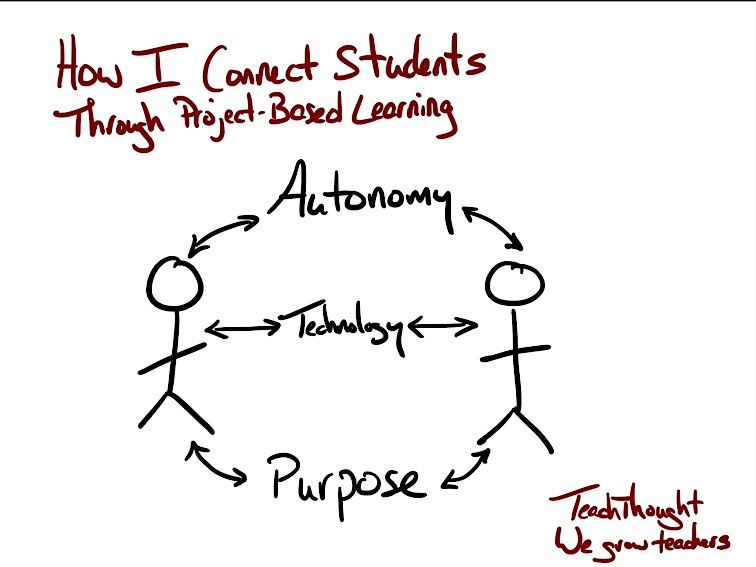
For This Lesson, I Stepped Aside To Become A Facilitator Of Learning


Posted on TeachThought, August 29th, 2017  (Thank you Terry Heick)

It started with a cross-class collaboration idea.

I was not sure the idea would work, but was willing to give it a try and it had captured the interest of students. I connected four levels of Spanish and created a team project using Google and Padlet so students could collaborate and share their work.

The experience went so well that it led me to think about other ways to engage students more in a collaborative online learning space. Students need to be connected with authentic learning experiences and develop digital citizenship skills, and to be given choices in learning. Trying to build on the prior project collaboration, I wanted to explore possibilities of using Google slides to have students work simultaneously on a whole-class project.

I asked the students if they had done any type of collaboration online like this before, and I was surprised that they had not. Knowing this pushed me more to decide that I should definitely create this learning experience with them.

Connecting students

I decided to try something more collaborative by using Google Slides. We are a Microsoft Office school, but many students use Google Drive on their own. I also use Edmodo in my classes and like the students to have experience with different kinds of tools. I like that students can work on a document or a presentation at the same time, as this substantively changes the methods and frequency with with students share ideas.

By having students create a class presentation simultaneously, the teacher can then take that extra time to facilitate their learning and interact with students to do something more specific, like assessing their content knowledge. Giving students the opportunity to work as a team toward one whole class project rather than completing individual projects opens up new and more engaging ways for the students to learn not only content or technology skills, or even ‘soft skills’ like collaboration, but also get to know one another more as well.

Connecting students with their peers promotes a friendlier and more cohesive class culture, and I think makes learning more authentic and meaningful for students. To be able to see what they are each working on and to be part of the whole class presentation in real-time requires constant interfacing of different personalities and skill levels.

The divergent interests, backgrounds, and experiences of the students in each class are emphasized in whole-class projects like this, which both strengthens the learning experience while also being more demanding of the technology.

When doing individual projects, it’s not always the case that each student has the opportunity to see the work of the other students. Doing this can be quite time-consuming and feel ‘wasteful,’ but the long-term momentum of successful projects that are as highly-visible as a whole-class collaboration are worth the time taken, and hiccups along the way, especially early in the year.

Our Presentation

To have the students practice the new chapter material on clothing and shopping preferences, I created a Google Slides template for a Fashion Show.

I set up a presentation for each class and shared it with the students. I provided instructions for what was expected for their slide, and reminded them to only work on their slide and respect the work of the other students.

For the fashion show, they were to choose a celebrity, find a picture and write a description in Spanish of the clothing that the person was wearing. They also had to write a few statements about where the clothing could be purchased as well as the cost for the items.

In doing this I thought it would be a great reference because the students could refer back to each slide, read the descriptions, and reinforce and review their content knowledge. Plus, depending on the types of clothing pictures the students chose, it could be a lot more fun–definitely more engaging and an interesting experience for all students than individual study.

This ‘real-world topic meets real-world technology meets whole-class collaboration’ ended up being a more authentic way to practice the content than even I had hoped, increasing the language and content retention for the students as well as teaching them new technology skills.

The students really liked seeing the Fashion Show displayed on the Smartboard, which was another opportunity to reinforce the vocabulary by asking students questions about each slide, reviewing the verb forms, and more.

For the most part, they did respect the work of their classmates. A few students enjoyed adding pictures of some celebrities onto the slides of their peers, which resulted in peers responding instantly and removing them–I didn’t even have to say anything!

A risk in giving open access to the editing of the presentation ended up being worth the risk taken, and was a way to teach lessons about digital citizenship as well.

Next Time

Always thinking of the next thing, I decided that perhaps another opportunity to work collaboratively would be to create a class review presentation for final exams. This might take more planning, but I think the long-term effect will be worth it.

This approach is a great way for the students to prepare for final exams and have a reference to review the material covered in the level 1 Spanish course. The idea is that each student will be assigned a slide and given a verb or grammar topic as well as some vocabulary to include.

For their slide, the goal is to teach a mini-lesson, provide references, include a video or link to a game and some sample sentences. Though I’m taking this approach to teach a foreign language, it could be used to teach, learn, or review almost anything, from math definitions and historical trends to literacy devices, phonics, word parts, and more.

I also hope that it will end up being a good way for students to have some personal instruction as well as a choice in what they are creating–and another opportunity for students to collaborate with their peers as the teacher shifts roles from leader to facilitator of learning.

PBLTT

7 Tips to Get The Most Out of Blogging This Year

Originally Published on Kidblog,

Getting ready for the start of a new school year – new students, new curriculum, and new tools – means teachers have a lot of preparation ahead of them. Whether new to Kidblog or a veteran classroom blogger, these tips will help you get the most out of your class blog this year.1) There is no better way to start the year than by way of introductions. Blogging can be a great way to get your students comfortable with you as their new teacher, as well as, their new classmates. In my classroom, I also use this time to cover expectations in the classroom. This is all done in a “Welcome back to school” blog post. Choose a fun theme for the class, add some links and include helpful information. Share information about you, including some fun facts, and encourage students to then respond to your post. You can begin to develop those vital relationships for your classroom.

2) Get parents connected. Make the decision to use blogs as a way to keep parents informed about what is going on in the classroom. Set a goal to write a blog post with a weekly update and share what is going on in the classroom, give highlights of upcoming events and activities the students will be participating in. Also, use the blog as a way to share student work with parents, which will really connect the home and the classroom, and involve all members of the learning community.

3) Involve students in planning for blog posts. Encourage students to come up with their own ideas or to work with peers to brainstorm some writing prompts to use throughout the year. Gather their ideas and then draw from their prompts. Involving students in the decision making process in the classroom helps to provide more authentic and meaningful learning experiences. It promotes student voice and choice in the classroom and helps students feel more valued and empowered. By actively engaging them in classroom decisions, students will feel more connected to the content and their peers.

4) Create a bridge between content areas by doing some cross-curricular blog posts. Find time to talk with and encourage other teachers who may not be using blogs, to work with you to create some cross-curricular opportunities. The blog can be a way for students to complete some writing assignments or projects for communicating their ideas and showing their learning. Students create their own personal space to share ideas and really have an opportunity to practice their skills for multiple content areas in a comfortable manner.

5) Try adding some other tech tools to app smash with Kidblog or use Kidblog as the means to share student work! Implementing other tools will help students develop their technology skills and digital literacy. For example, have students create a Buncee and write about what they’ve created, or, they may share it with a peer to create a story. These apps can be easily embed into Kidblog for their classmates to comment.

6) Have a routine for sharing student blog posts and set aside time in class for the students to work together to share their blogs, offer feedback and learn to reflect on their work. Making time for students to work with peers will build those positive classroom relationships and help students to become more confident in their learning. Their confidence will increase through the writing process and also by communicating and collaborating in the classroom.

7) Be sure to have resources available for students so they understand how to use the blog, how to write a post and to properly cite any images or other information they add to their posts. A great way to do this is by screen-casting a tutorial available to students, as well as, creating a “guide post” that gives students pointers on how to publish a post, the required format, and other information related to your expectations. By providing all the information in a place which is accessible, the process will be much easier for students throughout the year to have the support they need when they need it.

Engaging Students: Movement through games and music

Published on Getting Smart, November 5, 2017

What image comes to mind when you think of classrooms today? Where is the teacher and where are the students? Who is leading the discussion and doing most of the talking and moving in the classroom? For many, the image that comes to mind is that of a room of students, lined up in rows, with their attention directed to the teacher at the front of the room or involved in some activity at their desks. In this scenario, students are passively learning. Their involvement in class, in some cases, has them seated for the entire class period, while the teacher does most of the talking and moving around the room.

In the past, this may represent the typical format of classroom instruction, however today, with a greater focus on flexible learning environments, and educators looking to promote student choice and voice, this image or perception of “what classrooms look like”, has changed and continues to evolve into a more active learning space, a place where students are empowered. A space in which students take a more active role, transform students from consumers to creators and the former teacher-centered classroom into a student-centered and student-driven space.

Because students have typically spent so much of their school day seated, taking information in and do not always have time to ask questions, interact with peers, or do more than consume, they may become more passive learners. I started to notice this in my own classes. There was a decrease in student engagement, and reflecting on my methods I realized that I was spending so much time talking, that it was me making the decisions and leading all of our activities. There were not many opportunities for the students to work with peers, to move around, to really take control of their learning.

In an effort to encourage students to become more active learners as well as to be more involved in the types of activities and instruction in the classroom, I started to implement some teaching strategies involving music and games. There are many benefits to getting students more actively involved in learning and this can be done quite simply through a variety of teaching strategies. It can be a challenge to change over from the traditional classroom lecture model, however, there are some easy ways to change to a more active, engaging space.

IMG_20171025_115723178.jpg

How to design more active learning experiences:

1. Game-Based Learning (GBL): GBL is a great way to add fun into the classroom and help build student excitement for learning. The use of gaming offers different ways for students to practice and develop their skills in more active learning environments. Games encourage students to learn and master content by problem-solving, collaborating, creating and engaging in more authentic and meaningful learning. It is a way to promote independent learning as well as by offering students choices in games to play and the means to work toward individual goals.

2. Tech: Students can create a game as a way to help themselves and their peers practice concepts and gain mastery. It can be a game created using one of the many digital tools available like KahootQuizlet or Quizizz. Students enjoy the opportunity to create a game, which leads to a more authentic learning experience when students select the specific vocabulary they need to practice, thus leading to more personalized learning opportunities. Students add to their skills by choosing how to leverage technology for the purpose of more self-directed learning.

3. No-tech: Students are very creative and offering them a chance to design a game to practice new content can lead to better retention and increase motivation. To get started, a few examples that can be used are to create a chart which includes 4 or 5 different categories or topics related to the content and grade level being taught. After deciding on categories, perhaps select 5 or 6 letters of the alphabet, or use numbers, which students must use to come up with a word, topic or date, that relates to each category. For example, in teaching Spanish, selecting categories such as classroom objects, verbs, colors, family and then deciding on the starting letter, students can brainstorm words and review in unique ways. Students can then randomly be assigned to small groups and then share the words their group came up with. An activity like this will promote communication between peers and provide an opportunity for collaboration and some fun as well. It can also be a good way to have students review, be creative and brainstorm new ideas. This creates time for teachers to assess student needs and decide the next steps in the lesson.

4. Music: Music livens up the classroom and is useful for helping students retain their learning. There are many ways to include music in learning, one just as simple as playing music when students enter the room, or while they work in small groups, to add to the culture of the classroom. As instructional materials, one idea is to have students create rhymes or a song using a vocabulary list, names of famous people, state or world capitals, monuments or anything related to the content area. Students can work in pairs or a small group and create a song which can be used as a mnemonic device, to help them retain the information in a more meaningful way. Students can then present live in class or use a tool like Flipgrid or Recap to record and share with classmates. These student creations add to the authentic classroom resources and engage students more in learning.

In trying one or all of these activities, students have an opportunity to be more active in the classroom, work together, build relationships, collaborate and engage in more authentic learning experiences. Placing students in the lead provides the teacher with an opportunity to step aside and become a facilitator and use time in class as an opportunity to not only assess student learning but to interact more and provide feedback for students.

IMG_20170925_105644849_HDR.jpg

There are many ways to build students skills in the classroom, and these are just a few of the ideas that we have been trying and they are a work in progress. Knowing that something works takes reflection and student input. With students creating more and working in small groups, I have more time to move around and work with every student and group and provide more individualized instruction.

Students are asking more questions like, “Can we…?, What if…?, Is it okay to…?” and adding their creativity into our activities. Students suggest improvements, “Maybe we could… It might be better if we and This has helped me to remember…can we keep doing these activities?” And my answer to all of these has been “Yes, I think we should try it. If it works, then great. And if not, we will try again!”

Students need to be moving in the classroom and have opportunities to learn in different formats using a variety of instructional strategies and tools, and it’s okay if they are not in the traditional format.

New features to our favorite tools: Part III

I have really enjoyed getting to know the creators of Quizizz and being able to try some of the new features and learn about how they got started with this great learning tool. I am impressed with their dedication to creating a learning tool that will engage students in learning and offer more ways for students to engage in more authentic experiences. There is more to come from them, stay tuned!

Quizizz has continued to improve and add new features over the past two years,  especially with the option to assign games for practice, which students can do wherever they are, at any time. There is so much discussion and debate about the value of homework, and the “value” in having students complete the exact same assignment. Quizizz offers a better way to engage students in more authentic practice and be able to receive feedback available instantly. It is of great benefit for students to then be able to review their responses after completing the game. Learning opportunities like this are much more authentic than having students complete a traditional worksheet.

Joining a game of Quizizz simply requires sharing a join code with students, whether it be during a live session or assigned as a practice game. Teachers can set up a practice game for students and extend the time period that the game is open, for up to 15 days, and if students start the game, they can resume at a later time by using the same login information.

In addition to these ways of sharing the game, I was absolutely thrilled to find that I can assign the games directly to my students through Edmodo which is our base for our class.  I had been sharing games by posting the join code on our class pages in Edmodo, and I had no idea that this option existed until I created the game for practice, and it showed up as an option. Let me just say that my students in the room wondered what happened because I jumped up and yelled “YES!”  I really was excited to see this available. 

How does it work? When assigning a game for practice, you now have the option for sharing to Edmodo. When this is done, it creates an assignment where you can choose which class to assign it to, and you can also provide additional instructions. Once completed,  it posts the game directly to Edmodo for students to access. This addition makes it a lot easier to share games rather than having to remember the join code or going back to search through the reports to find it. Quizizz also integrates with Google Classroom.

Earlier this fall, Quizizz also launched their app, ZipQuiz, full of games to challenge friends in different content areas. Read about it in my prior post here.


Stay tuned for some new things coming from Quizizz, not going to give any details yet, but let’s just say, they’ve got some really great updates and features coming out very soon. Stay tuned!!


These are just a few of the newer updates to some very popular digital tools. If you have not tried them, choose one and start there. See what your students think, and see how adding just one of these in can increase student engagement and provide more meaningful practice for students.

Next up, taking a lot at the AR and VR tools available! Metaverse, Merge VR, CoSpaces, ARKit

IMG_20170628_111914745.jpg

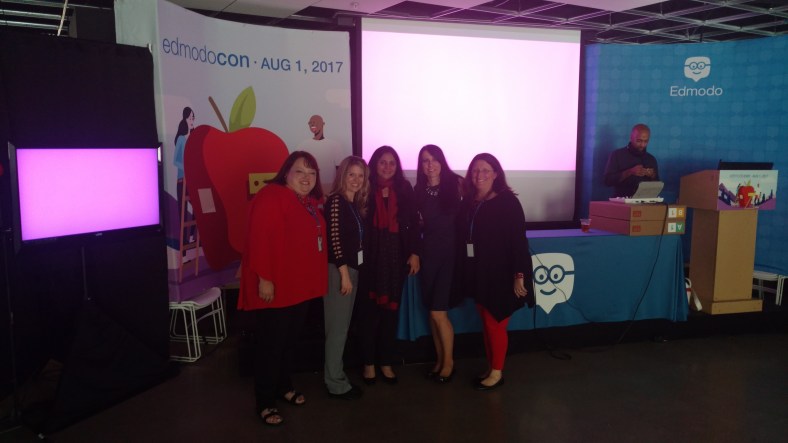
EdmodoCon 2017

Honored and Amazed: EdmodoCon 2017


I have been a huge fan of Edmodo the last four years and it has really brought about tremendous, positive changes in my classroom, for my students and opened up a lot of new opportunities for me as well  Edmodocon, an online conference, takes place in August and is held at Edmodo headquarters in San Mateo, California. Each spring, Edmodo accepts proposals from educators to be selected as one of the featured speakers during this event. The last two years I had submitted a proposal to speak at EdmodoCon, not fully understanding the magnitude of it even though I had watched it each year, and definitely not expecting that I would be one of those selected to present.  I took a chance again this past year and submitted a proposal and definitely put some extra time into what I wanted to say and decided to just go for it. Honestly, I did not think that I would be selected.

​Finding out I was one of the educators selected to speak at ​EdmodoCon was really an emotional moment where I felt a little bit overwhelmed, very surprised, tremendously honored, and definitely scared. There was also ongoing disbelief that I had been chosen.

I had watched ​EdmodoCon the last two years and knew how it was set up​,​ where the people were speaking from​,​ and also that many thousands of people were watching from around the world while the event was ​streaming live. All of these images passed through my mind a​t​ a glimpse when I found out I was selected but the excitement ​was sometimes exchanged for nerves. I​ just could not believe that I was chosen and could not wait to attend.
I have been using Edmodo ​since 2015 and it truly has made a huge impact in my classroom. I found it almost accidentally, looking to find a way to open up more access for my students and to help solve some problems in communication, and availability. Over the years, the way​s​ that we have used Edmodo has changed and many new features have been added, making it even better than it already was. Having the opportunity to see the people working behind the scenes at Edmodo and to talk with ​each person was phenomenal.

How does one prepare for ​EdmodoCon?

Unlike any other presentation you have prepared for! While I have given many presentations in the form of Professional Development sessions, speaking at conferences and online learning ​events, preparing for something like this was a much greater feat. My session would be a ​2​​0 to ​30 minute presentation, speaking ​live from​ Edmodo. I needed to craft a message that would inform the participants or “Edmodians”, who were​ ​already familiar with Edmodo and knew so much about it. My goal was to convey my message of why and how it has made such an impact ​in​ my classroom.
Countless hours spent crafting the presentation​,​ re​-​working the images​,​ thinking through what I would say on August 1st, and lots of communication between myself and N​iccolina and ​Claire. The support I received was fantastic. The team was always readily available to give guidance and feedback, to do practice run​s​ ​or​ whatever was needed. They were there to support me and all of the speakers and definitely made the whole experience phenomenal, and always found ways to calm those nerves with reassurances and positive encouragement.


Prepping for EdmodoCon

I think I lucked out because I had the benefit of a little preparation when I was asked to speak about Edmodo during the Microsoft Hack the Classroom in San Antonio​ while at ISTE​ this summer. I prepared a​ ​5 minute “Ignite” talk on the integration of Microsoft Office with Edmodo and this experience definitely help​ed​ me to better prepare for EdmodoCon, but then again it was unlike any other experience I have had. It gave me some practice speaking in a studio setting with a live audience, microphone and cameras, but it didn’t quite prepare me for the full experience since it was only a five minute talk. But nevertheless, I am grateful for having had that opportunity to connect and to get a little bit of practice in before heading to the main event. Being able to step out of my comfort zone, and do something like this for the first time, was a challenge and I was very nervous about it, but having this experience definitely helped.

Heading to EdmodoCon

Going ​to San Francisco, arriving at Edmodo Headquarters, and meeting the other educators was tremendous. I was very excited about the day, getting to spend time at Edmodo, practicing a little and just being in the same space with educators from around the world, and having time to sit down with them and share how we use Edmodo was awesome. Being there and having the support and generosity of the whole Edmodo team, becoming connected with these other educators, really added so much more to what I already love about Edmodo. The whole team of Edmodo is people focus​ed,​ they work ​​for the students, they are a family and they are there to be a constant source of  support and encouragement to one another.

The way that we were all welcomed by the team was unlike anything I have ever experienced. We were greeted at check-in with welcome bags full of Edmodo gear, picked up by members of the team and driven to Edmodo headquarters where we had time to tour the office and also to ask questions of all of the team members working hard to make Edmodo what it is. We had catered meals, access to anything we could possibly want to make our time there more comfortable and most of all, we experienced a true sense of belonging and being part of the Edmodo family. Being able to meet for the first time people who have done nothing but work to make Edmodo a better platform for students and for education and who truly value the input from educators and the connections made, was an honor. Edmodo is how I made changes to my classroom that enabled me to open up more access to the resources the students need and also access to a world full of learning opportunities. Being selected to speak there and to share my experience with so many educators around the world was very humbling.

It is probably the most nervous I have ever been before a presentation and waiting for it to be my turn to speak was definitely a challenge for me to stay calm and focused.  But hearing Jennifer’s presentation before mine helped and once I entered into the room and put the headset on, my nerves pushed aside and I was ready to go. Of course I was still nervous but I felt like I could get through it, I was ready to share our story.  And I think the one thing that really helped to break the ice for me was when my slide deck would not load correctly and I just had to go on and start talking with fingers crossed that it would actually work. It’s really not much of a surprise that I would have some kind of a technical difficulty because I often joke that the technology cloud of darkness follows me at times. But the show must go on and if my slides did not work well then I was just going to have to talk my way through it as best as I could. Fortunately it only took a few minutes for everything to reload and so I was able to carry on through the presentation.

How did it go? I think for the most part I am pleased with how it went and I caught myself getting a little emotional at the start because it really hit me that I was speaking there and I have been so thankful for what Edmodo has provided for me to make things available for my students in my classroom. But standing there and having that chance to speak and share our experience with my own personal learning revelations about my teaching methods and why I needed to change was bittersweet.

Because I’m a reflective person and I did want to evaluate my speaking and be mindful of words or mannerisms that catch my attention, I watch the replay of the video. I first noticed the look on my face when told that my slides weren’t loading and then I should just start, it was a look of wait what? And as for my overall presentation, of course I did come up with a few things  that I would change. But that’s how we learn and grow and move forward. We have to reflect, we will make mistakes, we will face challenges and while it is important to acknowledge these, the most important thing is that we share our message and that we also share our learning and reflections in the process.


Edmodocon was amazing and it gave me a lot of new ideas for this school year and ways we can use Edmodo to knock down those classroom walls and to bring in opportunities for students to learn more about the world and to provide a safe space for them to connect with other students in the world. We can empower our connected learners.

Celebrating together after EdmodoCon 2017

IMG_20170801_184215600.jpg


Quizlet Live: A student perspective

Teacher to Teacher: Does technology in the classroom help? Ask the students.

Quizlet HQ ·

This post was written by Rachelle Dene Poth and Sean, a student in one of her Spanish classes. Rachelle teaches French, Spanish, and STEAM at Riverview Junior-Senior High School in Pennsylvania. 

quizletlive

Quizlet Live: An instant hit in my classroom

The availability of technology, and especially of digital tools like Quizlet, have opened up tremendous possibilities for classrooms today. Because of the diverse tools available, teachers now have new ways to deliver content both in and out of the classroom, and students have more engaging and personalized ways to learn.

Quizlet is something I have used in my classroom for the past few years in many different ways. I have used it in class to play Quizlet Live, to give students time to use the activities to review while I work with them individually, and to play games like Gravity on the Smartboard. Toward the end of last school year, I was able to beta test Quizlet Live, their newest collaborative in-class game, with my Spanish II class. It was an instant hit. Once we figured out how to play the game (which was easy), it became a great way to practice the vocabulary and verbs. It also created more opportunities for students to work with and learn from their peers, and build those vital classroom relationships that form a positive classroom culture. (To learn more about how to play Quizlet Live, check out my previous post on this topic.)

How to know when the technology has a purpose: Ask the students

IMG_20161108_131159.jpg

Sean, an 11th grader in my Spanish courses, has been an advocate for the use of technology at school. He recently led a presentation for an edtech conference, TRETC (Three Rivers Education and Technology Conference) and chose to present on Quizlet Live. He explained the purpose of the game, highlighted how to play, and led a game with those present — many of whom were playing for the first time. Sean had great, first-hand information to share and, coming from a student, the benefit of using Quizlet Live in the classroom was clear to everyone.

In Sean’s own words

Quizlet has a purpose when it comes to studying or just having fun. For example, in my Spanish II class, we used Quizlet for studying outside of class or to create cards for homework, and then when we met again as a class, we would play Quizlet Live and it would be fun for everyone. It is a tool that can be used multiple ways for school and work. An example of using it outside of school is when we were coming home from the PAECT student technology showcase. We were bored during the bus ride, so Mrs. Poth asked us if we wanted to play and we said sure.

Screen Shot 2017-01-10 at 1.08.33 PM.png

At the time we didn’t know any topics that could be played on Quizlet Live except for school topics, but we were introduced to some of the other topics that could played. We struggled with some of the TV trivia, which dated back to the 1950s, but we worked as a team and won the game. This activity showed our group that there were a variety of things that could be done using Quizlet Live.

This school year, I have already created a Quizlet Live that my class has played and everyone loved it. I will continue to create more Quizlets to use and help out the class, and to also have a fun time at home. We will be presenting a session during our state technology conference, PETE&C, and in addition to the student showcase, we will take over a full session and teach teachers about these tools. The students will once again be the leaders and engage the attendees with Quizlet Live.

Storytelling with Kidblog

Previously Published on MARCH 9, 2017   Kidblog

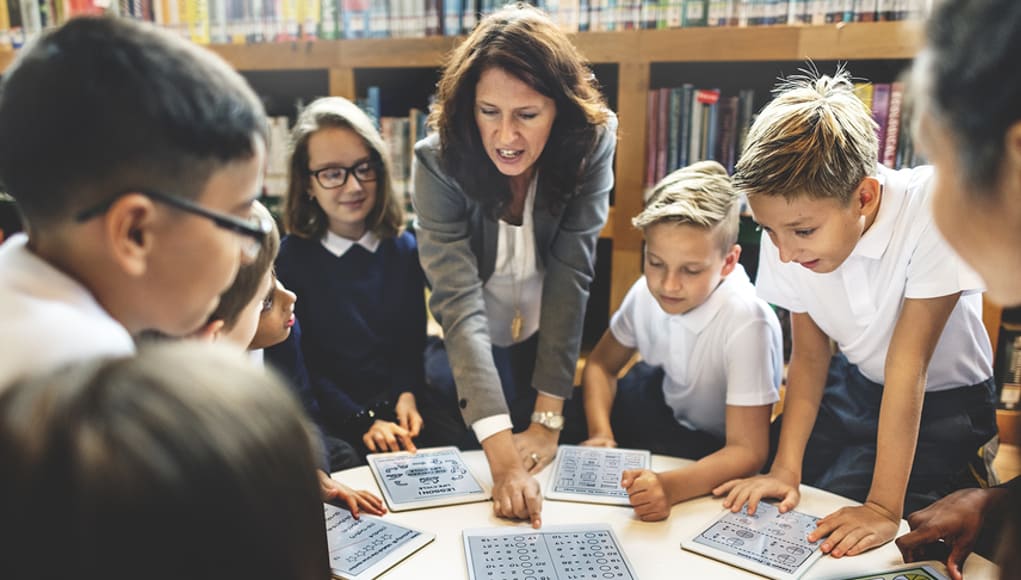
hands-hand-book-readingBlogging helps develop critical skills students need. In addition to working on necessary skills for communication and mastering grammar, blogging boosts creativity, increases confidence in expressing thoughts and ideas, and encourages authenticity when students write with purpose. Blogging for increased social interaction in the classroom will also lead to a more positive learning environment and help students develop critical peer relationships and collaboration skills.
The prompts

I have focused on transforming my classroom from “teacher centered” to “student-centered” and, as a result, created a student-driven learning environment. Moving the direction of your classroom in this way can help students emerge from learners to leaders and become more aware of their strengths and weaknesses in writing. Writing prompts are often discouraged in blogging – hindering student creativity. However, there are ways to design prompts that increase student engagement, lead to more authentic and meaningful learning, and provide an opportunity for students to be in charge of their learning.

It is important to offer a varietyof prompts to reinforce student choice and voice in the classroom. Additionally, prompts that include a picture lead to a variety of creative and authentic responses, while also giving students ownership in learning. Not to mention, it is a fun way to practice their writing skills.

Something new I tried this year, in an effort to open up more options for student choice and authentic and meaningful learning, was to design a “let’s tell a story” prompt. My goal was to help students build their vocabulary and refine their writing skills by learning and applying new words outside of our textbook chapter theme. To do this, students in Spanish II read a short Spanish book and while reading, they were tasked with creating a list of unfamiliar vocabulary words in each chapter. These lists would become their personal “dictionary” of (ideally) 50 – 60 words. I wanted them to select words that they did not understand and incorporate these words within their stories. This provided an authentic method for the students to create with the language and practice their writing skills.

Co-creating a story

I decided to have students participate in writing a collaborative story. Using a theme similar to the reader, which was a story involving a student who solved a crime and helped to capture a thief, each student was to select a certain number of their words, and create a story of their own. Once a story had been created, we selected another student to continue the story using different words from their vocabulary “bank”. In the process, I would read each of the posts, provide feedback and keep my own lists of some of the most commonly selected words, so that I could later use these additional words for building vocabulary.

This was a fun way for students to collaborate with their peers and make learning more meaningful through their own choice and voice. It enabled students to work together, to provide support and to keep each other focused on the writing task. After all, collaborative skills are so important, especially for building vital classroom relationships and social interactions.

Overall, this activity was an engaging way for students to practice the language, increase opportunities to show their language skills, all while being the main driver in their learning. Giving students the chance to demonstrate what they know, in their own way, amplifies their learning and connects them with the subject content in a more personalized, meaningful way.

Kidblog

3 Ways to Implement Blended Learning In The Classroom


3 Quick Ways to Implement Blended Learning In The Classroom

Best practices for blending or flipping your classroom continue to be topics of discussion in education today. Much of the discussion focuses on finding clear definitions of what these terms mean and the benefit to classrooms.

There are many resources and ways to educate yourself on this topic available including a diverse selection of books and blogs (such as the book Blended by Michael B. Horn and Heather Staker, and of course the Getting Smart blog) related to the topic, reaching out to colleagues or members of your PLN or attending conferences such as FETC, ISTE, state edtech conferences, edcamps and other professional development experiences.

All of these are great for finding examples, vignettes, templates, suggested tools and ideas. But even with all of these options, sometimes it is more valuable to take a risk and try something out on your own. The outcomes will not always be the same for each teacher, classroom or student, but it’s at least worth a try.

There are different models for implementing blended learning, and the method used will vary depending on your classroom. I recommend starting with one method–if you see positive effects, that you have more time to collaborate in class and your students are more engaged then continue. If not, then use this opportunity as a way to learn more about your students and their needs. As teachers, we need to constantly reflect on our methods and encourage self-assessment with our students, all part of learning and growing together. Getting started can take some risk and exploration, and definitely time.

Here are some different ways to use technology to “blend” or “flip” learning that in my experience have worked well. These tools can offer innovative or creative learning methods in your classroom, opening up the time and space for where and when the learning occurs.

1. Flipping and Blending with Videos

In the past when I heard “flipped classroom” I thought that meant simply assigning a video for students to watch. It can be, as it was originally considered the traditional way of flipping the classroom, but there has to be follow-up, accountability and more than just simply assigning a video. How will we know what the students gained from the experience?

The benefit of having students watch a video outside of class is that it reserves the class time for discussion and peer collaboration, and moves the teacher to more of a facilitator in the classroom. There are video tools such as EDpuzzle and PlayPosit, through which students interact with the video.

By responding to questions throughout, they are held accountable for the material and can show what they are learning. The teacher has instant feedback and can better understand how the students are learning and provide more personalized instruction. Either of these tools are great for the teacher to create lessons, but also provide the opportunity for students to create lessons that can be shared with other students.

In my experience, these tools have both provided a lot of authentic learning, problem-solving, critical thinking and collaboration. More importantly, they create an opportunity for students to move from learners to leaders, and from consumers to creators in the classroom. This is one of our main goals as teachers–to provide opportunities which empower students to take more control and drive their own learning. These leadership opportunities also help the students to feel valued because of the work that they are doing. There are sample lessons or “bulbs” available, so try one of from the library, and see how it works in your classroom.

2. Game Based Learning and “Practice” as Homework Alternatives

Perhaps you want students to simply play a game or have some practice beyond the school day. There are lots of options available, some of which enable students to create and share their games as well.

A few of these that you are probably familiar with are Kahoot, Quizizz and Quizlet. Creating a game with any of these three apps is simple. There are many public games and Quizlet flashcards available to choose from, and it is simple to create your own or for students to create something to share with the class. You can use these to differentiate homework and have students create something more personalized and beneficial for their own learning, and then share these new resources with other students and classes.

It’s another great opportunity to understand student needs because of the types of questions they design and the vocabulary they choose to include. Another bonus is that using something like Quizizz means students can complete it anywhere. Have you tried these  three? Give Gimkit a go. Created by a high school student, this is a game that students enjoy, especially because they can level up, use multipliers and really practice the content with the repetitive questions that help them to build their skills.

3. Discussion Beyond the School Day and Space

There are tools available for having students brainstorm, discuss topics or write reflections which can be accessed at any time and from any place.  For example, Padlet is a “virtual wall” where teachers can post discussion questions, ask students to brainstorm, post project links and more. It is a quick and easy way to connect students and expand where and when learning occurs. Take the posts and use them as discussion starters in the next class.

Synth is great for having students create or respond to a podcast. The idea is that students can do some of these activities outside of the classroom period, and teachers can create prompts which provide opportunities to engage students with their peers in a more comfortable way.

Even though all of these involve technology at some level, they are interactive tools to engage students, to expand and “flatten the walls” of the classroom and offer students an opportunity to do more than just sit and learn; to become more actively involved, giving them a voice and choice, through more authentic learning.

By giving the students a chance to do more than absorb information, but instead to create, design and think critically, we not only give them the knowledge to be successful, we encourage them to create their own path to success. And hopefully, in the process, they learn to better self-assess and reflect, both of which are critical skills they’ll need for success in school and in their careers.


10 EdTech Tools for Encouraging Classroom Collaboration

Thank you Getting Smart for the opportunity to be a Guest Author for this post.

10 EdTech Tools for Encouraging Classroom Collaboration

By Rachelle Dene Poth

Today’s technology offers so many options for educators and students that deciding on where to begin can be overwhelming. To get started, think about one new approach that could be the catalyst for positive change in your classroom. In looking at your learning environment, what could benefit your students the most?

How do you find tools to help meet your needs? Resources are everywhere: books, blogs, social media like Twitter chats, Voxer groups, your PLN, or even conferences, EdCamps and similar professional development opportunities. But even with all of these resources available, it still comes down to taking a risk and trying something new.

Here are some helpful and versatile technology tools to easily and quickly integrate into your classroom and help meet your needs.

Discussion Tools: Get Them Talking

Teachers need to hear from students, and we know that asking questions or calling on students to discuss a topic can often make them nervous. When students, or anyone, develop that feeling of “being on the spot”, it can become more difficult to encourage students to share what they are thinking, what they are feeling and what their true opinions are. This is where digital tools can provide security and opportunities for students to express themselves. Technology has a true purpose. Students still need to develop an ability and gain confidence to speak in class, but these tools can help by providing a comfortable way for students to develop their voice and express themselves.

Depending on the type of question or discussion format you want for your classroom, there are many tools available that can help.

  1. SurveyMonkey is a good way to ask a variety of questions, find out what students are thinking, use it for a quick formative assessment, and many other possibilities. I have used it to find out how students prepared for tests, what areas they need help with, and even for voting for club officers and planning trips. You have the results quickly and can provide feedback instantly, to plan your next steps in class. It can be a different way to find out about your students and their needs.
  2. TodaysMeet is a backchannel tool that can be used in or out of class, as a way for students to contribute to a discussion or ask questions. It can also be used to provide “office hours” online, for students to ask questions beyond the school day. There are many possible uses for this tool, and setting it up is easy.
  3. GoSoapBox is a response tool that can be used to ask a variety of questions without students having to create accounts. Students simply need an “event code” provided by the teacher to access the activities available. GoSoapBox can be used for polls, discussion questions, quizzes and more, and provides a fast way to assess students or to simply learn more about them and their thoughts.
  4. Recap is a video response tool, where students can respond to a prompt and all responses are compiled into a “daily reel” for teachers to view and provide feedback. Students can respond from anywhere and feel comfortable in sharing their thoughts using this tool.

These are just four of the many options—sometimes it just takes a bit of research. Asking the students for new ways to use the tools you have already been using in class can also be helpful.

Communication Through Collaboration

There are many options which promote student collaboration and enhance writing skills and student voice.

5) Blogging: Through blogging, teachers can provide support for students and help them to gain confidence in writing and speaking. We have used Kidblog to complete many writing tasks and creative writing assignments.

6) Wikispaces: A Wiki has worked really well in our classes for having students collaborate on a topic, create a discussion page, and set it up to inform on a topic, to list just a few examples. We created a wiki on Spanish art and also created our own travel agency.

7) Padlet: Padlet is a “virtual wall” which promotes collaboration, communication, creativity and more because of its versatility. Students can write a response to a discussion question, add resources for a collaborative class project, work in small groups, use it for brainstorming or connect with other students and classrooms throughout the world.

Using digital tools in this way is great because the discussions don’t have to end when class does. These tools give ways to get students talking, share their ideas, so that we can help them grow.

Creating presentations and telling a story

A few options for having students present information in a visual way with options for multimedia include the following:

8) Buncee is a web based tool that can be used for creating presentations, interactive lessons and more, with many options for including different characters, fonts, animations, video and more.

9) Piktochart is a tool for creating infographics, social media flyers, engaging presentations and more. Students have created menus, self-descriptions, movie and tv advertisements, recipe presentations and much more.

10) Visme is a “drag and drop” tool that is easy to use for creating infographics, reports, different presentations and more. It has a library full of images, charts and more, making it easy for users to create exactly what they need.

What are the benefits of these tools?

Each of these tools promote more personalized and meaningful learning for students. These tools can be used to enhance, amplify and facilitate deeper and more authentic learning . Using technology just for the sake of using it doesn’t make sense. But using it to help students find their voice, learn what they want to do, what they can do and what they need help with, does makes sense. Purpose.

For more, see:

Rachelle Dene Poth is a Foreign Language and STEAM Teacher at Riverview Junior Senior High in Oakmont, PA. Follow her on Twitter at @rdene915.