Regardless of our role in education or the grade levels that we work with, we all have a responsibility to bring in a variety of learning opportunities to prepare our students for successful careers. They need to engage in learning that will equip them with essential skills and the right knowledge so they can thrive after they leave our classrooms and our schools. Helping students to learn about potential future careers or options for continuing their education should not be limited to the high school years. By starting to focus on career and college readiness at the middle school level, we can help students to learn about the many options available to them and spark their curiosity for learning.
There are many ways to get started with a lot of benefits to creating college and career readiness opportunities for middle school students. Finding methods and tools or comprehensive resources will have a positive impact on student academic success, increase engagement in learning, and foster the development of essential future skills. With online career learning programs, such as Defined Careers, educators can offer an innovative and engaging approach to introduce students to various professions, ignite their passion, and empower them to shape their future.
In this post, I will share the benefits of focusing on career exploration with middle school and even younger students. Exploring the resources provided by Defined Careers is a great way to help students learn about their options and empower them to explore various career pathways.
Early Exposure to Career Options
Introducing college and career readiness in middle school helps to inform students about a wide range of career options. Through career exploration activities and resources, students can explore job roles in various industries and professions. Defined Learning offers comprehensive career exploration tools that provide K-12 students with insights into different careers. With the K-5 program, this early exposure helps students gain a clearer understanding of their interests, passions, and the skills required for 16 different career clusters. For middle and high school students, interactive modules and videos give students the chance to explore diverse career options such as engineering, entrepreneurship, healthcare, or even art. By learning more about a variety of careers, we can help students discover their interests and passions, allowing them to make informed decisions about their educational and career paths.
Dr. Rachelle Dené Poth is a Spanish and STEAM: What’s Next in Emerging Technology Teacher at Riverview High School in Oakmont, PA. Rachelle is also an attorney with a Juris Doctor degree from Duquesne University School of Law and a Master’s in Instructional Technology. Rachelle received her Doctorate in Instructional Technology, and her research focus was on AI and Professional Development. In addition to teaching, she is a full-time consultant and works with companies and organizations to provide PD, speaking, and consulting services. Contact Rachelle for your event!
Rachelle is an ISTE-certified educator and community leader who served as president of the ISTE Teacher Education Network. By EdTech Digest, she was named the EdTech Trendsetter of 2024, one of 30 K-12 IT Influencers to follow in 2021, and one of 150 Women Global EdTech Thought Leaders in 2022.
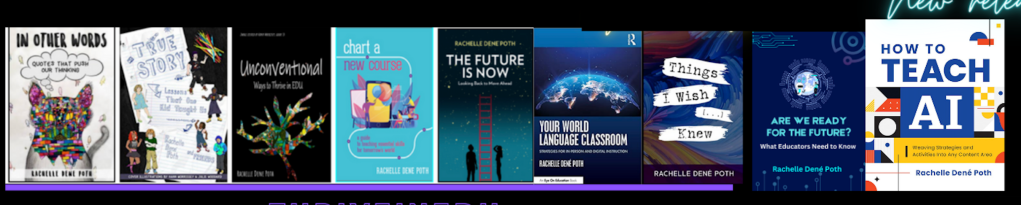
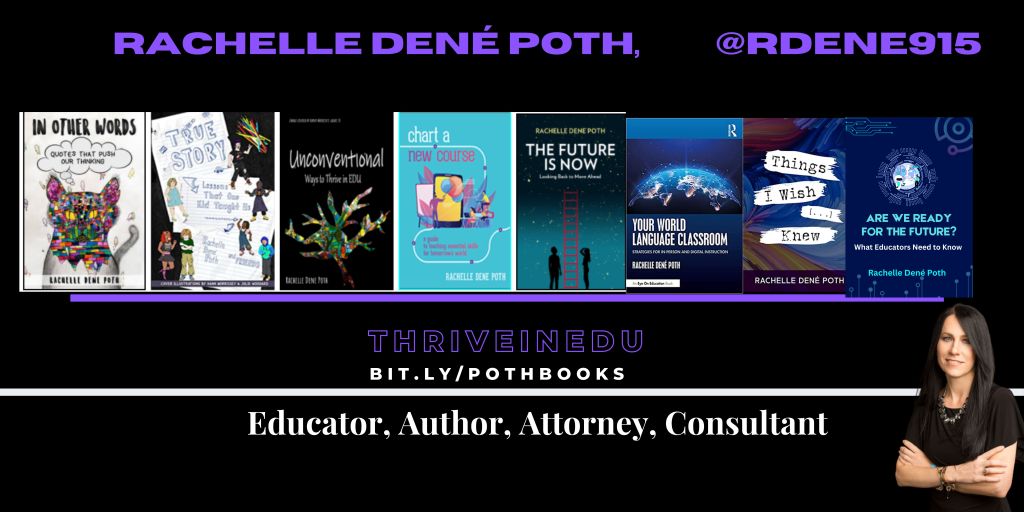
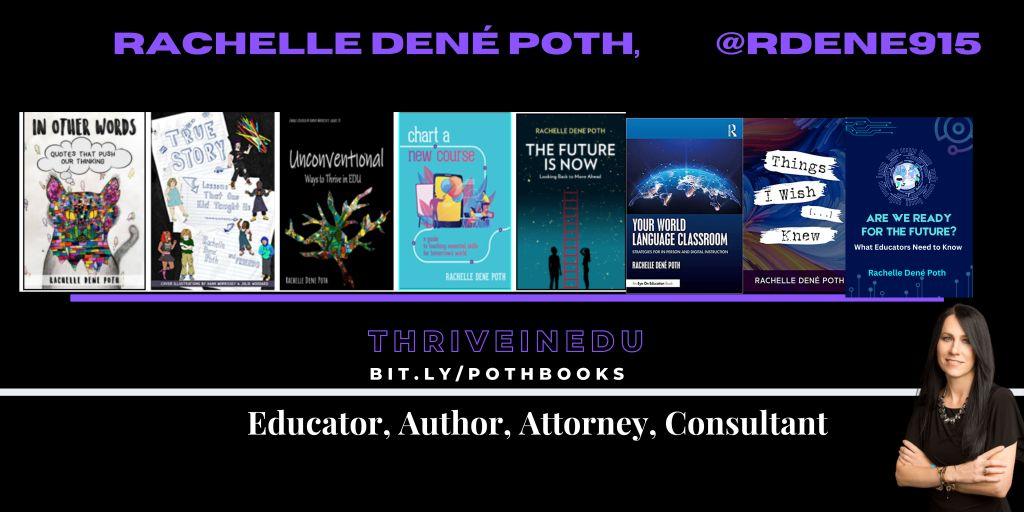
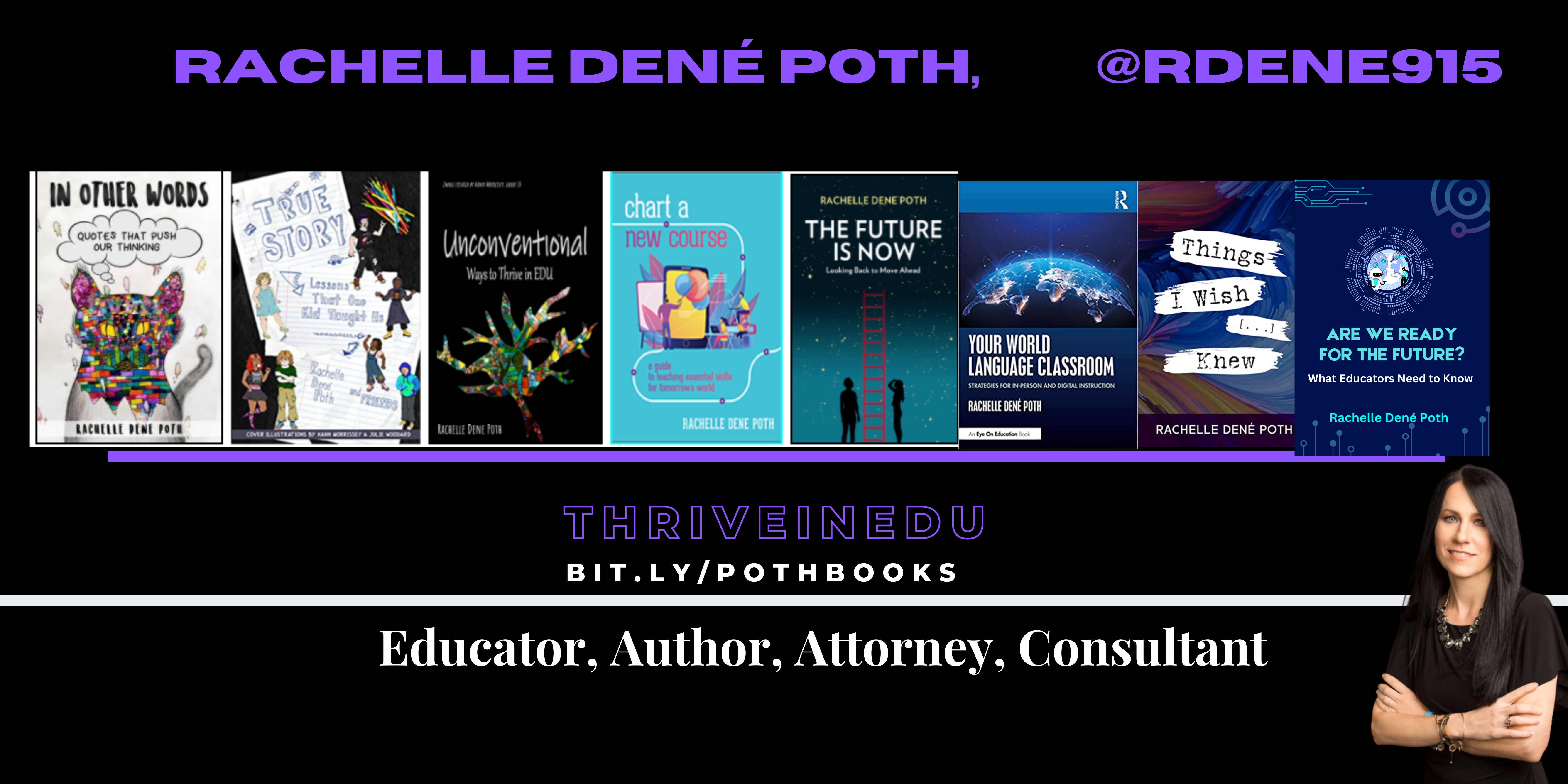
She is the author of nine books including ‘In Other Words: Quotes That Push Our Thinking,” “Unconventional Ways to Thrive in EDU,” “The Future is Now: Looking Back to Move Ahead,” “Chart A New Course: A Guide to Teaching Essential Skills for Tomorrow’s World, “True Story: Lessons That One Kid Taught Us,” “Things I Wish […] Knew” and her newest “How To Teach AI” is available from ISTE or on Amazon.
Contact Rachelle to schedule sessions about Artificial Intelligence, Coding, AR/VR, and more for your school or event! Submit the Contact Form.
Follow Rachelle on Twitter(X) and Instagram at @Rdene915
**Interested in writing a guest blog for my site? Would love to share your ideas! Submit your post here. Looking for a new book to read? Find these available at bit.ly/Pothbooks
************ Also check out my THRIVEinEDU PodcastHere!
Join my show on THRIVEinEDU on Facebook. Join the group here.
In collaboration with CoSpaces Edu, All opinions are my own
Now that the school year is in full swing and we head into the fall of 2024, many educators are coming up for air and looking for new ideas. For me, it’s always the perfect time to consider how our year has started and look for ways to introduce fun, innovative ideas to our classrooms to boost engagement even more! What I love about technology, is that there is always a way to bring it into our classrooms for our students, and that is what I have found with CoSpaces Edu!
Whether you’re teaching elementary, middle, or high school, focused on STEM, language arts, or any other subject, we know there is an increasing need to equip our students with skills to be successful in the future. In my opinion, I think what better way to do that than with CoSpaces Edu!
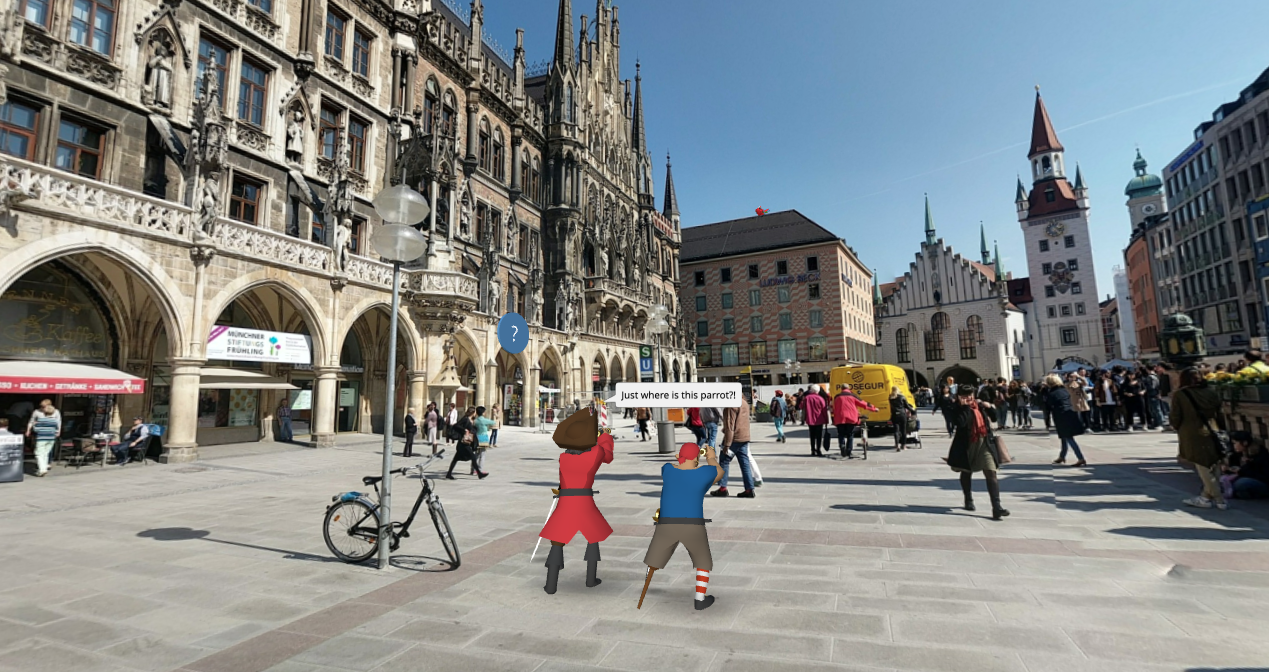
CoSpaces Edu is a versatile, very user-friendly platform that brings learning to life for our students. Through augmented reality (AR) and virtual reality (VR), with a variety of wonderful features that enable students to engage in 3D creation, coding, and collaboration, CoSpaces Edu can be integrated across all grade levels and subject areas. I have come up with six ideas for getting started with CoSpaces Edu in your classroom this fall. At all grade levels, you can foster creativity, critical thinking, communication, collaboration, and digital literacy—skills, all of which are essential for today’s learners.
1. Virtual Tour of Student Interests
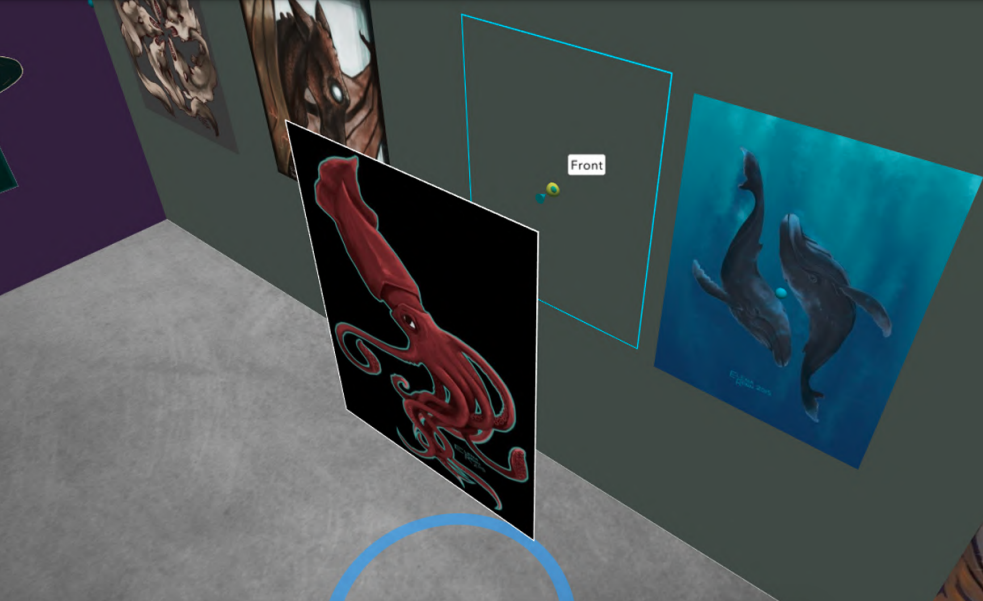
One of the easiest and most engaging ways to get started with CoSpaces Edu, which I use every year, is having my students explore its gallery of available projects. Whether they’re in elementary school or high school, students absolutely love the time they have to explore existing projects such as games and virtual museums. By giving them time to explore, not only can it boost their own creativity, but it also helps us learn more about their interests, which is essential.
How to start? Direct them to the gallery and ask them to choose a project or space they find interesting. After exploring, ask them to consider why it captured their attention. Was it the design? The characters? The actual activity itself? Encourage them to think critically about what they might create or how they might change or enhance what they explored. For example, if they enjoyed exploring a historical simulation, maybe they can build their own historical event space or propose redesigning a famous historical space. Moving through in this way not only fosters critical thinking but encourages student discussion, idea sharing, and brainstorming ideas. And the best part is that CoSpaces Edu allows them to explore both virtual and augmented reality so they can fully immerse themselves in and connect with the content they’re learning.
I have used this activity as an icebreaker for new school years or any time throughout the year. It benefits by giving students the opportunity to explore, discover, and connect with their classmates over shared interests that they may not have realized they had in common. Talk about fostering a real learning community!
2. Create an “About Me” Space
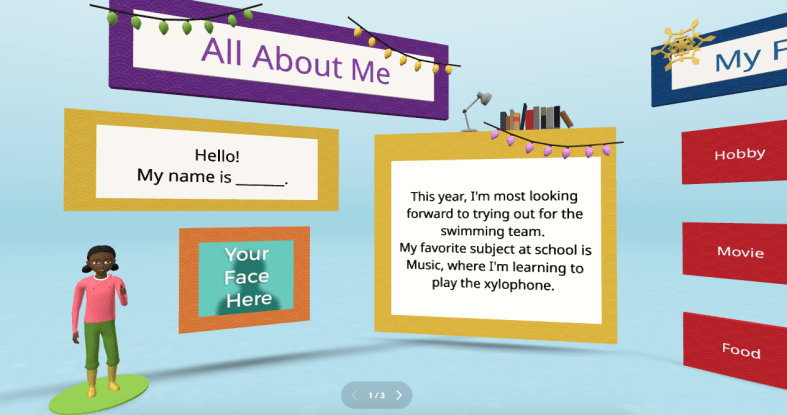
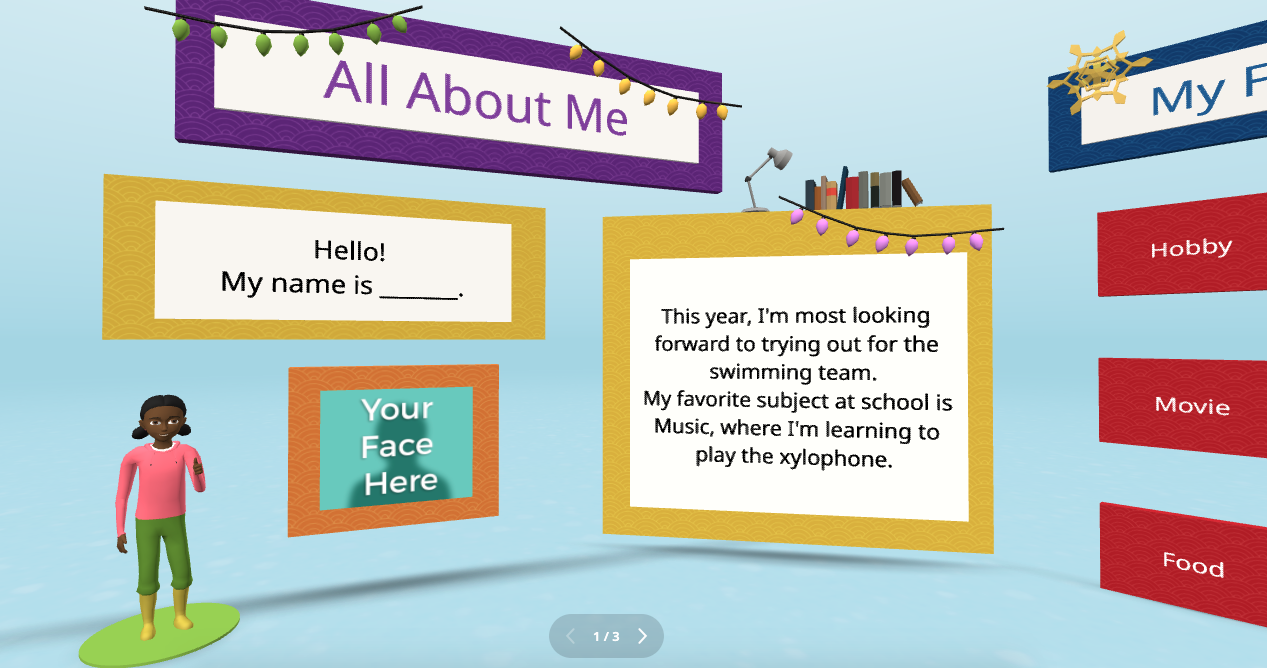
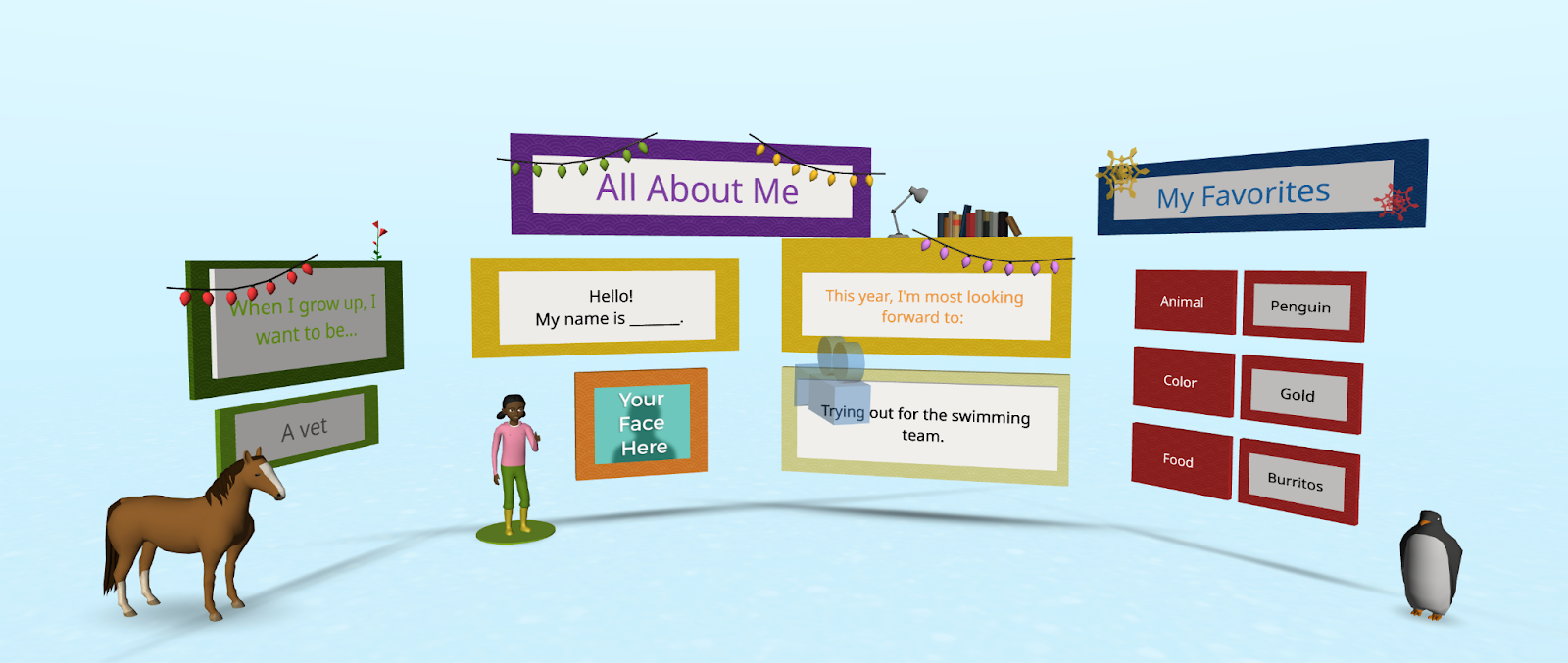
Every new school year, educators spend time finding ways to get to know their students better and for students to get to know each other. A new idea is to have students create an interactive “About Me” space. Not sure where to begin? CoSpaces Edu has a ready-to-use template that students can then customize and add fun characters, animations, and even their voice recordings to create a virtual introduction to themselves.
This activity is more than just fun—it builds digital literacy as students learn to manipulate 3D objects and text and even dive into coding. It’s a great way to build a learning community in the classroom as students explore each other’s spaces, and you will see the excitement as they learn from each other. You can easily adapt this project to any grade level. It is also a great way to introduce younger students to AR and VR in a structured way while also allowing older students to dive more into basic block-based CoBlocks or advanced coding with JavaScript.
My students have had a blast designing their virtual world to represent themselves. The About Me is a great way to spark creativity and help students develop essential communication skills as they express interests, hobbies, and goals with their classmates and teachers.
3. Interactive Storytelling in Virtual Worlds
Storytelling is an impactful way to promote learning whether you teach elementary or high school students. Now, students can bring their stories to life in immersive 3D environments with CoSpaces Edu!
In my STEAM course, I work with the other content area teachers to have students leverage what we are learning and connect it to their other classes. Students have created animated and interactive recaps of stories they’ve read, and some have written their own narratives. The magic is when they bring these stories to life using 3D characters in a variety of settings. For example, students could adapt a classic story or novel they have read and add a twist, such as an alternative ending. Many students enjoy using their imagination to create stories. Once they set the scene, they can use CoSpaces Edu’s coding tools—such as CoBlocks—to add interactivity, allowing their characters to move, speak, and more. We can share their work with classmates, which adds more meaning to and engagement with the learning experience.
These types of projects foster creativity and problem-solving and build communication skills. Students not only have to write their narrative but also decide how to visually and interactively represent it. They engage in a process that encourages collaboration, especially when students work in teams to script, design, and code their virtual worlds. This was a game-changer in my Spanish II class!
4. Revolutionize Language Learning with AR/VR
Interactive storytelling can also be an excellent tool for language learners. In my experience, students in Spanish II created virtual worlds in which their characters engaged in dialogues, which helped them build their language skills in a dynamic and engaging way. It also led to greater retention of the content.
One project involved students creating a virtual Spanish-speaking city where they placed shops, restaurants, and other landmarks. Each student had a role in the virtual environment and had to speak in Spanish to describe their location or interact with others. This project increased student engagement, content retention, and enthusiasm for learning the language. It was also a unique way to reinforce grammar and vocabulary.
Incorporating AR/VR into language learning allows students to “live” the language, making it a more authentic and enjoyable experience. This kind of immersive learning fosters deeper connections with the material. It helps students retain what they’ve learned, which is essential in all areas, particularly in building confidence in language skills.
5. Collaborative STEM Projects
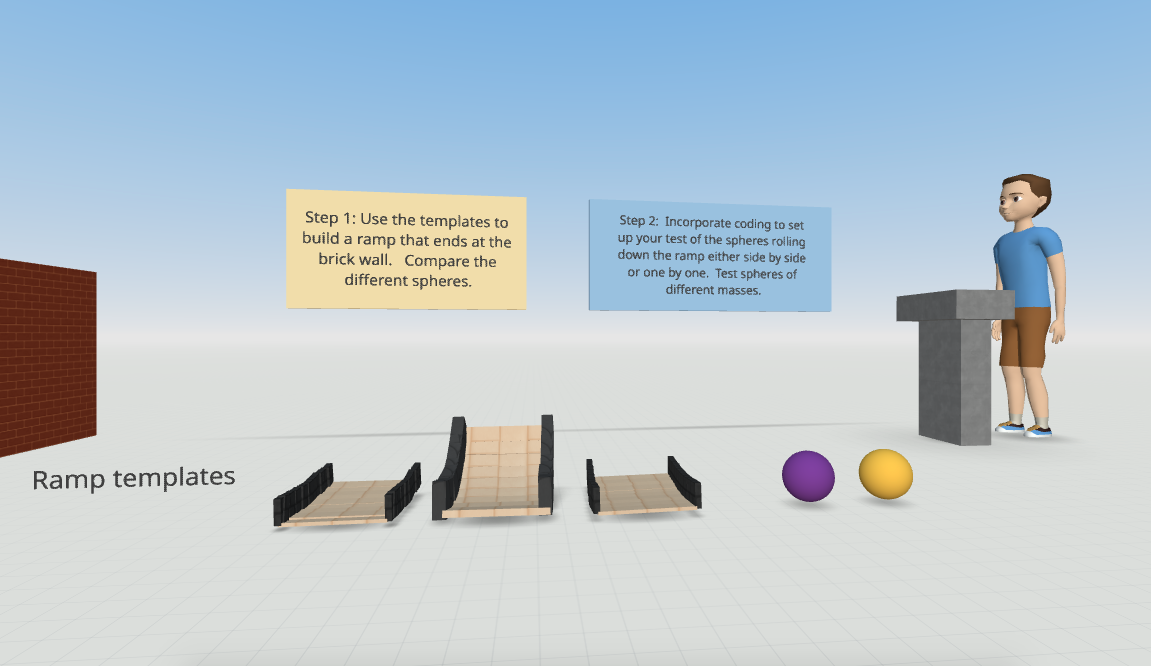
With CoSpaces Edu, students can design and code virtual prototypes, models, and even entire experiments. One of my favorite uses for the platform is collaborative STEM projects. Students can work in teams to design and build virtual spaces or objects, such as a virtual physics experiment exploring Newton’s laws or an architectural model of a bridge or building.
CoSpaces Edu’s collaborative features allow multiple students to work on the same project in real-time from different devices, making it perfect for group projects, whether students are in the classroom or learning remotely. Think about global collaboration possibilities, too! We want students to build teamwork, communication, and problem-solving skills and manage their time. Because they can collaborate in CoSpaces Edu, it makes opportunities available for STEM learning that is more engaging and hands-on.
6. Virtual Museums and Global Collaboration
Building global awareness is so important. Our students must learn about other cultures and have experiences connecting them with authentic and real-world learning opportunities. What if students from around the world collaborate to create a virtual museum that represents items from their different locations? With CoSpaces Edu, this is not only possible but easy to implement. Teachers can connect classrooms from different countries, enabling students to collaborate on a global scale to build and curate virtual museums on various topics, from world history to art or any topic they choose.
Students can design a virtual museum showcasing the art of different cultures. Using CoSpaces Edu’s 3D creation tools, they can build exhibit halls and import 3D models of art pieces or artifacts. Each student can contribute a different exhibit and then link them together into a larger museum space. A project like this not only fosters creativity and digital literacy but also deepens cultural understanding and instills empathy as students explore and share knowledge from diverse perspectives.
Where to begin
I have used CoSpaces Edu for many years. It is definitely way more than just a tech tool for students. It is a transformative platform that fosters the development of critical future skills like creativity, collaboration, critical thinking, and digital literacy. Whether you’re teaching elementary students to create 3D models or high school students to code virtual worlds, CoSpaces Edu offers endless possibilities for engaging, interactive, and collaborative learning experiences.
CoSpaces Edu shifts students from consumers to creators! My students are always wowed by what they explore when we get started. These are only six ideas to explore, and there are many more possibilities and lesson plans available for educators to explore right away.
CoSpaces Edu is easy to use, works on any device, and offers a secure, COPPA- and FERPA-compliant environment, which is critical. Dive into CoSpaces Edu this fall and watch your students’ creativity and future-ready skills soar.
About the Author
Dr. Rachelle Dené Poth is a Spanish and STEAM: What’s Next in Emerging Technology Teacher at Riverview High School in Oakmont, PA. Rachelle is also an attorney with a Juris Doctor degree from Duquesne University School of Law and a Master’s in Instructional Technology. Rachelle received her Doctorate in Instructional Technology, and her research focus was on AI and Professional Development. In addition to teaching, she is a full-time consultant and works with companies and organizations to provide PD, speaking, and consulting services. Contact Rachelle for your event!
Rachelle is an ISTE-certified educator and community leader who served as president of the ISTE Teacher Education Network. By EdTech Digest, she was named the EdTech Trendsetter of 2024, one of 30 K-12 IT Influencers to follow in 2021, and one of 150 Women Global EdTech Thought Leaders in 2022.
She is the author of nine books including ‘In Other Words: Quotes That Push Our Thinking,” “Unconventional Ways to Thrive in EDU,” “The Future is Now: Looking Back to Move Ahead,” “Chart A New Course: A Guide to Teaching Essential Skills for Tomorrow’s World, “True Story: Lessons That One Kid Taught Us,” “Things I Wish […] Knew” and her newest “How To Teach AI” is available from ISTE or on Amazon.
Contact Rachelle to schedule sessions about Artificial Intelligence, Coding, AR/VR, and more for your school or event! Submit the Contact Form.
Follow Rachelle on Twitter(X) and Instagram at @Rdene915
**Interested in writing a guest blog for my site? Would love to share your ideas! Submit your post here. Looking for a new book to read? Find these available at bit.ly/Pothbooks
************ Also check out my THRIVEinEDU PodcastHere!
Join my show on THRIVEinEDU on Facebook. Join the group here.
In collaboration with MatataStudio EDU, Opinions are my own
The Nous AI Set is one of MatataStudio’s standout products. I have used all of their other great products in my classroom and have been amazed by what you can do with the Nous Set!
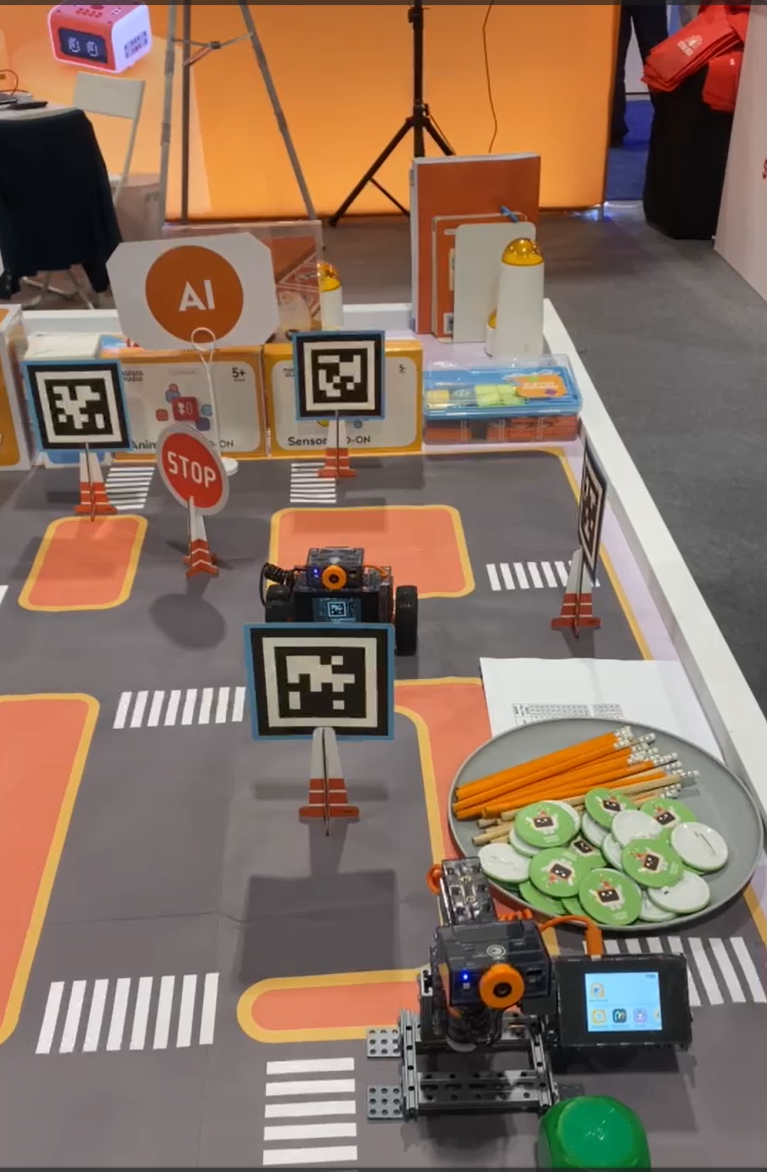
I had a chance to stop by their booth while attending and presenting at ISTE 2024 in Denver. It was awesome to see all of their fabulous products for students of all ages! It was also great to speak with their amazing team and learn about the options and new resources that are coming from MatataStudio for students! Thank you, Vivian!
[At the booth during ISTE, so many awesome learning resources to explore!]
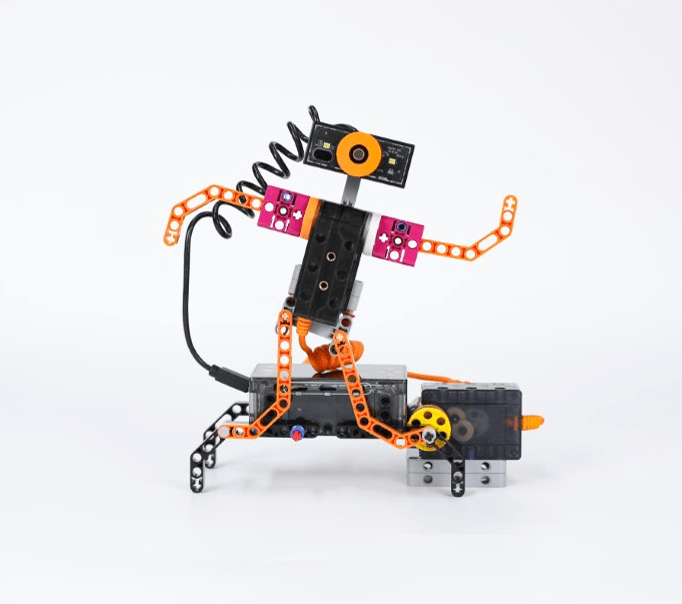
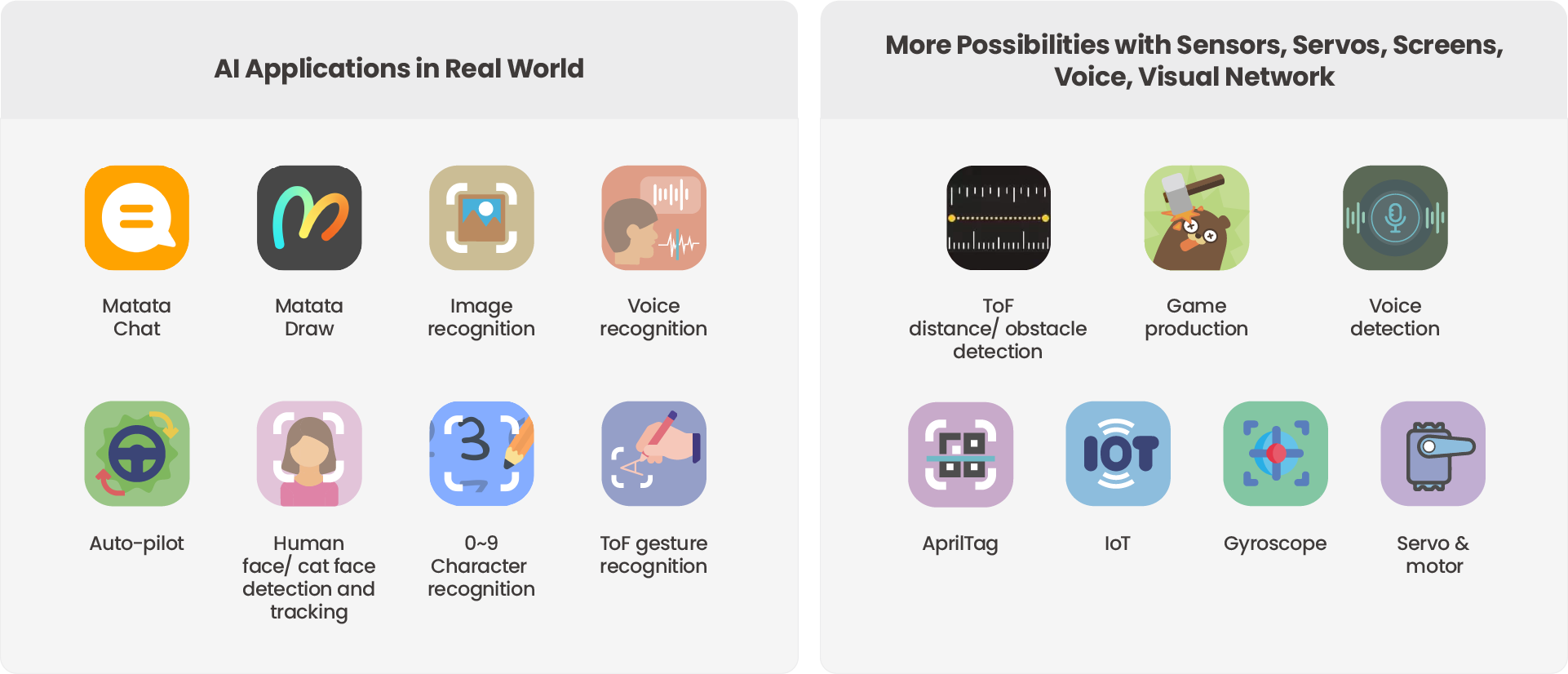
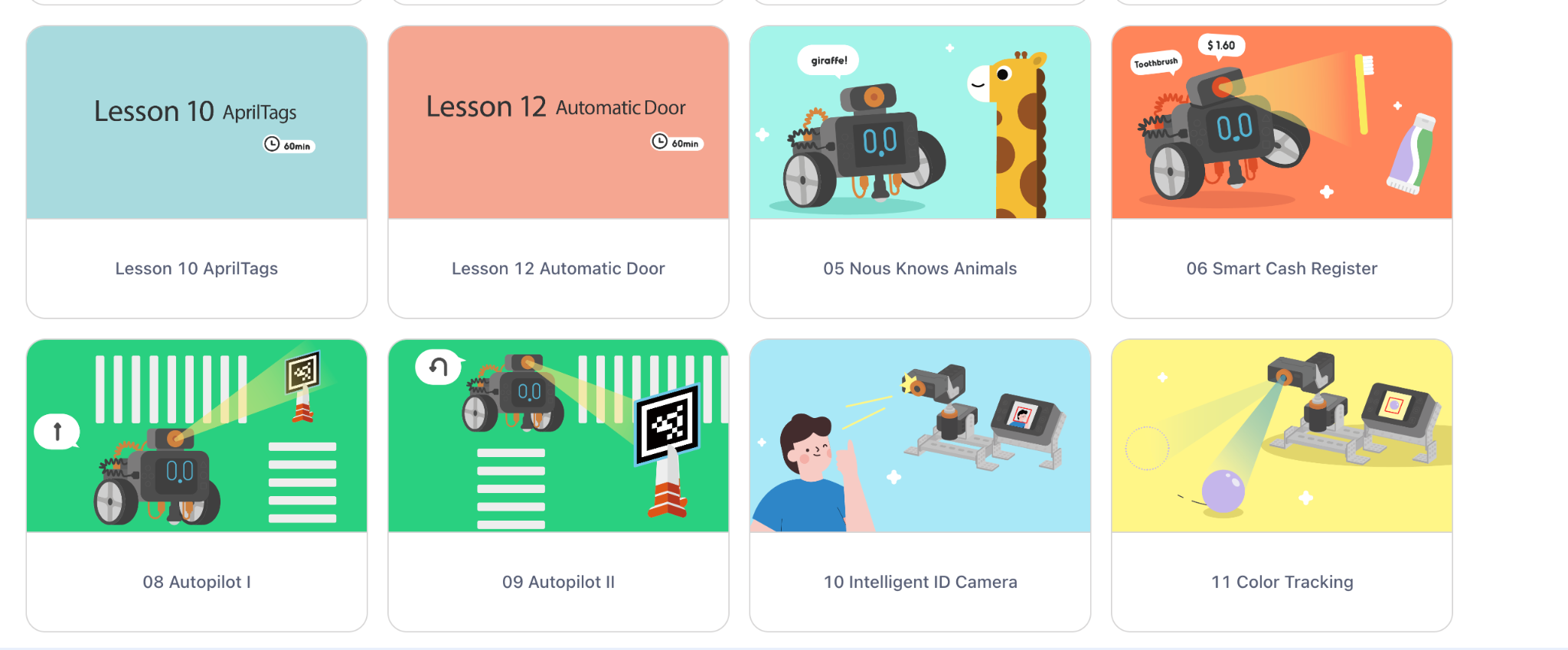
Nous AI is designed to provide students with an understanding of artificial intelligence (AI) and enable them to build their knowledge through the various activities they can choose from and complete independently! What makes Nous different is its modular design. Students can choose how to design it, which allows it to support a variety of AI technologies and functions. Students can learn about machine learning, neural networks, machine vision, speech recognition, and autonomous driving capabilities, and more. It also offers tools like MatataChat and a range of other AI applications that are available right on its touchscreen.
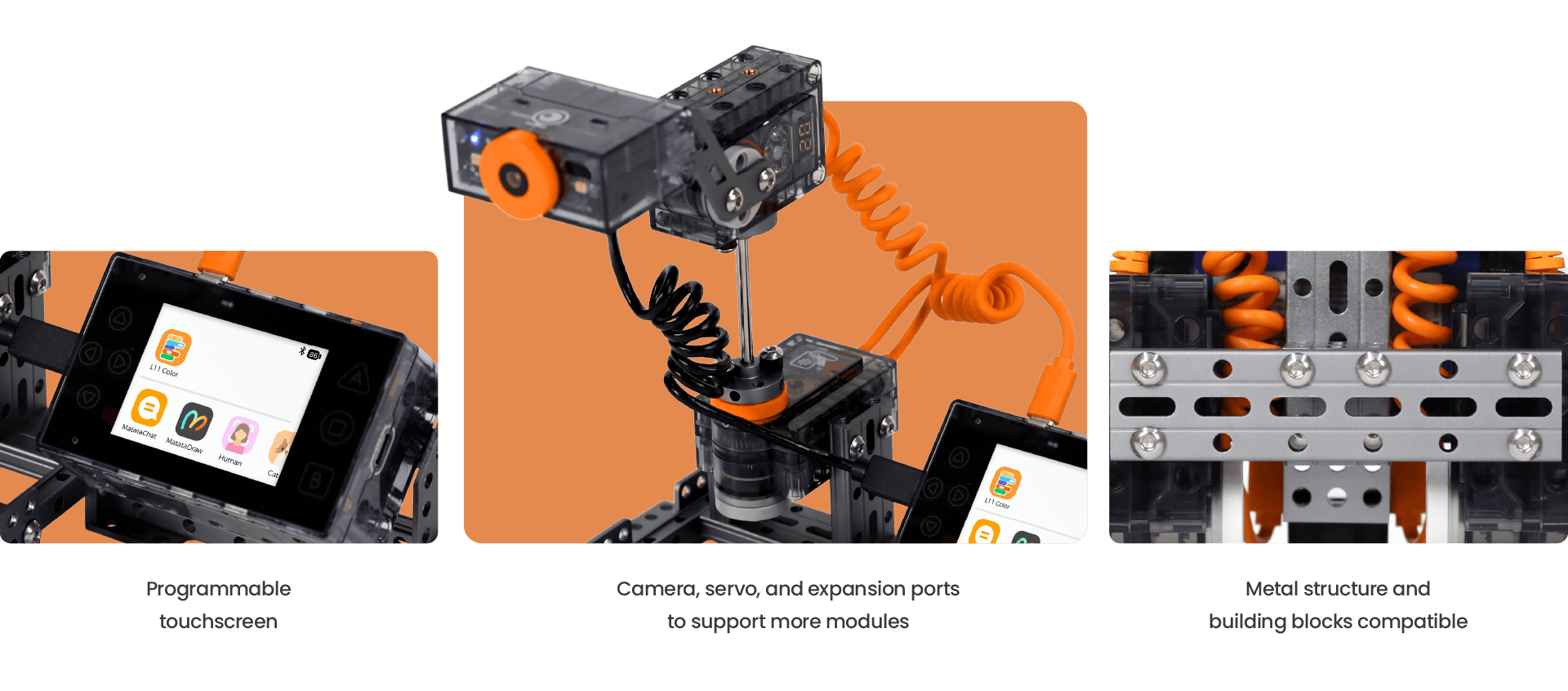
The robot comes with a metal structure, and it is also compatible with building block structures, so it is a versatile tool for boosting creativity and problem-solving in its assembly and through robotics projects. The expandable electronic module system allows students to customize and enhance their projects, fostering a sense of ownership and creativity and leading to more authentic learning. Whether it’s programming with graphical interfaces or diving into Python programming, the Nous AI Set provides students with a comprehensive platform to explore the world of AI and have fun while doing so.
Engaging in Design and Engineering Thinking
What I appreciate about the Nous AI Set is how it encourages students to engage in design and engineering thinking, which helps them develop a greater interest in the learning process. In my classroom, I’ve seen students become deeply involved in designing, building, and testing their projects. A hands-on approach to learning is essential for developing critical thinking and problem-solving skills, which are crucial for future careers in STEM fields and beneficial in so many areas.
The Nous AI Set allows students to iterate on their designs, test different solutions, and refine their projects as they go. This iterative process is key to helping students build essential skills such as resilience and problem-solving. When students learn to view challenges as opportunities for growth rather than as obstacles, it provides them with skills that will benefit them now and as they prepare for the future. By focusing on the learning process rather than just the final product, students develop a deeper understanding of the principles of engineering and design.
Why should you explore Nous AI?
The Nous AI Robot is a transformative tool for STEAM education and works well in any classroom. MatataStudio offers options for each grade band and provides educators with a comprehensive and engaging way to teach AI and coding to all students. Its modular design, dual programming capabilities, and extensive learning resources make it suitable for students of varying skill levels and interests.
There are many possibilities, and with the Nous AI Set, we can help better prepare students for the future. As an educator who has seen the great impact on student collaboration in building the robot and the ideas that students generated, I recommend the Nous AI Robot for any classroom looking to incorporate AI and robotics into their curriculum, especially as a fun, impactful way to start a new school year! And explore new ideas and challenges throughout the year.
Whether you have years of experience or are new to teaching AI and coding, the Nous AI Robot provides the tools and resources to create a dynamic and interactive learning environment. The focus on hands-on learning and building connections to real-world applications ensures that students not only learn but also experience the exciting world of AI and robotics. There are so many tutorials available to help educators and students get started!
Real-World Applications
The Nous AI Robot is not just a learning tool; it also provides students with insights into real-world AI applications. For example, students can dive in and learn about AI through its activities focused on image recognition, speech recognition, and autonomous driving. Students can see how AI technologies are used in everyday life. These opportunities help students see the relevance of what they are learning, and hopefully, it will inspire them to pursue careers in AI and technology. It is so easy to use with its programmable touchscreen, which sparks curiosity for learning!
Project-based learning (PBL) is a great way to engage students in authentic, meaningful, and real-world learning. It is an essential component of the Nous AI curriculum. Students engage in projects that require them to build and then apply their knowledge of AI, programming, and engineering. The projects help reinforce AI concepts through practical application, which makes learning more effective, memorable, and fun for all students!
The Right Resources for Educators
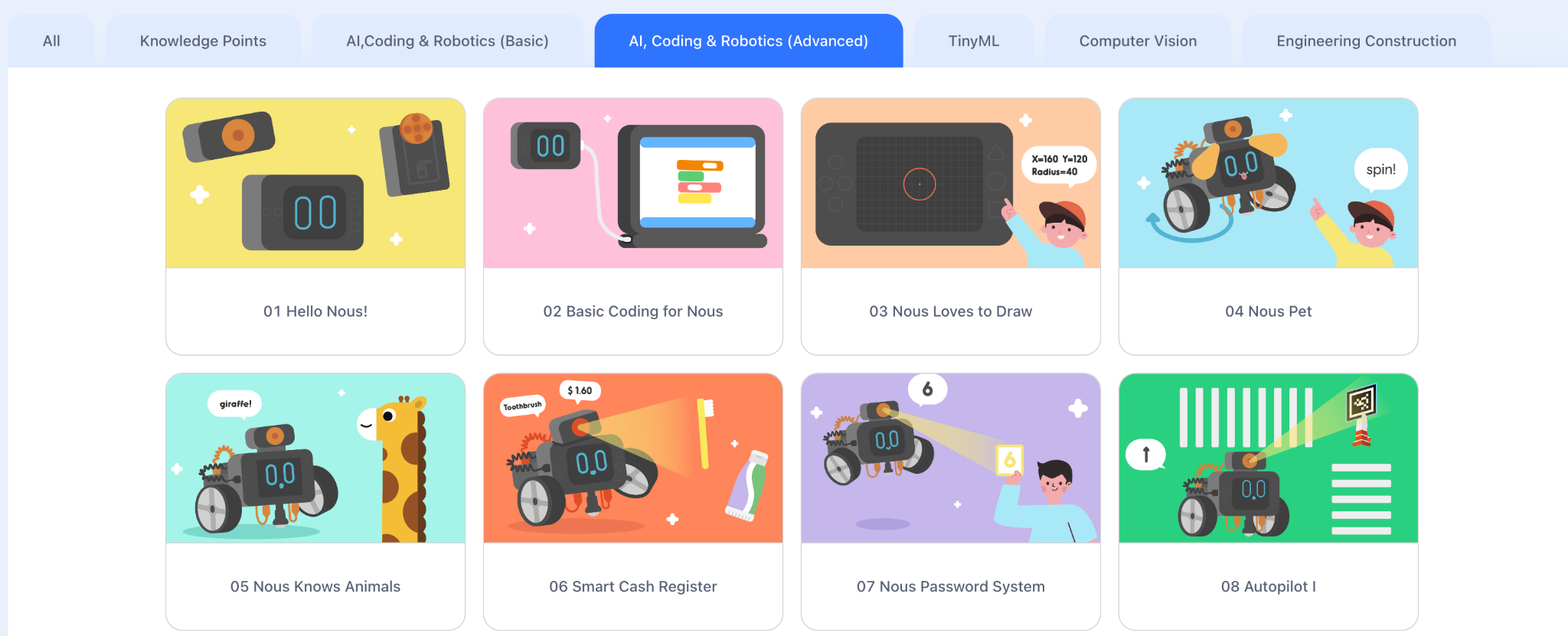
MatataStudio doesn’t just provide innovative tools—they also offer fantastic learning resources to support educators and students. Educators can access online tutorials and curriculum guides, and various professional development resources are available. MatataStudio ensures that educators have everything they need to effectively integrate the Nous AI Set into their classrooms. These resources are invaluable in helping educators guide their students through the various functionalities of the robot, ensuring a comprehensive understanding of AI and programming.
I had a chance to explore these guides, and everything educators need to get started is available!
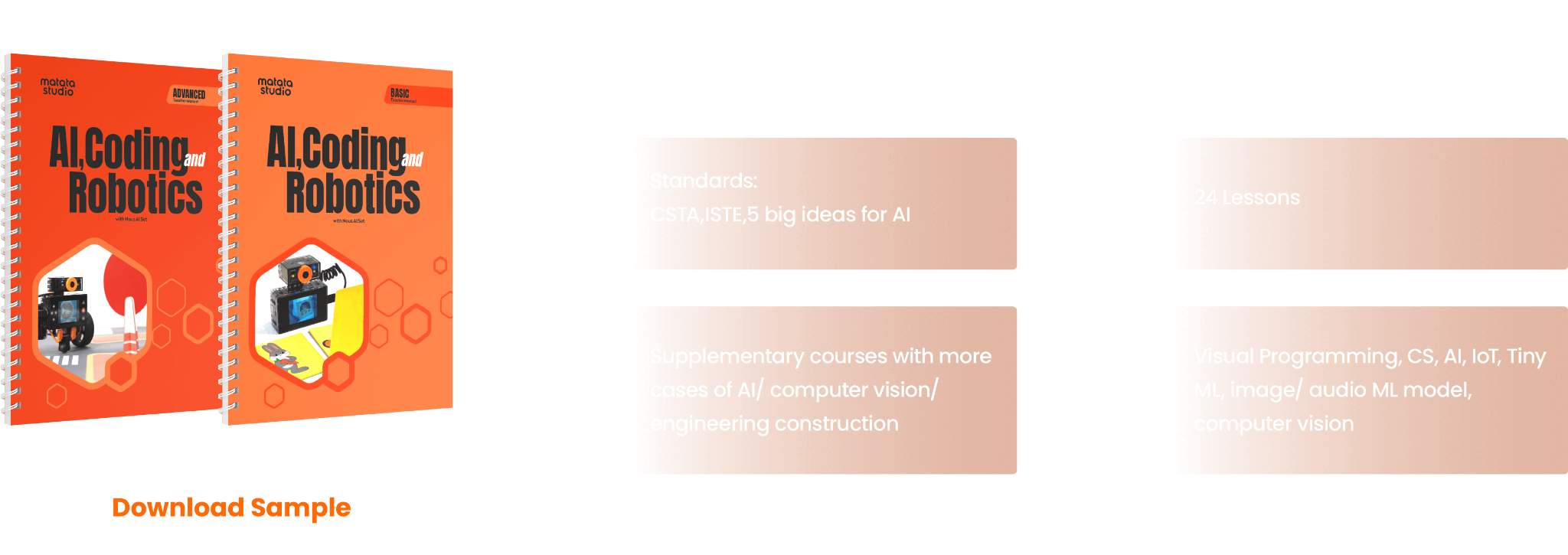
The curriculum guides provided by MatataStudio align with CSTA (Computer Science Teachers Association) and ISTE (International Society for Technology in Education) standards, as well as the 5 Big Ideas in AI, ensuring that the content is relevant and aligned with best practices in education.
As a STEAM educator who greatly values bringing STEM to all classrooms and learning about AI, I appreciate the resources provided because they are incredibly helpful for educators who want to plan and deliver lessons that are engaging and educational for all students.
With these options, educators don’t have to worry about spending a lot of time looking for the right resources and lessons to dive in. MatataStudio provides everything you need to get students started and let them take the lead! Create and innovate in our classrooms!
About the Author:
Dr. Rachelle Dené Poth is a Spanish and STEAM: What’s Next in Emerging Technology Teacher at Riverview High School in Oakmont, PA. Rachelle is also an attorney with a Juris Doctor degree from Duquesne University School of Law and a Master’s in Instructional Technology. Rachelle received her Doctorate in Instructional Technology, and her research focus was on AI and Professional Development. In addition to teaching, she is a full-time consultant and works with companies and organizations to provide PD, speaking, and consulting services. Contact Rachelle for your event!
Rachelle is an ISTE-certified educator and community leader and served as president of the ISTE Teacher Education Network. She was named the EdTech Trendsetter of 2024 by EdTech Digest, one of 30 K-12 IT Influencers to follow in 2021, and one of 150 Women Global EdTech Thought Leaders in 2022.
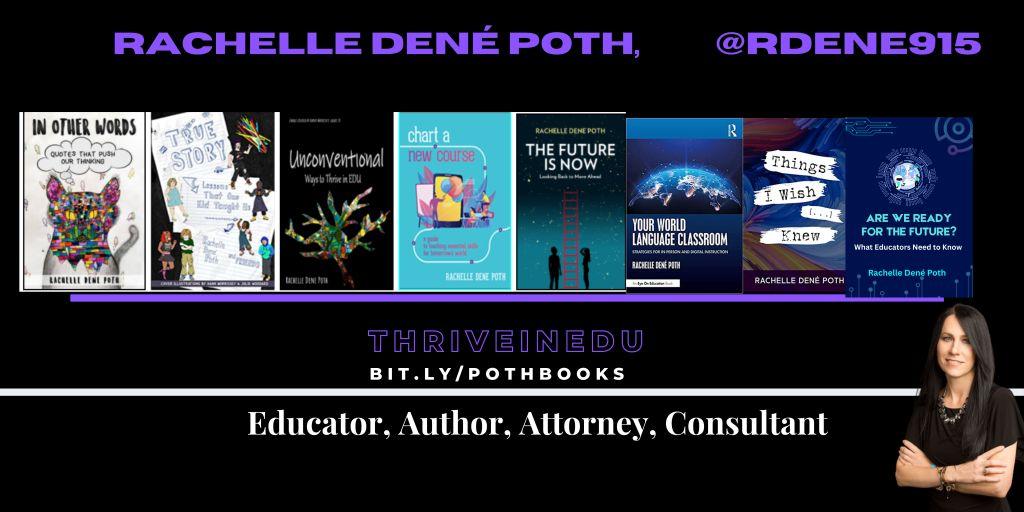
She is the author of nine books including ‘In Other Words: Quotes That Push Our Thinking,” “Unconventional Ways to Thrive in EDU,” “The Future is Now: Looking Back to Move Ahead,” “Chart A New Course: A Guide to Teaching Essential Skills for Tomorrow’s World, “True Story: Lessons That One Kid Taught Us,” “Things I Wish […] Knew” and her newest “How To Teach AI” is available from ISTE or on Amazon.
Contact Rachelle to schedule sessions about Artificial Intelligence, Coding, AR/VR, and more for your school or your event! Submit the Contact Form.
Follow Rachelle on Twitter(X) and Instagram at @Rdene915
**Interested in writing a guest blog for my site? Would love to share your ideas! Submit your post here. Looking for a new book to read? Find these available at bit.ly/Pothbooks
In collaboration with MatataStudio EDU, All opinions are my own
When it comes to STEAM courses (Science, Technology, Engineering, Arts, Mathematics), especially in the past year and a half, the integration of artificial intelligence (AI) and robotics has increased. AI can no longer be thought of as a passing fad or trend; instead, it is a necessity for students in all classrooms.
For many years, I didn’t think I could bring these opportunities to my students; however, I have realized that to best prepare all students, every educator needs to include activities that help students develop their skills in these growing areas.
As a Spanish and STEAM teacher, I bring in a variety of learning experiences for all students to engage in innovative learning opportunities. Over the past three years, we have really enjoyed working with the robots and coding resources from MatataStudio, and we were thrilled to get the newest model, the Nous AI Set! My motivation for selecting this was the focus on AI, one of my key areas of interest for the past seven years! I also love seeing how students respond to the new tools we use, how they dive in and collaborate, and what they create! Remember, we just need to get them started and then see where the learning journey takes them and learn from their experiences, too!
With Matata, we started by testing the Tale-Bot Pro, VinciBot, and now Nous AI Set. What I value the most is that there are tools for all learners of all levels. Even though I teach an 8th-grade STEAM class, we still explore the different robots to understand the students’ learning experience. Now, we are excited about the Nous AI Set and the variety of ways you can build and learn from it!
What is Nous AI?
The Nous AI Set is a modular AI educational tool that will revolutionize how educators teach their students about coding and AI. As an 8th-grade STEAM educator, I had the opportunity to explore this innovative tool. It is always fun to dive in and see the benefits and then share our learning with other educators. It helps others know what to expect and how to get started, answers some common questions, and hopefully provides some ideas, too! We will look at its capabilities, its educational value, and how it can be a game-changer in the classroom.
Benefits and Features
The Nous AI Set will support comprehensive AI education for both primary and secondary schools. It offers a wide range of AI technologies and functionalities. This robot is designed to be suitable for students aged 12 and up. The focus areas for working with the Nous AI Set are for developing computational and design thinking skills and problem-solving skills. In addition to these 21st-century and in-demand skills, it will also help students develop their digital literacy skills, which are essential in today’s advancing digital world.
Key Features and Capabilities of the Nous AI Set
Modular Design and Compatibility
At first, I did not realize the different options for creating the robot. With the Nous AI Set, multiple options are available. It has a highly modular design that is compatible with various structures and electronic modules. Through different options, it helps to spark creativity and allows students to build and program a wide range of projects. Whether students design simple robots or dive into creating more complex AI-driven tasks, the possibilities are endless! And student engagement and motivation in learning increases!
Programming that meets your needs!
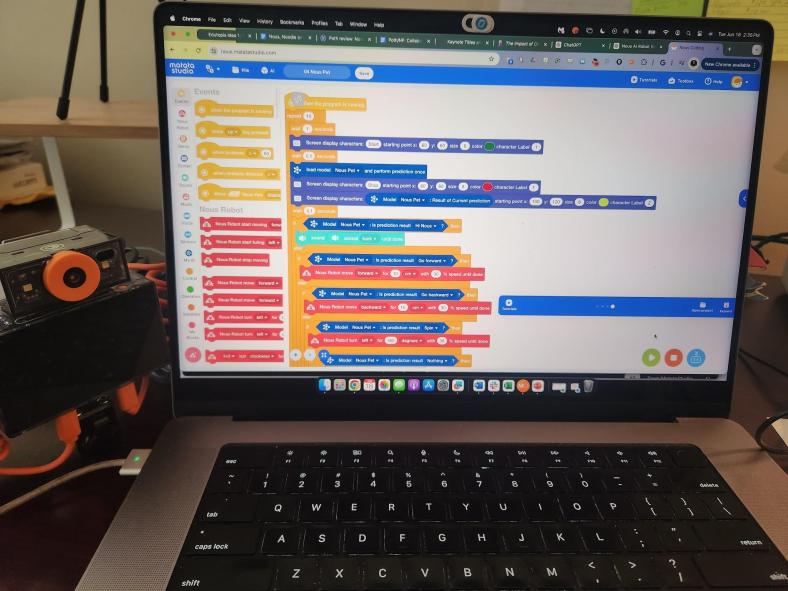
Something that I really appreciate about the Nous AI Set is its dual programming capability. Beginners can start with block-based programming (Blockly) to learn basic AI functions such as face detection and image classification. As they progress, students can transition to text-based programming (Python), exploring advanced AI concepts like machine learning, neural networks, and autonomous driving.
[We built it this way first]
Teach students about Machine Learning
MatataStudio’s Nous AI Set covers fundamental AI topics, including machine learning, computer vision, and speech recognition. It supports AI model training and data collection. When students learn through a more hands-on approach, they can connect with and understand complex AI concepts by engaging in practical application and meaningful and relevant learning. Working together, they develop these essential skills and have fun learning!
[Trying to figure out how to assemble it, letting students take the lead!]
The Right Resources!
MatataStudio provides extensive learning resources for all of its products. Educators know that they are supported through access to online tutorials, e-books, and even video-based courses. The resources are beneficial because not only do they support educators, but they also help guide students through the various functionalities of the robot, ensuring a comprehensive understanding of AI and programming.
Engaging in Design and Engineering Thinking
The Nous AI Set’s design encourages students to think, process information, solve problems, and think like engineers. Students can design and build their projects, test different solutions, and iterate on their designs. We want students to focus on the ongoing learning process rather than a finite product. This learning process promotes critical thinking and problem-solving skills, which are essential for future engineers, scientists, and other in-demand STEM-related fields.
What I love about the Nous AI Set is that there are so many choices available and tutorials to help you get started! See some examples below.
Improving Digital Literacy
Being digitally literate is crucial in today’s digital age. By using the Nous AI Set, students improve their digital literacy by engaging in programming and AI applications. They have opportunities to learn how to use technology creatively and responsibly, which will best prepare them for future digital challenges.
From passive to active learning!
The Nous AI Set offers a variety of interactive activities that make learning more engaging and fun. Students shift from being consumers of learning to becoming more active creators. Activities like MatataChat and MatataDraw allow students to explore basic computer vision and speech recognition. These activities lead to discussions between students and will spark curiosity about learning. The activities are not only educational but also highly engaging, keeping students motivated and interested.
[Working on a project and following the steps closely to see all of its capabilities.]
Real-World Applications
The Nous AI Set is not just a learning tool; it also provides students with insights into real-world AI applications. For instance, through activities involving image recognition, speech recognition, and autonomous driving, students can see how AI technologies are used in everyday life. This exposure helps them understand the relevance of what they are learning and inspires them to pursue careers in AI and technology.
Why should you explore Nous AI?
There are so many possibilities, and with the Nous AI Set, we will better prepare students for the future. As an educator who has seen the collaboration in building and the ideas that students generated, I recommend the Nous AI Set for any classroom looking to incorporate AI and robotics into their curriculum.
About the Author:
Dr. Rachelle Dené Poth is a Spanish and STEAM: What’s Next in Emerging Technology Teacher at Riverview High School in Oakmont, PA. Rachelle is also an attorney with a Juris Doctor degree from Duquesne University School of Law and a Master’s in Instructional Technology. Rachelle received her Doctorate in Instructional Technology, and her research focus was on AI and Professional Development. In addition to teaching, she is a full-time consultant and works with companies and organizations to provide PD, speaking, and consulting services. Contact Rachelle for your event!
Rachelle is an ISTE-certified educator and community leader who served as president of the ISTE Teacher Education Network. By EdTech Digest, she was named the EdTech Trendsetter of 2024, one of 30 K-12 IT Influencers to follow in 2021, and one of 150 Women Global EdTech Thought Leaders in 2022.
She is the author of nine books including ‘In Other Words: Quotes That Push Our Thinking,” “Unconventional Ways to Thrive in EDU,” “The Future is Now: Looking Back to Move Ahead,” “Chart A New Course: A Guide to Teaching Essential Skills for Tomorrow’s World, “True Story: Lessons That One Kid Taught Us,” “Things I Wish […] Knew” and her newest “How To Teach AI” is available from ISTE or on Amazon.
Contact Rachelle to schedule sessions about Artificial Intelligence, Coding, AR/VR, and more for your school or your event! Submit the Contact Form.
Follow Rachelle on Twitter(X) and Instagram at @Rdene915
**Interested in writing a guest blog for my site? Would love to share your ideas! Submit your post here. Looking for a new book to read? Find these available at bit.ly/Pothbooks
************ Also check out my THRIVEinEDU PodcastHere!
Join my show on THRIVEinEDU on Facebook. Join the group here.
With the school year ending, it does not mean that learning has to stop. Throughout the summer, students and educators have time to relax and recharge, but it can also be a good opportunity to take advantage of some learning experiences. I think it is a fantastic time to dive into STEM learning, especially with having more time to get outside and explore! There are a lot of opportunities that promote engaging, hands-on activities for students and educators. Find some maker projects, ways to connect in the community and engage in place-based learning, or even participate in STEM camps or events that local organizations or schools may offer.
With a reported 3.5 million jobs requiring STEM skills by 2025, it is important to find opportunities that will help students learn about the possibilities in these fields and develop the essential skills that are in demand.
Here are three ideas to consider for the summer that might also be a great way to start the next school year!
1. DIY STEM Projects
Getting involved in STEM learning in the summer does not require many materials at all. When students and educators engage in “do-it-yourself “(DIY) STEM projects, it helps to fuel creativity and excitement in learning. The possibilities for DIY STEM projects are limitless. There are books and resources available online to explore. Dr. Jacie Maslyk shares many ideas in her blogs and books for STEM-focused learning. The benefits are that it allows students to consider different materials and problem-solve or create a design. DIY activities are great for encouraging students to find a solution to a local or global challenge and see the impact they can make when they develop their STEM skills! Projects like this will not only foster a sense of accomplishment but will encourage critical thinking, problem-solving, and innovation. Students can shift from simply being consumers to becoming creators and innovators!
2. Place-Based Learning
With additional time in the summer or even throughout the year, connecting students with opportunities for real-world learning in their community is essential. By volunteering or participating in place-based learning, students can connect with community members working in STEM careers, for example. These collaborations enable students to apply their knowledge in practical, real-world settings. Whether it’s working in a community organization that is focused on nature preservation, assisting with projects in the community, or taking advantage of internships and mentorship programs, students can get a glimpse into the professional world and build self-awareness of their interests in learning and future careers. We want our students to develop their global awareness, learn about the challenges being faced in the world, and then come up with solutions. Connecting with the community and engaging in place-based learning provides more authentic and real-world learning for students, which will promote student engagement and be more meaningful.
3. Virtual Programs and Online Courses
There are many tools available online for students to explore at their own pace and to find a topic of interest. Diving into programs to learn about coding and robotics, for example, offers many great benefits for students. Students can learn about programming languages, create their own software, or build robots or chatbots. With the resources available, students will develop computational thinking and problem-solving skills while also having the opportunity to boost their creativity.
Online courses and virtual programs provide flexibility, which enables students to learn at their own pace and explore topics of interest. Many of the programs and tools available offer interactive simulations, video tutorials, sample activities, and more, which help to engage students more in learning. Some sites such as Code.org, MIT, AIClub, Scratch, and Tynker provide interactive coding tutorials and projects suitable for beginners. I recommend exploring Minecraft Education and Hacking STEM to give even more choices. For some robots, check out MatataStudio products such as TaleBot Pro or Vinci Bot or check out Marty the Robot from Robotical! Interested in augmented and virtual reality, dive into CoSpaces Edu!
Code with Google is focused on closing equity gaps in computer science opportunities and offers free resources for students. For older students and educators looking for courses and more activities, websites like Khan Academy and Udemy have courses covering various STEM topics, allowing students to learn at their own pace and explore their interests.
Summer learning opportunities for STEM can offer students a transformative learning experience that will spark their curiosity for learning and cultivate STEM-focused careers. These opportunities not only enhance academic skills but also equip students with essential 21st-century competencies, such as critical thinking, collaboration, and adaptability.
About the Author:
Rachelle Dené is a Spanish and STEAM: What’s Next in Emerging Technology Teacher at Riverview High School in Oakmont, PA. Rachelle is also an attorney with a Juris Doctor degree from Duquesne University School of Law and a Master’s in Instructional Technology. Rachelle is currently finishing her doctorate with a focus on AI and Professional Development. In addition to teaching, she is a full-time consultant and works with companies and organizations to provide PD, speaking, and consulting services. Contact Rachelle for your event!
Rachelle is an ISTE-certified educator and community leader and served as president of the ISTE Teacher Education Network. She was named one of 30 12 IT Influencers to follow in 2021 and one of 150 Women Global EdTech Thought Leaders in 2022.
Contact Rachelle to schedule sessions about Artificial Intelligence, Coding, AR/VR, and more for your school or your event! Submit the Contact Form.
Follow Rachelle on Twitter(X) and Instagram at @Rdene915
**Interested in writing a guest blog for my site? Would love to share your ideas! Submit your post here. Looking for a new book to read? Find these available at bit.ly/Pothbooks
************ Also check out my THRIVEinEDU PodcastHere!
Join my show on THRIVEinEDU on Facebook. Join the group here
In the world of education, particularly in the fields of science, technology, engineering, and mathematics (STEM), accessibility and engagement are paramount. However, traditional methods of instruction often fall short in providing accommodations for diverse learning needs and fostering active participation. Enter ethical AI-powered text-to-speech (TTS) technology, a tool revolutionizing the educational landscape by bridging accessibility gaps and enhancing learner engagement in STEM content.
Focus on accessibility
Accessibility in education means providing equal opportunities for all learners, regardless of their abilities or disabilities. Visual impairments, learning disabilities, dyslexia, neurodiversity, and language barriers can pose significant challenges for individuals seeking to access STEM materials. Traditional textbooks are often overfilled with complex diagrams, graphs, and equations. These can create formidable obstacles for these students. However, TTS technology offers a solution by converting written text into spoken words, making STEM content accessible through auditory means. Through the seamless integration of TTS technology into digital platforms and Learning Management Systems (LMS), learners can engage with scientific concepts with ease and independence.
The benefits of TTS
Moreover, TTS technology transcends accessibility barriers to benefit a broader spectrum of learners, including those without disabilities. By providing alternative modalities for accessing information, TTS provides diverse learning methods. Learners thrive by adding auditory environments, where they can process and retain information more effectively through listening rather than reading. TTS facilitates this auditory learning process by transforming written STEM content into engaging audio presentations, which helps with enhancing comprehension and retention.
Additionally, TTS technology acts as a catalyst for increasing engagement among STEM learners. Engagement is crucial for fostering a deeper understanding of complex scientific concepts and promoting lifelong learning. However, traditional instructional materials often fail to captivate students’ interest, leading to disengagement and disinterest in STEM subjects. AI-powered TTS addresses this issue by transforming static text into dynamic, interactive experiences. By incorporating natural language processing and speech synthesis algorithms, TTS systems deliver content with human-like intonation and expression, capturing learners’ attention and sustaining their engagement throughout the learning process.
TTS technology also enables personalized learning experiences tailored to individual needs and preferences. Through customizable settings such as playback speed, voice selection, and highlighting options, learners can adapt the TTS output to suit their unique learning styles. For example, students can adjust the playback speed to accommodate their preferred pace of learning or select voices that resonate with them personally. These customization features empower learners to take control of their learning journey, promoting autonomy and self-directed learning.
TTS technology facilitates multimodal learning experiences by integrating audio with visual and interactive elements. For instance, TTS-enabled e-books can synchronize spoken text with highlighted visuals, enabling learners to follow along seamlessly. Additionally, interactive simulations and virtual labs accompanied by TTS narration offer hands-on learning opportunities, further enhancing engagement and understanding. By leveraging the power of AI and multimedia integration, TTS technology transforms static STEM content into dynamic, immersive learning experiences that appeal to learners of all ages and backgrounds.
In conclusion, AI-powered text-to-speech technology represents a paradigm shift in STEM education, offering unparalleled accessibility and engagement for learners worldwide. By breaking down barriers to access and fostering interactive learning experiences, TTS technology empowers individuals to explore the wonders of science, technology, engineering, and mathematics with newfound enthusiasm and confidence. As technology continues to evolve, so will the possibilities for leveraging AI to enhance STEM education and inspire the next generation of innovators and problem solvers.
Contact Rachelle to schedule sessions about Artificial Intelligence, Coding, AR/VR, and more for your school or your event! Submit the Contact Form.
Follow Rachelle on Twitter(X) and Instagram at @Rdene915
**Interested in writing a guest blog for my site? Would love to share your ideas! Submit your post here. Looking for a new book to read? Find these available at bit.ly/Pothbooks
************ Also check out my THRIVEinEDU PodcastHere!
Join my show on THRIVEinEDU on Facebook. Join the group here
In collaboration with PASCO Scientific, All opinions are my own
As educators, our work extends beyond teaching our content. We are preparing our students for a rapidly evolving world that is experiencing changes in the world of work, especially because of the impact of technology. There is an increasing demand for STEM (Science, Technology, Engineering, and Mathematics) skills, with a continued growth in the number of STEM-related jobs available. Therefore, introducing STEM in all classrooms will best prepare students with the skills necessary to thrive as the world of work continues to change. Finding the right methods and tools is key. PASCO Scientific is a great option for educators looking to get started with STEM.
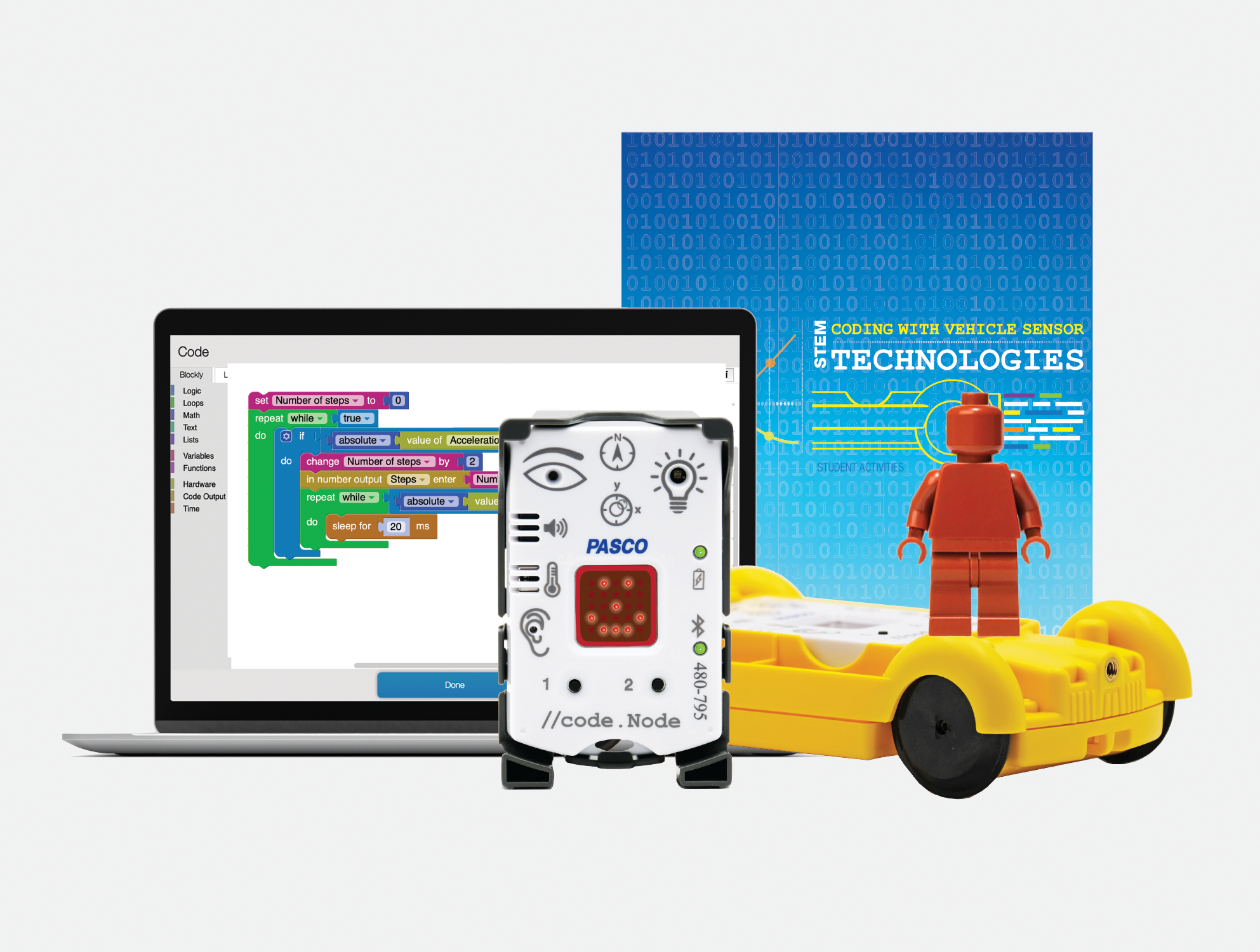
PASCO has developed tools and resources that make STEM learning engaging, interactive, and relevant for all students. My most recent exploration of their Coding with Vehicle Sensor Technologies Kit has been a great addition to my STEAM class and is easy to get started with!
Learning about sensors and more
The Coding Kit enables students to explore physical science by designing, testing, measuring, and coding with sensors that are similar to the technology used in modern vehicles. Because the kit provides students with a hands-on learning experience, it helps them to think about abstract and complex concepts and also sparks curiosity about how things work. It places them in the lead more with problem-solving, critical thinking, and collaboration with classmates and engages them in a variety of beneficial learning experiences. All of these are essential skills that are in demand and will lead to success for students.
What makes PASCO different
The way that PASCO provides the materials for educators and students makes it easy to get started. The kit includes everything that enables educators and students to start right away. The kit comes with the //code.Node is a wireless device that has six sensor inputs, a speaker, RGB light, and an LED array. It’s designed to make data collection and analysis more intuitive for students, encouraging them to explore and develop an understanding of various phenomena through block-based programming. Because the device is user-friendly, it requires minimal setup and supports students so they can dive right into experiments and have more time to explore and take on the learning challenges! The //code.Node Cart amplifies the learning by giving students the chance to engage in a more immersive exploration of vehicle sensing technology and it is a lot of fun for students to work with it in class and develop an understanding of what goes into programming vehicles and leads them to think about autonomous vehicles and all of the considerations that need to be made.
The Teacher guide is well-designed to help with setting up the code.Node. It helps with understanding the components of the kit and how to get students started. The student activities workbook provides a variety of lessons and learning opportunities for students to explore. I like how it explains concepts to students, gives them space to write and reflect, and various challenges to try to build their skills. The hands-on experiments are so valuable for students, and with everything provided in the kit, getting started was quite simple and not time-consuming.
Great resources for learning!
[Sample challenge in the student activities workbook]
There are activities like engineering turn signals and creating impact alert systems. These were exciting for students to learn about and enhanced their understanding of the science behind vehicle technology. Each activity is designed in alignment with science standards and helps to foster skills across different STEM disciplines, including data analysis, mathematics, and even language arts, as students share what they have learned and even present their findings to classmates.
[Sample pages in student activities workbook]
Taking the learning experience a step further, the //code.Node Cart transforms the //code.Node into a programmable vehicle sensing device. Students can replicate, program, and investigate automotive technology and learn about the work of engineers, which is a great way for students to explore potential careers and engage in authentic and meaningful learning!
Using the //code.Node Cart, students were able to simulate real-life engineering tasks, from programming turn signals to exploring the dynamics of crash tests. With the hands-on approach and the use of real-world scenarios, it also helps students to develop essential skills of problem-solving, creativity, collaboration and more while fostering a deeper understanding of both the technology and the engineering design process.
The Ease of Block-Based Coding with Blockly
Another great feature is its use of Blockly for coding. Coding can be scary for some, and getting started can be a challenge, depending on the type of coding program involved. However, with PASCO, the use of block-based programming language helps to simplify the coding process, which makes it more accessible for all students. By connecting visual blocks, students can build their skills in coding by first mastering programming basics without worrying about starting with something very complex. With this approach, students can shift their focus on the logic and problem-solving aspects of coding, which are crucial skills in demand in the world of work.
Engaging Activities and Real-world Applications
PASCO’s kit is full of activities that will boost student engagement as they learn about vehicle technology. Completing challenges such as engineering turn signals to designing crash test alert systems, each activity provides guidelines and support for students. The activities also promote cross-curricular connections, which is great for students to apply a variety of skill sets and knowledge in new ways. Also, the inclusion of video lessons, printed worksheets, and an interactive workbook or digital flipbook makes the learning process more student-led and accessible to all students.
What makes this unique is that students can work independently and collaboratively and have the activities book to guide their discoveries. It supports them as they work through each challenge and consider how to design their project, the coding needed, and the improvements that may need to be made, and then try again. It embraces the learning process rather than an end product. The students learn together how to improve and hopefully realize that there is always something different to try, a way to improve, and that making mistakes is fine because they are learning!
Preparing Students for the Future
Integrating activities like those in the Coding with Sensors Kit leads students to make real-world connections and understand automotive engineering and modern vehicle safety features. The code.Node kit not only educates but also hopefully sparks interest in students to consider exploring STEM-related careers, which are in demand. It makes the learning experience more relevant through real-world scenarios and applications, which shows students the impact they could make through skills in science and technology.
Rachelle Dené is a Spanish and STEAM: What’s Next in Emerging Technology Teacher at Riverview High School in Oakmont, PA. Rachelle is also an attorney with a Juris Doctor degree from Duquesne University School of Law and a Master’s in Instructional Technology. Rachelle is currently finishing her doctorate with a focus on AI and Professional Development. In addition to teaching, she is a full-time consultant and works with companies and organizations to provide PD, speaking, and consulting services. Contact Rachelle for your event!
Rachelle is an ISTE-certified educator and community leader and served as president of the ISTE Teacher Education Network. She was named one of 30 12 IT Influencers to follow in 2021 and one of 150 Women Global EdTech Thought Leaders in 2022.
Contact Rachelle to schedule sessions about Artificial Intelligence, Coding, AR/VR, and more for your school or your event! Submit the Contact Form.
Follow Rachelle on Twitter(X) and Instagram at @Rdene915
**Interested in writing a guest blog for my site? Would love to share your ideas! Submit your post here. Looking for a new book to read? Find these available at bit.ly/Pothbooks
************ Also check out my THRIVEinEDU PodcastHere!
Join my show on THRIVEinEDU on Facebook. Join the group here
The start of a new school year or calendar year is always a great time to explore some new ideas, especially with all of the amazing tools and technologies available to us. There are many exciting options available to educators and students to choose from, and sometimes, making the choice is a challenge. Personally, one of my favorites is bringing augmented and virtual reality into my classroom through CoSpaces Edu.
Initially, I used CoSpaces in my STEAM emerging technology course for several years, having students work on a variety of projects in my class and for some cross-curricular collaboration. One day, I was challenged by a few of my students in a Spanish II course who had seen the projects being created, and they wondered why they were not able to do something similar. I was speechless, and I didn’t have an answer for them. Honestly, I had not thought about bringing AR/VR into my Spanish classes. Fortunately, I knew about all of the benefits and great features of CoSpaces that foster collaboration, creativity, and many other essential skills. I also loved that students have the ability to create independently or to work together on the same project from wherever they are. So I thought to myself, why not?
If you are not familiar with CoSpaces Edu, it is a truly versatile, user-friendly platform that enables students and teachers to create virtual spaces full of animals, people, objects, and more. It is a great way to focus on developing many skills in schools, from SEL to STEAM and more. It is also a great option for helping students develop an interest in STEM, especially coding, a highly in-demand skill.
From coding and language learning to STEAM and collaboration, CoSpaces Edu offers so many ways for students (and teachers, we need to learn, too!) to create their own AR and VR experiences. An alternative to traditional tools that might be used for digital storytelling, explaining and exploring complex topics, or for creating virtual field trips through a moment in history, for example.
So, with all of the options available, why choose CoSpaces Edu? It has been a game-changer in my classroom. It provides an intuitive, user-friendly platform that educators, students, and families supporting students can easily navigate. It offers a different way to share and show learning as students can create, explore, and interact with 3D virtual worlds, which not only engages students but also provides more for different student interests. It also provides lesson plans and activity ideas for teachers to explore!
Most importantly, CoSpaces Edu encourages creativity, collaboration, and problem-solving — skills that are essential for today’s learners. It also gives students the chance to learn about coding, which is not something just for those studying computer science or teaching a STEM-related course. The best part of CoSpaces Edu is that it introduces students to the basics of coding in a truly engaging and meaningful way. As students explore independently while designing their virtual worlds, they learn how to create by selecting and manipulating different characters and objects and can start coding either with block-based coding or a scripting language like JavaScript.
Over the years, I have seen hesitancy when it comes to coding, and with CoSpaces, students build confidence as they create and enjoy working together with classmates in their virtual space. The variety of options available and with coding helps students understand what can be abstract concepts, develop logical thinking, and hopefully and ideally, lead to the development of an interest in computer science!
5 ideas to try in 2024!
Take a tour! First, When I get started in my own classroom with my students, I always give them time to explore all of the different projects that are available in the gallery. What types of projects do they see, which ones do they like, and what might they like to create? I think it’s a good way to get them thinking about the different possibilities and also give them time to explore on their own and see what clicks with them. So when I say take a tour, I tell them to just choose a topic, whether it’s STEM or if they see some games to play, and then I ask them to share with their classmates what they found, why they liked it, and any other ideas that they come up with for what they could do that is similar or how they would make it different or improve it. But it’s a fun way to get students talking and brainstorming to help them prepare to make their own projects.
2) About Me: I love using the templates or giving students the option to create their own to design an About Me space. CoSpaces offers a great template to get students started and comfortable with learning how to navigate, change text, add, and animate characters by using this as a starter.
It leads to more excitement and creativity and is also a fantastic way to learn about our students and for them to learn about each other.
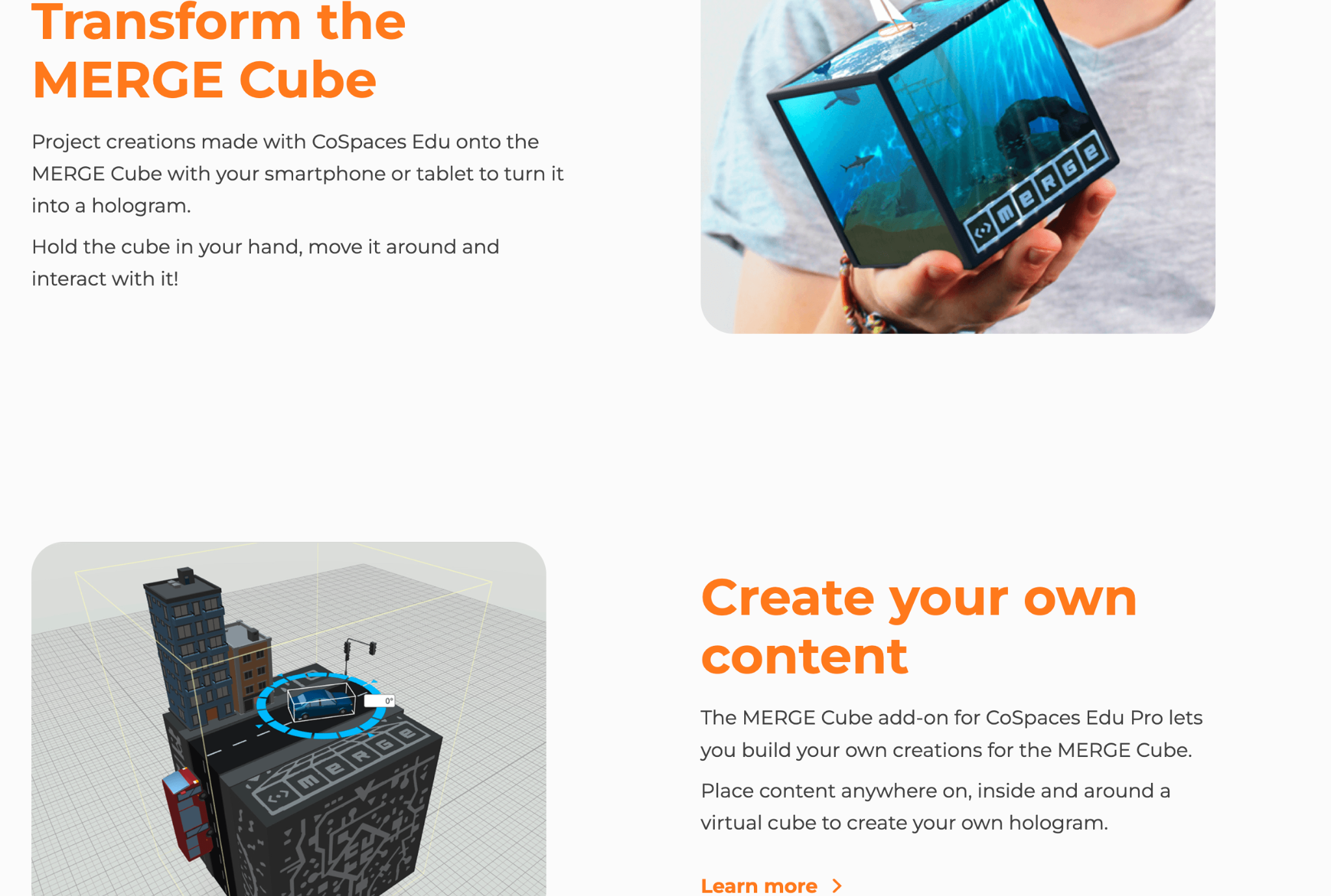
3) Interactive Storytelling: My students loved exploring the different projects in the gallery, and one way for students to use CoSpaces is to have them create an interactive experience. They can retell a story with a different ending or summarize something they have learned in class. To demonstrate, they can then include a variety of characters and other props to bring it to life. By diving into coding, they can really make it an interactive experience with animated characters and animals! Students can even create scenarios where they script and act out dialogues, recording their voices directly in the space. Also, give students the option to create on the Merge Cube, which makes interactive storytelling a real hands-on, fun learning experience!
4) Language Learning: A complete game changer for that Spanish class that pushed me to realize that I needed to bring in some new opportunities for them. Through a more immersive and collaborative learning experience with classmates, what a difference it made for language learning, student engagement, and increasing motivation! CoSpaces Edu offered all of that, and it was so much fun for them and for me! I was nervous at first, but it was a risk worth taking and one that paid off for them and their retention of the language. It also led to building relationships with classmates as students worked together to create their projects. Students had a different and more authentic way to practice vocabulary, build grammar skills, and engage in conversation in the virtual environment. And, they retained the content, which typically is a bit challenging because of the grammar, far beyond prior years!
5) Collaborate: Think about the grade level you teach and the content area. There are many ways to incorporate projects for students to create virtual models, or design prototypes, or bring a story to life! When CoSpaces Edu added the ability for students to work in groups, what a difference that made! Fostering collaboration is so important as we prepare students for the future. The ability to work effectively in teams is one of the most in-demand skills on the Job Skills Outlook from the World Economic Forum.
With the collaborative features of CoSpaces Edu, multiple students can work on the same project from different devices and from wherever they are! Not only can they learn about augmented and virtual reality and build essential skills, but it also boosts digital citizenship skills in the process. For collaborating, we can teach them how to manage a group project, assign roles, and problem-solve.
One of my other favorites is for a class project where all students are involved in a complex project where each student is responsible for a part of the virtual world. Think of a topic or a theme. Each student can create their space and then design one comprehensive experience that everyone can learn from and reinforce their content area skills through.
As educators, our primary goal is to prepare students for the future. CoSpaces Edu is not just another tech tool; it’s a platform that fosters the essential skills needed in the 21st century. It encourages creativity, critical thinking, collaboration, and digital literacy. By integrating CoSpaces Edu into your curriculum, you’re enhancing your students’ learning experiences and equipping them with the skills to thrive in an increasingly digital world. And, for extra fun, check out the goodies available, such as classroom posters, badges, and more! Use my code: COSRACHELLED or COSPromoRDP24.
About the Author:
Rachelle Dené is a Spanish and STEAM: What’s Next in Emerging Technology Teacher at Riverview High School in Oakmont, PA. Rachelle is also an attorney with a Juris Doctor degree from Duquesne University School of Law and a Master’s in Instructional Technology. Rachelle is an ISTE-certified educator and community leader and served as president of the ISTE Teacher Education Network. She was named one of 30 12 IT Influencers to follow in 2021 and one of 150 Women Global EdTech Thought Leaders in 2022.
Contact Rachelle to schedule sessions about Artificial Intelligence, Coding, AR/VR, and more for your school or event! Submit the Contact Form.
Follow Rachelle on Twitter(X) and Instagram at @Rdene915
**Interested in writing a guest blog for my site? Would love to share your ideas! Submit your post here. Looking for a new book to read? Find these available at bit.ly/Pothbooks
************ Also check out my THRIVEinEDU PodcastHere!
Join my show on THRIVEinEDU on Facebook. Join the group here
This will be the first post where I will share some different tools or resources to explore!
Each year, I like to take time and think about the digital tools we use in our classroom, the benefits, and how I might find new ways to use them. When I look to use technology in my classroom, I always start with the “purpose”Why” behind it. What will it help me to do better as a teacher? How can it help students to learn in more personalized or authentic ways? And what skills will students build as a result that traditional non-technology methods might not afford?
There are tools that I continue to use each year because they have added new features or they have integrated with other tools that we are using in our classroom. Here are six tools to check out as we start 2024! And one that is highly recommended to dive into AI in your classroom!
CoSpaces EDU is a virtual reality platform that became a favorite for some of my 8th-grade students this year. Whether creating a space in 360, designing a game, an interactive story, or an experiment, students will enjoy creating in VR and developing coding skills too. Another benefit is the Merge Cube add-on, which enables students to hold the space they have created in their hands! Students can even collaborate by working in teams to create a space together. With MergeEDU, educators can use the cube as an interactive tool to further engage students in learning about the earth, dissecting a frog, exploring a volcano, and more.
Gimkit, a game-based learning tool, has continued to be a favorite with my students because of the potential for increased content retention through repetitive questions and because of the different ways it can be played in the classroom. It enables students to develop strategies and have fun while learning. There are multiple ways to look at the student data and provide authentic and timely feedback. And there are always new modes to play, which helps to boost student engagement and gives us some laughter, too! Check out Blastball!
ISTE’s AI and STEM Explorations Network has created four free hands-on AI projects for the classroom guides, which are available for download from ISTE and GM. For elementary, secondary, electives, computer science courses, and a new guide on ethics, these guides offer various topics relevant to all content areas. The guides are available in English, Spanish, and Arabic.
Nearpod is a multimedia, interactive presentation tool that enables teachers to create engaging lessons that can include virtual trips and 3D objects. It offers lessons on topics such as digital citizenship, social-emotional learning, career exploration, English learner lessons, and professional development resources for teachers. Educators can create lessons with many options, including quizzes, polls, drawings, matching pairs, audio, video, and content from PhET Simulations, Desmos, BBC, YouTube, and more. Nearpod lessons can be done live in class or student-paced, and there is also the option for use as sub plans.
Wakelet is a content curation tool and so much more. I use it to curate blogs, videos, and other resources I want to access quickly to be a powerful tool for student learning. With Wakelet, teachers can provide blended learning experiences, use it for station rotations, have students create a digital portfolio, share class projects, create a scavenger hunt, and many other possibilities. It even offers the ability to record a Flip short video within the Wakelet collection. Educators and students can collaborate in a Wakelet collection and so much more!
Think about some of the tasks that might be taking up a lot of your time, or consider some issues or challenges you might be having. A few years ago, I noticed a decrease in student engagement and looked for ways to open up more choices for students to share their learning. Any of these tools can be suitable for addressing those concerns.
My Advice? Start thinking about your own personal goals and start with one thing. Try it and see how it goes, ask students or colleagues for feedback, and then make adjustments as needed.
Looking for PD for your school or keynotes for your conference? I provide in-person and virtual training on the following topics. If you want to learn more about and explore AI and ChatGPT, contact me to schedule! Rdene915@gmail.com or use the Book Me form on my website. bit.ly/thriveineduPD
**Interested in writing a guest blog or submitting a sponsored post for my site? Would love to share your ideas! Submit your post here. Looking for a new book to read? Find these available at bit.ly/Pothbooks
Building skills in STEM-related fields especially in computer science is important for our students today. The World Economic Forum stated that approximately 1 billion jobs will be transformed by technology over the course of the next 10 years and the Bureau of Labor Statistics “predicts a 13% growth in computer and IT-related fields between 2020 and 2030. As educators, we must continue to find ways to best prepare all students for the rapidly evolving world we live in. A valuable skill that we can equip them with is computer science. By exploring the careers that are highlighted through Defined Careers, students become aware of the different fields that require skills in computer science the types of jobs that will exist in the future, and how to prepare.
Although not every teacher has a computer science background, it is important to find ways to bring related learning activities into our classrooms for the benefits they can offer students. There are many advantages of integrating computer science into different grade levels and content areas through activities and projects. Defined Learning offers many resources that can help educators to get started.
What are the benefits of computer science for students?
Computer science helps students to develop some of the essential skills that are required in the world of work and that will continue to be needed, even though we don’t necessarily know what types of jobs will exist. Computer science-related learning can help students to build the following skills:
Analytical Thinking: Students will need to learn how to analyze by examining data, identifying patterns, and making data-driven decisions as they learn. Provide students with some problems to solve and task them with analyzing various aspects of it and potential solutions.
Collaboration: Students can work together in teams to explore computer science topics or work through activities together. In these experiences, they not only develop skills related to the content but also other skills in collaboration, critical thinking, and problem-solving, they learn to work together as a team as they push through challenges that may come with learning. It will prepare them for future careers where collaboration is essential.
Creativity and Innovation: By allowing students to design their own projects, such as creating apps, designing websites, or even games, they learn about computer science in an engaging way. These experiences also empower them to bring their ideas to life and spark their creativity!
Problem-Solving Skills: Computer science encourages students to develop their critical thinking skills and be better able to solve complex problems in learning and in the future. Through lessons in coding and programming, students will learn to break down tasks into smaller, manageable steps. These skills are essential when thinking about SEL skills and developing resilience in learning and dealing with challenges.
Ideas for exploring computer science
Coding: There is an increase in need for people with coding skills and that need will continue to grow over the next five years. A predicted 58 million STEM-related jobs will exist, many of which will require coding skills. Some options include Code.org, Scratch, or Tynker which offer age-appropriate coding activities that make learning fun. Matatalab has several robots available for learners as young as 3 and which provide screen-free coding options too. For younger students, trying the KIBO robot from KinderLab Robotics is a great option. Code with Google is focused on closing equity gaps in computer science opportunities and it provides free resources for students.
Hour of Code: Even though the Hour of Code happens during December, it is something that should be a focus throughout the year. There are many websites that offer activities for all grade levels. Options to explore include Scratch and Scratch Jr. which are designed for kids and available for free. CS Unplugged is an option that does not require computers, which promotes accessibility for all students.
Game or App Development: Students can try MIT App inventor and other online tools to create their own game. It can be done as a project-based learning experience. Students can design and create their own video games, and focus on the process of learning. Students can design and build mobile apps using platforms such as App Inventor or Swift Playgrounds that offer beginner-friendly environments for app development. These will help to encourage students to take some risks and hopefully spark curiosity for coding and computer science.
ISTE Curriculum: ISTE offers free curriculum guides for computer science educators that also bring in Artificial intelligence learning into the classroom. These guides are full of standards, resources, activities, and lesson plans that make it easy to get started. The guides are focused on elementary, secondary, computer science, electives, and ethics.
Robotics:There are a lot of resources for students to learn about robotics and explore more about what a career in computer science might involve.
Regardless of whether computer science may not be our primary field of expertise, integrating it into our classrooms can be incredibly beneficial for our students. The advantages include the development of problem-solving skills, enhanced creativity, real-world learning experiences, fostering collaborative skills, and analytical thinking. By exploring coding challenges, robotics, game and web development, data analysis, and app development, students can gain valuable computer science skills.
About the Author
Rachelle Dené Poth is a Spanish and STEAM Educator at Riverview High School in Oakmont, PA. She is also an Attorney, Edtech Consultant, Speaker, and the Author of seven books about education and edtech. Rachelle is available to provide PD on Artificial Intelligence, Augmented and Virtual Reality, Coding, SEL and STEM.
Contact Rachelle to schedule sessions for your school about Artificial Intelligence, Coding, AR/VR, and more!
**Interested in writing a guest blog for my site? Would love to share your ideas! Submit your post here. Looking for a new book to read? Find these available at bit.ly/Pothbooks
************ Also check out my THRIVEinEDU PodcastHere!
Join my show on THRIVEinEDU on Facebook. Join the group here