Vibe Coding and an Hour of AI Adventure for AllClassrooms

A New Twist on the Hour of Code

Computer Science Education Week has been recognized in December each year. The timing selected to coincide with the birthday of Grace Hopper, a pioneer in computing. Every year during Computer Science Education Week, classrooms around the world plan activities to participate in the Hour of Code, to inspire everyone to explore the possibilities and opportunities available through coding. But this year the plans may be a little bit different. There has been a shift to focusing on the Hour of AI.

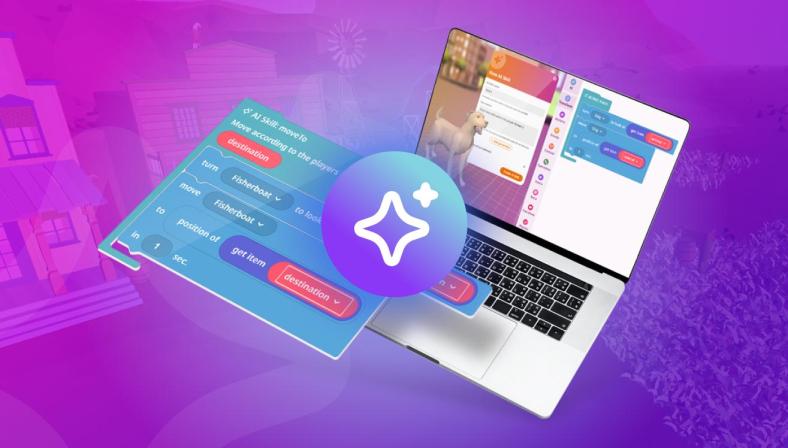
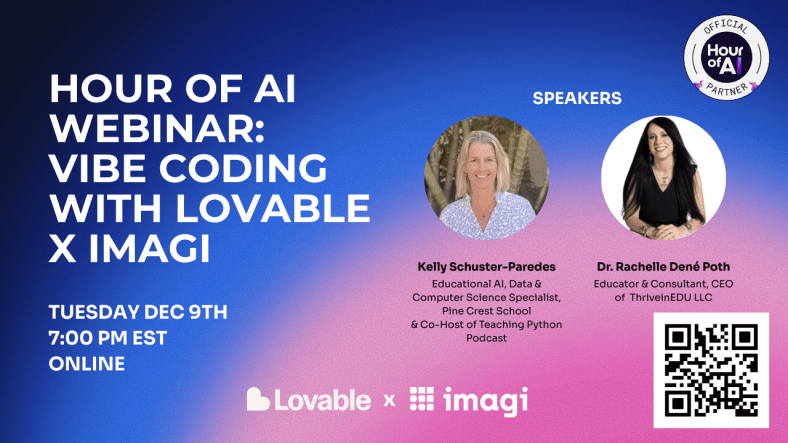
Over the past three years, AI has continued to advance and bring more tools into our classrooms and the world. There are so many possibilities available when it comes to AI and coding and the technology has continued to improve. Now, through a collaboration between Imagi Labs and Lovable, educators and students can dive into coding, without even writing a single line of code. It sounds impossible but it is true. Code is written by educators and students, simply by describing what they want. This is Vibe Coding. And the best part is that you don’t need to have a background in coding to be able to get started! My recent experience with Lovable and Imagi has shown how easy it is to build an app, create a game and more, by simply using natural language prompts. (Sign up to learn more during the Tuesday, December 9th webinar here).

And when it comes to AI, there has been a valid concern around data privacy. With Imagi and Lovable, it is easy to get started without the need for sharing student data or involving a time-consuming and complex setup. Vibe coding and the resources available help to promote computer science and AI literacy in all classrooms and focus on healthy and intentional use of AI.

So What is Vibe Coding?

Vibe Coding is way to dive into coding without writing lines of code. Rather than writing out lines of code, you simply use words to describe the vibe of the program that you want to create and then AI helps to build it. Think about what happens with prompting. With vibe coding, you use natural language prompts to describe the kind of game or app you want to create, and then AI takes care of the task of generating the code. With my more recent experiences, I’ve explored Imagi and Lovable, which is an AI-powered platform that lets anyone (with or without coding experience) create websites, apps, and games by simply describing them.The focus of coding shifts to the wording and then the ideas turn into a working project. You spend time considering the concept, refining the descriptions, and iterating throughout the process.

I have used Imagi Labs for over a year and now, with the new learning experience via vibe coding, I have more ways to focus on Computer Science and AI literacy. Imagi has partnered with Lovable to make vibe coding more classroom-friendly and easier to get started. Through Imagi, educators have access to ready-made curriculum and a special school-safe mode for Lovable that does not require personal student accounts. So now all students can join in an Hour of AI activity safely and experience AI-driven coding, which educators can facilitate with more comfort and confidence.

Why Hour of AI and Vibe Coding?

The Hour of AI is an evolution of the Hour of Code, which I have participate in with my students for years. Initially I thought about it as just an hour, but the reality is that it is meant to be an hour that then inspires you to continue to bring coding and computer science opportunities into all classrooms. There is a growing need to build foundational AI literacy skills in addition to computer science skills, in order to prepare students for the future. Through these resources, whether Hour of Code or Hour of AI, the goal is to show students that anyone can explore AI and coding.

Vibe coding is the perfect activity to explore because it makes it even easier. I think about it like this: if you and your students can write a sentence, explain a concept, then you can start creating with code. Vibe coding does not require prior coding experience. Through Imagi and Lovable, there are tutorials that provide proof that anyone can learn to code and they can do so in a fun, AI-powered way. Commonly referred to as a plug-and-play, I think it is another great opportunity for the Hour of Code/AI season this year! And, to learn how to use it, join us for a great conversation and demo!

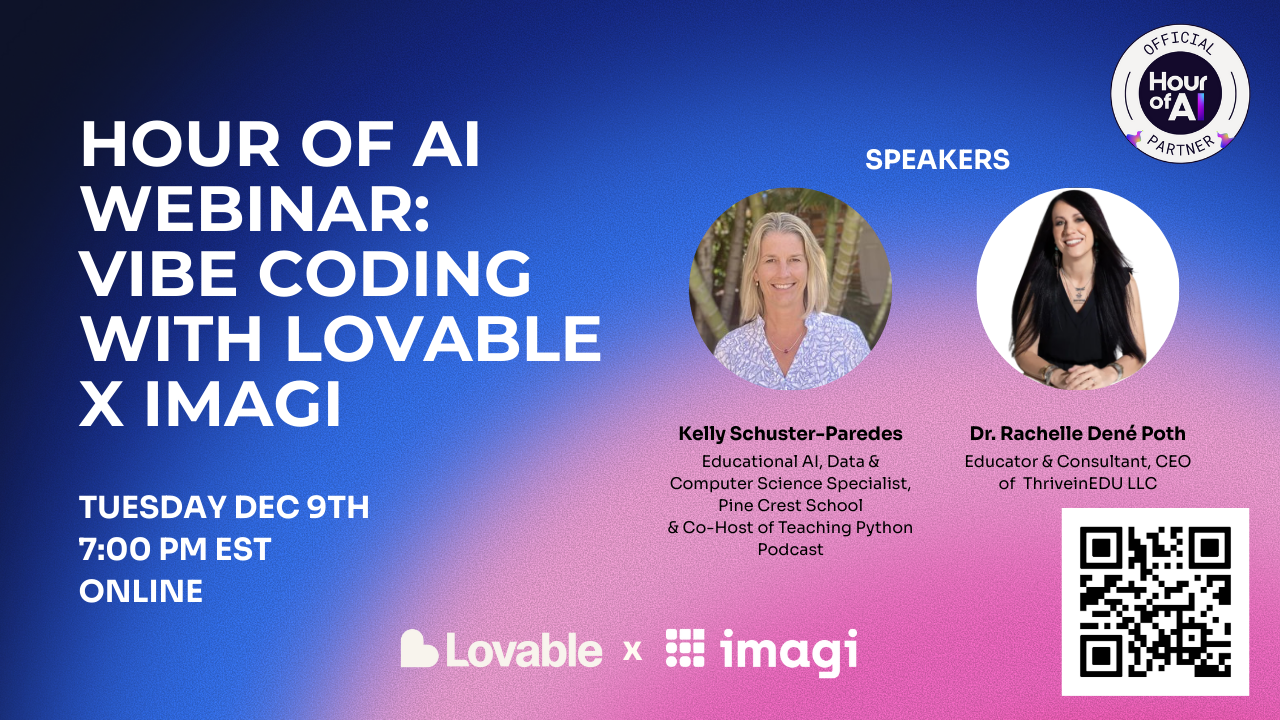
A peek at Tuesday’s webinar.

Creative Coding

What I have always enjoyed during the Hour of Code activities or Computer Science Education Week activities, are the reactions of the students! Whether they build a game or just learn more about coding and become excited about the possibilities, it is always a great learning opportunity for them and for me too.

With opportunities to build and customize their own video game, it draws them right in. The specific project they’ll create is totally up to them, which sparks creativity and builds confidence and excitement in learning. What makes it even better is how students build it. Simply by typing their ideas in plain text, through a prompt, they end up with code that is quickly generated. For example, a student might start with a prompt like, “Create a game where a cat catches falling treats and earns points.” Lovable’s AI will take their prompt and generate an initial game which may have a cat sprite at the bottom of the screen that you can move, and treats dropping from the top. Students then test the game to see how it works and collaborate to improve it.

From there, the creative iteration kicks in. Maybe one student wants the game to be about space, not fruits. They just need to ask the AI to switch the theme. Typing in “Change it to a space game catching asteroids instead of treats.” Starting with games to have students catch items is a great way to get started and because students’ games can be adapted and relevant to any subject or story, the activity will help to engages their personal interests and connect meaningfully with classroom content. The AI takes care of the coding, but students remain the designers, guiding the outcome with their descriptions. And this is how we move them from consumers to creators and innovators!

This process also introduces the concept of prompt refining and debugging in a very digestible way, especially if they are limits in the number of prompts they can use. It requires them to really think through and be specific. Once generated, if the game doesn’t run exactly right on the first try, students then learn to tweak their description by adding more details. They may say to move an item faster or change the color to a lighter shade. Students work on debugging by having a conversation with the AI, which helps them to problem solve too. Students learn how to write prompts and debug creatively while building their game and it results in less frustration and instead sparks curiosity. Students can consider: What happens if I ask the AI to do this? How can I change the appearance of the characters or the background? for a few examples.

Students can publish or share their game, which they always enjoy! For some students, this may be the first time they’ve coded something playable, which is a huge confidence boost and hopefully the moment they realized that coding (and AI) can be creative, fun, and most importantly, something that everyone can do. And another benefit is the collaboration that happens. Want to join us and learn together? Sign up here for our livestream happening Tuesday!

Building AI Literacy and CS Skills

Beyond the excitement of making a game, vibe coding activities provide impactful instructional value. It aligns with traditional computer science foundations and emerging AI literacy standards. Lessons available have been mapped to AI Literacy competencies from the AILit framework, including skills to Evaluate, Create, and Design with AI.

  • Evaluate: Students practice critical thinking by examining what the AI produces and deciding if it’s acceptable or needs some tweaking. For example, if the AI’s first attempt has a bug or the theme is slightly off, students must decide whether to accept the result, refine their prompt, or start again. Students learn to question the AI output rather than trust it immediately, which is a key AI literacy skill they need to develop.
  • Create: Rather than simply playing and consuming a game, students can now collaborate with generative AI to create one. They continue to refine the results and reflect on how their prompts (their thought processes) lead to different outcomes It’s an easy way to introduce how human creativity and AI can work together, rather than have AI replace their thoughts. Students see that AI can assist their creativity, but that their own ideas and adjustments actually are behind the project.
  • Design: By the end, students are able to describe how an AI system like Lovable helped them to build a solution to a problem or project idea. They realize that they have designed a simple software product by leveraging AI and how AI tools might help solve problems in any field. I think this is a great way to engage students in a discussion in any subject or to focus on community issues. A focus on designing with AI for real-world contexts.

Using these tools, students are learning classic computer science concepts in an age-appropriate way. They understand algorithmic logic (the game has rules like “if the cat catches treats, the score increases”), and they practice testing and debugging (when their game doesn’t work as expected, they try again and iterate). The difference is that the AI handles the syntax and heavy coding, which allows students to focus on logic and the game design. It is truly empowering for younger learners and for any learner that may hesitate to try traditional coding. Now, they learn to code in a way that breaks down the challenges that may come from receiving coding errors.

Teacher Support

Trying a new tech tool in class can be time-consuming, but Imagi + Lovable make it easy to dive in. There are a variety of teacher supports available to help teachers feel prepared and confident, even if it’s the first time exploring AI and coding in the classroom. A few of the features:

  • Detailed Lesson Plan: A step-by-step lesson guide is provided, outlining the learning objectives, timing for each part of the activity, discussion questions, and potential student responses. It’s basically a script you can follow or adapt.
  • Slide Deck: There are ready-to-use slides designed for projecting in class while you run the Hour of AI. They introduce key concepts (like “What is AI?” and “What is vibe coding?”), show visual examples, and include prompt examples to guide students. There are also speaker notes.
  • Account Setup Is Simple: Imagi handles creating student accounts for Lovable with one click. The focus is on privacy-first (accounts are anonymous and expire after the event).
  • Troubleshooting Help: Technology is great until it isn’t. But for this, don’t worry because the Hour of AI pack includes a troubleshooting guide for common issues.

There are more supports available! –> Sign up here for our livestream happening Tuesday!

By participating in this event and exploring Vibe coding during the Hour of Code/AI, we are helping students build foundational AI literacy in an engaging way.

If you’ve been thinking about coding and AI, then Computer Science Education Week and the Hour of AI are the perfect time to dive in. Set aside an hour for vibe coding and see the impact when students see their ideas come to life.

Ready to get started? Join the webinar or sign up to get the recording and resources!

Let’s work on fostering creativity and building AI literacy for every student…one vibe at a time!

About Rachelle

Dr. Rachelle Dené Poth is a Spanish and STEAM: What’s Next in Emerging Technology Teacher. Rachelle is also an attorney with a Juris Doctor degree from Duquesne University School of Law and a Master’s in Instructional Technology. Rachelle received her Doctorate in Instructional Technology, with a research focus on AI and Professional Development. In addition to teaching, she is a full-time consultant and works with companies and organizations to provide PD, speaking, and consulting services. Contact Rachelle for your event!

Rachelle is an ISTE-certified educator and community leader who served as president of the ISTE Teacher Education Network. By EdTech Digest, she was named the EdTech Trendsetter of 2024, one of 30 K-12 IT Influencers to follow in 2021, and one of 150 Women Global EdTech Thought Leaders in 2022.

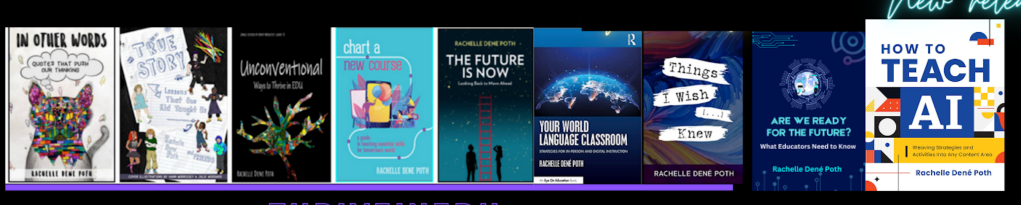
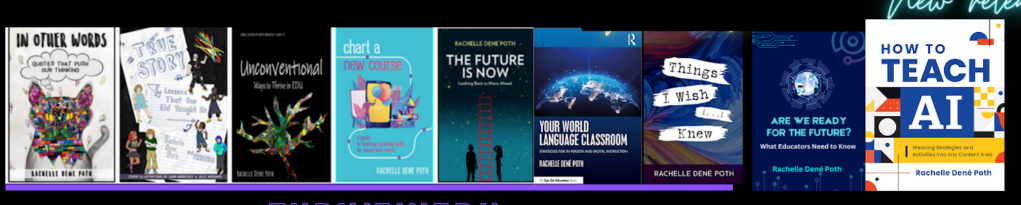
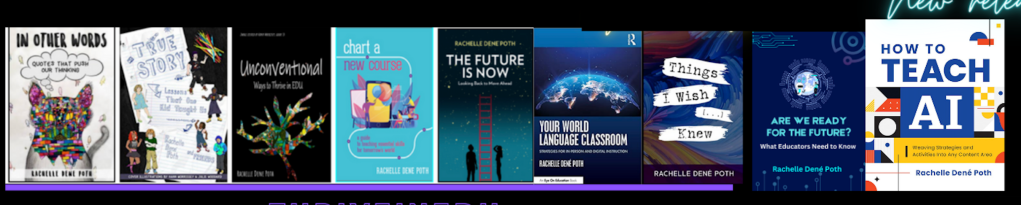
She is the author of ten books, including ‘What The Tech? An Educator’s Guide to AI, AR/VR, the Metaverse and More” and ‘How To Teach AI’. In addition, other books include, “In Other Words: Quotes That Push Our Thinking,” “Unconventional Ways to Thrive in EDU,” “The Future is Now: Looking Back to Move Ahead,” “Chart A New Course: A Guide to Teaching Essential Skills for Tomorrow’s World, “True Story: Lessons That One Kid Taught Us,” “Things I Wish […] Knew” and her newest “How To Teach AI” is available from ISTE or on Amazon.

Contact Rachelle to schedule sessions about Artificial Intelligence, AI and the Law, Coding, Cybersecurity, STEM, AR/VR, and more for your school or speaking event! Submit the Contact Form.

Follow Rachelle on Bluesky, Instagram, Threads, and X at @Rdene915

**Interested in writing a guest blog for my site? Would love to share your ideas! Submit your post here. Looking for a new book to read? Find these available at bit.ly/Pothbooks

************ Also, check out my THRIVEinEDU Podcast Here!

Join my show on THRIVEinEDU on Facebook. Join the group here.

CodeMonkey Review: Fun, Effective, and Engaging for All Classrooms

In collaboration with CodeMonkey. All opinions are my own.

As an educator with over nine years of experience in teaching, researching, and presenting on artificial intelligence, educational technology, and computer science, I enjoy trying out new coding and STEM-related platforms and tools with my eighth-grade STEAM students. My students and I have enjoyed using CodeMonkey this year because it sparks curiosity in learning about coding, and they are excited to work through the activities. It does this through engaging gameplay, structured curriculum, teacher resources, and essential topics, all of which are available in one easy-to-navigate place.

This was my first year using CodeMonkey in my STEAM course, where I cover many topics such as AI, augmented and virtual reality, coding, robotics, and other emerging technologies. I also train other educators and often speak at conferences, and one question that I am asked is what educators should use with elementary students to get them started with STEM. I always enjoy finding resources that work well for even the youngest learners, while also offering more challenging topics for high school students. And these platforms must offer a robust, standards-aligned platform that makes a real impact. I took a closer look at the new curricula and believe that educators will become more confident as they get started with CodeMonkey, especially with all that is provided to make it easy to implement in every classroom.

My first impressions of CodeMonkey’s Typing and Computer Science curricula is that it is colorful and engaging, Intuitive, and definitely student-centered

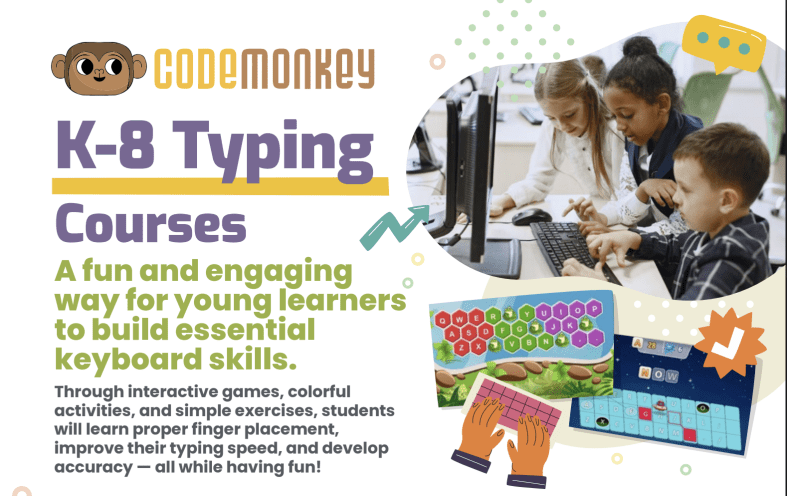
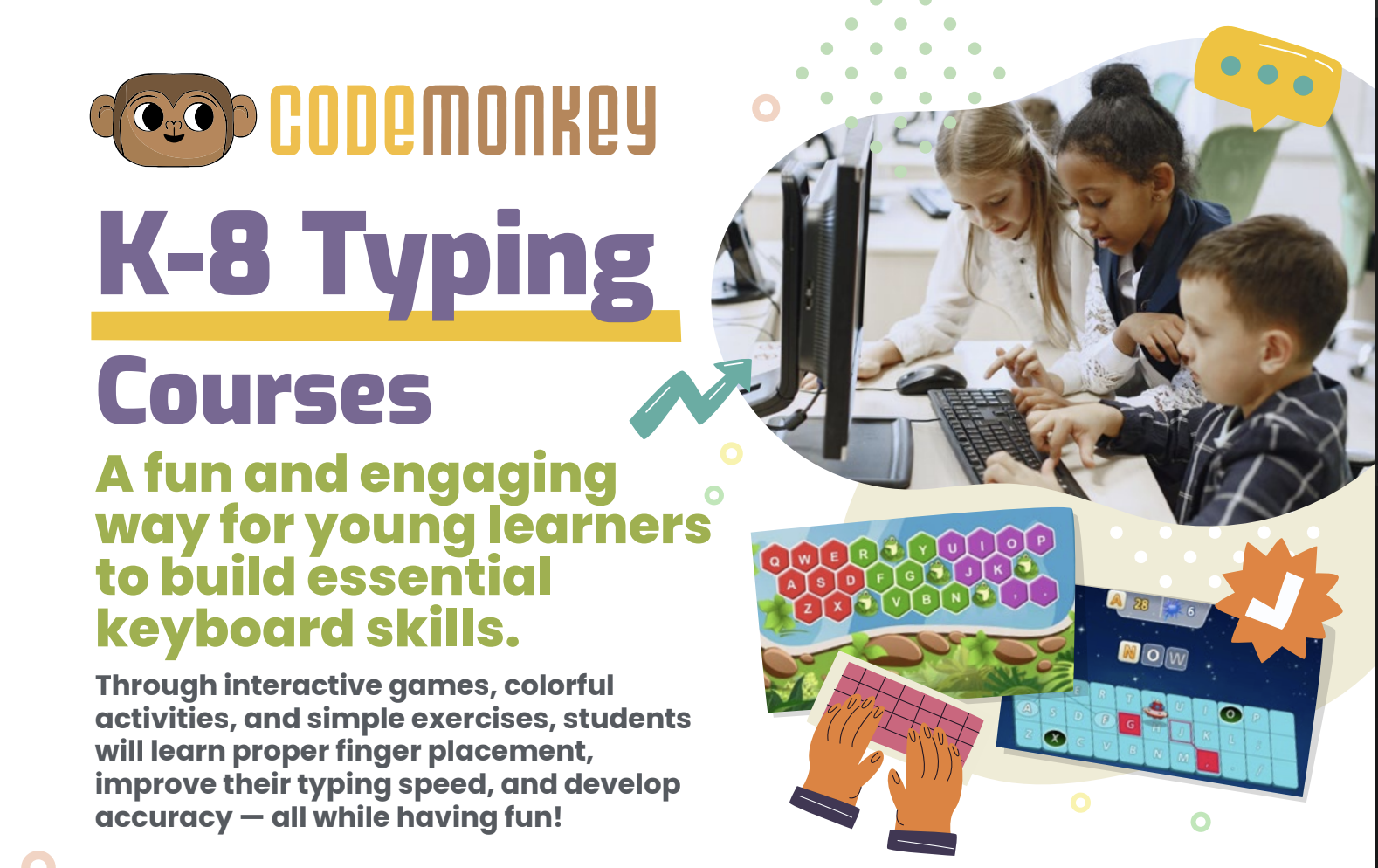
I noticed right away how kid-friendly it is. The platform was clearly designed with the student in mind, especially younger learners in grades K–8. The characters are animated, each lesson is interactive, and the exercises are gamified which keeps students engaged in learning.

The K–8 Typing Course uses a mix of activities, exercises and games that help students learn proper finger placement, improve typing speed, and develop accuracy— while having fun in the process. Students are excited to move to the next level! It’s also fun for teachers to see the impact on students as they build these essential skills.

I always look at the navigation of these tools and platforms. The CodeMonkey platform is visually appealing and easy to navigate. Younger students will be able to log in and get started with minimal teacher guidance, while older students can work through structured lessons, receiving teacher and program feedback, and self-paced learning. The program offers a lot of autonomy, which is a benefit to students as they develop self-awareness, self-management, and student agency.

The Typing Curriculum includes:

13 courses

92 lessons (ranging from 10–35 minutes each)

760+ exercises

Progress tracking

Teacher Dashboard

Accuracy and Speed Assessments

Educators want better ways to scaffold student learning. I recommend trying out “Ready, Set, Type! Jr” which offers 7 lessons and 118 exercises and is ideal for students in grades K through 2, who are just starting to recognize the keyboard. It makes it fun for students as they build typing skills, which can be stressful at the start.

In “All Fingers Aboard” and “The Secret of Symbols,” students start to build up to more complex words, punctuation marks, symbols, and using the number pad. When working through these exercises, it is not just about providing students with drills that were common in the past. These resources provide challenges, mini-games, and even reward systems that help to keep students engaged and excited about learning. An approach like this is incredibly effective in helping younger students build comfort with the keyboard while also building their confidence in their digital abilities. Being comfortable and confident while learning is so important for student growth. Get started with CodeMonkey today!

Teacher-Friendly Features

When I start using a new program or platform, I also explore the teacher features and see how easy it is to get started and also to find information related to student progress and other resources available for teachers. With CodeMonkey, there is a comprehensive teacher dashboard. Teachers are able to track individual student progress, typing accuracy and speed, and student engagement levels. It provides real-time data that teachers can use to quickly adjust instruction or provide in-time help for students.

About Rachelle

Dr. Rachelle Dené Poth is a Spanish and STEAM: What’s Next in Emerging Technology Teacher at Riverview High School in Oakmont, PA. Rachelle is also an attorney with a Juris Doctor degree from Duquesne University School of Law and a Master’s in Instructional Technology. Rachelle received her Doctorate in Instructional Technology, and her research focus was on AI and Professional Development. In addition to teaching, she is a full-time consultant and works with companies and organizations to provide PD, speaking, and consulting services. Contact Rachelle for your event!

Rachelle is an ISTE-certified educator and community leader who served as president of the ISTE Teacher Education Network. By EdTech Digest, she was named the EdTech Trendsetter of 2024, one of 30 K-12 IT Influencers to follow in 2021, and one of 150 Women Global EdTech Thought Leaders in 2022.

She is the author of nine books including ‘In Other Words: Quotes That Push Our Thinking,” “Unconventional Ways to Thrive in EDU,” “The Future is Now: Looking Back to Move Ahead,” “Chart A New Course: A Guide to Teaching Essential Skills for Tomorrow’s World, “True Story: Lessons That One Kid Taught Us,” “Things I Wish […] Knew” and her newest “How To Teach AI” is available from ISTE or on Amazon.

Contact Rachelle to schedule sessions about Artificial Intelligence, Coding, AR/VR, and more for your school or event! Submit the Contact Form.

Follow Rachelle on Twitter(X) and Instagram at @Rdene915

**Interested in writing a guest blog for my site? Would love to share your ideas! Submit your post here. Looking for a new book to read? Find these available at bit.ly/Pothbooks
************ Als, check out my THRIVEinEDU Podcast Here!

Join my show on THRIVEinEDU on Facebook. Join the group here.
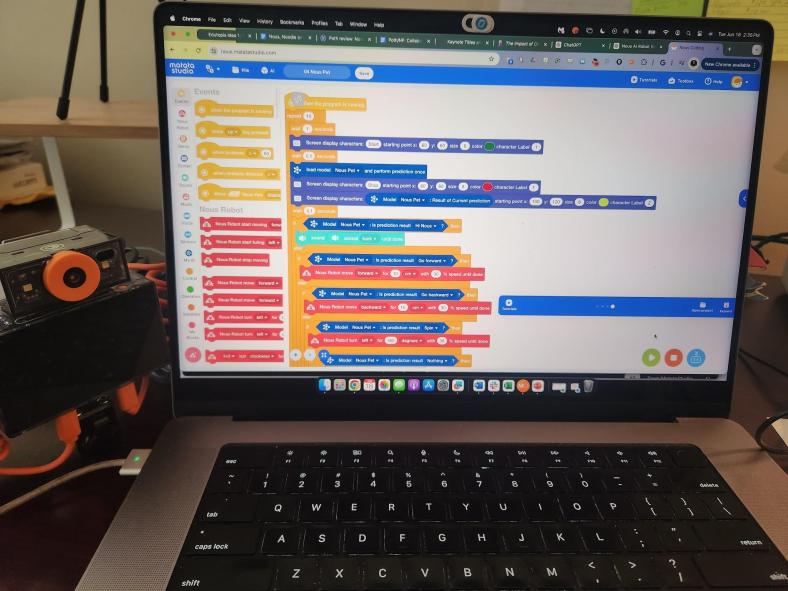
The Future of AI Education: Leveraging the Power of Nous AI

In collaboration with MatataStudio EDU, All opinions are my own

As educators, we seek innovative ways to prepare our students for the future. Whether we choose different teaching methods or leverage the technology available to us, we have to make sure they are prepared to succeed in today’s rapidly evolving technological landscape. According to recent studies, the global AI job market is expected to grow exponentially in the coming decades. However, a significant skills gap threatens to limit opportunities for many individuals.

Educators must ensure that all students have opportunities that will equip them with the necessary skills. By incorporating tools like the Nous AI Set, educators can help bridge this gap, ensuring their students are not only employable but also leaders in the workforce. Introducing them to AI concepts early on is essential, and with the MatataStudio EDU and their great robot kits like the Nous AI Set, we can help students build these essential skills.

For educators seeking to prepare students for a world increasingly driven by AI and STEM, the MatataStudio Nous AI Set is a game-changer. Its modular design, real-world applications, and extensive resources make it an invaluable addition to any classroom. My students are excited to explore the possibilities of becoming innovators and problem-solvers.

Experience in STEM or AI is not necessary because the Nous AI Set provides everything educators need to create a dynamic, engaging, and impactful learning environment.

Real-World Applications in the Classroom

You may be wondering how to use Nous AI in the classroom. Because the MatataStudio Nous AI Set is such a versatile, modular AI educational robot, it is easier for educators to bring AI-focused learning experiences to elementary and secondary schools. The Nous AI offers students an opportunity to independently or collaboratively explore AI technologies and bring abstract AI concepts to life through practical, hands-on activities. Here are some ways it can be used in the classroom:

  • Autonomous Navigation
    Programming the robot to follow paths or avoid obstacles teaches students about the principles of autonomous driving.
  • AI-Generated Content
    Exploring AI-generated music, art, or text (AIGC) enables students to understand the creative potential of AI technologies.
  • Image and Object Recognition
    Students can train the robot to recognize and categorize different objects, introducing them to machine learning and neural networks.
  • MatataChat: Engage students with AI-powered chatbots that can respond to queries and provide information.
  • Neural Networks: Introduce the concept of artificial neural networks, inspired by the human brain, and the role networks have in carrying out complex tasks like image and speech recognition.
  • Speech Recognition Projects
    By programming the robot to understand and respond to voice commands, students gain insights into natural language processing and its real-world uses, such as virtual assistants. Engage students with activities that teach them how machines can process and understand spoken language.

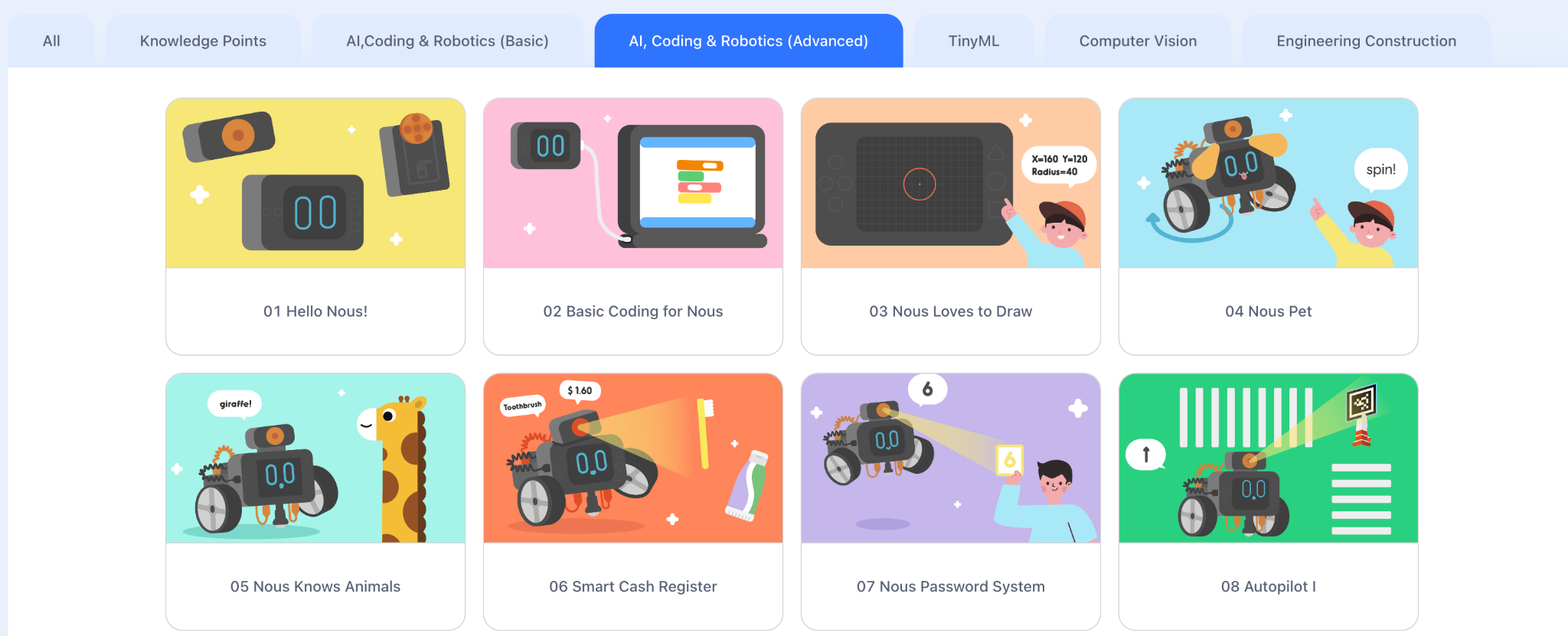
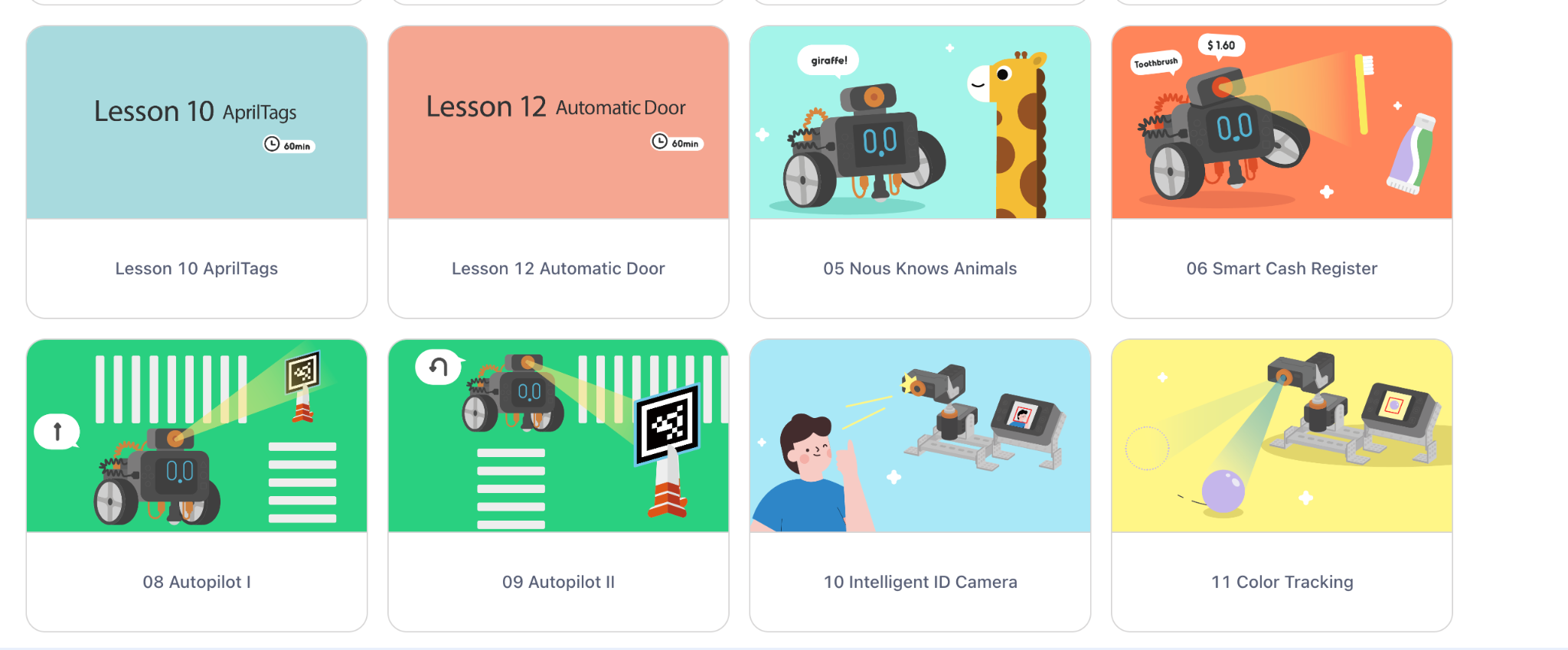
Students can choose one of these areas to focus on and build something of interest or something for fun. Great examples include an Automatic Door, a Smart Fan, a Car, or the Gimbal set that teaches students about advanced face and color tracking.

What Makes the Nous AI Set Special?

The Nous AI Set is a versatile, modular AI educational robot tailored to the needs of primary and secondary school students. What sets it apart is its ability to make complex AI concepts accessible, engaging, and practical for learners of all skill levels.

Key Features

  • Advanced AI Functions Students can explore state-of-the-art AI technologies, including:
    • Machine learning
    • Neural networks
    • Machine vision
    • Speech recognition
    • Autonomous driving capabilities
    • AI-generated content (AIGC)
    • Interactive MatataChat functions
  • Hands-On Learning Opportunities The Nous AI Set emphasizes experiential learning. Students can collect data, train AI models, and deploy them using graphical and Python programming interfaces.
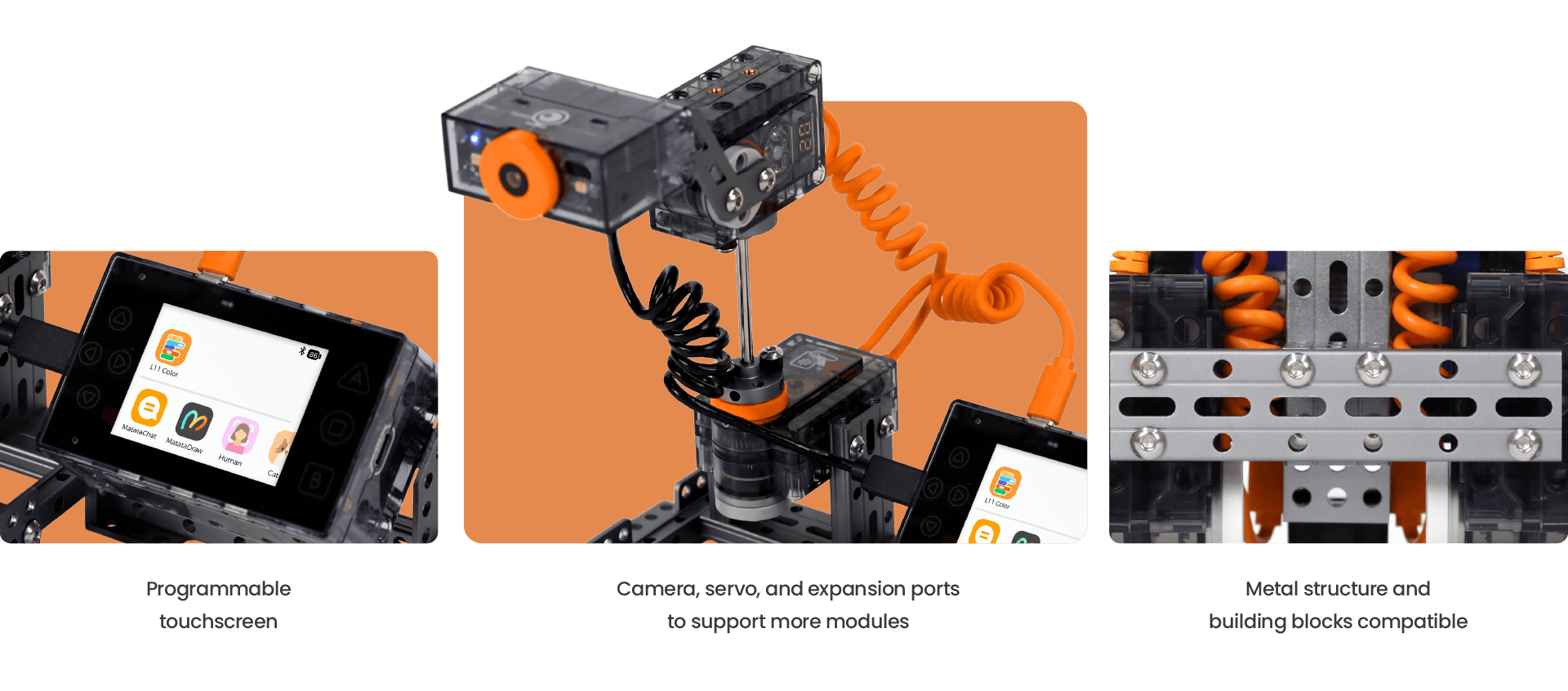
  • Durable, Flexible Design Built with a sturdy metal structure, the robot is compatible with building block systems. Its structure fosters creativity and adaptability, which allows students to design and reimagine their projects.

Why all educators need to bring AI and STEM into the classroom

AI is rapidly transforming industries, from healthcare to finance and transportation. STEM skills are increasingly in demand, especially as we move toward the future and look at the Job Skills Outlook. By introducing these concepts early on, we can:

  • Cultivate Future Innovators: Inspire the next generation of AI researchers, engineers, and entrepreneurs.
  • Develop Critical Thinking Skills: Encourage students to analyze complex problems and develop creative solutions.
  • Foster Problem-Solving Abilities: Equip students with the tools to tackle challenges and find innovative solutions.
  • Enhance Computational Thinking: Develop logical reasoning and algorithmic thinking skills.
  • Prepare for the Future Workforce: Ensure students are ready for the jobs of tomorrow, which will increasingly rely on AI and automation.

Resources to Support Educators

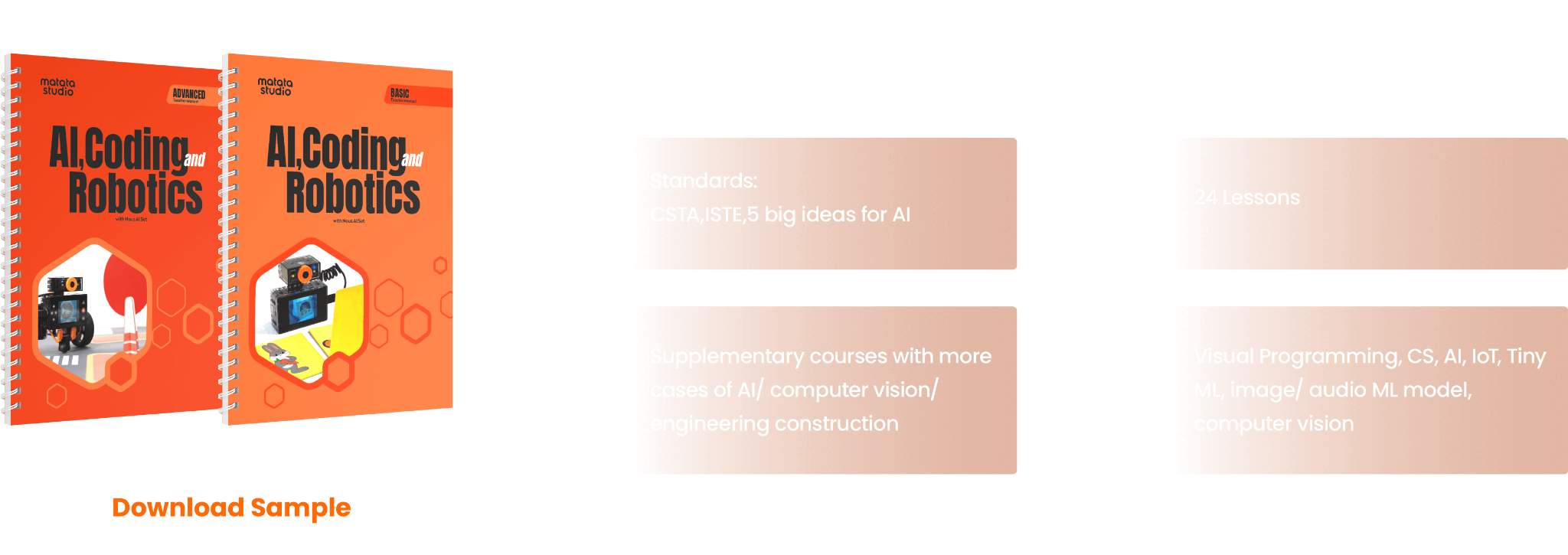
One of the standout aspects of MatataStudio is the extensive support available for educators. Their curriculum guides, aligned with ISTE and CSTA standards and the 5 Big Ideas for AI, provide step-by-step instructions for integrating Nous AI into various learning environments. Building the robot is easy to do with their step-by-step instructions. Additionally, tutorials and professional development workshops ensure that educators are confident in teaching these advanced topics.

These resources save valuable time and effort. Everything you need—from lesson plans to assessments—is ready to go, allowing you to focus on fostering creativity and exploration in your students.

About the Author:

Dr. Rachelle Dené Poth is a Spanish and STEAM: What’s Next in Emerging Technology Teacher at Riverview High School in Oakmont, PA. Rachelle is also an attorney with a Juris Doctor degree from Duquesne University School of Law and a Master’s in Instructional Technology. Rachelle received her Doctorate in Instructional Technology, and her research focus was on AI and Professional Development. In addition to teaching, she is a full-time consultant and works with companies and organizations to provide PD, speaking, and consulting services. Contact Rachelle for your event!

Rachelle is an ISTE-certified educator and community leader and served as president of the ISTE Teacher Education Network. She was named the EdTech Trendsetter of 2024 by EdTech Digest, one of 30 K-12 IT Influencers to follow in 2021, and one of 150 Women Global EdTech Thought Leaders in 2022.

She is the author of nine books including, ‘In Other Words: Quotes That Push Our Thinking,” “Unconventional Ways to Thrive in EDU,” “The Future is Now: Looking Back to Move Ahead,” “Chart A New Course: A Guide to Teaching Essential Skills for Tomorrow’s World, “True Story: Lessons That One Kid Taught Us,” “Things I Wish […] Knew” and her newest “How To Teach AI” is available from ISTE or on Amazon.

Contact Rachelle to schedule sessions about Artificial Intelligence, Coding, AR/VR, and more for your school or your event! Submit the Contact Form.

Follow Rachelle on Twitter(X) and Instagram at @Rdene915

**Interested in writing a guest blog for my site? Would love to share your ideas! Submit your post here. Looking for a new book to read? Find these available at bit.ly/Pothbooks

Empowering Students Through CodeMonkey: A Journey into Coding and AI

A post in collaboration with CodeMonkey. All opinions are my own

I remember when I started to learn how to code as a seventh grader many years ago and the impact it had on me. Writing lines of code and seeing what we could create was fascinating. Back then, we did not have the powerful tools or resources available in our classrooms today. As a student, I did not realize how beneficial of a skill coding was then, nor how much of an increasing demand for coding skills there would be.

As educators, we want to ensure that we prepare students for the future with the right skills and a variety of learning experiences to build those skills. Learning about STEM, especially AI and coding, is at the top of the list. I’ve taught a STEAM course to 8th graders for the past 8 years, and a lot of what we cover involves AI and coding. When I came across CodeMonkey, I couldn’t wait to try it in my classroom and share it with other educators.

CodeMonkey is a great option that benefits every student, regardless of their starting point and comfort level with coding. For educators wanting to dive into coding and unsure where to begin, CodeMonkey’s K-8 curriculum offers a great choice because it focuses on developing coding skills, fostering digital literacy, and introducing AI concepts to all students. Its design makes it easy for educators to get started in any classroom. I enjoyed learning more while chatting with Jonathan Schor, the CEO and Co-Founder of CodeMonkey, on my ThriveinEDU podcast!

Curriculum for Every Learner

One of the standout benefits of using CodeMonkey is that it helps educators meet students where they are. Preschoolers who are just learning about computational thinking can do so with CodeMonkey Jr. Elementary students can learn about logic by using Beaver Achiever. When students get stuck, they can get a hint to help them continue the coding process! It’s so much fun with the coding, sounds, and animations!

Students enjoy trying to problem-solve when different animals come up, and they have not programmed the right shake to be made!

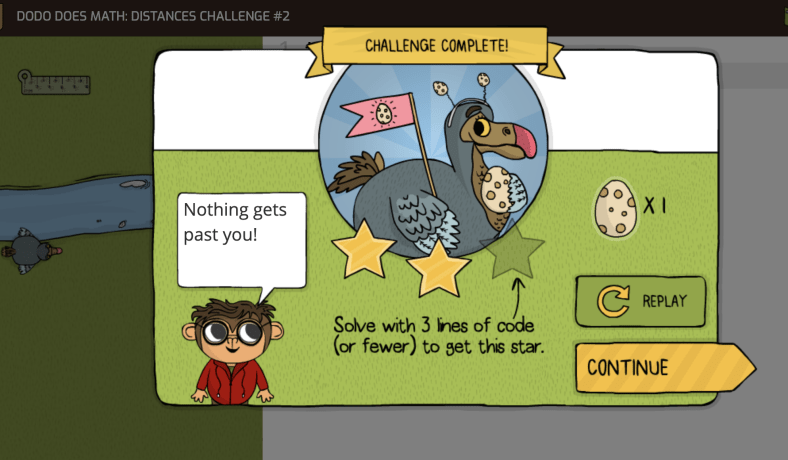
Courses like Dodo Does Math and Coding Adventure teach students to use code to solve problems and express their creativity. Students need to use the ruler, do math, figure out steps and learn the process of coding to carry out the task. So much fun!

When students reach middle school, they are better prepared to explore more complex concepts, like designing their games in Game Builder or exploring artificial intelligence in the award-winning AI for Kids curriculum. CodeMonkey offers something for all grade levels. The Artificial Intelligence lessons are great for building students’ understanding of AI, its components, how it works and building their skills in various areas.

Diving in with CodeMonkey

Whenever I try something new, I like to dive in on my own and just know enough to get my students started. It is fun to learn with and from them. In my 8th-grade STEAM classroom, I started my students with CodeMonkey’s advanced courses like Coding Chatbots and the AI for Kids curriculum since we had spent a lot of time learning about AI. These courses resonated with students who were excited about these rapidly advancing topics. I was thrilled to see their interest in continuing to work independently and sharing their learning with me and their classmates.

Beyond building coding skills, I also see how CodeMonkey’s gamified, scaffolded approach helps to empower students of any age to build their confidence and skills in coding. Building confidence is key, especially as I have seen how frequently students tend to be afraid of coding or hesitant to start for fear of being unable to figure it out and problem-solve. However, the support provided by CodeMonkey helps students become more comfortable with learning about coding, which leads to increased confidence.

Some of CodeMonkey‘s great features are the user-intuitive drag-and-drop functionality of block-based coding and the logic-driven challenges of Python. Each course helps teach students about core programming concepts while fostering creativity and problem-solving, which are essential skills for future preparedness. I also appreciate its emphasis on ethical considerations.

In my classroom, we discuss bias in AI, privacy concerns, and the societal impact of automation. Engaging students in discussions focused on these ethical considerations helps them understand that coding is not just about algorithms—it’s about understanding the implications and how to safely, ethically, and responsibly leverage this technology.

How CodeMonkey Benefits All Students

By the time students reach the 8th grade, they’re ready for more complex challenges and real-world coding applications. CodeMonkey’s progressive curriculum helps educators to provide great learning experiences for all students. My students have enjoyed working in Python-based courses like Banana Tales and Coding Chatbots, which move them beyond basic coding into text-based programming, focusing on logic, creativity, and problem-solving.

For students new to coding, the structured, scaffolded approach ensures they don’t feel overwhelmed. Each lesson builds on the previous one, and the platform’s gamified elements make it feel more like an adventure than a traditional coding class.

Bringing Artificial Intelligence into Every Classroom

The AI course is one of the highlights of using CodeMonkey with my 8th graders. Covering foundational AI concepts like machine learning, neural networks, and the ethics of AI, this course bridges the gap between theoretical knowledge and practical application. Now that my students know they can train models using image and pose recognition and then apply these skills to create games, the learning becomes more authentic and meaningful.

In class, we also connect these AI lessons to broader societal implications. For example, we discuss how neural networks are used in everything from social media algorithms to self-driving cars. Then, we connect it back to real-world scenarios the students can relate to. When we do this, it sparks meaningful conversations about the impact of technology on our lives. It highlights the importance of responsible AI use—a topic I’m passionate about as an educator and attorney.

Building Real-World Skills

CodeMonkey isn’t just about coding; it’s about preparing students for the future. Through its courses, students develop essential skills like problem-solving, planning, and critical thinking, which are invaluable not only in STEM fields but also in life.

For example, in the Game Builder course, students can design their games from scratch, learn to iterate on their ideas, debug their code, and test for user experience. This mirrors the iterative design process used in tech startups, giving students an idea of what creating in a professional environment would be like.

Digital Literacy and Citizenship

In addition to coding, CodeMonkey offers a Digital Literacy course that introduces students to the safe and responsible use of technology. This has been especially valuable in my 8th-grade emerging technology class, where we discuss topics like the metaverse, AI ethics, and digital citizenship and focus on cybersecurity and topics like phishing. CodeMonkey’s approach aligns seamlessly with these discussions, reinforcing that coding is not just a technical skill but a tool for thoughtful and ethical problem-solving.

Coding Tools for All Teachers

As a classroom teacher, one of the things I appreciate most about CodeMonkey is how user-friendly it is. When I explore new tools, I always evaluate how long it will take to get started, what the learning curve might be, and what it offers for all educators. In CodeMonkey, the Classroom Dashboard provides teachers with a clear overview of student progress, making it easy to identify students needing extra support quickly. Automatic grading and detailed lesson plans save time, allowing me to focus on fostering creativity and critical thinking.

CodeMonkey’s resources make it easy for teachers new to coding to get started, but I can’t recommend it enough. Whether teaching block-based coding to younger students or diving into Python and AI with older students, this platform has something for everyone. Its intuitive design, gamified approach, and focus on real-world skills make it an invaluable resource for K-8 classrooms as they prepare students for the future.

At a time when technology is evolving faster than ever, teaching coding and AI isn’t just an optional extra; it’s a necessity. Platforms like CodeMonkey make coding approachable and enjoyable—for teachers and students. As someone who has seen firsthand the impact it can have, I’m excited to continue exploring what’s possible with this incredible tool.

If you’re an educator ready to take your students on a coding adventure, CodeMonkey is the perfect place to start. CodeMonkey doesn’t just teach coding; it fosters creativity, critical thinking, and a love of learning that will serve students well in any field they pursue. There are so many support resources available for educators! You can find lesson plans, videos, webinars, and more!

It’s a great option for introducing coding to kindergarteners or guiding 8th graders through AI and Python. CodeMonkey offers a curriculum that adapts to students’ needs and inspires them to keep pushing through and having fun with it. Listen to my podcast with CEO and Co-Founder Jonathan Schor here. Happy coding!

About Rachelle

Dr. Rachelle Dené Poth is a Spanish and STEAM: What’s Next in Emerging Technology Teacher at Riverview High School in Oakmont, PA. Rachelle is also an attorney with a Juris Doctor degree from Duquesne University School of Law and a Master’s in Instructional Technology. Rachelle received her Doctorate in Instructional Technology, and her research focus was on AI and Professional Development. In addition to teaching, she is a full-time consultant and works with companies and organizations to provide PD, speaking, and consulting services. Contact Rachelle for your event!

Rachelle is an ISTE-certified educator and community leader who served as president of the ISTE Teacher Education Network. By EdTech Digest, she was named the EdTech Trendsetter of 2024, one of 30 K-12 IT Influencers to follow in 2021, and one of 150 Women Global EdTech Thought Leaders in 2022.

She is the author of nine books and a blogger and podcaster.

Contact Rachelle to schedule sessions about Artificial Intelligence, Coding, AR/VR, and more for your school or event! Submit the Contact Form.

Follow Rachelle on Twitter(X) and Instagram at @Rdene915

**Interested in writing a guest blog for my site? Would love to share your ideas! Submit your post here. Looking for a new book to read? Find these available at bit.ly/Pothbooks

************ Also, check out my THRIVEinEDU Podcast Here!

Join my show on THRIVEinEDU on Facebook. Join the group here.
Marty the Robot: Your Classroom’s AI Companion

Post in collaboration with Robotical. Opinions expressed are my own.

Artificial intelligence (AI) is no longer a futuristic concept. It has been around since the last century, but it has advanced rapidly in the past few years, especially with the launch of ChatGPT and generative tools. Whether or not we ever realized it, it has been and will continue to be a part of our everyday lives. Think about your daily activities using AI, from the voice assistants on our phones to the recommendation algorithms on our favorite streaming platforms like Netflix. As educators, it’s crucial to equip all students with the knowledge and skills to understand, interact with, and even create AI-powered technologies. But how?

Marty: Your AI-Powered Teaching Assistant

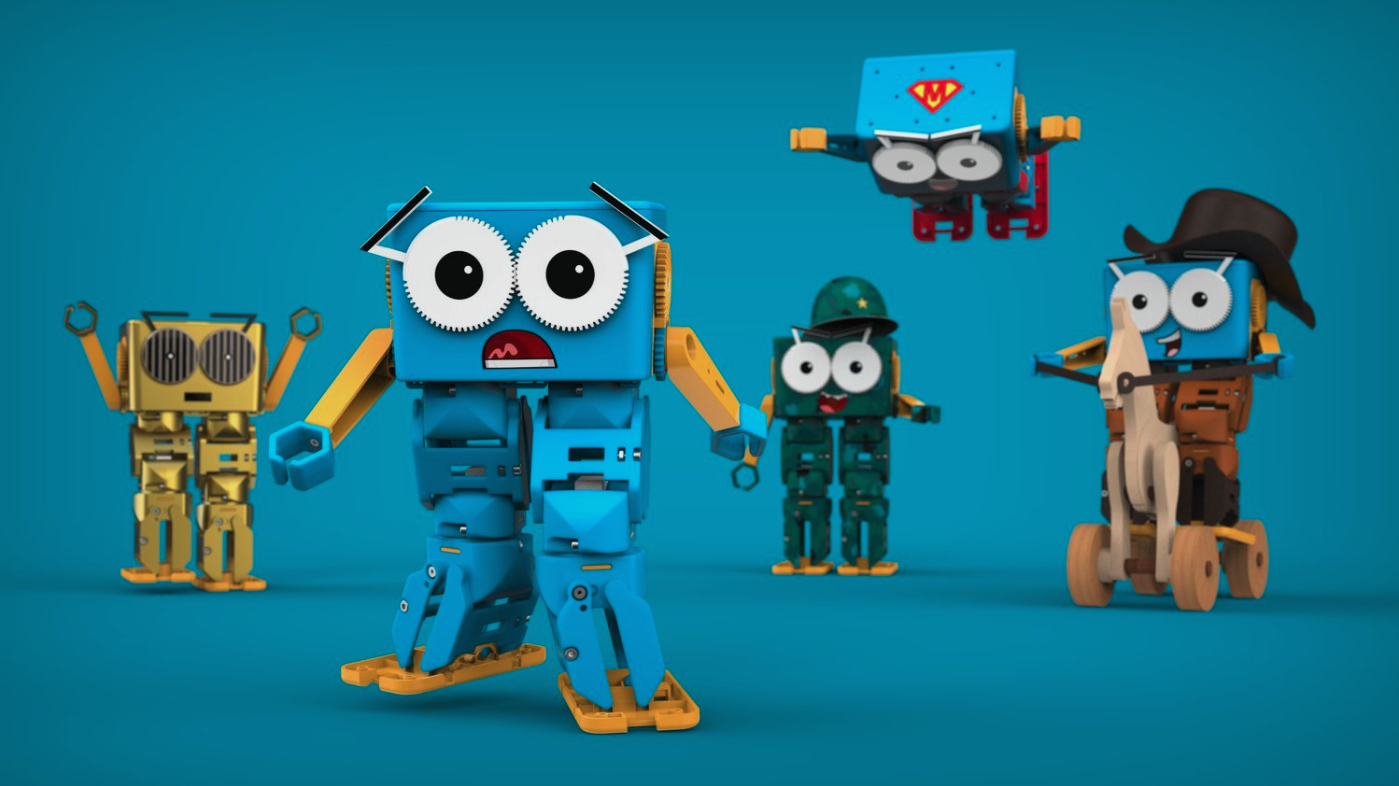
Marty the Robot is a fantastic tool for introducing AI concepts to students of all ages. Marty is a humanoid robot that is specific for education. It is a hands-on, engaging way to provide all students with the opportunity to learn about and explore machine learning, robotics, and computer science. In today’s digital age, artificial intelligence (AI) is all around us. For the younger generations, they have grown up using and relying on AI, and in likely most cases, without even noticing it.

As educators, there are many ways we leverage the power of AI to assist us with tasks, save time, promote productivity, and more. For example, voice assistants respond to our commands, streaming services curate personalized recommendations quickly, and educational apps adapt to individual learning styles, which create personalized learning journeys for students and help us provide the best opportunities for our students.

AI should be part of elementary school students’ learning experience. Whether they learn the basic concepts or have opportunities to work with an AI-powered tool, it is important to move our students beyond passive consumption and empower them to engage actively with these technologies. By understanding how AI works and how to create it, students can become not just users but innovators.

Marty the Robot: A Hands-On AI Companion

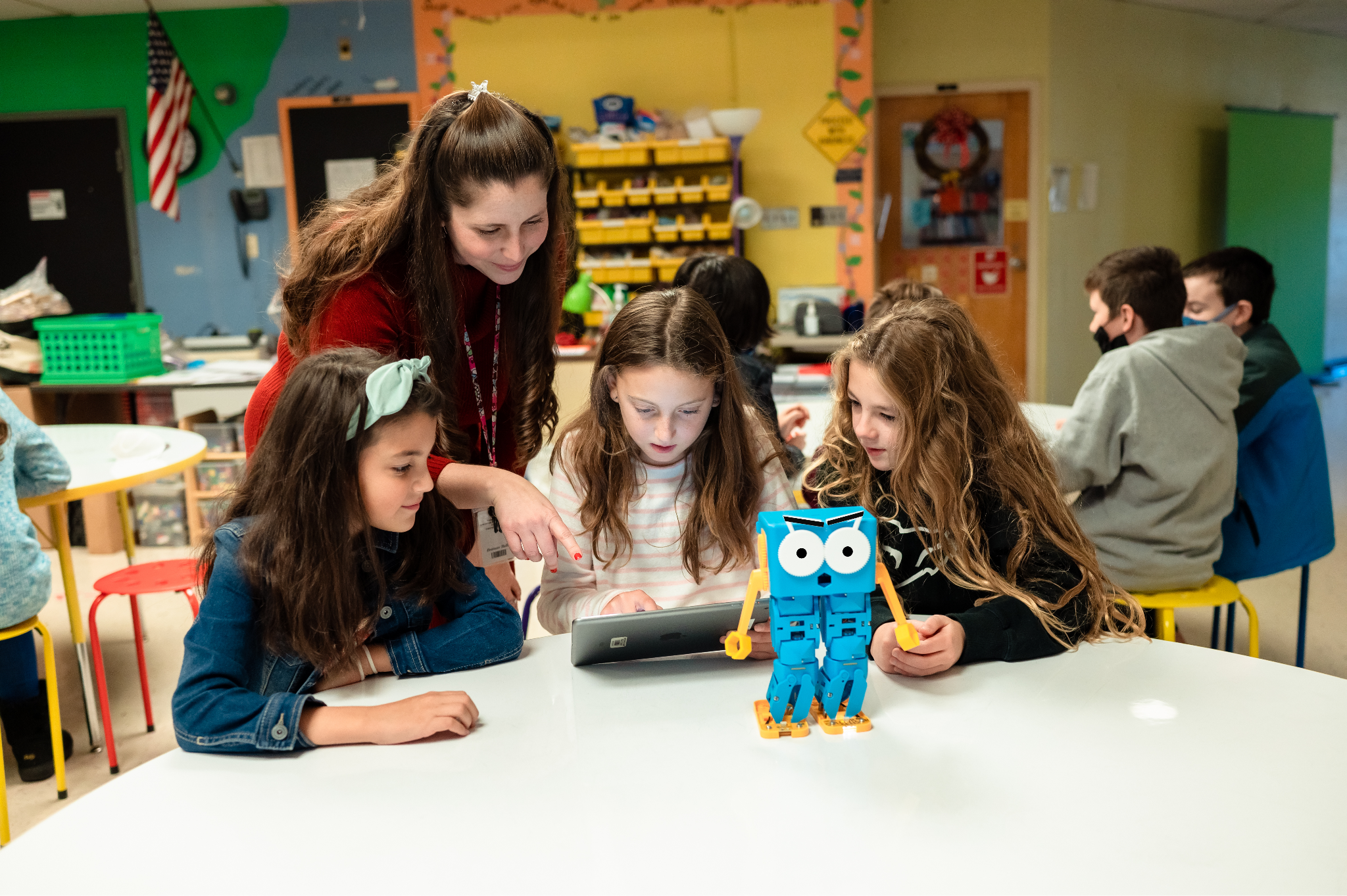
I was thrilled when I received Marty the Robot for my classroom. Marty is a mixture of hardware and software that brings AI concepts to life and engages all students. Marty offers a unique opportunity for students to explore the world of machine learning and robotics and have fun in the process!

Why Choose Marty?

Humanoid Design: Marty’s humanoid form fosters a strong emotional connection with students, making learning more enjoyable and memorable.

Versatile Programming: From screen-free coding to advanced Python programming, Marty supports a wide range of coding skills and learning styles. It meets students’ interests and specific needs.

Customizable AI: Students can teach Marty to recognize sounds, images, and other stimuli, allowing them to create personalized and interactive experiences. It gives them more opportunities to create and innovate.

Curriculum-Aligned Resources: Marty has an extensive library of educational resources, including lesson plans, activities, and tutorials, aligned with various national and regional curricula.

Durable: Marty is a reliable and long-lasting educational tool built to withstand classroom use and even some falls.

Real-World Applications of AI with Marty

Image Recognition: Teach Marty to identify objects, colors, and patterns, fostering visual perception and problem-solving skills.

Sound Recognition: Train Marty to respond to voice commands and sound cues, developing auditory processing and language skills.

Obstacle Avoidance: Implement AI algorithms to enable Marty to navigate obstacles autonomously, teaching students about spatial reasoning and decision-making.

Facial Recognition: Use advanced AI techniques to teach Marty to recognize faces, and students can evaluate its accuracy for detecting faces too..

STEM Learning and Beyond

Marty is more than just a robot; it’s a gateway to a world of STEM possibilities. By building and programming Marty, students develop critical thinking, problem-solving, and creativity skills.

Marty can be used to explore cross-curricular topics, such as language arts, social studies, and art. For instance, students can write stories about Marty’s adventures, create artwork inspired by his design, or study historical figures who have contributed to the field of robotics.

Empowering Future Innovators

By introducing students to AI and robotics through engaging tools like Marty, we are shifting them from consumers and creators and empowering them to become the next generation of innovators. As technology advances, it’s essential to equip all students with the knowledge and skills needed to thrive in our rapidly changing world.

Marty the Robot will engage students and spark creativity and curiosity for learning. By embracing AI and robotics education, we can hopefully inspire our students to become problem-solvers, inventors, and dreamers.

It has been so much fun to see students learning about AI and coding with Marty!

To learn more about Marty the Robot, head to https://robotical.io/. You can even request a trial of Marty, too!

About Rachelle

Dr. Rachelle Dené Poth is a Spanish and STEAM: What’s Next in Emerging Technology Teacher at Riverview High School in Oakmont, PA. Rachelle is also an attorney with a Juris Doctor degree from Duquesne University School of Law and a Master’s in Instructional Technology. Rachelle received her Doctorate in Instructional Technology, and her research focus was on AI and Professional Development. In addition to teaching, she is a full-time consultant and works with companies and organizations to provide PD, speaking, and consulting services. Contact Rachelle for your event!

Rachelle is an ISTE-certified educator and community leader who served as president of the ISTE Teacher Education Network. By EdTech Digest, she was named the EdTech Trendsetter of 2024, one of 30 K-12 IT Influencers to follow in 2021, and one of 150 Women Global EdTech Thought Leaders in 2022.

She is the author of nine books including ‘In Other Words: Quotes That Push Our Thinking,” “Unconventional Ways to Thrive in EDU,” “The Future is Now: Looking Back to Move Ahead,” “Chart A New Course: A Guide to Teaching Essential Skills for Tomorrow’s World, “True Story: Lessons That One Kid Taught Us,” “Things I Wish […] Knew” and her newest “How To Teach AI” is available from ISTE or on Amazon.

Contact Rachelle to schedule sessions about Artificial Intelligence, Coding, AR/VR, and more for your school or event! Submit the Contact Form.

Follow Rachelle on Twitter(X) and Instagram at @Rdene915

**Interested in writing a guest blog for my site? Would love to share your ideas! Submit your post here. Looking for a new book to read? Find these available at bit.ly/Pothbooks

************ Also check out my THRIVEinEDU Podcast Here!

Join my show on THRIVEinEDU on Facebook. Join the group here.
4 Student Engagement Boosters for the Fall!

Keeping students engagemed throughout the school year can be a challenge. Integrating hands-on learning activities such as STEM, project-based learning (PBL), outdoor activities, gamification, and more helps maintain student engagement and develop essential skills like creativity, problem-solving, and collaboration.

Now that most schools have been in session for a few months, educators like myself might be looking for new ideas to explore. Some may already be seeing a decrease in student engagement. While the start of a new school year brings great excitement, that can wear off as activities pick up, colder months set in, and the content becomes more complex. Keeping all students engaged in authentic and meaningful learning experiences becomes even more critical during this time and throughout the year. 

Along with engaging students more in learning, It’s important that we find ways to foster essential skills, such as creativity, collaboration, problem-solving, and critical thinking, while making lessons authentic and relevant. In my experience, I have advocated for bringing STEM to all classrooms. Other ideas besides STEM activities include involving students in more active and even outdoor learning, challenge, or project-based learning (PBL) opportunities and using some out-of-the-box ideas. Each of these methods is versatile, and when combined with tools like Defined resources, they help to boost student engagement, spark curiosity, and, best, students retain their content knowledge even more.

Essential Skills Development

As we see so many changes happening in education, especially with technology like AI and other digital tools, students need to develop essential skills that will prepare them for the in-demand careers of the future. According to the World Economic Forum Job Sills Outlook for 2027, these skills include creativity, critical thinking, problem-solving, and collaboration, and now, number three is AI and big data. STEM-related activities provide all students with an excellent way to build these skills. Whether done through coding lessons, hands-on projects, or exploring scientific concepts, STEM encourages students to think critically and solve real-world problems and hopefully spark an interest they may not have realized they had.

Continue reading the original article on Defined Learning.

About Rachelle

Dr. Rachelle Dené Poth is a Spanish and STEAM: What’s Next in Emerging Technology Teacher at Riverview High School in Oakmont, PA. Rachelle is also an attorney with a Juris Doctor degree from Duquesne University School of Law and a Master’s in Instructional Technology. Rachelle received her Doctorate in Instructional Technology, and her research focus was on AI and Professional Development. In addition to teaching, she is a full-time consultant and works with companies and organizations to provide PD, speaking, and consulting services. Contact Rachelle for your event!

Rachelle is an ISTE-certified educator and community leader who served as president of the ISTE Teacher Education Network. By EdTech Digest, she was named the EdTech Trendsetter of 2024, one of 30 K-12 IT Influencers to follow in 2021, and one of 150 Women Global EdTech Thought Leaders in 2022.

She is the author of nine books including ‘In Other Words: Quotes That Push Our Thinking,” “Unconventional Ways to Thrive in EDU,” “The Future is Now: Looking Back to Move Ahead,” “Chart A New Course: A Guide to Teaching Essential Skills for Tomorrow’s World, “True Story: Lessons That One Kid Taught Us,” “Things I Wish […] Knew” and her newest “How To Teach AI” is available from ISTE or on Amazon.

Contact Rachelle to schedule sessions about Artificial Intelligence, Coding, AR/VR, and more for your school or event! Submit the Contact Form.

Follow Rachelle on Twitter(X) and Instagram at @Rdene915

**Interested in writing a guest blog for my site? Would love to share your ideas! Submit your post here. Looking for a new book to read? Find these available at bit.ly/Pothbooks

************ Also check out my THRIVEinEDU Podcast Here!

Join my show on THRIVEinEDU on Facebook. Join the group here.

6 Fresh Ideas For Fall Using CoSpaces Edu!

In collaboration with CoSpaces Edu, All opinions are my own

Now that the school year is in full swing and we head into the fall of 2024, many educators are coming up for air and looking for new ideas. For me, it’s always the perfect time to consider how our year has started and look for ways to introduce fun, innovative ideas to our classrooms to boost engagement even more! What I love about technology, is that there is always a way to bring it into our classrooms for our students, and that is what I have found with CoSpaces Edu!

Whether you’re teaching elementary, middle, or high school, focused on STEM, language arts, or any other subject, we know there is an increasing need to equip our students with skills to be successful in the future. In my opinion, I think what better way to do that than with CoSpaces Edu!

CoSpaces Edu is a versatile, very user-friendly platform that brings learning to life for our students. Through augmented reality (AR) and virtual reality (VR), with a variety of wonderful features that enable students to engage in 3D creation, coding, and collaboration, CoSpaces Edu can be integrated across all grade levels and subject areas. I have come up with six ideas for getting started with CoSpaces Edu in your classroom this fall. At all grade levels, you can foster creativity, critical thinking, communication, collaboration, and digital literacy—skills, all of which are essential for today’s learners.

1. Virtual Tour of Student Interests

One of the easiest and most engaging ways to get started with CoSpaces Edu, which I use every year, is having my students explore its gallery of available projects. Whether they’re in elementary school or high school, students absolutely love the time they have to explore existing projects such as games and virtual museums. By giving them time to explore, not only can it boost their own creativity, but it also helps us learn more about their interests, which is essential.

How to start? Direct them to the gallery and ask them to choose a project or space they find interesting. After exploring, ask them to consider why it captured their attention. Was it the design? The characters? The actual activity itself? Encourage them to think critically about what they might create or how they might change or enhance what they explored. For example, if they enjoyed exploring a historical simulation, maybe they can build their own historical event space or propose redesigning a famous historical space. Moving through in this way not only fosters critical thinking but encourages student discussion, idea sharing, and brainstorming ideas. And the best part is that CoSpaces Edu allows them to explore both virtual and augmented reality so they can fully immerse themselves in and connect with the content they’re learning.

I have used this activity as an icebreaker for new school years or any time throughout the year. It benefits by giving students the opportunity to explore, discover, and connect with their classmates over shared interests that they may not have realized they had in common. Talk about fostering a real learning community!

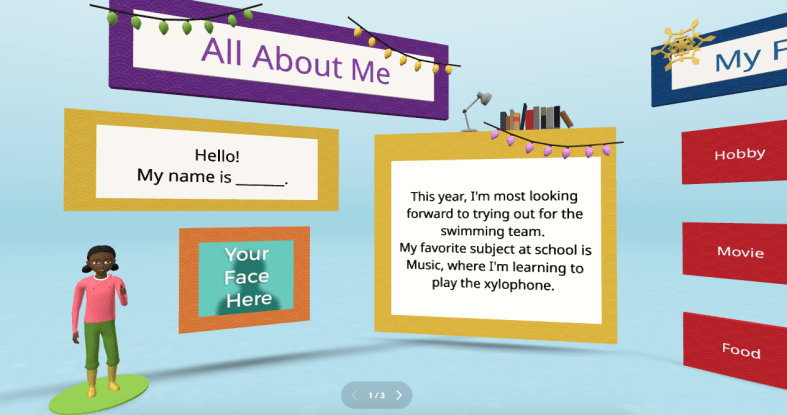
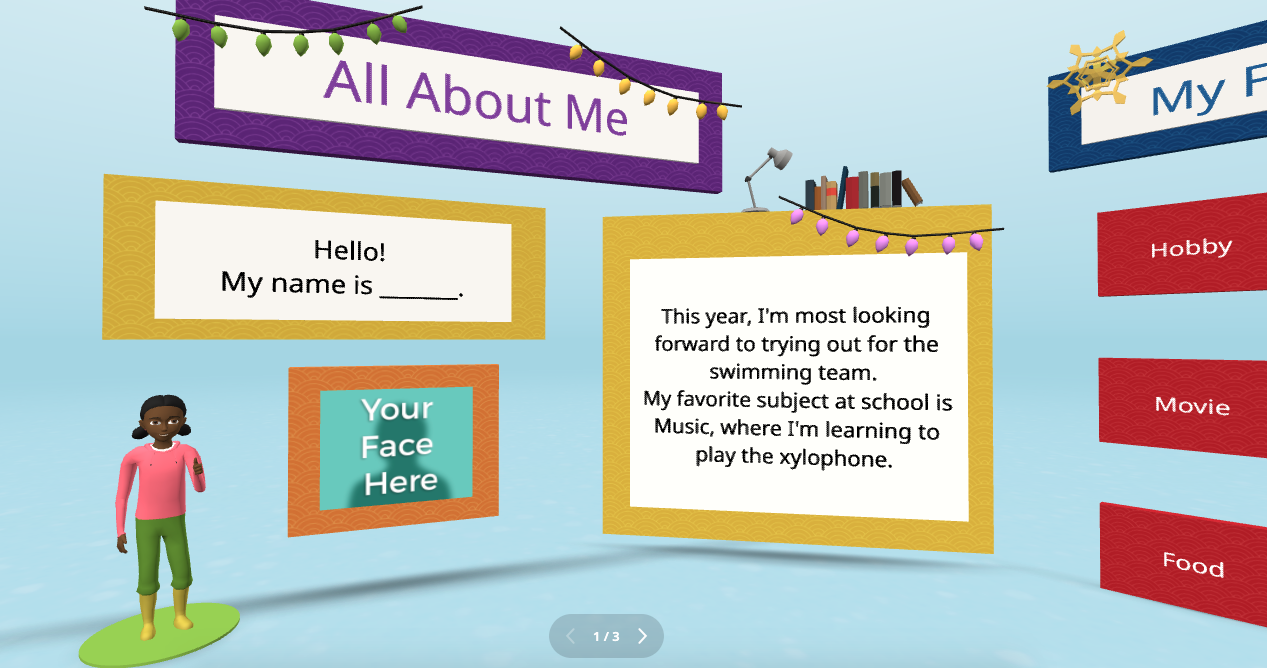
2. Create an “About Me” Space

Every new school year, educators spend time finding ways to get to know their students better and for students to get to know each other. A new idea is to have students create an interactive “About Me” space. Not sure where to begin? CoSpaces Edu has a ready-to-use template that students can then customize and add fun characters, animations, and even their voice recordings to create a virtual introduction to themselves.

This activity is more than just fun—it builds digital literacy as students learn to manipulate 3D objects and text and even dive into coding. It’s a great way to build a learning community in the classroom as students explore each other’s spaces, and you will see the excitement as they learn from each other. You can easily adapt this project to any grade level. It is also a great way to introduce younger students to AR and VR in a structured way while also allowing older students to dive more into basic block-based CoBlocks or advanced coding with JavaScript.

My students have had a blast designing their virtual world to represent themselves. The About Me is a great way to spark creativity and help students develop essential communication skills as they express interests, hobbies, and goals with their classmates and teachers.

3. Interactive Storytelling in Virtual Worlds

Storytelling is an impactful way to promote learning whether you teach elementary or high school students. Now, students can bring their stories to life in immersive 3D environments with CoSpaces Edu!

In my STEAM course, I work with the other content area teachers to have students leverage what we are learning and connect it to their other classes. Students have created animated and interactive recaps of stories they’ve read, and some have written their own narratives. The magic is when they bring these stories to life using 3D characters in a variety of settings. For example, students could adapt a classic story or novel they have read and add a twist, such as an alternative ending. Many students enjoy using their imagination to create stories. Once they set the scene, they can use CoSpaces Edu’s coding tools—such as CoBlocks—to add interactivity, allowing their characters to move, speak, and more. We can share their work with classmates, which adds more meaning to and engagement with the learning experience.

These types of projects foster creativity and problem-solving and build communication skills. Students not only have to write their narrative but also decide how to visually and interactively represent it. They engage in a process that encourages collaboration, especially when students work in teams to script, design, and code their virtual worlds. This was a game-changer in my Spanish II class!

4. Revolutionize Language Learning with AR/VR

Interactive storytelling can also be an excellent tool for language learners. In my experience, students in Spanish II created virtual worlds in which their characters engaged in dialogues, which helped them build their language skills in a dynamic and engaging way. It also led to greater retention of the content.

One project involved students creating a virtual Spanish-speaking city where they placed shops, restaurants, and other landmarks. Each student had a role in the virtual environment and had to speak in Spanish to describe their location or interact with others. This project increased student engagement, content retention, and enthusiasm for learning the language. It was also a unique way to reinforce grammar and vocabulary.

Incorporating AR/VR into language learning allows students to “live” the language, making it a more authentic and enjoyable experience. This kind of immersive learning fosters deeper connections with the material. It helps students retain what they’ve learned, which is essential in all areas, particularly in building confidence in language skills.

5. Collaborative STEM Projects

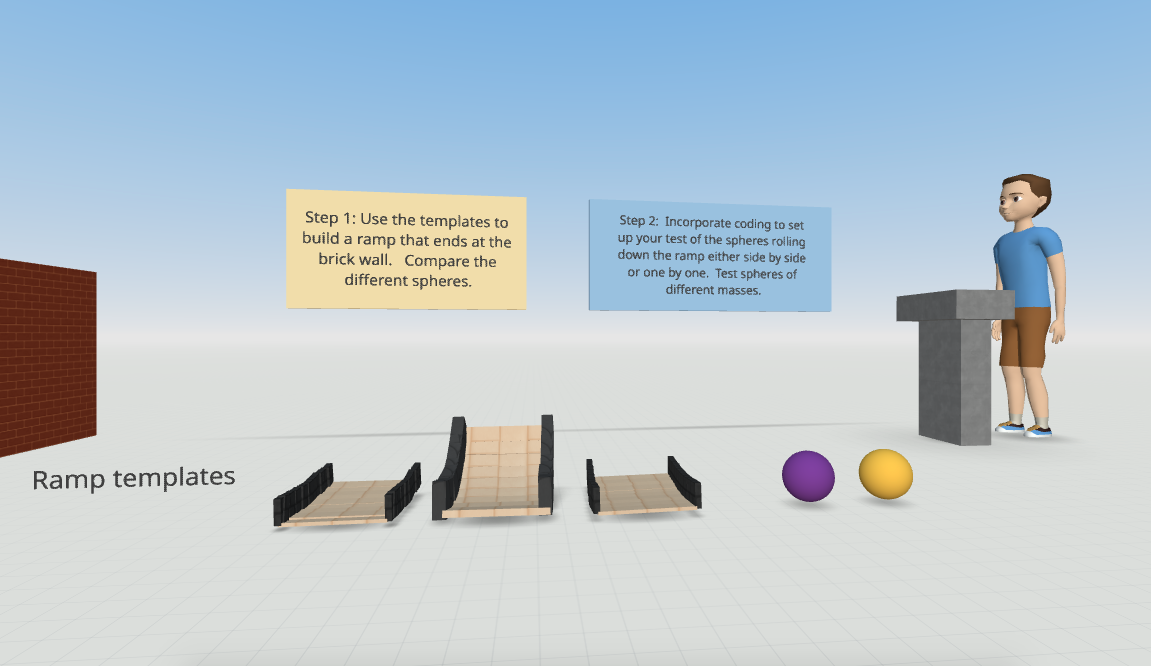
With CoSpaces Edu, students can design and code virtual prototypes, models, and even entire experiments. One of my favorite uses for the platform is collaborative STEM projects. Students can work in teams to design and build virtual spaces or objects, such as a virtual physics experiment exploring Newton’s laws or an architectural model of a bridge or building.

CoSpaces Edu’s collaborative features allow multiple students to work on the same project in real-time from different devices, making it perfect for group projects, whether students are in the classroom or learning remotely. Think about global collaboration possibilities, too! We want students to build teamwork, communication, and problem-solving skills and manage their time. Because they can collaborate in CoSpaces Edu, it makes opportunities available for STEM learning that is more engaging and hands-on.

6. Virtual Museums and Global Collaboration

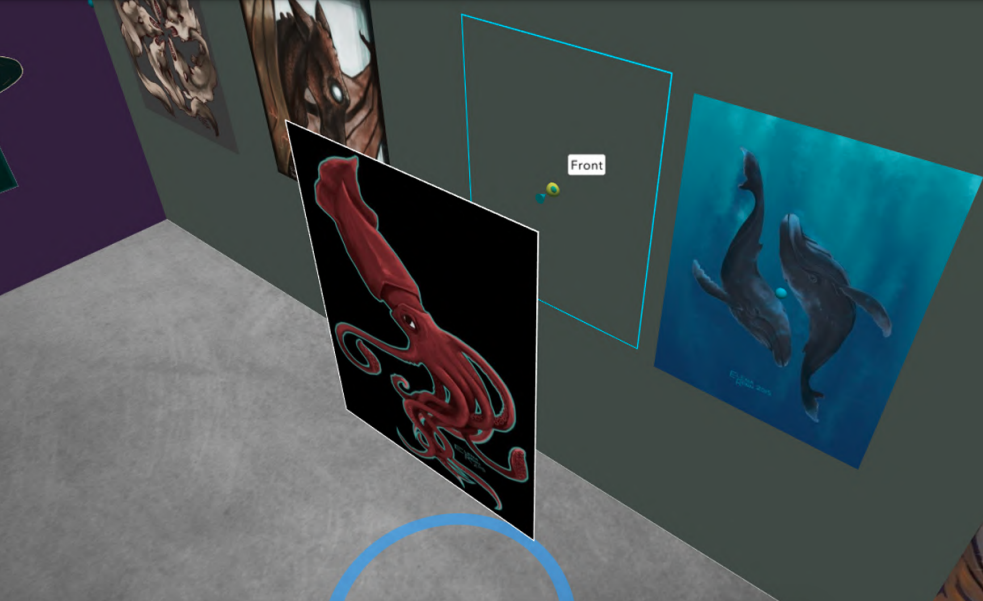
Building global awareness is so important. Our students must learn about other cultures and have experiences connecting them with authentic and real-world learning opportunities. What if students from around the world collaborate to create a virtual museum that represents items from their different locations? With CoSpaces Edu, this is not only possible but easy to implement. Teachers can connect classrooms from different countries, enabling students to collaborate on a global scale to build and curate virtual museums on various topics, from world history to art or any topic they choose.

Students can design a virtual museum showcasing the art of different cultures. Using CoSpaces Edu’s 3D creation tools, they can build exhibit halls and import 3D models of art pieces or artifacts. Each student can contribute a different exhibit and then link them together into a larger museum space. A project like this not only fosters creativity and digital literacy but also deepens cultural understanding and instills empathy as students explore and share knowledge from diverse perspectives.

Where to begin

I have used CoSpaces Edu for many years. It is definitely way more than just a tech tool for students. It is a transformative platform that fosters the development of critical future skills like creativity, collaboration, critical thinking, and digital literacy. Whether you’re teaching elementary students to create 3D models or high school students to code virtual worlds, CoSpaces Edu offers endless possibilities for engaging, interactive, and collaborative learning experiences.

CoSpaces Edu shifts students from consumers to creators! My students are always wowed by what they explore when we get started. These are only six ideas to explore, and there are many more possibilities and lesson plans available for educators to explore right away.

CoSpaces Edu is easy to use, works on any device, and offers a secure, COPPA- and FERPA-compliant environment, which is critical. Dive into CoSpaces Edu this fall and watch your students’ creativity and future-ready skills soar.

About the Author

Dr. Rachelle Dené Poth is a Spanish and STEAM: What’s Next in Emerging Technology Teacher at Riverview High School in Oakmont, PA. Rachelle is also an attorney with a Juris Doctor degree from Duquesne University School of Law and a Master’s in Instructional Technology. Rachelle received her Doctorate in Instructional Technology, and her research focus was on AI and Professional Development. In addition to teaching, she is a full-time consultant and works with companies and organizations to provide PD, speaking, and consulting services. Contact Rachelle for your event!

Rachelle is an ISTE-certified educator and community leader who served as president of the ISTE Teacher Education Network. By EdTech Digest, she was named the EdTech Trendsetter of 2024, one of 30 K-12 IT Influencers to follow in 2021, and one of 150 Women Global EdTech Thought Leaders in 2022.

She is the author of nine books including ‘In Other Words: Quotes That Push Our Thinking,” “Unconventional Ways to Thrive in EDU,” “The Future is Now: Looking Back to Move Ahead,” “Chart A New Course: A Guide to Teaching Essential Skills for Tomorrow’s World, “True Story: Lessons That One Kid Taught Us,” “Things I Wish […] Knew” and her newest “How To Teach AI” is available from ISTE or on Amazon.

Contact Rachelle to schedule sessions about Artificial Intelligence, Coding, AR/VR, and more for your school or event! Submit the Contact Form.

Follow Rachelle on Twitter(X) and Instagram at @Rdene915

**Interested in writing a guest blog for my site? Would love to share your ideas! Submit your post here. Looking for a new book to read? Find these available at bit.ly/Pothbooks

************ Also check out my THRIVEinEDU Podcast Here!

Join my show on THRIVEinEDU on Facebook. Join the group here.
Start the New School Year with Nous AI from MatataStudio!

In collaboration with MatataStudio EDU, Opinions are my own

The Nous AI Set is one of MatataStudio’s standout products. I have used all of their other great products in my classroom and have been amazed by what you can do with the Nous Set!

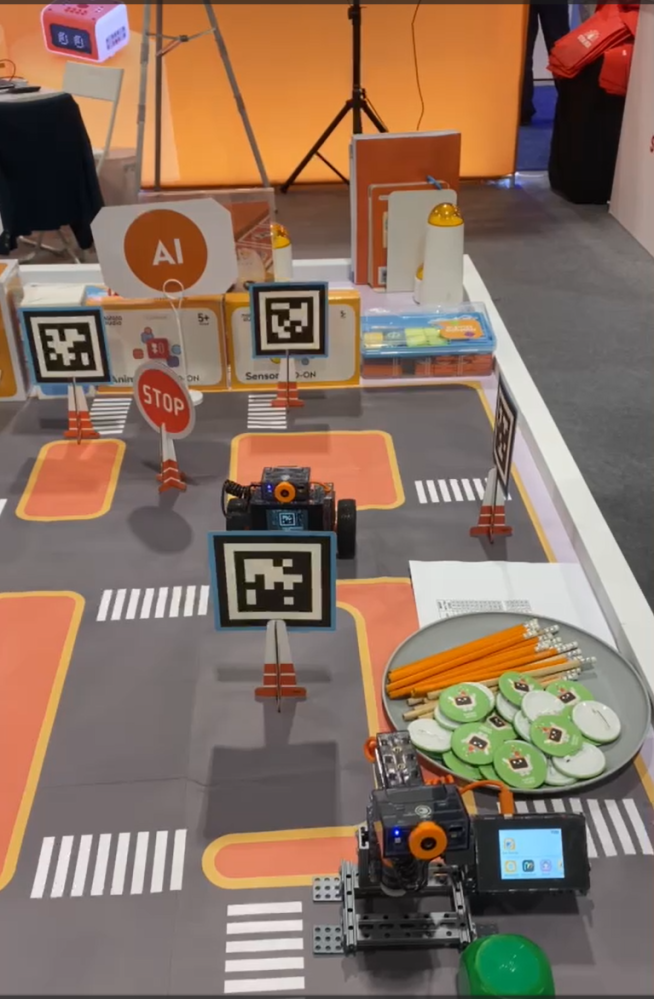
I had a chance to stop by their booth while attending and presenting at ISTE 2024 in Denver. It was awesome to see all of their fabulous products for students of all ages! It was also great to speak with their amazing team and learn about the options and new resources that are coming from MatataStudio for students! Thank you, Vivian!

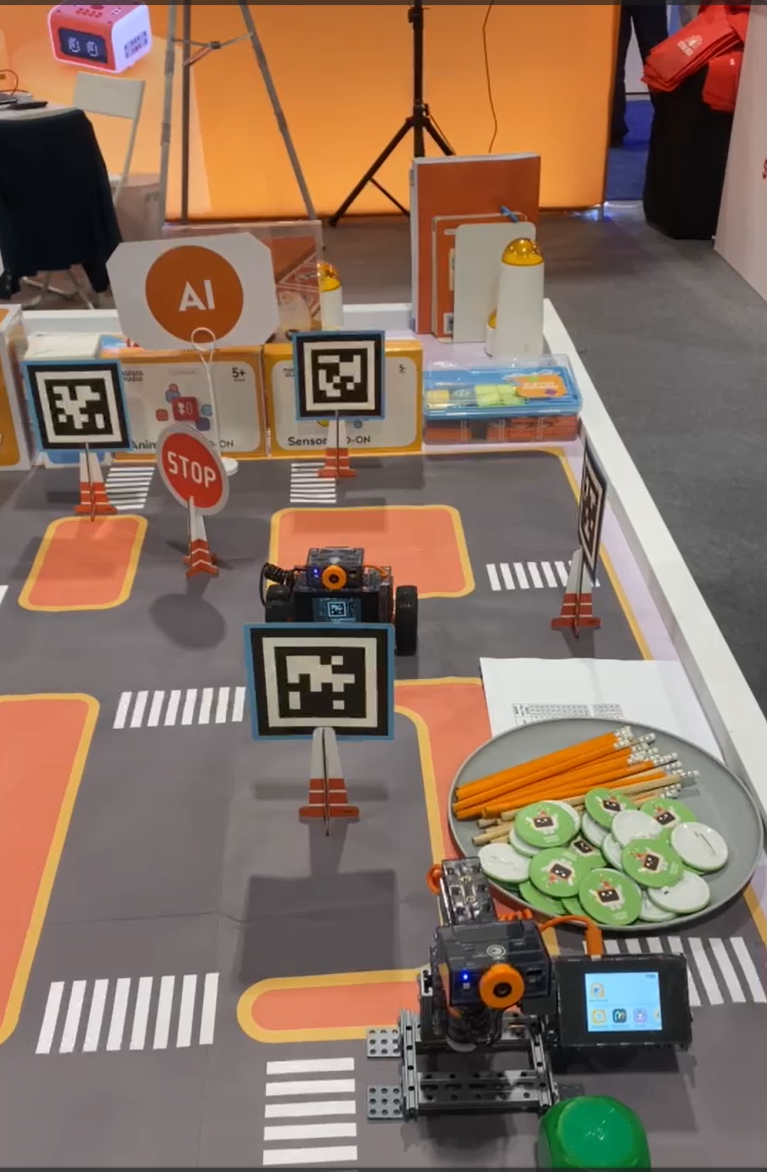
[At the booth during ISTE, so many awesome learning resources to explore!]

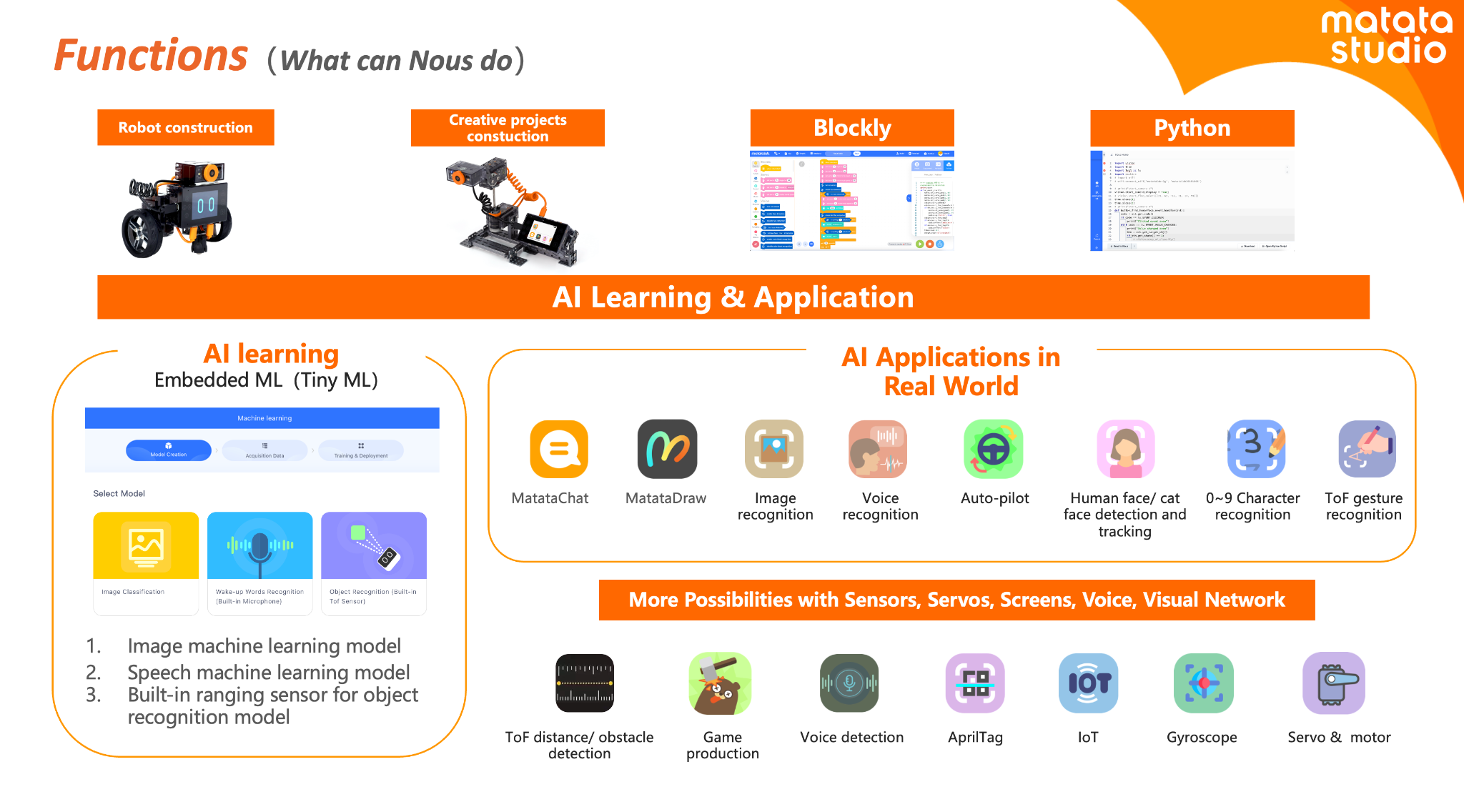
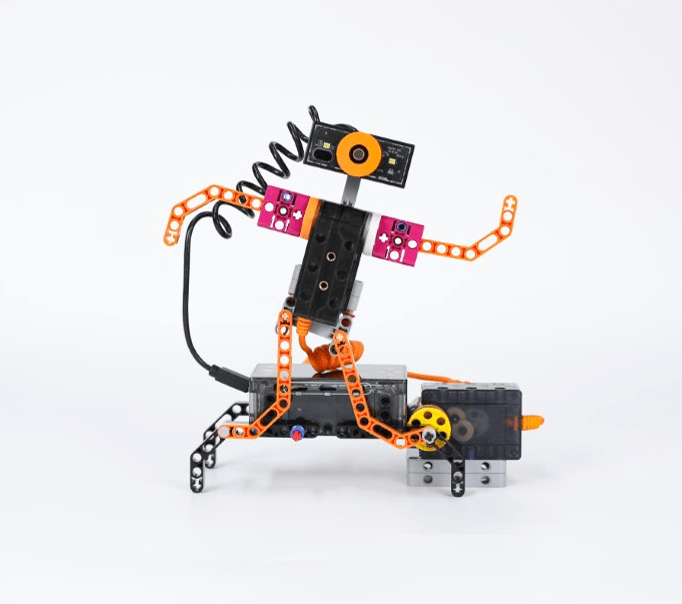
Nous AI is designed to provide students with an understanding of artificial intelligence (AI) and enable them to build their knowledge through the various activities they can choose from and complete independently! What makes Nous different is its modular design. Students can choose how to design it, which allows it to support a variety of AI technologies and functions. Students can learn about machine learning, neural networks, machine vision, speech recognition, and autonomous driving capabilities, and more. It also offers tools like MatataChat and a range of other AI applications that are available right on its touchscreen.

The robot comes with a metal structure, and it is also compatible with building block structures, so it is a versatile tool for boosting creativity and problem-solving in its assembly and through robotics projects. The expandable electronic module system allows students to customize and enhance their projects, fostering a sense of ownership and creativity and leading to more authentic learning. Whether it’s programming with graphical interfaces or diving into Python programming, the Nous AI Set provides students with a comprehensive platform to explore the world of AI and have fun while doing so.

Engaging in Design and Engineering Thinking

What I appreciate about the Nous AI Set is how it encourages students to engage in design and engineering thinking, which helps them develop a greater interest in the learning process. In my classroom, I’ve seen students become deeply involved in designing, building, and testing their projects. A hands-on approach to learning is essential for developing critical thinking and problem-solving skills, which are crucial for future careers in STEM fields and beneficial in so many areas.

The Nous AI Set allows students to iterate on their designs, test different solutions, and refine their projects as they go. This iterative process is key to helping students build essential skills such as resilience and problem-solving. When students learn to view challenges as opportunities for growth rather than as obstacles, it provides them with skills that will benefit them now and as they prepare for the future. By focusing on the learning process rather than just the final product, students develop a deeper understanding of the principles of engineering and design.

Why should you explore Nous AI?

The Nous AI Robot is a transformative tool for STEAM education and works well in any classroom. MatataStudio offers options for each grade band and provides educators with a comprehensive and engaging way to teach AI and coding to all students. Its modular design, dual programming capabilities, and extensive learning resources make it suitable for students of varying skill levels and interests.

There are many possibilities, and with the Nous AI Set, we can help better prepare students for the future. As an educator who has seen the great impact on student collaboration in building the robot and the ideas that students generated, I recommend the Nous AI Robot for any classroom looking to incorporate AI and robotics into their curriculum, especially as a fun, impactful way to start a new school year! And explore new ideas and challenges throughout the year.

Whether you have years of experience or are new to teaching AI and coding, the Nous AI Robot provides the tools and resources to create a dynamic and interactive learning environment. The focus on hands-on learning and building connections to real-world applications ensures that students not only learn but also experience the exciting world of AI and robotics. There are so many tutorials available to help educators and students get started!

Real-World Applications

The Nous AI Robot is not just a learning tool; it also provides students with insights into real-world AI applications. For example, students can dive in and learn about AI through its activities focused on image recognition, speech recognition, and autonomous driving. Students can see how AI technologies are used in everyday life. These opportunities help students see the relevance of what they are learning, and hopefully, it will inspire them to pursue careers in AI and technology. It is so easy to use with its programmable touchscreen, which sparks curiosity for learning!

Project-based learning (PBL) is a great way to engage students in authentic, meaningful, and real-world learning. It is an essential component of the Nous AI curriculum. Students engage in projects that require them to build and then apply their knowledge of AI, programming, and engineering. The projects help reinforce AI concepts through practical application, which makes learning more effective, memorable, and fun for all students!

The Right Resources for Educators

MatataStudio doesn’t just provide innovative tools—they also offer fantastic learning resources to support educators and students. Educators can access online tutorials and curriculum guides, and various professional development resources are available. MatataStudio ensures that educators have everything they need to effectively integrate the Nous AI Set into their classrooms. These resources are invaluable in helping educators guide their students through the various functionalities of the robot, ensuring a comprehensive understanding of AI and programming.

I had a chance to explore these guides, and everything educators need to get started is available!

The curriculum guides provided by MatataStudio align with CSTA (Computer Science Teachers Association) and ISTE (International Society for Technology in Education) standards, as well as the 5 Big Ideas in AI, ensuring that the content is relevant and aligned with best practices in education.

As a STEAM educator who greatly values bringing STEM to all classrooms and learning about AI, I appreciate the resources provided because they are incredibly helpful for educators who want to plan and deliver lessons that are engaging and educational for all students.

With these options, educators don’t have to worry about spending a lot of time looking for the right resources and lessons to dive in. MatataStudio provides everything you need to get students started and let them take the lead! Create and innovate in our classrooms!

About the Author:

Dr. Rachelle Dené Poth is a Spanish and STEAM: What’s Next in Emerging Technology Teacher at Riverview High School in Oakmont, PA. Rachelle is also an attorney with a Juris Doctor degree from Duquesne University School of Law and a Master’s in Instructional Technology. Rachelle received her Doctorate in Instructional Technology, and her research focus was on AI and Professional Development. In addition to teaching, she is a full-time consultant and works with companies and organizations to provide PD, speaking, and consulting services. Contact Rachelle for your event!

Rachelle is an ISTE-certified educator and community leader and served as president of the ISTE Teacher Education Network. She was named the EdTech Trendsetter of 2024 by EdTech Digest, one of 30 K-12 IT Influencers to follow in 2021, and one of 150 Women Global EdTech Thought Leaders in 2022.

She is the author of nine books including ‘In Other Words: Quotes That Push Our Thinking,” “Unconventional Ways to Thrive in EDU,” “The Future is Now: Looking Back to Move Ahead,” “Chart A New Course: A Guide to Teaching Essential Skills for Tomorrow’s World, “True Story: Lessons That One Kid Taught Us,” “Things I Wish […] Knew” and her newest “How To Teach AI” is available from ISTE or on Amazon.

Contact Rachelle to schedule sessions about Artificial Intelligence, Coding, AR/VR, and more for your school or your event! Submit the Contact Form.

Follow Rachelle on Twitter(X) and Instagram at @Rdene915

**Interested in writing a guest blog for my site? Would love to share your ideas! Submit your post here. Looking for a new book to read? Find these available at bit.ly/Pothbooks

Nous AI Set: A Transformative Tool for Middle School STEAM Education

In collaboration with MatataStudio EDU, All opinions are my own

When it comes to STEAM courses (Science, Technology, Engineering, Arts, Mathematics), especially in the past year and a half, the integration of artificial intelligence (AI) and robotics has increased. AI can no longer be thought of as a passing fad or trend; instead, it is a necessity for students in all classrooms.

For many years, I didn’t think I could bring these opportunities to my students; however, I have realized that to best prepare all students, every educator needs to include activities that help students develop their skills in these growing areas.

As a Spanish and STEAM teacher, I bring in a variety of learning experiences for all students to engage in innovative learning opportunities. Over the past three years, we have really enjoyed working with the robots and coding resources from MatataStudio, and we were thrilled to get the newest model, the Nous AI Set! My motivation for selecting this was the focus on AI, one of my key areas of interest for the past seven years! I also love seeing how students respond to the new tools we use, how they dive in and collaborate, and what they create! Remember, we just need to get them started and then see where the learning journey takes them and learn from their experiences, too!

With Matata, we started by testing the Tale-Bot Pro, VinciBot, and now Nous AI Set. What I value the most is that there are tools for all learners of all levels. Even though I teach an 8th-grade STEAM class, we still explore the different robots to understand the students’ learning experience. Now, we are excited about the Nous AI Set and the variety of ways you can build and learn from it!

What is Nous AI?

The Nous AI Set is a modular AI educational tool that will revolutionize how educators teach their students about coding and AI. As an 8th-grade STEAM educator, I had the opportunity to explore this innovative tool. It is always fun to dive in and see the benefits and then share our learning with other educators. It helps others know what to expect and how to get started, answers some common questions, and hopefully provides some ideas, too! We will look at its capabilities, its educational value, and how it can be a game-changer in the classroom.

Benefits and Features

The Nous AI Set will support comprehensive AI education for both primary and secondary schools. It offers a wide range of AI technologies and functionalities. This robot is designed to be suitable for students aged 12 and up. The focus areas for working with the Nous AI Set are for developing computational and design thinking skills and problem-solving skills. In addition to these 21st-century and in-demand skills, it will also help students develop their digital literacy skills, which are essential in today’s advancing digital world.

Key Features and Capabilities of the Nous AI Set

Modular Design and Compatibility

At first, I did not realize the different options for creating the robot. With the Nous AI Set, multiple options are available. It has a highly modular design that is compatible with various structures and electronic modules. Through different options, it helps to spark creativity and allows students to build and program a wide range of projects. Whether students design simple robots or dive into creating more complex AI-driven tasks, the possibilities are endless! And student engagement and motivation in learning increases!

Programming that meets your needs!

Something that I really appreciate about the Nous AI Set is its dual programming capability. Beginners can start with block-based programming (Blockly) to learn basic AI functions such as face detection and image classification. As they progress, students can transition to text-based programming (Python), exploring advanced AI concepts like machine learning, neural networks, and autonomous driving.

[We built it this way first]

Teach students about Machine Learning

MatataStudio’s Nous AI Set covers fundamental AI topics, including machine learning, computer vision, and speech recognition. It supports AI model training and data collection. When students learn through a more hands-on approach, they can connect with and understand complex AI concepts by engaging in practical application and meaningful and relevant learning. Working together, they develop these essential skills and have fun learning!

[Trying to figure out how to assemble it, letting students take the lead!]

The Right Resources!

MatataStudio provides extensive learning resources for all of its products. Educators know that they are supported through access to online tutorials, e-books, and even video-based courses. The resources are beneficial because not only do they support educators, but they also help guide students through the various functionalities of the robot, ensuring a comprehensive understanding of AI and programming.

Engaging in Design and Engineering Thinking

The Nous AI Set’s design encourages students to think, process information, solve problems, and think like engineers. Students can design and build their projects, test different solutions, and iterate on their designs. We want students to focus on the ongoing learning process rather than a finite product. This learning process promotes critical thinking and problem-solving skills, which are essential for future engineers, scientists, and other in-demand STEM-related fields.

What I love about the Nous AI Set is that there are so many choices available and tutorials to help you get started! See some examples below.

Improving Digital Literacy

Being digitally literate is crucial in today’s digital age. By using the Nous AI Set, students improve their digital literacy by engaging in programming and AI applications. They have opportunities to learn how to use technology creatively and responsibly, which will best prepare them for future digital challenges.

From passive to active learning!

The Nous AI Set offers a variety of interactive activities that make learning more engaging and fun. Students shift from being consumers of learning to becoming more active creators. Activities like MatataChat and MatataDraw allow students to explore basic computer vision and speech recognition. These activities lead to discussions between students and will spark curiosity about learning. The activities are not only educational but also highly engaging, keeping students motivated and interested.

[Working on a project and following the steps closely to see all of its capabilities.]

Real-World Applications

The Nous AI Set is not just a learning tool; it also provides students with insights into real-world AI applications. For instance, through activities involving image recognition, speech recognition, and autonomous driving, students can see how AI technologies are used in everyday life. This exposure helps them understand the relevance of what they are learning and inspires them to pursue careers in AI and technology.

Why should you explore Nous AI?

There are so many possibilities, and with the Nous AI Set, we will better prepare students for the future. As an educator who has seen the collaboration in building and the ideas that students generated, I recommend the Nous AI Set for any classroom looking to incorporate AI and robotics into their curriculum.

About the Author:

Dr. Rachelle Dené Poth is a Spanish and STEAM: What’s Next in Emerging Technology Teacher at Riverview High School in Oakmont, PA. Rachelle is also an attorney with a Juris Doctor degree from Duquesne University School of Law and a Master’s in Instructional Technology. Rachelle received her Doctorate in Instructional Technology, and her research focus was on AI and Professional Development. In addition to teaching, she is a full-time consultant and works with companies and organizations to provide PD, speaking, and consulting services. Contact Rachelle for your event!

Rachelle is an ISTE-certified educator and community leader who served as president of the ISTE Teacher Education Network. By EdTech Digest, she was named the EdTech Trendsetter of 2024, one of 30 K-12 IT Influencers to follow in 2021, and one of 150 Women Global EdTech Thought Leaders in 2022.

She is the author of nine books including ‘In Other Words: Quotes That Push Our Thinking,” “Unconventional Ways to Thrive in EDU,” “The Future is Now: Looking Back to Move Ahead,” “Chart A New Course: A Guide to Teaching Essential Skills for Tomorrow’s World, “True Story: Lessons That One Kid Taught Us,” “Things I Wish […] Knew” and her newest “How To Teach AI” is available from ISTE or on Amazon.

Contact Rachelle to schedule sessions about Artificial Intelligence, Coding, AR/VR, and more for your school or your event! Submit the Contact Form.

Follow Rachelle on Twitter(X) and Instagram at @Rdene915

**Interested in writing a guest blog for my site? Would love to share your ideas! Submit your post here. Looking for a new book to read? Find these available at bit.ly/Pothbooks

************ Also check out my THRIVEinEDU Podcast Here!

Join my show on THRIVEinEDU on Facebook. Join the group here.

Bringing STEM to All Classrooms

Updated from a prior post

With the school year ending, it does not mean that learning has to stop. Throughout the summer, students and educators have time to relax and recharge, but it can also be a good opportunity to take advantage of some learning experiences. I think it is a fantastic time to dive into STEM learning, especially with having more time to get outside and explore! There are a lot of opportunities that promote engaging, hands-on activities for students and educators. Find some maker projects, ways to connect in the community and engage in place-based learning, or even participate in STEM camps or events that local organizations or schools may offer.  

With a reported 3.5 million jobs requiring STEM skills by 2025, it is important to find opportunities that will help students learn about the possibilities in these fields and develop the essential skills that are in demand.

Here are three ideas to consider for the summer that might also be a great way to start the next school year!

1. DIY STEM Projects

Getting involved in STEM learning in the summer does not require many materials at all. When students and educators engage in “do-it-yourself “(DIY) STEM projects, it helps to fuel creativity and excitement in learning. The possibilities for DIY STEM projects are limitless. There are books and resources available online to explore. Dr. Jacie Maslyk shares many ideas in her blogs and books for STEM-focused learning. The benefits are that it allows students to consider different materials and problem-solve or create a design. DIY activities are great for encouraging students to find a solution to a local or global challenge and see the impact they can make when they develop their STEM skills! Projects like this will not only foster a sense of accomplishment but will encourage critical thinking, problem-solving, and innovation. Students can shift from simply being consumers to becoming creators and innovators!

2. Place-Based Learning

With additional time in the summer or even throughout the year, connecting students with opportunities for real-world learning in their community is essential. By volunteering or participating in place-based learning, students can connect with community members working in STEM careers, for example. These collaborations enable students to apply their knowledge in practical, real-world settings. Whether it’s working in a community organization that is focused on nature preservation, assisting with projects in the community, or taking advantage of internships and mentorship programs, students can get a glimpse into the professional world and build self-awareness of their interests in learning and future careers. We want our students to develop their global awareness, learn about the challenges being faced in the world, and then come up with solutions. Connecting with the community and engaging in place-based learning provides more authentic and real-world learning for students, which will promote student engagement and be more meaningful.

3. Virtual Programs and Online Courses

There are many tools available online for students to explore at their own pace and to find a topic of interest. Diving into programs to learn about coding and robotics, for example, offers many great benefits for students. Students can learn about programming languages, create their own software, or build robots or chatbots. With the resources available, students will develop computational thinking and problem-solving skills while also having the opportunity to boost their creativity.

Online courses and virtual programs provide flexibility, which enables students to learn at their own pace and explore topics of interest. Many of the programs and tools available offer interactive simulations, video tutorials, sample activities, and more, which help to engage students more in learning. Some sites such as Code.orgMITAIClubScratch, and Tynker provide interactive coding tutorials and projects suitable for beginners. I recommend exploring Minecraft Education and Hacking STEM to give even more choices. For some robots, check out MatataStudio products such as TaleBot Pro or Vinci Bot or check out Marty the Robot from Robotical! Interested in augmented and virtual reality, dive into CoSpaces Edu!

Code with Google is focused on closing equity gaps in computer science opportunities and offers free resources for students. For older students and educators looking for courses and more activities, websites like Khan Academy and Udemy have courses covering various STEM topics, allowing students to learn at their own pace and explore their interests.

Summer learning opportunities for STEM can offer students a transformative learning experience that will spark their curiosity for learning and cultivate STEM-focused careers. These opportunities not only enhance academic skills but also equip students with essential 21st-century competencies, such as critical thinking, collaboration, and adaptability.

About the Author:

Rachelle Dené is a Spanish and STEAM: What’s Next in Emerging Technology Teacher at Riverview High School in Oakmont, PA. Rachelle is also an attorney with a Juris Doctor degree from Duquesne University School of Law and a Master’s in Instructional Technology. Rachelle is currently finishing her doctorate with a focus on AI and Professional Development. In addition to teaching, she is a full-time consultant and works with companies and organizations to provide PD, speaking, and consulting services. Contact Rachelle for your event!

Rachelle is an ISTE-certified educator and community leader and served as president of the ISTE Teacher Education Network. She was named one of 30 12 IT Influencers to follow in 2021 and one of 150 Women Global EdTech Thought Leaders in 2022.

She is the author of eight books including ‘In Other Words: Quotes That Push Our Thinking,” “Unconventional Ways to Thrive in EDU,” “The Future is Now: Looking Back to Move Ahead,” “Chart A New Course: A Guide to Teaching Essential Skills for Tomorrow’s World, “True Story: Lessons That One Kid Taught Us,” and her newest book “Things I Wish […] Knew” is now available at bit.ly/thingsiwishedu.

Contact Rachelle to schedule sessions about Artificial Intelligence, Coding, AR/VR, and more for your school or your event! Submit the Contact Form.

Follow Rachelle on Twitter(X) and Instagram at @Rdene915

**Interested in writing a guest blog for my site? Would love to share your ideas! Submit your post here. Looking for a new book to read? Find these available at bit.ly/Pothbooks
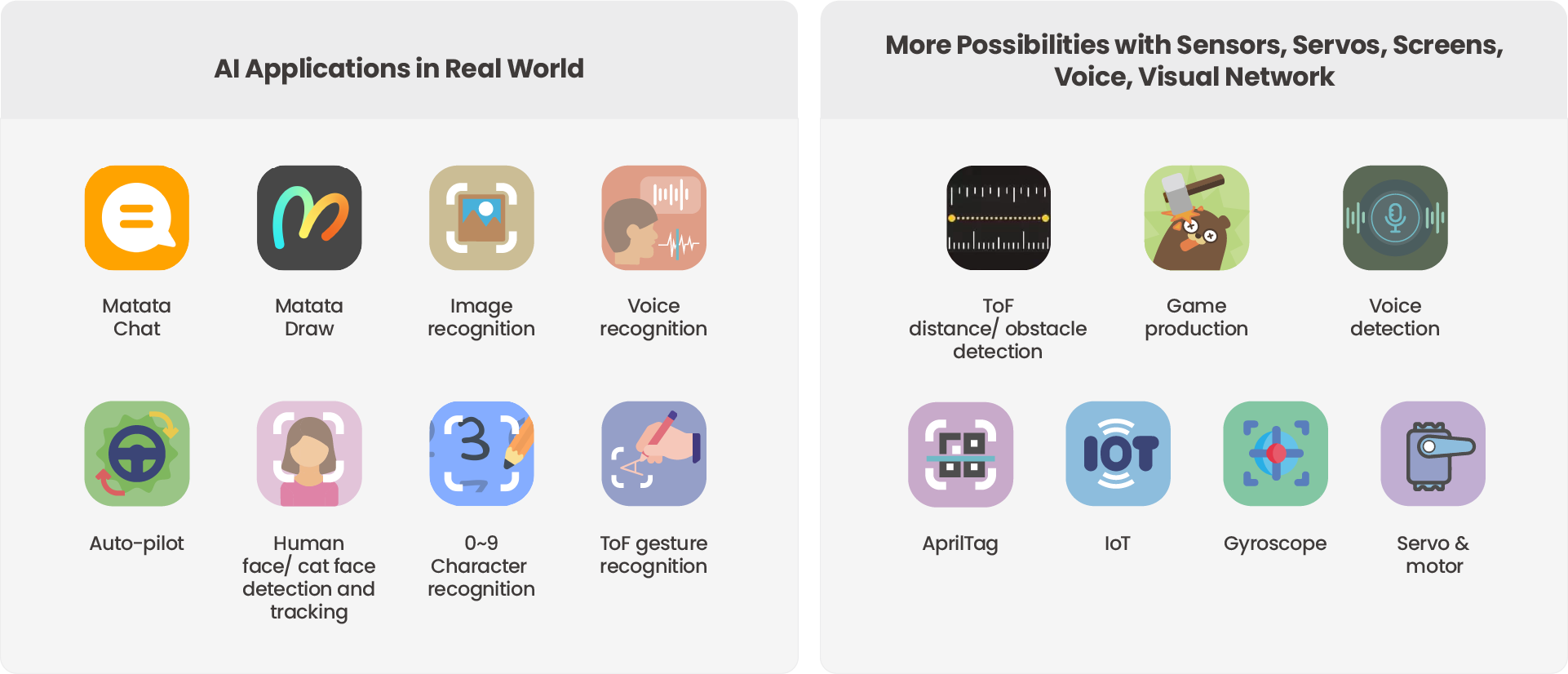
************ Also check out my THRIVEinEDU Podcast Here!

Join my show on THRIVEinEDU on Facebook. Join the group here