Buncee: Getting to know our students

One of the things that I love the most about Buncee is that it can be used in so many different ways, not only for instruction in our classrooms but also in life. I have used Buncee to create cards for family and friends, personal business cards, graphics for Twitter chats and webinars, quote graphics for my books, invitations, and more. When I decide to use digital tools in my classroom, I want students to practice the content in a more authentic and engaging way, while developing skills such as collaboration, critical thinking, problem-solving, and creativity that can be transferred to their future. In using digital tools like Buncee, my hope is that they will also use them in other classes, for personal use, and will share them with family too.

Each year, I continue to explore new ideas to have students create with the content, rather than doing the exact same project or using traditional worksheets or other assessment methods. For years, I assigned students to complete very rigid projects in the same format and left little up to student choice. Now, after seeing the benefits of being more flexible with my instructional methods, I’d rather open it up more to student choice and see what students come up with.
Finding time to explore new resources can be a challenge because our lives as educators becomes quite busy and we may find ourselves lacking in time to really explore a variety of options for use in our classroom. This is another one of the reasons that I choose Buncee and appreciate the team’s investment in offering more than just one way for students to create. It truly has become a go to multi-purpose platform that can do so much, that I feel pretty comfortable in saying that the possibilities really are endless when it comes to creation with Buncee.

Learning about students and pushing them to explore

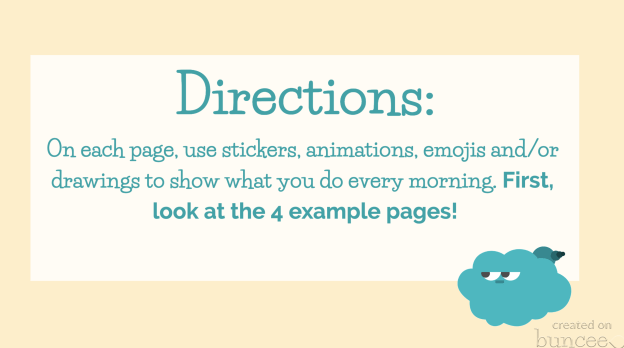
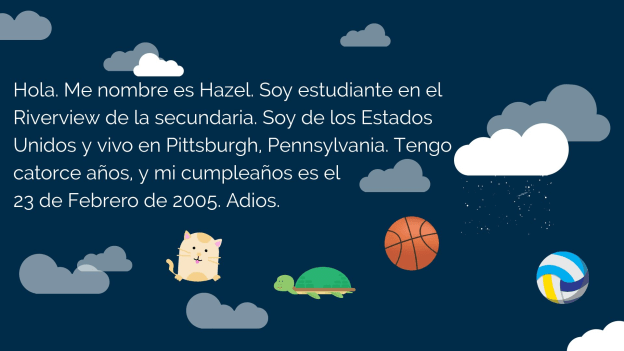
At the start of each school year, I focus my efforts on student relationships, learning about my students and also providing opportunities for them to learn about one another. In the past I have done this by using activities in our classroom such as ice breakers or having students work together on different review games and other in class collaborations like that. But this year I decided to do something a little bit differently to not only engage students in learning about the Spanish language and culture but to engage more in learning about one another. I came up with a project focused on using the “About Me” template in Buncee. I wanted students to share who they were and create one slide to show this using words, animations, stickers, and other add-ins. My hope was that by looking at each student’s slide, we would understand one another better and relate to each other based on similarities and differences.

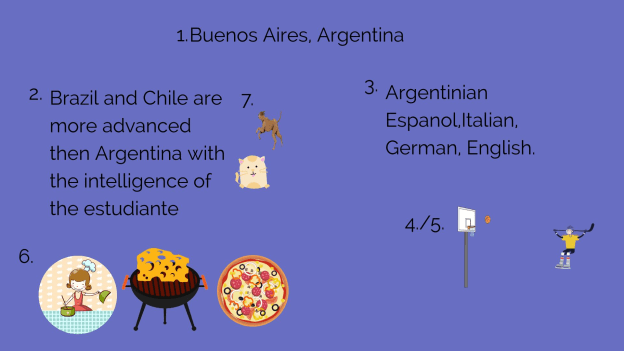
I also thought this would be a good opportunity for them to choose and learn a little about a place where Spanish is spoken and create an “About_(country)_____” to share that information with the rest of the class. But I also realize that there are many students who are visual learners like me and I wanted to encourage students to be able to quickly look at and process information and represent it in a different way. Rather than simply restating the same content, push them to apply it at a higher level or find a different way to demonstrate an understanding of a concept.

I also wanted students to choose a Spanish speaking country and I placed a limit on the number of actual words they could use because I wanted them to represent what they had learned about the place that had chosen using the Buncee features. The topics they had to include were: languages spoken, school subjects, foods, activities, and other information like that that they could display using Buncee.

How did it go?

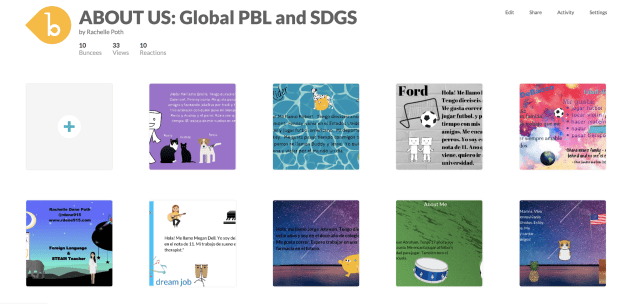
It was a fun activity and I learned so much about them and they learned about each other and what life is like in countries where Spanish is spoken. We shared them on a Buncee board which made it easy to access and created a colorful display of students and their creativity. Students shared their slides and gave a brief description in Spanish about themselves and made connections with their classmates. We had good conversations exchanging our likes, dislikes, and learning about our backgrounds. For the second slide, students

were able to get a quick glimpse of different Spanish-speaking countries and begin to understand the culture of some of the places they would be studying. It was fun that they could only include 3D objects, animations, stickers or emojis, to represent the information for each country. So for visual learners, being able to choose the right object to use to share this information made the learning stick a little bit more. Students who enjoy creating but not drawing really enjoyed the activity.

One other feature that I thought was important to share with students was the new Immersive Reader and how it works. We enjoyed looking at all of the capabilities with it and using Buncee for learning!


**Interested in writing a guest blog for my site? I would love to share your ideas! Submit your post here.


Looking for a new book to read? Many stories from educators, two student chapters, and a student-designed cover for In Other Words.

Find these available at bit.ly/Pothbooks  


Books available

Buncee and Immersive Reader

Buncee and Immersive Reader: A Winning Combination for Assistive Learning

For several years, Buncee has been one of my favorite creation tools; both for personal creation needs and for classroom instruction. While there are many digital tools to choose from when it comes to teaching and having our students create, Buncee’s versatility, ease-of-use, and recent integration with Microsoft’s Immersive Reader make it a go-to tool for all creative needs and accessible for students of diverse ages and abilities to learn 21st-Century Skills and express themselves. What my students love the most is that Buncee offers something for everyone, and I love that they love it.

Always keeping their finger on the pulse of their community’s needs, Buncee listens to educators about the needs for our students and takes action to find solutions! Their integration with Immersive Reader is a perfect example of this.

Immersive Reader: It’s About Opportunities to for ALL Students

This summer, Buncee added Microsoft’s Immersive Reader to its platform, increasing accessibility for students and offering more robust ways to learn. Immersive Reader is full-screen accessibility tool, supporting the readability of text in a Buncee for students with dyslexia, visual impairments, and for language learners and their families. Any text added into a Buncee can be translated and read aloud in over 60 + languages.

There are many ways Immersive Reader can enhance the learning opportunities for all students, build their confidence, and create an inclusive classroom environment. The use of Immersive Reader in Buncee will enable students to do more than just create Buncees, it will help them improve reading and language learning skills, while engaging more with the content in authentic and meaningful ways.

Imagine the possibilities for reaching and engaging students and their families who are just learning to read, who may be struggling with identifying parts of speech or word recognition, or who may be coming from non-native English speaking homes. Educators can use Immersive Reader to create lessons, make interactive flashcards for students and also for communicating with families. Being able to provide for students and their families of different backgrounds and learning styles is something that the Buncee team is definitely passionate about and does well!

How Does Immersive Reader Work in Buncee?

There are several ways to help students to build their skills through the different options available within Buncee and using Immersive Reader.

Getting started with Immersive Reader in Buncee is easy. By clicking on the Immersive Reader icon when viewing a Buncee, options pop up that you can work with to help further personalize the learning experience for students. Immersive Reader can then access the text in a Buncee. For example, it is easy to adjust the reading speed and make changes to the font spacing to help students who might need some adjustments in the visual appearance. You can also choose to display the text in shorter lines, or break down the syllables, to help students process the information in ways that meet their needs.

Navigating the Options

I decided to create a Buncee using some of the new 3D objects and also explore the options available through Immersive Reader. When viewing my finished Buncee, clicking the Immersive Reader symbol takes me to a new screen where I have additional options to further personalize the appearance of the creation. For first time users, it is easy to figure out how to adjust the settings. In preview mode, I clicked on the speaker symbol to listen to the text. Students could use this as a way to practice their own pronunciation, especially when using it for language learning, by repeating after the speaker. Students can also build listening comprehension skills by focusing on the written words and making connections with the audio.

By clicking on text preferences, I can choose the text size, increase spacing, and select from three choices in font style. These are great options to help with readability for students. There are also 21 color choices for the background on the screen. I find this to be very useful, especially as someone who can be sensitive to certain colors when reading. I’ve also had students experience difficulty with reading on certain colored backgrounds, so this is a definite plus.

The grammar options enable you to turn the syllables on or off and also color code the different parts of speech. Being able to use the color codes to help with the identification of nouns, verbs, adjectives, and adverbs will help students to build their grammar skills. These labels can be turned on or off, which means that families can work with their children and use it as a teaching tool for review.

Just to experiment, I turned everything off except for the verbs. Displayed on the screen were the two verbs in the sentence both highlighted in red. I then selected a different color for each part of speech, I chose purple to identify nouns and green for the adjectives. I was amazed at how quickly this could be set up and the possibilities for helping students with reading comprehension and language skills. Using this as a way to further engage students with identifying parts of speech and making the visual connection is another option for more interactive learning.

Under reading preferences you can focus on one line or on the entire text.

When you focus on a line, it closes the screen down to that one specific sentence, which you can also make narrower or thicker depending on your choice.


There are more than 60 languages available for translation. I decided to try French first, and when I clicked on a word, it showed me the word in French and in English. I also explored other languages, including Spanish and was impressed with how much it offered to reinforce the content and to provide a more personalized learning experience for students. You can choose the voice and speed of reading, so it provides a great way to reinforce speaking skills as well as listening, reading and writing.

In his book, Digital Leadership, Eric Sheninger talks about the critical competencies needed by learners to be successful in today’s world. These competencies are in alignment with the ISTE standards for students and teachers, and can be addressed through the use of Buncee. Now with Immersive Reader integrated, the possibilities to address these standards is open to all learners. Beyond the potential for creativity, collaboration, critical thinking, and communication, using Buncee, students can build skills in digital media literacy, entrepreneurship, technological proficiency, and digital citizenship. Students have the opportunity to use technology as a tool for solving real-world problems or making real-world connections. We have to look beyond simply using digital tools to engage students in learning and instead, empower them through opportunities to apply what they have learned in unique ways.

Changing the Classroom

Image Credit Pixabay

Guest Post: Jenn Breisacher, Founder of Student-Centered World (www.studentcenteredworld.com)  

Twitter: @StuCentWorld, Instagram: @studentcenteredworld


Somewhere along the way, teachers got scared.

I don’t mean scared in the traditional sense. Yes, sometimes there are heart-stopping moments for one reason or another, but teachers aren’t scared of their climate.

Teachers became scared of today.

As long as we can remember, teaching has been about this technique or that in the classroom. We are sent to learn about different methods and spend hours of professional development learning about different ways to help our students be successful. Some teachers take this in stride while others sit back and roll their eyes, knowing that when they go back to the classroom, they’ll just stick to “what works”.

It always has, right?

But what happens when an entire generational shift occurs? What happens when an entire generation doesn’t know what life was like before September 11th? That landlines used to be the only way to call somebody? That “likes” and “follows” used to be a phenomenon that was done in person?

Folks, that generation is here…and “what works” doesn’t work for them.

Generation Z has entered our classrooms and they are different than any other group that has been taught in traditional education before. They are hands-on, tech-savvy, and need to know that what they are learning will help them make a difference. Simply put, traditional methods of instruction will not allow them to perform at their best. 

Let me say it again, “Traditional methods of instruction will not allow Generation Z to perform at their best.”

I’m not saying they can’t learn with traditional instruction. Sure, by osmosis they may learn by sitting and listening to a lecture or taking notes from a PowerPoint…but this is not how they will learn best. As educators, we don’t want to simply go through the motions. We don’t want to know our students learned the bare minimum to pass and move along. We want them to have a thirst for knowledge, to want to know more, learn more, do more. Yes, they may “learn” in a traditional classroom, but there will be multiple layers of potential that simply does not get tapped.


The world our students are entering is so competitive, but not in the ways we remember. Jobs used to be industrial, but now they’re turning entrepreneurial. We need to give our students the power to head into that world with confidence. We need to help give them an edge so when the going gets tough, they know what to do. We are preparing our students for jobs that don’t yet exist, which is a scary thought. (Don’t believe me? How many of you recall friends who wanted to be social media managers while you were in school? That’s just one example). The only way we can ensure their success is if we train them now to think outside of the box and to be willing (sometimes quite literally) to get their hands dirty and think like no one else.

This is the scary part for teachers.

Yes, throughout the years, life has changed. Every generation of students who have come to school has had different needs and interests than the ones before them. However, the birth of the information age and the worldwide connections that are now made in an instant are things that have never been seen before. We can debate for days whether or not this is good for society…whether or not “these kids” are being helped or harmed because they know how to function a Smart Phone by the time they’re 2. While those debates are fine, they’re not changing anything regarding what clientele we have in our classrooms right now. These changes to society aren’t going anywhere…at least not for a long time…and it’s our job…our duty…to make sure we are adapting in the classroom so these kids are learning in a proactive way for the world that awaits them, not the way it’s always been done in a world that no longer exists.


Change is scary for everyone. It takes us out of our comfort zone and makes us dabble in ideas that may be foreign to us…but remember, those ideas are not foreign to our students. If we want them to be as successful as possible in life, we need to help prepare them for the world that awaits them, not the world that awaited us.


Future Ready with IT Security

Guest post from Rachael Mann

As Benjamin Franklin once wrote, “…but in this world, nothing can be said to be certain, except death and taxes.”, to which I would like to now respectfully add, “and technology.”

The dreaded circle of death can take many forms. My love-hate relationship with technology is relatable with everyone it seems. We’ve all been there- the projector isn’t working, the internet is stalling, or in my most recent scenario, repeated laptop failure. While working on the final chapters for my new book earlier this Spring, a message popped up saying that my power was low and to reconnect to a charger before my laptop went to sleep. I quickly went to plug in my laptop only to realize it was already plugged in. I tried a different outlet, but the message persisted. After trying different outlets in another room, I realized I was going to have to make a quick run to the Apple store to purchase a new charger.

The person assisting me at Apple suggested that I set up an appointment for later in the day to troubleshoot the problem and see if there was another underlying issue. The technician assured me that it was a routine check and that there was nothing to worry about after I expressed my fear that I would lose the data that wasn’t backed up. The “routine check-up” escalated to three technicians working to solve the problem as now the login screen wouldn’t take me back to my home screen. Five anxiety-ridden hours later, I was finally able to leave the store with my MacBook working like a brand new computer again.

The following Monday, due to a teacher shortage, I received a request to do a presentation on one of our campuses. Since most of my work is with teachers, I jumped at the opportunity to spend the afternoon in a high school classroom working directly with students. I rushed over and arrived at the same time that the students were piling in. I quickly set up my laptop and connected the projector, only to see that the dreaded message that had popped up at the Apple store only a few days earlier was once again on my screen.

Fortunately, the students had assignments to do for their IT class and were able to work independently. The IT specialist for the campus came to my assistance, but when he saw the message and realized that it was a personal computer, not one of the school’s devices, he could not offer his services after all.

With the students still working on their own, I took the window of time as an opportunity to call the Apple hotline. After 30 minutes of troubleshooting and still no progress, I resolved myself to the fate of spending another full evening at the Apple store. As I walked away from the laptop to see if any of thee students needed assistance, but a student who had been observing my challenge piped up and said, “Miss, I am a certified technician, can I look at your computer?”.

Several students protested, saying don’t let Peter work on it, he breaks everything! At this point, iI figured it couldn’t get any worse, and I was intrigued by this student’s curiosity and confidence, so I agreed to let Peter help me.

After a few clicks, other students began to gather around. What started as a failed attempt on my part had spontaneously turned into a class project. Some of Peter’s classmates began looking up solutions while others were yelling out commands. At one point, multiple kids were saying, “No, not the Kernel!. I thought this was a new slang word from this younger generation and told them to keep it down, later learning that “the Kernel” was actually a term for a code that he was using. They were speaking a foreign language to me!

As Peter continued to troubleshoot, another screen showed that it wasn’t bootable. From the other student’s expressions, I knew this was a bad thing.

At this point, I began mentally preparing myself for purchasing a new laptop and hoping that I had saved my presentation for Pennsylvania, where I was traveling to the next day, in iCloud. After a short time, Peter asked me to log in. He had finally fixed what the tech specialist at his own school, Apple phone support, and several Apple techs in the store, could not accomplish. My evening was once again free and my trip to Pennsylvania would not incur the price of a new computer to deliver my presentation.

This is what Career and Technical Education is all about. Giving students real-world experiences and skills that will serve them as they decide to move forward on their career path.

I asked Peter about his plans after graduation and he shared that he may get another certification, join the military, or pursue a career in cybersecurity. I have since learned that he was offered a job by one an advisory council member from the program and is now employed locally by Code Ninjas.

Regardless of the paths that his classmates choose, at its’ very core, nearly every career imaginable is a technology career. While it may seem that I am overstating, as Peter Diamandis said in Bold: How to Go Big, Create Wealth and Impact the World, “Right now, there is another asteroid striking our world, already extinguishing the large and lumbering, already clearing a giant path for the quick and nimble. Our name for this asteroid is “exponential technology,” and even if this name is unfamiliar, its impact is not.”

To be successful in any field now requires having a strong technology skill set. This program will equip students with that critical tool.

Early on when the internet was just beginning to explode, it was common to hear professionals typing away on their trusty typewriter and stating, “this internet thing is just a fad”. Fast forward to a mere two decades later and “this internet thing” has not only proven that it is here to stay, it has now become a way of life. Technology will advance, whether we agree to join or not. Those who decide to keep pace will own the future.

Now, the greatest challenges facing the world can also be viewed as the greatest opportunities for our students in classrooms in every corner of the world. As educators, it is our privilege, as well as our responsibility, to give students the opportunity to start tackling big problems now, problems that could lead to initial failure, but ultimately lead them to their own success – which in this case, became my success as well.


Buncee: More than just a presentation tool

Buncee: More than just a presentation tool!

There are a lot of great digital tools out there for educators to bring into their classrooms. When it comes to deciding on a specific tool to use, we must always think about our purpose and perhaps ask ourselves a few questions, such as: why are we looking for a digital tool, what are we hoping to accomplish by using it and how will it benefit students and learning? I’m often asked by colleagues either to recommend a new tool or direct them to something specific based on their requirements, such as video, audio, text and more. Because Buncee is such a versatile tool and offers so many options all-in-one, I find myself recommending it a lot. It is easy to get started with and full of choices for teachers and students.

Educators want to use tools that promote student choice and student voice and offer more than just one purpose. The reason I recommend Buncee is because it offers much more than simply being a way to create presentations. In addition to all of the wonderful things that can be created using Buncee, there are additional benefits for educators and students that might be overlooked or simply not thought of when getting started. For example, educators can meet the ISTE Standards for Students and Educators. By having students create with Buncee, students become empowered learners, creative communicators, innovative designers, knowledge constructors and engage in learning that meets each of the ISTE standards. With technology, we want to make sure that it is being used in a way that amplifies student voice and choice in learning.

However, Buncee does more than that. Beyond addressing the ISTE standards and providing students with more authentic and personalized learning experiences when creating with Buncee, there are other skills that are being addressed. In my own classroom, we have used Buncee for many different projects and even for project-based learning (PBL). My students created Buncees to share with their global peers in Argentina and Spain. Creating an “About Me” Buncee enabled all students to develop a more global understanding and become aware of cultural differences, as well as to develop empathy in the process.

Students enjoy creating with Buncee and even more than seeing their own creations, they really enjoy seeing what their classmates create. I have noticed that students become more comfortable with one another in class and start to build closer connections while working on their Buncees. Even the quietest students begin to ask questions, interact more and have been more engaged in creating when using Buncee than they had with other tools before. Students tell me that they enjoy teaching one another, learning about their classmates in unique ways, and feel like they are part of a classroom community.

Knowing that students are picking up on this has been a great way to foster the social-emotional skills (SEL) students need now and in the future. Buncee is so invested in providing a lot of options and opportunities for students and educators to enjoy learning, creating and growing together. Now Buncee has templates available to address SEL.

What is Social-emotional learning?

CASEL (The Collaborative for Academic, Social, and Emotional Learning), formed in 1994, is an organization which actively works toward promoting the importance of developing SEL skills in education. SEL is focused on five competencies: self-awareness, self-management, social awareness, relationship skills, and responsible decision making. The development of these skills can benefit the level of student engagement as well, leading to higher academic achievement and reduce discipline issues in the classroom.

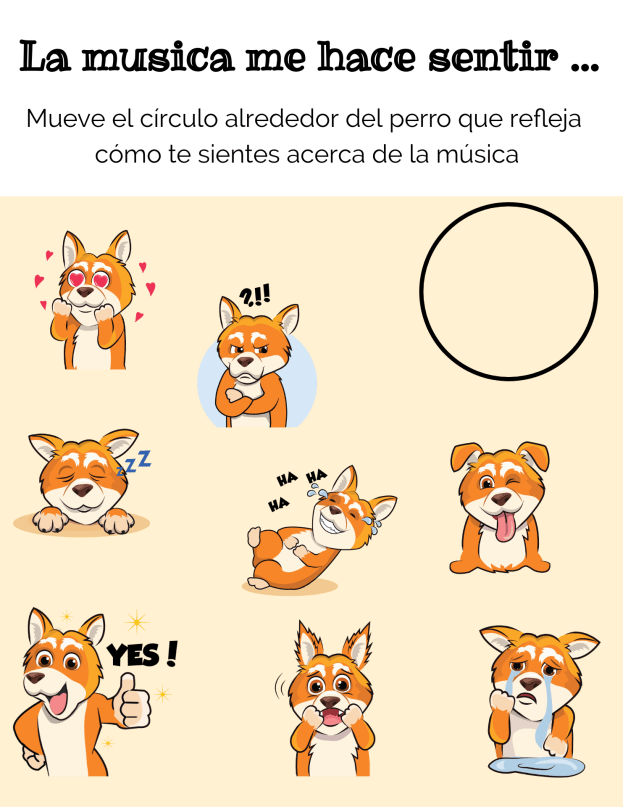
Providing opportunities for students to interact through the use of digital tools and activities in the classroom promotes the development of social-emotional learning skills. Using some of the Buncee templates and emojis, students can comfortably express how they are feeling, provide a quick check-in based on their level of understanding, share personality characteristics or likes and dislikes, or respond to questions in class, for a few options. Buncee is “giving a voice to the voiceless.”

In my own experience, I have seen students who have preferred to not speak out in class or who voiced that they were not creative or would not be able to do a presentation, design amazing Buncees and be excited to share with their classmates. Students build confidence while creating and the benefit is that they become more engaged in and excited to share their learning and interact with classmates. It helps to foster the development of skills such as problem-solving, working with different layouts, visualizing and displaying student learning.

It is always a good idea to ask students for feedback. I want to know what their thoughts are, if the tool or strategy is making a difference for them and if so, how. Here are some student thoughts about Buncee.

“It helps me to express my ideas more easily and make presentations which are much more interactive for myself and for my classmates.”

It is made in a way that allows students to make it really personal and specific to what they need. If students are enjoying their work and are able to make it their own, then they will be more willing to learn and will improve because of using Buncee.”

Hearing from students is important and making sure that all students feel comfortable expressing themselves is even more important. With Buncee, students have many choices to find what interests them and to express themselves in a way that is authentic, meaningful and personalized.

Time for new ideas


null

The end of the school year is the perfect time to try the tools or explore new ideas that perhaps you did not get to throughout the year. We can also use this as a time to prep for the next school year. By trying different tools and platforms during the last few weeks, we can then take the summer break to reflect on their impact on student learning. During the spring, I notice a drop in student engagement and an increase in the number of students missing classes due to testing, sporting events, or regular absences. Finding a way to keep students connected and engaged in the lesson is critical.

To resolve these challenges, I try to find something that will benefit students, resolve any disconnect or gaps in learning that might be happening and increase engagement. A new tool that caught my attention recently is NoteAffect. It is a platform focused on enhancing and understanding student engagement and empowering teachers with a powerful tool to better understand student learning.

Why NoteAffect?

NoteAffect provides a unique platform for personalizing the learning experience for students. Using NoteAffect, teachers can deliver lessons in a more interactive way that empowers students to be more involved in the lesson and have access to all of the course materials within one platform. Whether or not students are present in class, they can log in to their account at any time and either view the lesson they missed, or review a lesson in preparation for an exam or for continued review.

NoteAffect offers the right resources and methods to better engage students in learning and helps teachers to track student progress, better understand the questions that students might have and use it as a way to reflect on their own teaching practice. Worried about having devices that are compatible with? No worries as NoteAffect can be used on a PC, Mac, Chromebooks, Android, and iOS devices, so students can interact in class or on their own schedule.
null

Getting started with NoteAffect is easy!

Finding time is always a challenge with so much to do in our school days and prepping throughout the week. However, with NoteAffect, teachers can quickly set up an account, invite students to join classes and begin sharing a lecture. The dashboard is easy to navigate and it provides access to the materials that empower teachers to better understand student needs and learning trends.

Once you have created your courses in NoteAffect, it is easy to have students join in the course and participate in minutes.

To invite students, simply follow these steps:

  1. Go to your Dashboard and select “Instructor Tools” and then “Course Management.”
  2. Select the appropriate course from the menu on the left.
  3. Select “Participants” and then select “Add participant” from the top right corner.
  4. Enter the student’s email address and click “Add.”
  5. Students will receive an email with a  prompt to join the course.

Once students are participants in your course, they will be able to see any prior lectures and participate in the current lecture being delivered.

To start a lecture:

  1. Click “Start new lecture” and you will be prompted to open the Broadcaster.
  2. Once the Broadcaster window opens, use the drop-down menu to determine which application to display or if you have other files that you want to use for your lecture.
  3. Once you select the app, it starts to share your screen with your students and it will record the audio as well.
  4. When finished, simply End Lecture and it will be available to students.

Features of NoteAffect

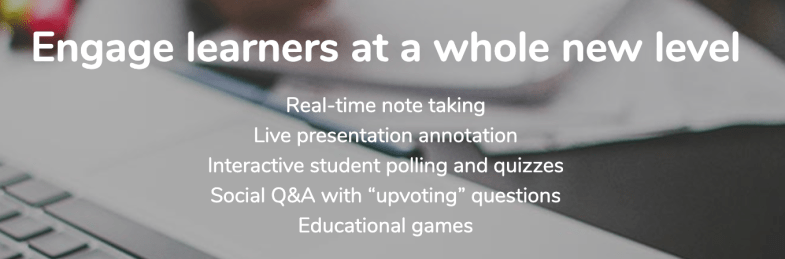
  • Students can take notes, highlight important points, make annotations on the lecture notes and even submit an anonymous question during class. Classmates can see the questions and upvote a classmate’s question, making it more interactive.
  • It’s a great way to have everything accessible in one place as opposed to writing on pieces of paper or having to pull from different presentations. By using notes, students have access to everything within one platform, making it even easier for students to manage.
  • Teachers can deliver their lessons and add in or embed live polling, and further engage students in the lesson.
  • Using the analytics, teachers can see the level of participation and engagement with the material.
  • Analytics provide information including the views, notes taken, words per note and annotations made by students, providing a clearer picture of the level of understanding and engagement of students.

null

It will be easy to get started with NoteAffect in your classroom or to recommend to colleagues and administrators for use in their classrooms and schools. To learn more, check into NoteAffect here and get started with a demo today! Be sure to follow them on Twitter 


For my prior post on NoteAffect, click here


Learn with Socrates: Get started before the year ends!

This post is sponsored by Socrates. All opinions are my own.

When I think about trying some new tech tool, I first consider my purpose when deciding which tool to try. As educators, our goal should be to leverage technology in a way that helps to empower students, promote personalized and student-driven learning, and amplify their learning potential.

As the school year winds down, I think we have a great opportunity to provide some new, authentic learning experiences for our students. We can use these last few weeks of school to do some really cool things. If you notice that students are kind of drained or their motivation or engagement seems to be lacking, then I think it’s the perfect opportunity to try something that you’ve had on your mind but never quite found the time, or to try something new that you recently learned about. Either way, in my own experience, I have seen improvements in these areas by providing access to different digital tools for students to choose from and that meet their needs and interests. Of course, finding something that enables students to have fun while learning is never a bad thing. I recently found something that will definitely help: Socrates

Why Socrates?

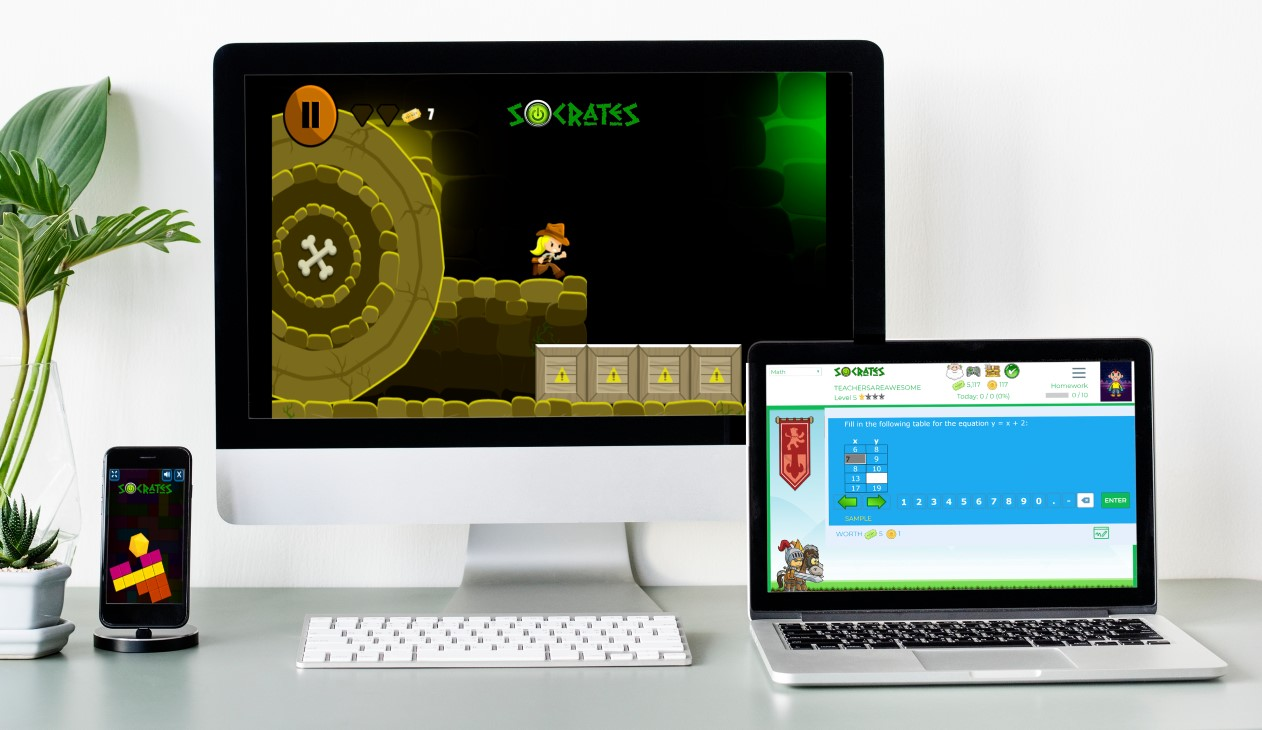
Socrates provides a unique game-based learning platform that is focused on differentiating instruction for students. By using Socrates, teachers have access to a wealth of resources and ways to better engage students in learning, helping them to build their skills in content areas such as math and English through the use of games. Because the platform uses artificial intelligence, it is able to adjust to student needs by creating an individualized learning path in real-time, which makes Socrates stand out from other learning platforms. It is easy for teachers to track student progress and quickly identify where students might need some extra help or instruction. It enables students to progress at a pace that meets their individual needs and provides them with the right supplemental resources they need when they need them.

Getting started with Socrates is easy!

Finding time is always a challenge with so much to do in our school days and prepping throughout the week. However, with Socrates, teachers can quickly set up an account, add students to classes and start assigning free practice, homework, and tests in no time at all. The Teacher and School Command Center Modules in Socrates provide a powerful teacher assistant that informs teachers when and where each student needs help. Being able to act on that information quickly is key for teachers, and this is where the AI makes an impact on student learning and growth. Get started today! (link)

Worried about having devices that are compatible? Socrates can be used on a PC, Mac, Chromebooks, Android, and iOS devices. Students can complete their work in class or on their own schedule wherever they have access to a device.

How to get students started

To add new students, simply follow these steps:

1. Go to your teacher Dashboard and select “Manage.”

2. Click the student icon to add a new student.

3. Enter student first and last name.

4. Add a student ID (at least 4 digits).

5. Select the grade level for the student.

6. Click “Create a student account and add to the roster.”

Making changes to student account information is easy using the Command Center. Teachers can specify a grade level, an active area of study, learning style, and gameplay (ranging from High gameplay to No games). Assessing student progress and making changes to their learning profile is easy to do within the Command Center.

Free practice, homework, and tests

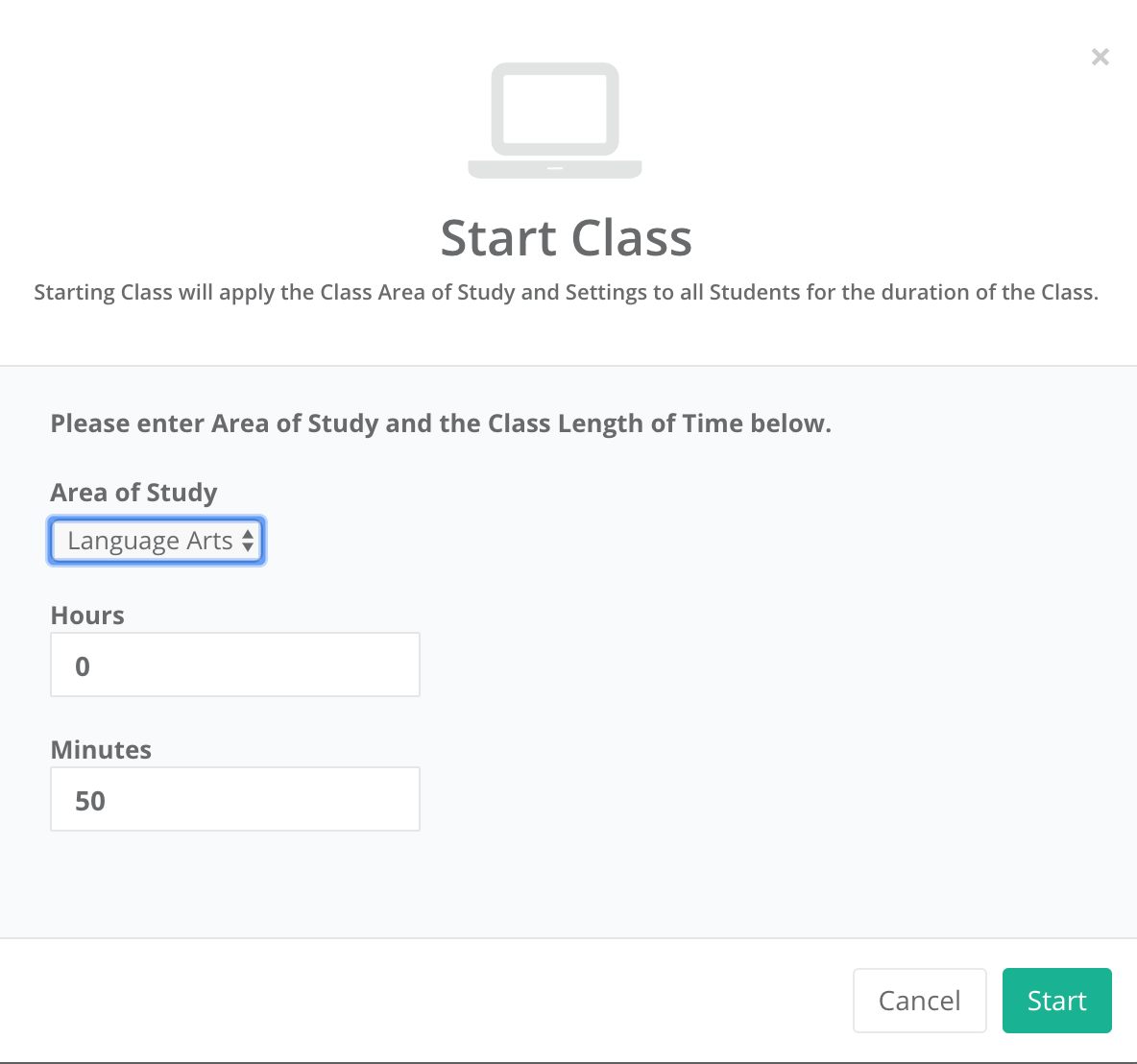
It is easy to find the right activities for students and to start a class or set up activities for students to work on at a later time.

To get started:

  1. On the dashboard, select “Assignments.”
  2. Once assignment opens, select the Area of Study (K through 5th) and the content area (Math or Language Arts)
  3. Select the topic, and continue making selections for the specific content material.
  4. On the Assignment details, change the name, the number of questions, add a start and end date if applicable.
  5. Choose to assign as Free Practice, Homework, or to Print.
  6. Once selected, the assignment is added to the student____________ and a box prompts you with “OK” to signify the assignment has been created.

First impressions

Before getting students logged in, we discussed artificial intelligence and how it was used in the Socrates platform. Students were excited to get started. I was impressed by how quickly I could create accounts for my students and get them logged in. They were able to navigate the platform without my assistance and enjoyed having so many choices in which games to try first. Being able to track their progress and make adjustments so quickly is definitely a benefit of the Socrates platform.

If you have not yet tried it, I recommend getting started here. Socrates offers a 30-day free trial. I encourage you to try it out for the rest of the school year and see what students think and reflect on how it benefits learning now and through the summer.

For more information, see the blog, be sure to share your feedback and also follow Socrates on Twitter: @learnwithsocra1

null

NoteAffect: A better way to engage

NoteAffect: A better way to engage

This post is sponsored by NoteAffect. All opinions are my own.

The Future of Educational Technology Conference (FETC) held at the end of January has become one of my favorite conferences because of the diverse opportunities available to explore emerging technologies and to network. One of my favorite things about FETC is exploring the edtech startups to find out what new tools and trends are out there and to learn some of the stories behind the creation of these tools. It is a great opportunity to see the different start-ups in the Pitch Fest competition and hear their passions for education.

One that caught my attention this year was NoteAffect, an interactive learning platform aimed at promoting and understanding student engagement. The platform empowers educators by providing many options for delivering a lecture and includes live polling, questions, analytics and more, to enhance the learner experience. With time so limited at the conference, I explored the platform on my own and then contacted Jay Tokosch,Founder and CEO of NoteAffect, to set up a demo.

The story behind NoteAffect

When I spoke with Jay, I learned that he got started in this business by founding Core-apps, one of the leading event management systems in 2009. Core-apps was the first company to create a mobile app used for event management. So if you’ve been to conferences or trade shows, and used a conference app to build your schedule, you may have using Core-apps. Having ten years of experience with a highly engaging event management app, Jay has designed an equally powerful learning tool for education. When I asked Jay about how he came up with the idea for NoteAffect, he told me that he got the idea after observing his son preparing for an exam. Jay noticed his son pulling out a spiral notebook, some printed Powerpoint presentations and other documents to study for his college engineering exam. As he studied, his son was going back and forth between all of those materials, trying to match everything up to study. Jay decided to “fix that problem” by designing something that could store all of the information in one place and make it easier for students to study.

The design of NoteAffect is quite simple and easy to navigate, which makes it a great choice for all teachers, whether they are beginners or advanced users when it comes to implementing technology in the classroom. By using a robust tool like NoteAffect, teachers have immediate access to real-time data that enables them to provide the right instructional supports and make adjustments on the fly as the lecture continues. The goal of NoteAffect is to empower teachers to provide the best learning experience and options for students and to close the gap that happens when students are absent from class. While students can easily get the notes or look over a presentation, without the additional resources added in and the interactive piece that NoteAffect provides, students will be missing out and cannot reach their fullest potential.

What does NoteAffect offer?

NoteAffect is more than simply a way to deliver a lecture. It offers digital interactive learning that is available to students whether live in class or for later viewing at a time that meets their schedule. It is a multi-purpose platform with capabilities to facilitate communication, collaboration and increase student engagement in learning. NoteAffect creates a virtual space for students to fully engage in the lesson, whether participating in class or viewing it at a later time.

When I first explored NoteAffect, what I immediately noticed was how easy it was to set up my courses, add students, locate my lectures, and navigate through the platform. Having time to explore NoteAffect closely, I thought about my own college experience years ago and how beneficial a tool like this would have been for some of the more challenging courses that I had. Although we had access to lecture notes made available after class, being able to interact with the content during class would have increased my understanding and helped with content retention.

Another benefit of Noteaffect is for increasing student engagement. For a long time, I struggled with student engagement and reached out to colleagues and tried different resources to see if I could engage students more. While the methods definitely improved student engagement, I needed more data to work from. Using NoteAffect enables you to focus more closely on student engagement by exploring the analytics available for each lecture and each student.

With NoteAffect, tracking student engagement is easier and it is also a great way to reflect on the teaching practices being used in the classroom.

I will continue exploring NoteAffect and gather some feedback from my students. Check into NoteAffect here and get started with a demo. My next post will highlight some of the features and offer some tips for getting started.

Socrates: Engaging Students and Empowering Teachers

Learning at the Speed of You

In the spring, I like to explore new tools and ideas for use in my own classroom and for colleagues who want to try something new before the school year ends. Spring is the perfect time to try out teaching methods or tools that you perhaps did not have time for yet, or to find something that will keep students engaged through the end of the school year and maybe even to use to avoid the “summer slide.”

A few weeks ago, I came across Socrates, a learning platform also referred to as a “learning engine.” Socrates offers many valuable features for students and teachers, that make it a standout and I am looking forward to sharing its features, ideas to get started and tips over the next few weeks.

The story behind Socrates

I’m always interested in the people behind the product and learning about their motivation for designing something for educators and students. To learn more, I contacted Brian Rosenberg, the Co-Founder, and Chief Executive Officer, to gather some background information on the platform, to find out how it uses Artificial Intelligence, which is a key area of interest for me, and the types of resources available for students, teachers, parents and for homeschooling. The platform, created by Education Revolution, LLC has already received recognition several times this year. Socrates offers such distinct features, which makes it clear why it was endorsed by and received a grant from the National Science Foundation. Less than 5% of the companies are chosen, and Socrates, selected for its unique innovation and having a clear benefit to society was the first winner in Nevada in six years. More recently at the Magnet Schools Conference in Baltimore, Brian had a chance to share the vision of Socrates. He shared that the platform “was created to help provide equal access to students regardless of their socio-economic background.”

Impressive features

I scheduled a demo with Brian and was able to “experience” the platform from the perspective of a teacher and student. As Brian showed me the different components in the Teacher Dashboard, the analytics, and a variety of information available for teachers to use to guide instruction was impressive. One of the first things I consider is ease of navigating through the platform and whether the layout is visually engaging and rich in terms of content.

One aspect of Socrates that makes it unique is that it functions through the use of Artificial Intelligence and cloud computing, there is no IT setup and it can be used on any device. Socrates is fully automated and using the AI, it can quickly assess individual student or whole class needs, and then make adjustments in the learning path. While it the artificial intelligence allows it to automatically adjust for each student, it provides extensive tool for teachers to take over the learning experience and is designed to be a teacher assistant, not a teacher replacement According to Brian, there are 1300 categories of information with millions of questions, and it can adjust to particular topics as students progress, and goes question by question to make changes and create a unique learning path for each student.

Currently available content is Math and ELA (K-5) with Science about to release. During our recent conversation, Brian highlighted a “roadmap” for some updates and new features coming up in the platform over the next few months and at the beginning of 2020. There are plans to roll out activities for K-8 Science, grades 6-8 Math and Language Arts throughout the summer and early fall. Later this year and into early 2020, plans are in the works for Social Studies, ESL, high school Math, and even Test Prep. The number of resources currently available within Socrates is impressive, but with the additional features being added, it will provide an even more robust learning platform.

Socrates recently launched in Mexico, and therefore the teacher and student application is available in English or Spanish.

I will have the opportunity to explore the Socrates platform on my own and will take a closer look at each of the features, comparing it to other tools that have the same end goal as Socrates: providing students with a unique, individualized, learning path.

Experiencing the Power of Socrates

A few of the features that I will be looking at:

  • Dynamic Assessment: How the platform assesses students to find out the specific student needs.
  • Teacher Dashboard: Explore how to move students between classes, look at options available for each student, sorting of data
  • Weekly Reports: Look at the information available, ease of obtaining a snapshot of student progress
  • Command Center: Closer look at features and tools available.
  • Navigation of platform: Evaluate the learning curve for teachers and students, watch tutorial videos
  • Categories of Games: Explore the different categories, rewards, and badges available for students
  • Shop: Look at “cards” available to students, some examples are Greek Mythology, Presidents and more.

If you have been using Socrates, I would love to hear from you. If you have not yet tried it, I recommend getting started here. Socrates offers a 30-day free trial, and Brian encouraged teachers to try it out for the rest of the school year and said that their students can use it over the summer at no charge if they sign up before the end of the school year.

The classroom version: http://withsocrates.com/classroom/

***Coupon code is THRIVEinEDU2019. It can be used for the classroom edition or for the summer edition ($39.99 for the summer for teachers with summer school classes)

Connect with them on Social Media to keep informed of the great new features coming. Twitter is learnwithsocra1Facebook is learnwithsocrates

In Other Words, my new book is now available! Click here for more information on how to get a signed copy.


Storybird in the Foreign Language Classroom

​​Storybird in the Foreign Language Classroom


I found Storybird a few years ago while completing graduate coursework, and was searching for a different way to present the information, that would be informative, engaging and memorable. I found Storybird and after creating my own book, have relied on it as a top choice for student projects in my classroom.

As a foreign language teacher, I have my students engage in diverse activities to help them learn the material and want the experiences to be meaningful, personal and fun. Because of technology today, I now have the opportunity to offer my students a variety of choices for completing projects and other assessments for class. With the increase in digital tools for classroom integration, there are options available to meet diverse student interests and needs. I want to know what they have learned and can do with the material and being able to provide choices for them, which enhance their ability to be creative, to enjoy the work and watch the learning that occurs because it is more meaningful. Giving students a choice in how to show what they have learned offers a lot of options today.

Storybird is very helpful in my Spanish class. It makes it easy to create colorful and informative projects. I like using Storybird because it is easy and straight-forward to use. It was also great to see my story come to life, and to have a book with my name on it. — Ricky, high school student

One of the favorites for my students is to create an illustrated book using Storybird. It really does not matter what the topic of our unit is, there are so many options available for students to find something that fits right in with the theme of what we are studying. For this reason, I love offering it as one of their choices because they can find something fun to work with while building their language skills. They can choose from so many templates to create an engaging, vibrant book, write their story in Spanish and see it come to life with the variety of images available to them. Storybird helps the students to build their skills and to create something that they can share with others and have made into a beautiful book as evidence of their learning.

Storybird is one of my go to tools when creating a project. It is fun and easy to use, with beautiful artwork that aids in the story writing process. I have used Storybird for several school projects and for fun. It is a well designed application that allows the author to choose exactly what they want.
— Dana, high school student

An added benefit is that in addition to displaying these on the Smartboard in the classroom for all students to see and learn from, we can have their books printed and displayed in the classroom. What could be better than seeing the books written by your students in Spanish on display in your classroom? The books can be used as learning materials for future classes and exemplify what personalized learning and having a choice can do to engage students and increase their learning potential. The students can be creative and have fun learning in the process.

Storybird is really fun. I love the groups of pictures you can choose from for creating your book. The website is really easy to use, and different from other programs I’ve used in the past. Being able to purchase a paper copy of your book is a really great feature. — Maddi, high school student

Some fun examples we have used in Spanish are projects to describe one’s family and create a family album and also to describe preparing for a special event and one’s daily routine. Students have fun selecting their pictures to represent the members of the family or activities in their daily routine, and as the teacher, I enjoy seeing their finished work and knowing that not only did they build their language skills, they had fun in the process and created something that they can share with others and author their own book.