10 High-Impact Instructional Strategies Instructional Leaders and Coaches Can Support Teachers With That Make a Huge Difference in Student Learning

Guest post byMatthew Rhoads, Ed.D. @MattRhoads1990

As instructional leaders and coaches, we have the incredible opportunity to elevate the effectiveness of teaching and cultivate a culture of continual growth in our schools. Embracing the new school year, review an array of high-impact instructional strategies that can truly ignite learning experiences within our classrooms. Each strategy presented in this post is accompanied by a practical application that can readily inspire teachers through an example and how coaches can support teachers in implementing these research-based strategies in their classrooms. Our mission is to empower teachers to incorporate these strategies into their lessons while providing them with supportive coaching along the way to build their confidence and instructional toolkit.

As a coach, focus on three to five of these strategies to start. Then, when you are on a coaching cycle with a teacher, focus on ONE of these strategies during a single coaching cycle interval. Additionally, each of these strategies can be done with or without technology integrated. It will depend on whether the lesson requires technology or if a teacher deems that technology may provide more opportunities for students to take in the content and skills learned to then put them into action in demonstrating their learning in a formative manner and summatively.

As instructional leaders and coaches, we hold the power to transform teaching and learning in our schools along with our teachers. By embracing these high-impact research-based instructional strategies throughout our classrooms, we can ignite profound learning experiences and cultivate a culture of growth in our classrooms for our students. Explore each strategy, classroom example, and coaching example to inspire and empower your work as you move into this school year!

Definition: Providing students with immediate and regular feedback aimed at effort, improvement, and mastery rather than relative performance. It involves both teacher and peer assessments. It can be done throughout an entire class session with formative assessment. Note: Be sure to provide feedback in a way that requires students to use the feedback in action as feedback without deliberate action of implementing the feedback is not as effective.

Classroom Example: In a science class, a teacher addresses a student’s misunderstanding about a chemistry concept right away during guided practice as the teacher presents the content during an interactive Pear Deck presentation as it embeds formative assessment throughout the presentation, instead of waiting until the end of the lesson. Additionally, key items from the lesson can be assessed when a teacher uses exit tickets to assess students’ grasp of the concept, providing opportunities for reteaching where necessary for the next time they will be focused on the content from this lesson.

Coaching Tip: Coaches can assist teachers in creating effective feedback mechanisms such as templates of interactive presentations, rubrics, and exit tickets. They can model through co-teaching or teach a lesson sequence with the teacher observing how to provide immediate, growth-focused feedback and how to structure peer assessments effectively.

Strategy 2: Retrieval Practice Techniques to Support Memory Recall

Definition: These techniques involve regular use of recall-based activities that enhance the retention and application of previously learned information. This can look like flashcards, formative assessments, or even activating prior knowledge based on an image or video that was about what was learned in a previous lesson. Note: Retrieval practice, formative assessment, and facilitating feedback are strategies that can be sequenced together during lessons.

Classroom Example: An English teacher begins each class with warm-up questions from previous lessons – like matching vocabulary terms with their definitions. Also, concept checks are embedded throughout the lesson such as the use of formative assessment using either mini-whiteboards or interactive slides such as Pear Deck, Nearpod, or Canva whiteboard, prompting students to recall key ideas and providing necessary feedback, if needed, before proceeding.

Coaching Tip: Coaches can support teachers in creating recall-based activities such as quizzes, brain dumps, or concept checks. They can also advise on how to incorporate these into lessons and homework assignments effectively.

Strategy 3: Generative Learning Strategies to Process and Reorganized Learning Information

Definition: These strategies involve students actively processing and reorganizing information. They can include tasks like explaining concepts in their own words, creating examples or diagrams, and making predictions. Note: Be sure students have quite a bit of background knowledge in the content you will want to utilize for this strategy before implementing it.

Classroom Example: A history teacher asks students to explain a historical event “as if I don’t know it.” The students create their own diagrams to represent their understanding and compare similar events. This can be done with or without tech. Sketchnoting, word webs, or even student-created videos or podcasts discussing the historical event could all be examples of how this is done by students.

Coaching Tip: Coaches can demonstrate how to incorporate generative tasks into lessons and can provide feedback on the quality of tasks teachers have created. They can also suggest ways to scaffold these tasks for students at different ability levels.

Strategy 5: Spacing and Interleaving Techniques to Improve Practice of Concepts and Skills Taught In Class

Definition: These techniques involve distributing practice over multiple sessions and mixing different types of content or problems within a single session. This can be done through practice problems given during independent practice. Note: We do not need to give our students hundreds of practice problems for them to improve their skills.

Classroom Example: A math teacher spreads out practice on a particular concept over multiple short sessions and interleaves different types of problems within a practice set. An example would be five addition problems followed by two subtraction problems and one addition problem at the end of the problem set.

Coaching Tip: Coaches can help teachers design their curriculum to incorporate spacing and interleaving. They can also suggest how to balance the rotation of old and new content. Coaches can build a template or calendar of how practice problem sets should be built and then distributed throughout the week. Then, they can support teachers by monitoring the practice they give students and at what intervals the practice is happening to support teachers in building this as a routine in their classroom.

Strategy 6: Scaffolding

DefinitionScaffolding refers to providing temporary support to students as they learn new concepts. Teachers can gradually decrease this support as students develop the skills and understanding to work independently.

Classroom ExampleIn a writing class, a teacher may initially provide a detailed writing template as the mentor text. Over time, the teacher might reduce the level of detail in the template, eventually only providing a simple outline, and finally asking students to create their own outline from scratch.

Coaching Tip: Coaches can support teachers by sharing effective scaffolding methods and resources. They can also help in determining when and how to reduce scaffolding based on students’ progress. For example, a coach can support teachers in reviewing their assessment data to then determine what support they may need to provide students. Additionally, they can also support a teacher in evaluating when they can begin to gradually release support over time during a given lesson or unit.

Strategy 7: Gradual Release Model (I Do, We Do, You Do)

Definition: The Gradual Release Model is an effective method of instruction that moves from teacher-centered to student-centered learning. The process involves three stages: “I do” (teacher demonstrates), “We do” (teacher and students work together), and “You do” (students work independently). Note: Scaffolding and gradual release tend to go together in tandem during an instructional sequence.

Classroom ExampleIn a math lesson, the teacher first demonstrates a problem-solving method (I do). The class then works through several similar problems together (We do). Finally, students solve similar problems independently or in small groups (You do). In this sequence, using mini-whiteboards or an interactive digital slideshow is helpful as then a teacher can see student progress over the course of this instructional sequence.

Coaching Tip: Coaches can assist teachers in structuring their lessons around the Gradual Release Model. This might include providing guidance on how to effectively demonstrate new concepts and techniques, facilitate collaborative work, and support independent student work. Coaches can also model how this looks in a teacher’s class as well as then plan a lesson with a teacher and observe the teacher practicing this strategy in action and then provide feedback.

Strategy 8: Modeling Content or Skills During Direct Instruction

Definition: Modeling is an instructional strategy in which the teacher demonstrates a new concept or skill to students in a step-by-step process. The teacher models the thought process as well as the actions so that students can see the “how” and the “why” of what they’re learning. This strategy is part of the gradual release of responsibility model, where the responsibility for task completion shifts gradually from the teacher to the student.

Classroom Example: In a writing lesson, a teacher could use modeling to teach students how to craft a compelling introduction for an essay. The teacher might write an introduction on the board, explaining their thought process out loud—why they chose specific words, how they structured their sentences, what information they included to hook the reader, etc.

Coaching Tip: Instructional coaches can support teachers by providing examples of effective modeling and giving feedback on their modeling techniques. Coaches can also model the modeling process—for instance, they might model a mini-lesson or co-teaching alongside the teacher they are working with, demonstrating not just the content, but also their thought process during the modeling sequence. This meta-modeling can be a powerful way to help teachers understand and apply effective modeling techniques in their own classrooms depending on the content and skills they are teaching their students.

Strategy 9: Formative Assessment throughout Lessons

Definition: Formative assessment is a range of formal and informal assessment procedures conducted by teachers during the learning process to modify teaching and learning activities. These assessments aim to improve student attainment throughout a lesson sequence. They serve as practice for students, check-ins for both student and teacher and a guide for teachers in planning future instruction and interventions in real-time or for a lesson in the future. Note: Mini-whiteboards, interactive slides, and short multiple-choice assessments tend to be some of the easiest mechanisms to deliver formative assessments.

Classroom Example: A science teacher could conduct a formative assessment by giving a short quiz on the material covered in that week’s lessons at the beginning and at the end of the class period. This allows the teacher to see which concepts students have understood and which they might be struggling with. The teacher can then use this information to adjust their lesson plans, providing additional instruction or practice on difficult concepts.

Alternatively, formative assessment can be as informal as a class discussion or a “thumbs up, thumbs down” quick check for understanding. The key is that the information gathered is used to inform instruction.

Coaching Tip: Instructional coaches can guide teachers in using formative assessments effectively by helping them design assessments that are aligned with learning objectives, providing feedback on the use of assessment data, and suggesting modifications or additional supports based on assessment results.

Strategy 10: Reduce Cognitive Load

DefinitionCognitive Load Theory (CLT) is an instructional design theory that uses the science of how the human brain processes information to inform the design of learning materials so they are easy to comprehend and remember. In essence, it emphasizes the importance of understanding and optimizing the cognitive load — the total amount of mental effort used in the working memory — during learning. Note: Many of the strategies discussed can reduce cognitive load, such as modeling in chunks, scaffolding, and gradual release sequences.

Classroom Example: A teacher introducing a complex concept, like photosynthesis, might first present the overall process in a simplified way, then progressively introduce details about each part. They might also use diagrams and real-life examples to help illustrate each part by chunking the information. By doing this, the teacher is intentionally managing students’ cognitive load, ensuring they’re not overwhelmed with too much information at once. Other examples include using only pertinent information in all displays of information to students. Reducing any extraneous information is helpful in managing cognitive load.

Coaching Tip: Coaches can support teachers in managing cognitive load by helping them to break down complex topics into manageable chunks. They can also support teachers in developing a variety of engaging, multimodal resources and teaching strategies, such as using visuals, analogies, and real-world examples, to support students’ understanding and reduce cognitive overload. Additionally, coaches can provide teachers with feedback related to how much extraneous information they may need to be watchful during their lessons – such as cutting out irrelevant information related to the topic during direct instruction.

Conclusion – Think Less is More and Sustainability

As coaches, we need to model why less is more and what sustainable teaching looks like to the teachers we are coaching. As mentioned at the beginning of this post, we need to focus on only one major strategy at once. Then, during our coaching sessions with teachers, model how that strategy looks, and how it can be incorporated into lessons, and then provide co-teaching and feedback opportunities to the teacher to support them in practicing the strategy over time in their classrooms. Last, focus on how teachers can use these strategies in a sustainable manner. What this means is developing the classroom routines and workflow in planning that allow these strategies to be readily utilized and practiced. Additionally, ensure teachers that not every lesson needs to have each of these strategies – it’s a matter of having these strategies in their toolkit to be used throughout the week is what ultimately matters most.

References

Agarwal, P. K. (2019). Powerful teaching: Unleash the science of learning. John Wiley & Sons. (Retrieval Practice Techniques)

Archer, A. L., & Hughes, C. A. (2011). Explicit instruction: Effective and efficient teaching. Guilford Press. (Modeling Strategy)

Black, P., & Wiliam, D. (1998). Assessment and Classroom Learning. Assessment in Education: Principles, Policy & Practice, 5(1), 7-74. (Formative Assessment Strategy)

Brookhart, S. M. (2017). How to give effective feedback to your students. ASCD. (Strategies for Facilitating Feedback)

Brown, P. C., Roediger III, H. L., & McDaniel, M. A. (2014). Make it stick: The science of successful learning. Belknap Press. (Retrieval Practice Techniques)

Cepeda, N. J., Pashler, H., Vul, E., Wixted, J. T., & Rohrer, D. (2006). Distributed practice in verbal recall tasks: A review and quantitative synthesis. Psychological Bulletin, 132(3), 354. (Spacing and Interleaving Techniques)

Fisher, D., & Frey, N. (2008). Better learning through structured teaching: A framework for the gradual release of responsibility. ASCD. (Gradual Release Strategy)

Fisher, D., & Frey, N. (2014). Better learning through structured teaching: A framework for the gradual release of responsibility. ASCD. (Gradual Release Strategy)

Fiorella, L., & Mayer, R. E. (2015). Learning as a generative activity: Eight learning strategies that promote understanding. Cambridge University Press. (Generative Learning Strategies)

Gibbons, P. (2014). Scaffolding language, scaffolding learning: Teaching second language learners in the mainstream classroom. Heinemann. (Scaffolding Strategy)

Hattie, J., & Timperley, H. (2007). The Power of Feedback. Review of Educational Research, 77(1), 81-112. (Strategies for Facilitating Feedback)

Kirschner, P. A., & Hendrick, C. (2020). How learning happens: Seminal works in educational psychology and what they mean in practice. Routledge.

Kirschner, P. A., & Hendrick, C. (2023). How teaching happens: Applying the science of learning in the classroom. Routledge.

Mayer, R. E. (2011). Applying the science of learning. Pearson. (Generative Learning Strategies)

OpenAI’s GPT-4 (2023, July 25). Personal communication. Instructional Coaching and Instructional Strategies.

Pearson, P. D., & Gallagher, M. C. (1983). The instruction of reading comprehension. Contemporary Educational Psychology, 8(3), 317-344. (Gradual Release Strategy)

Rohrer, D., Dedrick, R. F., & Stershic, S. (2015). Interleaved practice improves mathematics learning. Journal of Educational Psychology, 107(3), 900. (Spacing and Interleaving Techniques)

Roediger, H. L., & Karpicke, J. D. (2006). Test-enhanced learning: Taking memory tests improves long-term retention. Psychological Science, 17(3), 249-255. (Retrieval Practice Techniques)

Sweller, J., Ayres, P., & Kalyuga, S. (2011). Cognitive load theory (Explorations in the learning sciences, instructional systems and performance technologies). New York, NY: Springer.

Vygotsky, L. (1978). Mind in society: The development of higher psychological processes. Harvard University Press. (Scaffolding Strategy)

Wittrock, M. C. (1974). A Generative Model of Mathematics Learning. Journal for Research in Mathematics Education, 5(4), 181. (Generative Learning Strategies)

Wong, H. K., & Wong, R. T. (2009). The first days of school: How to be an effective teacher. Harry K. Wong Publications. (I Do, We Do, You Do Strategy)


Interested in guest blogging or learning more about Rachelle’s work?

Contact Rachelle to schedule sessions for your school about Artificial Intelligence, Coding, AR/VR, and more! Follow her on Twitter and Instagram at @Rdene915

**Interested in writing a guest blog for my site? Would love to share your ideas! Submit your post here. Looking for a new book to read? Find these available at bit.ly/Pothbooks
************ Also check out my THRIVEinEDU Podcast Here!

Join my show on THRIVEinEDU on Facebook. Join the group here
Take A Knee

 BY BRIAN-KULAK

I beat Colin Kaepernick to the knee by a cool twenty-six years. 

Before the former 49ers quarterback literally took a knee during the national anthem to raise awareness about police brutality and social injustice, I had already begun the practice, albeit for a far less political purpose. 

As a waiter at a local Pizza Hut, I started the unorthodox practice of taking a knee when I took orders. Regardless of who was in front of me, I just thought it was easier, and more comfortable, to take a knee and write the orders on my pad while leaning against the table. For me, it was about ergonomics because standing and writing were awkward, and because I have terrible handwriting, I needed to lean on something to ensure I would be able to understand what I wrote minutes later. 

At one point, my boss called me over and asked why I took a knee. I explained, and he just looked at me and said, “But it looks weird. I’d rather you stand up.” 

Now, at 19, I wasn’t about to make a stink. He was my boss, and I needed the part-time job. Still, as I look back on it, what difference did it make? I would argue my customers appreciated me meeting them on their level instead of making them look up at me like some deranged, pizza-wielding, megalomaniac. 

A few years later, as I started my teaching career, I took a knee all the time. When I would stop by a student’s desk to offer feedback, redirect, or check in, I would take a knee. Now, in year twenty-four, I still find myself on bent knee, despite one of them being ravaged by arthritis and a torn meniscus, and I make sure to start on day one. 

Whenever I meet our new kindergarteners during summer meet-and-greets, I always take a knee when I offer my hand to introduce myself. The action has become as involuntary as a sneeze; the reaction from kids invariably features disarmed smiles and enthusiastic high-fives.

As conversations in education continue to focus on equity and access, we need to be mindful that our students first associate equity with their access to us. Providing a model of those two complex concepts ensures kids can see and feel each Immediately. 

But it’s much more powerful than that when you consider that children are forced to look up to grown ups as a matter of course, their little necks perpetually craned to get our attention. Taking a knee flips that script in such a way that balances power, something children experience rarely. 

Ultimately, we are all just grown-up versions of the children who once had to look up to people all day. Some of us still do. But no one should have to. 

Take a knee. 

**Interested in writing a guest blog for my site? Would love to share your ideas! Submit your post here. Looking for a new book to read? Find these available at bit.ly/Pothbooks

************ Also check out my THRIVEinEDU Podcast Here!

Join our weekly show on Fridays at 6pm ET THRIVEinEDU on Facebook. Join the group here.

“Do you care about your students?”

Guest post Chris Stuchko @chrisstuchko

I have been a teacher for 15 years. I have been in 100s of meetings over that time span. It probably is closer to 1,000 really. I have been asked many off-the-wall questions and have had conversations that only Special Education teachers, like myself, could appreciate. But never have I been so flustered by a question from a parent during a meeting.

“Do you care about your students?”

In the middle of a Zoom meeting that filled all the required Brady Bunch squares – a supervisor, an assistant principal, a school counselor, regular education teachers, special education teachers, a parent and a student – I stammered and was taken back by the question.

I repeated her query out loud, using a classic stall technique, while quickly trying to process if this was indeed a trick question.

Had I not done something to help this student? Did I misrepresent myself as I was speaking about the student and the start of the school year?

After several stammers and some real thought, I gave an “eloquent” answer.

“Of course I care about my students.”

What teacher doesn’t care about their students, I quickly rationalized.

There really can’t be any other answer, right? That has to be the automatic response. Like the answer that follows the question, “How do I look in this dress?”

As every single one of us in our profession today struggles with our teaching reality, hybrid reality, or virtual reality, I know the one common thread amongst educators everywhere is the high level of care we have for all of our students. We are all trying to do the best we can given what we are up against.

But after my amazing, ground-breaking answer, I quickly learned that the parent wasn’t negatively questioning my care for her student.

Rather, she was trying to make a point about the student’s ability to understand and evaluate if his teachers really cared about him. Her point in that question was to reinforce a simple, yet oft overlooked advice for life: people will do things for those that have their back.

My co-teacher and I in that particular class don’t have a magic formula for how to reach kids. If you really want a listicle that will give the 10 most groundbreaking, 100-percent guaranteed tips on how to show students you care, feel free to click off of this story and go somewhere else. But if you have chosen to keep reading, just know that anything you do to reach out to students can make an impact.

Remaining positive with a student who hears only negative can make an impact.

Noticing that a student drinks tea every day at 7:31 AM during class can make an impact.

Complimenting a student on a newly painted ceiling after seeing it day after day can make an impact.

Making silly jokes to a room of teenagers with their microphones dutifully silenced following virtual meeting etiquette can make an impact.

Letting everyone in a classroom, including yourself, know that it is OK to not be OK can make an impact.

After finishing with that meeting, and realizing that my co-teacher and I were doing our best to pass the care test with that particular student, I returned back to our virtual class session and made it a point to talk with everyone about that thought-provoking question

“Do you care about your students?”

It was the end of our sixth week with students. My co-teacher and I had only seen them in person one time for less than an hour before our school went virtual. We are scheduled to come back together in a few weeks, but like many things since March of last year, the only certainty is uncertainty.

We had to let them know and remind them that yes, we do care. We wanted them to know that even though all of us got to know each other as small boxes on a computer monitor for weeks, we are attempting to build relationships. We are all learning together how to show others we care when all we can do is show it through the computer.

It is a challenge and we are all struggling. But as educators, we know it is all about making those connections. That is what ultimately matters in the end.

When was the last time you thought about the teacher who taught the amazing lesson on parts of a plant? But the teacher who reached out to you in a time of need or saw something special in you? For many of us, the person who made the connection is the reason we are in this profession today.

“Do you care about your students?”

Now, more than ever, we need to show and reinforce the answer to that question with our students, and not just reflexively say “Of course!”

**Interested in writing a guest blog for my site? Would love to share your ideas! Submit your post here.

Looking for a new book to read? Many stories from educators, two student chapters, and a student-designed cover for In Other Words.

Find these available at bit.ly/Pothbooks  

3  books.png

4 Ways To Rebuild Our Students’ Emotional Health

Guest post by Monica Gupta Mehta @emotionalMUSE

Across the country, millions of teachers are preparing for what will be the hardest year of teaching in modern history. Educators are dealing with stress, anxiety and fear from unrealistic public expectations and rapidly changing plans. While we work diligently to perfect our Zoom skills and transform curriculum into distance learning content, the nagging thought on almost every teacher’s mind is an entirely different one; a looming problem of epidemic proportions. Our country is entering one of the biggest mental health crises we have faced in decades.

Once we tackle the logistics of where our children will physically be as the school doors “open,” our gears will have to quickly shift to where they are at emotionally, and how to best support them.

Like many teachers, some of my favorite work hours are spent learning from my PLC on social media. These days, our conversations center on how to include more social emotional learning (SEL), including diversity and inclusivity curriculum. However, with so much going on in the intersection of education, politics and public health, teachers are finding themselves with a Herculean labor to perform. Teachers are busy either preparing their classrooms for in-person learning to comply with ever-changing guidelines (often without adequate funds); or transforming their entire curriculum into a virtual learning format…or both. This leaves little time for SEL efforts, which often fall to the back burner despite our best intentions.

Many teachers know the benefits of investing time on social and emotional learning. CASEL, the Collaborative for Academic, Social and Emotional Learning, has collected decades of research showing the impact of SEL education. Focusing on social emotional learning leads to better academic outcomes, such as better test performance and higher graduation rates, as well as reducing behavioral issues and improving mental health. So how do we create a safe, nurturing, relationship-based environment for students when we have so little time to invest in it? One answer is to use “SEL Hacks” from the MUSE Framework for Social Emotional Learning.

SEL Hacks are stand-alone curricular components that can be easily incorporated into the classroom with minimal effort. Start by choosing just a few of these to add on for the start of this school year. As each component becomes ingrained in your curriculum, visit the MUSE website to find new ideas and learning units. SEL Skill Set #1: Modeling Behaviors

Developmental psychologist Lev Vygotsky calls this concept ‘apprenticeship.’ The incredible learning that happens through apprenticeship starts very young, in the home, and continues with teacher scaffolding throughout the school years. We model emotional health for students by prioritizing our physiological and psychological well-being. We ALL must ‘Maslow’ before we can effectively ‘Bloom.’

Start by spending the first week of school sending this message loud and clear. Introduce your students to virtual tools they can use to learn and practice SEL skills, and dedicate at least 30 minutes per day to the explicit teaching and practice of social emotional learning. For example, here is a feelings board that was created using padlet. Tell students to identify which emotion(s) they are feeling each morning, and make sure you include your own name as well.

Having a feelings board shows students they are not alone in feeling such turbulent emotions. It also increases student awareness of their own resiliency as they notice their moods shift back to the positive, which can help increase optimism. Lastly, this gives you the opportunity to quietly note which students seem to be struggling more frequently. You could follow up one-on-one with these students by having private chats, phone calls home, or using apps like Seesaw that allow you to communicate with your students individually. Another great ‘first week of school’ activity is to discuss a set of classroom rules or community standards. The emphasis you place on this discussion will help you set up a safe learning environment for the school year.

Allow students plenty of opportunities to feel heard each day. Keep your lectures to a minimum and allow for group games, break out rooms, and one-on-ones. One way to accomplish this is to record your lessons for students to watch asynchronously, so that more of your synchronous learning time is spent connecting with one another and practicing their learning. Motivation theory says that allowing students to use their voice, and additionally allowing them to make choices in their learning, increases engagement.

One model example of student choice is Genius Hour, inspired by Google’s policy of allowing employees to spend 20% of their time on side passion projects. During Genius Hour, students are allowed to pursue their own educational learning objectives. SEL Skill Set #2: Understanding Emotions The Feelings Board, shown above, is one way to help students to label their emotions, which is one of the first steps in building self awareness skills. You can also add mindful moments into your students’ days. Mindful moments allow your students to check in with their emotions and their body throughout the day, an important step towards building emotional regulation skills.

Another useful time in the day for a quick check-in is just before class ends. Exit slips can be used as a simple tool for seeing how students are feeling about class, or just in general. Exit slips can also be a useful formative assessment tool for teachers, allowing insight into whether or not each student is understanding the concepts being taught.

The most important part of helping students understand themselves and their emotions is to give them plenty of opportunities to speak up and connect. “Be willing to have personal, empathetic, authentic conversation,” says fellow educator Traci Browder. SEL Skill Set #3: Social Skills

While it may seem as though socialization and the teaching of social skills has necessarily hit the pause button, there are still ways to teach these crucial life skills. If your district is doing distance learning, one practical way to start off the school year is to have a conversation about virtual classroom etiquette. Here is an infographic you are welcome to use:

Teach children to show respectfulness and kindness to their peers, even via video conference. This means using non-disruptive signals, being on time and prepared as they would be to a normal class session, and respecting each others’ privacy. If you are teaching in-person, these masks that allow students to see your facial expressions will help greatly with creating connection. Practice greetings by the door, if possible, though without the hugs and fist bumps. Make mornings fun and relationship building — for example, you could ask students to do a little dance move that you mimic as they come through the door.

If you are teaching virtually, smile and greet each student every morning by name. Ask attendance questions to get students sharing and connecting right from the start of class. Having morning meetings is just as important now, if not more important than ever. Visit Responsive Classrooms for inspiration for morning meetings.

Not all of your time on video calls needs to be academic learning. Spend some time allowing students to share, getting involved in random discussions, telling jokes, and discussing feelings — just like you would in a regular classroom environment. Create break out rooms and pair students with random “recess buddies” — you could allow them to play digital games together, or interview one another. Another idea for building relationships is to create virtual ‘dialogue journals.’ You could create a journal to write back and forth with each student, and also create journals for students to dialogue with their peers, taking turns in rotation. You can include a combination of SEL topics as well as academic check-ins in your journaling prompts.

Teach students how to treat each other kindly by encouraging appreciation.

You can build student communication and conflict resolution skills by teaching “I Statements.” I statements are scripted conversations that follow this format:

I feel… because… I need…

While this format often feels stuffy and unnatural at first, with practice you may find students attempting to use a more relaxed version on their own. For example, “I feel overwhelmed by the constant changes in expectations for teachers, and I need the administration to pick one course and stick with it for at least one solid month.” SEL Skill Set #4: Emotional Regulation

Emotional regulation has been a struggle for many people lately, not only for children. Mental and emotional health issues are rapidly rising, and often result in behavioral issues. One of the most important skills you can give your students is the ability to manage their responses to their emotions.

The MUSE website has a virtual curriculum called ‘Piloting Your Plane,’ geared at early elementary age students. This curriculum uses the analogy that our bodies are like planes and we are the pilots. Our responsibility is to fly our plane smoothly without crashing. In order to do so, children learn to check their control centers throughout the day, including their emotional thermometer and hunger/thirst gauges. The curriculum comes with plenty of ready-to-use activities that could be easily integrated into virtual or in-person classrooms, creating a wonderfully playful and highly effective common language.

Teaching ‘growth mindset’ can also help students with emotional regulation. The concept of growth mindset helps students to normalize mistakes, treating them as part of the learning process rather than as a sign that they are incapable of learning.

Having calm down kits and either in-person or virtual calm down centers is very helpful for students who need to take breaks in order to remain regulated. Storyline offers a wonderful online library of books read aloud by celebrities, with beautiful animated graphics to go with them. Set up your own virtual calm down center, and teach students how to use it when they are in need of a break.

While we will continue to see the effects of this pandemic on our children for years to come, incorporating the MUSE framework into your classroom will help you begin to rebuild your students’ emotional health.

For more tips on how to help your students (and yourself) during this chaotic time, please follow me. I am working fast to upload hundreds of units of SEL curriculum for all ages to my new site, EmotionalMUSE, and will send out updates as new units become available.

****************

**Interested in writing a guest blog for my site? Would love to share your ideas! Submit your post here.

Looking for a new book to read? Many stories from educators, two student chapters, and a student-designed cover for In Other Words.

Find these available at bit.ly/Pothbooks  

************ Also check out my THRIVEinEDU Podcast Here!

Join my weekly show on Wednesdays at 4pm EST on Learningrevolution.com THRIVEinEDU  Join the group here

Guest Post: Culturally Responsive Teaching

Guest post by Chris Orlando @Dr_ChrisOrlando

When COVID-19 struck in the spring, it forced an unprecedented portion of our country’s schools to suspend brick-and-mortar instruction. Teachers were thrown into distance teaching—referred to by many as “crisis teaching”— with little preparation. It was like trying to build a plane while flying it.

The crisis has exposed societal inequities impacting our students’ daily lives including food deficits, inadequate health care—including mental health care, issues with housing stability, and insufficient access to the internet.

This fall, to ensure that I’m meeting the needs of my marginalized students even as I shift to a new learning environment, I plan on creating a culturally responsive digital classroom, one that can provide a space where students feel welcomed and valued. Culturally responsive instruction centers on building the learning capacity of all students. According to Zaretta Hammond, author of Culturally Responsive Teaching and the Brain, “There is a focus on leveraging the affective and the cognitive scaffolding that students bring with them.”

Here are three ways in which I plan to implement culturally responsive teaching this year:

Building Relationships

The single greatest investment teachers can make is to build relationships with their students. Relationships boost motivation, create safe spaces for learning, build new pathways for learning, and improve student behavior. The question, of course, is how can I build relationships with students who I might never see in person?

First, I plan to master the soft start to class in order to ease students into our learning environment each day. Though often thought of as an elementary school strategy, my middle schoolers respond well to soft starts. It allows time for students to transition and to re-engage their mental muscles with a short game, puzzle, brainteaser, reading, or interesting “Would You Rather” question. Be cognizant that typical icebreakers like, “What I did this summer” may leave children with nothing positive to share and create a social hierarchy of who had the most impressive summer break. Instead, pose questions like, “Imagine your best day ever. What would happen?” or “If you could change one thing about the world, what would it be?” Taking even ten minutes to check-in with students at the beginning of class each day is vital because high-trust, low-stress environments can help marginalized students effectively process and retain learned information. Additionally, I plan to do the following to build relationships and increase connectedness virtually:

  • Learn my students’ names promptly and use them as much as possible. As a teacher who often mispronounces my students’ names, I’ll assign students to create a short video in which they pronounce their name so that I can reference it.
  • Ask for student feedback regularly through an ungraded video or Google Form known as “Friday Feedback”
  • Host informal office hours that will encourage one-on-one communication
  • Collect and share virtual notes of gratitude and appreciation

Be a Personal Trainer of Students’ Cognitive Development

As a teacher who is preparing for Round 2 of distance teaching this fall, much of the success or failure of this upcoming school year will depend on my students’ ability to work independently. In order to foster this independence, I will be providing students who are dependent learners with cognitive routines and tools that will help them organize their thinking and process content. Consistently using a regular set of prompts in all assignments helps students internalize cognitive routines so that they can use them when I’m not around. After all, isn’t the goal of education to help students become lifelong learners who can marshal their critical thinking skills long after they’ve left the classroom? Internalizing cognitive routines will help expand the learning capacity of students who have been historically marginalized and work to dismantle dominant narratives about students of color.

Make It a Game, Make It Social, Make It a Story

Each day students walk into our classrooms (or this year, log in to our classrooms) armed with their own learning tools, but too often teachers fail to use them to maximize student learning. Students’ culture can inform us whether they learn best on their own or by collaborating with others. In a distance learning context, students are often given packets and assigned independent projects, which serve independent learners, but are a detriment to communal learners. For example, diverse students who come from oral traditions, might benefit from activities that require social interaction, physical manipulation of content, or narrative. In other words: make it a game, make it social, or make it a story. Utilizing breakout features in Zoom and apps like Jamboard, Flipgrid, and Socrative can help engage communal learners. However, it’s important to remember that culturally responsive teaching isn’t simply a set of strategies. It’s consistently mirroring students’ cultural learning styles and tools.

My job is to be responsive to students’ individual and collective lived experiences, and in particular this year, their experiences with the COVID-19 pandemic. That will require me to integrate my students’ cultural learning tools into my pedagogy and be a warm demander of their cognitive development. But above all, this year will be about relationships. Creating a learning partnership that encourages my students to take ownership of their learning has always been important, but this year it will be paramount to address gaps in learning outcomes between diverse students and their white counterparts. Through robust reflection of my own pedagogy and the adoption of culturally responsive teaching practices, I plan to make learning exciting and joyful for my students so that they’ll be motivated to take ownership of their own learning. Students will be seen. They’ll be heard. They’ll be loved. And we’ll make it through this school year together.

Gonzalez, J. (2017, September 10). Culturally Responsive Teaching: 4 Misconceptions. Cult of Pedagogy. https://www.cultofpedagogy.com/culturally-responsive-misconceptions/

**Interested in writing a guest blog for my site? Would love to share your ideas! Submit your post here.

Looking for a new book to read? Many stories from educators, two student chapters, and a student-designed cover for In Other Words.

Find these available at bit.ly/Pothbooks  

Guest Post: SEL

This post was written by the Eduporium team, Andy Larmand and Laura Kennedy.  Opinions/products mentioned are from Eduporium. This is not sponsored content.

As many teachers know, the upcoming school year is going to be challenging from an academic, mental, and emotional standpoint. Thankfully, there is a reliable form of pedagogy that can benefit both teachers and students as they return to school whether it’s in person, through remote learning, or as part of a hybrid model. For school leaders who see creating new relationships with students and making them feel comfortable after their worlds were flipped upside down in the spring as a top priority, social-emotional learning is going to be crucial.

Screen Shot 2020-08-19 at 10.59.33 AM

While a teacher, I was introduced to social and emotional learning, which is more commonly known as SEL. This pedagogy is one that I found to be extremely important while educating diverse sets of students – even in the pre-pandemic days. In the classroom, students learn different intellectual skills, but much of that learning is affected by their social and emotional characteristics.

As leaders plan a safe return to school, many of them have already considered the mental states their students and teachers might be in and the fact that some of them may have been through trauma while in isolation. In order for them to return to the regular academic experiences they had before schools closed, their mental states will first need to be addressed.

SEL helps students focus on acquiring and effectively applying the knowledge, attitudes, and skills necessary to understand and manage emotions, set and achieve positive goals, feel and show empathy, establish and maintain positive relationships, and make responsible decisions. As unfortunate as it is, many students may need to start developing these characteristics from at or near the beginning when they return to school.

To that end, the five main categories of social and emotional learning are:

  1.   Self-Awareness
  2.   Self-Management
  3.   Social Awareness
  4.   Relationship Skills
  5.   Responsible Decision Making

Realist educators know it will be tough for students to simply slide back into their classroom routines. There is a unique complexity to every student and just being in the same classroom does not mean they’re all in the same place emotionally. It may even be one of the first times some of them have been outside their home. It’s impossible for teachers to generalize them since each student is going to come back to school having gone through something different.

To help my students grow and learn, I truly needed to understand them and I feel this is going to be huge once the year begins. Setting aside some time blocks in the first couple weeks can be instrumental in understanding each student’s state of mind and how both SEL and academic instruction should be presented to them. The actions we see on the surface are not always indicative of the whole story.

Was one student not participating in remote learning because he or she had no desire to do so, or was it because of an accessibility issue we didn’t know about? Was another saying they couldn’t do something because they didn’t feel like it or because they lacked a clear understanding without in-person guidance? Many students likely had different distance learning experiences and teachers can, upon returning to school, make SEL a focus to ensure nobody feels like they’re behind.

So, how can teachers leverage the potential of SEL in instruction and these five areas while getting back to teaching core subjects? Maker education is a technological and creative learning revolution that utilizes SEL and helps students strengthen skills like responsibility, decision making, teamwork, creative thinking, problem solving, and relationship building as they use their heads, hearts, and hands to learn.

Combining MakerEd and SEL can prompt a shift in classroom atmosphere and enable students to reconnect with the learning they knew before schools closed since it emphasizes active learning rather than passive consumption. Students are free to be creative, collaborate, and learn from both mistakes and successes. They’re also able to discover how the emotions they’re feeling – good or bad – can be expressed creatively through MakerEd projects and experiences.

MakerEd experiences help students improve their cognition, engagement, and emotional connections to projects at the same time. In the eyes of the Eduporium team, there are three main components to social and emotional learning (the 3 H’s): Head, heart, and hands and, if educators can connect the actions of all of these body parts upon returning to school, they’ll be able to create more meaningful experiences for students.

In order to learn, students’ heads need to be engaged in the content and their brains need to be picking up on key concepts. They also benefit from having their hands involved, which is often done through the incorporation of maker tools. When their hands are working like their heads are, the relationship between the two body parts is established and engagement and creativity spike through doing and inventing.

When their hearts are involved too – when students truly care about what it is they’re building, making, or discovering and an authentic connection is built – they’ll be able to realize the importance in the values they’re learning and rebuild relationships with peers at the same time, ultimately completing the connection between their heads, hands, and hearts as they return to the classroom, creating hands-on experiences they’ve missed for the last few months.

To learn more about how the Eduporium team can help teachers incorporate SEL, MakerEd, and STEM in the classroom, visit their website.


**Interested in writing a guest blog for my site? Would love to share your ideas! Submit your post here.


Looking for a new book to read? Many stories from educators, two student chapters, and a student-designed cover for In Other Words.

Find these available at bit.ly/Pothbooks  


Versatile Tools for Blended Learning

Posted originally on DefinedSTEM: Ideas for some AR/VR for Blended Learning

Years ago when I started to use more technology in the classroom, I thought that by having students watch videos at home, rather than in class, I would be “flipping” the classroom. Fortunately, I learned quickly that I was not, and made some changes to implement blended learning instead. As part of my ongoing reflection, I continue to think about the many changes that I have made and the tools that have helped me to create a more authentic and engaging learning experience for my students. There are so many tools available, and we always want to first consider the “why” behind using them and also think about the purpose and how versatile the tools can be. Learning opportunities for students are everywhere and the best part of having so many choices is that it promotes student agency. Students can find something that meets their interests and needs, and that offer more meaningful ways to engage with the content. Choices will lead to purposeful learning experiences for students.

Sometimes it is fun and beneficial to try unconventional tools or methods, to immerse students more in learning and do things differently than what they have become accustomed to. Making a change to thttps://www.definedstem.com/blog/versatile-tools-for-blended-learning/he traditional style and structure of the classroom can feel uncomfortable at first, but giving students more control in designing their learning is worth it. The flexibility of these tools enables learning to happen anywhere and at any time, based on the student’s or school schedule, which help to foster a blended learning environment. Here are a few ideas to immerse students in learning.

Augmented/Virtual Reality

One of the biggest areas of growth in education has been the use of Augmented and Virtual Reality in the classroom. In  my own classroom we have used a variety of tools and students have enjoyed the time exploring new tools and definitely different ways to learn. The idea of teaching by using tools for AR or VR can  seem challenging, but it really can be quite simple to add it into the course and there are tons of resources available. I recommend exploring the resources shared by Jaime Donally on all things related to Augmented and Virtual Reality in education.

These tools can offer more powerful ways to immerse students in learning, to “travel” and “explore” places and things more closely. Students can create, problem solve, become more curious and experience something unique through the use of these tools, which enable learning to happen beyond the classroom walls and involve students in more collaborative experiences.

Tools to try:

  1. 3DBear: A newer platform that enables students to add objects into their space and then narrate a story in augmented reality. Teachers are able to create a class account and can choose from the lessons available for grades 1-6 and up, in content areas including ELA, Math, Social Studies, Science, and also STEAM-related topics. Each lesson includes links to reading materials, timelines, and also worksheets. Teachers can sign up for a free trial.
  2. CoSpaces:  A tool for creating “spaces” where students can tell a story, create a game to represent their learning in a more authentic and meaningful way. Students can work together on projects and design a more immersive story together. Working together helps students to develop their  digital citizenship skills as well as promote social emotional learning skills. An engaging way to reinforce content by having students design spaces they can then “walk” through in virtual reality.
  3. Metaverse: An augmented reality tool that teachers can use to create assessments with or have students design an interactive “experience” full of choices in characters, GIFS, 360 images, themed objects and more. There are “experiences” available and it is easy to get started by  watching the tutorial videos from Metaverse. Students can create their own experiences and share them with classmates and teachers can create more engaging review activities for students.
  4. Shapes 3D Geometry:  An app that gives students and teachers a more interactive way to explore core concepts of geometry and that can help students discover 2D and 3D shapes in an augmented reality experience. Using a Merge cube, students can examine 3D shapes by holding the solids in their hands, manipulating them and being able to more closely understand the core concepts of geometry.

Learning beyond  the classroom: Virtual Field Trips

It is important for students to experience learning and explore the world, beyond the limits of the classroom time and space. While we can’t easily take students to  faraway places,there are different tools that make these “trips” possible. The right tools bring in a world of learning for our students, enabling them to closely look at a location rather than by simply watching videos or looking at pictures in a book. We can even connect students with  other classrooms and experts around the world by using one of these options in our classes. Many of these tools are easy to get started with and some even have lessons available, which makes the lack of time factor, not an issue.

Tools to Try:

  1. Google Expeditions: By using Google Expeditions, teachers can “guide” students in faraway lands or have them closely view an object in Augmented reality. All that is required is the App, and then students need to be on the same wifi as teachers in order to “explore” in the classroom. Teachers can choose from more than 100 objects in augmented reality and 800 virtual tours to travel around the world. Each tour includes a script with guiding questions and enrichment activities, all easily accessible by downloading them to a device.
  2. Skype: Years ago, connecting with other classrooms took a lot of time to plan, working with different schedules and access to the right technology. Now through tools like Skype, students andteachers can connect with anyone in the world. By joining the Microsoft community, teachers can connect with other classrooms and create connections for students to communicate by using Skype or for more fun and pushing the critical thinking, collaboration and problem-solving skills, try using Mystery Skype.

Tools for anywhere learning

With blended learning, students have the online component as well as the traditional in-class instruction. One type of blended learning involves the use of stations. By using some of these tools, especially if access to devices is an issue, students can participate in station rotations and learn in multiple ways. The best part is that these tools are accessible when convenient for students as well.

  1. Nearpod: A favorite because it is such a versatile tool that offers a lot of options for how to have students interact with the content, and even go on virtual reality tours and explore 3D shapes. Some of the activities you can include are polls, open-ended responses, matching pairs, for a few and also including content such as BBC videos, PhET simulations and more recently, a Desmos graphing calculator. A tool to enhance instruction whether in or out of the classroom, and one which students can use to create their own lessons to share.
  2. Buncee: Students can create multimedia presentations that include a variety of items such as animations, emojis, 360 images, and web content including videos that can be embedded into the presentation. Teachers can create a lesson using Buncee by adding videos, audio, including hyperlinks and sharing one link with students, that leads to multiple other activities.
  3. Quizizz: A game based learning tool that can be used for instruction, both in and out of class, or for students to create their own games as more authentic practice. Quizizz has thousands of games available in the library and recently added a student log-in that enables students to track their progress and gives them access to prior games played so they can always go back and review. Having this available to students makes it more personalized because students can get extra practice whenever they need it.
  4. Kahoot!: Challenges with Kahoot have become quite popular. Teachers can “challenge” students to participate in a game as a way to practice the content or review for an assessment. Students can even challenge each other by sharing games and codes, which makes it good for peer collaboration and building the social emotional learning skills.
  5. Synth: A podcasting  tool that can be used to have students respond to questions, participate in a conversation by responding to a prompt or a “thread.” A thread is a string of responses in a conversation. Creating with Synth is easy and simply by recording a prompt that can also include a video, teachers can promote communication and student discussion beyond the school day. Teachers can then listen to all student responses as a podcast.

Finding new tools to explore is  always fun, especially when we have students create with them and share their work with classmates. We learn more about their interests and needs and they have a more personalized experience.

These tools have made  an impact on my students this year and I have seen a lot of benefits by offering students a variety of tools to choose from. Creating a more interactive classroom experience and expanding the where, when and how students learn, leads to more of a blended learning  approach. It is important to show students that learning can happen anywhere and give them the tools to make that possible.


**Interested in writing a guest blog for my site? Would love to share your ideas! Submit your post here.


Looking for a new book to read? Many stories from educators, two student chapters, and a student-designed cover for In Other Words.

Find these available at bit.ly/Pothbooks  

5 Ways to Prioritize Social & Emotional Learning for the 2020 School Year

Guest post by Peter Davis, @kapwingapp 

Opinions expressed are those of the guest blogger.


The 2020-2021 school year has just kicked off in some areas, and it is already proving to be a year like no other. Heightened anxiety among students, teachers, and parents is a certainty this year, across all of the various educational methods administrators are using. Some students will be stuck in precarious, distracting, or harmful home environments, some will be forced to walk halls that could threaten the health of them and their families, and others face an uncertain fall in districts that have yet to finalize their back-to-school methods.

In total, all these changes mean that social and emotional learning will be front and center in the 2020 school year. I talked to Denver-area elementary school teacher Adin Becker about his learnings from spring 2020, his uncertainties in approaching the fall term, and his plans to prioritize SEL in the virtual learning environment. Here are the 5 main things to strive for in the fall semester:

  1. Make sure students have opportunities to interact with each other
  2. Schedule socially distanced visits when possible
  3. Make your materials more inclusive than ever
  4. Advocate for remote health services
  5. Make space for trauma
  1. Give your students opportunities to interact with each other

If you’re conducting some or all of your school through remote e-learning, it won’t be possible to replicate the social environment that your students would experience under normal class conditions. Students’ social interactions with each other are vital to their engagement in school work and their growth as individuals. Becker puts it this way:

The biggest difference this year is classroom community. Young students need social interaction to grow, and there is no question that the online learning environment is not the same as seeing your friends in-person. My school has already experienced the difficulties of limited engagement in e-learning from the last semester. I plan to introduce more in-class discussion between students, make use of online academic games, and show interest in my students’ wellbeing.

There’s no perfect way to transfer the social benefits of in-person school to the remote classroom, but there are lots of things you can do to make up for students’ loss of social engagement. Especially with younger students, their social experiences are as important as your lessons, so it’s vital to dedicate a similar amount of your time and attention to both. Something as simple as using Zoom breakout rooms for free discussion during remote class periods can help to make up for students’ lack of social interaction in school.

  1. Schedule socially distanced visits when possible

Students’ social relationships with each other are indispensable to their SEL experience, but so is their relationship with their teacher. And the same way remote classrooms can’t replicate the social experience of in-person school, Zoom meetings with your students can’t provide quite the same student-teacher relationship. Here’s what Becker has to say:

Unfortunately, it’s simply not possible to provide the same access and inclusion to students through e-learning. Districts can do their best to provide all families with laptops and internet, but there’s only so much they can accomplish – there are nearly 100,000 students in my district, for example. To bolster student interest, I am hoping that I can organize a few socially-distanced home visits with each of my students so that they can get to know me and hopefully feel more comfortable with me online.

Luckily, it’s easier to stay safe while meeting with just one student at a time. If your school’s administration allows it, try to set up socially distanced home visits with your students at least once a semester. This allows students to feel individually heard and acknowledged, so they can feel even more comfortable and engaged in remote learning sessions.

  1. Make your materials more inclusive than ever

Inclusivity and accessibility are crucial in the social & emotional learning of all students under “normal” conditions, and the remote environment of 2020’s classroom means you have to be more intentional than ever in serving all of your students equitably. Record your lesson videos at a pace that all of your students can follow, and add subtitles so every student can absorb the lesson the way they learn best. And if you’re trying to make your e-learning materials fun & distinctive, keep an eye on the readability of your resources for students with visual difficulties.

Unfortunately, even if you include helpful subtitles, visual aids, and voiceovers in your videos, kinesthetic learners won’t find the same tailored learning support that they could in the classroom. Becker explains:

In-class I like to use manipulatives to supplement student learning. Because I’m a general education teacher, I cover every subject including math. Online, I can’t provide extra physical materials to help students understand concepts like fractions. Instead, I will make use of online academic games, and interactive learning models that can engage young students outside the classroom. Because it will be exceedingly easy for students to tune out during online learning, class will need to be hyper-interactive.

Inclusivity extends to every corner of your teaching: use gender-appropriate or gender-neutral pronouns in your materials, and be wary of your students’ personal needs. When planning recorded lessons and producing e-learning videos, be efficient and make use of your students’ limited attention spans. In the classroom, you’re able to monitor your students’ engagement, but teaching remotely means that you can’t always keep an eye on their focus.

  1. Advocate for remote health services

Another important aspect of the in-person school experience that’s missing in remote learning is the accessibility of health services for students. While in-person medical care can’t be provided to students using typical school resources, it’s especially important during the COVID-19 pandemic to provide adequate mental health resources for students of all ages.

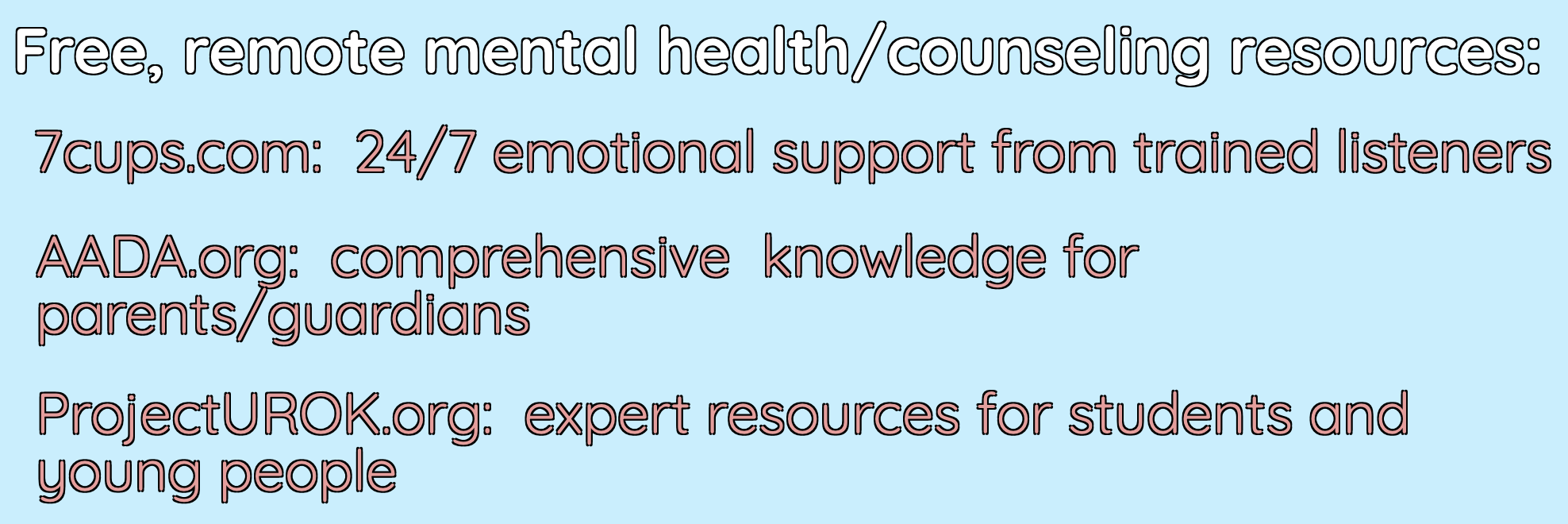
You likely don’t have much direct control over your administrators’ use of health resources. But if you’re able, do what you can to advocate for mental health resources to be made available for your students. This might involve bringing several educators together in order to work for what you believe is best for your students, speaking with parents in order to focus the school’s entire community on students’ well-being, or doing your own research on accessible mental health resources online. This terrific list of accessible remote mental health resources is a great place to start.

  1. Make space for trauma

It would be great for your remote teaching to be just as effective as in-person school, but most likely that’s not possible in 2020. And what’s more, it shouldn’t be your primary objective. Many students are experiencing an especially traumatic year, and their health and wellness has to be prioritized over the diligence of their schoolwork. Becker elaborates:

Many students are traumatized after losing family to COVID or getting sick themselves. For that reason, social-emotional learning will be front and center this semester to address trauma. Education through this catastrophe needs a dose of realism: pushing your students harder than usual will do more harm than good.

The main takeaway here is that educators need to be especially responsive to all their students this year and rethink the teacher/student relationship. More than ever before, the parent/teacher relationship may occupy a lot of your attention, as students’ whole lives become central to the success of their education.


**Interested in writing a guest blog for my site? Would love to share your ideas! Submit your post here.


Looking for a new book to read? Many stories from educators, two student chapters, and a student-designed cover for In Other Words.

Find these available at bit.ly/Pothbooks  

Preparing for the Future: Career and College Ready

Previously posted on Getting Smart

Over the past couple of months we have had to make many adjustments to our personal and professional lives. During this unprecedented time, educators and families have been trying to find balance in their days, to work together to keep learning going, and perhaps more importantly, to provide the academic, emotional, and mental support that our students need.

For many educators, finding the right resources that can be used to teach and mentor remotely, and which will also engage students in learning activities, can be difficult. The challenge is not so much in finding tools, but rather in knowing whether our students can access them, determining which will benefit them the most, and making sure that we can provide the support that students and families need. At this time of the year in particular, guidance counselors and educators who work with mentoring programs are quite busy as they help seniors prepare to graduate from high school or other students as they transition to a new grade level or school. In many school districts across the United States, students are required to complete a job shadow, explore careers, and develop a digital portfolio that will become part of their application for college or work. Integral to these requirements are school guidance counselors.

After speaking with a guidance counselor from my school and following conversations in different learning communities and on social media, I’ve noticed that guidance counselors are seeking resources that can help them to provide this same support for students during remote learning. Even when we are in school with access to guidance counselors and resources, it can be difficult for students as they prepare to transition to their next grade or the next phase of their educational or work journey after graduation. Trying to plan their next steps, whether entering the workforce or pursuing a college education, has not been easy during this time. Students have questions about jobs, college applications, and skills needed for the future and without being in the same space, providing that information can be a challenge. However, there are many resources available to educators, students, and parents that can help now while we are experiencing school closures and that will be beneficial throughout the year in addition to the programs already in place.

Here are seven options for guidance counselors to support students during their transitions between grades, schools, and education and career. These options provide ways for students to explore careers, find job shadow opportunities, create digital portfolios, and even visit college campuses.

Career Readiness. In Pennsylvania, the Lincoln Intermediate Unit has a website that provides many links related to career awareness and readiness that will be helpful to elementary, middle and high school educators and students everywhere. It also offers resources for secondary transitions for special educators, direct links to the PA Department of Education, opportunities for virtual college and job visits, and many other relevant materials for educators that are helping students to determine their career pathways.

Couragion. Provides work-based learning experiences for students. Some options include career shadowing for students in grades 4 through 8 and micro badging for career exploration for middle and high school students. There are four curricular models to explore including technology, engineering, manufacturing, and business. There is also information provided for doing remote externships during the summer months and students can also build career portfolios.

Ecampus Tours. Educators and students can choose from more than 1,300 tours to explore college campuses in 360-degree virtual tours. The website also offers additional resources for college planning as well as materials for guidance counselors such as documents and other handouts for students and parents to plan for college.

MyPlan. Through the Career Exploration section of their site, there are videos, salary calculators, and other resources that enable students to explore different careers at their own pace. Students can learn about different industries, find out about the top 10 careers, and even ask questions in the community to learn more about specific careers and skills needed.

Nepris. This site offers educators the opportunity to connect students with professionals working in many different careers and industries. Through their Career Explorer program, educators can request a speaker to join in a virtual discussion with students, provide students with an authentic audience as they present project-based learning, or even arrange a panel discussion. There are live virtual chats and more than 9,000 recordings available for students to explore different careers on their own time. The virtual industry chats and video library are available to everyone during this time.

Smart Futures. This Pittsburgh-based company has created SmartFutures.org, an online career planning platform for students, whether kids or young adults. Using Smart Futures, students take surveys and complete activities to learn more about their skills and interests, and are able to explore careers and create their digital portfolio. E-Mentors are also available through Smart Futures.

Xello. This resource provides a variety of options for students to learn more about careers and build future-ready skills as they transition through each level of school. Using Xello, students take an assessment and then can explore hundreds of career and college options that match their results. As they work through the activities, reading biographies and engaging with the resources provided, a portfolio of their work and explorations is created. Xello’s software also assists students with gathering documents needed as they prepare college applications.

Regardless of whether in the physical or virtual space, we need to support students and provide them with opportunities to explore their interests and prepare for the future, whether for careers or college. Using any one of these resources, students have opportunities to build self-awareness of their skills and interests and can engage in different learning experiences that prepare them for the future.


**Interested in writing a guest blog for my site? Would love to share your ideas! Submit your post here.


Looking for a new book to read? Many stories from educators, two student chapters, and a student-designed cover for In Other Words.

Find these available at bit.ly/Pothbooks  

Tools for anywhere learning

Each year I like to take time and think back to the digital tools that we used in our classroom, what the benefits were, and how I might find new ways to use them. When I look to use technology in my classroom, I always start with the purpose behind it. What do I think it will help me to do better as a teacher? How can it help students to learn in more personalized or authentic ways? And what are the skills that students will build as a result that traditional non-technology methods might not afford?

There are tools that I continue to use each year because they have added new features or they have integrated with other tools that we are using in our classroom. Here are twelve tools that made a difference for my students and some even helped me to stretch professionally this year.

  1. Gimkit, a game-based learning tool has continued to be a favorite with my students because of the potential for increased content retention through repetitive questions, and because of the different ways it can be played in the classroom. It enables students to develop strategies and have fun while learning. Some of the updated features in Gimkit 4.0, include being able to search and use pre-made kits, multiple ways to look at the student data, and now you can even make flashcards.
  2. Buncee is a versatile tool for creating multimedia and interactive presentations. It provides multiple ways for students to learn and to express themselves, promoting student choice and voice, offering many choices for creation in an all-in-one tool. Buncee has an Ideas lab, where teachers can explore lesson ideas and templates to use in the classroom. Two months ago, Immersive Reader was added, which increases accessibility for students and offers more robust ways to learn, especially for language learners.
  3. Synth provides an easy option for recording a podcast and building communication skills. It can be a great tool for speaking assessments and extending the time and space of classroom discussions. We use Synth with our project-based learning and students were able to ask questions, respond to discussion threads and communicate with students from Argentina and Spain. Synth includes options to record audio or video. It is a great way to encourage students to share their ideas and build some in speaking.
  4. Anchor, another tool for podcasting, is one that has helped me to finally create my own podcast to share my ideas with other educators. But it’s also a popular tool that can easily be used with students to create their own podcast, adding in transitions and even creating a hook to advertise a podcast they create. Using a tool like Anchor would be good for launching a school podcast to share what’s happening in the school with the greater school community.
  5. Wakelet is a content curation tool and so much more. It has gone from simply being a space where I would curate blogs, videos and other resources that I wanted to have access to quickly, to being a powerful tool for student learning.  With Wakelet, teachers can provide blended learning experiences, use it for station rotations, have students create a digital portfolio, post-class projects, create a scavenger hunt and many other possibilities. It even offers the capability to record a Flipgrid short video right within the Wakelet collection. Educators and students can collaborate in a Wakelet collection.
  6. Nearpod is a multimedia, interactive presentation tool that enables teachers to create engaging lessons which can include virtual trips and 3D objects. It offers lessons on topics such as digital citizenship, social-emotional learning, career exploration, English learner lessons, and professional development resources for teachers. Educators can create lessons with many options including quizzes, polls, drawings, matching pairs, audio, video, and content from PhET Simulations, Desmos, BBC, YouTube and more. Nearpod lessons can be done live in class or student-paced and there is also the option for use as sub plans.
  7. Adobe Spark is a presentation tool that can be used to create an infographic, a website or a video. Using the apps, it is easy to create with Spark Post, Spark Page, and Spark Video. This year my students chose Adobe Spark for a project about their family and narrating their childhood. It was not only a more authentic way to create with the content and build other vital skills for the future, but it led to the creation of something more meaningful, the students could share with family and friends.
  8. Voxer is a walkie-talkie app that can be used for educators to collaborate and avoid the isolation that can happen at times. It is a tool that I have used for four years, in many ways including connecting with educators to discuss a book, focused on specific topics, or for small groups as part of a Professional Learning Community (PLC). We have also used it for project-based learning as a way for students to share their ideas and reflect. Because time is something that teachers never have enough of, Voxer is a great tool for learning and finding professional support on any schedule.
  9. Flipgrid is a social learning platform where students and educators can record a video response and include additional content. It has helped with global collaboration by creating a way for students to connect with classrooms and experts around the world. With the summer updates, the addition of augmented reality with Flipgrid AR would be a fun way to have students record their thoughts or do a short presentation and then have a QR Code for others to scan and see their video pop up in AR! With Flipgrid, my students shared videos with students in Argentina and learned more about life and school, which took their learning to a whole new level.
  10. Remind is a messaging app that enables students and parents to stay connected with access to information and resources. Being able to send a quick reminder, to answer students’ questions, to inform parents of upcoming events, and to have a space where students can get the help they need when they need it, has made a difference in my classroom. It also helps with building digital citizenship skills as students learn to interact in a virtual space. Remind can also be used to share a lesson from Nearpod, or a game through tools like Quizizz or Quizlet.
  11. Quizlet is a learning tool that offers students many different ways to practice content. There are thousands of flashcard sets available for educators and students and with each set the activities include flashcards, learn, write, spell, test, match, gravity and Quizlet Live! When playing Quizlet Live, students are placed in teams and can collaborate as they play. Only one member of the team has the right answer. It is a good tool to get students moving in the classroom and building those peer relationships.
  12. CoSpaces EDU is a virtual reality platform that became a favorite for some of my eighth-grade students this year. Whether creating a space in 360, designing a game, an interactive story, or an experiment, students will enjoy creating in VR and developing coding skills too. Another benefit is the Merge Cube add-on, which enables students to hold the space they have created in their hands! Students can even collaborate by working on teams to create a space together. With MergeEDU, educators can use the cube as an interactive tool to further engage students in learning about the earth, dissecting a frog, exploring a volcano and more.

While this is how my students and I have used these tools in our classroom, there are definitely a lot more ways that these tools can be utilized. Think about some of the tasks that might be taking up a lot of your time, or consider some issues or challenges you might be having. A few years ago I noticed a decrease in student engagement and I was looking for opportunities to open up more choices for students to share their learning. Any of these tools can be good for addressing those concerns. My Advice? Start thinking about your own personal goals and start with one thing. Try it and see how it goes, ask students or colleagues for feedback, and then make adjustments as needed.


**Interested in writing a guest blog for my site? Would love to share your ideas! Submit your post here.


Looking for a new book to read? Many stories from educators, two student chapters, and a student-designed cover for In Other Words.

Find these available at bit.ly/Pothbooks  


3  books.png