10 Steps to Create Green-Screen Videos for Remote Learning

Guest Post by Allie Beldin @alliebeldin

I have always wondered how teachers on Youtube create videos that look so FANCY! I did some digging and found that several of these instructional videos use greenscreens. Green-screens are used to remove the background behind videos so you can replace it with another screen!

Why should you consider creating a green-screen video for your students?

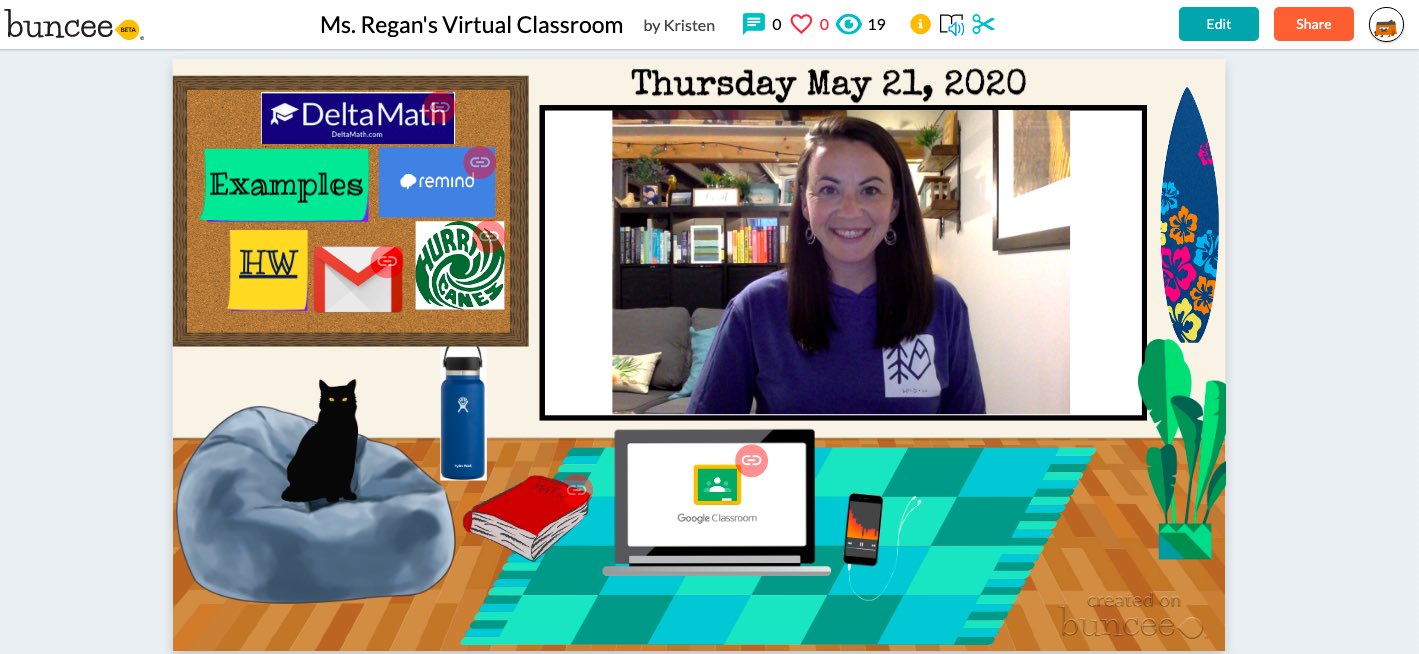
If you want to show practice problems behind you, talk alongside a PowerPoint presentation, or add a picture of your classroom in the background to make students feel as if they are still learning in your school, consider trying the green-screen video method!
I recommend making your videos SHORT and ENGAGING. Try to shoot for making your video under 5 minutes long. Shorter videos will increase engagement and students will be more likely to watch all the way through.

10 Steps to Create a Green-Screen Video

Step 1: Buy a green screen. You can buy a fancy one online on Amazon OR you can do the cheap version like I did. I bought two yards of green, non-reflective fabric from JoAnn Fabrics craft store.
My grand total? A whopping $9.15.

Step 2: Tape or push pin the fabric in a well-lit room. Find some floor lamps or lights in your house to make sure there are no shadows behind you when you stand in front of the green screen. You do not want shadows because it will lower the quality of yourself on your video.

Step 3: Use your personal device, an iPad, or a video camera to take a test video to make sure your lighting is working. I did a test video just to see where the best place to stand was in the frame.
[Please excuse the dance party.]

Step 4: Figure out which lesson you want to teach. Teach your lesson in front of the green screen. Refer to examples from a PowerPoint that you have used in your classroom or create new examples. It is okay if you mess up! Don’t stop the video, just keep recording and start over.

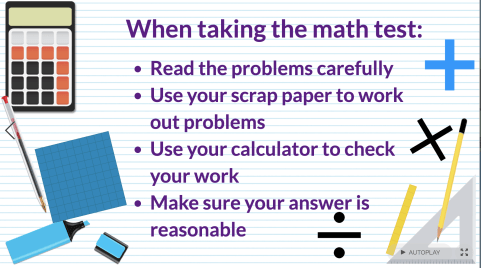
Step 5: Decide what you want the background of your video to look like. Open up Google slides and put up notes or practice problems that you want to pop up behind you in the video. This is the important part. Use Screencastify or another screen recording app to record the presentation of your Google slides. This video will be the video that is played in the background while you are talking!

Notes created by 6th Grade SIMS Science team: John Goldberg, Kimberly Wahus, & Brook Andrews

Step 6: Open up a video editing app. I highly recommend using iMovie because it is extremely user-friendly for editing purposes. Drag both videos to the top of the screen.

Step 7: Drag down the background video first. This is important. Then, drag the green screen video and place it on top of the background clip.

Step 8: Click on the green screen clip. On the top right panel, click on the drop down menu that says “cutaway.” Select the “green/blue screen” option from the drop down menu.

Step 9: Edit the green screen clip during the parts that you may have misspoke or messed up. Add music at the beginning or end if you want to make your presentation more engaging.

Step 10: Watch the video and if you are happy with the final result, click the share button on the top right of the screen. Select “file,” “next,” and “save” to your desktop. It will take a little while to download. Once it has dowloaded, you can upload your video to Youtube and share the link with your students!

I hope this helps some of you during the remote learning process.
Please reach out to me here or on Twitter if you have any questions or ideas about creating green-screen videos for your content.

@MrsBeldin

**Interested in writing a guest blog for my site? Would love to share your ideas! Submit your post here.
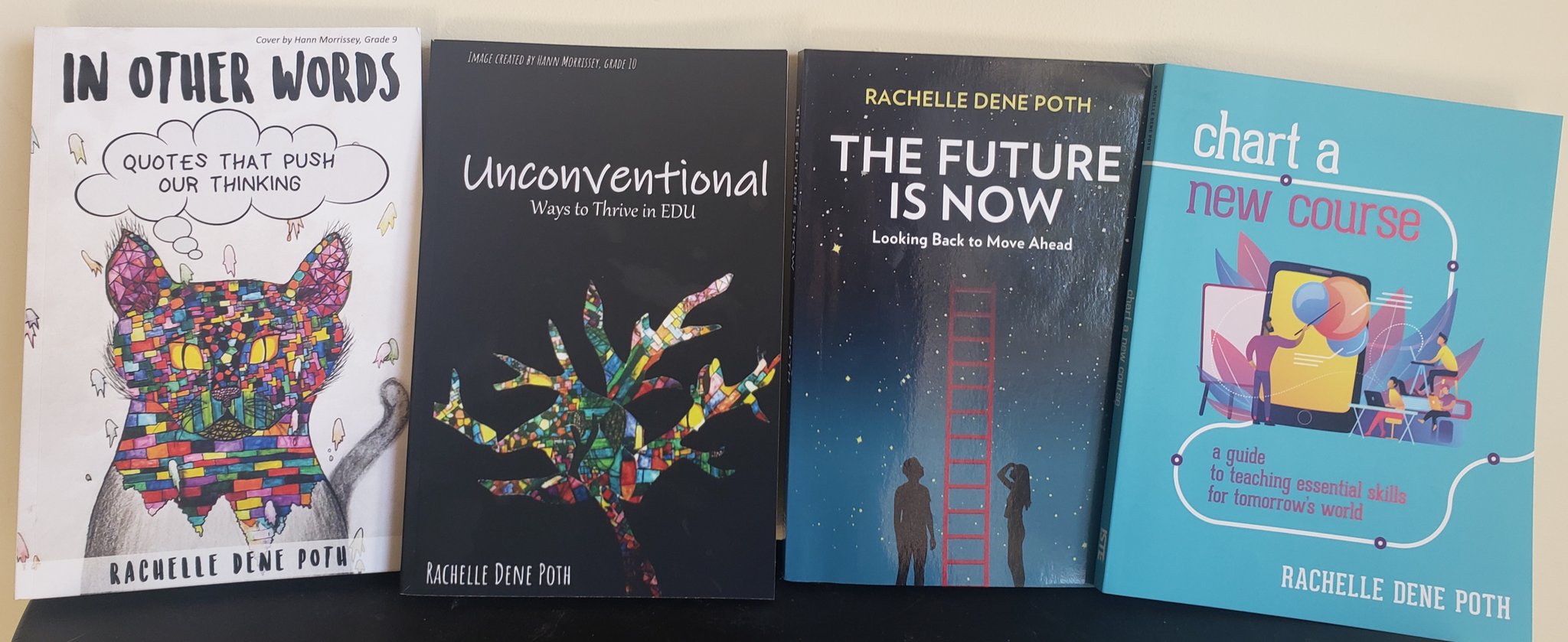
 

Looking for a new book to read? Many stories from educators, two student chapters, and a student-designed cover for In Other Words.

Find these available at bit.ly/Pothbooks  

How I Created a Podcast PD for Teachers

Guest post by Laura Cahill @engageducate

I’m always looking for ways to innovate professional development. Teachers are busy people and sometimes those after-school, face-to-face sessions just aren’t doable. I actually prefer PD that comes to me…webinars, Twitter chats, blog posts, podcasts…so I ran with that and created a podcast PD for the teachers in my district. Think book club, only with podcast episodes and online discussions. This was really simple to set up, especially because we are a G Suite for Education district but this could be done in other platforms as well. To get this running, I:

  1. Posted a sign-up to my district (this could be done at any level; district/school/grade-level/etc.)
  2. Created a Google Form with links to 20 episodes for participants to vote on (I chose all Cult of Pedagogy episodes for this initial session because I am familiar with the high quality of them but episodes could be from any/many podcasts.)
  3. Chose the top five episodes and created a Google Classroom with the link to one episode per “assignment”.
  4. Added open-ended discussion questions (What resonates for you? What do you agree/disagree with? How can you see this working in your own setting?)
  5. Set two-week “due dates” for each episode.
  6. Sat back and watched amazing conversation unfold…I didn’t really sit back, I participated, BUT I was shocked at how rich and thoughtful the conversation was!

Some logistics:

  • I offered 2 professional development hours for each week (10 total), assuming that listening takes about an hour and posting/commenting takes another hour.
  • We require that our PD participants demonstrate learning through some type of product, so we are going to create reflection videos at the end.

The participants are already asking for additional sessions and I’m thinking that participants could make suggestions for podcast episodes in the future! Such a simple solution to creating accessible and relevant PD for educators!


************ Check out my THRIVEinEDU PodcastHere!

Looking for a new book to read? Many stories from educators, two student chapters, and a student-designed cover for In Other Words.

Find these available at bit.ly/Pothbooks  

Teaching HardDoes Not Always Equate to Teaching Well

Opinions expressed are those of Guest Blogger

Guest Post by Kwame Sarfo-Mensah, Founder of Identity Talk Consulting, LLC. (www.identitytalk4educators.com

Math Educator & Teacher Development Specialist, @identityshaper


I have been in many situations throughout my teaching career where I spent countless hours planning, what I thought, was the greatest lesson ever!   I then delivered the lesson plan with the expectation that all of my students will be successful. Over the course of the unit, I provided classwork & homework assignments, conducted small group instruction for students in need of additional support, sacrificed my lunch periods to tutor struggling students, and pretty much did everything in my power to reach all of my scholars.  After weeks of teaching my heart out, I gave my students an end-of-unit test with the confidence that all my efforts would translate to passing test scores. To my dismay, the converse of that expectation happened and that left me totally dumbfounded and wondering where it all went wrong.  


For too many of us, we’re quick to place all the blame on our students for their failures and stand on the notion that we did everything we needed to do to fully prepare our students for success.  As I write this piece, I’m not questioning the effort and energy that I exerted into our lessons nor am I questioning my dedication and love for them. The paramount question I had to ask was whether I taught the lesson well enough for my students to demonstrate mastery of the academic standard.   Given my past failures, I surmised that my students had gaps in their understanding because I had gaps in my own understanding of the academic standard. That being said, I had to ask myself the following questions:


Did I unpack the language of the academic standard? It is one thing to identify the academic standard but it’s another thing to decipher its language and develop a complete understanding of what it actually means.  I visited the Common Core Standards website to identify the standard of focus and read it carefully to identify the verbs (i.e. what students need to do), as well as the nouns (i.e. what students need to know) within it.  Some standards require students to perform multiple skills so I needed to make sure to highlight each individual skill.        


Did I identify the prerequisites of the academic standard?  To determine the starting point for my lesson, I had to figure out what prior knowledge students should already have in order to master the standard.  As I’ve taught previous lessons, I realized that I didn’t give some students a fair shot at having success because I never addressed the gaps in their basic skills foundation.  By identifying the prerequisites of the standard, I was able to determine if I needed to reteach previous grade-level concepts before formally introducing the new standard to the students.


Did I closely monitor and assess my students’ progress throughout the unit? Throughout any lesson or unit we teach, we should be actively assessing our students’ understanding of the content.  The assessment of student progress towards academic standards should be daily and ongoing. Regardless of whether the assessment is formative or summative, we should be gathering data and analyzing what type of errors they are making in their thinking.  Are there specific concepts within the unit where students are demonstrating a level of mastery? When students are sharing their thinking verbally or through writing, are we solely focusing on their response or going the extra mile by asking them clarifying questions to investigate the thought process they underwent to arrive at their response?  The bottom line is this…….if we are proactively assessing how our students are progressing throughout the unit, then we should have an accurate gauge of how well they will perform when given a final assessment.


Did I make the tasks challenging enough and accessible to each and every student in my class?  With any new standard, teachers have to thoroughly assess the scope of it and determine the appropriate tasks or assignments that our students need to complete in order to build their knowledge of the standard.  Every student enters the lesson at a specific developmental level so using a uniform instructional method probably won’t yield the best results. Some students may be further along the learning curve than their peers so teachers need to differentiate their instructional approach and create tasks that will meet the diverse academic needs of their students. To assess the difficulty level of the task, I used Bloom’s Taxonomy as a reference point.  If I’m only giving my students “easy” tasks so they can feel good about themselves, I’m doing them a huge disservice.


Teaching is a hard enough job as it is.  With the overemphasis of standardized testing, we sometimes find ourselves in a position where we don’t always have the time allotted to thoroughly assess how well we are teaching.  However, our students cannot excel academically if we don’t develop the habit of asking the aforementioned questions and take the time to evaluate our performance as facilitators. If we are bold enough to point the finger at our students when they fail, then we must be equally bold enough to point it back at ourselves when we fall short.

**********************************


**Interested in writing a guest blog for my site? Would love to share your ideas! Submit your post here.


Looking for a new book to read? Many stories from educators, two student chapters, and a student-designed cover for In Other Words.

Find these available at bit.ly/Pothbooks  

Immersive HyperDocs in Minecraft Education Edition

Guest Post by Matthew Nickerson, Instructional Technology Specialist, AACPS

Professional Learning Specialist, i2e, @dadxeight

Author: All the Microsoft Tools You Need To Transform Your Classroom


Are you familiar with HyperDocs?  You can learn more about them on their website, but essentially it is using one document (They specifically say a Google Doc, but it works the same with a document in Word Online.) that contains all the elements of your highly engaging lesson.   Although the “hyper” refers to hyperlinks, it is not just a bunch of urls pasted on a page. HyperDocs should have a blend of multiple ways to access content as well as a variety of activities for students to engage with the content in addition to alternatives for assessment os learning.  In short, a good HyperDoc addresses all of UDL– multiple means of engagement, multiple means of representation and multiple means of action and expression.

If a HyperDocs are supposed to be “visually engaging and packaged learning experiences as it says on their site, how much more visually engaging can you get than being fully immersed into a Minecraft world?


Let’s take a look at applying the principles of a HyperDoc within Minecraft Education Edition.  First, there is an immersive world to build a story in.  Any way we can build a story is a great way to get students engaged.  This has been widely known in business, particularly marketing, but as usual, education is a little bit behind.  (You’d think this is one trend education wouldn’t  be behind on!  The Minecraft platform has multiple ways to distribute content, but it can also be a portal to other content platforms.  Likewise, there are several ways of encouraging students to create or engage with lesson content, as well as ways to assess student learning.  Once again, it can also be the doorway to other tools that accomplish these tasks.


First, let’s build a story.  You can start from scratch with an infinite world in Minecraft and build what you need.  Well, maybe you don’t even need to actually build it. I recently had a request for a specific lesson topic, and I found a lesson plan on Education.Microsoft.com that addressed that topic, as a murder mystery.  It used some Word documents to deliver the lesson material.  I adopted the murder mystery idea, but used the /locate command in Minecraft to find an existing mansion, teleported my character there and turned the mansion into a hotel.  I then filled the hotel with NPC characters, and took each of the puzzles from the Word document, each of which was a clue, and “distributed” those to students through the NPCs.


Because there are multiple biomes to choose from in the Minecraft:EE library, it’s easy to select a custom setting for your story.  Another way I like to start is by taking an existing lesson from the Minecraft Lesson library and just replace the academic content.  Some of the lessons have great bones- the world’s have already been created for you, and you can swap out the questions and prompts with your own topics. 


Now let’s consider ways to distribute content to students.  The most time intensive way might be to build structures. For example, you can create the setting for a novel or short story.  If I need to do that, I pay my 9-year-old. He works for cheap, since, well, I’m paying him to play Minecraft. In the absence of a 9-year-old coworker, don’t fear.  Within Minecraft there are signs, slates, posters and boards 

that you can write on if you want to deliver instructions, guidance or questions via written text.  You can also grab a book and quill and write things there, and leave them for students to pick up.  Each of those items (except the “sign”) can also be edited so students can write their responses in or on those tools. 

All of them also have Microsoft’s Immersive Reader, an entire suite of reading accessibility tools, built in.  All text inside of Minecraft Education Edition has these accessibility features.


However, what makes Minecraft amenable to the HyperDocs model, is that NPC’s (non-player characters) can be easily programmed to send students to websites.  

You can essentially insert a Quizlet set of vocabulary in your world, or even an entire self-paced Nearpod lesson.  Looking for more collaboration? Remember that every Word document, Google Doc, PowerPoint or Google Slides slideshow have a unique URL.  You can give that url to an NPC so when a student clicks on that button, that document opens online. When multiple players, each playing in their own copy of the Minecraft world (or in the same copy if the teacher is hosting it), they can all collaborate in that same document or slideshow.


The same holds true for student work and assessment.  Within Minecraft students can build, then take a picture with the camera.  Pictures are saved in a portfolio, where students can type in a caption.  Or, they can choose pictures to insert into a book and quill, where they have far more space to write, or simply write without pictures.  They can also take pictures of any signs, slates, posters or boards they write on. Both portfolios and books can be exported as a PDF and shared with the teacher through Microsoft Teams, Google Classroom, OneDrive or Google Drive.  However, you can also use an NPC to send students to FlipGrid to record a video response, Padlet to brainstorm together, link to a quiz in Microsoft Forms or Google Forms, or an assignment in Teams, OneNote Class Notebook or Google Classroom, among many other options.


The idea of a HyperDoc is solid pedagogy in an engaging format that provides variety and student choice.  They can include a story component or not. They are usually visually compelling. By taking these same principles into Minecraft, it’s like a far more immersive HyperDoc, a Hyper-HyperDoc!


**Interested in writing a guest blog for my site? Would love to share your ideas! Submit your post here.
 

Looking for a new book to read? Many stories from educators, two student chapters, and a student-designed cover for In Other Words.

Find these available at bit.ly/Pothbooks  

Reflection

Guest Post by April McKnight (@rilmcknight)

Reflection is concerned with consciously looking at and thinking about our experiences, actions, feelings, and responses, and then interpreting or analyzing them in order to learn from them. That is a big statement and a hard topic for our students. So how are we as educators supposed to work towards helping our students reflect on their thinking / learning and that of others.

So first I ask, as teachers and educators do we spend time on self reflection. Do we have the time to look back at our day of learning and “reflect on the information we receive through observation, experience, and other forms of communication to solve problems, design products, understand events, and address issues.” Yes that quote is straight out of our core competencies for critical and reflective thinking.

Yes I know every teacher is doing their self reflection in some way whenever they can but ho do we help students learn this process and see the benefits of reflection.

As a high school STEM educator, I always had reflection as part of my labs. We use our three go to questions for every lab:

What worked the best?

What needs to be tweaked?

What could we do to make it better?

This became common place in my classes and extended to all our work. Students would reflect on their own learning and ask each other to assess their work based on these questions.

As the new BC curriculum came around, I started to look at the self reflection during our projects. We have always looked at the process as more important. Photo journals or design changed diagrams or written reports were used to show their journey. But now we wanted to add in more self reflection along the way. After classroom discussions, it was decided that we would do weekly self reflection on large projects as a journal, blog or vlog. Students used the 3 questions to show their progress. The learning became very evident and assessment of their learning process was easier too.

I feel we need to all use reflection as part of our classroom routines and it wont feel so daunting in the end. It will make our assessment for, of and as learning much easier.

**Interested in writing a guest blog for my site? Would love to share your ideas! Submit your post here.
 

Looking for a new book to read? Many stories from educators, two student chapters, and a student-designed cover for In Other Words.

Find these available at bit.ly/Pothbooks  

Providing Different Learning Tools

As educators, it is important that we find ways to provide more personalized learning experiences to meet the individual needs of our students. What this means is that beyond simply offering more choices in the types of assessments we offer students, we must do more by learning to understand the specific learning styles and interests of each of our students. We must differentiate our instruction and to do so requires that we develop a clear picture and gain a deeper understanding of the various learning styles of the students in our classrooms. When we do this, we can then design lessons that are focused on the specific student learning styles and offer more individualized choices for students. Whether that offers more options to work independently or in groups based on a specific topic, an area of interest or even based on the level of understanding of the content, we serve them best by having the right resources available for them.

Each of our students have specific needs and preferences for how they learn and we do the best for them when we help them to identify these preferences and then offer a variety of materials and resources for them to explore. It is not about always using a digital tool or shifting away from traditional methods, but rather being able to determine which of these options will work best for each of our students. It also means helping students to become more self-aware of their own interests. One change that has helped me to better identify these styles and guide students in my classroom is by using the station rotation model.

Through the use of stations, I am able to provide multiple activities that enable students to interact with the content in a variety of ways. There are tech and no-tech options, student and teacher-created materials, hands-on activities to choose from, and times where students decide on a focus for their group. By providing a variety of learning options for each student, giving them all the opportunity to explore, we empower students with more meaningful and personalized learning that will lead to more student engagement and content retention.

Learning Styles: The VARK Model

In 1987, Neil Fleming designed what has become known as the VARK model. Fleming developed this model as a way to help students learn more about their individual learning preferences. The VARK learning styles include: visual, auditory, read/write, and kinesthetic.

Personally, I have always been more of a visual and somewhat kinesthetic or “hands-on” learner. At varying points throughout my life, I can recall taking a test and being able to see specific notes that I had written in my notebook, but still being unable to respond to questions. I tended to create graphic organizers and had my system for making more visual connections with the content. Many of my students are visual learners and over the past two years, have often noticed that they have specific ways of processing the information in class as well as how they prepare and respond during assessments. We must be able to provide different options for our students where they can choose a format that will best suit their interests and needs in more authentic and personalized ways.

Visual Learners

Visual learners are more likely to use charts, icons, images and are able to more easily visualize information and as a result, can retain it longer. An estimate is that visual learners make up approximately 65% of the population, and remember 75% of what they read or see. Visuals learners prefer to do projects and presentations that involve creating visualizations of their learning. For visual learners, some good options include creating infographics, using Augmented and Virtual reality for creating immersive experiences, designing 3D objects, sketchnoting, or using digital tools such as Padlet or Wakelet to curate content in ways that promote better visualization of content. Visual learners would also benefit by creating a mindmap or making flashcards, which can also be done using a digital tool like Quizlet.

Auditory Learners

Auditory learners listen carefully and often focus on the tone or the rate of speech, and may also benefit more by having supplemental resources made available to them such as videos or audio recordings. Learners of this type can recall information such as song lyrics and conversations, and can often recreate a story more easily because of that auditory connection they have. There are many options to engage auditory learners more by selecting options that promote listening and speaking skills. Some ideas include using video response or podcasting tools to have students explain concepts or brainstorm ideas. Another option is by creating a more interactive presentation using a tool such as Voice Thread, students will connect with the sounds, dialogue, and tone used in a presentation such as this, where they can listen and respond.  Another idea is to use Flipgrid to post a question and have students also respond to classmates to further the discussion and promote higher-order thinking. Try using Synth to create a podcast for students to have the active listening component addressed, and invite students to listen and respond to the prompts by adding a thread to the podcast.

Read/Write Learners

Read/write learners prefer to have the text available to them in some written/tangible format. Whether students first take notes and then decide to rewrite their notes for additional practice, or read over their notes each day for review and class preparation, these learners benefit from sustained interactions with the text. The more they interact with written formats, the better equipped they are to understand the content. Beyond writing in pen or pencil, or creating a document, using some tools such as Kidblog, for writing a story and getting started with blogging is a good way to promote reading and writing opportunities. Another idea is to have students create a multimedia presentation with a tool like Buncee to tell a story, adding text and icons to make the content more meaningful. These options make the activities more authentic and aligned with the needs of learners of this type.

Kinesthetic Learners

Kinesthetic learners learn best through hands-on learning opportunities. Students spend a lot of time sitting in classrooms and perhaps more passively learning. We need to design ways for students to be more active in the classroom. Some choices would be through a STEAM curriculum, the use of makerspaces, place-based learning, game-based learning and creation, designing projects and having students engage in project-based learning (PBL).

Multimodal Learners

For some students, providing options that foster a multimodal learning style is most beneficial. A multi-modal learning style means that you benefit through multiple ways of processing the information which can be through images, sounds, movement, speech, audio, visuals and more.  When I have used stations in my classroom, providing the different options at each station was helpful for students who are multimodal learners, to be able to interact with the content in different ways. Some of the tools that I have used include NearpodKahootQuizlet, in addition to giving students options to create something based on their own choice, which lends itself to more hands-on learning. The use of infographics, hyperdocs, choice boards, and even digital breakouts can give students a variety of ways to engage with the content and provide activities that will meet each learning style.

All students benefit from multimodal learning options that support a Universal Design for Learning (UDL). Providing something for each student and offering a mix of learning tools will help students to master the content in more authentic and personalized ways.

Interested in learning more about your own learning style preferences? You can take the VARK questionnaire and find out what type of learner you are.

Interested in writing a guest blog for my site? Would love to share your ideas! Submit your post here.


Looking for a new book to read? Many stories from educators, two student chapters, and a student-designed cover for In Other Words.

Find these available at bit.ly/Pothbooks  


3  books.png


Buncee: Learning Anywhere

Providing Ways to Keep the Learning Going

Over the past week, there has been a lot of conversation about what educators can do if schools need to close for a period of time, especially due to recent events related to the Coronavirus. Finding ways to extend the “space” of learning for our students has been a topic of discussion for many years, so it is not entirely something new. However, with the current situation, educators and schools are seeking to find the right resources that can be put into action right away.

Over the past few years, many schools have started to offer flexible learning days to deal with school closures due to weather conditions, environmental issues or something else entirely. Being able to keep learning going and have ways to collaborate without being in the same physical space is important. Having a specific platform or digital tool in place that all educators can use and making sure that all students will have access is very important. With so many choices out there, it can be tough to figure out exactly where to begin, especially when time is a factor.

As I’ve been talking with some friends this week, a large part of our conversation has focused on what to do if our schools were to close and even in the general sense, how can we also provide more for our students for times when we need to be out of the classroom? For times when I have not been able to be in class, whether due to illness or a pre-planned conference, I rely heavily on technology to be able to connect with my students so that they can ask questions and have the support they need. However, I also rely on it to provide them with rich learning experiences through versatile tools that they can work on independently wherever they are. With Buncee, we can work remotely and provide meaningful learning experiences that engage students in the digital space.

Buncee = Learning Anywhere

As I have been thinking about some of our recent Buncee projects, my 8th grade STEAM course has been working on a few activities. They have created an About Me Buncee, a few for gratitude and most recently, “Tech Over Time.” In the Tech Over Time project, students have been exploring the transformation of some digital tools or electronic devices over the past 10, 20, 30+ years and also making predictions for the future.

As students create, they can work from school, at home, or anywhere, and be able to share their work with me wherever I am. Teachers can assign fun projects for students or choose from the many ideas in the Buncee Ideas Lab.

We have used Buncee for years in all of my classes and through it I have been able to provide opportunities for my students to engage in more authentic and meaningful learning, to be creative and to drive their learning experience. Whether students use it to design a Buncee to share their experiences, engage in project-based learning, summarize a book they have read, explain a concept in math or science, for a few examples, the possibilities are endless for what students can create.

As teachers, we have so many choices for how we can use Buncee in our classrooms. It can be used to have students work through a Hyperdoc, or used as a model template for students to then create their own Buncee, make a timeline, solve word problems, and more. The idea is that we can leverage the tool to provide something that will connect with each student and it can be done from anywhere.

Ideas for your Classroom

1.Make an interactive book

2. Create a timeline

3. Design a digital business card

4. Explain steps in a process

5. Teach a lesson, add audio and video

6. Book summary

7. Design classroom signs

8. Create study aids

9. Create an ebook

10. Recreate a moment from history, personal experience, or make a future prediction

5 Ideas for Learning About Digital Citizenship

Digital citizenship is a topic that educators must continue to be mindful of within their classrooms and our schools. Because so many tasks involve the use of technology, it is our responsibility to embed digital citizenship into our lessons so our students are prepared and knowledgeable about the responsibilities that exist and also expectations of them when it comes to digital learning. There is an increase in technology being used in our classrooms, students have more access to digital resources and global connections than ever before, so regardless of our roles in education, we must stay current with issues, trends, and resources related to this topic. Digital citizenship skills have to be a part of what we teach and model for students, especially because we ask our students to do research, to collaborate online and perhaps even use social media as part of our coursework.

There are many resources available to learn more about digital citizenship, ranging from participation in virtual or in-person learning events held throughout the year to websites, books, blogs, and more that bring attention to and inform about this important topic. When I first started teaching about digital citizenship, I recall myself telling students the things that they should not do rather than focusing on how to use the tools safely and responsibly and showing how they could enhance learning. I recognize this now as I’ve researched more and become more aware of the different resources available for use in education today and following the conversations happening in different educational networks. And along with what’s being done out there, I believe that we need to convey the message to our students of how to use digital tools, to interact responsibly, and also share the importance of knowing how to use these tools for good.

Building these skills is critical because they will transfer to the real world space as well. For some students, they build confidence and comfort by interacting with peers and become better collaborators in an online space first, then apply these to the physical classroom setting and the real-world.

Here are five resources to explore and which offer activities for students to explore on their own and construct their own knowledge and apply it.

1. Events Educators can participate in Digital Citizenship Week, happening from October 14th through the 18th online. During this week-long event, educators can participate by connecting with other classrooms globally, joining in a panel discussion organized through the DigCit Institute and EduMatch Tweet and Talk, or listening to a DigcitIMPACT talk. Sign up on the website and stay connected by following the #digcitsummit hashtag on Twitter.


2. Online resources There are many interactive ways for students to explore DigCit topics. Common Sense Education’s Digital Compass provides interactive lessons, tutorials, and fun activities for students to engage in to learn about digital citizenship. One of the many benefits is that students choose how to proceed through the interactive lessons, and can see the positive or negative effects of these choices. Digital Compass addresses topics such as cyberbullying, fake news, social media, and more that are in alignment with today’s trends. Be Internet Awesome by Google has students explore four lands and complete activities and games to build their digital citizenship skills. This is another good way to let students drive their learning, to become curious and develop their own understanding in a space that is safe and that we can support. 21 things for students offers 21 different lessons on topics related to digital citizenship, technology skills, cyberbullying and more. Nearpod offers interactive lessons on Social Media use and topics related to Digital Citizenship in addition to many other content areas and levels.

3. Books Three books that I recommend are Digital Citizenship in Action by Dr. Kristen Mattson, Digital Citizenship in Schools by Mike Ribble, and Digcit Kids: Lessons Learned Side by Side to Empower Others from Around the World by Marialice Curran and Curran Dee. Each of these books offer a wealth of resources for getting started with lessons on digital citizenship and they provide activities for use in our classrooms. Dr. Mattson’s book is also used for the ISTE U Course on Digital Citizenship.

4. Social Media Students are using more social media, especially Instagram and Snapchat, and need to develop an understanding of how to post, the type of information that is okay to share, and how to interact responsibly and respectfully in these spaces. Depending on student grade level, it can be helpful to have students participate in a simulated Twitter chat, create a Padlet wall, or use post-it notes and a space in the room to have students create posts and write responses. It is important to help students understand how social media works and how to properly post. We want to emphasize the safety of our students and knowing how to distinguish between reliable and unreliable sources.

5. Organizations ISTE (the International Society for Technology in Education) offers a Professional Learning Network (PLN) focused on Digital Citizenship for members. In PLNs such as this one, educators can find many resources for teaching about digital citizenship that match the grade level, content area, and specific needs of their students. Individuals can sign up to be a part of the #digcitcommit movement. DigCitCommit is a coalition with the mission of providing educators with the right resources for teaching students about digital citizenship. Educators can sign the pledge and become more involved in promoting digital citizenship around the world.

To provide the best possible opportunities for our students to learn their roles and responsibilities when it comes to digital citizenship, we simply need to start with one of these resources and include it in our daily activities. The idea is not that it’s something extra added onto the curriculum but rather becomes woven into our classrooms each day throughout the year.

*Interested in writing a guest blog for my site? Would love to share your ideas! Submit your post here.

 

Looking for a new book to read? Many stories from educators, two student chapters, and a student-designed cover for In Other Words.

Find these available at bit.ly/Pothbooks  


3  books.png

Math Mentoring: The Struggle is Real AND it’s an Asset!

Struggling in math has been my greatest asset as a math teacher.  Remembering the pain of negative self-talk while feeling like giving up was my only option…well, math trauma is not easily forgotten. It’s why so many adults, decades after high school graduation, will still tell you they are bad at math. For me, the silver lining to that trauma has always been the ability to relate to my students, and even my own children, when they have math struggles.  One of the greatest compliments students and former students have shared with me is that math finally made sense to them when they were in my class.

One thing I’ve never said, and will never say, to my children is that I was bad at math.  Even as a new teacher, I asked parents not to say that to their children. Telling your children or students you are bad at math is like encouraging them to quit before they even begin.

Now, I have always told my students and children that I struggled in math.  We all understand what struggle means, and the good news is that there is always the possibility of winning in a struggle!  Every year, I tell them how I had to stay in at recess in first grade because I could not understand the concept of subtraction.  Crazily enough, my teacher had no idea how to teach it in a new way that made sense to me. She tried to explain it repeatedly in the same way…and it didn’t make sense to me for the longest time.  I also tell them about how in first grade I received a C in math and it made me feel terrible. I never wanted another C on my report card and made sure I never did again. That desire to make the Honor Roll (I was a middle child and wanted to stand out in some way, and academically was my route) kept me from quitting.  Math was a struggle, but I found a way to understand. As early as seven years old, I realized that quitting was not an option. Finding math success was never easy for me, but through my school years, I found what worked for me. This is what I share with my students hoping it will help them, too.

Addressing the Struggle at the Beginning of the Year

First week of school when I say the word “math”I look around to see who dreads the very word itself. It’s not just about reading expressions, but I look for patterns of misbehavior and any kind of drama that might commence when that dreaded word is spoken.  I always begin the year assuring my students that if they stick with me and trust me, as their math teacher, I will not leave them behind. I have promised that to my students for years, and I mean it with every fiber of my being. I explain that when they don’t quit, math can be fun like a puzzle.

What does it take to help children dig into math when they want to check out? It takes patience and time to do it to do it to do it to do it right, child, I got my mind set on math, I got my mind, set on math…

All singing aside (remember He gave me a melody *wink wink*), in a whole group lesson, the ones who get the concept easily, I normally allow them to begin the assignment and do it at their pace.  The students who have questions stick with me and the ones who are lost become a small group.

Helping my own child, a fifth grader review geometry!

What does helping kids through math struggle look like?

Sitting next to a child who struggles is important.  That nearness factor makes a difference. They know I won’t ignore them or allow them to pretend to work when really they are just doodling or trying to look busy.  See, by the time they reach fifth grade, they’ve pretty much given up. They don’t want the attention! One of my students, who was desperately struggling, knew how to look busy, so sitting next to me kept him from trying to con me that he was actually trying to solve problems.  He definitely tried to trick me, but I called him out. A few more times like this, and he knew I meant business. He stopped trying to look busy and started attempting the problems before him. Just attempting…finding a starting place to solve is huge when you struggle in math.  I remember this from my own childhood.

When students have progressed to where they begin solving problems more easily, I still encourage them to ask for help, but I do not let them come to me unless they have attempted the problem.  I can ask them, “What do you think you are going to do here?” or “Where do you think you should start?” They are so used to struggling and the teacher just giving them an answer that they often ask before even thinking about how/where they should begin.  Getting them to dig in and try to understand the problem is foundational in developing grit and sticking with the problem. When solving math equations or word problems, it’s truly important to have a place to stick information to, so beginning the problem and attempting to solve it gives them something to add or learn from. If they don’t think through this first part, a teacher’s lesson is like throwing darts into the dark without any specific target that will reach their students.

I also coach my students while giving notes. At some point, they may stop understanding. I coach them to keep taking the notes I give them, but make a note to themselves that this is where they have stopped understanding.  Again, I learned this from my own struggles. In fact, in my Algebra one course when the teacher was finished with the lesson and asked for questions, I was able to ask my questions clearly. To do this well, I had to turn off my negative self-talk.  If I allowed my negative self-talk to take over, the only thing I heard from that point on was me telling me how stupid I was and how I was the only person not understanding. In place of negative self-talk, I encouraged myself to take a deep breath and remind myself that even though I didn’t understand the concept just then, I knew I would eventually if I didn’t shut down.  That allowed me to keep paying attention and sometimes even cleared my confusion. When I shut down, this wasn’t possible.

Something else that helps students is allowing them to talk about patterns they notice.  Whether they struggle or not, when they notice a math pattern, letting them talk it out with the rest of the class will help everyone!! Worst case, it’s also a way a  teacher can help clear up misconceptions early on. The best math teachers for me were my peers. Sometimes students identify specific items that make a world of difference for their peers. My son is in third grade and has a more natural way of understanding math than his older sister.  Whenever he notices a pattern, he stops and we have an entire conversation about it. He truly amazes me. We can, and should, help our students learn the patterns because often times when they figure it out for themselves, they feel more confident and the knowledge isn’t dumped after an assessment. My son talking about the patterns he sees also helps his older sister and younger sister think through that math pattern, too.  That’s a win!!

It’s a Journey

For students who struggle in math, it is an emotional journey.  When teachers stop and say, “I know you are struggling, and I’m here to help, and I won’t go on until you understand,” it’s a balm for our students’ insecure nerves. When they are fifth graders coming to me, they usually have three to four years of feeling left behind.  Hoping to help my struggling students, my mindset is firm that their struggles stop with me and I do all in my power to get them to grow and decrease any learning gaps.

Over time, I have developed the wisdom necessary to see when students quit before even trying or when they are totally overwhelmed.  It’s important to know the difference because both situations require different responses. The quit-before-trying-learner needs a firm reminder of not giving up and figuring out a place to start, while the overwhelmed learner needs to know they can take a break or use another method to help them.

Helping students dig into math struggles is such a beautiful way to help them learn perseverance and purpose.  When they decide to lean into the struggle, they form a mental confidence that can’t be stolen from them. Can you see how facing their insecurity in math can help them in other areas of life, too? Having a teacher who will go the whole distance means everything for these students, and many times, changes a negative academic course into a new path of learning and goal setting!  I have seen the glory! I have seen the joy of confidence from the same student who broke down and cried with me at one point. So yeah…when my students have told me that my fifth grade class was the first time math made sense to them, I feel like I’ve earned an Oscar!

Resources 

Have you heard of the book written by Alice Aspinall called Everyone Can Learn Math? Recently, I read it with my five children and it sparked great discussion.  My oldest, who is currently in fifth grade, found the main character, Amy, very “relatable.” Amy feels the math struggle deeply and so does her mom! I would recommend this book for every parent and educator to keep in their home or classroom library.  I know we will be pulling it out to reread a lot. It’s also a good way to combine your academics. Author, Alice Aspinall also recommends Adding Parents to the Equation by Hilary Kreisburg and Matthew Bayranevand.

Also, have you heard of Nearpod and Flocabulary? When I went back into teaching public school a few years ago, they were the first technologies that I implemented in my lessons.  My students and children love it. They can be personalized or differentiated for the different level of learning going on in your classroom. These resources are engaging and will definitely make a difference in small group learning.  The coolest part is now they are together!!!

Before Christmas, I went to the Anchorage Barnes & Noble and bought some new books by Jo Boaler in hopes of helping me grow in teaching and understanding the math struggle: What’s Math Got To Do With ItMathematical Mindsets, and Limitless Mind.  There is another book calledMath Recess: Playful Learning in an Age of Disruptionby Sunil Singh that I hope to purchase and read. All of these books, and both of these authors, are mentioned frequently when the topic of math struggles come up–and they do frequently! We can also Google their videos!

What are resources that have helped you? Let’s work together to help our students learn through the math struggle!

**Interested in writing a guest blog for my site? Would love to share your ideas! Submit your post here.


Looking for a new book to read? Many stories from educators, two student chapters, and a student-designed cover for In Other Words.

Find these available at bit.ly/Pothbooks  


3  books.png

TeacherCast Educational Network | Developing Standards-Based Instructional Technology Integration

Technology Integration - Instructional Coaching - Productivity Secrets for Educators

Leadership Liner Notes: Sean Gaillard

Built on Connection. Tuned for Impact.

Stories by Thomas Oppong on Medium

Dr. Rachelle Dené Poth @Rdene915 Educator, Consultant & Keynote Speaker, Author, Attorney #THRIVEinEDU

Hooked On Innovation

When Innovation slaps you in the face, we slap back.

Teach Better

Dr. Rachelle Dené Poth @Rdene915 Educator, Consultant & Keynote Speaker, Author, Attorney #THRIVEinEDU

BrianKulak.com

Dr. Rachelle Dené Poth @Rdene915 Educator, Consultant & Keynote Speaker, Author, Attorney #THRIVEinEDU

The Principal of Change

Stories of learning and leading

Mandy Froehlich

Dr. Rachelle Dené Poth @Rdene915 Educator, Consultant & Keynote Speaker, Author, Attorney #THRIVEinEDU

Katie Martin

Informed by research, refined by practice

#RocknTheBoat

Rocking today's classrooms, one teacher, student, and class at a time.

User Generated Education

Education as it should be - passion-based.

Learning as I go: Reflections & lessons learned

Dr. Rachelle Dené Poth @Rdene915 Educator, Consultant & Keynote Speaker, Author, Attorney #THRIVEinEDU

Serendipity in Education

Join me, Allyson Apsey, as I stumble upon the fortunes of learning, laughing, and celebrating alongside incredible people.