I recently spoke with several tech coaches who had audited digital tools in their buildings—they found more than 400 tools being used in their schools! I know a lot about technology, yet I still struggle to strike the right balance of technology in the classroom. Avoiding overreliance on technology in our highly digital world can be challenging. One solution is to “unplug.”
Integrating into your classroom unplugged activities that do not require technology can offer many benefits, including helping students develop a variety of skill sets. Although each of these ideas can also be implemented with technology, there are ways to use these without the tech and that help amplify the learning experience for students. Having an unplugged classroom does not always require a lot of planning or materials. When I notice a decrease in student engagement in my classroom, I shift to trying new methods and mixing up the activities to promote student choice and more active learning.
Ways to Unplug
1. Genius hour. Students select a topic of interest and have time to develop a presentation. They may refer to resources such as books, videos, or internet research, but their presentation must be done without the use of technology. Students can create a visual display, such as a poster, a replica, or a demo of their topic, and then deliver a presentation to their classmates.
2.Place-based learning. Opportunities to explore the community while connecting content to the real world make learning experiences more valuable and meaningful for students. One year, my students did an outdoor project about childhood, and they visited a local park and playground for research.
Students in a history class could visit local historical sites to better understand the content they are learning. Science classes such as biology or ecology can have students explore local areas, learn about the ecosystem, and participate in projects to clean up the community or learn about and present solutions to environmental concerns. Place-based learning boosts student engagement, fosters student agency, and helps students develop a greater understanding of their impact on the community and even the world.
Dr. Rachelle Dené Poth is a Spanish and STEAM: What’s Next in Emerging Technology Teacher at Riverview High School in Oakmont, PA. Rachelle is also an attorney with a Juris Doctor degree from Duquesne University School of Law and a Master’s in Instructional Technology. Rachelle received her Doctorate in Instructional Technology, and her research focus was on AI and Professional Development. In addition to teaching, she is a full-time consultant and works with companies and organizations to provide PD, speaking, and consulting services. Contact Rachelle for your event!
Rachelle is an ISTE-certified educator and community leader who served as president of the ISTE Teacher Education Network. By EdTech Digest, she was named the EdTech Trendsetter of 2024, one of 30 K-12 IT Influencers to follow in 2021, and one of 150 Women Global EdTech Thought Leaders in 2022.
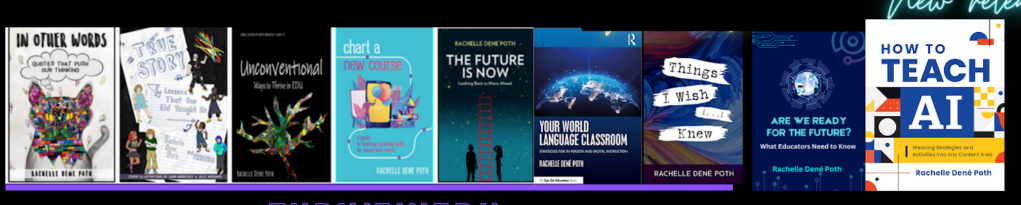
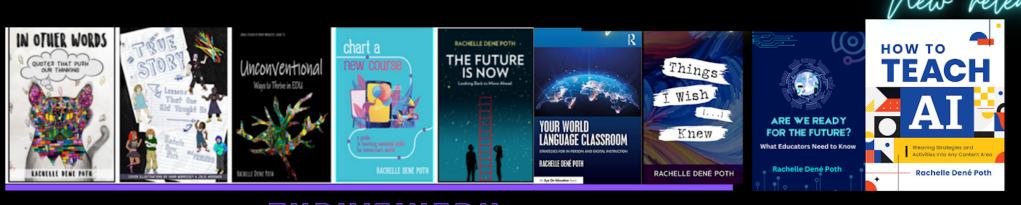
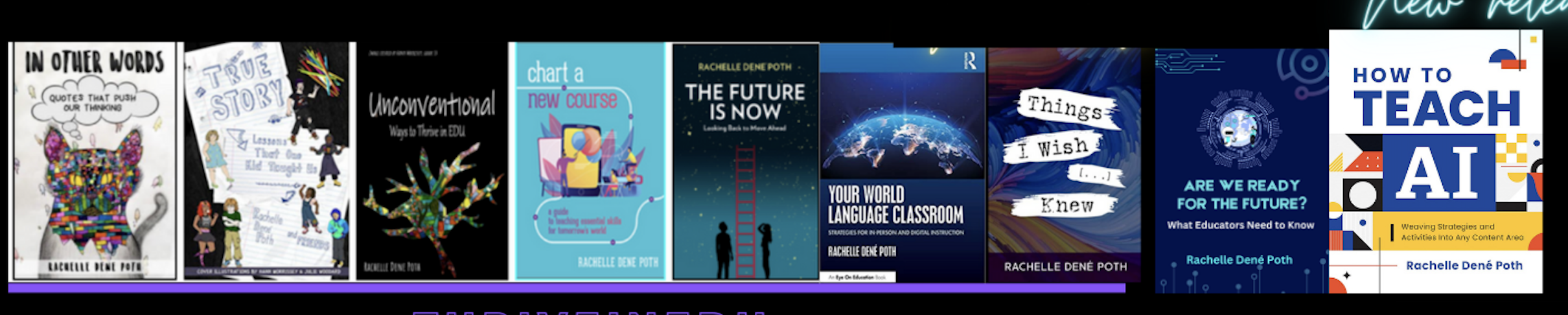
She is the author of nine books including ‘In Other Words: Quotes That Push Our Thinking,” “Unconventional Ways to Thrive in EDU,” “The Future is Now: Looking Back to Move Ahead,” “Chart A New Course: A Guide to Teaching Essential Skills for Tomorrow’s World, “True Story: Lessons That One Kid Taught Us,” “Things I Wish […] Knew” and her newest “How To Teach AI” is available from ISTE or on Amazon.
Contact Rachelle to schedule sessions about Artificial Intelligence, Coding, AR/VR, and more for your school or event! Submit the Contact Form.
Follow Rachelle on Twitter(X) and Instagram at @Rdene915
**Interested in writing a guest blog for my site? Would love to share your ideas! Submit your post here. Looking for a new book to read? Find these available at bit.ly/Pothbooks
************ Also check out my THRIVEinEDU PodcastHere!
Join my show on THRIVEinEDU on Facebook. Join the group here.
Guest post by Dr. Amy Mathews-Perez, a Director of Special Programs in a public school in Central Texas. Connect with Amy on X (formerly Twitter) at @drgrowtoknow, on Facebook at DrAmy MP, or at her website dramyperez.com
Legacy, Purpose, and In Between
It is very common to hear phrases, mottos, and comments about “purpose.” A few examples include finding your purpose and having a sense of purpose and purpose of life. It seems to have become so common that people may gloss over the words, dismiss it, or find it so daunting that they avoid all of the “How To” advice. Often this word also implies that a person’s purpose is a singular thing. We won’t launch into the grammar of it all, but in this blog, I’ll share a strategy that has helped me refocus on my purpose, and my hope is that it can help you get closer to figuring out yours.
An important thing to know is that your purpose can change. It is not like a New Year’s resolution that you either conquer or quit; purpose is fluid because it evolves as you grow and change; also, it typically impacts multiple levels of your preferences, your actions, your emotions, your interactions with others, your mindset and more which leads to more growth and change.
Also, your purpose doesn’t need to be something huge, life-changing, or change the world. If you are committed to it and true to it, your purpose will facilitate change that is needed. Some of these changes you’ll be lucky enough to know about, but many will happen as a ripple effect.
Now, let’s talk about the word “legacy.” It makes some people think of obituaries and inheritance, while others use it in reference to the “rich and famous.” The definition I am referring to for the purpose of this blog is this: the sum of the personal values, accomplishments, contributions, and actions that resonate and impact others in ways that yield change in character, progress, and/or learning. Everyone has a legacy, but not everyone recognizes it. Often, those who can see their legacy rarely accomplish it due to a lack of self-trust, intention, drive, and focus.
In 2024, I was honored to be a guest on Chip Baker’s podcast, “The Success Chronicles.” You can check out all of his episodes at https://www.youtube.com/c/ChipBakerTheSuccessChronicles. I highly recommend Chip Baker- he is authentic, hard-working, and truly wants you to succeed through learning. Although my episode has not yet been published, we talked about many things, including “legacy.” Chip Baker said, “…it all starts with your perspective and your heart posture.” We shared personal examples and were on the same page about legacy being more about the impact than the person.
Since then, I have been reflecting and processing the terms “legacy” and “purpose,” and my big “Ah-ha!” moment was this: I was working backwards. I was languishing over my purpose and what kind of legacy that would leave. I switched up my strategy and very quickly gained clarity, which provided me with alignment between my actions, mission, focus, and goals. Things are not perfect, but they are significantly better.
Here is what I discovered: In spending quality time reflecting on what I want my legacy to be, my purpose reveals itself (not all at once for me.) The “in-between” stuff is our everyday life; our choices, actions, values, words, and more – including what you put your energy into. Chip Baker described it as being “intentional about doing the right thing each moment of each day.”
As I continue my journey, I am collaborating with specific people that I trust to build on ideas and provide me authentic feedback. This is key in squashing self-doubt, the inner-critic and the “just give up” voice when things get hard, messy, or unclear.
You are a wonderfully unique person. This strategy is not a guarantee, but it is an idea for you to consider. If you give yourself enough time and grace, I am 100% confident that you’ll discover more about yourself, your legacy, and your purpose.
About Amy
About Amy Texas-born & raised, Amy is in her 34th year of serving public education. General Ed. Teacher, SLP, Diagnostician, SPED Supervisor, Assistant Principal, Principal, and Director of Special Education are roles she’s held. She is the CEO of Making Education Special for All (M.E.S.A), an LLC dedicated to training, facilitation, consultation, and speaking engagements that revolve around information, motivation, and insights on why and how to make education special for all stakeholders as well as leadership. Her passions are communication, joy, authenticity, and empowerment. “Life is short, but our influence is never-ending,” Amy is committed to connecting with others through service and smiles.
About Rachelle
Dr. Rachelle Dené Poth is a Spanish and STEAM: What’s Next in Emerging Technology Teacher at Riverview High School in Oakmont, PA. Rachelle is also an attorney with a Juris Doctor degree from Duquesne University School of Law and a Master’s in Instructional Technology. Rachelle received her Doctorate in Instructional Technology, and her research focus was on AI and Professional Development. In addition to teaching, she is a full-time consultant and works with companies and organizations to provide PD, speaking, and consulting services. Contact Rachelle for your event!
Rachelle is an ISTE-certified educator and community leader who served as president of the ISTE Teacher Education Network. By EdTech Digest, she was named the EdTech Trendsetter of 2024, one of 30 K-12 IT Influencers to follow in 2021, and one of 150 Women Global EdTech Thought Leaders in 2022.
She is the author of nine books and a blogger and podcaster.
Contact Rachelle to schedule sessions about Artificial Intelligence, Coding, AR/VR, and more for your school or event! Submit the Contact Form.
Follow Rachelle on Twitter(X) and Instagram at @Rdene915
**Interested in writing a guest blog for my site? Would love to share your ideas! Submit your post here. Looking for a new book to read? Find these available at bit.ly/Pothbooks
************ Also, check out my THRIVEinEDU PodcastHere!
Join my show on THRIVEinEDU on Facebook. Join the group here.
In collaboration with Kialo Edu. All opinions are my own.
Over the past ten to fifteen years, we have seen an increase in the use of technology and how it can transform the way we teach and learn when used purposefully. I am always looking for new tools to explore and to further engage students in learning.
I look for options that help boost student confidence and comfort in our class discussions and provide ways for students to learn how to engage in respectful conversations where they may disagree.
With this in mind, Kialo Edu has emerged as a game-changer. As we prepare our students for their future, we want to promote critical thinking, collaboration, and respectful discourse between students in our classrooms. As an educator who has used Kialo Edu in my classroom, I recognize that this platform is more than just a tool — it is an innovative approach to engaging students in thoughtful discussions and impactful for fostering these essential skills for the future.
What Is Kialo Edu?
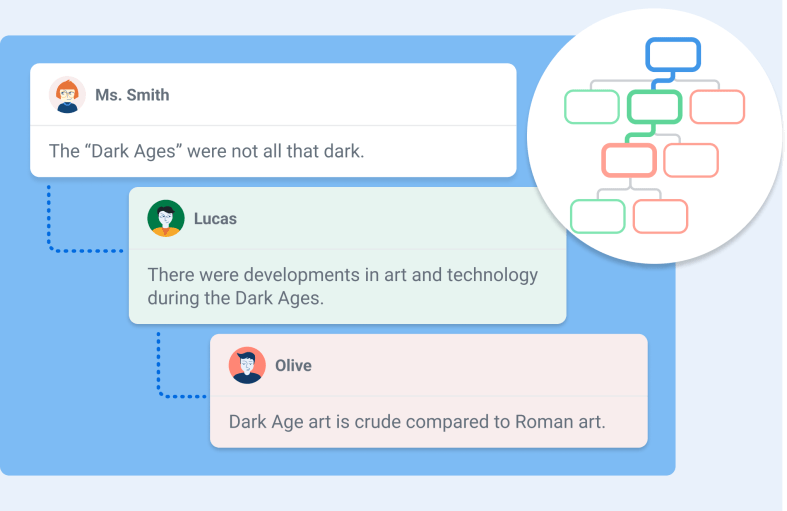
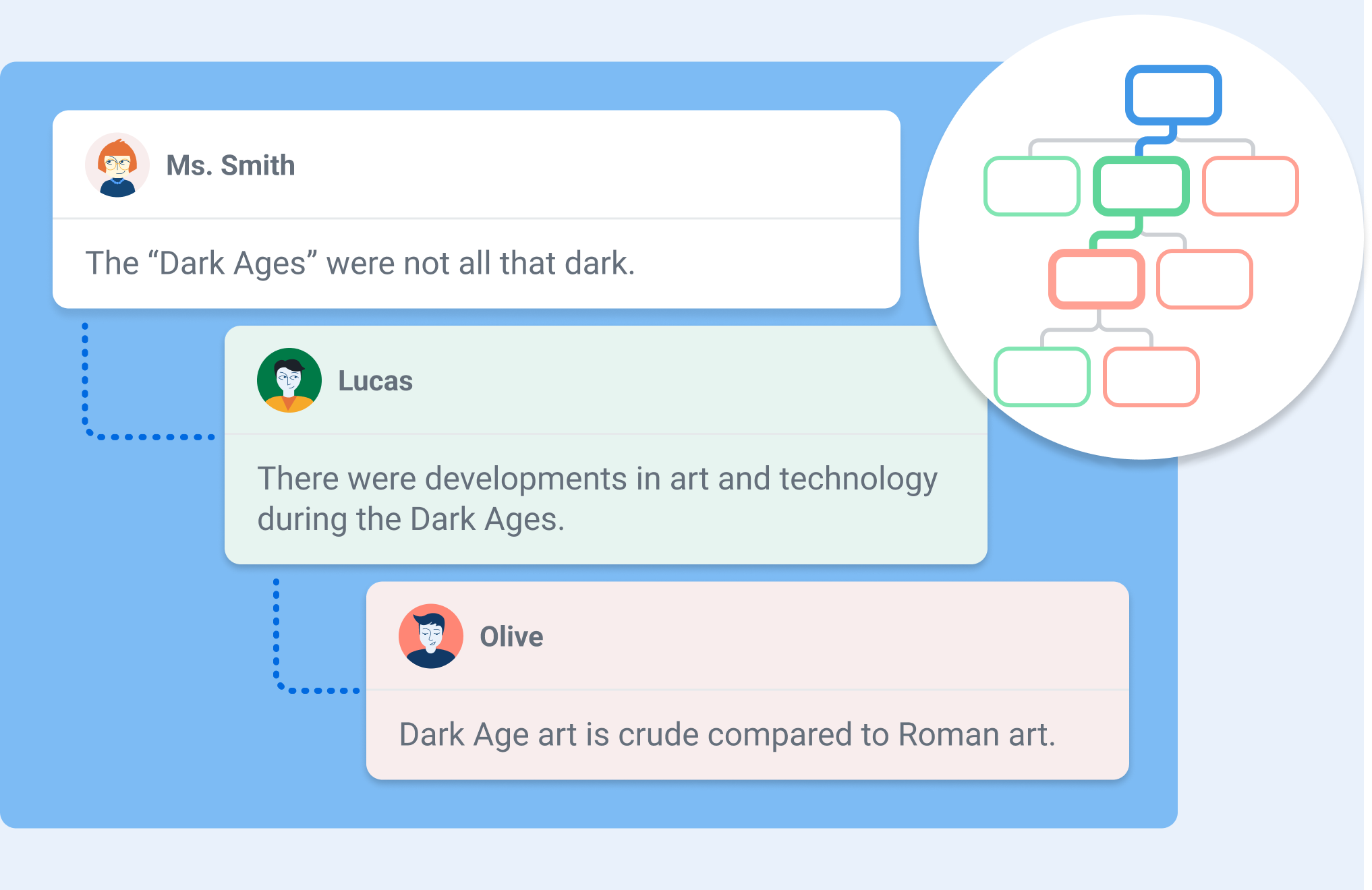
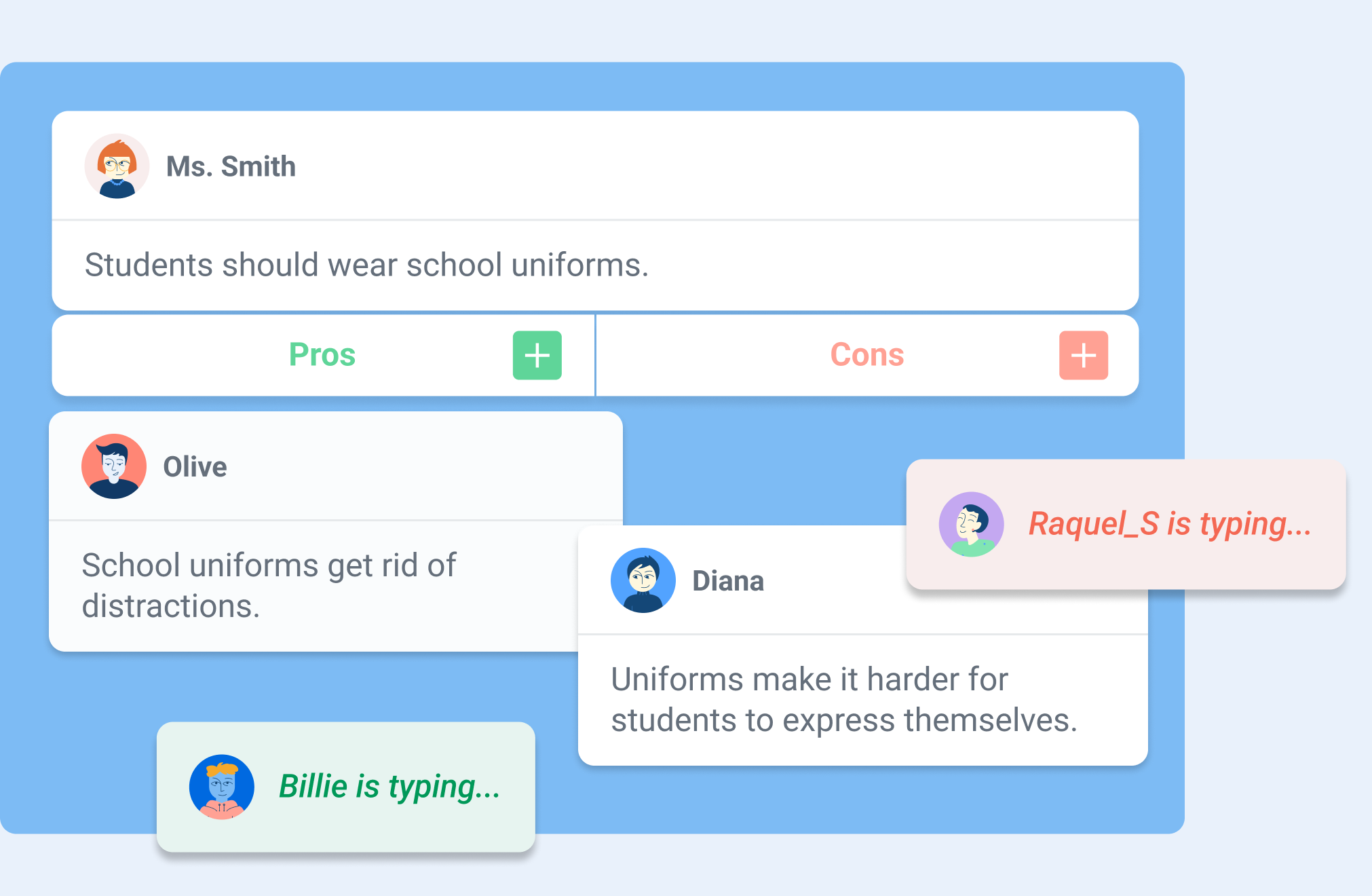
You may be wondering what Kialo Edu is. It is a robust web-based platform designed to facilitate structured, interactive discussions between students while also providing insight into how students are learning and processing the information. I spent a few hours on a weekend testing out its features and was really impressed. One of my favorite features is the “discussion tree,” which is a way to visually map arguments as interconnected branches. Students can look at this, see how their ideas develop, and better understand the logical structure of the conversation. It is very easy to navigate, and I love how it encourages students to consider all the different perspectives their classmates have raised.
To begin, you need a thesis — a central statement or question — that students then support or challenge with pro and con arguments. Each argument, whether a pro or a con, can then have its own set of pros and cons. In this way, discussions can branch into progressively more detailed sub-arguments, creating an organized structure that can make even the most complex discussions manageable and transparent.
Kialo Edu provides an intuitive and visual format for discussions, enriched with features like impact meters for rating arguments, referencing sources in claims, and linking arguments across branches of the discussion. Whether you’re exploring global or societal issues, debating scientific ethics, or dissecting a novel’s character motivations, Kialo Edu makes discussions engaging and meaningful. And it is free to use!
How Kialo Works in Practice
Getting started with Kialo Edu is easy: It begins with simply creating a discussion. After setting a thesis, teachers can add a brief text for instructions or context, set specific tasks for students to complete in the discussion, and even incorporate an image to set the tone. Once ready, students are invited to join and begin contributing arguments, rating their impact, and responding to others. As the discussion unfolds, educators can easily monitor new claims as well as students’ progress toward their tasks. For educators, the virtual classroom management capability of Kialo Edu enables teachers to track student progress at any time. Taking on the student role, I appreciate how Kialo shows my progress as I contribute new arguments, offer supporting arguments, or put forth alternative viewpoints to others’ claims.
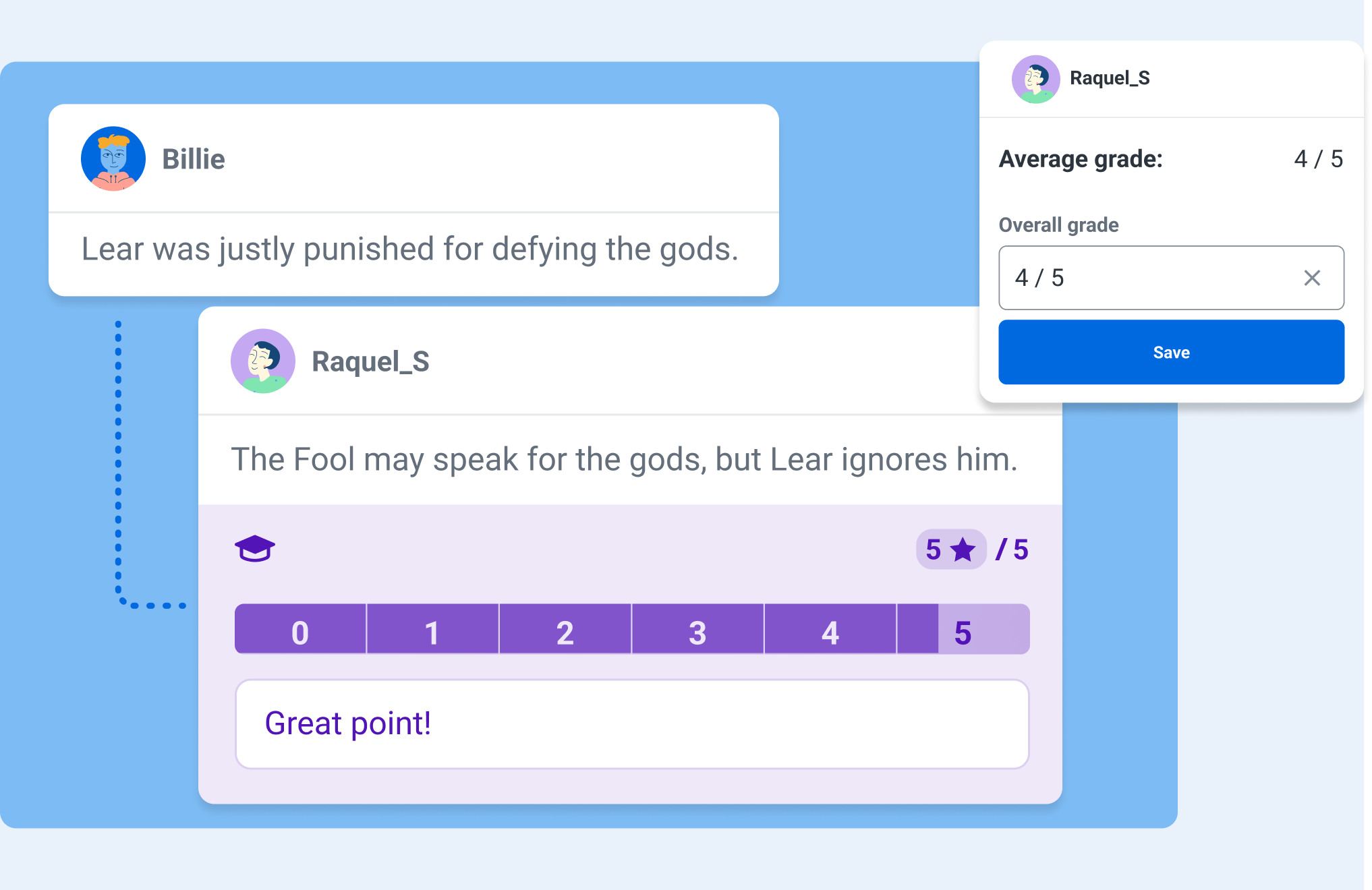
One feature that I really appreciate is the Grading and Feedback tool, which allows educators to filter out individual students’ contributions. This makes it easier to keep track of participation, evaluate the quality of arguments, and provide more targeted feedback to students. There are also comments that remain separate from the main discussion, which allows for side conversations about phrasing, content, or sources without cluttering the primary argument tree.
Bringing Discussions to Life in the Classroom
Fostering Critical Thinking
I’ve used Kialo Edu in my classroom to have students examine their own reasoning behind both academic and real-world topics. For example, when discussing the merits of sustainability practices, each group had to find credible sources and evidence to support their claims. The impact meters helped students recognize the most influential arguments, which then helped them refine their reasoning and presentation.
Building Civil Discourse
Kialo Edu’s perspective-switching feature is a powerful tool for fostering empathy and understanding. After students have voted on the strength of arguments in the discussion, they can then view the discussion tree through the lens of a participant who voted differently. In doing so, students can view and consider opposing arguments as more than just obstacles to their own. This feature is particularly impactful during a debate on a topic such as freedom of speech, where students can deepen their understanding of a complex issue by exploring multiple viewpoints.
Enhancing Collaboration
Sometimes, it makes sense to assign mixed-ability groups to explore different topics. Using Kialo’s Small Group Mode, teachers can hand-pick groups that will encourage diverse viewpoints. Each group then receives its own private copy of a discussion, allowing students to build arguments collaboratively without external distractions. This approach has been valuable when discussing topics where students must learn how to navigate nuanced perspectives.
Why Kialo Edu Works for Educators
Kialo Edu is such a robust platform, and here are a few reasons why I believe that Kialo Edu is a stand-out and a must-try for all educators:
Ease of Assessment
Using the Grading and Feedback feature, I can look at a specific student’s work all in one place, evaluate the depth of their arguments in context, and provide targeted feedback.
Kialo Edu aligns with key pedagogical goals, including critical thinking, respectful communication, and information literacy. Its flexibility allows me to adapt it for various subjects and levels, from analyzing historical events in relevant content areas to debating ethical dilemmas in literature.
One of the joys of using Kialo Edu is its versatility. There are many great ways to bring Kialo into every classroom, especially to boost creativity!
Here are a few ways I’ve integrated it into my classroom:
Literary Analysis
Students read “To Kill a Mockingbird” in English and Spanish. Regardless of which language, students can debate whether Atticus Finch’s defense strategy was the best course of action. The discussion tree helps them organize arguments about character motivations and societal norms of the time.
STEM Debates
In my 8th grade STEAM course, during a unit on robotics, students can debate the ethical implications of using AI in healthcare-related fields. Students used the comment section to share research links and refine their arguments, which helped them to present a well-rounded view of the topic.
Decision-Making Activities
For a short discussion, students can use Kialo to choose a class field trip location or engage in a debate on a topic. By weighing the pros and cons of various options, they get to practice their decision-making skills in a fun and engaging way. These are essential skills that will prepare them for the future.
Essay Preparation
Kialo is also a fantastic tool for prewriting activities. Students can use it to map out their arguments for persuasive essays, ensuring their ideas are well-organized and supported by evidence.
As an educator, student safety is a high priority for me. Kialo Edu is focused on aligning to strict privacy standards like GDPR, COPPA, and FERPA, which provides more confidence and security when using it with my students.
Kialo Edu’s commitment to remaining free for educational use ensures accessibility for all schools, regardless of budget constraints.
Tips for getting started with Kialo Edu
If you are wondering how to get started, it is simple! Here are some tips to ensure a smooth and successful implementation:
Start small
Begin with a simple topic to familiarize students with the platform. Over time, introduce more complex discussions as students become comfortable.
Set guidelines for respectful discourse, evidence use, and participation. With clear expectations, it will help to set the tone for productive and meaningful discussions.
Encourage students to use the comment feature to refine arguments and share sources. This fosters a deeper understanding of how claims are supported or refuted.
Design rubrics that assess not just the content of arguments but also collaboration, critical thinking, and responsiveness.
The impact of Kialo Edu
Kialo Edu can completely transform the way students approach discussions. They will become more thoughtful, articulate, and respectful in expressing their ideas. Beyond academics, these essential skills will prepare them to navigate a world that demands critical thinking, adaptability, and flexibility.
Kialo Edu is more than just a teaching tool for educators — it’s a pathway to more engaging and meaningful classroom interactions. Whether debating global issues, analyzing literature, or deciding on a field trip, Kialo Edu brings structure, clarity, and engagement to every discussion.
In a world where thoughtful dialogue is more important than ever, Kialo Edu empowers students and teachers alike to explore, analyze, and connect in ways that truly make a difference. I love finding ways to boost classroom discussion, and Kialo Edu is a must-try for all educators.
As educators, we aim to prepare students for tests and life and be adaptable. Kialo Edu provides students with the tools to think critically, argue respectfully, and collaborate effectively — invaluable skills in any field. With its intuitive design, robust features, and commitment to privacy and accessibility, Kialo Edu is a powerful resource to help make the world more thoughtful, one discussion at a time.
About the Author
Dr. Rachelle Dené Poth is a Spanish and STEAM: What’s Next in Emerging Technology Teacher at Riverview High School in Oakmont, PA. Rachelle is also an attorney with a Juris Doctor degree from Duquesne University School of Law and a Master’s in Instructional Technology. Rachelle received her Doctorate in Instructional Technology, and her research focus was on AI and Professional Development. In addition to teaching, she is a full-time consultant and works with companies and organizations to provide PD, speaking, and consulting services. Contact Rachelle for your event!
Rachelle is an ISTE-certified educator and community leader who served as president of the ISTE Teacher Education Network. By EdTech Digest, she was named the EdTech Trendsetter of 2024, one of 30 K-12 IT Influencers to follow in 2021, and one of 150 Women Global EdTech Thought Leaders in 2022.
She is the author of nine books including ‘In Other Words: Quotes That Push Our Thinking,” “Unconventional Ways to Thrive in EDU,” “The Future is Now: Looking Back to Move Ahead,” “Chart A New Course: A Guide to Teaching Essential Skills for Tomorrow’s World, “True Story: Lessons That One Kid Taught Us,” “Things I Wish […] Knew” and her newest “How To Teach AI” is available from ISTE or on Amazon.
Contact Rachelle to schedule sessions about Artificial Intelligence, Coding, AR/VR, and more for your school or event! Submit the Contact Form.
Follow Rachelle on Twitter(X) and Instagram at @Rdene915
**Interested in writing a guest blog for my site? Would love to share your ideas! Submit your post here. Looking for a new book to read? Find these available at bit.ly/Pothbooks
************ Also check out my THRIVEinEDU PodcastHere!
Join my show on THRIVEinEDU on Facebook. Join the group here.
In collaboration with Tonies. All opinions expressed are my own.
In our increasingly digital world, where technology has the potential to be used too often, it’s great to discover innovative tools that don’t require a screen. Educators and families alike are always looking for ways to nurture creativity and spark a love of learning without the need for extra screen time. Enter the Toniebox, a brilliant and innovative audio system that reimagines storytelling and learning for children. With its kid-friendly design, engaging content, and screen-free functionality, the Toniebox has become a favorite in homes and classrooms worldwide.
As an educator who has used Tonieboxes with students, I’ve experienced the impact of this simple yet powerful tool. From the first time you use it, it draws you in, and the excitement builds up for more stories and fun in learning.
What is the Toniebox?
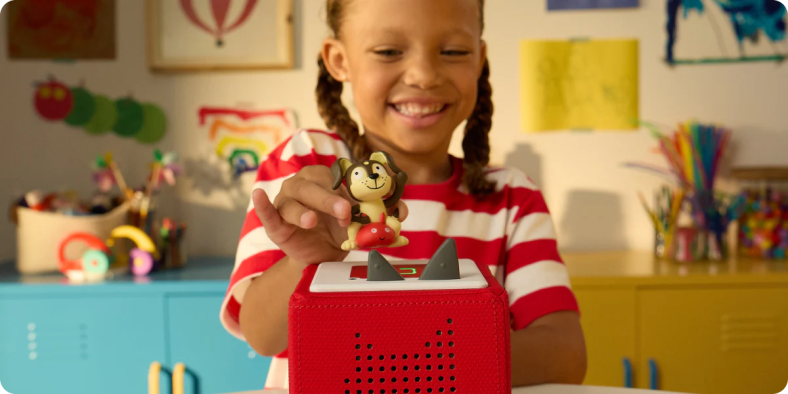
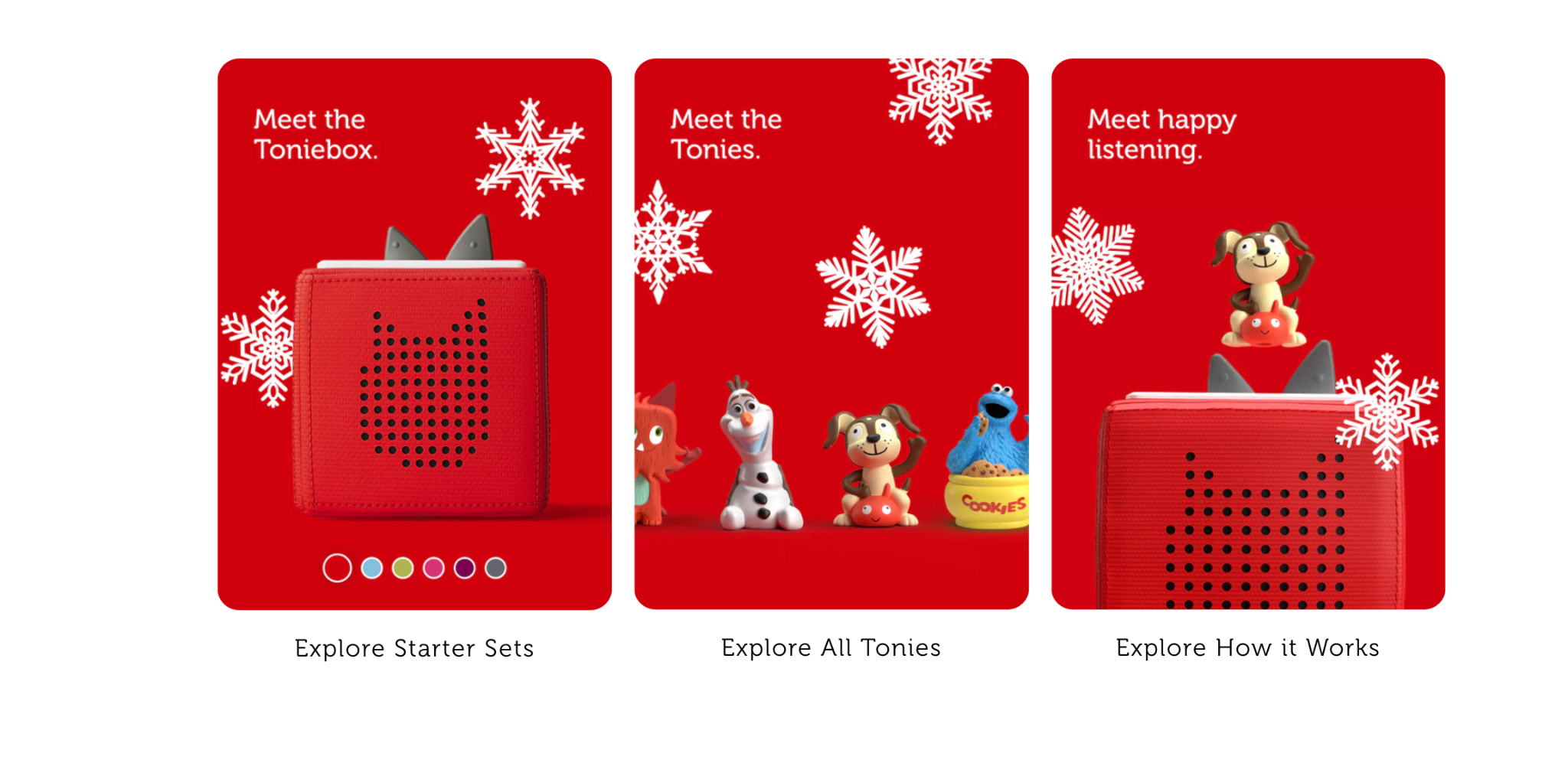
The Toniebox is a soft, cube-shaped audio player designed for children. I have a red and a light-blue one that I have used, and they are truly great for children. Unlike traditional speakers or audio tools that may be used in the classroom, the Toniebox is completely screen-free and user-friendly. It operates through the use of Tonies, which are adorable characters that come preloaded with content, such as songs, stories, or educational lessons. Children ages three and up can use the Toniebox without any problems because it requires them to simply place their Tonie on top of the Toniebox, and the content will play automatically.
The design of the Toniebox is perfect for young learners. It is soft to the touch, durable, and easy for children to operate. What I love about its design are its controls. The volume can be adjusted by pressing the “ears” on top of the box, and tracks can be skipped by tapping the sides of the Toniebox.
What are Tonies?
Tonies are adorable characters that come to life through the Toniebox. The Tonies are placed on a Toniebox to play stories, songs, and language learning activities. There are so many great characters, more than 200 to choose from, and more are being added.
The Magic of Screen-Free Play
The Toniebox stands out from other storytelling products because it is screen-free. By encouraging imaginative play, Tonies helps children develop essential skills such as:
Creativity: Children can create stories or adventures using their Tonies as inspiration. Give students a Tonie and ask them to write or tell a story about it. It is a great way to build many essential skills and for them to have fun, too!
Focus and Attention: The variety of narratives and how the Tonies create a more engaging audio experience helps children as they develop their ability to focus and concentrate. They become drawn into the stories, develop close listening skills, and get excited to share what they learn.
Language Development: To develop language skills, students need a variety of learning opportunities. With the Toniebox, they can listen to stories and songs that will help expand their vocabulary, language skills, and comfort in speaking.
Toniebox in the Classroom
For educators, the Toniebox will be a versatile and impactful addition to the classroom.
Artina Ellsworth, an early educator at Lakeside Primary in Prairieville, Louisiana, told me that she uses Tonies in her “pre-K classroom with the 3-year-olds during music and movement time, read-aloud time, and also in my literacy centers. It helps keep them focused and engaged during reading, helps me teach concepts of print, and also story comprehension for retelling stories. During center time, it also helps them follow the story without me having to sit and read the book with them. It builds their confidence in knowing that they can listen and pretend to read stories by themselves!”
There are so many great uses of the Toniebox! Here are some ideas for bringing a Toniebox into your teaching practice:
1. Listening Centers
The Toniebox can be used in a listening center where students can independently enjoy audiobooks or songs. This fosters self-guided learning and a comfortable way for students to practice their listening comprehension and auditory processing skills.
2. Mindfulness and Relaxation
The Toniebox is perfect for creating a calming environment. During transitions or after lunch, use Tonies that provide mindfulness exercises to help students refocus and relax.
3. Story Time
Use Tonies as a way to create engaging story time sessions for students. Students can create their own stories and even work together to build essential skills of collaboration and creativity!
4. Group Activities
Use Tonies to engage students in some discussions about the story. Ask questions and have students create alternate endings. There are so many possibilities!
Inclusion and Accessibility
The simplicity of the Toniebox makes it accessible to all learners, including those with special needs. Its tactile interface and audio format cater to diverse learning styles and abilities, ensuring every student can participate.
Here are some of the standout features that make the Toniebox a must-have for both classrooms and homes:
1. Durability
The Toniebox is built to withstand the wear and tear of young hands. Its soft padding and design ensure it can handle daily use.
2. Portability
With its rechargeable battery, the Toniebox can go anywhere. Whether it’s used in the classroom, on a field trip, or during a long car ride, it offers hours of uninterrupted learning and fun.
3. Content Variety
From fairy tales to educational lessons, the Tonies’ library ensures something that will meet every child’s interest and learning level. And new Tonies are being released, which helps to keep the learning experience engaging and fun!
4. Customization
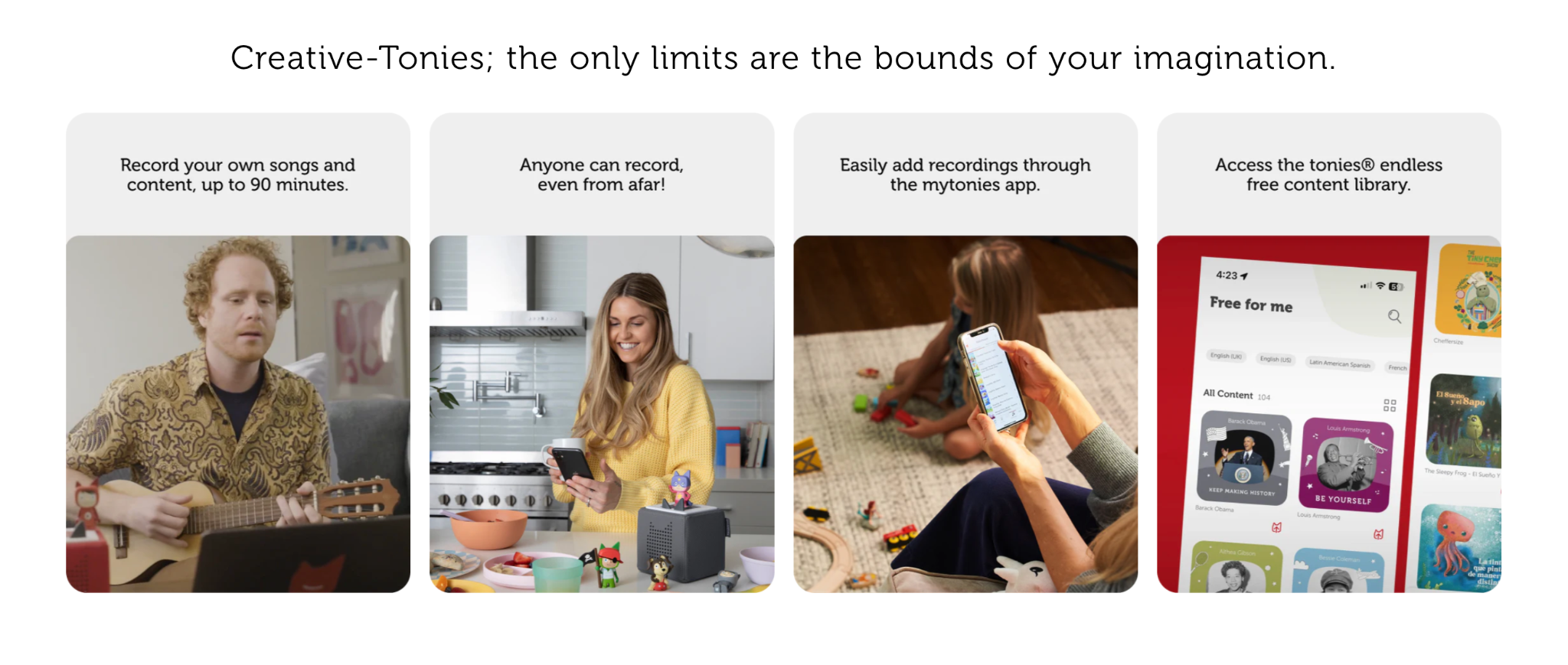
Creative Tonies provide even more opportunities for personalization. Parents can record bedtime stories, and teachers can create custom lessons or messages for their students.
5. Ease of Use
Its unique design means that even the youngest learners can operate the Toniebox independently, which promotes confidence and autonomy.
And now there are even audiobooks that offer more content for kids 6-9! Tonies offer a unique and engaging way to spark children’s imagination and foster a love of learning. By providing a screen-free experience, Tonies helps children develop essential skills while having fun. Whether you’re an educator or a parent, Tonies is a fantastic option to enhance children’s learning and development. Educators, get started today with Tonies through their educator discount!
About Rachelle
Dr. Rachelle Dené Poth is a Spanish and STEAM: What’s Next in Emerging Technology Teacher at Riverview High School in Oakmont, PA. Rachelle is also an attorney with a Juris Doctor degree from Duquesne University School of Law and a Master’s in Instructional Technology. Rachelle received her Doctorate in Instructional Technology, and her research focus was on AI and Professional Development. In addition to teaching, she is a full-time consultant and works with companies and organizations to provide PD, speaking, and consulting services. Contact Rachelle for your event!
Rachelle is an ISTE-certified educator and community leader who served as president of the ISTE Teacher Education Network. By EdTech Digest, she was named the EdTech Trendsetter of 2024, one of 30 K-12 IT Influencers to follow in 2021, and one of 150 Women Global EdTech Thought Leaders in 2022.
She is the author of nine books including ‘In Other Words: Quotes That Push Our Thinking,” “Unconventional Ways to Thrive in EDU,” “The Future is Now: Looking Back to Move Ahead,” “Chart A New Course: A Guide to Teaching Essential Skills for Tomorrow’s World, “True Story: Lessons That One Kid Taught Us,” “Things I Wish […] Knew” and her newest “How To Teach AI” is available from ISTE or on Amazon.
Contact Rachelle to schedule sessions about Artificial Intelligence, Coding, AR/VR, and more for your school or event! Submit the Contact Form.
Follow Rachelle on Twitter(X) and Instagram at @Rdene915
**Interested in writing a guest blog for my site? Would love to share your ideas! Submit your post here. Looking for a new book to read? Find these available at bit.ly/Pothbooks
************ Also check out my THRIVEinEDU PodcastHere!
Join my show on THRIVEinEDU on Facebook. Join the group here.
Keeping students engagemed throughout the school year can be a challenge. Integrating hands-on learning activities such as STEM, project-based learning (PBL), outdoor activities, gamification, and more helps maintain student engagement and develop essential skills like creativity, problem-solving, and collaboration.
Now that most schools have been in session for a few months, educators like myself might be looking for new ideas to explore. Some may already be seeing a decrease in student engagement. While the start of a new school year brings great excitement, that can wear off as activities pick up, colder months set in, and the content becomes more complex. Keeping all students engaged in authentic and meaningful learning experiences becomes even more critical during this time and throughout the year.
Along with engaging students more in learning, It’s important that we find ways to foster essential skills, such as creativity, collaboration, problem-solving, and critical thinking, while making lessons authentic and relevant. In my experience, I have advocated for bringing STEM to all classrooms. Other ideas besides STEM activities include involving students in more active and even outdoor learning, challenge, or project-based learning (PBL) opportunities and using some out-of-the-box ideas. Each of these methods is versatile, and when combined with tools like Defined resources, they help to boost student engagement, spark curiosity, and, best, students retain their content knowledge even more.
Essential Skills Development
As we see so many changes happening in education, especially with technology like AI and other digital tools, students need to develop essential skills that will prepare them for the in-demand careers of the future. According to the World Economic Forum Job Sills Outlook for 2027, these skills include creativity, critical thinking, problem-solving, and collaboration, and now, number three is AI and big data. STEM-related activities provide all students with an excellent way to build these skills. Whether done through coding lessons, hands-on projects, or exploring scientific concepts, STEM encourages students to think critically and solve real-world problems and hopefully spark an interest they may not have realized they had.
Dr. Rachelle Dené Poth is a Spanish and STEAM: What’s Next in Emerging Technology Teacher at Riverview High School in Oakmont, PA. Rachelle is also an attorney with a Juris Doctor degree from Duquesne University School of Law and a Master’s in Instructional Technology. Rachelle received her Doctorate in Instructional Technology, and her research focus was on AI and Professional Development. In addition to teaching, she is a full-time consultant and works with companies and organizations to provide PD, speaking, and consulting services. Contact Rachelle for your event!
Rachelle is an ISTE-certified educator and community leader who served as president of the ISTE Teacher Education Network. By EdTech Digest, she was named the EdTech Trendsetter of 2024, one of 30 K-12 IT Influencers to follow in 2021, and one of 150 Women Global EdTech Thought Leaders in 2022.
She is the author of nine books including ‘In Other Words: Quotes That Push Our Thinking,” “Unconventional Ways to Thrive in EDU,” “The Future is Now: Looking Back to Move Ahead,” “Chart A New Course: A Guide to Teaching Essential Skills for Tomorrow’s World, “True Story: Lessons That One Kid Taught Us,” “Things I Wish […] Knew” and her newest “How To Teach AI” is available from ISTE or on Amazon.
Contact Rachelle to schedule sessions about Artificial Intelligence, Coding, AR/VR, and more for your school or event! Submit the Contact Form.
Follow Rachelle on Twitter(X) and Instagram at @Rdene915
**Interested in writing a guest blog for my site? Would love to share your ideas! Submit your post here. Looking for a new book to read? Find these available at bit.ly/Pothbooks
************ Also check out my THRIVEinEDU PodcastHere!
Join my show on THRIVEinEDU on Facebook. Join the group here.
Guest post by Dr. Amy Mathews-Perez, a Director of Special Programs in a public school in Central Texas. Connect with Amy on X (formerly Twitter) at @drgrowtoknow or her website dramyperez.com
Lead With Curiosity…..Follow With Learning
No matter your role, if you want to create or improve relationships, there are lots of ways to do that. Whether it is personal or professional, relationships matter. Relationships influence us in ways that are obvious (when we get into an argument with someone and stay mad until we decide to forgive, forget, or just quit giving it energy) and ways that are less than obvious, like the way we feel when we think of someone, our anticipation (or dread) of running into/meeting with a person, or the way our choices are influenced by someone (whether intentional or not). One example of that last thing – choices being influenced – is a tradition I follow at work. I have a small team of great people that I am lucky enough to coordinate. Each year I take each person to lunch with the intention of quality one-on-one time talking about anything but work. I always order what they order for lunch. I love to try new things, and while mirroring their decision is an intentional choice for me, the impact on that person and our relationship is subtle. It validates that person, and it provides a topic of conversation (whether I’ve had that meal before or not, why they like it, etc.).
This blog is about two specific ways you can improve relationships: (1) Lead with curiosity and (2) Follow with learning. First things first: the assumption behind this blog is that you want to create positive relationships or improve the ones you already have.
Most of us have probably heard the phrase, “Lead with curiosity.” Many people think that means asking a lot of questions. While that is a reasonable interpretation of the phrase, let’s consider purpose and timing when leading with curiosity. The purpose of your curiosity is to learn more about the other person, so asking questions is a great start. However – being intentional about the purpose of your questions will guide the conversation and validate the other person. Asking questions that do NOT yield “Yes/No” responses will yield only that: one-word answers, which does not perpetuate authentic conversation. Asking questions with the intention of discovering what the other person enjoys talking about is where the magic is.
The next strategy is to “Follow with learning.” Once you are in a conversation with someone and you discover something, learn it. Seeking to understand is powerful in creating trust.Follow up in ways that confirm for the other person that you are learning from them/about them. This can be accomplished through phrases (like “I didn’t know that…”, “I’m learning so much from you/about you.” Or “Let me get this straight [state back what you just learned]…..” are examples of such phrases. Your intention is to validate their input by learning it, repeating it and/or linking it to something you relate to about it. If you really want to solidify this learning, mention the learning to them at another time or mention it to someone else while this person is present.
Each one of these strategies is important, but for maximum impact, use them both: Lead with curiosity, then immediately follow with learning. Same strategies as mentioned above, but combine them in the conversation. Ultimately, your goal is to suspend your ego, eliminate your “I” voice (talking about yourself without relevance to the conversation), and focus on the other person/people in the conversation through your questions and your learning.
CHALLENGE: Have a conversation with a good friend and a new acquaintance. Have your friend count how many times you say “I” – if it is more than you expected, don’t be surprised. We are all guilty of defaulting to “I” when we run out of things to say, get uncomfortable, or can’t handle silence. There is no magic number about how frequently you say “I” – this challenge is simply a way to raise your awareness. It makes it hard to build authentic relationships with others if we mostly talk about ourselves.
I encourage you to be intentional by leading with curiosity and following that with learning and seeing how your relationships improve in-depth, authenticity, and positivity. Fair warning, though: it is harder than it seems, but remember that “better” is the result of intentional decisions. Bottom line: I believe you can do it. You’ve got this!
About Amy
Texas-born & raised, Amy has served public education for over 30 years. General Ed. Teacher, SLP, Diagnostician, SPED Supervisor, Assistant Principal, Principal, and Director of Special Education are the roles she has held. She is the CEO of Making Education Special for All (M.E.S.A), an LLC dedicated to training, facilitation, consultation, and speaking engagements that revolve around information, motivation, and insights on why and how to make education special for all stakeholders as well as leadership. Her passions are communication, joy, authenticity, and empowerment. “Life is short, but our influence is never-ending,” and Amy is committed to connecting with others through service and smiles.
About Rachelle
Dr. Rachelle Dené Poth is a Spanish and STEAM: What’s Next in Emerging Technology Teacher at Riverview High School in Oakmont, PA. Rachelle is also an attorney with a Juris Doctor degree from Duquesne University School of Law and a Master’s in Instructional Technology. Rachelle received her Doctorate in Instructional Technology, and her research focus was on AI and Professional Development. In addition to teaching, she is a full-time consultant and works with companies and organizations to provide PD, speaking, and consulting services. Contact Rachelle for your event!
Rachelle is an ISTE-certified educator and community leader who served as president of the ISTE Teacher Education Network. By EdTech Digest, she was named the EdTech Trendsetter of 2024, one of 30 K-12 IT Influencers to follow in 2021, and one of 150 Women Global EdTech Thought Leaders in 2022.
She is the author of nine books including ‘In Other Words: Quotes That Push Our Thinking,” “Unconventional Ways to Thrive in EDU,” “The Future is Now: Looking Back to Move Ahead,” “Chart A New Course: A Guide to Teaching Essential Skills for Tomorrow’s World, “True Story: Lessons That One Kid Taught Us,” “Things I Wish […] Knew” and her newest “How To Teach AI” is available from ISTE or on Amazon.
Contact Rachelle to schedule sessions about Artificial Intelligence, Coding, AR/VR, and more for your school or event! Submit the Contact Form.
Follow Rachelle on Twitter(X) and Instagram at @Rdene915
**Interested in writing a guest blog for my site? Would love to share your ideas! Submit your post here. Looking for a new book to read? Find these available at bit.ly/Pothbooks
************ Also check out my THRIVEinEDU PodcastHere!
Join my show on THRIVEinEDU on Facebook. Join the group here.
Regardless of our role in education or the grade levels that we work with, we all have a responsibility to bring in a variety of learning opportunities to prepare our students for successful careers. They need to engage in learning that will equip them with essential skills and the right knowledge so they can thrive after they leave our classrooms and our schools. Helping students to learn about potential future careers or options for continuing their education should not be limited to the high school years. By starting to focus on career and college readiness at the middle school level, we can help students to learn about the many options available to them and spark their curiosity for learning.
There are many ways to get started with a lot of benefits to creating college and career readiness opportunities for middle school students. Finding methods and tools or comprehensive resources will have a positive impact on student academic success, increase engagement in learning, and foster the development of essential future skills. With online career learning programs, such as Defined Careers, educators can offer an innovative and engaging approach to introduce students to various professions, ignite their passion, and empower them to shape their future.
In this post, I will share the benefits of focusing on career exploration with middle school and even younger students. Exploring the resources provided by Defined Careers is a great way to help students learn about their options and empower them to explore various career pathways.
Early Exposure to Career Options
Introducing college and career readiness in middle school helps to inform students about a wide range of career options. Through career exploration activities and resources, students can explore job roles in various industries and professions. Defined Learning offers comprehensive career exploration tools that provide K-12 students with insights into different careers. With the K-5 program, this early exposure helps students gain a clearer understanding of their interests, passions, and the skills required for 16 different career clusters. For middle and high school students, interactive modules and videos give students the chance to explore diverse career options such as engineering, entrepreneurship, healthcare, or even art. By learning more about a variety of careers, we can help students discover their interests and passions, allowing them to make informed decisions about their educational and career paths.
Dr. Rachelle Dené Poth is a Spanish and STEAM: What’s Next in Emerging Technology Teacher at Riverview High School in Oakmont, PA. Rachelle is also an attorney with a Juris Doctor degree from Duquesne University School of Law and a Master’s in Instructional Technology. Rachelle received her Doctorate in Instructional Technology, and her research focus was on AI and Professional Development. In addition to teaching, she is a full-time consultant and works with companies and organizations to provide PD, speaking, and consulting services. Contact Rachelle for your event!
Rachelle is an ISTE-certified educator and community leader who served as president of the ISTE Teacher Education Network. By EdTech Digest, she was named the EdTech Trendsetter of 2024, one of 30 K-12 IT Influencers to follow in 2021, and one of 150 Women Global EdTech Thought Leaders in 2022.
She is the author of nine books including ‘In Other Words: Quotes That Push Our Thinking,” “Unconventional Ways to Thrive in EDU,” “The Future is Now: Looking Back to Move Ahead,” “Chart A New Course: A Guide to Teaching Essential Skills for Tomorrow’s World, “True Story: Lessons That One Kid Taught Us,” “Things I Wish […] Knew” and her newest “How To Teach AI” is available from ISTE or on Amazon.
Contact Rachelle to schedule sessions about Artificial Intelligence, Coding, AR/VR, and more for your school or event! Submit the Contact Form.
Follow Rachelle on Twitter(X) and Instagram at @Rdene915
**Interested in writing a guest blog for my site? Would love to share your ideas! Submit your post here. Looking for a new book to read? Find these available at bit.ly/Pothbooks
************ Also check out my THRIVEinEDU PodcastHere!
Join my show on THRIVEinEDU on Facebook. Join the group here.
Since the early 2000s, education has had to evolve with the rapid integration of technology into the classroom. From the general use of computers and laptops for schoolwork to the rise of smartphones and tablets in the classroom, teachers have had to be agile to keep up with these changing trends. Unfortunately, despite these advancements, many teachers struggle in their jobs, leading to a mass exodus in recent years. In August this year alone, Statista reported that 51,000 teachers and other educational staff quit their jobs in the United States. As the education sector is struggling to find teachers to replace them, artificial intelligence (AI) could be the next advancement that not only changes how students learn but also improves the teaching profession by making the job easier. In a guest post by Matthew Rhoads, Ed.D., he wrote that AI can improve teachers’ workflow by providing opportunities for them to optimize their workflow and instruction in the classroom. Below are 7 ways that AI will make teachers’ jobs easier.
Grading
One of the biggest reasons for teacher stress and burnout is the extra work they must do in addition to teaching. Grading is one of the most time-consuming tasks and is often done outside of regular school hours, eating into a teacher’s work-life balance. As discussed in A Look Back at AI in Education, AI grading tools can automate this process. AI can appraise student work instantaneously with very little human input needed, thereby increasing the time teachers can spend on other aspects of their job as well as increasing their free time. These tools also provide much faster feedback to the students, which in turn will help with engagement.
Roleplaying
One factor of AI that will provide a new dimension to how students learn about different subjects is Generative AI (GenAI). MongoDB details how GenAI is based on foundation models that can perform tasks like classification, sentence completion, the generation of images or voice, and synthetic (artificially generated) data. This means that teachers can use AI to educate students through roleplaying. Gabriel Rshaid, co-founder and director at The Learnerspace & The Global School, writes on LinkedIn that GenAI systems that can impersonate a famous, historical, or even current person as well as replicate historical situations. He argues that not only will it foster critical thinking, but it will also elevate the level of interest and engagement for students. Lack of engagement in lessons is regularly touted as a common issue in modern classrooms, leading to added stress for teachers.
Foreign Language Teaching
Language learning in the classroom can be very difficult for teachers due to the lack of one-on-one time with students. With AI, students can speak to a Language Learning Model such as ChatGPT or an AI interlocutor to create a dialogue that is exactly pitched at their level. In a previous post on AI Literacy, we asked a student about the benefits of using AI for language learning. She replied: “The chatbot was very helpful. Immersing yourself with technology that helps you learn Spanish or any other language can help a lot. You have real-time conversations, and the chatbot expands the conversation so you can learn even more about the language. It also helps you become more comfortable speaking!” As students engage with the AI on their own terms, foreign language teachers will have more time to address individual needs.
Plan Lessons
Like grading, a good amount of time outside teaching is spent planning lessons due to the amount of research and reinvention needed. AI can streamline and optimize this process by not only creating new plans from scratch very quickly but also analyzing past lesson plans to cater to the teacher’s own preferences and style of teaching. Curriculum standards also change very frequently, and AI can be used to ensure that the lessons are updated with the latest requirements. This decreases the time teachers spend on planning lessons and increases their ability to work with students.
Personalized Learning For Students
One of the major issues that makes a teacher’s job difficult is not being able to adapt their teaching methods for individual students. It is not possible for teachers to create personalized learning plans for each student in their classroom, which can lead to some students getting left behind and resulting in a lack of engagement. AI-powered adaptive learning platforms can analyze students’ strengths and weaknesses and provide personalized lessons and study paths.
Improve Classroom Management
While AI will revolutionize how teachers can adapt their lessons to students to improve their learning outcomes, another important aspect of AI that will make a teacher’s job easier is classroom management. A Medium post notes how “one of the most pressing challenges for teachers has always been classroom management,” with discipline being one of the most difficult aspects of the job. When it comes to class management, AI can create a more harmonious classroom environment by being able to “detect when a student is distracted, struggling with a concept, or even feeling unwell.” This will allow teachers to immediately intervene and address the issues before they escalate and result in classroom disruption.
Reduce Burnout
As the above benefits show, AI can have a positive impact on many different facets of teaching to make the job easier. By improving each of the above aspects, AI will reduce overall burnout in teachers, which is having a massive impact on the industry. HMH’s 9th Annual Educator Confidence Report found that burnout is a critical issue, with 82% of educators citing that what they need most is a more balanced workload. Education and students are changing fast, with one teacher noting that “today’s student is different from students even five years ago.” AI will not only allow teachers to keep up, but it will also reduce their workload and give them more time to focus on their students. This will make their job easier and improve their work-life balance, which will hopefully stem the number of teachers leaving the profession.
About Rachelle
Dr. Rachelle Dené Poth is a Spanish and STEAM: What’s Next in Emerging Technology Teacher at Riverview High School in Oakmont, PA. Rachelle is also an attorney with a Juris Doctor degree from Duquesne University School of Law and a Master’s in Instructional Technology. Rachelle received her Doctorate in Instructional Technology, and her research focus was on AI and Professional Development. In addition to teaching, she is a full-time consultant and works with companies and organizations to provide PD, speaking, and consulting services. Contact Rachelle for your event!
Rachelle is an ISTE-certified educator and community leader who served as president of the ISTE Teacher Education Network. By EdTech Digest, she was named the EdTech Trendsetter of 2024, one of 30 K-12 IT Influencers to follow in 2021, and one of 150 Women Global EdTech Thought Leaders in 2022.
She is the author of nine books including ‘In Other Words: Quotes That Push Our Thinking,” “Unconventional Ways to Thrive in EDU,” “The Future is Now: Looking Back to Move Ahead,” “Chart A New Course: A Guide to Teaching Essential Skills for Tomorrow’s World, “True Story: Lessons That One Kid Taught Us,” “Things I Wish […] Knew” and her newest “How To Teach AI” is available from ISTE or on Amazon.
Contact Rachelle to schedule sessions about Artificial Intelligence, Coding, AR/VR, and more for your school or event! Submit the Contact Form.
Follow Rachelle on Twitter(X) and Instagram at @Rdene915
**Interested in writing a guest blog for my site? Would love to share your ideas! Submit your post here. Looking for a new book to read? Find these available at bit.ly/Pothbooks
************ Also check out my THRIVEinEDU PodcastHere!
Join my show on THRIVEinEDU on Facebook. Join the group here.
In collaboration with CoSpaces Edu, All opinions are my own
Now that the school year is in full swing and we head into the fall of 2024, many educators are coming up for air and looking for new ideas. For me, it’s always the perfect time to consider how our year has started and look for ways to introduce fun, innovative ideas to our classrooms to boost engagement even more! What I love about technology, is that there is always a way to bring it into our classrooms for our students, and that is what I have found with CoSpaces Edu!
Whether you’re teaching elementary, middle, or high school, focused on STEM, language arts, or any other subject, we know there is an increasing need to equip our students with skills to be successful in the future. In my opinion, I think what better way to do that than with CoSpaces Edu!
CoSpaces Edu is a versatile, very user-friendly platform that brings learning to life for our students. Through augmented reality (AR) and virtual reality (VR), with a variety of wonderful features that enable students to engage in 3D creation, coding, and collaboration, CoSpaces Edu can be integrated across all grade levels and subject areas. I have come up with six ideas for getting started with CoSpaces Edu in your classroom this fall. At all grade levels, you can foster creativity, critical thinking, communication, collaboration, and digital literacy—skills, all of which are essential for today’s learners.
1. Virtual Tour of Student Interests
One of the easiest and most engaging ways to get started with CoSpaces Edu, which I use every year, is having my students explore its gallery of available projects. Whether they’re in elementary school or high school, students absolutely love the time they have to explore existing projects such as games and virtual museums. By giving them time to explore, not only can it boost their own creativity, but it also helps us learn more about their interests, which is essential.
How to start? Direct them to the gallery and ask them to choose a project or space they find interesting. After exploring, ask them to consider why it captured their attention. Was it the design? The characters? The actual activity itself? Encourage them to think critically about what they might create or how they might change or enhance what they explored. For example, if they enjoyed exploring a historical simulation, maybe they can build their own historical event space or propose redesigning a famous historical space. Moving through in this way not only fosters critical thinking but encourages student discussion, idea sharing, and brainstorming ideas. And the best part is that CoSpaces Edu allows them to explore both virtual and augmented reality so they can fully immerse themselves in and connect with the content they’re learning.
I have used this activity as an icebreaker for new school years or any time throughout the year. It benefits by giving students the opportunity to explore, discover, and connect with their classmates over shared interests that they may not have realized they had in common. Talk about fostering a real learning community!
2. Create an “About Me” Space
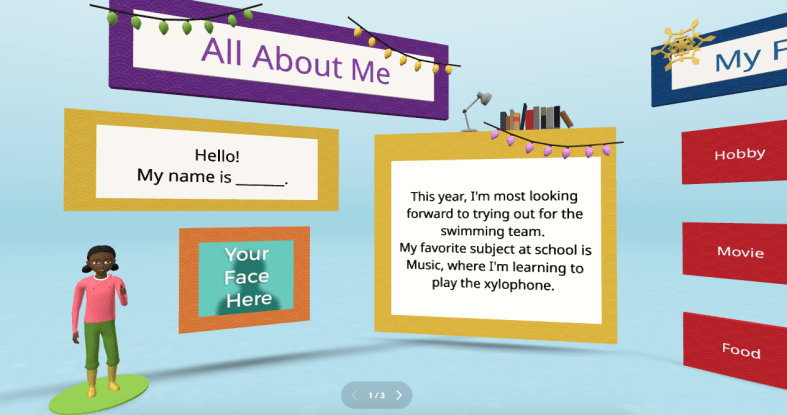
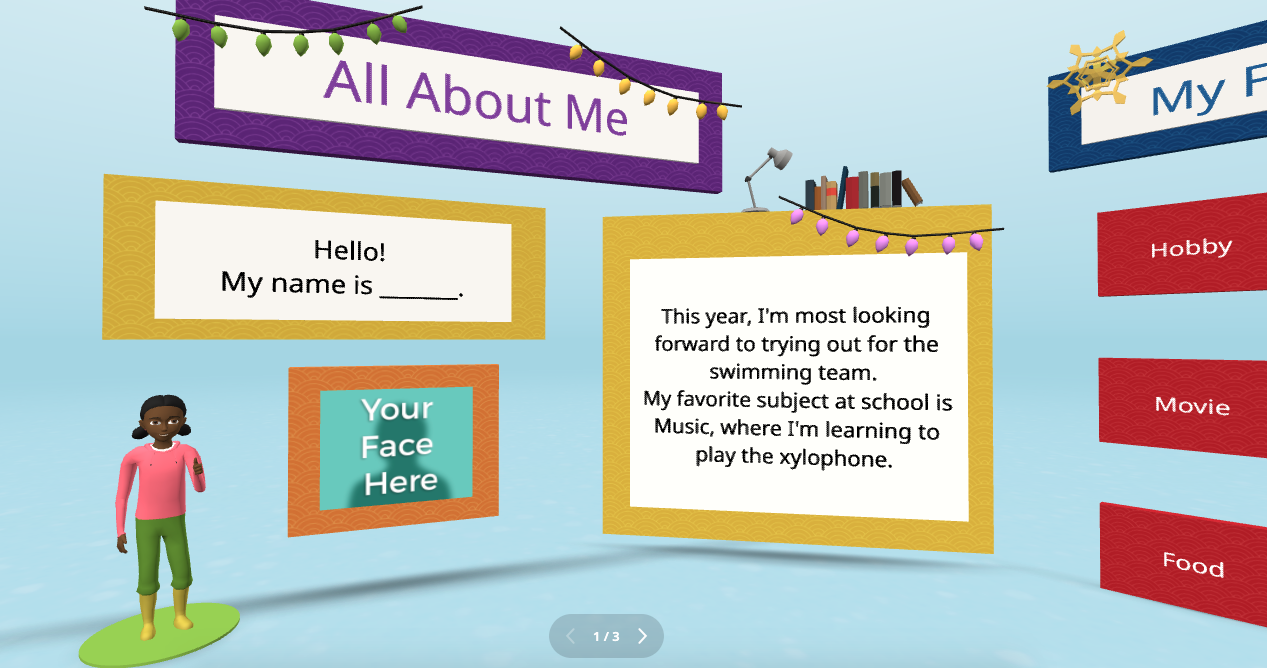
Every new school year, educators spend time finding ways to get to know their students better and for students to get to know each other. A new idea is to have students create an interactive “About Me” space. Not sure where to begin? CoSpaces Edu has a ready-to-use template that students can then customize and add fun characters, animations, and even their voice recordings to create a virtual introduction to themselves.
This activity is more than just fun—it builds digital literacy as students learn to manipulate 3D objects and text and even dive into coding. It’s a great way to build a learning community in the classroom as students explore each other’s spaces, and you will see the excitement as they learn from each other. You can easily adapt this project to any grade level. It is also a great way to introduce younger students to AR and VR in a structured way while also allowing older students to dive more into basic block-based CoBlocks or advanced coding with JavaScript.
My students have had a blast designing their virtual world to represent themselves. The About Me is a great way to spark creativity and help students develop essential communication skills as they express interests, hobbies, and goals with their classmates and teachers.
3. Interactive Storytelling in Virtual Worlds
Storytelling is an impactful way to promote learning whether you teach elementary or high school students. Now, students can bring their stories to life in immersive 3D environments with CoSpaces Edu!
In my STEAM course, I work with the other content area teachers to have students leverage what we are learning and connect it to their other classes. Students have created animated and interactive recaps of stories they’ve read, and some have written their own narratives. The magic is when they bring these stories to life using 3D characters in a variety of settings. For example, students could adapt a classic story or novel they have read and add a twist, such as an alternative ending. Many students enjoy using their imagination to create stories. Once they set the scene, they can use CoSpaces Edu’s coding tools—such as CoBlocks—to add interactivity, allowing their characters to move, speak, and more. We can share their work with classmates, which adds more meaning to and engagement with the learning experience.
These types of projects foster creativity and problem-solving and build communication skills. Students not only have to write their narrative but also decide how to visually and interactively represent it. They engage in a process that encourages collaboration, especially when students work in teams to script, design, and code their virtual worlds. This was a game-changer in my Spanish II class!
4. Revolutionize Language Learning with AR/VR
Interactive storytelling can also be an excellent tool for language learners. In my experience, students in Spanish II created virtual worlds in which their characters engaged in dialogues, which helped them build their language skills in a dynamic and engaging way. It also led to greater retention of the content.
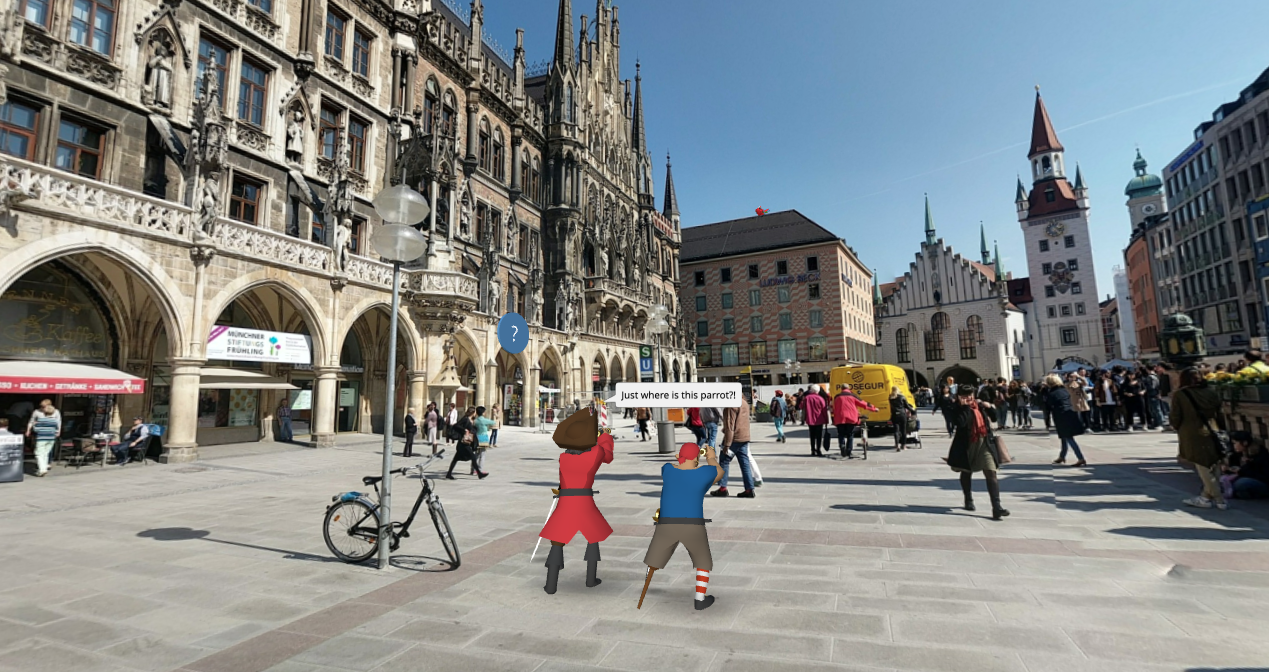
One project involved students creating a virtual Spanish-speaking city where they placed shops, restaurants, and other landmarks. Each student had a role in the virtual environment and had to speak in Spanish to describe their location or interact with others. This project increased student engagement, content retention, and enthusiasm for learning the language. It was also a unique way to reinforce grammar and vocabulary.
Incorporating AR/VR into language learning allows students to “live” the language, making it a more authentic and enjoyable experience. This kind of immersive learning fosters deeper connections with the material. It helps students retain what they’ve learned, which is essential in all areas, particularly in building confidence in language skills.
5. Collaborative STEM Projects
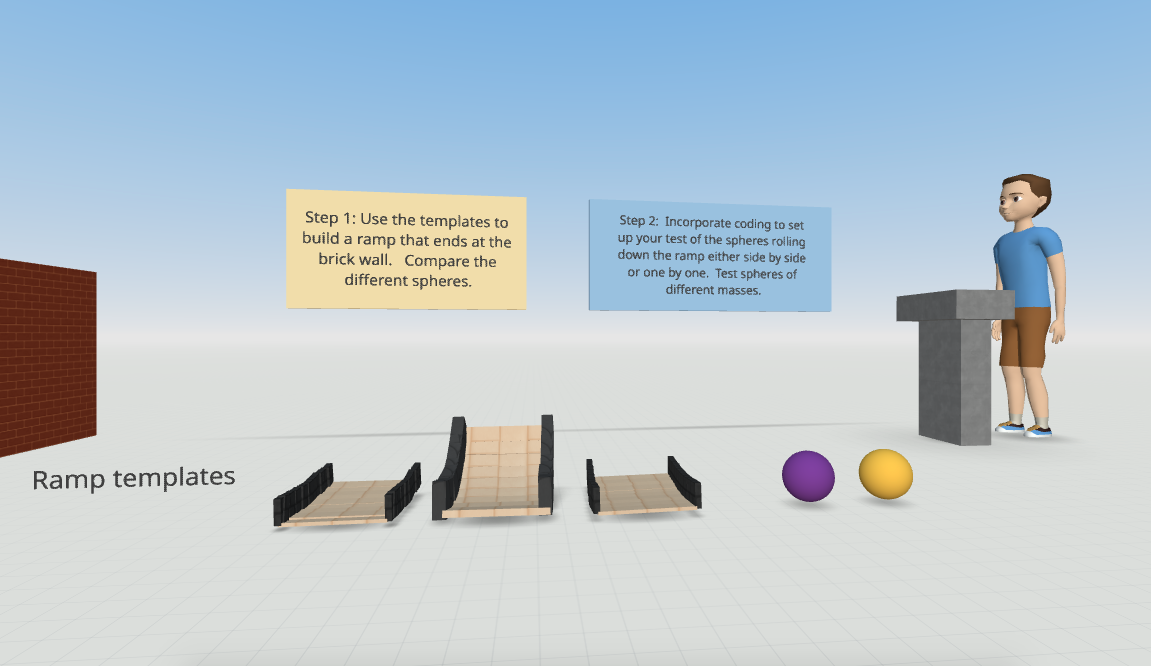
With CoSpaces Edu, students can design and code virtual prototypes, models, and even entire experiments. One of my favorite uses for the platform is collaborative STEM projects. Students can work in teams to design and build virtual spaces or objects, such as a virtual physics experiment exploring Newton’s laws or an architectural model of a bridge or building.
CoSpaces Edu’s collaborative features allow multiple students to work on the same project in real-time from different devices, making it perfect for group projects, whether students are in the classroom or learning remotely. Think about global collaboration possibilities, too! We want students to build teamwork, communication, and problem-solving skills and manage their time. Because they can collaborate in CoSpaces Edu, it makes opportunities available for STEM learning that is more engaging and hands-on.
6. Virtual Museums and Global Collaboration
Building global awareness is so important. Our students must learn about other cultures and have experiences connecting them with authentic and real-world learning opportunities. What if students from around the world collaborate to create a virtual museum that represents items from their different locations? With CoSpaces Edu, this is not only possible but easy to implement. Teachers can connect classrooms from different countries, enabling students to collaborate on a global scale to build and curate virtual museums on various topics, from world history to art or any topic they choose.
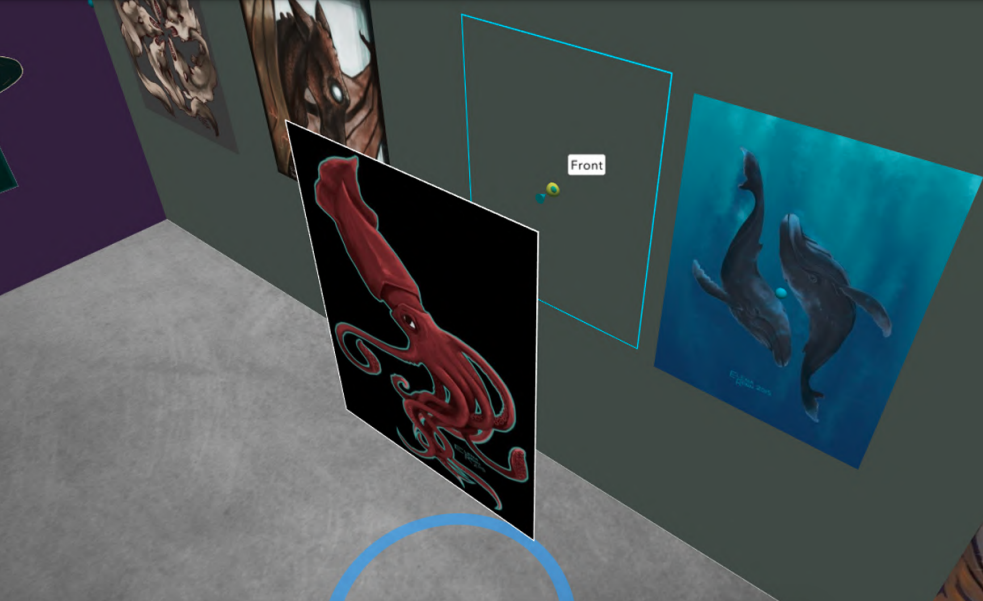
Students can design a virtual museum showcasing the art of different cultures. Using CoSpaces Edu’s 3D creation tools, they can build exhibit halls and import 3D models of art pieces or artifacts. Each student can contribute a different exhibit and then link them together into a larger museum space. A project like this not only fosters creativity and digital literacy but also deepens cultural understanding and instills empathy as students explore and share knowledge from diverse perspectives.
Where to begin
I have used CoSpaces Edu for many years. It is definitely way more than just a tech tool for students. It is a transformative platform that fosters the development of critical future skills like creativity, collaboration, critical thinking, and digital literacy. Whether you’re teaching elementary students to create 3D models or high school students to code virtual worlds, CoSpaces Edu offers endless possibilities for engaging, interactive, and collaborative learning experiences.
CoSpaces Edu shifts students from consumers to creators! My students are always wowed by what they explore when we get started. These are only six ideas to explore, and there are many more possibilities and lesson plans available for educators to explore right away.
CoSpaces Edu is easy to use, works on any device, and offers a secure, COPPA- and FERPA-compliant environment, which is critical. Dive into CoSpaces Edu this fall and watch your students’ creativity and future-ready skills soar.
About the Author
Dr. Rachelle Dené Poth is a Spanish and STEAM: What’s Next in Emerging Technology Teacher at Riverview High School in Oakmont, PA. Rachelle is also an attorney with a Juris Doctor degree from Duquesne University School of Law and a Master’s in Instructional Technology. Rachelle received her Doctorate in Instructional Technology, and her research focus was on AI and Professional Development. In addition to teaching, she is a full-time consultant and works with companies and organizations to provide PD, speaking, and consulting services. Contact Rachelle for your event!
Rachelle is an ISTE-certified educator and community leader who served as president of the ISTE Teacher Education Network. By EdTech Digest, she was named the EdTech Trendsetter of 2024, one of 30 K-12 IT Influencers to follow in 2021, and one of 150 Women Global EdTech Thought Leaders in 2022.
She is the author of nine books including ‘In Other Words: Quotes That Push Our Thinking,” “Unconventional Ways to Thrive in EDU,” “The Future is Now: Looking Back to Move Ahead,” “Chart A New Course: A Guide to Teaching Essential Skills for Tomorrow’s World, “True Story: Lessons That One Kid Taught Us,” “Things I Wish […] Knew” and her newest “How To Teach AI” is available from ISTE or on Amazon.
Contact Rachelle to schedule sessions about Artificial Intelligence, Coding, AR/VR, and more for your school or event! Submit the Contact Form.
Follow Rachelle on Twitter(X) and Instagram at @Rdene915
**Interested in writing a guest blog for my site? Would love to share your ideas! Submit your post here. Looking for a new book to read? Find these available at bit.ly/Pothbooks
************ Also check out my THRIVEinEDU PodcastHere!
Join my show on THRIVEinEDU on Facebook. Join the group here.
Digital Citizenship Week is celebrated in October each year. The focus is on building digital citizenship skills, and there is a designated digcit week with events planned for schools to join in and learn more. These are concepts that teachers and schools should focus on throughout the year as well. With the increased use of digital tools in our classrooms and the amount of technology used in everyday life and work, we must consistently provide learning opportunities for students to develop “digcit” skills.
Being a responsible digital citizen means that all individuals are able to use technology ethically, responsibly, and effectively. It is important to develop an understanding of the impact that one’s digital actions can have on other individuals and on society as a whole. Students and teachers must be able to keep themselves safe, know how to protect their privacy, learn how to critically analyze information, and engage in respectful interactions online.
Teaching digital citizenship skills
Privacy and security: With increased data collection and online tracking of websites we use and how our information is shared, understanding how to safeguard our privacy is key. With more students using digital tools and at a younger age, it is essential to build in activities that will help students to better understand how to protect themselves and to respect the privacy of others as well. For instance, teaching students how to create unique passwords is key for securing personal information. With the increase in cybersecurity attacks over the past few years, updating passwords and even using two-factor authentication (TFA) will help to keep everyone safer.
Communication: With the variety of social media platforms available and how quickly we can post and respond, providing opportunities for students to practice responsible posting is an area that we need to focus on regularly. Even with young students, simulating a Twitter (X) chat or other online discussion can be done using Post-it notes, for example. Depending on grade level, another option is to use a tool like Padlet to help students learn how to properly post and interact with one another.
Dr. Rachelle Dené Poth is a Spanish and STEAM: What’s Next in Emerging Technology Teacher at Riverview High School in Oakmont, PA. Rachelle is also an attorney with a Juris Doctor degree from Duquesne University School of Law and a Master’s in Instructional Technology. Rachelle received her Doctorate in Instructional Technology, and her research focus was on AI and Professional Development. In addition to teaching, she is a full-time consultant and works with companies and organizations to provide PD, speaking, and consulting services. Contact Rachelle for your event!
Rachelle is an ISTE-certified educator and community leader who served as president of the ISTE Teacher Education Network. By EdTech Digest, she was named the EdTech Trendsetter of 2024, one of 30 K-12 IT Influencers to follow in 2021, and one of 150 Women Global EdTech Thought Leaders in 2022.
She is the author of nine books including ‘In Other Words: Quotes That Push Our Thinking,” “Unconventional Ways to Thrive in EDU,” “The Future is Now: Looking Back to Move Ahead,” “Chart A New Course: A Guide to Teaching Essential Skills for Tomorrow’s World, “True Story: Lessons That One Kid Taught Us,” “Things I Wish […] Knew” and her newest “How To Teach AI” is available from ISTE or on Amazon.
Contact Rachelle to schedule sessions about Artificial Intelligence, Coding, AR/VR, and more for your school or event! Submit the Contact Form.
Follow Rachelle on Twitter(X) and Instagram at @Rdene915
**Interested in writing a guest blog for my site? Would love to share your ideas! Submit your post here. Looking for a new book to read? Find these available at bit.ly/Pothbooks
************ Also check out my THRIVEinEDU PodcastHere!
Join my show on THRIVEinEDU on Facebook. Join the group here.










 Learning as I go: Reflections & lessons learned