10 High-Impact Instructional Strategies Instructional Leaders and Coaches Can Support Teachers With That Make a Huge Difference in Student Learning

Guest post byMatthew Rhoads, Ed.D. @MattRhoads1990

As instructional leaders and coaches, we have the incredible opportunity to elevate the effectiveness of teaching and cultivate a culture of continual growth in our schools. Embracing the new school year, review an array of high-impact instructional strategies that can truly ignite learning experiences within our classrooms. Each strategy presented in this post is accompanied by a practical application that can readily inspire teachers through an example and how coaches can support teachers in implementing these research-based strategies in their classrooms. Our mission is to empower teachers to incorporate these strategies into their lessons while providing them with supportive coaching along the way to build their confidence and instructional toolkit.

As a coach, focus on three to five of these strategies to start. Then, when you are on a coaching cycle with a teacher, focus on ONE of these strategies during a single coaching cycle interval. Additionally, each of these strategies can be done with or without technology integrated. It will depend on whether the lesson requires technology or if a teacher deems that technology may provide more opportunities for students to take in the content and skills learned to then put them into action in demonstrating their learning in a formative manner and summatively.

As instructional leaders and coaches, we hold the power to transform teaching and learning in our schools along with our teachers. By embracing these high-impact research-based instructional strategies throughout our classrooms, we can ignite profound learning experiences and cultivate a culture of growth in our classrooms for our students. Explore each strategy, classroom example, and coaching example to inspire and empower your work as you move into this school year!

Definition: Providing students with immediate and regular feedback aimed at effort, improvement, and mastery rather than relative performance. It involves both teacher and peer assessments. It can be done throughout an entire class session with formative assessment. Note: Be sure to provide feedback in a way that requires students to use the feedback in action as feedback without deliberate action of implementing the feedback is not as effective.

Classroom Example: In a science class, a teacher addresses a student’s misunderstanding about a chemistry concept right away during guided practice as the teacher presents the content during an interactive Pear Deck presentation as it embeds formative assessment throughout the presentation, instead of waiting until the end of the lesson. Additionally, key items from the lesson can be assessed when a teacher uses exit tickets to assess students’ grasp of the concept, providing opportunities for reteaching where necessary for the next time they will be focused on the content from this lesson.

Coaching Tip: Coaches can assist teachers in creating effective feedback mechanisms such as templates of interactive presentations, rubrics, and exit tickets. They can model through co-teaching or teach a lesson sequence with the teacher observing how to provide immediate, growth-focused feedback and how to structure peer assessments effectively.

Strategy 2: Retrieval Practice Techniques to Support Memory Recall

Definition: These techniques involve regular use of recall-based activities that enhance the retention and application of previously learned information. This can look like flashcards, formative assessments, or even activating prior knowledge based on an image or video that was about what was learned in a previous lesson. Note: Retrieval practice, formative assessment, and facilitating feedback are strategies that can be sequenced together during lessons.

Classroom Example: An English teacher begins each class with warm-up questions from previous lessons – like matching vocabulary terms with their definitions. Also, concept checks are embedded throughout the lesson such as the use of formative assessment using either mini-whiteboards or interactive slides such as Pear Deck, Nearpod, or Canva whiteboard, prompting students to recall key ideas and providing necessary feedback, if needed, before proceeding.

Coaching Tip: Coaches can support teachers in creating recall-based activities such as quizzes, brain dumps, or concept checks. They can also advise on how to incorporate these into lessons and homework assignments effectively.

Strategy 3: Generative Learning Strategies to Process and Reorganized Learning Information

Definition: These strategies involve students actively processing and reorganizing information. They can include tasks like explaining concepts in their own words, creating examples or diagrams, and making predictions. Note: Be sure students have quite a bit of background knowledge in the content you will want to utilize for this strategy before implementing it.

Classroom Example: A history teacher asks students to explain a historical event “as if I don’t know it.” The students create their own diagrams to represent their understanding and compare similar events. This can be done with or without tech. Sketchnoting, word webs, or even student-created videos or podcasts discussing the historical event could all be examples of how this is done by students.

Coaching Tip: Coaches can demonstrate how to incorporate generative tasks into lessons and can provide feedback on the quality of tasks teachers have created. They can also suggest ways to scaffold these tasks for students at different ability levels.

Strategy 5: Spacing and Interleaving Techniques to Improve Practice of Concepts and Skills Taught In Class

Definition: These techniques involve distributing practice over multiple sessions and mixing different types of content or problems within a single session. This can be done through practice problems given during independent practice. Note: We do not need to give our students hundreds of practice problems for them to improve their skills.

Classroom Example: A math teacher spreads out practice on a particular concept over multiple short sessions and interleaves different types of problems within a practice set. An example would be five addition problems followed by two subtraction problems and one addition problem at the end of the problem set.

Coaching Tip: Coaches can help teachers design their curriculum to incorporate spacing and interleaving. They can also suggest how to balance the rotation of old and new content. Coaches can build a template or calendar of how practice problem sets should be built and then distributed throughout the week. Then, they can support teachers by monitoring the practice they give students and at what intervals the practice is happening to support teachers in building this as a routine in their classroom.

Strategy 6: Scaffolding

DefinitionScaffolding refers to providing temporary support to students as they learn new concepts. Teachers can gradually decrease this support as students develop the skills and understanding to work independently.

Classroom ExampleIn a writing class, a teacher may initially provide a detailed writing template as the mentor text. Over time, the teacher might reduce the level of detail in the template, eventually only providing a simple outline, and finally asking students to create their own outline from scratch.

Coaching Tip: Coaches can support teachers by sharing effective scaffolding methods and resources. They can also help in determining when and how to reduce scaffolding based on students’ progress. For example, a coach can support teachers in reviewing their assessment data to then determine what support they may need to provide students. Additionally, they can also support a teacher in evaluating when they can begin to gradually release support over time during a given lesson or unit.

Strategy 7: Gradual Release Model (I Do, We Do, You Do)

Definition: The Gradual Release Model is an effective method of instruction that moves from teacher-centered to student-centered learning. The process involves three stages: “I do” (teacher demonstrates), “We do” (teacher and students work together), and “You do” (students work independently). Note: Scaffolding and gradual release tend to go together in tandem during an instructional sequence.

Classroom ExampleIn a math lesson, the teacher first demonstrates a problem-solving method (I do). The class then works through several similar problems together (We do). Finally, students solve similar problems independently or in small groups (You do). In this sequence, using mini-whiteboards or an interactive digital slideshow is helpful as then a teacher can see student progress over the course of this instructional sequence.

Coaching Tip: Coaches can assist teachers in structuring their lessons around the Gradual Release Model. This might include providing guidance on how to effectively demonstrate new concepts and techniques, facilitate collaborative work, and support independent student work. Coaches can also model how this looks in a teacher’s class as well as then plan a lesson with a teacher and observe the teacher practicing this strategy in action and then provide feedback.

Strategy 8: Modeling Content or Skills During Direct Instruction

Definition: Modeling is an instructional strategy in which the teacher demonstrates a new concept or skill to students in a step-by-step process. The teacher models the thought process as well as the actions so that students can see the “how” and the “why” of what they’re learning. This strategy is part of the gradual release of responsibility model, where the responsibility for task completion shifts gradually from the teacher to the student.

Classroom Example: In a writing lesson, a teacher could use modeling to teach students how to craft a compelling introduction for an essay. The teacher might write an introduction on the board, explaining their thought process out loud—why they chose specific words, how they structured their sentences, what information they included to hook the reader, etc.

Coaching Tip: Instructional coaches can support teachers by providing examples of effective modeling and giving feedback on their modeling techniques. Coaches can also model the modeling process—for instance, they might model a mini-lesson or co-teaching alongside the teacher they are working with, demonstrating not just the content, but also their thought process during the modeling sequence. This meta-modeling can be a powerful way to help teachers understand and apply effective modeling techniques in their own classrooms depending on the content and skills they are teaching their students.

Strategy 9: Formative Assessment throughout Lessons

Definition: Formative assessment is a range of formal and informal assessment procedures conducted by teachers during the learning process to modify teaching and learning activities. These assessments aim to improve student attainment throughout a lesson sequence. They serve as practice for students, check-ins for both student and teacher and a guide for teachers in planning future instruction and interventions in real-time or for a lesson in the future. Note: Mini-whiteboards, interactive slides, and short multiple-choice assessments tend to be some of the easiest mechanisms to deliver formative assessments.

Classroom Example: A science teacher could conduct a formative assessment by giving a short quiz on the material covered in that week’s lessons at the beginning and at the end of the class period. This allows the teacher to see which concepts students have understood and which they might be struggling with. The teacher can then use this information to adjust their lesson plans, providing additional instruction or practice on difficult concepts.

Alternatively, formative assessment can be as informal as a class discussion or a “thumbs up, thumbs down” quick check for understanding. The key is that the information gathered is used to inform instruction.

Coaching Tip: Instructional coaches can guide teachers in using formative assessments effectively by helping them design assessments that are aligned with learning objectives, providing feedback on the use of assessment data, and suggesting modifications or additional supports based on assessment results.

Strategy 10: Reduce Cognitive Load

DefinitionCognitive Load Theory (CLT) is an instructional design theory that uses the science of how the human brain processes information to inform the design of learning materials so they are easy to comprehend and remember. In essence, it emphasizes the importance of understanding and optimizing the cognitive load — the total amount of mental effort used in the working memory — during learning. Note: Many of the strategies discussed can reduce cognitive load, such as modeling in chunks, scaffolding, and gradual release sequences.

Classroom Example: A teacher introducing a complex concept, like photosynthesis, might first present the overall process in a simplified way, then progressively introduce details about each part. They might also use diagrams and real-life examples to help illustrate each part by chunking the information. By doing this, the teacher is intentionally managing students’ cognitive load, ensuring they’re not overwhelmed with too much information at once. Other examples include using only pertinent information in all displays of information to students. Reducing any extraneous information is helpful in managing cognitive load.

Coaching Tip: Coaches can support teachers in managing cognitive load by helping them to break down complex topics into manageable chunks. They can also support teachers in developing a variety of engaging, multimodal resources and teaching strategies, such as using visuals, analogies, and real-world examples, to support students’ understanding and reduce cognitive overload. Additionally, coaches can provide teachers with feedback related to how much extraneous information they may need to be watchful during their lessons – such as cutting out irrelevant information related to the topic during direct instruction.

Conclusion – Think Less is More and Sustainability

As coaches, we need to model why less is more and what sustainable teaching looks like to the teachers we are coaching. As mentioned at the beginning of this post, we need to focus on only one major strategy at once. Then, during our coaching sessions with teachers, model how that strategy looks, and how it can be incorporated into lessons, and then provide co-teaching and feedback opportunities to the teacher to support them in practicing the strategy over time in their classrooms. Last, focus on how teachers can use these strategies in a sustainable manner. What this means is developing the classroom routines and workflow in planning that allow these strategies to be readily utilized and practiced. Additionally, ensure teachers that not every lesson needs to have each of these strategies – it’s a matter of having these strategies in their toolkit to be used throughout the week is what ultimately matters most.

References

Agarwal, P. K. (2019). Powerful teaching: Unleash the science of learning. John Wiley & Sons. (Retrieval Practice Techniques)

Archer, A. L., & Hughes, C. A. (2011). Explicit instruction: Effective and efficient teaching. Guilford Press. (Modeling Strategy)

Black, P., & Wiliam, D. (1998). Assessment and Classroom Learning. Assessment in Education: Principles, Policy & Practice, 5(1), 7-74. (Formative Assessment Strategy)

Brookhart, S. M. (2017). How to give effective feedback to your students. ASCD. (Strategies for Facilitating Feedback)

Brown, P. C., Roediger III, H. L., & McDaniel, M. A. (2014). Make it stick: The science of successful learning. Belknap Press. (Retrieval Practice Techniques)

Cepeda, N. J., Pashler, H., Vul, E., Wixted, J. T., & Rohrer, D. (2006). Distributed practice in verbal recall tasks: A review and quantitative synthesis. Psychological Bulletin, 132(3), 354. (Spacing and Interleaving Techniques)

Fisher, D., & Frey, N. (2008). Better learning through structured teaching: A framework for the gradual release of responsibility. ASCD. (Gradual Release Strategy)

Fisher, D., & Frey, N. (2014). Better learning through structured teaching: A framework for the gradual release of responsibility. ASCD. (Gradual Release Strategy)

Fiorella, L., & Mayer, R. E. (2015). Learning as a generative activity: Eight learning strategies that promote understanding. Cambridge University Press. (Generative Learning Strategies)

Gibbons, P. (2014). Scaffolding language, scaffolding learning: Teaching second language learners in the mainstream classroom. Heinemann. (Scaffolding Strategy)

Hattie, J., & Timperley, H. (2007). The Power of Feedback. Review of Educational Research, 77(1), 81-112. (Strategies for Facilitating Feedback)

Kirschner, P. A., & Hendrick, C. (2020). How learning happens: Seminal works in educational psychology and what they mean in practice. Routledge.

Kirschner, P. A., & Hendrick, C. (2023). How teaching happens: Applying the science of learning in the classroom. Routledge.

Mayer, R. E. (2011). Applying the science of learning. Pearson. (Generative Learning Strategies)

OpenAI’s GPT-4 (2023, July 25). Personal communication. Instructional Coaching and Instructional Strategies.

Pearson, P. D., & Gallagher, M. C. (1983). The instruction of reading comprehension. Contemporary Educational Psychology, 8(3), 317-344. (Gradual Release Strategy)

Rohrer, D., Dedrick, R. F., & Stershic, S. (2015). Interleaved practice improves mathematics learning. Journal of Educational Psychology, 107(3), 900. (Spacing and Interleaving Techniques)

Roediger, H. L., & Karpicke, J. D. (2006). Test-enhanced learning: Taking memory tests improves long-term retention. Psychological Science, 17(3), 249-255. (Retrieval Practice Techniques)

Sweller, J., Ayres, P., & Kalyuga, S. (2011). Cognitive load theory (Explorations in the learning sciences, instructional systems and performance technologies). New York, NY: Springer.

Vygotsky, L. (1978). Mind in society: The development of higher psychological processes. Harvard University Press. (Scaffolding Strategy)

Wittrock, M. C. (1974). A Generative Model of Mathematics Learning. Journal for Research in Mathematics Education, 5(4), 181. (Generative Learning Strategies)

Wong, H. K., & Wong, R. T. (2009). The first days of school: How to be an effective teacher. Harry K. Wong Publications. (I Do, We Do, You Do Strategy)


Interested in guest blogging or learning more about Rachelle’s work?

Contact Rachelle to schedule sessions for your school about Artificial Intelligence, Coding, AR/VR, and more! Follow her on Twitter and Instagram at @Rdene915

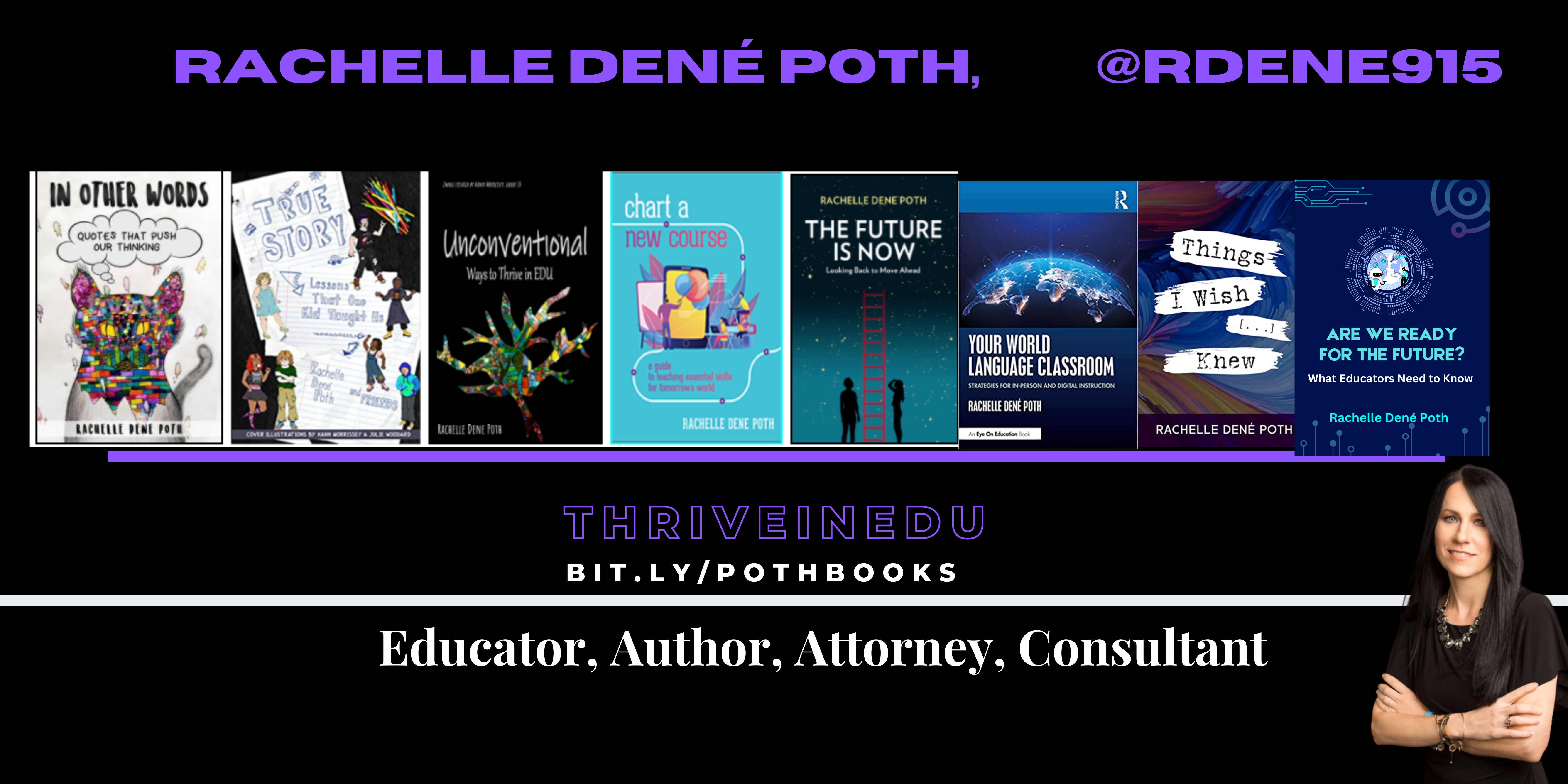
**Interested in writing a guest blog for my site? Would love to share your ideas! Submit your post here. Looking for a new book to read? Find these available at bit.ly/Pothbooks

************ Also check out my THRIVEinEDU Podcast Here!

Join my show on THRIVEinEDU on Facebook. Join the group here

Planning for the Future: Exploring Careers Through Real-World Learning

The world is constantly evolving and the skills that are in demand now may not be needed five years from now. Jobs are changing, technology is becoming even more advanced and careers that exist today may not be needed in the future. And on the other side, there are many jobs that don’t exist yet that will need to be filled by the students in our classrooms today. How do we prepare for what we can’t truly know and understand? We need to make sure that all students have opportunities to explore a variety of topics, careers and learn about their areas of interest and about themselves. We need to spark curiosity for learning and help to guide students to discovering what they might actually be interested in.

Students need to be active in learning and have time to explore the world around them. In some classrooms, students may experience passive learning and solely be consuming content, rather than creating. To amplify learning for students today, we need experiences that will potentially cause some chaos and shift from what has been the traditional classroom structure. Instead, we need to extend learning beyond our classroom space and embrace new learning models that promote student agency and spark curiosity for learning. We need methods and opportunities that foster the development of essential SEL skills and that will best prepare students for the future through real-world learning opportunities. Students need to understand the relevance of what they are learning in our classrooms and how that applies to the real world and careers that are available to them.

Finding methods and tools that will best meet student interests and needs is essential. In education, we have been focusing on the development of “21st-century skills” for many years. We can’t possibly know everything about what the future holds for students when it comes to careers and specific skills, so to prepare, we must help students build a variety of skills. With opportunities that support students as they learn how to adapt to changes and become flexible in learning and growing, will prepare them for whatever the world of work will look like five, ten, or more years from now. Defined Careers offers information that is applicable to all grade levels and has information for many different areas of work. It includes job descriptions, education requirements, and salary information. Recent webinars from Defined Learning have also focused on careers that are in demand and how to engage students in career-connected learning.

Here are three more ways to spark curiosity for careers of the future and engage students in career-focused learning:

  • CTE and Work-based learning: It is important for students to continue to learn about the career options that are available and how they may be changing. With CTE, work-based learning, and even job shadowing programs, students can gain practical and real-world insights into different fields. In the classroom, students can learn about careers and speak with people in their local community. However, being able to experience what it is like in the work environment, and interact with people who are working in careers of interest to students, will have a bigger impact. There are opportunities available locally and virtually that will greatly benefit students. By partnering with local businesses and professionals, inviting guest speakers, and involving students in real-world, hands-on projects, they will become more aware of the opportunities available to them. Through these experiences, they learn about what their interests are and how they can make an impact in the world. Diving into the Defined Careers resources can also help students learn more about specific careers and the types of work that may be involved. Career Course focuses on providing students with relevant career experiences and skills needed for a specific career. Each career course is a collection of projects that gives students hands-on learning opportunities.
  • Place-based learning: By shifting our focus from solely the content area, we can identify a geographical area or the culture of a place as a way to build content knowledge and help students develop SEL skills. Through place-based learning, we place students into the community to collaborate with local businesses, entrepreneurs, and other organizations. These experiences give students an opportunity to apply the content they are learning in the real world. They foster the development of student agency, boost student engagement, and enhance student awareness of the issues and perspectives of the world around them. To further engage students, we can organize field trips to relevant locations, invite guest speakers from the community, and encourage students to research and present on local challenges and solutions.
  • Project-based learning (PBL): With PBL, students take the lead in deciding what they want to learn and how they want to learn it. With PBL, students choose an area of interest, design their own learning journey and through the experience, see the process of learning rather than a finite end point. In our classroom, we explored a variety of student-chosen topics and also incorporated the United Nations Sustainable Development Goals (SDGs) into the projects. We can help students to become more globally aware and involved in finding solutions to challenges faced in the world. PBL helps students to become more independent in learning while developing essential SEL skills such as self-management and social awareness.
  • STEM-focused learning: We want to make sure that students take a break from technology, especially during the summer, however, there are some great resources available for students to explore on their own. With sites such as Defined Learning, Code.org, and Khan Academy, students can explore different STEM-focused courses and resources. With these tools, they can explore in-demand topics like data science, artificial intelligence, cybersecurity, and other STEM-related fields and be more involved through the interactive modules, videos, and other resources that are offered. Online platforms like these and many others like them enable students to explore areas of interest at their own pace and develop skills that may lead them toward a specific career. Find guest speakers who can provide some personal insight into careers in STEM-related fields and the importance of building skills that are applicable to these areas.

There are many options available to inform students of the possibilities for their future careers. While we may not know exactly which jobs will still exist, we do know that there are specific skills that will help students stay flexible and adapt to the changing landscape of learning and work. Through these real-world opportunities, students will make connections that will positively impact their learning and hopefully, spark curiosity or make them aware of areas they have an interest in for their future

About the Author:

Rachelle Dené is a Spanish and STEAM: What’s Next in Emerging Technology Teacher at Riverview High School in Oakmont, PA. Rachelle is also an attorney with a Juris Doctor degree from Duquesne University School of Law and a Master’s in Instructional Technology. Rachelle is an ISTE Certified Educator and Community Leader and served as president of the ISTE Teacher Education Network. She was named one of 30 K-12 IT Influencers to follow in 2021.

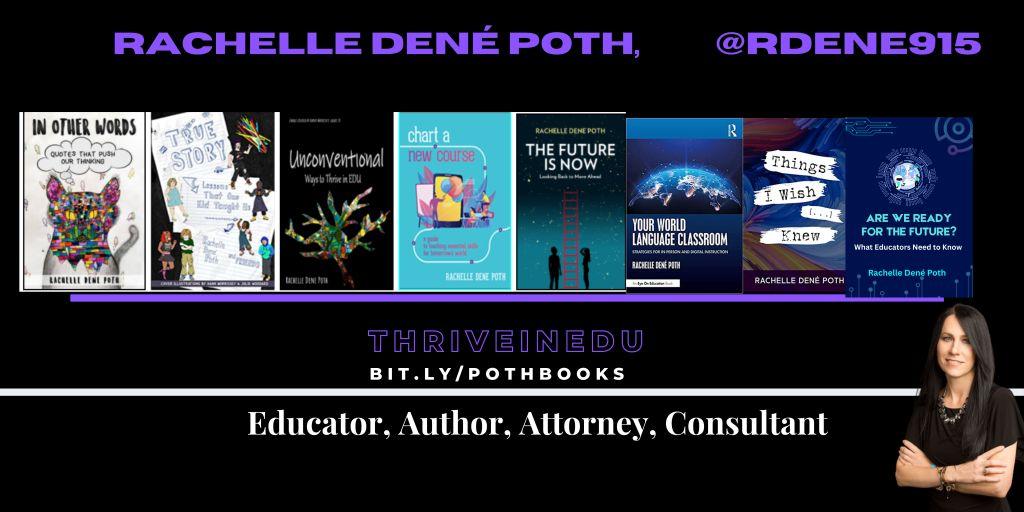
She is the author of eight books including ‘In Other Words: Quotes That Push Our Thinking,” “Unconventional Ways to Thrive in EDU,” “The Future is Now: Looking Back to Move Ahead,” “Chart A New Course: A Guide to Teaching Essential Skills for Tomorrow’s World, “True Story: Lessons That One Kid Taught Us,” and her newest book “Things I Wish […] Knew” is now available at bit.ly/thingsiwishedu.

Contact Rachelle to schedule sessions for your school about Artificial Intelligence, Coding, AR/VR, and more!

Follow her on Twitter and Instagram at @Rdene915

**Interested in writing a guest blog for my site? Would love to share your ideas! Submit your post here. Looking for a new book to read? Find these available at bit.ly/Pothbooks

************ Also check out my THRIVEinEDU Podcast Here!

Join my show on THRIVEinEDU on Facebook. Join the group here

Addressing Teacher Shortages: The Role of Substitute Teachers and Swing Education

In Collaboration with Swing Education

Over the past few years, teacher shortages have become a challenge in schools across the United States. There has been a shortage in filling full-time teaching positions as well as finding substitute teachers to fill in on a day-to-day basis. The shortages add to the pressure on all teachers as they take on additional responsibilities to cover classes and other duties. As a result, teachers lose time that can be spent working with students and also valuable planning time.

Earlier this year, I learned about Swing Education, which is a centralized platform that connects substitute teachers with schools and school districts. They serve as a recruiter of substitute teachers in support of school districts. Swing Education helps schools to streamline the process of hiring, expanding their pool of substitute teachers, easing payroll and onboarding. Swing’s value for substitute teachers is that they have more jobs to choose from because Swing lists all the openings in their area. They also get paid each week (instead of each month) and becoming a sub is much faster because Swing helps with onboarding. I had the opportunity to speak with Mike Teng, Co-Founder of Swing Education and enjoyed the conversation and also gained insight into how large of a problem schools in the United States are facing.

The teacher shortage is affecting schools in every state. According to a report by the nonprofit Learning Policy Institute, there is currently a shortage of approximately 314,000 teachers in the U.S. school system. That means they need subs, but when there aren’t enough, it negatively impacts the learning experience for students and can also lead to teacher burnout. Substitute teachers play a vital role in addressing teacher shortages. They can step in when full-time teachers are absent, ensuring that students receive consistent instruction. Furthermore, substitute teachers can also bring fresh perspectives and diverse experiences to the classroom, enriching students’ learning experiences. I have experienced this in my own classroom when I needed a substitute teacher.

Swing Education’s Initiative

Swing Education launched a campaign to recruit substitute teachers throughout California and in Texas, in the Dallas/Fort Worth area. These are the areas of biggest need at this exact moment for the Swing schools. However, schools all over the nation are facing a shortage, and substitute teachers are needed everywhere. Because Swing Education has a centralized platform, it is easier for schools to find and manage substitutes. The platform handles recruiting, onboarding, and payroll, giving schools more control over their substitute pool. Substitute teachers can find teaching assignments that fit their schedules and have the resources they need to be classroom-ready from day one.

The Benefits of Swing Education

The Swing Education platform offers numerous benefits, such as:

Streamlined Recruitment: Swing simplifies the recruitment process, making it easier for schools to find qualified substitutes quickly.

Improved Management: Schools can efficiently manage their substitute pool, ensuring they have adequate coverage for teacher vacancies.

Support for Substitutes: Substitutes have access to resources via the Swing Education site to help them get started.

Community Engagement: Swing encourages college students, prospective teachers, retirees, and others to sign up as substitutes, fostering community involvement.

Recruiting substitute teachers not only helps with immediate staffing needs but also helps to bring in opportunities for people who may not have considered teaching. There are substitute teachers that are college students, prospective teachers, or even retirees who decide to pursue teaching as a long-term career after having some experience in classrooms. By actively recruiting and supporting substitutes, schools can bring in prospective future educators and work toward eliminating or at least, reducing the teacher shortage crisis.

Swing Education’s initiative to recruit substitute teachers is a significant step toward addressing this challenge. By leveraging platforms like Swing, schools can ensure that classrooms are adequately staffed, and students continue to receive quality instruction. Furthermore, by the support offered for substitute teachers, schools can contribute to building a stronger and more sustainable teaching workforce for the future. Click here to learn how to become a sub. For schools and districts, click here to learn more about Swing.

About Rachelle

Follow Rachelle on Twitter @Rdene915 and on Instagram @Rdene915. Rachelle has a podcast, ThriveinEDU available at https://anchor.fm/rdene915.

Looking for PD for your school? I provide in-person and virtual training on the following topics. If you want to learn more about and explore AI and ChatGPT, contact me to schedule! Rdene915@gmail.com

**Interested in writing a guest blog or submitting a sponsored post for my site? Would love to share your ideas! Submit your post here. Looking for a new book to read? Find these available at bit.ly/Pothbooks

Promoting collaboration in the classroom

Updated from prior post on Defined Learning

“Collaboration is being open to each other’s ideas and benefiting from each other’s perspectives in an open way.”

Alan Menken

Preparing our students for the future means that we need to continue to learn more about the types of jobs that are in demand and create opportunities for our students to develop a variety of skills that are transferable to many types of work. As we have experienced over the past few years, being able to collaborate whether in person or remote, was critical. We all faced challenges in our practice, especially in being able to connect with our students and create learning experiences that fostered the building of relationships and collaborative skills.

For our own professional learning, being able to facilitate instruction with students, and working with colleagues in the absence of being together in the physical space, we had to explore and learn what worked the best. By leveraging the right digital tools and spaces, whether in-person or virtual, we kept learning going and continued to build our own professional skills.

There is tremendous power in collaboration and if we want to best prepare our students with essential skills they need, being able to collaborate and work as part of a team are two of the top skills required by employers. There are a variety of ways that we can foster collaboration in our classrooms which are beneficial to our own learning and growth, but more importantly, for our students.

Benefits of Collaboration

When we collaborate, it not only impacts our growth as educators, it amplifies the learning potential for our students. In an article by Lily Jones, “The Power of Teacher Collaboration”, research showed that teacher collaboration helps to raise student achievement. They found that when teachers had more conversations that focused on the content area, that it helped to provide more for students. By modeling collaboration, students will see and experience the benefits of collaborating with classmates and even beyond our own classroom and school. Building relationships is important for social-emotional learning (SEL) and future preparedness, especially for having a system of support in place. Finding methods and tools that foster collaboration between students and teachers in the same school or school district as well as on a global scale, will provide many benefits.

When educators collaborate, it enables us to stay relevant and current with teaching methods and digital tools, and we have access to more feedback that helps with our professional growth. For our students, collaboration needs to be a priority so that we can provide the most beneficial learning experiences for them. When students work together on a common goal and share responsibility for creating a product of that learning, there are many benefits beyond just learning the content.

As students collaborate, they are building relationships and their own learning network. They can bounce ideas off of each other, provide peer feedback, work through learning challenges together and build SEL skills throughout. Through collaboration, students build their comfort and confidence in the classroom.

Here are three ideas to explore for promoting more collaboration:

  • Brainstorming spaces: Using a variety of digital tools, we promote collaboration beyond our classroom space. Whether through Google Jamboard, sharing ideas in a Wakelet collection, or posting on a Padlet board, everyone can contribute from wherever they are. With some of these options, audio or video can be added, which enhances the learning experience by feeling more connected to classmates and teachers. When students need to work together, they often need a way to collaborate beyond the school space. These options create a space for students to work as a team and feel more connected whenever they cannot be in the classroom working together. For students to explore and brainstorm ideas on their own, try Ideamapper for mind-mapping.
  • Methods: When we bring in methods like project based-learning, we provide many benefits for students. They can work together to solve a problem being faced in the world, for example, by learning about the United Nations Sustainable Development Goals (SDGs). PBL is also a good method that will help students to develop SEL skills, especially in self-management and decision-making. Game-based learning is always a good choice to not only build content area skills but also for promoting collaboration and boosting student engagement. Through the digital tools available, students can collaborate on teams and build teamwork skills while using the games to become self-aware of their growth and set new goals for learning. Some of my students’ favorites are Gimkit and Quizizz. Providing opportunities for summer learning and STEM exploration is another way to keep learning going and spark curiosity! Check out Lobee Learning and how they provide STEM and PBL experiences for students.
  • Feedback and reflection tools: Just as educators need feedback and opportunities to engage in conversations and collaborate, students also need to learn how to track their growth over time. Being able to identify strengths and also areas where they may want to focus on improving is important. Having a small group to collaborate and reflect with can help students not only become more self-aware, but also develop supportive relationships in the classroom. Some ideas for collaborating to help each other grow are to write a collaborative blog, launch a podcast, or even use collaborative spaces where students can share their progress and provide feedback. With Flip, students can record videos to reflect on their learning experiences and share these videos with the teacher or collaborate with classmates to reflect and give feedback to each other. Sharing a blogging space, even using Microsoft or Google tools, where students can write and collaborate would be beneficial. We also use Spaces EDU which offers individual, class, and group spaces, all great for collaboration at different levels. For teacher-to- student, the individual space helps students to build confidence in sharing their learning with teachers and the group spaces for working together on activities like a scavenger hunt, discussion, or PBL for example. In using formats like blogs, podcasts or even portfolios, students will not only develop skills for collaborating, but also skills of self-awareness and self-management which are vital for now and the future.

Each of these methods and tools offer a lot of ways to promote collaboration for students and teachers. Collaboration is an essential skill for everyone. Being able to ask for help, provide support to others, and work as part of a team, are transferable skills to any area of work and life. With a variety of methods and the use of different digital tools to facilitate them, we can foster collaboration and the other essential skills needed that are needed for future careers and success.

About the Author:

Rachelle Dené is a Spanish and STEAM: What’s nExT in Emerging Technology Teacher at Riverview High School in Oakmont, PA. Rachelle is also an attorney with a Juris Doctor degree from Duquesne University School of Law and a Master’s in Instructional Technology. Rachelle is an ISTE Certified Educator and serves as the past president of the ISTE Teacher Education Network. She was named one of 30 K-12 IT Influencers to follow in 2021.

She is the author of seven books including ‘In Other Words: Quotes That Push Our Thinking,” “Unconventional Ways to Thrive in EDU”, “The Future is Now: Looking Back to Move Ahead,” “Chart A New Course: A Guide to Teaching Essential Skills for Tomorrow’s World, “True Story: Lessons That One Kid Taught Us” and her newest book “Things I Wish […] Knew” is now available at bit.ly/thingsiwishedu.

Follow Rachelle on Twitter @Rdene915 and on Instagram @Rdene915. Rachelle has a podcast, ThriveinEDU available at https://anchor.fm/rdene915

I am available for PD sessions in-person and virtual on a variety of topics. Key focus areas are AI, ChatGPT, AR and VR, SEL and STEM.

**Interested in writing a guest blog for my site? Would love to share your ideas! Submit your post here. Looking for a new book to read? Find these available at bit.ly/Pothbooks

Learn to Help Students Correct Science Misconceptions by Producing Instructional Videos

Guest post By Reggie Grant, Twitter @media4literacy

This project was presented at the FSU-Teach STEM Teaching Mini-Conference at Florida State University on June 28, 2023.

“While we teach, we learn.”

These words are attributed to the Roman philosopher Seneca and are the inspiration for a classroom project that I recently developed with my former colleague Brian McClain. “In what scientists have dubbed ‘the protégé effect,’ student teachers score higher on tests than pupils who are learning only for their own sake,” according to a 2011 Time article.

As a longtime high school science teacher, Brian has encountered various common science misconceptions that students hold, some of which are directly or indirectly related to photosynthesis. In an article published in the 2015 issue of the European of Teacher Education, researchers say misconceptions like these must be confronted and corrected to prevent them from stunting students’ future understanding.

“Misconceptions operate to distort new learning. …learners’ existing misconceptions will hinder future-related learning,” the article says. “Before new concepts can be understood, misconceptions must be dispelled.”

Brian and I designed this media project to help students use research and credible evidence to correct some of these common science misconceptions. The project guides students in the production of a short instructional video presentation that sets the record straight about a chosen misconception.

This “Set it Straight!” video project is similar to another project I developed a decade ago when I was teaching high schoolers. In that project, students taught others the correct use of a commonly misused set of words. Examples include there / their / they’re, affect / effect, and farther / further.

The process of creating a media product to teach others develops critical thinking, problem solving and creativity – three of the top five skills necessary for today’s workplace, according to the Future of Jobs Report 2020 produced by the World Economic Forum.

Using media this way in the classroom is endorsed by the Science Education Resource Center at Carleton University. SERC recommends teachers use media technology to engage students in more meaningful and deeper learning experiences. It should be used for more than delivering PowerPoint presentations and showing videos.

“Media can also be student-generated,” the SERC website said. “This approach asks the student to step into the role of the teacher and create content that will engage learners and help them to master concepts.”

“Involving students in creating media encourages collaboration, accountability, creativity, and mastery of ideas and concepts,” the SERC website said. “Importantly, one does not need a large budget, fancy studio, or advanced degree to create original media that is informative, entertaining and educational.”

The Project

The “Set it Straight!” video project is guided by a series of prompts.

For example: “What is the common misconception you researched?”

“Why do you think this is a common misconception?”

“Identify and list two or three important facts necessary to correct this misconception.”

The questions require students to restate the questions and answer them clearly and briefly. Limiting the number of sentences students can use in their answers is important. Short answers require students to really understand the concept. Clarity and brevity are the keys to effective media production.

After feedback has been provided and final revisions have been made, the questions/prompts are removed and the answers/responses become the script.

Students record themselves reading the script.

Accompanying visuals (photos/charts/graphics) are created and/or identified and downloaded.

Then, the visuals and narration are edited together for the video, which will be no longer than about three minutes.

The steps above are detailed in this document with accompanying links.

“Nutrients in the soil are the primary source of the mass increase in plants during their lives.” This misconception is corrected in this example video that we produced.

Conclusion

Making sense of a complex concept by creating media products is empowering for students. It is an effective way to actively involve students in their own education by teaching others.

And by teaching, they learn.

If you have any suggestions for this project, please send them to mediaforliteracy@gmail.com

Reggie Grant teaches journalism and mass communications at Tallahassee Community College. For 11 years, he taught media production — introduction to mass communication, photography, video production, and graphic design — at Lincoln High School in Tallahassee, Florida. He blogs at https://mediaforliteracy.wordpress.com and can be found on Twitter @media4literacy.

Looking for some PD for your school? I provide in-person and virtual training on the following topics. If you want to learn more about and explore AI and ChatGPT, contact me to schedule! Rdene915@gmail.com

**Interested in writing a guest blog or submitting a sponsored post for my site? Would love to share your ideas! Submit your post here. Looking for a new book to read? Find these available at bit.ly/Pothbooks

Advice from an elementary teacher about summer learning

Guest post by Ashley Cooley @ashleyecooley

Next year will mark my twenty-fifth year to be an elementary teacher. Parents ask me a lot of questions about how to keep their child learning during the summer. The best thing is to of course enjoy summertime and get in all the family time that school schedules get in the way of. Here are some ideas that I recommend and used with my own children.

  • Check out recommendations from your local librarian. 
  • Review math facts (addition, subtraction, and multiplication) with flashcards or play “war” with a deck of cards or dominos.
  • Visit museums, children’s theatres and check out ideas from DFW Child… My favorite in the DFW area are the Dallas Museum of Art, The Modern, and the Dallas Children’s Theatre  
  • Review math and science workbooks that were sent home! If your child had an educational platform like Seesaw, review the assignments.
  • Have your child write letters to grandparents. They will write back! Letter writing is a lost art that children need to bring back.
  • Go to a baseball game and let your child keep a record of runs, outs, hits, steals, etc. Then make a bar graph at home to show the info.
  • Cook together! Cooking with your child is a valuable life skill that teaches children about nutrition and food safety while building math, science, and literacy skills.
  • Going on a road trip? Take these math wrap-ups with you and challenge your child to go faster
  • Take your kids to the grocery store and have them keep a running total of what’s going in the cart.
  • Keep a gratitude journal. It will keep your child writing and focused on the positive things in their lives. View the journals that were sent home (along with more workbooks, folders, and supplies). Children’s writing is so innocent and sweet, you will love reading what they wrote.
  • Visit your local library and encourage them to start a series. My first graders LOVED the “Humphrey” series.

Find inspiration from this list and make it work for you. Learning over the summer doesn’t have to be complicated or require long hours of planning. Have fun with it and give your child ownership in their learning. Wishing you a very happy summer full of learning.

My first-grade class helping me celebrate earning teacher of the year!

**Interested in writing a guest blog or submitting a sponsored post for my site? Would love to share your ideas! Submit your post here. Looking for a new book to read? Find these available at bit.ly/Pothbooks

About Rachelle

Looking for some PD for your school? I provide in-person and virtual training on the following topics. If you want to learn more about and explore AI and ChatGPT, contact me to schedule! Rdene915@gmail.com

Spark Career Curiosity for Future Career Paths

Updated from a prior post

In today’s ever-changing job market, we need to help students develop a variety of skills that will enable them to be flexible with the changes we are seeing in the world of work. It is also important that students have opportunities to consider a variety of career paths. It’s not enough to just focus on the careers and options that exist today, as technology and the jobs in demand are constantly evolving. To help students take ownership of their career journey and be curious about opportunities available, educators can explore the resources provided by Defined Learning to help students learn about their options.

Defined Learning offers a variety of tools and resources to help K through 12 students explore career options and develop the skills needed to succeed in the future, whether in college or career. There are materials available for students in elementary, middle, and high school and each has a listing of possible career choices and

Here are some ideas to get students excited about creating their own career paths:

  • Encourage Career Exploration

One of the best ways to get students excited about creating their own career paths is to encourage them to explore their interests and passions. Ask students about their interests and provide opportunities for students to exchange ideas with classmates. Sparking interest in career exploration happens when students have a chance to dive into their own curiosity and tap into their personal interests. When students are passionate about something, they are more likely to be motivated and engaged in their work. Sharing resources will provide students with access to a wide range of real-world career scenarios that can help them identify their interests and passions. These resources may inspire students to think about the types of careers that would enable them to pursue their passions while also making a difference in the world. It includes job descriptions, education requirements, and salary information.

In addition to exploring different careers, students also need to develop the skills necessary to succeed in the workforce. Defined Learning Career offers resources to help students develop these skills through career courses. Each Career Course focuses on providing students with relevant career experiences and skills needed for a specific career. Each career course is a collection of projects that gives students hands-on learning opportunities. Teachers can supplement these materials by having students create materials they need for careers of interest such as resumes and cover letters, or preparing for an interview. Through the career clusters, students also create products of their learning that can be uploaded into their portfolio to track their growth. Students can explore to learn about the demand for specific careers and

Educators can incorporate these resources into their curriculum, either as standalone lessons or as part of larger projects. By helping students develop these skills, educators can empower them to take ownership of their career paths and feel confident in their ability to succeed.

One of the best ways to get students excited about their future careers is to give them real-world experiences. Defined Learning Career Courses offers a variety of units and career clusters that have projects and project descriptions to give students real-world learning experiences. To bring it to life even more, educators can help students to find opportunities to engage in virtual job shadowing or connect within the community to learn about industry-specific projects.

By incorporating these types of experiences into their curriculum, educators can help students see how their education is directly relevant to their future careers. This can be especially valuable for students who may not have a clear idea of what they want to do after graduation. Having a variety of options to explore within one platform is so helpful for educators looking to provide more choices for students and for students to have guided support as they learn about careers through the pathways. Exploring the work of commercial and industrial designers, a baker, a hazmat technician, and other careers will spark some curiosity.

In order to create their own career paths, students need to be able to think outside the box. Defined Learning Career resources can be used to help students think creatively about their future careers. Especially for students that may be unsure about future plans, exploring these real-world tasks can be so beneficial.

For example, students can explore non-traditional career paths, such as entrepreneurship or freelancing, game designers, and learn about the skills and resources they will need to succeed in these types of careers. By encouraging students to think outside the box, educators can help them see the possibilities for their future careers and feel excited about the opportunities that lie ahead. Educators can also offer their own guidance by providing one-on-one meetings with students to discuss their career goals and help them create a plan for achieving those goals. By offering this kind of support, educators can help students feel more confident in their ability to navigate the constantly changing job market.

Getting students excited about creating their own career paths is essential to best prepare them for the future. Defined Learning offers a variety of resources to help educators foster career exploration, develop career readiness skills, and incorporate real-world experiences, through a range of project-based learning experiences that help students develop the skills they will need to succeed. By utilizing these tools, educators can empower their students to take ownership of their future careers and feel confident in their ability to succeed.

Author

Rachelle Dené is a Spanish and STEAM: What’s Next in Emerging Technology Teacher at Riverview High School in Oakmont, PA. Rachelle is also an attorney with a Juris Doctor degree from Duquesne University School of Law and a Master’s in Instructional Technology. Rachelle is an ISTE Certified Educator and Community Leader and served as president of the ISTE Teacher Education Network. She was named one of 30 K-12 IT Influencers to follow in 2021.

She is the author of seven books including ‘In Other Words: Quotes That Push Our Thinking,” “Unconventional Ways to Thrive in EDU” “The Future is Now: Looking Back to Move Ahead,” “Chart A New Course: A Guide to Teaching Essential Skills for Tomorrow’s World, “True Story: Lessons That One Kid Taught Us” and her newest book “Things I Wish […] Knew” is now available at bit.ly/thingsiwishedu.

Follow Rachelle on Twitter @Rdene915 and on Instagram @Rdene915. Rachelle has a podcast, ThriveinEDU available at https://anchor.fm/rdene915.

Looking for PD for your school? I provide in-person and virtual training on the following topics. If you want to learn more about and explore AI and ChatGPT, contact me to schedule! Rdene915@gmail.com 

**Interested in writing a guest blog or submitting a sponsored post for my site? Would love to share your ideas! Submit your post here. Looking for a new book to read? Find these available at bit.ly/Pothbooks

BLACK FRIDAYS for EDUCATORS: ISTE 2023

Guest post by Melisa Hayes, 2nd grade teacher, @MrsHayesFam

It’s that time of year again when the biggest tech conference comes together to show off their tech toys; educators & consultants share amazing strategies, resources, and more! For many, it’s another year. For others, it’s the 1st time. In any case, It’s an exciting time! It’s like Black Friday. The anticipation or dread of packing, creating your schedule for the week, & preparing for your presentation gives many goosebumps. The suspense of getting on the plane or in a vehicle and taking off makes your heart race. Arriving in Philly & thinking about all your friends you’ve only spoken to virtually and getting to physically hug for the 1st time or friends you can’t wait to hug again!

The day is finally here and you have arrived, it’s official. Christmas has come early. The love you feel when you see your friends/family is such a rush of emotion. I remember last year at my first ISTE and seeing my family for the first time. It was a HIGH. A drug that I didn’t want to stop using! For me, these educators are my family. The rush of emotions I felt is hard to explain. Most people can’t understand, my husband being one of them (LOL) I have established a relationship with so many. We know each other even if we’ve never met. The impact each has had on not only me but my 2nd-grade family is just astronomical! These amazing educators have zoomed with my kids and some have Zoomed with them for years! I actually plan to use Microsoft Flip to showcase these family members to my kiddos!

The EXPO/North Pole is miles and miles of tech toys and rock stars showing off the latest and greatest resources. For teachers, It’s Christmas. The giveaways you’ll receive are astronomical! For me, It’s all about the PEOPLE. Get that camera ready and take LOTS of pics to capture those memories. You want to savor every moment! Also, make sure to have comfy shoes. Whether flip flops, crocs, tennis shoes, or any comfortable footwear you’ll need since the convention center is approximately 1.3 million square feet. That’s a lot of traveling so be prepared:)

Snacks are essential as well as chargers, camera/device to capture the memories, Advil for sore muscles or a headache, and a HUGE bag for all those giveaways from the expo:) It would be good to have labels with your name and address so you don’t have to fill out SO MANY slips for giveaways:) Have an open mind when hearing all theories, strategies, and resources. These amazing ideas can always be scaffolded or differentiated for our kids.

Last piece of advice, ENJOY EVERY MINUTE of Black FridayS… These days fly by and before you know it, you have to say goodbye to family/friends. Sign up for all the activities and enjoy all the amazing learning and tech toys that you may win:) Lastly, make memories. You never know what life has in store so savor every moment! #ISTELIVE

About the Author

Melisa Hayes

Melisa is a 2nd-grade teacher in Hilliard, Ohio, and has taught for 26 years. Melisa has a Master’s in Education degree and is passionate about inclusion, blending technology into the curriculum and creating experiences in the classroom, such experiences focus on creativity, Stem, coding, and more. She earned the recognition of Global Teacher of the Year in 2020. She is also a Microsoft Flipsider, Wakelet, Whiteboard Chat, Night Zookeeper, Teach Better Ambassador and an Apple Distinguished Educator.

Connect with me on Twitter @MrsHayesFam

Looking for some PD for your school? I provide in-person and virtual training on the following topics. If you want to learn more about and explore AI and ChatGPT, contact me to schedule! Rdene915@gmail.com

**Interested in writing a guest blog or submitting a sponsored post for my site? Would love to share your ideas! Submit your post here. Looking for a new book to read? Find these available at bit.ly/Pothbooks

ReadSpeaker: Accessibility for All

The Case for Normalizing Accessibility Tools in Schools

Guest post by Paul Stisser,

The cornerstone of education is building pathways to success for all students. The right accessibility tools can often help, making it possible for students of all abilities to thrive. But when the same tools that provide assistance to students leave them vulnerable to stares, harassment, or bullying from classmates, they ultimately do as much harm as good. So how can we make sure students get the assistive technology they need while preventing them from feeling self-conscious? The answer is to make tools available to all students and normalize assistive technology.

In schools today, about one in seven children receive special education services. But some children never receive the proper diagnosis to qualify for the support they need. For other students, requests are tangled up in slow-moving processes. The result is there may be even more students than we realize who can benefit from assistive technology. At the same time, more classes are using digital content, especially after the pandemic ushered in a new wave of digital materials, educational apps, and tech-enabled curricula. While the move to higher degrees of digital education has led to big strides in personalization and accessibility of learning, the Office for Civil Rights is also receiving a growing number of complaints about digital accessibility in K-12 schools.

By prioritizing digital accessibility, we have the power to solve the challenges students with disabilities face and improve the learning experience for all students. It’s similar to the effect of curb cuts on sidewalks. While the initial intention of curb cuts was to help people in wheelchairs, they also benefit people with strollers, wheeled luggage, and bicycles. Similarly, when we take steps to enhance accessibility for all students, we foster a stronger sense of belonging in the classroom. Whether it involves making websites more accessible, enabling students of diverse learning styles to easily engage with content, or harnessing text-to-speech (TTS) tools to support those developing reading skills, English language learners, and auditory learners, the path to inclusivity and student success starts with normalizing accessibility. Below are just a few ideas schools and districts can adopt to introduce accessibility tools to more students.

Talk to students

Including the voices of students in conversations about tools and what they need can be very useful. Students can tell you what is working with the technology they have and what else they might need. When talking to students be sure to include diverse perspectives, with voices from students who need accommodations as well as those who don’t. The way you collect feedback can vary too, depending on the culture of your district or school. Many leaders have success with everything from student representatives on technology committees to conducting surveys and focus groups. Remember that candid, informal conversations can surface great ideas too!

Ask vendors about accessibility

When evaluating new edtech, ask vendors about accessibility. Districts and schools should lead the conversation and ensure that products were designed with accessibility as central to their design, not as an afterthought or add-in. By prioritizing accessible tools and features, you add to the voices calling on the edtech community to make inclusivity a key value.

Find tools that connect to your LMS

When students have to log out of one platform and into another to get the support they need, it creates unnecessary opportunities for distractions. That’s true for students who need accommodations as well as those who don’t. Support tools that are connected to your LMS create a seamless experience for all students, keeping them focused on what they need to do. Additionally, LMS-integrated tools reduce the risk of anyone noticing that students who need support are getting it. Familiarize yourself with the 1edtech standards for interoperability. Choose products that are vetted for interoperability or certified.

Emphasize quality

When it comes to accessibility there are often many choices that are low-cost or free. But these tools can come at a cost. For example, there’s a wide variety of voice quality and learner experiences in TTS solutions. Voices that don’t sound realistic or are simply poor quality can cause students to lose focus while learning and stop using the tool.

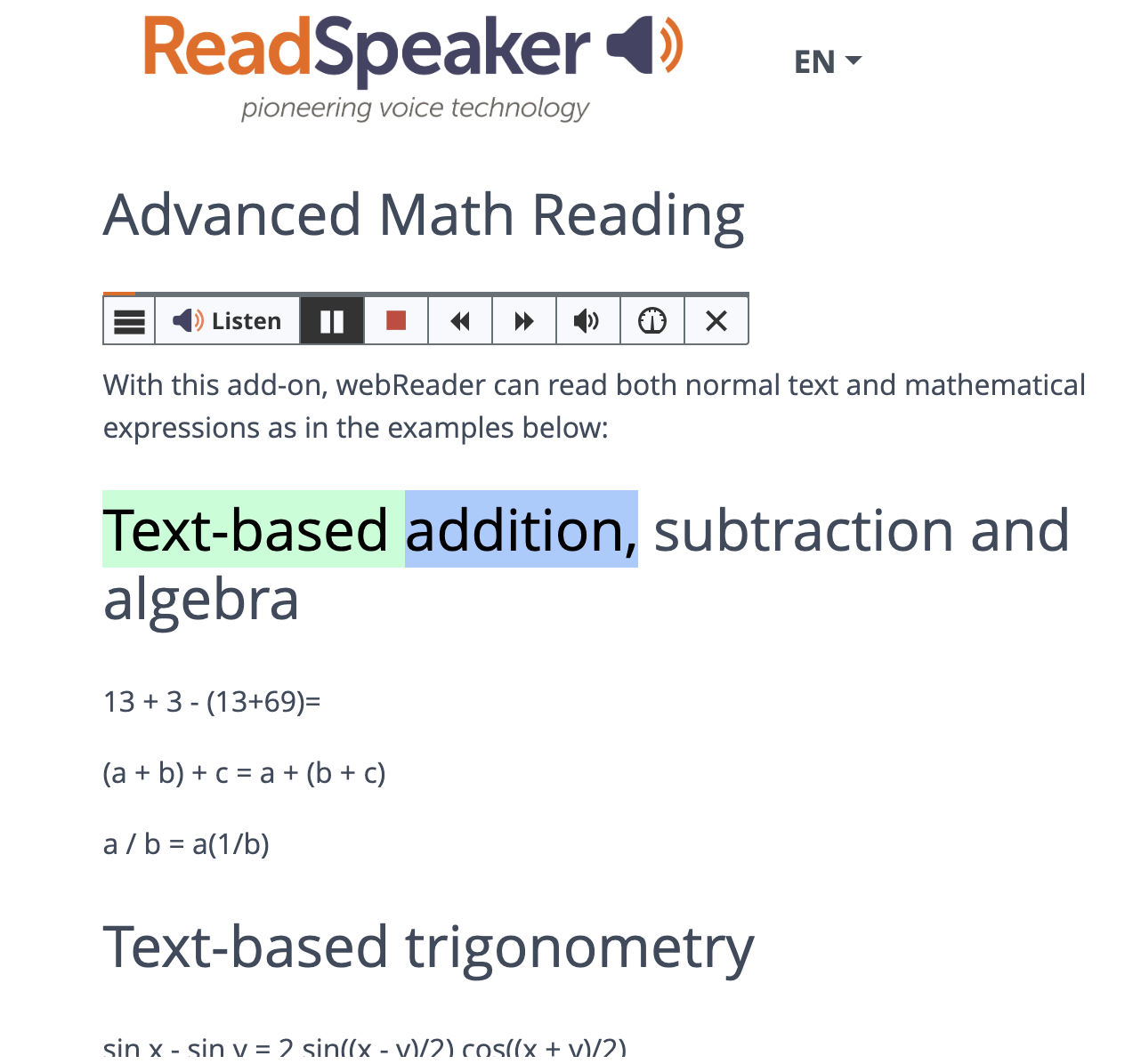
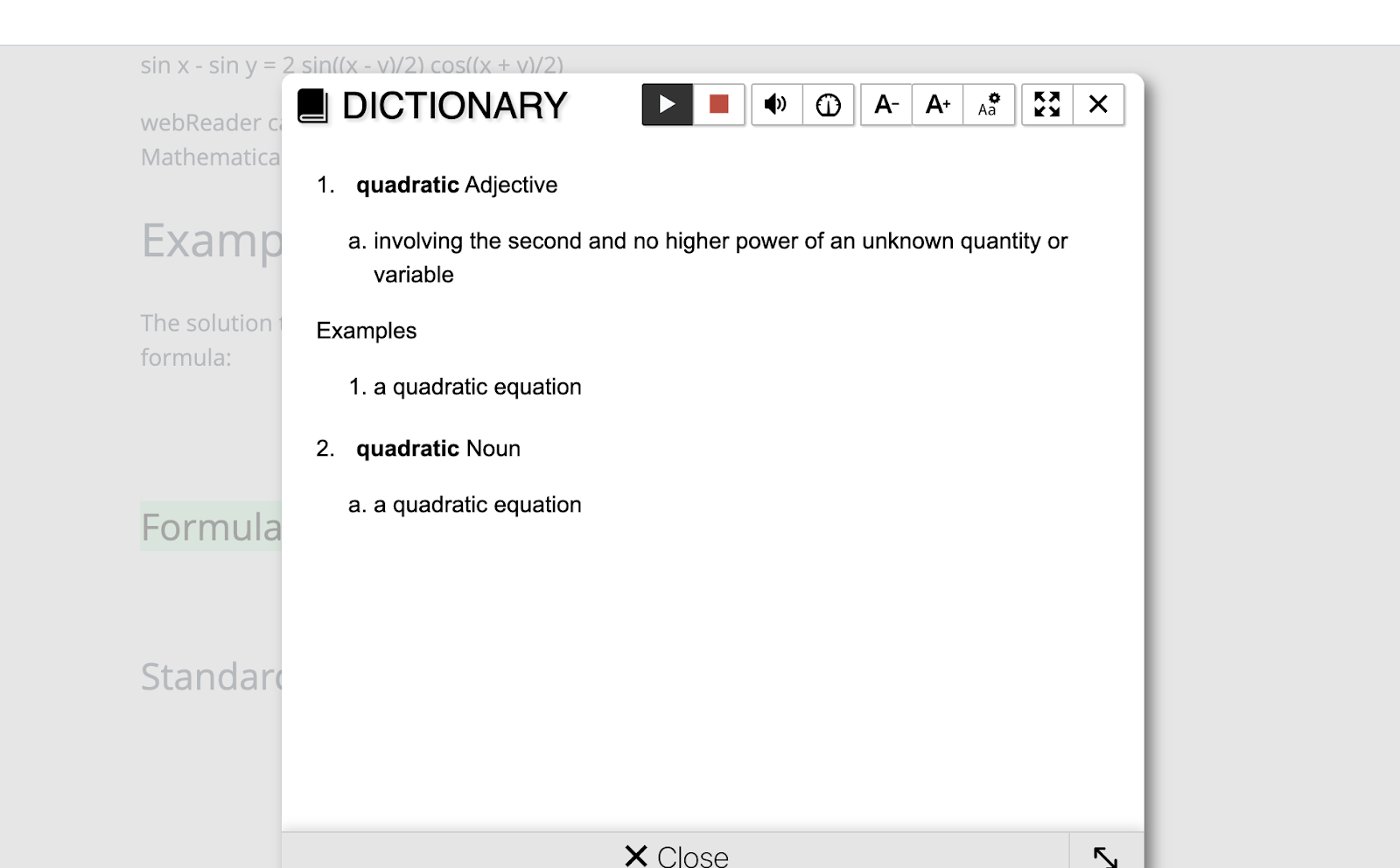
Paying for tools can also bring helpful features that go beyond the edtech’s core function. Some TTS tools do more than read text. They can be customized with colors and fonts, and the voice sped up or slowed down. They can mask the page and hide distracting ads to keep learners focused, highlight text as it is being read, give multiple language options, and include a speech-enabled dictionary.

When we give all students the chance to use accessibility tools we unlock new levels of classroom inclusivity. By making support tools available to all students, we reduce barriers to engaging with digital content, embrace all learning abilities and learning styles, and foster a stronger sense of belonging. So, let’s normalize accessibility tools so all students can not only succeed but soar.

Since joining ReadSpeaker in 2013, Paul Stisser has been a leader in ReadSpeaker’s TTS Education initiatives. Prior to ReadSpeaker, Paul worked at D2L and start-up Moblmedia. He also has 14 years of education and teaching experience in Rochester, NY, specializing in Special Education and At-Risk Students. Paul attended St. Bonaventure University with degrees in History and Literacy. Currently, he resides in Saint Augustine, Florida.

Blog of Rachelle Dené Poth

Looking for some PD for your school? I provide in-person and virtual training on the following topics. If you want to learn more about and explore AI and ChatGPT, contact me to schedule! Rdene915@gmail.com

**Interested in writing a guest blog or submitting a sponsored post for my site? Would love to share your ideas! Submit your post here. Looking for a new book to read? Find these available at bit.ly/Pothbooks
Diving into STEM and Fun with Marty!

In collaboration with @RoboticalLtd, All opinions expressed are my own.

How can we create opportunities for students to dive into coding and STEM? With Marty the Robot, students will take the lead! Marty the Robot from Robotical is a versatile and engaging tool that can be used to enhance learning in any classroom! Marty is a humanoid robot that can dance, walk, and even wiggle his eyebrows!

What I love about Marty is that it is so easy to get started, even for beginners. Marty has a variety of sensors, including distance sensors, light sensors, and touch sensors, which can be programmed using Scratch or Python, two popular programming languages for beginners. With these options, children as young as seven years old can start learning to program and control the robot with ease. With the screen-free option, remote controller, and even MartyBlocks Jr (based on Scratch Jr), Marty can be used with children as young as four! The screen-free option is perfect for learning about the steps in the process and watching how Marty responds. Using the infrared sensors and color sensors on his feet, he can figure out which direction to move in and even dance and play music when he is placed on the color cards.

And Marty’s keeps on getting better! What’s new in 2023?

The Robotical team has been working tirelessly behind the scenes to bring you Marty’s new drag-and-drop sound blocks. This latest addition to the MartyBlocks coding environment (based on Scratch) allows students to expand their creativity, get even more technical, and will add extra personality to every robot.

Marty is customizable. The robot can be assembled and disassembled, allowing users to modify and upgrade its parts to suit their needs. Students can have fun decorating Marty and create a lot of fun ways for Marty to move around and interact! This means that as users’ programming skills and knowledge of robotics and engineering concepts improve, they can modify the robot to make it more complex and challenging.

Marty the Robot is now delivered with pre-installed LED eyes. Programmable in every color under the rainbow, these lights are the perfect addition to the robots and will add a pop of color and sparkle to every lesson. Not to mention, this new addition will also allow teachers to take advantage of Robotical’s disco eye lessons, expanding students’ knowledge of LEDs and lights, testing students to program different colors as reactions, and allowing students to explore different patterns and timing orders.

Marty is suitable for a wide range of age groups, from primary school children to adults. Children can use the robot to learn basic programming concepts, while older students and adults can use the robot to build more complex projects and explore advanced robotics and engineering concepts.

Building essential skills

There are many ways to use Marty to build STEM skills and SEL (Social-Emotional Learning) competencies. For SEL, students can use Marty to practice teamwork and collaboration skills. They can work in groups to build projects and share ideas for improving the robot’s performance. Additionally, students can use the robot to develop problem-solving skills, as they will need to debug code and troubleshoot any issues that arise during the robot’s operation. Students can use the robot to develop perseverance and resilience, as they work to overcome challenges and setbacks during the project-building process.

For STEM skills, students can use the robot to learn programming concepts, including loops, conditionals, and variables. They can also explore robotics concepts such as sensor technology, motor control, and movement algorithms. Additionally, students can use the robot to build projects, such as obstacle courses or mazes, which require them to think creatively and apply their knowledge of programming and robotics.

Here are some reminders for when using Marty the Robot in class:

Have fun! Marty is a fun and engaging robot! Marty can dance, walk, talk, and more.

Teach others. Marty can be used to teach others about coding, robotics, and STEM.

Make music. Marty can be used to make music. Marty has a built-in speaker and can play a variety of sounds.

Be creative. Design fun programs to get Marty up and moving, dancing and talking!

Ideas for Marty!

Build an obstacle course: Challenge students to build an obstacle course using cardboard boxes, ramps, and other materials. Then, program Marty to navigate through the course. Students will need to use their engineering and coding skills to ensure that Marty can safely navigate through the obstacles.

Build a robot team: In groups, students can build multiple Marty robots and program them to work together. They can experiment with different algorithms to control the movement and behavior of the robots. This activity develops teamwork, programming, and engineering skills.

Explore sensor technology: Marty the Robot comes with a variety of sensors, including distance sensors, light sensors, and touch sensors. Students can use these sensors to create programs that respond to changes in the robot’s environment. For example, they can program Marty to move away from objects or to stop when it detects a certain color. This activity encourages problem-solving and programming skills.

Have a dance party: Encourage students to create a fun and lively dance routine for Marty. Students can program the robot to dance along to their favorite songs. This activity encourages creativity, problem-solving, and programming skills.

Create a science experiment: Marty the Robot can be used to conduct a variety of science experiments, such as measuring the speed of sound or testing the effects of gravity. Students can program the robot to collect data and perform calculations, helping them to develop their scientific inquiry and data analysis skills.

Marty goes above and beyond to help deliver STEAM subjects (and more) in an accessible, interactive, and engaging way. Get started today! In the Knowledge Base, teachers can find support articles and lots of other information to help them get started. You can sign up for a free trial! Also check out my podcast episode with Hal Speed, Head of North America Robotical.

About the author

Rachelle Dené is a Spanish and STEAM: What’s Next in Emerging Technology Teacher at Riverview High School in Oakmont, PA. Rachelle is also an attorney with a Juris Doctor degree from Duquesne University School of Law and a Master’s in Instructional Technology. Rachelle is an ISTE Certified Educator and serves as the past president of the ISTE Teacher Education Network. She was recently named one of 30 K-12 IT Influencers to follow in 2021.

She is the author of seven books including ‘In Other Words: Quotes That Push Our Thinking, Unconventional Ways to Thrive in EDU, The Future is Now: Looking Back to Move Ahead, Chart A New Course: A Guide to Teaching Essential Skills for Tomorrow’s World, True Story: Lessons That One Kid Taught Us, Your World Language Classroom: Strategies for In-Person and Digital Instruction and her newest book Things I WIsh [….] Knew is now available.

Follow Rachelle on Twitter @Rdene915 and on Instagram @Rdene915. Rachelle has a podcast, ThriveinEDU available at https://anchor.fm/rdene915.

Looking for PD for your school? I provide in-person and virtual training on the following topics. If you want to learn more about and explore AI and ChatGPT, contact me to schedule! Rdene915@gmail.com 

**Interested in writing a guest blog or submitting a sponsored post for my site? Would love to share your ideas! Submit your post here. Looking for a new book to read? Find these available at bit.ly/Pothbooks