Guest post by Dr. Amy Mathews-Perez, a Director of Special Programs in a public school in Central Texas who also serves on the Board of Directors for the Texas Council of Administrators of Special Education (TCASE). Connect with Amy on X (formerly Twitter) at @drgrowtoknow and on Facebook at DrAmy MP.
Have you ever driven through fog? Depending on how dense it is, it can be eerie or ethereal. Sometimes the fog seems to just appear and other times, you can see it in the distance as you approach. When you are driving through dense fog, you tend to slow down because it can be hard to see what is right in front of you. Likewise, it can be difficult to know or see when the fog will end. There are times that it dissipates slowly, and other times when you drive right out of it sooner than expected.
Now, replace the image of fog with the challenges you are facing. “Challenges” can also be described as roadblocks, obstacles, or enigmas. There are many ways that fog and a challenge are similar. Perhaps if we consider those similarities both in CONTENT and APPROACH, we can improve our perspective and progress regarding challenges.
A key characteristic that fog and challenges have in common is that they are temporary…as long as you are moving through them. To stay stuck – or allow yourself to get stuck – in a challenge is like parking your car on the side of the road in the fog and just waiting until the fog goes away. What a waste of time and gas…plus you’ll be late to your destination! Face the fog with intention, cautious movement toward your goal and awareness of your surroundings.
Just like fog, sometimes challenges come out of nowhere – they blind you without warning, or they seem like “no big deal” until you get up close & personal. One potential response in that situation is to rush through and hope you get out of it soon, but that is a huge risk because you may not be able to see that vehicle coming toward you/up behind you until they are within 10 feet of you and then you have to REACT instead of respond. Same with challenges: if we rush through them without learning from them, without going slow enough to see the challenge in a different way, it can result in a crash between our goals and actions; that momentum of rushing can set us back instead of moving us forward.
Face the fog, don’t race the fog.
Just like challenges, fog can seem ubiquitous & consuming; it may blur our goals. But let’s think about it like this: What is fog made of? The condensation of water vapor; tiny liquid water droplets that hang in the air. What are challenges made of? The condensation of choices & opportunities that hang in your mental space. Embrace the mystery of progress, take the time you need to navigate your path and clarity to your goals as you face the fog.
About Amy
Texas-born & raised, Amy is in her 32nd year of serving public education. Her roles have included General Ed. Teacher, SLP, Diagnostician, SPED Supervisor, Assistant Principal, Principal and Director of Special Education.
She is the CEO of Making Education Special for All (M.E.S.A), an LLC dedicated to training, facilitation, consultation, and speaking engagements that revolve around information, motivation, and insights on why and how to make education special for all stakeholders. Her passions are communication, joy, authenticity, and empowerment.
“Life is short but our influence is never-ending,” and Amy is committed to connecting with others through service and smiles.
About Rachelle
Contact Rachelle to schedule sessions about Artificial Intelligence, Coding, AR/VR, and more for your school or your event! Submit the Contact Form.
Follow Rachelle on Twitter(X) and Instagram at @Rdene915
**Interested in writing a guest blog for my site? Would love to share your ideas! Submit your post here. Looking for a new book to read? Find these available at bit.ly/Pothbooks
************ Also, check out my THRIVEinEDU PodcastHere!
Join my show on THRIVEinEDU on Facebook. Join the group here. Subscribe to my newsletter bit.ly/pothnews
In collaboration with PASCO Scientific, All opinions are my own
As educators, our work extends beyond teaching our content. We are preparing our students for a rapidly evolving world that is experiencing changes in the world of work, especially because of the impact of technology. There is an increasing demand for STEM (Science, Technology, Engineering, and Mathematics) skills, with a continued growth in the number of STEM-related jobs available. Therefore, introducing STEM in all classrooms will best prepare students with the skills necessary to thrive as the world of work continues to change. Finding the right methods and tools is key. PASCO Scientific is a great option for educators looking to get started with STEM.
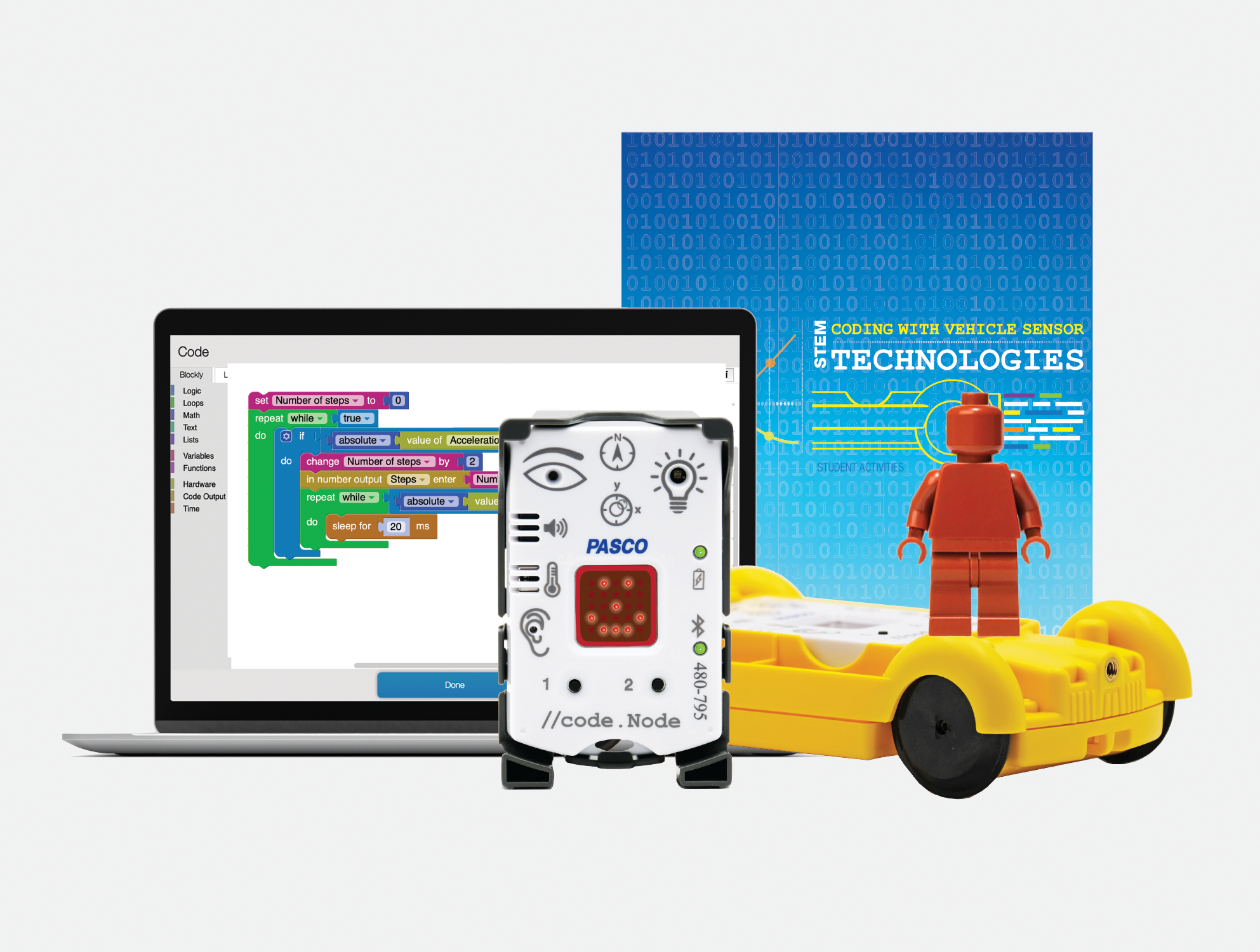
PASCO has developed tools and resources that make STEM learning engaging, interactive, and relevant for all students. My most recent exploration of their Coding with Vehicle Sensor Technologies Kit has been a great addition to my STEAM class and is easy to get started with!
Learning about sensors and more
The Coding Kit enables students to explore physical science by designing, testing, measuring, and coding with sensors that are similar to the technology used in modern vehicles. Because the kit provides students with a hands-on learning experience, it helps them to think about abstract and complex concepts and also sparks curiosity about how things work. It places them in the lead more with problem-solving, critical thinking, and collaboration with classmates and engages them in a variety of beneficial learning experiences. All of these are essential skills that are in demand and will lead to success for students.
What makes PASCO different
The way that PASCO provides the materials for educators and students makes it easy to get started. The kit includes everything that enables educators and students to start right away. The kit comes with the //code.Node is a wireless device that has six sensor inputs, a speaker, RGB light, and an LED array. It’s designed to make data collection and analysis more intuitive for students, encouraging them to explore and develop an understanding of various phenomena through block-based programming. Because the device is user-friendly, it requires minimal setup and supports students so they can dive right into experiments and have more time to explore and take on the learning challenges! The //code.Node Cart amplifies the learning by giving students the chance to engage in a more immersive exploration of vehicle sensing technology and it is a lot of fun for students to work with it in class and develop an understanding of what goes into programming vehicles and leads them to think about autonomous vehicles and all of the considerations that need to be made.
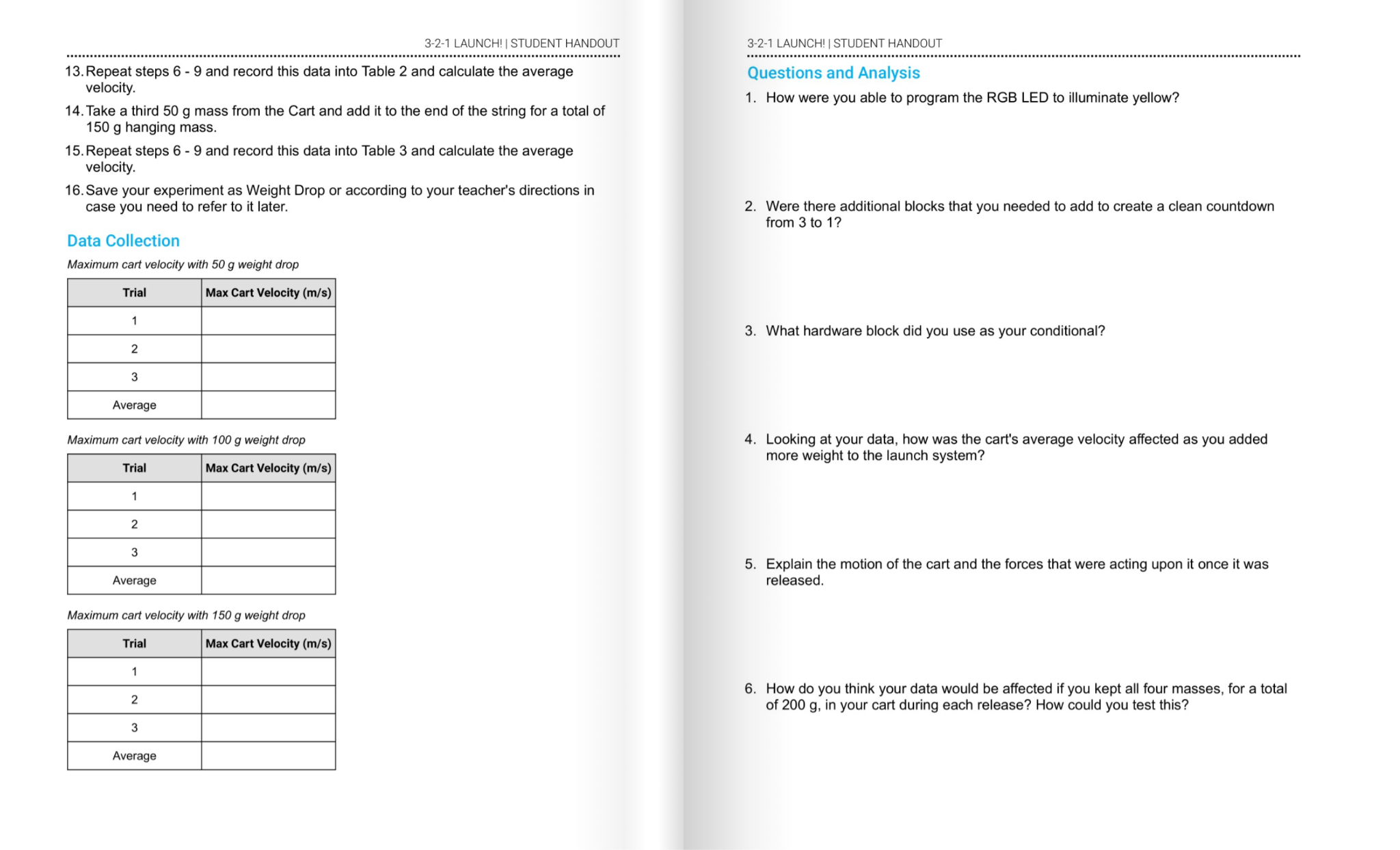
The Teacher guide is well-designed to help with setting up the code.Node. It helps with understanding the components of the kit and how to get students started. The student activities workbook provides a variety of lessons and learning opportunities for students to explore. I like how it explains concepts to students, gives them space to write and reflect, and various challenges to try to build their skills. The hands-on experiments are so valuable for students, and with everything provided in the kit, getting started was quite simple and not time-consuming.
Great resources for learning!
[Sample challenge in the student activities workbook]
There are activities like engineering turn signals and creating impact alert systems. These were exciting for students to learn about and enhanced their understanding of the science behind vehicle technology. Each activity is designed in alignment with science standards and helps to foster skills across different STEM disciplines, including data analysis, mathematics, and even language arts, as students share what they have learned and even present their findings to classmates.
[Sample pages in student activities workbook]
Taking the learning experience a step further, the //code.Node Cart transforms the //code.Node into a programmable vehicle sensing device. Students can replicate, program, and investigate automotive technology and learn about the work of engineers, which is a great way for students to explore potential careers and engage in authentic and meaningful learning!
Using the //code.Node Cart, students were able to simulate real-life engineering tasks, from programming turn signals to exploring the dynamics of crash tests. With the hands-on approach and the use of real-world scenarios, it also helps students to develop essential skills of problem-solving, creativity, collaboration and more while fostering a deeper understanding of both the technology and the engineering design process.
The Ease of Block-Based Coding with Blockly
Another great feature is its use of Blockly for coding. Coding can be scary for some, and getting started can be a challenge, depending on the type of coding program involved. However, with PASCO, the use of block-based programming language helps to simplify the coding process, which makes it more accessible for all students. By connecting visual blocks, students can build their skills in coding by first mastering programming basics without worrying about starting with something very complex. With this approach, students can shift their focus on the logic and problem-solving aspects of coding, which are crucial skills in demand in the world of work.
Engaging Activities and Real-world Applications
PASCO’s kit is full of activities that will boost student engagement as they learn about vehicle technology. Completing challenges such as engineering turn signals to designing crash test alert systems, each activity provides guidelines and support for students. The activities also promote cross-curricular connections, which is great for students to apply a variety of skill sets and knowledge in new ways. Also, the inclusion of video lessons, printed worksheets, and an interactive workbook or digital flipbook makes the learning process more student-led and accessible to all students.
What makes this unique is that students can work independently and collaboratively and have the activities book to guide their discoveries. It supports them as they work through each challenge and consider how to design their project, the coding needed, and the improvements that may need to be made, and then try again. It embraces the learning process rather than an end product. The students learn together how to improve and hopefully realize that there is always something different to try, a way to improve, and that making mistakes is fine because they are learning!
Preparing Students for the Future
Integrating activities like those in the Coding with Sensors Kit leads students to make real-world connections and understand automotive engineering and modern vehicle safety features. The code.Node kit not only educates but also hopefully sparks interest in students to consider exploring STEM-related careers, which are in demand. It makes the learning experience more relevant through real-world scenarios and applications, which shows students the impact they could make through skills in science and technology.
Rachelle Dené is a Spanish and STEAM: What’s Next in Emerging Technology Teacher at Riverview High School in Oakmont, PA. Rachelle is also an attorney with a Juris Doctor degree from Duquesne University School of Law and a Master’s in Instructional Technology. Rachelle is currently finishing her doctorate with a focus on AI and Professional Development. In addition to teaching, she is a full-time consultant and works with companies and organizations to provide PD, speaking, and consulting services. Contact Rachelle for your event!
Rachelle is an ISTE-certified educator and community leader and served as president of the ISTE Teacher Education Network. She was named one of 30 12 IT Influencers to follow in 2021 and one of 150 Women Global EdTech Thought Leaders in 2022.
Contact Rachelle to schedule sessions about Artificial Intelligence, Coding, AR/VR, and more for your school or your event! Submit the Contact Form.
Follow Rachelle on Twitter(X) and Instagram at @Rdene915
**Interested in writing a guest blog for my site? Would love to share your ideas! Submit your post here. Looking for a new book to read? Find these available at bit.ly/Pothbooks
************ Also check out my THRIVEinEDU PodcastHere!
Join my show on THRIVEinEDU on Facebook. Join the group here
As GenAI tools increasingly shape the spaces where we teach and learn, it’s time to reimagine how we assess student writing. By embracing distributed assessment, we can harness the power of AI to foster growth, safeguard integrity, and center the student experience in a dynamic and exciting way. This shift aims to ensure students get the necessary support and guidance to thrive. Enter distributed assessment, a game-changing strategy that marries the strengths of AI with the irreplaceable insight of human teachers, nurturing student growth, fostering integrity, and sparking engagement in writing.
Unlocking the Potential of Distributed Assessment
Imagine breaking down the essay writing process into smaller, more manageable pieces. With each step, students receive specific feedback, guiding their journey. Picture the structure of a typical 5-paragraph essay. By harnessing AI tools in collaboration with educators, students are enveloped in a tailored support system, one that adjusts to their personal needs and aspirations through every phase of writing. From the initial AI starter that helps students generate a table of contents or starting sentence, to the multiple checkpoints where both AI and human teachers provide feedback and record grades, this distributed approach ensures that students receive timely and tailored support throughout the writing journey.
The Synergy of AI and Educators
What makes distributed assessment stand out is its inherent collaborative spirit. AI excels in offering immediate, precise feedback on the technicalities of writing, and identifying areas for enhancement such as clarity and coherence. Teachers, on the other hand, bring a human touch that AI cannot replicate. They provide in-depth, personalized advice, exploring the reasons behind writing decisions and fostering creativity and analytical thinking. This powerful combination ensures students receive well-rounded feedback throughout the writing journey.
Navigating Through Checkpoints
Gone are the days of assessing an essay only at its conclusion. Distributed assessment introduces a paradigm shift—feedback is integrated at pivotal moments throughout the writing journey. This approach allows students to refine their work continuously, ensuring a polished final piece. It empowers students, offering them the chance to improve with the guidance of both AI and their teachers at crucial intervals, like after drafting their first version or during peer reviews. This method not only bolsters learners but it ensures students receive well-rounded human and AI feedback throughout the writing journey.
Championing Academic Integrity
The rise of AI in writing education brings up valid concerns about academic honesty. Distributed assessment addresses these head-on. By engaging students in a process where drafts are reviewed, and feedback is given regularly, educators can closely follow each student’s writing evolution, identifying any discrepancies early. This ongoing dialogue between students, teachers, and AI tools creates a culture of transparency and accountability that is essential in an era where the lines between human and machine-generated writing are increasingly blurred.
Empowering Learners Every Step of the Way
Perhaps the most significant impact of distributed assessment lies in its ability to transform writing education into a student-centric experience. With ongoing support and feedback, students are better positioned to grasp new concepts, set achievable goals, and actively participate in their learning journey. This shift from focusing solely on grades to fostering growth and introspection encourages students to view writing as an evolving, continual process.
Looking Forward
As AI starts playing a bigger part in how we learn and teach, it’s clear that distributed assessment is becoming a game-changer. It’s all about using this tech to its fullest while keeping things personal and focused on the students. This means teachers can do more than just beef up writing skills; they can help students think more deeply and reflect on their learning, skills that are gold in today’s world. So, let’s dive in, eager to try new things, shift gears when needed, and put our hearts into guiding our students forward.
It is important to note that the U.S. Department of Education’s guidelines advocate for a human-centric, equitable, and transparent application of AI in classrooms where humans are in the loop. It is true that we should always remind ourselves as educators of the importance of keeping human relationships, reasoning skills, and ethics at the forefront of educational AI use. AI holds incredible potential to automate mundane tasks, enabling a deeper focus on fostering student relationships and growth. By moving forward with equity and collaboration at the core, we can collectively harness AI’s power to enrich education like never before.
About the Author
Micah Miner – District Administrator Instructional Technology & Social Studies at Maywood, Melrose Park, Broadview School District 89, American Consortium for Equity in Education Contributing Writer, Times 10 Publications Author
Contact Rachelle to schedule sessions about Artificial Intelligence, Coding, AR/VR, and more for your school or your event! Submit the Contact Form.
Follow Rachelle on Twitter(X) and Instagram at @Rdene915
**Interested in writing a guest blog for my site? Would love to share your ideas! Submit your post here. Looking for a new book to read? Find these available at bit.ly/Pothbooks
************ Also check out my THRIVEinEDU PodcastHere!
Join my show on THRIVEinEDU on Facebook. Join the group here
Digital Badges & Micro-credentials: Being an Edtech Librarian in 2024
By Amanda Hunt aka @thenextgenlibrarian
These two concepts, badging, and education, play crucial roles in modern classrooms and libraries, bridging the gap between learning, recognition, and advocacy. In today’s rapidly evolving digital landscape, educators are not just running to catch up to new technologies; they’re becoming the pioneers and advocates for their integration into the classroom, library, and beyond. As traditional teaching methods intersect with innovative digital tools, educators are seizing the opportunity to become leaders in educational technology (EdTech). One notable trend in this realm is the rise of educators earning digital badges and ambassadorships from EdTech apps, websites, and more.
Digital badges have emerged as a means to recognize and showcase an individual’s skills and accomplishments in various fields, including education. By showcasing these badges, educators are putting their resumes in their email signatures. They are showing how they are still learning, usually on their own time, how to best take these new apps and bring them into the school buildings. Badges serve as virtual credentials, providing evidence of a teacher’s expertise in utilizing specific EdTech tools or implementing innovative teaching practices. The process of earning digital badges typically involves completing training modules, sharing lessons created using the tools, participating in workshops, or demonstrating proficiency in using a particular technology within an educational context.
Ambassadorships, on the other hand, involve a deeper level of engagement between educators and EdTech companies. Educator/Teacher ambassadors are selected representatives who possess in-depth knowledge of a company’s products or services and are passionate about integrating them effectively into teaching and learning environments. These ambassadors serve as advocates, sharing their experiences, insights, examples, and best practices with fellow educators, thereby fostering a community of learning and collaboration. A lot of times, they will present these tools in webinars, online, and in-person conferences.
What is the draw for educators to get certified in badges and earn ambassadorships? Firstly, in a rapidly digitizing world, staying abreast of the latest technological advancements is crucial for educators to deliver high-quality instruction. Many schools require teachers to use some form of technology in their classrooms. By having the librarian earn micro-credentials and badges through professional development training, they’re able to teach the teachers how to use the tools so they can use them in the classroom with students. By earning digital badges, educators demonstrate their commitment to training, growth, and improvement, as well as their willingness to adapt to new teaching methodologies. These badges also serve as a tangible record of their ongoing learning journey, which can be invaluable for career advancement and professional recognition.
Secondly, ambassadorships offer educators a platform to amplify their voices and influence within the EdTech community. Sometimes there’s even swag involved! As ambassadors, educators have the opportunity to network with industry professionals, participate in exclusive events and conferences, and contribute to the development and improvement of educational technologies. Moreover, serving as an ambassador allows educators to shape the direction of EdTech tools by providing feedback based on their practical experiences in the classroom.
Additionally, both digital badges and ambassadorships contribute to building a culture of collaboration and innovation within the education world. By sharing their knowledge and expertise, educators inspire their peers to explore new technologies and teaching methodologies, ultimately enhancing the learning experience for students. Moreover, the recognition and validation offered by digital badges and ambassadorships motivate educators to continuously seek out opportunities for professional growth and development. Too often these edtech companies don’t think as a teacher, but as a business owner. Asking for teacher input is critical for making their products successful, adaptable and future ready.
The increasing prevalence of educators earning digital badges and ambassadorships reflects a growing recognition of their pivotal role in driving innovation and transformation in education. Teachers and librarians want to be recognized for the work they’re doing and oftentimes, that’s not happening on their campuses. By leveraging these opportunities, educators can not only enhance their own professional development but also contribute to the broader goal of creating more engaging, inclusive, and effective learning environments for students around the world. As we continue to navigate the ever-changing landscape of educational technology, educators will undoubtedly remain at the forefront, shaping the future of teaching and learning. In the dynamic landscape of education, digital badges, and ambassadorships empower both learners and educators. Whether it’s recognizing discrete competencies or championing innovative tools, these concepts shape the future of teaching and learning.
Remember, every badge earned and every ambassadorship created contributes to a deeper, more connected educational ecosystem.
Amanda Hunt, aka TheNextGenLibrarian, is a 6th-8th middle school librarian in New Braunfels ISD and is the Secondary Lead Librarian for NBISD. She’s been a librarian for twelve years at both elementary and secondary campuses. She was the chair for the Mavericks Graphic Novel Reading List Committee for TLA from 2021-2023. She was also the chair for TxASL Talks Editorial Board and presently is the TxASL Councilor through 2025. She also serves on the Conference Planning Committee for the TLA 2024 conference. Hunt is on the Bylaws Committee for TLA and the Operating Procedures Committee member for TxASL. She is on the AASL Committee for rewriting the new AASL Standards. Amanda has served on the Cybil Award YA Speculative Reading List Committee for 2023 and the Margaret Edwards 2025 Award Committee. She was a TLA TxASL Media and Visual Presence (MVP) Honoree for 2021 and 2023, and the TLA Branding Iron Award 2022 Winner for Digital Only Communications in a School Library. Amanda is a certified Apple Teacher and Apple Learning Coach, as well as a Google-certified Trainer and Coach. She has certifications in a variety of #edtech tools and is a voracious reader. Visit her linktree: http://bit.ly/biolinkthenextgenlibrarian and follow her across social media @thenextgenlibrarian
**Interested in writing a guest blog for my site? Would love to share your ideas! Submit your post here. Looking for a new book to read? Find these available at bit.ly/Pothbooks
************ Also check out my THRIVEinEDU PodcastHere!
Join my show on THRIVEinEDU on Facebook. Join the group here
It’s a busy time of year in our schools with assessments, sports, musicals, and other activities. I have often noticed a decrease in student engagement and often look for ways to create some excitement and get students more engaged and excited about learning. I think that this is the perfect time of year to try some new things and make time to ask students for feedback too. Also, once the school year ends, we have time to explore these new ideas and reflect on them.
Here are a few ideas that I have used in my own classroom. Some of these are great for getting your students up and moving and also for learning about emerging technologies like AR and VR! Active learning is great for students and for us, and it will help boost student engagement and lead to better content retention. Using a variety of strategies and trying different tools helps students develop the skills that they need to be successful now and in the future. Here are three to start with:
Augmented and Virtual Reality
Have you explored augmented or virtual reality in your classroom yet? If not, now is a great time! There are many options available, and the benefits are that students can be immersed in learning; they can hold and manipulate an object in augmented reality for example, and attach more meaning to it. Students can even create using a variety of the options available to bring their learning to life.
Besides having students create, they can explore through a virtual field trip to places they would not otherwise be able to visit, such as the bottom of the ocean or the surface of Mars. The use of VR for simulations for career exploration or science labs is a great way to engage students in more authentic and meaningful ways. Using AR or VR, students could create 3D models of objects, which they can then explore and manipulate. There are many tools available for students to create their own AR and VR experiences, which can be a great way to help them develop their creativity and problem-solving skills.
I started with the Virtual Reality trips available from Nearpod. Easy to get started with, and then you can add your own content and activities to the interactive lessons to engage students in a variety of learning experiences. CoSpaces EDU has been a great choice for my Spanish and STEAM classes. They have a library full of sample projects and lessons to download that make it easy to get started. Students also enjoy MergeVR, a holographic cube that enables them to hold and interact with different 3D objects in their hands. The Merge cube can be used with various apps, including Merge Explorer and Object Viewer, which allow students to create scenes and place objects in the real world.
Scavenger Hunts and Breakouts
There are a lot of benefits to creating a scavenger hunt. One of the most important skills that students can learn is teamwork. To successfully complete all of the tasks, students have to work together, share ideas, problem solve, be creative, and within a certain time limit. These valuable skills can be applied to many different areas of life.
The use of paper is fine, or you can explore different digital options such as Flip, Goose Chase, Padlet, or Wakelet. My friend Laura Steinbrink created a great scavenger hunt and used Wakelet to share it with students.
Digital breakouts are another great option for students and teachers, especially for professional development! Typically, a content-related theme is used for a hook. The purpose is to engage students in learning and help them connect with the content while boosting engagement. The theme also creates excitement for learning! Choosing tools such as Flip or Wakelet also makes great options for these.
Peer teaching
In my own classroom, to do some review at the start of the year, students are paired with a classmate and choose a topic that they feel confident teaching. Students come up with their own ways to teach or explain and then reverse roles. It is a great way for students to also build confidence and comfort in the classroom while building relationships. You can do this as an end-of-the-year review too!
I learned some fun new ideas that I could use in my practice. Students felt more valued because they took the lead and shared their knowledge to help others. They also appreciated the support that they received. Some students made games with Kahoot! or created a Nearpod or Edpuzzle lesson for classmates.
These are just a few ideas to explore that can help to boost student engagement and creativity. With the right methods and tools to facilitate them, we can spark curiosity for learning and all student needs and interests will be better met.
About the Author:
Rachelle Dené is a Spanish and STEAM: What’s Next in Emerging Technology Teacher at Riverview High School in Oakmont, PA. Rachelle is also an attorney with a Juris Doctor degree from Duquesne University School of Law and a Master’s in Instructional Technology. Rachelle is currently finishing her doctorate with a focus on AI and Professional Development. In addition to teaching, she is a full-time consultant and works with companies and organizations to provide PD, speaking, and consulting services. Contact Rachelle for your event!
Rachelle is an ISTE-certified educator and community leader and served as president of the ISTE Teacher Education Network. She was named one of 30 12 IT Influencers to follow in 2021 and one of 150 Women Global EdTech Thought Leaders in 2022.
Contact Rachelle to schedule sessions about Artificial Intelligence, Coding, AR/VR, and more for your school or your event! Submit the Contact Form.
Follow Rachelle on Twitter(X) and Instagram at @Rdene915
**Interested in writing a guest blog for my site? Would love to share your ideas! Submit your post here. Looking for a new book to read? Find these available at bit.ly/Pothbooks
************ Also check out my THRIVEinEDU PodcastHere!
Join my show on THRIVEinEDU on Facebook. Join the group here
Guest blog by Dr. Susan Kandianis, Supervisor of Educational Technology, Colonial Intermediate Unit 20
Twitter: @IU20EdTech
Leading the Way with Student-Led Professional Development
Need some assistance with integrating a new technology resource into your lesson design? Curious about the free resources to teach digital citizenship skills? Call in the Junior Technology Leaders to assist and lead your professional learning session!
What is a Junior Technology Leader?
A Junior Technology Leader is a student in Grades 4-7 within the Colonial Intermediate Unit 20 region. Colonial Intermediate Unit 20 (CIU 20) is one of 29 intermediate units throughout Pennsylvania. CIU20 provides services and programs to schools, educators, families and students within Northampton, Pike and Monroe counties, and one of these programs includes the Junior Technology Leaders!
The creation of the Junior Technology Leader program was a joint effort of the CIU 20 technology and professional learning departments. The program was born out of a passion for delivering quality teaching and learning experiences with technology as well as a strategy to help break down barriers to technology tools/resources and professional learning. Today’s learners are growing up with digital tools, so why not have them provide learning sessions for the classmates as well as for their teachers? The educational technology team planned the curriculum for the first year of the program, basing lessons on current resources available to member school districts within the CIU 20 catchment…..and we were ready to roll!
The program began in 2017 with a small group; five teams and 15 students. Initially, there was a registration fee for the program as we worked to get the program off the ground. A team consisted of the school district advisor and three students. With school district administrative support for the program, advisors attended each session at CIU 20 with their students, and provided support for students back at their home school to complete the lessons and/or facilitation of a professional learning session.
Valuable feedback was key during our first year. Feedback was provided by program advisors and students via surveys at the end of each season. The lessons for the program were tailored to meet the needs of our attending teams.
What Does Student-Led Professional Development Look Like?
Junior Technology Leaders return to their schools with the provided lessons and resources to provide professional learning experiences at their home school. The professional learning experiences may be delivered to their classmates, teachers, and administrators (depending on the school.)
Student-led professional development is not a new concept, but it seems to be one that is challenging to bring into the school schedule. As shared in Unconventional (Poth, 2019), “creating an opportunity for students to provide feedback to teachers about what strategies and tools help them learn best, and add their different ideas into the classroom, will help students to
feel more valued in the classroom and create a more meaningful experience” (p.97.) (Reading this section in Unconventional was actually the inspiration to write this blog. More on how students provide student-led professional development in my next blog. I only have 900 words!)
How Does the Program Help Break Down the Digital Design Divide? Student technology leaders can also make an impact on their schools by helping bridge the Digital Use Divide. As shared in the newly released 2024 National Educational Technology Plan, the Digital Design Divide, is an “inequitable implementation of instructional tasks supported by technology. On one side of this divide are students who are asked to actively use technology in their learning to analyze, build, produce, and create using digital tools, and on the other, students encountering instructional tasks where they are asked to use technology for passive assignment completion” (U.S. Department of Education, 2024, p.9.)
The work of the Junior Technology Leaders addresses the Digital Design Divide. Their work helps break down barriers by sharing lessons and resources they obtain through the face-to-face sessions and taking them back to their school to provide engaging learning experiences. In doing so, the schools within our catchment can work to ensure that “all students have transformative, active, creative, critically thoughtful experiences supported by technology” (U.S. Department of Education, 2024, p.10).
What’s Next for the Junior Technology Leaders Program?
We continue to grow our Junior Technology Program. With the support of grants, we have been able to purchase enough resources to support our lessons, and we now offer the program at no cost to our member districts. Our Junior Technology Leaders have presented at faculty meetings in their schools, at the annual Junior Technology Leader Showcase at CIU 20 Central Office, at the Pennsylvania Educational Technology Conference & Expo (PETE &C) and twice at the International Society of Technology Conference (ISTE).
We continue to grow the program, and who knows where you will see our Junior Technology Leaders presenting next!
Resources:
Poth, R. (2019). Unconventional. EduMatch. Alexandria, VA.
U.S. Department of Education, Office of Educational Technology, National Educational Technology Plan, Washington, DC, 2024. https://tech.ed.gov
Looking for PD for your school or keynotes for your conference? I provide in-person and virtual training on the following topics. If you want to learn more about and explore AI and ChatGPT, contact me to schedule! Rdene915@gmail.com or use the Book Me form on my website. bit.ly/thriveineduPD
**Interested in writing a guest blog or submitting a sponsored post for my site? Would love to share your ideas! Submit your post here. Looking for a new book to read? Find these available at bit.ly/Pothbooks
Sponsored post in collaboration with Learnics. All opinions are my own
Digital literacy is a critical skill, and with access to so many resources, it is essential that educators work with students in all classrooms to help them develop their research skills. Especially with the rapidly advancing technology available to everyone, such as ChatGPT, we want to provide students with opportunities as crucial as reading and writing. Teachers are constantly seeking innovative tools to enhance their students’ research skills. Learnics offers a digital space for students to conduct their research and track time spent and resources found!
What is Learnics?
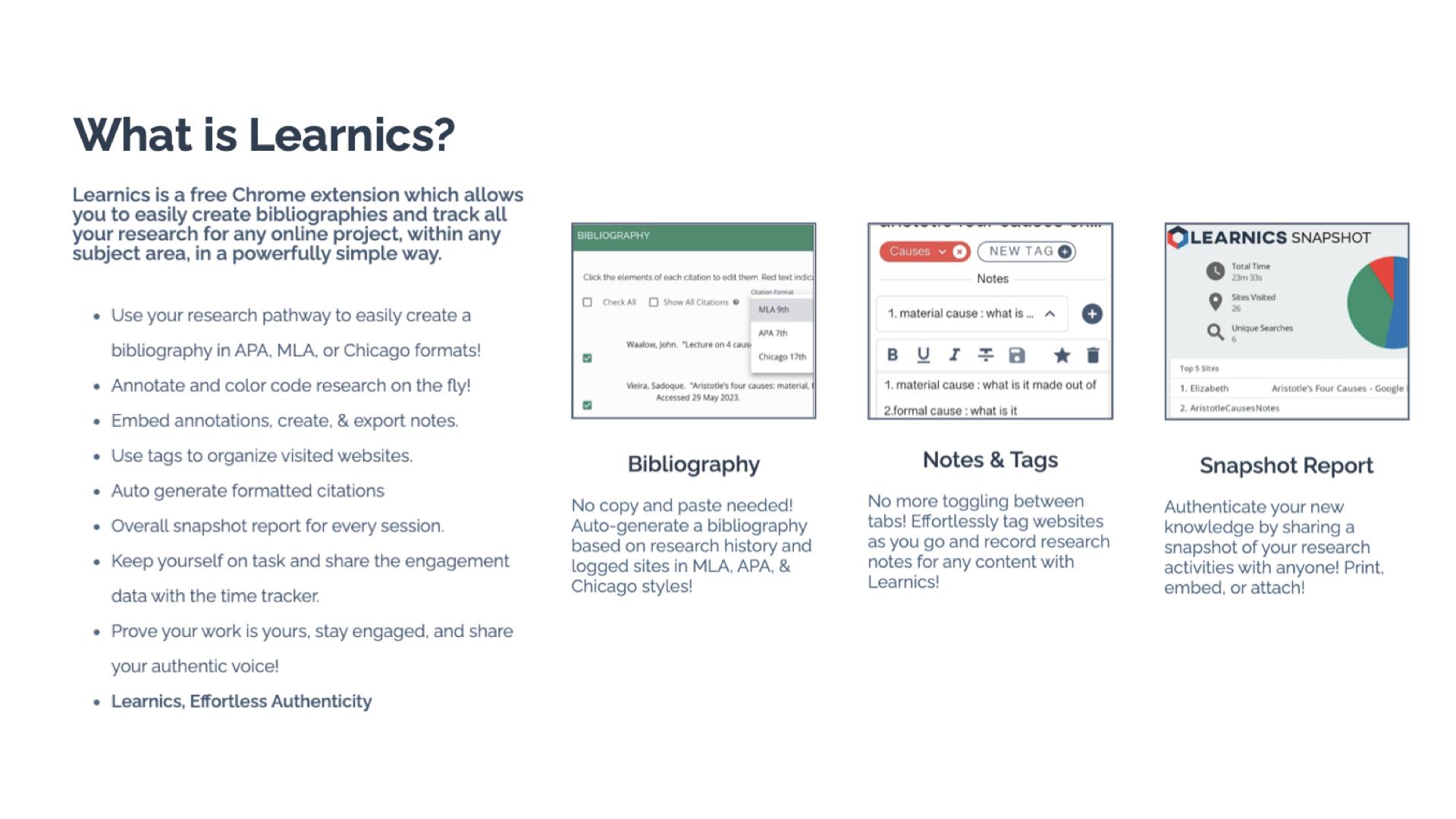
Learnics is a free Chrome Extension that helps students to streamline the research process. Through its robust platform, students conduct research, and Learnics will track the websites visited and the amount of time spent on each site, take notes, create tags, and even generate bibliographies automatically. It can assist with the process, but the main focus is on enhancing the quality of work and also helping students to focus on academic integrity as they work. By using Learnics, students are able to organize their research more effectively and also see a detailed overview of their research process. Learnics provides a space for nurturing responsible research practices and critical thinking skills among students.
Standout Features of Learnics
Website Capture and Time Tracking: Learnics automatically logs sites visited and the time spent on each, providing invaluable insights into students’ research habits.
Notes and Tags: Students are able to keep everything in one space. They can take notes and use tags to help them keep their research organized. Students can also download the record of their research.
Auto-generated Bibliography: Students learn how to properly cite resources used with the auto-generated bibliographies created in Learnics. Bibliographies based on students’ research history are created in alignment with APA, MLA, and Chicago formats.
Snapshot Report: One of my favorite features of Learnics is the snapshot report. When doing research, it is helpful to see the process, and with Snapshot, students have an overview of their entire research journey. The Snapshot report helps to promote reflection and critical thinking skills among students.
Learnics Classroom Pro
Diving into Classroom Pro, I immediately thought it was a game-changer. For educators, it is important to support students as they develop and refine their research skills. Teaching students how to conduct research and properly cite sources is key. With Learnics Classroom Pro, teachers can create a lesson for students and then review their students’ research process in real time. Teachers can monitor class progress, view sites visited, check search terms used, and assess notes, tags, and annotations made by students. Having access to this information also helps educators to better understand student needs during research and provide additional resources to help them with each task. Classroom Pro is an invaluable tool for ensuring the authenticity of student work and fostering a focused, engaged research environment.
Benefits of Using Learnics
For students, Learnics helps them to streamline the research process. With all of their research in one space, it eliminates the need to use multiple tools or toggle between different tabs. Learnics helps students develop better organization skills through the use of notes and tags, which makes their writing process more efficient.
And when it comes to citations, having assistance to learn from is quite helpful. With the auto-generated bibliography feature, students understand the importance of properly citing their sources and can further develop their skills.
For teachers, gaining insight into student research practices helps to provide better support. Through Classroom Pro, teachers can view each student’s research process and then use this to provide more targeted instruction and authentic and meaningful feedback. Understanding students’ research habits enables teachers to observe how and where students spend their time or if they are struggling to find reliable sources. With this insight, teachers can better provide targeted instruction to address individual and class-wide learning needs.
With the features of Learnics, teachers can check the originality of student work while also tracking the potential use of AI. Learnics also helps students to engage in peer review and collaboration and share resources and feedback, which better prepares them for future success in the workplace.
Get Started with Learnics
It is easy to get started with Learnics. Simply download the Chrome Extension from the Chrome Web Store and begin exploring the resources available. Students choose to enable the Chrome extension on their browser as they engage in research.
For teachers, check out the demo to learn more about Classroom Pro. The ability to conduct effective, efficient, and responsible research is essential. Learnics provides a space for students to enhance their academic skills and become digitally literate.
About the Author:
Rachelle Dené is a Spanish and STEAM: What’s Next in Emerging Technology Teacher at Riverview High School in Oakmont, PA. Rachelle is also an attorney with a Juris Doctor degree from Duquesne University School of Law and a Master’s in Instructional Technology. Rachelle is an ISTE Certified Educator and Community Leader and served as president of the ISTE Teacher Education Network. She was named one of 30 K-12 IT Influencers to follow in 2021.
Looking for PD for your school or keynotes for your conference? I provide in-person and virtual training on the following topics. If you want to learn more about and explore AI and ChatGPT, contact me to schedule! Rdene915@gmail.com or use the Book Me form on my website. bit.ly/thriveineduPD
**Interested in writing a guest blog or submitting a sponsored post for my site? Would love to share your ideas! Submit your post here. Looking for a new book to read? Find these available at bit.ly/Pothbooks
Regardless of our role in education or the grade levels that we work with, we all have a responsibility to bring in a variety of learning opportunities to prepare our students for successful careers. They need to engage in learning that will equip them with essential skills and the right knowledge so they can thrive after they leave our classrooms and our schools. Helping students to learn about potential future careers or options for continuing their education should not be limited to the high school years. By starting to focus on career and college readiness at the middle school level, we can help students learn about the many options available to them and spark their curiosity for learning.
There are many ways to get started, and there are a lot of benefits to creating college and career readiness opportunities for middle school students. Finding methods and tools or comprehensive resources will have a positive impact on student academic success, increase engagement in learning, and foster the development of essential future skills. Educators can offer an innovative and engaging approach to introduce students to various professions, ignite their passion, and empower them to shape their future.
In this post, I will share the benefits of focusing on career exploration with middle school and even younger students.
Early Exposure to Career Options
Introducing college and career readiness in middle school helps to inform students about a wide range of career options. Through career exploration activities and resources, students can explore job roles in various industries and professions. Defined Learning, offers comprehensive career exploration tools that provide K through 12 students with insights into different careers. With the K-5 program, this early exposure helps students gain a clearer understanding of their interests, passions, and the skills required for 16 different career clusters. For middle and high school students, interactive modules and videos give students the chance to explore diverse career options, such as engineering, entrepreneurship, healthcare, or even art. By learning more about a variety of careers, we can help students to discover their interests and passions, allowing them to make informed decisions about their educational and career paths.
Defined Learning Careers offers resources to help students develop these skills through career courses. Each Career Course focuses on providing students with relevant career experiences and skills needed for a specific career. Once students explore a career, schools can then invite guest speakers from various professions to share their experiences and insights can inspire students to explore different career options and set meaningful goals. By incorporating technology and interactive learning, students can access these materials at any time and experience a dynamic and engaging learning environment. Students learn about careers they may not have ever heard of and it might just be something that really piques their interest!
Hands-On Learning:
There are a lot of opportunities available in STEM-related careers. When it comes to STEM, we have many ways to implement STEM activities, even through PBL. By exploring the careers that are highlighted through Defined Careers, students become aware of the different fields that require STEM-related skills. By connecting this learning with hands-on activities that simulate real-world scenarios, we can spark curiosity and help students to think about where their interests may lie. For example, with grades K through 5, students can learn about a specific career and then engage in PBL experiences that mimic tasks typically performed by professionals in different fields. These experiences provide a glimpse into various careers’ daily responsibilities and challenges, helping students develop a deeper understanding of their interests and potential career paths.
Mentorship and Networking Opportunities
It is important for students to learn about different types of work and what might be expected of them in a potential career of interest. With the options available through place-based learning or project-based learning (PBL), students can connect with professionals in related fields. With the Defined Careers, students can explore careers of interest and then work with teachers and the community to find a mentorship program or seek opportunities to connect with and learn from professionals in different industries. In my experience, we have taken students on field trips to job sites to see firsthand the type of work that is done in a factory or a corporation, for example.
Building these connections early, primarily through opportunities at the middle-school level, helps students gain valuable insights, learn the importance of expanding their learning network, and offers them a connection to receive valuable advice for their future endeavors. Educators can also offer their own guidance by providing one-on-one meetings with students to discuss their career goals and help them create a plan for achieving those goals. Another excellent option is bringing in community members to talk to students as part of a career day. When students explore some of the careers in the Defined Careers resources, we can find local community members to create a real-world learning experience for them.
Online career learning programs offer a transformative educational experience that prepares all students for the challenges and opportunities of the future. By exploring diverse professions, engaging in hands-on activities, connecting with mentors, developing future skills, and through the flexibility of personalized learning, students become excited and motivated about their future careers.
Building a knowledge base early on will help students to think about their interests, reflect on their growth and set goals. We want students to see learning as a process and to be aware of the many opportunities that exist for them in the future.
About the Author:
Rachelle Dené is a Spanish and STEAM: What’s Next in Emerging Technology Teacher at Riverview High School in Oakmont, PA. Rachelle is also an attorney with a Juris Doctor degree from Duquesne University School of Law and a Master’s in Instructional Technology. Rachelle is an ISTE Certified Educator and Community Leader and served as president of the ISTE Teacher Education Network. She was named one of 30 K-12 IT Influencers to follow in 2021.
Looking for PD for your school or keynotes for your conference? I provide in-person and virtual training on the following topics. If you want to learn more about and explore AI and ChatGPT, contact me to schedule! Rdene915@gmail.com or use the Book Me form on my website. bit.ly/thriveineduPD
**Interested in writing a guest blog or submitting a sponsored post for my site? Would love to share your ideas! Submit your post here. Looking for a new book to read? Find these available at bit.ly/Pothbooks
Getting students to talk about your content and share their thinking Is often a struggle, and having lots of strategies in your tool belt is a must. Overusing a strategy can diminish its effectiveness, so having a variety that you can use with planning or on the fly is a must. Many of you have probably heard of or have used the researched-based think pair share strategy, so my addition to that to create “Think Pair Group Share” will be easy to adopt, adapt, and apply to your teaching repertoire.
Key Takeaways:
* Collaborative learning is essential and has many benefits.
* Students need to discuss and share their learning.
* New addition to the Think Pair Share activity helps students in many ways and is easy to implement.
IF YOU EVER FIND YOURSELF STUCK IN THE MIDDLE OF THE SEA
There are several things I like about this activity. After reading Frank Smith’s book, Learning and Forgetting, I became more conscientious about adding collaboration to the activities I use. As Smith points out repeatedly, paraphrased in summary here by Goodreads, learning is a social process that can occur naturally, effortlessly, and continually through collaborative activities (Goodreads 2024). Students do love to talk with each other, generally speaking, and Smith also points out that “Anything that stimulates our imagination and promotes our enjoyment of an activity is a green light for learning” (Smith 89). While talking to each other is enjoyable, students aren’t as eager for academic discussion, so that is where activities like this, when done thoughtfully, can be so successful for student learning.
I’LL SAIL THE WORLD TO FIND YOU
Anytime I plan lesson activities, I consider ways to add collaboration. Knowing what I do about how we learn is the most natural way to help students move my content from their working memory to their long-term memory. Whatever question, problem, hypothesis, etc., that I want students to think about and discuss during the class period, they can greatly benefit from this activity. Often students aren’t excited about sharing their thinking with the class and teacher seconds after being presented with the question/problem.
IF YOU EVER FIND YOURSELF LOST IN THE DARK AND YOU CAN’T SEE
After the students have independent thinking/solving/writing time, they still might need some collaboration with a peer and/or peers before sharing their thinking with the teacher and class for various reasons. This allows them to refine their thinking, receive validation, or help them come closer to the right answer if all students are struggling. The beauty of this activity is that you also have the flexibility to structure it so that the share-out time is in the small group instead of the whole class if that suits your needs or the needs of a particular student or students.
I’LL BE THE LIGHT TO GUIDE YOU
Here’s how I run this activity (adjust as needed for your age level and students):
1️⃣ THINK: Give students a question, prompt, or problem that covers what you are working on that day or in that lesson. Allow a set amount of time for students to complete the task on their own. It is important to time it. Time is an effective and creative constraint to motivate students. While students process content at different rates, those students who are slower at processing will still have time during the pair and group time to refine their thinking on the content before sharing it with the whole class.
2️⃣ PAIR: Time this as well. Assign students to work in pairs or allow them to select a partner. Instruct them that they first need to decide who will be Partner A and Partner B. Tell the class that your partner (A or B, you pick) will share first, and then the other partner will share. TIP: It is important to monitor that both partners are actually sharing their thinking. After both students have shared, they can adjust their own responses based on their partner’s suggestions or responses. If we are honest with each other and ourselves, this is how much of the assigned homework gets done, or some version of “I got this for number 12. What did you get?” By incorporating this into the activity, it becomes a natural flow for students, but it does need monitoring, so make your rounds through the pairs to ensure the sharing is actually by both and is your content, not what event they are attending after school, what video game they’re currently playing, etc.
WE’LL FIND OUT WHAT WE’RE MADE OF
3️⃣ GROUP: Next, put students into triads or a group of four. It’s like a repeat of the process from step 2, but now you add in Partner C and or D. It is important to remember that students cannot be with their original partner. Changing up the partnerships into new and slightly larger groups adds an additional layer of benefits, too. All students will need to share individually. If you keep partners together, then one of them will end up not talking or sharing during the group round, and that leads to the opportunity for off-task behavior. This addition to the Think, Pair, Share activity also adds a buffer for students who aren’t sure that either their partner, themselves, or both understood the content or problem/prompt, so this is their chance to find out if they are on the right track or have gone off the rails in the wrong direction.
4️⃣ SHARE: At this stage, you can have each group volunteer to have one student share their responses. I use a blend of the following:
Randomly call on non-volunteers (I use an online spinning name wheel, popsicle sticks, or shuffled index cards with student names).
Allow individuals to share a classmate’s response that they liked better from their discussions, etc.
Call on individuals to share their partner’s or a classmate’s response.
Call on individuals randomly to share their own responses.
To save time or achieve better results, have students share directly with you (and the group, but not the whole class) as you circulate with the small groups, using the same options from #4.
5️⃣ ASSESS: I don’t generally enter grades for this because I use it as formative assessments to adjust my teaching or to see what misconceptions need to be corrected. However, if you need to enter a grade, have an exit ticket reflection prompt ready in your LMS or preferred platform.
WHEN WE ARE CALLED TO HELP OUR FRIENDS IN NEED
I have used this strategy with all levels of high schoolers, but since Think Pair Share works at all levels, this variation will too. We know the benefits of students having academic conversations, discussing the content, and working independently and collaboratively. Adding the Group activity to the Think Pair Share strategy also breaks up the normal routine, which makes it interesting. By layering the conversations from pairs to small groups to potentially the whole class, student anxiety levels are lowered as well. Adjust this strategy as needed and prepare for engaged learners who will grow better at sharing their learning.
Chi, M. T.H., & Wylie, R, (2014). The ICAP framework: Linking cognitive engagement to active learning outcomes. Educational Psychologist, 49(4), 219-243, 2014. https://doi.org/10.1080/00461520.2014.965823
Parker, R. E. (1985). Small-Group Cooperative Learning—Improving Academic, Social Gains in The Classroom. NASSP Bulletin, 69(479), 48-57. https://doi.org/10.1177/019263658506947908
HEADING TITLES ARE PARTIAL LYRICS FROM COUNT ON ME BY BRUNO MARS.
Be sure to follow Laura on twitter (X) @SteinbrinkLaura
Looking for PD for your school or keynotes for your conference? I provide in-person and virtual training on the following topics. If you want to learn more about and explore AI and ChatGPT, contact me to schedule! Rdene915@gmail.com or use the Book Me form on my website. bit.ly/thriveineduPD
**Interested in writing a guest blog or submitting a sponsored post for my site? Would love to share your ideas! Submit your post here. Looking for a new book to read? Find these available at bit.ly/Pothbooks
As we start to see more technology being used in our classrooms and students having access to endless resources with just a few clicks, it’s critical that students not only become proficient in using digital tools but also understand the responsibilities that come with it. Providing opportunities for students to develop skills in digital literacy and digital citizenship will help them to navigate the digital world safely and effectively. With resources available through Capstone, students have access to so many beneficial and engaging learning materials. In addition to the educational content, the learning materials provide students with an opportunity to practice and develop good habits when it comes to using digital tools. Using PebbleGo and PebbleGo Create are excellent ways to help students build essential digital citizenship and digital literacy skills.
Why does Digital Literacy matter?
Digital literacy is a skill that is required now and for the world of work. When we start building these skills early, it equips students with the tools they need to succeed in their future careers, where technology is certain to play an integral role. Digital literacy also helps to promote critical thinking. For students, being able to think critically, evaluate and process the information they find online is important, especially when trying to avoid fake news and misinformation. Teaching students to discern credible sources, fact-check, and critically analyze digital content are vital skills for making informed decisions. Using PebbleGo resources, students learn about proper citations and reliable resources and they learn basics about how to use digital technology!
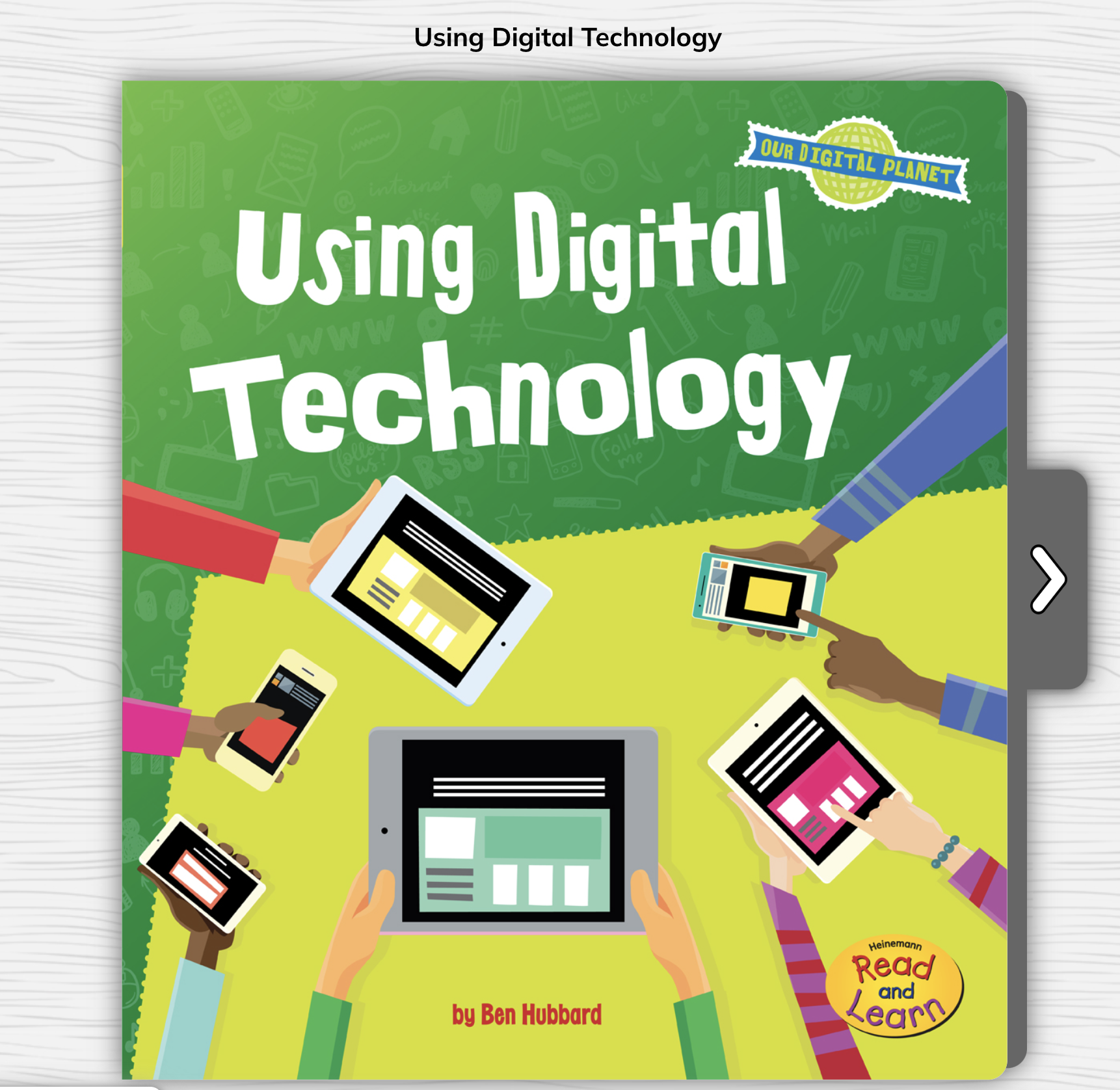
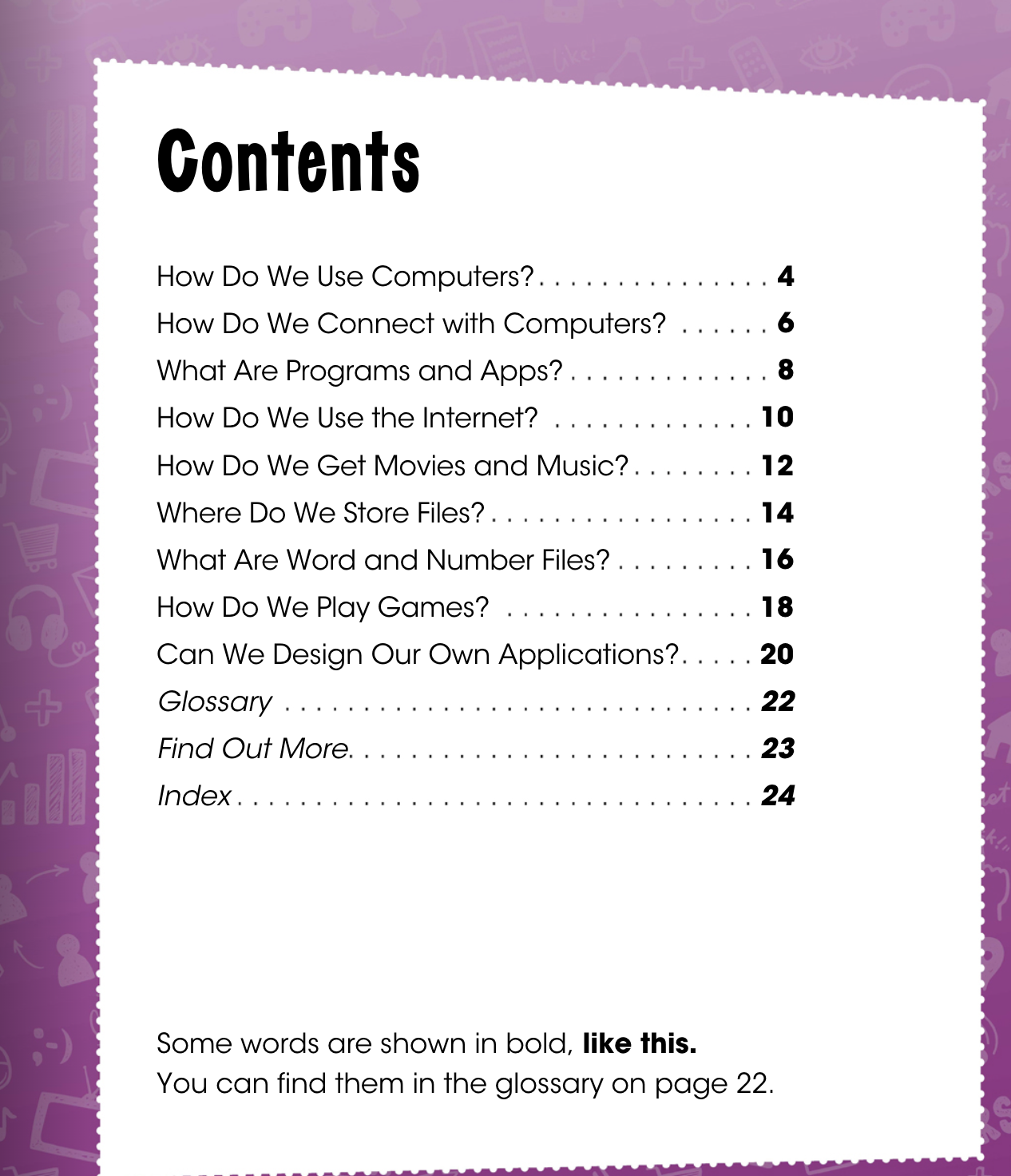
With ebooks available to take students through lessons on important topics related to the use of technology, teachers can guide students through activities to help them develop their skills and understand the power of the technology they have access to.
Digital literacy also teaches students about the importance of online safety, privacy, and the responsible use of technology. Students need to understand the potential risks and know how to protect themselves when using technology and interacting online. With resources available on PebbleGo focused on topics like cyberbullying, online privacy, and internet safety, students can explore on their own and understand the importance of these topics We want students to know how to stay safe online and there are great books available to read with students that can spark classroom discussions and a positive learning community.
It is important to engage students in conversations about real-world online situations, and support and guide them in making safe and ethical choices. There are articles and books available to help students learn about these topics and then create a presentation to teach classmates or make a poster to display in the classroom.
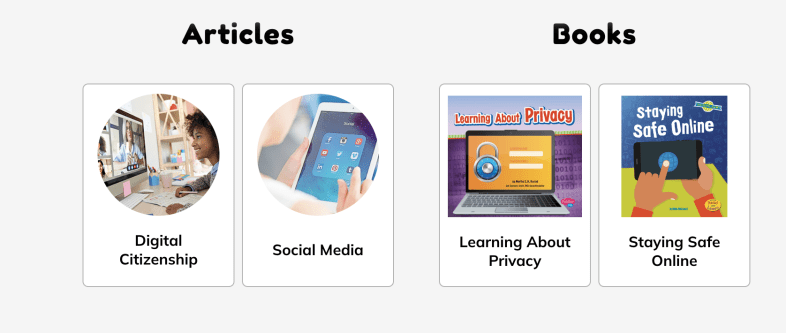
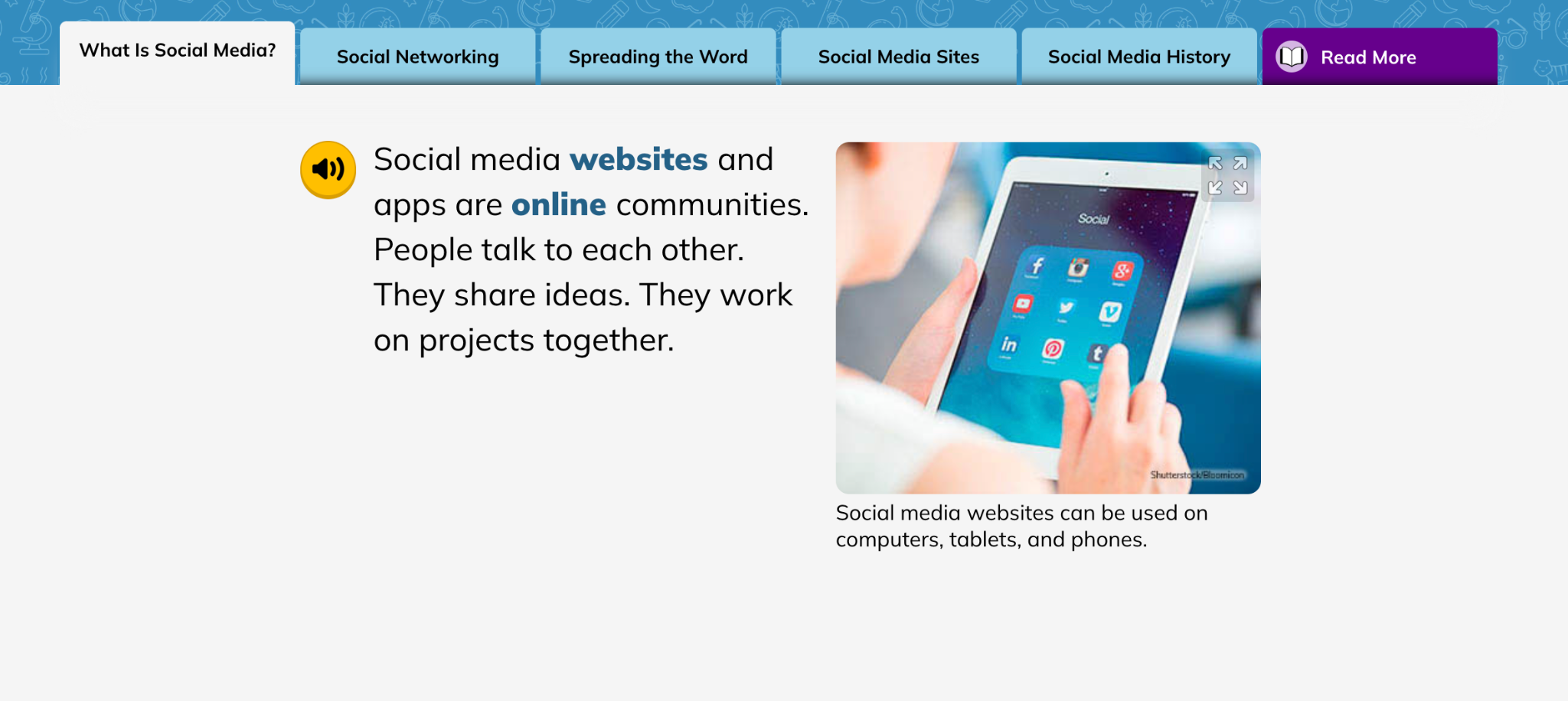
Students can explore articles on topics such as digital citizenship or read books to learn more about privacy and how to keep themselves safe. PebbleGo offers interactive materials that make learning fun for students!
Here are five creative ideas for using PebbleGo and PebbleGo Create to build digital citizenship and digital literacy skills:
Digital Citizenship Pledge: Once students learn about digital citizenship, they can then create digital citizenship pledges using PebbleGo Create. With all of the fantastic choices, students can create visually engaging infographics that share their commitment to responsible online behavior, respecting others, and being kind online. We can then display their PSAs in the classroom or on the school’s website to promote a positive digital environment.
Digital literacy and digital citizenship are essential components that will best equip students with the skills they need to navigate the digital world responsibly, ethically, and safely. Educators have valuable resources from PebbleGo that will help students by providing a structured and engaging platform for teaching these crucial skills. PebbleGo Create allows students to take what they have learned and illustrate their understanding and ideas through a variety of media features in authentic and meaningful ways.
About the Author
Rachelle Dené Poth is an edtech consultant, presenter, attorney, author, and teacher. Rachelle teaches Spanish and STEAM: What’s Next in Emerging Technology at Riverview High School in Oakmont, PA. Rachelle has a Juris Doctor degree from Duquesne University School of Law and a Master’s in Instructional Technology. She is a Consultant and Speaker, owner of ThriveinEDU LLC Consulting. She is an ISTE Certified Educator and currently serves as the past -president of the ISTE Teacher Education Network and on the Leadership team of the Mobile Learning Network. At ISTE19, she received the Making IT Happen Award and a Presidential Gold Award for volunteer service to education. She is also a Buncee Ambassador, Nearpod PioNear, and Microsoft Innovative Educator Expert.
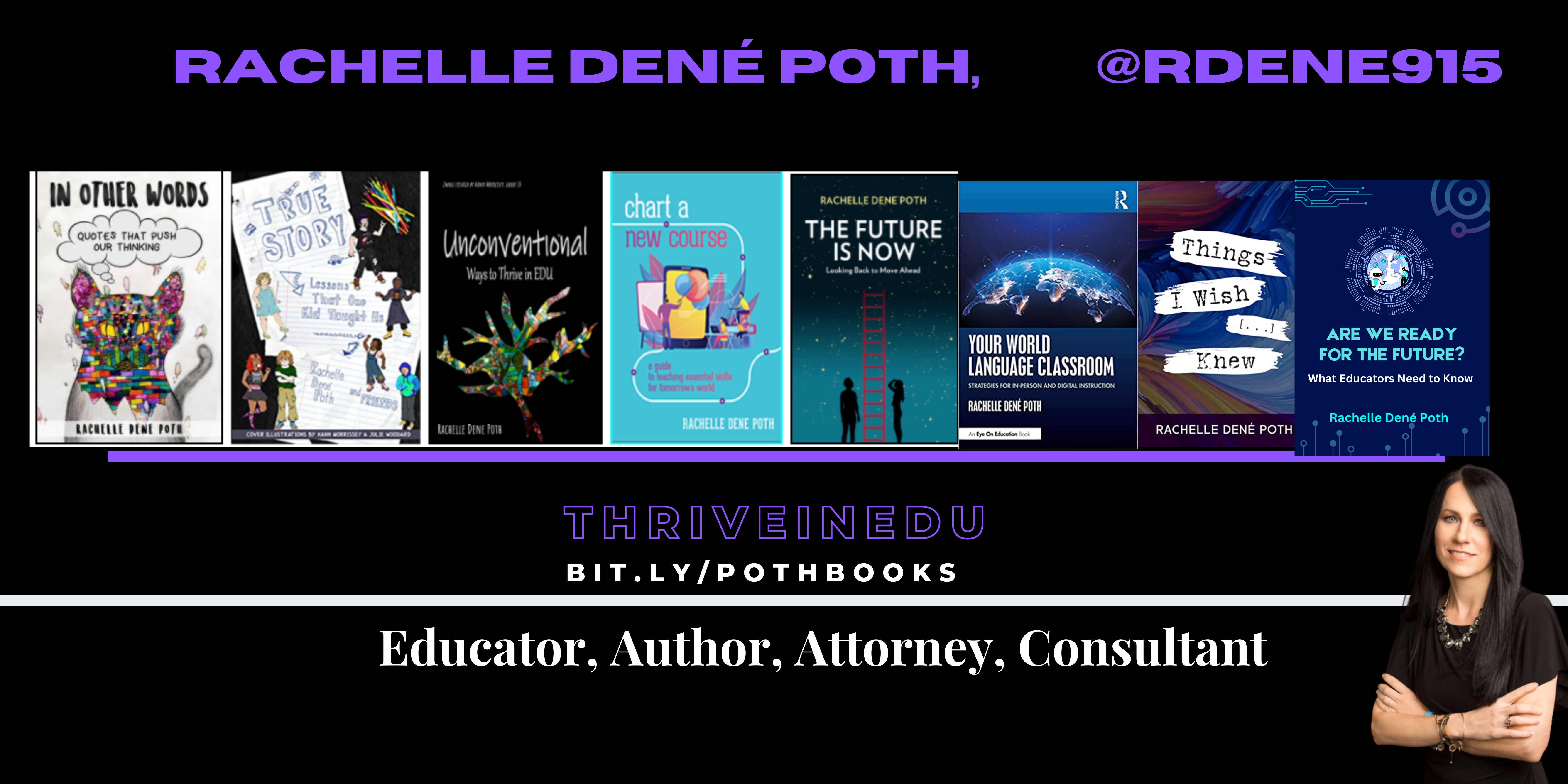
Rachelle is the author of seven books, “In Other Words: Quotes That Push Our Thinking,” “Unconventional Ways to Thrive in EDU” (EduMatch), and “The Future is Now: Looking Back to Move Ahead,” Rachelle Dene’s latest book is with ISTE “Chart A New Course: A Guide to Teaching Essential Skills for Tomorrow’s World.” True Story: Lessons That One Kid Taught Us, Your World Language Classroom: Strategies for In-Person and Digital Instruction and Things I Wish […] Knew.
Rachelle is a blogger for Edutopia, Defined Learning, Getting Smart, and NEO LMS.
Rachelle provides professional development and keynotes on topics including artificial intelligence, augmented and virtual reality, emerging technologies, SEL, and STEM.


















 Learning as I go: Reflections & lessons learned