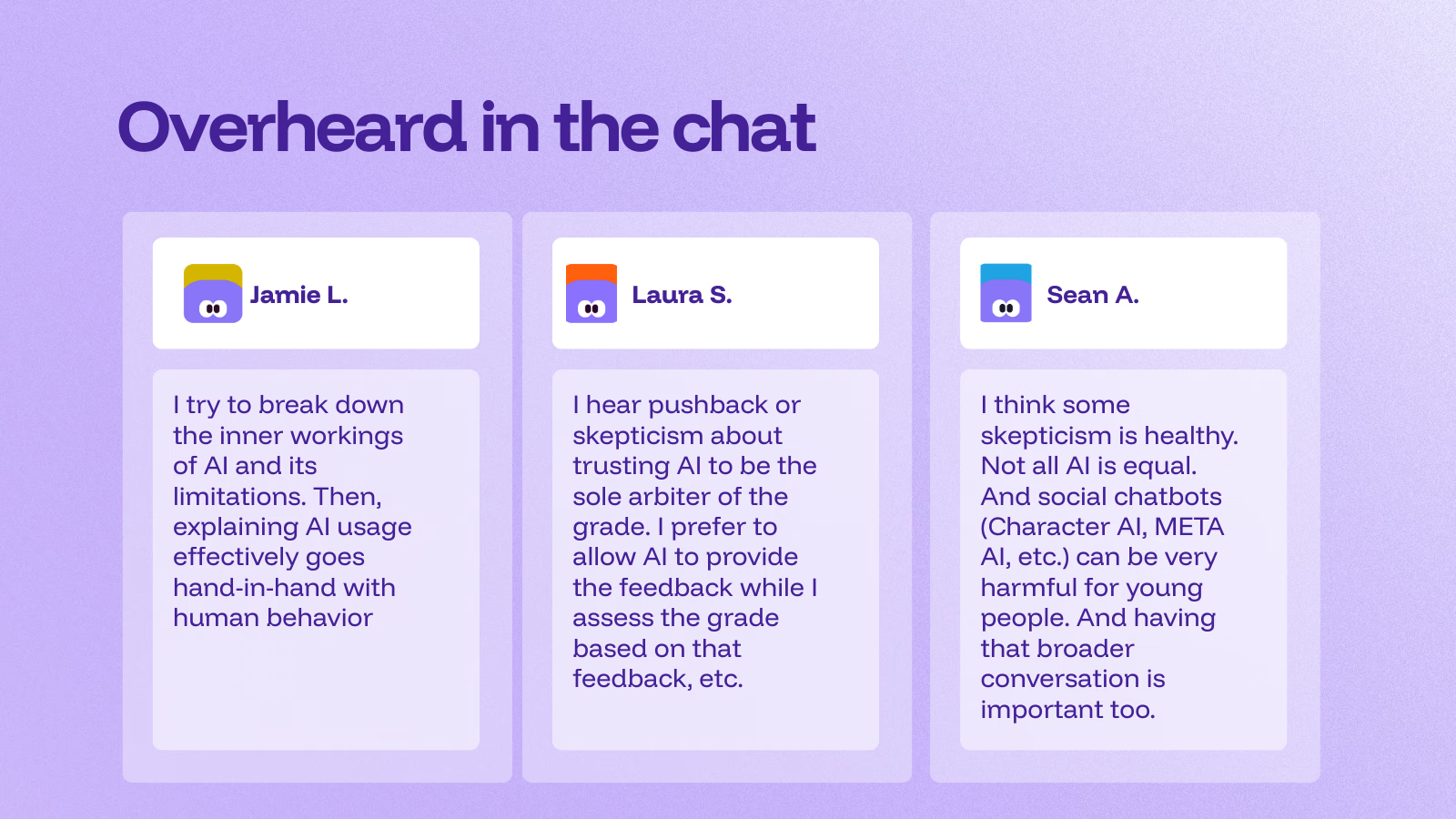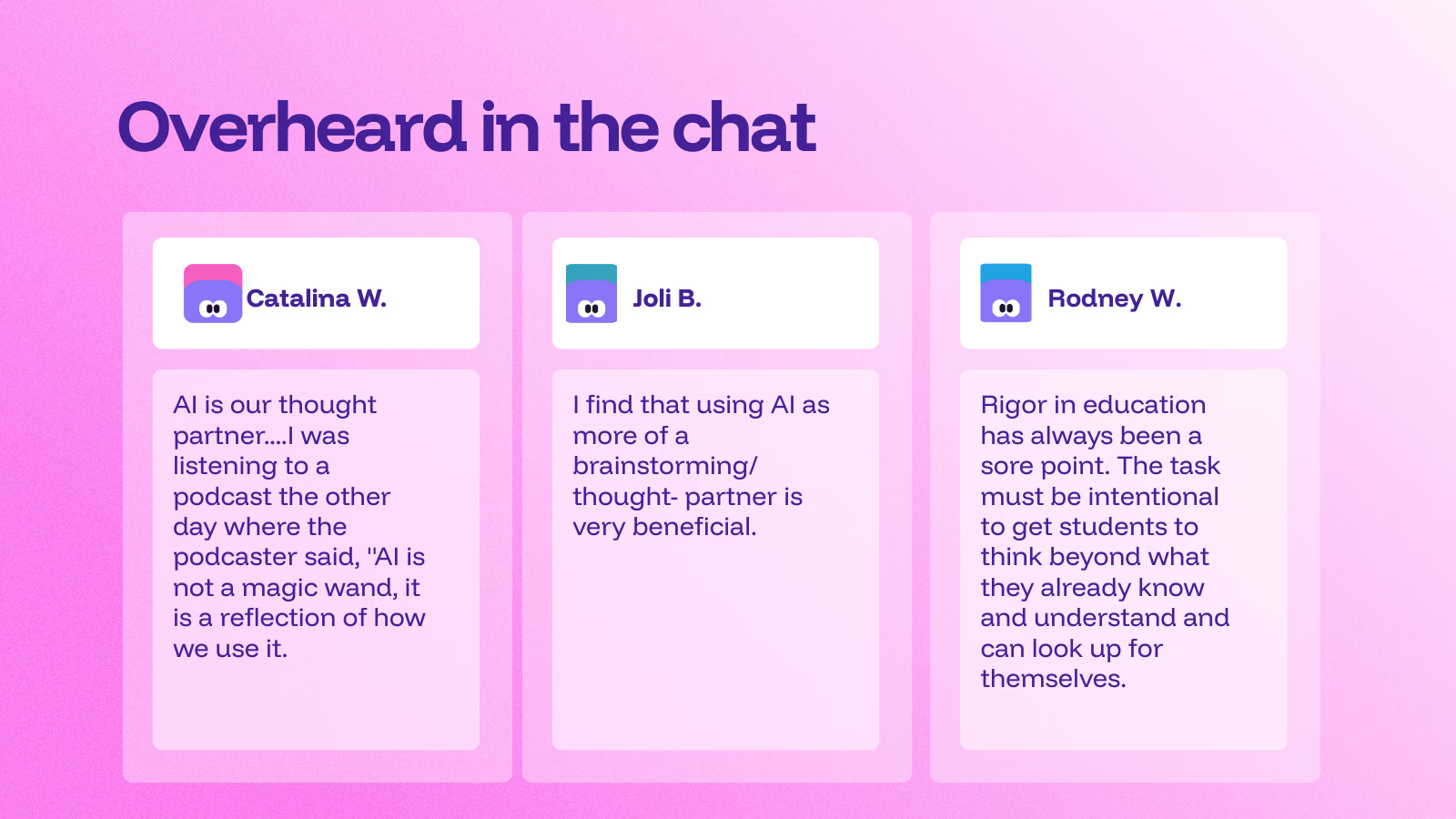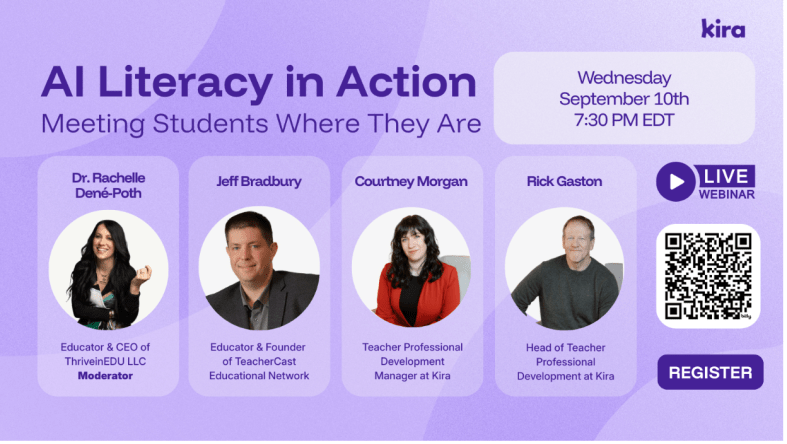
Educators must stay informed, current, and ahead of the game (if possible) when it comes to emerging technologies. This means fostering the development of AI literacy skills. Being AI literate means more than knowing the basics about the technology or understanding relevant terms such as machine learning and algorithms. Literacy involves knowing the uses of AI in the world and being aware of the ethical considerations involved with its use. AI literacy should focus on developing skills to critically evaluate information and content generated by AI as well as to identify misinformation. Teachers should also know how to use AI in safe, ethical, and responsible ways and model this use for students.
Getting Started Teaching AI Literacy Skills
Introducing AI concepts at an earlier age gives students the opportunity to build their knowledge and skills over time—with younger students, starting with the basics of AI, such as focusing on where we see it in daily life. Begin with key definitions, and find resources that have been vetted and are safe for student and educator use. Several organizations provide a wealth of resources for educators, including ready-to-run lessons.
Modeling AI use in the classroom: As we teach students about AI, we can engage them in activities where they evaluate images, text, or videos to decide whether they are AI-generated or real. I have used game-based learning tools, such as Quizizz AI, to quickly create a quiz to check students’ understanding of the concepts covered, or Eduaide.Ai, to make a gamified activity or lesson related to AI literacy.
Continue reading on Edutopia.
About Rachelle
Dr. Rachelle Dené Poth is a Spanish and STEAM: What’s Next in Emerging Technology Teacher at Riverview High School in Oakmont, PA. Rachelle is also an attorney with a Juris Doctor degree from Duquesne University School of Law and a Master’s in Instructional Technology. Rachelle received her Doctorate in Instructional Technology, and her research focus was on AI and Professional Development. In addition to teaching, she is a full-time consultant and works with companies and organizations to provide PD, speaking, and consulting services. Contact Rachelle for your event!
Rachelle is an ISTE-certified educator and community leader who served as president of the ISTE Teacher Education Network. By EdTech Digest, she was named the EdTech Trendsetter of 2024, one of 30 K-12 IT Influencers to follow in 2021, and one of 150 Women Global EdTech Thought Leaders in 2022.
She is the author of ten books, including ‘What The Tech? An Educator’s Guide to AI, AR/VR, the Metaverse and More” and ‘How To Teach AI’. In addition, other books include, “In Other Words: Quotes That Push Our Thinking,” “Unconventional Ways to Thrive in EDU,” “The Future is Now: Looking Back to Move Ahead,” “Chart A New Course: A Guide to Teaching Essential Skills for Tomorrow’s World, “True Story: Lessons That One Kid Taught Us,” “Things I Wish […] Knew” and her newest “How To Teach AI” is available from ISTE or on Amazon.
Contact Rachelle to schedule sessions about Artificial Intelligence, Coding, AR/VR, and more for your school or event! Submit the Contact Form.
Follow Rachelle on Bluesky, Instagram, and X at @Rdene915
**Interested in writing a guest blog for my site? Would love to share your ideas! Submit your post here. Looking for a new book to read? Find these available at bit.ly/Pothbooks
************ Also, check out my THRIVEinEDU PodcastHere!
Join my show on THRIVEinEDU on Facebook. Join the group here.

Educators today have more options than ever for assessing student learning. Years ago, our toolkit was limited to paper-based tests, verbal check-ins, classroom observations, and creative projects. While effective, these methods were time-consuming and often didn’t lead to meaningful engagement with feedback. In my own experience, students would frequently glance at their grade, then toss the paper aside—missing the valuable feedback meant to help them grow.
We know feedback is critical for student growth—it must be authentic, meaningful, and timely. Since the end of 2022, advances in generative AI have introduced powerful tools that can help educators meet these goals more efficiently and effectively. When chosen and implemented thoughtfully, AI-powered tools can transform how we assess, teach, and connect with students.
Rethinking Assessment with AI
AI tools are not a replacement for strong pedagogy; rather, they serve as a support system that can amplify good teaching. Traditional assessments are now being enhanced—or in some cases, reimagined—with technology that provides real-time data, personalized feedback, and engaging formats that meet students where they are.
When deciding whether to integrate a specific AI tool, I always ask myself:
Will it help me assess student learning more efficiently?
Can it help me provide feedback that students will actually read and act on?
Does it allow for differentiation and accessibility?
One major advantage of AI tools is automated scoring and instant feedback, which significantly reduces grading time. This allows educators to focus on what matters most—supporting students. AI-driven analysis offers immediate and valuable insights into student performance, helping educators to identify trends and tailor instruction to meet evolving needs.
AI can also ensure greater consistency in grading and provide accessible pathways for students with diverse needs through features like text-to-speech, translation, and adaptive learning pathways. With AI tracking student progress, questions and assignments can be adjusted in real-time to offer the right level of challenge and support.
Choosing the Right AI Tools: Questions to Guide You
With so many tools available, selection can be overwhelming. To avoid using tech for tech’s sake, consider these essential questions:
What is the purpose? Begin with the “why.” What instructional challenge are you trying to solve?
Does it support your content area and learning goals? Choose tools aligned with curriculum standards and classroom objectives.
Will it elevate your teaching, not replace it? Technology should enhance, not substitute, quality instruction.
Is student data safe? Always evaluate data privacy policies and ensure compliance with FERPA, COPPA, or your district’s guidelines.
Does it offer choice and voice? Look for tools that let students express learning in various formats—written, spoken, visual, etc.
How user-friendly is it for families and students? Accessibility and ease of use matter for long-term success.
I also ask myself:
Do I want students to continue discussions beyond class time?
How quickly can I provide feedback?
Is there an option for audio, video, or scaffolded feedback?
4 AI Tools to Get Started
Here are four versatile AI tools that I regularly recommend for planning, instruction, and assessment:
A fast way to create interactive, student-driven lessons. Simply input a topic, and Curipod generates an engaging lesson with polls, open-ended questions, word clouds, and more. It’s great for sparking classroom discussion and promoting real-time student voice.
Perfect for differentiating content across grade levels and reading abilities. Input a prompt, website, PDF, or even a video link, and Diffit generates reading passages with vocabulary support and comprehension questions. You can export content to Google tools for seamless integration.
Designed by teachers, for teachers, Eduaide offers over 120 content creation tools. From syllabi and lesson plans to gamified activities, feedback, and even IEP support, this tool can save hours of planning time while providing high-quality resources that align with best practices.
Quizizz AI makes assessment creation fast and fun. Input a webpage, document, or even a set of questions, and the platform generates quizzes with real-world scenarios and themes. Since last Arpil, Quizizz includes accommodation profiles to ensure equitable access for all learners.
Final Thoughts: Plan with Purpose, Teach with Intention
AI should never be a gimmick. Before adopting any new tool, always reflect on how it will support student learning and make your work as an educator more impactful. The most effective tools are the ones that align with your goals and empower students to become active participants in their learning.
We are also responsible for modeling ethical and responsible AI use in our classrooms. As students explore these tools, we can guide them in using AI as a partner in learning, one that supports curiosity, creativity, and critical thinking.
The future of education isn’t just about technology—it’s about purposefully using technology to create more engaging, inclusive, and personalized learning experiences. AI isn’t here to replace us but to support us in doing what we do best: inspiring and empowering learners.
About Rachelle
Dr. Rachelle Dené Poth is a Spanish and STEAM: What’s Next in Emerging Technology Teacher at Riverview High School in Oakmont, PA. Rachelle is also an attorney with a Juris Doctor degree from Duquesne University School of Law and a Master’s in Instructional Technology. Rachelle received her Doctorate in Instructional Technology, and her research focus was on AI and Professional Development. In addition to teaching, she is a full-time consultant and works with companies and organizations to provide PD, speaking, and consulting services. Contact Rachelle for your event!
Rachelle is an ISTE-certified educator and community leader who served as president of the ISTE Teacher Education Network. By EdTech Digest, she was named the EdTech Trendsetter of 2024, one of 30 K-12 IT Influencers to follow in 2021, and one of 150 Women Global EdTech Thought Leaders in 2022.
She is the author of ten books, including ‘What The Tech? An Educator’s Guide to AI, AR/VR, the Metaverse and More” and ‘How To Teach AI.’ In addition, other books include, “In Other Words: Quotes That Push Our Thinking,” “Unconventional Ways to Thrive in EDU,” “The Future is Now: Looking Back to Move Ahead,” “Chart A New Course: A Guide to Teaching Essential Skills for Tomorrow’s World, “True Story: Lessons That One Kid Taught Us,” “Things I Wish […] Knew” and her newest “How To Teach AI” is available from ISTE or on Amazon.
Contact Rachelle to schedule sessions about Artificial Intelligence, Coding, AR/VR, and more for your school or event! Submit the Contact Form.
Follow Rachelle on Bluesky, Instagram, and X at @Rdene915
**Interested in writing a guest blog for my site? Would love to share your ideas! Submit your post here. Looking for a new book to read? Find these available at bit.ly/Pothbooks
************ Also, check out my THRIVEinEDU PodcastHere!
Join my show on THRIVEinEDU on Facebook. Join the group here.
A recap of our recent webinar with Imagi! Panelists included Dora Palfi, Mike Peck and Lauren Ludwig.
We recognize that technology in education and the world is evolving at an unprecedented pace. With Artificial Intelligence (AI) and other emerging technologies embedded in so much of our lives, for educators, this rapid transformation can and has presented both challenges and opportunities. As guides and mentors, how do we prepare ourselves to best equip students for a future where AI will, without a doubt, become a huge part of their personal and professional lives? I enjoyed moderating this recent webinar hosted by Imagi and with three dynamic panelists: Dora Palfi, Co-founder and CEO of Imagi, a company reimagining technology education for the age of AI; Mike Peck, a K-12 Director of Technology with an extensive background in classroom teaching and co-founder of Ed3DAO and Peck Education, focused on upskilling educators in emerging tech; and Lauren Ludwig, the Director of Makerspace and Technology & Computer Science Department Chair at an all-girls school in New York City, deeply involved in developing AI guidelines for her institution.
We had a great conversation that brought in participants from around the world. We discussed the crucial need for educators to stay current with emerging technologies, practical ways AI is already impacting teaching and learning, strategies for preparing students for an AI-driven future, and inspiring ideas for integrating AI across the curriculum. Here are some of the key insights shared during our discussion.
The Imperative of Staying Current:
I started the discussion by addressing a fundamental question: Why must educators stay informed of emerging technologies like AI? Mike Peck drew a compelling parallel to the internet revolution, highlighting how technology has become intrinsically woven into our daily lives, from the workforce to social interactions. He argued that AI demands our attention, potentially even more transformative than the internet. Ethically and morally, educators are responsible for equipping learners with the tools and competencies they will need in their futures, both professionally and personally. Denying access and understanding of these technologies would be a disservice to students.
Lauren Ludwig echoed this sentiment, emphasizing that AI will likely impact the lives of current students far more profoundly than it will impact educators in their remaining careers. She stressed the importance of open and ongoing conversations about AI in the classroom, even if educators don’t consider themselves experts. Vulnerability and a willingness to explore together with students can foster deeper understanding and critical thinking about the ethical implications of AI.
Dora Palfi, from an innovator’s perspective, underscored the importance of educators embodying a growth mindset and open attitude towards learning. Educators model crucial skills for navigating a rapidly evolving technological landscape by demonstrating a willingness to learn alongside their students. Transparency about the use of AI, even by educators themselves, builds trust and encourages students to engage thoughtfully with these tools.
AI in Action: Real-World Applications in Education:
The panelists then shared how AI is already influencing their work and personal lives. Dora highlighted the power of AI in language learning, using it for grammar correction, seeking nuanced explanations, and generating context-rich examples. This personalized feedback and on-demand support can be invaluable for language learners.
Mike emphasized the importance of educators “getting their hands dirty” and experimenting with AI tools. He suggested identifying repetitive tasks in teaching, such as assessment development or lesson planning, as potential areas where AI could offer efficiency. He also recommended exploring AI in personal life, from generating grocery lists to creating workout plans, as a low-stakes way to understand its capabilities and limitations. Mike shared an innovative example of using AI for role-playing a difficult parent conversation, showcasing its potential for professional preparation. He likened AI to a “copilot” or “sidekick” for brainstorming, copyediting, and capturing thoughts on the go.
Lauren echoed the time-saving benefits of AI in her workflow, particularly in formatting project parameters and creating clear layouts for student assignments. However, she emphasized the dramatic impact of AI on her teaching, necessitating a re-evaluation of curriculum and assessment methods in advanced computer science. She is actively working with colleagues to redesign assignments to be more “AI-resistant” or “AI-proof,” while acknowledging the nuanced considerations for student use. Lauren powerfully stated the evolving adage: “You’re not gonna be replaced by AI, you’re gonna be replaced by someone using AI,” highlighting the necessity of embracing these tools.
Rachelle shared her personal experience of using AI as a tutor during her doctoral studies, particularly for challenging subjects like statistics, where immediate support was crucial. She also highlighted students’ increasing use of AI as a study aid and tutor, emphasizing the need for educators to understand these applications.
Preparing Students for an AI-Driven Future:
I then shifted to the critical question of best preparing students for a future where AI and big data are increasingly integral, as highlighted by the World Economic Forum’s job skills outlook. Lauren emphasized the importance of teaching fundamental problem-solving skills, breaking down complex tasks, and fostering technology agnosticism. Drawing an analogy to sewing, she illustrated how seemingly unrelated activities can build crucial skills in precision, attention to detail, troubleshooting, and sequential thinking – skills that readily translate to coding, debugging, and navigating technological challenges.
Mike stressed the need for a long-term perspective, urging educators to look beyond immediate concerns and consider the exponential growth of AI and related technologies like robotics. He envisioned a future where AI agents will be commonplace, requiring students to develop skills in directing these agents, working collaboratively with them, and navigating complex systems. He highlighted the burgeoning opportunities in entrepreneurship, where AI can lower the barrier to entry for young innovators. Mike emphasized the importance of “problem sensing” – identifying pain points and leveraging technology to create solutions – alongside critical thinking and creativity.
Dora built upon this, emphasizing the importance of fostering creativity and independent thinking. Drawing from the book “Range,” she championed the value of generalists and cross-disciplinary thinking, suggesting that solutions to problems often emerge from unexpected intersections of knowledge. She highlighted Imagi’s approach of integrating coding with art creation to engage students across different subject areas and foster interdisciplinary learning.
Rachelle shared practical strategies for the classroom, such as having students analyze AI-generated content for errors or using AI to create lesson hooks. She stressed the importance of introducing these concepts even in elementary school to build foundational knowledge over time. For educators hesitant to start, she recommended asking AI for ideas on preparing students based on future skills forecasts.
Fostering Curiosity and Creativity Through Interdisciplinary Approaches:
Each panelist advocated for interdisciplinary learning as a key to sparking curiosity and boosting creativity in the age of AI. Mike emphasized that real-world problems are rarely confined to single subject areas, making cross-curricular collaboration essential. He highlighted entrepreneurship as a unifying theme for integrating AI across subjects like marketing, design, and communication. He also stressed the importance of bringing in experts from various industries to provide students with real-world context and demonstrate the practical applications of AI.
Dora shared inspiring examples of interdisciplinary projects using Imagi, such as coding lunar phases in science class or visualizing periodic table elements. She also mentioned literature projects where students code their favorite book characters, demonstrating how technology can enhance engagement and understanding across diverse subjects.
Lauren passionately argued against siloing technology education. She shared examples of history classes creating artifacts in the makerspace and French classes using AI for debates, illustrating how technology can enrich and make learning more relevant and engaging across the curriculum. She believes that open-ended, interdisciplinary projects cater to a wider range of learning styles and promote equity.
Advice for Educators on the AI Journey
The panelists offered encouraging and practical advice for educators who may feel overwhelmed as they begin integrating AI.
Lauren emphasized the importance of leveraging existing resources and not feeling the need to start from scratch. She urged educators to align their AI integration strategies with their school’s values and mission.
Mike emphasized the contextual nature of AI implementation, advising schools to find their path based on their unique needs and learning outcomes. He cautioned against purchasing new tools and recommended starting with free resources to build understanding. He stressed the importance of stakeholder engagement and envisioning a long-term, transformative vision for AI in education.
Dora offered a powerful message: “Action breeds confidence.” She encouraged educators to start experimenting, learn by doing, and not strive for perfection, especially given the rapid pace of change. She echoed the value of Lauren’s resources as a practical starting point.
We ended with a call to action. While integrating AI in education can present complexities, each of the panelists spoke to its immense potential to enhance learning, foster crucial future-ready skills, and empower students to become adaptable, creative problem-solvers. The key takeaway was clear: educators don’t need to be experts, but they need to be willing to explore, experiment, and learn alongside their students as we collectively navigate the changes that AI and other emerging technologies will bring.
Want to see the recording? Check it out here or view the video below!
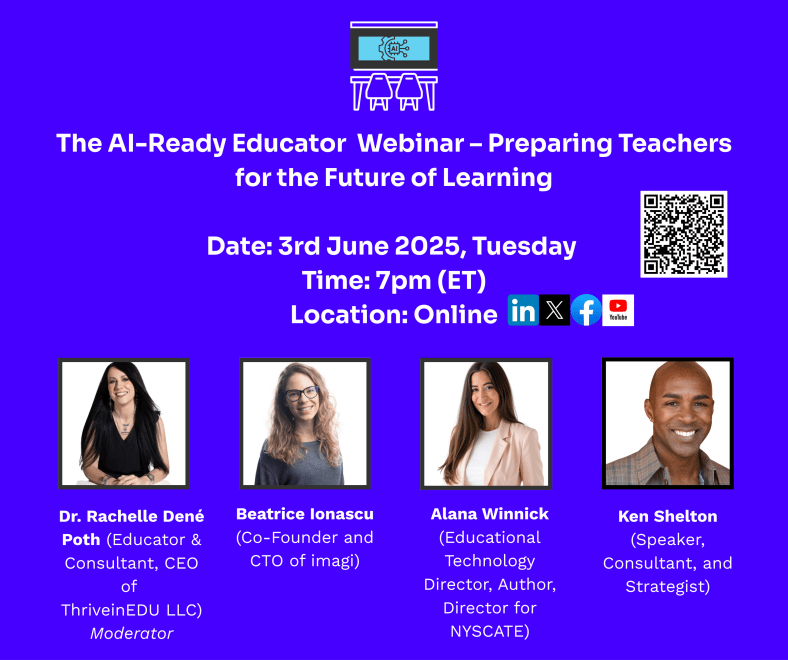
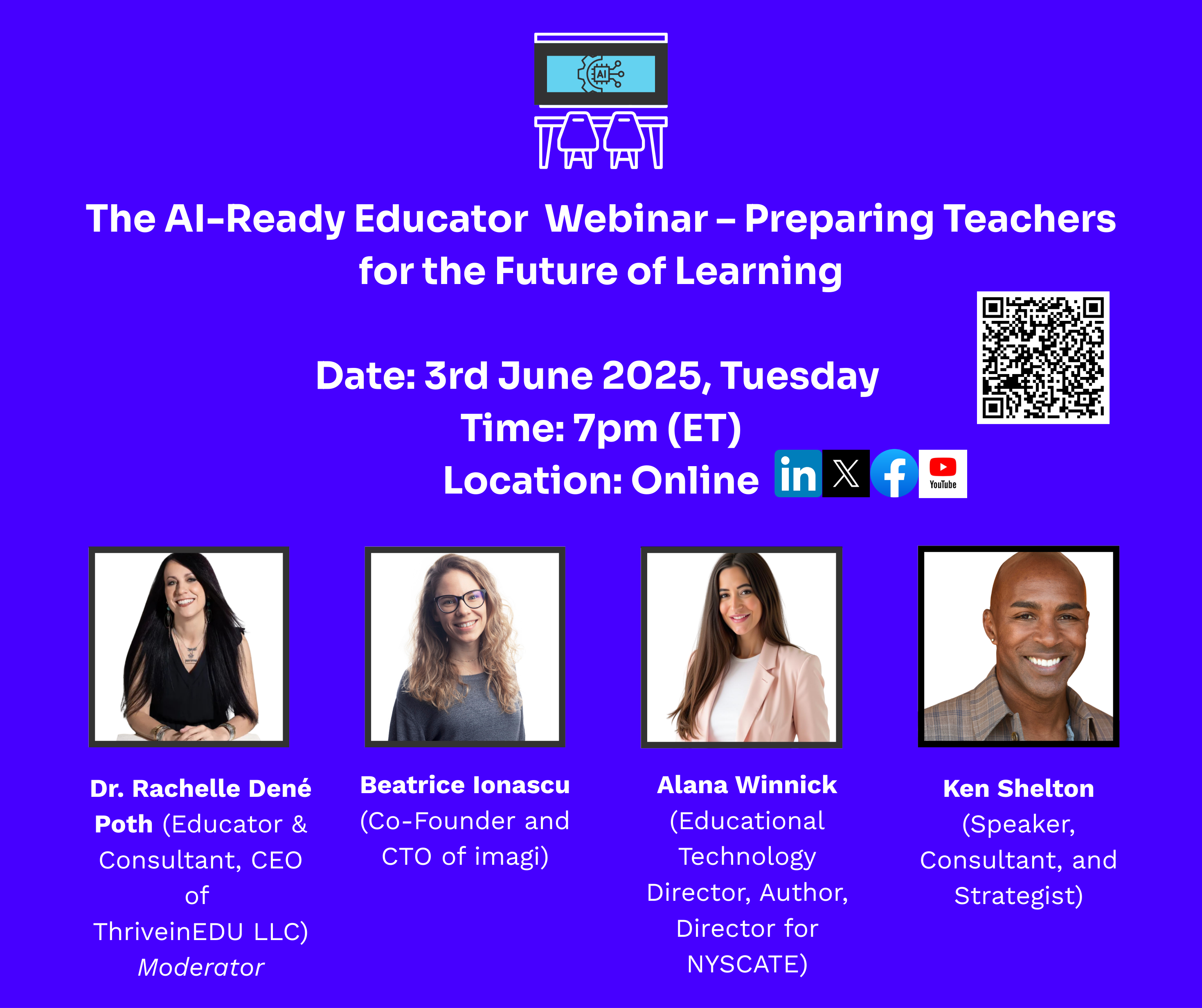
Sign up for our next webinar, which will be held on Tuesday, June 3rd, at 7:00 p.m. ET. The title is “TheAI-ReadyEducator—PreparingTeachersfortheFutureofLearning.” I will be joined by three panelists, and it will be another great conversation. Register here.
About Rachelle
Dr. Rachelle Dené Poth is a Spanish and STEAM: What’s Next in Emerging Technology Teacher at Riverview High School in Oakmont, PA. Rachelle is also an attorney with a Juris Doctor degree from Duquesne University School of Law and a Master’s in Instructional Technology. Rachelle received her Doctorate in Instructional Technology, and her research focus was on AI and Professional Development. In addition to teaching, she is a full-time consultant and works with companies and organizations to provide PD, speaking, and consulting services. Contact Rachelle for your event!
Rachelle is an ISTE-certified educator and community leader who served as president of the ISTE Teacher Education Network. By EdTech Digest, she was named the EdTech Trendsetter of 2024, one of 30 K-12 IT Influencers to follow in 2021, and one of 150 Women Global EdTech Thought Leaders in 2022.
She is the author of ten books, including ‘What The Tech? An Educator’s Guide to AI, AR/VR, the Metaverse and More” and ‘How To Teach AI’. In addition, other books include, “In Other Words: Quotes That Push Our Thinking,” “Unconventional Ways to Thrive in EDU,” “The Future is Now: Looking Back to Move Ahead,” “Chart A New Course: A Guide to Teaching Essential Skills for Tomorrow’s World, “True Story: Lessons That One Kid Taught Us,” “Things I Wish […] Knew” and her newest “How To Teach AI” is available from ISTE or on Amazon.
Contact Rachelle to schedule sessions about Artificial Intelligence, Coding, AR/VR, and more for your school or event! Submit the Contact Form.
Follow Rachelle on Bluesky, Instagram, and X at @Rdene915
**Interested in writing a guest blog for my site? Would love to share your ideas! Submit your post here. Looking for a new book to read? Find these available at bit.ly/Pothbooks
************ Also, check out my THRIVEinEDU PodcastHere!
Join my show on THRIVEinEDU on Facebook. Join the group here.

In collaboration with Socrait, Opinions expressed are my own
Educators have a lot of responsibilities, from planning lessons, creating assessments, grading, providing feedback to students, communicating with families, analyzing student data, and more. With so many responsibilities, burnout has become a big factor in education. According to the National Center for Education Statistics, nearly 25% of teachers leave the profession within their first three years. The reason? Teachers feel overwhelmed by administrative tasks and paperwork, emotional and physical exhaustion, and a lack of support.
Socrait was developed for this purpose. While AI continues to make an impact in education, not all AI solutions are designed with teachers in mind. Socrait is a voice-enabled class assistant designed by a teacher who understands the demands of the job. Many other AI tools have been created for administrative efficiency, student engagement, or content generation. Few are built specifically to help teachers reclaim their time, reduce burnout, and focus on what truly matters: teaching and connection, like Socrait provides.
Reimaging the classroom
Socrait’s goal is to reduce teacher burnout by lowering cognitive load during the day and streamlining some of the time-consuming aspects of teaching. Reflecting on our classes each day is important for our own growth, but more importantly, to truly understand our students’ needs. Sometimes after a long day or many activities in class, it’s tough to remember who raised their hand, who received a warning, or which family may need me to send a follow-up email.
Socrait helps with this by automating some of the time-consuming (yet essential) aspects of teaching. Tasks such as taking attendance, logging behavioral incidents, tracking student participation, recording praises, reminders, warnings, and even drafting personalized follow-up emails to families are important and can take away valuable time from our students.
These are essential components of classroom management and communication, but they can also add to a teacher’s daily cognitive and emotional load and, of course, reduce the amount of time that teachers can spend working with students. Socrait provides a solution by working with teachers to facilitate these actions.
How Socrait Works
Getting started with Socrait takes only a few minutes.
Before class: Open the Socrait app, press the “stream” button, and begin teaching.
During class, the app runs quietly in a pouch that comes on a lanyard. Teach class as you normally would; no special voice commands are required.
While teaching, Socrait listens through a secure mobile app and transforms spoken words into a digital log. At the end of class, simply log into your dashboard, and you will see a summary of attendance, praises, reminders, and any warnings given, plus student participation. It can even draft messages to send to parents, ready for teachers to review before sending. Socrait is also compatible with Google Workspace for Education, making it easy for schools and districts to integrate securely. It has plans to integrate through Clever in the upcoming school year!
What I think makes Socrait so unique is the voice-to-text technology that processes speech without needing to save audio or keep a recording. The audio is processed into useful insights without affecting students’ or teachers’ privacy. With Socrait, teachers can evaluate their class data to look for/identify patterns that will help them to target instruction: Are there students who are consistently disengaged or engaged in the lesson? Is praise being evenly distributed throughout the classroom? What are the most frequent reminders given in class? These insights can promote thoughtful reflection and help educators adjust instruction or classroom management strategies to better align with student needs..
I was amazed by its ability to detect and categorize my comments during instruction. It facilitates accurate tracking of both positive reinforcement and behavioral redirection. Here are some of the statements that I made and how they were categorized in my dashboard.
“Great job staying focused during group work, Mia.”
“I appreciate how you explained your thinking, Kevin—that was clear and well-stated.”
“Thanks for your help in class today, John.”
These statements were categorized as praise. The following statements were categorized as warnings:
“Cody, I’ve asked you twice to put your phone away. If you could please put it in your backpack.”
“I’m concerned about your grades, Kelly, as this is your third missing assignment.”
At the end of class, here is an example of what you see in your dashboard:
Built with Privacy First
When I try a new tool, the first thing I do is look for information related to privacy and data security, especially when it comes to AI-powered tools. Socrait does not store audio recordings but rather functions through real-time streaming to convert speech into text and then generate summaries, which are stored securely.
More Time for What Matters
Socrait helps teachers to save time. Socratit saves the time they used to spend writing notes, sending emails, or filling out behavior logs and gives teachers an assistant that frees up time for what really matters: building relationships, reflecting on lessons, and taking care of themselves.
With Socrait, teachers are able to:
✔️ Track student participation and engagement in real time
✔️ Automatically log attendance and behavior data
✔️ Generate and send follow-up emails after review
✔️ Reflect with accurate, accessible class summaries
Want to give it a try?
Socrait is currently in Alpha testing, and the best feedback comes from teachers using it in their classrooms. If you’re interested in testing a tool that supports teachers instead of overwhelming them, now is the perfect opportunity!
👉 Sign up today at https://socrait.comto be an early user. You’ll be able to use Socrait daily, and your feedback will help shape its development.
About Rachelle
Dr. Rachelle Dené Poth is a Spanish and STEAM: What’s Next in Emerging Technology Teacher at Riverview High School in Oakmont, PA. Rachelle is also an attorney with a Juris Doctor degree from Duquesne University School of Law and a Master’s in Instructional Technology. Rachelle received her Doctorate in Instructional Technology, and her research focus was on AI and Professional Development. In addition to teaching, she is a full-time consultant and works with companies and organizations to provide PD, speaking, and consulting services. Contact Rachelle for your event!
Rachelle is an ISTE-certified educator and community leader who served as president of the ISTE Teacher Education Network. By EdTech Digest, she was named the EdTech Trendsetter of 2024, one of 30 K-12 IT Influencers to follow in 2021, and one of 150 Women Global EdTech Thought Leaders in 2022.
She is the author of ten books, including ‘What The Tech? An Educator’s Guide to AI, AR/VR, the Metaverse and More” and ‘How To Teach AI’. In addition, other books include, “In Other Words: Quotes That Push Our Thinking,” “Unconventional Ways to Thrive in EDU,” “The Future is Now: Looking Back to Move Ahead,” “Chart A New Course: A Guide to Teaching Essential Skills for Tomorrow’s World, “True Story: Lessons That One Kid Taught Us,” “Things I Wish […] Knew” and her newest “How To Teach AI” is available from ISTE or on Amazon.
Contact Rachelle to schedule sessions about Artificial Intelligence, Coding, AR/VR, and more for your school or event! Submit the Contact Form.
Follow Rachelle on Bluesky, Instagram, and X at @Rdene915
**Interested in writing a guest blog for my site? Would love to share your ideas! Submit your post here. Looking for a new book to read? Find these available at bit.ly/Pothbooks
************ Also, check out my THRIVEinEDU PodcastHere!
Join my show on THRIVEinEDU on Facebook. Join the group here.

As educators, it is important to reflect on our teaching practices and also model this for our students. Engaging students in reflecting on their learning will help them to become more self-aware, to set new goals, to make adjustments, and to prepare them for the future.
I am a huge fan of quotes, so much so that my first book, “In Other Words, Quotes That Push Our Thinking,” came to be after reading the notes I had taken from reading other books. Much of what I had written was quotes from the author or quotes from others that were included in their books. One of my favorites is from John Dewey. Dewey stated, “We do not learn from experience… we learn from reflecting on experience.” I think about this quote often and it reminds me of how important reflection is for our professional and personal growth.
When should we reflect and how often? With many daily demands in our work, setting aside a specific time can be a challenge. My recommendation is to find a point in your teaching day to take even 5 minutes to think about the lessons you’ve taught, the methods used, the students’ engagement in the lesson, and take some quick notes to refer back to later. Even in small periods of time on a daily basis, these reflections will help us to focus on how to continue to improve our skills. Reflection also helps with our well-being and gives us a moment to pause and recognize the value of our work while also taking time to breathe.
A Few Ideas
I have a lot of notes written from my reflections. I make a list of ideas, things to consider, and tools to explore, and keep it nearby so I can refer to it often and continue to think through everything. I’ve noticed that it has helped me to be more consistent when reflecting on my teaching practice.
1. Set a time for reflection: Consistency is essential. Choose a specific time each day, or a few times during the week or weekend, to reflect. Driving into school, I think about my goals for the day, and driving home, I think about how the day went. Find a time that works best for you and hold it as a non-negotiable for your day.
2. Journaling or Blogging: I’ve had students write in journals over the years after I’ve provided a prompt for the day. Reading their responses also helps me to reflect on my practice at times, depending on the prompts that I have provided. Blogging started for me as a way to not only share ideas, but also to reflect on the methods and tools that I was using. It can be done on paper, in a journal, or using Google Docs or a blogging site.
3. Podcasts: I started podcasting in my classroom on a Monday during my lunch. I decided to talk about what I had done in class, different digital tools, new methods, or whatever random idea that I had on my mind. Every Monday, for two years, I sat down during my lunch break and recorded an episode for my ThriveinEDU podcast. I had a consistent habit and then shifted to recording whenever I had something on my mind, which could have been while at home or while taking a walk. Most episodes over the five seasons have been of me having a conversation with myself. But, there are a lot now where I have guests from all roles in education and also guests from some different companies or areas of work. It has been a great experience and I enjoy learning from everyone and also having new ideas to consider. And even if you don’t actually publish the podcast or your recording, it is a great way to reflect by listening to your thoughts
4. Learning communities: Being part of a learning community whether an organization like ISTE+ASCD, a state organization, Microsoft or Google communities, or ambassador programs, are great ways to learn and lead to reflection. Connecting in these spaces or through social media networks, especially more frequently used now is Slack, make it easier to connect with educators from around the world.
These are just a few ways to build reflection into your practice and also ways to connect and impact other educators too. Reflection is powerful for improvement and staying engaged in our work. Keep making a difference.
About Rachelle
Dr. Rachelle Dené Poth is a Spanish and STEAM: What’s Next in Emerging Technology Teacher at Riverview High School in Oakmont, PA. Rachelle is also an attorney with a Juris Doctor degree from Duquesne University School of Law and a Master’s in Instructional Technology. Rachelle received her Doctorate in Instructional Technology, and her research focus was on AI and Professional Development. In addition to teaching, she is a full-time consultant and works with companies and organizations to provide PD, speaking, and consulting services. Contact Rachelle for your event!
Rachelle is an ISTE-certified educator and community leader who served as president of the ISTE Teacher Education Network. By EdTech Digest, she was named the EdTech Trendsetter of 2024, one of 30 K-12 IT Influencers to follow in 2021, and one of 150 Women Global EdTech Thought Leaders in 2022.
She is the author of ten books, including ‘What The Tech? An Educator’s Guide to AI, AR/VR, the Metaverse and More” and ‘How To Teach AI’. In addition, other books include, “In Other Words: Quotes That Push Our Thinking,” “Unconventional Ways to Thrive in EDU,” “The Future is Now: Looking Back to Move Ahead,” “Chart A New Course: A Guide to Teaching Essential Skills for Tomorrow’s World, “True Story: Lessons That One Kid Taught Us,” “Things I Wish […] Knew” and her newest “How To Teach AI” is available from ISTE or on Amazon.
Contact Rachelle to schedule sessions about Artificial Intelligence, Coding, AR/VR, and more for your school or event! Submit the Contact Form.
Follow Rachelle on Bluesky, Instagram, and X at @Rdene915
**Interested in writing a guest blog for my site? Would love to share your ideas! Submit your post here. Looking for a new book to read? Find these available at bit.ly/Pothbooks
************ Also, check out my THRIVEinEDU PodcastHere!
Join my show on THRIVEinEDU on Facebook. Join the group here.

One of my go-to edtech tools for my personal and professional use and for use with students has long been Adobe Express. It has undergone quite the overhaul throughout the years, but I could not ask for more from a creative learning tool. Today’s version is truly something special. If you have not checked it out in a while, you might want to give it another look. From creating videos, graphics, webpages, presentations, voice animations, and editable .pdf documents, Adobe Express has beefed up its capabilities by adding very user-friendly features, from a one-click background remover, quick video editing tools, to audio recording options.
Guided Activities
One of my favorite new features offered by Adobe is the featured activities with built-in lesson videos on how to use the template and complete the activity, ready for teachers to assign. These are creative and fun, often include some of Adobe’s built-in generative AI, and free teachers up to assist students with content creation rather than navigating through the technology. Students who need the extra support can watch the one-minute video to see how to do each step, and those who want to figure it out themselves can jump right in and get started. My students really like this feature because it is handy but not obtrusive.
This has freed me up to walk around the classroom and assist a lot more students with other things, rather than help a few students who struggle with the tech pieces of the assignment. It also lets me introduce a new tech piece with Adobe Express and new content simultaneously, whereas in the past, I would have used two class periods for this to stagger the learning of the tech from the application of the content. I highly recommend trying one of these activities with students.
Adobe Classroom
The wonderful thing about Adobe Express’s Classroom option is that teachers can take any template and assign it to students. They are also working to continually update and improve their templates that are organized by subject, grade level, country, etc., too, but absolutely any template can be assigned to students once a class has been created and students have been enrolled in the class. To ensure that you have the Classroom option, make sure that you sign in with your school account and then, instead of selecting “personal,” select “school or district” account when logging in. You should then see the “Classroom” tool option in the side panel (see image below).
Besides the wonderful ability to assign templates, Adobe Express Classroom provides a gallery view for teachers to see student progress at a glance, and it also provides teachers the ability to turn on the gallery view for students to see each other’s work as well. It is a simple toggle on and off that can be done at any time during the work of a project, making this feature a powerful yet simple way to give students an authentic audience for their work.
In the example above, the students’ names have been blacked out, but you can see their progress is color-coded, and the teacher has access to their work at each step of the way once the progress has been started. It is also easy at a quick glance to see which student or students haven’t started the project yet. This saves a lot of time, and perhaps makes this one of my favorite features of Adobe Express Classroom.
Even if all you want to do is search the educator resources to find a quick activity that you can print or assign through Adobe Express Classroom, I encourage you to explore all that Express has to offer you. It is my one-stop shop for energizing my own creativity, so I know that my students get something out of using it as well. It is never a dull moment when you tap into the power of creating, regardless of your subject matter. Students, and if we’re honest, teachers as well, are familiar with the role of consumer in today’s economy, so I take every opportunity to help them learn to cross over into the creator side and learn tools that can set them apart from competitors in the job market or help them rise to the challenge in college, or just enjoy making something rather than passively scrolling. Creating is definitely more fun.
About Rachelle
Dr. Rachelle Dené Poth is a Spanish and STEAM: What’s Next in Emerging Technology Teacher at Riverview High School in Oakmont, PA. Rachelle is also an attorney with a Juris Doctor degree from Duquesne University School of Law and a Master’s in Instructional Technology. Rachelle received her Doctorate in Instructional Technology, and her research focus was on AI and Professional Development. In addition to teaching, she is a full-time consultant and works with companies and organizations to provide PD, speaking, and consulting services. Contact Rachelle for your event!
Rachelle is an ISTE-certified educator and community leader who served as president of the ISTE Teacher Education Network. By EdTech Digest, she was named the EdTech Trendsetter of 2024, one of 30 K-12 IT Influencers to follow in 2021, and one of 150 Women Global EdTech Thought Leaders in 2022.
She is the author of ten books, including ‘What The Tech? An Educator’s Guide to AI, AR/VR, the Metaverse and More” and ‘How To Teach AI’. In addition, other books include, “In Other Words: Quotes That Push Our Thinking,” “Unconventional Ways to Thrive in EDU,” “The Future is Now: Looking Back to Move Ahead,” “Chart A New Course: A Guide to Teaching Essential Skills for Tomorrow’s World, “True Story: Lessons That One Kid Taught Us,” “Things I Wish […] Knew” and her newest “How To Teach AI” is available from ISTE or on Amazon.
Contact Rachelle to schedule sessions about Artificial Intelligence, Coding, AR/VR, and more for your school or event! Submit the Contact Form.
Follow Rachelle on Bluesky, Instagram, and X at @Rdene915
**Interested in writing a guest blog for my site? Would love to share your ideas! Submit your post here. Looking for a new book to read? Find these available at bit.ly/Pothbooks
************ Also, check out my THRIVEinEDU PodcastHere!
Join my show on THRIVEinEDU on Facebook. Join the group here.
Generally speaking, when educators think about artificial intelligence, or AI, it is usually in the frame of a tool students use to cheat, avoid thinking, or come up with an easy and quick answer. We all know that AI can do significant mental heavy lifting for us. The news has been saturated with the accomplishments of large language models like ChatGPT from the beginning, and they are only getting started. However, as we continue exploring their capabilities, edtech companies have successfully integrated them into their products with amazing results that benefit students and teachers alike. Rather than merely limit student thinking by replacing it, AI can also help students break through barriers and expand their creative thinking skills. Adobe for Education is at the forefront of companies that can harness creativity, AI, and their existing edtech platforms to maximize student learning.
Generative AI
Adobe Express also offers four generative AI features for teachers and students to use in their projects and creations. We are only limited in our ability to think of ways to use them because there is plenty of creative and critical thinking power here.
Generate Image
How you use this in the classroom is up to you and your subject matter. It is pretty easy to find ways to use it in ELA or art, for example, but there are applications to be found in other subjects, too. One really fun way to have students use it is for images that they need for presentations. No more searching the internet for an image that might be copyrighted or the incorrect image size, and therefore not visually appealing. The engagement factor of creating their own image cannot be overlooked either. If you are now thinking that you don’t have students create presentations, you might reconsider that. It is a college and career-ready skill that students will need beyond our K-12 classrooms, as is the actual presenting of information. I had a business owner comment recently that she wished more local students graduated high school with the skills to be able to jump right in and do on-the-job presentations. They need both technical skills and communication skills to be able to share information at work or at school. Adobe Express has the tools to help engage them in both.
Generate Text Effects
This feature is just as fun and also as creative as the text-to-image generator. Type in the description of the text you want or fill type you want, look at the examples generated, and choose the one that suits your project the best. This can be used on more than presentations, too, of course. Adobe Express has a lot of template projects that fun text effects can enhance, and again, the engagement factor is huge here, too. If you start a project with just having students create their names with the most creative or crazy test effects, that will help them learn the tools and have a blast while doing it. It can seem like overkill to worry about adding outlines, shadow effects, etc., but creating posts, flyers, newsletters, publications, and presentations that are well-designed and legible is a skill that is not generally taught but should be. With Adobe Express, a few minutes of fun can turn students into competent creators.
Generate Template
This might be the most innovative generative addition to Adobe Express yet. Sometimes a blank canvas is terrifying, just like a blank document or a blank paper. We don’t know where or how to start our paper, project, drawing, etc. Templates help with that, but if we can type in a brief description and then watch AI bring it to life, even if it does not materialize like we suddenly envisioned. However, just seeing the iterations come to life from just a few words can spark more creative ideas for any template or project.
Insert Object
This one was fairly new to me. I saw that it had been added, but I had not tried it until recently. It is simple and also fun to use. Just upload a picture, type in a description of what you want to add to the picture, select your brush size, and color in on the original picture where you would like to add the object.
It is another fun way to create what you need for an image, but this time you start with an image you have but you add something to it. This could really be useful for a variety of situations, and part of the fun for us as educators is to use our own critical thinking to find ways to use these tools that maximize student learning and engagement.
Whether your year is winding down, just beginning, or facing the winter blues, Adobe Express has what you and your students need to inject some creativity and critical thinking, with some talented AI help to fuel the learning needs of your students. It also has the added benefit of engaging your creative juices too, with the flexible templates, powerful tools, and add-ons, which is just as important. Educators need to flex their creative muscle and break through barriers in order to lead students in innovation, and these tools can be the right fit for just such a task.
About Rachelle
Dr. Rachelle Dené Poth is a Spanish and STEAM: What’s Next in Emerging Technology Teacher at Riverview High School in Oakmont, PA. Rachelle is also an attorney with a Juris Doctor degree from Duquesne University School of Law and a Master’s in Instructional Technology. Rachelle received her Doctorate in Instructional Technology, and her research focus was on AI and Professional Development. In addition to teaching, she is a full-time consultant and works with companies and organizations to provide PD, speaking, and consulting services. Contact Rachelle for your event!
Rachelle is an ISTE-certified educator and community leader who served as president of the ISTE Teacher Education Network. By EdTech Digest, she was named the EdTech Trendsetter of 2024, one of 30 K-12 IT Influencers to follow in 2021, and one of 150 Women Global EdTech Thought Leaders in 2022.
She is the author of ten books, including ‘What The Tech? An Educator’s Guide to AI, AR/VR, the Metaverse and More” and ‘How To Teach AI’. In addition, other books include, “In Other Words: Quotes That Push Our Thinking,” “Unconventional Ways to Thrive in EDU,” “The Future is Now: Looking Back to Move Ahead,” “Chart A New Course: A Guide to Teaching Essential Skills for Tomorrow’s World, “True Story: Lessons That One Kid Taught Us,” “Things I Wish […] Knew” and her newest “How To Teach AI” is available from ISTE or on Amazon.
Contact Rachelle to schedule sessions about Artificial Intelligence, Coding, AR/VR, and more for your school or event! Submit the Contact Form.
Follow Rachelle on Bluesky, Instagram, and X at @Rdene915
**Interested in writing a guest blog for my site? Would love to share your ideas! Submit your post here. Looking for a new book to read? Find these available at bit.ly/Pothbooks
************ Also, check out my THRIVEinEDU PodcastHere!
Join my show on THRIVEinEDU on Facebook. Join the group here.
What if instead of just playing video games, students could create their own? That’s exactly what we did in my class, transforming a love for gaming into a hands-on project that blended coding, design, and creativity into a student-run video game. Using Scratch, students transformed their ideas into interactive games, coding everything from high-speed chases to intricate jumping challenges. But, the project went beyond coding as it integrated multiple STEM disciplines, including video production, graphic design, and even 3D modeling. The project culminated in a student-run arcade, where other classes came to play. By the end, students weren’t just players—they were game designers, engineers, and creative thinkers, bringing their ideas to life in an interactive, hands-on way.
This project is an example of project-based learning (PBL), an approach that makes learning more meaningful and engaging by connecting academic concepts to real-world applications. PBL immerses students in hands-on experiences that build critical skills like problem-solving, collaboration, communication, and creativity. It also helps students see the relevance of what they’re learning by giving them opportunities to apply their knowledge in practical ways. Perhaps most importantly, PBL allows for personalization—students can shape their projects around their own interests and strengths, making the learning process both more enjoyable and more impactful.
To make a PBL project successful, it needs to be broken down into manageable steps. Game development is complex, so I structured our arcade project into stages: coding, graphic design, video production, and 3D modeling. We started with coding since a working game was the foundation for everything else. Once students had their games running, they designed backgrounds and characters, then created posters to promote their work. After that, they produced instructional and promotional videos. Finally, they used 3D modeling to design a custom game controller and token. Some students needed extra time debugging their code, while others jumped ahead to designing graphics or planning their arcade setup. By keeping the schedule flexible, everyone had the time they needed to finish their game while still engaging in other aspects of the project.
A good PBL project teaches students the skills they need, one step at a time, so they can finish successfully. Since our students had different levels of coding experience, we began with Scratch tutorials—some moved through them quickly, while others needed more time. The goal wasn’t to get everyone to the same level but to ensure each student had sufficient skills to build their own game. The same idea applied to 3D modeling, where some students were already comfortable with the design tools while others were just getting started. By meeting students where they were and providing targeted support, we made sure everyone could engage with the project in a meaningful way.
PBL isn’t about having the latest equipment—it’s about making the most of what’s already available. For this project, we used Scratch for coding, Adobe Express for graphic design, WeVideo for video editing, and Google SketchUp with our 3D printer for modeling. These were tools I was comfortable with and ones our school already had. However, the project could have worked just as well with different tools—Python instead of Scratch, Google Slides for design, or Google Vids for video. If we didn’t have a 3D printer, modeling clay could have been an alternative, or we could have skipped that step altogether. The key was staying flexible and using what we had to keep the project engaging and manageable for both students and teachers.
Finally, giving students a way to share their work makes PBL more meaningful. Finishing a project feels good, but presenting it to others gives it real purpose. For our arcade, we transformed the classroom into a real gaming space—students designed posters and signs, and we handed out tokens so visitors could “pay” to play. This small detail made a big difference. Students saw their games being played and enjoyed, which made their hard work feel real. No matter the project—whether it’s a school newspaper, a model city, or a website—having a clear end goal and a way to showcase the final product is essential. Giving students the chance to share their work helps them gain confidence and see the impact of what they create.
About Rachelle
Dr. Rachelle Dené Poth is a Spanish and STEAM: What’s Next in Emerging Technology Teacher at Riverview High School in Oakmont, PA. Rachelle is also an attorney with a Juris Doctor degree from Duquesne University School of Law and a Doctorate in Instructional Technology. Her research focus was on AI and Professional Development. In addition to teaching, she is a full-time consultant and works with companies and organizations to provide PD, speaking, and consulting services. Contact Rachelle for your event! She speaks on AI, AI and the Law, AI and the Environment, Cybersecurity, SEL, STEM and other topics.
Rachelle is an ISTE-certified educator and community leader who served as president of the ISTE Teacher Education Network. By EdTech Digest, she was named the EdTech Trendsetter of 2024, one of 30 K-12 IT Influencers to follow in 2021, and one of 150 Women Global EdTech Thought Leaders in 2022.
She is the author of nine books including, ‘In Other Words: Quotes That Push Our Thinking,” “Unconventional Ways to Thrive in EDU,” “The Future is Now: Looking Back to Move Ahead,” “Chart A New Course: A Guide to Teaching Essential Skills for Tomorrow’s World, “True Story: Lessons That One Kid Taught Us,” “Things I Wish […] Knew” and her newest “How To Teach AI” is available from ISTE or on Amazon.
Contact Rachelle to schedule sessions about Artificial Intelligence, Coding, AR/VR, and more for your school or event! Submit the Contact Form.
Follow Rachelle on Bluesky, Instagram, and X at @Rdene915
**Interested in writing a guest blog for my site? Would love to share your ideas! Submit your post here. Looking for a new book to read? Find these available at bit.ly/Pothbooks
************ Also, check out my THRIVEinEDU PodcastHere!
Join my show on THRIVEinEDU on Facebook. Join the group here.
In collaboration with CodeMonkey. All opinions are my own.
As an educator with over nine years of experience in teaching, researching, and presenting on artificial intelligence, educational technology, and computer science, I enjoy trying out new coding and STEM-related platforms and tools with my eighth-grade STEAM students. My students and I have enjoyed using CodeMonkey this year because it sparks curiosity in learning about coding, and they are excited to work through the activities. It does this through engaging gameplay, structured curriculum, teacher resources, and essential topics, all of which are available in one easy-to-navigate place.
This was my first year using CodeMonkey in my STEAM course, where I cover many topics such as AI, augmented and virtual reality, coding, robotics, and other emerging technologies. I also train other educators and often speak at conferences, and one question that I am asked is what educators should use with elementary students to get them started with STEM. I always enjoy finding resources that work well for even the youngest learners, while also offering more challenging topics for high school students. And these platforms must offer a robust, standards-aligned platform that makes a real impact. I took a closer look at the new curricula and believe that educators will become more confident as they get started with CodeMonkey, especially with all that is provided to make it easy to implement in every classroom.
My first impressions of CodeMonkey’s Typing and Computer Science curricula is that it is colorful and engaging, Intuitive, and definitely student-centered
I noticed right away how kid-friendly it is. The platform was clearly designed with the student in mind, especially younger learners in grades K–8. The characters are animated, each lesson is interactive, and the exercises are gamified which keeps students engaged in learning.
The K–8 Typing Course uses a mix of activities, exercises and games that help students learn proper finger placement, improve typing speed, and develop accuracy— while having fun in the process. Students are excited to move to the next level! It’s also fun for teachers to see the impact on students as they build these essential skills.
I always look at the navigation of these tools and platforms. The CodeMonkey platform is visually appealing and easy to navigate. Younger students will be able to log in and get started with minimal teacher guidance, while older students can work through structured lessons, receiving teacher and program feedback, and self-paced learning. The program offers a lot of autonomy, which is a benefit to students as they develop self-awareness, self-management, and student agency.
The Typing Curriculum includes:
13 courses
92 lessons (ranging from 10–35 minutes each)
760+ exercises
Progress tracking
Teacher Dashboard
Accuracy and Speed Assessments
Educators want better ways to scaffold student learning. I recommend trying out “Ready, Set, Type! Jr” which offers 7 lessons and 118 exercises and is ideal for students in grades K through 2, who are just starting to recognize the keyboard. It makes it fun for students as they build typing skills, which can be stressful at the start.
In “All Fingers Aboard” and “The Secret of Symbols,” students start to build up to more complex words, punctuation marks, symbols, and using the number pad. When working through these exercises, it is not just about providing students with drills that were common in the past. These resources provide challenges, mini-games, and even reward systems that help to keep students engaged and excited about learning. An approach like this is incredibly effective in helping younger students build comfort with the keyboard while also building their confidence in their digital abilities. Being comfortable and confident while learning is so important for student growth. Get started with CodeMonkey today!
Teacher-Friendly Features
When I start using a new program or platform, I also explore the teacher features and see how easy it is to get started and also to find information related to student progress and other resources available for teachers. With CodeMonkey, there is a comprehensive teacherdashboard. Teachers are able to track individual student progress, typing accuracy and speed, and student engagement levels. It provides real-time data that teachers can use to quickly adjust instruction or provide in-time help for students.
About Rachelle
Dr. Rachelle Dené Poth is a Spanish and STEAM: What’s Next in Emerging Technology Teacher at Riverview High School in Oakmont, PA. Rachelle is also an attorney with a Juris Doctor degree from Duquesne University School of Law and a Master’s in Instructional Technology. Rachelle received her Doctorate in Instructional Technology, and her research focus was on AI and Professional Development. In addition to teaching, she is a full-time consultant and works with companies and organizations to provide PD, speaking, and consulting services. Contact Rachelle for your event!
Rachelle is an ISTE-certified educator and community leader who served as president of the ISTE Teacher Education Network. By EdTech Digest, she was named the EdTech Trendsetter of 2024, one of 30 K-12 IT Influencers to follow in 2021, and one of 150 Women Global EdTech Thought Leaders in 2022.
She is the author of nine books including ‘In Other Words: Quotes That Push Our Thinking,” “Unconventional Ways to Thrive in EDU,” “The Future is Now: Looking Back to Move Ahead,” “Chart A New Course: A Guide to Teaching Essential Skills for Tomorrow’s World, “True Story: Lessons That One Kid Taught Us,” “Things I Wish […] Knew” and her newest “How To Teach AI” is available from ISTE or on Amazon.
Contact Rachelle to schedule sessions about Artificial Intelligence, Coding, AR/VR, and more for your school or event! Submit the Contact Form.
Follow Rachelle on Twitter(X) and Instagram at @Rdene915
**Interested in writing a guest blog for my site? Would love to share your ideas! Submit your post here. Looking for a new book to read? Find these available at bit.ly/Pothbooks
************ Als, check out my THRIVEinEDU PodcastHere!
Join my show on THRIVEinEDU on Facebook. Join the group here.

In the first and second parts of my AI series, I focused on where we see AI in classrooms. Benefits range from personalized learning and accessibility tools to AI-driven grading and support of a teaching assistant. In Part 2, I chose to focus on some of the important considerations related to ethics that must be part of the conversation. Schools need to focus on data privacy, bias, overreliance, and the equity divide. I wanted to focus on the future for this last part in the current AI series. Where do we go from here?
I have seen a shift in the focus of conversations around AI and also a shift in the mindset when thinking about AI. Where there once was heightened concern about the use of AI for cheating on assignments and hesitation to start using AI, now there is more of a realization that AI is here to stay, and its role in education will only grow. The conversation is no longer about whether we should use AI—it’s about how we choose to use it, and more importantly, why.
AI will, without a doubt, be part of that future. It’s our responsibility as educators, tech leaders, school community members, and edtech providers to ensure we’re guiding its integration in a way that best serves students, empowers teachers, and prepares us all for the future.
Here are some things that I have been thinking about:
Human-AI Collaboration in Teaching?
We’ve heard it many times before: AI will never replace great teachers. But it will “change how we teach” and how we think about teaching, impacting our work in many ways.
For some educators, they are just exploring AI or have only recently heard about the possibilities for human-AI collaboration. Have you thought about AI becoming a co-pilot in your classroom? Consider some of the possibilities:
Teachers can get real-time insights into student understanding. (Feedback that is authentic, meaningful, and timely is essential. AI helps with timeliness and gives us time back that can be spent providing authentic and meaningful feedback to students.
AI assistants can help educators to further differentiate instruction. (Think about the time it takes to evaluate student responses and adjust our instruction to best meet student needs. Using AI can help with saving some valuable time).
Brainstorming new ideas can be faster with the help of an AI assistant.
Will AI stick around?
AI is not new, and it is not going away.
Our roles as educators are evolving. Beyond delivering content, we have to be content curators, learning coaches, and mentors. We need to understand how to best leverage the AI tools available to create meaningful learning experiences for all students.
Some things to consider:
Shift from thinking that AI is going to replace us. Think of it as a teammate that is always available instead. There are many ways that it can supplement the work we are doing.
Work toward ongoing professional learning that supports AI fluency. Move beyond learning how to use a tool, think about its potential for enhancing our work, and be aware of its limitations.
Create space in your school or district for educators to experiment, reflect, and share what’s working (and what’s not). Pop-up PD events where someone shares a new idea, resource, or tips are great ways to continue learning and share the teacher talent!
How Can Schools Prepare Students for an AI-Driven World?
As we have probably said ourselves and heard many times, we are preparing students for a future that doesn’t exist yet, while we know that AI will definitely be a part of it. So we have to be intentional in the opportunities we create and the tools we choose to use.
Our students will need to be technologically savvy, but their knowledge needs to go beyond that. They will need to understand how AI works, how it can hallucinate or return inaccurate information, and how to use it ethically and creatively. Understanding AI is about more than computer science—it’s about focusing on skills such as critical thinking, media literacy, and how to innovate responsibly.
What Are The Key Skills for an AI-Ready Generation?
AI literacy: Knowing what AI is, how it functions, and how it makes decisions. We talk a lot about AI Literacy, but we need to focus on exactly what it means and how to create opportunities for these skills to be developed.
Ethical reasoning: Developing an understanding of bias in algorithms, the importance of data privacy, and the impact of automation on humans and the future of work.
Enhanced Creativity: Deciding how to use AI to enhance storytelling, design, research, and innovation.
Collaboration and adaptability: These are critical skills which means that developing skills for problem-solving in interdisciplinary, tech-rich environments.
Schools now need to think about: How should we shift our curriculum to reflect this new reality? How often should we bring digital citizenship into our conversations about AI use? Do students have opportunities to create with AI and not just consume it?
What are the Biggest Opportunities with AI on the Horizon?
When I think about the future of AI in education, I think about a lot of concerns, but also focus on the benefits. Often, I say responsibilities versus possibilities, or maybe you have heard of “guidelines and guardrails.” More than just automation or replacing work done by humans, streamlining tasks and more. It’s about amplification. When integrated with purpose and oversight, AI has the potential to:
Help educators identify gaps in learning earlier and more accurately.
Support neurodiverse learners with personalized, accessible tools.
Provide just-in-time support for language learners, students in rural areas, and those who might otherwise be overlooked.
Enable more student-centered learning by freeing up educator bandwidth.
Support schools and organizations in many of the time-consuming administrative tasks and other responsibilities that take away from time working with students and colleagues.
Also at the school-wide and district-wide level, there has been a rise in AI-informed school operation. I just returned from the ASU+GSV AI Show and saw more of this than in prior events. With AI, schools can take advantage of tools for smart scheduling, predictive analytics for attendance and engagement, and AI-supported mental health monitoring (of course, only when used responsibly and ethically).
But here’s something to remember: AI will not by itself make learning better. It will amplify or enhance the system it’s placed in. While we have new opportunities, the big responsibility belongs to us to use this technology ethically, purposefully, and safely.
What Can We Do?
Here’s how we start:
Create school-wide policies for AI that address ethics, bias, and transparency—before tools are adopted.
Build educator confidence through ongoing, hands-on training and support.
Collaborate across roles— administrators, teachers, tech staff, students, and even the school community, should be involved when AI decisions are made and aware of changes that happen.
Model digital citizenship by treating AI as part of the ecosystem of responsible technology use.
Looking Ahead:
We’re all going to need to keep learning and expanding our skills together. AI will continue to evolve quickly, and because of this, education may continue to play catch-up if we don’t dive in and continue to learn and expand the work we do.
We have a chance—right now—to lead the conversation, set the norms, and create the kind of learning environments we believe in—not ones driven by hype or fear but by intentionality, inclusion, and imagination.
Some questions to consider:
How do we want our classrooms to feel? What experiences do we want to create for our students?
How can AI support relationships, not replace them?
What does equitable, empowered learning look like—and how can AI help us get there?
Let’s Keep the Conversation Going
What are you seeing in your school or district right now when it comes to AI? What conversations are happening—or still need to happen?
I’d love to hear how you’re navigating this space, what challenges you’re facing, and what’s working for you. Whether you’re just getting started or already diving in, this is a journey we’re on together.
Drop your thoughts in the comments, send a message, or reach out. I would love to work with you and your school or speak at your event. Contact me at bit.ly/thriveineduPD.
If our current system is inequitable, overworked, and compliance-focused, AI won’t fix that—it might just accelerate it.
Let’s also remember that students are watching how we respond to new tools. They’ll model our curiosity, our caution, and our creativity. If we approach AI with a balanced, thoughtful mindset, they will too.
About Rachelle
Dr. Rachelle Dené Poth is a Spanish and STEAM: What’s Next in Emerging Technology Teacher at Riverview High School in Oakmont, PA. Rachelle is also an attorney with a Juris Doctor degree from Duquesne University School of Law and a Master’s in Instructional Technology. Rachelle received her Doctorate in Instructional Technology, and her research focus was on AI and Professional Development. In addition to teaching, she is a full-time consultant and works with companies and organizations to provide PD, speaking, and consulting services. Contact Rachelle for your event!
Rachelle is an ISTE-certified educator and community leader who served as president of the ISTE Teacher Education Network. By EdTech Digest, she was named the EdTech Trendsetter of 2024, one of 30 K-12 IT Influencers to follow in 2021, and one of 150 Women Global EdTech Thought Leaders in 2022.
She is the author of nine books including, ‘In Other Words: Quotes That Push Our Thinking,” “Unconventional Ways to Thrive in EDU,” “The Future is Now: Looking Back to Move Ahead,” “Chart A New Course: A Guide to Teaching Essential Skills for Tomorrow’s World, “True Story: Lessons That One Kid Taught Us,” “Things I Wish […] Knew” and her newest “How To Teach AI” is available from ISTE or on Amazon.
Contact Rachelle to schedule sessions about Artificial Intelligence, Coding, AR/VR, and more for your school or event! Submit the Contact Form.
Follow Rachelle on Bluesky, Instagram, and X at @Rdene915
**Interested in writing a guest blog for my site? Would love to share your ideas! Submit your post here. Looking for a new book to read? Find these available at bit.ly/Pothbooks
************ Also, check out my THRIVEinEDU PodcastHere!
Join my show on THRIVEinEDU on Facebook. Join the group here.