How Curriculum Genie Helps Students Thrive

In collaboration with Learning Genie

Education is evolving faster than ever. Artificial intelligence, personalized learning, and competency-based models are transforming the way educators determine the most effective ways to prepare students for the future. Even with so many options available, in my own experience and for others, the same curriculum may be used each year, in more of a one-size-fits-all format, rather than reflecting the diversity, creativity, and individual needs of our students today.

Each student brings their unique abilities, background experiences, and identities into the classroom. To continue engaging and empowering students in learning, educators need tools that provide robust options and possibilities. We need tools that help us design learning that is relevant, inclusive, and connected. An extra bonus is finding tools that save time, allowing us to spend more time with students.

I have enjoyed using Curriculum Genie, developed by Learning Genie. This innovative platform helps educators transition from traditional instruction to personalized and UDL-aligned learning, supporting the whole learner and also the competencies outlined in the Portrait of a Graduate.

Why Curriculum Needs An Update

A standardized curriculum was initially developed to promote fairness, ensuring that all students had access to the same information. But equal content doesn’t mean equitable learning. If lessons are not adjusted to meet student needs and are not more personalized, then they will fail to:

  • Reflect students’ local cultures or communities, and authentic learning is lost.
  • Connect abstract concepts to real-world experiences, reducing comprehension.
  • Maintain student engagement when lessons feel irrelevant or disconnected.

As educators, we know the need for personalization, but creating differentiated lessons can be time-consuming and, at times, even overwhelming, as we worry about meeting each learner’s needs. Curriculum Genie removes that barrier by making relevance, accessibility, and inclusion achievable and in a platform that is easy to navigate and user-friendly.

Curriculum Genie: AI Meets Authentic Learning

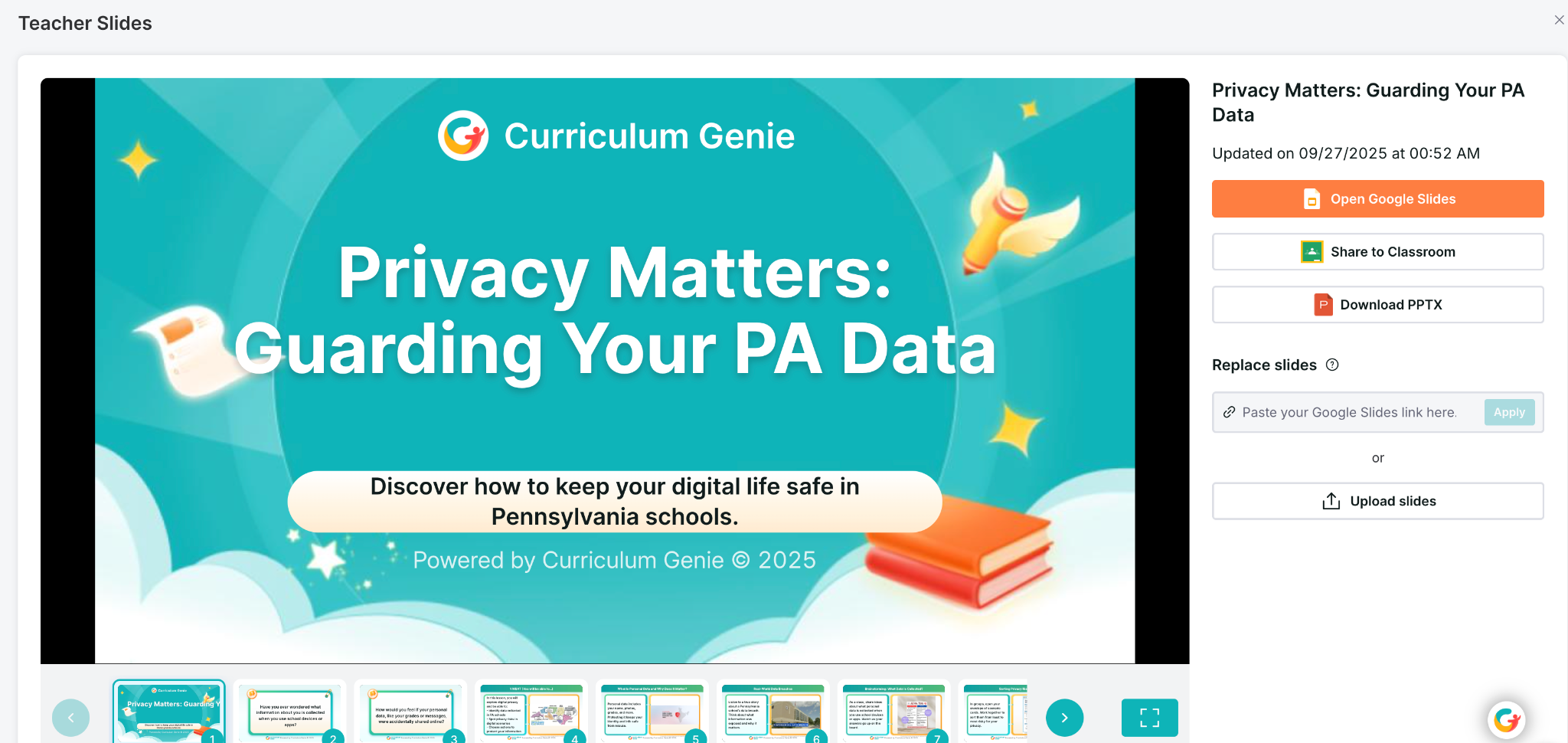
Curriculum Genie is not just another planning tool—it’s an AI-powered educational design partner. It helps teachers build or adapt a curriculum that authentically and meaningfully connects to students’ needs and experiences.

✨ Key Features

1. Location-Based Unit Generation Educators can select a location (state, city, or region), and generate unit planners tailored to that specific place in no time at all. The examples, activities, and cultural connections align with the local environment, which makes the lessons more authentic and relatable.

2. AI Lesson Assistant Teachers can:

  • Create new lessons in a short amount of time that reflect a specific location or cultural context.
  • Transform existing lessons without rewriting them from scratch.
  • Have a thought partner to build out a truly impactful lesson for students.

This flexibility empowers teachers to make any lesson more meaningful while saving hours of preparation time. The time saved can then be spent with students and colleagues, continuing to learn and grow together.

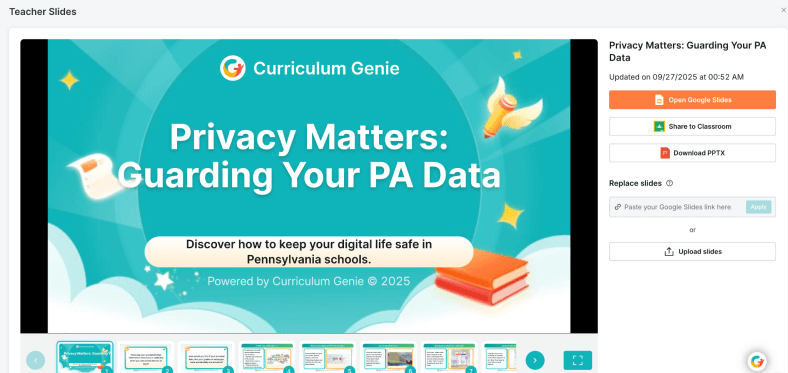
Generates interactive slides!

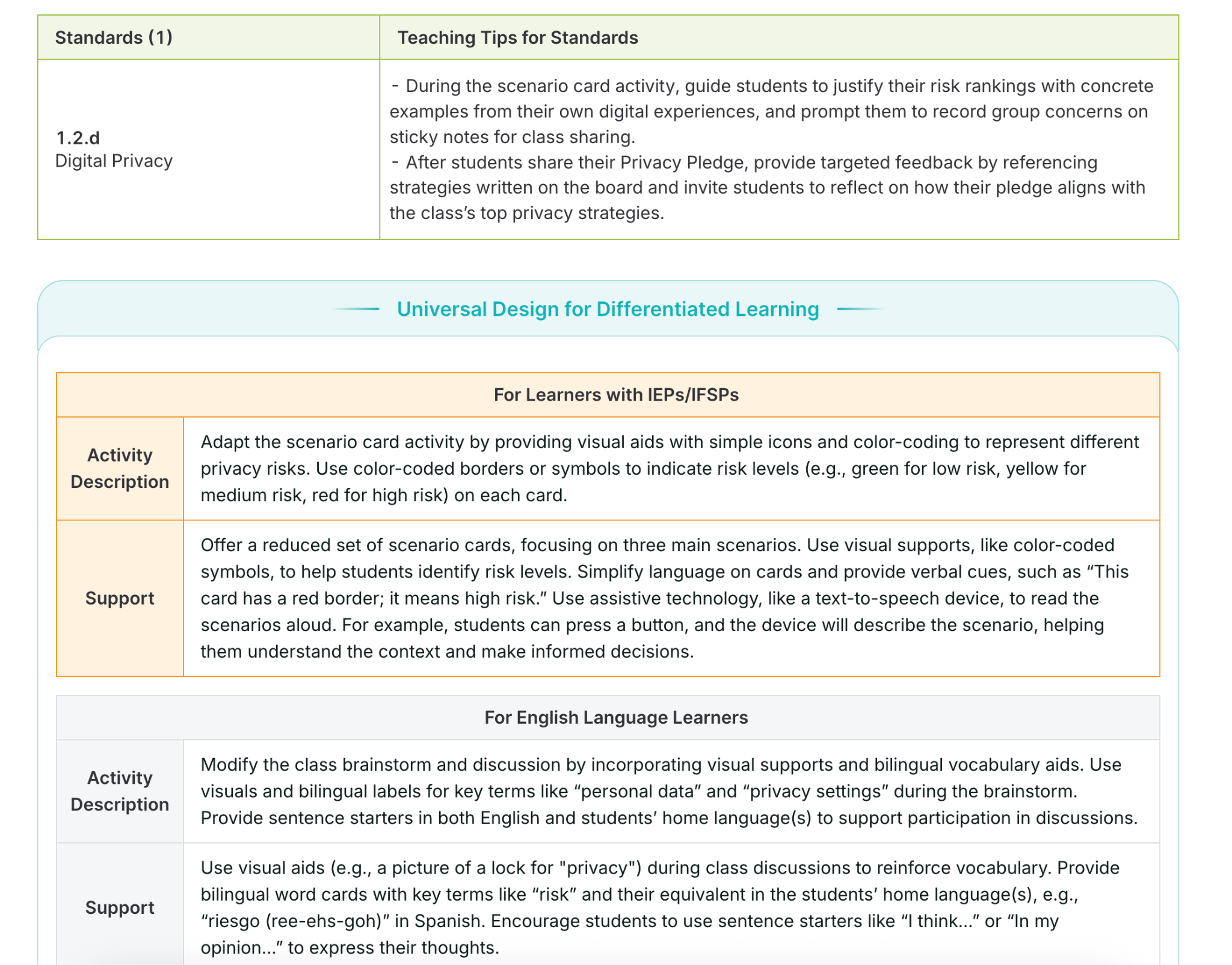
3. UDL-Embedded Supports Curriculum Genie doesn’t just create lessons; it also aligns them with Universal Design for Learning (UDL) principles, helping educators plan for accessibility and inclusion from the start. UDL is a focus area for many educators, and making sure to provide the right supports and activities is key. Curriculum Genie helps with this. Why UDL?

UDL ensures multiple means of:

  • Engagement: Connecting to student interests and motivation.
  • Representation: Presenting information in diverse ways (visual, auditory, tactile).
  • Action & Expression: Giving students options to show what they know.

For example, when designing a science lesson, Curriculum Genie might suggest hands-on experiments, visual diagrams, or video explanations to make sure that every learner can engage and succeed. For my STEAM course, I can create robust lessons focused on digital citizenship and wellness or other important topics that boost student engagement and make truly interactive lessons to amplify learning. How? Curriculum Genie provides all of the resources that I need to make a lesson successful, meaningful, and personalized to my students.

4. IEP and ELL Integration
Supporting diverse learners is a key aspect of Curriculum Genie’s design. It automatically weaves strategies for students with IEPs and English Language Learners, helping educators to build their instructional practices, too.

5. Portrait of a Graduate Alignment Many districts are focusing on the Portrait of a Graduate, and also, Portrait of an AI Graduate, which outline the essential skills our students need to be successful in the future. They develop skills such as critical thinking, communication, creativity, collaboration, and global citizenship.

Curriculum Genie helps educators design lessons that cultivate these competencies through:

  • Real-world, problem-based learning grounded in local and global contexts.
  • Collaborative and inquiry-driven activities that foster communication and creativity.
  • Culturally responsive projects that honor diverse perspectives and promote empathy.

Using Curriculum Genie enables educators to connect academic standards with the Portrait of a Graduate competencies, which ensures that students learn more than the content; it helps them to build the mindset and skills needed for their future.

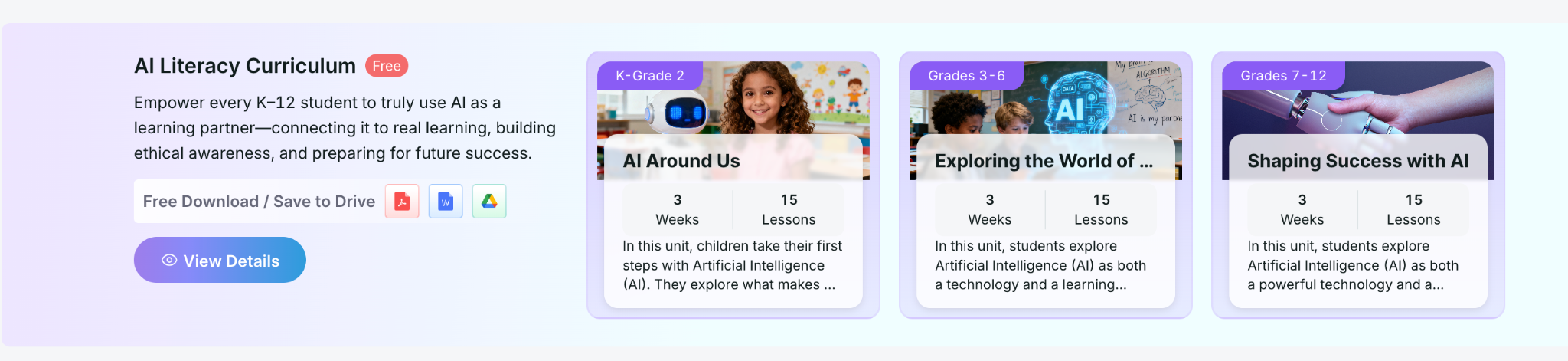
They also offer FREE K-12 Lessons on AI Literacy!

Free AI Literacy Courses for K–12 Educators

Another great feature offered by Learning Genie is that it provides free AI Literacy Courses for K–12 educators.

The courses are self-paced and help teachers and school leaders:

  • Understand how AI works and how it’s shaping learning.
  • Explore classroom-ready strategies for AI integration.
  • Learn to design lessons that teach students to think critically about AI.

You can access these courses and learn more about Curriculum Genie at https://www.learning-genie.com/.

Transforming Education, Together

The future of learning depends on our ability as educators to make education more personal, purposeful, and powerful. Curriculum Genie offers guidance that helps educators move beyond traditional and one-size-fits-all instruction to learning that is inclusive, authentic, and future-focused.

More than just a platform with limited capabilities, through its integration of AI, UDL, Portrait of a Graduate competencies, plus the great and free AI literacy courses, Curriculum Genie supports educators with the tools to make it a reality.

If you’re looking for a new platform that will save you hours of time by addressing many important areas, then I definitely recommend that you dive into Learning Genie and explore creating with Curriculum Genie. I have been amazed at how quickly it creates, how responsive it is, and the quality of resources and materials that it shares for teachers. Learn more and request a demo at https://www.learning-genie.com/

About Rachelle

Dr. Rachelle Dené Poth is a Spanish and STEAM: What’s Next in Emerging Technology Teacher at Riverview High School in Oakmont, PA. Rachelle is also an attorney with a Juris Doctor degree from Duquesne University School of Law and a Master’s in Instructional Technology. Rachelle received her Doctorate in Instructional Technology, and her research focus was on AI and Professional Development. In addition to teaching, she is a full-time consultant and works with companies and organizations to provide PD, speaking, and consulting services. Contact Rachelle for your event!

Rachelle is an ISTE-certified educator and community leader who served as president of the ISTE Teacher Education Network. By EdTech Digest, she was named the EdTech Trendsetter of 2024, one of 30 K-12 IT Influencers to follow in 2021, and one of 150 Women Global EdTech Thought Leaders in 2022.

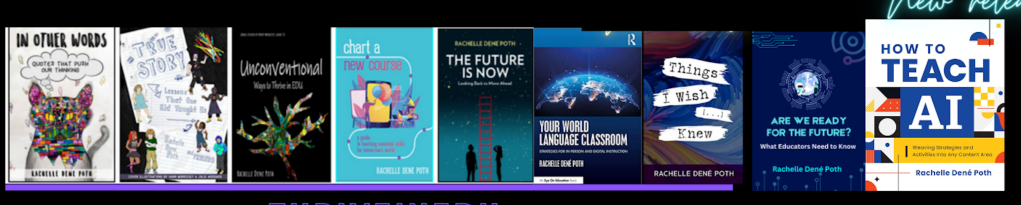
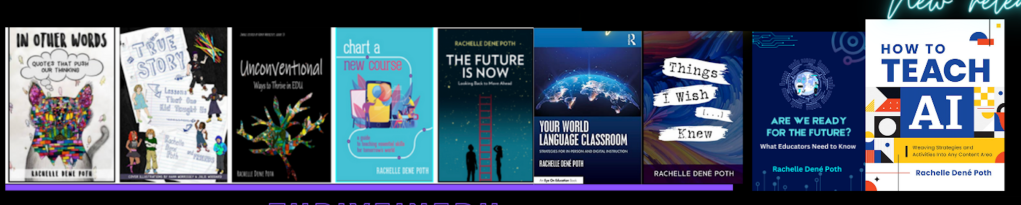
She is the author of ten books, including ‘What The Tech? An Educator’s Guide to AI, AR/VR, the Metaverse and More” and ‘How To Teach AI’. In addition, other books include, “In Other Words: Quotes That Push Our Thinking,” “Unconventional Ways to Thrive in EDU,” “The Future is Now: Looking Back to Move Ahead,” “Chart A New Course: A Guide to Teaching Essential Skills for Tomorrow’s World, “True Story: Lessons That One Kid Taught Us,” “Things I Wish […] Knew” and her newest “How To Teach AI” is available from ISTE or on Amazon.

Contact Rachelle to schedule sessions about Artificial Intelligence, AI and the Law, Coding, AR/VR, and more for your school or event! Submit the Contact Form.

Follow Rachelle on Bluesky, Instagram, and X at @Rdene915

**Interested in writing a guest blog for my site? Would love to share your ideas! Submit your post here. Looking for a new book to read? Find these available at bit.ly/Pothbooks
************ Also, check out my THRIVEinEDU Podcast Here!

Join my show on THRIVEinEDU on Facebook. Join the group here.
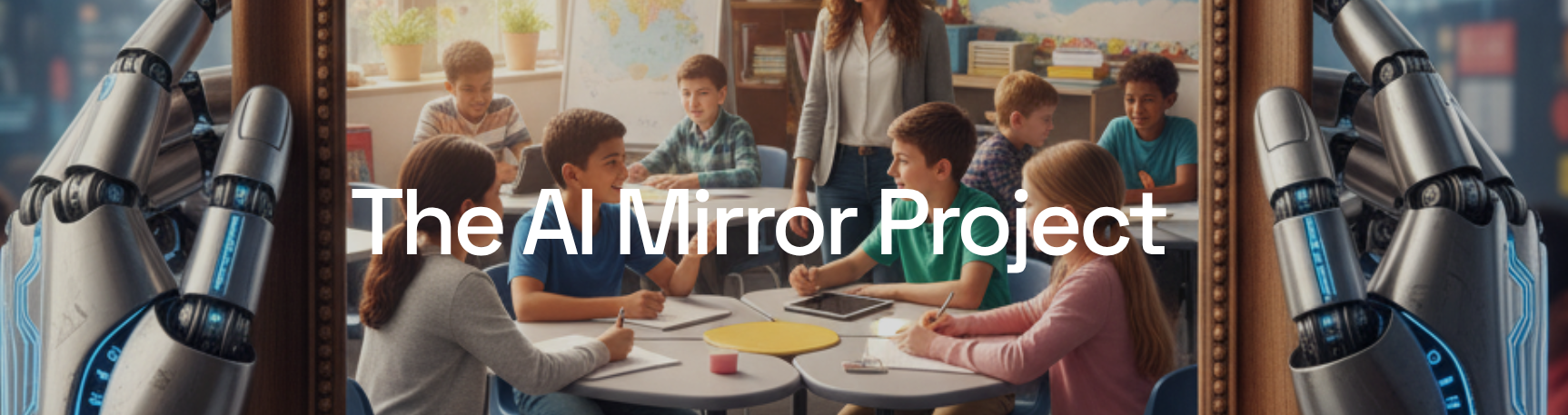
Introducing the AI Mirror Project

Guest post by Brian Baker. Opinions expressed are those of the guest blogger.

In a sense, the disruption genAI has caused – regardless of whether you see it as a net positive or negative – has held up a mirror to education, giving us new perspectives into known issues and exposing ones that were under the surface.

That opportunity for novel insights and increased awareness spurred 24th Century Education, an Oregon-based consulting firm, to launch the AI Mirror Project. The project seeks to capture the voices of those living this unique moment in education by asking:

What has the introduction of genAI taught us about critical issues within the education system?

The project will progress through three phases:

  • Hearing from you: Through December 19, 2025, our website will collect submissions from educators, students, caregivers, the most enthusiastic AI evangelists, the most critical skeptics – anyone who is involved in any way with the education system and has reflected on these issues.
    You are welcome to capture your thoughts in text, images, video, audio, or whatever format allows you to best share your voice.
  • Analysis & research synthesis: We will look for themes among the perspectives that are shared, then synthesize those with available research to better understand the issues identified.
  • Final report: 24th Century Education will compile and share our findings, hoping to use this disruptive moment as a means to better understand our current reality and work towards our goal of building a better future.

(Gemini, 2025)

While the education system has learned and is continuing to learn many valuable lessons about genAI since its introduction, this project instead focuses on what the introduction of and reaction to these tools has shown us about existing issues and challenges, such as…

  • Safety and privacy
  • Assessment
  • Human connection
  • Student engagement and relevance of learning experiences
  • Individual and systemic bias
  • The interaction between education and other large systems (government, industry, economy)
  • Education’s role in maintaining democracy
  • The influence of tech companies
  • Media literacy and misinformation
  • Mental health and digital well-being
  • Anthropomorphization
  • The role of education and the balance between preparing students for working in the existing economy versus equipping them to shape a more just system
  • The vital role of teachers
  • Student agency
  • Critical thinking and cognitive offloading

… along with any other topic that genAI’s introduction into education has made you consider.

There are many, often competing narratives about AI’s role in education. 24th Century Education is hoping to cut through that discourse and instead dive deeper into some of the existing challenges that have, in some cases, been highlighted by genAI’s impact, and that in others have been obscured by it.

To accomplish that, please share your voice and let us know how this moment has exposed existing issues within education.

AI’s introduction and use have touched on nearly every financial, instructional, and social-emotional function of schools. It has implications for equity, well-being, and the health of our democracy, environment, and economy. It has vast implications for education, a system that binds today’s learning to tomorrow’s reality.

At 24th Century Education, we are fueled by the belief that humanity needs an environment, economy, and society where all people can thrive, and that we must use education today to help students develop the knowledge, skills, and dispositions that they need to create that tomorrow.

We believe understanding the present is essential to building the better future we envision for the education system, and we hope that this project contributes to that mission.

You can visit and make a contribution to the AI Mirror Project here. If you have any questions, please contact 24th Century Education’s Chief Learning Officer, Brian Baker – brian@24thcenturyeducation.com.


About Rachelle

Dr. Rachelle Dené Poth is a Spanish and STEAM: What’s Next in Emerging Technology Teacher at Riverview High School in Oakmont, PA. Rachelle is also an attorney with a Juris Doctor degree from Duquesne University School of Law and a Master’s in Instructional Technology. Rachelle received her Doctorate in Instructional Technology, and her research focus was on AI and Professional Development. In addition to teaching, she is a full-time consultant and works with companies and organizations to provide PD, speaking, and consulting services. Contact Rachelle for your event!

Rachelle is an ISTE-certified educator and community leader who served as president of the ISTE Teacher Education Network. By EdTech Digest, she was named the EdTech Trendsetter of 2024, one of 30 K-12 IT Influencers to follow in 2021, and one of 150 Women Global EdTech Thought Leaders in 2022.

She is the author of ten books, including ‘What The Tech? An Educator’s Guide to AI, AR/VR, the Metaverse and More” and ‘How To Teach AI’. In addition, other books include, “In Other Words: Quotes That Push Our Thinking,” “Unconventional Ways to Thrive in EDU,” “The Future is Now: Looking Back to Move Ahead,” “Chart A New Course: A Guide to Teaching Essential Skills for Tomorrow’s World, “True Story: Lessons That One Kid Taught Us,” “Things I Wish […] Knew” and her newest “How To Teach AI” is available from ISTE or on Amazon.

Contact Rachelle to schedule sessions about Artificial Intelligence, AI and the Law, Coding, AR/VR, and more for your school or event! Submit the Contact Form.

Follow Rachelle on Bluesky, Instagram, and X at @Rdene915

**Interested in writing a guest blog for my site? Would love to share your ideas! Submit your post here. Looking for a new book to read? Find these available at bit.ly/Pothbooks

************ Also, check out my THRIVEinEDU Podcast Here!

Join my show on THRIVEinEDU on Facebook. Join the group here.
Tips for Using AI and for Talking to Students About It

My Prior post on Edutopia

AI isn’t coming—it’s already here. It has been embedded in the various educational platforms we use and the assessments we give. It’s likely involved in both the professional development we participate in and the writing and work that our students are doing.

As an educator, speaker, and advocate for technology integration, I’ve spent a lot of time researching, using, and teaching with AI so that I can prepare students and other educators. In my classroom, from using a variety of AI tools that help me save time so I can spend it working with students to integrating chatbots to support student learning, I see the value and impact of leveraging this technology. If we want our students to be ready for their future careers, we must start teaching them about AI. They need to move beyond being consumers of content and instead become creators and innovators.

Where Do We See AI?

For educators, many AI-powered platforms help us to target instruction, assess students, and find resources for our lessons.

Confidence building: Encouraging students to speak in class can be a challenge. At the end of 2023, I started to use SchoolAI with my students and created a “Sidekick” for them to have conversations in Spanish based on the content that I used for the prompt. They loved it—it not only helped them build language skills and confidence but also showed how AI can support their learning. MagicSchool AI is another great option, with a tutor function that helps students in areas where they need support. Both of these tools also have historical characters that students can chat with and other features to enhance learning. I love that I can monitor student responses, provide additional support, and adjust instruction as needed.

Using Eduaide, teachers can kick off a class debate with pros and cons and an outline to quickly get started, and they can also develop other collaborative and engaging activities for students.

For language learners, confidence matters. Snorkl enables students to practice speaking and receive real-time AI and teacher feedback. The AI gives real-time feedback on fluency and pronunciation, helping students grow as communicators and build confidence. Snorkl can be used with students starting in kindergarten, and it has a library full of ready-to-use activities. Throughout the times I have used Snorkl or one of the chatbots, the feedback provided has been tailored to each student’s responses and offered insights and examples to support their learning.

Continue reading the rest of this post on Edutopia.

About Rachelle

Dr. Rachelle Dené Poth is a Spanish and STEAM: What’s Next in Emerging Technology Teacher at Riverview High School in Oakmont, PA. Rachelle is also an attorney with a Juris Doctor degree from Duquesne University School of Law and a Master’s in Instructional Technology. Rachelle received her Doctorate in Instructional Technology, and her research focus was on AI and Professional Development. In addition to teaching, she is a full-time consultant and works with companies and organizations to provide PD, speaking, and consulting services. Contact Rachelle for your event!

Rachelle is an ISTE-certified educator and community leader who served as president of the ISTE Teacher Education Network. By EdTech Digest, she was named the EdTech Trendsetter of 2024, one of 30 K-12 IT Influencers to follow in 2021, and one of 150 Women Global EdTech Thought Leaders in 2022.

She is the author of ten books, including ‘What The Tech? An Educator’s Guide to AI, AR/VR, the Metaverse and More” and ‘How To Teach AI’. In addition, other books include, “In Other Words: Quotes That Push Our Thinking,” “Unconventional Ways to Thrive in EDU,” “The Future is Now: Looking Back to Move Ahead,” “Chart A New Course: A Guide to Teaching Essential Skills for Tomorrow’s World, “True Story: Lessons That One Kid Taught Us,” “Things I Wish […] Knew” and her newest “How To Teach AI” is available from ISTE or on Amazon.

Contact Rachelle to schedule sessions about Artificial Intelligence, AI and the Law, Coding, AR/VR, and more for your school or event! Submit the Contact Form.

Follow Rachelle on Bluesky, Instagram, and X at @Rdene915

**Interested in writing a guest blog for my site? Would love to share your ideas! Submit your post here. Looking for a new book to read? Find these available at bit.ly/Pothbooks

************ Also, check out my THRIVEinEDU Podcast Here!

Join my show on THRIVEinEDU on Facebook. Join the group here.
From Curiosity to Confidence: Building AI Literacy Together

In collaboration with Kira

“Where are you with AI today—curious, testing, using weekly, or all in?”

That’s how we opened our recent panel on AI literacy for educators. Whether you feel energized, overwhelmed, or skeptical, you’re not alone, and that’s exactly why having conversations around AI and how to bring it into our schools matters.

Why AI Literacy, Why Now?

I enjoyed the opportunity to serve as the panelist for this great discussion about AI Literacy. We had so much engagement from attendees from more than 25 countries around the world!

The panelists engaged in rich discussion and offered insight into our role as educators and how we can help our students and ourselves better understand: What do we need to be doing when AI-powered tools surround us?” How does learning change?

Literacy isn’t about knowing how to navigate AI platforms, but rather it is about habits of mind. Asking better questions, evaluating outputs, knowing how to evaluate sources, understanding the limitations of AI, and aligning use with learning goals, ethics, and policy. AI is something that we need to consider and how it is involved in our planning, teaching, assessment, and reflection. And being able to determine whether something is real or not, something that I thought more about after reading the book Futureproof, by Kevin Roos, two years ago. Shifting from digital literacy to discernment is key.

The Skepticism Is Real (and Reasonable)

We started our discussion with what we called initial skepticism. Many teachers are hesitant to introduce AI into their classrooms, schools, or even their own workflows. As Jeff Bradbury put it:

“There are educators out there trying to figure this out, but they are not yet sure how to do it. There are educators out there who are scared. And then you have educators on the other side of the innovation curve… How do you work with all of those at the same time?”

He continued: “That question hits home. In every district I visit, I meet the AI All-Ins, the Cautious Curious, and the Not-Now crowd. Suppose this is your staff, good, because having discussions with educators who have these different viewpoints is key. It means you have internal mentors and internal skeptics—the two groups you need most to build something responsible and resilient, especially when the topic is AI”.

Some ideas shared: Start with a common language or practices. Define “AI literacy” and what that means. Identify how to best use AI (lesson planning, differentiation, feedback drafting) and some ways where you want to avoid the use of AI or be more cautious (grading without verification, sensitive data, replacing teacher judgment). Establishing clear guardrails reduces anxiety and helps to ensure that AI implementation in our schools is consistent and purposeful.

The “Aha” That Changes Everything: Specificity

Jeff told a story about a colleague—a music teacher—who tried AI “seven or eight different ways” to create a budget and concluded, “I hate this thing.” The pivot came with one question: “Were you specific?” Did he tell the AI it was for a middle school music program? The approximate budget? The categories? The constraints?

“You didn’t fail eight ways,” Jeff said. “You found eight ways the system didn’t have enough to listen to you.”

The quality of your prompt is not about clever “hacks”—it’s about context, criteria, and constraints.

Prompting is a pedagogy: We are modeling for students how to ask precise questions, set criteria, and iterate. That is AI literacy.

Meet Teachers Where They Are

Rick Gaston and Courtney Morgan from Kira emphasized a simple, human truth: people learn faster when they feel safe and seen.

“We like to meet teachers where they’re at to help them begin with AI,” Rick said. “Start with lesson content they’re comfortable with and have them experience how quickly AI can provide new ideas in that content area.”

“We believe in learning by doing,” Courtney added. “We facilitate that process so teachers can experience that our AI tools can be their teaching buddies.”

I love that phrase: teaching buddies. Not a shortcut. An assistant or collaborator who drafts, riffs, and reframes so that educators can focus on the human aspects of teaching, such as relationships, feedback, and instructional decision-making.

Time: The Gift Teachers Actually Feel

Jeff’s coaching mantra resonated with the chat: “What is the one thing I can give you that no one else can? Time.” When AI saves a teacher 30 minutes tonight, their stance moves from skeptical to curious. When it saves them three hours before conferences, they become advocates.

Concrete time-savers that build trust:

  • Parent emails: Draft a positive progress update with two examples of growth and one specific next step—translated into Spanish and English.
  • Rubric remix: Convert a long analytic rubric into a student-friendly checklist; add “I can” statements.
  • Formative checks: Generate two exit tickets (one multiple-choice, one open-ended) targeting the same standard; include an answer key/rubric slice.

When teachers see the time they can save and then shift to students or colleague interactions, they’re more willing to explore deeper integrations of AI into their practice.

Additional insights from participants (courtesy of Kira)

About Kira

Kira is an AI-powered teaching & learning platform built to save teachers time, personalize instruction, and keep teachers in control. During the panel discussion, attendees had the chance to learn more about the platform and the AI Tutor. “This is just a quick preview of the Kira platform,” said Courtney, “and why we keep mentioning the built-in AI Tutor we’re really proud of.”

At its core, the AI Tutor is designed to coach, rather than simply provide answers. Students can highlight any passage and ask a question, or simply discuss it directly with the tutor. “You’re going to see me try to make it solve the problem for me,” Courtney joked, “but it won’t. Instead, it walks you through highly scaffolded steps.” That means support questions, targeted hints, and extra practice. The Tutor will work at nudging learners toward the how and why, not just the what. You can adjust the support level and reading level per student. It never gives direct answers and provides context-aware, course-specific feedback.

The AI Tutor is subject-agnostic and works across K–12 courses, math included. It’s available to both teachers and students, and it’s been a game-changer for first-time teachers who lean on it to deepen their own understanding while teaching. The message is clear: AI as a teaching buddy, not a replacement.

Differentiation is built in. Teachers can adjust the tutor’s level of support if students are over-relying on it, or increase it for learners who need more targeted assistance, including those with IEPs or language-learning needs. The goal is precision teaching: the right help, to the right student, at the right moment.

Getting started is easy. Kira offers ready-to-use courses, including AI Demystified for students, answering the big questions, “What is AI? What is it doing? How do I use it responsibly?”—and AI 101 for Educators, which builds teacher AI literacy. Looking to be part of a learning community?

Join the upcoming AI 101 for Educators cohort starting in October. Learn more and express your interest here! It is a short, self-paced PD (about 2 hours) for any subject area that builds confidence using AI in real classrooms.

It will cover:

What is AI, and what AI tools are helpful for educators?

How can I teach my students to use AI responsibly?

How can I use AI tools to enhance my students’ critical thinking?

How can I reduce risks and maximize the benefits of using AI in the classroom?

Once you fill out the form, the team at Kira will follow up with more details.

Learn more about their AI 101 PD cohort here.

About Rachelle

Dr. Rachelle Dené Poth is a Spanish and STEAM: What’s Next in Emerging Technology Teacher at Riverview High School in Oakmont, PA. Rachelle is also an attorney with a Juris Doctor degree from Duquesne University School of Law and a Master’s in Instructional Technology. Rachelle received her Doctorate in Instructional Technology, and her research focus was on AI and Professional Development. In addition to teaching, she is a full-time consultant and works with companies and organizations to provide PD, speaking, and consulting services. Contact Rachelle for your event!

Rachelle is an ISTE-certified educator and community leader who served as president of the ISTE Teacher Education Network. By EdTech Digest, she was named the EdTech Trendsetter of 2024, one of 30 K-12 IT Influencers to follow in 2021, and one of 150 Women Global EdTech Thought Leaders in 2022.

She is the author of ten books, including ‘What The Tech? An Educator’s Guide to AI, AR/VR, the Metaverse and More” and ‘How To Teach AI’. In addition, other books include, “In Other Words: Quotes That Push Our Thinking,” “Unconventional Ways to Thrive in EDU,” “The Future is Now: Looking Back to Move Ahead,” “Chart A New Course: A Guide to Teaching Essential Skills for Tomorrow’s World, “True Story: Lessons That One Kid Taught Us,” “Things I Wish […] Knew” and her newest “How To Teach AI” is available from ISTE or on Amazon.

Contact Rachelle to schedule sessions about Artificial Intelligence, AI and the Law, Coding, AR/VR, and more for your school or event! Submit the Contact Form.

Follow Rachelle on Bluesky, Instagram, and X at @Rdene915

**Interested in writing a guest blog for my site? Would love to share your ideas! Submit your post here. Looking for a new book to read? Find these available at bit.ly/Pothbooks

************ Also, check out my THRIVEinEDU Podcast Here!

Join my show on THRIVEinEDU on Facebook. Join the group here.
Leading with AI: Practical Ideas for School and District Administrators

I started researching artificial intelligence in July 2017. I dove into the topic so that I could write a blog post for Getting Smart in January 2018. I had no idea at that point, thinking ahead, how much time I would invest in learning about AI and how much I would invest in working with students and educators over the past 7 1/2 years.

I love working with students in my classroom and also, I am very much aware of the ethical and legal considerations that we have to think about when it comes to any technology, but more specifically AI. Over the past two years, I have challenged myself to go beyond the training that I have done related to AI and different tools, and now I have also been focusing on AI and the law, working with administrators to evaluate policies, create opportunities to provide professional development for the educators in their school systems, and so much more. I am always looking for more opportunities to work within schools.

And with all these opportunities, things have changed a lot from seven years ago when I started presenting, compared with nearly 2 years ago when ChatGPT came out, and even this year. Artificial intelligence isn’t just a buzzword anymore—it’s becoming a tool that education leaders can no longer ignore. As an educator and consultant who works at the intersection of AI, law, and learning, I’ve seen how quickly AI is reshaping classrooms and professional practices. But what about those leading from an administrator’s viewpoint?

For administrators, AI is not just about the tools students or teachers use; it’s about strategy, policy, and shaping the future of learning in your schools. So how can you, as an education leader, leverage AI effectively and responsibly? Here are some ideas and practical tips to help you get started.

1. Streamlining Administrative Work

One of the most immediate uses of AI is in reducing the workload that often takes administrators away from instructional leadership. AI-powered tools can:

  • Draft communications: If you spend time writing newsletters to families, updates to the school board, or memos for staff, AI can help you to generate polished drafts that you can refine and personalize.
  • Summarize long reports: Instead of sifting through dozens of pages, AI can condense state policy updates, research articles, or professional learning reports into actionable takeaways.
  • Automate scheduling: Tools now exist that can suggest meeting times, analyze calendar patterns, and even help coordinate professional development sessions.

💡 Reminder: Always add your authentic voice and context when using AI for communication. AI should be used as an assistant, not as a replacement for the work we do.

2. Using AI for Data-Informed Decisions

Administrators are constantly making decisions based on data. They focus on assessment results, attendance records, and even budgetary considerations. AI can help to identify patterns and provide insights more quickly. For example:

  • Equity checks: AI can highlight disparities in discipline, participation, or achievement data that might otherwise be hidden.
  • Enrollment predictions: Some districts are already using AI to forecast shifts in student numbers and staffing needs.
  • Resource allocation: Imagine tools that analyze spending trends and suggest areas where funds could be more impactful.

💡 Tip: AI should not replace your own judgment. Use it as a lens to see trends and then combine those insights with your leadership expertise and community input.

3. Supporting Teachers with AI

Your role is so important, especially for supporting teachers:

  • Lesson planning: Teachers can use AI to brainstorm activities aligned with standards or to differentiate for diverse learners.
  • Assessment support: AI-powered graders can provide fast feedback on essays or projects, giving teachers more time to focus on deeper feedback.
  • Professional growth: AI-driven platforms can recommend resources or communities based on teachers’ needs and interests.

💡 Tip: Encourage and support teachers as they experiment with AI. Promote ideas like generating quiz questions or creating rubrics. Building confidence and trust is key.

4. Enhancing Communication and Community Engagement

Administrators recognize that clear communication with families and the broader school community is crucial. AI can assist in many ways:

  • Translation tools: AI-driven translators are becoming increasingly accurate, enabling schools to connect with families in their native languages. Promoting accessibility and inclusivity is absolutely essential.
  • Chatbots for FAQs: Districts can set up AI-powered bots on websites to answer common parent questions about schedules, policies, or enrollment.
  • Sentiment analysis: Some tools can gauge community concerns by analyzing feedback surveys or social media mentions.

💡 Reminder: Being transparent helps to build trust. If you’re using AI to engage families, be clear about what it is and how it works.

5. Keeping Students Safe and Supported

Administrators have a responsibility to ensure that AI tools support—not endanger—student well-being. This means looking at both opportunities and risks:

  • Early warning systems: AI can help flag attendance or behavioral patterns that may indicate a student is at risk.
  • Cybersecurity monitoring: With cyber threats on the rise, AI can help IT teams detect unusual activity more quickly.
  • Digital citizenship: As students use AI themselves, administrators can help set the tone for safe, ethical, and responsible use.

💡 Tip: Always vet AI tools for compliance with laws like FERPA and COPPA, and check with legal teams before large-scale implementation. I am available to help you with policy creation and evaluation for your school!

6. Building an AI-Ready Culture

Perhaps the most critical role for administrators is shaping culture. AI is somewhat new(in the sense that GenAi is new and it can be intimidating, but it’s also full of promise. Leaders can set the tone by:

  • Modeling use: Share examples of how you use AI to save time or make decisions.
  • Creating professional learning opportunities: Dedicate PD sessions to exploring AI tools and their classroom applications.
  • Starting conversations: Make space for teachers, students, and families to share questions and concerns.

7. Policy and Ethical Leadership

AI brings with it new challenges in ethics and policy. Administrators should be proactive in:

  • Drafting AI guidelines: Develop policies for teachers and students that encourage innovation while addressing risks.
  • Evaluating vendors: Not every AI tool is created equal. Ask about how tools protect student data, align with standards, and support equity.
  • Monitoring impact: Establish checkpoints to evaluate whether AI tools are meeting their intended goals.

💡 Tip: Create a small task force of teachers, tech staff, and even students to help monitor AI use in your school or district. Shared ownership builds stronger policies.

Planning Ahead

As an administrator, it’s okay to not have all the answers about AI. You just need to be willing to ask the right questions. Over the past seven+ years, I have seen the most success when educators approach AI with curiosity, caution, and courage.

Curiosity allows you to explore the potential of AI without fear.
Caution keeps you grounded in ethics, equity, and student safety.
Courage helps you lead your community into a future that is still unfolding.

AI can be a powerful tool to help administrators focus on what matters most: supporting teachers, empowering students, and building thriving school communities.

The question isn’t whether AI belongs in education leadership—it’s how you, as an administrator, will guide its use. By starting small, asking thoughtful questions, and keeping your community at the center, you can ensure AI becomes an asset rather than a distraction.

About Rachelle

Dr. Rachelle Dené Poth is a Spanish and STEAM: What’s Next in Emerging Technology Teacher at Riverview High School in Oakmont, PA. Rachelle is also an attorney with a Juris Doctor degree from Duquesne University School of Law and a Master’s in Instructional Technology. Rachelle received her Doctorate in Instructional Technology, and her research focus was on AI and Professional Development. In addition to teaching, she is a full-time consultant and works with companies and organizations to provide PD, speaking, and consulting services. Contact Rachelle for your event!

Rachelle is an ISTE-certified educator and community leader who served as president of the ISTE Teacher Education Network. By EdTech Digest, she was named the EdTech Trendsetter of 2024, one of 30 K-12 IT Influencers to follow in 2021, and one of 150 Women Global EdTech Thought Leaders in 2022.

She is the author of ten books, including ‘What The Tech? An Educator’s Guide to AI, AR/VR, the Metaverse and More” and ‘How To Teach AI’. In addition, other books include, “In Other Words: Quotes That Push Our Thinking,” “Unconventional Ways to Thrive in EDU,” “The Future is Now: Looking Back to Move Ahead,” “Chart A New Course: A Guide to Teaching Essential Skills for Tomorrow’s World, “True Story: Lessons That One Kid Taught Us,” “Things I Wish […] Knew” and her newest “How To Teach AI” is available from ISTE or on Amazon.

Contact Rachelle to schedule sessions about Artificial Intelligence, Coding, AR/VR, and more for your school or event! Submit the Contact Form.

Follow Rachelle on Bluesky, Instagram, and X at @Rdene915

**Interested in writing a guest blog for my site? Would love to share your ideas! Submit your post here. Looking for a new book to read? Find these available at bit.ly/Pothbooks

************ Also, check out my THRIVEinEDU Podcast Here!

Join my show on THRIVEinEDU on Facebook. Join the group here.

AI Isn’t Replacing Teachers — It’s Helping Us Teach Better

Guest blog post by Matthew Mawn,@matthew_mawn

If you’ve ever heard the phrase “AI is coming for your job,” you’re not alone. That may be true in some professions. But when I hear it applied to education, I think back to 2020–2021, when the world learned from kitchen tables and bedroom desks. We all saw, in real time, how irreplaceable teachers are, and the immense value they bring to millions of students every day.

Will AI replace teachers? Not from what I can see. Will it help them reach more students and raise achievement for all learners while saving them time on the backend? Absolutely.

Time Saved is Time Invested in Students

What do teachers want? MORE TIME! When do they want it? NOW!

Ask any teacher what they wish they had more of (besides a higher salary), and the answer is almost always the same: time. Time to prepare lessons, to modify materials for all learners, to provide meaningful feedback, to take a full 30-minute lunch break, and actually enjoy it.

U.S. teachers work an average of 53 hours per week, far beyond their contracted hours. Much of that time is consumed by planning, grading, paperwork, and administrative tasks, exactly the kind of work that pulls teachers away from direct interaction with students. It’s such a recognized problem that the New Jersey Department of Education created a grant program called Expanding Innovations in Teacher Climate and Culture, with the sole goal of finding ways to reduce these burdens.

The world of AI is evolving daily, with new tools designed to take these repetitive tasks off teachers’ plates. AI can generate draft lesson plans, create differentiated practice questions in seconds, summarize student performance data into actionable insights, and even draft parent emails. Teachers who use AI at least once a week report saving an average of 5.9 hours each week, adding up to the equivalent of six full weeks over a standard 37.4-week school year.

Take the math teacher who went from spending 90 minutes a week creating Do Now and Closure Google Forms for her three different preps to crafting them in under 10 minutes, letting the AI do the heavy lifting while she simply reviewed, edited, and published. This saved time not only allowed her to do more with less, it also helped alleviate the burnout that comes from teaching multiple preps day in and day out, all while trying to differentiate and create high-quality materials for every learner. AI gives teachers more time both in and outside the classroom, helping restore the work–life balance that’s so hard to maintain during the school year and providing the breathing room they need to give their all to their students.

Turning Time Saved Into Better Learning

AI can save teachers time, but what can that time be used for (besides taking a breath)? For most of us, it means redirecting energy into the parts of teaching that made us want to pursue this profession in the first place: connecting with our students and helping them grow academically.

Differentiation

Every classroom has students with different readiness levels, language needs, and learning preferences. AI tools like Diffit or MagicSchool can instantly create multiple versions of a passage or assignment, differentiated by grade level, complexity, or language. This allows every student to engage with the same core concept, moving together as one cohesive class. Instead of spending an evening retyping and rephrasing, teachers can review and tweak AI drafts in minutes, ready for the next lesson.

Feedback

Timely, specific feedback drives learning but can easily consume hours of a teacher’s time. AI tools such as FeedbackFruits or Rooted Learning can summarize student work or auto-grade Google Forms and release feedback instantly. Teachers can then refine and personalize those comments, giving students actionable guidance while avoiding burnout.

Relationship Building

Extra time also means more one-on-one moments with students and far fewer late nights creating instructional materials for the next day. Will this also mean less coffee consumption? That’s up for debate.

AI isn’t just saving time, it’s giving teachers the capacity to teach better, connect more deeply, and respond to students’ needs in ways that matter most.

Guardrails for Responsible AI Use

AI is making headlines in every industry, but it’s important to remember that not every tool is created equal, and not every use is risk-free. When evaluating AI tools, pay close attention to your students’ data privacy. Many of these tools request student names, work samples, or other information that could violate FERPA or district policies. Always review the privacy policy before moving forward with a tool.

Accuracy is another factor. AI can and does make mistakes, so it’s essential to review the work before sharing it with students. AI is a great starting point, but the final product always needs a teacher’s eyes.

AI is here to stay, and it has the ability to remove time drains, expand access to differentiated materials, and give teachers the time they need to get back to what matters most, their students. It’s not about replacing teachers, it’s about giving them more room to thrive.

About Matt

Matt Mawn, EdD, is the founder of Rooted Learning, an AI-powered platform that generates standards-aligned, differentiated assessments in minutes. He has over 13 years in K–12 leadership, higher education, and edtech. Connect with him on X or visit Rooted Learning.


About Rachelle

Dr. Rachelle Dené Poth is a Spanish and STEAM: What’s Next in Emerging Technology Teacher at Riverview High School in Oakmont, PA. Rachelle is also an attorney with a Juris Doctor degree from Duquesne University School of Law and a Master’s in Instructional Technology. Rachelle received her Doctorate in Instructional Technology, and her research focus was on AI and Professional Development. In addition to teaching, she is a full-time consultant and works with companies and organizations to provide PD, speaking, and consulting services. Contact Rachelle for your event!

Rachelle is an ISTE-certified educator and community leader who served as president of the ISTE Teacher Education Network. By EdTech Digest, she was named the EdTech Trendsetter of 2024, one of 30 K-12 IT Influencers to follow in 2021, and one of 150 Women Global EdTech Thought Leaders in 2022.

She is the author of ten books, including ‘What The Tech? An Educator’s Guide to AI, AR/VR, the Metaverse and More” and ‘How To Teach AI’. In addition, other books include, “In Other Words: Quotes That Push Our Thinking,” “Unconventional Ways to Thrive in EDU,” “The Future is Now: Looking Back to Move Ahead,” “Chart A New Course: A Guide to Teaching Essential Skills for Tomorrow’s World, “True Story: Lessons That One Kid Taught Us,” “Things I Wish […] Knew” and her newest “How To Teach AI” is available from ISTE or on Amazon.

Contact Rachelle to schedule sessions about Artificial Intelligence, Coding, AR/VR, and more for your school or event! Submit the Contact Form.

Follow Rachelle on Bluesky, Instagram, and X at @Rdene915

**Interested in writing a guest blog for my site? Would love to share your ideas! Submit your post here. Looking for a new book to read? Find these available at bit.ly/Pothbooks

************ Also, check out my THRIVEinEDU Podcast Here!

Join my show on THRIVEinEDU on Facebook. Join the group here.
Back to School: Building Skills for the Future Starts Now

As we head into a new school year, there’s always a familiar pattern—new schedules, maybe new students, seating charts, lesson planning, and so much more. We all have our usual back-to-school routines, but what if instead we took some time to learn more about our students and brought in opportunities that will prepare them with essential skills they’ll need for the future?

In our classrooms, we are teaching the next generation of creators, innovators, problem-solvers, and leaders. As the world continues to evolve rapidly, largely shaped by AI and other emerging technologies, our methods and maybe even our approach to education may need to be adjusted

Here are a few practical, engaging ways to kick off a new school year that will help students build future-ready or future-focused skills.

1. Foster Curiosity with a Future-Forward Inquiry Project

One of my favorite ways to begin the year is with a “What If…” inquiry activity. Present an open-ended question to students:

  • What if school took place in the metaverse?
  • What if every job used AI in some way?
  • What if we had to solve global problems using only local resources?

Then give students an opportunity to explore and discuss. They can brainstorm, sketch ideas, conduct research, or even collaborate in small groups. An activity like this will not only spark creativity and critical thinking, but it’s also a great way to gather insight into their interests, comfort level with tech, and their ability to think in different ways.

Bonus: You can ask this same question later in the year to compare or even to use it as a focus for a full project or assessment to see how their thinking has evolved.

2. Practice Communication Skills

Our students need to be able to communicate clearly across digital platforms, cultural contexts, and group dynamics. Early in the year, try giving students a prompt like:

“What would you want the world to know about your generation?”

Have them respond however they choose, whether sharing out loud, creating a short video, an infographic, or even a podcast clip. Another way to boost communication is by making time for a gallery walk or student showcase. Getting students to share their ideas and discuss them with one another is great for building the classroom community.

It also builds media literacy, student confidence, and fosters collaboration. And another benefit is that for us as educators, we have truly authentic artifacts of student voice and that helps students to feel that their work is more meaningful and valued in our classrooms.

3. Use AI Tools to Teach Digital Literacy and Responsibility

I have long been saying that whether we’re ready or not, we have to be willing to embrace the changes in technology. Over the past few years, we have experience so many changes because of AI. Our students will grow up and work in an AI-powered world. To prepare them, and ourselves, we need to focus on AI literacy, which is more than just explaining how tools like ChatGPT or Google Gemini or another LLM works. We also need to help them understand the when, why, and how to use these tools responsibly.

Start simple. Involve students in generating text with an AI tool and then ask them to fact-check it. Another idea is to generate a paragraph and ask students about the tone, does it sound human, and other questions that get them to really think about the output that is generated.

What I love about doing these activities in my classroom and when I am training educators, is that they open up important discussions about ethics, bias, and considerations of how to evaluate the information received. creativity.

4. Build Collaboration and Problem-Solving Skills

Problem-solving is most effective when students are working together to brainstorm ideas and iterate solutions.

One idea is to try a design challenge in the first weeks of school that connect to your content area. For example:

  • In science: Build a prototype for a sustainable invention.
  • In social studies: Redesign your community for accessibility.
  • In language arts: Create a character who solves a major future problem.

I sometimes only offer basic overviews with minimal instructions and encourage students to lead the way. I emphasize the process itself by asking them, “How did they approach the task? What obstacles did they face? What did they learn?”

An activity like this promotes real-world teamwork, growth mindset, and building resilience—all skills that will benefit our students far beyond our classroom.

5. Focus on SEL and Identity as a Foundation

Before students can engage deeply in learning, they need to feel seen, heard, and safe. The beginning of the year is the ideal time to promote social-emotional learning (SEL) by helping students explore who they are and what they care about.

Some activities that I have used and that colleagues have shared, include:

  • “My Learning Superpower” profiles
  • Vision boards for the year ahead
  • Journaling about strengths and challenges
  • Weekly gratitude or goal-setting circles
  • Beginning of the year “About Me” and a revisit of the responses later in the year.

Activities like these suggestions help students build self-awareness, empathy, and regulation, which are essential for pushing through both academic and personal challenges in a changing world.

When students better understand themselves, they will be more prepared to set their own goals, advocate for their needs, and engage in learning with purpose.

6. Introduce Real-World Problem Scenarios

One of the most exciting ways to build future-ready skills is through project-based learning based on real-world issues. Even in the first few weeks of school, you can get started by suggesting scenarios like:

  • A local water crisis that needs data analysis and a communication plan
  • A new social media platform that students must market ethically
  • A schoolwide challenge to reduce waste or carbon emissions

These activities tie directly to critical thinking, civic engagement, and applied learning which gives students a chance to make meaningful connections between what they know and where they live.

7. Create Space for Reflection and Metacognition

Helping students understand how they learn and not just what they learn is a game-changer.

In the classroom, build in short reflection prompts such as:

  • “What challenged you today?”
  • “What’s one mistake that taught you something?”
  • “How did you show persistence?”
  • “What did you try that was new?”
  • “What is something that you could do better tomorrow?”

Use tools like Padlet, Wakelet, a mind-mapping tool, even podcasting tools or traditional notebooks like I did years ago, to give students a space to share their voice during their learning journey. Over time, these reflections can shape stronger self-regulation, grit, and ownership.

The start of the school year is a time when culture is built, expectations are set, and curiosity is at its peak. It’s also when students begin to decide:

“Is this a place where I will be welcome?”

“Will I improve over the year?
“Will my ideas matter?”
“Can I shape my future here?”

Classrooms should be a space that reflect the world our students are preparing for, and not the world that we grew up in. The future is a place where AI literacy, collaboration, ethical thinking, creativity, and resilience are woven into our classrooms, starting from the first day and continuing throughout the year. It just takes one step forward to begin.

About Rachelle

Dr. Rachelle Dené Poth is a Spanish and STEAM: What’s Next in Emerging Technology Teacher at Riverview High School in Oakmont, PA. Rachelle is also an attorney with a Juris Doctor degree from Duquesne University School of Law and a Master’s in Instructional Technology. Rachelle received her Doctorate in Instructional Technology, and her research focus was on AI and Professional Development. In addition to teaching, she is a full-time consultant and works with companies and organizations to provide PD, speaking, and consulting services. Contact Rachelle for your event!

Rachelle is an ISTE-certified educator and community leader who served as president of the ISTE Teacher Education Network. By EdTech Digest, she was named the EdTech Trendsetter of 2024, one of 30 K-12 IT Influencers to follow in 2021, and one of 150 Women Global EdTech Thought Leaders in 2022.

She is the author of ten books, including ‘What The Tech? An Educator’s Guide to AI, AR/VR, the Metaverse and More” and ‘How To Teach AI’. In addition, other books include, “In Other Words: Quotes That Push Our Thinking,” “Unconventional Ways to Thrive in EDU,” “The Future is Now: Looking Back to Move Ahead,” “Chart A New Course: A Guide to Teaching Essential Skills for Tomorrow’s World, “True Story: Lessons That One Kid Taught Us,” “Things I Wish […] Knew” and her newest “How To Teach AI” is available from ISTE or on Amazon.

Contact Rachelle to schedule sessions about Artificial Intelligence, Coding, AR/VR, and more for your school or event! Submit the Contact Form.

Follow Rachelle on Bluesky, Instagram, and X at @Rdene915

**Interested in writing a guest blog for my site? Would love to share your ideas! Submit your post here. Looking for a new book to read? Find these available at bit.ly/Pothbooks

************ Also, check out my THRIVEinEDU Podcast Here!

Join my show on THRIVEinEDU on Facebook. Join the group here.

Why Computer Science Matters: Preparing Students for the Future

Building skills in STEM—especially in computer science—is essential for students in today’s world. According to the World Economic Forum, approximately 1 billion jobs will be transformed by technology over the next decade. The Bureau of Labor Statistics also projects a 13% growth in computer and IT-related careers between 2020 and 2030. As educators, it’s our responsibility to prepare students for a rapidly evolving workforce, and one of the most impactful ways we can do this is by integrating computer science into their learning experiences.

Through the right resources, students can explore a wide variety of fields that require computer science skills. They begin to see not only the opportunities available in technology-related careers but also what it takes to succeed in them, and how they can start preparing now.

Bringing Computer Science into Every Classroom

Even if we don’t all come from computer science backgrounds, we can still create meaningful learning experiences that expose students to its benefits. Integrating computer science doesn’t require a full curriculum overhaul—it can start with small, engaging activities that fit within any grade level or subject area. There are a variety of tools that offer ready-made, standards-aligned projects to help teachers get started in less time.

Key Benefits of Computer Science for Students

Computer science education helps students develop versatile and future-ready skills, regardless of the careers they ultimately pursue. Some of the top benefits include:

  • Analytical Thinking: Students learn to collect, examine, and interpret data, identify patterns, and make informed decisions. Provide them with real-world challenges that require careful analysis and reasoning to develop effective solutions.
  • Collaboration: Working in teams on coding projects or computer science challenges fosters communication and teamwork. These experiences reflect the collaborative nature of today’s workplaces and help students develop both interpersonal and technical skills.
  • Creativity and Innovation: Whether designing a game, building an app, or developing a website, students gain confidence as creators. These projects help spark innovation and empower learners to bring their ideas to life.
  • Problem-Solving: Through programming and logic-based tasks, students learn to break down problems into smaller, manageable steps. This kind of structured thinking is not only critical in tech-related careers but also supports resilience and growth in everyday learning.

Practical Ways to Explore Computer Science in K–12

There are countless tools and platforms that can help students (and teachers) explore computer science in fun, engaging ways:

  • Augmented and Virtual Reality with Coding: We love using Delightex (formerly known as CoSpaces EDU) to create amazing worlds where students can collaborate, code, and engage in meaningful and fun learning! Try code DXPromoRDP today!
  • Coding: Coding skills are in high demand, with an estimated 58 million STEM jobs expected in the next few years. Platforms like Code.org, Scratch, and Tynker offer engaging, age-appropriate coding activities. Younger learners can benefit from screen-free robots like MatataStudio or KIBO from KinderLab Robotics. Code with Google also provides free resources with an equity-driven mission.
  • Hour of Code: While often highlighted in December, Hour of Code activities can be used year-round. Options like Scratch, Scratch Jr., and CS Unplugged provide accessible entry points, even for students without access to computers.
  • Game and App Development: Students can create their own games or mobile apps using tools like MIT App Inventor or Swift Playgrounds. These beginner-friendly platforms help students develop computational thinking while expressing their creativity.
  • ISTE Curriculum: The ISTE Computer Science Curriculum offers free guides designed to integrate CS and AI into elementary and secondary classrooms. These resources include standards-aligned activities, lesson plans, and ethics-focused content to make implementation easier.
  • Robotics: Hands-on robotics activities not only engage students but also give them a window into what computer science careers might involve. Exploring robotics fosters technical skill-building while supporting creativity and critical thinking.

Final Thoughts

Even if computer science isn’t your specialty, introducing its principles into your classroom can make a lasting impact. The benefits go beyond technical proficiency—students develop critical thinking, teamwork, creativity, and resilience. Whether through robotics, coding challenges, app development, or data analysis, computer science opens doors to future-ready learning.

By using a variety of resources and starting with small steps, we can make sure that every student has the opportunity to build these powerful and essential skills.

About Rachelle

Dr. Rachelle Dené Poth is a Spanish and STEAM: What’s Next in Emerging Technology Teacher at Riverview High School in Oakmont, PA. Rachelle is also an attorney with a Juris Doctor degree from Duquesne University School of Law and a Master’s in Instructional Technology. Rachelle received her Doctorate in Instructional Technology, and her research focus was on AI and Professional Development. In addition to teaching, she is a full-time consultant and works with companies and organizations to provide PD, speaking, and consulting services. Contact Rachelle for your event!

Rachelle is an ISTE-certified educator and community leader who served as president of the ISTE Teacher Education Network. By EdTech Digest, she was named the EdTech Trendsetter of 2024, one of 30 K-12 IT Influencers to follow in 2021, and one of 150 Women Global EdTech Thought Leaders in 2022.

She is the author of ten books, including ‘What The Tech? An Educator’s Guide to AI, AR/VR, the Metaverse and More” and ‘How To Teach AI’. In addition, other books include, “In Other Words: Quotes That Push Our Thinking,” “Unconventional Ways to Thrive in EDU,” “The Future is Now: Looking Back to Move Ahead,” “Chart A New Course: A Guide to Teaching Essential Skills for Tomorrow’s World, “True Story: Lessons That One Kid Taught Us,” “Things I Wish […] Knew” and her newest “How To Teach AI” is available from ISTE or on Amazon.

Contact Rachelle to schedule sessions about Artificial Intelligence, Coding, AR/VR, and more for your school or event! Submit the Contact Form.

Follow Rachelle on Bluesky, Instagram, and X at @Rdene915

**Interested in writing a guest blog for my site? Would love to share your ideas! Submit your post here. Looking for a new book to read? Find these available at bit.ly/Pothbooks

************ Also, check out my THRIVEinEDU Podcast Here!

Join my show on THRIVEinEDU on Facebook. Join the group here.
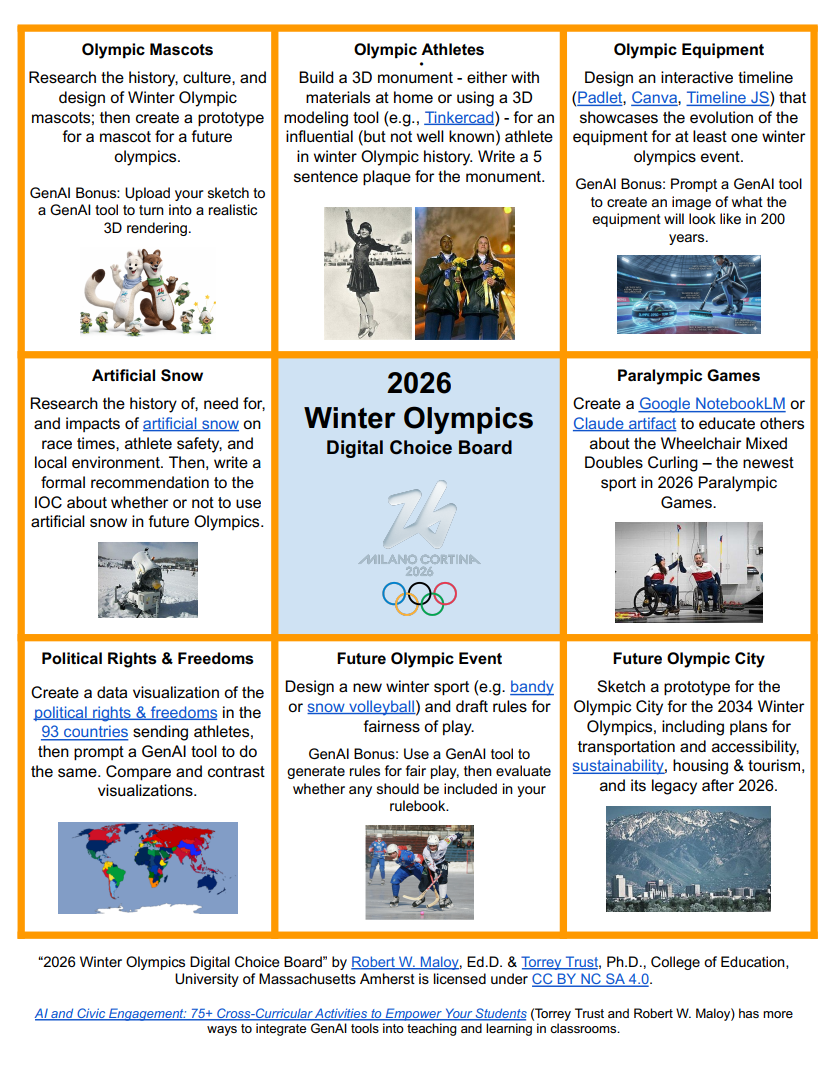
How to Prepare Students for a Fast-Moving (AI)World

In the world of work and education, the pace of technological change is accelerating, and it is doing so faster than ever. As an educator who divides my time between teaching Spanish, STEM, and emerging tech, as well as an attorney and consultant, plus an avid learner, I’ve made it my mission to keep looking for more opportunities that will prepare our students and ourselves. I ask: “What skills do our students really need to thrive not just in today’s world but in the one that’s moving quickly toward us?”

The answer? We have to equip them with the right skills to be “future-ready.” And while technology is involved, it is not about being able to use the latest tech tool. It’s about building a solid foundation of skills, a resilient mindset, and the adaptability to navigate whatever comes next. With the right strategies, we can ensure every student is prepared for the careers and challenges they may face as they continue their learning careers in the world of work.

Education has always been about preparing for the future. But today’s future is driven by evolving AI, robotics, quantum computing, and more. The traditional school model, focused on memorizing content within siloed subjects, is no longer sufficient. We need to embrace change. Our classrooms must become spaces for risk-taking and helping students develop the skills that truly matter in a tech-driven world: critical thinking, creativity, collaboration, and digital literacy. These are the tools that will allow our students to navigate an unpredictable landscape with confidence.

The New Realities of Learning and Work

Artificial Intelligence is Already Here. AI isn’t a sci-fi concept; it’s woven into the fabric of our daily lives and is reshaping every industry, from healthcare to finance. To be prepared, our students need to be more than just users of AI—they need to be AI-literate. They must understand its power, question its ethical implications, and learn to leverage it as a tool that enhances, not replaces, their own intelligence. Future employers won’t just want employees who can do a job; they’ll want employees who can work alongside AI.

The Human Element in an AI World

Automation will continue to transform the job market. While some specific roles or jobs will change or even disappear, new ones we can’t yet imagine will be created. This is what makes our uniquely human skills more valuable than ever. Emotional intelligence, ethical reasoning, creative problem-solving, and resilience are the new power skills. This is where methods like challenge-based and project-based learning shine, as they push students to develop these essential human traits.

From Knowing to Doing

In an age where any fact is a quick Google search or LLM prompt away, what we know matters less than what we can do with what we know. The focus must shift from knowledge consumption to skills application. We need to create learning experiences that challenge students to evaluate, process, and apply information in real-world contexts. Project-based learning (PBL) is a fantastic vehicle for this. Exploring big, authentic questions, like those posed by the UN’s Sustainable Development Goals, empowers students to apply their learning in meaningful ways and develop a sense of global citizenship.

So, how do we build this future-ready foundation? It’s about fostering a culture of curiosity, resilience, and lifelong learning.

Preparing for a  Future-Ready Classroom

Here are the core components I focus on to prepare students:

1. Unleash Creativity and Problem-Solving. A future-ready student isn’t a passive consumer of information; they are a creator, an innovator, and a problem-solver. I use methods like design thinking to guide students in developing human-centered solutions to real-world challenges. We tackle big questions like, “How can we use technology to make our city more sustainable?” This process guides them through brainstorming, prototyping, and testing, all while fostering collaboration within the team.

As a STEAM educator, I love showing students how to use AI as a creative partner. We use AI art generators to spark discussions or interact with AI-powered chatbots from platforms like MagicSchool AI to supplement learning. For older students, designing their own simple chatbot can be a powerful lesson in both technology and ethics.

2. Weave in AI and Computational Thinking. In my emerging technology course, I’ve seen firsthand how engaging students with AI cultivates computational thinking and ethical awareness. We analyze AI-generated content to discuss fairness and bias. We investigate how AI powers the tools they use every day, from streaming services to self-driving cars, and I challenge them to imagine improvements.

Hands-on learning is key. Tools like Google’s Teachable Machine allow students to train their own simple AI models and understand machine learning concepts. We’ve also explored robotics with the VinciBot and the Nous AI Set from MatataStudio, which helps students grasp concepts like facial recognition and object detection. By using AI-powered teaching tools like Brisk Teaching, SchoolAI or Snorkl, we model how to use these technologies safely, ethically, and responsibly. This hands-on literacy prepares them not just to use AI, but to question, design, and innovate with it.

3. Cultivate Resilience and Adaptability. In a world of constant change, the ability to adapt and bounce back from setbacks is crucial. I design STEM and PBL activities where the process is more important than the final product. Failure is reframed as a learning opportunity. By encouraging students to reflect on their process, adjust their strategies, and support one another, we build the resilience they need to become confident, lifelong learners.

To get started, you don’t need a huge budget. If you are looking to create presentations that will help teach the content or show students the process of PBL, for example, you could try WorkPPT. It even offers AI Chat and Summarizer, and can create mind maps too! Try WorkPPT today!

Free tools like EduaideAiTeachShare, or Enlighten AI, which can help you generate ideas and explore AI’s capabilities. With a tool like TeachShare, you can create a variety of learning materials aligned to specific standards and accommodations, helping you build these essential skills in your students. Also, dive into all-in-one platforms like School In One for all of your communication, collaboration, and assessment needs and more. (Schedule a meeting with CEO Mati Barbero to learn more and share that I sent you there.)

Ultimately, by designing authentic, real-world learning experiences, we empower our students with more than just knowledge. We give them the creativity, resilience, and critical thinking skills they need to not just face the future but to shape it.

About Rachelle

Dr. Rachelle Dené Poth is a Spanish and STEAM: What’s Next in Emerging Technology Teacher at Riverview High School in Oakmont, PA. Rachelle is also an attorney with a Juris Doctor degree from Duquesne University School of Law and a Master’s in Instructional Technology. Rachelle received her Doctorate in Instructional Technology, and her research focus was on AI and Professional Development. In addition to teaching, she is a full-time consultant and works with companies and organizations to provide PD, speaking, and consulting services. Contact Rachelle for your event!

Rachelle is an ISTE-certified educator and community leader who served as president of the ISTE Teacher Education Network. By EdTech Digest, she was named the EdTech Trendsetter of 2024, one of 30 K-12 IT Influencers to follow in 2021, and one of 150 Women Global EdTech Thought Leaders in 2022.

She is the author of ten books, including ‘What The Tech? An Educator’s Guide to AI, AR/VR, the Metaverse and More” and ‘How To Teach AI’. In addition, other books include, “In Other Words: Quotes That Push Our Thinking,” “Unconventional Ways to Thrive in EDU,” “The Future is Now: Looking Back to Move Ahead,” “Chart A New Course: A Guide to Teaching Essential Skills for Tomorrow’s World, “True Story: Lessons That One Kid Taught Us,” “Things I Wish […] Knew” and her newest “How To Teach AI” is available from ISTE or on Amazon.

Contact Rachelle to schedule sessions about Artificial Intelligence, Coding, AR/VR, and more for your school or event! Submit the Contact Form.

Follow Rachelle on Bluesky, Instagram, and X at @Rdene915

**Interested in writing a guest blog for my site? Would love to share your ideas! Submit your post here. Looking for a new book to read? Find these available at bit.ly/Pothbooks

************ Also, check out my THRIVEinEDU Podcast Here!

Join my show on THRIVEinEDU on Facebook. Join the group here.
Transform Public Speaking with Yoodli: Your AI Coach

Guest post by Paula Johnson, see Paula’s other blogs here and subscribe!

Public speaking. Just reading those two words probably made your palms sweat a little. Whether you’re a student giving a book report, a teacher presenting at a PD (with no AC and bad coffee), or someone just trying to sound confident in a meeting, speaking clearly and effectively is a real skill, and one that usually comes with years of awkward ums and cringey filler words.

Enter Yoodli, your friendly-but-firm AI-powered speech coach. Think of it like Toastmasters… if Toastmasters lived inside your laptop and never interrupted you

🧰 What Is Yoodli?

Yoodli is an AI tool designed to help users improve their public speaking skills. It analyzes your speech in real-time or after a recording and gives you feedback on things like:

  • Filler words (“um,” “like,” “you know”)
  • Pacing (Are you sprinting or sedating your audience?)
  • Word choice and sentence complexity
  • Eye contact and body language (with video)
  • And yes, even your “uhhh” to actual word ratio

Yoodli gives you a transcript and a confidence score, plus suggestions that range from helpful to brutally honest. It’s basically Simon Cowell with AI ethics and a smiley face interface.

🏫 Classroom Uses: From the Speech Team to the Math Teacher

Yoodli is one of those tools that sneaks up on you with its usefulness. Here’s how educators can integrate it meaningfully across content areas:

💬 1. Speech & Debate or Language Arts

The most obvious use case. Have students record their speeches or presentations, then analyze their own pacing, tone, and use of filler words using Yoodli. Students can track their growth over time, which is far more helpful (and less awkward) than just watching themselves on video.

🎤 2. ELL/ESL Support

For multilingual students, Yoodli provides private, low-stakes speaking practice. It doesn’t judge accents; it focuses on clarity, pacing, and fluency. Students can speak into the tool and get instant feedback, helping build confidence without the pressure of speaking in front of the class.

🧠 3. Teacher PD & Self-Reflection

Want to see how you really sound during that lesson on quadratic equations? Use Yoodli to record part of your instruction or PD session. You might be surprised how often you say “so yeah” (guilty). This can also be helpful for instructional coaches working with teachers on presentation or communication skills.

🧪 4. Science Fairs and Project-Based Learning

Anytime students are explaining a process or presenting their thinking, Yoodli can give them that extra polish. It encourages students to reflect on how they communicate their ideas, not just what they say, but how they say it.

💻 5. Interview Practice and Career Readiness

Mock interviews? Elevator pitches? College essays turned spoken narratives? Yoodli is ideal for helping students practice for real-world moments where confidence and clarity are key.

🧠 The AI Behind the Tool

Yoodli uses automatic speech recognition (ASR) and natural language processing (NLP) to analyze spoken words in real time. Think of it as a very nerdy parrot that listens, transcribes, and then gently tells you you’re rambling.

Some quick nerd notes:

  • Speech recognition turns your words into text (transcription)
  • NLP analyzes your speech for filler words, tone, sentiment, and repetition
  • Yoodli can detect your pace and word variety over time

Importantly, Yoodli doesn’t train its model on your data without consent. Users can opt into saving their data for progress tracking, but educators should check settings for student accounts. They’ve made good strides toward ethical design—no surprise, since one of the co-founders used to work at Google AI but left to build tech that was more human-focused.

Data privacy tip: Make sure to read the privacy policy if you’re using it with students under 18, and consider creating class-specific accounts or using it in “demo mode” with no login required.


🧪 Try It Out: Tips for Teachers

Here’s how to get rolling without needing a 47-slide training deck:

  • Start small: Have students practice a 1-minute talk on any topic. Favorite food. Least favorite math concept. Why dogs are better than cats. (Yoodli is cat-neutral.)
  • Use the transcript: Yoodli gives a full transcript of each session, great for writing reflection, peer feedback, or revision activities.
  • Gamify it: Who can lower their filler word count the most in one week? Who has the smoothest pacing? Instant leaderboard.
  • Model it: Record yourself first and share the feedback you got. Vulnerability builds classroom trust (and shows that even grown-ups say “like” too much).
  • Be intentional: Don’t let Yoodli become a surveillance tool. Use it for growth, not gotchas. Let students control their recordings and reflection.

👩‍🏫 Final Thoughts: AI Coaching That Doesn’t Need Coffee

Yoodli isn’t replacing speech teachers or taking over your drama class—it’s a supplement, not a substitute. But it is an amazing, low-barrier way to help students hear themselves and improve one of the most universally useful skills: effective communication.

Plus, unlike your coworker in the next room, Yoodli never interrupts you mid-sentence to ask if you’ve “seen the new attendance policy.” So that’s a win.

I believe educators deserve access to tools, knowledge, and support that empower them to do their best work. If my content has helped you, inspired you, or made your day a little lighter, supporting me on Ko-fi helps me continue creating resources that support teachers who are changing the world one student at a time.

If this work supports you, you can support it too: ko-fi.com/paulajohnsontech

About Rachelle

Dr. Rachelle Dené Poth is a Spanish and STEAM: What’s Next in Emerging Technology Teacher at Riverview High School in Oakmont, PA. Rachelle is also an attorney with a Juris Doctor degree from Duquesne University School of Law and a Master’s in Instructional Technology. Rachelle received her Doctorate in Instructional Technology, and her research focus was on AI and Professional Development. In addition to teaching, she is a full-time consultant and works with companies and organizations to provide PD, speaking, and consulting services. Contact Rachelle for your event!

Rachelle is an ISTE-certified educator and community leader who served as president of the ISTE Teacher Education Network. By EdTech Digest, she was named the EdTech Trendsetter of 2024, one of 30 K-12 IT Influencers to follow in 2021, and one of 150 Women Global EdTech Thought Leaders in 2022.

She is the author of ten books, including ‘What The Tech? An Educator’s Guide to AI, AR/VR, the Metaverse and More” and ‘How To Teach AI’. In addition, other books include, “In Other Words: Quotes That Push Our Thinking,” “Unconventional Ways to Thrive in EDU,” “The Future is Now: Looking Back to Move Ahead,” “Chart A New Course: A Guide to Teaching Essential Skills for Tomorrow’s World, “True Story: Lessons That One Kid Taught Us,” “Things I Wish […] Knew” and her newest “How To Teach AI” is available from ISTE or on Amazon.

Contact Rachelle to schedule sessions about Artificial Intelligence, Coding, AR/VR, and more for your school or event! Submit the Contact Form.

Follow Rachelle on Bluesky, Instagram, and X at @Rdene915

**Interested in writing a guest blog for my site? Would love to share your ideas! Submit your post here. Looking for a new book to read? Find these available at bit.ly/Pothbooks

************ Also, check out my THRIVEinEDU Podcast Here!

Join my show on THRIVEinEDU on Facebook. Join the group here.