Practical Ways to bring SEL into the Classroom


Published on Getting Smart, 


Toward the end of the past school year, I noticed some changes in student behavior. There was a decrease in student engagement, especially while I responded to the question of a student seated close to me, students around the room became distracted or stopped listening. Trying to get the group to refocus sometimes presented a challenge and resulted in a loss of valuable instruction time. A second concern was how students had been treating one another. I overheard conversations in the hallways, witnessed unkind interactions in the classroom, or heard directly from students who sought help in dealing with different situations. There were two issues to resolve: eliminate the valuable instruction time that was being lost and help students to develop more positive, collaborative peer relationships. How could I connect students more to the content and to one another, so they could work together to foster a more positive classroom. After some brainstorming, I decided to first focus on ways to promote collaboration and to step out of my role of “leader” in the classroom by stepping aside.

The changes:

My first realization was that I needed to shift roles in my classroom. I needed to get out of the way, and students needed to do more than simply sit for the entire class. To get started, look at your own classroom. Where are you and the students spending the class period? Are you the only one speaking and moving? If so, think about how you can open up space and provide a more collaborative setting for students. Think about how you can involve the students in more “active learning” that will lead to better student engagement.

One morning, I looked at the physical space of my classroom and decided to break apart the rows of desks. By doing this, it created more flexible spaces for students to interact, to create and lead, and do more than just sit and listen. Students need opportunities to work with their peers through lessons and engage in activities where they can master the content together, and that will provide opportunities to develop their interpersonal skills, self-awareness and social awareness of others.


Making these changes can feel uncomfortable because it means going against what likely has been the traditional classroom structure. However, many teachers have moved toward flexible learning spaces, creating a more student-centered and student-driven classroom. A classroom which moves away from simply lecturing, reviewing homework, passing out materials, assigning new homework, and repeating this same routine the very next day. While this process may promote the acquisition and application of knowledge, it does not effectively promote collaboration, invite student input, nor foster development of vital SEL (social-emotional learning) skills.

CASEL (The Collaborative for Academic, Social, and Emotional Learning), formed in 1994, is an organization which actively works toward promoting the importance of developing SEL skills in education. SEL is focused on five competencies: self-awareness, self-management, social awareness,  relationship skills and responsible decision making. The development of these skills can benefit the level of student engagement as well, leading to higher academic achievement and reduce discipline issues in the classroom. To promote the development of SEL, here are some ideas and additional resources to get started.

Practical ways to promote SEL:

  • Icebreakers: I started the school year with fun icebreakers, to get to know one another and to find out what students had in common. Why? It all starts with relationships, building a connection with peers and the teacher, and using this to connect with the content area. Returning after an extended holiday break, doing even one icebreaker can be a good way to welcome students back to the classroom, to ease into the daily routine and to start the year fresh by working on relationships. Perhaps have students share what they did over break, show a picture, talk about favorite foods for holidays even, and let students make connections on their own.
  • Games and activities: Providing opportunities for students to interact through the use of games and activities in the classroom promotes the development of social-emotional learning skills. There are many online tools available to help you get started. For elementary and middle school, Centervention provides free online games, activities and printables for teaching students about SEL. Gaming helps students to learn to problem solve, collaborate, think critically, and develop empathy through scenarios within the game itself, or as a result of being part of a team. It creates a sense of community and belonging, which foster the social-emotional skills students need. Even by using Minecraft, educators have seen a connection between the benefits of gaming for learning and the development of SEL skills.
  • Learning Stations: Something that has really made a difference in my classroom has been using learning stations. I started the year with rows and decided one morning, that the rows had to go. I quickly set up clusters of desks or “stations” to accommodate three students each, with four extra desks grouped together in the center. At each station, students spend 10-14 minutes doing a hands-on activity like a worksheet, creating flashcards, watching a video, playing a game or simply coming up with their own ways to practice. Deciding upon the activities takes some planning, especially when trying this for the first time, but it is well worth it. Start by explaining the “stations”, involving students in the discussion and asking for feedback. When we explain our goals and share any fears we may have, we are modeling “self-awareness” and “self-management”. By using stations, we also have more time to interact with each student and group, work on relationships and foster a deeper understanding of the content as well as connecting with one another and creating a more positive classroom culture.

Challenges and solutions:

  • Groups: The first few class periods there were complaints. Students wanted to work with their friends and others wanted to work alone. It can be awkward if you are the only one who doesn’t find somebody to work with, but it can also be a challenge to work with a group when you may end up being the only one doing the work. Assigning random groups can help alleviate some of these uncomfortable feelings, even though in life and for the future, students may face the same challenges and uncomfortable moments, not having a choice in collaborative work. However, for the time being, the importance is to help students to develop interpersonal skills that will enable them to be successful in the future, to develop the social and emotional learning skills, especially in terms of relationships, decision-making and developing a self- awareness.
  • Timing: It can be a challenge at first to know how much time to provide for each station. I started by spending ten minutes reviewing material, asking questions, or doing an activity with the whole class, before starting stations. I tried giving 15 minutes for each, so students would work through two each day. Some students finished early and wanted to move on. To work through this, I would use the time to speak with each group or individual students, and then make adjustments during the next station rotation. There is always room to improve, but the important thing is remembering to be flexible and open to changes that will positively impact student learning and relationships.

Benefits:

  • Student engagement: Students have been more engaged in learning, and have come in to tell me how much they look forward to coming to class. Because of the different activities within the stations, students participate more because they are active and moving, and know that each station offers a new way to learn.
  • Student leaders: Students are offering to help one another, to explain concepts, and to cheer each other on. They keep each other on task and by working in these small groups, there are less distractions than working as a whole group. Each small group can ask questions, receive individualized feedback because I can freely move around the classroom and clear up any misunderstandings.
  • Teacher-student relationships: Students are getting timely, authentic and personal feedback. By using learning stations, more time is student-focused and those individual conversations can happen as needed, to help students to be successful and be more confident.
  • Student learning: In terms of academic achievement, the participation and results of recent assessments are the highest they have been. Students enjoy coming to class because they know they’re going to be leading and making decisions about their learning, in a way that is comfortable, flexible and fun.The learning experience is more authentic and meaningful for students. Research has shown the positive benefits of incorporating SEL into the curriculum.
  • Student behaviors: As for the class distractions and the negative interactions that existed before, both have decreased tremendously. It is not something that is going to change overnight but what matters is that we make constant progress. We are learning and becoming better together.

Globally Connecting Learners through Project Based Learning

Published on Getting Smart, November 15, 2017

In honor of International Education Week, we’re bringing you a series of blogs that celebrate the benefits of global competencies, international education and cultural exchanges. Stay tuned for more like this throughout the week!

Project-Based​ Learning​ (PBL)​ offers tremendous benefits for students to become engaged in more authentic and purposeful learning. Providing opportunities in which students have choices in what to explore, where to seek information, and ultimately how to share their learning, will lead to higher student engagement and more meaningful learning experiences. By giving students the chance to be curious in exploring a concept which is of personal interest, or working together to tackle a problem or engage in some challenge-based learning, we foster more student-driven classrooms and promote curiosity in learning.

As educators, we need to strive to open up opportunities for students to broaden their perspectives, to engage in collaboration with their peers, and more importantly, to become globally connected learners. PBL is a way to connect our students globally and it also addresses the 4 C’s: critical thinking, collaboration, communication, and creativity. Opportunities like this, in which students can become more independent and have choices for where their search leads them will amplify the learning potential of all students in the classroom as well as for the new connections made.

Entering my second year of project-based learning I wanted to take it to another level with my Spanish classes, after attending and presenting at EdmodoCon. I was  amazed at the power of technology to unite educators from around the world and I wanted to do more in my classroom. Learning from such diverse perspectives, and fascinated by the ability to communicate with my new colleagues, at any time from around the world further solidified my belief that this was something that must be done in my classroom. I wanted my students to have as many diverse, authentic opportunities to explore the world as they could.

Setting up a process to connect students with the world can take some time to plan as you must decide what is the best method and structure to use, but getting the connections started is really quite simple. There are many different learning communities available depending on what is used for a classroom website. I use Edmodo, but there are also professional learning communities available through ISTE or Google+. Getting started simply takes posting a message in the community and awaiting responses from other educators interested in making new connections.

Here is the process I followed to get started with my class:

Screen Shot 2017-10-28 at 9.48.24 PM.png1. Shared the idea: I told students the idea for making global connections and the “why” behind this newexperience. While doing PBL, it is essential to have the students connect with real-world experiences in authentic ways. Once I explained to my students how I had planned to do this, I then posted a message in a few of the Edmodo communities. In my message, I explained what my students would be doing, the types of topics they would be learning about and how we could collaborate.

2. Collected responses: I received several responses to my message and replied to each to gather more details about the age group of the students, the location of the classroom and options for connecting our classes.

3. Created groups on Edmodo: Once several educators were interested, I created a separate group on Edmodo and shared the join code with my students as well as the students from the other classrooms. Edmodo provides a safe place to interact to not only help students become globally connected and share their perspective, but is also an opportunity to learn and connect with other educators.

4. Got started: We started by simply making introductions and then the students started to ask questions related to their project-based learning and essential questions. The students were amazed and excited about how quickly responses were received and how willing the other students were to share information, provide resources and interact with one another. It has been tremendous to see how much the students have learned in such a short amount of time. This type of learning could not occur without technology, it provides authentic and personalized learning because the students are connecting globally and broadening their perspectives in a more engaging and personalized way.

5. Expanded the project: In order to take it even further, once the conversations and connections had been established, we wanted to interact through audio and video. Due to the difference in time zones and schedules, we needed to find a more convenient way to interact. Flipgrid presented the perfect solution for setting up an online space for students to introduce themselves, show their schools, and have some fun interacting in a moderated and safe environment. It was very exciting to receive the notifications that a new Flipgrid response had been posted, and watching it immediately in class was fantastic for the students. Students can learn by looking at pictures, reading books and watching videos but to be able to interact in this way and this quickly is truly an amazing experience. The best part was when the students were finally able to see the students they had been interacting with. We also used Padlet as another virtual space to interact through photos and conversations.

Screen Shot 2017-10-28 at 9.45.12 PM.png

Being an educator does not mean that you are an expert. We are constantly learning and should be seeking new ways to bring knowledge and different learning experiences into our classrooms. In just a few short weeks of working with these global connections and setting aside the time to open up and increase the learning potential for my students, I have learned so much. For the four teachers in our group, this is the first time that any of us are doing anything like this and we are learning and growing together. We are enjoying the experience with our students and the best part for me, is learning more about my own students through their interactions online and I believe that the students are learning more about themselves as well.

Preparing Students for Future Work: What is the Gig Economy?

Published on Getting Smart, February 3, 2018

The “gig economy” is fairly new to me, I was unaware of the terminology until recently. When I first heard “gig economy”, I could not figure out what it referred to, at least in the sense of both words used together. Separately, I can easily define “gig” and “economy.” The gig economy gets its name because each job or work assignment is similar to an individual “gig”. The gig economy was formerly known as the ‘sharing economy’, with one of the most popular examples being Airbnb. I recall first hearing “Airbnb” two years ago and not having a clue about what it meant then. I only knew that I had several friends who arranged travel as part of Airbnb.

So how does the gig economy work?

It is employment that is a temporary task, for example, delivery couriers, Uber (another term I did not understand when I first heard it three years ago), or Lyft, to name a few. A prior post in Getting Smart included some statistics related to the average income from providing these types of services. The numbers are fascinating. In 2015, 54 million people worked as freelancers earning an estimate of 17% more per hour than full-time employees. It is projected that 60% of companies plan to hire more freelancers rather than full-time employees in the future. In 2016, 35% of workers were freelancers and estimates are that by 2020, this number will increase to 43% in the United States. So it leads me to wonder: What will the number rise to in another 10 years, by the year 2030? In a quick estimate, perhaps it will rise to approximately 63% if following the previous increase as a trend.

Looking ahead, the students currently in kindergarten will be the graduating class of 2030. It seems a long way off, but we need to prepare them for their future, and if the future does involve less traditional educational paths and more “gig” jobs and freelancing, how do we start preparing them now? It is important to consider these statistics and trends when preparing your lessons each day, and it has led me to think about how I am instructing students in my class.

As a foreign language teacher, students often ask why they should learn a foreign language, or say that they won’t need a foreign language in their future. There are many benefits in learning a foreign language, but I think the gig economy presents a perfect example of how it could be of even greater benefit to students in the future. Having foreign language knowledge is a skill that can come in handy and benefit students later on in life. Some common examples that come to mind are sellers on sites like Etsy or even someone who works as an online tutor or an editor. These do not have to be full-time positions, but can be in addition to a more permanent job, and done as extra work on the side. It’s about having options available. And to best prepare students for the future of work in a gig economy, we need to give them options.

Prepping for the future

How do we prepare students for a future of freelance work or to become entrepreneurs? By offering more opportunities for them to explore and create, through opportunities to not only explore the types of jobs available but also job shadow to learn firsthand, the qualifications and skills that may be necessary.

So if this is the trend that will be coming in the future, then will schools continue to encourage students to seek a college degree, or an extended learning program or formal training? Or do students need to simply master a skill or have time to explore an interest they have, to become more marketable? Do schools have the responsibility to create different courses through which students can learn about a variety of professional options and afford time for students to explore on their own or by connecting with professionals in their community?

Many schools have started to offer more courses based on emerging trends, such as entrepreneurship, webpage design, sports and entertainment management, and other similar courses to help students develop skills necessary to create their own job opportunities. At my school, Patsy Kvortek, one of our business teachers, recognized a need for courses which would help students to develop some of these skills. She thought “we should provide students with opportunities to learn in more authentic ways that would prepare them for future success.” To do this, a few years ago she created a course in “Entrepreneurship” and  “Sports and Entertainment Management” in which students develop a wide variety of skills focused on project management, event planning and learning everything there is to know about being an entrepreneur. In her classes, students take on different roles, learn to collaborate and be part of a team that is entirely responsible for planning, organizing and executing large-scale school and community events. Some of the roles include: Project Manager, Committee Chairs, Social Media and Advertising. Students rotate through these roles so they develop the skills necessary to be successful in any of these areas in the future.

Through this course, students have developed skills to prepare them for many career options as well as better understand how to start a small business or plan major events. They also develop critical skills of communication, collaboration, problem-solving and as an added benefit, SEL (Social and Emotional Learning) skills as well. Observing the students involved in these courses has always impressed me, and seeing them come up with new products and start their own business, has shown the value behind providing these opportunities. These electives grew in popularity over the years because of the truly authentic and relevant learning experiences they provided.

Degree or no degree?

What difference does having a degree make? There are a lot of statistics that point to alternate forms of furthering one’s education, which do not involve the traditional undergraduate degree. There is more of an emphasis on building skills in diverse areas, to be flexible and explore alternate training options. There is a growing trend of students “crafting their own career” and not being dependent on an employer to do this, but rather create a professional path based more on personal interest. Several former students, ones whom I thought would pursue a college degree, instead opted to venture into unique areas of business. They have been successful and it is even more rewarding knowing they are doing what they love and control their schedules. Some of these entrepreneurial ventures include: a dog daycare, photo booth rentals, personal shopping service, resume writing, jewelry making, party planning and photography. These students chose these paths because they were able to pursue personal interests through electives, and develop skills and knowledge to get their business started. There will continue to be a demand for these services and these entrepreneurs will be in control of when, where and how often they provide these services in a gig economy.

The preparation that all students need

What are the skills that all students should develop regardless of what the future holds in terms of education? We need to help students learn how to communicate, to collaborate, to problem-solve and to find out what they are passionate about. There should be opportunities for students to engage in more real-world experiences, where they can assess needs in their community and brainstorm ways to offer services that will be beneficial for others. Project-based learning is a great way to help prepare students for working with others and to have more of an authentic and meaningful learning experience.

The Buck Institute of Education is working to develop a High-Quality Project Based Learning framework (to be published in March), with six criteria that students should experience through PBL. One of these six is “project management”. The focus of this is more on how to support students with goal setting, time management and self-assessment. These skills will prove beneficial regardless of what the future “job” may be for students.

When we support students in setting goals, learning to self-assess, engaging in more independent work and developing time management skills, we help them to develop the skills that they will need to be successful in the future regardless of what they ultimately decide to do. Whether they pursue full-time employment or explore options in a “gig economy”, they will be ready to face any challenges that arise in a constantly changing workplace.

Artificial Intelligence: Implications for the Future of Education

Published originally on Getting Smart, January 8, 2018


Have you noticed more discussion recently about Artificial Intelligence or AI? When first hearing “Artificial Intelligence” is there an image that pops into your mind? Is it something that you can easily define? Perhaps your understanding/reference point is something you’ve seen in the movies. For myself, being an 80s child, my initial frame of reference is Star Wars, I immediately think of R2D2 or C3PO. My mind then wanders to thoughts of “I, Robot” starring Will Smith, in which the robots developed the capacity to think like humans, to feel and to take action on their own. And more currently, I think of the Alexa, Echo, Siri and others that have gained popularity, even more so recently. But what is the true meaning of AI and how do we see it in daily life?

The concept of “Artificial intelligence” can be hard to understand/grasp, especially when trying to think about how it can be applied to education as well as many other sectors of society. In December 2015, the Getting Smart #AskAboutAI research began and over these two years, they have identified over 100 applications of AI to life in areas such as recreation, transportation, education, healthcare and gaming to name just a few. The campaign focused on AI in regard to three objectives: employment, ethics and education. How can AI be beneficial for different industries, what are some of the uses, what are the benefits and risks associated with it, and of greater personal interest, what are the possibilities for AI in education.

According to Getting Smart’s “Ask About AI” report, the notion behind AI is that machines can exhibit human intelligence. The concept of “machine learning” started in 1956 and is when algorithms are used to interpret data and take some action or to complete a task. As a foreign language teacher, I became aware of machine learning years ago, in the form of language translators. AI, at its base, is computer code that displays some form of intelligence, learning, and problem solving in what has been referred to as a “super intelligence.” It is the development of computers that can complete tasks which normally require “human intelligence” however it learns on its own and continues to improve on past iterations. AI becomes smarter, knowledge grows, and it expands the realm of possibilities for society. Machine learning is actually a subset of artificial intelligence. It is said that all Machine Learning is AI, but not all AI is Machine Learning.

Everyday uses of Machine Learning and AI that you may not be aware of.

In my quest to learn more about AI and its implications for the future of learning, I needed to first understand how we were already using AI and perhaps, not even realizing it. I asked colleagues for their thoughts on AI and many were as unsure as I about how it is being used currently. Here are 5 common uses:

  1. Communication: Spam filters, powered by AI, streamline the amount of spam appearing in your inbox. As email senders (real or automated) become more careful with selecting words which have not been flagged previously, the filters need to adapt and continue to learn based on words that the user also flags. There is an added component of ML in this, in that through the algorithms already in place by the email provider, additional filters are then created.  Google takes it even further by continuously learning the types of email messages which are marked as “important”.
  2. Travel: If you have taken a ride using Uber or Lyft, you have experienced ML (Machine Learning), which is used to predict rider demand and to calculate ETA( Estimated Time of Arrival). The airline industry uses AI, since autopilot qualifies as AI, where it is estimated that “human steered” flight time is only seven minutes of actual flight length.
  3. Social networking: When we use Facebook to share photos, the artificial intelligence is able to detect faces in the image and suggest a name to tag the person. Facebook has continued to add new features as part of its AI Initiative, to generate a more personalized and interactive user experience. Some social media sites, such as Twitter, generate lists of accounts to follow, chats to join, and news feeds of interest based on an analysis of user input and data. Even Google with its “cards” can provide a variety of personal recommendations based on your search history.
  4. Online Shopping: One that comes to mind quickly is Amazon, and how it suggests items you may be interested in, as a result of your prior searches and order history. Systems are in place to protect consumers against fraud, with alerts being sent almost simultaneously to an attempted transaction that is not recognized as a “typical” purchase or located in a non-home base location. All of this done through AI, which is used for identifying fraudulent transactions.
  5. Education: Teachers and students have a wide range of tools available, ranging from Google Searches, in which alternate search terms are instantly suggested, citation generators, plagiarism checkers, and even Siri has become a popular tool for searches. An astounding amount of information generated instantly, far more advanced from thirty years ago and society’s reliance on card catalogs, calculators and books.

But what does AI mean for today’s classrooms?

Looking at these common uses in everyday life makes it easier to think about some ways that Artificial Intelligence can transform classrooms. Where will we see the biggest benefits? I think that it is important to take a look at your own classroom and consider: What are some of the tasks that are typically done? How are you and the students spending your class time? What are some ways that you could get some of that time back by using AI? Time to dream big!

Thinking about my own classroom, some of the most time-consuming tasks are conferencing and finding time to work with each student, creating and reviewing assessments, locating appropriate supplemental activities to differentiate for students, offering more engaging and immersive learning experiences. AI can address each of these areas, increasing the time available to spend doing more interactive lessons, having students lead, having more time to focus on relationships in the classroom and truly providing students with a world full of opportunities, personalized to their needs and instantly available.

So how can AI help?

  1. Communication:  Students and teachers will be able to communicate instantly with one another as well as to connect with other forms of AI around the world. Students instantly paired with peers, helping each student to expand their own personal learning networks, with personalized and more authentic connections that will meet the students’ interests and needs at any given moment. Think of the benefits for being able to converse with AI or a virtual peer, which has been located based on an assessment of student needs and error analyses. Build foreign language skills, talk to someone about school, family, life in a country being studied, possibilities are endless for language learning.
  2. Differentiation: With the availability of AI,  students and teachers will be able to connect with resources they need exactly when they need them. The entire internet of resources accessible within seconds, deliverable to each student saving valuable time for more interaction between teacher and student, and students and students. Through AI, students can have access to one to one tutors, creating more authentic learning experiences by pairing students with an expert or a virtual peer to learn with. Think of the benefits if each student could have instant access to a tutor wherever and whenever they needed one.
  3. Personalization: What better way to offer more personalized learning opportunities for students than to have AI be able to analyze student responses, determine areas of need and interest, and find resources or create new questions to help students to greater understanding of the content. What about the potential for informing the classroom teacher, and working together to create new learning opportunities for students, but in a faster way, that relates directly to the student needs and offers authentic and timely feedback.
  4. Exploration: With the rise of augmented and virtual reality, and the benefits of bringing these into the classroom for students to have a more immersive learning experience and to see places and explore things that otherwise they would not, AI can be a tremendous benefit for this. Through AI, resources could be found instantly based on student responses, or for the entire classroom to experience. Capabilities such as these are not something that will be limited by the time and place of the classroom setting. AI could show students want they want to explore, find ways to bring the content to life instantly.
  5. Assessments: AI could help teachers to assess students and streamline the grading process, with the added benefit of being able to quickly take the data, provide an analysis for teachers, so that time can be saved for more classroom interactions. It can help with student achievement, making sure that each student has the opportunity to learn and grow, benefitting from the faster responses through AI.

Considerations for the future.

Even though there has been concern expressed for what AI could mean for education: would AI lead to the replacement of teachers? Would the use of AI in the classroom have any negative impacts on student learning? There could not be a replacement of teachers because AI cannot help students to build SEL skills and learn from human interactions, vital components of relationships in the classroom. So in the end, what could AI do? Here are 10 roles for AI that can be used in education.

AI can quickly interpret a student’s needs and design an appropriate assessment. It can show students mastery, repeat lessons as needed and quickly design a personalized learning plan for each student. AI could provide teachers with a virtual teaching assistant, (something that was done in 2015 without students even knowing), which then frees time for the teacher to move around the room and facilitate learning. But more than just teachers and students, it can be a way to support parents by involving them in the learning environment of students and providing them with the information they need to help their students be successful when they’re not in the classroom. The future likely holds a lot of possibilities for AI and teachers can take the opportunity to be informed of the possibilities and being open to discussions with students.

For This Lesson, I Stepped Aside To Become A Facilitator Of Learning


Posted on TeachThought, August 29th, 2017  (Thank you Terry Heick)

It started with a cross-class collaboration idea.

I was not sure the idea would work, but was willing to give it a try and it had captured the interest of students. I connected four levels of Spanish and created a team project using Google and Padlet so students could collaborate and share their work.

The experience went so well that it led me to think about other ways to engage students more in a collaborative online learning space. Students need to be connected with authentic learning experiences and develop digital citizenship skills, and to be given choices in learning. Trying to build on the prior project collaboration, I wanted to explore possibilities of using Google slides to have students work simultaneously on a whole-class project.

I asked the students if they had done any type of collaboration online like this before, and I was surprised that they had not. Knowing this pushed me more to decide that I should definitely create this learning experience with them.

Connecting students

I decided to try something more collaborative by using Google Slides. We are a Microsoft Office school, but many students use Google Drive on their own. I also use Edmodo in my classes and like the students to have experience with different kinds of tools. I like that students can work on a document or a presentation at the same time, as this substantively changes the methods and frequency with with students share ideas.

By having students create a class presentation simultaneously, the teacher can then take that extra time to facilitate their learning and interact with students to do something more specific, like assessing their content knowledge. Giving students the opportunity to work as a team toward one whole class project rather than completing individual projects opens up new and more engaging ways for the students to learn not only content or technology skills, or even ‘soft skills’ like collaboration, but also get to know one another more as well.

Connecting students with their peers promotes a friendlier and more cohesive class culture, and I think makes learning more authentic and meaningful for students. To be able to see what they are each working on and to be part of the whole class presentation in real-time requires constant interfacing of different personalities and skill levels.

The divergent interests, backgrounds, and experiences of the students in each class are emphasized in whole-class projects like this, which both strengthens the learning experience while also being more demanding of the technology.

When doing individual projects, it’s not always the case that each student has the opportunity to see the work of the other students. Doing this can be quite time-consuming and feel ‘wasteful,’ but the long-term momentum of successful projects that are as highly-visible as a whole-class collaboration are worth the time taken, and hiccups along the way, especially early in the year.

Our Presentation

To have the students practice the new chapter material on clothing and shopping preferences, I created a Google Slides template for a Fashion Show.

I set up a presentation for each class and shared it with the students. I provided instructions for what was expected for their slide, and reminded them to only work on their slide and respect the work of the other students.

For the fashion show, they were to choose a celebrity, find a picture and write a description in Spanish of the clothing that the person was wearing. They also had to write a few statements about where the clothing could be purchased as well as the cost for the items.

In doing this I thought it would be a great reference because the students could refer back to each slide, read the descriptions, and reinforce and review their content knowledge. Plus, depending on the types of clothing pictures the students chose, it could be a lot more fun–definitely more engaging and an interesting experience for all students than individual study.

This ‘real-world topic meets real-world technology meets whole-class collaboration’ ended up being a more authentic way to practice the content than even I had hoped, increasing the language and content retention for the students as well as teaching them new technology skills.

The students really liked seeing the Fashion Show displayed on the Smartboard, which was another opportunity to reinforce the vocabulary by asking students questions about each slide, reviewing the verb forms, and more.

For the most part, they did respect the work of their classmates. A few students enjoyed adding pictures of some celebrities onto the slides of their peers, which resulted in peers responding instantly and removing them–I didn’t even have to say anything!

A risk in giving open access to the editing of the presentation ended up being worth the risk taken, and was a way to teach lessons about digital citizenship as well.

Next Time

Always thinking of the next thing, I decided that perhaps another opportunity to work collaboratively would be to create a class review presentation for final exams. This might take more planning, but I think the long-term effect will be worth it.

This approach is a great way for the students to prepare for final exams and have a reference to review the material covered in the level 1 Spanish course. The idea is that each student will be assigned a slide and given a verb or grammar topic as well as some vocabulary to include.

For their slide, the goal is to teach a mini-lesson, provide references, include a video or link to a game and some sample sentences. Though I’m taking this approach to teach a foreign language, it could be used to teach, learn, or review almost anything, from math definitions and historical trends to literacy devices, phonics, word parts, and more.

I also hope that it will end up being a good way for students to have some personal instruction as well as a choice in what they are creating–and another opportunity for students to collaborate with their peers as the teacher shifts roles from leader to facilitator of learning.

PBLTT

Engaging Students: Movement through games and music

Published on Getting Smart, November 5, 2017

What image comes to mind when you think of classrooms today? Where is the teacher and where are the students? Who is leading the discussion and doing most of the talking and moving in the classroom? For many, the image that comes to mind is that of a room of students, lined up in rows, with their attention directed to the teacher at the front of the room or involved in some activity at their desks. In this scenario, students are passively learning. Their involvement in class, in some cases, has them seated for the entire class period, while the teacher does most of the talking and moving around the room.

In the past, this may represent the typical format of classroom instruction, however today, with a greater focus on flexible learning environments, and educators looking to promote student choice and voice, this image or perception of “what classrooms look like”, has changed and continues to evolve into a more active learning space, a place where students are empowered. A space in which students take a more active role, transform students from consumers to creators and the former teacher-centered classroom into a student-centered and student-driven space.

Because students have typically spent so much of their school day seated, taking information in and do not always have time to ask questions, interact with peers, or do more than consume, they may become more passive learners. I started to notice this in my own classes. There was a decrease in student engagement, and reflecting on my methods I realized that I was spending so much time talking, that it was me making the decisions and leading all of our activities. There were not many opportunities for the students to work with peers, to move around, to really take control of their learning.

In an effort to encourage students to become more active learners as well as to be more involved in the types of activities and instruction in the classroom, I started to implement some teaching strategies involving music and games. There are many benefits to getting students more actively involved in learning and this can be done quite simply through a variety of teaching strategies. It can be a challenge to change over from the traditional classroom lecture model, however, there are some easy ways to change to a more active, engaging space.

IMG_20171025_115723178.jpg

How to design more active learning experiences:

1. Game-Based Learning (GBL): GBL is a great way to add fun into the classroom and help build student excitement for learning. The use of gaming offers different ways for students to practice and develop their skills in more active learning environments. Games encourage students to learn and master content by problem-solving, collaborating, creating and engaging in more authentic and meaningful learning. It is a way to promote independent learning as well as by offering students choices in games to play and the means to work toward individual goals.

2. Tech: Students can create a game as a way to help themselves and their peers practice concepts and gain mastery. It can be a game created using one of the many digital tools available like KahootQuizlet or Quizizz. Students enjoy the opportunity to create a game, which leads to a more authentic learning experience when students select the specific vocabulary they need to practice, thus leading to more personalized learning opportunities. Students add to their skills by choosing how to leverage technology for the purpose of more self-directed learning.

3. No-tech: Students are very creative and offering them a chance to design a game to practice new content can lead to better retention and increase motivation. To get started, a few examples that can be used are to create a chart which includes 4 or 5 different categories or topics related to the content and grade level being taught. After deciding on categories, perhaps select 5 or 6 letters of the alphabet, or use numbers, which students must use to come up with a word, topic or date, that relates to each category. For example, in teaching Spanish, selecting categories such as classroom objects, verbs, colors, family and then deciding on the starting letter, students can brainstorm words and review in unique ways. Students can then randomly be assigned to small groups and then share the words their group came up with. An activity like this will promote communication between peers and provide an opportunity for collaboration and some fun as well. It can also be a good way to have students review, be creative and brainstorm new ideas. This creates time for teachers to assess student needs and decide the next steps in the lesson.

4. Music: Music livens up the classroom and is useful for helping students retain their learning. There are many ways to include music in learning, one just as simple as playing music when students enter the room, or while they work in small groups, to add to the culture of the classroom. As instructional materials, one idea is to have students create rhymes or a song using a vocabulary list, names of famous people, state or world capitals, monuments or anything related to the content area. Students can work in pairs or a small group and create a song which can be used as a mnemonic device, to help them retain the information in a more meaningful way. Students can then present live in class or use a tool like Flipgrid or Recap to record and share with classmates. These student creations add to the authentic classroom resources and engage students more in learning.

In trying one or all of these activities, students have an opportunity to be more active in the classroom, work together, build relationships, collaborate and engage in more authentic learning experiences. Placing students in the lead provides the teacher with an opportunity to step aside and become a facilitator and use time in class as an opportunity to not only assess student learning but to interact more and provide feedback for students.

IMG_20170925_105644849_HDR.jpg

There are many ways to build students skills in the classroom, and these are just a few of the ideas that we have been trying and they are a work in progress. Knowing that something works takes reflection and student input. With students creating more and working in small groups, I have more time to move around and work with every student and group and provide more individualized instruction.

Students are asking more questions like, “Can we…?, What if…?, Is it okay to…?” and adding their creativity into our activities. Students suggest improvements, “Maybe we could… It might be better if we and This has helped me to remember…can we keep doing these activities?” And my answer to all of these has been “Yes, I think we should try it. If it works, then great. And if not, we will try again!”

Students need to be moving in the classroom and have opportunities to learn in different formats using a variety of instructional strategies and tools, and it’s okay if they are not in the traditional format.

New features to our favorite tools: Part III

I have really enjoyed getting to know the creators of Quizizz and being able to try some of the new features and learn about how they got started with this great learning tool. I am impressed with their dedication to creating a learning tool that will engage students in learning and offer more ways for students to engage in more authentic experiences. There is more to come from them, stay tuned!

Quizizz has continued to improve and add new features over the past two years,  especially with the option to assign games for practice, which students can do wherever they are, at any time. There is so much discussion and debate about the value of homework, and the “value” in having students complete the exact same assignment. Quizizz offers a better way to engage students in more authentic practice and be able to receive feedback available instantly. It is of great benefit for students to then be able to review their responses after completing the game. Learning opportunities like this are much more authentic than having students complete a traditional worksheet.

Joining a game of Quizizz simply requires sharing a join code with students, whether it be during a live session or assigned as a practice game. Teachers can set up a practice game for students and extend the time period that the game is open, for up to 15 days, and if students start the game, they can resume at a later time by using the same login information.

In addition to these ways of sharing the game, I was absolutely thrilled to find that I can assign the games directly to my students through Edmodo which is our base for our class.  I had been sharing games by posting the join code on our class pages in Edmodo, and I had no idea that this option existed until I created the game for practice, and it showed up as an option. Let me just say that my students in the room wondered what happened because I jumped up and yelled “YES!”  I really was excited to see this available. 

How does it work? When assigning a game for practice, you now have the option for sharing to Edmodo. When this is done, it creates an assignment where you can choose which class to assign it to, and you can also provide additional instructions. Once completed,  it posts the game directly to Edmodo for students to access. This addition makes it a lot easier to share games rather than having to remember the join code or going back to search through the reports to find it. Quizizz also integrates with Google Classroom.

Earlier this fall, Quizizz also launched their app, ZipQuiz, full of games to challenge friends in different content areas. Read about it in my prior post here.


Stay tuned for some new things coming from Quizizz, not going to give any details yet, but let’s just say, they’ve got some really great updates and features coming out very soon. Stay tuned!!


These are just a few of the newer updates to some very popular digital tools. If you have not tried them, choose one and start there. See what your students think, and see how adding just one of these in can increase student engagement and provide more meaningful practice for students.

Next up, taking a lot at the AR and VR tools available! Metaverse, Merge VR, CoSpaces, ARKit

IMG_20170628_111914745.jpg

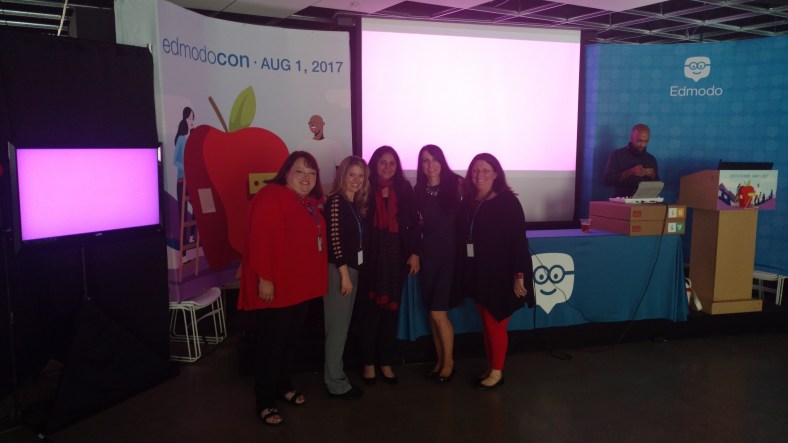
EdmodoCon 2017

Honored and Amazed: EdmodoCon 2017


I have been a huge fan of Edmodo the last four years and it has really brought about tremendous, positive changes in my classroom, for my students and opened up a lot of new opportunities for me as well  Edmodocon, an online conference, takes place in August and is held at Edmodo headquarters in San Mateo, California. Each spring, Edmodo accepts proposals from educators to be selected as one of the featured speakers during this event. The last two years I had submitted a proposal to speak at EdmodoCon, not fully understanding the magnitude of it even though I had watched it each year, and definitely not expecting that I would be one of those selected to present.  I took a chance again this past year and submitted a proposal and definitely put some extra time into what I wanted to say and decided to just go for it. Honestly, I did not think that I would be selected.

​Finding out I was one of the educators selected to speak at ​EdmodoCon was really an emotional moment where I felt a little bit overwhelmed, very surprised, tremendously honored, and definitely scared. There was also ongoing disbelief that I had been chosen.

I had watched ​EdmodoCon the last two years and knew how it was set up​,​ where the people were speaking from​,​ and also that many thousands of people were watching from around the world while the event was ​streaming live. All of these images passed through my mind a​t​ a glimpse when I found out I was selected but the excitement ​was sometimes exchanged for nerves. I​ just could not believe that I was chosen and could not wait to attend.
I have been using Edmodo ​since 2015 and it truly has made a huge impact in my classroom. I found it almost accidentally, looking to find a way to open up more access for my students and to help solve some problems in communication, and availability. Over the years, the way​s​ that we have used Edmodo has changed and many new features have been added, making it even better than it already was. Having the opportunity to see the people working behind the scenes at Edmodo and to talk with ​each person was phenomenal.

How does one prepare for ​EdmodoCon?

Unlike any other presentation you have prepared for! While I have given many presentations in the form of Professional Development sessions, speaking at conferences and online learning ​events, preparing for something like this was a much greater feat. My session would be a ​2​​0 to ​30 minute presentation, speaking ​live from​ Edmodo. I needed to craft a message that would inform the participants or “Edmodians”, who were​ ​already familiar with Edmodo and knew so much about it. My goal was to convey my message of why and how it has made such an impact ​in​ my classroom.
Countless hours spent crafting the presentation​,​ re​-​working the images​,​ thinking through what I would say on August 1st, and lots of communication between myself and N​iccolina and ​Claire. The support I received was fantastic. The team was always readily available to give guidance and feedback, to do practice run​s​ ​or​ whatever was needed. They were there to support me and all of the speakers and definitely made the whole experience phenomenal, and always found ways to calm those nerves with reassurances and positive encouragement.


Prepping for EdmodoCon

I think I lucked out because I had the benefit of a little preparation when I was asked to speak about Edmodo during the Microsoft Hack the Classroom in San Antonio​ while at ISTE​ this summer. I prepared a​ ​5 minute “Ignite” talk on the integration of Microsoft Office with Edmodo and this experience definitely help​ed​ me to better prepare for EdmodoCon, but then again it was unlike any other experience I have had. It gave me some practice speaking in a studio setting with a live audience, microphone and cameras, but it didn’t quite prepare me for the full experience since it was only a five minute talk. But nevertheless, I am grateful for having had that opportunity to connect and to get a little bit of practice in before heading to the main event. Being able to step out of my comfort zone, and do something like this for the first time, was a challenge and I was very nervous about it, but having this experience definitely helped.

Heading to EdmodoCon

Going ​to San Francisco, arriving at Edmodo Headquarters, and meeting the other educators was tremendous. I was very excited about the day, getting to spend time at Edmodo, practicing a little and just being in the same space with educators from around the world, and having time to sit down with them and share how we use Edmodo was awesome. Being there and having the support and generosity of the whole Edmodo team, becoming connected with these other educators, really added so much more to what I already love about Edmodo. The whole team of Edmodo is people focus​ed,​ they work ​​for the students, they are a family and they are there to be a constant source of  support and encouragement to one another.

The way that we were all welcomed by the team was unlike anything I have ever experienced. We were greeted at check-in with welcome bags full of Edmodo gear, picked up by members of the team and driven to Edmodo headquarters where we had time to tour the office and also to ask questions of all of the team members working hard to make Edmodo what it is. We had catered meals, access to anything we could possibly want to make our time there more comfortable and most of all, we experienced a true sense of belonging and being part of the Edmodo family. Being able to meet for the first time people who have done nothing but work to make Edmodo a better platform for students and for education and who truly value the input from educators and the connections made, was an honor. Edmodo is how I made changes to my classroom that enabled me to open up more access to the resources the students need and also access to a world full of learning opportunities. Being selected to speak there and to share my experience with so many educators around the world was very humbling.

It is probably the most nervous I have ever been before a presentation and waiting for it to be my turn to speak was definitely a challenge for me to stay calm and focused.  But hearing Jennifer’s presentation before mine helped and once I entered into the room and put the headset on, my nerves pushed aside and I was ready to go. Of course I was still nervous but I felt like I could get through it, I was ready to share our story.  And I think the one thing that really helped to break the ice for me was when my slide deck would not load correctly and I just had to go on and start talking with fingers crossed that it would actually work. It’s really not much of a surprise that I would have some kind of a technical difficulty because I often joke that the technology cloud of darkness follows me at times. But the show must go on and if my slides did not work well then I was just going to have to talk my way through it as best as I could. Fortunately it only took a few minutes for everything to reload and so I was able to carry on through the presentation.

How did it go? I think for the most part I am pleased with how it went and I caught myself getting a little emotional at the start because it really hit me that I was speaking there and I have been so thankful for what Edmodo has provided for me to make things available for my students in my classroom. But standing there and having that chance to speak and share our experience with my own personal learning revelations about my teaching methods and why I needed to change was bittersweet.

Because I’m a reflective person and I did want to evaluate my speaking and be mindful of words or mannerisms that catch my attention, I watch the replay of the video. I first noticed the look on my face when told that my slides weren’t loading and then I should just start, it was a look of wait what? And as for my overall presentation, of course I did come up with a few things  that I would change. But that’s how we learn and grow and move forward. We have to reflect, we will make mistakes, we will face challenges and while it is important to acknowledge these, the most important thing is that we share our message and that we also share our learning and reflections in the process.


Edmodocon was amazing and it gave me a lot of new ideas for this school year and ways we can use Edmodo to knock down those classroom walls and to bring in opportunities for students to learn more about the world and to provide a safe space for them to connect with other students in the world. We can empower our connected learners.

Celebrating together after EdmodoCon 2017

IMG_20170801_184215600.jpg


New features to our favorite tools: Part II

Kahoot!

Over the past couple of years, there have been a lot of new features added to make Kahoot even more engaging for students and teachers. Some of my favorite features are the questions automatically going through to the next one, the podium feature, its method for kicking out inappropriate names, the new Kahoot! app and other subtle changes to layout and options of the platform.  This year has brought two new things, that may be my favorites so far.

The first one I learned about while at ISTE in San Antonio, when I had the opportunity to spend some time with the team of Kahoot and learned about the “challenges” that they were creating. If you haven’t had the chance, you can “challenge” students to complete one of your games by sharing a code with them, just as you do for the live games but students can log into it within the app on their phones. Students can even challenge one another on different topics that they find in the app and so it’s a good way to provide practice for students outside of the classroom, where they don’t have to rely on the Smartboard to see the questions but rather have everything available on their device.

Screen Shot 2017-12-04 at 10.25.45 PM

Photo from Kahoot! Blog

RockstarPanda, EpicFox, Friendly Moose and StellarCheetah?

But the most fun that I’ve noticed is unexpectedly was about 2 weeks ago, I created a game for my students to play and at the top of the options, I noticed the option for “generating creative usernames”. So I figured why not, selected it and couldn’t wait for the students’ responses. The generating of creative student names resulted in my students saying that I was taking away their creativity. Kind of funny but these generated names were much more original than the names that they had commonly used when joining our games. I’m not going to lie, it was quite fun to yell out who is “Mystery Panda”, “Fantastic Bat”, “Daring Dog” rather than the usual names. Plus I think it’s a nice way to have anonymity in the game so that students feel more comfortable answering and not so worried about what their score is in front of everyone else.(Even though the often yell out what their score is).

The “Nickname Generator” has a list of 800 unique two word name combinations and using it is a great idea, because it saves the time lost while students try to come up with their own “Creative” names.

Games for the Hour of Code

In recognition of the week of December 4th through the 10th, being Computer Science Education Week, and the “Hour of Code”, Kahoot has added some games to help students understand some basics of coding. Try these out for some fun ways to get the students involved with coding and use the game as a starting point for some class discussion.

Screen Shot 2017-12-04 at 10.24.44 PM.png

From Kahoot!

New Look for the Kahoot details page

 I noticed something different when I launched a Kahoot game and that was the appearance of the page once I clicked on the game we wanted to play. It has a much clearer appearance, easy to navigate and a nicer layout. Here is how it looks:

Screen Shot 2017-12-04 at 10.17.26 PM.png

The “Play” and “Challenge” buttons are easy to find. You can see the questions and timers for each. By selecting the “Show Answer”, you are then able to see the choices for each and the correct response for each question.

Screen Shot 2017-12-04 at 10.20.48 PM

New features to our Favorite tools! Part I

Here is the first part of a series focused on some of the latest updates to four of the digital tools that we regularly use in our classroom. I admit that I may have been more excited than the students, when I came across these updates, but once we tried them in class, the students were just as excited for these new features.

First is Nearpod. Nearpod + VR College Tours and Remind! Nearpod has been a game changer in my classroom. Students have engaged more in learning when we do lessons in class and they are interested in creating their own lessons, and taking on more of a leadership role by running the lessons on their own. Nearpod continues to add new features, making it a versatile tool that provides an immense library of lessons to choose from and a wide selection of activities, content and other resources to include into each lesson. Over the past few months, Nearpod has made some updates and integrated new features into the already extensive platform. Some of the new features  launched include: having more than 50 video lessons available through the BBC, option to view in “Student Mode” on the Teacher Dashboard, PheT Sims interactive Math and Science Lessons, and  making lessons with these resources available for immediate implementation into class. It is easy to find lessons that pertain to different content areas and grade levels, and which include a variety of tools for assessment and for engaging students more in learning.

Nearpod provides a very user friendly interface, which makes it easier for teachers to start using Nearpod and to build comfort when designing their own lessons. It is also highly beneficial for keeping the students actively learning on days when teachers have to be away from the classroom, through the use of Nearpod for Subs.
Launching lessons can be done live, with a join code in class, or shared through
a link, social connections, or through Google Classroom. But there is a new
update that makes it even easier to share, and that is Nearpod’s integration of
Remind as a way to share lessons. By integrating with Remind, educators send
the link through Remind, enabling students to start the lesson whenever they can
and wherever they are.
Another recent addition to the vast Nearpod library are the College Tours,
available in VR. What a great way to have students take a look at different
schools, without having to travel the distance, and to be able to immerse in the
campus and look around. There are currently 27 different colleges represented in
the collection, which include Universities such as Cambridge, Oxford, UNAM and
Taiwan and Tokyo, to name a few. A really great addition to the Nearpod collection and I recommend checking out the tours, and you can even use these as a way to create a scavenger hunt for students.