The Truth About Learning Styles

Guest Post by Grace Coderre, Renee Graczyk, Lucy Vician

Opinions expressed are those of the authors

“Learning styles” is a concept that perpetuates the idea that certain individuals learn better when information is presented in their preferred style of learning (e.g., visual, auditory, kinesthetic). Diagnosing and presenting information according to learning styles has been a prominent practice in K-12 through higher education learning environments for years. There is also a thriving industry devoted to producing learning styles materials, including learning style tests, guidebooks, and workshops, all designed to assist educators in understanding and effectively teaching to students based on their specific style.

Upon copious research, we have concluded that learning styles lack credible validity and should not continue in educational settings. There are serious implications from accepting learning styles as fact. First of all, schools are wasting valuable and limited time and resources dedicating their practice to this misconception. Teachers spend precious time and effort catering to children’s learning styles when they could otherwise be implementing strategies scientifically proven to help students learn. The use of learning styles also limits student’s ability to overcome obstacles and develop a growth mindset, a crucial aspect of resilience. Students who are taught and believe that they can only learn through one style may reject instruction that does not reflect their chosen mode.

Learning styles are commonly chosen based on the individual’s perceived favorable mode of receiving information. However, this self-report may not be accurate and neglects to address the issue that one learning style may not be applicable to the multitude of modes needed to teach the variety of subjects mandated by the curriculum. The fact stands that the modes of teaching are dictated by the subject being taught. For example, students who are being taught geography will benefit from visually seeing a map in order to understand the content. Self-proclaimed “auditory learners” will not better understand geography based on an auditory explanation of the content (Marshik, 2015).

One of the main issues with the concept of learning styles is that it does not encourage students to struggle with learning in different ways. In reality, students need to be able to adapt to learning in different ways. Students will face a diverse set of lessons in their schooling that use different modes of learning. At some point, students will come face to face with lessons that need them to focus on being kinesthetic, auditory, visual, or tactile learners, either individually or all at the same time. The joy of learning and education is that you can do it in so many ways, which begs the question of why are we subjecting students to only focus on one type? Instead of spending so much time on having students figure out which learning style suits them best and altering lessons to fit those results, teachers should aim to help students embrace all styles while keeping an open mind.

Theresa LeBlanc from Texas University did a study on this subject and concluded that “teaching students the cognitive processes and skills involved in learning—those strategies that help learners think, solve problems, and create meaning—can similarly empower students, not with a false sense that one can learn only one or two ways, but with an understanding that learning is multifaceted, reflecting different combinations of learning abilities that make us effective in different ways” (LeBlanc, 2018, p. 39).

Students will be much more effective learners if they can adapt to any style of teaching and learning. Teachers can promote this idea of learning style flexibility while also celebrating student differences. While learning styles don’t have sufficient evidence, it is true that students learn best in different ways. Teachers can help students notice these differences and embrace them as a way to celebrate the uniqueness of learning. This is a much better use of time and resources in school than promoting an idea that has no adequate evidence to back it up.

But why has this educational myth persisted for so long, and more importantly, how can we, as future teachers, examine popular teaching approaches through a critical lens? Researchers, including Riener and Willingham (2010), believe that the confirmation bias has given us reason to believe that one learning style works best for everyone. Reiner and Willingham stated that “when evaluating our own beliefs, we tend to seek out information that confirms our beliefs and ignore contrary information, even when we encounter it repeatedly. When we see someone who professes to be a visual learner excel at geography and an auditory learner excel at music, we do not seek out the information which would disprove our interpretation of these events” (p. 35). These scholars believe that, in order to critically examine popular teaching approaches which might not be based in evidence, or even worse, might be harming our students’ learning, we need to be able to challenge our existing beliefs rather than accept what others say at face value.

Author Bios:

Grace Coderre is majoring in Early Childhood Education and minoring in Psychology at the University of Massachusetts Amherst.

Renee Graczyk is a third year student at the University of Massachusetts Amherst, majoring in Early Childhood Education and minoring in Psychology.

Lucy Vician is majoring in Early Childhood Education and minoring in Psychology at the University of Massachusetts Amherst.

About Rachelle’s blog

Contact Rachelle to schedule sessions about Artificial Intelligence, Coding, AR/VR, and more for your school or your event! Submit the Contact Form.

Follow Rachelle on Twitter(X) and Instagram at @Rdene915

**Interested in writing a guest blog for my site? Would love to share your ideas! Submit your post here. Looking for a new book to read? Find these available at bit.ly/Pothbooks

************ Also check out my THRIVEinEDU Podcast Here!

Join my show on THRIVEinEDU on Facebook. Join the group here

References

LeBlanc, T. (2018). Learning styles: Academic fact or urban myth? A recent review of the literature. Journal of College Academic Support Programs, 1(1), 34–40. https://doi.org/10.36896/1.1fa4

Marshik, T. (2015). Learning styles and the importance of critical self-reflection [Video]. TEDxTalk. https://www.youtube.com/watch?v=855Now8h5Rs

Reiner, C. & Willingham, D. (2010). The myth of learning styles. Change,

42(5), 32–35. http://www.jstor.org/stable/25742629

Empowering Teachers with Conversational AI

In collaboration with Kyron Learning, All opinions are my own

As educators, we have access to a wide variety of digital tools to bring into our classrooms. We use these to enhance learning and provide new opportunities for students to build content knowledge, as well as help them to develop essential digital skills. With the right methods and tools, educators are able to achieve the goal of providing the most authentic, meaningful, and personalized learning experiences for all students. Leveraging these resources helps us to do this more efficiently and effectively and enables us to provide timely feedback and support to our students.

Now, with the power of generative AI, there are even more valuable resources available for educators to bring into their classrooms. We can use these tools to enhance the content being taught and also to support students so they learn how to interact with AI responsibly and safely.

Kyron Learning is a revolutionary interactive video learning platform that leverages conversational AI to transform the way educators can support their students. Kyron empowers teachers by saving them time, personalizing instruction, and providing valuable student data. With Kyron, students have access to a personal tutor who works with them as they build their skills in an engaging space. The power of AI helps teachers create interactive lessons that are student-paced and student-focused. As students work through a lesson, it truly feels like a one-on-one tutoring session with a real teacher. Students can ask and respond to questions, engage in further discussions, and receive immediate feedback, all made possible by Kyron’s AI assistant. The “conversational engine” listens to the student’s responses and selects the most appropriate pre-recorded video segment to play next. When you try a Kyron lesson for the first time, you will be amazed at how well it flows!

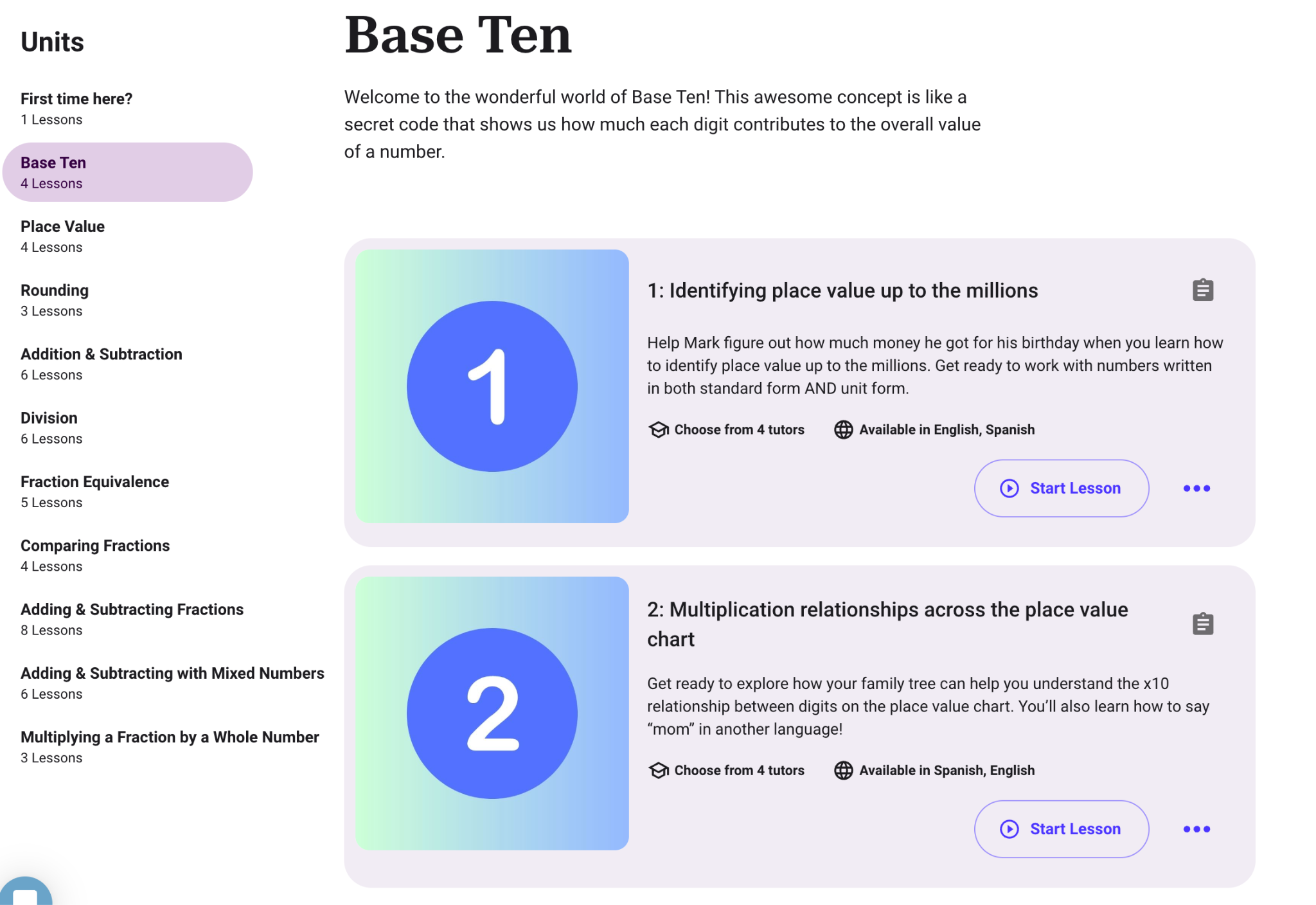
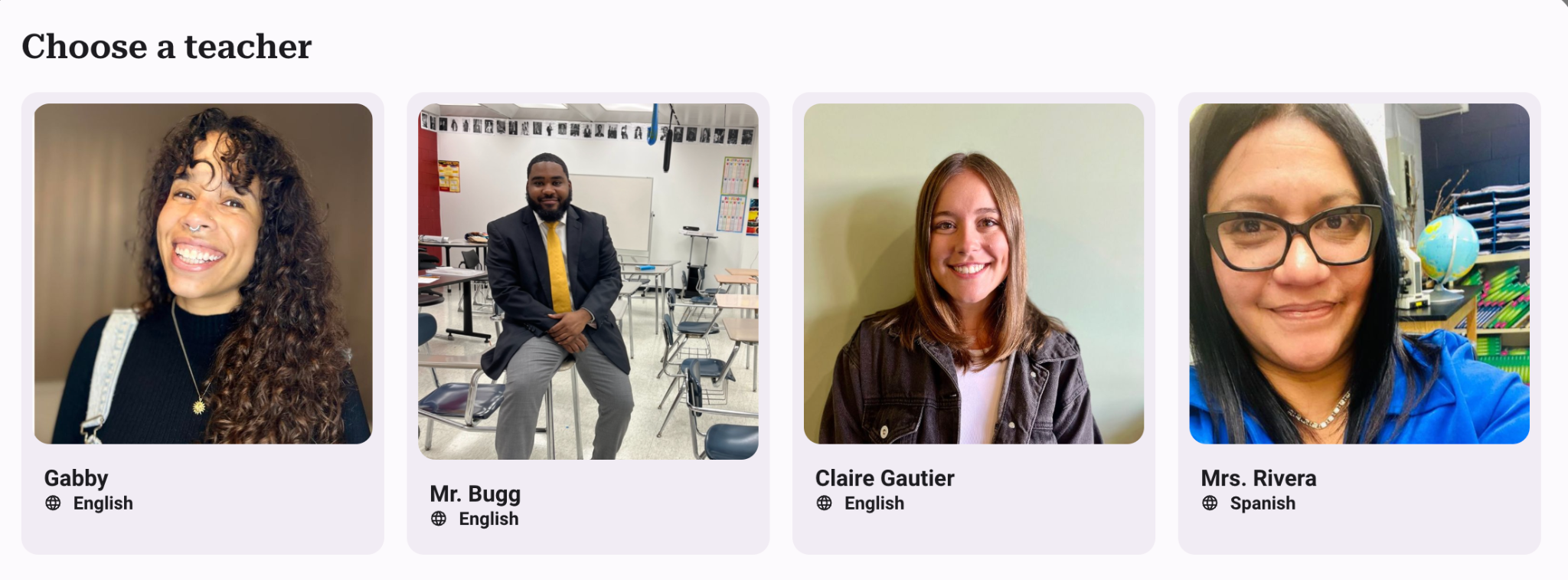
Using Kyron, teachers can provide additional opportunities for students that give them more individualized learning experiences. It is easy to get started by simply choosing from the many lessons already available for students. Are you teaching math? Explore the lessons available such as “Base Ten,” “Place Value,” or “Comparing Fractions.” You will see the objectives, the number of lessons, and the languages available. You can even choose your tutor! With Kyron, teachers also have access to resources such as blogs and other materials to get them started!

Kyron Studio

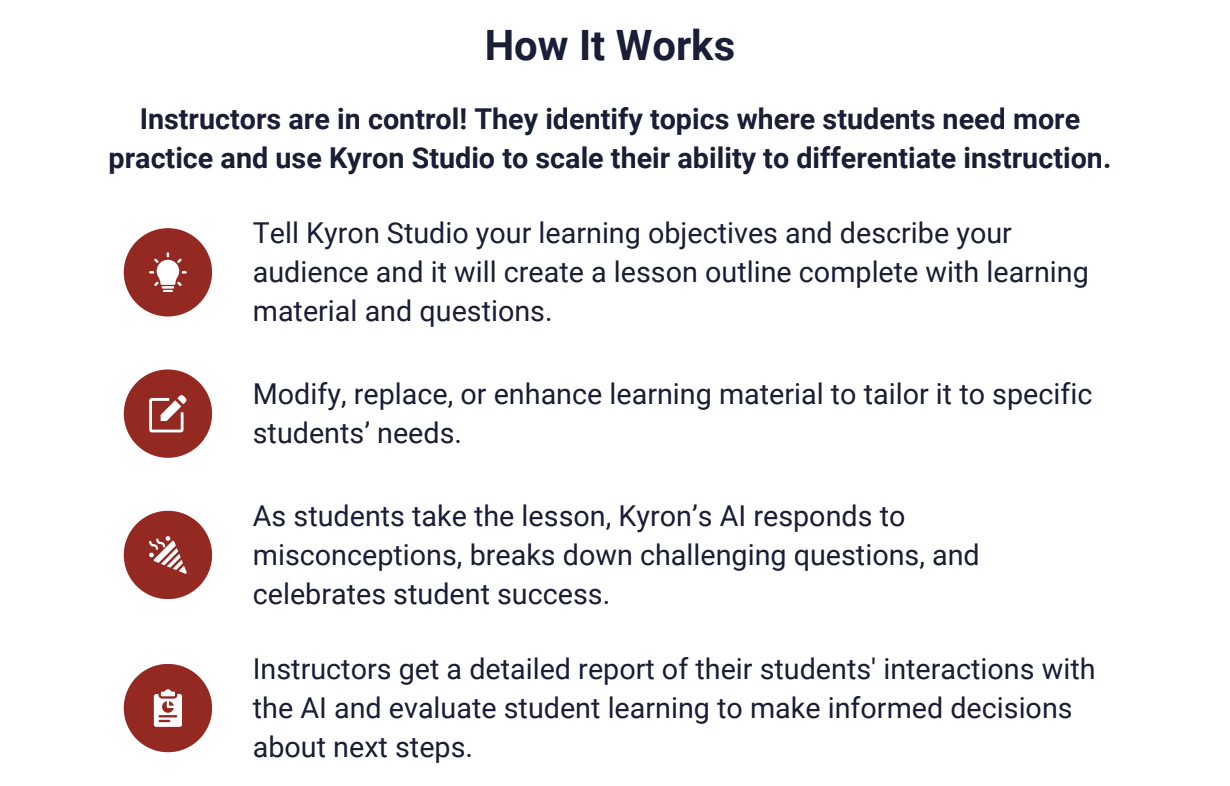
Newly available in March, teachers can now create their own lessons for students using Kyron Studio! In addition to what Kyron already provides, with Kyron Studio, teachers can become AI tutors! Educators are also able to share and collaborate on lessons, leveraging the collective expertise of the teaching community. In Kyron Studio, teachers can design multi-modal AI-facilitated tutoring sessions for their students and make them even more personalized.

The sessions can be customized based on each teacher’s curriculum and include videos and visuals. It is a learning experience that engages and helps every learner to understand a concept in an authentic way and at their own pace.

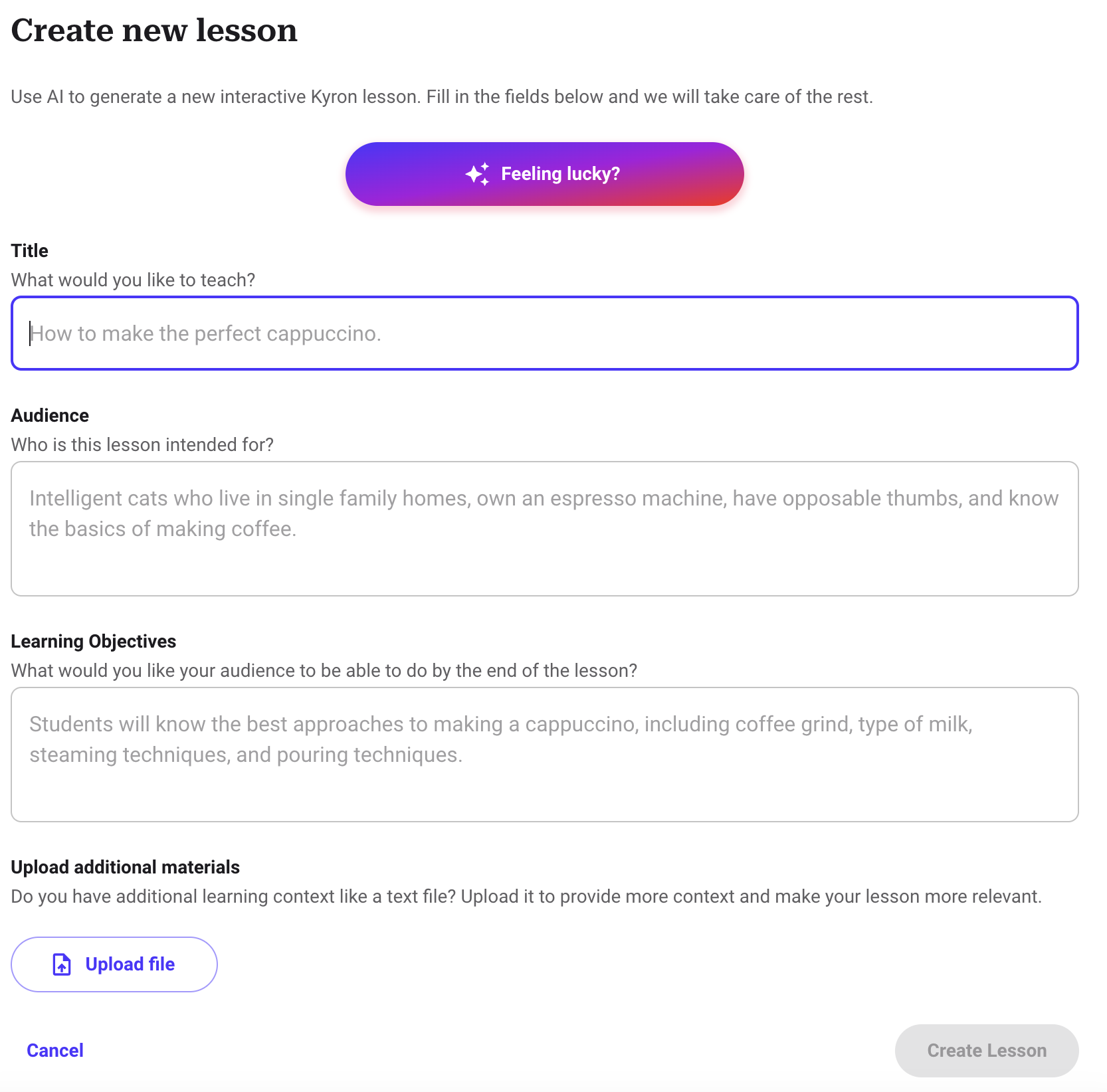
Getting started with Kyron Studio is easy! You simply enter your objectives and provide relevant information about your learners, and a lesson outline with materials and questions will be generated. Once the lesson is generated, teachers can make any changes to the AI-generated content.

Learning with Kyron is fun!

As students work through lessons, they experience those “aha” moments when they finally understand something, and you can see their excitement! It is an engaging learning experience for students and one that also teaches them about purposeful and safe uses of AI. It benefits teachers because they can see students’ progress and support them right when they need it! While we all know technology can’t replicate the relationships between a teacher and a student, Kyron aims to also provide a supportive digital environment where students feel seen and valued.

I worked through several lessons and really enjoyed the experience. It was very different from other interactive lessons and platforms that place students in the lead. To start, I spent time selecting a lesson to dive into and then was surprised that I was able to choose my tutor! I enjoyed testing how my tutor would respond to my answers and questions. I told my tutor that I was confused, entered incorrect answers, and asked for help and more clarification. Each time it responded to me in such a personalized way that helped me to understand. If I got an answer wrong, my tutor provided me with an explanation or another example. It was amazing to see how well it responded to my questions and adjusted similarly to how a teacher would with students in the classroom.

Some of the great features of Kyron are:

Multimodal Learning: Lessons can incorporate videos, images, and text, catering to diverse learning preferences and creating a more engaging experience.

Easy Lesson Creation: Kyron Studio offers an automated and user-friendly interface for educators to build custom AI-powered tutoring sessions.

Educator Choice: Educators control lesson content, can upload their own visuals, and curate the questions and answers, which makes it more authentic for students.

Assessment and Misconception Detection: Kyron identifies student misconceptions during lessons, providing valuable insights for educators to personalize and target instruction.

Focus on Safety and Ethics: Kyron prioritizes student safety by implementing controls and moderation layers to prevent inappropriate interactions.

Commitment to Transparency: User data is anonymized and used ethically to enhance the platform.

Supporting Educators and Students

In an increasingly digital world, especially with the rapid advancements in AI, what I value about Kyron is its approach when it comes to the use of AI and the creation of this platform. The key principles are:

  • Connect, Engage, Encourage: When students complete a lesson, they are supported and receive encouraging feedback during their learning journey.
  • Teach Through Dialogue: The lessons are interactive and fun for students to complete because they are involved in a conversation. Through prompts that promote critical thinking and problem-solving, students can build their skills in ways that meet their pace and specific needs.
  • Work in Concert with Teachers: Kyron provides high-quality, differentiated curriculum and gives teachers access to real-time student progress data. It helps teachers to target instruction and personalize instruction for every student.

There are so many great lessons available to start with, or just dive in and create your own lesson in very little time. I definitely recommend that you try some lessons to experience how unique Kyron is.

Ready to transform your classroom and empower your students? Visit Kyron Learning today at http://app.kyronlearning.com and see how Kyron can help you create a personalized and engaging learning experience for all students!

And if you want to learn more and connect with other educators, Kyron just launched a community for educators called the Visionaries! Educators can join at www.kyronlearning.com/visionaries. Explore the great resources such as tutorials and more!

About the Author:

Rachelle Dené is a Spanish and STEAM: What’s Next in Emerging Technology Teacher at Riverview High School in Oakmont, PA. Rachelle is also an attorney with a Juris Doctor degree from Duquesne University School of Law and a Master’s in Instructional Technology. Rachelle is currently finishing her doctorate with a focus on AI and Professional Development. In addition to teaching, she is a full-time consultant and works with companies and organizations to provide PD, speaking, and consulting services. Contact Rachelle for your event!

Rachelle is an ISTE-certified educator and community leader and served as president of the ISTE Teacher Education Network. She was named one of 30 12 IT Influencers to follow in 2021 and one of 150 Women Global EdTech Thought Leaders in 2022.

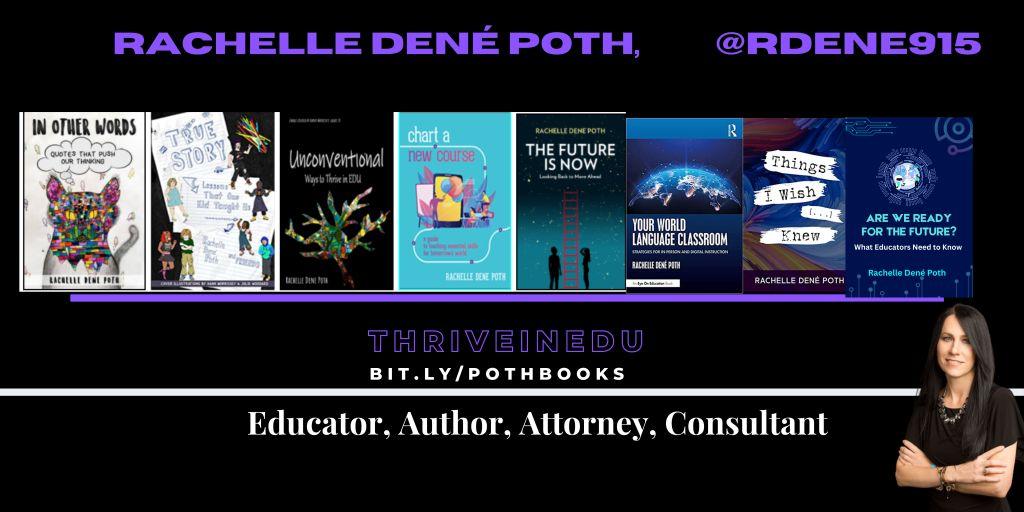
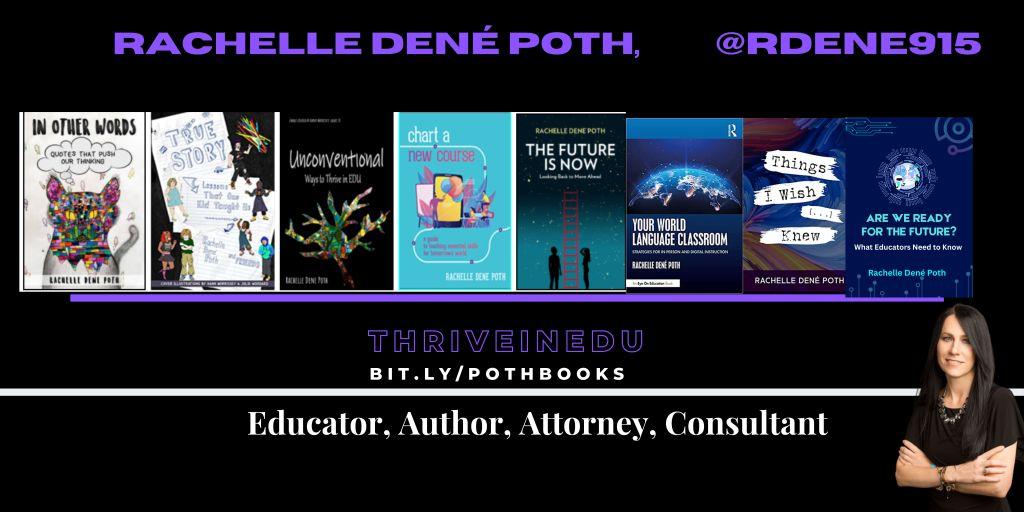
She is the author of eight books including ‘In Other Words: Quotes That Push Our Thinking,” “Unconventional Ways to Thrive in EDU,” “The Future is Now: Looking Back to Move Ahead,” “Chart A New Course: A Guide to Teaching Essential Skills for Tomorrow’s World, “True Story: Lessons That One Kid Taught Us,” and her newest book “Things I Wish […] Knew” is now available at bit.ly/thingsiwishedu.

Contact Rachelle to schedule sessions about Artificial Intelligence, Coding, AR/VR, and more for your school or your event! Submit the Contact Form.

Follow Rachelle on Twitter(X) and Instagram at @Rdene915

**Interested in writing a guest blog for my site? Would love to share your ideas! Submit your post here. Looking for a new book to read? Find these available at bit.ly/Pothbooks

************ Also check out my THRIVEinEDU Podcast Here!

Join my show on THRIVEinEDU on Facebook. Join the group here

Innovation with PASCO in the Classroom

In collaboration with PASCO Scientific, All opinions are my own

As educators, our work extends beyond teaching our content. We are preparing our students for a rapidly evolving world that is experiencing changes in the world of work, especially because of the impact of technology. There is an increasing demand for STEM (Science, Technology, Engineering, and Mathematics) skills, with a continued growth in the number of STEM-related jobs available. Therefore, introducing STEM in all classrooms will best prepare students with the skills necessary to thrive as the world of work continues to change. Finding the right methods and tools is key. PASCO Scientific is a great option for educators looking to get started with STEM.

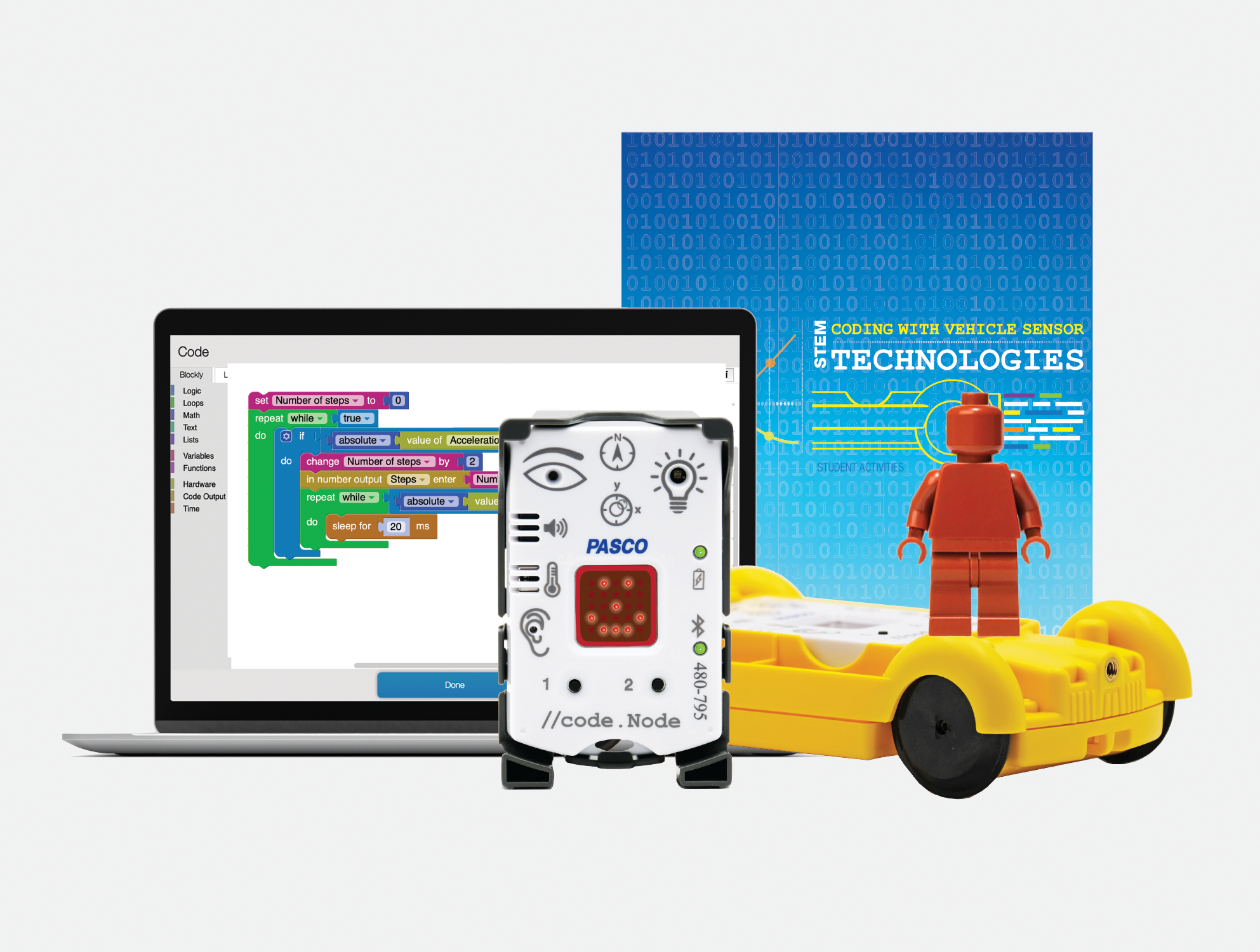
PASCO has developed tools and resources that make STEM learning engaging, interactive, and relevant for all students. My most recent exploration of their Coding with Vehicle Sensor Technologies Kit has been a great addition to my STEAM class and is easy to get started with!

Learning about sensors and more

The Coding Kit enables students to explore physical science by designing, testing, measuring, and coding with sensors that are similar to the technology used in modern vehicles. Because the kit provides students with a hands-on learning experience, it helps them to think about abstract and complex concepts and also sparks curiosity about how things work. It places them in the lead more with problem-solving, critical thinking, and collaboration with classmates and engages them in a variety of beneficial learning experiences. All of these are essential skills that are in demand and will lead to success for students.

What makes PASCO different

The way that PASCO provides the materials for educators and students makes it easy to get started. The kit includes everything that enables educators and students to start right away. The kit comes with the //code.Node is a wireless device that has six sensor inputs, a speaker, RGB light, and an LED array. It’s designed to make data collection and analysis more intuitive for students, encouraging them to explore and develop an understanding of various phenomena through block-based programming. Because the device is user-friendly, it requires minimal setup and supports students so they can dive right into experiments and have more time to explore and take on the learning challenges! The //code.Node Cart amplifies the learning by giving students the chance to engage in a more immersive exploration of vehicle sensing technology and it is a lot of fun for students to work with it in class and develop an understanding of what goes into programming vehicles and leads them to think about autonomous vehicles and all of the considerations that need to be made.

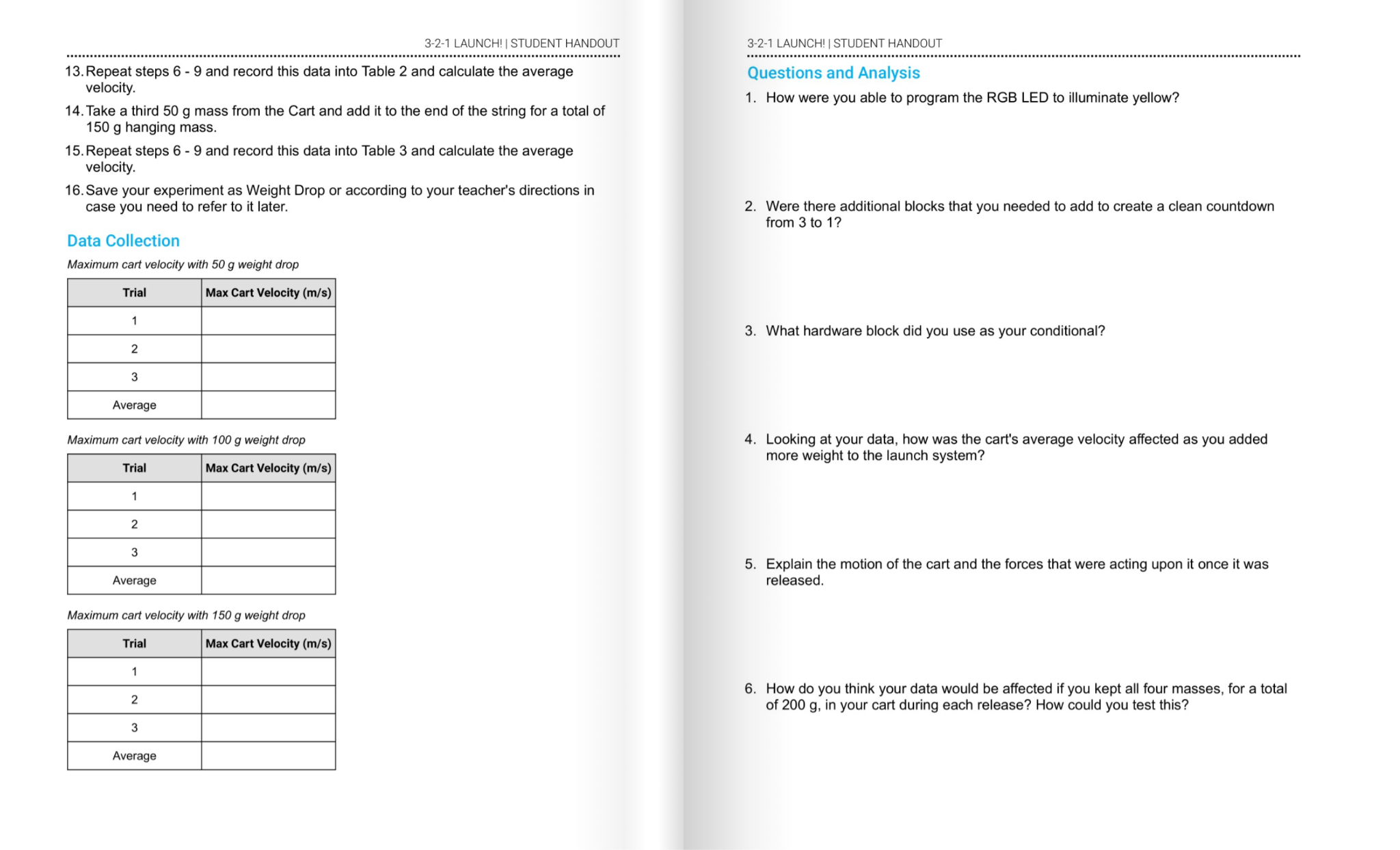
The Teacher guide is well-designed to help with setting up the code.Node. It helps with understanding the components of the kit and how to get students started. The student activities workbook provides a variety of lessons and learning opportunities for students to explore. I like how it explains concepts to students, gives them space to write and reflect, and various challenges to try to build their skills. The hands-on experiments are so valuable for students, and with everything provided in the kit, getting started was quite simple and not time-consuming.

Great resources for learning!

[Sample challenge in the student activities workbook]

There are activities like engineering turn signals and creating impact alert systems. These were exciting for students to learn about and enhanced their understanding of the science behind vehicle technology. Each activity is designed in alignment with science standards and helps to foster skills across different STEM disciplines, including data analysis, mathematics, and even language arts, as students share what they have learned and even present their findings to classmates.

[Sample pages in student activities workbook]

Taking the learning experience a step further, the //code.Node Cart transforms the //code.Node into a programmable vehicle sensing device. Students can replicate, program, and investigate automotive technology and learn about the work of engineers, which is a great way for students to explore potential careers and engage in authentic and meaningful learning!

Using the //code.Node Cart, students were able to simulate real-life engineering tasks, from programming turn signals to exploring the dynamics of crash tests. With the hands-on approach and the use of real-world scenarios, it also helps students to develop essential skills of problem-solving, creativity, collaboration and more while fostering a deeper understanding of both the technology and the engineering design process.

The Ease of Block-Based Coding with Blockly

Another great feature is its use of Blockly for coding. Coding can be scary for some, and getting started can be a challenge, depending on the type of coding program involved. However, with PASCO, the use of block-based programming language helps to simplify the coding process, which makes it more accessible for all students. By connecting visual blocks, students can build their skills in coding by first mastering programming basics without worrying about starting with something very complex. With this approach, students can shift their focus on the logic and problem-solving aspects of coding, which are crucial skills in demand in the world of work.

Engaging Activities and Real-world Applications

PASCO’s kit is full of activities that will boost student engagement as they learn about vehicle technology. Completing challenges such as engineering turn signals to designing crash test alert systems, each activity provides guidelines and support for students. The activities also promote cross-curricular connections, which is great for students to apply a variety of skill sets and knowledge in new ways. Also, the inclusion of video lessons, printed worksheets, and an interactive workbook or digital flipbook makes the learning process more student-led and accessible to all students.

What makes this unique is that students can work independently and collaboratively and have the activities book to guide their discoveries. It supports them as they work through each challenge and consider how to design their project, the coding needed, and the improvements that may need to be made, and then try again. It embraces the learning process rather than an end product. The students learn together how to improve and hopefully realize that there is always something different to try, a way to improve, and that making mistakes is fine because they are learning!

Preparing Students for the Future

Integrating activities like those in the Coding with Sensors Kit leads students to make real-world connections and understand automotive engineering and modern vehicle safety features. The code.Node kit not only educates but also hopefully sparks interest in students to consider exploring STEM-related careers, which are in demand. It makes the learning experience more relevant through real-world scenarios and applications, which shows students the impact they could make through skills in science and technology.

Learn more about the Coding with Sensors Kit and more great products from PASCO!

About the Author:

Rachelle Dené is a Spanish and STEAM: What’s Next in Emerging Technology Teacher at Riverview High School in Oakmont, PA. Rachelle is also an attorney with a Juris Doctor degree from Duquesne University School of Law and a Master’s in Instructional Technology. Rachelle is currently finishing her doctorate with a focus on AI and Professional Development. In addition to teaching, she is a full-time consultant and works with companies and organizations to provide PD, speaking, and consulting services. Contact Rachelle for your event!

Rachelle is an ISTE-certified educator and community leader and served as president of the ISTE Teacher Education Network. She was named one of 30 12 IT Influencers to follow in 2021 and one of 150 Women Global EdTech Thought Leaders in 2022.

She is the author of eight books including ‘In Other Words: Quotes That Push Our Thinking,” “Unconventional Ways to Thrive in EDU,” “The Future is Now: Looking Back to Move Ahead,” “Chart A New Course: A Guide to Teaching Essential Skills for Tomorrow’s World, “True Story: Lessons That One Kid Taught Us,” and her newest book “Things I Wish […] Knew” is now available at bit.ly/thingsiwishedu.

Contact Rachelle to schedule sessions about Artificial Intelligence, Coding, AR/VR, and more for your school or your event! Submit the Contact Form.

Follow Rachelle on Twitter(X) and Instagram at @Rdene915

**Interested in writing a guest blog for my site? Would love to share your ideas! Submit your post here. Looking for a new book to read? Find these available at bit.ly/Pothbooks
************ Also check out my THRIVEinEDU Podcast Here!

Join my show on THRIVEinEDU on Facebook. Join the group here

Digital Badging

Digital Badges & Micro-credentials: Being an Edtech Librarian in 2024

By Amanda Hunt aka @thenextgenlibrarian

These two concepts, badging, and education, play crucial roles in modern classrooms and libraries, bridging the gap between learning, recognition, and advocacy. In today’s rapidly evolving digital landscape, educators are not just running to catch up to new technologies; they’re becoming the pioneers and advocates for their integration into the classroom, library, and beyond. As traditional teaching methods intersect with innovative digital tools, educators are seizing the opportunity to become leaders in educational technology (EdTech). One notable trend in this realm is the rise of educators earning digital badges and ambassadorships from EdTech apps, websites, and more.

Digital badges have emerged as a means to recognize and showcase an individual’s skills and accomplishments in various fields, including education. By showcasing these badges, educators are putting their resumes in their email signatures. They are showing how they are still learning, usually on their own time, how to best take these new apps and bring them into the school buildings. Badges serve as virtual credentials, providing evidence of a teacher’s expertise in utilizing specific EdTech tools or implementing innovative teaching practices. The process of earning digital badges typically involves completing training modules, sharing lessons created using the tools, participating in workshops, or demonstrating proficiency in using a particular technology within an educational context.

Ambassadorships, on the other hand, involve a deeper level of engagement between educators and EdTech companies. Educator/Teacher ambassadors are selected representatives who possess in-depth knowledge of a company’s products or services and are passionate about integrating them effectively into teaching and learning environments. These ambassadors serve as advocates, sharing their experiences, insights, examples, and best practices with fellow educators, thereby fostering a community of learning and collaboration. A lot of times, they will present these tools in webinars, online, and in-person conferences.

What is the draw for educators to get certified in badges and earn ambassadorships? Firstly, in a rapidly digitizing world, staying abreast of the latest technological advancements is crucial for educators to deliver high-quality instruction. Many schools require teachers to use some form of technology in their classrooms. By having the librarian earn micro-credentials and badges through professional development training, they’re able to teach the teachers how to use the tools so they can use them in the classroom with students. By earning digital badges, educators demonstrate their commitment to training, growth, and improvement, as well as their willingness to adapt to new teaching methodologies. These badges also serve as a tangible record of their ongoing learning journey, which can be invaluable for career advancement and professional recognition.

Secondly, ambassadorships offer educators a platform to amplify their voices and influence within the EdTech community. Sometimes there’s even swag involved! As ambassadors, educators have the opportunity to network with industry professionals, participate in exclusive events and conferences, and contribute to the development and improvement of educational technologies. Moreover, serving as an ambassador allows educators to shape the direction of EdTech tools by providing feedback based on their practical experiences in the classroom.

Additionally, both digital badges and ambassadorships contribute to building a culture of collaboration and innovation within the education world. By sharing their knowledge and expertise, educators inspire their peers to explore new technologies and teaching methodologies, ultimately enhancing the learning experience for students. Moreover, the recognition and validation offered by digital badges and ambassadorships motivate educators to continuously seek out opportunities for professional growth and development. Too often these edtech companies don’t think as a teacher, but as a business owner. Asking for teacher input is critical for making their products successful, adaptable and future ready.

The increasing prevalence of educators earning digital badges and ambassadorships reflects a growing recognition of their pivotal role in driving innovation and transformation in education. Teachers and librarians want to be recognized for the work they’re doing and oftentimes, that’s not happening on their campuses. By leveraging these opportunities, educators can not only enhance their own professional development but also contribute to the broader goal of creating more engaging, inclusive, and effective learning environments for students around the world. As we continue to navigate the ever-changing landscape of educational technology, educators will undoubtedly remain at the forefront, shaping the future of teaching and learning. In the dynamic landscape of education, digital badges, and ambassadorships empower both learners and educators. Whether it’s recognizing discrete competencies or championing innovative tools, these concepts shape the future of teaching and learning.

Remember, every badge earned and every ambassadorship created contributes to a deeper, more connected educational ecosystem.


References:

Amanda Hunt, aka TheNextGenLibrarian, is a 6th-8th middle school librarian in New Braunfels ISD and is the Secondary Lead Librarian for NBISD. She’s been a librarian for twelve years at both elementary and secondary campuses. She was the chair for the Mavericks Graphic Novel Reading List Committee for TLA from 2021-2023. She was also the chair for TxASL Talks Editorial Board and presently is the TxASL Councilor through 2025. She also serves on the Conference Planning Committee for the TLA 2024 conference. Hunt is on the Bylaws Committee for TLA and the Operating Procedures Committee member for TxASL. She is on the AASL Committee for rewriting the new AASL Standards. Amanda has served on the Cybil Award YA Speculative Reading List Committee for 2023 and the Margaret Edwards 2025 Award Committee. She was a TLA TxASL Media and Visual Presence (MVP) Honoree for 2021 and 2023, and the TLA Branding Iron Award 2022 Winner for Digital Only Communications in a School Library. Amanda is a certified Apple Teacher and Apple Learning Coach, as well as a Google-certified Trainer and Coach. She has certifications in a variety of #edtech tools and is a voracious reader. Visit her linktree: http://bit.ly/biolinkthenextgenlibrarian and follow her across social media @thenextgenlibrarian

**Interested in writing a guest blog for my site? Would love to share your ideas! Submit your post here. Looking for a new book to read? Find these available at bit.ly/Pothbooks

************ Also check out my THRIVEinEDU Podcast Here!

Join my show on THRIVEinEDU on Facebook. Join the group here
Fun Ideas As We Head Into Spring

It’s a busy time of year in our schools with assessments, sports, musicals, and other activities. I have often noticed a decrease in student engagement and often look for ways to create some excitement and get students more engaged and excited about learning. I think that this is the perfect time of year to try some new things and make time to ask students for feedback too. Also, once the school year ends, we have time to explore these new ideas and reflect on them.

Here are a few ideas that I have used in my own classroom. Some of these are great for getting your students up and moving and also for learning about emerging technologies like AR and VR! Active learning is great for students and for us, and it will help boost student engagement and lead to better content retention. Using a variety of strategies and trying different tools helps students develop the skills that they need to be successful now and in the future. Here are three to start with:

Augmented and Virtual Reality

Have you explored augmented or virtual reality in your classroom yet? If not, now is a great time! There are many options available, and the benefits are that students can be immersed in learning; they can hold and manipulate an object in augmented reality for example, and attach more meaning to it. Students can even create using a variety of the options available to bring their learning to life.

Besides having students create, they can explore through a virtual field trip to places they would not otherwise be able to visit, such as the bottom of the ocean or the surface of Mars. The use of VR for simulations for career exploration or science labs is a great way to engage students in more authentic and meaningful ways. Using AR or VR, students could create 3D models of objects, which they can then explore and manipulate. There are many tools available for students to create their own AR and VR experiences, which can be a great way to help them develop their creativity and problem-solving skills.

I started with the Virtual Reality trips available from Nearpod. Easy to get started with, and then you can add your own content and activities to the interactive lessons to engage students in a variety of learning experiences. CoSpaces EDU has been a great choice for my Spanish and STEAM classes. They have a library full of sample projects and lessons to download that make it easy to get started. Students also enjoy MergeVR, a holographic cube that enables them to hold and interact with different 3D objects in their hands. The Merge cube can be used with various apps, including Merge Explorer and Object Viewer, which allow students to create scenes and place objects in the real world.

Scavenger Hunts and Breakouts

There are a lot of benefits to creating a scavenger hunt. One of the most important skills that students can learn is teamwork. To successfully complete all of the tasks, students have to work together, share ideas, problem solve, be creative, and within a certain time limit. These valuable skills can be applied to many different areas of life.

The use of paper is fine, or you can explore different digital options such as Flip, Goose Chase, Padlet, or Wakelet. My friend Laura Steinbrink created a great scavenger hunt and used Wakelet to share it with students.

Digital breakouts are another great option for students and teachers, especially for professional development! Typically, a content-related theme is used for a hook. The purpose is to engage students in learning and help them connect with the content while boosting engagement. The theme also creates excitement for learning! Choosing tools such as Flip or Wakelet also makes great options for these.

Peer teaching

In my own classroom, to do some review at the start of the year, students are paired with a classmate and choose a topic that they feel confident teaching. Students come up with their own ways to teach or explain and then reverse roles. It is a great way for students to also build confidence and comfort in the classroom while building relationships. You can do this as an end-of-the-year review too!

I learned some fun new ideas that I could use in my practice. Students felt more valued because they took the lead and shared their knowledge to help others. They also appreciated the support that they received. Some students made games with Kahoot! or created a Nearpod or Edpuzzle lesson for classmates.

These are just a few ideas to explore that can help to boost student engagement and creativity. With the right methods and tools to facilitate them, we can spark curiosity for learning and all student needs and interests will be better met.

About the Author:

Rachelle Dené is a Spanish and STEAM: What’s Next in Emerging Technology Teacher at Riverview High School in Oakmont, PA. Rachelle is also an attorney with a Juris Doctor degree from Duquesne University School of Law and a Master’s in Instructional Technology. Rachelle is currently finishing her doctorate with a focus on AI and Professional Development. In addition to teaching, she is a full-time consultant and works with companies and organizations to provide PD, speaking, and consulting services. Contact Rachelle for your event!

Rachelle is an ISTE-certified educator and community leader and served as president of the ISTE Teacher Education Network. She was named one of 30 12 IT Influencers to follow in 2021 and one of 150 Women Global EdTech Thought Leaders in 2022.

She is the author of eight books including ‘In Other Words: Quotes That Push Our Thinking,” “Unconventional Ways to Thrive in EDU,” “The Future is Now: Looking Back to Move Ahead,” “Chart A New Course: A Guide to Teaching Essential Skills for Tomorrow’s World, “True Story: Lessons That One Kid Taught Us,” and her newest book “Things I Wish […] Knew” is now available at bit.ly/thingsiwishedu.

Contact Rachelle to schedule sessions about Artificial Intelligence, Coding, AR/VR, and more for your school or your event! Submit the Contact Form.

Follow Rachelle on Twitter(X) and Instagram at @Rdene915

**Interested in writing a guest blog for my site? Would love to share your ideas! Submit your post here. Looking for a new book to read? Find these available at bit.ly/Pothbooks

************ Also check out my THRIVEinEDU Podcast Here!

Join my show on THRIVEinEDU on Facebook. Join the group here

Build Research Skills with Learnics

Sponsored post in collaboration with Learnics. All opinions are my own

Digital literacy is a critical skill, and with access to so many resources, it is essential that educators work with students in all classrooms to help them develop their research skills. Especially with the rapidly advancing technology available to everyone, such as ChatGPT, we want to provide students with opportunities as crucial as reading and writing. Teachers are constantly seeking innovative tools to enhance their students’ research skills. Learnics offers a digital space for students to conduct their research and track time spent and resources found!

What is Learnics?

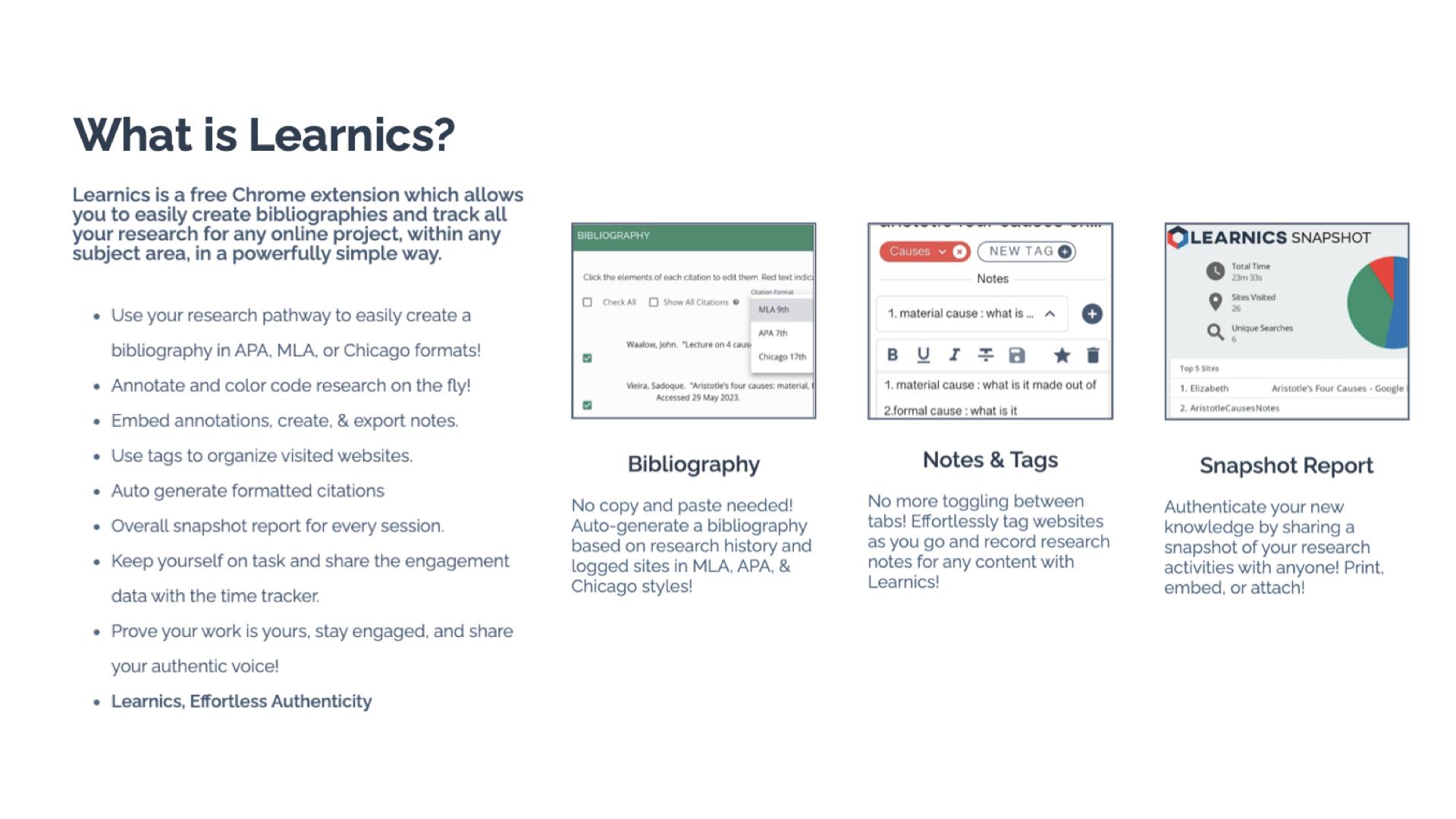
Learnics is a free Chrome Extension that helps students to streamline the research process. Through its robust platform, students conduct research, and Learnics will track the websites visited and the amount of time spent on each site, take notes, create tags, and even generate bibliographies automatically. It can assist with the process, but the main focus is on enhancing the quality of work and also helping students to focus on academic integrity as they work. By using Learnics, students are able to organize their research more effectively and also see a detailed overview of their research process. Learnics provides a space for nurturing responsible research practices and critical thinking skills among students.

Standout Features of Learnics

  • Website Capture and Time Tracking: Learnics automatically logs sites visited and the time spent on each, providing invaluable insights into students’ research habits.
  • Notes and Tags: Students are able to keep everything in one space. They can take notes and use tags to help them keep their research organized. Students can also download the record of their research.
  • Auto-generated Bibliography: Students learn how to properly cite resources used with the auto-generated bibliographies created in Learnics. Bibliographies based on students’ research history are created in alignment with APA, MLA, and Chicago formats.
  • Snapshot Report: One of my favorite features of Learnics is the snapshot report. When doing research, it is helpful to see the process, and with Snapshot, students have an overview of their entire research journey. The Snapshot report helps to promote reflection and critical thinking skills among students.

Learnics Classroom Pro

Diving into Classroom Pro, I immediately thought it was a game-changer. For educators, it is important to support students as they develop and refine their research skills. Teaching students how to conduct research and properly cite sources is key. With Learnics Classroom Pro, teachers can create a lesson for students and then review their students’ research process in real time. Teachers can monitor class progress, view sites visited, check search terms used, and assess notes, tags, and annotations made by students. Having access to this information also helps educators to better understand student needs during research and provide additional resources to help them with each task. Classroom Pro is an invaluable tool for ensuring the authenticity of student work and fostering a focused, engaged research environment.

Benefits of Using Learnics

For students, Learnics helps them to streamline the research process. With all of their research in one space, it eliminates the need to use multiple tools or toggle between different tabs. Learnics helps students develop better organization skills through the use of notes and tags, which makes their writing process more efficient.

And when it comes to citations, having assistance to learn from is quite helpful. With the auto-generated bibliography feature, students understand the importance of properly citing their sources and can further develop their skills.

For teachers, gaining insight into student research practices helps to provide better support. Through Classroom Pro, teachers can view each student’s research process and then use this to provide more targeted instruction and authentic and meaningful feedback. Understanding students’ research habits enables teachers to observe how and where students spend their time or if they are struggling to find reliable sources. With this insight, teachers can better provide targeted instruction to address individual and class-wide learning needs.

With the features of Learnics, teachers can check the originality of student work while also tracking the potential use of AI. Learnics also helps students to engage in peer review and collaboration and share resources and feedback, which better prepares them for future success in the workplace.

Get Started with Learnics

It is easy to get started with Learnics. Simply download the Chrome Extension from the Chrome Web Store and begin exploring the resources available. Students choose to enable the Chrome extension on their browser as they engage in research.

For teachers, check out the demo to learn more about Classroom Pro. The ability to conduct effective, efficient, and responsible research is essential. Learnics provides a space for students to enhance their academic skills and become digitally literate.

About the Author:

Rachelle Dené is a Spanish and STEAM: What’s Next in Emerging Technology Teacher at Riverview High School in Oakmont, PA. Rachelle is also an attorney with a Juris Doctor degree from Duquesne University School of Law and a Master’s in Instructional Technology. Rachelle is an ISTE Certified Educator and Community Leader and served as president of the ISTE Teacher Education Network. She was named one of 30 K-12 IT Influencers to follow in 2021.

She is the author of eight books including ‘In Other Words: Quotes That Push Our Thinking,” “Unconventional Ways to Thrive in EDU,” “The Future is Now: Looking Back to Move Ahead,” “Chart A New Course: A Guide to Teaching Essential Skills for Tomorrow’s World, “True Story: Lessons That One Kid Taught Us,” and her newest book “Things I Wish […] Knew” is now available at bit.ly/thingsiwishedu.

Follow Rachelle on Twitter @Rdene915 and on Instagram @Rdene915. Rachelle has a podcast, ThriveinEDU available at https://anchor.fm/rdene915.

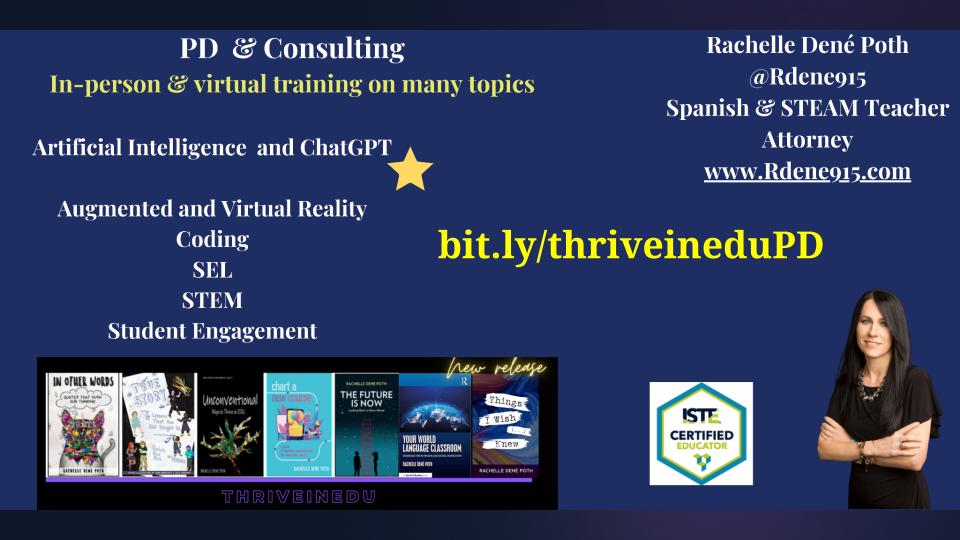
Looking for PD for your school or keynotes for your conference? I provide in-person and virtual training on the following topics. If you want to learn more about and explore AI and ChatGPT, contact me to schedule! Rdene915@gmail.com or use the Book Me form on my website. bit.ly/thriveineduPD

**Interested in writing a guest blog or submitting a sponsored post for my site? Would love to share your ideas! Submit your post here. Looking for a new book to read? Find these available at bit.ly/Pothbooks

Data Science for Everyone

Updated post from an earlier post for Getting Smart

As the world continues to change, educators need to stay up to date with all of the emerging technologies to best understand the essential skills that students need for whatever lies ahead in the future. To do so, we have to find the most beneficial resources to bring into the classroom regardless of the content area or grade level being taught.

With the rise in the use of artificial intelligence, augmented and virtual reality, blockchain, NFTS, the metaverse, and web3, the world of work will look very different. Students need to develop a variety of skills, especially in STEM-related fields and in areas such as computational thinking or data science. Students need to be data literate and have opportunities to develop their skills in all grade levels.

What does being data literate mean?

Let’s first look at the difference between data science and data literacy. When we take the information that we get from data and interpret it, look for patterns, this is data science. Educators inform instruction based on assessments given in classrooms. The data we receive from students helps us understand where they are in their learning journey and helps us to plan our next steps. Data science skills are an essential component of life and work.

​While we hope that students will become more interested in data science because of the increase in jobs available, the focus needs to be on providing each student with an opportunity to learn. It has been predicted by the Bureau of Labor Statistics that the number of statistician jobs will increase by almost 34% from 2016 to 2026.

Being data literate means that you understand what the data represents, know how to process it, and use it to inform your next steps and make decisions. ​While it is a technical skill, it is how we analyze, visualize, interpret, and even communicate what we are taking away from the data.

How do we prepare?

More schools are starting to offer courses in data science to students in grades K through 12. Some are providing a full-year course or an individual lesson or unit of study for courses. Colleges have data science degrees and some majors require students to demonstrate competency in data science before taking certain courses.

In some schools, data science becomes part of the math curriculum or is offered as an elective. There are schools that may require it for graduation. There are 65 schools in the United States, in which the first full-year course called Introduction to Data Science is now being taught. These offerings are highly beneficial but may not be an option due to budgeting or lack of staff. A solution is for teachers to incorporate data literacy into different lessons or as a standalone learning experience during the year. Whether students are in elementary, middle or high school, there are resources available.

Data Science 4 Everyone

Fortunately, educators have access to a variety of resources to make it easier and less time consuming to bring data science to the classroom. Learn about the Data Science 4 Everyone (DS4E) Coalition that has been created to help students in grades K through 12 build the necessary skills in data literacy. The Data Science 4 Everyone was created by the University of Chicago Center for Radical Innovation for Social Change (RISC). In addition to the resources provided by DS4E, the RISC launched Algo-Rhythmas a gamified way for students to learn about data science. Students in grades 4 through 6 can learn about the basics of data science through music! There are multiple levels and the player has to analyze the different music types to find the right data set. It is fun for educators too!

Knowledge and skills in data science will lead to more opportunities in education and careers in the future. DS4E provides teachers with lessons for use with students in grades K through 12

Thinking about colleges, having all students take a course in data science would be something that could benefit them across all sectors of work and in terms of education, with pre-service teachers, helping them to become more diligent with benefit them in the work that they do.

In addition to DS4E, here are more options to explore for learning about data science.

  • ASU Crash Course Data Literacy offers a 15-video series for educators and students to learn about data literacy. It helps students to build their skills while promoting more student independence in learning as they work through and learn the basics and continue all the way to advanced concepts and interpreting data.
  • Khan Academy offers online courses that include practice activities and videos. These can be used with younger students all the way up through high school and college. Relevant activities can be found by searching for a specific topic area related to data science and the interpretation of data.
  • MOOCS: There are paid options through some of the MOOCs available such as Coursera, EdX. Udacity, and Udemy. Some of these courses are provided from institutions such as Harvard, Johns Hopkins and MIT. Depending on exactly what an educator wants to learn, or in some cases, another option for older students considering majors in data science or related fields. Taking these courses can also be used as a model for younger students.

Get started

With DS4E, there are ready-to-use presentations that can be used to show the importance of data science and why it needs to be added to the K through 12 curriculum in our schools. There is also an advocacy pack available for educators to share with their school administrators.

It can be uncomfortable for teachers who feel like they don’t have the expertise needed to teach a concept, however there are enough resources available that make it easier for educators to get started.

About Rachelle

Follow Rachelle on Twitter @Rdene915 and on Instagram @Rdene915. Rachelle has a podcast, ThriveinEDU available at https://anchor.fm/rdene915.

Looking for PD for your school or keynotes for your conference? I provide in-person and virtual training on the following topics. If you want to learn more about and explore AI and ChatGPT, contact me to schedule! Rdene915@gmail.com or use the Book Me form on my website. bit.ly/thriveineduPD

**Interested in writing a guest blog or submitting a sponsored post for my site? Would love to share your ideas! Submit your post here. Looking for a new book to read? Find these available at bit.ly/Pothbooks

Dictation To The Rescue!

Guest post laura steinbrink, posted in education

So it has been a hot minute since my last post, but I have been working on several things, grading tons of AP Language and Composition and PreAP ELA 10 essays and trying my best to be present for my son’s senior year of fall baseball, basketball, spring baseball, and all things in between, while handling new responsibilities at school as well. However, for the December Microsoft Innovator Educator Expert (MIEE) Central Region Community Call, I was able to share some of my ideas for how the powerful Microsoft Word dictation tool can be used in the classroom. This post also includes using Google Docs.

THE MIST IS SLOWLY LIFTING

I created a dictation activity choice board, so for my blog, I’ll expand on each activity and then include the choice board in the last post. For my first dictation activity, I chose Dictation to the Rescue. For a basic tutorial on using the Microsoft Word dictation tool, check out my Dictation tools in MS Word video. There are plenty of tutorials out there for Word and Docs, but I did make this one for the MIEE call. Now on to the main event.

THE SOUND OF LIFE MISPLACED YOUR MIND

This activity is a great entrance or exit ticket or a great pause midway through a lesson to ensure students understand the presented content. If you have language learners or young learners, then this has some additional valuable outcomes. Practice these tools in a fun or non-penalty / non-grade-based way before using them with content.

YOU’RE SITTING, SPELLBOUND THRU OUT TIME

In Microsoft Word or Google Docs, have students:

  1. Type or copy and paste into a new document a problem they are struggling with from today’s (or a previous) lesson, something they still aren’t sure how to do, or something they got wrong in the activity.
  2. Dictate their explanation below the problem of what they were thinking as they worked through that part of the assignment (in Microsoft Word, select the primary language spoken; in Google Docs, under Tools, select “voice typing” and then the students dictate in their primary language and then translate the page using the translate tool in Docs). Students should include what questions they still have, and why they think they got it wrong. Getting students to explain their thinking is very revealing for understanding how to help them make connections.
  3. Make corrections to any translations used, but all native language responses should be changed to English and then proofread and corrected.
  4. Pair up and read each other’s areas of struggle. Carefully structure the pairs or allow students (depending on age) to choose who they feel comfortable sharing with for this part. It takes trust to share struggles with someone, so build this in slowly, and listen to student input on how to adapt it for your class. This part can potentially develop a healthy academic risk-taking classroom climate, or destroy what trusting class climate you already have, depending on how you approach and monitor this in progress.
  5. Offer suggestions to their partner or show their partner how to respond to the prompt.
  6. Turn in their dictations so that you can see where communication of content or understanding of concepts may need to be corrected or improved.

I HOPE THAT YOU REMEMBER WHAT YOU FIND

Keep in mind that you as the teacher need to bring the energy needed to help students see the value in academic risk-taking. Your excitement or passion for the activity and content will greatly impact the result, either positively or negatively, so use your power wisely and have fun. Enjoy the process. Model for students that learning is a journey and an experience that must be lived. It’s never a one-and-done.

HEADINGS ARE PARTIAL LYRICS FROM THE SONG, OF A LIFETIME BY JOURNEY.

About Rachelle

Follow Rachelle on Twitter (X) @Rdene915 and on Instagram @Rdene915. Rachelle has a podcast, ThriveinEDU available at https://anchor.fm/rdene915.

Looking for PD for your school or keynotes for your conference? I provide in-person and virtual training on the following topics. If you want to learn more about and explore AI and ChatGPT, contact me to schedule! Rdene915@gmail.com or use the Book Me form on my website. bit.ly/thriveineduPD

**Interested in writing a guest blog or submitting a sponsored post for my site? Would love to share your ideas! Submit your post here. Looking for a new book to read? Find these available at bit.ly/Pothbooks

CoSpaces Edu for Out of This World Learning!

In collaboration with CoSpaces EDU

The start of a new school year or calendar year is always a great time to explore some new ideas, especially with all of the amazing tools and technologies available to us. There are many exciting options available to educators and students to choose from, and sometimes, making the choice is a challenge. Personally, one of my favorites is bringing augmented and virtual reality into my classroom through CoSpaces Edu.

Initially, I used CoSpaces in my STEAM emerging technology course for several years, having students work on a variety of projects in my class and for some cross-curricular collaboration. One day, I was challenged by a few of my students in a Spanish II course who had seen the projects being created, and they wondered why they were not able to do something similar. I was speechless, and I didn’t have an answer for them. Honestly, I had not thought about bringing AR/VR into my Spanish classes. Fortunately, I knew about all of the benefits and great features of CoSpaces that foster collaboration, creativity, and many other essential skills. I also loved that students have the ability to create independently or to work together on the same project from wherever they are. So I thought to myself, why not?

If you are not familiar with CoSpaces Edu, it is a truly versatile, user-friendly platform that enables students and teachers to create virtual spaces full of animals, people, objects, and more. It is a great way to focus on developing many skills in schools, from SEL to STEAM and more. It is also a great option for helping students develop an interest in STEM, especially coding, a highly in-demand skill.

From coding and language learning to STEAM and collaboration, CoSpaces Edu offers so many ways for students (and teachers, we need to learn, too!) to create their own AR and VR experiences. An alternative to traditional tools that might be used for digital storytelling, explaining and exploring complex topics, or for creating virtual field trips through a moment in history, for example.

So, with all of the options available, why choose CoSpaces Edu? It has been a game-changer in my classroom. It provides an intuitive, user-friendly platform that educators, students, and families supporting students can easily navigate. It offers a different way to share and show learning as students can create, explore, and interact with 3D virtual worlds, which not only engages students but also provides more for different student interests. It also provides lesson plans and activity ideas for teachers to explore!

Most importantly, CoSpaces Edu encourages creativity, collaboration, and problem-solving — skills that are essential for today’s learners. It also gives students the chance to learn about coding, which is not something just for those studying computer science or teaching a STEM-related course. The best part of CoSpaces Edu is that it introduces students to the basics of coding in a truly engaging and meaningful way. As students explore independently while designing their virtual worlds, they learn how to create by selecting and manipulating different characters and objects and can start coding either with block-based coding or a scripting language like JavaScript.

Over the years, I have seen hesitancy when it comes to coding, and with CoSpaces, students build confidence as they create and enjoy working together with classmates in their virtual space. The variety of options available and with coding helps students understand what can be abstract concepts, develop logical thinking, and hopefully and ideally, lead to the development of an interest in computer science!

5 ideas to try in 2024!

  1. Take a tour!  First, When I get started in my own classroom with my students, I always give them time to explore all of the different projects that are available in the gallery. What types of projects do they see, which ones do they like, and what might they like to create? I think it’s a good way to get them thinking about the different possibilities and also give them time to explore on their own and see what clicks with them. So when I say take a tour, I tell them to just choose a topic, whether it’s STEM or if they see some games to play, and then I ask them to share with their classmates what they found, why they liked it, and any other ideas that they come up with for what they could do that is similar or how they would make it different or improve it. But it’s a fun way to get students talking and brainstorming to help them prepare to make their own projects. 

2) About Me: I love using the templates or giving students the option to create their own to design an About Me space. CoSpaces offers a great template to get students started and comfortable with learning how to navigate, change text, add, and animate characters by using this as a starter. 

It leads to more excitement and creativity and is also a fantastic way to learn about our students and for them to learn about each other.  

3) Interactive Storytelling: My students loved exploring the different projects in the gallery, and one way for students to use CoSpaces is to have them create an interactive experience. They can retell a story with a different ending or summarize something they have learned in class. To demonstrate, they can then include a variety of characters and other props to bring it to life. By diving into coding, they can really make it an interactive experience with animated characters and animals! Students can even create scenarios where they script and act out dialogues, recording their voices directly in the space. Also, give students the option to create on the Merge Cube, which makes interactive storytelling a real hands-on, fun learning experience!

4) Language Learning: A complete game changer for that Spanish class that pushed me to realize that I needed to bring in some new opportunities for them. Through a more immersive and collaborative learning experience with classmates, what a difference it made for language learning, student engagement, and increasing motivation! CoSpaces Edu offered all of that, and it was so much fun for them and for me! I was nervous at first, but it was a risk worth taking and one that paid off for them and their retention of the language.  It also led to building relationships with classmates as students worked together to create their projects. Students had a different and more authentic way to practice vocabulary, build grammar skills, and engage in conversation in the virtual environment. And, they retained the content, which typically is a bit challenging because of the grammar, far beyond prior years!

5) Collaborate: Think about the grade level you teach and the content area. There are many ways to incorporate projects for students to create virtual models, or design prototypes, or bring a story to life! When CoSpaces Edu added the ability for students to work in groups, what a difference that made! Fostering collaboration is so important as we prepare students for the future. The ability to work effectively in teams is one of the most in-demand skills on the Job Skills Outlook from the World Economic Forum

With the collaborative features of CoSpaces Edu, multiple students can work on the same project from different devices and from wherever they are!  Not only can they learn about augmented and virtual reality and build essential skills, but it also boosts digital citizenship skills in the process.  For collaborating, we can teach them how to manage a group project, assign roles, and problem-solve. 

One of my other favorites is for a class project where all students are involved in a complex project where each student is responsible for a part of the virtual world. Think of a topic or a theme. Each student can create their space and then design one comprehensive experience that everyone can learn from and reinforce their content area skills through.

As educators, our primary goal is to prepare students for the future. CoSpaces Edu is not just another tech tool; it’s a platform that fosters the essential skills needed in the 21st century. It encourages creativity, critical thinking, collaboration, and digital literacy. By integrating CoSpaces Edu into your curriculum, you’re enhancing your students’ learning experiences and equipping them with the skills to thrive in an increasingly digital world. And, for extra fun, check out the goodies available, such as classroom posters, badges, and more! Use my code: COSRACHELLED or COSPromoRDP24.

About the Author:

Rachelle Dené is a Spanish and STEAM: What’s Next in Emerging Technology Teacher at Riverview High School in Oakmont, PA. Rachelle is also an attorney with a Juris Doctor degree from Duquesne University School of Law and a Master’s in Instructional Technology. Rachelle is an ISTE-certified educator and community leader and served as president of the ISTE Teacher Education Network. She was named one of 30 12 IT Influencers to follow in 2021 and one of 150 Women Global EdTech Thought Leaders in 2022.

She is the author of eight books including ‘In Other Words: Quotes That Push Our Thinking,” “Unconventional Ways to Thrive in EDU,” “The Future is Now: Looking Back to Move Ahead,” “Chart A New Course: A Guide to Teaching Essential Skills for Tomorrow’s World, “True Story: Lessons That One Kid Taught Us,” and her newest book “Things I Wish […] Knew” is now available at bit.ly/thingsiwishedu.

Contact Rachelle to schedule sessions about Artificial Intelligence, Coding, AR/VR, and more for your school or event! Submit the Contact Form.

Follow Rachelle on Twitter(X) and Instagram at @Rdene915

**Interested in writing a guest blog for my site? Would love to share your ideas! Submit your post here. Looking for a new book to read? Find these available at bit.ly/Pothbooks

************ Also check out my THRIVEinEDU Podcast Here!

Join my show on THRIVEinEDU on Facebook. Join the group here
More Ideas to Try in 2024: Reflection

Part II: Getting students to think about their learning journey

Throughout the year, engaging students in ongoing reflection on what they are learning is essential. One of the five core competencies of social-emotional learning (SEL) is for students to develop self-awareness. It’s also vital for them to build self-management skills to work through challenges that can come with learning, reflect on their growth, and set new goals.

Whether students engage in discussions with classmates or use digital tools to share ideas in a comfortable virtual space, there are many options. We need to get our students to share what they are thinking and take time to reflect on their learning. We also need to model this reflective practice for them. This is essential for academic, personal, and future professional growth. To best prepare students for the future, ongoing reflection is vital.

With an opportunity to reflect, students are able to better understand their thought processes and interests. It helps them to identify areas where they can improve and recognize areas that they are strong in. Creating opportunities for students to share their learning with classmates and with us promotes collaboration, fostering a stronger sense of community in our classrooms. Together, we can create a supportive learning community.

Through the five competencies of SEL, we can help students focus on developing skills of social awareness and building relationships. Students will better understand their own thought processes and deepen their understanding of the content they are learning. However, getting students to share their thoughts and reflect on their learning can be challenging. Here are five ideas for encouraging students to reflect on their learning and share their thoughts.

1.Think-Pair-Share is an activity that doesn’t require much time at all to use and can be very effective. It encourages students to share their ideas, learning experiences, and thoughts with one another. The teacher can provide a short prompt or topic for discussion and then give students time to think individually before pairing up with a partner. Those one-on-one conversations can help students become more comfortable expressing themselves in class. After a certain period of time, each pair can share their thoughts with the class. This strategy will work well without digital tools; however, there are some options to explore.

2. Peer-pairing: To randomly place students in pairs, use a random name generator so students build relationships with their classmates. It is fun to have the names on the big wheel and place students into groups. I have used this also as a way to select the order of presentations. It helps to reduce a bit of the stress with wondering when you have to present and makes it a fun experience.

3. Class sharing: To help students build confidence, use a tool such as Padlet or Flip to have students post ideas on a collaborative board or create audio or video responses. Whatever way we have students “share,” it encourages them to engage in conversation and more active listening. Students learn about different perspectives on a given topic, which promotes the development of social awareness skills.

4. Snorkl is a new AI-powered tool that I found, and I really love the possibilities. Teachers assign an activity and it enables students to record their screen and speak about the work they have done. For example, how they solved a math problem, writing and reading in the language they are learning, describe an image, and so much more. It can be set to provide AI feedback with or without teacher approval. It was fun to try for the first time in my class. Look for more information in an upcoming post.

With the tools that offer audio or video options, it is a more authentic way to learn about the student. Teachers see and hear their students’ thought processes and can then offer more personalized and meaningful feedback to each student.

One extra is for teacher and student reflection. Learning about students’ thoughts about our methods, their comfort in the classroom, and more is important. Last year, I started exploring LessonLoop, which provides anonymous surveys that teachers can issue to students. It provides a rating with explanations based on student engagement, SEL, and comfort in the learning space and provides additional insights. Teachers can then take the information and use it to reflect on their practice and involve students by showing their input is valued through the use of these surveys. LessonLoop also has educators who will prepare some tips for teachers to try!

Whatever method or tools we choose to bring into our classrooms, the goal is still the same: Prepare students for the future with skills that enable them to be flexible and adapt to the changing look of education and work. Reflective practice is a key component of this future preparation!

Author

About the Author:

Rachelle Dené is a Spanish and STEAM: What’s Next in Emerging Technology Teacher at Riverview High School in Oakmont, PA. Rachelle is also an attorney with a Juris Doctor degree from Duquesne University School of Law and a Master’s in Instructional Technology. Rachelle is an ISTE-certified educator and community leader and served as president of the ISTE Teacher Education Network. She was named one of 30 12 IT Influencers to follow in 2021 and one of 150 Women Global EdTech Thought Leaders in 2022.

She is the author of eight books including ‘In Other Words: Quotes That Push Our Thinking,” “Unconventional Ways to Thrive in EDU,” “The Future is Now: Looking Back to Move Ahead,” “Chart A New Course: A Guide to Teaching Essential Skills for Tomorrow’s World, “True Story: Lessons That One Kid Taught Us,” and her newest book “Things I Wish […] Knew” is now available at bit.ly/thingsiwishedu.

Contact Rachelle to schedule sessions about Artificial Intelligence, Coding, AR/VR, and more for your school or your event! Submit the Contact Form.

Follow Rachelle on Twitter(X) and Instagram at @Rdene915

**Interested in writing a guest blog for my site? Would love to share your ideas! Submit your post here. Looking for a new book to read? Find these available at bit.ly/Pothbooks

************ Also check out my THRIVEinEDU Podcast Here!

Join my show on THRIVEinEDU on Facebook. Join the group here