ReadSpeaker: Accessibility for All

The Case for Normalizing Accessibility Tools in Schools

Guest post by Paul Stisser,

The cornerstone of education is building pathways to success for all students. The right accessibility tools can often help, making it possible for students of all abilities to thrive. But when the same tools that provide assistance to students leave them vulnerable to stares, harassment, or bullying from classmates, they ultimately do as much harm as good. So how can we make sure students get the assistive technology they need while preventing them from feeling self-conscious? The answer is to make tools available to all students and normalize assistive technology.

In schools today, about one in seven children receive special education services. But some children never receive the proper diagnosis to qualify for the support they need. For other students, requests are tangled up in slow-moving processes. The result is there may be even more students than we realize who can benefit from assistive technology. At the same time, more classes are using digital content, especially after the pandemic ushered in a new wave of digital materials, educational apps, and tech-enabled curricula. While the move to higher degrees of digital education has led to big strides in personalization and accessibility of learning, the Office for Civil Rights is also receiving a growing number of complaints about digital accessibility in K-12 schools.

By prioritizing digital accessibility, we have the power to solve the challenges students with disabilities face and improve the learning experience for all students. It’s similar to the effect of curb cuts on sidewalks. While the initial intention of curb cuts was to help people in wheelchairs, they also benefit people with strollers, wheeled luggage, and bicycles. Similarly, when we take steps to enhance accessibility for all students, we foster a stronger sense of belonging in the classroom. Whether it involves making websites more accessible, enabling students of diverse learning styles to easily engage with content, or harnessing text-to-speech (TTS) tools to support those developing reading skills, English language learners, and auditory learners, the path to inclusivity and student success starts with normalizing accessibility. Below are just a few ideas schools and districts can adopt to introduce accessibility tools to more students.

Talk to students

Including the voices of students in conversations about tools and what they need can be very useful. Students can tell you what is working with the technology they have and what else they might need. When talking to students be sure to include diverse perspectives, with voices from students who need accommodations as well as those who don’t. The way you collect feedback can vary too, depending on the culture of your district or school. Many leaders have success with everything from student representatives on technology committees to conducting surveys and focus groups. Remember that candid, informal conversations can surface great ideas too!

Ask vendors about accessibility

When evaluating new edtech, ask vendors about accessibility. Districts and schools should lead the conversation and ensure that products were designed with accessibility as central to their design, not as an afterthought or add-in. By prioritizing accessible tools and features, you add to the voices calling on the edtech community to make inclusivity a key value.

Find tools that connect to your LMS

When students have to log out of one platform and into another to get the support they need, it creates unnecessary opportunities for distractions. That’s true for students who need accommodations as well as those who don’t. Support tools that are connected to your LMS create a seamless experience for all students, keeping them focused on what they need to do. Additionally, LMS-integrated tools reduce the risk of anyone noticing that students who need support are getting it. Familiarize yourself with the 1edtech standards for interoperability. Choose products that are vetted for interoperability or certified.

Emphasize quality

When it comes to accessibility there are often many choices that are low-cost or free. But these tools can come at a cost. For example, there’s a wide variety of voice quality and learner experiences in TTS solutions. Voices that don’t sound realistic or are simply poor quality can cause students to lose focus while learning and stop using the tool.

Paying for tools can also bring helpful features that go beyond the edtech’s core function. Some TTS tools do more than read text. They can be customized with colors and fonts, and the voice sped up or slowed down. They can mask the page and hide distracting ads to keep learners focused, highlight text as it is being read, give multiple language options, and include a speech-enabled dictionary.

When we give all students the chance to use accessibility tools we unlock new levels of classroom inclusivity. By making support tools available to all students, we reduce barriers to engaging with digital content, embrace all learning abilities and learning styles, and foster a stronger sense of belonging. So, let’s normalize accessibility tools so all students can not only succeed but soar.

Since joining ReadSpeaker in 2013, Paul Stisser has been a leader in ReadSpeaker’s TTS Education initiatives. Prior to ReadSpeaker, Paul worked at D2L and start-up Moblmedia. He also has 14 years of education and teaching experience in Rochester, NY, specializing in Special Education and At-Risk Students. Paul attended St. Bonaventure University with degrees in History and Literacy. Currently, he resides in Saint Augustine, Florida.

Blog of Rachelle Dené Poth

Looking for some PD for your school? I provide in-person and virtual training on the following topics. If you want to learn more about and explore AI and ChatGPT, contact me to schedule! Rdene915@gmail.com

**Interested in writing a guest blog or submitting a sponsored post for my site? Would love to share your ideas! Submit your post here. Looking for a new book to read? Find these available at bit.ly/Pothbooks

Diving into STEM and Fun with Marty!

In collaboration with @RoboticalLtd, All opinions expressed are my own.

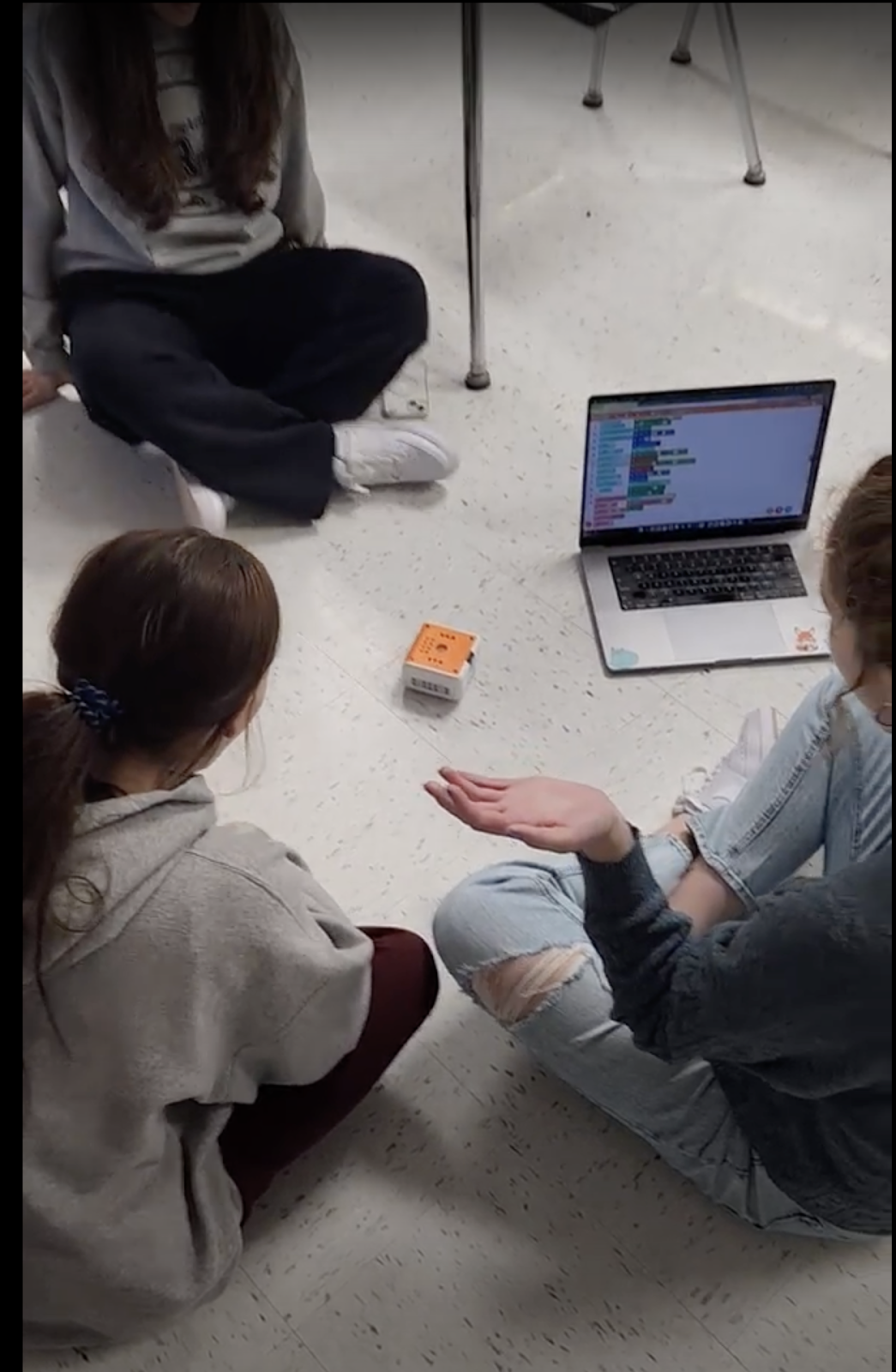
How can we create opportunities for students to dive into coding and STEM? With Marty the Robot, students will take the lead! Marty the Robot from Robotical is a versatile and engaging tool that can be used to enhance learning in any classroom! Marty is a humanoid robot that can dance, walk, and even wiggle his eyebrows!

What I love about Marty is that it is so easy to get started, even for beginners. Marty has a variety of sensors, including distance sensors, light sensors, and touch sensors, which can be programmed using Scratch or Python, two popular programming languages for beginners. With these options, children as young as seven years old can start learning to program and control the robot with ease. With the screen-free option, remote controller, and even MartyBlocks Jr (based on Scratch Jr), Marty can be used with children as young as four! The screen-free option is perfect for learning about the steps in the process and watching how Marty responds. Using the infrared sensors and color sensors on his feet, he can figure out which direction to move in and even dance and play music when he is placed on the color cards.

And Marty’s keeps on getting better! What’s new in 2023?

The Robotical team has been working tirelessly behind the scenes to bring you Marty’s new drag-and-drop sound blocks. This latest addition to the MartyBlocks coding environment (based on Scratch) allows students to expand their creativity, get even more technical, and will add extra personality to every robot.

Marty is customizable. The robot can be assembled and disassembled, allowing users to modify and upgrade its parts to suit their needs. Students can have fun decorating Marty and create a lot of fun ways for Marty to move around and interact! This means that as users’ programming skills and knowledge of robotics and engineering concepts improve, they can modify the robot to make it more complex and challenging.

Marty the Robot is now delivered with pre-installed LED eyes. Programmable in every color under the rainbow, these lights are the perfect addition to the robots and will add a pop of color and sparkle to every lesson. Not to mention, this new addition will also allow teachers to take advantage of Robotical’s disco eye lessons, expanding students’ knowledge of LEDs and lights, testing students to program different colors as reactions, and allowing students to explore different patterns and timing orders.

Marty is suitable for a wide range of age groups, from primary school children to adults. Children can use the robot to learn basic programming concepts, while older students and adults can use the robot to build more complex projects and explore advanced robotics and engineering concepts.

Building essential skills

There are many ways to use Marty to build STEM skills and SEL (Social-Emotional Learning) competencies. For SEL, students can use Marty to practice teamwork and collaboration skills. They can work in groups to build projects and share ideas for improving the robot’s performance. Additionally, students can use the robot to develop problem-solving skills, as they will need to debug code and troubleshoot any issues that arise during the robot’s operation. Students can use the robot to develop perseverance and resilience, as they work to overcome challenges and setbacks during the project-building process.

For STEM skills, students can use the robot to learn programming concepts, including loops, conditionals, and variables. They can also explore robotics concepts such as sensor technology, motor control, and movement algorithms. Additionally, students can use the robot to build projects, such as obstacle courses or mazes, which require them to think creatively and apply their knowledge of programming and robotics.

Here are some reminders for when using Marty the Robot in class:

Have fun! Marty is a fun and engaging robot! Marty can dance, walk, talk, and more.

Teach others. Marty can be used to teach others about coding, robotics, and STEM.

Make music. Marty can be used to make music. Marty has a built-in speaker and can play a variety of sounds.

Be creative. Design fun programs to get Marty up and moving, dancing and talking!

Ideas for Marty!

Build an obstacle course: Challenge students to build an obstacle course using cardboard boxes, ramps, and other materials. Then, program Marty to navigate through the course. Students will need to use their engineering and coding skills to ensure that Marty can safely navigate through the obstacles.

Build a robot team: In groups, students can build multiple Marty robots and program them to work together. They can experiment with different algorithms to control the movement and behavior of the robots. This activity develops teamwork, programming, and engineering skills.

Explore sensor technology: Marty the Robot comes with a variety of sensors, including distance sensors, light sensors, and touch sensors. Students can use these sensors to create programs that respond to changes in the robot’s environment. For example, they can program Marty to move away from objects or to stop when it detects a certain color. This activity encourages problem-solving and programming skills.

Have a dance party: Encourage students to create a fun and lively dance routine for Marty. Students can program the robot to dance along to their favorite songs. This activity encourages creativity, problem-solving, and programming skills.

Create a science experiment: Marty the Robot can be used to conduct a variety of science experiments, such as measuring the speed of sound or testing the effects of gravity. Students can program the robot to collect data and perform calculations, helping them to develop their scientific inquiry and data analysis skills.

Marty goes above and beyond to help deliver STEAM subjects (and more) in an accessible, interactive, and engaging way. Get started today! In the Knowledge Base, teachers can find support articles and lots of other information to help them get started. You can sign up for a free trial! Also check out my podcast episode with Hal Speed, Head of North America Robotical.

About the author

Rachelle Dené is a Spanish and STEAM: What’s Next in Emerging Technology Teacher at Riverview High School in Oakmont, PA. Rachelle is also an attorney with a Juris Doctor degree from Duquesne University School of Law and a Master’s in Instructional Technology. Rachelle is an ISTE Certified Educator and serves as the past president of the ISTE Teacher Education Network. She was recently named one of 30 K-12 IT Influencers to follow in 2021.

She is the author of seven books including ‘In Other Words: Quotes That Push Our Thinking, Unconventional Ways to Thrive in EDU, The Future is Now: Looking Back to Move Ahead, Chart A New Course: A Guide to Teaching Essential Skills for Tomorrow’s World, True Story: Lessons That One Kid Taught Us, Your World Language Classroom: Strategies for In-Person and Digital Instruction and her newest book Things I WIsh [….] Knew is now available.

Follow Rachelle on Twitter @Rdene915 and on Instagram @Rdene915. Rachelle has a podcast, ThriveinEDU available at https://anchor.fm/rdene915.

Looking for PD for your school? I provide in-person and virtual training on the following topics. If you want to learn more about and explore AI and ChatGPT, contact me to schedule! Rdene915@gmail.com 

**Interested in writing a guest blog or submitting a sponsored post for my site? Would love to share your ideas! Submit your post here. Looking for a new book to read? Find these available at bit.ly/Pothbooks

Learning to Code with VinciBot

This post is sponsored by Matatalab, Opinions expressed are based on my own experience

During the past year, we have been exploring a lot of new products as we work on our coding skills in my eighth-grade STEAM class. My students really enjoy trying out different tools to find something that matches their interests and that gives them opportunities to build their coding skills. We also take opportunities to try tools that are geared toward younger students as well, to better understand how students can develop coding skills and the benefits. It also helps to spark interest in coding, which is an in-demand skill for the future. 

Sometimes, students hesitate to get started with coding because of a fear of not understanding how to write the code, or troubleshooting if the code does not work. However, with the different options and resources available through Matatalab, my students have really enjoyed the experience and are excited to dive right in.

Matatalab is a company that specializes in developing educational coding products for young children. What I love about using them is that their products are designed to teach early learners the fundamentals of programming in a fun and engaging way through interactive and hands-on learning experiences. It is not all about the technology, Matatalab offers screen-free coding and also comes with cards to teach students about the coding steps.  They offer a range of products that are suitable for different age groups and skill levels, from preschoolers to elementary school students and older.
Through the various products available, educators are able to provide opportunities for students to learn about coding, even at an early age as young as 3! Last year I started exploring the Tale-Bot Pro which makes it easy for kids to get started on their own and build their knowledge whether at home or school.

The VinciBot

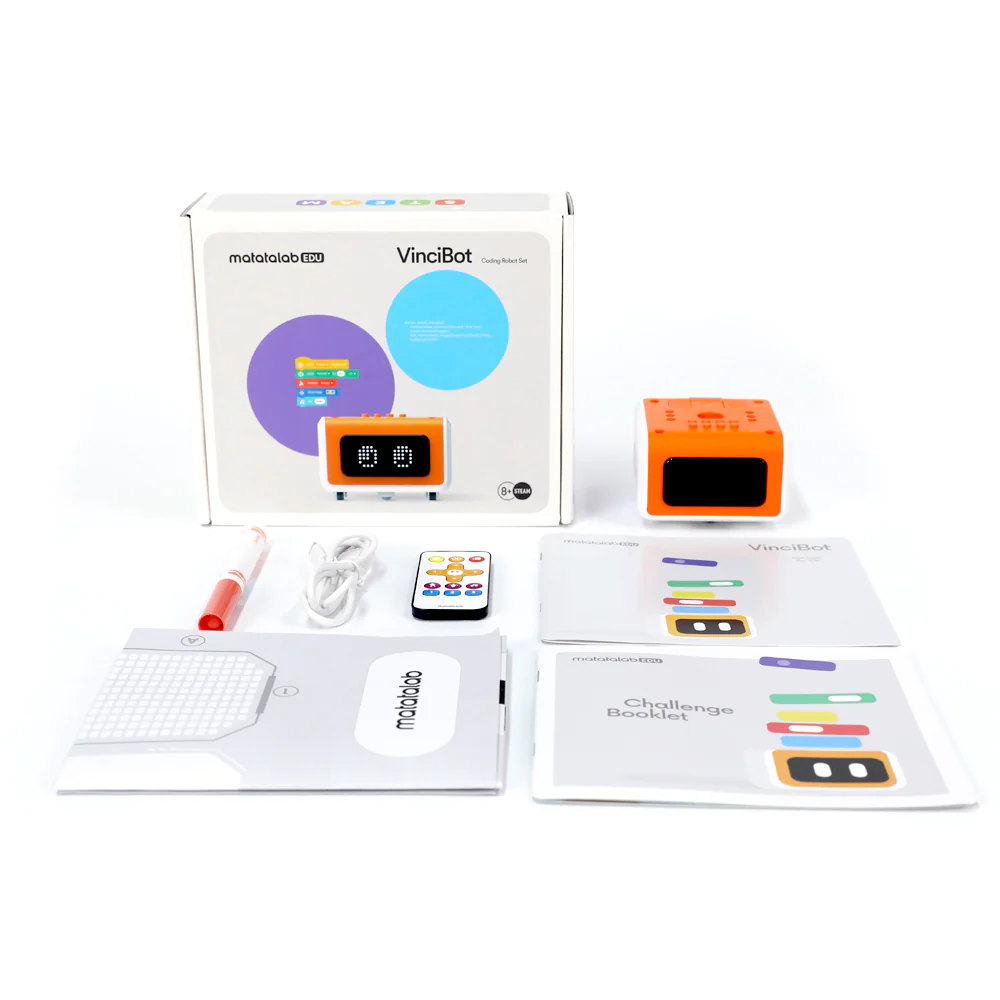
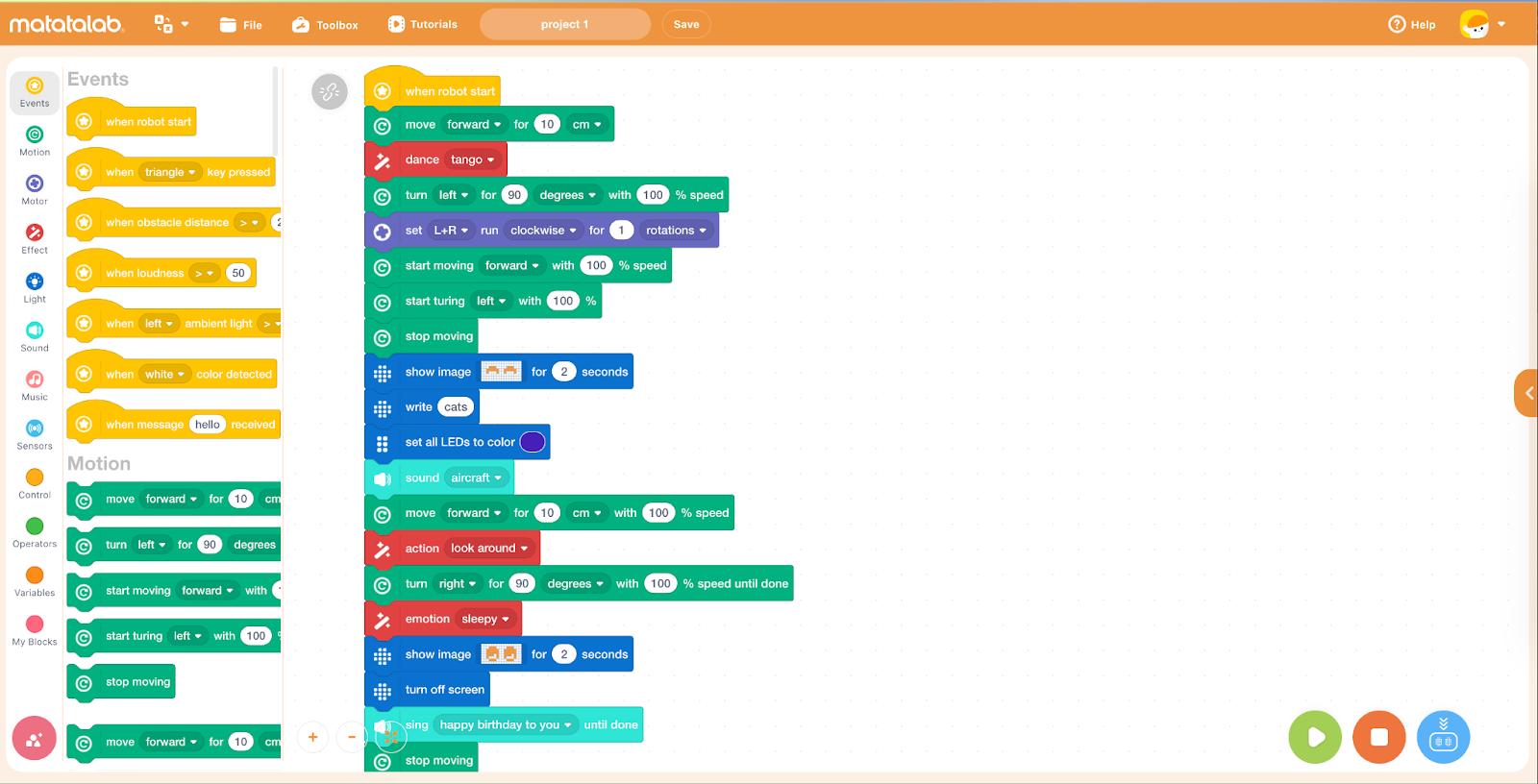
The newest product from Matatalab is the VinciBot which is aimed at slightly older children, ages eight and above. Matatalab products are designed to be intuitive and easy to use. The coding blocks are color-coded, making it simple for students to understand the different types of commands and functions. This helps to make the learning process more accessible and enjoyable, especially for students who may be intimidated by traditional coding methods. By programming the robot, students can develop their problem-solving skills and spatial awareness and have fun working together to explore coding and the world of robotics! 

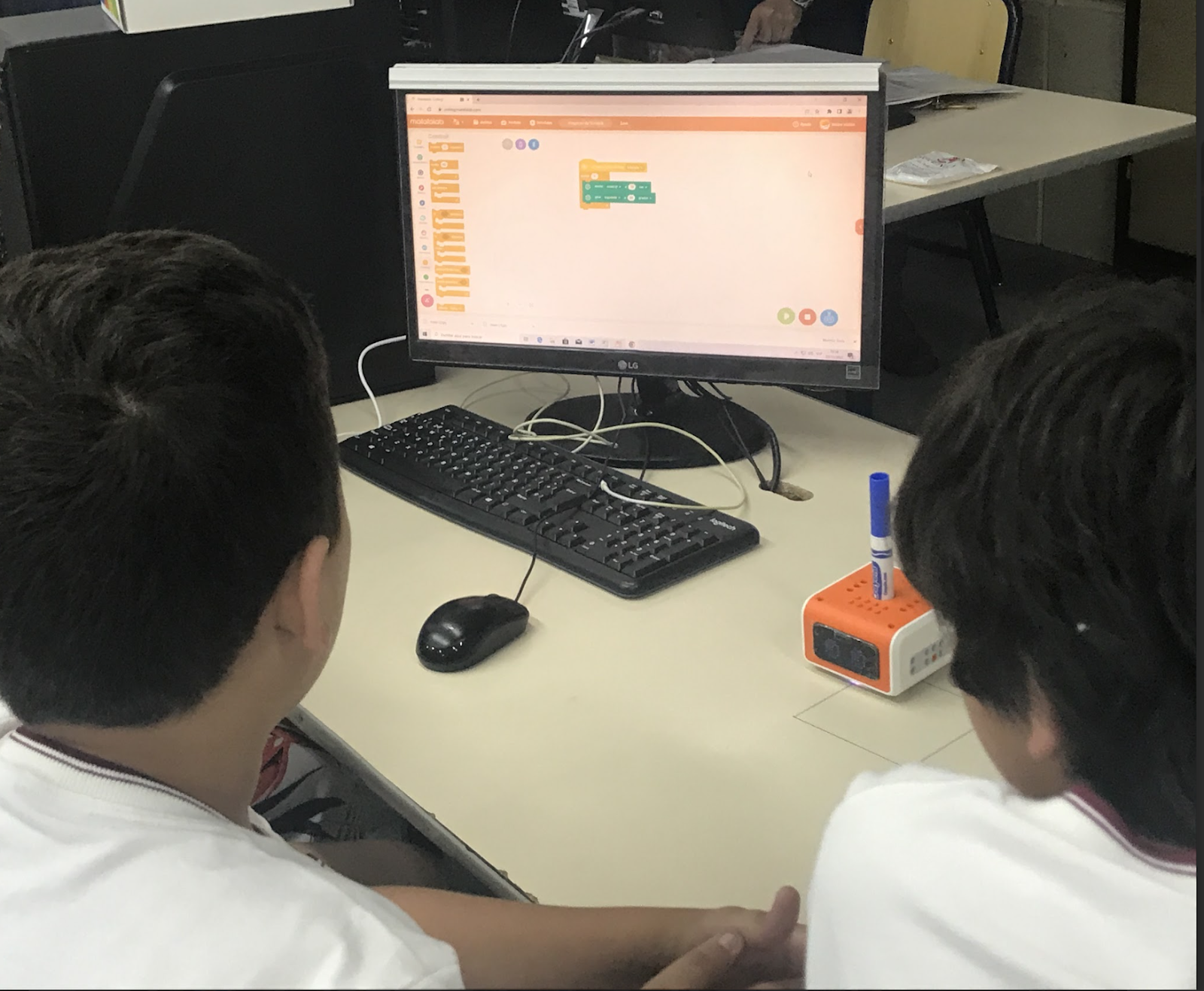
When I brought it into school, my students were lining up to be the first to explore it!  VinciBot is the new and maybe even one of the most popular coding products from Matatalab. It is a versatile and interactive robot that is designed to teach the basics of coding in a fun and engaging way. VinciBot can be controlled using a range of programming languages, including Scratch, Python, and the MatataCode App. With these options, it provides each student with a way to engage in coding at a pace that is comfortable and supports them as they build their skills and confidence in coding.

[creating a program for VinciBot]

Features

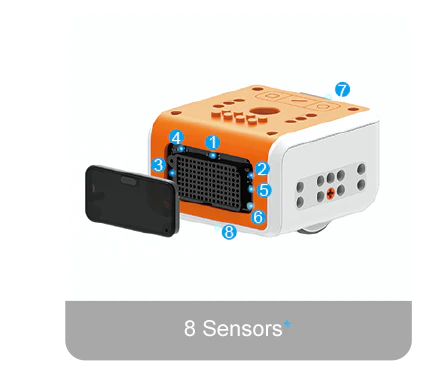
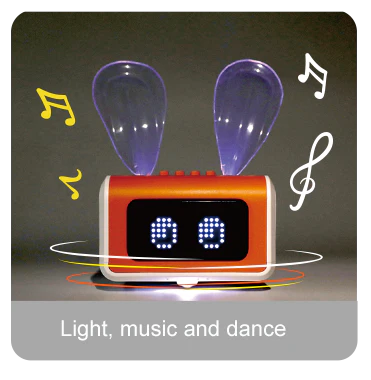
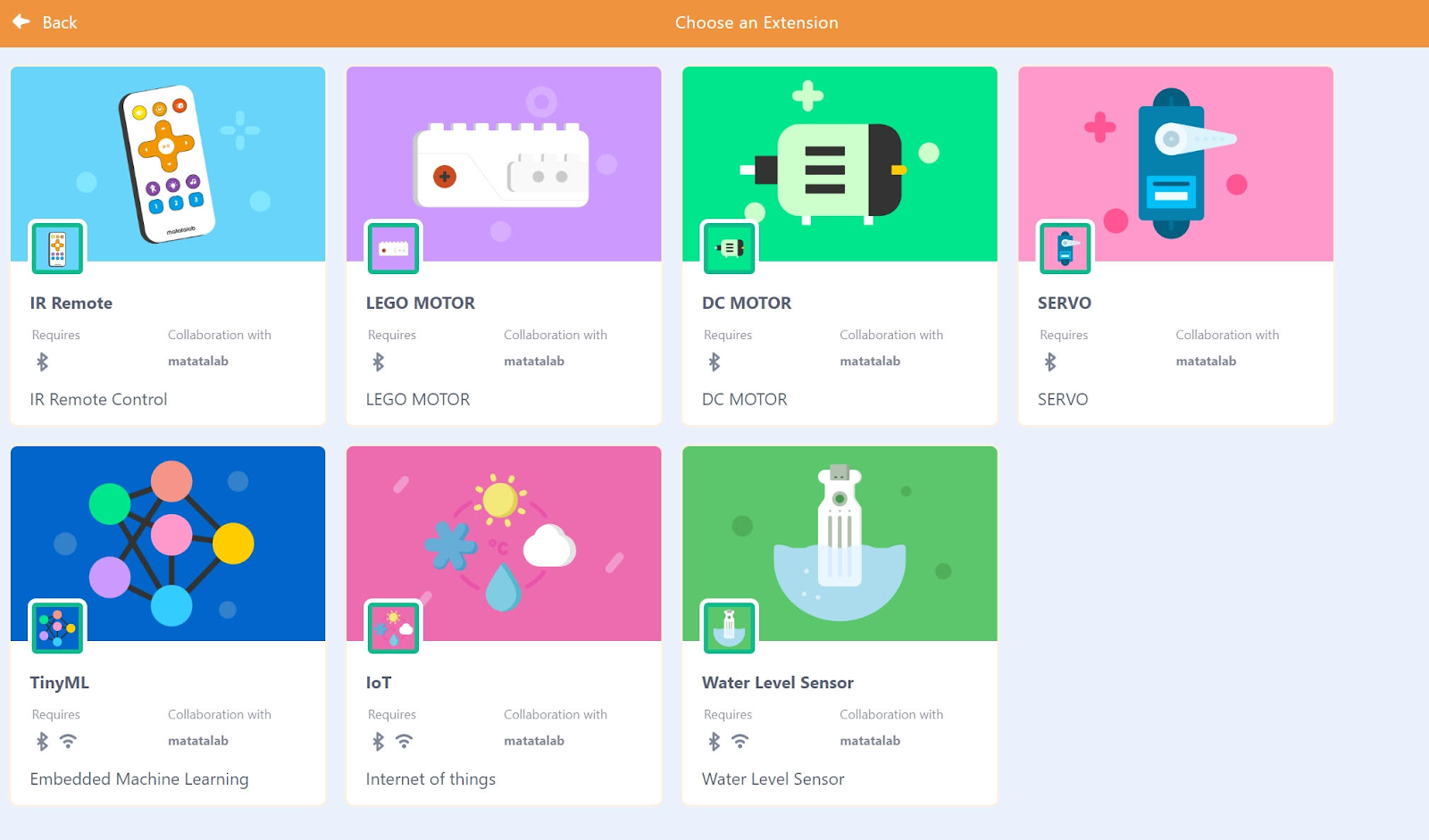
The VinciBot comes with everything you need to provide an engaging learning experience for students. There is a challenge booklet with 18 challenges for students to explore.  The VinciBot is equipped with interactive sound, light, and movement effects and has 8 sensors. There are 21 musical instrument sounds, an LED matrix, and an LED RGB light structure. The infrared and ultrasonic sensors allow it to navigate its surroundings and interact with the environment. Students can program VinciBot to complete a variety of actions including dancing and can even program it to sing Happy Birthday!   VinciBot also offers the opportunity for students to explore artificial intelligence (AI) through its AI-based teaching scenarios and gameplay.  This is a great benefit, especially with the increased interest in getting started with AI, coding, and STEM, having one resource that can provide it all is a great opportunity. The Tiny Machine Learning of VinciBot is available even without the Internet in the classroom. Students will have programmed with the AI data and trained the robot before and perform their program in a non-internet environment. The Tiny ML enables students to go through the whole process by learning about model creation, data acquisition, training, and development to then programming. Engaging in this ongoing learning journey helps them to develop a much greater understanding of AI at their own pace and in their own way. 

Learn more through their video tutorials and the overview of the VinciBot in action. 

Accessibility

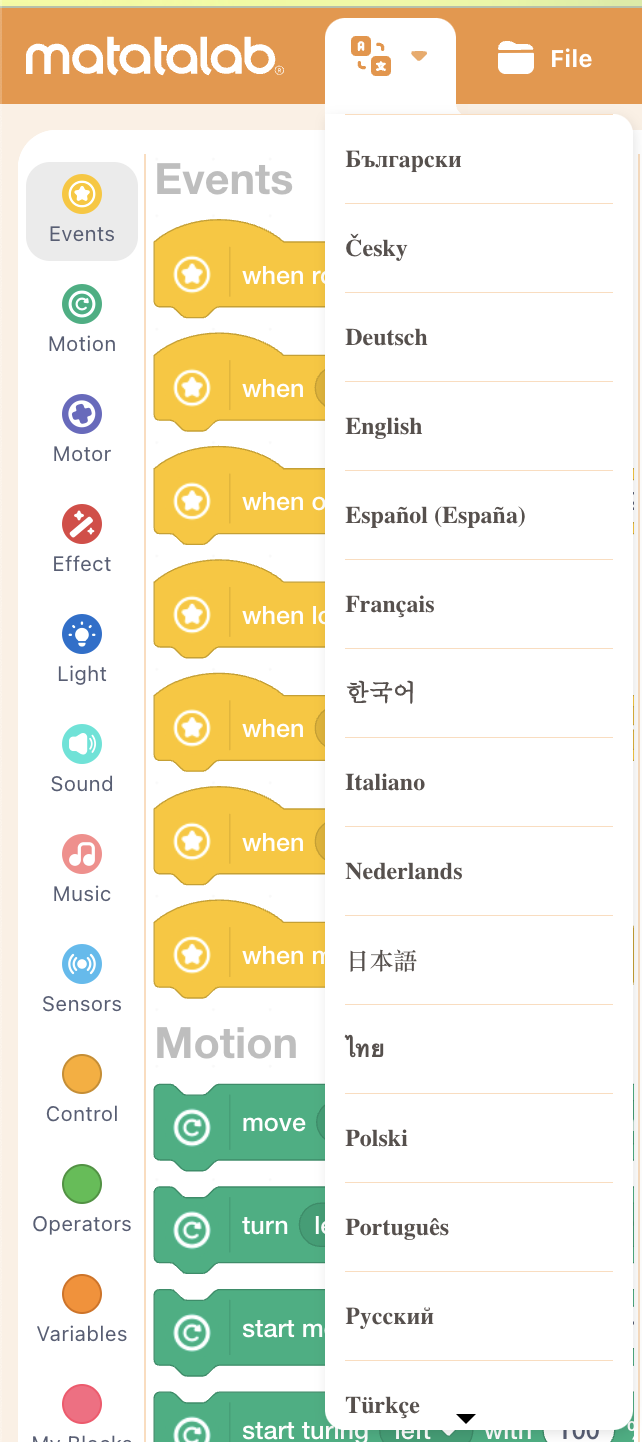
The coding program is available in multiple languages, making it more accessible to a wider audience. This allows children from different countries and backgrounds to learn to code using their native language. Additionally, the programming blocks are designed to be easily understood by young children, regardless of their level of literacy or cognitive ability, promoting inclusivity and accessibility for all.

[Students can select the language for coding, making it more accessible for all students as they build language skills and coding skills together!]

One of the key benefits of VinciBot is that it is designed to grow with the student. As they become more proficient in coding, students can use more advanced programming languages to control VinciBot and develop increasingly complex programs. This means that VinciBot can provide years of educational value for children of all ages.  

​​

Extra features

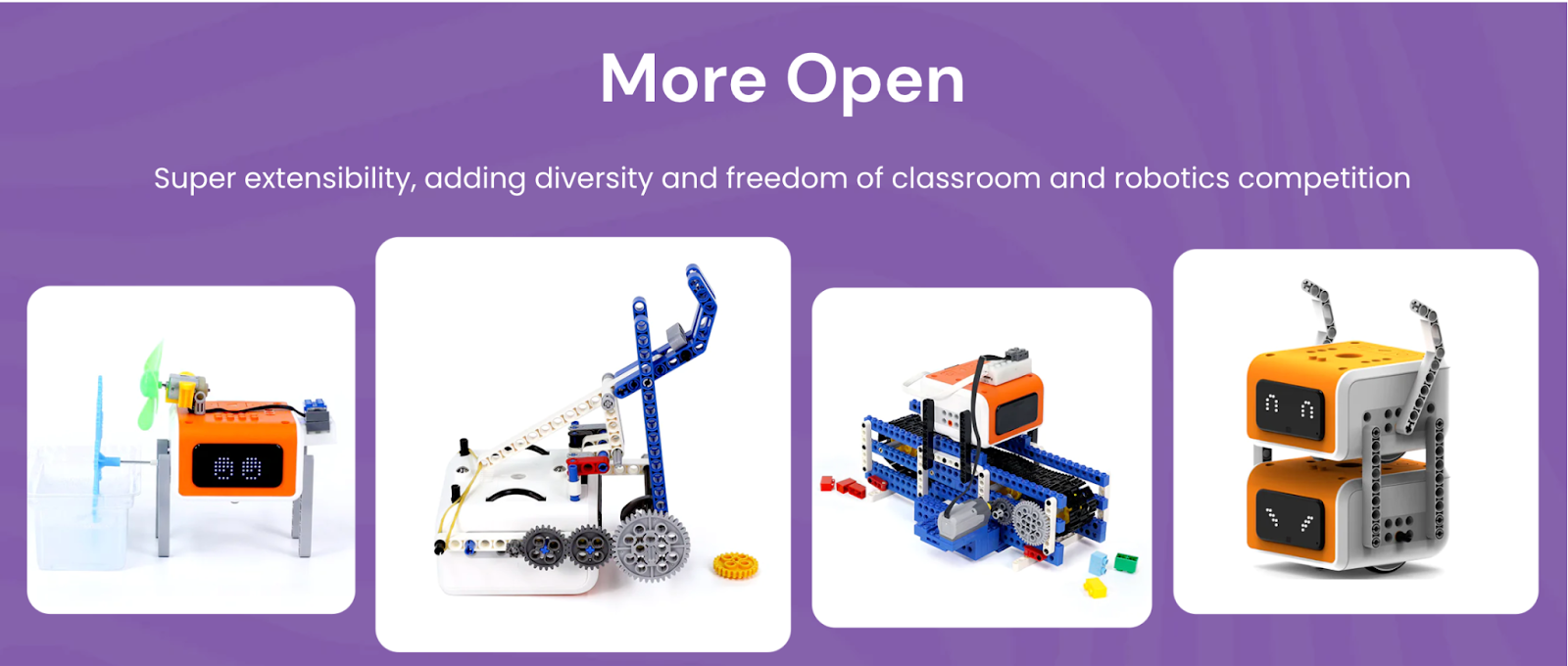
The VinciBot is also compatible with LEGO bricks and other products, making it possible to even combine robots together for a larger project or a robotics competition!  Students are so creative and can problem solve and collaborate to design a solution to a challenge or work with design thinking in the classroom.

Benefits of coding

In addition to learning to code, students develop many other skills that are essential for future success. It fosters the development of social-emotional learning (SEL) skills, building self-awareness as students learn to code and evaluate their growth. It fosters self-management as students set goals and problem solve and deal with challenges that can come with coding. Students build relationships as they work with one another to create, while also building skills in communication, collaboration, creativity, critical thinking, and problem-solving. 

Why explore Matatalab?

Matatalab products promote hands-on learning and encourage creativity and imagination. Students can use the coding cards to think about the steps in the coding process or use the remote to drive the robot. Once logged in, students are able to create their own programs. Being able to explore their own ideas and interests helps to foster a love of learning and discovery. By encouraging creativity and imagination, Matatalab products help to prepare children for the challenges of the future.

By providing an intuitive and hands-on approach to learning programming, Matatalab products help to prepare our students for the challenges of the future. They are designed to be accessible and engaging for kids of all ages and skill levels. Whether you are a parent or an educator, Matatalab products offer a fun and effective way to introduce kids to the world of coding and programming.

About the Author

Rachelle Dené Poth is a Foreign Language and STEAM Educator at Riverview High School in Oakmont, PA. She is also an Attorney, Edtech Consultant, Speaker, and the Author of seven books about education and edtech. Follow her on Twitter and Instagram at @Rdene915

**Interested in writing a guest blog for my site? Would love to share your ideas! Submit your post here. Looking for a new book to read? Find these available at bit.ly/Pothbooks

************ Also check out my THRIVEinEDU Podcast Here!

Join my weekly show on Mondays and Fridays at 6pm or 6:30 pm ET THRIVEinEDU on Facebook. Join the group here

Spring Ideas to bring STEM to your classroom!

By Rachelle Dené Poth, @Rdene915

As we continue to seek ways to best prepare students for the skills that they need to be successful in the future, it’s important that we are not afraid to take risks in our classroom by bringing new methods and different digital tools for our students. In looking at resources from the World Economic Forum and the Job Skills Outlook for 2025, for example, many of the skills that we’ve been talking about for years are still in demand and predicted to be even more essential in the future. Some of those skills include critical thinking and problem-solving, creativity, collaboration and communication, flexibility, resilience, leadership skills, and digital literacy. Deciding on methods to use or which digital tool to use in our classrooms can be a challenge sometimes, however, there are some easy ways to get started with STEM learning activities that provide many benefits for students.

Regardless of the grade level or content area, all teachers can bring in ​STEM-focused activities for students in a variety of ways. There may be concerns about a lack of teacher training, however, it just takes a little bit of time to become familiar with the technology or the concepts and then let students dive in and take the lead in learning. It is great when students teach us as well. It does not require us to be experts in all of these areas. We just need to find a few ideas and get started.

Why STEM Matters

Helping students to learn about STEM is important for their future success as many of the in-demand careers are in ​STEM-related fields. These careers will increase in demand and it is important that all students have opportunities to explore their interests in these areas. There are many benefits of learning about STEM including that it helps students to develop problem-solving skills, which is a valuable skill for any type of career. Students build collaboration skills when working with classmates to solve STEM challenges for example. These opportunities also spark curiosity as students become more engaged in learning, not just the content area but also learning more about the fields of science, technology, engineering, and math. Providing STEM-related learning opportunities helps students to become more comfortable with taking some risks in learning and also shifts students from being consumers to creators and even innovators. ​

STEM also helps students to build social-emotional learning (SEL) skills. As students work through a learning activity, they build self-awareness in regard to their skills and their interests, self-management as they work through challenges, and develop persistence and resilience as they may face obstacles in learning. They also become better with time management as they plan their project-based learning​ (PBL)​ or need to meet a specific deadline for their work, depending on the methods used. Students build relationships as they collaborate with classmates and develop social awareness as they learn about one another or by exploring the United Nations’ ​S​ustainable ​Development Goals (SDGs) and learning about places and challenges being faced around the world. Decision-making skills are developed as they focus on their learning journey and make decisions and take greater ownership of their learning. Providing STEM activities helps students to become quite flexible in their learning as they have to continue to iterate and reflect on where they are in the learning journey.

Getting Started and Ideas to Explore

Finding the time to get started with ​STEM may present another challenge for teachers, especially with benchmarks that need to be met and specific curricula that must be followed. However, there are some different ways to bring STEM in even if it’s for a short term or as a class activity. 

  1. Start with a discussion about the various subjects of STEM and then encourage students to explore something related to their interests and share it with classmates. There are many online resources available and even educational programs and courses that can help students to learn about STEM subjects. It could be that they enroll in an online course or follow a tutorial and then create something to share in class. Hands-on learning is a great way to get students involved in STEM and that can require very little if any funding. 
  2. Think about the content that you are teaching and identify a real-world problem for students to solve or apply a STEM concept to it for a solution. Students can work individually or in small groups to come up with different solutions and then provide feedback to each other.
  3. Design ​h​ands-​o​n learning activities for students. Depending on the course you teach, it could be having students conduct an experiment in a science class, they could design a prototype for something, reconstruct a famous landmark from history or another course of study, and try to improve upon it using STEM concepts. Use the STEM challenges to connect students in the classroom and boost student engagement in learning.
  4. Bring in some digital tools and STEM materials. There are many digital tools available that not only provide students with opportunities to learn about STEM but also involve emerging technologies like artificial intelligence for example. We have been working with Marty the Robot, a humanoid that can be coded screen-free with color cards or using the app with text-based and block-based coding. This is another great opportunity to bring in STEM, PBL, and SEL and understand how AI is programmed. Also with the great choices focused on STEM and SDGs and more with iBlocks, students engage in learning that is authentic, meaningful, and personalized for them. Teachers have all of the materials they need to get started. Another option is Ozobot, a one-inch robot for teaching students about coding that is a favorite in my STEAM class. It can be used as a screen-free coding resource too!
  5. Think about cross-curricular collaboration. Finding time to bring in STEM activities can be done when collaborating with colleagues through cross-curricular collaborations. Find a common focus and have students apply their knowledge from these courses to design a project or work together with classmates to develop STEM and essential SEL skills.

Finding the Funding

Some of the challenges with bringing STEM into classrooms may include a lack of funding, depending on the type of resource that a school may want. Applying for grants or connecting with a local school or organization that offers a lending program or a library of resources that they share can be a great way to get started. Another suggestion is to obtain a few items and have students work in learning stations. Giving students a chance to explore multiple resources and then exchange ideas and reflect on their learning experience is also beneficial. When it comes to technology, not all schools may have access to the right devices, so finding a variety of resources to use that provide students with the opportunity to learn and engage with these tools is important. Also connecting subjects with other areas of the curriculum so that they see the real-world connection makes it more meaningful for students.

Another idea is to find guest speakers who can talk to students about STEM fields and the importance of these areas. In my school, we have access to a cohort that helps us find local organizations, technology companies, and local universities that offer resources or STEM-related learning opportunities for students.

The Benefits are Long-Lasting

Providing access to resources that equip students with the right information and opportunities to work at their own pace and explore based on their specific interests and needs is essential. Providing students with opportunities to engage in more student-driven learning through STEM-related activities will offer many benefits beyond just the content knowledge. It will prepare them for whatever the future holds and equip them with a variety of skills that will be adaptable to many areas of work and life.


About the Author:

Rachelle Dené Poth is an ed-tech consultant, presenter, attorney, author, and teacher. Rachelle teaches Spanish and STEAM: What’s nExT in Emerging Technology at Riverview Junior-Senior High School in Oakmont, PA. Rachelle has a Juris Doctor degree from Duquesne University School of Law and a Master’s in Instructional Technology. She is a Consultant and Speaker, owner of ThriveinEDU LLC Consulting. She is an ISTE Certified Educator and currently serves as the past -president of the ISTE Teacher Education Network and on the Leadership team of the Mobile Learning Network. At ISTE19, she received the Making IT Happen Award and a Presidential Gold Award for volunteer service to education. She is also a Buncee Ambassador, Nearpod PioNear, and Microsoft Innovative Educator Expert.

Rachelle is the author of seven books and is a blogger for Getting Smart, Defined Learning, and NEO LMS. Follow Rachelle on Twitter @Rdene915 and Instagram @Rdene915. Rachelle has a podcast, ThriveinEDU https://anchor.fm/rdene915.

**Interested in writing a guest blog for my site? Would love to share your ideas! Submit your post here. Looking for a new book to read? Find these available at bit.ly/Pothbooks

************ Also check out my THRIVEinEDU Podcast Here!

Join our weekly show on Fridays at 6pm ET THRIVEinEDU on Facebook. Join the group here

New AI detection feature via Turnitin

Over the last couple of months, it’s unbelievable how much has changed in the world of artificial intelligence (AI). For the last couple of years, I have spent time researching, writing about, presenting on, and teaching about AI in my classroom and continuing to learn as much as I possibly can each year. When ChatGPT became available to the public in December, I didn’t hesitate to dive in and explore exactly what it was capable of doing. I even co-wrote an article about its potential impact on not just education but other areas of work.

After about 3 hours, I was pretty impressed with what I was seeing. I was also a little bit concerned about what it could be used for, whether by educators, students, or anybody for that matter. ChatGPT and the evolving AI technologies are not something that will impact educators and students, it is something that will impact many areas of the workforce and jobs that are out there. A big concern that has come up during this ChatGPT exploration is plagiarism. How will educators be able to tell when students may be using ChatGPT to complete their assignments especially with something evolving as fast as this technology? Will students begin to rely on this technology and as a result, lose the opportunity to develop essential skills on their own? What policies may need to be in place? Is it plagiarism if it is not citing a specific source? These are some of the many questions on the minds of educators and parents.

Plagiarism detection

There have been plagiarism checkers available for years and many educators and educational institutions use them. In my own experience as a doctoral student now, and when I worked on my Master’s degree five years ago, assignment submissions go through a plagiarism checker instantly. Turnitin is one that has been used. Honestly, there have been times when I’ve been shocked to see the percentage that comes back stating the likelihood of plagiarism, knowing that I did not plagiarize. I work hard to cite my sources but apparently, something that I did was not completely accurate and I used it as a way to evaluate my writing and improve my citations. Now enter ChatGPT.

Three years ago, I helped to do some research for a blog post about GPT-3 and I was impressed with what it was capable of back in 2020. Fast forward to early December 2022, working with and exploring ChatGPT, I was amazed at how much it had evolved since 2020 and the number of ways that you could use it. It didn’t take long for educators and lots of people to express concern about what the impact of this type of powerful technology would have on student learning.

Would it lead students to lose learning opportunities?

Would they rely on everything that they found by using this, and lack skills that they need to be prepared for the future?

What should educators do when it comes to teaching about these technologies in the classroom?

How can you tell whether or not a student has used ChatGPT to complete an assignment or project and how do you handle it?

Learning opportunities

AI writing and the use of ChatGPT and other AI writing tools are increasingly common not only in business. Students are using it and know about it. There are high schools banning its use. Educators are worried it will erode writing skills. But is banning it the solution? Detecting the presence of artificial intelligence in a student’s writing is helpful, but I hope that it is focused not on catching them doing something wrong but rather to use it to improve writing. We should use it to start conversations with students.

Turnitin has been developing writing and feedback tools for educators for 25 years and has continued to refine the ways that teachers give feedback to students. Turnitin commissioned Atomik Research to conduct an online survey of 1,011 parents and/or guardians of high school students in the United States to understand their perceptions of AI writing tools like ChatGPT and Google Bard. Interestingly, 81% of respondents believe that teachers should use technology tools to detect when something has been written by AI to check homework or test answers to cut down on cheating.

On Tuesday, Turnitin released a new AI detection feature that has the ability to detect AI with 98% accuracy. They are also continuing to monitor the detection settings to watch for false positives. The new AI detection feature works like similarity checking. If something is noted, then teachers can look at the writing and provide feedback to students. It becomes a conversation and a learning opportunity for teachers and students about how to evaluate information and also for properly citing sources that have been used. The software should not be viewed as something that is set to accuse students of plagiarizing.

[image via Turnitin]

Also helpful is the sidebar with resources for educators to explore.

[Similarity report via the AI writing feature]

As educators, we have a responsibility to help our students to develop skills to navigate all of these changes that are happening in the world of education, and that may impact them in their future line of work.

Lessons to learn

I see this new feature as a way to provide information for teachers so they have data for analyzing student writing and providing further instruction and feedback, not as a tool for accusing students of misconduct. We want students to understand the importance of academic integrity while also learning about the tools available, including ChatGPT and other AI technologies. It is a way to also build literacy skills and stress the importance of evaluating our sources and checking information for accuracy.

Now what?

I recommend following the conversation about ChatGPT in the variety of educator spaces and communities. As for tools that detect plagiarism, explore the resources available to assist educators in integrating this new technology into their classrooms. The Turnitin page features a glossary of AI terms, which provides a useful reference guide for educators who are not yet familiar with the technical vocabulary associated with this technology. Additionally, there is a guide on updating an academic integrity policy in the age of AI, which is essential for ensuring that educators have a clear understanding of the ethical considerations surrounding AI-generated text.

And the best advice I can offer is to dive into trying out ChatGPT. Think about questions that you ask your students, projects that you have assigned, assessments that you’ve created, and lesson plans that you’ve written, and put all of those in as prompts. See what it generates and then regenerate the response a few times and look for commonalities. I test this out to see how similar the answers are and also check it for accuracy. I have explored this with my students as well because we know that not everything that we find on the Internet is accurate, which is why we have to embrace this and help students to learn to be digitally literate and model this practice for them.

This post was in collaboration with Pando PR. Opinions expressed are my own.

**Interested in writing a guest blog for my site? Would love to share your ideas! Submit your post here. Looking for a new book to read? Find these available at bit.ly/Pothbooks

************ Also check out my THRIVEinEDU Podcast Here!

Join my weekly show on Fridays at 6pm ET THRIVEinEDU on Facebook. Join the group here

Unfinished Business: A Different Peer Review Strategy

Guest post by laura steinbrink, posted in education

EVERY ROSE HAS ITS THORN

This strategy is based on Liz Lerman’s Critical Response Process, which has amazing potential even outside of its intended use. After reading her book on this process, I have been pondering ways to use this model with students of all ages, and with some restructuring according to the age or grade level of the student, I believe it is possible. To use this, students must be creating, writing, or have a product that is in progress or not complete, or maybe even a rough draft. Then, as students are in the process of creating, whether it be writing, artwork, research, project-based learning (PBL), presentation, etc., this process can help students refine their work with controlled peer feedback. There are three roles for this process, and if you have a small class, then you can do this whole group. For larger classes, you may need to conduct the process with the whole group as a model, and then break it up into smaller groups if necessary.

JUST LIKE EVERY NIGHT HAS ITS DAWN

The purpose of this strategy is not to “fix” the student’s work, but to provide questions to clarify areas that need more work and statements to point out strengths of the work in progress. This is actually the hardest part for me, as I am generally in “fix it” mode. This is also the part that needs to be addressed up front with the students the first time you do this with them. They are not to offer ways to fix any part that the creator is struggling with but to come up with questions to ask the creator about those issues that will help them come up with their own solution. In step 5 below, you could allow an opinion to contain a “here’s what I would do,” but the creator is still the one deciding whether or not to accept or act on those ideas.

JUST LIKE EVERY COWBOY SINGS HIS SAD, SAD SONG

What is particularly striking about this process or strategy is the potential for students to truly see that the process of creating is important, there’s usually more than one right way to do something, the class can truly be a learning community, and that revising work is a natural part of the creating process. Students often get into the rut of the “one and done” mode. We write a paper, create a product, paint a picture, and then turn it in and move on. This occurs even when we use our beloved rubrics. I have conducted workshops on how to effectively use rubrics, like the single-point rubric, and teachers have complained that they hand back a rubric and the student looks at it and tosses it in the trash. My question to all who have experienced this is, “Was there a grade on it?” If so, that’s the feedback the student wanted. No need to reflect. A teacher in my previous district pointed out that she handed back the rubrics and a student looked at it and crumpled it up, and that the student was my son. I asked him about it later, and he said, “It had a 100% on it. What did I need to look at or do with the rubric?” Right. No need to reflect at that point is a common student reaction. I encourage not putting grades on rubrics, instead, it is better to use them to guide instruction and feedback in the process of creating the work.

EVERY ROSE HAS ITS THORN

The Unfinished Business strategy can help students see that revising as we go is a common and productive practice. Research shows us that reflecting is a powerful learning strategy, so what better way to teach it than to have students reflect on feedback to find ways to improve and revise the work in progress? According to John Hattie and Helen Timperly, feedback is the “consequence of performance.” So to elicit strong feedback to help learners value the creation and revision process, try the strategy below and adjust as needed to fit your learners.

Role 1: Artist/Maker

Offers a work-in-progress for review and is prepared to examine the work critically in conversation with other people.

Role 2: Responder

Commits to the artist/maker’s intent to make excellent work. They question and respond to questions. They want the artist/maker to do their best work.

Role 3: Facilitator

Initiates each step, keeps the process and students on track, and works to help the artist/maker and responders frame useful questions and responses. The project rubric, if you have one, would be helpful here. Students can either form questions based on the criteria or you can have premade questions from the criteria that students can ask. Giving students a question to ask when first trying this or each time it is tried can really help get a productive conversation going. Those questions would be scaffolds for the responders. Most questions they will need to generate independently and need to be useful to the artist/maker.

Step 1: Artist/Maker shares the work in progress or a part of the work that they are struggling with or aren’t sure of at that moment in the creation process, or even after a draft or prototype has been completed.

Step 2: Responders then respond to what was meaningful, surprising, interesting, exciting, and/or striking in the work they have just witnessed, heard, read, etc. Each responder verbally or on a sticky note writes one positive response to the work. They cannot use “I like” or “I love” in the statement. Instead of saying/writing “I like the way you…” students write or say things like “Your thesis statement is strong and engaging” or “The color choice really complements the piece,” depending on the type of work being reviewed.

Step 3: The artist/maker then asks any questions they may have about the work. In answering, responders must stay on topic with the question and may only express opinions in direct response to the artist’s questions. This might be tricky, so after a practice round or two, determining a limit on the questions the artist/maker may ask might help with the facilitation. Time constraints in general mean that having the artist ask 1-3 questions would prevent the process from dragging on, which is important for the engagement of the responders. All responders should write down a response and the artist/maker can choose one or two to call on verbally. The artist receives all written responses also. On the same sticky note, (Use one or two per student responder for each session.)

Step 4: Responders write out neutral questions about the work on the same sticky note, and the artist chooses 1-3 students to ask their questions and then they respond to those questions.

Questions are neutral when they do not have an opinion added to them. This step is one of the most fundamental, challenging, and misunderstood steps of the Critical Response Process as noted by Liz Lerman. The questions are focused on anything unclear, confusing, complicated, or too simplistic about the work and should promote critical thinking among the responders. This part of the process is meant to provide the artist/maker with areas to consider for improving the work. The artist/maker has ultimate control over the end product, and responders are not there to “fix” the work, so they should not include solutions. The “fixers” in your classroom may struggle with this, so be prepared to help them suppress that instinct.

Step 5: (Optional-if time permits) Responders state opinions about the work in progress, given permission from the artist; the artist/maker considers the opinions but has the option to say no. Here is where you could include “fix it” ideas from those students who are your “fixers.” This round may be best if it is oral and not written down. The artist/maker calls on one or two responders, and again, the decisions lie with the artist/maker to accept one, some, all, or none of the proffered suggestions.

YEAH IT DOES

Students who are in the role of responder will still get a lot out of this process. The artist/maker will as well. This will provide the motivation to reflect on the work and then revise it. This is the beauty in this strategy for me, as there are times when getting students to review, edit, or revise their work is like Sisyphus rolling his rock up the hill each day. Again, revise this as needed for younger learners. This strategy can also promote an inclusive and safe learning environment when done properly (manage unhelpful criticisms), which can lead to students taking academic risks. Set up time in your pacing guide for this in place or in addition to any peer review feedback activities that are already built-in, and then do the strategy. It could work as a one-day weekly activity or as needed. The goal is for students to manage their own learning, and you will know you have achieved that goal when students start requesting the strategy to receive help with their work. Good luck, and tag me on Twitter or comment below if you find it useful.

Hattie, J., & Timperley, H. (2016). The Power of Feedback. Review of Educational Research. https://doi.org/10.3102/003465430298487

HEADINGS ARE PARTIAL LYRICS FROM EVERY ROSE HAS ITS THORN BY POISON.

Source: LyricFind
Songwriters: Bobby Dall / Bret Michaels / Bruce Anthony Johannesson / Rikki Rocket
Every Rose Has Its Thorn lyrics © Universal Music Publishing Group, Warner Chappell Music, Inc

**Interested in writing a guest blog for my site? Would love to share your ideas! Submit your post here. Looking for a new book to read? Find these available at bit.ly/Pothbooks

************ Also check out my THRIVEinEDU Podcast Here!

Join my weekly show on Fridays at 6pm ET THRIVEinEDU on Facebook. Join the group here

Spring Ideas to Boost Engagement!

The start of a new year is a great time to ​think about the progress we have made so far this year and consider trying some different methods and tools in our classrooms. Taking time to reflect on what has worked, what we have not tried, and areas, where we may be having some challenges, is important. We want to continue to reflect and implement new strategies and tools that will benefit our students and transform learning.

Just like at the beginning of a new school year, focusing on the continued building of relationships is essential year-round. To do so, we have to be intentional about evaluating our teaching practice and the opportunities that we provide for our students. For our personal and professional growth, we need to make time for ​reflecting on our daily work as ​​educators​. What are some areas that we notice where we have grown in our practice? Are there some methods or tools that we have on our list but have lacked the time to try? Have we asked students for feedback about their experiences in our classroom and what helps them to learn best? I think that this is important for our practice. Using surveys and having conversations with students makes a difference. There are even great tools available for educators to use such as LessonLoop, which helps teachers to better understand student engagement and their specific needs in our classrooms.  Another tool that helps educators to really focus on their methods and classroom interactions is Edthena, a virtual coaching platform. Teachers can record themselves teaching a lesson and then the AI Coach uses prompts to guide you about your lesson and what your perception of their effectiveness was. With videos, we can go back and focus on specific parts of our lesson, and our delivery and then use this to guide our reflection.

Taking time to reflect is important so that we can start the new year fresh. Now is the perfect opportunity to dive in and start the new year off with some fresh ideas! By choosing some methods or focus areas and then leveraging different tools, we can transform student learning and provide opportunities for building essential skills such as SEL. The power of choice not only helps students to build content area skills but also will lead them forward into their future careers with a variety of skill sets. With different tools and methods, we can spark curiosity for learning and foster creativity in learning!

For educators, this means we have to be willing to try new ideas, make mistakes and try again. Doing this sets a good model for our students. We want them to become more comfortable with learning and making mistakes and the process of learning itself.

Choosing methods in our classrooms that help to foster joy in learning and also foster the development of social-emotional learning (SEL) skills, will benefit students now and in the future. Being able to master the content while also developing skills that enable students to collaborate and develop strong and supportive relationships are important for future workplace success.

One thing to keep in mind is to find ways to streamline the workflow and the types of methods and tools that we are using. We want to provide choices but not overwhelm students in the process. Finding methods and tools that are versatile and applicable to different content areas and grade levels is key.  Here are four ideas to start with:

  1. Elementari is a tool we started to use this year and it has been fun seeing what the students create. There are many options available with Elementari, including the option for students to create an interactive story and build their skills in coding. There are more than 10,000 illustrations and sounds available to choose from.
  2. Genially can be used for genius hour, project-based learning (PBL), interactive lessons, and more. We have used it in my Spanish and STEAM classes for projects and I have used it personally for creating resumes, digital portfolios, and even presentations. Students can work individually or together on a collaborative presentation which also promotes digital citizenship skills too! Genially has thousands of templates to choose from with options for STEM and more.
  3. Spaces EDU is a great tool that teachers can use individually and create different types of “spaces.” There are individual, class, and group spaces through which teachers and students can collaborate and communicate using multimedia options. With an individual space, students can share their learning with teachers in a space where they are able to build confidence in learning. Individual spaces work well for methods like genius hour and PBL or for checking in with students.  A group space has been fun for doing activities in stations or a collaborative PBL or even something fun like a scavenger hunt. Spaces EDU also has curriculum tags and more that help teachers to connect the curriculum to the activities created in Spaces.
  4. STEM-related: There are some new resources we have explored this year including iBlocksPBL which helps educators to dive into PBL and students can learn about relevant topics related to the SDGs that help them to develop essential SEL skills, especially in the competencies of self-awareness and self-management. A few years ago I used Hummingbird Robots with my STEAM class and more recently, we used the Finch robots from Birdbrain Technologies. Teachers can use these tools in any content area and have students create something to reflect what they are learning in class while building coding skills and even learning about AI. These are just a few to explore in your classroom.  If you are interested in PBL, SEL, and STEM, any of these options would help to focus on those areas with the use of one tool. Involve students in the conversation and see what the impact is of using the different methods like genius hour or PBL or trying one of these tools. And for our own growth, using a survey created with Google or Microsoft Forms, or trying the LessonLoop student engagement survey, can help us to plan with our students’ interests in mind and continue to reflect on our practice. Taking risks and facing challenges along the way is a great model to set for students!

About the Author:

Rachelle Dené is a Spanish and STEAM: What’s nExT in Emerging Technology Teacher at Riverview High School in Oakmont, PA. Rachelle is also an attorney with a Juris Doctor degree from Duquesne University School of Law and a Master’s in Instructional Technology. Rachelle is an ISTE Certified Educator and serves as the past president of the ISTE Teacher Education Network. She was named one of 30 K-12 IT Influencers to follow in 2021.

She is the author of seven books including ‘In Other Words: Quotes That Push Our Thinking,” “Unconventional Ways to Thrive in EDU”, “The Future is Now: Looking Back to Move Ahead,” “Chart A New Course: A Guide to Teaching Essential Skills for Tomorrow’s World, “True Story: Lessons That One Kid Taught Us” and her newest book “Things I Wish […] Knew” is now available at bit.ly/thingsiwishedu.

Follow Rachelle on Twitter @Rdene915 and on Instagram @Rdene915. Rachelle has a podcast, ThriveinEDU available at https://anchor.fm/rdene915

**Interested in writing a guest blog for my site? Would love to share your ideas! Submit your post here. Looking for a new book to read? Find these available at bit.ly/Pothbooks

************ Also check out my THRIVEinEDU Podcast Here!

Join our weekly show on Fridays at 6pm ET THRIVEinEDU on Facebook. Join the group here

5 Ways to Bring Augmented and Virtual Reality into the Classroom

My prior post for Getting Smart

We have thousands of resources to choose from, and ideas we can gather from the different learning communities that we belong to, however, it can be overwhelming and time-consuming to sort through all of our options. It is always important when we consider our options to think about the purpose for using them. I try to find tools that have benefits beyond their educational use and that are applicable to the real world and will help students to prepare for the future. 

As we look for activities and new ideas to keep students engaged, I think it is the perfect opportunity to explore some of the emerging technologies like augmented and virtual reality. While traveling around the world or exploring objects up close is limited during this time, we can use some of the AR and VR tools available to explore and also to have students create their own. Giving students the chance to engage in a more meaningful way with the content they are studying and move from consumers to creators using these tools helps to increase student engagement and leads to higher student achievement.  

Using tools for exploring and immersing more in learning through AR and VR enables students to connect more closely with what they are studying. Having choices for creating with these tools, also enables us to meet specific student needs and interests. As a bonus, these tools are also fantastic options for anyone interested in learning about these emerging technologies. 

 Here are eight options to get started with: 

  1. Big Bang AR.  Download the Big Bang AR app to learn about the big bang theory and engage in an interactive journey in mixed reality. Travel back 13.8 billion years and see the formation of the universe happen right in your real-world space. Imagine seeing the stars as they form right in front of your eyes.
  2. Devar: Choose from one of the lively characters to bring into your classroom or home. Devar is easy to get started with and is a fun way for students or anyone to learn more about what augmented reality is and how it can be used for storytelling. Start by selecting a character and add music or your own narration to it and record. Share the video with students or have students create their own to tell a story. Check out the other resources available from Devar such as games and books related to different content areas and grade levels. 
  3. DisruptED. Provides augmented and virtual reality tools for students in pre-K through third grade. I recently learned about this one from Jaime Donally and had a chance to see the possibilities for engaging students through AR books. The new starter kit includes activity books, gamified activities, a headset and more. The newest AR book “Bee Safe” is available for a free download
  4. Google AR/VR. A website full of resources for learning about augmented and virtual reality through Google. Check out the experiences which include opportunities to learn about math, science, the human body, and more in AR. Bring prehistoric creatures or other animals into your environment. You can even create your own AR experience by downloading the software development kit (SDK) to create with Google ARCore. With the SDK, you can create new AR experiences or enhance existing apps with AR features.
  5. Nearpod: Offers many options for promoting student engagement through its interactive multimedia platform. My first VR experiences were with Nearpod and there are thousands of lessons to choose from which include 3D objects and VR field trips. Lessons through Nearpod are great options for immersing students in different learning experiences and traveling around the world or exploring places and objects more closely.

It is important to offer multiple options to students that lead to more meaningful experiences that promote the development of essential skills for the future and empower them through self-driven learning. We have an opportunity to innovate and reimagine learning as we embrace the new school year. We can use these immersive tools to create new learning experiences for our students and empower them to create their own!

**Interested in writing a guest blog for my site? Would love to share your ideas! Submit your post here. Looking for a new book to read? Find these available at bit.ly/Pothbooks

************ Also check out my THRIVEinEDU Podcast Here!

Join my weekly show on Fridays at 6pm ET THRIVEinEDU on Facebook. Join the group here

TCEA 2023 – What a great event!

By Author(s) Name(s):  Rachelle Dené Poth

I recently attended my fourth TCEA conference. This year marked the 43rd year of the TCEA (Texas Computer Educators Association) Convention and Exposition which was held in San Antonio, Texas at the Henry B. Gonzalez Convention Center.  Since the first time I attended TCEA in San Antonio in 2017, it has become one of my must-attend conferences each year. With more than 700 sessions to choose from on a variety of important topics, TCEA provided a great learning experience for educators again this year. There were also lots of spaces for educators to connect and build their network. Luann Hughes served as the 2023 Convention Chair and sent emails each day with an overview of the day’s schedule, some “Sessions to Savor” and other helpful information to get attendees excited for the day!

The highlights

The people:   It is so nice to be able to join together in person at events like the TCEA conference again. For some people, this may have been the first time meeting a friend face-to-face or the first time seeing a friend in the past few years.  For me, I love the opportunities to spend time with friends, make new connections and build our learning networks. 

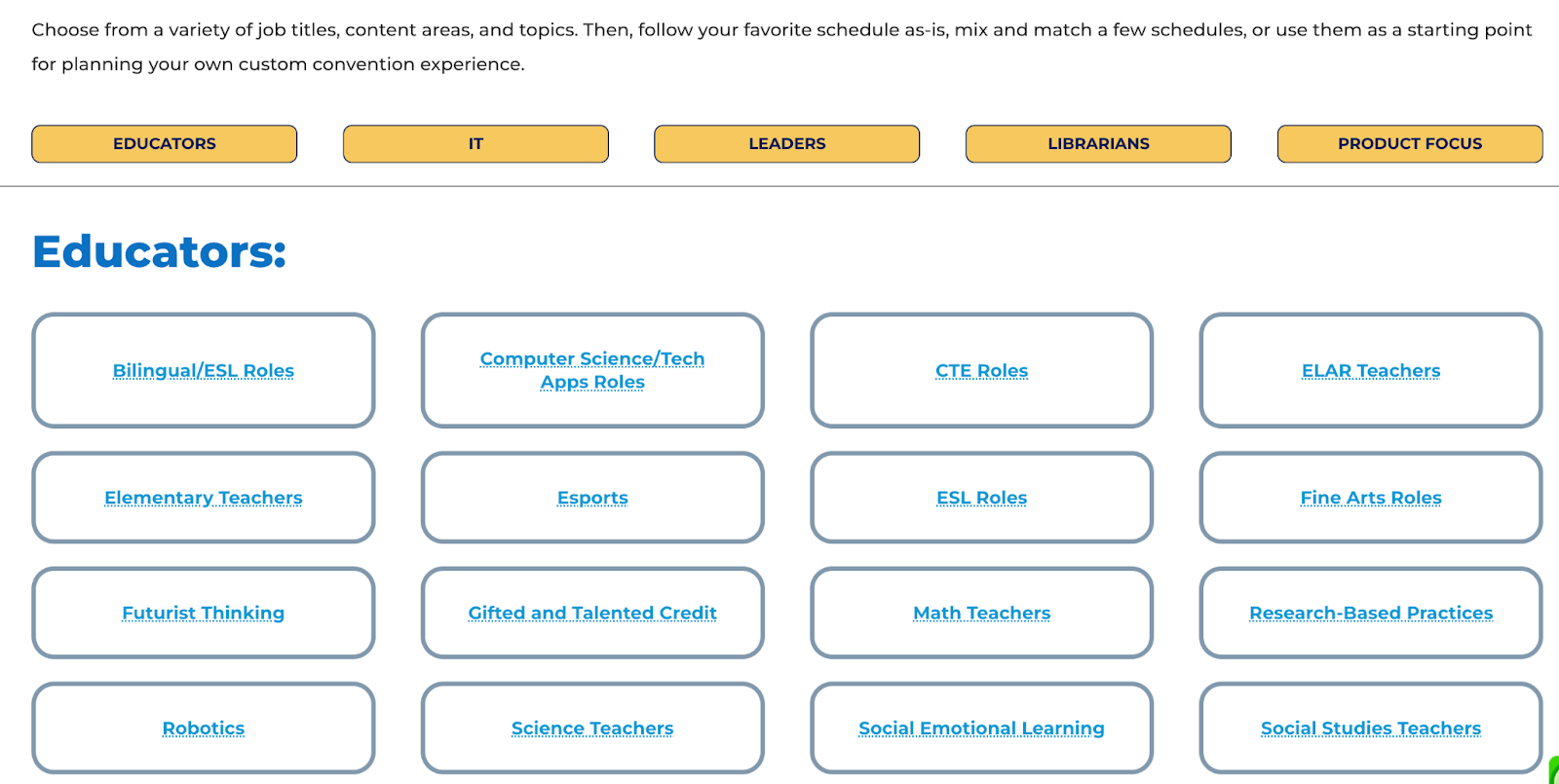
The mock schedules: Deciding on sessions to attend can always be a challenge especially when there are so many choices. One of the things I love about TCEA is that they put together mock schedules focused on the different roles of educators. The conference planning team reviews all sessions being offered for roles such as classroom teachers, IT, leaders, and librarians, or with a specific focus on SEL or STEM, special populations, and other important topics in education. Being able to look at a sample schedule helps any attendee but definitely, a first-time attendee to build a schedule focused on their specific interests and needs for professional learning. 

Power Hours: There were a variety of session types and events during the conference. Each day started with a Power Hour with a featured speaker. On Monday, Dr. Adam Saenz focused on “The Power of a Teacher” and how important it is to remember the “why” behind the work that we do and the importance of focusing on relationships. On Tuesday, Dr. Michael Hinojosathe spoke about “How to Leverage Educational Technology as a Learning Strategy.” He has more than 40 years of experience in public education, as a teacher, coach, and superintendent/CEO. On Wednesday, the Power Hour “Keep it REAL. Keep it FUN. Keep it UP!” with Joe Dombrowski, an educator who has studied the art of improv comedy. He shared ideas and personal stories about how he uses improv to boost student engagement. His goal is to help students “want to be in school rather than have to be in school.” There was a lot of laughter during his inspiring session.

[Kaitlin Roig-DeBellis]

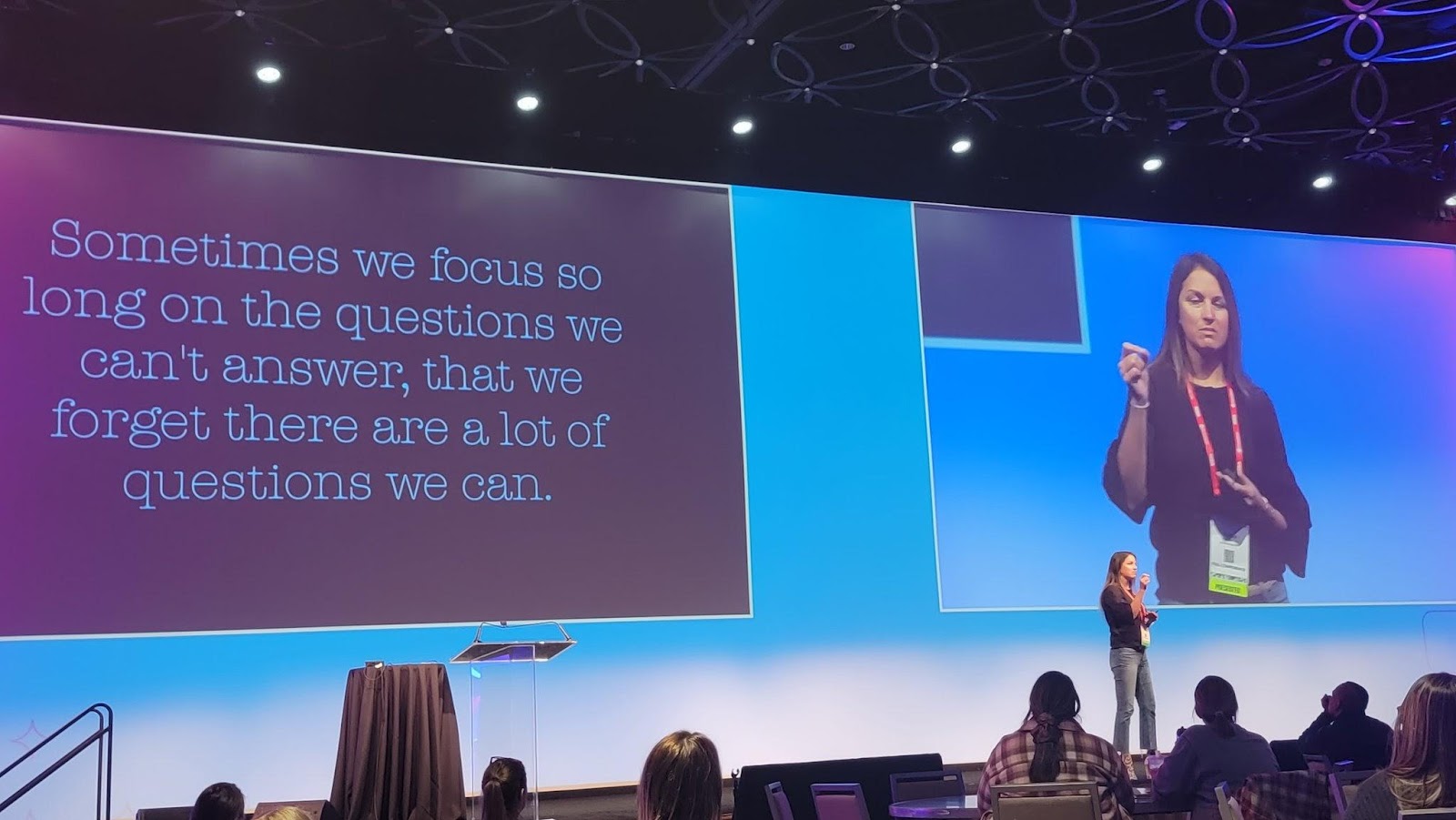
Thursday’s Power Hour was with Kaitlin Roig-DeBellis, a former Sandy Hook Elementary teacher and the founder and executive director of Classes 4 Classes. She inspired educators with her message focused on making choices with “purpose, passion, perspective, resilience, and hope.” 

One of many interesting spaces in the center.

The sessions and topics

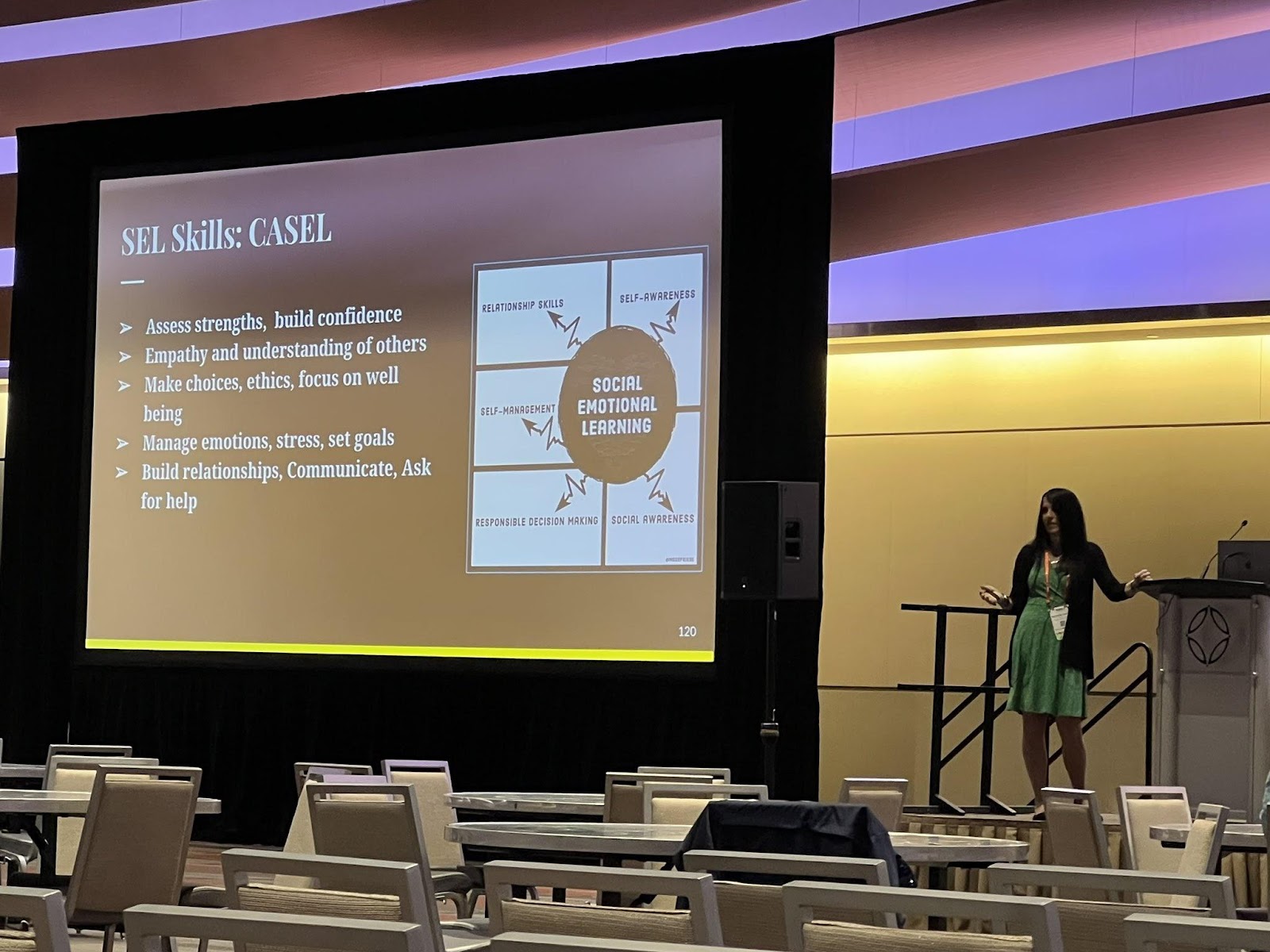
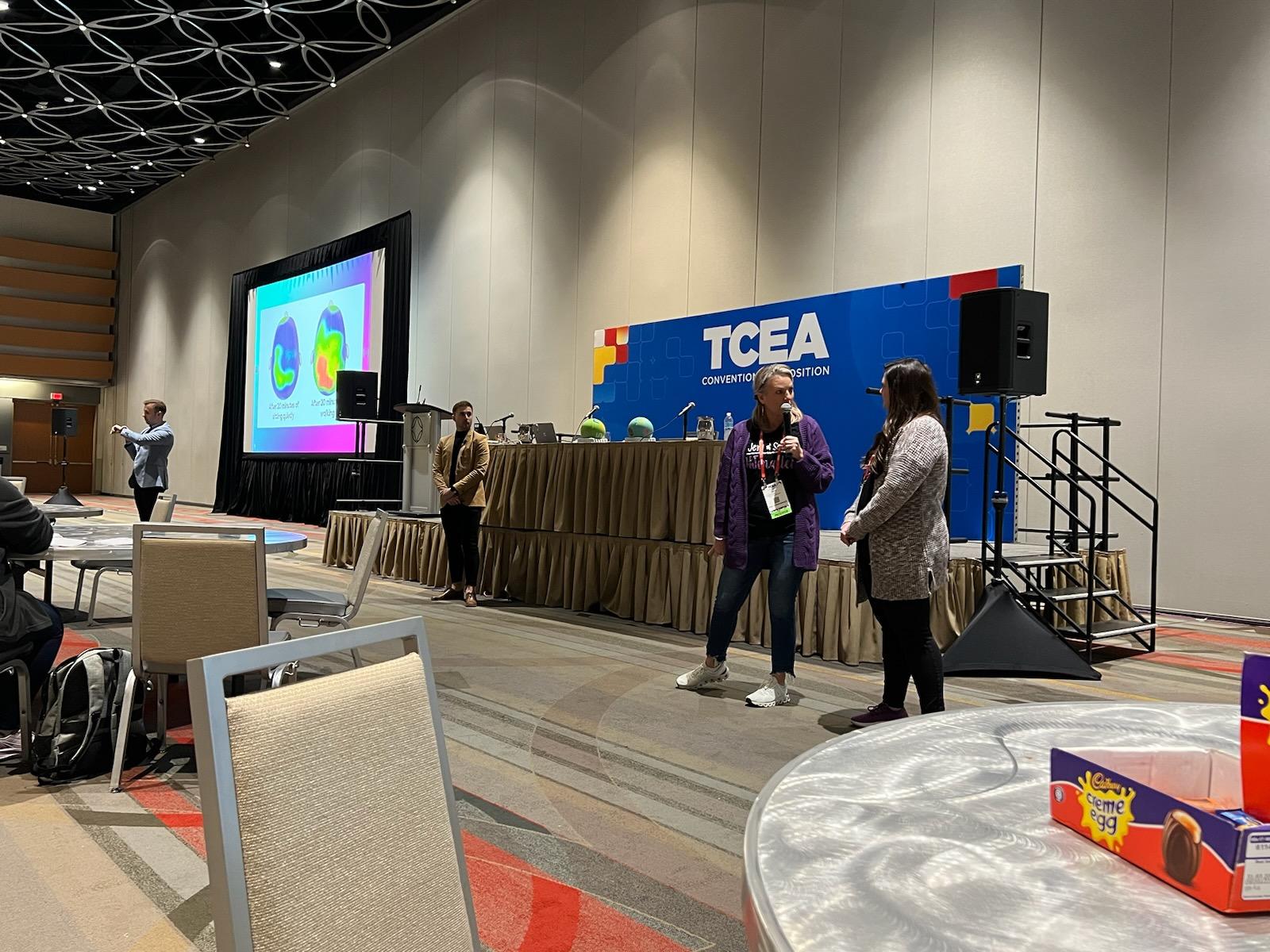
There were several hot topics this year.  Attendees were very interested in learning about AI and in particular, ChatGPT, and its implications for education. Blockchain, NFTs, and the metaverse were also of interest, with several sessions available covering each of these. I presented a few sessions on artificial intelligence, emerging tech like NFTs, blockchain, the metaverse, and augmented and virtual reality. I also presented and attended several sessions on SEL. There were so many great sessions to choose from. As a presenter, I learn so much from attendees and I look forward to those opportunities to connect. The interactions in sessions lead to new connections and spark interest in new areas for teachers who walk away feeling more confident in diving into some of these new topics and trends.

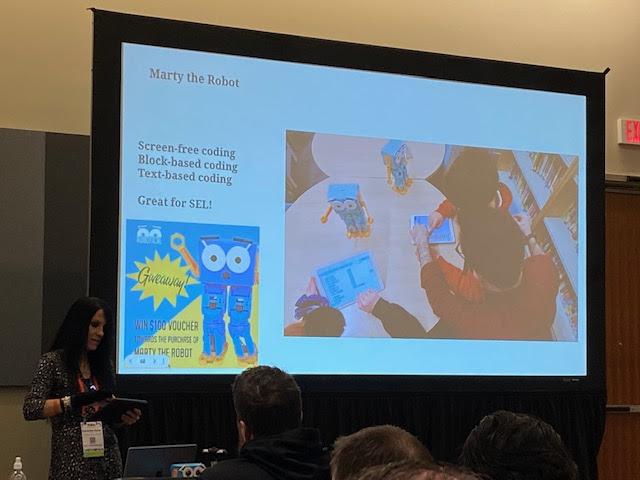
One of my presentations focused on Chart A New Course: Teaching Essential Skills. Sharing methods and tools like BookWidgets, StoryJumper, Marty the Robot and many more!

Jaime Donally had a great experience for anyone looking to learn about augmented and virtual reality during her sessions such as “Top AR/VR Trends to Transform Learning” and the Digcit VR Journey. Rabbi Michael Cohen (The Tech Rabbi) presented a few sessions on Cryptocurrency, Blockchain, NFTs, and web 3. Also, a big focus was on SEL, with a great session for teachers presented by Jenallee, the eTwinz, and Scott Bricker. Many sessions covered these topics and drew large crowds. Monica Burns had so many ideas to share in her “15 Ways to Collect Actionable Formative Assessment Data” session. She presented quick ideas and also digital tools that help educators gather important data about student learning. 

Strategies for Teachers Session by Jenalee and the eTwinz

There were a variety of sessions focused on specific tools such as Google from Dr. Desiree Alexander who had a lot of great tips for streamlining Google Drive.  Holly Clark and Matt Miller presented on AI and ChatGPT and shared some ideas for how educators can explore this technology and ways to help students understand it and its implications for learning now and working in the future. Another engaging session was “Three by Thursday! Electrifying Strategies to Ensure Engagement in Learning” by Stormy Daniels and Wendy Hedeen.  These are just some of the many topics you could explore and sessions that provided actionable strategies and many resources and also helped with building confidence in taking some risks in our classrooms. 

The poster sessions: At each conference, poster sessions are a great way to take in a lot of new ideas in a short amount of time. Being able to interact one-on-one and ask questions specific to your needs in these topic areas really does make a difference. There were poster sessions for CTE, Librarians, Professional Learning, STEM, CTE, and content areas. Sometimes it can be tough to decide which sessions to attend at a conference, but there were opportunities everywhere, especially through the poster sessions. 

Panel and Roundtable Discussions: There were roundtable and panel discussions held each day on topics such as equity, personalized professional learning, sustainability, and really relevant focus points for educators.  Each day had a variety of panel discussions focused on issues relevant to classroom teachers, educators, and librarians and provided an engaging space to ask questions and make new connections. 

Presenting on AI and sharing Marty the Robot

The big topics: Some of the big topics in emerging technology this year were blockchain, cryptocurrency, the metaverse, NFTs, and also ChatGPT.  There were also a lot of sessions focused on SEL for students and ideas for educators for their own well-being. TCEA even had an SEL room available for educators to take time to relax in a calming and relaxing environment. It was also a space where educators could learn more about SEL practices and gather some resources. 

The Exhibit Hall

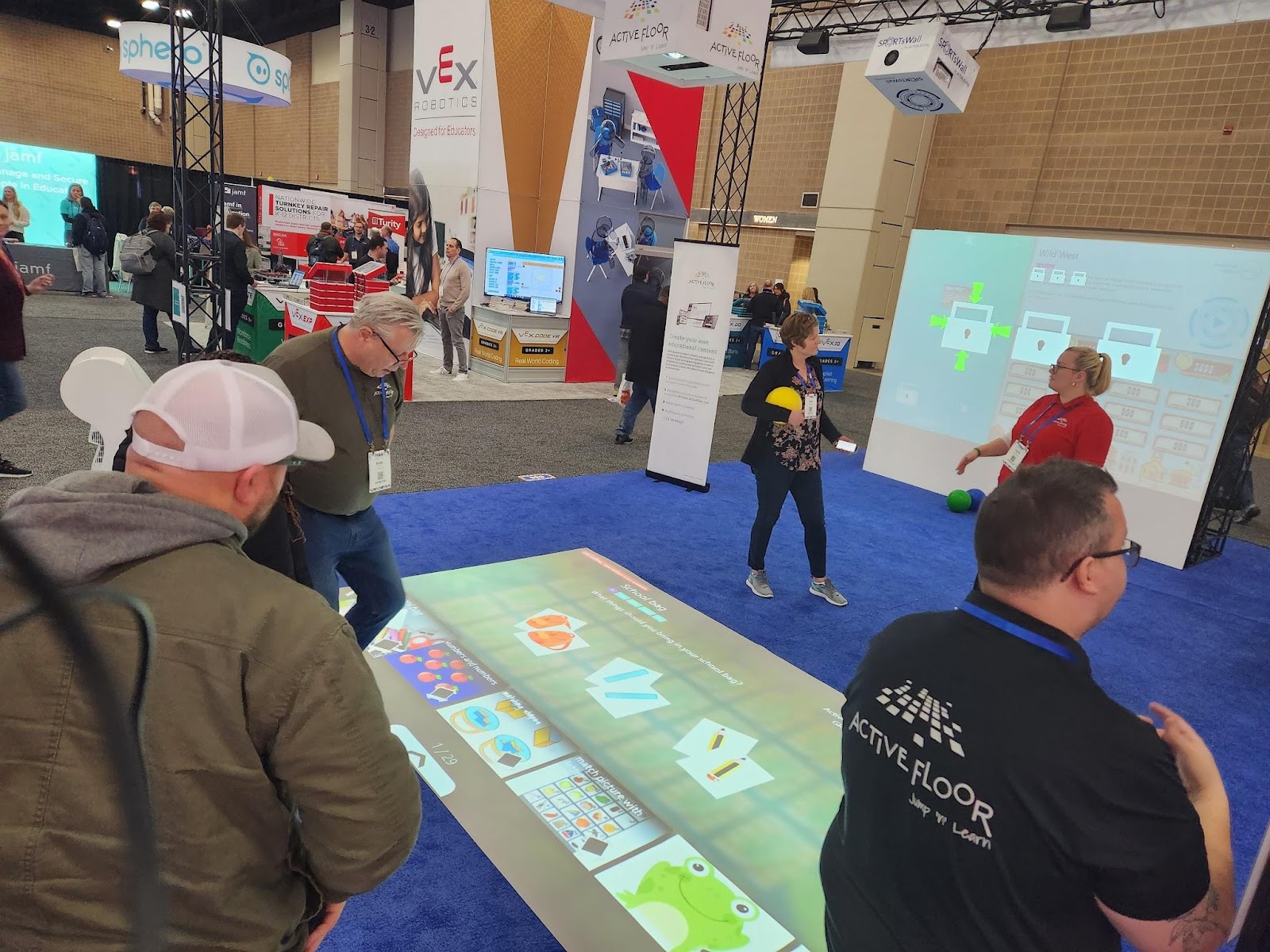
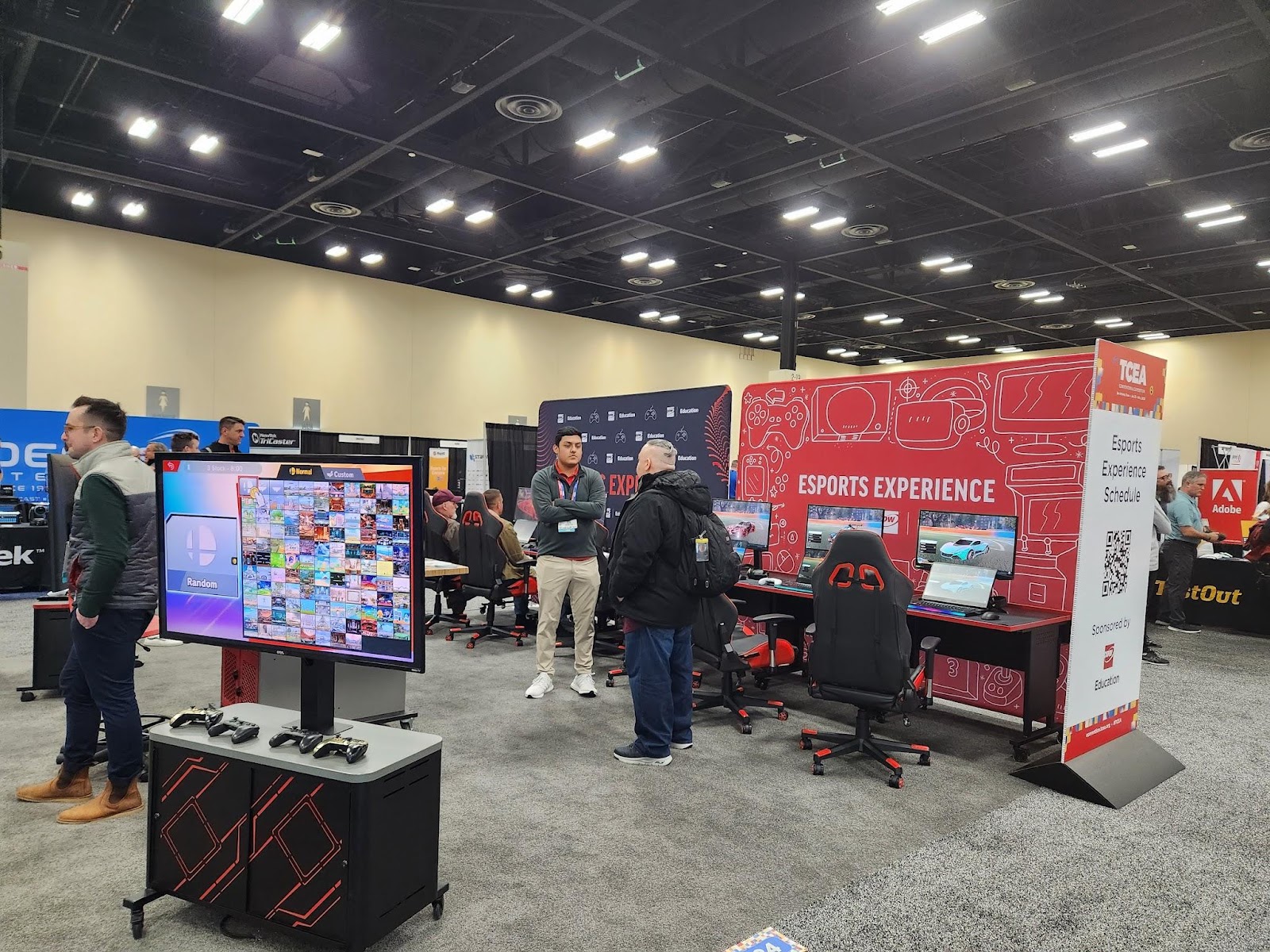
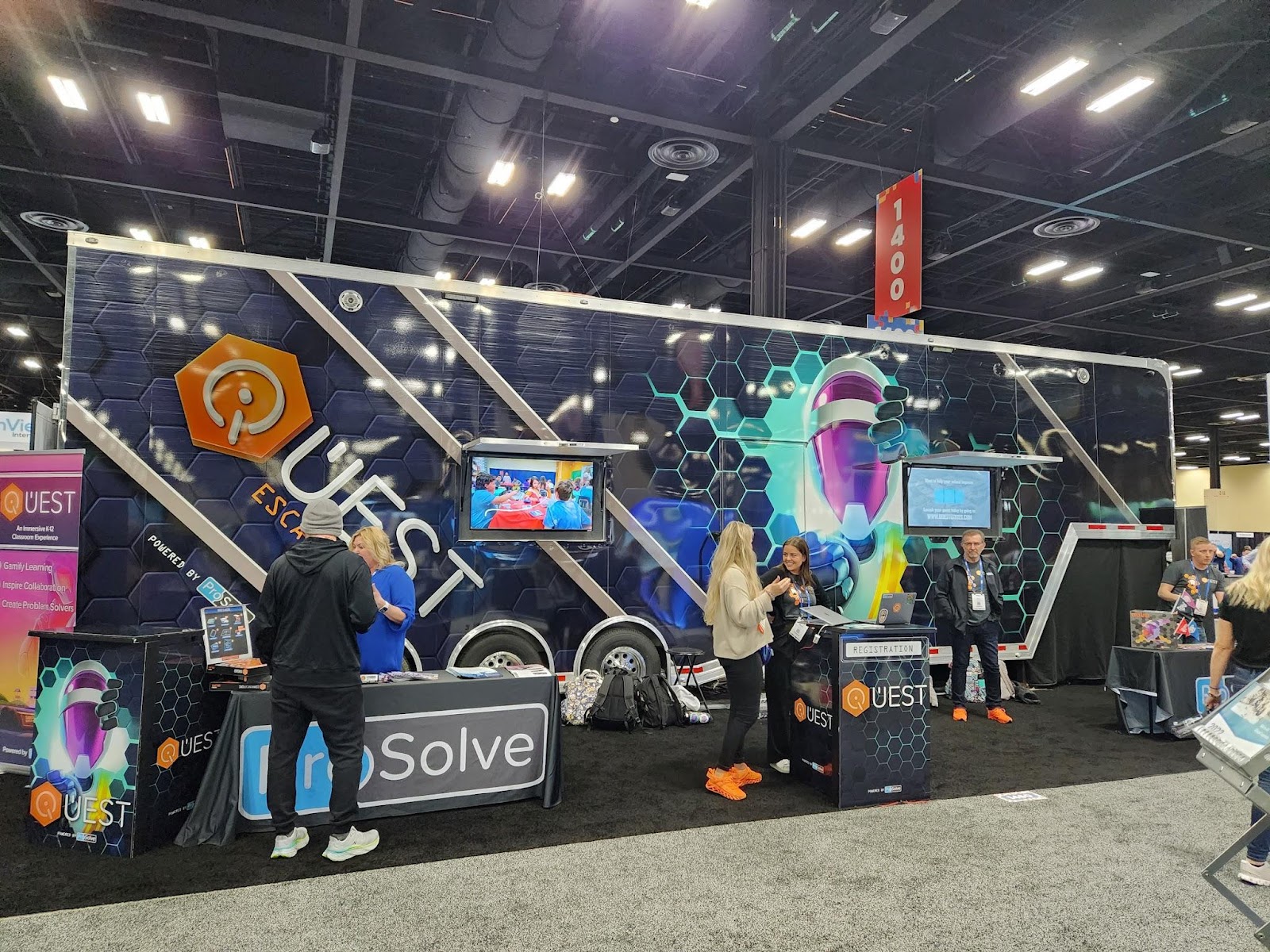
I enjoyed exploring the exhibit hall this year with so many companies present and different opportunities to interact with cutting-edge technologies and new ideas for STEM and emerging technologies.  Some of the favorites were the Escape Room bus, the Esports area, and of course the endless swag that was available to attendees.  There was a lot of interest in STEM-related resources such as Ozobot, Sphero, Marty the Robot,  and more hands-on learning materials for younger students like this awesome learning mat from Active Floor. 

It is also another great way to learn some new ideas by checking out the different technologies and solutions or catching some of the booth demos given by educators. It gives attendees the chance to learn about a lot in that one space and also to walk away with some fun swag too!

Esports was popular this year with several sessions happening as well as a space in the expo for attendees to take in the esports experience. Throughout the hall, there were booth demos by educators sharing their experiences of using some of the tools like Book Creator, Edpuzzle, Kami, and Spaces EDU, and many booths with live presentations happening every 15 minutes. 

Attendees could also step inside and take a tour of a fully renovated, 43-foot school bus that has become a makerspace on wheels. It’s a STEAM dream come true!

The Quest Escape Room bus

The space that TCEA creates

Arriving at TCEA each year, attendees are welcomed as soon as they enter the space. There are volunteers ready to assist you and lead you in the right direction, make sure you are enjoying the experience and check in on presenters to make sure everything is set to go. Don’t worry about attending this conference alone. It is a welcoming space and you will meet and connect with educators right away! 

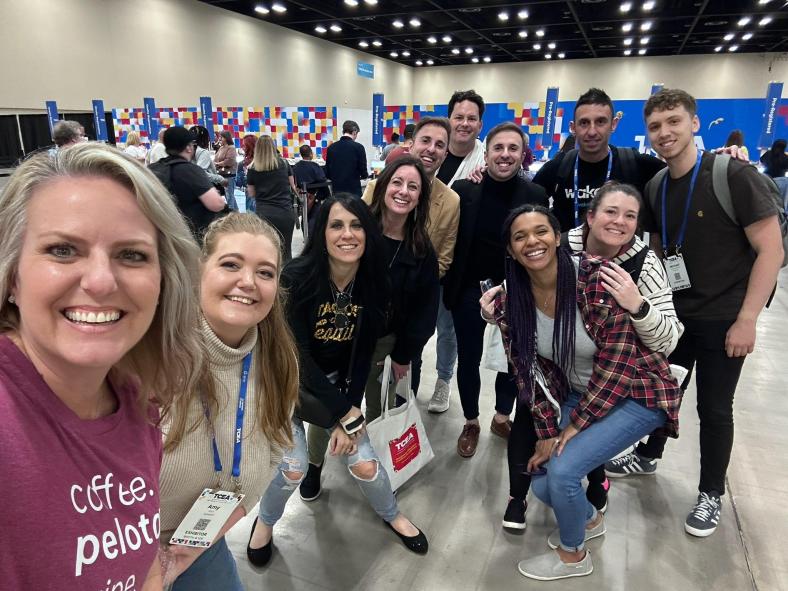
Meeting up with friends at registration to kick off the week!

Planning for next year! 
If you have been thinking about attending a conference, I definitely recommend TCEA. It has become a favorite event each year. The topics and strands focused on different roles for educators, the variety of sessions, and the welcoming TCEA staff and volunteers, really provide a tremendous learning experience for all attendees.

Next year’s conference will be held February 3-7, 2024 in Austin, Texas.

About the Author

Rachelle Dené is a Spanish and STEAM: What’s nExT in Emerging Technology Teacher at Riverview High School in Oakmont, PA. Rachelle is also an attorney with a Juris Doctor degree from Duquesne University School of Law and a Master’s in Instructional Technology. Rachelle is an ISTE Certified Educator and serves as the past president of the ISTE Teacher Education Network. She was named one of 30 K-12 IT Influencers to follow in 2021.

She is the author of seven books including ‘In Other Words: Quotes That Push Our Thinking,” “Unconventional Ways to Thrive in EDU”, “The Future is Now: Looking Back to Move Ahead,” “Chart A New Course: A Guide to Teaching Essential Skills for Tomorrow’s World, “True Story: Lessons That One Kid Taught Us” and her newest book “Your World Language Classroom: Strategies for In-person and Digital Instruction” and Things I Wish […] Knew.

**Interested in writing a guest blog for my site? Would love to share your ideas! Submit your post here. Looking for a new book to read? Find these available at bit.ly/Pothbooks

************ Also check out my THRIVEinEDU Podcast Here!

Join my weekly show on Fridays at 6pm ET THRIVEinEDU on Facebook. Join the group here

Response to Intervention (RTI): An Introduction

Guest post by Dr. Shelly Vohra in collaboration with @ClassComposer

Response to Intervention (RTI) is a strategy geared towards students who face learning challenges. Students struggle for a variety of reasons and it’s important to understand why these students are struggling and the best way to create a learning path so that they are successful and feel good about themselves. The premise behind “interventions” is to ensure that students receive the supports they need so that the gaps in learning are not exacerbated. It is important to note, however, that “gaps” should not be seen as deficits; rather gaps are areas of growth for students and each student has their own areas of growth based on a wide range of assessments. I, personally, have an issue with the term “gaps” but that is a topic of discussion for another time. It is also important to know that RTI is not a program; it is an approach that identifies student needs based on collecting data from various sources and in a variety of ways and then identifies and applies relevant instructional strategies to develop those skills in students.

Gathering and accessing data

When it comes to data, there are many sources available for educators to learn about the needs of individual students. Being able to gather all of this information, sort through it, share it with other teachers, and develop a plan can take time. Not having a streamlined space for this makes it challenging. With Class Composer, educators have everything they need to be able to monitor student progress. The information is readily accessible to anyone, at any time. It enables all teachers to access the information they need about each individual student when they need it.

With Class Composer, it is easy to track and record student growth toward individualized goals and share this information within your PLC to best provide for all students. Simplify how you manage all the assessment data collected!

Supporting teachers to support students

As it is, one of the most important parts of the RTI process is to build a team to effectively support students who are struggling. The team should include classroom teachers, administrators, teachers who support special education students and those students who are learning English, the school psychologist, speech-language therapist, and parents. Teachers provide targeted teaching and then use formative assessment practices to determine if the intervention strategies are working.

With Class Composer, it makes it easier for teachers to have access to all this information in one space. It enables teachers to create a supportive learning community for students. These teacher-student connections lead to the development of the essential relationships that need to exist for all students to be successful. The simplified space creates a better way for teams to collaborate and access the information they need when they need it.

If they are not working, the team must decide how they will adapt and modify their instructional practices to ensure that students are indeed learning and growing. A significant aspect to keep in mind is that formative assessments inform us of what we must do to ensure student success, not what the student needs to do. In other words, how are we adjusting our practice to best support students? Assessment informs instruction; it is our responsibility to continuously revise what we are doing so that students meet the learning goals related to curriculum standards and expectations.

Even though there is no one correct way to implement RTI, it is a three-tiered approach and you can think of it as a pyramid in which each tier increases in the intensity of support. They are:

(1) whole class

(2) small group, and

(3) intensive interventions.

Some school boards call this a multi-tiered system of supports or MTSS. Although there are many benefits to this approach, I also see several problems and issues arising from the basic foundation upon which RTI and MTSS were built.

I will be discussing these issues in future blog posts as well as digging deeper into this system of support and how to best implement this framework so that all students succeed, grow, and have positive self-worth.

About the Author

Dr. Shelly Vohra is an educator, coach, and consultant. Dr. Vohra teaches undergraduate and graduate level courses in Technology and Mathematics as well as working with students who are learning English. She holds an M.Ed in Adult Education & Distant Learning and a Ph.D. in Educational Technology. Dr. Vohra has over 20 years of experience in education (K-12) teaching various subject areas. Dr. Vohra has written several courses related to Indigenous Education, Multilingual Learners, and Mathematics.

Most recently, she was on a writing team that revised the Science Curriculum (K-8) for Ontario. She has presented at various conferences in Canada and the U.S.A. Dr. Vohra’s work includes designing learning experiences for students through an integrated curriculum lens that combines inquiry with equity. Her research interests include social media in education and blended learning, Dr. Vohra is currently writing a book on her journey. You can find her blog at https://techdiva29.wordpress.com/. Her website will also be launching in late Fall. You can also follow her on Twitter @raspberryberet3 and on Instagram @elevate_ed_21.

**Interested in writing a guest blog for my site? Would love to share your ideas! Submit your post here. Looking for a new book to read? Find these available at bit.ly/Pothbooks

************ Also check out my THRIVEinEDU Podcast Here!

Join my weekly show on Fridays at 6pm ET THRIVEinEDU on Facebook. Join the group here