6 Fresh Ideas For Fall Using CoSpaces Edu!

In collaboration with CoSpaces Edu, All opinions are my own

Now that the school year is in full swing and we head into the fall of 2024, many educators are coming up for air and looking for new ideas. For me, it’s always the perfect time to consider how our year has started and look for ways to introduce fun, innovative ideas to our classrooms to boost engagement even more! What I love about technology, is that there is always a way to bring it into our classrooms for our students, and that is what I have found with CoSpaces Edu!

Whether you’re teaching elementary, middle, or high school, focused on STEM, language arts, or any other subject, we know there is an increasing need to equip our students with skills to be successful in the future. In my opinion, I think what better way to do that than with CoSpaces Edu!

CoSpaces Edu is a versatile, very user-friendly platform that brings learning to life for our students. Through augmented reality (AR) and virtual reality (VR), with a variety of wonderful features that enable students to engage in 3D creation, coding, and collaboration, CoSpaces Edu can be integrated across all grade levels and subject areas. I have come up with six ideas for getting started with CoSpaces Edu in your classroom this fall. At all grade levels, you can foster creativity, critical thinking, communication, collaboration, and digital literacy—skills, all of which are essential for today’s learners.

1. Virtual Tour of Student Interests

One of the easiest and most engaging ways to get started with CoSpaces Edu, which I use every year, is having my students explore its gallery of available projects. Whether they’re in elementary school or high school, students absolutely love the time they have to explore existing projects such as games and virtual museums. By giving them time to explore, not only can it boost their own creativity, but it also helps us learn more about their interests, which is essential.

How to start? Direct them to the gallery and ask them to choose a project or space they find interesting. After exploring, ask them to consider why it captured their attention. Was it the design? The characters? The actual activity itself? Encourage them to think critically about what they might create or how they might change or enhance what they explored. For example, if they enjoyed exploring a historical simulation, maybe they can build their own historical event space or propose redesigning a famous historical space. Moving through in this way not only fosters critical thinking but encourages student discussion, idea sharing, and brainstorming ideas. And the best part is that CoSpaces Edu allows them to explore both virtual and augmented reality so they can fully immerse themselves in and connect with the content they’re learning.

I have used this activity as an icebreaker for new school years or any time throughout the year. It benefits by giving students the opportunity to explore, discover, and connect with their classmates over shared interests that they may not have realized they had in common. Talk about fostering a real learning community!
2. Create an “About Me” Space

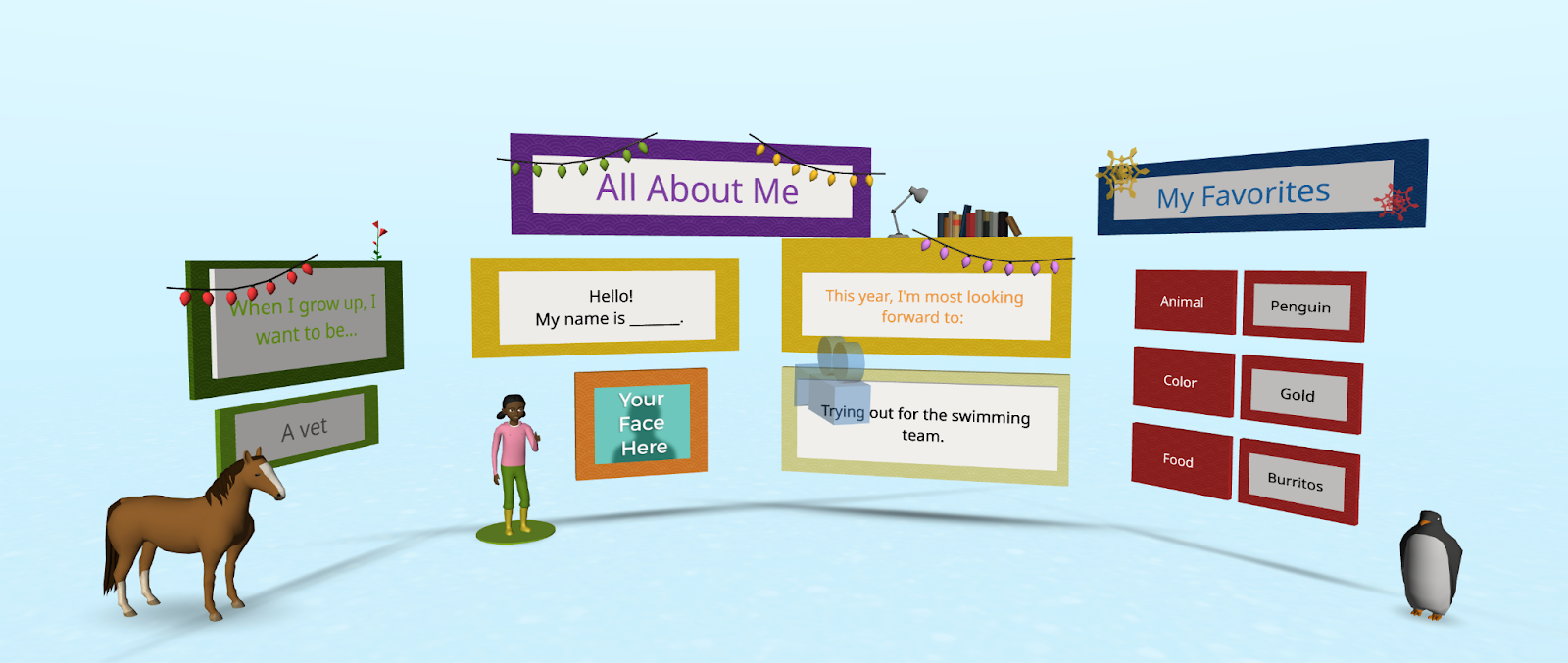
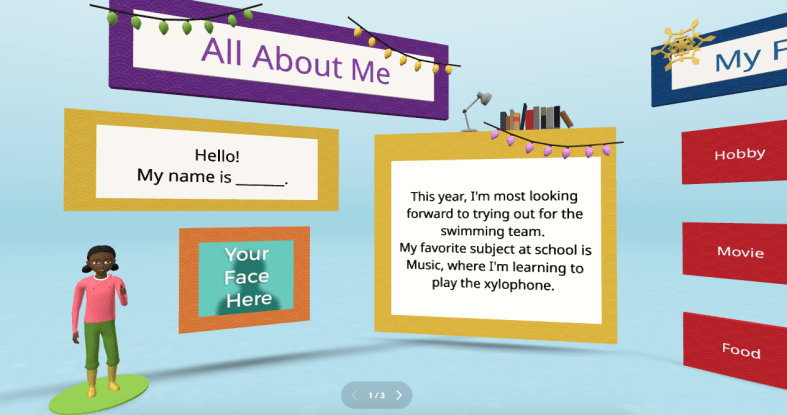
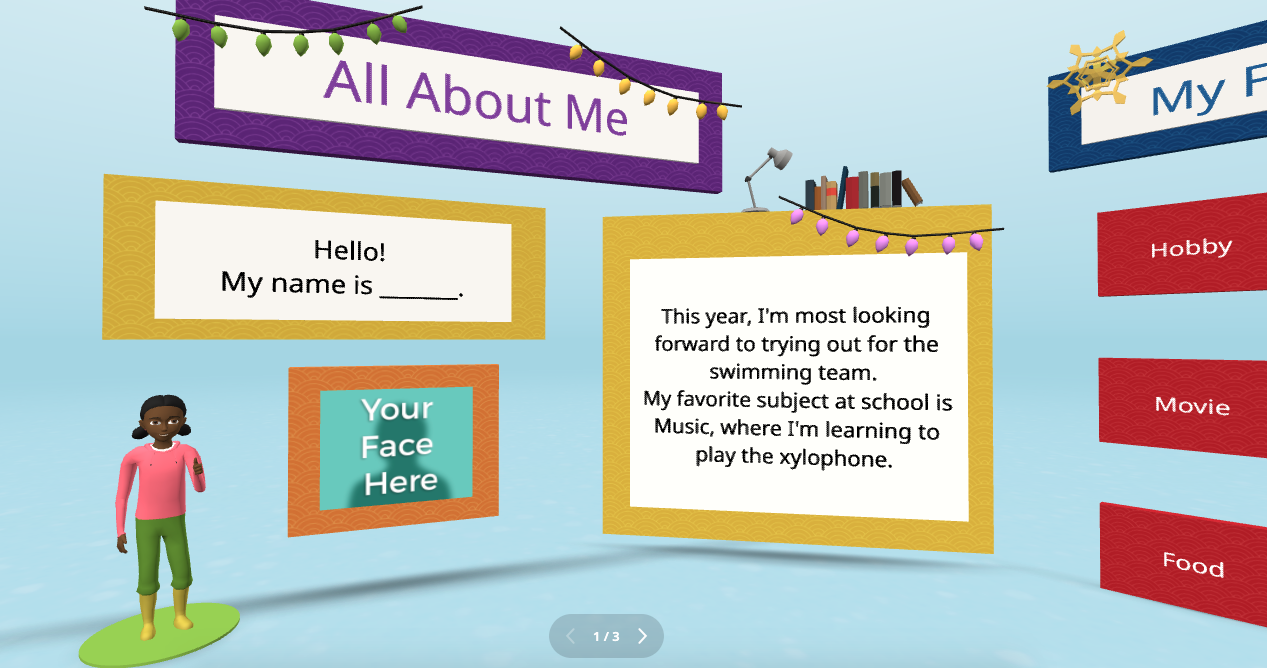
Every new school year, educators spend time finding ways to get to know their students better and for students to get to know each other. A new idea is to have students create an interactive “About Me” space. Not sure where to begin? CoSpaces Edu has a ready-to-use template that students can then customize and add fun characters, animations, and even their voice recordings to create a virtual introduction to themselves.

This activity is more than just fun—it builds digital literacy as students learn to manipulate 3D objects and text and even dive into coding. It’s a great way to build a learning community in the classroom as students explore each other’s spaces, and you will see the excitement as they learn from each other. You can easily adapt this project to any grade level. It is also a great way to introduce younger students to AR and VR in a structured way while also allowing older students to dive more into basic block-based CoBlocks or advanced coding with JavaScript.

My students have had a blast designing their virtual world to represent themselves. The About Me is a great way to spark creativity and help students develop essential communication skills as they express interests, hobbies, and goals with their classmates and teachers.

3. Interactive Storytelling in Virtual Worlds

Storytelling is an impactful way to promote learning whether you teach elementary or high school students. Now, students can bring their stories to life in immersive 3D environments with CoSpaces Edu!

In my STEAM course, I work with the other content area teachers to have students leverage what we are learning and connect it to their other classes. Students have created animated and interactive recaps of stories they’ve read, and some have written their own narratives. The magic is when they bring these stories to life using 3D characters in a variety of settings. For example, students could adapt a classic story or novel they have read and add a twist, such as an alternative ending. Many students enjoy using their imagination to create stories. Once they set the scene, they can use CoSpaces Edu’s coding tools—such as CoBlocks—to add interactivity, allowing their characters to move, speak, and more. We can share their work with classmates, which adds more meaning to and engagement with the learning experience.

These types of projects foster creativity and problem-solving and build communication skills. Students not only have to write their narrative but also decide how to visually and interactively represent it. They engage in a process that encourages collaboration, especially when students work in teams to script, design, and code their virtual worlds. This was a game-changer in my Spanish II class!

4. Revolutionize Language Learning with AR/VR

Interactive storytelling can also be an excellent tool for language learners. In my experience, students in Spanish II created virtual worlds in which their characters engaged in dialogues, which helped them build their language skills in a dynamic and engaging way. It also led to greater retention of the content.

One project involved students creating a virtual Spanish-speaking city where they placed shops, restaurants, and other landmarks. Each student had a role in the virtual environment and had to speak in Spanish to describe their location or interact with others. This project increased student engagement, content retention, and enthusiasm for learning the language. It was also a unique way to reinforce grammar and vocabulary.

Incorporating AR/VR into language learning allows students to “live” the language, making it a more authentic and enjoyable experience. This kind of immersive learning fosters deeper connections with the material. It helps students retain what they’ve learned, which is essential in all areas, particularly in building confidence in language skills.
5. Collaborative STEM Projects

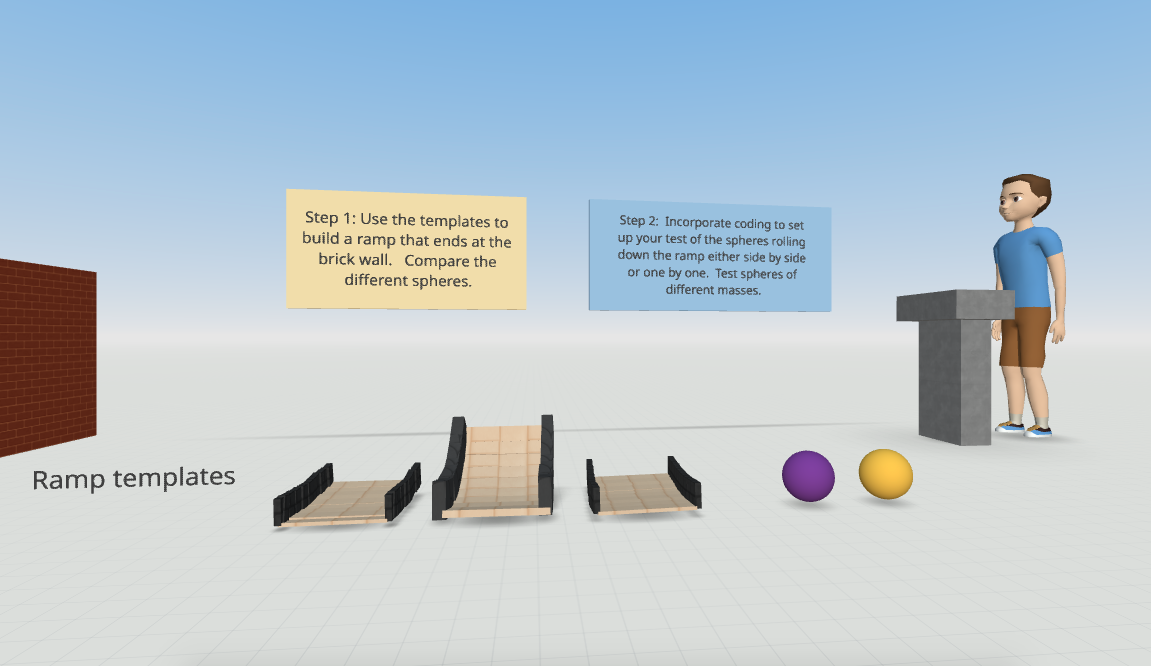
With CoSpaces Edu, students can design and code virtual prototypes, models, and even entire experiments. One of my favorite uses for the platform is collaborative STEM projects. Students can work in teams to design and build virtual spaces or objects, such as a virtual physics experiment exploring Newton’s laws or an architectural model of a bridge or building.

CoSpaces Edu’s collaborative features allow multiple students to work on the same project in real-time from different devices, making it perfect for group projects, whether students are in the classroom or learning remotely. Think about global collaboration possibilities, too! We want students to build teamwork, communication, and problem-solving skills and manage their time. Because they can collaborate in CoSpaces Edu, it makes opportunities available for STEM learning that is more engaging and hands-on.
6. Virtual Museums and Global Collaboration

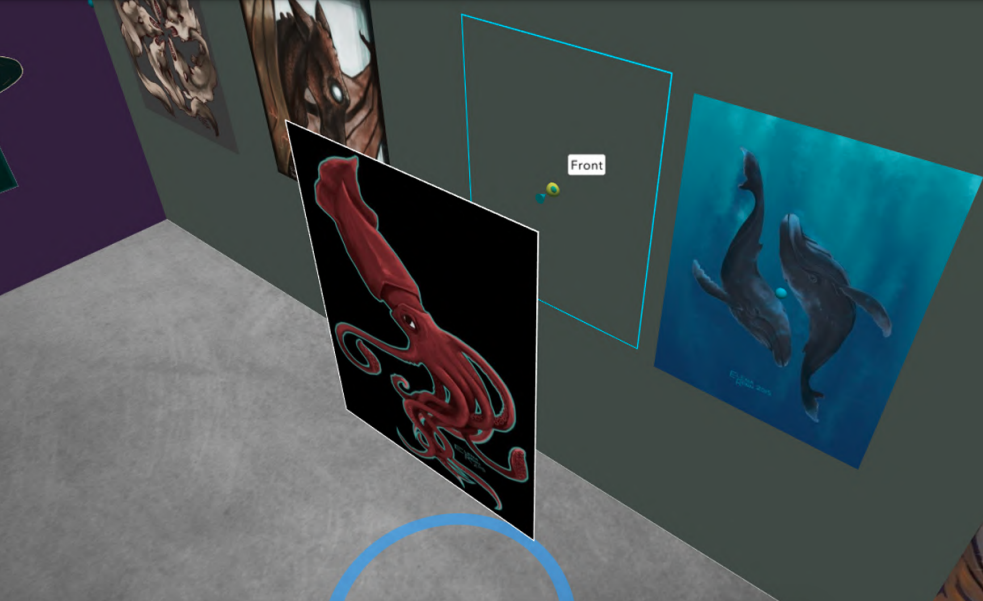
Building global awareness is so important. Our students must learn about other cultures and have experiences connecting them with authentic and real-world learning opportunities. What if students from around the world collaborate to create a virtual museum that represents items from their different locations? With CoSpaces Edu, this is not only possible but easy to implement. Teachers can connect classrooms from different countries, enabling students to collaborate on a global scale to build and curate virtual museums on various topics, from world history to art or any topic they choose.

Students can design a virtual museum showcasing the art of different cultures. Using CoSpaces Edu’s 3D creation tools, they can build exhibit halls and import 3D models of art pieces or artifacts. Each student can contribute a different exhibit and then link them together into a larger museum space. A project like this not only fosters creativity and digital literacy but also deepens cultural understanding and instills empathy as students explore and share knowledge from diverse perspectives.
Where to begin

I have used CoSpaces Edu for many years. It is definitely way more than just a tech tool for students. It is a transformative platform that fosters the development of critical future skills like creativity, collaboration, critical thinking, and digital literacy. Whether you’re teaching elementary students to create 3D models or high school students to code virtual worlds, CoSpaces Edu offers endless possibilities for engaging, interactive, and collaborative learning experiences.

CoSpaces Edu shifts students from consumers to creators! My students are always wowed by what they explore when we get started. These are only six ideas to explore, and there are many more possibilities and lesson plans available for educators to explore right away.

CoSpaces Edu is easy to use, works on any device, and offers a secure, COPPA- and FERPA-compliant environment, which is critical. Dive into CoSpaces Edu this fall and watch your students’ creativity and future-ready skills soar.

About the Author

Dr. Rachelle Dené Poth is a Spanish and STEAM: What’s Next in Emerging Technology Teacher at Riverview High School in Oakmont, PA. Rachelle is also an attorney with a Juris Doctor degree from Duquesne University School of Law and a Master’s in Instructional Technology. Rachelle received her Doctorate in Instructional Technology, and her research focus was on AI and Professional Development. In addition to teaching, she is a full-time consultant and works with companies and organizations to provide PD, speaking, and consulting services. Contact Rachelle for your event!

Rachelle is an ISTE-certified educator and community leader who served as president of the ISTE Teacher Education Network. By EdTech Digest, she was named the EdTech Trendsetter of 2024, one of 30 K-12 IT Influencers to follow in 2021, and one of 150 Women Global EdTech Thought Leaders in 2022.

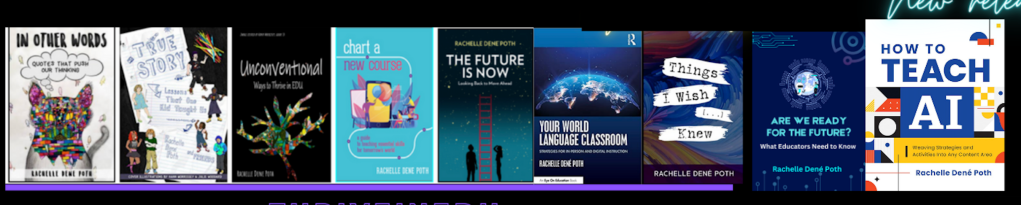
She is the author of nine books including ‘In Other Words: Quotes That Push Our Thinking,” “Unconventional Ways to Thrive in EDU,” “The Future is Now: Looking Back to Move Ahead,” “Chart A New Course: A Guide to Teaching Essential Skills for Tomorrow’s World, “True Story: Lessons That One Kid Taught Us,” “Things I Wish […] Knew” and her newest “How To Teach AI” is available from ISTE or on Amazon.

Contact Rachelle to schedule sessions about Artificial Intelligence, Coding, AR/VR, and more for your school or event! Submit the Contact Form.

Follow Rachelle on Twitter(X) and Instagram at @Rdene915

**Interested in writing a guest blog for my site? Would love to share your ideas! Submit your post here. Looking for a new book to read? Find these available at bit.ly/Pothbooks
************ Also check out my THRIVEinEDU Podcast Here!

Join my show on THRIVEinEDU on Facebook. Join the group here.

Bringing STEM to All Classrooms

Updated from a prior post

With the school year ending, it does not mean that learning has to stop. Throughout the summer, students and educators have time to relax and recharge, but it can also be a good opportunity to take advantage of some learning experiences. I think it is a fantastic time to dive into STEM learning, especially with having more time to get outside and explore! There are a lot of opportunities that promote engaging, hands-on activities for students and educators. Find some maker projects, ways to connect in the community and engage in place-based learning, or even participate in STEM camps or events that local organizations or schools may offer.  

With a reported 3.5 million jobs requiring STEM skills by 2025, it is important to find opportunities that will help students learn about the possibilities in these fields and develop the essential skills that are in demand.

Here are three ideas to consider for the summer that might also be a great way to start the next school year!

1. DIY STEM Projects

Getting involved in STEM learning in the summer does not require many materials at all. When students and educators engage in “do-it-yourself “(DIY) STEM projects, it helps to fuel creativity and excitement in learning. The possibilities for DIY STEM projects are limitless. There are books and resources available online to explore. Dr. Jacie Maslyk shares many ideas in her blogs and books for STEM-focused learning. The benefits are that it allows students to consider different materials and problem-solve or create a design. DIY activities are great for encouraging students to find a solution to a local or global challenge and see the impact they can make when they develop their STEM skills! Projects like this will not only foster a sense of accomplishment but will encourage critical thinking, problem-solving, and innovation. Students can shift from simply being consumers to becoming creators and innovators!

2. Place-Based Learning

With additional time in the summer or even throughout the year, connecting students with opportunities for real-world learning in their community is essential. By volunteering or participating in place-based learning, students can connect with community members working in STEM careers, for example. These collaborations enable students to apply their knowledge in practical, real-world settings. Whether it’s working in a community organization that is focused on nature preservation, assisting with projects in the community, or taking advantage of internships and mentorship programs, students can get a glimpse into the professional world and build self-awareness of their interests in learning and future careers. We want our students to develop their global awareness, learn about the challenges being faced in the world, and then come up with solutions. Connecting with the community and engaging in place-based learning provides more authentic and real-world learning for students, which will promote student engagement and be more meaningful.

3. Virtual Programs and Online Courses

There are many tools available online for students to explore at their own pace and to find a topic of interest. Diving into programs to learn about coding and robotics, for example, offers many great benefits for students. Students can learn about programming languages, create their own software, or build robots or chatbots. With the resources available, students will develop computational thinking and problem-solving skills while also having the opportunity to boost their creativity.

Online courses and virtual programs provide flexibility, which enables students to learn at their own pace and explore topics of interest. Many of the programs and tools available offer interactive simulations, video tutorials, sample activities, and more, which help to engage students more in learning. Some sites such as Code.orgMITAIClubScratch, and Tynker provide interactive coding tutorials and projects suitable for beginners. I recommend exploring Minecraft Education and Hacking STEM to give even more choices. For some robots, check out MatataStudio products such as TaleBot Pro or Vinci Bot or check out Marty the Robot from Robotical! Interested in augmented and virtual reality, dive into CoSpaces Edu!

Code with Google is focused on closing equity gaps in computer science opportunities and offers free resources for students. For older students and educators looking for courses and more activities, websites like Khan Academy and Udemy have courses covering various STEM topics, allowing students to learn at their own pace and explore their interests.

Summer learning opportunities for STEM can offer students a transformative learning experience that will spark their curiosity for learning and cultivate STEM-focused careers. These opportunities not only enhance academic skills but also equip students with essential 21st-century competencies, such as critical thinking, collaboration, and adaptability.

About the Author:

Rachelle Dené is a Spanish and STEAM: What’s Next in Emerging Technology Teacher at Riverview High School in Oakmont, PA. Rachelle is also an attorney with a Juris Doctor degree from Duquesne University School of Law and a Master’s in Instructional Technology. Rachelle is currently finishing her doctorate with a focus on AI and Professional Development. In addition to teaching, she is a full-time consultant and works with companies and organizations to provide PD, speaking, and consulting services. Contact Rachelle for your event!

Rachelle is an ISTE-certified educator and community leader and served as president of the ISTE Teacher Education Network. She was named one of 30 12 IT Influencers to follow in 2021 and one of 150 Women Global EdTech Thought Leaders in 2022.

She is the author of eight books including ‘In Other Words: Quotes That Push Our Thinking,” “Unconventional Ways to Thrive in EDU,” “The Future is Now: Looking Back to Move Ahead,” “Chart A New Course: A Guide to Teaching Essential Skills for Tomorrow’s World, “True Story: Lessons That One Kid Taught Us,” and her newest book “Things I Wish […] Knew” is now available at bit.ly/thingsiwishedu.

Contact Rachelle to schedule sessions about Artificial Intelligence, Coding, AR/VR, and more for your school or your event! Submit the Contact Form.

Follow Rachelle on Twitter(X) and Instagram at @Rdene915

**Interested in writing a guest blog for my site? Would love to share your ideas! Submit your post here. Looking for a new book to read? Find these available at bit.ly/Pothbooks

************ Also check out my THRIVEinEDU Podcast Here!

Join my show on THRIVEinEDU on Facebook. Join the group here

CoSpaces Edu for Out of This World Learning!

In collaboration with CoSpaces EDU

The start of a new school year or calendar year is always a great time to explore some new ideas, especially with all of the amazing tools and technologies available to us. There are many exciting options available to educators and students to choose from, and sometimes, making the choice is a challenge. Personally, one of my favorites is bringing augmented and virtual reality into my classroom through CoSpaces Edu.

Initially, I used CoSpaces in my STEAM emerging technology course for several years, having students work on a variety of projects in my class and for some cross-curricular collaboration. One day, I was challenged by a few of my students in a Spanish II course who had seen the projects being created, and they wondered why they were not able to do something similar. I was speechless, and I didn’t have an answer for them. Honestly, I had not thought about bringing AR/VR into my Spanish classes. Fortunately, I knew about all of the benefits and great features of CoSpaces that foster collaboration, creativity, and many other essential skills. I also loved that students have the ability to create independently or to work together on the same project from wherever they are. So I thought to myself, why not?

If you are not familiar with CoSpaces Edu, it is a truly versatile, user-friendly platform that enables students and teachers to create virtual spaces full of animals, people, objects, and more. It is a great way to focus on developing many skills in schools, from SEL to STEAM and more. It is also a great option for helping students develop an interest in STEM, especially coding, a highly in-demand skill.

From coding and language learning to STEAM and collaboration, CoSpaces Edu offers so many ways for students (and teachers, we need to learn, too!) to create their own AR and VR experiences. An alternative to traditional tools that might be used for digital storytelling, explaining and exploring complex topics, or for creating virtual field trips through a moment in history, for example.

So, with all of the options available, why choose CoSpaces Edu? It has been a game-changer in my classroom. It provides an intuitive, user-friendly platform that educators, students, and families supporting students can easily navigate. It offers a different way to share and show learning as students can create, explore, and interact with 3D virtual worlds, which not only engages students but also provides more for different student interests. It also provides lesson plans and activity ideas for teachers to explore!

Most importantly, CoSpaces Edu encourages creativity, collaboration, and problem-solving — skills that are essential for today’s learners. It also gives students the chance to learn about coding, which is not something just for those studying computer science or teaching a STEM-related course. The best part of CoSpaces Edu is that it introduces students to the basics of coding in a truly engaging and meaningful way. As students explore independently while designing their virtual worlds, they learn how to create by selecting and manipulating different characters and objects and can start coding either with block-based coding or a scripting language like JavaScript.

Over the years, I have seen hesitancy when it comes to coding, and with CoSpaces, students build confidence as they create and enjoy working together with classmates in their virtual space. The variety of options available and with coding helps students understand what can be abstract concepts, develop logical thinking, and hopefully and ideally, lead to the development of an interest in computer science!

5 ideas to try in 2024!

  1. Take a tour!  First, When I get started in my own classroom with my students, I always give them time to explore all of the different projects that are available in the gallery. What types of projects do they see, which ones do they like, and what might they like to create? I think it’s a good way to get them thinking about the different possibilities and also give them time to explore on their own and see what clicks with them. So when I say take a tour, I tell them to just choose a topic, whether it’s STEM or if they see some games to play, and then I ask them to share with their classmates what they found, why they liked it, and any other ideas that they come up with for what they could do that is similar or how they would make it different or improve it. But it’s a fun way to get students talking and brainstorming to help them prepare to make their own projects. 

2) About Me: I love using the templates or giving students the option to create their own to design an About Me space. CoSpaces offers a great template to get students started and comfortable with learning how to navigate, change text, add, and animate characters by using this as a starter. 

It leads to more excitement and creativity and is also a fantastic way to learn about our students and for them to learn about each other.  

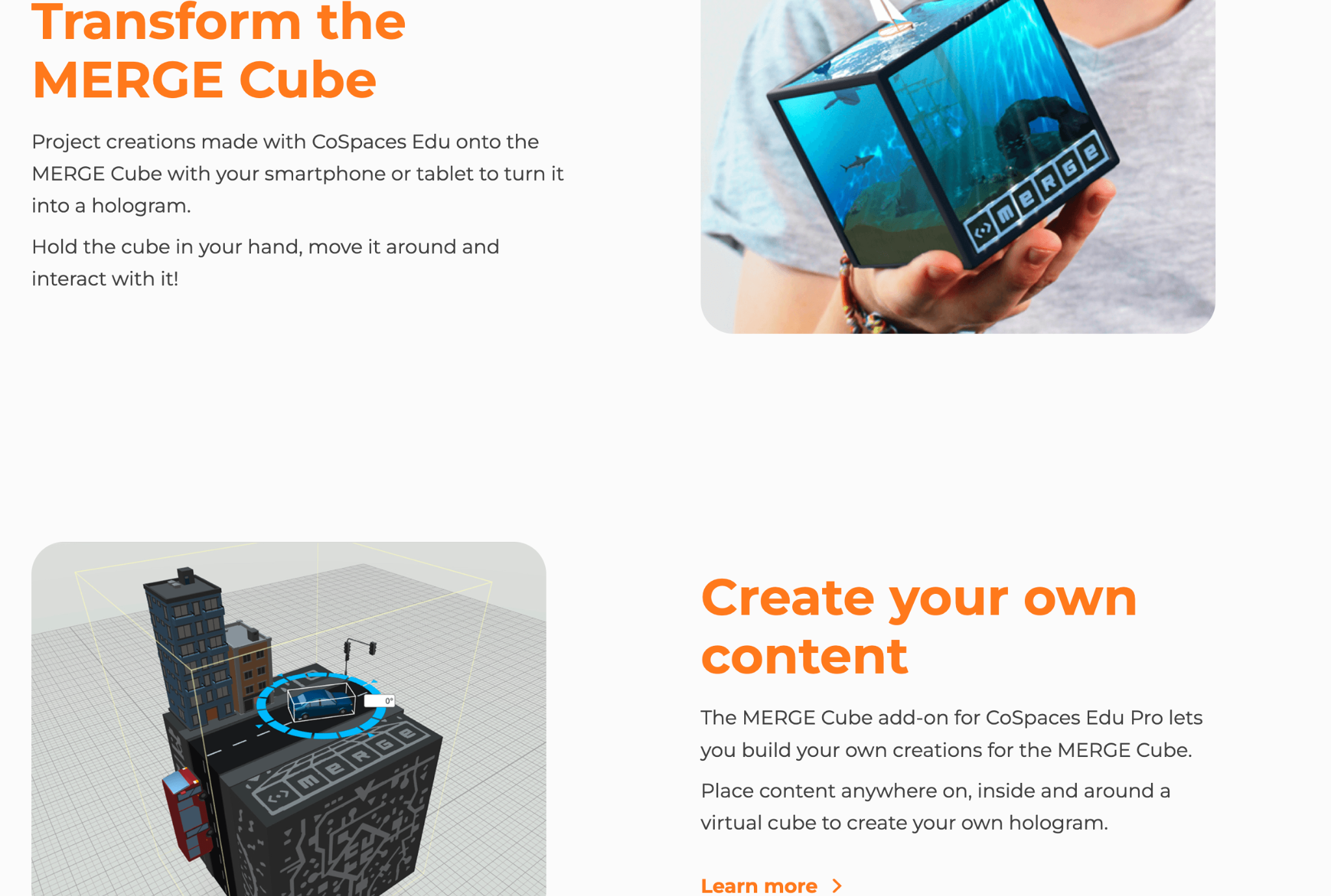
3) Interactive Storytelling: My students loved exploring the different projects in the gallery, and one way for students to use CoSpaces is to have them create an interactive experience. They can retell a story with a different ending or summarize something they have learned in class. To demonstrate, they can then include a variety of characters and other props to bring it to life. By diving into coding, they can really make it an interactive experience with animated characters and animals! Students can even create scenarios where they script and act out dialogues, recording their voices directly in the space. Also, give students the option to create on the Merge Cube, which makes interactive storytelling a real hands-on, fun learning experience!

4) Language Learning: A complete game changer for that Spanish class that pushed me to realize that I needed to bring in some new opportunities for them. Through a more immersive and collaborative learning experience with classmates, what a difference it made for language learning, student engagement, and increasing motivation! CoSpaces Edu offered all of that, and it was so much fun for them and for me! I was nervous at first, but it was a risk worth taking and one that paid off for them and their retention of the language.  It also led to building relationships with classmates as students worked together to create their projects. Students had a different and more authentic way to practice vocabulary, build grammar skills, and engage in conversation in the virtual environment. And, they retained the content, which typically is a bit challenging because of the grammar, far beyond prior years!

5) Collaborate: Think about the grade level you teach and the content area. There are many ways to incorporate projects for students to create virtual models, or design prototypes, or bring a story to life! When CoSpaces Edu added the ability for students to work in groups, what a difference that made! Fostering collaboration is so important as we prepare students for the future. The ability to work effectively in teams is one of the most in-demand skills on the Job Skills Outlook from the World Economic Forum

With the collaborative features of CoSpaces Edu, multiple students can work on the same project from different devices and from wherever they are!  Not only can they learn about augmented and virtual reality and build essential skills, but it also boosts digital citizenship skills in the process.  For collaborating, we can teach them how to manage a group project, assign roles, and problem-solve. 

One of my other favorites is for a class project where all students are involved in a complex project where each student is responsible for a part of the virtual world. Think of a topic or a theme. Each student can create their space and then design one comprehensive experience that everyone can learn from and reinforce their content area skills through.

As educators, our primary goal is to prepare students for the future. CoSpaces Edu is not just another tech tool; it’s a platform that fosters the essential skills needed in the 21st century. It encourages creativity, critical thinking, collaboration, and digital literacy. By integrating CoSpaces Edu into your curriculum, you’re enhancing your students’ learning experiences and equipping them with the skills to thrive in an increasingly digital world. And, for extra fun, check out the goodies available, such as classroom posters, badges, and more! Use my code: COSRACHELLED or COSPromoRDP24.

About the Author:

Rachelle Dené is a Spanish and STEAM: What’s Next in Emerging Technology Teacher at Riverview High School in Oakmont, PA. Rachelle is also an attorney with a Juris Doctor degree from Duquesne University School of Law and a Master’s in Instructional Technology. Rachelle is an ISTE-certified educator and community leader and served as president of the ISTE Teacher Education Network. She was named one of 30 12 IT Influencers to follow in 2021 and one of 150 Women Global EdTech Thought Leaders in 2022.

She is the author of eight books including ‘In Other Words: Quotes That Push Our Thinking,” “Unconventional Ways to Thrive in EDU,” “The Future is Now: Looking Back to Move Ahead,” “Chart A New Course: A Guide to Teaching Essential Skills for Tomorrow’s World, “True Story: Lessons That One Kid Taught Us,” and her newest book “Things I Wish […] Knew” is now available at bit.ly/thingsiwishedu.

Contact Rachelle to schedule sessions about Artificial Intelligence, Coding, AR/VR, and more for your school or event! Submit the Contact Form.

Follow Rachelle on Twitter(X) and Instagram at @Rdene915

**Interested in writing a guest blog for my site? Would love to share your ideas! Submit your post here. Looking for a new book to read? Find these available at bit.ly/Pothbooks

************ Also check out my THRIVEinEDU Podcast Here!

Join my show on THRIVEinEDU on Facebook. Join the group here

Scena 360 – The metaverse for education

Scena 360 – The metaverse for education

Sponsored post in collaboration with Danilo Joksimovic, Co-founder & CEO of Scena 360

Visit homepage: https://links.scena360.com/yo5zWN

Learn more about Scena 360 for Education: https://scena360.com/education/?ref=blog

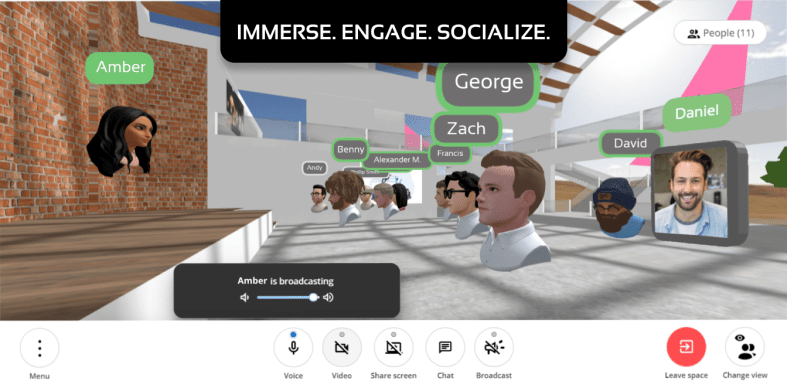
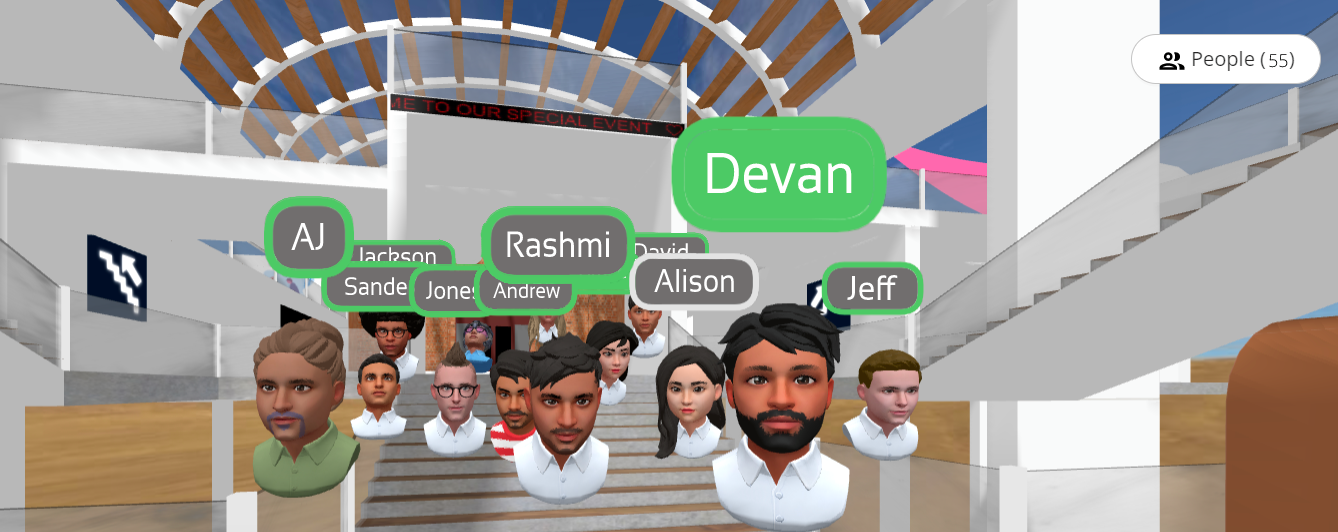
view from within Scena 360

Just about when the pandemic hit, Scena 360 founders Danilo Joksimovic and Anshuman Banka realised that meeting up online is nowhere as immersive and natural as it could be. Because of their love for engineering, they decided to get their hands dirty and go on a mission to make meeting up online truly delightful for everyone.

Scena 360 is an online platform that intends to create more immersive online gatherings in 3D spaces, particularly focusing efforts on easy onboarding, realistic & professional avatars, and spatial audio. Scena 360 initially tested out their product with friends and coworkers in various settings, both professional and casual and eventually found a very appealing use case in online education. Right after their beta launch, they were approached by several professors and teachers from different grade levels around the world who wished to make online learning more engaging and productive. Danilo and Anshuman learned from these educators through dozens of interviews and collected their feedback to make Scena 360 what it is today.

How does it work?

To use Scena 360, you start by creating a private 3D space, which can be as simple as selecting one of the provided scene designs and optionally a custom name for your space. This generates a link that you can then send to invite attendees who can join your space from their desktop or mobile device.

While joining the space, attendees can either join with their video turned on or optionally create a realistic 3D avatar to appear as in the space. They can then interact with students or with other educators, somewhat similar to how they would in real-life gatherings – this includes walking around, making eye contact, forming huddles, and much more.

Solving online learning challenges with Scena 360

Through the course of the pandemic, educators have been forced to adopt various virtual meeting apps, often running into issues that have made online learning a rather dull experience; the most important issues being the following:

  • Lack of natural interactions, engagement, and co-presence
  • Forcing students into awkward breakout rooms, often making moderation and monitoring of said breakout sessions much more difficult
  • Difficulty tracking student engagement and attentiveness due to cameras being turned off

Scena 360 decidedly focuses its efforts to solve these key issues through their platform. For instance, students and teachers can face each other in 3D space, and walk in and out of different conversations by moving around the space – just as they would in real life. Educators can see everyone in the space, which allows them to monitor which students are participating in group activities/discussions – without having to jump between different breakout rooms.

Unlike most alternatives, Scena 360 provides a suite of built-in integrations available directly within spaces to help make online classes more engaging and effective, such as:

  • A more collaborative and powerful whiteboard that lets you write and draw on a whiteboard.
  • A guessing and drawing game that stimulates the imagination and agility of the brain
  • A shared instrument that lets students and educators make and play music together in real-time
  • And many more are underway!

Try Scena 360 Premium for $0 for 4 months using promo code: TEACHMETAVERSE at checkout: https://scena360.com/upgrade/?ref=education-blog

(no credit-card required, cancel at any time, offer expires in April, 2022).

**Interested in writing a guest blog for my site? Would love to share your ideas! Submit your post here. Looking for a new book to read? Find these available at bit.ly/Pothbooks

************ Also check out my THRIVEinEDU Podcast Here!

Join my weekly show on Mondays and Fridays at 6pm EST THRIVEinEDU on Facebook. Join the group here