Firefighting Mindset

Guest post by Kaylah Holland, Ed.D

Think of a problem you are currently experiencing. If you are like me, you have plenty of options to choose from. We are often stuck in a cycle of response when it comes to resolving challenges we regularly face resulting in the same problems cropping up again and again. In the book titled Upstream: the quest to solve problems before they happen, Chip and Dan Heath liken problem solving to a river – more solutions exist the farther upstream you are from the problem. What a great reminder that numerous solutions exist for every single challenge faced. However, if there are all of these solutions, how do I select the right one for my specific problem? Hence, the firefighting mindset!

Why firefighting?

The firefighting mindset is steeped in design thinking and comes from my work in the juvenile justice system. I have the privilege to work with educators and students in the juvenile justice system across the US. When traveling to secure schools, often located in detention centers and jails, I ask teachers how they are doing and typically get the same response, Oh you know, just putting out fires. This response led to the question, why are we always putting out the same fire or in other words, why are we always solving the same challenge? If we are stuck in a cycle of response, always putting out the same fire, then we are not actually solving the problem. If the Heath brothers are right and there are many solutions to each problem, how do we find them? We find them by changing our mindset toward the problems themselves. Firefighting becomes a metaphor for a way to see problems and challenges as opportunities for new ways of thinking and new solutions designed.

Putting Out Fires

Putting Out Fires as a mindset helps us to begin to understand problems at its core in order to truly end the problem with the most effective solution. Do you need a solution right now because you cannot take this problem for one more minute or this problem is harming students and must be stopped immediately? Or, do you have time to track data about the problem in order to effectively implement a solution? Not all problems are created equal and each deserves its own unique solution. We are often so busy that we try a one size fits all approach to problem solving. Instead, the firefighting mindset helps us to understand problems at their core and implement a solution designed specifically for the problem itself allowing us to truly end the cycle of response for that particular problem.

An example of the putting out fires mindset can be found in the use of metro turnstiles in Paris to create clean energy. Climate change is a rising issue across the globe. As each year brings more one-of-a-kind storms, wildfires, hurricanes, earthquakes, rising sea temperatures, and more, Paris began a groundbreaking project to harness green energy in an attempt to build a new energy source stopping the need for depleting the Earth of its natural resources. The solution is incredibly simple, “as commuters pass through the turnstiles, their movements spin the turbines, generating kinetic energy. Though each rotation produces a small amount of energy, the cumulative effect is significant due to the millions of daily commuters using the metro system” (TSUI, 2023). The use of turnstiles in Paris is the launching point of an innovative solution to creating clean energy. Imagine how much energy can be created from similar public transportation hotspots like airports, railway stations, office buildings, and more. “Initiatives that empower individuals to participate in the energy transition, even through daily activities, are vital in shaping a greener world” (TSUI, 2023).

This example embodies the firefighting mindset because the creators of this solution understood their specific problem, its root causes and symptoms, and designed a creative solution in a different area using a mundane action, going through the metro turnstiles, to create clean energy and help lessen the effects of climate change.

You can learn more about the firefighting approach to problem-solving by grabbing a copy of “Putting Out Fires: A Framework for Solving Problems in Your Classroom or School”. Releasing this summer, this book delves into the intricacies of the firefighting mindset, provides practical strategies for implementing creative solutions to problems you’re facing, and offers inspirational examples of problem solving at its finest just like the Paris metro turnstiles mentioned above. If this approach works for some of the most restrictive classrooms in the US, it can work for you too!

We all have challenges we face every single day. We can either allow the challenges to take over causing us to live in a consistent cycle of response. Or, you can take ownership of the problem, adjust your mentality, and design a unique solution to end the problem for good.

The fire alarm is ringing….let’s get started putting out those fires!

Kaylah Holland, Ed.D. Bio:

Dr. Kaylah Holland is passionate about empowering educators through professional development, one-on-one coaching, and innovative lesson design. She holds a Doctorate of Education in Instructional Design and Technology with extensive research in active learning environments. Driven by a passion for education, Dr. Holland consistently explores innovative methods to empower educators and champion student-centered classrooms. She is a Google Certified Innovator, Trainer, and Coach, a college professor, and an ISTE Community Leader. She was presented the “20 to Watch” award by ISTE in 2022 and was recognized by EdTech K-12 Magazine as a top 30 influencer in 2023. She was named a Featured Voice for ISTE in 2024. Dr. Holland is the author of Putting Out Fires: a Framework for Solving Problems in Your Classroom or School published in 2024. As the Director of Instructional Technology and Blended Learning for BreakFree Education, Kaylah empowers educators to foster innovative, sustainable, and active educational experiences inside juvenile justice facilities across the United States offering students held in confinement a path to success in school and life. She also works to empower educators across the globe as the founder of Go Teach Be Love, a nonprofit providing professional development to educators in developing countries, and the co-founder of Global Good Edu, a program recognizing the incredible impact educators are making around the world.

Contact Rachelle to schedule sessions about Artificial Intelligence, Coding, AR/VR, and more for your school or your event! Submit the Contact Form.

Follow Rachelle on Twitter(X) and Instagram at @Rdene915

**Interested in writing a guest blog for my site? Would love to share your ideas! Submit your post here. Looking for a new book to read? Find these available at bit.ly/Pothbooks

************ Also check out my THRIVEinEDU Podcast Here!

Join my show on THRIVEinEDU on Facebook. Join the group here

Bringing STEM to All Classrooms

Updated from a prior post

With the school year ending, it does not mean that learning has to stop. Throughout the summer, students and educators have time to relax and recharge, but it can also be a good opportunity to take advantage of some learning experiences. I think it is a fantastic time to dive into STEM learning, especially with having more time to get outside and explore! There are a lot of opportunities that promote engaging, hands-on activities for students and educators. Find some maker projects, ways to connect in the community and engage in place-based learning, or even participate in STEM camps or events that local organizations or schools may offer.  

With a reported 3.5 million jobs requiring STEM skills by 2025, it is important to find opportunities that will help students learn about the possibilities in these fields and develop the essential skills that are in demand.

Here are three ideas to consider for the summer that might also be a great way to start the next school year!

1. DIY STEM Projects

Getting involved in STEM learning in the summer does not require many materials at all. When students and educators engage in “do-it-yourself “(DIY) STEM projects, it helps to fuel creativity and excitement in learning. The possibilities for DIY STEM projects are limitless. There are books and resources available online to explore. Dr. Jacie Maslyk shares many ideas in her blogs and books for STEM-focused learning. The benefits are that it allows students to consider different materials and problem-solve or create a design. DIY activities are great for encouraging students to find a solution to a local or global challenge and see the impact they can make when they develop their STEM skills! Projects like this will not only foster a sense of accomplishment but will encourage critical thinking, problem-solving, and innovation. Students can shift from simply being consumers to becoming creators and innovators!

2. Place-Based Learning

With additional time in the summer or even throughout the year, connecting students with opportunities for real-world learning in their community is essential. By volunteering or participating in place-based learning, students can connect with community members working in STEM careers, for example. These collaborations enable students to apply their knowledge in practical, real-world settings. Whether it’s working in a community organization that is focused on nature preservation, assisting with projects in the community, or taking advantage of internships and mentorship programs, students can get a glimpse into the professional world and build self-awareness of their interests in learning and future careers. We want our students to develop their global awareness, learn about the challenges being faced in the world, and then come up with solutions. Connecting with the community and engaging in place-based learning provides more authentic and real-world learning for students, which will promote student engagement and be more meaningful.

3. Virtual Programs and Online Courses

There are many tools available online for students to explore at their own pace and to find a topic of interest. Diving into programs to learn about coding and robotics, for example, offers many great benefits for students. Students can learn about programming languages, create their own software, or build robots or chatbots. With the resources available, students will develop computational thinking and problem-solving skills while also having the opportunity to boost their creativity.

Online courses and virtual programs provide flexibility, which enables students to learn at their own pace and explore topics of interest. Many of the programs and tools available offer interactive simulations, video tutorials, sample activities, and more, which help to engage students more in learning. Some sites such as Code.orgMITAIClubScratch, and Tynker provide interactive coding tutorials and projects suitable for beginners. I recommend exploring Minecraft Education and Hacking STEM to give even more choices. For some robots, check out MatataStudio products such as TaleBot Pro or Vinci Bot or check out Marty the Robot from Robotical! Interested in augmented and virtual reality, dive into CoSpaces Edu!

Code with Google is focused on closing equity gaps in computer science opportunities and offers free resources for students. For older students and educators looking for courses and more activities, websites like Khan Academy and Udemy have courses covering various STEM topics, allowing students to learn at their own pace and explore their interests.

Summer learning opportunities for STEM can offer students a transformative learning experience that will spark their curiosity for learning and cultivate STEM-focused careers. These opportunities not only enhance academic skills but also equip students with essential 21st-century competencies, such as critical thinking, collaboration, and adaptability.

About the Author:

Rachelle Dené is a Spanish and STEAM: What’s Next in Emerging Technology Teacher at Riverview High School in Oakmont, PA. Rachelle is also an attorney with a Juris Doctor degree from Duquesne University School of Law and a Master’s in Instructional Technology. Rachelle is currently finishing her doctorate with a focus on AI and Professional Development. In addition to teaching, she is a full-time consultant and works with companies and organizations to provide PD, speaking, and consulting services. Contact Rachelle for your event!

Rachelle is an ISTE-certified educator and community leader and served as president of the ISTE Teacher Education Network. She was named one of 30 12 IT Influencers to follow in 2021 and one of 150 Women Global EdTech Thought Leaders in 2022.

She is the author of eight books including ‘In Other Words: Quotes That Push Our Thinking,” “Unconventional Ways to Thrive in EDU,” “The Future is Now: Looking Back to Move Ahead,” “Chart A New Course: A Guide to Teaching Essential Skills for Tomorrow’s World, “True Story: Lessons That One Kid Taught Us,” and her newest book “Things I Wish […] Knew” is now available at bit.ly/thingsiwishedu.

Contact Rachelle to schedule sessions about Artificial Intelligence, Coding, AR/VR, and more for your school or your event! Submit the Contact Form.

Follow Rachelle on Twitter(X) and Instagram at @Rdene915

**Interested in writing a guest blog for my site? Would love to share your ideas! Submit your post here. Looking for a new book to read? Find these available at bit.ly/Pothbooks

************ Also check out my THRIVEinEDU Podcast Here!

Join my show on THRIVEinEDU on Facebook. Join the group here

End of the school year? Dive into Brisk Teaching Today!

In collaboration with Brisk Teaching, All opinions are my own

The life of an educator is always quite busy! There are so many demands on our days that finding extra time to try something different can be tough! However, when you find out about a great tool that not only helps you to save time and is easy to use but also provides many other benefits that will enhance instruction and impact students, then it’s definitely worth diving into some exploration!

Especially during this school year, which brought even more tools, educators are increasingly turning to technology to streamline workflows and enhance instructional quality. A few months ago, I started exploring something new that I found, and I love sharing it with educators. Brisk Teaching, an AI-powered Chrome extension, is designed specifically for educators! What makes it incredibly powerful is how seamless it is to use. Brisk is not an additional app or tool that you have to manage – it integrates directly into the tools teachers are already using (Google Docs, slides, articles, YouTube videos) to save you time right where you’re already working! Efficiency and productivity with Brisk!

The end of the school year is the perfect time to try out these great features and see how Brisk can save time, help with assessments, and more.

Here’s a look at some of Brisk Teaching’s key features, which are helping educators do more in less time! Brisk’s key features include Content Creation, Feedback, Inspect writing, and Differentiation.

Content Creation

Brisk Teaching is amazing in how it transforms the way educators create their materials. With Brisk, you can quickly transform articles, YouTube videos, Google Docs, and other content into worksheets, quizzes, presentations, and more – right from the original sources. I really enjoy using awesome features like the AI Presentation Maker and AI Lesson Plan Generator, which enable teachers to design high-quality, engaging instructional content in minutes! For example, my favorite option, the AI Presentation Maker, enables educators to convert information obtained from articles, websites, or YouTube videos directly into a Google Slides presentation. The slides are created within minutes, and they automatically save directly in your Google Drive so you can easily change them as you normally would when using Google Slides. It just streamlines the whole process, all possible with a simple prompt, grade level, and design selection. It has been so much fun to demonstrate how quickly the slides are generated from a simple prompt of a few words.

Educators are amazed to see each slide being generated with content, images, and a great layout! Brisk not only simplifies the creation process but also ensures that the content is relevant and engaging for students.

The AI Lesson Plan Generator generates comprehensive plans in alignment with specific teaching objectives, grade levels, and more, which significantly reduces the time that teachers spend on lesson planning. Quickly generate a detailed rubric with the AI Rubric Generator or some Depth of Knowledge (DOK) questions. Brisk Teaching empowers educators to produce a variety of educational resources efficiently, which gives them more time to spend working with students!

Feedback

As we know, feedback is essential for learning. It needs to be authentic, meaningful, and timely. With Brisk Teaching, educators can provide this feedback even faster using the Targeted Feedback Generator. This feature enables educators to provide individualized comments to each student right within the student’s Google Docs.

Additionally, there are several feedback styles to choose from, including Glow & Grow praises and actionable Next Steps. The feedback will help students understand their strengths and identify areas for improvement. For educators, by automating the feedback process, Brisk helps educators keep providing feedback in a time-sensitive manner and promotes more consistent feedback for students. Choosing from the feedback styles can also help foster a supportive learning environment.

Inspect Writing

When you first explore the Inspect Writing feature of Brisk Teaching, seeing the replay of how a student has completed their assignment is really cool. The Inspect Writing feature provides educators with some insight into a student’s writing process, starting with any initial drafts to their final submission. With the replay, educators can develop a greater understanding of how a student approaches their work and can then use this to better target instructional approaches and provide more personalized feedback to better meet student needs and help them to grow.

Inspect writing is also a good way to engage a discussion about academic integrity. I see this as a way to focus on accountability also, especially when working with a group, and also as a way to focus on time management when conducting research or writing.

Differentiation

It is essential that all educators ensure that students have access to the learning materials that best match their reading levels and language needs. Promoting inclusivity is critical, and with Brisk Teaching tools like the Text Leveler and Translate Text Tool, educators can instantly adjust the complexity of texts or translate them into different languages for students. With these options, we can ensure that all classroom materials we use are accessible to students from varying linguistic and academic backgrounds and learning needs.

Why I recommend Brisk

Brisk Teaching is more than just a tool; it provides a comprehensive solution that has been designed by educators for educators. It aims to reduce burnout and enhance instructional effectiveness. It is easy to integrate in the classroom and its key features help to streamline our workflow and save time for us to work more with students and colleagues! As technology continues to evolve, tools like Brisk Teaching will continue to add new features in response to educator and student needs. Stay tuned for some other exciting features coming from Brisk. Brisk Boost for Students coming soon!

Teachers use free! Sign up here: https://www.briskteaching.com/

Check out tips to get started on their PD page: https://www.briskteaching.com/brisk-professional-development-resources

Guest blogging opportunities

Contact Rachelle to schedule sessions about Artificial Intelligence, Coding, AR/VR, and more for your school or your event! Submit the Contact Form.

Follow Rachelle on Twitter(X) and Instagram at @Rdene915

**Interested in writing a guest blog for my site? Would love to share your ideas! Submit your post here. Contact me directly for a sponsored post.

Looking for a new book to read? Find these available at bit.ly/Pothbooks

************ Also check out my THRIVEinEDU Podcast Here!

Join my show on THRIVEinEDU on Facebook. Join the group here

Unlocking Educational Innovation: Integrating Bloom’s Taxonomy and AI in the Classroom

In collaboration with ClassPoint

The surge in AI integration across various sectors, including education, is becoming more apparent. AI is now involved in tasks like assisting in curriculum design, offering feedback, supporting essay composition, and acting as learning companions, showcasing its multifaceted potential in enhancing classroom practices. The emergence of AI emphasizes the importance of equipping students with advanced cognitive skills, such as critical and analytical thinking. Rather than perceiving AI as a barrier to these higher-order thinking skills (HOTS), it is essential to explore how AI can be leveraged to augment and refine them.

How to Teach Higher-Order Thinking

Prioritizing the cultivation of HOTS is essential for fostering innovation and preparing students for success in this fast-paced world. While some may fear that the rise of AI could diminish the relevance of these skills, a study by the McKinsey Global Institute (2017) on AI and automation suggests otherwise. The study found that while AI and automation may replace certain routine tasks, they also create new opportunities for tasks requiring human-centric skills, including higher-order thinking. Therefore, far from declining, the importance of HOTS is underscored in the age of AI.

Higher-order thinking refers to cognitive processes operating at the top tiers of Bloom’s taxonomy, including analysis, evaluation, and creation. These advanced cognitive skills demand the application of critical thinking, where learners independently generate understanding, make connections, and assess information based on their learning experiences.

Bloom’s Taxonomy Questions for Higher Order Thinking Skills

Developing higher-level questioning requires teachers to possess a profound understanding of Bloom’s Taxonomy levels and the art of questioning.

While questioning serves as a fundamental tool utilized by educators on a daily basis, it is essential to recognize that the purpose of questions aimed at promoting HOTS extends beyond the mere recollection of facts or information. Rather, these inquiries are crafted to stimulate critical thinking and foster a deeper grasp of the content. By prompting students to delve deeper into the material, such questions encourage them to construct a more comprehensive understanding, thereby enabling them to apply their knowledge effectively in real-world contexts.

Open-ended questions aimed at higher-level thinking encourage learners to delve into topics more deeply, utilizing their knowledge and abilities. These types of questions cannot be answered with a simple “yes,” “no,” or brief response. Instead, they encourage individuals to critically analyze the information they’ve acquired and construct cohesive, relevant answers.

Understanding Bloom’s Taxonomy

Bloom’s Taxonomy is a structured hierarchy, developed by Benjamin Bloom back in the 1950s, that classifies thinking behaviors essential for learning. Let’s dive into how you can incorporate Bloom’s Taxonomy in your classroom teaching with strategic questions tailored to each level:

  • Remember: This is the foundational step. It’s all about remembering facts. The base of Bloom’s pyramid, the “Knowledge” level, is the stepping stone to all higher-order thinking skills. At this stage, students absorb raw facts and figures, laying the groundwork for more complex cognitive tasks
    • Sample of questions to ask students:
      • “When did the American Civil War start?
      • “What is the capital city of Canada?”
  • Understand: This stage challenges students to grasp the meaning of the information, like interpreting the primary theme of a poem. It’s not just about parroting back facts; it’s about making sense of them. Comprehension, a critical step in Bloom’s Taxonomy, involves not just absorbing information but truly understanding it. Students delve into the “why” and “how” behind concepts, ensuring they can explain and translate information in their own words.
    • Sample of questions to ask students:
      • “How would you summarize this chapter to a friend who hasn’t read it?”
      • “What does this graph indicate about the relationship between X and Y?”
  • Apply: Can students extend their knowledge to unfamiliar situations? For instance, can they go beyond simply memorizing the Pythagorean theorem and instead use it to address practical challenges like those found in architecture or engineering? The “Application” level in Bloom’s Taxonomy drives students from merely knowing information to applying it in novel scenarios. It’s not just about retaining or understanding; it’s about putting that knowledge into practice, a critical leap in cognitive development.
    • Sample of questions to ask students:
      • “How can you demonstrate the law of conservation of energy using a simple experiment?”
      • “How would you apply the concept of photosynthesis in setting up an efficient greenhouse?”
  • Analyze: This stage encourages students to dissect information and grasp its structural components. For example, in a science experiment, can they discern the variables, methodologies, and outcomes? The “Analysis” phase of Bloom’s Taxonomy guides students towards the dissection, differentiation, and organization of information. At this stage, learners move beyond simple application of knowledge, delving deeper to comprehend the complex components of a topic and their relationships.
    • Sample of questions to ask students:
      • “Based on the historical document, can you identify the underlying causes of the event?”
      • “Which parts of this experiment were crucial in determining the final outcome?”
  • Evaluate: In this phase, students assess values, make judgments, and substantiate decisions. They might be challenged with debating the ethics of a historical event or critiquing a piece of art. Occupying the pinnacle of Bloom’s Taxonomy hierarchy, the evaluation stage requires discerning scrutiny and the formulation of judgments based on predetermined criteria. It goes beyond mere identification of pros and cons to providing recommendations or making informed decisions.
    • Sample of questions to ask students:
      • “Which method discussed in class do you think is most effective for solving this problem, and why?”
      • “In comparing these two characters, who do you believe showed greater resilience, and what evidence supports your view?”
  • Create: In this phase, the emphasis lies on combining elements to construct a novel pattern or structure. Picture it as creating a fresh narrative by blending components from different fairy tales. Culminating Bloom’s hierarchy, the Creating level tasks students with assembling pieces into an original arrangement, devising innovative solutions, or fostering a unique perspective.
    • Sample of questions to ask students:
      • “Can you devise a new experiment that would expand on the findings from our previous lab?”
      • “Can you compose a poem that integrates five different literary devices we’ve discussed this semester?”

Incorporating Technology into Bloom’s Taxonomy Teaching

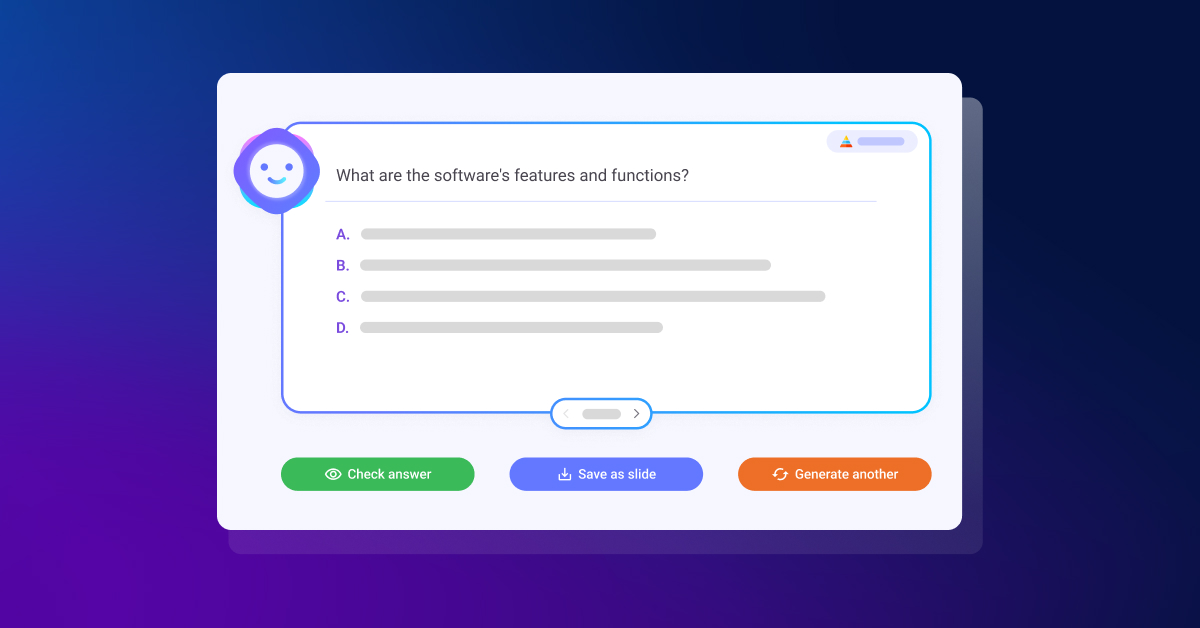
In an era dominated by technology and AI, educators and presenters are constantly searching for innovative methods to capture their audience’s attention and ensure that learning remains both stimulating and impactful. Enter ClassPoint AI, a groundbreaking tool that automates Bloom’s Taxonomy question generation based on teachers’ PowerPoint slide content.

AI-Powered Bloom’s Taxonomy Quiz Question Generation

Incorporating ClassPoint AI into teachers’ education or presentation strategy is not merely about utilizing technology—it’s about transforming the perspective and approach towards assessments and interactions. Here’s how:

  • AI-Powered Efficiency: With ClassPoint AI’s AI-generated quiz questions, teachers can instantly transform any PowerPoint slide into an engaging quiz. This not only saves time but also ensures the quiz aligns with the content’s relevance. It is a great way to involve students in the use of AI for purposeful learning!
  • Versatile Assessment Features: Through its flexible quiz customization, ClassPoint AI breaks the monotony of conventional quizzes. Teachers can tailor quizzes to match specific learning objectives, enhancing engagement and effectiveness. Creating quizzes that meet students’ needs is easy!
  • Fostering Critical Thinking: Crafting questions based on Bloom’s Taxonomy cognitive complexity hierarchy ensures that students go beyond mere memorization. Instead, they engage in analysis, evaluation, and synthesis of information, resulting in a profound comprehension of the subject matter.
  • Closing Language Barriers: ClassPoint AI’s multi-language support guarantees inclusivity, ensuring that all learners, whether international students in a classroom or a diverse audience in a global seminar, are accommodated.

While ClassPoint AI is undoubtedly invaluable for educators, its utility transcends the boundaries of traditional classrooms:

  • Corporate Training Sessions: Utilizing ClassPoint AI, trainers can assess employee comprehension in real-time during workshops, enhancing interactivity and effectiveness.
  • Webinars and Online Workshops: Incorporating quizzes through ClassPoint AI ensures sustained audience engagement and immediate feedback for presenters.
  • Language Academies: With ClassPoint AI, language instructors can develop personalized quizzes in various languages, enriching language learning and comprehension.

Bonus: Interactive Classroom Activities You Can Run in Class for Each Bloom’s Taxonomy Level

Utilizing the Bloom’s Taxonomy framework in teaching doesn’t have to be a laborious task. With ClassPoint, each stage of Bloom’s Taxonomy instruction can be amplified through a variety of presentation, interactive quiz and gamification tools.

Here are a few methods for seamlessly incorporating your lessons within the Bloom’s Taxonomy framework:

Lower-Order Thinking Skills

Activities Involving Recalling of Information

  • Run “Multiple Choice” quizzes to test students’ ability to recall important information
  • Run “Fill In The Blanks” activities to test students’ understanding of a new topic being taught

Activities to Test Understanding

  • Run “Word Cloud” as a tool for brainstorming and ideas collection to encourage the solidification of understanding of a new concept being taught.
  • Run “Audio Record” to encourage students to submit their responses via audio format.

Problem-Solving Activities

  • Run “Slide Drawing” to encourage students to submit their responses by drawing or editing the teacher’s slide
  • Run “Short Answer” and solve problems by offering students’ point of view

Analysis

  • Use “Draggable Objects” to move objects freely during a live presentation where teachers and students can label and classify objects into their respective categories.
  • Use “Annotation Tools” to build mind maps and concept maps and help students understand the relationships between concepts.

Higher-Order Thinking Skills

Evaluative Activities

  • Use “Timer” to run debate or role-play activities with students to enhance their critical thinking.
  • Use “Quick Poll” to gather students’ responses and feedback on a topic being taught.

Creative Activities

  • Use “Draggable Objects” to create something new by putting together the puzzle pieces on the teachers’ slides.
  • Run “Video Upload” to encourage submission of projects in the form of videos or vlogs to encourage creativity and innovation.

Embrace The Synergy

In today’s educational landscape, the fusion of Bloom’s Taxonomy with AI heralds a new era of classroom innovation. By embracing this synergy, educators can empower students to develop critical thinking, problem-solving, analysis, evaluation, and creativity—essential competencies for success in the modern world. Tools like ClassPoint AI present an exciting avenue to revolutionize teaching HOTS, offering efficient quiz generation based on Bloom’s Taxonomy and fostering interactive learning experiences. As we navigate this transformative journey, let’s harness the power of AI to cultivate agile, forward-thinking learners.

Guest blogging opportunities

Contact Rachelle to schedule sessions about Artificial Intelligence, Coding, AR/VR, and more for your school or your event! Submit the Contact Form.

Follow Rachelle on Twitter(X) and Instagram at @Rdene915

**Interested in writing a guest blog for my site? Would love to share your ideas! Submit your post here. Contact me directly for a sponsored post.

Looking for a new book to read? Find these available at bit.ly/Pothbooks

************ Also check out my THRIVEinEDU Podcast Here!

Join my show on THRIVEinEDU on Facebook. Join the group here

Learning Styles is a Myth

Learning Styles is a Myth!

Guest Post by Michael Cao & Evan Missakian

You might have heard it before from your teachers: “Everyone learns in their own way.”

For years, teachers have been attempting to design lessons and activities to match students’ different “learning styles.” But what does this actually mean? What are these supposed “learning styles”?

For some people, they claim that they are “visual learners,” which means that they have a preference for visual-driven instruction. They are more likely to understand concepts if given visual aids such as maps, graphs, diagrams, charts, etc… (Grand Canyon University, 2020). Some people claim that they learn best through auditory modes, while others prefer to be hands-on.

You, too, might have allocated yourself to one of these categories of learning styles throughout your years in K-12 schooling or even college. Suppose that you are a “kinesthetic learner” and like to be hands-on. You are trying to learn systems of equations in a math class. Would you rather be “hands on” with that activity or see someone work out the problem on the board? The obvious choice would seem to be the latter. Does that mean you’re not a kinesthetic learner but rather a visual learner?

This is where learning styles as a concept starts to become muddy. The idea of learning styles has been something that is so pervasive that we never stop to think about if the idea is grounded in scientific research. So is learning styles a myth? The short answer is yes.

The myth is based on the idea that “learning will be ineffective, or at least less efficient than it could be, if learners receive instruction that does not take account of their learning style, or conversely, it is the claim that individualizing instruction to the learner’s style can allow people to achieve a better learning outcome” (Pashler et al., 2009, p. 108).

However, there is a multitude of evidence to suggest that this is actually not true, or at least not supported enough that the learning style hypothesis is valid. Pashler and colleagues noted:

At present, there is no adequate evidence base to justify incorporating learning-styles assessments into general educational practice. Thus, limited education resources would better be devoted to adopting other educational practices that have a strong evidence base, of which there are an increasing number. (p. 105)

This brings up an interesting point. Since there seems to be very little evidence on creating instruction based around learning styles, what harm are the teachers who are proponents of this concept potentially doing to their students’ learning? Well, when students are allocated to a certain learning style and the lesson is catered to their learning style, they could be missing out on different learning opportunities (University of Kansas, 2024). For instance, a “visual learner” who is always instructed using visual aids may be hindered in understanding active listening, or might miss out on hands-on learning with science experiments.

While it would seem that we are criticizing learning styles harshly, we do see that there were good intentions behind the idea. On one hand, there’s little scientific evidence to support learning styles; on the other hand, it is still important for educators to realize that each individual student has their own preference as to how they tackle their learning. The idea that learning style propagates is choice but does it in the wrong way.

What matters most is the context of the learning and topic at hand. You wouldn’t give a student a set of auditory directions about where Spain is when you can just show them a map, even if they claim to be an “auditory learner.” You’d be better off teaching this learner how to actually read a map to build upon their spatial knowledge and then give them the choice in how they want to present what they know. They want to create a presentation on Spain? That’s fine. They want to create a podcast, describing Spain? That’s also fine. Or, perhaps they want to create a poster board! To create an empowered learner is to give the learner the choice to show what they know in any way they want – this is different from tailoring lessons to each students’ learning style.

So to all educators and future teachers, it might not be helpful to give your students a choice in how they want to learn solely based on their “learning style,” but instead give them the choice in how they want to show their learning.

Author Bios:

Michael Cao is a Mathematics major at UMass Amherst under the teaching concentration. He is also pursuing an Education minor.

Evan Missakian is majoring in History and minoring in Education at the University of Massachusetts Amherst. He hopes to pursue a career as a History Teacher in secondary education after graduation.

Contact Rachelle to schedule sessions about Artificial Intelligence, Coding, AR/VR, and more for your school or your event! Submit the Contact Form.

Follow Rachelle on Twitter(X) and Instagram at @Rdene915

**Interested in writing a guest blog for my site? Would love to share your ideas! Submit your post here. Looking for a new book to read? Find these available at bit.ly/Pothbooks

************ Also check out my THRIVEinEDU Podcast Here!

Benefits of Screen Time for Children

Guest Post by Jada Hewes, Mei-Lynn Bukunt, & Sarah Rosen

In today’s day and age, discussions revolving around screen time for children often have a negative connotation. Concerns about the impact screens have on children’s development, health, and socialization have a widespread belief that it is harmful in the long run. However, when taking a deeper look, research reveals many benefits that arise from using screen time in moderation. 

First, it is important to recognize the difference between what is shown on the child’s screen. The specific content, and how it is presented or used, plays a significant role in the effects on the child. For example, aimless scrolling through social media or hours of watching cartoons might fall under the category of negative effects of screen time if the child is just passively looking at the screen. 

On the other hand, if the screen time is interactive, educational, and uses critical thinking, it can be beneficial. In an article titled “Here’s What the Research Says About Screen Time and School-Aged Kids” the author, Kecia Ray, explains that “excessive screen time is concerning, but when used for education, it can be beneficial” (para. 1). When screen time is focused on educational purposes there are many benefits. Ray (2023) mentions research done in Australia on 4,013 children that focused on different categories of screen time. The categories were social, educational, passive, interactive, and other. The study concluded that the type of screen time determined whether or not there was a negative or positive impact. The research showed that educational screen time was the most beneficial. 

In addition to this, the virtual universe provides what seems to be a never-ending display of resources and learning opportunities that can enhance a child’s cognitive development. For example, screen time can be used to develop a variety of skills, including digital skills, creative thinking, problem-solving, communication, social, motor, and goal-setting (RaisingChildren, 2022). These skills are developed when children not only consume media, but also produce their own media – producing content, like writing a blog, creating music, or designing films, is highly beneficial for children.

Digital skills can be enhanced when children learn about video-editing. This can be learned while creating educational videos and content. In addition, problem-solving skills can be strengthened by playing games that involve coding and experimentation. Online applications such as Duolingo can improve communication skills and cultural knowledge expansion. Also, using technology and playing video games can also improve a child’s fine motor skills. Interacting with computers stimulates hand-eye coordination and improves visual intelligence.

Critics of screen time also express concerns about its impact on sleep. While blue light can have negative side effects, when used with proper management, these side effects can be avoided. Parents can establish screen time limits that do not allow their child to go on their phone before bed in order to promote healthy sleep habits. There are also various settings in smartphones and tablets that can shift the device into a “night mode,” which dims the lighting and filters out the blue light in order to reduce the negative impact of digital use before bed. 

Another significant benefit of screen time is its potential for social connection. While critics argue that screens isolate children, they can also facilitate meaningful interactions. Video calls with relatives or friends can help children maintain relationships, especially in today’s world, where distance often separates loved ones. Online multiplayer games or collaborative platforms allow children to work together, problem-solve, and build friendships in virtual spaces. These experiences can teach valuable social skills such as teamwork, communication, and empathy.

In the realm of creativity, screens offer a myriad of opportunities. Digital art programs, music composition software, and video editing tools provide outlets for self-expression and artistic exploration. Many young creators find their passion through online platforms, where they can share their work and receive feedback from a global audience. Screen time can nurture talents and hobbies, whether it’s photography, writing, coding, or graphic design. Rather than stifling creativity, screens can amplify it, offering tools and platforms for young artists, musicians, and writers to showcase their skills.

Physical activity is often cited as a casualty of screen time, but technology can also be a catalyst for movement. Active video games, such as those played with motion-sensing controllers, get children up and moving while they play. These games can be a fun way to encourage physical activity, especially when outdoor play is limited by factors like weather or safety concerns. Even simple apps that guide children through yoga or dance routines can promote physical health and well-being.

In conclusion, the argument that screen time is universally bad for children is a simplistic view that overlooks the potential benefits. When used in moderation and with purpose, screen time can enhance children’s learning, creativity, socialization, and physical activity. Educational apps, virtual experiences, and creative tools can all contribute positively to a child’s development. Rather than demonizing screens, we should focus on guiding children toward quality content and balanced screen time usage. By harnessing the potential of technology, we can empower children to learn, create, connect, and explore in ways that were never before possible.

Author Bios

Jada Hewes is majoring in Early Childhood Education and minoring in Speech Language and Hearing Sciences at the University of Massachusetts Amherst. She hopes to use her degrees in some way to help children learn and become successful. 

Mei-Lynn Bukunt is double majoring in Managerial Economics and Education at the University of Massachusetts Amherst. 

Sarah Rosen is majoring in Speech, Language, and Hearing Sciences at the University of Massachusetts Amherst. 

Bibliography

Angwin, J. (2022, June 4). Rethinking the effects of screen time on youth. The Markup. https://themarkup.org/newsletter/hello-world/rethinking-the-effects-of-screen-time-on-youth 

Charaipotra, S., & Zapata, K. (2022, December 19). The benefits of screen time in play that parents need to know. Parents. https://www.parents.com/parenting/better-parenting/teenagers/screen-time-experts-say-quality-matters-more-than-quantity-especially-in-a-pandemic/ 

Christensen, J. (2021, May 28). Children and screen time: How much is too much? Mayo Clinic Health System. https://www.mayoclinichealthsystem.org/hometown-health/speaking-of-health/children-and-screen-time 

Hu, J. C. (2020, March 10). Why It’s hard to know what problems screen time causes. Slate Magazine. https://slate.com/technology/2020/03/screen-time-research-correlation-causation.html 

Muppalla, S. K., Vuppalapati, S., Reddy Pulliahgaru, A., & Sreenivasulu, H. (2023). Effects of excessive screen time on child development: An updated review and strategies for management. Cureus, 15(6). https://www.ncbi.nlm.nih.gov/pmc/articles/PMC10353947/

Morrison, N. (2021, September 10). Screen time is not as dangerous as you think—And it may help your child make friends. Forbes. https://www.forbes.com/sites/nickmorrison/2021/09/10/screens-are-not-as-dangerous-as-you-thinkand-may-help-your-kid-make-friends/?sh=150027c41176 

Raising Children Network. (2022, December 19). Using screen time and digital technology for learning: children and pre-teens. https://raisingchildren.net.au/school-age/school-learning/learning-ideas/screen-time-helps-children-learn

Ray, K. (2023, January 5). Here’s what the research says about screen time and school-aged kids. EdTech Magazine. https://edtechmagazine.com/k12/article/2023/01/heres-what-research-says-about-screen-time-and-school-aged-kids 

Contact Rachelle to schedule sessions about Artificial Intelligence, Coding, AR/VR, and more for your school or your event! Submit the Contact Form.

Follow Rachelle on Twitter(X) and Instagram at @Rdene915

**Interested in writing a guest blog for my site? Would love to share your ideas! Submit your post here. Looking for a new book to read? Find these available at bit.ly/Pothbooks

************ Also check out my THRIVEinEDU Podcast Here!

Join my show on THRIVEinEDU on Facebook. Join the group here

From Passive Video Consumption to Active, Personalized, Data-Driven Learning with AI

Sponsored post by Chris Petrie, via Kwizie.ai; opinions are those of the author

Language tutors are facing unprecedented challenges in keeping students engaged and motivated. The shift towards video-driven learning, accelerated by the COVID-19 pandemic, has only intensified these problems. With studies saying that GenZ students consume an average of 7.2 hours of video content daily and a staggering 500 hours of video uploaded to YouTube every minute, educators are competing with a barrage of digital content designed for instant gratification. This massive influx of content, coupled with the addictive design of platforms like TikTok and Instagram, has made it increasingly difficult to capture and retain students’ attention. One key to overcoming this challenge lies in aligning educational content with student interests, but the heavy burden of personalizing interactive and engaging resources can be overwhelming.

Enter the power of AI in language learning. Kwizie.ai is transforming the way language educators personalize learning content by automating the creation of quiz games from any video in 20 different languages. This tool turns passive video watching into an active learning experience, making language comprehension both aligned with student interests and highly personalized.

Laura Homs Vilà from Couch Polyglot shares her experience:

“I was blown away by how fast it was possible to create such quizzes. It’s definitely a game-changer for teachers and learners alike, helping to clarify whether the video content was truly understood.”

Practical Strategies for Engaging Language Learning

Imagine many possibilities: an English video the student knows well paired with a Spanish quiz, or a Spanish video reinforcing language skills with a quiz in Spanish. The combinations can be tailored to suit any learning objective.

For a creative approach, consider using the learner’s favorite music videos. A familiar Taylor Swift song, for instance, could be the basis for a quiz in a different language (click here for a Spanish quiz, for example), making learning both fun and engaging.

Another great strategy is to get students into study groups and have them engage in peer assessment; they can easily create quiz games for each other from their favorite videos as a powerful way to learn together.

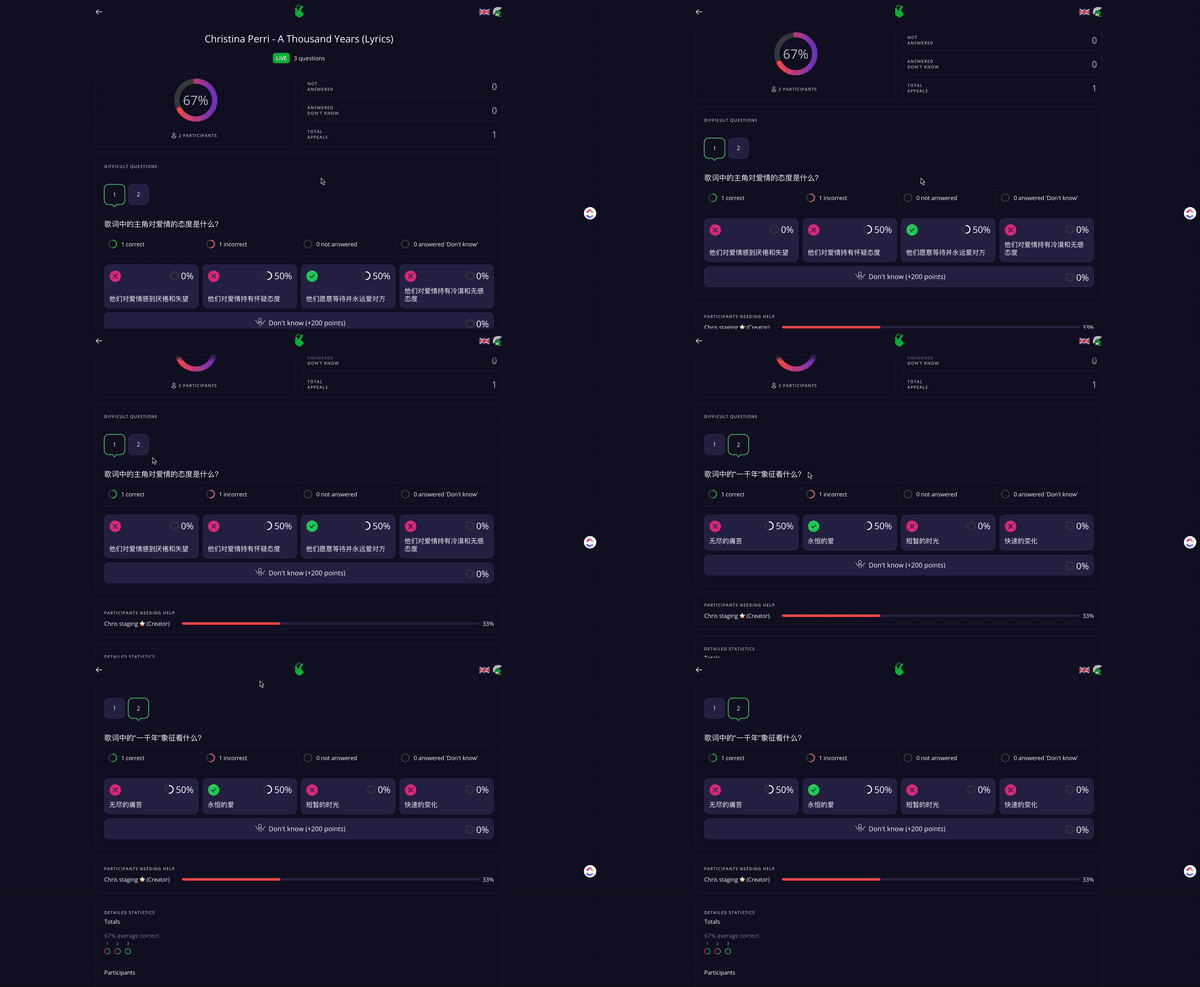
How Kwizie works in 3 steps:

1. Select Content: Start by choosing video content that resonates with your students’ interests. For example, a short National Geographic documentary on sharks could captivate a student fascinated by marine life. Kwizie’s AI can then generate a quiz based on this content in 20 languages.

2. Share and Collaborate: Once the quiz is generated, you can edit what you like and set the quiz conditions. Then, sharing it with students is done in one click.

3. Leverage Analytics for Future Learning: Kwizie provides valuable analytics that offer insights into student engagement and listening comprehension. This data-driven approach allows educators to tailor their delivery strategies to meet the individual needs of their students. For more advanced learners, incorporating activities like recording their own presentation and speaking sessions can add an extra layer of challenge and engagement for audiences.

Impact

By leveraging Kwizie’s AI capabilities, educators can significantly increase the rate of language learning while radically decreasing the time spent creating personalized and engaging learning experiences. This not only motivates learners but also sets them on a path to success, which is the ultimate goal for any educator.

“I have to say this technology is outstanding! It’s one of the most impressive quiz-making tools

that we’ve come across. It does it instantly. It does it in seconds. It even makes it a little gamified.” – Russell Stannard from Teacher Training Videos

It is free to try – it takes less than a few minutes to get your first quiz up and running, and, with a special offer, to try Kwizie for just $1 in the first month. Visit Kwizie.ai and click “Try Now for Free” to embark on a journey that transforms passive video consumption into an active, data-driven learning adventure.

Chris Petrie, PhD, CEO & Co-Founder Kwizie.ai

Helsinki, Finland

Bio:

Chris Petrie is the CEO and Co-Founder of Kwizie.ai, bringing 20 years of experience in education, research, and product leadership. Previously, he has led more than 25 global research projects for well-known international clients, including Supercell, the OECD, the LEGO Foundation, and the World Bank.

Twitter/X: @Chrispetrie6

#languagelearning #Kwizie #polyglot #activelearning #videolearning #aiineducation #educationinnovation #edtech

Contact Rachelle to schedule sessions about Artificial Intelligence, Coding, AR/VR, and more for your school or your event! Submit the Contact Form.

Follow Rachelle on Twitter(X) and Instagram at @Rdene915

**Interested in writing a guest blog for my site? Would love to share your ideas! Submit your post here. Looking for a new book to read? Find these available at bit.ly/Pothbooks

************ Also check out my THRIVEinEDU Podcast Here!

Join my show on THRIVEinEDU on Facebook. Join the group here