
A New Twist on the Hour of Code
Computer Science Education Week has been recognized in December each year. The timing selected to coincide with the birthday of Grace Hopper, a pioneer in computing. Every year during Computer Science Education Week, classrooms around the world plan activities to participate in the Hour of Code, to inspire everyone to explore the possibilities and opportunities available through coding. But this year the plans may be a little bit different. There has been a shift to focusing on the Hour of AI.
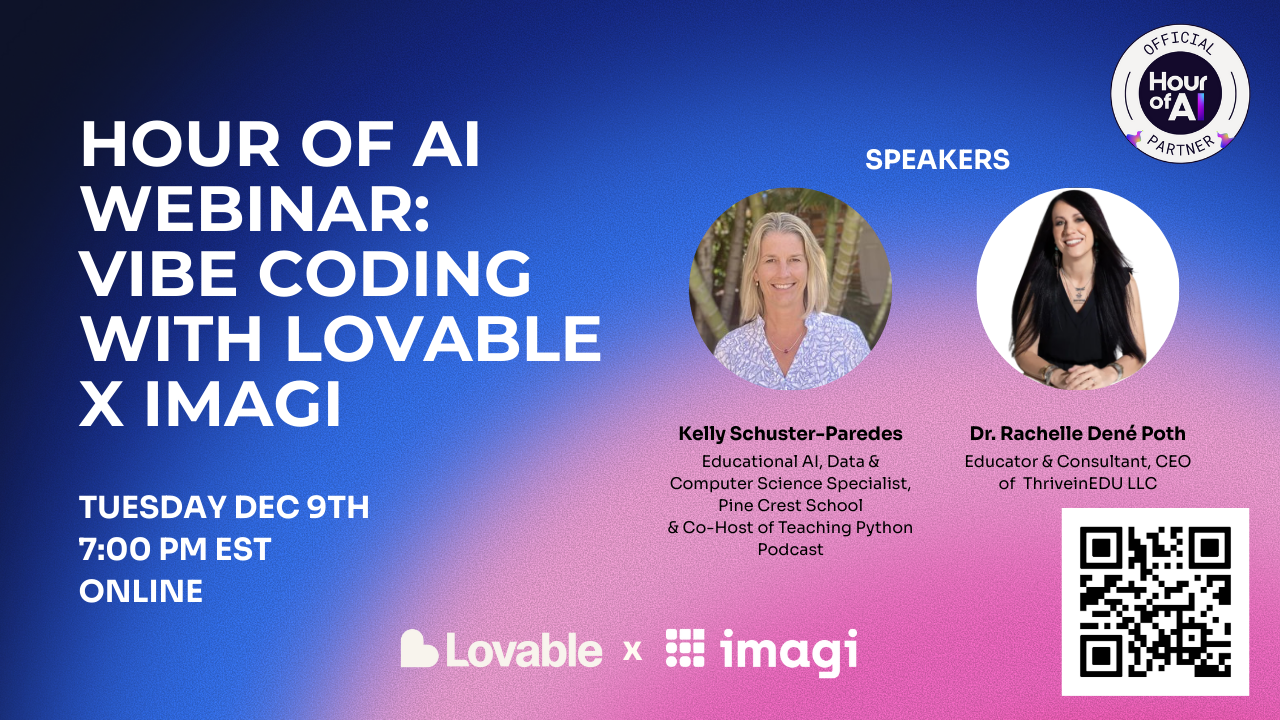
Over the past three years, AI has continued to advance and bring more tools into our classrooms and the world. There are so many possibilities available when it comes to AI and coding and the technology has continued to improve. Now, through a collaboration between Imagi Labs and Lovable, educators and students can dive into coding, without even writing a single line of code. It sounds impossible but it is true. Code is written by educators and students, simply by describing what they want. This is Vibe Coding. And the best part is that you don’t need to have a background in coding to be able to get started! My recent experience with Lovable and Imagi has shown how easy it is to build an app, create a game and more, by simply using natural language prompts. (Sign up to learn more during the Tuesday, December 9th webinar here).
And when it comes to AI, there has been a valid concern around data privacy. With Imagi and Lovable, it is easy to get started without the need for sharing student data or involving a time-consuming and complex setup. Vibe coding and the resources available help to promote computer science and AI literacy in all classrooms and focus on healthy and intentional use of AI.
So What is Vibe Coding?
Vibe Coding is way to dive into coding without writing lines of code. Rather than writing out lines of code, you simply use words to describe the vibe of the program that you want to create and then AI helps to build it. Think about what happens with prompting. With vibe coding, you use natural language prompts to describe the kind of game or app you want to create, and then AI takes care of the task of generating the code. With my more recent experiences, I’ve explored Imagi and Lovable, which is an AI-powered platform that lets anyone (with or without coding experience) create websites, apps, and games by simply describing them.The focus of coding shifts to the wording and then the ideas turn into a working project. You spend time considering the concept, refining the descriptions, and iterating throughout the process.
I have used Imagi Labs for over a year and now, with the new learning experience via vibe coding, I have more ways to focus on Computer Science and AI literacy. Imagi has partnered with Lovable to make vibe coding more classroom-friendly and easier to get started. Through Imagi, educators have access to ready-made curriculum and a special school-safe mode for Lovable that does not require personal student accounts. So now all students can join in an Hour of AI activity safely and experience AI-driven coding, which educators can facilitate with more comfort and confidence.
Why Hour of AI and Vibe Coding?
The Hour of AI is an evolution of the Hour of Code, which I have participate in with my students for years. Initially I thought about it as just an hour, but the reality is that it is meant to be an hour that then inspires you to continue to bring coding and computer science opportunities into all classrooms. There is a growing need to build foundational AI literacy skills in addition to computer science skills, in order to prepare students for the future. Through these resources, whether Hour of Code or Hour of AI, the goal is to show students that anyone can explore AI and coding.
Vibe coding is the perfect activity to explore because it makes it even easier. I think about it like this: if you and your students can write a sentence, explain a concept, then you can start creating with code. Vibe coding does not require prior coding experience. Through Imagi and Lovable, there are tutorials that provide proof that anyone can learn to code and they can do so in a fun, AI-powered way. Commonly referred to as a plug-and-play, I think it is another great opportunity for the Hour of Code/AI season this year! And, to learn how to use it, join us for a great conversation and demo!
A peek at Tuesday’s webinar.
Creative Coding
What I have always enjoyed during the Hour of Code activities or Computer Science Education Week activities, are the reactions of the students! Whether they build a game or just learn more about coding and become excited about the possibilities, it is always a great learning opportunity for them and for me too.
With opportunities to build and customize their own video game, it draws them right in. The specific project they’ll create is totally up to them, which sparks creativity and builds confidence and excitement in learning. What makes it even better is how students build it. Simply by typing their ideas in plain text, through a prompt, they end up with code that is quickly generated. For example, a student might start with a prompt like, “Create a game where a cat catches falling treats and earns points.” Lovable’s AI will take their prompt and generate an initial game which may have a cat sprite at the bottom of the screen that you can move, and treats dropping from the top. Students then test the game to see how it works and collaborate to improve it.
From there, the creative iteration kicks in. Maybe one student wants the game to be about space, not fruits. They just need to ask the AI to switch the theme. Typing in “Change it to a space game catching asteroids instead of treats.” Starting with games to have students catch items is a great way to get started and because students’ games can be adapted and relevant to any subject or story, the activity will help to engages their personal interests and connect meaningfully with classroom content. The AI takes care of the coding, but students remain the designers, guiding the outcome with their descriptions. And this is how we move them from consumers to creators and innovators!
This process also introduces the concept of prompt refining and debugging in a very digestible way, especially if they are limits in the number of prompts they can use. It requires them to really think through and be specific. Once generated, if the game doesn’t run exactly right on the first try, students then learn to tweak their description by adding more details. They may say to move an item faster or change the color to a lighter shade. Students work on debugging by having a conversation with the AI, which helps them to problem solve too. Students learn how to write prompts and debug creatively while building their game and it results in less frustration and instead sparks curiosity. Students can consider: What happens if I ask the AI to do this? How can I change the appearance of the characters or the background? for a few examples.
Students can publish or share their game, which they always enjoy! For some students, this may be the first time they’ve coded something playable, which is a huge confidence boost and hopefully the moment they realized that coding (and AI) can be creative, fun, and most importantly, something that everyone can do. And another benefit is the collaboration that happens. Want to join us and learn together? Sign up here for our livestream happening Tuesday!
Building AI Literacy and CS Skills
Beyond the excitement of making a game, vibe coding activities provide impactful instructional value. It aligns with traditional computer science foundations and emerging AI literacy standards. Lessons available have been mapped to AI Literacy competencies from the AILit framework, including skills to Evaluate, Create, and Design with AI.
- Evaluate: Students practice critical thinking by examining what the AI produces and deciding if it’s acceptable or needs some tweaking. For example, if the AI’s first attempt has a bug or the theme is slightly off, students must decide whether to accept the result, refine their prompt, or start again. Students learn to question the AI output rather than trust it immediately, which is a key AI literacy skill they need to develop.
- Create: Rather than simply playing and consuming a game, students can now collaborate with generative AI to create one. They continue to refine the results and reflect on how their prompts (their thought processes) lead to different outcomes It’s an easy way to introduce how human creativity and AI can work together, rather than have AI replace their thoughts. Students see that AI can assist their creativity, but that their own ideas and adjustments actually are behind the project.
- Design: By the end, students are able to describe how an AI system like Lovable helped them to build a solution to a problem or project idea. They realize that they have designed a simple software product by leveraging AI and how AI tools might help solve problems in any field. I think this is a great way to engage students in a discussion in any subject or to focus on community issues. A focus on designing with AI for real-world contexts.
Using these tools, students are learning classic computer science concepts in an age-appropriate way. They understand algorithmic logic (the game has rules like “if the cat catches treats, the score increases”), and they practice testing and debugging (when their game doesn’t work as expected, they try again and iterate). The difference is that the AI handles the syntax and heavy coding, which allows students to focus on logic and the game design. It is truly empowering for younger learners and for any learner that may hesitate to try traditional coding. Now, they learn to code in a way that breaks down the challenges that may come from receiving coding errors.
Teacher Support
Trying a new tech tool in class can be time-consuming, but Imagi + Lovable make it easy to dive in. There are a variety of teacher supports available to help teachers feel prepared and confident, even if it’s the first time exploring AI and coding in the classroom. A few of the features:
- Detailed Lesson Plan: A step-by-step lesson guide is provided, outlining the learning objectives, timing for each part of the activity, discussion questions, and potential student responses. It’s basically a script you can follow or adapt.
- Slide Deck: There are ready-to-use slides designed for projecting in class while you run the Hour of AI. They introduce key concepts (like “What is AI?” and “What is vibe coding?”), show visual examples, and include prompt examples to guide students. There are also speaker notes.
- Account Setup Is Simple: Imagi handles creating student accounts for Lovable with one click. The focus is on privacy-first (accounts are anonymous and expire after the event).
- Troubleshooting Help: Technology is great until it isn’t. But for this, don’t worry because the Hour of AI pack includes a troubleshooting guide for common issues.
There are more supports available! –> Sign up here for our livestream happening Tuesday!
By participating in this event and exploring Vibe coding during the Hour of Code/AI, we are helping students build foundational AI literacy in an engaging way.
If you’ve been thinking about coding and AI, then Computer Science Education Week and the Hour of AI are the perfect time to dive in. Set aside an hour for vibe coding and see the impact when students see their ideas come to life.
Ready to get started? Join the webinar or sign up to get the recording and resources!
Let’s work on fostering creativity and building AI literacy for every student…one vibe at a time!
About Rachelle
Dr. Rachelle Dené Poth is a Spanish and STEAM: What’s Next in Emerging Technology Teacher. Rachelle is also an attorney with a Juris Doctor degree from Duquesne University School of Law and a Master’s in Instructional Technology. Rachelle received her Doctorate in Instructional Technology, with a research focus on AI and Professional Development. In addition to teaching, she is a full-time consultant and works with companies and organizations to provide PD, speaking, and consulting services. Contact Rachelle for your event!
Rachelle is an ISTE-certified educator and community leader who served as president of the ISTE Teacher Education Network. By EdTech Digest, she was named the EdTech Trendsetter of 2024, one of 30 K-12 IT Influencers to follow in 2021, and one of 150 Women Global EdTech Thought Leaders in 2022.
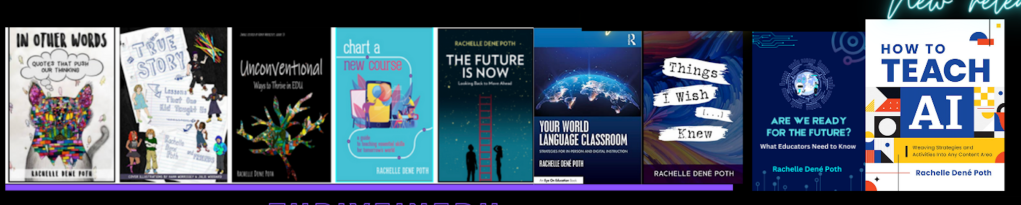
She is the author of ten books, including ‘What The Tech? An Educator’s Guide to AI, AR/VR, the Metaverse and More” and ‘How To Teach AI’. In addition, other books include, “In Other Words: Quotes That Push Our Thinking,” “Unconventional Ways to Thrive in EDU,” “The Future is Now: Looking Back to Move Ahead,” “Chart A New Course: A Guide to Teaching Essential Skills for Tomorrow’s World, “True Story: Lessons That One Kid Taught Us,” “Things I Wish […] Knew” and her newest “How To Teach AI” is available from ISTE or on Amazon.
Contact Rachelle to schedule sessions about Artificial Intelligence, AI and the Law, Coding, Cybersecurity, STEM, AR/VR, and more for your school or speaking event! Submit the Contact Form.
Follow Rachelle on Bluesky, Instagram, Threads, and X at @Rdene915
**Interested in writing a guest blog for my site? Would love to share your ideas! Submit your post here. Looking for a new book to read? Find these available at bit.ly/Pothbooks
************ Also, check out my THRIVEinEDU Podcast Here!
Join my show on THRIVEinEDU on Facebook. Join the group here.
 Learning as I go: Reflections & lessons learned