Guest post by Paula Johnson, see Paula’s other blogs here and subscribe!
Public speaking. Just reading those two words probably made your palms sweat a little. Whether you’re a student giving a book report, a teacher presenting at a PD (with no AC and bad coffee), or someone just trying to sound confident in a meeting, speaking clearly and effectively is a real skill, and one that usually comes with years of awkward ums and cringey filler words.
Enter Yoodli, your friendly-but-firm AI-powered speech coach. Think of it like Toastmasters… if Toastmasters lived inside your laptop and never interrupted you
🧰 What Is Yoodli?
Yoodli is an AI tool designed to help users improve their public speaking skills. It analyzes your speech in real-time or after a recording and gives you feedback on things like:
Filler words (“um,” “like,” “you know”)
Pacing (Are you sprinting or sedating your audience?)
Word choice and sentence complexity
Eye contact and body language (with video)
And yes, even your “uhhh” to actual word ratio
Yoodli gives you a transcript and a confidence score, plus suggestions that range from helpful to brutally honest. It’s basically Simon Cowell with AI ethics and a smiley face interface.
🏫 Classroom Uses: From the Speech Team to the Math Teacher
Yoodli is one of those tools that sneaks up on you with its usefulness. Here’s how educators can integrate it meaningfully across content areas:
💬 1. Speech & Debate or Language Arts
The most obvious use case. Have students record their speeches or presentations, then analyze their own pacing, tone, and use of filler words using Yoodli. Students can track their growth over time, which is far more helpful (and less awkward) than just watching themselves on video.
🎤 2. ELL/ESL Support
For multilingual students, Yoodli provides private, low-stakes speaking practice. It doesn’t judge accents; it focuses on clarity, pacing, and fluency. Students can speak into the tool and get instant feedback, helping build confidence without the pressure of speaking in front of the class.
🧠 3. Teacher PD & Self-Reflection
Want to see how you really sound during that lesson on quadratic equations? Use Yoodli to record part of your instruction or PD session. You might be surprised how often you say “so yeah” (guilty). This can also be helpful for instructional coaches working with teachers on presentation or communication skills.
🧪 4. Science Fairs and Project-Based Learning
Anytime students are explaining a process or presenting their thinking, Yoodli can give them that extra polish. It encourages students to reflect on how they communicate their ideas, not just what they say, but how they say it.
💻 5. Interview Practice and Career Readiness
Mock interviews? Elevator pitches? College essays turned spoken narratives? Yoodli is ideal for helping students practice for real-world moments where confidence and clarity are key.
🧠 The AI Behind the Tool
Yoodli uses automatic speech recognition (ASR) and natural language processing (NLP) to analyze spoken words in real time. Think of it as a very nerdy parrot that listens, transcribes, and then gently tells you you’re rambling.
Some quick nerd notes:
Speech recognition turns your words into text (transcription)
NLP analyzes your speech for filler words, tone, sentiment, and repetition
Yoodli can detect your pace and word variety over time
Importantly, Yoodli doesn’t train its model on your data without consent. Users can opt into saving their data for progress tracking, but educators should check settings for student accounts. They’ve made good strides toward ethical design—no surprise, since one of the co-founders used to work at Google AI but left to build tech that was more human-focused.
Data privacy tip: Make sure to read the privacy policy if you’re using it with students under 18, and consider creating class-specific accounts or using it in “demo mode” with no login required.
🧪 Try It Out: Tips for Teachers
Here’s how to get rolling without needing a 47-slide training deck:
Start small: Have students practice a 1-minute talk on any topic. Favorite food. Least favorite math concept. Why dogs are better than cats. (Yoodli is cat-neutral.)
Use the transcript: Yoodli gives a full transcript of each session, great for writing reflection, peer feedback, or revision activities.
Gamify it: Who can lower their filler word count the most in one week? Who has the smoothest pacing? Instant leaderboard.
Model it: Record yourself first and share the feedback you got. Vulnerability builds classroom trust (and shows that even grown-ups say “like” too much).
Be intentional: Don’t let Yoodli become a surveillance tool. Use it for growth, not gotchas. Let students control their recordings and reflection.
👩🏫 Final Thoughts: AI Coaching That Doesn’t Need Coffee
Yoodli isn’t replacing speech teachers or taking over your drama class—it’s a supplement, not a substitute. But it is an amazing, low-barrier way to help students hear themselves and improve one of the most universally useful skills: effective communication.
Plus, unlike your coworker in the next room, Yoodli never interrupts you mid-sentence to ask if you’ve “seen the new attendance policy.” So that’s a win.
I believe educators deserve access to tools, knowledge, and support that empower them to do their best work. If my content has helped you, inspired you, or made your day a little lighter, supporting me on Ko-fi helps me continue creating resources that support teachers who are changing the world one student at a time.
If this work supports you, you can support it too: ko-fi.com/paulajohnsontech
About Rachelle
Dr. Rachelle Dené Poth is a Spanish and STEAM: What’s Next in Emerging Technology Teacher at Riverview High School in Oakmont, PA. Rachelle is also an attorney with a Juris Doctor degree from Duquesne University School of Law and a Master’s in Instructional Technology. Rachelle received her Doctorate in Instructional Technology, and her research focus was on AI and Professional Development. In addition to teaching, she is a full-time consultant and works with companies and organizations to provide PD, speaking, and consulting services. Contact Rachelle for your event!
Rachelle is an ISTE-certified educator and community leader who served as president of the ISTE Teacher Education Network. By EdTech Digest, she was named the EdTech Trendsetter of 2024, one of 30 K-12 IT Influencers to follow in 2021, and one of 150 Women Global EdTech Thought Leaders in 2022.
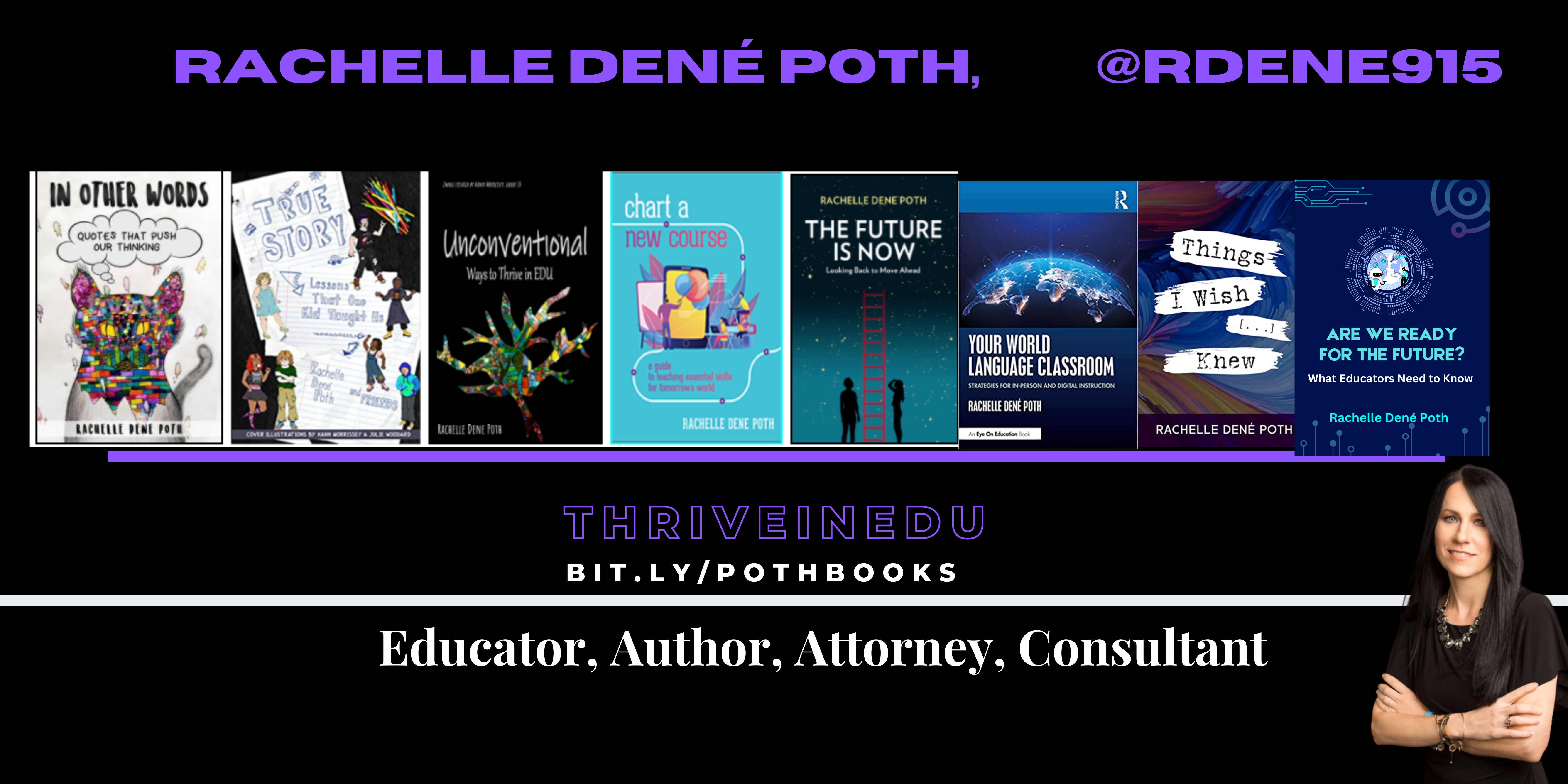
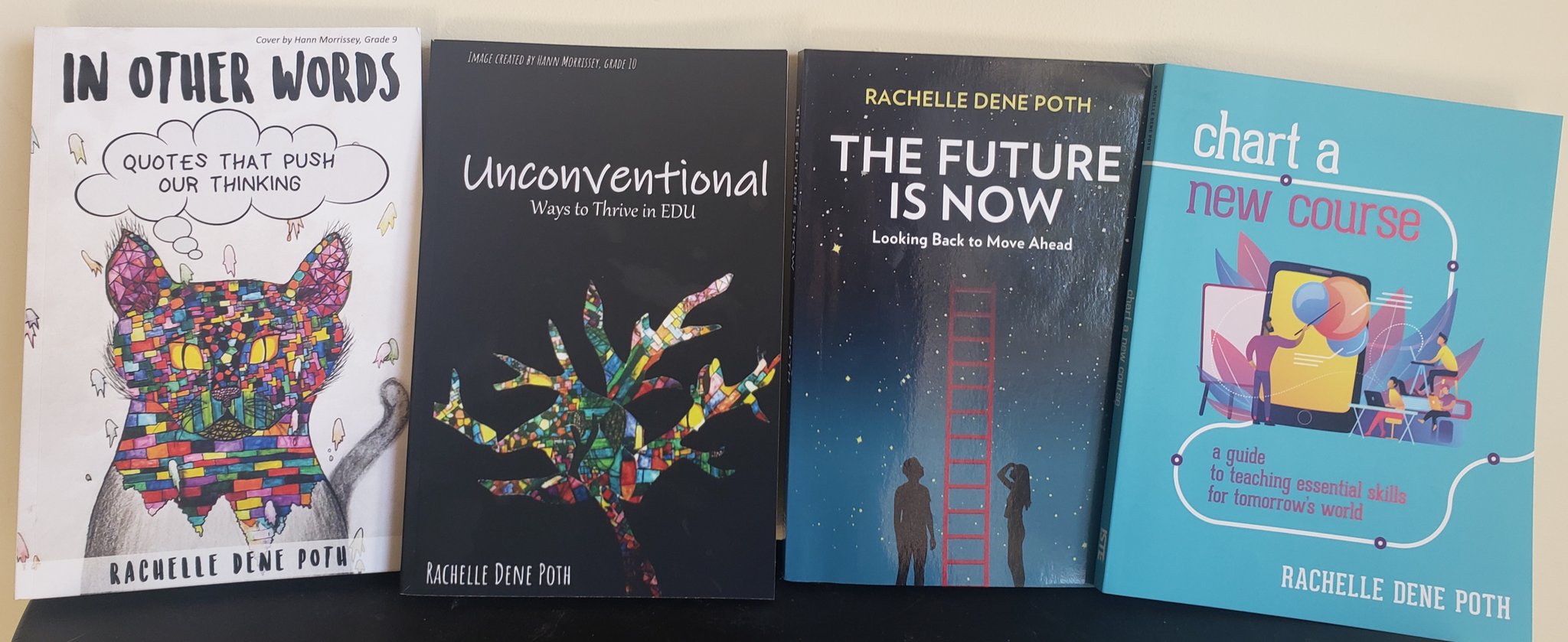
She is the author of ten books, including ‘What The Tech? An Educator’s Guide to AI, AR/VR, the Metaverse and More” and ‘How To Teach AI’. In addition, other books include, “In Other Words: Quotes That Push Our Thinking,” “Unconventional Ways to Thrive in EDU,” “The Future is Now: Looking Back to Move Ahead,” “Chart A New Course: A Guide to Teaching Essential Skills for Tomorrow’s World, “True Story: Lessons That One Kid Taught Us,” “Things I Wish […] Knew” and her newest “How To Teach AI” is available from ISTE or on Amazon.
Contact Rachelle to schedule sessions about Artificial Intelligence, Coding, AR/VR, and more for your school or event! Submit the Contact Form.
Follow Rachelle on Bluesky, Instagram, and X at @Rdene915
**Interested in writing a guest blog for my site? Would love to share your ideas! Submit your post here. Looking for a new book to read? Find these available at bit.ly/Pothbooks
************ Also, check out my THRIVEinEDU PodcastHere!
Join my show on THRIVEinEDU on Facebook. Join the group here.
As instructional leaders and coaches, we have the incredible opportunity to elevate the effectiveness of teaching and cultivate a culture of continual growth in our schools. Embracing the new school year, review an array of high-impact instructional strategies that can truly ignite learning experiences within our classrooms. Each strategy presented in this post is accompanied by a practical application that can readily inspire teachers through an example and how coaches can support teachers in implementing these research-based strategies in their classrooms. Our mission is to empower teachers to incorporate these strategies into their lessons while providing them with supportive coaching along the way to build their confidence and instructional toolkit.
As a coach, focus on three to five of these strategies to start. Then, when you are on a coaching cycle with a teacher, focus on ONE of these strategies during a single coaching cycle interval. Additionally, each of these strategies can be done with or without technology integrated. It will depend on whether the lesson requires technology or if a teacher deems that technology may provide more opportunities for students to take in the content and skills learned to then put them into action in demonstrating their learning in a formative manner and summatively.
As instructional leaders and coaches, we hold the power to transform teaching and learning in our schools along with our teachers. By embracing these high-impact research-based instructional strategies throughout our classrooms, we can ignite profound learning experiences and cultivate a culture of growth in our classrooms for our students. Explore each strategy, classroom example, and coaching example to inspire and empower your work as you move into this school year!
Definition:Providing students with immediate and regular feedback aimed at effort, improvement, and mastery rather than relative performance. It involves both teacher and peer assessments. It can be done throughout an entire class session with formative assessment. Note: Be sure to provide feedback in a way that requires students to use the feedback in action as feedback without deliberate action of implementing the feedback is not as effective.
Classroom Example:In a science class, a teacher addresses a student’s misunderstanding about a chemistry concept right away during guided practice as the teacher presents the content during an interactive Pear Deck presentation as it embeds formative assessment throughout the presentation, instead of waiting until the end of the lesson. Additionally, key items from the lesson can be assessed when a teacher uses exit tickets to assess students’ grasp of the concept, providing opportunities for reteaching where necessary for the next time they will be focused on the content from this lesson.
Coaching Tip:Coaches can assist teachers in creating effective feedback mechanisms such as templates of interactive presentations, rubrics, and exit tickets. They can model through co-teaching or teach a lesson sequence with the teacher observing how to provide immediate, growth-focused feedback and how to structure peer assessments effectively.
Strategy 2: Retrieval Practice Techniques to Support Memory Recall
Definition:These techniques involve regular use of recall-based activities that enhance the retention and application of previously learned information. This can look like flashcards, formative assessments, or even activating prior knowledge based on an image or video that was about what was learned in a previous lesson. Note: Retrieval practice, formative assessment, and facilitating feedback are strategies that can be sequenced together during lessons.
Classroom Example: An English teacher begins each class with warm-up questions from previous lessons – like matching vocabulary terms with their definitions. Also, concept checks are embedded throughout the lesson such as the use of formative assessment using either mini-whiteboards or interactive slides such as Pear Deck, Nearpod, or Canva whiteboard, prompting students to recall key ideas and providing necessary feedback, if needed, before proceeding.
Coaching Tip: Coaches can support teachers in creating recall-based activities such as quizzes, brain dumps, or concept checks. They can also advise on how to incorporate these into lessons and homework assignments effectively.
Strategy 3: Generative Learning Strategiesto Process and Reorganized Learning Information
Definition: These strategies involve students actively processing and reorganizing information. They can include tasks like explaining concepts in their own words, creating examples or diagrams, and making predictions. Note: Be sure students have quite a bit of background knowledge in the content you will want to utilize for this strategy before implementing it.
Classroom Example: A history teacher asks students to explain a historical event “as if I don’t know it.” The students create their own diagrams to represent their understanding and compare similar events. This can be done with or without tech. Sketchnoting, word webs, or even student-created videos or podcasts discussing the historical event could all be examples of how this is done by students.
Coaching Tip:Coaches can demonstrate how to incorporate generative tasks into lessons and can provide feedback on the quality of tasks teachers have created. They can also suggest ways to scaffold these tasks for students at different ability levels.
Strategy 5: Spacing and Interleaving Techniquesto Improve Practice of Concepts and Skills Taught In Class
Definition: These techniques involve distributing practice over multiple sessions and mixing different types of content or problems within a single session. This can be done through practice problems given during independent practice. Note: We do not need to give our students hundreds of practice problems for them to improve their skills.
Classroom Example: A math teacher spreads out practice on a particular concept over multiple short sessions and interleaves different types of problems within a practice set. An example would be five addition problems followed by two subtraction problems and one addition problem at the end of the problem set.
Coaching Tip:Coaches can help teachers design their curriculum to incorporate spacing and interleaving. They can also suggest how to balance the rotation of old and new content. Coaches can build a template or calendar of how practice problem sets should be built and then distributed throughout the week. Then, they can support teachers by monitoring the practice they give students and at what intervals the practice is happening to support teachers in building this as a routine in their classroom.
Strategy 6: Scaffolding
Definition: Scaffolding refers to providing temporary support to students as they learn new concepts. Teachers can gradually decrease this support as students develop the skills and understanding to work independently.
Classroom Example: In a writing class, a teacher may initially provide a detailed writing template as the mentor text. Over time, the teacher might reduce the level of detail in the template, eventually only providing a simple outline, and finally asking students to create their own outline from scratch.
Coaching Tip: Coaches can support teachers by sharing effective scaffolding methods and resources. They can also help in determining when and how to reduce scaffolding based on students’ progress. For example, a coach can support teachers in reviewing their assessment data to then determine what support they may need to provide students. Additionally, they can also support a teacher in evaluating when they can begin to gradually release support over time during a given lesson or unit.
Strategy 7:Gradual Release Model (I Do, We Do, You Do)
Definition: The Gradual Release Model is an effective method of instruction that moves from teacher-centered to student-centered learning. The process involves three stages: “I do” (teacher demonstrates), “We do” (teacher and students work together), and “You do” (students work independently). Note: Scaffolding and gradual release tend to go together in tandem during an instructional sequence.
Classroom Example: In a math lesson, the teacher first demonstrates a problem-solving method (I do). The class then works through several similar problems together (We do). Finally, students solve similar problems independently or in small groups (You do). In this sequence, using mini-whiteboards or an interactive digital slideshow is helpful as then a teacher can see student progress over the course of this instructional sequence.
Coaching Tip: Coaches can assist teachers in structuring their lessons around the Gradual Release Model. This might include providing guidance on how to effectively demonstrate new concepts and techniques, facilitate collaborative work, and support independent student work. Coaches can also model how this looks in a teacher’s class as well as then plan a lesson with a teacher and observe the teacher practicing this strategy in action and then provide feedback.
Strategy 8: Modeling Content or Skills During Direct Instruction
Definition: Modeling is an instructional strategy in which the teacher demonstrates a new concept or skill to students in a step-by-step process. The teacher models the thought process as well as the actions so that students can see the “how” and the “why” of what they’re learning. This strategy is part of the gradual release of responsibility model, where the responsibility for task completion shifts gradually from the teacher to the student.
Classroom Example: In a writing lesson, a teacher could use modeling to teach students how to craft a compelling introduction for an essay. The teacher might write an introduction on the board, explaining their thought process out loud—why they chose specific words, how they structured their sentences, what information they included to hook the reader, etc.
Coaching Tip: Instructional coaches can support teachers by providing examples of effective modeling and giving feedback on their modeling techniques. Coaches can also model the modeling process—for instance, they might model a mini-lesson or co-teaching alongside the teacher they are working with, demonstrating not just the content, but also their thought process during the modeling sequence. This meta-modeling can be a powerful way to help teachers understand and apply effective modeling techniques in their own classrooms depending on the content and skills they are teaching their students.
Strategy 9:Formative Assessmentthroughout Lessons
Definition: Formative assessment is a range of formal and informal assessment procedures conducted by teachers during the learning process to modify teaching and learning activities. These assessments aim to improve student attainment throughout a lesson sequence. They serve as practice for students, check-ins for both student and teacher and a guide for teachers in planning future instruction and interventions in real-time or for a lesson in the future. Note: Mini-whiteboards, interactive slides, and short multiple-choice assessments tend to be some of the easiest mechanisms to deliver formative assessments.
Classroom Example: A science teacher could conduct a formative assessment by giving a short quiz on the material covered in that week’s lessons at the beginning and at the end of the class period. This allows the teacher to see which concepts students have understood and which they might be struggling with. The teacher can then use this information to adjust their lesson plans, providing additional instruction or practice on difficult concepts.
Alternatively, formative assessment can be as informal as a class discussion or a “thumbs up, thumbs down” quick check for understanding. The key is that the information gathered is used to inform instruction.
Coaching Tip: Instructional coaches can guide teachers in using formative assessments effectively by helping them design assessments that are aligned with learning objectives, providing feedback on the use of assessment data, and suggesting modifications or additional supports based on assessment results.
Strategy 10: Reduce Cognitive Load
Definition: Cognitive Load Theory (CLT) is an instructional design theory that uses the science of how the human brain processes information to inform the design of learning materials so they are easy to comprehend and remember. In essence, it emphasizes the importance of understanding and optimizing the cognitive load — the total amount of mental effort used in the working memory — during learning. Note: Many of the strategies discussed can reduce cognitive load, such as modeling in chunks, scaffolding, and gradual release sequences.
Classroom Example: A teacher introducing a complex concept, like photosynthesis, might first present the overall process in a simplified way, then progressively introduce details about each part. They might also use diagrams and real-life examples to help illustrate each part by chunking the information. By doing this, the teacher is intentionally managing students’ cognitive load, ensuring they’re not overwhelmed with too much information at once. Other examples include using only pertinent information in all displays of information to students. Reducing any extraneous information is helpful in managing cognitive load.
Coaching Tip: Coaches can support teachers in managing cognitive load by helping them to break down complex topics into manageable chunks. They can also support teachers in developing a variety of engaging, multimodal resources and teaching strategies, such as using visuals, analogies, and real-world examples, to support students’ understanding and reduce cognitive overload. Additionally, coaches can provide teachers with feedback related to how much extraneous information they may need to be watchful during their lessons – such as cutting out irrelevant information related to the topic during direct instruction.
Conclusion – Think Less is More and Sustainability
As coaches, we need to model why less is more and what sustainable teaching looks like to the teachers we are coaching. As mentioned at the beginning of this post, we need to focus on only one major strategy at once. Then, during our coaching sessions with teachers, model how that strategy looks, and how it can be incorporated into lessons, and then provide co-teaching and feedback opportunities to the teacher to support them in practicing the strategy over time in their classrooms. Last, focus on how teachers can use these strategies in a sustainable manner. What this means is developing the classroom routines and workflow in planning that allow these strategies to be readily utilized and practiced. Additionally, ensure teachers that not every lesson needs to have each of these strategies – it’s a matter of having these strategies in their toolkit to be used throughout the week is what ultimately matters most.
References
Agarwal, P. K. (2019). Powerful teaching: Unleash the science of learning. John Wiley & Sons. (Retrieval Practice Techniques)
Archer, A. L., & Hughes, C. A. (2011). Explicit instruction: Effective and efficient teaching. Guilford Press. (Modeling Strategy)
Black, P., & Wiliam, D. (1998). Assessment and Classroom Learning. Assessment in Education: Principles, Policy & Practice, 5(1), 7-74. (Formative Assessment Strategy)
Brookhart, S. M. (2017). How to give effective feedback to your students. ASCD. (Strategies for Facilitating Feedback)
Brown, P. C., Roediger III, H. L., & McDaniel, M. A. (2014). Make it stick: The science of successful learning. Belknap Press. (Retrieval Practice Techniques)
Cepeda, N. J., Pashler, H., Vul, E., Wixted, J. T., & Rohrer, D. (2006). Distributed practice in verbal recall tasks: A review and quantitative synthesis. Psychological Bulletin, 132(3), 354. (Spacing and Interleaving Techniques)
Fisher, D., & Frey, N. (2008). Better learning through structured teaching: A framework for the gradual release of responsibility. ASCD. (Gradual Release Strategy)
Fisher, D., & Frey, N. (2014). Better learning through structured teaching: A framework for the gradual release of responsibility. ASCD. (Gradual Release Strategy)
Fiorella, L., & Mayer, R. E. (2015). Learning as a generative activity: Eight learning strategies that promote understanding. Cambridge University Press. (Generative Learning Strategies)
Gibbons, P. (2014). Scaffolding language, scaffolding learning: Teaching second language learners in the mainstream classroom. Heinemann. (Scaffolding Strategy)
Hattie, J., & Timperley, H. (2007). The Power of Feedback. Review of Educational Research, 77(1), 81-112. (Strategies for Facilitating Feedback)
Kirschner, P. A., & Hendrick, C. (2020). How learning happens: Seminal works in educational psychology and what they mean in practice. Routledge.
Kirschner, P. A., & Hendrick, C. (2023). How teaching happens: Applying the science of learning in the classroom. Routledge.
Mayer, R. E. (2011). Applying the science of learning. Pearson. (Generative Learning Strategies)
OpenAI’s GPT-4 (2023, July 25). Personal communication. Instructional Coaching and Instructional Strategies.
Pearson, P. D., & Gallagher, M. C. (1983). The instruction of reading comprehension. Contemporary Educational Psychology, 8(3), 317-344. (Gradual Release Strategy)
Rohrer, D., Dedrick, R. F., & Stershic, S. (2015). Interleaved practice improves mathematics learning. Journal of Educational Psychology, 107(3), 900. (Spacing and Interleaving Techniques)
Roediger, H. L., & Karpicke, J. D. (2006). Test-enhanced learning: Taking memory tests improves long-term retention. Psychological Science, 17(3), 249-255. (Retrieval Practice Techniques)
Sweller, J., Ayres, P., & Kalyuga, S. (2011). Cognitive load theory (Explorations in the learning sciences, instructional systems and performance technologies). New York, NY: Springer.
Vygotsky, L. (1978). Mind in society: The development of higher psychological processes. Harvard University Press. (Scaffolding Strategy)
Wittrock, M. C. (1974). A Generative Model of Mathematics Learning. Journal for Research in Mathematics Education, 5(4), 181. (Generative Learning Strategies)
Wong, H. K., & Wong, R. T. (2009). The first days of school: How to be an effective teacher. Harry K. Wong Publications. (I Do, We Do, You Do Strategy)
Interested in guest blogging or learning more about Rachelle’s work?
Contact Rachelle to schedule sessions for your school about Artificial Intelligence, Coding, AR/VR, and more! Follow her on Twitter and Instagram at @Rdene915
**Interested in writing a guest blog for my site? Would love to share your ideas! Submit your post here. Looking for a new book to read? Find these available at bit.ly/Pothbooks
************ Also check out my THRIVEinEDU PodcastHere!
Join my show on THRIVEinEDU on Facebook. Join the group here
Guest post by Simon Choi, a mental health advocate and small business founder. He foundedStandout Bands which supports Beyond Blue and allows him to write for his mental health blog, Healthy Minds. Simon is particularly passionate about supporting those experiencing depression. Currently, Simon is supporting those struggling as a result of COVID-19 related mental health issues. He lives in Melbourne, Australia.
*Opinions expressed are those of the guest author.
Times of Uncertainty
The Global Coronavirus Pandemic has been ongoing for months now and there is a great deal of uncertainty among government and society. Adults are dealing with loss of work, changes to daily routines and possibly even sick relatives. However, the uncertainty is not only limited to adults.
The Effects on Children
Children are not immune to the fears that this global pandemic has produced. Their lives have been greatly affected as well. Children are not only out of school, but they are not able to visit their friends and family as well. For example, fear of the health of the elderly means most grandparents are not advised to see grandkids in the present environment. Parents and educators can try to help and reduce some of this anxiety. In the following article, we will discuss seven ways that any educator or parent may be able to help those they care for and teach:
#1 Keep Their Usual Schedule
For a child, it can be difficult to experience many external changes. Since they have no control over being out of school and not seeing their friends and family, it is best to stabilize the things that can be stabilized. In order to give your children stability, do not change their sleep time, their school hours or other regular activities. Even if your child has to practice their sport in their own front yard or get violin lessons over Zoom, try to keep up with their previous schedule and activities as much as possible.
#2 Don’t Let Kids Watch Too Much News
The news can be informative, but it can also be full of unwanted scenery and troublesome for younger viewers in particular. Since that is the case, you do not want to let your kids watch too much news.
#3 Talk to Kids Openly
Kids need to feel like they can openly express themselves with adults. You want to ask your kids questions about their feelings and give them age appropriate answers. Children are inquisitive by nature, so this process could require some patience, but it will help to dispel some of their fears.
#4 Watch Their Associates
If your children are spending a lot of time talking to virtual friends, make sure that you are aware of the other kids who they are talking to. Other children can have a big influence on your children’s feelings, so you want to monitor or at least be familiar with their friends.
#5 Play with Your Kids
Make sure that your kids are getting exercise. Each day, make it a practice to add an exercise routine to your kids daily work. Just like gym class at school, exercise should be a healthy part of their at home learning journey. Try to play sports with kids as well; this is especially true if your kids are involved in any extracurricular sports. That way, they can keep up with their skills and get out some extra energy as well.
#6 Talk to A Professional
If you think that your child is having an extra hard time dealing with the stress of COVID19 and you notice that the stress is interfering with his or her daily activities, you may have to contact a professional who can give your child a consultation over the phone and provide professional advice.
Make the Best of a Difficult Situation
It can be stressful to deal with an unknown situation, but this stress can also build resilience in a child. Even in a global pandemic, you can help your child to make the best of the opportunities that staying at home can present or as an educator if over teleconference. When a child is taught to deal with difficulties in a healthy manner, he or she will be well prepared for whatever life throws at them. With the right support from you children can build resilience as a result of this time.
**Interested in writing a guest blog for my site? Would love to share your ideas! Submit your post here.
Looking for a new book to read? Many stories from educators, two student chapters, and a student-designed cover for In Other Words.
Educators have busy schedules and one thing that I hear quite often is that there never seems to be enough time. We need time to plan for our classes, to complete different tasks required by our roles in education, and of course, most importantly is time to spend with our students. But in order to be at our best, we need to find time to take advantage of different learning opportunities to stay informed of best practices and emerging trends in education. We also need time to connect with other educators. It’s through these relationships and finding the right tools that we will grow personally and professionally, and bring our best selves into our classrooms each day. The challenge is not so much in finding resources, but rather in finding the most valuable ones that will fit into already busy schedules.
Personally, I stay involved in a lot of different ways so I can continue to build my professional knowledge and my connections with other educators around the world. Having chosen to spend many of my first years of teaching isolated, I missed a lot of opportunities to learn more, to do more, and to provide more for my students. A few years ago I made a shift to becoming a more connected educator by leveraging the technology available through social media. It has been an ongoing personal and professional transformation. Becoming connected has increased my awareness of the plethora of learning opportunities available for educators. I have changed my teaching methods, broadened my perspective of strategies and best practices in education and have more options for getting the support that I need to bring new ideas into my classroom.
Here are different ideas for ways to learn on any schedule. These options create a lot of possibilities for how, when, and where we can engage in professional development and become more connected educators. With the summer break coming for many educators, it can be the perfect time to explore new ideas.
Social Media
Over the past few years, there has definitely been an increase in the amount of social media used by educators for professional learning and networking. Depending on your level of comfort and how often you choose to interact, there are many ways to learn, crowdsource ideas and access different perspectives and people with different backgrounds and experiences.
Twitter. Although I was hesitant for many years to create a Twitter account, once I did a few years ago, my Professional Learning Network (PLN) has continued to grow. Whether you have time to engage in a nightly or weekly Twitter chat or just follow one of the many hashtags related to education, there is something for everyone when it comes to Twitter. Do you have ideas and want to gather more? Create your own hashtag and use it to invite people to share their ideas with you. Post a poll to get quick feedback, find educators to follow and create a list to keep track of resources and ideas shared. In addition to hashtags, there are many chats and topics to follow. If you want to find educators to follow on Twitter, David Lockhart created a list of 100 educators to look into.
Voxer. A walkie-talkie messaging app that promotes communication and collaboration. It’s easy to get started with and it provides a lot of different ways to add to your professional learning. Use it for somewhat asynchronous conversations with a colleague, create a small group to discuss specific topics such as blended learning, project-based learning or augmented and virtual reality. Using Voxer for a book study also works very well. It provides a great platform for talking about a book and sharing resources, without having to be in the same space at the same time. There are even groups on Voxer, you can search the list and join them. It’s nice to be able to listen to the messages on the way to or from school, perhaps during a lunch break, or while making time for a walk and self-care.
Facebook. Initially used with friends and family as a way to share what’s happening in each other’s lives and maybe to reconnect to organize events like family or class reunions, Facebook is now used by a lot of educators. There are many educator accounts to follow as well as groups of educators to join.
Information Sharing
Sometimes it is easier to find the information that you need, especially information which is current and offers a lot of resources, by exploring the different digital forms of information such as books, blogs, and podcasts. Knowing that the information is credible, up-to-date, and provided by educators with experience, is what sets these options apart from other options.
1. Blogs are a quick way to get information from a variety of sources, especially when you look at different blogs available from publications such as Getting Smart, EdSurge, TeachThought, Edutopia, eSchoolNews and EdWeek to name a few. Searching the list of top education blogs to follow is helpful for finding specific topics, content areas, and grade levels, or even for opportunities to contribute to a blog.
2. Podcasts can be a great way to pass time when traveling to and from work, relaxing or even during exercise. Most podcasts are short enough that you can listen to an episode and pick up new ideas and inspiration. Over the past year, there has been an increase in the number of podcasts available to teachers, whether created by educational organizations or simply teachers wanting to share their experiences and inviting others to join in the conversation. Some that I regularly listen to and which have been recommended to me are: Edumatch Tweet and Talk, Jennifer Gonzalez (Cult of Pedagogy), Vicki Davis (Ten Minute Teacher), Will Deyamport (The Dr. Will Show, the Edupreneur), Barbara Bray (Rethink Learning), Brad Shreffler (Planning Period Podcast), Don Wettrick (StartEDUp), Google Teacher Tribe, Teachers on Fire, Andrew Wheelock (Coffee with a Geek), Dan Kreiness (Leader of Learning), and Denis Sheeran (Instant Relevance Podcast).
3. Books. There are more educational books available for professional learning than ever before. It’s easy to find book recommendations by following specific hashtags on Twitter or looking at different curated lists of education books. For some book recommendations, I generally follow the hashtags #bookcampPD, #PD4uandMe, and #Read4Fun, which are led by different educators. The Read4Fun group also shares books in a Voxer group. For a list of recommended books, ISTE crowdsourced recommendations last year and I also created a survey to gather ideas from educators. Some of the books mentioned on the list include: Teach Like a Pirate by Dave Burgess, The Innovator’s Mindset by George Couros, Courageous Edventures by Jennie Magiera, Culturize by Jimmy Casas, LAUNCH by A.J. Juliani and John Spencer, Lead Like a Pirate by Shelley Burgess and Beth Houf, Start with Why by Simon Sinek, Daring Greatly by Brené Brown, Take the L.E.A.P. (Elisabeth Bostwick), and What School Could Be by Ted Dintersmith. Many publishers have books coming out on an almost weekly basis it seems. Check into DBC Consulting, EduMatch Publishing, IMpress and ISTE to explore more books available.
Online Learning Opportunities
When we leverage technology in a way that opens up powerful learning opportunities and pushes back the limits based on time and location constraints, we find innovative ways that we can learn.
4. Online Learning Communities. There are different learning communities to join in for professional development. As a Common-Sense Certified Educator, you have access to the newest tools and resources. By becoming Google Certified or a Microsoft Innovative Educator Expert, educators can enroll in learning modules, training sessions, and receive a digital badge for completion of each different module. Besides building PLN, these opportunities offer yet another way to learn on your schedule, in a time and place that meet your own needs.
5. Summits and Webinars. There are organizations that provide webinars for educators, many of which are offered free of charge or a minimal fee or are subscription-based. For example, if you take advantage of providers like EdWeek, Simple K12, or ASCD there are webinars available on a variety of different topics that work with your schedule. As a member of ISTE, joining in any of the PLNs gives you access to a series of weekly webinars and sometimes even more than once per week depending on the PLN. These webinars can be viewed live or as recordings when most convenient to you. The topics are always current and in some cases cutting edge or emerging trends, so you can keep informed of new ideas and teaching strategies, better than you ever could before.
Throughout the year there are even online conferences, or “Summits” which provide a series of speakers and sessions, sometimes held over a multi-day format. These are offered free and in my own experience, have always provided a wealth of knowledge and resources. Personal favorites include the Ditch Summit hosted by Matt Miller, Hive Summit hosted by Michael Matera and EdCamp Voice on Voxer, started by Sarah Thomas of EduMatch.
It’s clear there are many options and resources available to educators for professional development. It simply takes thinking about an area you would like to learn more about, exploring one of the choices and giving it a try.
This post is sponsored by Screenleap. Opinions expressed are my own.
At the end of January, I attended the Future of Educational Technology Conference (FETC) in Orlando. FETC has become one of my favorite conferences to attend and each year I return to my school with a lot of new ideas and tools that I’m excited to try in my classroom and share with colleagues and educator friends. This year was no exception. After reading about the 31 start-up companies that would be participating in the “Pitch Fest” competition happening in the expo hall, I decided that I wanted to start there. These companies—the “best-of-the-best startups”—would be pitching their products and services to a panel of judges. I find this to be one of the “musts” for me each year to learn about the new ideas and products available to educators. I enjoy getting to talk with the companies to understand their tools and how it benefits educators and students.
Before arriving, I had received a flyer from Screenleap. I took a quick look, but decided to set it aside and instead make time to meet with Tuyen Truong, the CEO and Founder of Screenleap, at the conference. We had a great conversation and I was immediately impressed with what I learned about Screenleap from Tuyen and from the reactions of other attendees who had stopped by the booth to learn more about Screenleap.
Not long after speaking with Tuyen, I presented my own poster session on designing “Creative, Personalized, and Productive Classrooms.” A common interest of the attendees was that they wanted to know options that would enable them to share lessons, to work with schedule changes that interrupted the normal class periods, and to provide access to learning opportunities for their students when their students needed them. Screenleap immediately popped into my mind and so I gave them a brief overview and pointed them in the direction of Screenleap’s booth in the EdTech Startup area.
Tools with Purpose: Getting Started Quickly
Common issues for teachers regarding education tools are knowing where to start and whether something will have a big learning curve. These are both important factors, but we should also consider the WHY behind adding the technology. Based on the interests of the educators that I spoke with, thinking through it and trying it out on my own, Screenleap definitely addresses these concerns by making it easy for teachers to set up and start using with students and by saving valuable time for teachers who use it.
So How Does It Work?
Screenleap for Education allows teachers to share their screen with students and record it for later viewing. Whether the students are in the classroom or absent from class on a given day, they can watch the screen share live from wherever they are or access the lesson afterward when it is convenient for them. You can learn more about Screenleap for Education here. If you would like to try it out, you can start a free trial here!
Why Use Screenleap for Education?
When thinking about adding some new technology into the classroom, we really need to focus on the why behind choosing a specific tool or method. What difference will adding this tool make and how can it enhance the learning process and go beyond the traditional methods that are being used? What sets it apart from other tools you are currently using?
I think the benefits are clear with Screenleap for Education:
Teachers can share from any device (including Chromebooks, iPads, Android, PCs, and Macs).
Students don’t need to install any software to view their teacher’s screen, which makes it easily accessible to all students and saves time on IT administration.
Everything is automatically recorded on the cloud for later playback. Teachers don’t need to manually upload the recording after the screen share.
It saves teachers a lot of time because now they do not need to reteach lessons to students who miss a class since the recorded lessons are available for students to watch on their schedule. In addition, when it comes to re-teaching, you don’t always present the information the same way, so having a solid lesson that can quickly be shared with students to view and learn from is a real benefit for you.
Ideas for Using the Recording Feature
Depending on the content area you teach, or even if you have a different role than a classroom teacher, creating these recordings is easy and of great benefit. Having recordings available that you can share with colleagues, offer as extra instruction for students needing review, or even as a way to get feedback from colleagues about how you delivered a lesson, are just a few of the great ways to use the recording feature of Screenleap for Education. There are a lot of other possibilities for teachers, students, and administrators when the recording feature is used as part of a teacher’s daily instruction.
Getting Started
I found Screenleap for Education very intuitive and easy to get started with:
After creating your account, there is an initial setup step where you can create your classes and add students to them.
Once your classes are set up, it is easy to start sharing your screen with your students: all you need to do is click on the button for the class you want to share when your class starts. If it’s your first time sharing your screen, you will be walked through a one-time app installation before your screen share begins.
Once your screen share has started, your students can watch your screen share by signing into their accounts and clicking on the “View live class” button for your class.
While you are sharing your screen, it is automatically recorded in the cloud.
When you stop your screen share and have recording enabled, your recording will be processed and made available to you from the “Recordings” page. If you have automatic sharing configured, the recording will also be made available for your students to review.
Additional Features That I Like
If you want to remove something from your class recording, you can do so and then upload the updated version.
You can share the same recording with multiple classes.
You can track student engagement in real-time by clicking on “engagement” or after the recording has been processed. You will see a snapshot of the engagement graph at the bottom of every recording.
Conclusion
Screenleap for Education offers a lot of benefits for teachers, students, and administrators: students can easily follow along in the classroom or from home, teachers do not have to reteach lessons that students miss, students can review lessons before tests, and administrators have resources available that can help to improve test scores for their schools through better learning. In addition, being able to stay connected and keep up with class—even when not in the classroom—and having information available to share with other teachers and administrators really makes Screenleap stand out when it comes to tools that benefit student learning.
Let me know what you think of Screenleap for Education. Again, you can start a free trial here!
One of the most important roles for educators today is that of being a mentor. As educators, we are often called upon to mentor the students in our classroom, as well as colleagues in our school. Throughout our lives, we have all had at one time or another a person who has served as a mentor, whether they have been selected for us or it is a relationship that simply formed on its own. Take a moment and think about the different mentors that you have had in your life. How many of them were teachers? How many of them were other adults, such as family friends or perhaps even coaches? How many of your own mentors have been the colleagues in your building or members of your PLN (Personal or Professional Learning Network)?
There may be a few that come to mind immediately, both because you remember having a specific time that was set aside to work with your mentor, maybe during your first-year of teaching or as a teacher who needed some guidance while working through some of the challenges of teaching. There is probably a mentor that comes to mind because you credit them with some aspect of personal and or professional growth. For myself, I have been fortunate to have some supportive mentors that have helped me to grow professionally and taught me what it means to be a mentor. These relationships are so important because it is through mentorships that we continue to learn and grow and become a better version of ourselves. In the process, we also develop our skills to serve as a mentor to someone else and continue the practice promoting growth.
Getting Started with Mentoring
Take a moment and think about your classroom or your school and the types of programs which may be already in place in your building. Are there specific times set aside for teachers to act as mentors for students? To their colleagues? In my school district, Riverview, we implemented a homeroom mentoring program a few years ago, as part of our RCEP (Riverview Customized Educational Plan) which we were making available for our students. A few years prior to that, we began with the Olweus Bullying Prevention Program, and our school was among the first schools in the United States to achieve national/state recognition for bully prevention. Through the program, we implemented a variety of learning activities, with the goal of engaging students in learning and collaboration, to promote a positive school climate and to create opportunities for students to build positive and supportive peer relationships.
For our Homeroom Mentoring Program, small groups of students in grades 9 through 12, are assigned to a homeroom, with a mentor. By having these smaller groups, the teachers are able to serve as a mentor for each student, working with them closely, to not only support them during their high school experience but also to prepare them for their future after graduation. It is a way to provide a more personalized learning approach for each student and for each student to know they have support available to them. These mentoring homerooms meet on a regular basis, providing ongoing opportunities for the teacher and students to interact in team-building and work on fostering peer relationships. During these homeroom meetings, some of the activities include pride lessons, goal-setting discussions, career exploration surveys and job shadowing, community service experiences and other topics which come up throughout the year. It is a good opportunity for the students to have a small group to work with and to develop critical skills for their future, such as communicating, collaborating, problem-solving, and developing social and emotional learning skills as well.
In addition to the planned activities, a key part of our mentoring program is the creation of a “portfolio” which includes samples of student work, a job shadow reflection, resume, list of volunteer experiences and additional artifacts that students can curate in their portfolio. The past few years, students have organized these materials into a binder, which has been kept in the mentoring homeroom. The materials become a part of their required senior graduation project. This year, we have started creating an e-portfolio, using Naviance, a program that promotes college and career readiness. Students begin by creating their online profile and sharing their activities and interests. Using the program, students can take surveys to learn more about their own skill areas and interests, learn about colleges which might match their interests, and also continue to build their digital citizenship skills. According to one of our guidance counselors, Mrs. Roberta Gross, the mentoring program was implemented to help students make transitions toward post-secondary goals and plans, and moving to the e-portfolio is creating more opportunities for students to explore their own interests and create their online presence.
There are many benefits of having students create an e-portfolio. Moving to an e-portfolio makes it easier to access the information for each student, it can be shared with parents and it opens up more conversations between the students and the mentor teacher. It is important to prepare our students for whatever the future holds for them beyond high school graduation, and working with them as they grow, in these small groups, really promotes more personalized learning experiences and authentic connections.
As a final part of this program, our seniors take part in a senior “exit interview”, a simulated job interview with a panel of three teachers, a mix of elementary teachers and high school teachers. It truly is a great experience to have time to see the growth of each student, learn about their future plans and to provide feedback which will help them continue to grow and be better prepared for their next steps after graduation. And for students, being able to look through their portfolios, reflect on their experiences, self-assess and set new goals, knowing they have support available, is the purpose of the mentoring program.
Resources on Mentoring
There are many resources available that can provide some direction for getting started with an official mentoring program.
The “Adopt a class” program, founded by Patty Alper, who also wrote a book on mentoring called “Teach to Work: How a Mentor, a Mentee, and a Project Can Close the Skills Gap in America.” Alper talks about the impact of mentoring and how her view of it is towards an “entrepreneurial” mindset, preparing students for the future, with the skills they need. Alper breaks down the process into practical steps, with examples and encouragement for those new to the mentoring experience.
The national mentoring partnership “MENTOR”, offers a website full of resources and ways to connect with other mentoring programs. MENTOR even held a Mentoring Summit in Washington, D.C., this January, where professionals and researchers gathered to share ideas and best practices for starting a mentoring program. Be sure to check out their monthly themes and presence on Twitter.
The National Mentoring Resource Center offers a collection of different resources for mentoring include manuals, handouts and a long list of additional guidelines for different content areas, grade levels, culturally responsive materials, toolkits and more. The website has most of the resources available as downloads.
How you can get started
I would recommend that you think about mentors that you may have had at some point during your life. What are some of the qualities that they had which made them a good mentor and why? For me, I felt comfortable talking with my mentor, being open to the feedback that I would receive, and I knew that my mentor was available to support me when I needed. Another benefit is that we learn how to become a mentor for others, and when we have these programs in place, our students will become mentors for one another. I have seen the positive effects in my own classroom, and many times, these new mentorships have formed on their own.
A phenomenal mentor that taught me what it means to be an educator.
Thrilled to have an awesome mentor and professor, thank you Bruce Antkowiak
Toward the end of the past school year, I noticed some changes in student behavior. There was a decrease in student engagement, especially while I responded to the question of a student seated close to me, students around the room became distracted or stopped listening. Trying to get the group to refocus sometimes presented a challenge and resulted in a loss of valuable instruction time. A second concern was how students had been treating one another. I overheard conversations in the hallways, witnessed unkind interactions in the classroom, or heard directly from students who sought help in dealing with different situations. There were two issues to resolve: eliminate the valuable instruction time that was being lost and help students to develop more positive, collaborative peer relationships. How could I connect students more to the content and to one another, so they could work together to foster a more positive classroom. After some brainstorming, I decided to first focus on ways to promote collaboration and to step out of my role of “leader” in the classroom by stepping aside.
The changes:
My first realization was that I needed to shift roles in my classroom. I needed to get out of the way, and students needed to do more than simply sit for the entire class. To get started, look at your own classroom. Where are you and the students spending the class period? Are you the only one speaking and moving? If so, think about how you can open up space and provide a more collaborative setting for students. Think about how you can involve the students in more “active learning” that will lead to better student engagement.
One morning, I looked at the physical space of my classroom and decided to break apart the rows of desks. By doing this, it created more flexible spaces for students to interact, to create and lead, and do more than just sit and listen. Students need opportunities to work with their peers through lessons and engage in activities where they can master the content together, and that will provide opportunities to develop their interpersonal skills, self-awareness and social awareness of others.
Making these changes can feel uncomfortable because it means going against what likely has been the traditional classroom structure. However, many teachers have moved toward flexible learning spaces, creating a more student-centered and student-driven classroom. A classroom which moves away from simply lecturing, reviewing homework, passing out materials, assigning new homework, and repeating this same routine the very next day. While this process may promote the acquisition and application of knowledge, it does not effectively promote collaboration, invite student input, nor foster development of vital SEL (social-emotional learning) skills.
CASEL (The Collaborative for Academic, Social, and Emotional Learning), formed in 1994, is an organization which actively works toward promoting the importance of developing SEL skills in education. SEL is focused on five competencies: self-awareness, self-management, social awareness, relationship skills and responsible decision making. The development of these skills can benefit the level of student engagement as well, leading to higher academic achievement and reduce discipline issues in the classroom. To promote the development of SEL, here are some ideas and additional resources to get started.
Practical ways to promote SEL:
Icebreakers: I started the school year with fun icebreakers, to get to know one another and to find out what students had in common. Why? It all starts with relationships, building a connection with peers and the teacher, and using this to connect with the content area. Returning after an extended holiday break, doing even one icebreaker can be a good way to welcome students back to the classroom, to ease into the daily routine and to start the year fresh by working on relationships. Perhaps have students share what they did over break, show a picture, talk about favorite foods for holidays even, and let students make connections on their own.
Games and activities: Providing opportunities for students to interact through the use of games and activities in the classroom promotes the development of social-emotional learning skills. There are many online tools available to help you get started. For elementary and middle school, Centervention provides free online games, activities and printables for teaching students about SEL. Gaming helps students to learn to problem solve, collaborate, think critically, and develop empathy through scenarios within the game itself, or as a result of being part of a team. It creates a sense of community and belonging, which foster the social-emotional skills students need. Even by using Minecraft, educators have seen a connection between the benefits of gaming for learning and the development of SEL skills.
Learning Stations: Something that has really made a difference in my classroom has been using learning stations. I started the year with rows and decided one morning, that the rows had to go. I quickly set up clusters of desks or “stations” to accommodate three students each, with four extra desks grouped together in the center. At each station, students spend 10-14 minutes doing a hands-on activity like a worksheet, creating flashcards, watching a video, playing a game or simply coming up with their own ways to practice. Deciding upon the activities takes some planning, especially when trying this for the first time, but it is well worth it. Start by explaining the “stations”, involving students in the discussion and asking for feedback. When we explain our goals and share any fears we may have, we are modeling “self-awareness” and “self-management”. By using stations, we also have more time to interact with each student and group, work on relationships and foster a deeper understanding of the content as well as connecting with one another and creating a more positive classroom culture.
Challenges and solutions:
Groups: The first few class periods there were complaints. Students wanted to work with their friends and others wanted to work alone. It can be awkward if you are the only one who doesn’t find somebody to work with, but it can also be a challenge to work with a group when you may end up being the only one doing the work. Assigning random groups can help alleviate some of these uncomfortable feelings, even though in life and for the future, students may face the same challenges and uncomfortable moments, not having a choice in collaborative work. However, for the time being, the importance is to help students to develop interpersonal skills that will enable them to be successful in the future, to develop the social and emotional learning skills, especially in terms of relationships, decision-making and developing a self- awareness.
Timing: It can be a challenge at first to know how much time to provide for each station. I started by spending ten minutes reviewing material, asking questions, or doing an activity with the whole class, before starting stations. I tried giving 15 minutes for each, so students would work through two each day. Some students finished early and wanted to move on. To work through this, I would use the time to speak with each group or individual students, and then make adjustments during the next station rotation. There is always room to improve, but the important thing is remembering to be flexible and open to changes that will positively impact student learning and relationships.
Benefits:
Student engagement: Students have been more engaged in learning, and have come in to tell me how much they look forward to coming to class. Because of the different activities within the stations, students participate more because they are active and moving, and know that each station offers a new way to learn.
Student leaders: Students are offering to help one another, to explain concepts, and to cheer each other on. They keep each other on task and by working in these small groups, there are less distractions than working as a whole group. Each small group can ask questions, receive individualized feedback because I can freely move around the classroom and clear up any misunderstandings.
Teacher-student relationships: Students are getting timely, authentic and personal feedback. By using learning stations, more time is student-focused and those individual conversations can happen as needed, to help students to be successful and be more confident.
Student learning: In terms of academic achievement, the participation and results of recent assessments are the highest they have been. Students enjoy coming to class because they know they’re going to be leading and making decisions about their learning, in a way that is comfortable, flexible and fun.The learning experience is more authentic and meaningful for students. Research has shown the positive benefits of incorporating SEL into the curriculum.
Student behaviors: As for the class distractions and the negative interactions that existed before, both have decreased tremendously. It is not something that is going to change overnight but what matters is that we make constant progress. We are learning and becoming better together.










 Learning as I go: Reflections & lessons learned