Digital Citizenship- Parents

Guest Post by Kimberly Tumambing Executive Assistant at Gorman Learning Charter Network

Digital Citizenship

Recently, I was visiting with my nine year old niece, when she proceeded to pull out her iPad and log into her Youtube account. She showed me the amazing little videos she is creating, editing and publishing. In the same evening, my twenty-six year old niece told me she just learned that she can open a .pdf on her phone. I laughed. The difference in digital presence and understanding is huge when you think about the fact that there is only a seventeen year gap between the two girls.

Today’s youth are faced with so many opportunities for success and achievement, but also with so many possibilities for failure and regret.

How can we help them to become better Digital Citizens, when so much of what they are experiencing is still new to us?

This is the question that has inspired me to help parents learn more about what it means to be a Digital Citizen and how you can help equip your children with the tools they need to navigate this new world.

Digital Citizenship is when a person utilizes Information Technology in order to engage in society, politics and government. Information Technology consists of computers, laptops, tablets, phones, and other devices.

So when I started this campaign, I asked myself, what would I tell my younger self, if I could send her a Facebook message. And what I came up with is this: once you put it on the internet, it is forever on the internet. Photos you wish had never existed, conversations you wish you hadn’t had, personal information, and so much more. So, younger me, how do you participate in this digital world without risking college scholarships, potential jobs, and possible legal ramifications? How do you keep yourself safe from predators, while engaging in social activities?

And I came up with this answer: by being well informed. We can’t shelter children from the dangers of being a Digital Citizen. But we can teach them what to share, and how to share, responsibly. But where can parents go for help? If I were to try and teach you everything I have learned, you would be reading this blog for the next three to four hours.

So instead, I’m going to share with you two of my greatest resources. My school has a go to website that we recommend for our families when parents call and ask about the dangers of certain websites or applications. The organization is called Common Sense Media. I recommend you start with the privacy and internet safety section for Parents. Did you know many of the applications your child is downloading will come with locations settings turned on? So everyone will know where your child is just by checking the background location indicator. But there is a way to turn this setting off and protect your child’s location. My hope is that this website will help you keep your students safe.

But what about their online etiquette? Everyone looks at a student’s online profile these days. Colleges and Universities are looking at possible athletic candidates and the photos they posted during their middle school and high school days. Future employers are looking to see what kind of language a person uses online, or what articles they favor, or if they fight over social media or maintain some kind of respectful dialogue. And they aren’t just looking at Facebook either. Twitter, LinkedIn, Twitch, Youtube, and personal blogs are great places for someone to learn everything they may want to know about your child.

To be a good digital citizen, your child also needs to realize they are not protected just because it wasn’t “said” in person. A student can be prosecuted in a court of law for digital threats, accusations, and “jokes.” Students who threaten to kill others, even if it is a “joke” on Twitter, can be prosecuted and face possible charges.

I also recommend the National Online Safety website. The resource section of this website has some great infographics describing websites and applications that students tend to favor. They even cover video games and chat rooms. They also have some helpful information about Social Media sites and the effect on your child’s mental health. And their infographics are updated regularly depending on what is trending amongst kids.

Parents, you don’t have it easy these days. You have to teach your children to be safe and polite in both the physical world and the digital one. You have to teach your children how to interact with people they are talking to face-to-face and people they are conversing with via instant messenger. My hope is that the websites I have provided to you will give you the information you need to train up strong, well informed, world changers who can travel between both worlds with ease.

What made me better

Guest post by Deidre Roemer,  Director of Leadership and Learning West Allis, WI, @deidre_roemer


When I reflect on my skills as a teacher throughout my career, I can think of examples of what I did well and a million things I would have done differently.  I am teaching a class at a local university this semester and know confidently that I am a better teacher now than I was when I was in the classroom. The opportunity to see other teachers in action in my leadership role for the last several years is what has made me better.  I get to speak to educators and learners all the time about what is working well in their classrooms and what they would like to see grow. It includes spending time in many classrooms where we and others are getting it right and learners can articulate the process of their learning in order to create great things.

Professional development that is connected to a vision of our work with meaningful processing time to reflect is how we push teachers to move from single projects to true learner driven practice.  We take a lot of teachers and teams on site visits to schools in our area and across our country who are already doing the kind of work we are trying to do to see it in action. It is hard to find a large comprehensive system that is there yet, so we are often at small charters of specialty programs that are offshoots of schools.  The visits are always amazing as we are able to interact with teachers and learners and see learner driven practice, but often the most important part of the time is the meal after the visit or the long trip home where we can talk about what we saw, process, and plan for what parts we can implement within our system. The goal is not to replicate but to figure out how to ask the right reflective questions of ourselves and one another to tie what we saw to our personal passions and interests and figure out how to bring all of that together to shift the learner experience.

We also spend a lot of our time talking about how this is the kind of learning experience ALL learners should have.  It should not be reserved for some kids in special programs or special schools. The visits with the deep discussions are often the leverage point that takes an educator from trying a few things to a true shift of practice that is more inclusive.  It helps them to be more collaborative as they are often on these visits with other staff from across our district that they might not already know having a shared experience . The power in seeing some things we are already doing well and celebrating those helps us to not be overwhelmed when looking for ways to grow.  The key is to make the time, take the staff who are ready to take some bold steps, and then follow up with them multiple times throughout the year so they have support to keep going with the work.

On a recent site visit, I took a chance and messaged some of the teachers to join us off-site after the formal conference to continue our learning.  Fortunately, they were willing to take the opportunity to discuss their work with us over dinner. It was an impactful experience to listen to teachers that have been doing this work for some time engage in professional discourse about grading, telling their story and standards.  The teachers were open about their own growth over time and how our staff could take pieces of what they saw back to our schools to create a more equitable opportunities for all learners through empowerment. We went back to the site the next day with a new lens on what to look for in learner and teacher observations that we could do instead of being lost in the surface things like the physical set-up.  Things that may have looked idealistic the day before now looked possible. The modeling of professional discourse created space for our team to do the same and ask some great questions about how we can do this work and how it does not have to look the same across all our schools.  Encouraging staff to push boundaries and challenge one another’s thinking is how we look at someone else’s professional practice and find a way to make it our own.

A few things we discover each time we do a site visit became apparent:

  • This work is messy.  It takes deep dialogue on what is right for learners and how to give up control in a way that is not always natural for teachers.
  • Change is uncomfortable and unpredictable, but easier with the proper support.  People tend to say, “Change is hard.” There was a great article from the Harvard Business Review in January of 2008 that explained why that phrase becomes a self-fulfilling prophecy that permits us not to try.  We have to be able to think bigger than that.
  • We need to get more comfortable with professional discourse and open discussion about where we are now and where we can go that may push our thinking.
  • Teachers have to connect their own passion to their work in schools.  When it is authentic to the teachers, it becomes authentic with the learners.
  • Our teachers need to see the work in action often and learn how to get and give productive feedback.
  • The standards are always embedded in innovative, learner driven work.  They just aren’t always owned solely by the teacher.
  • Many times, the teacher in a learner driven classroom finds joy in their work.

We have evolved our district wide professional development to hopefully reflect all of these.  Our teachers will have time in small groups to learn their standards well enough to empower learners to take ownership of mastery of those standards within cross-curricular projects.  Staff will then have the opportunity to sign up to see another teacher modeling classroom practice that is learner driven. They will be our own internal site visits. We will use structured protocols to get and give feedback at each site to ensure we are using the time for genuine collaboration as we know that is what drives teacher practice.  We can’t make more time than we have, so we use the protocols from The School Reform Initiative as a way to restructure the time and make sure it is used for purposeful feedback and collaboration.

Our teachers hosting visits that day have been invited to participate for the first round as they are already trying new things, having success with learner empowerment and finding joy in their work.  It is not expected that anything that is “perfect” or a “show”.  It is meant for one teacher to share their experience and encourage others to try new things with an open dialogue about how and what supports they will need. Our goal is that our teachers engage with one another to see what’s possible, work together to get there for every learner and find joy in the work.


**Interested in writing a guest blog for my site? Would love to share your ideas! Submit your post here.


Looking for a new book to read? Many stories from educators, two student chapters, and a student-designed cover for In Other Words.

Find these available at bit.ly/Pothbooks  


Books available

Buncee: Getting to know our students

One of the things that I love the most about Buncee is that it can be used in so many different ways, not only for instruction in our classrooms but also in life. I have used Buncee to create cards for family and friends, personal business cards, graphics for Twitter chats and webinars, quote graphics for my books, invitations, and more. When I decide to use digital tools in my classroom, I want students to practice the content in a more authentic and engaging way, while developing skills such as collaboration, critical thinking, problem-solving, and creativity that can be transferred to their future. In using digital tools like Buncee, my hope is that they will also use them in other classes, for personal use, and will share them with family too.

Each year, I continue to explore new ideas to have students create with the content, rather than doing the exact same project or using traditional worksheets or other assessment methods. For years, I assigned students to complete very rigid projects in the same format and left little up to student choice. Now, after seeing the benefits of being more flexible with my instructional methods, I’d rather open it up more to student choice and see what students come up with.

Finding time to explore new resources can be a challenge because our lives as educators becomes quite busy and we may find ourselves lacking in time to really explore a variety of options for use in our classroom. This is another one of the reasons that I choose Buncee and appreciate the team’s investment in offering more than just one way for students to create. It truly has become a go to multi-purpose platform that can do so much, that I feel pretty comfortable in saying that the possibilities really are endless when it comes to creation with Buncee.

Learning about students and pushing them to explore

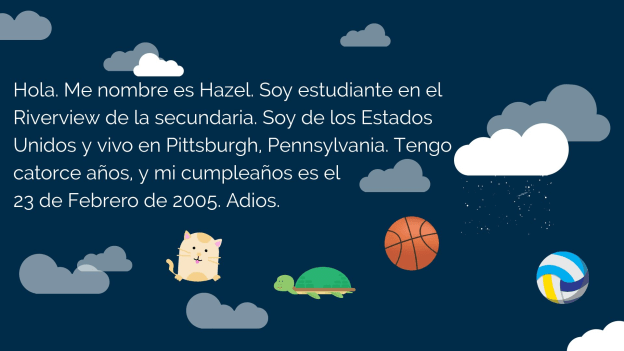
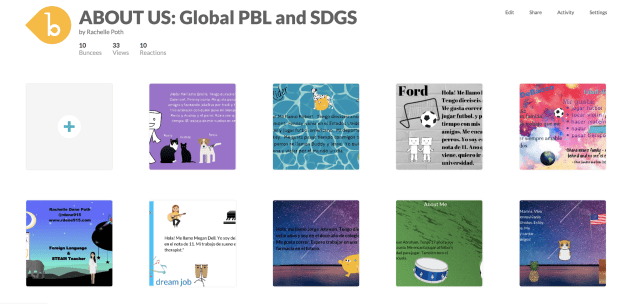
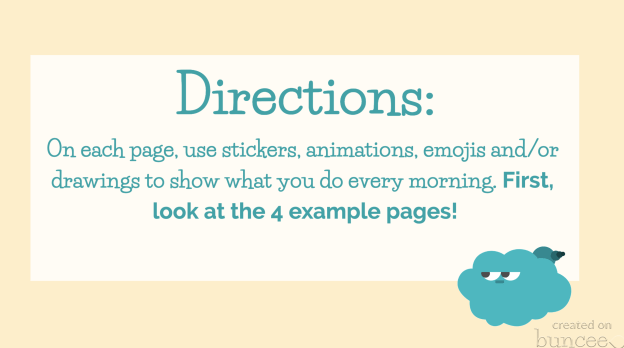
At the start of each school year, I focus my efforts on student relationships, learning about my students and also providing opportunities for them to learn about one another. In the past I have done this by using activities in our classroom such as ice breakers or having students work together on different review games and other in class collaborations like that. But this year I decided to do something a little bit differently to not only engage students in learning about the Spanish language and culture but to engage more in learning about one another. I came up with a project focused on using the “About Me” template in Buncee. I wanted students to share who they were and create one slide to show this using words, animations, stickers, and other add-ins. My hope was that by looking at each student’s slide, we would understand one another better and relate to each other based on similarities and differences.

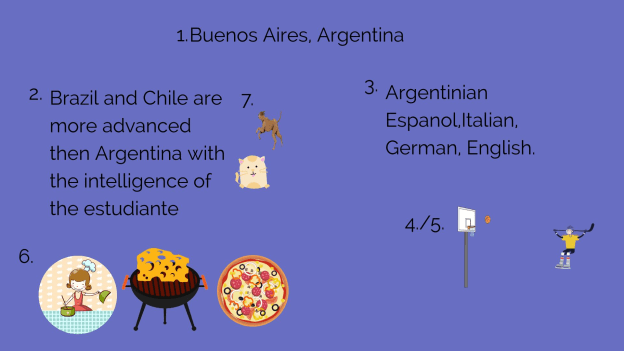
I also thought this would be a good opportunity for them to choose and learn a little about a place where Spanish is spoken and create an “About_(country)_____” to share that information with the rest of the class. But I also realize that there are many students who are visual learners like me and I wanted to encourage students to be able to quickly look at and process information and represent it in a different way. Rather than simply restating the same content, push them to apply it at a higher level or find a different way to demonstrate an understanding of a concept.

I also wanted students to choose a Spanish speaking country and I placed a limit on the number of actual words they could use because I wanted them to represent what they had learned about the place that had chosen using the Buncee features. The topics they had to include were: languages spoken, school subjects, foods, activities, and other information like that that they could display using Buncee.

How did it go?

It was a fun activity and I learned so much about them and they learned about each other and what life is like in countries where Spanish is spoken. We shared them on a Buncee board which made it easy to access and created a colorful display of students and their creativity. Students shared their slides and gave a brief description in Spanish about themselves and made connections with their classmates. We had good conversations exchanging our likes, dislikes, and learning about our backgrounds. For the second slide, students

were able to get a quick glimpse of different Spanish-speaking countries and begin to understand the culture of some of the places they would be studying. It was fun that they could only include 3D objects, animations, stickers or emojis, to represent the information for each country. So for visual learners, being able to choose the right object to use to share this information made the learning stick a little bit more. Students who enjoy creating but not drawing really enjoyed the activity.

One other feature that I thought was important to share with students was the new Immersive Reader and how it works. We enjoyed looking at all of the capabilities with it and using Buncee for learning!


**Interested in writing a guest blog for my site? I would love to share your ideas! Submit your post here.


Looking for a new book to read? Many stories from educators, two student chapters, and a student-designed cover for In Other Words.

Find these available at bit.ly/Pothbooks  


Books available

Education Write Now: An Amazing Experience

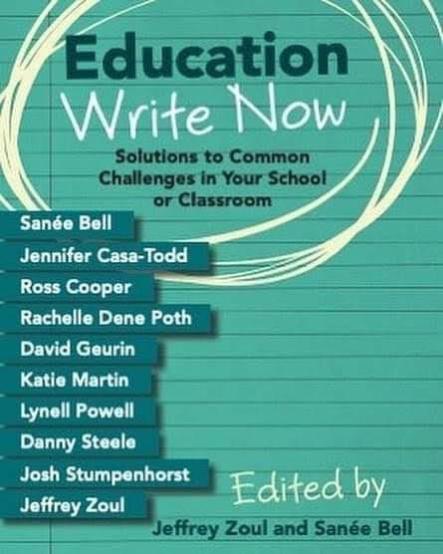
To say that the summer of 2019 was tremendous is an understatement. Besides having time to spend with family and friends, I enjoy having extra time in the summer to participate in professional learning opportunities and to connect with educators from around the world. As educators, it is important that we continue learning and involving ourselves in opportunities to build our own skills and also to contribute to the personal and professional growth of others. I am fortunate to have been asked to be one of the writers for this year’s Education Write Now book.

In July, ten of us met in Boston for three days to work on chapters that will become part of Volume 3 of Education Write Now, a book whose proceeds will go toward The Will to Live Foundation, a non-profit organization founded to support teen suicide prevention. The time together started with a welcome from Jeff, an introduction to what the organization does, and an opportunity to hear from John Trautwein, a father who lost his son to suicide. John created The Will to Live Foundation to honor his son and to provide support for other families and their children.

It was an honor to be a part of this project and work alongside and collaborate with Jeff Zoul, Sanee Bell, David Guerin, Josh Stumpenhorst, Jennifer CasaTodd, Danny Steele, Katie Marin, Ross Cooper, and Lynell Powell. It was a great experience, although initially, the thought of writing a chapter within a short period of time of two days was a little bit stressful. However, having that time to work together, have peer feedback time, to listen and share out what we were writing with the other collaborators, made all the difference. It just reaffirmed the importance of connections and building those professional relationships. We need to make time to share what we are doing in our classrooms, exchange ideas, solve problems together, and embrace risks and face the challenges that are part of education today, but to do so with a supportive network.

The theme for this year was “Solutions to Common Challenges in Your School or Classroom.” In thinking about this theme, I decided to write about teaching in isolation and sharing my own story of how I chose to be isolated for many of my years of teaching. In my chapter, I explore how isolation happens and offer ways for educators to escape what can sometimes become an isolating profession.

Here are a few excerpts from my chapter, Chapter 2: Choosing to teach in isolation is a choice to isolate our students from a world of learning opportunities.

Have you ever experienced any of the following?

You have to make your very first phone call home to a parent and you are worried that you won’t say the right thing.

You are going to be observed for the first or fifteenth time, and you are worried that you will make a mistake or not use the right instructional strategies. The class starts in five minutes.

How many of these statements can you relate to? For each one, think about if you reached out to someone or just kept it to yourself. Did you choose isolation rather than asking for help?

Clarity:

You are not alone

For years I struggled with classroom management and student behaviors. Rather than ask for advice, explore resources, or try to work it out by talking with my students, I kept it to myself and did my best to make it through each day. I hoped for improvement, but I did not actively try to make changes. I did not ask for help or even talk about the problems that I was having. I did not know where to begin but at that time, so I thought that I was better off keeping it to myself. My biggest mistake was hiding in my classroom and not reaching out to colleagues or other educator friends.

Isolation is not something new

Life as an educator, trying to complete everything that we need to can lead to a career spent in isolation if we let it.

Ten ways to break free or avoid isolation

There is so much potential for connecting regardless of where we are and the amount of time we have. We must take the first step and just start somewhere. We can leverage technology to check-in with colleagues, even if they teach next door to you. Sometimes seeing our neighbors does not happen on our busy days, which are most days. There are ways to stay connected while driving to and from school, taking a walk, wherever you are and on your schedule.

In the end

The most important thing to remember is that you are not alone.

You are not alone in feeling like you do, like the job is difficult, or there are too many things to remember, too many initiatives to keep up with.

We all understand the importance of asking for help; Those who achieve big things are the ones who accept it when it’s offered. Simon Sinek

The choice is now yours, how do you want to connect?


Be sure to check out next week’s post from Jennifer Casa-Todd, Chapter 3 “The Challenge: Broadening our Definition of Literacy.”


Abre

This post is sponsored by Abre. Opinions expressed are my own.

The story behind Abre

Beyond knowing what a particular tool does or how a platform works and the benefit for educators, families, and schools, I enjoy getting to know the people behind the tools. Understanding their story and motivation for creating their product helps to make a more authentic connection with them. I had the chance to speak with Damon Ragusa, CEO of Abre and Don Aicklen, VP of Sales, to learn more about the platform and what it offers for education.

What is Abre?

Abre is a platform that grew out of a need to help schools provide more for educators, students and the school community at large. Chris Rose and Zach Vander Veen, co-founders of Abre, noticed that there were so many different apps and tools being used in education that it was becoming challenging to keep everyone informed consistently. The concern was that staff, students and parents were using multiple tools which led to an increase in confusion and the amount of time needed to manage them. Chris and Zach then created this platform for use within school districts.

Why Abre?

Parents, educators, administrators, and students need to be able to exchange important school information, access school data, track student progress, and facilitate communication between home and school efficiently. The challenge with multiple apps and tools being used throughout one school system is that it becomes more difficult to keep everyone connected as they need to be. Now school districts have a better way to solve the disconnect and provide more streamlined communication, school news, access to critical information like student data and software solutions to carry out the daily work. The answer is Abre.

How does Abre help?

Abre offers so much within one platform that it resolves many of those challenges initially identified by the founders and that are still faced by many schools and districts. Without having to manage multiple logins and learn a variety of single-purpose systems, Abre helps educators to save time, reduce paper, create digital workflows and offer a highly efficient way to exchange information. The value in Abre is through the connected software apps, which makes it easier for teachers to use tools that will positively benefit students and learning. In addition to the teacher, there are many other benefits for school- and district-based usage. Abre provides easy access to a wide variety of student data in one place for staff and parents to obtain information directly from school, without the need for multiple tools and extra time. It also provides students and parents with exactly what they need to feel connected to the school community via announcements and headline features. Administrators can explore how Abre promotes a better workflow and enhances collaboration within the school community for a typical school day.

Comprehensive and Consolidated

Abre provides a single hub for all school and school-home related communication for staff, students and parents. It streamlines many of the important and required tasks that need to happen in schools and helps to reduce the number of apps being pushed out and the time required to become familiar with a new system. Using Abre, parents will be more connected to the school and have access to information when they need it. With one consolidated platform, it resolves the problem of knowing where to find information or keeping up with multiple apps used in different classes and by the school.

Single Sign-On and Integrations

It is easy to sign-in to the Abre platform whether using Google or Microsoft or even Facebook for parents. Once logged in, Abre users are automatically signed into many of the apps provided to them via the Abre platform.

Privacy

When deciding on a digital tool or a platform to use in our schools, it is important to first verify that it is in compliance with COPPA and FERPA. Abre is compliant with both.

Teacher Benefits

There are many integrations available within the platform to enhance student learning. As a classroom teacher, several of these apps caught my attention and are tools that I use in my class such as Duolingo, Flipgrid, and Quizlet. Being able to use these within one platform would save time and I believe encourage other teachers to implement more digital tools in the classroom. For schools using Learning Management systems like Moodle or Schoology, Abre can connect to and enhance these tools as well as replace functionality. Teachers have access to everything they need to enhance workflow for curriculum planning and instruction as well as professional learning and much more.

Consistency is important

Personally, I have used anywhere between four and six different apps and websites to complete a variety of tasks for attendance, grading, assessments, communication, and student projects. Abre provides solutions with all of this functionality. My next post will speak to the main solutions, beyond the hub, that Abre provides.

To learn more, check into Abre and get started with a demo today!

Connecting With the Past…Meeting With Former Students (#2): It’s All About a Feeling

Guest Post by Maureen Hayes, #4OCFPLN

Connecting With the Past…Meeting With Former Students (#2): It’s All About a Feeling

It’s All About a Feeling 

This is the second in a series of blogs about meet-ups with my former students. As I shared in my first blog, my students now range in age from 22-34 years old. I recently connected with many of them through Facebook, and plans have been made to get together and catch up.

In 1996, I was fortunate to be part of my district’s multiyear classroom initiative (AKA Looping), which means I taught the same students for two years; from first to second grade. I loved being a looping teacher! Having the same group of students together for two years was an incredible experience! Essentially, we were given the gift of an extra month of school together, as September of 2nd grade became a continuation of 1st grade. There was no “first six weeks” of the new year for getting to know each other and establishing a classroom culture for learning. That had been done in first grade, so we began September right where we left off in June. I knew my students well, and the connections we made through two years together was strong. We were a family.

I taught my second looping class from 1997-1999, and the end of our second year together culminated (for me) with the birth of my daughter. As I was waiting to become a first-time mom, my students pampered me and even threw me a surprise shower. Of course, watching my stomach move around while I was teaching math (right after lunch) became entertainment for my students (and me!) by spring of that year.

Our Looping Class during Year 1- 1996
Rachel is right next to me.

Rachel was one of my students in this looping group. I remember that she always had a smile on her face, and was a genuinely happy kid. Rachel’s twin sister was in the other looping class right next door. I honestly couldn’t tell them apart, but I always knew Rachel because her face would light up with a smile when she saw me.

Rachel and I recently met up for dinner, and the first thing we realized is that we hadn’t seen each other in twenty years! After my daughter was born that June, I transferred schools within my district to shorten my commute. I hadn’t seen her since.

Rachel’s first question to me “how do you remember me?”.  Honestly, I remember every student from my looping classes. They have a special place in my heart. 360 days together over the two years where students demonstrate more academic and social-emotional growth than any other years in school was pretty significant to me.

Rachel shared that she doesn’t remember a lot of details from our classroom. She explained that it was more about the atmosphere, or feeling she remembers and less about the specifics. She does know that she liked school and that she felt smart in first and second grade.

Rachel and I on Halloween

She did remember our class hermit crab (Bud) and hamster (Speedy), and a class trip to Duke Gardens in second grade. Reading groups (guided reading) was a special time and she has always loved reading. Rachel specifically remembers changing groups during the year, and that she was intimidated at first in her new group because she knew they were the “good readers”.

A memory Rachel shared that I don’t recall, is that someone once put glue on the toilet seat in our classroom bathroom. Apparently, I was not happy.

On the whole, we both agreed that this class was a pretty amazing group of kids. There were very few behavioral issues…we really couldn’t remember much of anything,  but these were six and seven-year-olds so there had to be some amount of behavioral issues/lessons, right? I guess I just forget things like that 😊

We looked through pictures together and remembered the students in our class. Rachel is still in touch with several of them, and her classmate Megan is still one of her closest friends. We both noted the lack of diversity in the class and the school as a whole. We had a great conversation about education, equity, and multiple intelligences. It was a fun time together reminiscing and telling stories.

The thing that most resonated with me after my dinner with Rachel was her comment about her memories being rooted in a “feeling”. Though specific memories fad, the feeling of connections, relationships, and belonging remain. Children need to feel a sense of safety and belonging and that someone cares. Only then are they ready to learn.

Rachel and I at dinner together 2019

See more of Maureen’s writing in my books now available bit.ly/Pothbooks

Sign up to be a guest blogger here.

Books available

bit.ly/Pothbooks

Reaching All Learners

Guest Post by  Laurie Guyon, @smilelearning

If you have met me at a conference, a workshop, or in a school, you would consider me an extrovert. I’m friendly, always smiling, and comfortable talking to anyone.  Even as a self-proclaimed chatterbox, I get anxious in certain social situations. One on one conversations makes me nervous. My mind reels with thoughts like “will I talk too much” or “will I overshare” or “will I say something stupid” or “what if there is a lapse in the conversation’.  These thoughts have caused me to avoid what might have been a wonderful conversation. I try to step outside my comfort zone and engage in these moments more often. I know that these thoughts and ‘what ifs’ are part of being human.

“I restore myself when I am alone.” – Marilyn Monroe

While reflecting on these moments, I thought about my teenage daughter.  She is a self-proclaimed introvert. Her anxiety in social settings is completely the opposite of mine.  She is fine one on one, but crowds get her inner thinkings reeling. She hates public speaking and will avoid group situations whenever possible.  She once told me that my teaching style would give her hives because I like a loud and active classroom. She prefers quiet and independent work. In our classrooms, we have students with all different communication abilities and fears.  How do we foster an environment that can support all learners and communicators?


In the TED talk about introverts by Susan Cain, she defines shyness as fear of social judgment.  She states that introversion is more about how you respond to stimulation.  In the classroom, there is a multitude of stimulation. These can be visual noise, people, and expectations.  How each of our students responds to this stimulation tells us if they are comfortable or not. We may even discipline students based on their behaviors.  But, what if we are pushing students outside of their social norms?


Bob Dillon and Rebecca Louise Hare ask educators to make sure that there are spaces for all learners in their book, “The Space: A Guide for Educators”.  They mention creating areas that give students a chance to learn and work so they can thrive. When I taught 6th grade, I created a variety of learning spaces.  I then asked my students to choose the spots in the room where they feel they could learn best. I learned so much about my students by giving them the agency to choose.  I utilized choice boards to give students autonomy. Students were more likely to create quality work when given a choice on how they would showcase what they learned.

Have you ever gone to a presentation or a workshop and the presenter asks you to do something you don’t want to do?  For example, I was in one recently where they asked us to do charades. I am not a fan of playing that game for a variety of reasons, but we had to.  I did everything I could to be the guesser and never have to act it out. Then, at ISTE I lead a mini engagement session with the amazing MCE Melody McAllister and Nearpod.  In the session, we had to lead the participants in a rousing game of charades. Once again, I was outside of my comfort zone. The energy of Melody, the Nearpod team, and engaged educators allowed me to participate in the activity.  It was the support and encouragement that allowed me to be successful.

“The greatest art is to sit, wait and let it come.” – Yogi Bhajan

To reach all learners, we need to think about our learning spaces.  We need to think about the amount of agency we give our students and give them a chance to be inside their own heads.  We also need to encourage them to try and do what may not be in their wheelhouse. We can support them with encouragement and time to build on their comfort level.

We want to maximize talent and success for all our students.  This does not need to always be group work and active activities.  Sometimes, the best activity is in speaking softly or to work alone in silence.  But sometimes, it’s using our talents as part of a community that can make us successful.  Finding this balance is what will help us reach all learners.  


Interested in writing a guest blog for my site? Would love to share your ideas! Submit your post here.


Books available

bit.ly/Pothbooks


Buncee: More than just a presentation tool

Buncee: More than just a presentation tool!

There are a lot of great digital tools out there for educators to bring into their classrooms. When it comes to deciding on a specific tool to use, we must always think about our purpose and perhaps ask ourselves a few questions, such as: why are we looking for a digital tool, what are we hoping to accomplish by using it and how will it benefit students and learning? I’m often asked by colleagues either to recommend a new tool or direct them to something specific based on their requirements, such as video, audio, text and more. Because Buncee is such a versatile tool and offers so many options all-in-one, I find myself recommending it a lot. It is easy to get started with and full of choices for teachers and students.

Educators want to use tools that promote student choice and student voice and offer more than just one purpose. The reason I recommend Buncee is because it offers much more than simply being a way to create presentations. In addition to all of the wonderful things that can be created using Buncee, there are additional benefits for educators and students that might be overlooked or simply not thought of when getting started. For example, educators can meet the ISTE Standards for Students and Educators. By having students create with Buncee, students become empowered learners, creative communicators, innovative designers, knowledge constructors and engage in learning that meets each of the ISTE standards. With technology, we want to make sure that it is being used in a way that amplifies student voice and choice in learning.

However, Buncee does more than that. Beyond addressing the ISTE standards and providing students with more authentic and personalized learning experiences when creating with Buncee, there are other skills that are being addressed. In my own classroom, we have used Buncee for many different projects and even for project-based learning (PBL). My students created Buncees to share with their global peers in Argentina and Spain. Creating an “About Me” Buncee enabled all students to develop a more global understanding and become aware of cultural differences, as well as to develop empathy in the process.

Students enjoy creating with Buncee and even more than seeing their own creations, they really enjoy seeing what their classmates create. I have noticed that students become more comfortable with one another in class and start to build closer connections while working on their Buncees. Even the quietest students begin to ask questions, interact more and have been more engaged in creating when using Buncee than they had with other tools before. Students tell me that they enjoy teaching one another, learning about their classmates in unique ways, and feel like they are part of a classroom community.

Knowing that students are picking up on this has been a great way to foster the social-emotional skills (SEL) students need now and in the future. Buncee is so invested in providing a lot of options and opportunities for students and educators to enjoy learning, creating and growing together. Now Buncee has templates available to address SEL.

What is Social-emotional learning?

CASEL (The Collaborative for Academic, Social, and Emotional Learning), formed in 1994, is an organization which actively works toward promoting the importance of developing SEL skills in education. SEL is focused on five competencies: self-awareness, self-management, social awareness, relationship skills, and responsible decision making. The development of these skills can benefit the level of student engagement as well, leading to higher academic achievement and reduce discipline issues in the classroom.

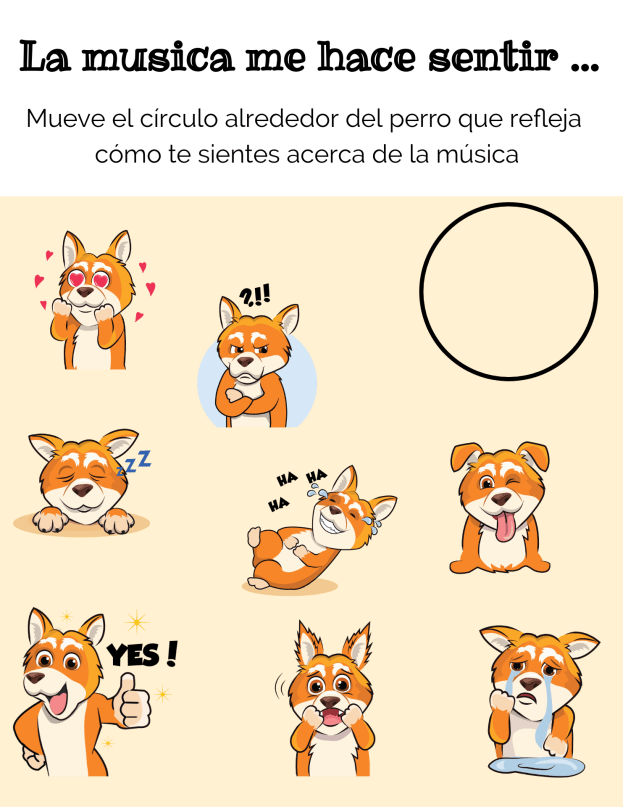
Providing opportunities for students to interact through the use of digital tools and activities in the classroom promotes the development of social-emotional learning skills. Using some of the Buncee templates and emojis, students can comfortably express how they are feeling, provide a quick check-in based on their level of understanding, share personality characteristics or likes and dislikes, or respond to questions in class, for a few options. Buncee is “giving a voice to the voiceless.”

In my own experience, I have seen students who have preferred to not speak out in class or who voiced that they were not creative or would not be able to do a presentation, design amazing Buncees and be excited to share with their classmates. Students build confidence while creating and the benefit is that they become more engaged in and excited to share their learning and interact with classmates. It helps to foster the development of skills such as problem-solving, working with different layouts, visualizing and displaying student learning.

It is always a good idea to ask students for feedback. I want to know what their thoughts are, if the tool or strategy is making a difference for them and if so, how. Here are some student thoughts about Buncee.

“It helps me to express my ideas more easily and make presentations which are much more interactive for myself and for my classmates.”

It is made in a way that allows students to make it really personal and specific to what they need. If students are enjoying their work and are able to make it their own, then they will be more willing to learn and will improve because of using Buncee.”

Hearing from students is important and making sure that all students feel comfortable expressing themselves is even more important. With Buncee, students have many choices to find what interests them and to express themselves in a way that is authentic, meaningful and personalized.

Learning and Growing as Educators On A Busy Schedule

Educators have busy schedules and one thing that I hear quite often is that there never seems to be enough time. We need time to plan for our classes, to complete different tasks required by our roles in education, and of course, most importantly is time to spend with our students. But in order to be at our best, we need to find time to take advantage of different learning opportunities to stay informed of best practices and emerging trends in education. We also need time to connect with other educators. It’s through these relationships and finding the right tools that we will grow personally and professionally, and bring our best selves into our classrooms each day. The challenge is not so much in finding resources, but rather in finding the most valuable ones that will fit into already busy schedules.

Personally, I stay involved in a lot of different ways so I can continue to build my professional knowledge and my connections with other educators around the world. Having chosen to spend many of my first years of teaching isolated, I missed a lot of opportunities to learn more, to do more, and to provide more for my students. A few years ago I made a shift to becoming a more connected educator by leveraging the technology available through social media. It has been an ongoing personal and professional transformation. Becoming connected has increased my awareness of the plethora of learning opportunities available for educators. I have changed my teaching methods, broadened my perspective of strategies and best practices in education and have more options for getting the support that I need to bring new ideas into my classroom.

Here are different ideas for ways to learn on any schedule. These options create a lot of possibilities for how, when, and where we can engage in professional development and become more connected educators. With the summer break coming for many educators, it can be the perfect time to explore new ideas.

Social Media

Over the past few years, there has definitely been an increase in the amount of social media used by educators for professional learning and networking. Depending on your level of comfort and how often you choose to interact, there are many ways to learn, crowdsource ideas and access different perspectives and people with different backgrounds and experiences.

  1. Twitter. Although I was hesitant for many years to create a Twitter account, once I did a few years ago, my Professional Learning Network (PLN) has continued to grow. Whether you have time to engage in a nightly or weekly Twitter chat or just follow one of the many hashtags related to education, there is something for everyone when it comes to Twitter. Do you have ideas and want to gather more? Create your own hashtag and use it to invite people to share their ideas with you. Post a poll to get quick feedback, find educators to follow and create a list to keep track of resources and ideas shared. In addition to hashtags, there are many chats and topics to follow. If you want to find educators to follow on Twitter, David Lockhart created a list of 100 educators to look into.
  2. Voxer. A walkie-talkie messaging app that promotes communication and collaboration. It’s easy to get started with and it provides a lot of different ways to add to your professional learning. Use it for somewhat asynchronous conversations with a colleague, create a small group to discuss specific topics such as blended learning, project-based learning or augmented and virtual reality. Using Voxer for a book study also works very well. It provides a great platform for talking about a book and sharing resources, without having to be in the same space at the same time. There are even groups on Voxer, you can search the list and join them. It’s nice to be able to listen to the messages on the way to or from school, perhaps during a lunch break, or while making time for a walk and self-care.
  3. Facebook. Initially used with friends and family as a way to share what’s happening in each other’s lives and maybe to reconnect to organize events like family or class reunions, Facebook is now used by a lot of educators. There are many educator accounts to follow as well as groups of educators to join.

Information Sharing

Sometimes it is easier to find the information that you need, especially information which is current and offers a lot of resources, by exploring the different digital forms of information such as books, blogs, and podcasts. Knowing that the information is credible, up-to-date, and provided by educators with experience, is what sets these options apart from other options.

1. Blogs are a quick way to get information from a variety of sources, especially when you look at different blogs available from publications such as Getting SmartEdSurgeTeachThoughtEdutopiaeSchoolNews and EdWeek to name a few. Searching the list of top education blogs to follow is helpful for finding specific topics, content areas, and grade levels, or even for opportunities to contribute to a blog.

Many educators have personal blogs which offer a lot of inspiration and share ideas and even struggles. You can browse through this list of educator blogs to follow. Some educators that I follow are Mandy FroehlichJennifer GonzalezEric SheningerKasey BellKristen NanMatt Miller, and David Lockhart.

2. Podcasts can be a great way to pass time when traveling to and from work, relaxing or even during exercise. Most podcasts are short enough that you can listen to an episode and pick up new ideas and inspiration. Over the past year, there has been an increase in the number of podcasts available to teachers, whether created by educational organizations or simply teachers wanting to share their experiences and inviting others to join in the conversation. Some that I regularly listen to and which have been recommended to me are: Edumatch Tweet and Talk, Jennifer Gonzalez (Cult of Pedagogy), Vicki Davis (Ten Minute Teacher), Will Deyamport (The Dr. Will Show, the Edupreneur), Barbara Bray (Rethink Learning), Brad Shreffler (Planning Period Podcast), Don Wettrick (StartEDUp),  Google Teacher TribeTeachers on Fire, Andrew Wheelock (Coffee with a Geek), Dan Kreiness (Leader of Learning), and Denis Sheeran (Instant Relevance Podcast).

3. Books. There are more educational books available for professional learning than ever before. It’s easy to find book recommendations by following specific hashtags on Twitter or looking at different curated lists of education books. For some book recommendations, I generally follow the hashtags #bookcampPD#PD4uandMe, and #Read4Fun, which are led by different educators. The Read4Fun group also shares books in a Voxer group. For a list of recommended books, ISTE crowdsourced recommendations last year and I also created a survey to gather ideas from educators. Some of the books mentioned on the list include: Teach Like a Pirate by Dave Burgess, The Innovator’s Mindset by George Couros, Courageous Edventures by Jennie Magiera, Culturize by Jimmy Casas, LAUNCH by A.J. Juliani and John Spencer, Lead Like a Pirate by Shelley Burgess and Beth Houf, Start with Why by Simon Sinek, Daring Greatly by Brené Brown, Take the L.E.A.P.  (Elisabeth Bostwick), and What School Could Be by Ted Dintersmith. Many publishers have books coming out on an almost weekly basis it seems. Check into DBC ConsultingEduMatch PublishingIMpress and ISTE to explore more books available.

Online Learning Opportunities

When we leverage technology in a way that opens up powerful learning opportunities and pushes back the limits based on time and location constraints, we find innovative ways that we can learn.

4. Online Learning Communities. There are different learning communities to join in for professional development. As a Common-Sense Certified Educator, you have access to the newest tools and resources. By becoming Google Certified or a Microsoft Innovative Educator Expert, educators can enroll in learning modules, training sessions, and receive a digital badge for completion of each different module. Besides building PLN, these opportunities offer yet another way to learn on your schedule, in a time and place that meet your own needs.

5. Summits and Webinars. There are organizations that provide webinars for educators, many of which are offered free of charge or a minimal fee or are subscription-based. For example, if you take advantage of providers like EdWeekSimple K12, or ASCD there are webinars available on a variety of different topics that work with your schedule. As a member of ISTE, joining in any of the PLNs gives you access to a series of weekly webinars and sometimes even more than once per week depending on the PLN. These webinars can be viewed live or as recordings when most convenient to you. The topics are always current and in some cases cutting edge or emerging trends, so you can keep informed of new ideas and teaching strategies, better than you ever could before.

Throughout the year there are even online conferences, or “Summits” which provide a series of speakers and sessions, sometimes held over a multi-day format. These are offered free and in my own experience, have always provided a wealth of knowledge and resources. Personal favorites include the Ditch Summit hosted by Matt Miller, Hive Summit hosted by Michael Matera and EdCamp Voice on Voxer, started by Sarah Thomas of EduMatch.

It’s clear there are many options and resources available to educators for professional development. It simply takes thinking about an area you would like to learn more about, exploring one of the choices and giving it a try.


School Communication Tools Comparison

Post sponsored by ParentSquare. The opinions expressed are my own.

Why Schools and Districts Need ParentSquare

The functionality of a teacher tool with a district-adopted platform

Finding a reliable and secure way to facilitate communication between school and home is critical for helping our students to be successful. When implementing digital tools and district-wide platforms, schools and districts must be cognizant of the rights and responsibilities when it comes to student privacy and digital safety. District leaders must protect the school community by maintaining a safe learning environment while also empowering teachers and families with the right tools to build community and promote family involvement.

For many classroom teachers, the options for tools to use are becoming more limited, whether because of access or school and district policies. While there are many free digital communication tools available, more and more teachers are being asked to not use the free tools and to implement tools that are district- or school-managed. Teachers must look for and recommend alternatives that will provide the same functionality they are used to and that will not require a lot of time to make the transition.

Choosing the Right Platform

There are many digital communication tools available to schools which offer a lot of benefits. It is important to find something that provides quality resources, centralizes school information, and which gives teachers the freedom they need to create a virtual space for their students and families.

Through the right platform, teachers can complete important tasks such as sending class updates, asking for volunteers, scheduling conferences and school events, sharing files and photos, and communicating various types of information to families, for a start. Being able to connect families and the school community with what is happening inside the classrooms strengthens the connection between home and school.

At the school and district level, being able to provide everything that students and families need through a comprehensive program and in a manner that parents and families choose is important. The entire school community benefits by having a consistent and efficient program in place that meets the needs and preferences of each of its members. So why should schools choose ParentSquare?

A Centralized Space for the Community

ParentSquare is available for the district- or school-wide implementation. If you find that you or your school are using multiple different apps to exchange information and communicate, ParentSquare provides one tool that does all of this and more. ParentSquare takes multiple tasks and communicative needs (messaging, attendance and grade notifications, event planner, calendar, fundraising, lunch balances, and much more*) that schools and teachers are currently using and unifies them in one easy to use and widely accessible platform.

ParentSquare facilitates timely and relevant communication between home and school through push notifications with real-time interactions and reports to show the reach and deliverability of messages, making it easy to identify who has or has not been contacted. Schools can create wishlists, ask for volunteers and launch fundraising campaigns, therefore streamlining more of the common tasks for schools. ParentSquare enables schools and districts to share information from the same source, which promotes consistency and efficiency in a simplified platform.

Unique Features

With district-wide adoption of ParentSquare, school districts can provide one comprehensive tool to connect families with their child’s school and the district, in a centralized space. Schools can then provide a more consistent, effective and reliable way to facilitate higher engagement and better communication between school and home.

Although ParentSquare combines multiple apps and resources into one platform, it is very easy to navigate. Everything in ParentSquare has a similar look and feel, “if you know how to do one thing, you know how to do everything.” The design encourages parents and families to interact more in the space and work together toward fostering a collaborative relationship between home and school. Communication happens through posts and direct messaging which facilitates a higher level of engagement for families and greater connectedness. Parents can opt-out of certain communications and enjoy the benefits of being connected with the school and their children’s teachers, by receiving messages based on their preferences.

Another unique feature of ParentSquare is the Smart Alert and Notices for sending emergency alerts with options to send to the entire district, individual schools, parents, or students. You can choose between sending a recorded message or one created using the text-to-speech feature provided by ParentSquare. The receipt of each message is verified and detailed analytics for reach and deliverability show the percentage of contacts reached and the number needed to achieve 100%.

ParentSquare scores on the integration aspect too, integrating with many SISs, so teachers do not have to invite parents and maintain a contact list, thus also protecting privacy. Parents need not join and create a password, they are still kept informed and in the loop, thereby including every parent.

ParentSquare helps to streamline school business and workflows by providing:

  • Attendance notifications with excuse notes
  • Grades, Assignments, Assessments, Attendance in the Portal and App
  • Social and Web Share (web widget)
  • Invoices (recurring and one-time)
  • Payments (spirit wear, tickets, etc.)
  • Fundraiser with Battery meter
  • Calendar and RSVP (adults and kids)
  • Lunch Balance Notifications and other notices with merge fields
  • Secure Document Delivery including postal mail (progress reports, report cards)
  • Advanced analytics
  • SIS integrations
  • Support

Beyond the Platform: What Does ParentSquare Offer?

One thing that I think is important is that edtech companies offer a unified space for educators, parents, and students to access information when they need it. All companies should be intentional about providing support and resources such as webinars, user stories, blogs written by members of the team or teachers currently using the platform, and make sure the information is current. It’s equally as important to actively share new features and any changes that are coming in the near future. I appreciate being able to find a lot of resources and support when I am using a digital tool or platform with my classes.

ParentSquare provides a wealth of information on their site including blog posts, Meet the team, webinars, new features, thought leadership, educator insights, best practices and more. The ParentSquare team also sends newsletters full of information to keep customers informed of events and updates to their platform. ParentSquare is fully invested in family engagement and is helping to streamline the communication between home and school. With ParentSquare, schools can provide a more consistent, effective and reliable way to communicate, and promote student success and family engagement. Learn more about it here.

Key features: Also check out the video here.

Key Features
Privacy Available, updated 2018
District Level Oversight
Messaging to and between parents
Messaging between teachers and staff
Individual/Group Messaging
Notifications as text, email, app
Send/Schedule reminders
Language Translation 100+ with Real-time translation
Class/School Calendar 2-way Sync with Google and iCal
File and Photo Sharing
Conference & Volunteer Signups
Single Sign-on
Unlimited Message Length
Coordinate Events/RSVP
Permission Slips
Devices: iOs, Android, Web
Attendance
Grades and Assignments
Report Card Delivery
Attendance Delivery and Excuse Notes
Truancy Letters
Cafeteria Balance
Payments and Invoices Recurring & one time
Polls and Surveys

TeacherCast Educational Network

Technology Integration - Instructional Coaching - Productivity Secrets for Educators

Leadership Liner Notes: Sean Gaillard

Built on Connection. Tuned for Impact.

Stories by Thomas Oppong on Medium

Dr. Rachelle Dené Poth @Rdene915 Educator, Consultant & Keynote Speaker, Author, Attorney #THRIVEinEDU

Hooked On Innovation

When Innovation slaps you in the face, we slap back.

Teach Better

Dr. Rachelle Dené Poth @Rdene915 Educator, Consultant & Keynote Speaker, Author, Attorney #THRIVEinEDU

BrianKulak.com

Dr. Rachelle Dené Poth @Rdene915 Educator, Consultant & Keynote Speaker, Author, Attorney #THRIVEinEDU

The Principal of Change

Stories of learning and leading

Mandy Froehlich

Dr. Rachelle Dené Poth @Rdene915 Educator, Consultant & Keynote Speaker, Author, Attorney #THRIVEinEDU

Katie Martin

Informed by research, refined by practice

#RocknTheBoat

Rocking today's classrooms, one teacher, student, and class at a time.

User Generated Education

Education as it should be - passion-based.

Learning as I go: Reflections & lessons learned

Dr. Rachelle Dené Poth @Rdene915 Educator, Consultant & Keynote Speaker, Author, Attorney #THRIVEinEDU

Serendipity in Education

Join me, Allyson Apsey, as I stumble upon the fortunes of learning, laughing, and celebrating alongside incredible people.