AI, Creativity and Adobe Express Classroom

Part 2 by Laura Steinbrink, @SteinbrinkLaura

One of my go-to edtech tools for my personal and professional use and for use with students has long been Adobe Express. It has undergone quite the overhaul throughout the years, but I could not ask for more from a creative learning tool. Today’s version is truly something special. If you have not checked it out in a while, you might want to give it another look. From creating videos, graphics, webpages, presentations, voice animations, and editable .pdf documents, Adobe Express has beefed up its capabilities by adding very user-friendly features, from a one-click background remover, quick video editing tools, to audio recording options.

Guided Activities

One of my favorite new features offered by Adobe is the featured activities with built-in lesson videos on how to use the template and complete the activity, ready for teachers to assign. These are creative and fun, often include some of Adobe’s built-in generative AI, and free teachers up to assist students with content creation rather than navigating through the technology. Students who need the extra support can watch the one-minute video to see how to do each step, and those who want to figure it out themselves can jump right in and get started. My students really like this feature because it is handy but not obtrusive.
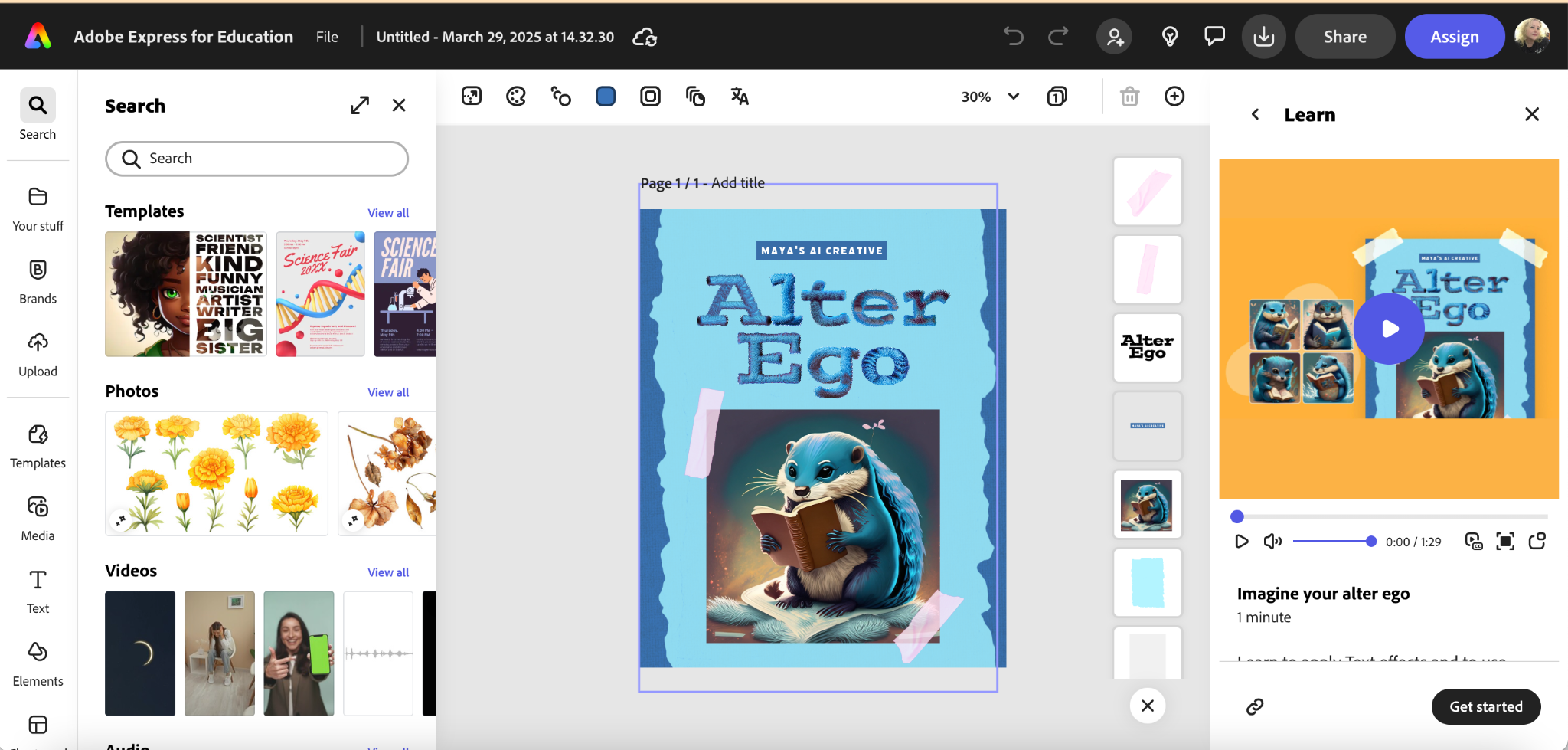
This has freed me up to walk around the classroom and assist a lot more students with other things, rather than help a few students who struggle with the tech pieces of the assignment. It also lets me introduce a new tech piece with Adobe Express and new content simultaneously, whereas in the past, I would have used two class periods for this to stagger the learning of the tech from the application of the content. I highly recommend trying one of these activities with students.

Adobe Classroom

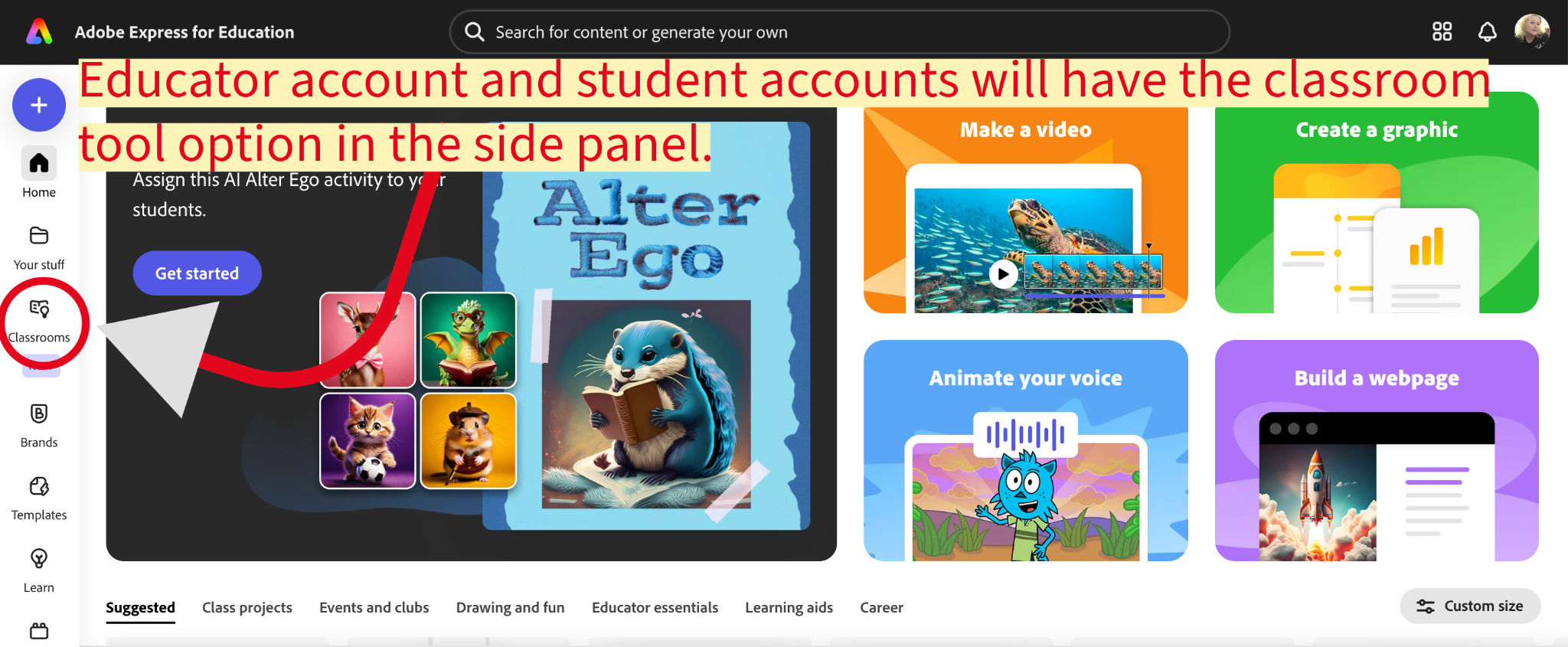
The wonderful thing about Adobe Express’s Classroom option is that teachers can take any template and assign it to students. They are also working to continually update and improve their templates that are organized by subject, grade level, country, etc., too, but absolutely any template can be assigned to students once a class has been created and students have been enrolled in the class. To ensure that you have the Classroom option, make sure that you sign in with your school account and then, instead of selecting “personal,” select “school or district” account when logging in. You should then see the “Classroom” tool option in the side panel (see image below).
Besides the wonderful ability to assign templates, Adobe Express Classroom provides a gallery view for teachers to see student progress at a glance, and it also provides teachers the ability to turn on the gallery view for students to see each other’s work as well. It is a simple toggle on and off that can be done at any time during the work of a project, making this feature a powerful yet simple way to give students an authentic audience for their work.
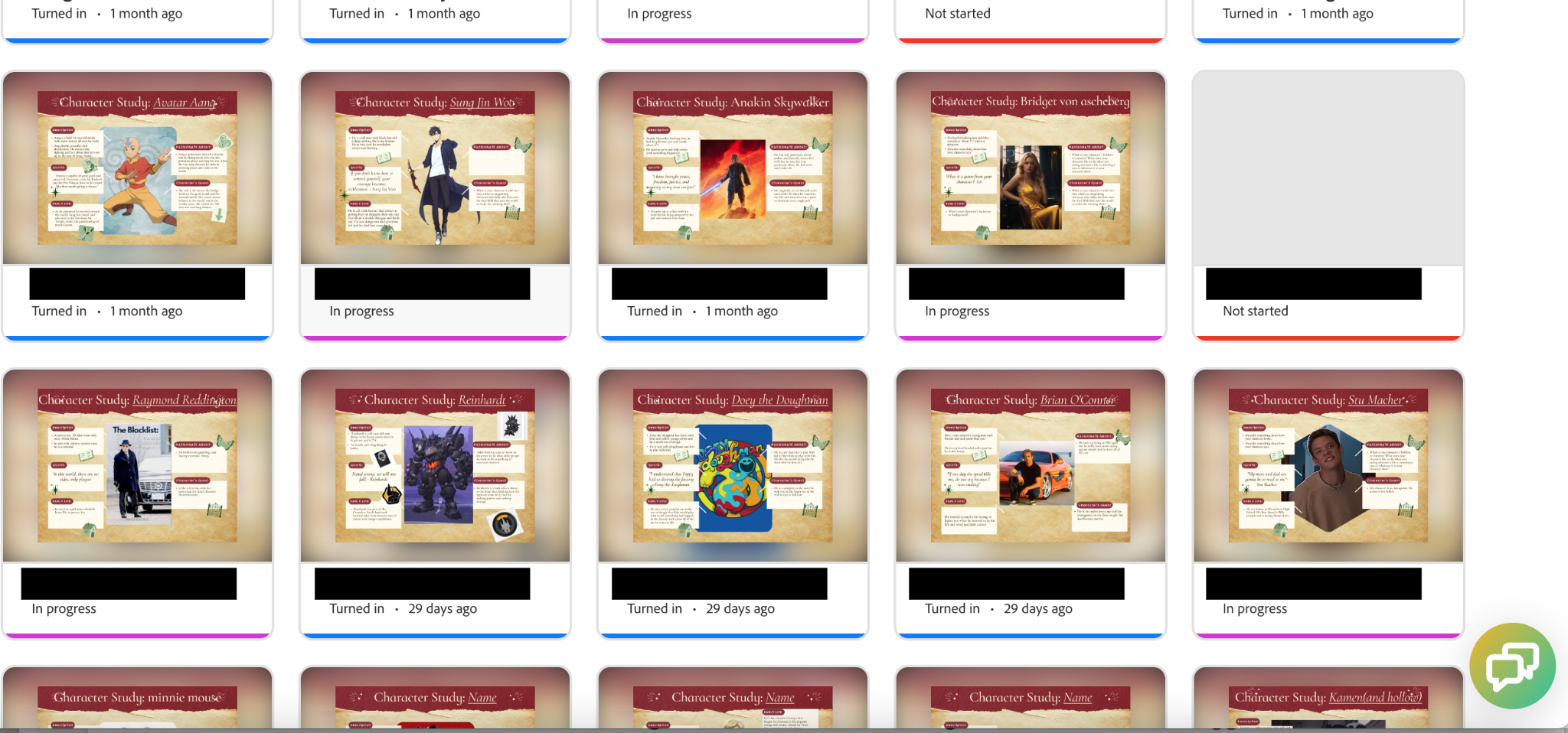
In the example above, the students’ names have been blacked out, but you can see their progress is color-coded, and the teacher has access to their work at each step of the way once the progress has been started. It is also easy at a quick glance to see which student or students haven’t started the project yet. This saves a lot of time, and perhaps makes this one of my favorite features of Adobe Express Classroom.

Even if all you want to do is search the educator resources to find a quick activity that you can print or assign through Adobe Express Classroom, I encourage you to explore all that Express has to offer you. It is my one-stop shop for energizing my own creativity, so I know that my students get something out of using it as well. It is never a dull moment when you tap into the power of creating, regardless of your subject matter. Students, and if we’re honest, teachers as well, are familiar with the role of consumer in today’s economy, so I take every opportunity to help them learn to cross over into the creator side and learn tools that can set them apart from competitors in the job market or help them rise to the challenge in college, or just enjoy making something rather than passively scrolling. Creating is definitely more fun.


About Rachelle

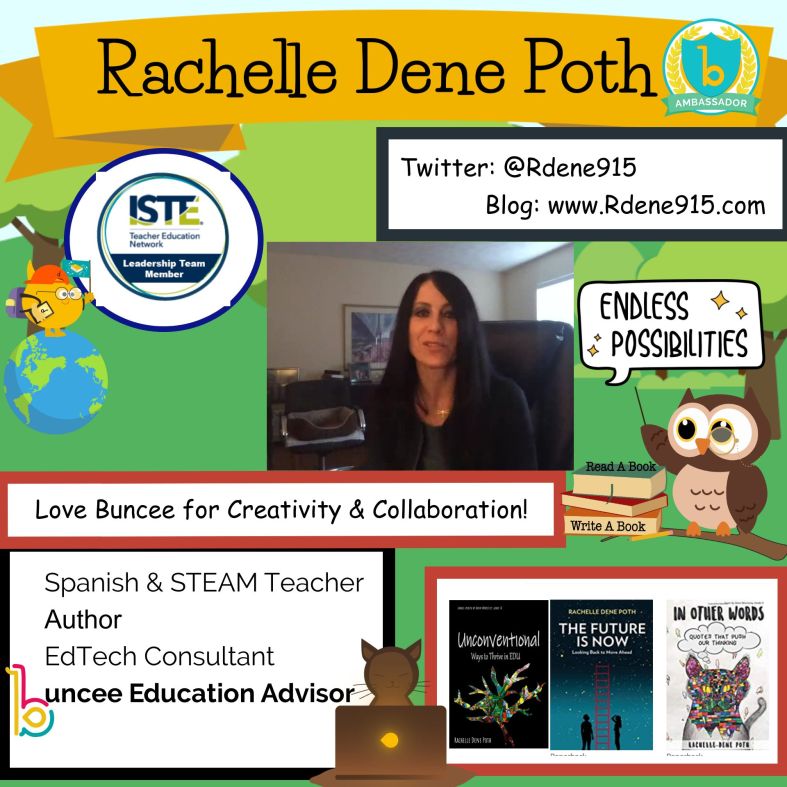
Dr. Rachelle Dené Poth is a Spanish and STEAM: What’s Next in Emerging Technology Teacher at Riverview High School in Oakmont, PA. Rachelle is also an attorney with a Juris Doctor degree from Duquesne University School of Law and a Master’s in Instructional Technology. Rachelle received her Doctorate in Instructional Technology, and her research focus was on AI and Professional Development. In addition to teaching, she is a full-time consultant and works with companies and organizations to provide PD, speaking, and consulting services. Contact Rachelle for your event!

Rachelle is an ISTE-certified educator and community leader who served as president of the ISTE Teacher Education Network. By EdTech Digest, she was named the EdTech Trendsetter of 2024, one of 30 K-12 IT Influencers to follow in 2021, and one of 150 Women Global EdTech Thought Leaders in 2022.

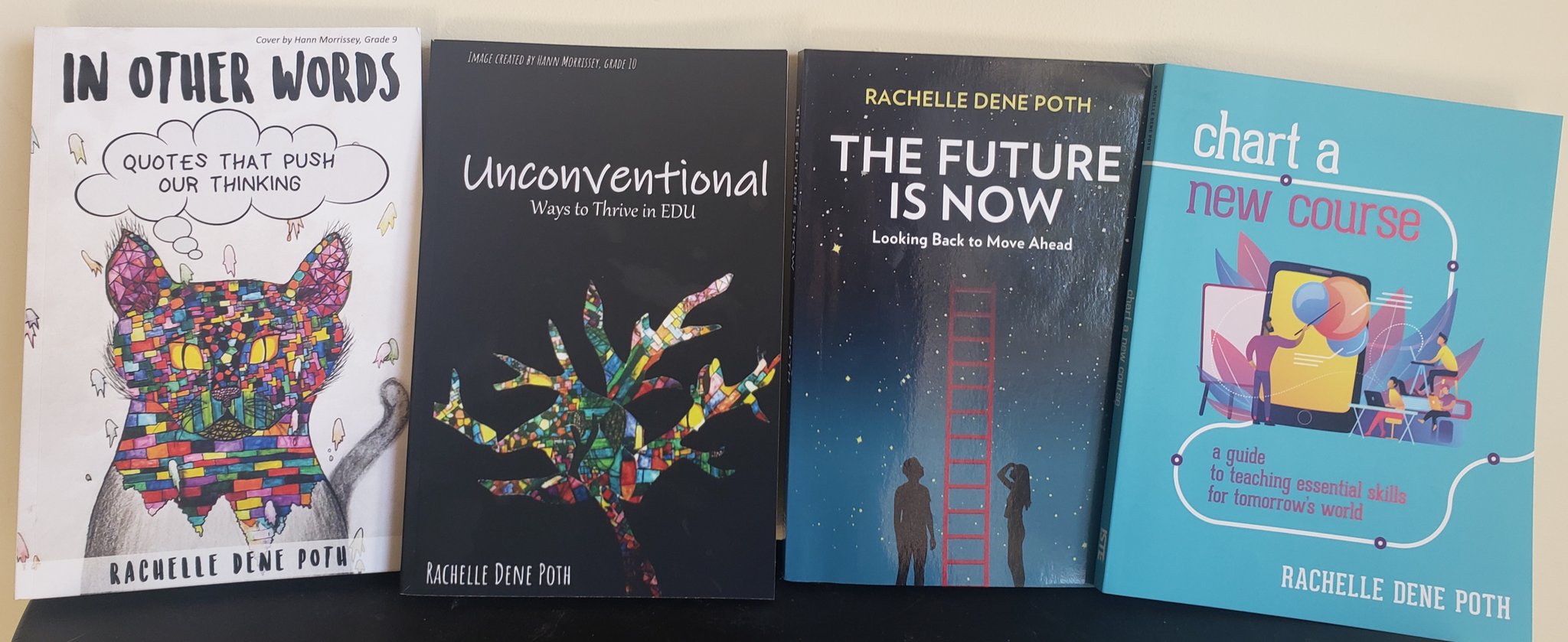
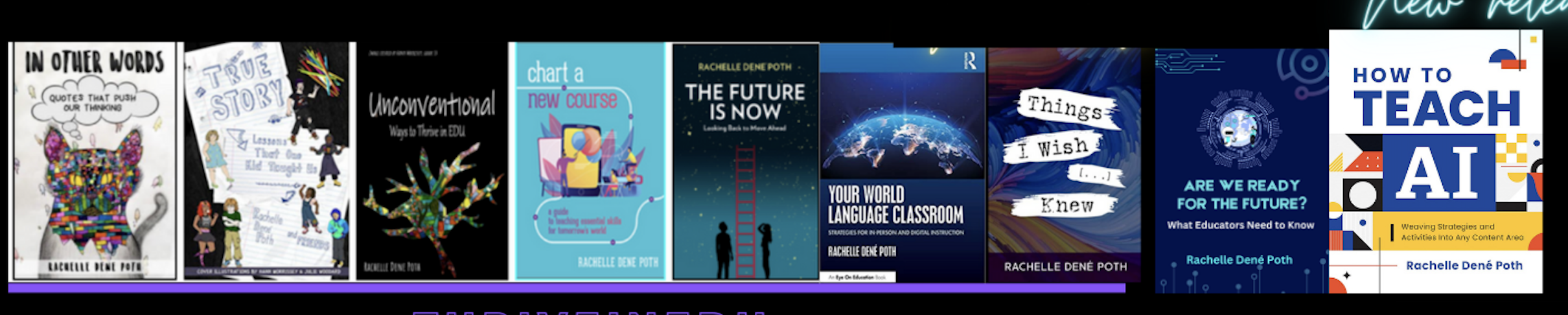
She is the author of ten books, including ‘What The Tech? An Educator’s Guide to AI, AR/VR, the Metaverse and More” and ‘How To Teach AI’. In addition, other books include, “In Other Words: Quotes That Push Our Thinking,” “Unconventional Ways to Thrive in EDU,” “The Future is Now: Looking Back to Move Ahead,” “Chart A New Course: A Guide to Teaching Essential Skills for Tomorrow’s World, “True Story: Lessons That One Kid Taught Us,” “Things I Wish […] Knew” and her newest “How To Teach AI” is available from ISTE or on Amazon.

Contact Rachelle to schedule sessions about Artificial Intelligence, Coding, AR/VR, and more for your school or event! Submit the Contact Form.

Follow Rachelle on Bluesky, Instagram, and X at @Rdene915

**Interested in writing a guest blog for my site? Would love to share your ideas! Submit your post here. Looking for a new book to read? Find these available at bit.ly/Pothbooks

************ Also, check out my THRIVEinEDU Podcast Here!

Join my show on THRIVEinEDU on Facebook. Join the group here.

Tips for Back-to-School

As we head back into our classrooms for a new school year, educators are thinking about class schedules, grading, lesson plans, school meetings, observations, and so much more. Getting back into the daily teaching schedule can be a challenge, especially after having the summer “off.”

However, many educators don’t take the summer off. Instead, they take advantage of the extra time to engage in professional learning. Whether by attending conferences, joining book studies, participating in online learning events, or even heading to their classroom to prepare for the new school year, being prepared for school is always on teachers’ minds. Having the summer off, even if only for a few weeks, is nice because it provides time to relax and recharge and also time to be better prepared than the year before.

No matter how many years of experience an educator has, a new school year can be stressful. I think it is important to start the year with goals and use our prior experiences to set clear focus points for ourselves and our students.

For many years, I remember conversations with colleagues about how they couldn’t sleep the night before the first day of school. Attributing it to being excited and nervous about starting a new school year and doing it right. In my experience, I always slept well and never really worried about being prepared for the first day of school. For me, it was always the second day and every day after that. For me, the first day of school was simply the time to introduce myself to students, talk about what they could expect in my class, and provide any materials they needed to take home for their families. I started each year with rules and procedures. Unfortunately, I did not realize that the content could wait. I should have placed more importance on creating a supportive classroom community and focusing on building relationships first. Now that I know better before the year starts, there are some questions that I ask myself:

Did I reflect enough on my teaching practice, and have I identified areas I want and need to work on?

Am I prepared with new ideas, whether different methods or digital tools, to bring into my classroom to help engage students in learning?

What are some ways that we can build relationships and get to know one another?

How can I create a welcoming classroom space that fosters creativity and curiosity for learning?

Many more questions cross my mind and likely cross the minds of educators everywhere. It comes down to thinking about and reflecting on what we learned about our practice and methods used during the past school year. What activities and methods have made an impact not only on student learning but also on building essential social-emotional learning (SEL) skills? Which methods or tools helped students feel more connected with their classmates and the content? Cultivating a learning environment where students have choices, feel comfortable, and become more confident amplifies their learning potential. It leads to a supportive classroom community.

As we head into a new school year, it is always the perfect time to try a few new ideas and see how the students respond and the impact on learning and then decide where to go from there. Teaching the content material is important, but finding ways to boost student engagement and foster the development of essential SEL skills is also important. With so many things to consider, I am choosing five focus points for starting the new school year:

  • Build Relationships: Starting on day one, we need to get to know our students and let them get to know us, too. When we create opportunities for students to connect with each other and build a collaborative and supportive space, we will see how it positively impacts the learning that happens in our classroom. By starting with relationship building, we will create a space where students feel comfortable making mistakes and know they are supported by us and their peers. Creating a comfortable, supportive space is essential for learning. Have students create an “About Me” or use icebreakers to get to know each other and make sure that you participate too.
  • Set goals and reflect: At the start of the school year, have students set some goals for themselves in your class. Not just students it’s also important that we set goals for ourselves and share them with our students. When we do this together, we hold each other accountable and provide the support that we all need in our classroom space. We know the importance of SEL and by setting goals and reflecting on them throughout the year, we will be focusing on self-awareness and self-management in particular, which are essential for student learning and being prepared for the future. Provide some questions for reflection, such as: How do I think it went? What would I change? Are there areas that I can improve upon?
  • Create a community: Students need to know how to access resources for the class and to be able to connect with the teacher and classmates. It is important to set up a space or have a system for being able to communicate with students. Sending an email every Friday with a recap of the week, using a messaging app, or designing a class website are all good ways to create a learning community. Having a space where students can interact and access the resources they need to be successful is important, and we have definitely learned how essential it is after our experiences over the past couple of years. Another thing to consider is how to involve students more in the design of the learning experiences in the classroom and have them truly be a part of the learning community.
  • Promote collaboration: In preparing students for the future, we know that one of the essential skills they need is the ability to communicate and collaborate with others. Students need opportunities to do this in the classroom as well as in a virtual space. Using different methods, like station rotations, where students can work with peers, or through digital tools like Padlet, we can promote collaboration. Students can build content area skills while also building digital citizenship skills and SEL skills.
  • Foster creativity and curiosity for learning: When we create a learning environment where students feel welcomed and supported, they will feel more comfortable participating in class activities, interacting with their peers, and taking risks with learning. Provide students with different choices for creating and sharing what they have learned. Use methods like Genius Hour or PBL to spark curiosity and promote student-driven learning. Offer choices in digital tools that foster creativity, such as Book Creator, Canva, Genially, Storybird or Storyboard That.

Start the year with some focus areas and involve students in the discussion. Get their feedback, ask for ideas, and enjoy the learning process together. Don’t be afraid to take some risks with new ideas or tools. With new ideas, we can boost student engagement and creativity, spark curiosity for learning, and student needs and interests are better met.

About the Author:

Dr. Rachelle Dené Poth is a Spanish and STEAM: What’s Next in Emerging Technology Teacher at Riverview High School in Oakmont, PA. Rachelle is also an attorney with a Juris Doctor degree from Duquesne University School of Law and a Master’s in Instructional Technology. Rachelle received her Doctorate in Instructional Technology, and her research focus was on AI and Professional Development. In addition to teaching, she is a full-time consultant and works with companies and organizations to provide PD, speaking, and consulting services. Contact Rachelle for your event!

Rachelle is an ISTE-certified educator and community leader who served as president of the ISTE Teacher Education Network. By EdTech Digest, she was named the EdTech Trendsetter of 2024, one of 30 K-12 IT Influencers to follow in 2021, and one of 150 Women Global EdTech Thought Leaders in 2022.

She is the author of nine books including ‘In Other Words: Quotes That Push Our Thinking,” “Unconventional Ways to Thrive in EDU,” “The Future is Now: Looking Back to Move Ahead,” “Chart A New Course: A Guide to Teaching Essential Skills for Tomorrow’s World, “True Story: Lessons That One Kid Taught Us,” “Things I Wish […] Knew” and her newest “How To Teach AI” is available from ISTE or on Amazon.

Contact Rachelle to schedule sessions about Artificial Intelligence, Coding, AR/VR, and more for your school or event! Submit the Contact Form.

Follow Rachelle on Twitter(X) and Instagram at @Rdene915

**Interested in writing a guest blog for my site? Would love to share your ideas! Submit your post here. Looking for a new book to read? Find these available at bit.ly/Pothbooks

************ Also check out my THRIVEinEDU Podcast Here!

Join my show on THRIVEinEDU on Facebook. Join the group here.
3 Ways to Unleash the Most Creative Students Ever (Part 2)

Guest post by Chris Chappotin

@Chris_Chappotin

Assistant Superintendent of Curriculum and Instruction

Design Solutions to Real Problems

Design solutions to real problems to develop the most creative students ever. There are enough unmet needs in our schools, communities, country, and world for our students to make a positive difference. The content you are teaching can become a connection point between neighbors’ problems and the creative solutions of our students.

Therefore, how can we mine real problems to craft opportunities to create solutions for students? First, pay attention to conversations around campus. Has a colleague uncovered a situation where a positive difference is needed? Is there a renovation need in the school building? Could we come together to beautify the playground or start a community garden? There are a myriad of ways to apply content throughout the school building and campus if we collaboratively look through the lens of problems and solutions to release creativity in our students.

Second, pay attention to local businesses and service-organizations that may be at work improving life in the community. When my son was in 4th grade, he and a few friends galvanized their teacher, classmates, and classmates’ parents to partner with a local service organization for “Neighborhood Fun Day: Kids Helping Kids Through the Power of Friendship.” The students creatively applied the state standards they were learning to plan, promote, and pull-off an amazing event at a local park that included face painting, games, a lemonade stand, food, and friends. My son and his school friends were presented with a problem. There were kids in their city who did not have the same opportunities they did, and “Neighborhood Fun Day” was how they chose to make an impact. I am thankful for his teacher’s willingness to engage students in problem-solving and empower them down whatever pathway their creativity would take them. Now, my son is two 6-weeks into his 8th grade school year, and he still talks about the positive difference he and his friends made 4 years ago.

Third, pay attention to culture, technology, politics, and other pertinent current events. When presented with an appropriate problem in any of the aforementioned areas, what possible solutions will students dream up? Will they start a podcast, YouTube channel, or blog? Will they design a video game, robot, or website? Will they write a comic book, start a business, or launch an app? Who knows? However, teaching them how to curate the world around them with appropriate analyzation, strategy, and problem-solving while also taking actionable steps to make a positive impact will be deeper learning and skill-development they will remember forever. Plus, they may not need to remember anything, because the creativity that results from the problems you present may not just result in an assignment for school; but instead, an ongoing alteration to their life right now. With problems to be solved all around, let us be quick to invite our students into solution design to develop their creativity and make our world a better place.

Coach and Resource

Coach and resource when needed to develop the most creative students ever. For the educator, this is a journey of relinquishing control. Basically, if you want to control your classroom, give control away to your students. When you design a learner experience that relies on their application of content through intrigue and the solving of real problems, students will begin to drive and even demand learning. Now, you have captive creators ready for more of what you can give: coaching and resourcing.

First, in the design phase of the learner experience, anticipate the resources that will be needed. You can accomplish this through student data analysis, asking other educators for feedback on lesson design, and, depending on what you are attempting to accomplish, utilizing resources that are already available. Furthermore, as the learning experience launches, opportunities will arise for the teacher and students to create and curate resources along the way.

Second, strategically support students through pre-planned and impromptu teacher-led and student-led workshops throughout the learning experience. Through formative assessments, academic conversations, and student feedback, you will know exactly what your students need, and if you don’t, keep asking them. Workshops can be based on standards, applications, idea-generation, critique, or just about anything. Fluidly moving in and out of these purposeful small groups will empower students to take necessary next-steps in their creativity.

Third, teach students how to resource themselves to solve micro-problems on their way to solving macro-problems. In prior times, we might have referred to this as research; however, today this has evolved into team-building, researching, and collaborating. Each of these skills are needed in today’s workplaces and schools. As a result, let’s nurture their development within our learner experiences. That way, students can grow to be confident and competent in their own creativity, because a lack in these skill areas is not holding them back. In other words, if we can teach students how to access the resources already available to them and create anything additional that they need, in the end, they will be ready to face any challenge that comes their way throughout the learning experience.

Students are wired for creativity. As educators, we must design opportunities for them to practice. By mining through the facilitation of intrigue, collaborative design of solutions to real problems, and coaching and resourcing along the way, we can craft learner experiences that consistently unleash the creativity in our students. As a result, they will run to our classes, make a meaningful difference, and have loads of fun along the way.

3 Ways to Unleash the Most Creative Students Ever (Part I)

Guest post by @Chris_Chappotin

Assistant Superintendent of Curriculum and Instruction

————————-

I am certain to be way late to the party, but consider me asking for a friend:

What is the point of Minecraft?

Through a first-person view, the player mines resources to craft a whole new world. That’s it.

No score.

No clock.

No competitors.

No levels to beat. No game to win. No way to throw the game controller across the room while flossing as confetti explodes all around and ESPN Jock Jams push unhealthy decibel levels, because you have just become the ultimate Minecraft champion.

Instead, you mine and you craft. You mine, and you craft. You gather resources and apply those resources with no clear victory to be achieved.

Except, if you have ever watched kids mine and craft, you know that the experience unlocks creativities that you never knew were there. Swimming pools. Gardens. Dining rooms. Roller coasters. Towers. And more and more and more.

So much so, that it causes me to ask follow-up questions: Could it be that creativity was present all along? Could it be that Minecraft contains the code to release the creativity that kids naturally possess? In short, are kids wired with creativity? If so, what learner experiences can we mine and craft in order to unleash the most creative students ever?

Facilitate Intrigue

Facilitate intrigue to develop the most creative students ever. I believe that most students come to school each day saying, “Fascinate me. Captivate me. Show me why it is good for me to devote most of my day to this.” For educators, if this is the case, we should eagerly anticipate and embrace such opportunities every day. How? By intentionally designing learner experiences that tap into the natural curiosity tendencies of our students. Teachers that embrace this challenge…that respond with: “Just wait until you experience the learning planned for today. I’ll show you!” These are the teachers, classes, and experiences students run toward.

Therefore, how can we mine intrigue to craft irresistible learner experiences for students? First, ensure that students walk into an experience that is already occurring. Intrigue levels are typically high when we feel as if what we are about to participate in is already happening. This could be as extravagant as transforming a classroom into a hospital or restaurant or courtroom. It could also be as simple as playing music, appealing to the sense of smell, or having a design challenge ready for students as they enter the learning environment. I imagine students running into your learner experience in order to determine just what in the world the teacher is going to do today!

Second, launch learner experiences with questions that force students to take a side or argue a point. In other words, “Here’s the scenario. What side are you on and why? What are you going to do about this? What do you think about the way this person or people-group handled the situation?” By inviting students into a situation, intrigue develops as they forget they are participating in a class; but instead, take on the character roles of the people in the scenarios. Educators can deepen this reality by reorienting learners with questions such as: “Why do you think we are investigating this scenario? Why do you think I forced you to choose a side and defend your choice? How do you feel about the lesson so far, and where do you think we are headed?” Maybe, at this point, you offer students voice and choice as to where to proceed next. Regardless, they should be charged up with intrigue and buy-in while eagerly anticipating whatever is coming next.

Third, in order to facilitate intrigue in a learner experience, change the meeting location for class. If the class comes together in a location that is unusual, intrigue is a natural result. Why? Because you are going to get a myriad of questions that all begin with: “Why are we having class here?” Whether you are outside, in the hallway, in the cafeteria, in the gym, or in an online learning environment, if the location is atypical, intrigue will result. Intentionally leverage that to your advantage, and take students on a learning journey they will never forget. Consistent intrigue builds anticipation that becomes excitement, and excitement is fuel for learning.

**Interested in writing a guest blog for my site? Would love to share your ideas! Submit your post here.

Looking for a new book to read? Many stories from educators, two student chapters, and a student-designed cover for In Other Words.

Find these available at bit.ly/Pothbooks  

Keeping the Learning Going

Over the past couple of weeks, there have been a lot of conversations about what educators will do if schools need to experience school closures or move to a hybrid model in the upcoming school year. With so many uncertainties when it comes to the pandemic, it has definitely been a challenge to figure out how to provide the best learning experiences for our students and to keep them engaged and motivated during this time. I miss being in my classroom and the interactions with my students, greeting them at the door, working with them on activities and projects in that classroom” space” although the time we had never seemed to be enough!

Finding ways to extend the “space” of learning for our students has been a popular topic of discussion for many years, and something that I have worked on, so it is not entirely something new. However, with our current global situation, educators and schools are seeking to find the right resources that can be put into action right away and that will work for transitioning back into the classrooms too. I love that I can create a message to share with students, to check in and  for them to connect with each other.

Screen Shot 2020-05-27 at 9.19.48 PM

We must look for ways to provide rich learning experiences through versatile tools that students can access and work on independently wherever they are and regardless of time. What I have suggested to many educators is finding one or two tools that enable them to do many of the same things they would do in the classroom and even more. With Buncee, we can work remotely and provide meaningful learning experiences that engage students in the digital space as well as our physical classroom spaces. As students create, they can work from school, at home, or anywhere, and be able to share their work with classmates and teachers, even globally.

Endless Possibilities with Buncee

One of the things that I love the most about Buncee is that it can be used in so many different ways, not only for instruction in our classrooms but also in life. I tell the story often that I have used Buncee personally to create cards for family and friends, personal business cards, design engaging graphics for Twitter chats and presentations for webinars, or to make quote graphics for my books. There are so many ways to use it and for me, it always comes down to the why, or the purpose for choosing a specific digital tool. What can I use it for? What are the benefits? How does it help students to learn, to be more engaged in learning and to build skills?

When I decide to use digital tools in my classroom, I want students to practice the content in a more authentic and engaging way, while also developing essential skills such as collaboration, critical thinking, problem-solving, and creativity that will benefit them in the future but that are necessary now too.

Having a specific platform or digital tool in place that all educators can use and making sure that all students will have access is very important. As teachers, we have so many choices for how we can use Buncee in our classrooms and we can share ideas for families to use it for activities too. It is a versatile tool that provides multiple ways for people to learn and to express themselves.We’ve tried a lot of different ways for using Buncee in the classroom, many of which have been a result of the creativity and out-of-the-box thinking of the students.

Unlock the Power of Creativity

It just takes logging into Buncee to unlock the power of creativity once you see a library of more than 31,000 graphics with new assets added every day that connect with what is happening in the world. Regardless of what you want to create, there are more than enough choices for what to add into your multimedia presentation. Students (and anyone) can quickly create a multimedia presentation full of animations, drawings, stickers, emojis, 3D objects, Buncee messages, 360 images, audio and video embedded and even student artwork!

Beyond the potential for creativity, collaboration, critical thinking, and communication, using Buncee, students can build skills in digital media literacy, technological proficiency, and digital citizenship. Students have the opportunity to use technology as a tool for solving real-world problems or making real-world connections.

Buncee is so invested in providing a lot of options and opportunities for students and educators to enjoy learning, creating and growing together. I have been proud to be a part of this growing educator community and have learned so much from the connections that I have made and from the relationships that have formed with the Buncee team and Buncee Ambassadors.

I looked for some examples and asked for some feedback from ambassadors and Buncee educators.

Buncee has been a wonderful asset during this time of remote teaching/learning.  I used Buncee every week to create my lesson plans.  I would make a copy and adjust my template to what I needed for that week. I also used Buncee to create flyers for our school-wide virtual spirit days.  
Buncee provided templates that I was able to use both for paper packets as well as digital templates for the students who were able to connect digitally (even if that number is small).
One big way that Buncee was a help was the sense of community and support that it provided during this time.”   Jessica Chandler 


Screen Shot 2020-05-28 at 12.33.43 PM

“It is such a special time for my students and for me as we look back.” Barbie Monty.

Barbie worked on the Hugs4Heroes initiative with Kristina Holzweiss and Amy Storer and there was also the #WithHeartWhileApart.

Check out this Buncee Board with more than 10,000 views!

Check out Buncee’s posts on Ideas for the end of the year and Summer Fun!

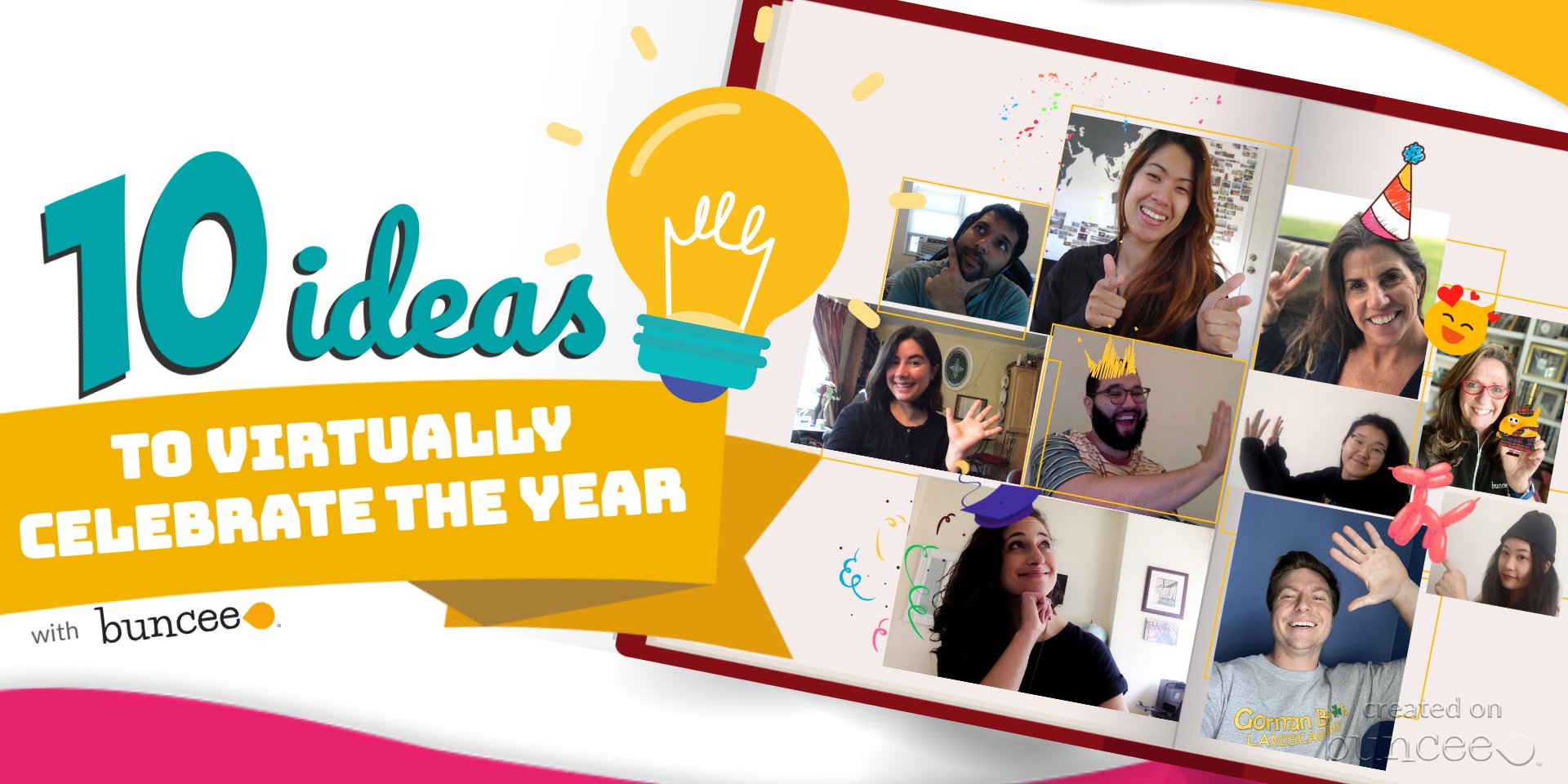
10 activities for a productive summer

Here are some of the latest ideas that have been shared.

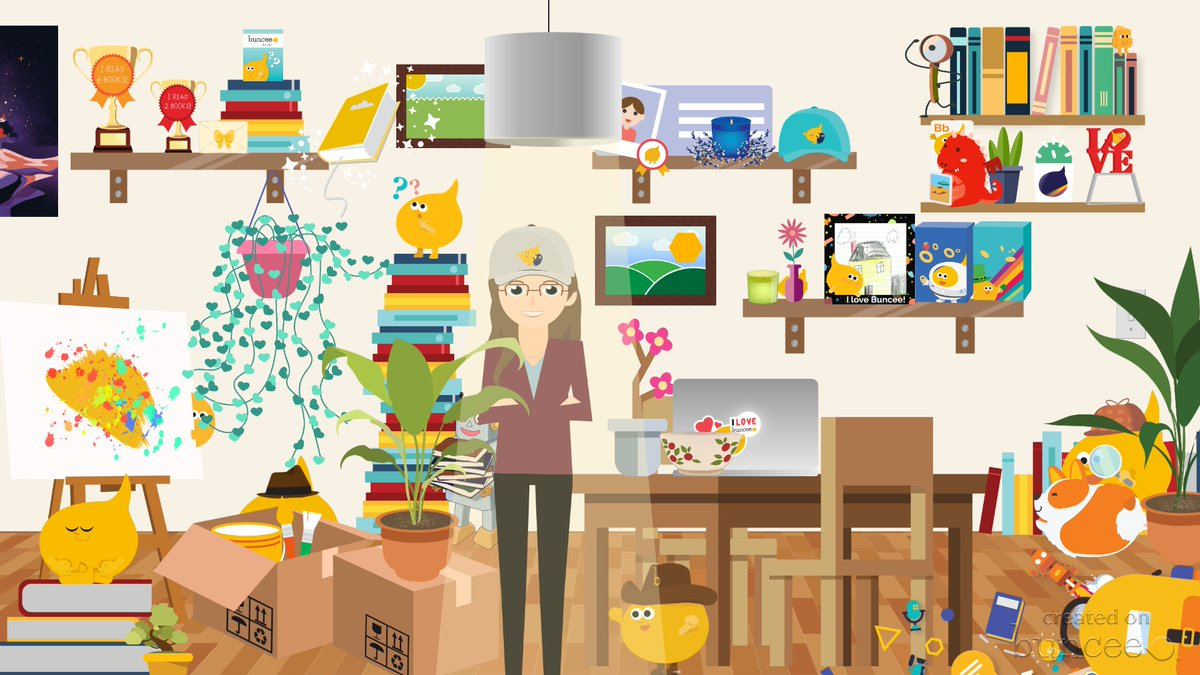
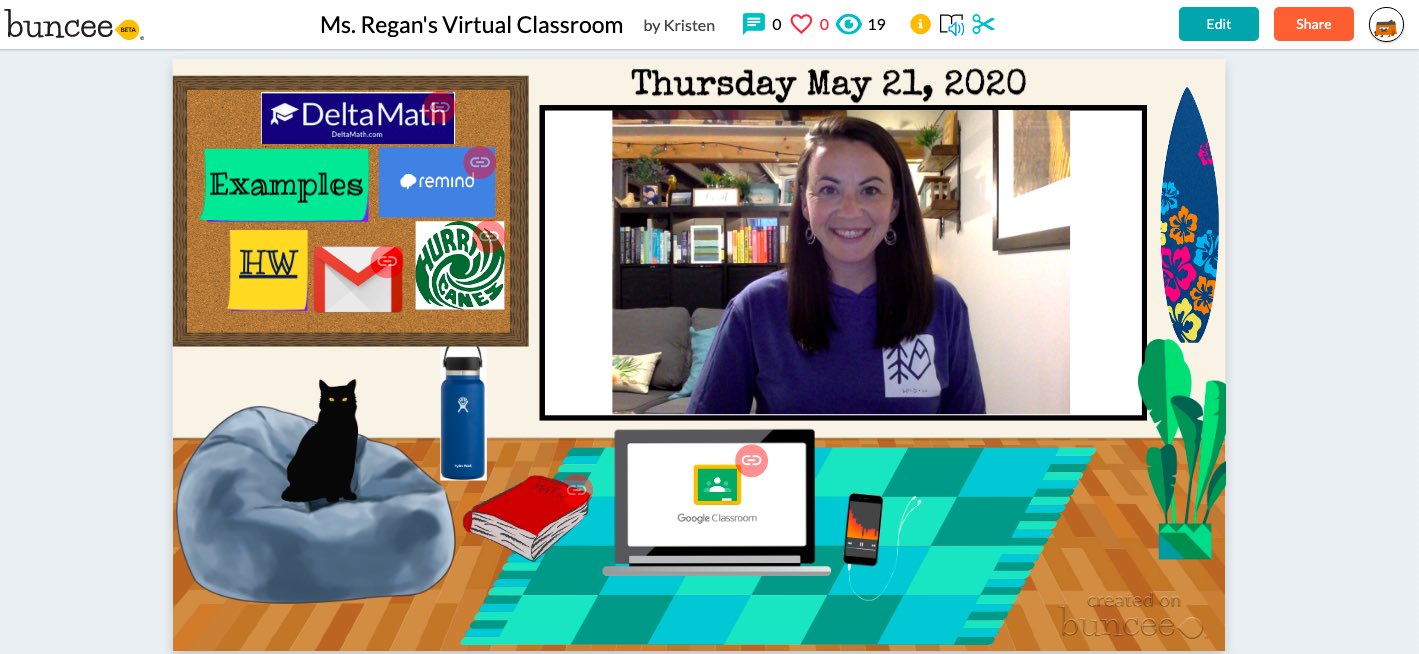
Explore virtual classrooms.The Merrills shared a template and I created several virtual classrooms for my students!

Check out Marie’s virtual classroom where she lost her Bunceemen!

Explore Summer fun for early learners

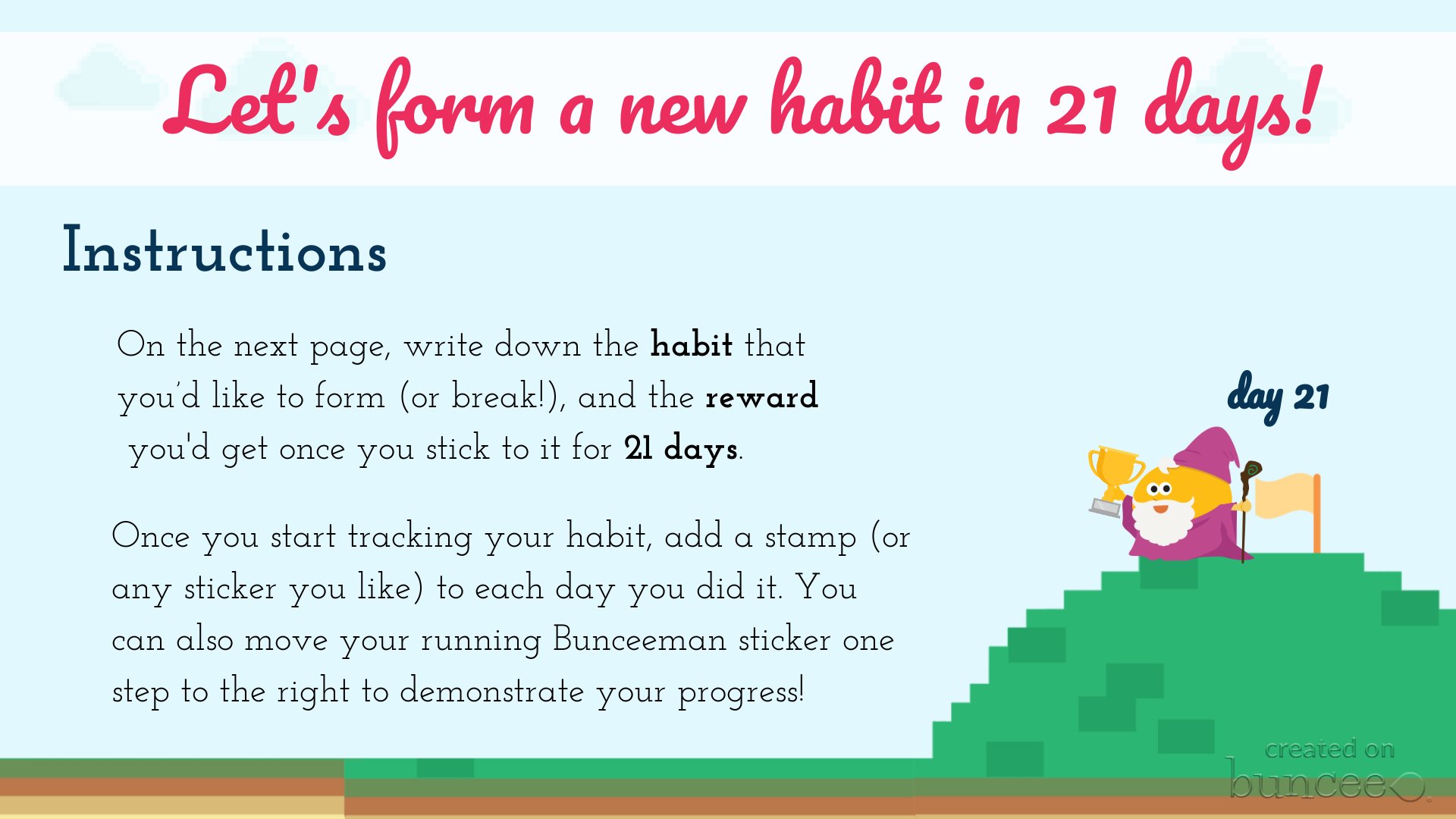
A new habit in 21 days activity

Image

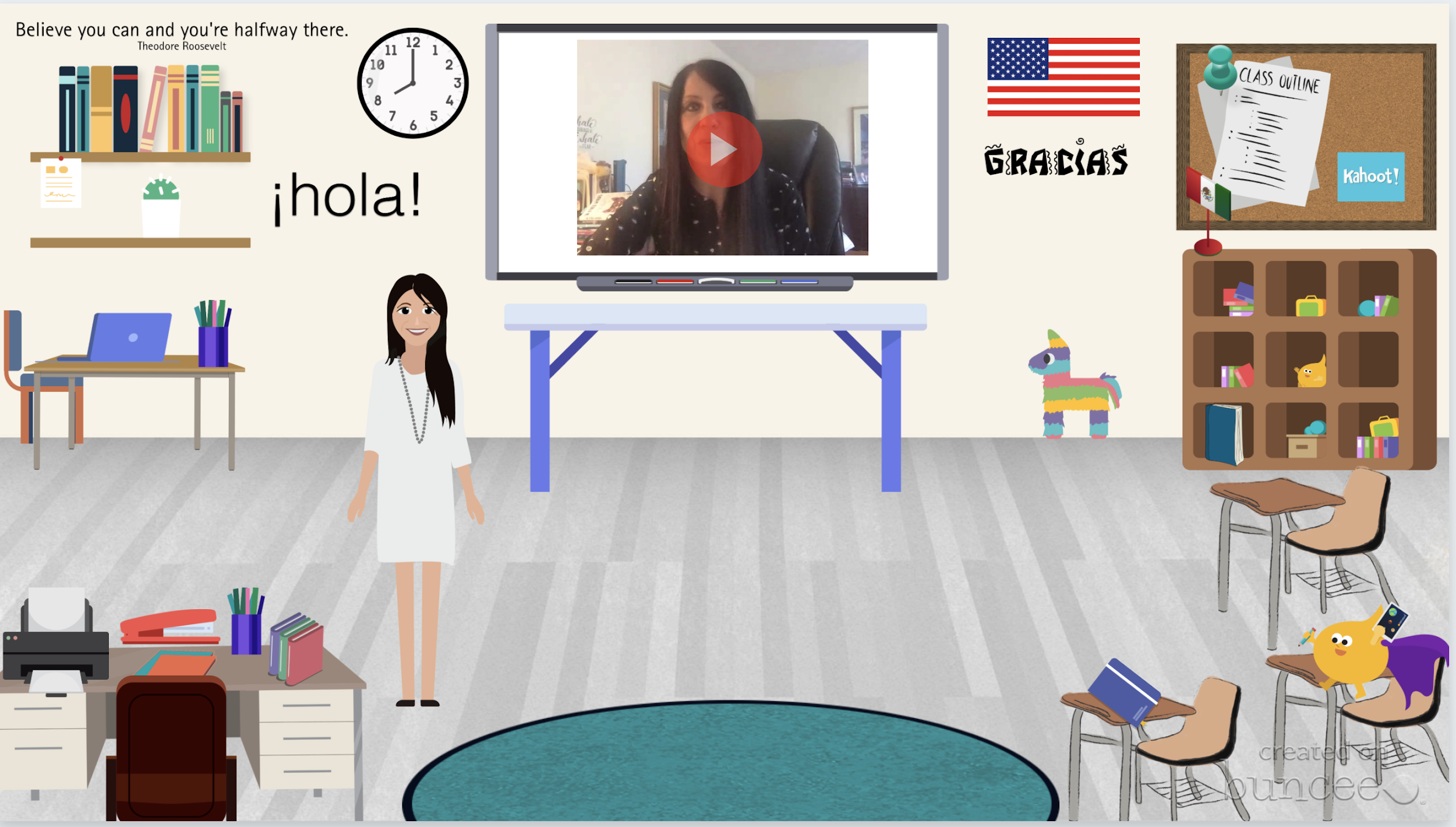
My Spanish I virtual classroom

Art Classroom by Colette

Image

Image

Kristen Regan’s Classroom!

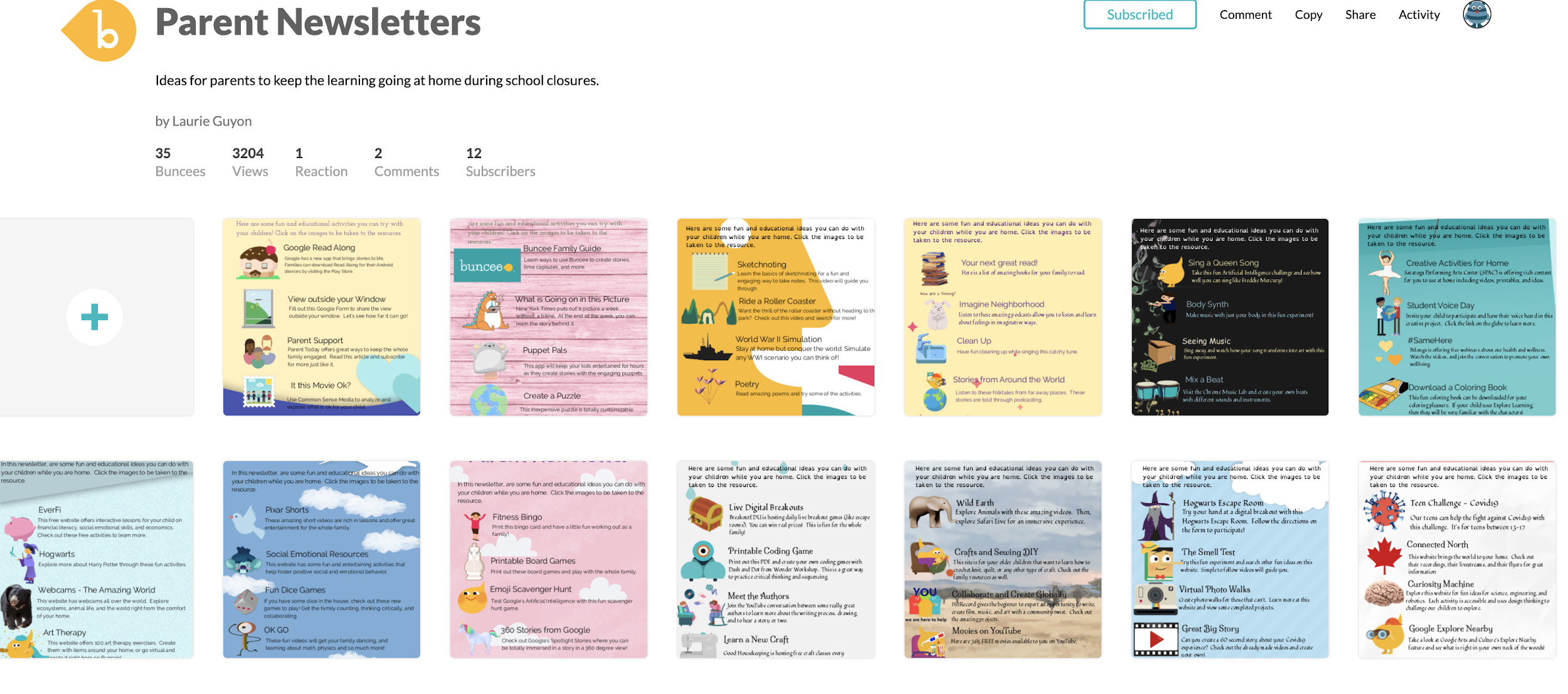
Check out Parent Newsletters from Laurie Guyon

Barbie Monty said, “My favorite is having my students create a Buncee end of the year reflection.

Bonnie Foster created a Covid-19 Survivor certificate

.

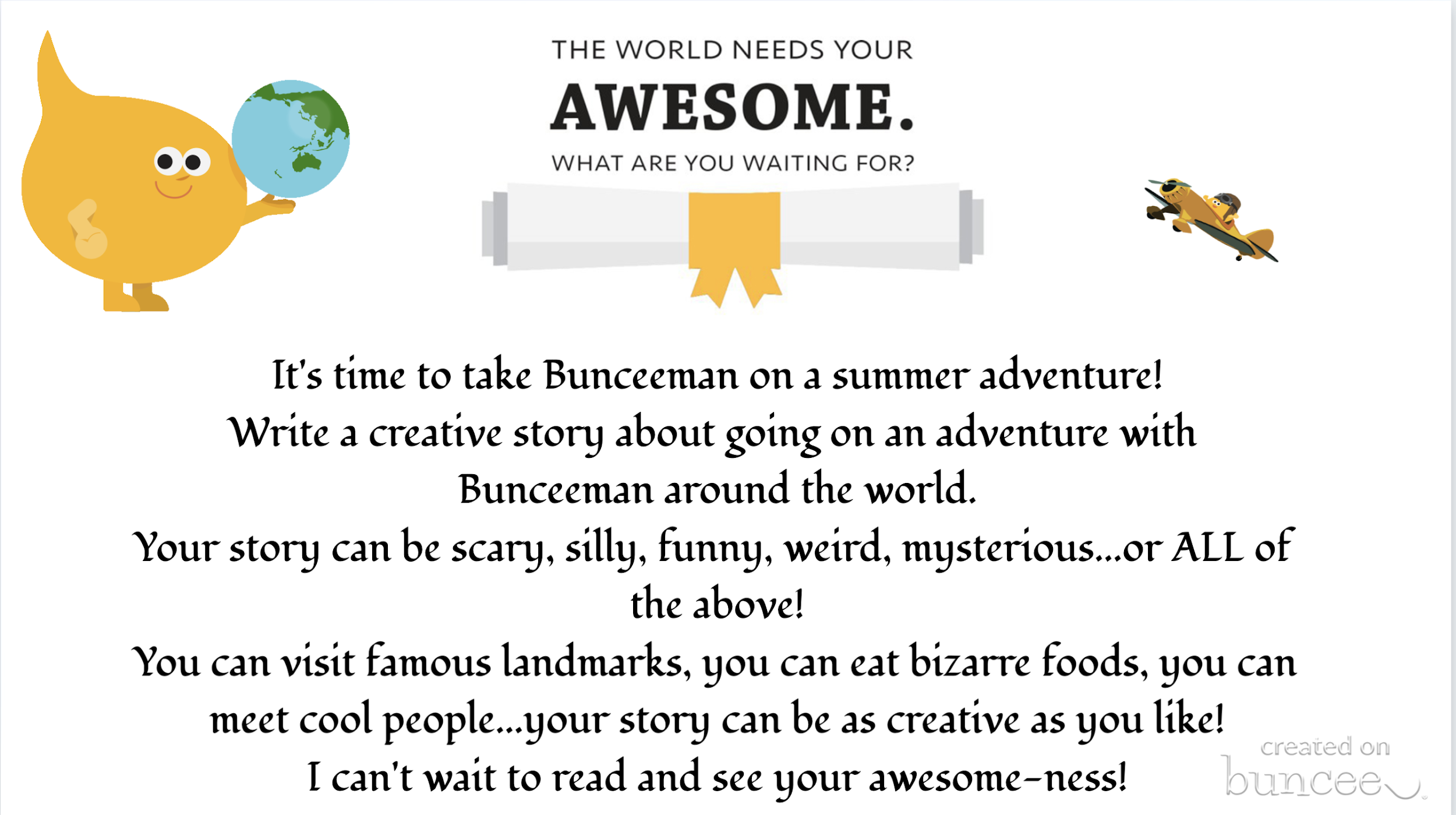
Ide Koulbanis is having students plan a trip! Bunceeman Adventure

Daily Reflective Thoughts by Don Sturm

Test Prep and Motivation: Amy Nichols

Self-care suggestions

End of the year celebrations and certificates or make a Buncee Card! 

Image


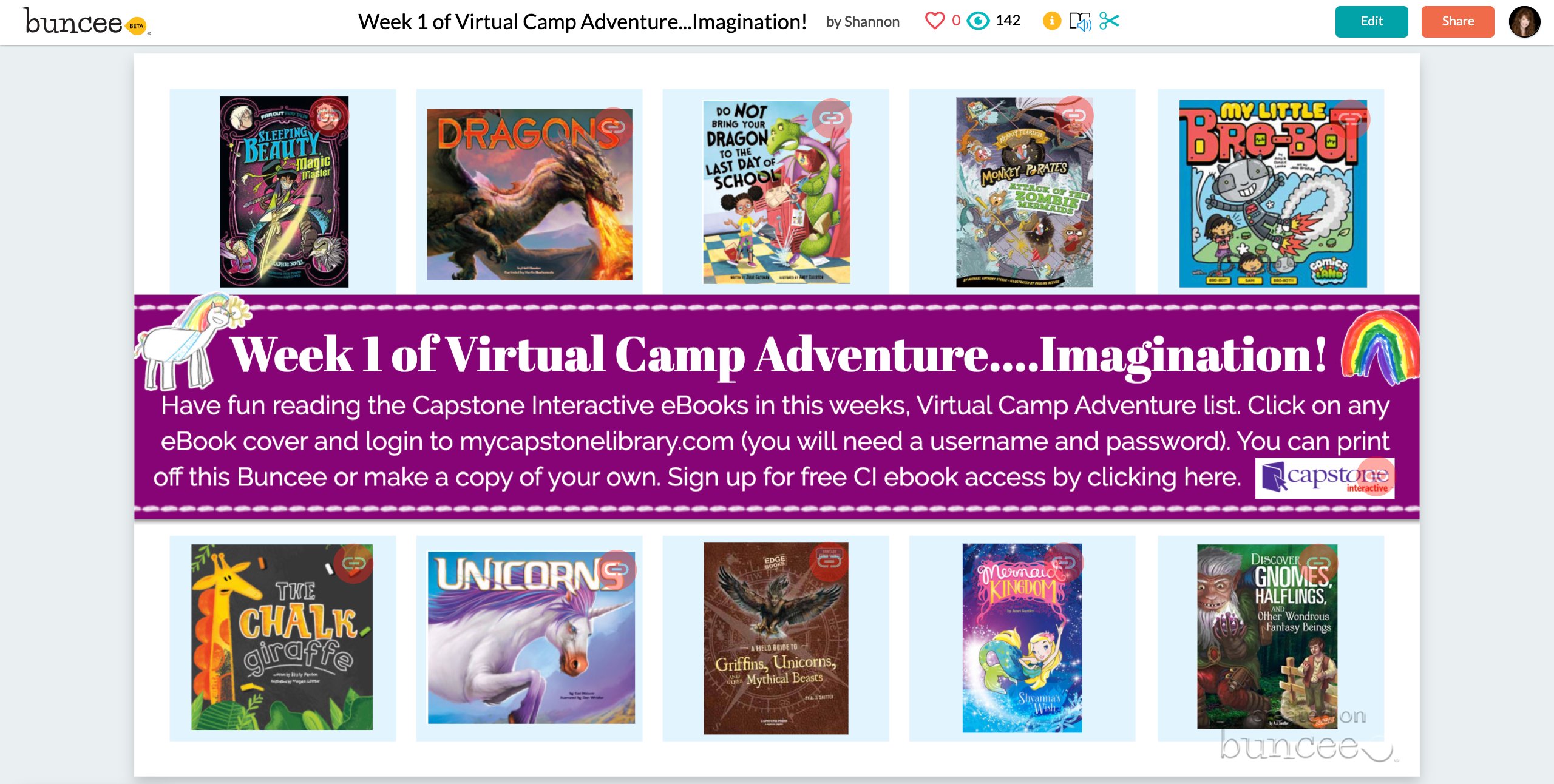
Virtual Camps!

Image

To learn more, join in the daily live webinars with Buncee at 12 and 3pm eastern. I also have webinars on Tuesdays at 4pm!

Check out the Ideas Lab!

Image


Fun badges and learning opportunities!

Image

10 Steps to Create Green-Screen Videos for Remote Learning

Guest Post by Allie Beldin @alliebeldin

I have always wondered how teachers on Youtube create videos that look so FANCY! I did some digging and found that several of these instructional videos use greenscreens. Green-screens are used to remove the background behind videos so you can replace it with another screen!

Why should you consider creating a green-screen video for your students?

If you want to show practice problems behind you, talk alongside a PowerPoint presentation, or add a picture of your classroom in the background to make students feel as if they are still learning in your school, consider trying the green-screen video method!
I recommend making your videos SHORT and ENGAGING. Try to shoot for making your video under 5 minutes long. Shorter videos will increase engagement and students will be more likely to watch all the way through.

10 Steps to Create a Green-Screen Video

Step 1: Buy a green screen. You can buy a fancy one online on Amazon OR you can do the cheap version like I did. I bought two yards of green, non-reflective fabric from JoAnn Fabrics craft store.
My grand total? A whopping $9.15.

Step 2: Tape or push pin the fabric in a well-lit room. Find some floor lamps or lights in your house to make sure there are no shadows behind you when you stand in front of the green screen. You do not want shadows because it will lower the quality of yourself on your video.

Step 3: Use your personal device, an iPad, or a video camera to take a test video to make sure your lighting is working. I did a test video just to see where the best place to stand was in the frame.
[Please excuse the dance party.]

Step 4: Figure out which lesson you want to teach. Teach your lesson in front of the green screen. Refer to examples from a PowerPoint that you have used in your classroom or create new examples. It is okay if you mess up! Don’t stop the video, just keep recording and start over.

Step 5: Decide what you want the background of your video to look like. Open up Google slides and put up notes or practice problems that you want to pop up behind you in the video. This is the important part. Use Screencastify or another screen recording app to record the presentation of your Google slides. This video will be the video that is played in the background while you are talking!

Notes created by 6th Grade SIMS Science team: John Goldberg, Kimberly Wahus, & Brook Andrews

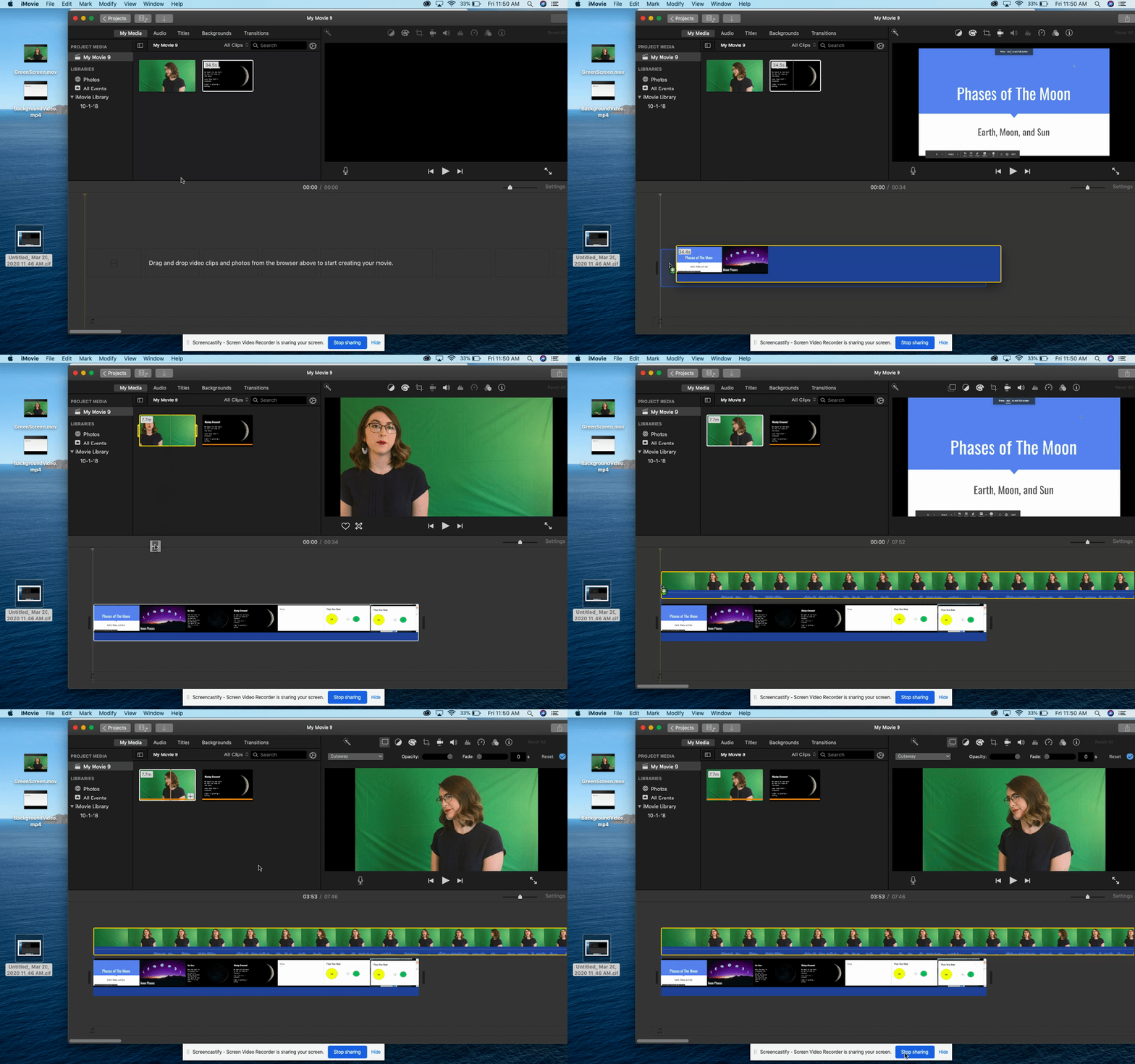
Step 6: Open up a video editing app. I highly recommend using iMovie because it is extremely user-friendly for editing purposes. Drag both videos to the top of the screen.

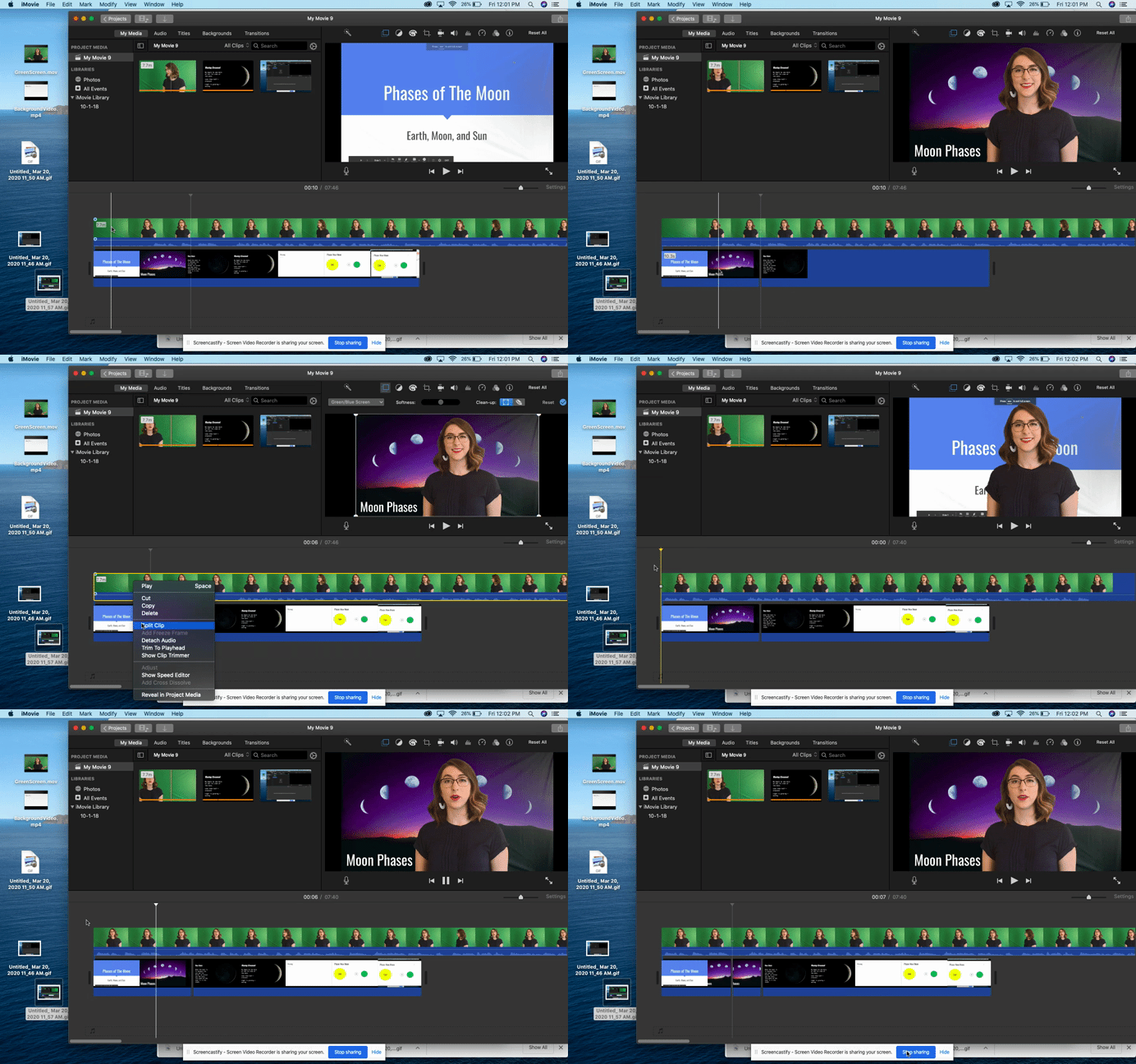
Step 7: Drag down the background video first. This is important. Then, drag the green screen video and place it on top of the background clip.

Step 8: Click on the green screen clip. On the top right panel, click on the drop down menu that says “cutaway.” Select the “green/blue screen” option from the drop down menu.

Step 9: Edit the green screen clip during the parts that you may have misspoke or messed up. Add music at the beginning or end if you want to make your presentation more engaging.

Step 10: Watch the video and if you are happy with the final result, click the share button on the top right of the screen. Select “file,” “next,” and “save” to your desktop. It will take a little while to download. Once it has dowloaded, you can upload your video to Youtube and share the link with your students!

I hope this helps some of you during the remote learning process.
Please reach out to me here or on Twitter if you have any questions or ideas about creating green-screen videos for your content.

@MrsBeldin

**Interested in writing a guest blog for my site? Would love to share your ideas! Submit your post here.


Looking for a new book to read? Many stories from educators, two student chapters, and a student-designed cover for In Other Words.

Find these available at bit.ly/Pothbooks  

Connecting Students through Buncee

Leveraging  the right tools for remote learning

By Rachelle Dene Poth, Spanish and STEAM Teacher, @Rdene915

One of the things that I love the most about ​Buncee is that it can be used in so many different ways, not only for instruction in our classrooms but also in life. I have used Buncee to create cards for family and friends, personal business cards, graphics for Twitter chats and webinars, quote graphics for my books, invitations, and more. When I decide to use digital tools in my classroom, I want students to practice the content in a more authentic and engaging way, while developing skills such as collaboration, critical thinking, problem-solving, and creativity that can be transferred to their future. In using digital tools like Buncee, my hope is that they will also use them in other classes, for personal use, and will share them with family too.


Buncee is more than just a creation tool, it is a supportive educator network that is invested in fostering connections, expressing kindness and gratitude. There have been  many initiatives for classrooms and families around the world to join in, most recently Hugs for Heroes. This is an amazing project worked on by Kristina Holzweiss, Barbie Monty and Amy Storer. Learn more about itand create your own!

Why Buncee?

Now with the shift to remote learning and educators looking for ways to connect with students and provide authentic and meaningful learning opportunities, I have been recommending Buncee more. As a multimedia creation tool, it offers so many possibilities for educators of any  content area or grade level, and provides resources for students, families and educators to get started right away. For ideas, check out some of the  Coffee Talks!

Finding time to explore new resources can be a challenge because our lives as educators become quite busy and we may find ourselves lacking in time to really explore a variety of options for use in our classroom. With the sudden transition to remote instruction, this is another one of the reasons that I recommend and choose Buncee and appreciate the team’s investment in providing exactly what educators, students and their families need. It truly has become a go to multi-purpose platform that can do so much, that I feel pretty comfortable in saying that the possibilities really are endless when it comes to creation with Buncee.

null

Fostering the SEL skills and making connections

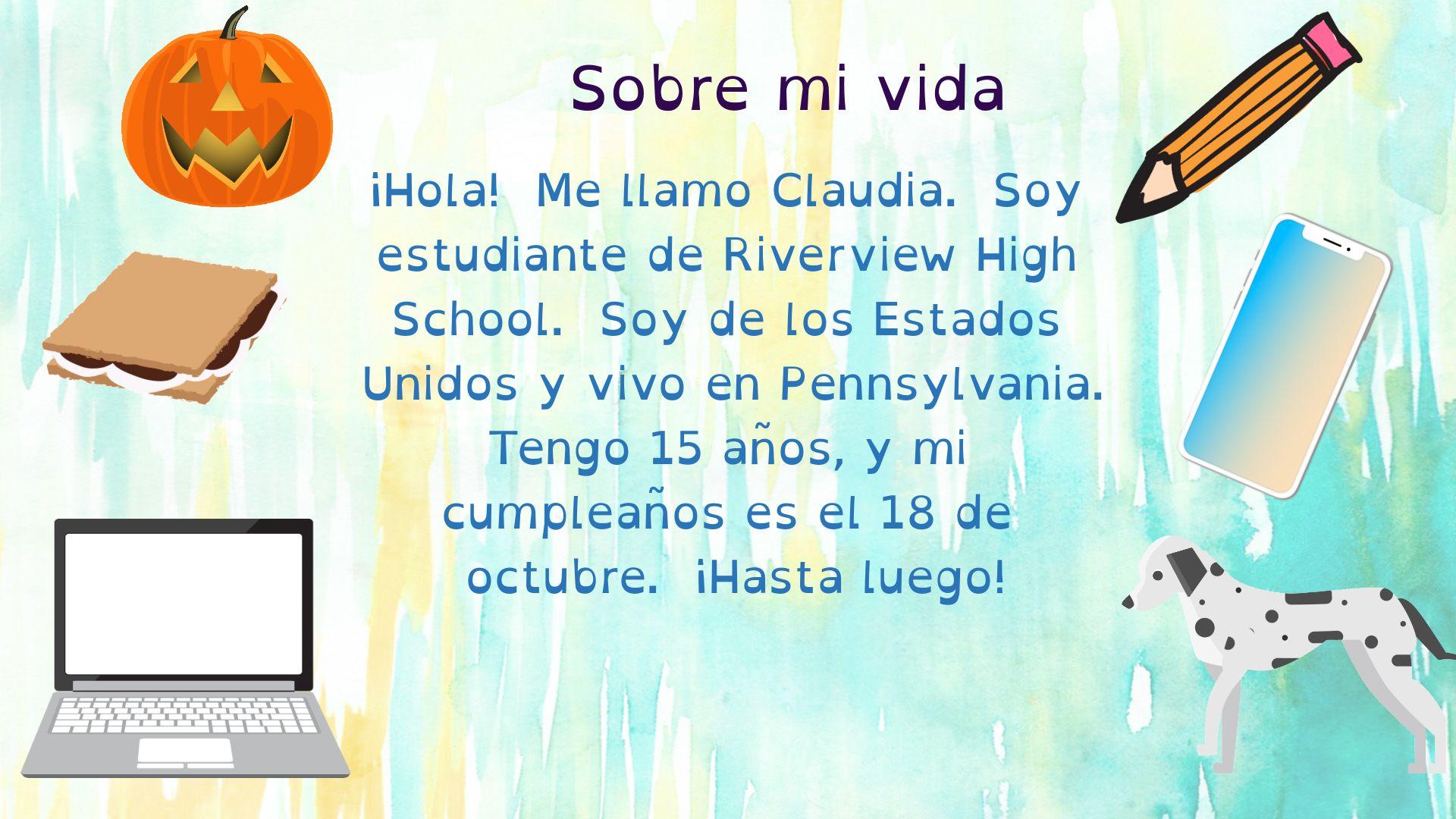
At the start of each school year and throughout the year, I focus my efforts on student relationships, learning about my students and also providing opportunities for them to learn about one another. In the past I have done this by using activities in our classroom such as ice breakers or having students work together on different review games and other in class collaborations like that. Earlier this year I created a project for students to learn about the Spanish language and culture and also to engage more in learning about one another. I came up with a project focused on using the “About Me” template in Buncee. I wanted students to share who they were and create one slide to show this using words, animations, stickers, and other add-ins. My hope was that by looking at each student’s slide, we would understand one another better and relate to each other based on similarities and differences.

I also thought this would be a good opportunity for them to choose and learn a little about a place where Spanish is spoken and create an “About_(​country​)_____” to share that information with the rest of the class. But I also realize that there are many students who are visual learners like me and I wanted to encourage students to be able to quickly look at and process information and represent it in a different way. Rather than simply restating the same content, push them to apply it at a higher level or find a different way to demonstrate an understanding of a concept.

null

I also wanted students to choose a Spanish speaking country and I placed a limit on the number of actual words they could use because I wanted them to represent what they had learned about the place that had chosen using the Buncee features. The topics they had to include were: languages spoken, school subjects, foods, activities, and other information like that that they could display using Buncee.

How did it go?

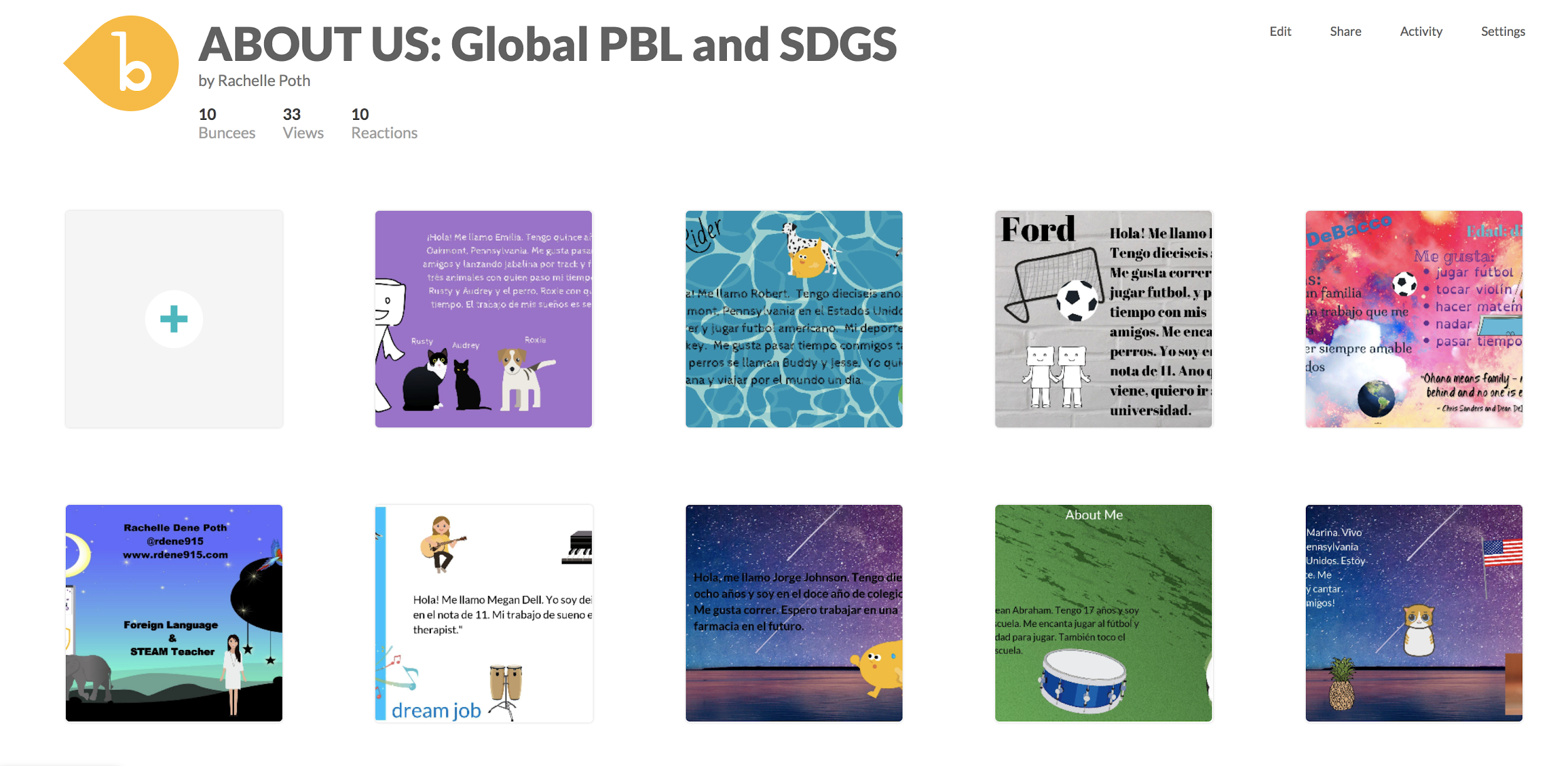
It was a fun activity and I learned so much about them and they learned about each other and what life is like in countries where Spanish is spoken. We shared them on a Buncee board ​which made it easy to access and created a colorful display of students and their creativity. Students shared their slides and gave a brief description in Spanish about themselves and made connections with their classmates. We had good conversations exchanging our likes, dislikes, and learning about our backgrounds.

For the second slide, students were able to get a quick glimpse of different Spanish-speaking countries and begin to understand the culture of some of the places they would be studying. It was fun that they could only include 3D objects, animations, stickers or emojis, to represent the information for each country. So for visual learners, being able to choose the right object to use to share this information made the learning stick a little bit more. Students who enjoy creating but not drawing really enjoyed the activity.

A recent feature is the ability for students to comment and give feedback on the boards. This is a great way to encourage online student interaction whether through comments or emojis!

nullOne other feature that I thought was important to share with students was the new Immersive Reader and how it works. We enjoyed looking at all of the capabilities with it and using Buncee for learning!  Check out the video to learn more here!
Check out  the information from Buncee for Remote Learning and everything you need to get started here.  Want to learn more about  Buncee? Sign up for their live webinars happening each day, Monday through Friday  at 12:00 and 3:00 pm EST. Sign up here.


**Interested in writing a guest blog for my site? Would love to share your ideas! Submit your post here.


Looking for a new book to read? Many stories from educators, two student chapters, and a student-designed cover for In Other Words.

Find these available at bit.ly/Pothbooks  

Buncee: Learning Anywhere

Providing Ways to Keep the Learning Going

Over the past week, there has been a lot of conversation about what educators can do if schools need to close for a period of time, especially due to recent events related to the Coronavirus. Finding ways to extend the “space” of learning for our students has been a topic of discussion for many years, so it is not entirely something new. However, with the current situation, educators and schools are seeking to find the right resources that can be put into action right away.

Over the past few years, many schools have started to offer flexible learning days to deal with school closures due to weather conditions, environmental issues or something else entirely. Being able to keep learning going and have ways to collaborate without being in the same physical space is important. Having a specific platform or digital tool in place that all educators can use and making sure that all students will have access is very important. With so many choices out there, it can be tough to figure out exactly where to begin, especially when time is a factor.

As I’ve been talking with some friends this week, a large part of our conversation has focused on what to do if our schools were to close and even in the general sense, how can we also provide more for our students for times when we need to be out of the classroom? For times when I have not been able to be in class, whether due to illness or a pre-planned conference, I rely heavily on technology to be able to connect with my students so that they can ask questions and have the support they need. However, I also rely on it to provide them with rich learning experiences through versatile tools that they can work on independently wherever they are. With Buncee, we can work remotely and provide meaningful learning experiences that engage students in the digital space.

Buncee = Learning Anywhere

As I have been thinking about some of our recent Buncee projects, my 8th grade STEAM course has been working on a few activities. They have created an About Me Buncee, a few for gratitude and most recently, “Tech Over Time.” In the Tech Over Time project, students have been exploring the transformation of some digital tools or electronic devices over the past 10, 20, 30+ years and also making predictions for the future.

As students create, they can work from school, at home, or anywhere, and be able to share their work with me wherever I am. Teachers can assign fun projects for students or choose from the many ideas in the Buncee Ideas Lab.

We have used Buncee for years in all of my classes and through it I have been able to provide opportunities for my students to engage in more authentic and meaningful learning, to be creative and to drive their learning experience. Whether students use it to design a Buncee to share their experiences, engage in project-based learning, summarize a book they have read, explain a concept in math or science, for a few examples, the possibilities are endless for what students can create.

As teachers, we have so many choices for how we can use Buncee in our classrooms. It can be used to have students work through a Hyperdoc, or used as a model template for students to then create their own Buncee, make a timeline, solve word problems, and more. The idea is that we can leverage the tool to provide something that will connect with each student and it can be done from anywhere.

Ideas for your Classroom

1.Make an interactive book

2. Create a timeline

3. Design a digital business card

4. Explain steps in a process

5. Teach a lesson, add audio and video

6. Book summary

7. Design classroom signs

8. Create study aids

9. Create an ebook

10. Recreate a moment from history, personal experience, or make a future prediction

Buncee + BETT = What a week!

20200131_182015

What an amazing week it was spending time with Buncee at BETT, the biggest edtech conference in the world held in London. I am so thankful to be a part of the Buncee family and to have had the opportunity to travel to London and share in this experience with Marie Arturi, Francesca Arturi, Eda Gimenez, and Bryan Gorman. It truly was an honor to be there. I love having an opportunity to share Buncee with educators from around  the world and to be able to talk about the impact it has made for students in my classroom and for me as an educator.


BETT was unlike any other conference that I have attended. It was definitely a unique experience to be in a space with around 34,000 people,  many educators who traveled from around the world to learn about trends in education, emerging technologies, best practices and to exchange perspectives with one another. There were so many exhibits and learning sessions happening, but for me, my favorite part of conferences are the connections that are made and the learning from the conversations that happen with those connections. 


Promoting Awareness

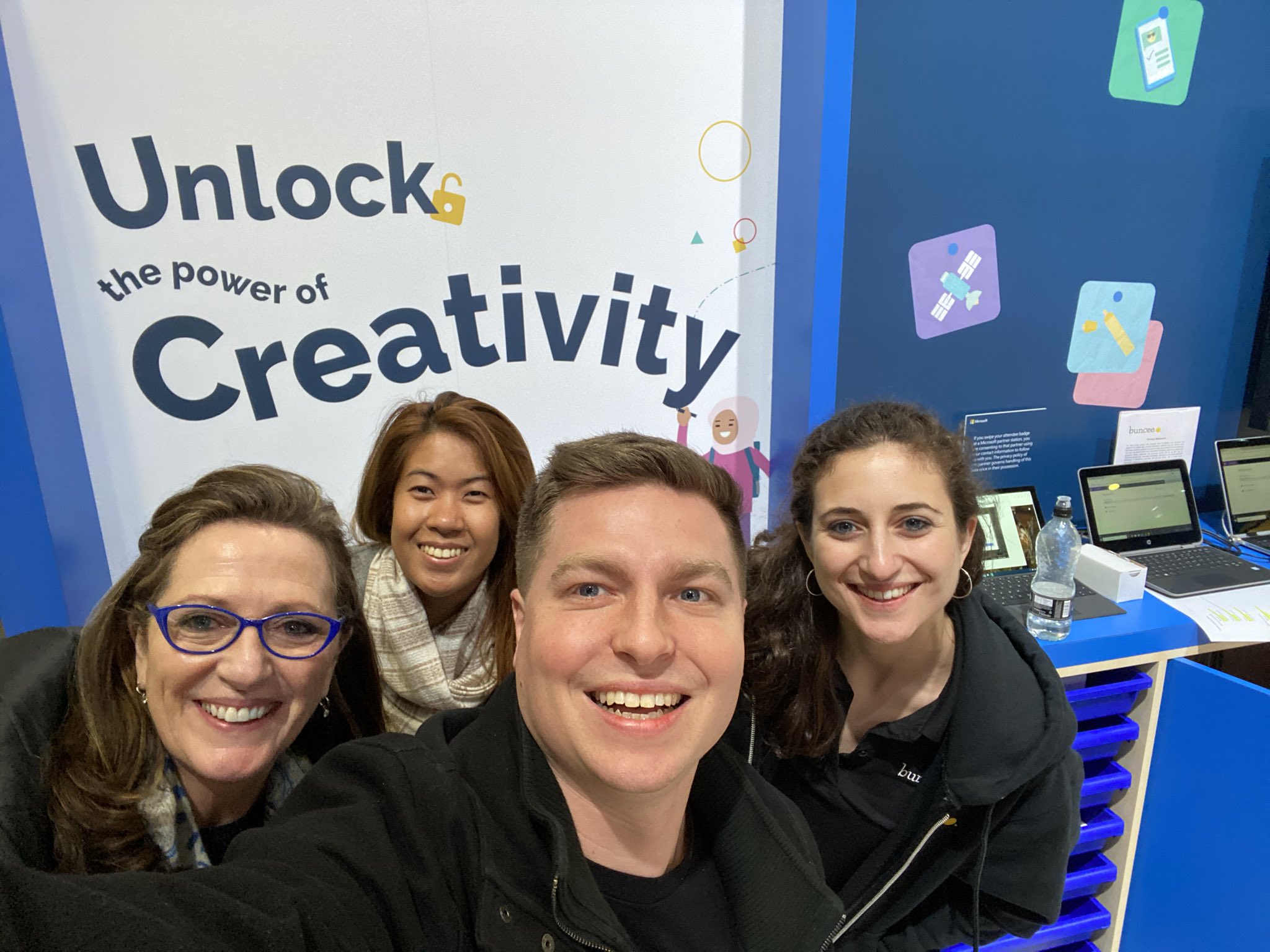
For me, being able to spend time learning about what the educational system is like in so many different countries and to better understand the challenges that are faced by educators around the world was eye opening. During my time at the conference, we had so many groups of educators come to the Buncee booth, eager to learn more about how to amplify student choice in learning, promote creativity, nurture a love of learning and support all students. We had conversations with educators from countries like Nigeria, India, the Netherlands, Pakistan, Belgium, France, Saudi Arabia, Portugal, and many others, almost all of whom had never heard of Buncee before coming by the booth and being drawn in by the “Unlock the Power of Creativity” and the beautiful booth display and many Buncee examples showing on the monitor. Educators and students were curious about what Buncee was and how it could be used.

ImageMarie, Eda, Bryan and Francesca

The booth set up was beautiful and everybody who passed by stopped as soon as they saw it and wanted to capture a picture of Unlock the power of creativity. It might have been the most photographed area of the conference if I were to guess, because there were so many pictures taken during those four days!


null

Francesca had a whole team come together to learn about the power of Buncee

Working Together

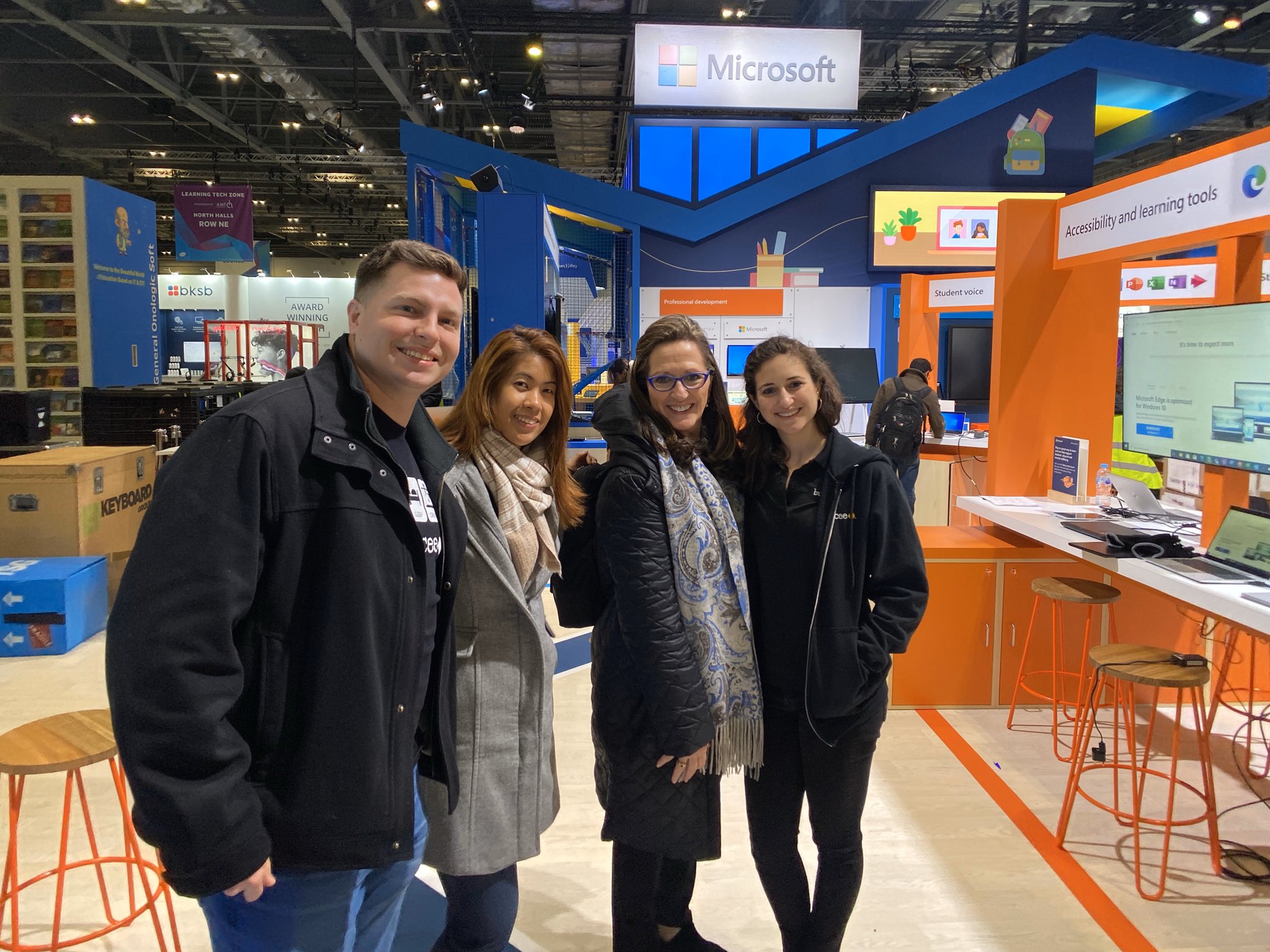
There was so much activity in the Microsoft Education space, which highlighted themes focused on personalized learning, student voice and choice, accessibility and learning tools, unlocking the power of creativity, and collaboration, for a few. Educators moved throughout the Microsoft and partner spaces to learn about each of these topics and find out how to provide more for students using the tools available. It was interesting to see the collaboration of colleagues and teams from the same district or even government organizations showing up to learn about what Buncee has to offer students and educators.

Sharing the Power of Buncee

Every time that I have the opportunity to introduce someone to Buncee, I love seeing their response as they observe all of the possibilities for creation that are available. During presentations, I always ask attendees about their familiarity with Buncee, whether they have heard of it or used it before, and I’m always very excited when a lot of hands  go up to say that it is new to them. Being able to share and show all of the options and ways that it can be used at any level, with any content, is always a good experience for everyone. And I always learn more from those attending because of the specific needs they have for their classroom or the ideas that they are looking for.

null

Francesca and Bryan

Powerful learning

Something that I find to be so beneficial in conferences like BETT whether from presenting in the booth, doing demos, or even through poster sessions, is that you get to have those one-on-one conversations to find out exactly what educators are looking for and hoping to learn. You can really connect and work together to explore the tools and strategies out there and personalize it to exactly what each educator needs for their students and themselves. 

When you can make that direct contact and work with closely with them, they walk away with new ideas that they can put into practice right away, and with the reassurance that is sometimes necessary when it comes to technology, that it can be easy to get started, especially with tools like Buncee.

Sharing a love of learning and love of Buncee

nullI was honored to present a session with with Eda Gimenez, about using creativity to nurture a love of learning and the power of immersive reader for accessibility for all learners. We worked on the presentation for a while and I was excited and nervous of course, to present. But what always makes a difference is talking about something  that you are passionate about and believe in and also making a connection with the attendance.
null

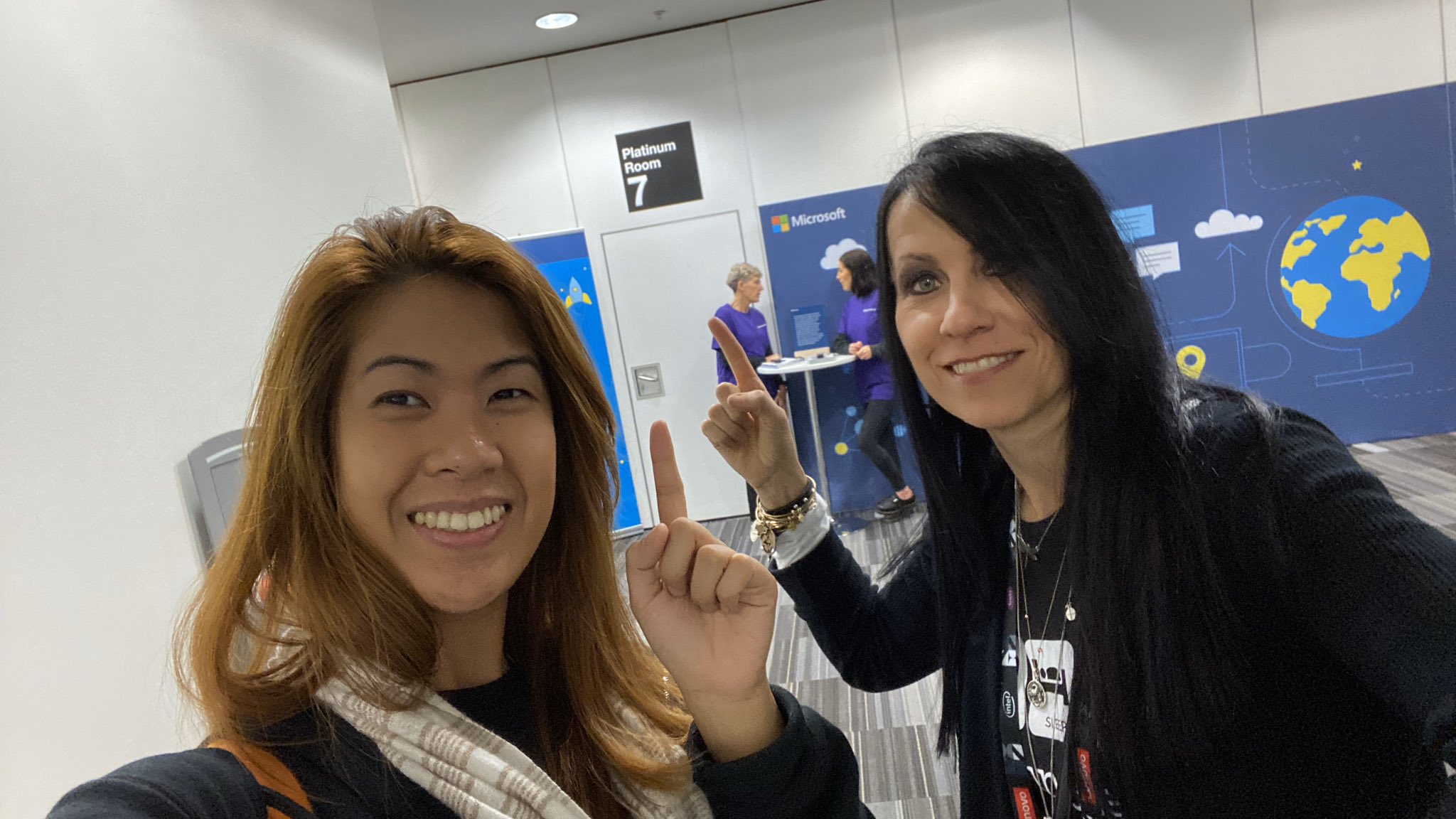
Ready for our presentation

What made this session special is that those in attendance had not experienced the wonder of creating with Buncee and were there to learn about it for the first time. Being able to share all of the potential it has for empowering our students with choices and creating opportunities for all students. I admire Eda and the work that she does, the message she shares about the power of Buncee and Immersive Reader for language  learners and for nurturing “a sense of participation, inclusivity, fun and creativity.”  

Image

We checked out our presentation room early.

An added bonus is that we were also able to try out the live captioning during our presentation. For attendees in our session, they could join with a code and then select their language of choice for captions during the presentation. Being able to communicate your message, tell a story, share learning between students and families is vital for educators and for student learning. With the power of technology, through tools like Buncee and Immersive Reader, we can make sure that families are involved and information is accessible for every student and their families. 

Image may contain: 1 person, coffee cup and text

Eda shared Christine Schlitt’s story during our presentation

There are some common questions when it comes to using technology: 


What are the ways you can use it? 

How much time does it take to get started? 

Is there a big learning curve? 

How does it benefit students?

I always anticipate these questions and appreciate the pushback that comes sometimes because that’s how we know we are truly looking at the tools and methods we want to bring into our classroom with the right lens. I enjoyed seeing attendees from our session head to the booth to learn more!  It was fun interacting with everyone, seeing their reactions to the Buncees on the screen, and many wondering how to unlock the power Several times there were requests to make sure that somebody would be available to explain Buncee, to do a demo, to answer questions later when they brought back the rest of their team.

Image may contain: 4 people, including Eda Charmaine Gimenez, people smiling, text

Image from Buncee

Highlights

One of my biggest takeaways from experiences like this is that regardless of if we are a teacher in the classroom or the one doing the presentation, we learn so much more from those who are participating in our session or the learners in our classroom. Without a doubt, I walked away with so many new ideas for my students and a greater understanding of how different educational systems are and the challenge that educators have when it comes to a lack of resources. 

It is definitely a joint effort where they want to have everybody involved and learning together with a theme of global collaboration, it surely was that. We made new connections, shared and learning experiences together and continue to learn and grow together.

null

We got to meet Maria in person!

Meeting Buncee Ambassadors

Something else that made it wonderful experience was being able to connect with Buncee ambassadors from around the world. Meeting Maria in person for the first time was exciting and she even brought gifts for us from Argentina. She is a beautiful person and I’m so thankful to be connected with her! 


20200122_212639

Thank you Maria for the thoughtful gift from Argentina!

I am so thankful to be part of the Buncee team and Buncee family, who truly does join together to do what’s best for all students, and build a nurturing learning community fueled by a love of learning.

Image

Thank you Buncee for making a difference.

Buncee Holiday Hugs


Have you heard about the Buncee Holiday Hugs? This is an absolutely amazing project that has taken place during the months of November and December. Through this project, students from around the world have created Buncees and shared their work on a Buncee Board for everyone to see. There are now 957 Buncees added to this Board!

So what are these Buncees being used for?


Buncee is partnering with children’s hospitals from around the world to share the Buncees that have been created for Holiday Hugs. These amazing Buncees will be shared with children who will be spending their time in the hospital during the holidays.

The Holiday Hugs project was started by Amy Storer with inspiration from Michael Drezek. The idea evolved from Amy’s own experience as she was spending time with her mother in the hospital over the holidays. The idea for Buncee Holiday Hugs then came to life through the connections with Amy and Marie Arturi, Creator of Buncee. Holiday Hugs is another wonderful project that follows past projects such as the Buncee Buddies (a penpal project that connects students globally to collaborate on different themes) and Miles of Smiles with Michael Drezek.

To learn more, watch this interview with Amy Storer and Brian Romero Smith in which they discuss this amazing Holiday Hugs project and their hopes for it during this holiday season.

Here are a few of the wonderful messages shared with the children. What I love the most is that the messages written on each of these Buncees can be enjoyed by everyone through the use of Immersive Reader. A fifth grade class created this Buncee story for their Holiday Hug and with Immersive Reader, not only can the language be translated, but the story can then be read to the children as well. Beyond simply sharing a wish for the holidays, students can tell stories, send messages, tell jokes, express themselves and it is accessible and can be enjoyed by everyone.

Each Buncee is uniquely different, adding in winter themes, specific holiday traditions and celebrations, animations and even video messages for the children.

Seeing each student share a story, a joke, offer encouragement, record videos, or share their picture to lift others up, truly is inspiring.

Each Holiday Hug is heartfelt from student to student.

With Buncee’s integration with Immersive Reader, students can write a message and share it with any child around the world for them to enjoy. The use of Immersive Reader in Buncee enables students to create multimedia content, improve language skills and build global awareness in authentic and meaningful ways.

Please take time to explore the Buncee Holiday Hugs and read more about this project and its incredible impact on the lives of so many children and on everyone who has participated.

Look at the different creations! I hope you will take some time to explore the Buncee Holiday Hugs and read more about this wonderful project and its incredible impact on the lives of so many children and on everyone who has participated.