5 Ways to Build Collaborative Learning Skills In and Out of the Classroom

Developing skills for collaboration is a critical component for our students for their future. It is so important that educators provide opportunities for students to work together in our classrooms so that they can develop the necessary skills for working on a team which will also enable students to build social-emotional learning (SEL) skills. As we think about the importance of social-emotional learning and its role not only in education but in the future, this is why we must be intentional about finding ways to engage our students more by learning from one another in their classroom and beyond.

There is so much potential for having students work in teams or in small groups in the classroom. Technology can be an important component of these collaborations by creating access to more resources. There are many great opportunities for students to use digital tools available that help to create extra time in the day and offer various ways for students to collaborate beyond the time and space of the classroom, by fostering connections with other students in classrooms around the world.

When and Where to Collaborate

I think that the most critical piece of this is realizing that learning is no longer confined to the instruction that happens in the classroom during class. Unlike years ago when I was a student, our learning took place in the classroom and then we took time at home whether in the evening or weekends to complete homework assignments and projects. But for having opportunities for collaboration, it was far more difficult to work with partners and find a common time to meet beyond the school day. Meeting required physically going to a place to work together and have discussions. With access to new digital tools which bring innovative and more interesting ways to collaborate, these constraints on how, when, and where learning can occur exist minimally today. The biggest factor is whether or not our students and schools have the right access to the resources that are needed.

Just as students need opportunities to collaborate, as educators, we also need to find ways to work with colleagues and members of our Professional Learning Network (PLN), often beyond the school day. We also need to build our own skills and share our skill-sets and methods with our colleagues and PLN. by actively engaging in this right along with our students. We must model lifelong learning and the importance of asking for and offering help to others. Our goal is to construct a supportive foundation where we can all grow from.

Five ways to collaborate wherever and whenever

Here are five ways to promote collaboration both in the physical classroom setting as well as the virtual learning space. With each of these ideas, teachers can have students working together using different digital tools or teaching strategies. Beyond the content involved, students will build their communication, collaboration, critical thinking, problem-solving skills and develop the SEL skills at the same time.

  1. Learning stations when used in the classroom open up more possibilities for personalized learning, for social interactions, and the building of relationships between students and between the teacher and students. Using between three and five stations in the classroom, depending on class size and grade level, teachers can have students work together through a series of learning activities. Selecting a mix of digital tools, hands-on learning activities, and teacher-directed instruction creates a good mix of ways for students to engage with the content. For some, giving students the option to collaborate and design their own way of practicing the content can lead to new ideas for the whole class. Encourage students to team teach and take more of a leadership role in the classroom.
  2. Cross-curricular collaboration: How about working with another curricular area or even grade level?  Find a connector between your class and that of a colleague. Create a task where the students in both of your classes must collaborate on the same project while you do the same. Maybe you use project-based learning (PBL) in your class and you want to share that framework with a colleague or it is something that you are hoping to learn from a colleague. Find a common bond between your courses and start collaborating. I connected with an eighth-grade science teacher and our students used Buncee to create their presentation. This past year, my students connected with students in Spain and shared backgrounds, interests and other facts about their lives by leveraging technology tools to exchange information. Working together with colleagues to create these opportunities for students and helping students to engage in more meaningful learning makes a
  3. Beyond Classroom Discussions: Have you had a great discussion going in class just to have it interrupted by the bell? Or have you tried to encourage students to share their ideas but have not been successful? How about getting students to share ideas on important topics, by using some of the digital tools available for curating material or gathering feedback. We have many tools available that when leveraged with purpose, can add great benefits for student learning and student confidence. Some of the options are using things like Padlet to create a wall for discussion where students can post comments and respond to classmates. Try Wakelet to post an idea or a theme and ask students to share and create resources. To get students speaking more, use Flipgrid to create short videos as a prompt for students to discuss. Or try having students create a podcast using tools like Anchor or Synth. Which enable students to create on their own, and using Synth, students can ask and answer questions asynchronously. These are just a few quick digital ways to promote collaboration.
  4.  Collaborative Creations: When it comes to having students do more creating in the classroom, we have a ton of resources and materials to choose from. Giving students the option of using traditional formats versus digital formats is something that I do a lot in my own classroom. I want my students to have choices, however I also want them to build some other skills like online collaboration and designing. There are many tools that are adding features for students to create together. Beyond the collaborative options within Microsoft and Google, students can now work with emerging technologies. Using tools like CoSpaces and 3DBear, students can work together to create augmented and virtual reality spaces for digital storytelling. With either of these options, students work together in ways that build collaborative skills while also connecting them with more authentic and meaningful learning experiences.
  5. Blogging and Website Design: Blogging offers so many benefits in addition to building literacy skills and helping students to share ideas in a more authentic way. It also offers an effective way to build relationships between students as they exchange ideas, offer peer feedback and engage in more conversations in the classroom and online. Teachers can learn more about students and their interests, and use these ideas to create additional opportunities for collaboration within the classroom and with global peers. Tools such as Kidblog or Edublogs are good options. Creating a group project can be done using many different presentation formats, but one which helps students to build skills transferable for the future is in designing a website. Students in my school created websites for History Day and had a great artifact of learning to share and developed skills which will benefit them in the future.

Beyond these ideas, reach out into your school community and find local organizations that are open to working with students. It would benefit our students by connecting with real-world learning experiences and building skills beyond those covered in the curriculum. It benefits the school community by learning about what education looks like for students today. Providing options through place-based and experiential learning opportunities will open new possibilities for student interests and future career explorations.

**Interested in writing a guest blog for my Rdene915 site? Would love to share your ideas! Submit your post here.


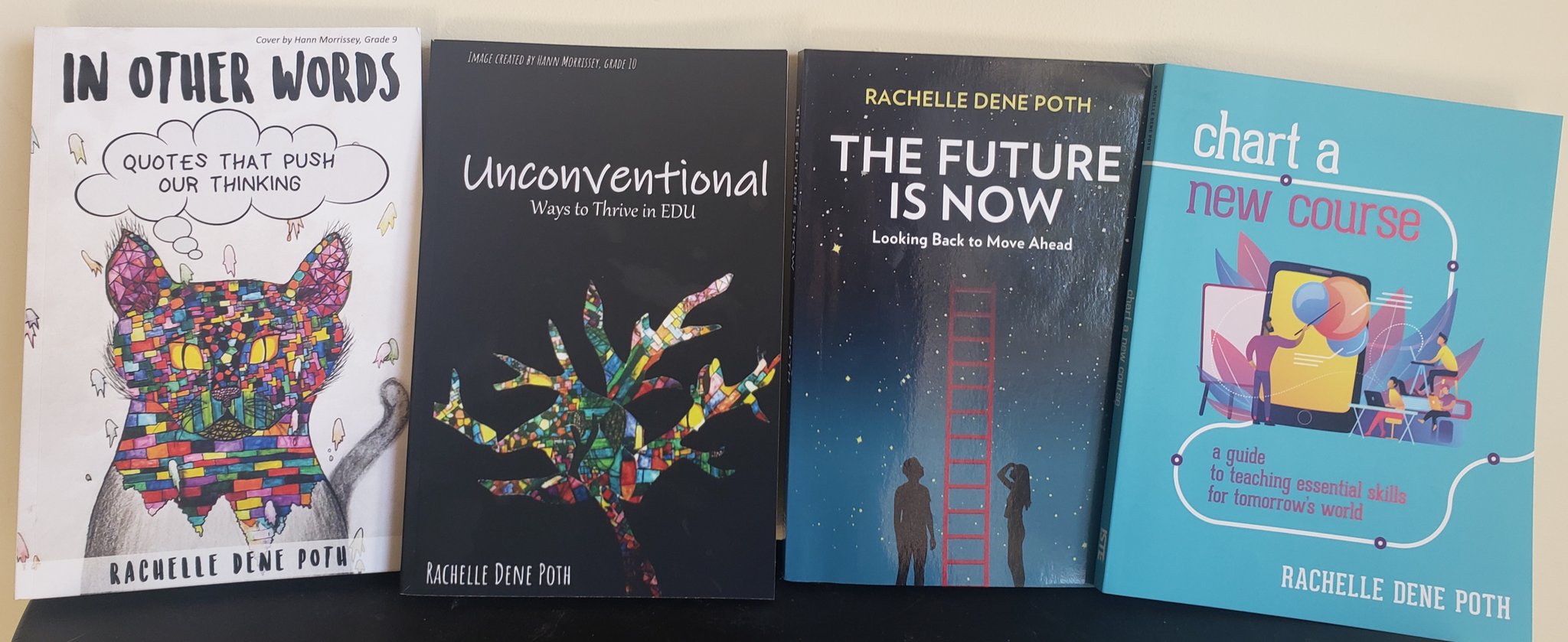
Looking for a new book to read? Many stories from educators, two student chapters, and a student-designed cover for In Other Words.

Find these available at bit.ly/Pothbooks  

5 Ideas for Building Communication Skills for the Future

My prior post on Getting Smart

Looking toward the future, as we consider how to best prepare our students for jobs that may not exist yet, what are the skills that will benefit them no matter what they decide to do? If we look at the research, trends over the past five or ten years of the top skills required by employees, there are a few that have stayed in place if not shifted toward the top because they are becoming increasingly more important. Looking at the shift from 2015 to the projections for 2020 and beyond, what do students need?

We’ve been talking about 21st century skills for a long time, often referring to how we are addressing the four C’s: critical thinking, creativity, communication and collaboration within our respective content areas and/or our roles. I have even heard mention of the “5Cs” and “7Cs,” with the addition of character, computational thinking, and citizenship included in the “C’s” of 21st century learning. With the increased use of technology in our classrooms and  daily lives, we can leverage some of these digital tools to help our students build the vital skills that will benefit them in the future, regardless of where their learning journey or careers take them.

As a Spanish teacher, I am always interested in finding ways to help students communicate their ideas, to express themselves in the language of study. Beyond language skills, I also want to help them learn how to communicate and collaborate with one another in various settings and contexts and in different media formats.

What are some tools that we can use to help our students become better communicators and to build confidence and promote student voice in learning?

Here are five different platforms or ideas that I think can be very beneficial for student learning and will help educators to implement some digital tools into the classroom without taking too much time to get started.

Written Communication

Students need to do a lot of writing to build their skills although this does not necessarily need to involve technology. However, the benefit of using digital tools for written communication can enhance student learning by creating more meaningful connections and providing different formats for students to convey their thoughts. Blogging is an effective tool to promote writing skills and literacy, to build digital citizenship skills, and to help students create a digital portfolio where they can track their own growth and build self-awareness as a result. Using tools like KidblogBlogger, or Seesaw offers students a space where they can take more ownership in learning, track their progress and growth over time, and become more comfortable and confident as they express themselves in a space where they can truly develop their ideas. It also promotes collaboration and fosters relationship building and getting to know our students.

Video Response

We also want to promote oral communication and give students opportunities to engage in speaking, especially if students tend to be shy in the classroom and prefer not to speak in front of their peers. We can leverage the video tools available to give students a comfortable space to begin building their speaking skills. In the past, I used Recap (now Synth), and students expressed how much it helped them to feel more comfortable to share their ideas, to reflect on project-based learning, and to be able to record their thoughts wherever they were and in a way that was comfortable. Flipgrid with its updated features offers more than just recording videos, it also promotes the opportunity for students to become global collaborators, and explore different ideas and perspectives from students in their classes. We can also use these tools to more easily connect our students with classrooms and experts around the world.

Podcasting

There are a lot of educational podcasts and platforms for creating them, depending on the amount of time you have, the age of your students and access to these resources. One idea is to start one podcast for the class, post a question for discussion and have students respond by creating a thread of their own to each question. Perhaps students can create their own podcasts or listen to the podcasts of their classmates, to focus on listening comprehension skills and also use it as a way to further expand conversations in and out of the classroom. We can build relationships between our students as they begin to better understand their classmates and make connections with one another. Students could work together to create a podcast to share within the class or to create for the school community, which would be a great way to facilitate that home to school connection to share the work being done by students in our classrooms.

Infographics

Having students work on conveying information, communicating ideas, even advanced or complex concepts, is sometimes more difficult if limited to writing a report or sticking to solely traditional methods. However, by using infographics, students learn to break down information and sort and share the most important facts or the data and determine how to best convey it to someone else. We meet the ISTE (International Society for Technology in Education) Standards for Students by using activities like this because students are creative communicators, they develop computational thinking skills, problem-solving, and become empowered in their learning as they choose how to convey their information. We connect them more authentically with the content. Some digital tools to try are Adobe SparkBunceeCanva, or Piktochart. However, it does not have to involve technology.  It’s not about using tech, it’s about the activity itself and how that can benefit students. Giving students the choice to use a digital tool or simply use paper and do something like a sketchnote or other visual representation, will still develop their skills in this area.

Videos and Vlogging

If these options have been tried, educators may try out vlogging to take learning to a higher level or simply to just build upon each one of the other ideas. Even if these are simply created for use in the classroom and not shared publicly, having students create and experience the power of video for communicating and being able to create these products, will no doubt benefit them in the future. Whether students create a screencast or do a short talk about a topic of study, they are engaged in project-based learning, teaching a lesson and recording it so it can be used for other students in the class. Some digital tools to explore are WeVideo and Educreations.

There are many options out there; it just takes thinking about what we’re already doing in our classroom and making one slight change to do something a little bit differently. Or as I have done in my classroom, offer all of these possibilities for students. At times, this initially felt a little uncomfortable  because it was so open, but it had huge benefits for student learning and engagement. I want my students to build their skills with technology and connect with what we are learning in the classroom, but I also very much value the power of choice and making sure that students feel comfortable. For this, I sometimes start by offering choices and then letting students decide what will work best for them. When they do, I’m there to support and encourage them to take the next step.


**Interested in writing a guest blog for my site? Would love to share your ideas! Submit your post here.


Looking for a new book to read? Many stories from educators, two student chapters, and a student-designed cover for In Other Words.

Find these available at bit.ly/Pothbooks  

Skip the Course, Get the Curriculum

Guest  post by Monica Gupta Mehta  @EmotionalMUSE

I know there are many teachers who just don’t have the time to read anything extra right now, but would love to include more social emotional learning into their virtual week. For those teachers, I have pulled together all of the student activities in one place. In order to not feel overwhelmed, I would recommend choosing just 1-2 activities to include in your curriculum this month!

These activities are organized by topic, so you can find them in the following order:

Curiosity, Mindsets, Self Awareness, Social Awareness, Self Care, Emotional Regulation, Calming Mind and Body

Feelings Board: Make a feelings board for your own students. You can do this using Padlet as I did, using your own digital tools…or simply make it an activity at the start of classroom chats, having every student share with one word how they are feeling.

Exit Slips: Use digital exit slips in your next class session to ask students what they most want to learn about a specific topic. Try to incorporate their ideas in your next unit.

Personal Projects: (Not a typical curriculum item, but especially helpful for emotional regulation and coping during this time of high stress) If your teaching team agrees, you could reduce workload for each course and jointly allow students to come up with their own project, something they would like to spend their time doing. Each teacher could take charge of one component – helping students set goals, make a plan, and checking in to see how it is going and if adjustments need made. I did this with my own kids over Spring Break – one chose to create a website for collecting people’s experiences during COVID19 (covid19capsule.org), one chose to study neuroscience, and one learned Scratch programming. It was a great form of mental engagement and inherently motivating.

Gratitude Journal: Begin a gratitude journal with your class. You can do this in numerous ways – you can use digital learning tools, ask them to complete one at home in a journal, make it simple or artistic. The practice of writing down what we are grateful for each day helps us to focus our attention on the positives in our life. A positive attitude helps us cope, and makes it easier to avoid excessive worrying.

Here is a link to one on teacherspayteachers but it costs money – fairly simple to make your own.

Gratitude Read-a-Loud: Choose your favorite picture book about gratitude and read it to your students, or record yourself reading it and post it for them. If you can find your book on Storyline Online, it will be read aloud by a celebrity and have beautiful illustrations to accompany it.

One book that works well for this is ‘Please, Please the Bees’ by Gerald Kelley – you can find it on Storyline read by Rashida Jones. It is an excellent story of gratitude and appreciation.

Everyday Heroes: For very young students, you could use this game to discuss gratitude for our everyday community heroes.

Mastery Orientation: Ask students about a time they did something well. Ask them to write a few sentences about what rewards they received. Ask them to think about what external praise they got for their work, and what internal rewards they felt. Ask them what else makes them feel proud inside themselves.

Growth Mindset Charts: Ask students to list sentences they have said or heard about their ability, and have them classify each as growth or fixed mindset on a chart. Have them convert fixed mindset expressions to growth mindset ones.

Growth Mindset Discussion Question: Ask students about something they used to struggle with, but now are good at. What are all of the things that helped them to improve?

Self Check-In: Using the Starfish/Tornado visual below, ask your students to check in about how they are feeling. Are they calm as a starfish, or agitated like a tornado (or have fun making up something in between!). Brainstorm a list of ways to calm back down when they feel agitated inside. Ask them to stop and think a few times each day about how they are feeling. It helps to give them a place to make a tally (worksheet, digital document) each time they remember to stop and check in with themselves.

Emotional Vocabulary: Ask students to process one emotional vocabulary word each week. Ask them to define it, comment on times when they have felt it themselves, and times they have seen others exhibit it. For example – ‘What is courage? What is a time when you felt courageous? When have you noticed others being courageous?’

Identity: For older students interested in personality as a component of identity, a basic starting point is on the topic of extroverts/introverts. This is an often misunderstood dichotomy, and it can help students to understand themselves better. Many are surprised to learn that being an introvert is not about being antisocial…it is about where we get our energy from. An interesting discussion point: many argue that these days, our society more publicly rewards people for being extroverted. Being in quarantine, we are seeing introverts thrive (relatively) and extroverts have a much more difficult time.

One of my all-time favorite TED Talks is this one, on the Power of Introverts.

Coping Skills: Take a ‘Coping Skills Inventory.’ Give students a list of activities that are often useful for coping with big emotions. Explain that people all around the world are feeling complex emotions – for example, a child may be happy they are getting to play more games with their family, but sad that their birthday party is cancelled. Ask them to check off which coping strategies most help them, and to brainstorm others that may help as well.

Sample List: Going for walks, Music, Sleeping, Family Movies, Online Communities, Connecting with Friends, Puzzles, Comedy, Audiobooks, Books

This site has some great printables.

Sesame Street and Big Emotions: For very young students, Sesame Street continues to have wonderful content about understanding and processing our feelings. Here is a very sweet song with Abby Cadabby about big emotions. Here is a link to activities and other Sesame Street videos on emotions.

Calm Down Spot: If possible, ask students to create a place that is just for them to sit and be calm. This is a great place to have ready for later in this course, when students will practice going there to cool down when their emotions become overwhelming. For now, it can just be a place to sit and think about how they are doing, and what they might need at that moment. They can keep a few books nearby, perhaps some coloring, or even a water bottle can be helpful. A favorite stuffed animal is always nice to have. My daughter keeps her ipod and headphones there to listen to some music when she wants to relax and reset and think about life.

Empathy and Appreciation: One fun way to build empathy is to give your students an ‘Acts of Kindness’ challenge. Explain that to do effective acts of kindness, students need to observe others and think about what would make the recipient happy – not what the student themselves would want. Ask students to document their acts of kindness, ideally in a way that can be shared with their classmates. For example, you could ask students to create short videos about their act of kindness using FlipGrid or to create Padlets. For older kids, share the Berkeley study on acts of kindness and their impact on happiness. The study discovered the greatest benefit to self came from doing 5 acts of kindness all on the same day, once a week every week for 6 weeks. Teenagers could even do my #fiveacts challenge on Tik Tok!

Social Detective: You can teach students active listening and observation of others by playing ‘social detective.’ Ask students to think of a situation coming up in which they will be interacting with others. At this time, it will most likely be other family members in their household. Have students draw the anticipated scene and place each family member in it. Then ask students to give each person a thought bubble, and to write in one thing that person might be thinking – something the person might be feeling strong emotions about or hoping for.

Another way to play social detective is to use picture books. Stop at an interesting scene and ask students to notice everything they can about the scene and the people in it. This can also be done with movies. Here is a sample worksheet from the Michelle Garcia Winner Social Thinking series.

Cry Baby: This is a simple ‘social detective’ type activity as well. Show students a picture of a crying baby, and ask them to think of all the reasons a baby might cry. This is particularly effective as young babies can not yet talk to communicate their needs, and so students must work hard to be observant and practice empathy skills.

Turtle Time: Ask students to sit and observe people by acting like a turtle. They should move their head around in a slow, exaggerated fashion. Ask them to write (or draw) everything they notice. Then ask them to think of a behavior that would be appropriate for them when entering that scene…and one that would be inappropriate. For example, if their brother is having a school video chat, it would not be appropriate to be loud as they enter that scene.

(They do not have to be turtles. They could be spies with binoculars, or anything else they can come up with!)

The Main Point: Host small group virtual chats, ideally with 2-4 students per session. Ask students to take turns sharing a short story about their day, and ask other students to listen carefully. Then have each student practice showing they were listening by identifying what they felt was a ‘main point’ in the story, along with an appropriate emotion word. An example might be, “It sounds like you felt really scared when your sister got sick.”

Same But Different: Tell your students a statement in a neutral tone, and then practice saying it in different tones of voice. Ask students to differentiate the possible emotions and thoughts of the speaker.

Feelings Cards: There are countless online resources for creating a stack of ‘feelings cards.’ These are simply a collection of photos of people expressing different emotions. Ask students to identify what they notice in the photo, helping them make careful observations. Then ask them students what they think the person is feeling. I enjoy doing this activity with gifs, as they show a bit more of the natural movements of a person’s body and face.

Whichever images you choose, please don’t use emojis for your feelings cards. They teach very little, as they are not realistic expressions and have no body language.

Connection: Students are in need of connection to their peers, and as teachers we can serve as facilitators for this. Schedule video chats with students in small groups of 2-4, and send out a sign up sheet ahead of time. This allows students to sign up for slots with friends they are missing. If that does not work well for your schedule, you can also create ‘break out rooms’ in Zoom chats to allow a few students to be together during a full class video chat.

Some ideas for games students can play together virtually are Simon Says, Guess Who, I Spy, and Twenty Questions.

Vulnerability and Belonging Discussion: For older students, just a great TED Talk that can be spun off into a discussion about connection: Brene Brown and the Power of Vulnerability.

Simple Self Care Practice: One very simple activity is to ask students to print out this handout, or something similar, and ask them to check off each item across the week.

Piloting Your Plane: This activity is a complex metaphor, but tends to resonate very well with young students. For a fun example of how to explain this analogy to students, watch my own videos here: Piloting Your Plane. (I made these today quickly to give you an example – the sound quality is not stellar. If anyone wants a better quality version to actually use in class, let me know and I can remake it.)

You’ll need to give kids some way to keep track of checking in with their bodies all day. Here is a sample worksheet you could ask them to use for this activity. Some other ideas: you could ask them to check in on a spreadsheet or document in Google Classroom, or use Padlets.

The script goes something like this:

“Imagine your body is a plane, and your mind is the pilot. Your mind is in charge of keeping the plane flying smoothly, without crashing. When you have tantrums, overreactions and large emotional outbursts, that is like your plane crashing. If you pay attention to piloting your plane, you can fly it smoothly all day.

Just like a real pilot, there are important gauges you can check to make sure you are flying smoothly all day. It is important to stop and check on your gauges all throughout the day. These gauges are:

Temperature: When you are feeling calm, you are in the green. If you check your gauge and it is green, you can go back to your normal activities. If you are in the red, that means you are very angry, frustrated, or upset for some reason. It is important to stop what you are doing and calm your body back down to green. Blue means you are feeling sad, or lonely, or disappointed, and perhaps could use a hug or something that makes you feel happier.

Fuel: Your fuel gauge measures if you are hungry or thirsty. Take a minute to check in with your body, and if you are running low on fuel, fill it up! Being hungry or thirsty can actually make our emotions overreact to situations.

Energy: Your energy gauge tells you if you are too full of energy, or perhaps too low on energy. If you are too full of energy, do some exercise and movement to help release it. If you are not getting enough exercise and movement in your day, then your energy gauge is going to get too full and could cause a crash. If you are low on energy, allow your body some rest – if not a nap, then perhaps reading a book or just relaxing on the sofa for a bit.

Weather: Your weather gauge tells you if your plane is going to run into some turbulence ahead! Think a little forward in your day – is anything coming up that might cause your emotions or body to not fly smoothly? Something exciting, or difficult, or a change of routine? Preparing for bad weather ahead can help you to handle it better.”

This analogy can extend further than teaching kids to check their gauges. Here are some additional pieces you can add on to this activity.

The Watchtower: The Watchtower is essential to flying a real plane, because there are events or conditions that a pilot cannot detect by themselves, even if they are very good about checking all of their gauges. Let’s take a moment to think who acts as our watchtowers? Often, this can be your parents or teachers, and perhaps even siblings. It is important to listen to our watchtowers about our emotional well being, because they often see things we don’t see ourselves.

The Rocket Ship: When something really big or exciting is going on, sometimes our everyday plane turns into a rocketship!! When this happens, it usually means our emotions are turbo charged!! This means we have to be even more careful about checking our gauges often, and taking care of our bodies all day. When we blast off for a big event, we have to look out for not only bad weather turbulence, but also asteroid fields and meteors!! When in our rocket ship, we fly fast, and that also means we can crash fast! It can be really helpful to take extra good care of your body when you are flying in a rocket ship.

Habit Tracking for Older Kids: Older students may not need the full ‘piloting your plane’ analogy, but they do need to learn about taking care of their bodies. For teens, a helpful activity is to ask them to track for themselves:

1. Sleep

2. Exercise/Movement

3. Screen Time (non academic)

4. Socializing Time

5. Outdoors Time

6. Water

7. Food

8. Mood

Ask them to draw connections between their activities and their feelings/energy levels. What is one habit they want to keep in their daily life to feel better? Have them set a personal habit goal and check in on it weekly.

Mindfulness – Nature Walk: One mindful activity that is often satisfying for young children is going on a nature hunt. Ask them to take a magnifying lens if possible, and to walk slowly around their yard or neighborhood looking for nature. They can analyze leaves, look for insects, find snails, notice spiderwebs…there is so much to discover. Ask them to remember the things they are seeing and to come back and journal them.

GoNoodle – not just for movement!: GoNoodle has a number of video series that are helpful for self care, beyond their movement and exercise videos. One that is good for self care is: Take on the Day,

Movement and Exercise: Since movement and exercise are so critical to emotional regulation and sleep quality, it would be beneficial to offer students ideas for how to stay active at home. To get you started:

GoNoodle

Backyard Play

Biking

Walks

Station Rotations (sit ups, jumping jacks, push ups, plank)

Games (tag, Simon Says, hide and seek, freeze dance, animal workout)

Dancing – zumba videos, Kidz Boop, Just Dance

Cosmic Kids Yoga or simple yoga on own

Mental Enrichment: Students may need mental stimulation beyond school work. It could be fun to brainstorm a list together of things students can do to stay busy beyond school, ideally without devices. To get you started:

Reading

Video Chats

Obstacle Courses

Escape Room

Imagination Play

Art

Board Games and Cards

Puzzles

Brain Teasers

Cleaning/organizing/tidying

Helping parents with tasks or chores

Clue Hunts

Learn a new skill

DIY projects

Experiments

Writing stories, poems, comic strips, etc.

Building (Legos, scrap materials)

Acts of Kindness

Origami

Audibooks

Journaling

Problem Solving Wheel: Teach students to stop, calm down, and then think. Use this wheel to help them make a good choice for what to do next.

Bending the Rules: Try playing games but changing the rules of the game. This might be met with resistance, but if you can come up with rules that make the game slightly more fun, eventually it may be met with joy and curiosity.

Three Solutions: Students often come up with one answer, and then dig in their heels defending that answer or way of doing things. Ask students to come up with three possible answers to various questions or riddles. This is a very important skill to hone for group work.

Breathing with Cookie Monster: For very young kids, they might enjoy watching Cookie Monster use breathing to calm down and increase his patience while waiting for his cookies to be ready.

Yoga/Stretching: There are many printables available online of ‘animal yoga.’ These stretches are relaxing to the body. You can also find great story-telling style yoga at Cosmic Kids Yoga.

Calm Down Spots: I mentioned these earlier, but having a spot that students are used to using as a ‘calm’ area will also help them when agitated. Students can be asked to go to their calm down spots until they are back in the green, or at least the yellow. It should be explained to students ahead of time that this is not a punishment, being ‘sent’ to their calm down spot. It is merely a strategy that is very helpful for avoiding poor behavior when agitated. In this article, I give lots of advice for how we made a calm down spot at our home for my son. This includes building a ‘calm down kit‘ to keep nearby.

Breathing Shapes and Props: A unique way to practice breathing is to ask students to choose their favorite breathing shape. I have included one example here, but there are many different ways to practice deep breathing – often one style will suit a particular student better than another. Ask students to practice this daily, so that they build their muscle memory. Students who attempt to do deep breathing when agitated, without practice, often end up breathing far too rapidly and feeling more frustrated. This site also includes props, such as breathing with bubbles.

Exercise and Movement: As discussed in the unit on Self Care, exercise is great for emotional regulation. While a child who is very upset won’t likely be in the right state to go for a bike ride, taking a little walk or doing some movement in place, such as jumping jacks, might help them to work out some of their energy. Whatever movement they choose should not be one that requires much coordination. My favorite is to keep a balloon around, and to ask them to bop the balloon in the air and keep it up for at last 10 iterations. This helps their mind focus and clear, while also giving them an opportunity for safe movement. If something more aggressive is needed, students could try ripping up a pile of junk mail paper.

5-4-3-2-1 Grounding: For children who struggle with anxiety, it can be helpful to teach them grounding activities. 5-4-3-2-1 Grounding is a method in which you use all your senses to ground yourself in the moment. Ask students to list:

5 things they can see

4 things they can touch

3 things they can hear

2 things they can smell

and 1 thing they can taste

Here is a graphic you could use while practicing.

Accomplishments Box: Celebrating accomplishments can help build confidence, self esteem and optimism, all of which are helpful to staying regulated. Here is a fun activity for building an accomplishments box, which will help keep students motivated as well.

Finding Humor: Humor is often the secret key to help students return to a state of calm. Keep some joke books, comics, or even comedic audiobooks handy for when a child needs a pick-me-up.

________________

Classroom Tools and Activities that Foster Future-Ready Skills

Originally published on DefinedSTEM 

There are so many different ways to get our students involved in learning with the use of technology. When we leverage the technology properly, there really are no limits to the number of resources and the possibilities to enhance and extend the learning that we can set up for our students and for ourselves. Whether you are an educator with a lot of experience using technology or just beginning, the benefit of these different tools is that it does not take much more than setting up an account to get started. But the more important benefit is that by using these different tools, it gives our students a more authentic and engaging way to share their ideas, to think critically, to problem-solve, and to collaborate. We enable students to apply their learning in a way that is more authentic and meaningful to their respective needs and interests.

While it is great to have so many choices available, it can be challenging to filter through everything to find exactly what you’re looking for. Fortunately, many of these tools offer multiple uses, beyond the traditional purpose for which they were created. Sometimes it comes down to being creative and trying some of the tools yourself, and possibly even asking students for their ideas. We always need to be purposeful when choosing technology for our students. Think first about the “why” behind wanting to include a new tool in your class. What will it enable the students to do differently and how will it promote student learning? We want to build student skills, create innovative ways to learn and prepare for the future.

Preparing for the future

We will not know exactly what the future of learning or work will hold for students,  but I do believe that they will need these essential skills regardless of what they ultimately end up doing. Because of this, I am always looking for new or different ways to build communication and collaboration skills and promote creativity in learning. I want to help students to build their confidence, to explore and do work which is purposeful for them. With these options, students can get started regardless of their level of comfort with technology, and as a result, they will become more confident in learning, and connect better with the content because they had a choice. We need to promote student agency in learning.

Some of the best ways that I have noticed for engaging students in more discussion, to think differently about learning and to share their ideas, is by using tools that promote independent thinking as well as peer collaboration. We create opportunities and enable students to broaden their perspective, and ideally, broaden their perspective beyond their school and community, by helping them to become more globally aware.

Here are some quick ideas for tools and activities that can build student skills in the content area as well as fostering the development of vital future-ready skills.

Some options: Blogging, podcasting, multimedia presentations without the “presentation,” creating a tour and sketchnoting.These might seem to be a little bit different than traditional activities, but the potential with each of these I believe is at the core of the format of these options.

  1. Blogging offers students a comfortable way to write, share, read and learn. There are so many benefits of blogging and sometimes the greatest benefits are those personal to each individual student. Blogging is a great way for students to develop the critical skills they need for learning today. It helps students to become more creative, to feel more confident in expressing their thoughts and ideas, and promotes authentic writing when students write with purpose. It can also help to further develop relationships by promoting collaborations between teacher and students, and students with students, when we read the blogs and provide feedback.
  2. Podcasting offers students a way to build speaking skills that can tie into future opportunities where public speaking might be a requirement. With the new tool Synth, we can create more opportunities for students to share their learning using a platform that goes beyond a simple podcasting tool. Create a series of “Synths” which give students a different explanation or offer tips for students to follow as they are completing an assignment or working on a project. For teachers, it is helpful for posting a discussion question for students to respond to beyond the school day and to create a new point of discussion for the next class. How fun would it be to have your own class podcast or create a podcast that can be shared within and beyond the school? Students could explore careers and the community  by setting up interviews with different student groups or teachers and then share the story of what’s happening in the classroom and school community.
  3. Multimedia “presentations” For students who need to create a presentation that involves a variety of media formats and information, the idea of doing the research and putting everything together into a presentation tool could be time-consuming and possibly overwhelming for some. However, when using a tool like Wakelet, students can simply place or curate all of the resources for their project into one “Wake” and then share the link with their teacher,  who can then create one class Wake where all the materials are accessible. It helps students to gather their information and to store it in one digital space and can also serve as a digital portfolio for students as they progress through school.
  4. Sketchnoting: It is not always about technology, as some students may not enjoy using technology to create a project, especially if they prefer creating something on their own. Sketchnoting has a lot of potential, especially for conveying a lot of information in a visually engaging way. Some students retain content better by creating a visual representation. Sketchnoting can be done with paper and markers, or it can be done using any of the apps available for creating a sketchnote.

There should be opportunities for students to engage in more real-world experiences, where they can assess needs in their community and brainstorm ways to offer services that will be beneficial for others

Using any of these different formats for showing their learning, students not only become more skilled at working independently and building confidence, but also in collaborating with their peers and working with other adults besides their teacher. We promote digital citizenship and help our students to develop their online presence and practice the responsible use of digital tools for learning. What are some different ways you have your students communicate, collaborate and create?


**Interested in writing a guest blog for my Rdene915 site? Would love to share your ideas! Submit your post here.


Looking for a new book to read? Many stories from educators, two student chapters, and a student-designed cover for In Other Words.

Find these available at bit.ly/Pothbooks  

When Schools Resume

Guest Post by Kathryn Starke (@KathrynStarke)

Opinions expressed are those of  the guest contributor.


Schools and districts across America have been closed for over a month now, and many schools are closed through the end of the year. It is sad and shocking for all of us. Teachers and children can’t wait to be back in their classrooms. Unfortunately, it will not be anytime soon. Therefore, teachers and parents across the country are sharing their passion and purpose in the teaching and learning process in a variety of creative ways. I have seen car parades through neighborhoods, teddy bear hunts in windows, nature scavenger bingo boards, and daily food delivery to bus stops. I have seen educational companies and some authors provide free access to their learning tool and NFL athletes help families Tackle Reading at home. This is an unprecedented event in our history.

The health and safety of others becomes the primary concern. Curriculum should not be a priority. Copyright should not be a priority. Digital learning is not accessible to every home. Not every child has a parent at home who is able to work with them. Just like in the classroom, differentiation is key. Teachers should feel empowered to create their own lessons and share their ideas with their students. Elementary school parents do not care about grades or attendance at this time. They want educational ideas and support, and most importantly, they want their children to be happy, healthy, and safe. Therefore, educators should focus on the new school year. So, what will happen when schools finally resume? Will every child be passed on to the next grade? Will every teacher receive the reading support they will need to effectively support these vast gaps while maintaining their designated grade level literacy objectives?

According to the most recent report by the National association for Educational Progress, sixty- four percent of all fourth-grade students in America are unable to read proficiently. The number increases to seventy-eight percent of fourth-grade students in low-income areas. When schools finally open, which may not be until August or September, the focus on learning will be a priority and it is going to need to change. Children will return to schools without six months of formal reading instruction. Some of our children will be significantly behind. The teaching and learning process will have to adjust. One hour of reading instruction will not be enough. It is in times like this when innovation and creativity in school communities will make the greatest impact and should be encouraged.

Teachers will need to feel supported and empowered to make decisions to match the needs of their students. They will be tasked with having to conduct remediation, intervention, reteaching, and teaching. One solution may be to incorporate transitional grades in the fall. For example, a first-grade teacher may be reviewing kindergarten standards while introducing new first grade standards. Another idea would be to group children by reading and math abilities multiple times throughout the day. One to two hours of daily language arts instruction will not be enough in the fall. Literacy needs to be at the forefront of instruction through all content from pre-K to fifth grade. This means we need to incorporate the five pillars of reading instruction or the “science of reading” in every lesson including math, science, and social studies. Team teaching across grade levels is another option. We have to think outside of the box.

Kathryn Starke is a national urban literacy consultant, reading specialist, author of Amy’s Travels and Tackle Reading, and founder of Creative Minds Publications, LLC, an educational publishing company. She created the annual Tackle Reading initiative supported by the NFL and NFL Alumni.


**Interested in writing a guest blog for my site? Would love to share your ideas! Submit your post here.


Looking for a new book to read? Many stories from educators, two student chapters, and a student-designed cover for In Other Words.

Find these available at bit.ly/Pothbooks  


Immersive HyperDocs in Minecraft Education Edition

Guest Post by Matthew Nickerson, Instructional Technology Specialist, AACPS

Professional Learning Specialist, i2e, @dadxeight

Author: All the Microsoft Tools You Need To Transform Your Classroom


Are you familiar with HyperDocs?  You can learn more about them on their website, but essentially it is using one document (They specifically say a Google Doc, but it works the same with a document in Word Online.) that contains all the elements of your highly engaging lesson.   Although the “hyper” refers to hyperlinks, it is not just a bunch of urls pasted on a page. HyperDocs should have a blend of multiple ways to access content as well as a variety of activities for students to engage with the content in addition to alternatives for assessment os learning.  In short, a good HyperDoc addresses all of UDL– multiple means of engagement, multiple means of representation and multiple means of action and expression.

If a HyperDocs are supposed to be “visually engaging and packaged learning experiences as it says on their site, how much more visually engaging can you get than being fully immersed into a Minecraft world?


Let’s take a look at applying the principles of a HyperDoc within Minecraft Education Edition.  First, there is an immersive world to build a story in.  Any way we can build a story is a great way to get students engaged.  This has been widely known in business, particularly marketing, but as usual, education is a little bit behind.  (You’d think this is one trend education wouldn’t  be behind on!  The Minecraft platform has multiple ways to distribute content, but it can also be a portal to other content platforms.  Likewise, there are several ways of encouraging students to create or engage with lesson content, as well as ways to assess student learning.  Once again, it can also be the doorway to other tools that accomplish these tasks.


First, let’s build a story.  You can start from scratch with an infinite world in Minecraft and build what you need.  Well, maybe you don’t even need to actually build it. I recently had a request for a specific lesson topic, and I found a lesson plan on Education.Microsoft.com that addressed that topic, as a murder mystery.  It used some Word documents to deliver the lesson material.  I adopted the murder mystery idea, but used the /locate command in Minecraft to find an existing mansion, teleported my character there and turned the mansion into a hotel.  I then filled the hotel with NPC characters, and took each of the puzzles from the Word document, each of which was a clue, and “distributed” those to students through the NPCs.


Because there are multiple biomes to choose from in the Minecraft:EE library, it’s easy to select a custom setting for your story.  Another way I like to start is by taking an existing lesson from the Minecraft Lesson library and just replace the academic content.  Some of the lessons have great bones- the world’s have already been created for you, and you can swap out the questions and prompts with your own topics. 


Now let’s consider ways to distribute content to students.  The most time intensive way might be to build structures. For example, you can create the setting for a novel or short story.  If I need to do that, I pay my 9-year-old. He works for cheap, since, well, I’m paying him to play Minecraft. In the absence of a 9-year-old coworker, don’t fear.  Within Minecraft there are signs, slates, posters and boards 

that you can write on if you want to deliver instructions, guidance or questions via written text.  You can also grab a book and quill and write things there, and leave them for students to pick up.  Each of those items (except the “sign”) can also be edited so students can write their responses in or on those tools. 

All of them also have Microsoft’s Immersive Reader, an entire suite of reading accessibility tools, built in.  All text inside of Minecraft Education Edition has these accessibility features.


However, what makes Minecraft amenable to the HyperDocs model, is that NPC’s (non-player characters) can be easily programmed to send students to websites.  

You can essentially insert a Quizlet set of vocabulary in your world, or even an entire self-paced Nearpod lesson.  Looking for more collaboration? Remember that every Word document, Google Doc, PowerPoint or Google Slides slideshow have a unique URL.  You can give that url to an NPC so when a student clicks on that button, that document opens online. When multiple players, each playing in their own copy of the Minecraft world (or in the same copy if the teacher is hosting it), they can all collaborate in that same document or slideshow.


The same holds true for student work and assessment.  Within Minecraft students can build, then take a picture with the camera.  Pictures are saved in a portfolio, where students can type in a caption.  Or, they can choose pictures to insert into a book and quill, where they have far more space to write, or simply write without pictures.  They can also take pictures of any signs, slates, posters or boards they write on. Both portfolios and books can be exported as a PDF and shared with the teacher through Microsoft Teams, Google Classroom, OneDrive or Google Drive.  However, you can also use an NPC to send students to FlipGrid to record a video response, Padlet to brainstorm together, link to a quiz in Microsoft Forms or Google Forms, or an assignment in Teams, OneNote Class Notebook or Google Classroom, among many other options.


The idea of a HyperDoc is solid pedagogy in an engaging format that provides variety and student choice.  They can include a story component or not. They are usually visually compelling. By taking these same principles into Minecraft, it’s like a far more immersive HyperDoc, a Hyper-HyperDoc!


**Interested in writing a guest blog for my site? Would love to share your ideas! Submit your post here.


Looking for a new book to read? Many stories from educators, two student chapters, and a student-designed cover for In Other Words.

Find these available at bit.ly/Pothbooks  

To Be a Global Educator

Guest post by Ava-Gaye K Blackford (@BlackfordAva)

(I read this post and and agree with the foreword below, Ava is an inspiration and her passion for education is clear.)
From Ava’s blog

I had the pleasure of connecting with Ava through my work with Participate. I was helping to pilot a new professional development program, and Ava was one of the brave teachers who took a risk and learned alongside her students as they looked for ways to make their school lunch healthier through multiple student-driven avenues. I was immediately impressed with her motivation and excitement toward teaching and learning and her openness to feedback. Here’s what Ava believes about education and what she’s been up to since I last worked with her.


lunchAva.jpg

I believe that teaching is the foundation for all other careers which requires compassionate and patient individuals who have a passion for scaffolding students and imparting knowledge. I feel that it is the ability to help others to acquire new information, competencies or values and implementing specific interventions to help students who need support to learn particular things. I also believe that teachers are born and not made. I know that I am an outstanding teacher because I am able to connect with and relate to my students to bring out their true potential. I also do not crumble under pressure or when I face obstacles instead I persevere. I am intrinsically motivated, and the reward I find in teaching is the personal satisfaction I obtain when I see students learn something new and achieve academic success and development. Being a part of the Participate international teaching program has been a very fulfilling and life-changing experience, and I recommend more teachers to gravitate towards this adventure.

My decision to join participate was due to several reasons. First, I wanted to share my culture by acting as a Cultural Ambassador so people can learn the uniqueness of my Jamaican culture as well as learning about other cultures. Secondly, I wanted the opportunity to travel the world, meet new people and build partnerships with stakeholders in the education system. Besides, I would be able to learn new strategies so that I may share with colleagues back home, learn about different technological devices, apps, and sites that may be used to boost students’ engagement and learning. Finally, to grow professionally as an educator. Reflecting on my journey thus far, I can safely say that I have achieved all of these goals and have grown into a productive Global Educator.

Currently, I have been assigned the role of Local Advisor. I have been granted the opportunity to guide two new Participate teachers and help them to transition smoothly in their new job position. As a local adviser, I serve as a mentor to new international teachers and share my own experiences, cultural opportunities, and ideas on how to be a successful exchange visitor teacher and cultural ambassador of their country.

School lunch project

School lunch project

 To be a successful exchange teacher, one has to capitalize on both human and physical resources present within the walls of the school to maximize students’ full potential, improve one’s self as a Global Educator and adjust to the school’s culture and climate. In my first year, I worked closely with the Academic coach to plan classroom routines and school-wide management procedures. The use of technology in my lessons made my work as a teacher easier because I am able to allow students to direct and take control of their own learning by conducting research, become involved in Project Based Learning, and participate in online quizzes. I researched different sites that I may use with students to boost active engagement and learning.

I share students’ work on Twitter, send emails and write letters to pen-pals in Jamaica and other countries like Mexico. We participate in video calls with students from Jamaica sharing culture or concepts learned, and we have even video called resource persons from Nigeria.

In addition, I try to globalize my lessons as much as possible. Students enjoy learning about other countries, and this makes learning more authentic and meaningful. I also collaborate with grade level teams to focus on differentiated learning opportunities for students to meet students where they are at. We also gather suitable resources and plan effective and developmentally appropriate instructional lessons and strategies. We progress monitor students and use data to set grade-level goals and identify students who need tier 2 or tier 3 interventions.

I have learned so much throughout my journey as a Participate teacher, and I have enjoyed sharing and showcasing my culture. My students and I participated in a Last Year’s Winter Celebration (December 2017) where were attired in Jamaican costumes and paraded for parents and community members to view. We also did a presentation where we sang Jamaican Christmas Carols like “Christmas a Come me Waan me Lama.” My colleagues, principal, students, and parents were fascinated by the performance, and we received positive feedback. This was the perfect opportunity to connect with the school community and bridge the gap between home and school.

Ava’s students learning about Jamaican culture.

Ava’s students learning about Jamaican culture.

We also prepared a Jamaican display for all to view, ask questions and learn about the Jamaican culture. Students seem to be eager to learn about other countries and cultures so by globalizing lessons this makes the teaching and learning process more meaningful and interesting. I have also done research and read about schools that have shown marked improvements in academics because of the inclusion of Global Education to the curriculum. This has helped me to develop a new level of understanding and depth to my teaching.

I have made a positive impact on my school and living community by allowing each stakeholder to develop vicarious experiences about my culture. In data meetings or team meetings, I help to include information about the Jamaican culture in our lessons. I also bring colleagues and community members Jamaican souvenirs, teach songs and stories from my culture and share past experiences about my country. I mount multiple display boards showcasing the Jamaican culture in the classroom, also during culture night and market day celebrations. For Market Day this past year, my students and I made Jamaican souvenirs such as key chains, flags, and bracelets. We were also mentioned in the Time News. You may click here to read the story.

Being a teacher means demonstrating the ability to provide authentic, engaging, meaningful and cultural learning experiences to cater to the needs of diverse learners. It also means equipping students with effective and efficient skills needed to function in a global society. I have learned to do this through imparting knowledge, skills, and attitudes required to be a global citizen, giving students the opportunity to build vicarious experiences and travel the world through virtual exchange. The world is becoming a smaller place due to advances in technology and mobility. Hence, students need to be globally prepared, develop self-awareness, cultural understanding and empathy so that they will be able to appreciate others and their culture. As Global educators, we should incorporate Global Instructional Practices used to integrate global concepts and lenses in the classroom meaningfully.

AVA JRNEY.png

My continuous participation in Professional Development activities has boosted my self-confidence and determination as an educator. When I return home to Jamaica, I also plan to conduct workshops to impart some of the fabulous strategies and interventions that I have learned here. I have already started sharing best practices with some of my colleagues back home, and they all seem to be loving them and are trying new things in their classroom.

Since writing this post, Ava was invited to present at Participate’s Global Schools Symposium on “Using Cooperative Learning Strategies to Boost Students’ Learning and Engagement”. In addition she attended a Life Lab PD in Santa Cruz, California, and she continues to inspire her students and the community through innovative projects like incorporating garden-based learning into the mainstream curriculum and being a facilitator at three of ABSS’ Core Four Professional Development workshop focusing on “Learning in the Outdoors.”


**Interested in writing a guest blog for my site? Would love to share your ideas! Submit your post here.


Looking for a new book to read? Many stories from educators, two student chapters, and a student-designed cover for In Other Words.

Find these available at bit.ly/Pothbooks  

5 Ideas for Learning About Digital Citizenship

Digital citizenship is a topic that educators must continue to be mindful of within their classrooms and our schools. Because so many tasks involve the use of technology, it is our responsibility to embed digital citizenship into our lessons so our students are prepared and knowledgeable about the responsibilities that exist and also expectations of them when it comes to digital learning. There is an increase in technology being used in our classrooms, students have more access to digital resources and global connections than ever before, so regardless of our roles in education, we must stay current with issues, trends, and resources related to this topic. Digital citizenship skills have to be a part of what we teach and model for students, especially because we ask our students to do research, to collaborate online and perhaps even use social media as part of our coursework.

There are many resources available to learn more about digital citizenship, ranging from participation in virtual or in-person learning events held throughout the year to websites, books, blogs, and more that bring attention to and inform about this important topic. When I first started teaching about digital citizenship, I recall myself telling students the things that they should not do rather than focusing on how to use the tools safely and responsibly and showing how they could enhance learning. I recognize this now as I’ve researched more and become more aware of the different resources available for use in education today and following the conversations happening in different educational networks. And along with what’s being done out there, I believe that we need to convey the message to our students of how to use digital tools, to interact responsibly, and also share the importance of knowing how to use these tools for good.

Building these skills is critical because they will transfer to the real world space as well. For some students, they build confidence and comfort by interacting with peers and become better collaborators in an online space first, then apply these to the physical classroom setting and the real-world.

Here are five resources to explore and which offer activities for students to explore on their own and construct their own knowledge and apply it.

1. Events Educators can participate in Digital Citizenship Week, happening from October 14th through the 18th online. During this week-long event, educators can participate by connecting with other classrooms globally, joining in a panel discussion organized through the DigCit Institute and EduMatch Tweet and Talk, or listening to a DigcitIMPACT talk. Sign up on the website and stay connected by following the #digcitsummit hashtag on Twitter.


2. Online resources There are many interactive ways for students to explore DigCit topics. Common Sense Education’s Digital Compass provides interactive lessons, tutorials, and fun activities for students to engage in to learn about digital citizenship. One of the many benefits is that students choose how to proceed through the interactive lessons, and can see the positive or negative effects of these choices. Digital Compass addresses topics such as cyberbullying, fake news, social media, and more that are in alignment with today’s trends. Be Internet Awesome by Google has students explore four lands and complete activities and games to build their digital citizenship skills. This is another good way to let students drive their learning, to become curious and develop their own understanding in a space that is safe and that we can support. 21 things for students offers 21 different lessons on topics related to digital citizenship, technology skills, cyberbullying and more. Nearpod offers interactive lessons on Social Media use and topics related to Digital Citizenship in addition to many other content areas and levels.

3. Books Three books that I recommend are Digital Citizenship in Action by Dr. Kristen Mattson, Digital Citizenship in Schools by Mike Ribble, and Digcit Kids: Lessons Learned Side by Side to Empower Others from Around the World by Marialice Curran and Curran Dee. Each of these books offer a wealth of resources for getting started with lessons on digital citizenship and they provide activities for use in our classrooms. Dr. Mattson’s book is also used for the ISTE U Course on Digital Citizenship.

4. Social Media Students are using more social media, especially Instagram and Snapchat, and need to develop an understanding of how to post, the type of information that is okay to share, and how to interact responsibly and respectfully in these spaces. Depending on student grade level, it can be helpful to have students participate in a simulated Twitter chat, create a Padlet wall, or use post-it notes and a space in the room to have students create posts and write responses. It is important to help students understand how social media works and how to properly post. We want to emphasize the safety of our students and knowing how to distinguish between reliable and unreliable sources.

5. Organizations ISTE (the International Society for Technology in Education) offers a Professional Learning Network (PLN) focused on Digital Citizenship for members. In PLNs such as this one, educators can find many resources for teaching about digital citizenship that match the grade level, content area, and specific needs of their students. Individuals can sign up to be a part of the #digcitcommit movement. DigCitCommit is a coalition with the mission of providing educators with the right resources for teaching students about digital citizenship. Educators can sign the pledge and become more involved in promoting digital citizenship around the world.

To provide the best possible opportunities for our students to learn their roles and responsibilities when it comes to digital citizenship, we simply need to start with one of these resources and include it in our daily activities. The idea is not that it’s something extra added onto the curriculum but rather becomes woven into our classrooms each day throughout the year.

*Interested in writing a guest blog for my site? Would love to share your ideas! Submit your post here.


Looking for a new book to read? Many stories from educators, two student chapters, and a student-designed cover for In Other Words.

Find these available at bit.ly/Pothbooks  


3  books.png

Buncee + BETT = What a week!

20200131_182015

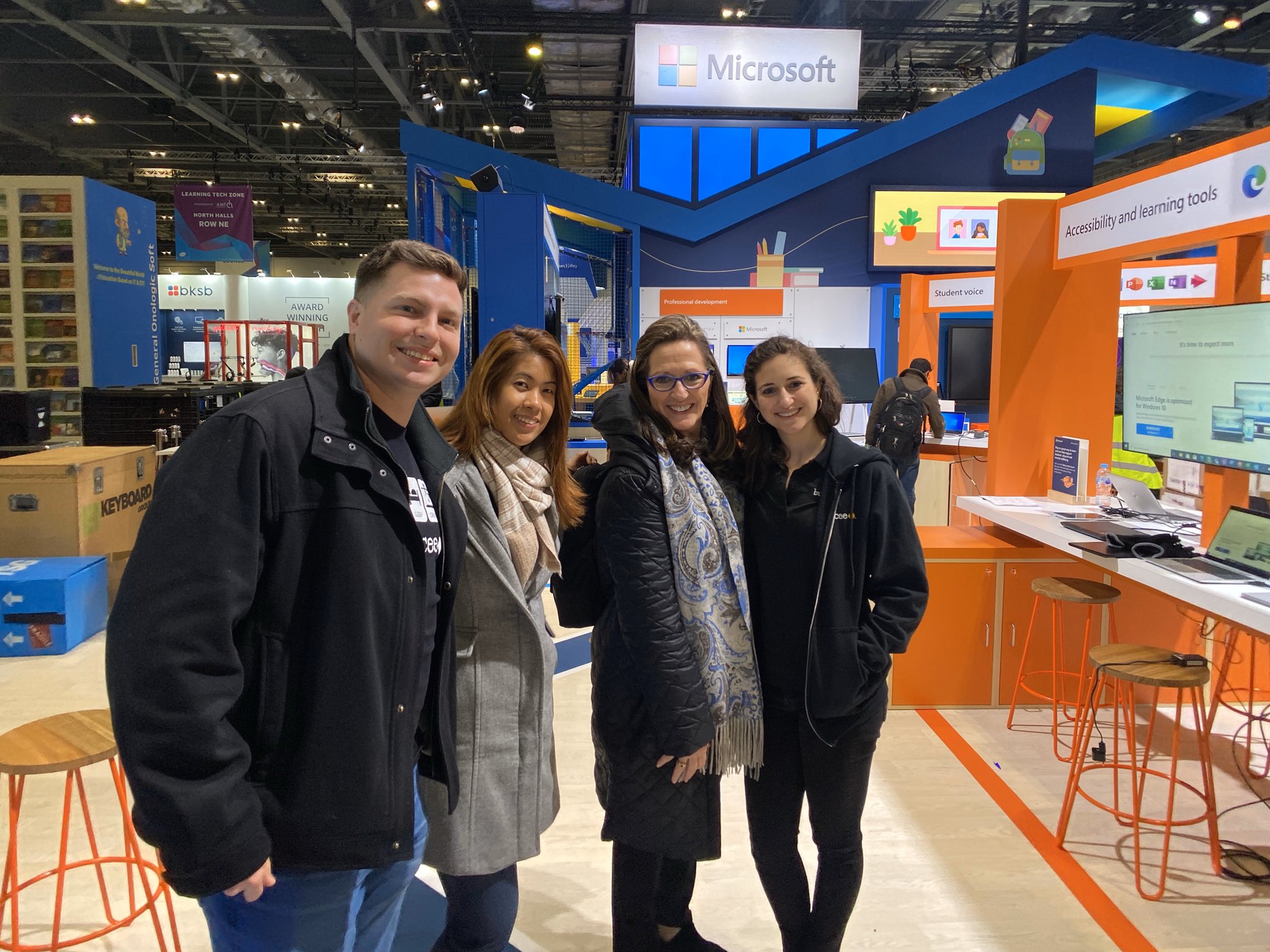
What an amazing week it was spending time with Buncee at BETT, the biggest edtech conference in the world held in London. I am so thankful to be a part of the Buncee family and to have had the opportunity to travel to London and share in this experience with Marie Arturi, Francesca Arturi, Eda Gimenez, and Bryan Gorman. It truly was an honor to be there. I love having an opportunity to share Buncee with educators from around  the world and to be able to talk about the impact it has made for students in my classroom and for me as an educator.


BETT was unlike any other conference that I have attended. It was definitely a unique experience to be in a space with around 34,000 people,  many educators who traveled from around the world to learn about trends in education, emerging technologies, best practices and to exchange perspectives with one another. There were so many exhibits and learning sessions happening, but for me, my favorite part of conferences are the connections that are made and the learning from the conversations that happen with those connections. 


Promoting Awareness

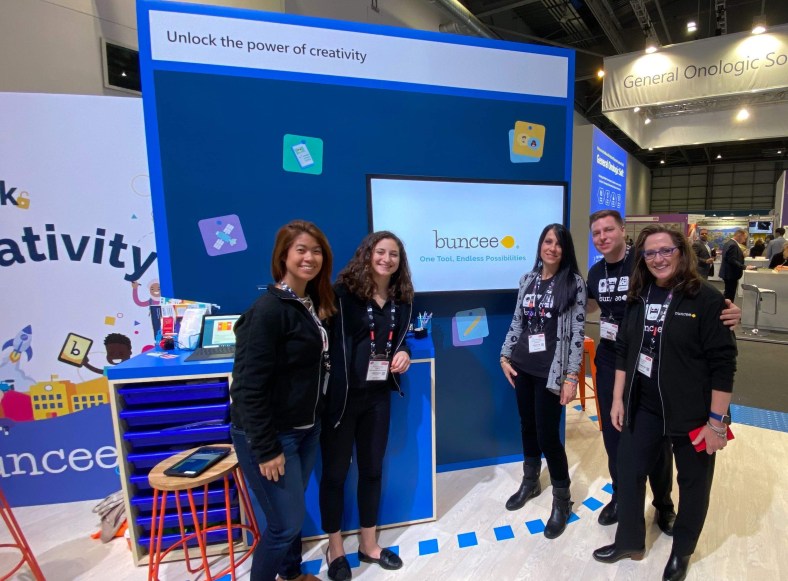
For me, being able to spend time learning about what the educational system is like in so many different countries and to better understand the challenges that are faced by educators around the world was eye opening. During my time at the conference, we had so many groups of educators come to the Buncee booth, eager to learn more about how to amplify student choice in learning, promote creativity, nurture a love of learning and support all students. We had conversations with educators from countries like Nigeria, India, the Netherlands, Pakistan, Belgium, France, Saudi Arabia, Portugal, and many others, almost all of whom had never heard of Buncee before coming by the booth and being drawn in by the “Unlock the Power of Creativity” and the beautiful booth display and many Buncee examples showing on the monitor. Educators and students were curious about what Buncee was and how it could be used.

ImageMarie, Eda, Bryan and Francesca

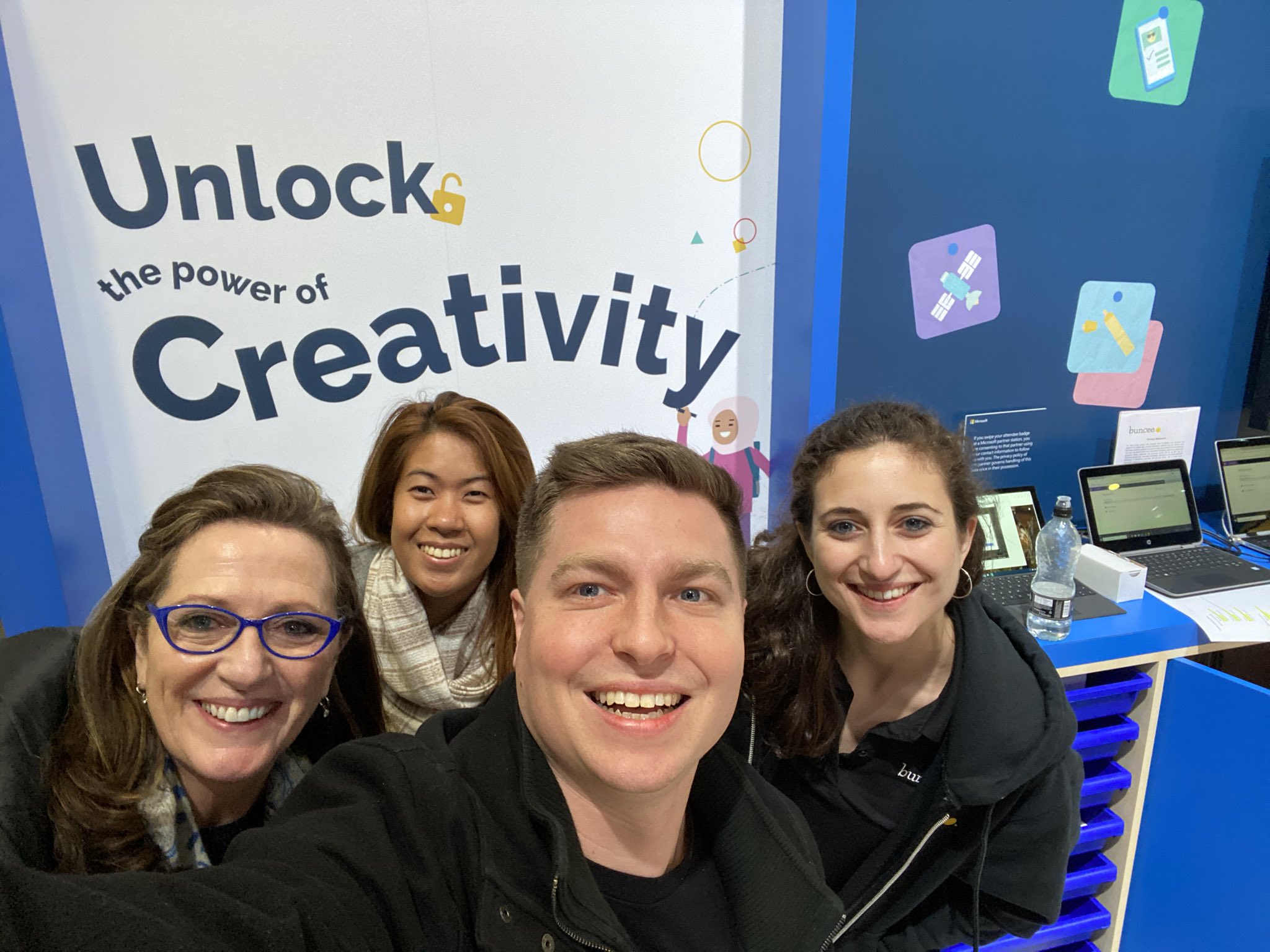
The booth set up was beautiful and everybody who passed by stopped as soon as they saw it and wanted to capture a picture of Unlock the power of creativity. It might have been the most photographed area of the conference if I were to guess, because there were so many pictures taken during those four days!


null

Francesca had a whole team come together to learn about the power of Buncee

Working Together

There was so much activity in the Microsoft Education space, which highlighted themes focused on personalized learning, student voice and choice, accessibility and learning tools, unlocking the power of creativity, and collaboration, for a few. Educators moved throughout the Microsoft and partner spaces to learn about each of these topics and find out how to provide more for students using the tools available. It was interesting to see the collaboration of colleagues and teams from the same district or even government organizations showing up to learn about what Buncee has to offer students and educators.

Sharing the Power of Buncee

Every time that I have the opportunity to introduce someone to Buncee, I love seeing their response as they observe all of the possibilities for creation that are available. During presentations, I always ask attendees about their familiarity with Buncee, whether they have heard of it or used it before, and I’m always very excited when a lot of hands  go up to say that it is new to them. Being able to share and show all of the options and ways that it can be used at any level, with any content, is always a good experience for everyone. And I always learn more from those attending because of the specific needs they have for their classroom or the ideas that they are looking for.

null

Francesca and Bryan

Powerful learning

Something that I find to be so beneficial in conferences like BETT whether from presenting in the booth, doing demos, or even through poster sessions, is that you get to have those one-on-one conversations to find out exactly what educators are looking for and hoping to learn. You can really connect and work together to explore the tools and strategies out there and personalize it to exactly what each educator needs for their students and themselves. 

When you can make that direct contact and work with closely with them, they walk away with new ideas that they can put into practice right away, and with the reassurance that is sometimes necessary when it comes to technology, that it can be easy to get started, especially with tools like Buncee.

Sharing a love of learning and love of Buncee

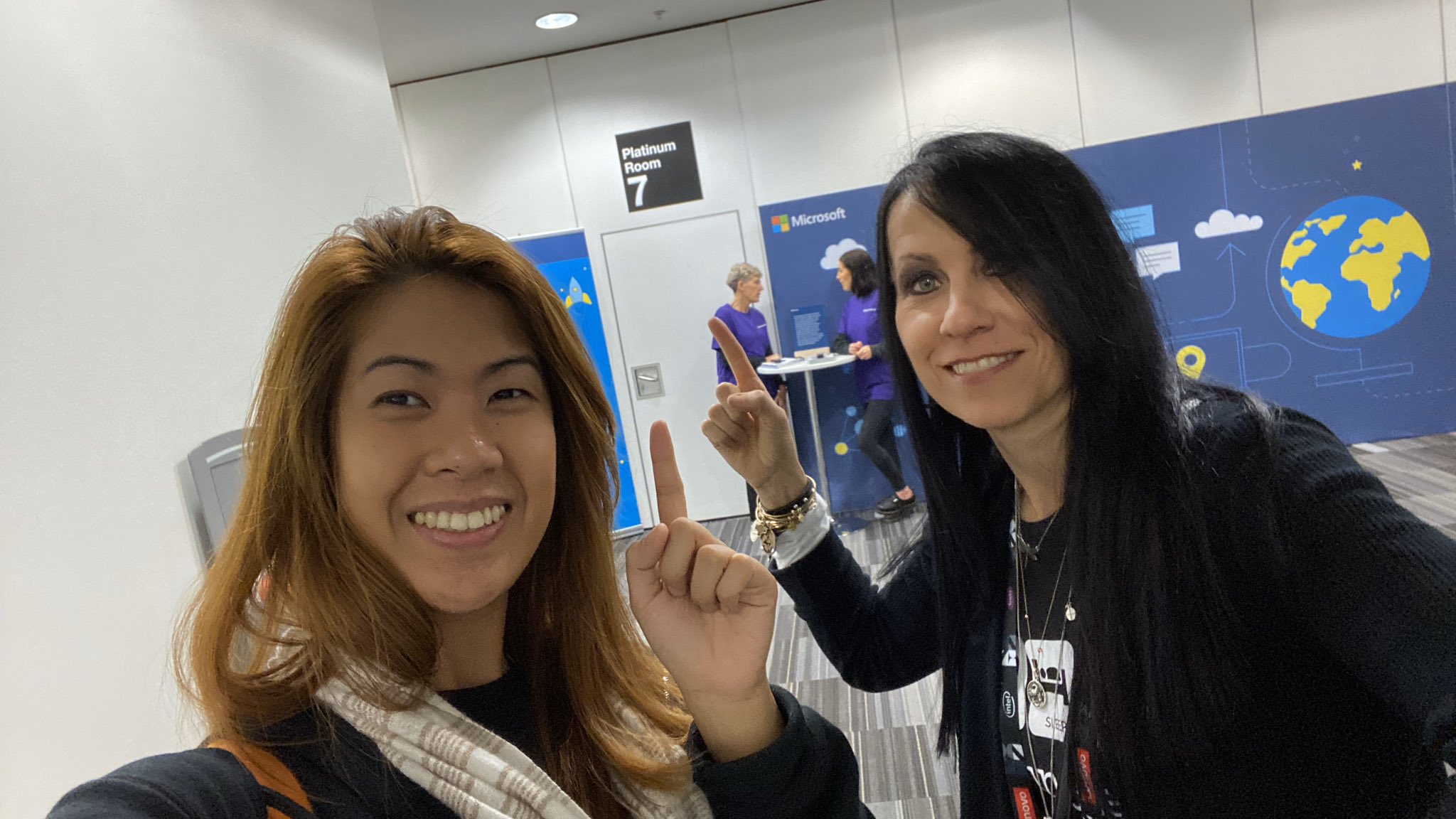
nullI was honored to present a session with with Eda Gimenez, about using creativity to nurture a love of learning and the power of immersive reader for accessibility for all learners. We worked on the presentation for a while and I was excited and nervous of course, to present. But what always makes a difference is talking about something  that you are passionate about and believe in and also making a connection with the attendance.
null

Ready for our presentation

What made this session special is that those in attendance had not experienced the wonder of creating with Buncee and were there to learn about it for the first time. Being able to share all of the potential it has for empowering our students with choices and creating opportunities for all students. I admire Eda and the work that she does, the message she shares about the power of Buncee and Immersive Reader for language  learners and for nurturing “a sense of participation, inclusivity, fun and creativity.”  

Image

We checked out our presentation room early.

An added bonus is that we were also able to try out the live captioning during our presentation. For attendees in our session, they could join with a code and then select their language of choice for captions during the presentation. Being able to communicate your message, tell a story, share learning between students and families is vital for educators and for student learning. With the power of technology, through tools like Buncee and Immersive Reader, we can make sure that families are involved and information is accessible for every student and their families. 

Image may contain: 1 person, coffee cup and text

Eda shared Christine Schlitt’s story during our presentation

There are some common questions when it comes to using technology: 


What are the ways you can use it? 

How much time does it take to get started? 

Is there a big learning curve? 

How does it benefit students?

I always anticipate these questions and appreciate the pushback that comes sometimes because that’s how we know we are truly looking at the tools and methods we want to bring into our classroom with the right lens. I enjoyed seeing attendees from our session head to the booth to learn more!  It was fun interacting with everyone, seeing their reactions to the Buncees on the screen, and many wondering how to unlock the power Several times there were requests to make sure that somebody would be available to explain Buncee, to do a demo, to answer questions later when they brought back the rest of their team.

Image may contain: 4 people, including Eda Charmaine Gimenez, people smiling, text

Image from Buncee

Highlights

One of my biggest takeaways from experiences like this is that regardless of if we are a teacher in the classroom or the one doing the presentation, we learn so much more from those who are participating in our session or the learners in our classroom. Without a doubt, I walked away with so many new ideas for my students and a greater understanding of how different educational systems are and the challenge that educators have when it comes to a lack of resources. 

It is definitely a joint effort where they want to have everybody involved and learning together with a theme of global collaboration, it surely was that. We made new connections, shared and learning experiences together and continue to learn and grow together.

null

We got to meet Maria in person!

Meeting Buncee Ambassadors

Something else that made it wonderful experience was being able to connect with Buncee ambassadors from around the world. Meeting Maria in person for the first time was exciting and she even brought gifts for us from Argentina. She is a beautiful person and I’m so thankful to be connected with her! 


20200122_212639

Thank you Maria for the thoughtful gift from Argentina!

I am so thankful to be part of the Buncee team and Buncee family, who truly does join together to do what’s best for all students, and build a nurturing learning community fueled by a love of learning.

Image

Thank you Buncee for making a difference.

A Powerful Learning Community and So Much More!

A Powerful Learning Community and So Much More!

By Rachelle Dene Poth @Rdene915

Being an educator requires a lot. It requires a huge investment in time to make sure that we are providing everything that our students need and that we are making time for ourselves to grow professionally. Finding a way to balance the numerous responsibilities can be difficult sometimes and trying to do so can result in a lack of balance and a loss in time for personal and professional development. So what can educators do? Do we have to choose only one thing? How can we when it is all important to our students’ growth as well as our own?

We don’t have to choose. We have access to the support we need and more importantly, that our students need, through the ability to connect in the Buncee community. For several years I have been proud to be a part of this growing educator community and have learned so much from the connections that I have made and from the relationships that have formed with the Buncee team and Buncee Ambassadors. I am so proud to be a part of this Buncee family.

img_20190129_140615

Finding what we need

People often ask how to find resources and new ideas for their classes, how to become more connected, and where to find a supportive network of educators. Over the years I have been fortunate to become connected with a lot of different educators in various communities ranging from state and national educational organizations, to ambassador programs and a growing PLN from leveraging social media networks that enable me to learn and gather new ideas that will benefit my students and my practice.

There are a lot of communities out there to choose from, but one in particular has continued to make an impact in my life and for my students over the years, and in the lives of many students, educators and people from around the world. And that is Buncee.

Where to Begin

Whether you’re on Twitter or not, I would recommend checking out what educators have been sharing when it comes to Buncee. During the week there are many Twitter chats happening and discussion in online forums such as Facebook.

These are a few of the most common topics that educators have been exploring:

  • Finding resources and authentic ideas for assessment
  • Providing different types of learning experiences that are more student-driven and full of choices like project-based learning.
  • Building social emotional learning (SEL) or digital citizenship skills
  • Promoting global and cultural awareness
  • Engaging students in more authentic and meaningful work.
  • Differentiated instruction and how we can make sure that we are providing what each student needs in our classrooms.

For many years I kept myself kind of isolated and relied on my own experiences as a student and used only the materials that I had in my own classroom. Truthfully, I didn’t really know where to look to find support or other resources and didn’t feel like I had the time to do so. But today, all of that is so greatly changed, and it just takes looking outward to see what is happening in classrooms around the world. Finding the right connection and taking that first step.

Finding New ideas

Just in the last few weeks, I have learned how teachers are using Buncee for more than just creating a presentation. Educators are leveraging technology to help students to build confidence, facilitate global connections, foster social-emotional learning skills, and even for helping students to overcoming anxiety when it comes to doing presentations in class.

Recently a friend asked me if I had ideas for a different way to teach mythology. I posted my question in the Buncee community and it didn’t take long for someone to share a few project ideas and for many educators to offer more support.

There are so many unique ways to use Buncee and beyond just being a versatile tool for students and educators and anybody to use to create. Buncee has really brought people together in a welcoming community. A community that is focused on supporting one another so it can support all students.

If you are looking for a new idea, a different way to present information to your students, to have students create, to be engaged in learning, then I definitely recommend you check out Buncee.

If you are looking to become part of a supportive educator network, then I encourage you to become part of the Buncee Community. Engage in the conversations that happen each day, join in the monthly Twitter chats, take advantage of all the resources that they are so willing to give and to share. Explore some of the recent Twitter conversation and tremendous support in this community here.

Here are some of the most recent ideas shared that are definitely worth checking out:

Holiday Hugs Marie Arturi and Amy Storer Read about it here.

Tutorial Shared with Anyone Looking to Get Started: Dan Spada

Link to Video

Culturally Responsive Teaching: Submitted by Bonnie Foster to Buncee, this amazing board designed by Mary Gaynor & Colleen Corrigan.

Daily Reflective Thoughts by Don Sturm

Book recommendations: Rachelle Dene Poth

Hopes and Dreams: Laurie Guyon

Law Enforcement Appreciation Day: Barbie Monty

Welcome Back messages: Laura Steinbrink

Student Reminders: Barbie Monty

Student Focus for the year: Heather Preston

Barbie Monty

Student Business Cards and Goals: Loni Stein

Task Cards: Amy Nichols

Teacher PD: Barbie Monty

Student Projects: Todd Flory

Test Prep and Motivation: Amy Nichols

Video and Buncee with Greenscreen: Jennifer Conti

TeacherCast Educational Network | Developing Standards-Based Instructional Technology Integration

Technology Integration - Instructional Coaching - Productivity Secrets for Educators

Leadership Liner Notes: Sean Gaillard

Built on Connection. Tuned for Impact.

Stories by Thomas Oppong on Medium

Dr. Rachelle Dené Poth @Rdene915 Educator, Consultant & Keynote Speaker, Author, Attorney #THRIVEinEDU

Hooked On Innovation

When Innovation slaps you in the face, we slap back.

Teach Better

Dr. Rachelle Dené Poth @Rdene915 Educator, Consultant & Keynote Speaker, Author, Attorney #THRIVEinEDU

BrianKulak.com

Dr. Rachelle Dené Poth @Rdene915 Educator, Consultant & Keynote Speaker, Author, Attorney #THRIVEinEDU

The Principal of Change

Stories of learning and leading

Mandy Froehlich

Dr. Rachelle Dené Poth @Rdene915 Educator, Consultant & Keynote Speaker, Author, Attorney #THRIVEinEDU

Katie Martin

Informed by research, refined by practice

#RocknTheBoat

Rocking today's classrooms, one teacher, student, and class at a time.

User Generated Education

Education as it should be - passion-based.

Learning as I go: Reflections & lessons learned

Dr. Rachelle Dené Poth @Rdene915 Educator, Consultant & Keynote Speaker, Author, Attorney #THRIVEinEDU

Serendipity in Education

Join me, Allyson Apsey, as I stumble upon the fortunes of learning, laughing, and celebrating alongside incredible people.