I recently spoke with several tech coaches who had audited digital tools in their buildings—they found more than 400 tools being used in their schools! I know a lot about technology, yet I still struggle to strike the right balance of technology in the classroom. Avoiding overreliance on technology in our highly digital world can be challenging. One solution is to “unplug.”
Integrating into your classroom unplugged activities that do not require technology can offer many benefits, including helping students develop a variety of skill sets. Although each of these ideas can also be implemented with technology, there are ways to use these without the tech and that help amplify the learning experience for students. Having an unplugged classroom does not always require a lot of planning or materials. When I notice a decrease in student engagement in my classroom, I shift to trying new methods and mixing up the activities to promote student choice and more active learning.
Ways to Unplug
1. Genius hour. Students select a topic of interest and have time to develop a presentation. They may refer to resources such as books, videos, or internet research, but their presentation must be done without the use of technology. Students can create a visual display, such as a poster, a replica, or a demo of their topic, and then deliver a presentation to their classmates.
2.Place-based learning. Opportunities to explore the community while connecting content to the real world make learning experiences more valuable and meaningful for students. One year, my students did an outdoor project about childhood, and they visited a local park and playground for research.
Students in a history class could visit local historical sites to better understand the content they are learning. Science classes such as biology or ecology can have students explore local areas, learn about the ecosystem, and participate in projects to clean up the community or learn about and present solutions to environmental concerns. Place-based learning boosts student engagement, fosters student agency, and helps students develop a greater understanding of their impact on the community and even the world.
Dr. Rachelle Dené Poth is a Spanish and STEAM: What’s Next in Emerging Technology Teacher at Riverview High School in Oakmont, PA. Rachelle is also an attorney with a Juris Doctor degree from Duquesne University School of Law and a Master’s in Instructional Technology. Rachelle received her Doctorate in Instructional Technology, and her research focus was on AI and Professional Development. In addition to teaching, she is a full-time consultant and works with companies and organizations to provide PD, speaking, and consulting services. Contact Rachelle for your event!
Rachelle is an ISTE-certified educator and community leader who served as president of the ISTE Teacher Education Network. By EdTech Digest, she was named the EdTech Trendsetter of 2024, one of 30 K-12 IT Influencers to follow in 2021, and one of 150 Women Global EdTech Thought Leaders in 2022.
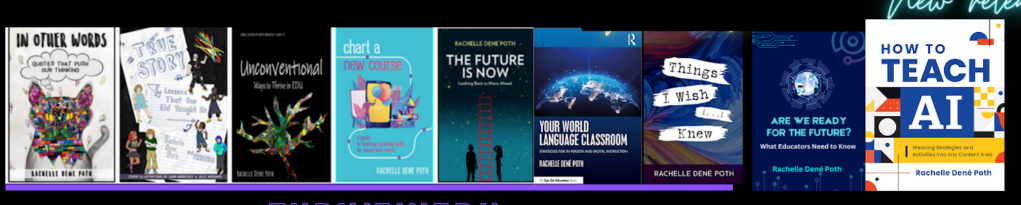
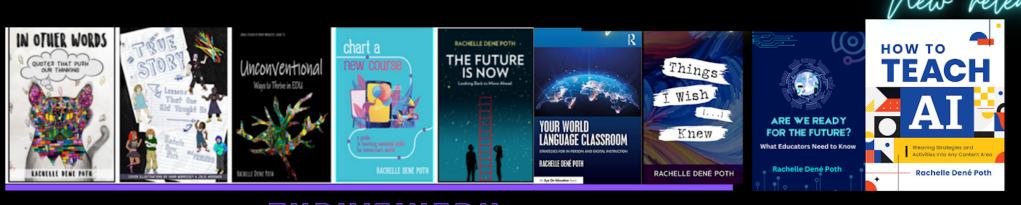
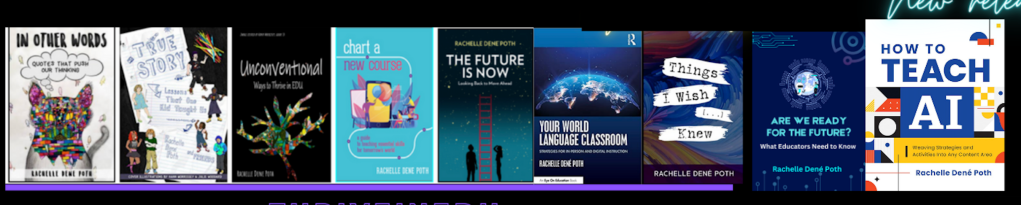
She is the author of nine books including ‘In Other Words: Quotes That Push Our Thinking,” “Unconventional Ways to Thrive in EDU,” “The Future is Now: Looking Back to Move Ahead,” “Chart A New Course: A Guide to Teaching Essential Skills for Tomorrow’s World, “True Story: Lessons That One Kid Taught Us,” “Things I Wish […] Knew” and her newest “How To Teach AI” is available from ISTE or on Amazon.
Contact Rachelle to schedule sessions about Artificial Intelligence, Coding, AR/VR, and more for your school or event! Submit the Contact Form.
Follow Rachelle on Twitter(X) and Instagram at @Rdene915
**Interested in writing a guest blog for my site? Would love to share your ideas! Submit your post here. Looking for a new book to read? Find these available at bit.ly/Pothbooks
************ Also check out my THRIVEinEDU PodcastHere!
Join my show on THRIVEinEDU on Facebook. Join the group here.
A post in collaboration with CodeMonkey. All opinions are my own
I remember when I started to learn how to code as a seventh grader many years ago and the impact it had on me. Writing lines of code and seeing what we could create was fascinating. Back then, we did not have the powerful tools or resources available in our classrooms today. As a student, I did not realize how beneficial of a skill coding was then, nor how much of an increasing demand for coding skills there would be.
As educators, we want to ensure that we prepare students for the future with the right skills and a variety of learning experiences to build those skills. Learning about STEM, especially AI and coding, is at the top of the list. I’ve taught a STEAM course to 8th graders for the past 8 years, and a lot of what we cover involves AI and coding. When I came across CodeMonkey, I couldn’t wait to try it in my classroom and share it with other educators.
CodeMonkey is a great option that benefits every student, regardless of their starting point and comfort level with coding. For educators wanting to dive into coding and unsure where to begin, CodeMonkey’s K-8 curriculum offers a great choice because it focuses on developing coding skills, fostering digital literacy, and introducing AI concepts to all students. Its design makes it easy for educators to get started in any classroom. I enjoyed learning more while chatting with Jonathan Schor, the CEO and Co-Founder of CodeMonkey, on my ThriveinEDU podcast!
Curriculum for Every Learner
One of the standout benefits of using CodeMonkey is that it helps educators meet students where they are. Preschoolers who are just learning about computational thinking can do so with CodeMonkey Jr. Elementary students can learn about logic by using Beaver Achiever. When students get stuck, they can get a hint to help them continue the coding process! It’s so much fun with the coding, sounds, and animations!
Students enjoy trying to problem-solve when different animals come up, and they have not programmed the right shake to be made!
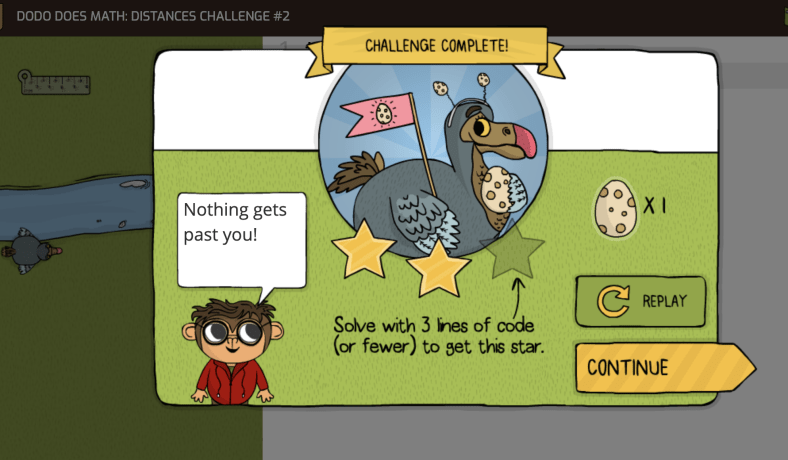
Courses like Dodo Does Math and Coding Adventure teach students to use code to solve problems and express their creativity. Students need to use the ruler, do math, figure out steps and learn the process of coding to carry out the task. So much fun!
When students reach middle school, they are better prepared to explore more complex concepts, like designing their games in Game Builder or exploring artificial intelligence in the award-winning AI for Kids curriculum. CodeMonkey offers something for all grade levels. The Artificial Intelligence lessons are great for building students’ understanding of AI, its components, how it works and building their skills in various areas.
Diving in with CodeMonkey
Whenever I try something new, I like to dive in on my own and just know enough to get my students started. It is fun to learn with and from them. In my 8th-grade STEAM classroom, I started my students with CodeMonkey’s advanced courses like Coding Chatbots and the AI for Kids curriculum since we had spent a lot of time learning about AI. These courses resonated with students who were excited about these rapidly advancing topics. I was thrilled to see their interest in continuing to work independently and sharing their learning with me and their classmates.
Beyond building coding skills, I also see how CodeMonkey’s gamified, scaffolded approach helps to empower students of any age to build their confidence and skills in coding. Building confidence is key, especially as I have seen how frequently students tend to be afraid of coding or hesitant to start for fear of being unable to figure it out and problem-solve. However, the support provided by CodeMonkey helps students become more comfortable with learning about coding, which leads to increased confidence.
Some of CodeMonkey‘s great features are the user-intuitive drag-and-drop functionality of block-based coding and the logic-driven challenges of Python. Each course helps teach students about core programming concepts while fostering creativity and problem-solving, which are essential skills for future preparedness. I also appreciate its emphasis on ethical considerations.
In my classroom, we discuss bias in AI, privacy concerns, and the societal impact of automation. Engaging students in discussions focused on these ethical considerations helps them understand that coding is not just about algorithms—it’s about understanding the implications and how to safely, ethically, and responsibly leverage this technology.
How CodeMonkey Benefits All Students
By the time students reach the 8th grade, they’re ready for more complex challenges and real-world coding applications. CodeMonkey’s progressive curriculum helps educators to provide great learning experiences for all students. My students have enjoyed working in Python-based courses like Banana Tales and Coding Chatbots, which move them beyond basic coding into text-based programming, focusing on logic, creativity, and problem-solving.
For students new to coding, the structured, scaffolded approach ensures they don’t feel overwhelmed. Each lesson builds on the previous one, and the platform’s gamified elements make it feel more like an adventure than a traditional coding class.
Bringing Artificial Intelligence into Every Classroom
The AI course is one of the highlights of using CodeMonkey with my 8th graders. Covering foundational AI concepts like machine learning, neural networks, and the ethics of AI, this course bridges the gap between theoretical knowledge and practical application. Now that my students know they can train models using image and pose recognition and then apply these skills to create games, the learning becomes more authentic and meaningful.
In class, we also connect these AI lessons to broader societal implications. For example, we discuss how neural networks are used in everything from social media algorithms to self-driving cars. Then, we connect it back to real-world scenarios the students can relate to. When we do this, it sparks meaningful conversations about the impact of technology on our lives. It highlights the importance of responsible AI use—a topic I’m passionate about as an educator and attorney.
Building Real-World Skills
CodeMonkey isn’t just about coding; it’s about preparing students for the future. Through its courses, students develop essential skills like problem-solving, planning, and critical thinking, which are invaluable not only in STEM fields but also in life.
For example, in the Game Builder course, students can design their games from scratch, learn to iterate on their ideas, debug their code, and test for user experience. This mirrors the iterative design process used in tech startups, giving students an idea of what creating in a professional environment would be like.
Digital Literacy and Citizenship
In addition to coding, CodeMonkey offers a Digital Literacy course that introduces students to the safe and responsible use of technology. This has been especially valuable in my 8th-grade emerging technology class, where we discuss topics like the metaverse, AI ethics, and digital citizenship and focus on cybersecurity and topics like phishing. CodeMonkey’s approach aligns seamlessly with these discussions, reinforcing that coding is not just a technical skill but a tool for thoughtful and ethical problem-solving.
Coding Tools for All Teachers
As a classroom teacher, one of the things I appreciate most about CodeMonkey is how user-friendly it is. When I explore new tools, I always evaluate how long it will take to get started, what the learning curve might be, and what it offers for all educators. In CodeMonkey, the Classroom Dashboard provides teachers with a clear overview of student progress, making it easy to identify students needing extra support quickly. Automatic grading and detailed lesson plans save time, allowing me to focus on fostering creativity and critical thinking.
CodeMonkey’s resources make it easy for teachers new to coding to get started, but I can’t recommend it enough. Whether teaching block-based coding to younger students or diving into Python and AI with older students, this platform has something for everyone. Its intuitive design, gamified approach, and focus on real-world skills make it an invaluable resource for K-8 classrooms as they prepare students for the future.
At a time when technology is evolving faster than ever, teaching coding and AI isn’t just an optional extra; it’s a necessity. Platforms like CodeMonkey make coding approachable and enjoyable—for teachers and students. As someone who has seen firsthand the impact it can have, I’m excited to continue exploring what’s possible with this incredible tool.
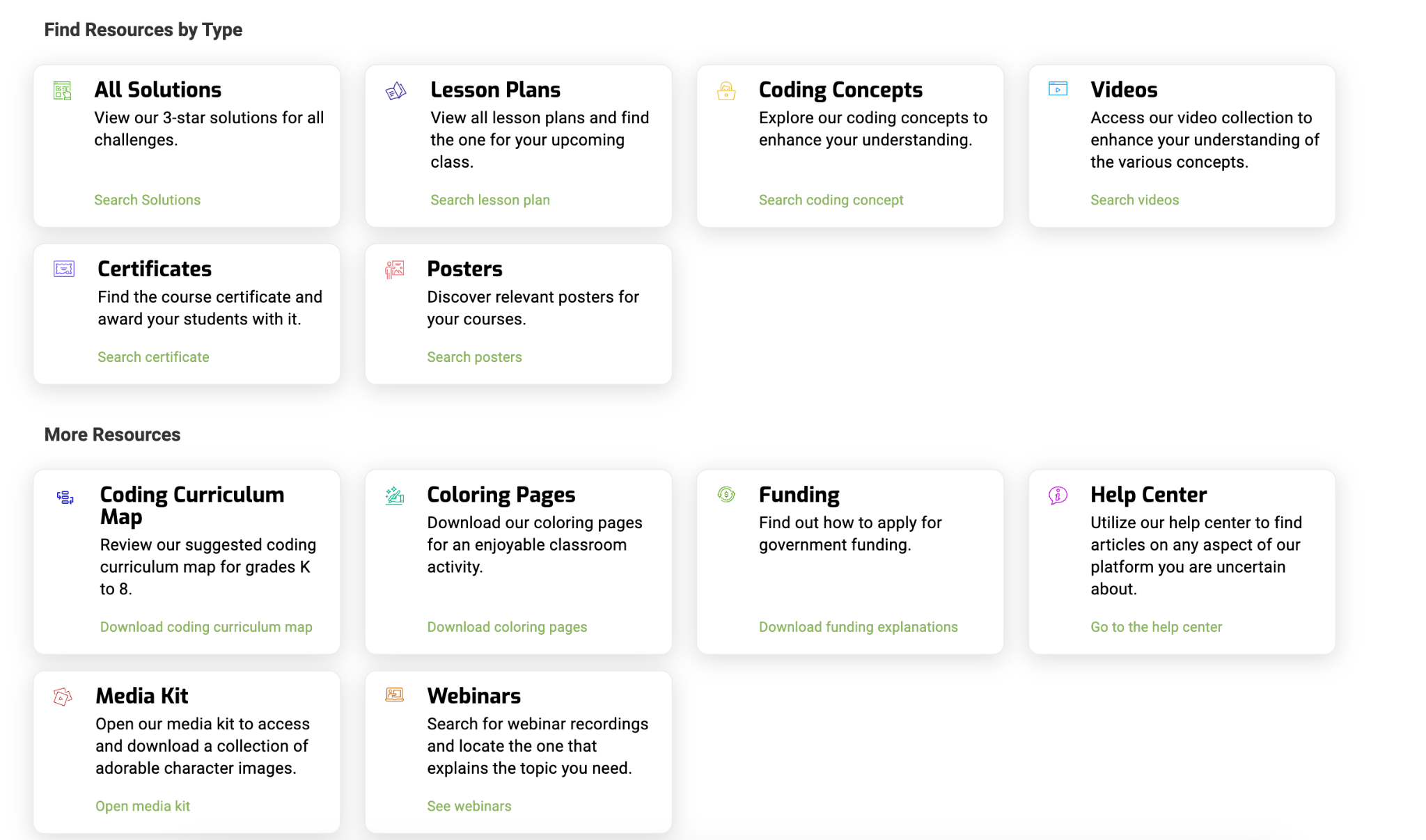
If you’re an educator ready to take your students on a coding adventure, CodeMonkey is the perfect place to start. CodeMonkey doesn’t just teach coding; it fosters creativity, critical thinking, and a love of learning that will serve students well in any field they pursue. There are so many support resources available for educators! You can find lesson plans, videos, webinars, and more!
It’s a great option for introducing coding to kindergarteners or guiding 8th graders through AI and Python. CodeMonkey offers a curriculum that adapts to students’ needs and inspires them to keep pushing through and having fun with it. Listen to my podcast with CEO and Co-Founder Jonathan Schor here. Happy coding!
About Rachelle
Dr. Rachelle Dené Poth is a Spanish and STEAM: What’s Next in Emerging Technology Teacher at Riverview High School in Oakmont, PA. Rachelle is also an attorney with a Juris Doctor degree from Duquesne University School of Law and a Master’s in Instructional Technology. Rachelle received her Doctorate in Instructional Technology, and her research focus was on AI and Professional Development. In addition to teaching, she is a full-time consultant and works with companies and organizations to provide PD, speaking, and consulting services. Contact Rachelle for your event!
Rachelle is an ISTE-certified educator and community leader who served as president of the ISTE Teacher Education Network. By EdTech Digest, she was named the EdTech Trendsetter of 2024, one of 30 K-12 IT Influencers to follow in 2021, and one of 150 Women Global EdTech Thought Leaders in 2022.
She is the author of nine books and a blogger and podcaster.
Contact Rachelle to schedule sessions about Artificial Intelligence, Coding, AR/VR, and more for your school or event! Submit the Contact Form.
Follow Rachelle on Twitter(X) and Instagram at @Rdene915
**Interested in writing a guest blog for my site? Would love to share your ideas! Submit your post here. Looking for a new book to read? Find these available at bit.ly/Pothbooks
************ Also, check out my THRIVEinEDU PodcastHere!
Join my show on THRIVEinEDU on Facebook. Join the group here.
In collaboration with Kialo Edu. All opinions are my own.
Over the past ten to fifteen years, we have seen an increase in the use of technology and how it can transform the way we teach and learn when used purposefully. I am always looking for new tools to explore and to further engage students in learning.
I look for options that help boost student confidence and comfort in our class discussions and provide ways for students to learn how to engage in respectful conversations where they may disagree.
With this in mind, Kialo Edu has emerged as a game-changer. As we prepare our students for their future, we want to promote critical thinking, collaboration, and respectful discourse between students in our classrooms. As an educator who has used Kialo Edu in my classroom, I recognize that this platform is more than just a tool — it is an innovative approach to engaging students in thoughtful discussions and impactful for fostering these essential skills for the future.
What Is Kialo Edu?
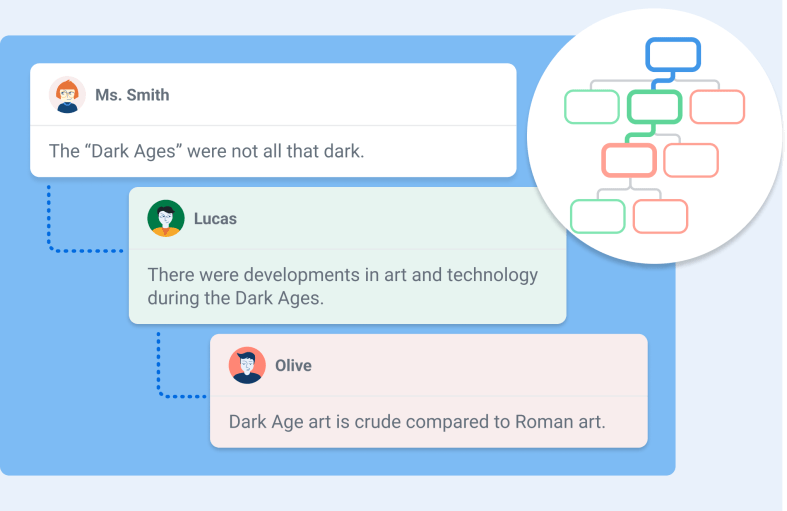
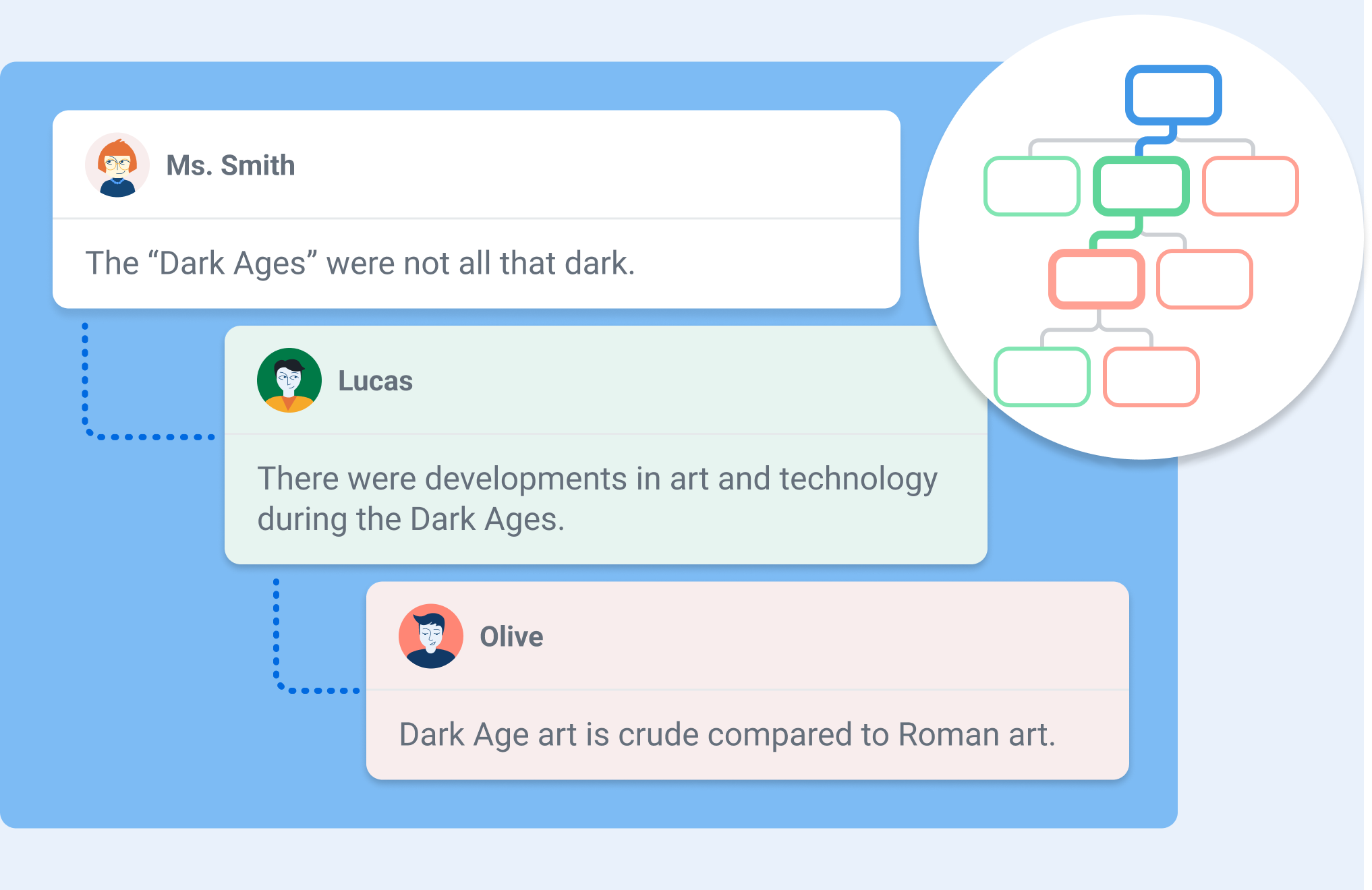
You may be wondering what Kialo Edu is. It is a robust web-based platform designed to facilitate structured, interactive discussions between students while also providing insight into how students are learning and processing the information. I spent a few hours on a weekend testing out its features and was really impressed. One of my favorite features is the “discussion tree,” which is a way to visually map arguments as interconnected branches. Students can look at this, see how their ideas develop, and better understand the logical structure of the conversation. It is very easy to navigate, and I love how it encourages students to consider all the different perspectives their classmates have raised.
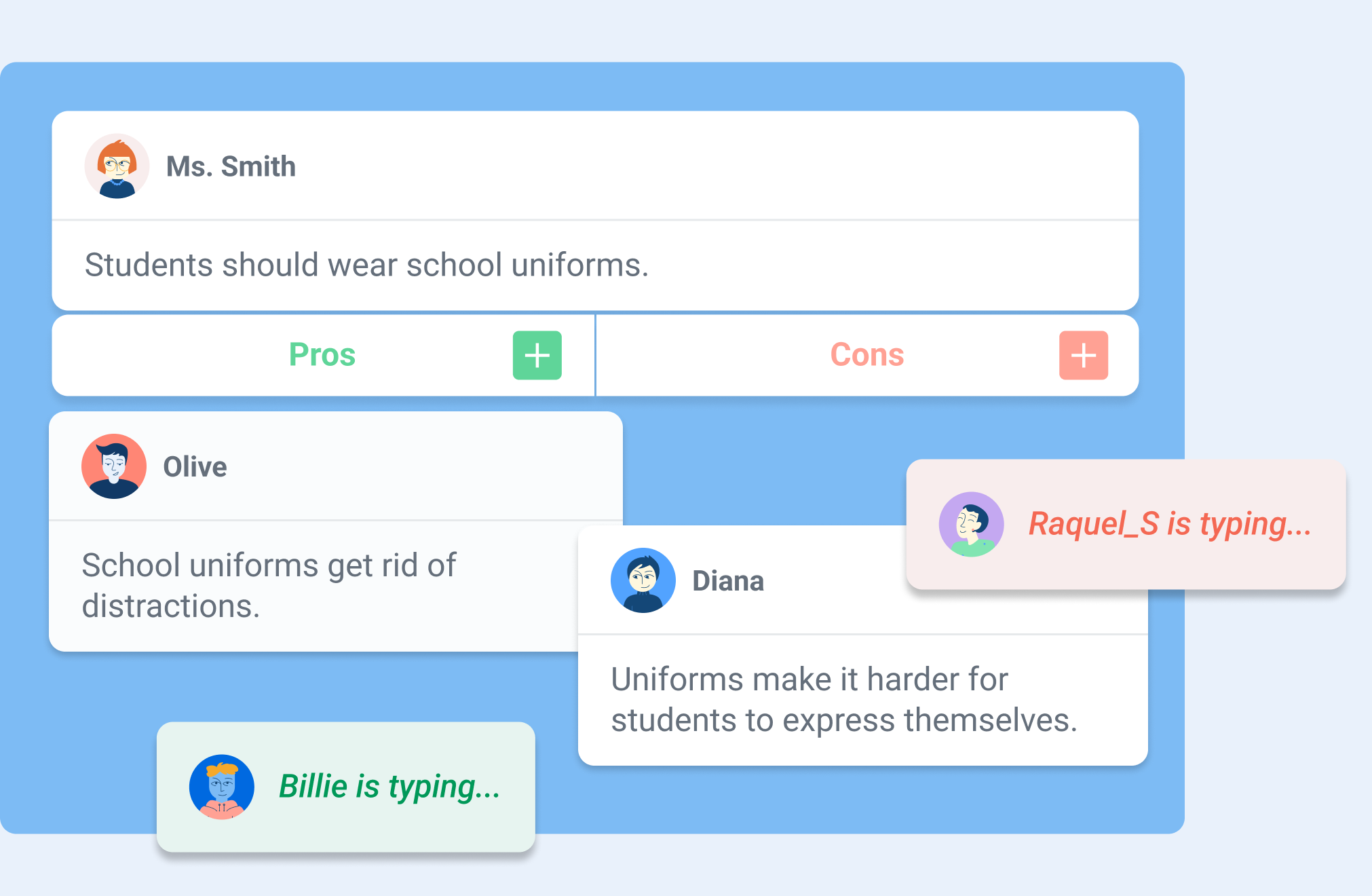
To begin, you need a thesis — a central statement or question — that students then support or challenge with pro and con arguments. Each argument, whether a pro or a con, can then have its own set of pros and cons. In this way, discussions can branch into progressively more detailed sub-arguments, creating an organized structure that can make even the most complex discussions manageable and transparent.
Kialo Edu provides an intuitive and visual format for discussions, enriched with features like impact meters for rating arguments, referencing sources in claims, and linking arguments across branches of the discussion. Whether you’re exploring global or societal issues, debating scientific ethics, or dissecting a novel’s character motivations, Kialo Edu makes discussions engaging and meaningful. And it is free to use!
How Kialo Works in Practice
Getting started with Kialo Edu is easy: It begins with simply creating a discussion. After setting a thesis, teachers can add a brief text for instructions or context, set specific tasks for students to complete in the discussion, and even incorporate an image to set the tone. Once ready, students are invited to join and begin contributing arguments, rating their impact, and responding to others. As the discussion unfolds, educators can easily monitor new claims as well as students’ progress toward their tasks. For educators, the virtual classroom management capability of Kialo Edu enables teachers to track student progress at any time. Taking on the student role, I appreciate how Kialo shows my progress as I contribute new arguments, offer supporting arguments, or put forth alternative viewpoints to others’ claims.
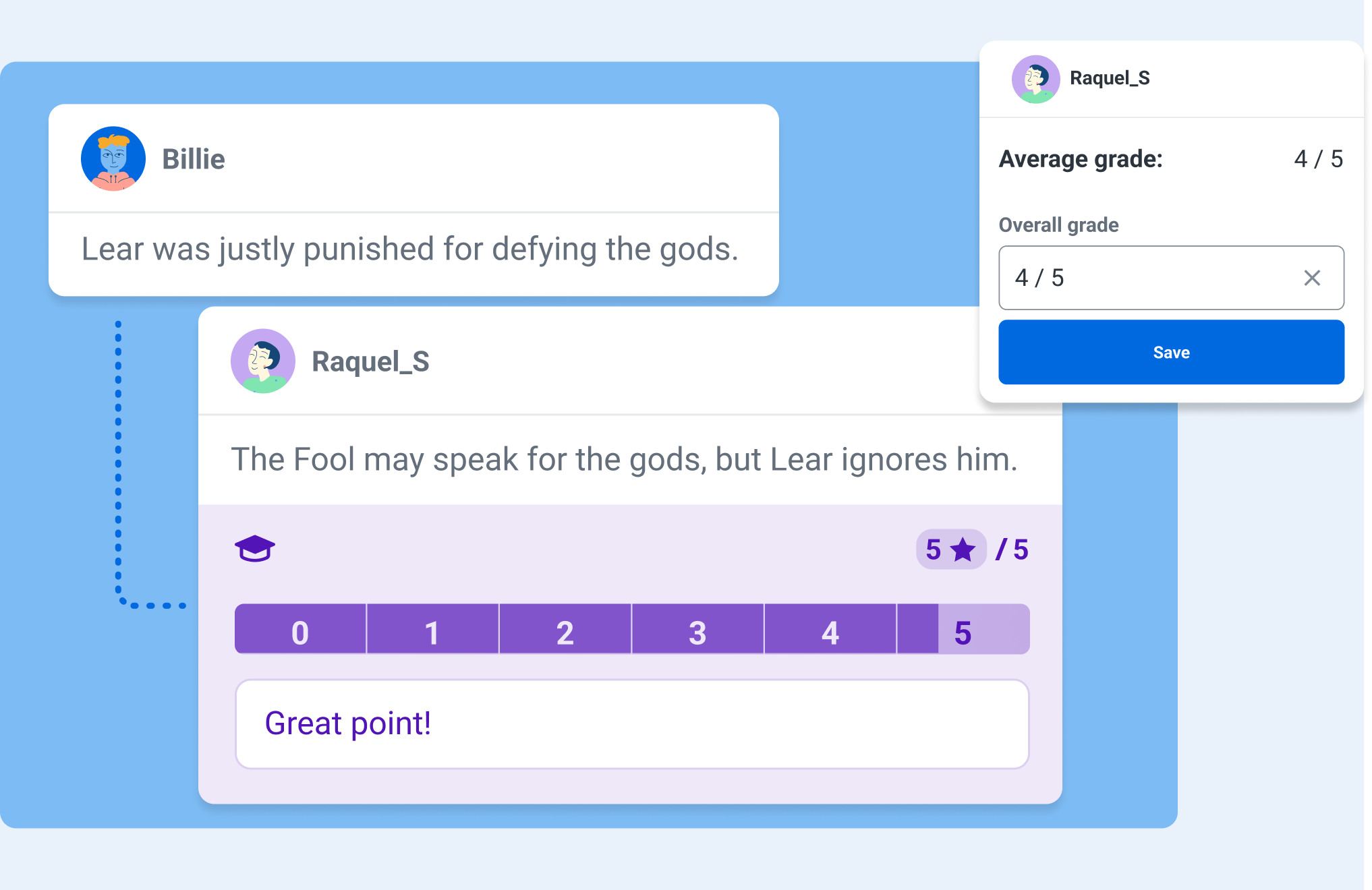
One feature that I really appreciate is the Grading and Feedback tool, which allows educators to filter out individual students’ contributions. This makes it easier to keep track of participation, evaluate the quality of arguments, and provide more targeted feedback to students. There are also comments that remain separate from the main discussion, which allows for side conversations about phrasing, content, or sources without cluttering the primary argument tree.
Bringing Discussions to Life in the Classroom
Fostering Critical Thinking
I’ve used Kialo Edu in my classroom to have students examine their own reasoning behind both academic and real-world topics. For example, when discussing the merits of sustainability practices, each group had to find credible sources and evidence to support their claims. The impact meters helped students recognize the most influential arguments, which then helped them refine their reasoning and presentation.
Building Civil Discourse
Kialo Edu’s perspective-switching feature is a powerful tool for fostering empathy and understanding. After students have voted on the strength of arguments in the discussion, they can then view the discussion tree through the lens of a participant who voted differently. In doing so, students can view and consider opposing arguments as more than just obstacles to their own. This feature is particularly impactful during a debate on a topic such as freedom of speech, where students can deepen their understanding of a complex issue by exploring multiple viewpoints.
Enhancing Collaboration
Sometimes, it makes sense to assign mixed-ability groups to explore different topics. Using Kialo’s Small Group Mode, teachers can hand-pick groups that will encourage diverse viewpoints. Each group then receives its own private copy of a discussion, allowing students to build arguments collaboratively without external distractions. This approach has been valuable when discussing topics where students must learn how to navigate nuanced perspectives.
Why Kialo Edu Works for Educators
Kialo Edu is such a robust platform, and here are a few reasons why I believe that Kialo Edu is a stand-out and a must-try for all educators:
Ease of Assessment
Using the Grading and Feedback feature, I can look at a specific student’s work all in one place, evaluate the depth of their arguments in context, and provide targeted feedback.
Kialo Edu aligns with key pedagogical goals, including critical thinking, respectful communication, and information literacy. Its flexibility allows me to adapt it for various subjects and levels, from analyzing historical events in relevant content areas to debating ethical dilemmas in literature.
One of the joys of using Kialo Edu is its versatility. There are many great ways to bring Kialo into every classroom, especially to boost creativity!
Here are a few ways I’ve integrated it into my classroom:
Literary Analysis
Students read “To Kill a Mockingbird” in English and Spanish. Regardless of which language, students can debate whether Atticus Finch’s defense strategy was the best course of action. The discussion tree helps them organize arguments about character motivations and societal norms of the time.
STEM Debates
In my 8th grade STEAM course, during a unit on robotics, students can debate the ethical implications of using AI in healthcare-related fields. Students used the comment section to share research links and refine their arguments, which helped them to present a well-rounded view of the topic.
Decision-Making Activities
For a short discussion, students can use Kialo to choose a class field trip location or engage in a debate on a topic. By weighing the pros and cons of various options, they get to practice their decision-making skills in a fun and engaging way. These are essential skills that will prepare them for the future.
Essay Preparation
Kialo is also a fantastic tool for prewriting activities. Students can use it to map out their arguments for persuasive essays, ensuring their ideas are well-organized and supported by evidence.
As an educator, student safety is a high priority for me. Kialo Edu is focused on aligning to strict privacy standards like GDPR, COPPA, and FERPA, which provides more confidence and security when using it with my students.
Kialo Edu’s commitment to remaining free for educational use ensures accessibility for all schools, regardless of budget constraints.
Tips for getting started with Kialo Edu
If you are wondering how to get started, it is simple! Here are some tips to ensure a smooth and successful implementation:
Start small
Begin with a simple topic to familiarize students with the platform. Over time, introduce more complex discussions as students become comfortable.
Set guidelines for respectful discourse, evidence use, and participation. With clear expectations, it will help to set the tone for productive and meaningful discussions.
Encourage students to use the comment feature to refine arguments and share sources. This fosters a deeper understanding of how claims are supported or refuted.
Design rubrics that assess not just the content of arguments but also collaboration, critical thinking, and responsiveness.
The impact of Kialo Edu
Kialo Edu can completely transform the way students approach discussions. They will become more thoughtful, articulate, and respectful in expressing their ideas. Beyond academics, these essential skills will prepare them to navigate a world that demands critical thinking, adaptability, and flexibility.
Kialo Edu is more than just a teaching tool for educators — it’s a pathway to more engaging and meaningful classroom interactions. Whether debating global issues, analyzing literature, or deciding on a field trip, Kialo Edu brings structure, clarity, and engagement to every discussion.
In a world where thoughtful dialogue is more important than ever, Kialo Edu empowers students and teachers alike to explore, analyze, and connect in ways that truly make a difference. I love finding ways to boost classroom discussion, and Kialo Edu is a must-try for all educators.
As educators, we aim to prepare students for tests and life and be adaptable. Kialo Edu provides students with the tools to think critically, argue respectfully, and collaborate effectively — invaluable skills in any field. With its intuitive design, robust features, and commitment to privacy and accessibility, Kialo Edu is a powerful resource to help make the world more thoughtful, one discussion at a time.
About the Author
Dr. Rachelle Dené Poth is a Spanish and STEAM: What’s Next in Emerging Technology Teacher at Riverview High School in Oakmont, PA. Rachelle is also an attorney with a Juris Doctor degree from Duquesne University School of Law and a Master’s in Instructional Technology. Rachelle received her Doctorate in Instructional Technology, and her research focus was on AI and Professional Development. In addition to teaching, she is a full-time consultant and works with companies and organizations to provide PD, speaking, and consulting services. Contact Rachelle for your event!
Rachelle is an ISTE-certified educator and community leader who served as president of the ISTE Teacher Education Network. By EdTech Digest, she was named the EdTech Trendsetter of 2024, one of 30 K-12 IT Influencers to follow in 2021, and one of 150 Women Global EdTech Thought Leaders in 2022.
She is the author of nine books including ‘In Other Words: Quotes That Push Our Thinking,” “Unconventional Ways to Thrive in EDU,” “The Future is Now: Looking Back to Move Ahead,” “Chart A New Course: A Guide to Teaching Essential Skills for Tomorrow’s World, “True Story: Lessons That One Kid Taught Us,” “Things I Wish […] Knew” and her newest “How To Teach AI” is available from ISTE or on Amazon.
Contact Rachelle to schedule sessions about Artificial Intelligence, Coding, AR/VR, and more for your school or event! Submit the Contact Form.
Follow Rachelle on Twitter(X) and Instagram at @Rdene915
**Interested in writing a guest blog for my site? Would love to share your ideas! Submit your post here. Looking for a new book to read? Find these available at bit.ly/Pothbooks
************ Also check out my THRIVEinEDU PodcastHere!
Join my show on THRIVEinEDU on Facebook. Join the group here.
In collaboration with Factile. All opinions are my own.
Over the years, I have noticed a decrease in student engagement in my classroom, especially in the fall and spring. Sometimes, disruptions in the learning environment occur because of school activities or testing. Finding ways to authentically and meaningfully engage students can sometimes be a challenge, especially at these and other times during the school year. For educators, finding a nice blend of traditional teaching methods with interactive technology can help foster an engaging and supportive learning environment for all students.
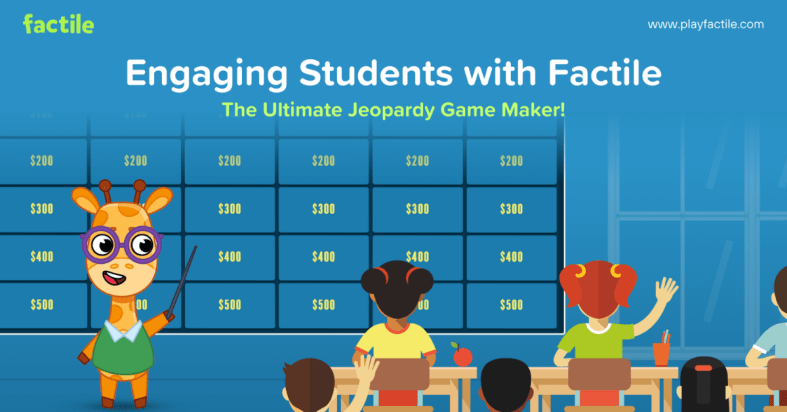
A few months ago, I learned about Factile, the ultimate online Jeopardy game maker! As a huge fan of Jeopardy, years ago, I designed activities for my students in the Jeopardy-style. However, it took way more time than it does now!
Factile helps teachers review different topics, assess students, and reinforce learning, and it is all done in far less time. It provides a fun, interactive way to review the material, improve content retention, and save teachers valuable time. One of the most common challenges that I hear from educators and also experience myself is finding the time to dive in! Factile makes it easy for educators to get started right away. I think it is a must-have tool for educators because it benefits student engagement and helps with retention of the content. And because of how quickly we can create, it boosts teacher efficiency.
The Power of Engagement Through Gamification
Gamification, the practice of applying game-like elements to non-game environments, has been shown to increase student motivation, participation, and content retention. Getting started with Factile was easy and fun! Educators can create and tailor the classic Jeopardy game for their classroom, making learning feel like a fun, competitive challenge between students!
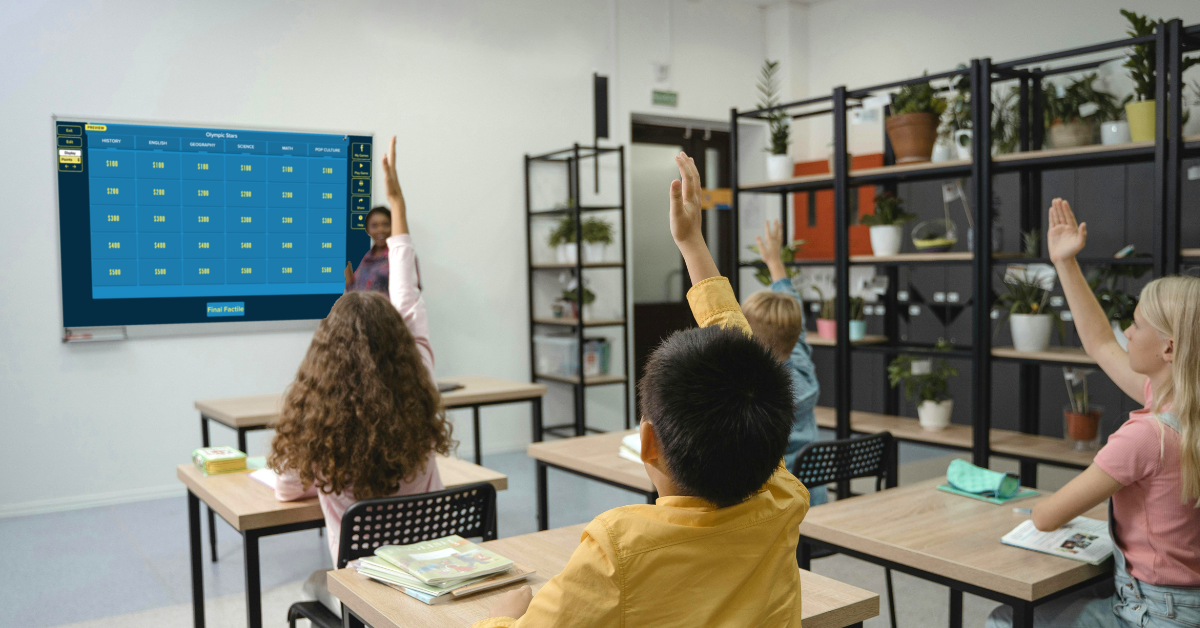
I find Factile to be very useful for reviewing new material, reinforcing key concepts we are covering, or preparing students for upcoming assessments. It definitely adds excitement to the learning experience for students and teachers too! Students in my class always enjoy friendly competition as they race against the clock or buzz in to answer a question. It engages them in more active learning to reinforce their knowledge and deepen their understanding of the content.
It offers more than just Jeopardy-style games. Other options, including Multiple Choice, Memory, and Quiz Bowl game modes, offer more choices for educators in how they choose to design their review sessions. For example, a science teacher could use the Memory mode to help students memorize important terms and definitions, while a history teacher might use the Multiple Choice mode to quiz students on dates and events. As a language and technology teacher, I can use all of these modes in my classroom, and my students truly enjoy the activities and keep asking for more.
Benefits for Students: Engagement and Content Retention
The first time we played a game, students were immediately drawn in. The interactive nature of the platform boosts student engagement levels and leads to more active participation in the classroom. When students are excited about learning, they are more likely to stay involved, leading to better retention of the reviewed content.
Another benefit is that the variety of game modes meets different student interests and needs. For example:
Seeing questions displayed on the game board, with the option to include images, videos, and even math equations, is helpful for all students.
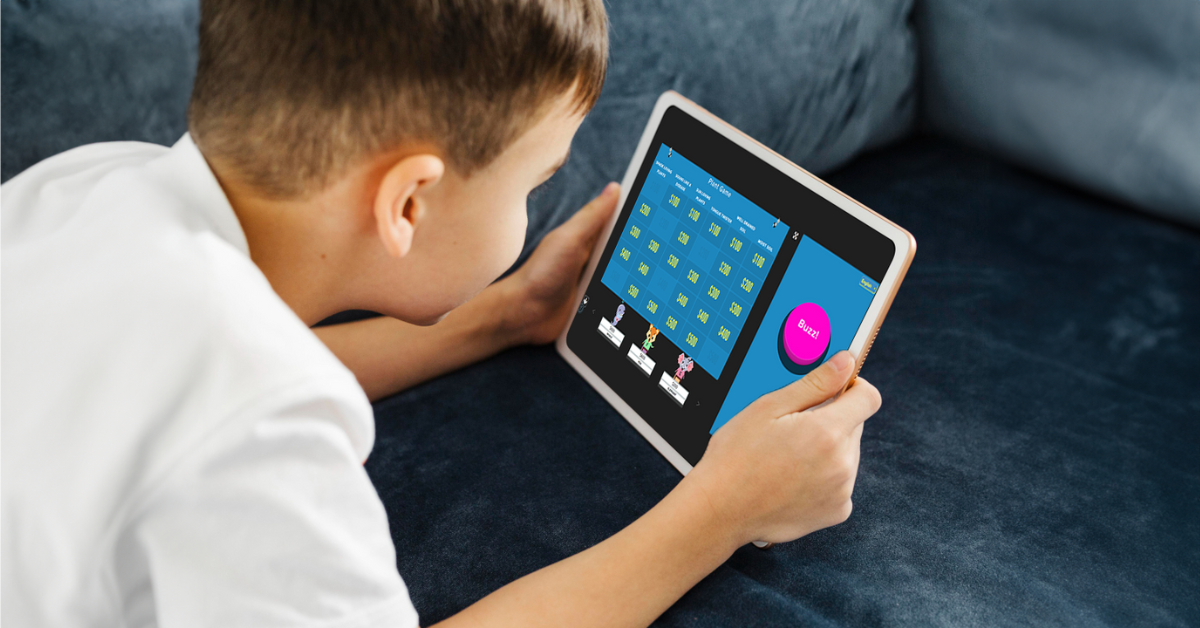
The game’s buzzer mode, with sound effects and music, enhances the game-playing experience and adds a little extra fun to learning.
Buzzing and answering make more active learning possible. This gives students a chance to be a bit competitive while reinforcing their learning through movement and interaction.
You can decide whether or not to use Buzzer Mode. I will leave that up to you! Buzzer Mode allows students to compete in real-time, either individually or in teams. This feature works on various devices, from computers and tablets to smartphones. As students buzz in to answer, they become more invested in the outcome, deepening their focus on the material being reviewed.
Benefits for Teachers
While the benefits for students are clear, teachers also experience significant advantages from using Factile in their classrooms. One of the biggest benefits is time-saving. Creating a Jeopardy-style review game used to be time-consuming, but Factile makes it easy. In just a few clicks, teachers can build engaging review sessions without the need for complicated design tools or extensive prep work.
Teachers can either build their games from scratch or choose from over 2 million pre-made games covering a variety of subjects, from math and science to history and language arts. This vast library of pre-made games helps teachers find relevant content quickly and use it immediately. Teachers also have the option to customize the pre-made games, adapting them to their specific classroom needs and content.
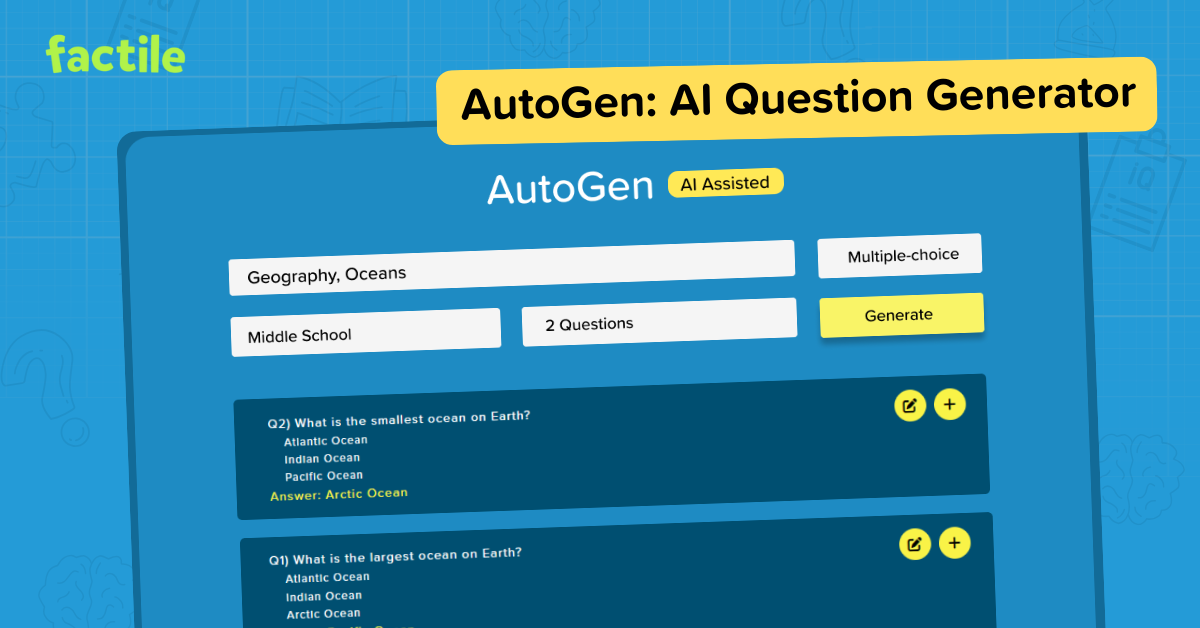
A favorite of mine is the Question Bank feature, which enables teachers to create a bank of questions from which they can generate multiple games on different topics. Using the question bank ensures that students are asked a wide range of questions, which will improve both their recall and their ability to apply the knowledge in different contexts. Another personal favorite is the addition of AutoGen, Factile’s AI-powered tool, which further enhances this process by helping teachers quickly generate questions and answers on any topic, saving valuable time.
Factile also integrates seamlessly with platforms like Google Classroom, making it easy for teachers to assign games and flashcards directly to their students. This feature streamlines the learning process by allowing teachers to monitor student progress and assess understanding outside of the traditional classroom setting.
Tracking Student Progress and Understanding
Factile also helps teachers to track student progress. With the Leaderboard and Analytics feature, teachers can monitor how individual students or teams perform throughout the game. Teachers have real-time feedback on how students understand the material, allowing them to identify areas where additional support or review might be needed.
For example, if a group of students consistently struggles with a particular category or question type, the teacher can use this information to adjust future lessons, ensuring that the entire class is mastering the required content. With Factile, teachers can print quizzes and answer keys directly from the game, which offers more opportunities for assessment and reinforcement of the content.
Factile’s self-paced modes are also valuable for both students and teachers. In Self-Paced Multiple-choice or Interactive Choice modes, students can work through the material independently, outside of class, allowing teachers to assess understanding without needing in-class game time. This asynchronous option gives students flexibility in how they review the material, and the analytics provided by Factile offer insights into individual student progress.
Sharing games and flashcards via email or text further enhances students’ opportunities to build their skills in and out of the classroom. Teachers can easily distribute review materials and ensure all students can access the necessary resources to succeed.
At a time when student engagement and interactive learning are more important than ever, Factile offers a solution that combines the best of both worlds. With its wide array of features and customizable game modes, Factile allows teachers to create engaging and effective review sessions while saving time and improving student outcomes.
Whether you’re looking to boost classroom engagement, improve content retention, or save time on lesson planning, Factile has you covered. It’s free to use, easy to implement, and a game-changer for teachers and students alike. And it is a lot of fun!
So, if you’re ready to try something new, sign up for Factile today and see the impact it can have on your classroom!
Dr. Rachelle Dené Poth is a Spanish and STEAM: What’s Next in Emerging Technology Teacher at Riverview High School in Oakmont, PA. Rachelle is also an attorney with a Juris Doctor degree from Duquesne University School of Law and a Master’s in Instructional Technology. Rachelle received her Doctorate in Instructional Technology, and her research focus was on AI and Professional Development. In addition to teaching, she is a full-time consultant and works with companies and organizations to provide PD, speaking, and consulting services. Contact Rachelle for your event!
Rachelle is an ISTE-certified educator and community leader who served as president of the ISTE Teacher Education Network. By EdTech Digest, she was named the EdTech Trendsetter of 2024, one of 30 K-12 IT Influencers to follow in 2021, and one of 150 Women Global EdTech Thought Leaders in 2022.
She is the author of nine books including ‘In Other Words: Quotes That Push Our Thinking,” “Unconventional Ways to Thrive in EDU,” “The Future is Now: Looking Back to Move Ahead,” “Chart A New Course: A Guide to Teaching Essential Skills for Tomorrow’s World, “True Story: Lessons That One Kid Taught Us,” “Things I Wish […] Knew” and her newest “How To Teach AI” is available from ISTE or on Amazon.
Contact Rachelle to schedule sessions about Artificial Intelligence, Coding, AR/VR, and more for your school or event! Submit the Contact Form.
Follow Rachelle on Twitter(X) and Instagram at @Rdene915
**Interested in writing a guest blog for my site? Would love to share your ideas! Submit your post here. Looking for a new book to read? Find these available at bit.ly/Pothbooks
************ Also check out my THRIVEinEDU PodcastHere!
Join my show on THRIVEinEDU on Facebook. Join the group here.
As educators, we must teach students how to stay safe online, especially with the rise of emerging technologies such as artificial intelligence (AI) and generative AI. With the capabilities of technology expanding so rapidly, teaching students about cybersecurity and cyber safety is more important than ever—these are topics that need to be discussed and explored at all grade levels.
Distinguishing between cybersecurity and cyber safety
Cybersecurity is the practice of protecting electronic devices, networks, and sensitive information from unauthorized access. It means proactively taking measures to ensure that confidentiality is protected and thoroughly checking out the resources that we use. Our access to devices and endless types of technology has transformed how we learn and work. However, it has also led to an increase in dangers that can impact our safety and well-being. We need to help students understand how to utilize the technology with a careful focus on how to stay safe online and protect personal information. Cyber safety awareness is critical for everyone.
Cyber safety refers to the practice of responsibly using technology and resources available through the internet. It is especially important to use care when accessing and sharing information online to avoid the risks and potential harm that can result, such as cyberbullying, hacking, phishing, identity theft, or exposure to inappropriate content and other online threats. Because of these risks, we must be intentional about helping students understand how to protect their safety and privacy online.
Dr. Rachelle Dené Poth is a Spanish and STEAM: What’s Next in Emerging Technology Teacher at Riverview High School in Oakmont, PA. Rachelle is also an attorney with a Juris Doctor degree from Duquesne University School of Law and a Master’s in Instructional Technology. Rachelle received her Doctorate in Instructional Technology, and her research focus was on AI and Professional Development. In addition to teaching, she is a full-time consultant and works with companies and organizations to provide PD, speaking, and consulting services. Contact Rachelle for your event!
Rachelle is an ISTE-certified educator and community leader who served as president of the ISTE Teacher Education Network. By EdTech Digest, she was named the EdTech Trendsetter of 2024, one of 30 K-12 IT Influencers to follow in 2021, and one of 150 Women Global EdTech Thought Leaders in 2022.
She is the author of nine books including ‘In Other Words: Quotes That Push Our Thinking,” “Unconventional Ways to Thrive in EDU,” “The Future is Now: Looking Back to Move Ahead,” “Chart A New Course: A Guide to Teaching Essential Skills for Tomorrow’s World, “True Story: Lessons That One Kid Taught Us,” “Things I Wish […] Knew” and her newest “How To Teach AI” is available from ISTE or on Amazon.
Contact Rachelle to schedule sessions about Artificial Intelligence, Coding, AR/VR, and more for your school or event! Submit the Contact Form.
Follow Rachelle on Twitter(X) and Instagram at @Rdene915
**Interested in writing a guest blog for my site? Would love to share your ideas! Submit your post here. Looking for a new book to read? Find these available at bit.ly/Pothbooks
************ Also check out my THRIVEinEDU PodcastHere!
Join my show on THRIVEinEDU on Facebook. Join the group here.
Regardless of our role in education or the grade levels that we work with, we all have a responsibility to bring in a variety of learning opportunities to prepare our students for successful careers. They need to engage in learning that will equip them with essential skills and the right knowledge so they can thrive after they leave our classrooms and our schools. Helping students to learn about potential future careers or options for continuing their education should not be limited to the high school years. By starting to focus on career and college readiness at the middle school level, we can help students to learn about the many options available to them and spark their curiosity for learning.
There are many ways to get started with a lot of benefits to creating college and career readiness opportunities for middle school students. Finding methods and tools or comprehensive resources will have a positive impact on student academic success, increase engagement in learning, and foster the development of essential future skills. With online career learning programs, such as Defined Careers, educators can offer an innovative and engaging approach to introduce students to various professions, ignite their passion, and empower them to shape their future.
In this post, I will share the benefits of focusing on career exploration with middle school and even younger students. Exploring the resources provided by Defined Careers is a great way to help students learn about their options and empower them to explore various career pathways.
Early Exposure to Career Options
Introducing college and career readiness in middle school helps to inform students about a wide range of career options. Through career exploration activities and resources, students can explore job roles in various industries and professions. Defined Learning offers comprehensive career exploration tools that provide K-12 students with insights into different careers. With the K-5 program, this early exposure helps students gain a clearer understanding of their interests, passions, and the skills required for 16 different career clusters. For middle and high school students, interactive modules and videos give students the chance to explore diverse career options such as engineering, entrepreneurship, healthcare, or even art. By learning more about a variety of careers, we can help students discover their interests and passions, allowing them to make informed decisions about their educational and career paths.
Dr. Rachelle Dené Poth is a Spanish and STEAM: What’s Next in Emerging Technology Teacher at Riverview High School in Oakmont, PA. Rachelle is also an attorney with a Juris Doctor degree from Duquesne University School of Law and a Master’s in Instructional Technology. Rachelle received her Doctorate in Instructional Technology, and her research focus was on AI and Professional Development. In addition to teaching, she is a full-time consultant and works with companies and organizations to provide PD, speaking, and consulting services. Contact Rachelle for your event!
Rachelle is an ISTE-certified educator and community leader who served as president of the ISTE Teacher Education Network. By EdTech Digest, she was named the EdTech Trendsetter of 2024, one of 30 K-12 IT Influencers to follow in 2021, and one of 150 Women Global EdTech Thought Leaders in 2022.
She is the author of nine books including ‘In Other Words: Quotes That Push Our Thinking,” “Unconventional Ways to Thrive in EDU,” “The Future is Now: Looking Back to Move Ahead,” “Chart A New Course: A Guide to Teaching Essential Skills for Tomorrow’s World, “True Story: Lessons That One Kid Taught Us,” “Things I Wish […] Knew” and her newest “How To Teach AI” is available from ISTE or on Amazon.
Contact Rachelle to schedule sessions about Artificial Intelligence, Coding, AR/VR, and more for your school or event! Submit the Contact Form.
Follow Rachelle on Twitter(X) and Instagram at @Rdene915
**Interested in writing a guest blog for my site? Would love to share your ideas! Submit your post here. Looking for a new book to read? Find these available at bit.ly/Pothbooks
************ Also check out my THRIVEinEDU PodcastHere!
Join my show on THRIVEinEDU on Facebook. Join the group here.
Guest post written By: Maurie Beasley, M.Ed. Counseling (Edited by Jim Beasley)
Cheating in school — it’s the topic that’s always been there, lurking in the shadows of every classroom and exam hall. For decades, we’ve known it happens, but we often look for the quickest explanation: students are lazy, technology makes it easier, end of story. But here’s the thing: cheating is not just a modern phenomenon, nor is it just about slacking off or taking advantage of new tools like AI. The real reasons why students cheat run much deeper, and if we’re serious about addressing the issue, we need to understand those reasons first.
Let’s be clear: cheating isn’t just some bad habit students picked up recently. It’s been around long before ChatGPT was on the mind of any engineer. And despite the attention AI has brought to the issue, the reasons students cheat are essentially the same as they’ve always been. So why does it persist, and what can we do about it? Let’s take a closer look at these reasons.
Pressure to Perform:
Students today are walking a tightrope, balancing academic expectations, extracurricular activities, and even part-time jobs. The pressure to perform is immense, and it’s no surprise that some students feel they can’t afford to fall.
Let me tell you about my daughter. She was the salutatorian of her high school class. She missed being valedictorian by a hair — a hair that could have been as little as a hundredth of a point. The only B she ever received was from a teacher who told her that grades don’t matter. Her response? “Great, then give me the one point I need to make an A in the class, or better yet, write me a letter explaining to the admissions board at UT Austin that grades don’t matter and being number 2 in my class is ok.” She knew that being valedictorian meant having your first year of college paid for in Texas. My daughter is honest, sometimes to a fault, but several times I was even tempted to tell her to “cheat” a little. That’s the kind of pressure students are under, and when the stakes are this high, cheating may seem like a way to stay on that tightrope, even if just barely.
Fear of Failure:
Beneath that pressure lies an even more pervasive issue: fear of failure. The fear of letting down parents, teachers, and even themselves can be overwhelming. When failure isn’t seen as an opportunity to learn but rather as a personal catastrophe, cheating becomes a tempting escape route. It’s not about cutting corners for the sake of it; it’s about avoiding the crushing weight of perceived inadequacy.
Beneath that pressure lies an even more pervasive issue: fear of failure. The fear of letting down parents, teachers, and even themselves can be overwhelming. When failure isn’t seen as an opportunity to learn but rather as a personal catastrophe, cheating becomes a tempting escape route. It’s not about cutting corners for the sake of it; it’s about avoiding the crushing weight of perceived inadequacy.
And this fear isn’t just hypothetical. As a counselor, I’ve seen it manifest in tragic ways. I’ve had to make Child Protective Service calls because parents have beaten their children for not performing well enough in school. When failure comes with such dire consequences, is it any wonder some students feel they have no choice but to cheat?
Contact Rachelle to schedule sessions about Artificial Intelligence, AI and the Law, Coding, Cybersecurity, STEM, and more for your school or event! Available for in-person or virtual training, keynotes, and coaching. Submit the Contact Form.
Follow Rachelle on Twitter(X) and Instagram at @Rdene915
**Interested in writing a guest blog for my site? Would love to share your ideas! Submit your post here. Looking for a new book to read? Find these available at bit.ly/Pothbooks
************ Also, check out my THRIVEinEDU PodcastHere!
Join my show on THRIVEinEDU on Facebook. Join the group here.
In collaboration with CoSpaces Edu, All opinions are my own
Now that the school year is in full swing and we head into the fall of 2024, many educators are coming up for air and looking for new ideas. For me, it’s always the perfect time to consider how our year has started and look for ways to introduce fun, innovative ideas to our classrooms to boost engagement even more! What I love about technology, is that there is always a way to bring it into our classrooms for our students, and that is what I have found with CoSpaces Edu!
Whether you’re teaching elementary, middle, or high school, focused on STEM, language arts, or any other subject, we know there is an increasing need to equip our students with skills to be successful in the future. In my opinion, I think what better way to do that than with CoSpaces Edu!
CoSpaces Edu is a versatile, very user-friendly platform that brings learning to life for our students. Through augmented reality (AR) and virtual reality (VR), with a variety of wonderful features that enable students to engage in 3D creation, coding, and collaboration, CoSpaces Edu can be integrated across all grade levels and subject areas. I have come up with six ideas for getting started with CoSpaces Edu in your classroom this fall. At all grade levels, you can foster creativity, critical thinking, communication, collaboration, and digital literacy—skills, all of which are essential for today’s learners.
1. Virtual Tour of Student Interests
One of the easiest and most engaging ways to get started with CoSpaces Edu, which I use every year, is having my students explore its gallery of available projects. Whether they’re in elementary school or high school, students absolutely love the time they have to explore existing projects such as games and virtual museums. By giving them time to explore, not only can it boost their own creativity, but it also helps us learn more about their interests, which is essential.
How to start? Direct them to the gallery and ask them to choose a project or space they find interesting. After exploring, ask them to consider why it captured their attention. Was it the design? The characters? The actual activity itself? Encourage them to think critically about what they might create or how they might change or enhance what they explored. For example, if they enjoyed exploring a historical simulation, maybe they can build their own historical event space or propose redesigning a famous historical space. Moving through in this way not only fosters critical thinking but encourages student discussion, idea sharing, and brainstorming ideas. And the best part is that CoSpaces Edu allows them to explore both virtual and augmented reality so they can fully immerse themselves in and connect with the content they’re learning.
I have used this activity as an icebreaker for new school years or any time throughout the year. It benefits by giving students the opportunity to explore, discover, and connect with their classmates over shared interests that they may not have realized they had in common. Talk about fostering a real learning community!
2. Create an “About Me” Space
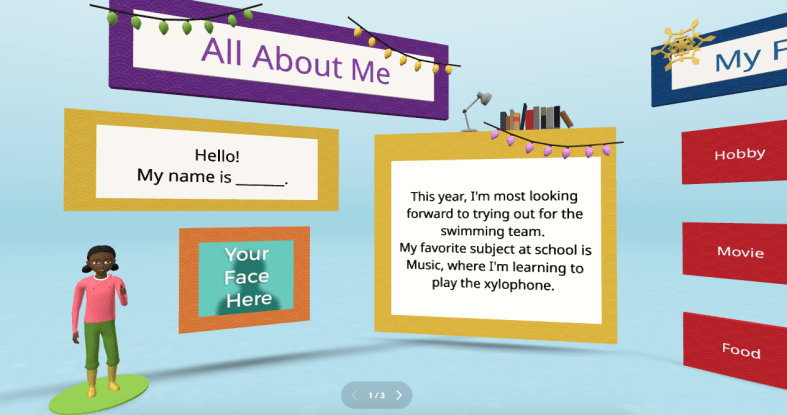
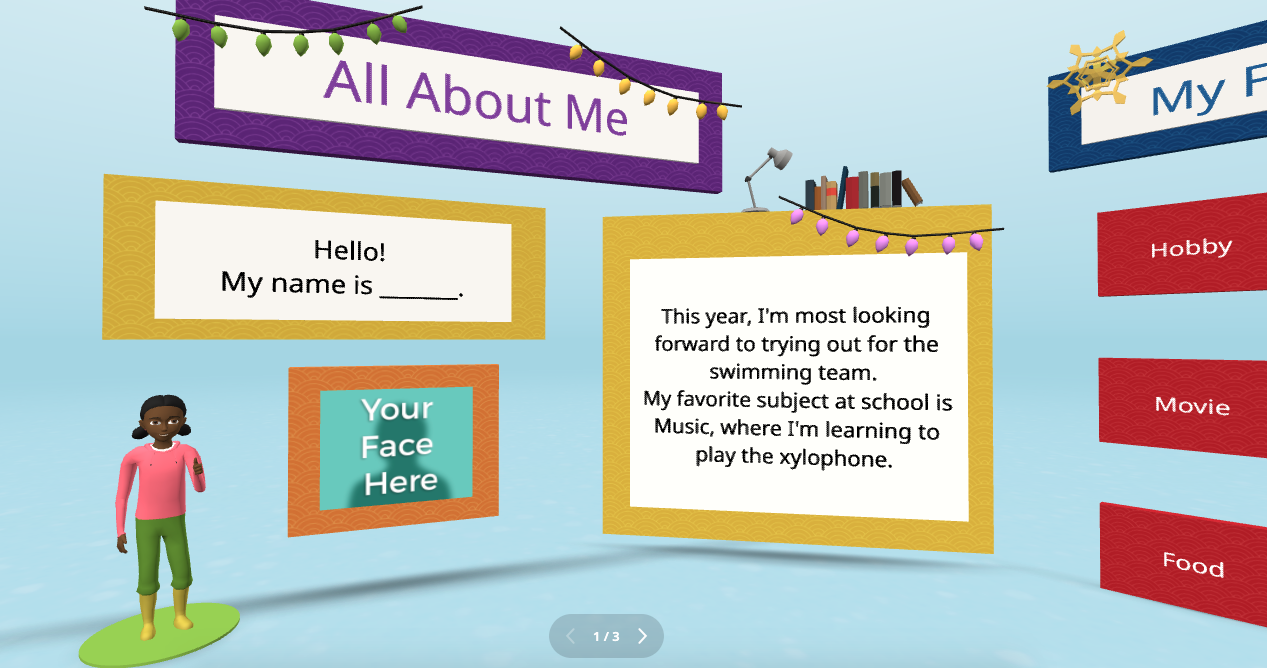
Every new school year, educators spend time finding ways to get to know their students better and for students to get to know each other. A new idea is to have students create an interactive “About Me” space. Not sure where to begin? CoSpaces Edu has a ready-to-use template that students can then customize and add fun characters, animations, and even their voice recordings to create a virtual introduction to themselves.
This activity is more than just fun—it builds digital literacy as students learn to manipulate 3D objects and text and even dive into coding. It’s a great way to build a learning community in the classroom as students explore each other’s spaces, and you will see the excitement as they learn from each other. You can easily adapt this project to any grade level. It is also a great way to introduce younger students to AR and VR in a structured way while also allowing older students to dive more into basic block-based CoBlocks or advanced coding with JavaScript.
My students have had a blast designing their virtual world to represent themselves. The About Me is a great way to spark creativity and help students develop essential communication skills as they express interests, hobbies, and goals with their classmates and teachers.
3. Interactive Storytelling in Virtual Worlds
Storytelling is an impactful way to promote learning whether you teach elementary or high school students. Now, students can bring their stories to life in immersive 3D environments with CoSpaces Edu!
In my STEAM course, I work with the other content area teachers to have students leverage what we are learning and connect it to their other classes. Students have created animated and interactive recaps of stories they’ve read, and some have written their own narratives. The magic is when they bring these stories to life using 3D characters in a variety of settings. For example, students could adapt a classic story or novel they have read and add a twist, such as an alternative ending. Many students enjoy using their imagination to create stories. Once they set the scene, they can use CoSpaces Edu’s coding tools—such as CoBlocks—to add interactivity, allowing their characters to move, speak, and more. We can share their work with classmates, which adds more meaning to and engagement with the learning experience.
These types of projects foster creativity and problem-solving and build communication skills. Students not only have to write their narrative but also decide how to visually and interactively represent it. They engage in a process that encourages collaboration, especially when students work in teams to script, design, and code their virtual worlds. This was a game-changer in my Spanish II class!
4. Revolutionize Language Learning with AR/VR
Interactive storytelling can also be an excellent tool for language learners. In my experience, students in Spanish II created virtual worlds in which their characters engaged in dialogues, which helped them build their language skills in a dynamic and engaging way. It also led to greater retention of the content.
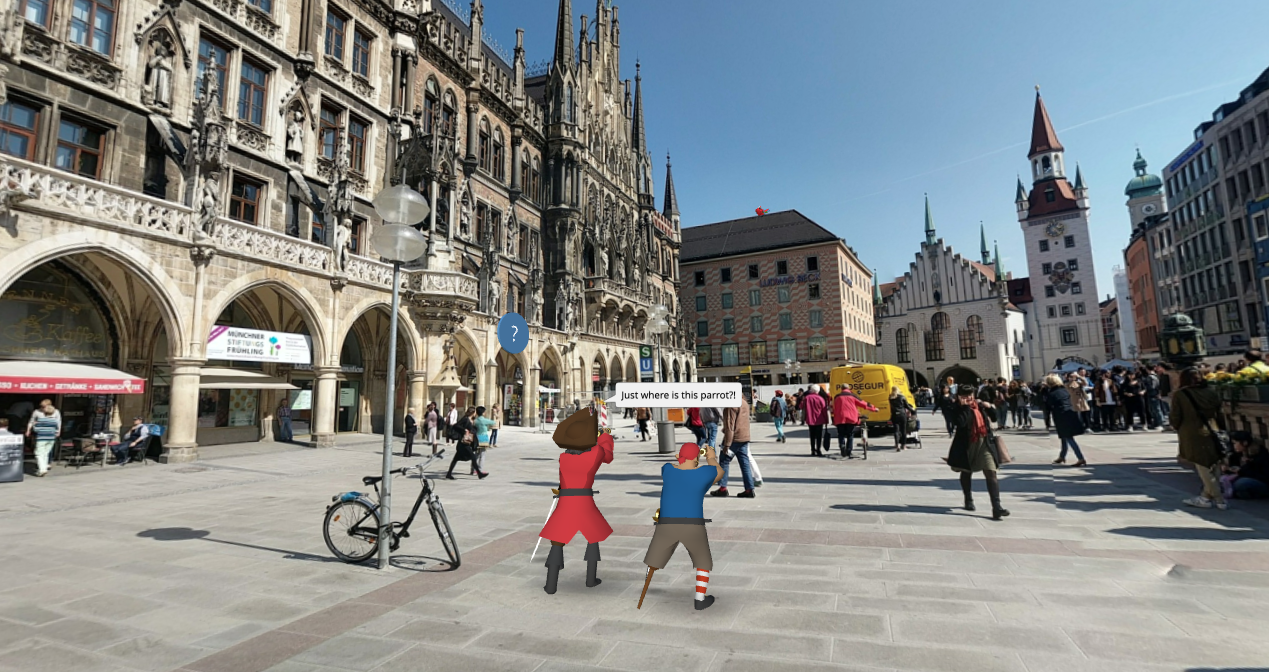
One project involved students creating a virtual Spanish-speaking city where they placed shops, restaurants, and other landmarks. Each student had a role in the virtual environment and had to speak in Spanish to describe their location or interact with others. This project increased student engagement, content retention, and enthusiasm for learning the language. It was also a unique way to reinforce grammar and vocabulary.
Incorporating AR/VR into language learning allows students to “live” the language, making it a more authentic and enjoyable experience. This kind of immersive learning fosters deeper connections with the material. It helps students retain what they’ve learned, which is essential in all areas, particularly in building confidence in language skills.
5. Collaborative STEM Projects
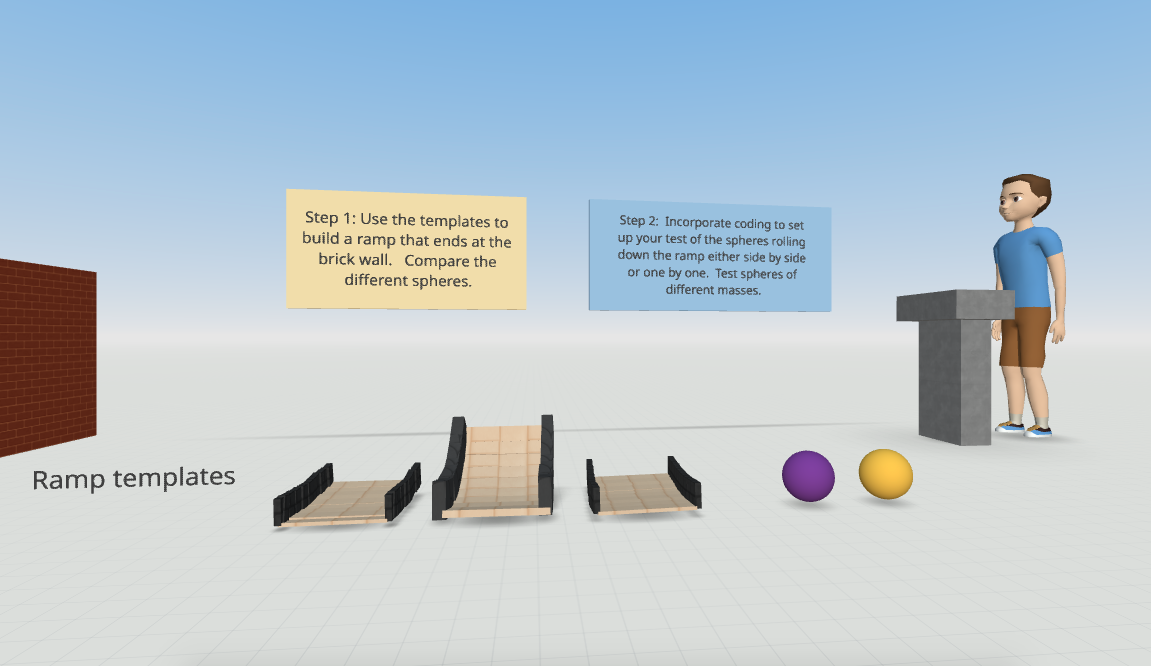
With CoSpaces Edu, students can design and code virtual prototypes, models, and even entire experiments. One of my favorite uses for the platform is collaborative STEM projects. Students can work in teams to design and build virtual spaces or objects, such as a virtual physics experiment exploring Newton’s laws or an architectural model of a bridge or building.
CoSpaces Edu’s collaborative features allow multiple students to work on the same project in real-time from different devices, making it perfect for group projects, whether students are in the classroom or learning remotely. Think about global collaboration possibilities, too! We want students to build teamwork, communication, and problem-solving skills and manage their time. Because they can collaborate in CoSpaces Edu, it makes opportunities available for STEM learning that is more engaging and hands-on.
6. Virtual Museums and Global Collaboration
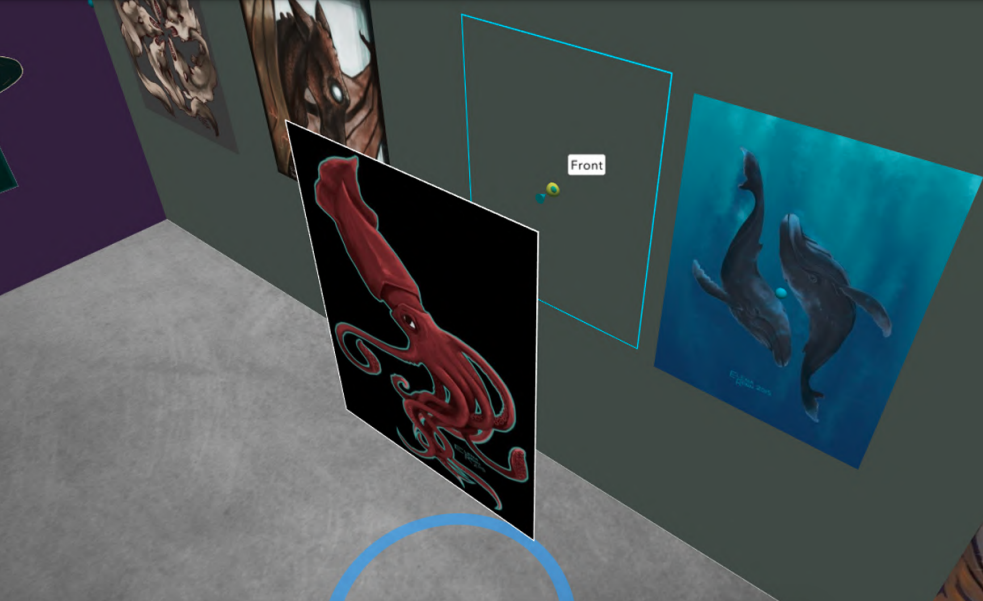
Building global awareness is so important. Our students must learn about other cultures and have experiences connecting them with authentic and real-world learning opportunities. What if students from around the world collaborate to create a virtual museum that represents items from their different locations? With CoSpaces Edu, this is not only possible but easy to implement. Teachers can connect classrooms from different countries, enabling students to collaborate on a global scale to build and curate virtual museums on various topics, from world history to art or any topic they choose.
Students can design a virtual museum showcasing the art of different cultures. Using CoSpaces Edu’s 3D creation tools, they can build exhibit halls and import 3D models of art pieces or artifacts. Each student can contribute a different exhibit and then link them together into a larger museum space. A project like this not only fosters creativity and digital literacy but also deepens cultural understanding and instills empathy as students explore and share knowledge from diverse perspectives.
Where to begin
I have used CoSpaces Edu for many years. It is definitely way more than just a tech tool for students. It is a transformative platform that fosters the development of critical future skills like creativity, collaboration, critical thinking, and digital literacy. Whether you’re teaching elementary students to create 3D models or high school students to code virtual worlds, CoSpaces Edu offers endless possibilities for engaging, interactive, and collaborative learning experiences.
CoSpaces Edu shifts students from consumers to creators! My students are always wowed by what they explore when we get started. These are only six ideas to explore, and there are many more possibilities and lesson plans available for educators to explore right away.
CoSpaces Edu is easy to use, works on any device, and offers a secure, COPPA- and FERPA-compliant environment, which is critical. Dive into CoSpaces Edu this fall and watch your students’ creativity and future-ready skills soar.
About the Author
Dr. Rachelle Dené Poth is a Spanish and STEAM: What’s Next in Emerging Technology Teacher at Riverview High School in Oakmont, PA. Rachelle is also an attorney with a Juris Doctor degree from Duquesne University School of Law and a Master’s in Instructional Technology. Rachelle received her Doctorate in Instructional Technology, and her research focus was on AI and Professional Development. In addition to teaching, she is a full-time consultant and works with companies and organizations to provide PD, speaking, and consulting services. Contact Rachelle for your event!
Rachelle is an ISTE-certified educator and community leader who served as president of the ISTE Teacher Education Network. By EdTech Digest, she was named the EdTech Trendsetter of 2024, one of 30 K-12 IT Influencers to follow in 2021, and one of 150 Women Global EdTech Thought Leaders in 2022.
She is the author of nine books including ‘In Other Words: Quotes That Push Our Thinking,” “Unconventional Ways to Thrive in EDU,” “The Future is Now: Looking Back to Move Ahead,” “Chart A New Course: A Guide to Teaching Essential Skills for Tomorrow’s World, “True Story: Lessons That One Kid Taught Us,” “Things I Wish […] Knew” and her newest “How To Teach AI” is available from ISTE or on Amazon.
Contact Rachelle to schedule sessions about Artificial Intelligence, Coding, AR/VR, and more for your school or event! Submit the Contact Form.
Follow Rachelle on Twitter(X) and Instagram at @Rdene915
**Interested in writing a guest blog for my site? Would love to share your ideas! Submit your post here. Looking for a new book to read? Find these available at bit.ly/Pothbooks
************ Also check out my THRIVEinEDU PodcastHere!
Join my show on THRIVEinEDU on Facebook. Join the group here.
Digital Citizenship Week is celebrated in October each year. The focus is on building digital citizenship skills, and there is a designated digcit week with events planned for schools to join in and learn more. These are concepts that teachers and schools should focus on throughout the year as well. With the increased use of digital tools in our classrooms and the amount of technology used in everyday life and work, we must consistently provide learning opportunities for students to develop “digcit” skills.
Being a responsible digital citizen means that all individuals are able to use technology ethically, responsibly, and effectively. It is important to develop an understanding of the impact that one’s digital actions can have on other individuals and on society as a whole. Students and teachers must be able to keep themselves safe, know how to protect their privacy, learn how to critically analyze information, and engage in respectful interactions online.
Teaching digital citizenship skills
Privacy and security: With increased data collection and online tracking of websites we use and how our information is shared, understanding how to safeguard our privacy is key. With more students using digital tools and at a younger age, it is essential to build in activities that will help students to better understand how to protect themselves and to respect the privacy of others as well. For instance, teaching students how to create unique passwords is key for securing personal information. With the increase in cybersecurity attacks over the past few years, updating passwords and even using two-factor authentication (TFA) will help to keep everyone safer.
Communication: With the variety of social media platforms available and how quickly we can post and respond, providing opportunities for students to practice responsible posting is an area that we need to focus on regularly. Even with young students, simulating a Twitter (X) chat or other online discussion can be done using Post-it notes, for example. Depending on grade level, another option is to use a tool like Padlet to help students learn how to properly post and interact with one another.
Dr. Rachelle Dené Poth is a Spanish and STEAM: What’s Next in Emerging Technology Teacher at Riverview High School in Oakmont, PA. Rachelle is also an attorney with a Juris Doctor degree from Duquesne University School of Law and a Master’s in Instructional Technology. Rachelle received her Doctorate in Instructional Technology, and her research focus was on AI and Professional Development. In addition to teaching, she is a full-time consultant and works with companies and organizations to provide PD, speaking, and consulting services. Contact Rachelle for your event!
Rachelle is an ISTE-certified educator and community leader who served as president of the ISTE Teacher Education Network. By EdTech Digest, she was named the EdTech Trendsetter of 2024, one of 30 K-12 IT Influencers to follow in 2021, and one of 150 Women Global EdTech Thought Leaders in 2022.
She is the author of nine books including ‘In Other Words: Quotes That Push Our Thinking,” “Unconventional Ways to Thrive in EDU,” “The Future is Now: Looking Back to Move Ahead,” “Chart A New Course: A Guide to Teaching Essential Skills for Tomorrow’s World, “True Story: Lessons That One Kid Taught Us,” “Things I Wish […] Knew” and her newest “How To Teach AI” is available from ISTE or on Amazon.
Contact Rachelle to schedule sessions about Artificial Intelligence, Coding, AR/VR, and more for your school or event! Submit the Contact Form.
Follow Rachelle on Twitter(X) and Instagram at @Rdene915
**Interested in writing a guest blog for my site? Would love to share your ideas! Submit your post here. Looking for a new book to read? Find these available at bit.ly/Pothbooks
************ Also check out my THRIVEinEDU PodcastHere!
Join my show on THRIVEinEDU on Facebook. Join the group here.
In collaboration with ReadSpeaker, guest post by Amy Foxwell
In today’s digital age, technology is a powerful ally in making education more accessible. One notable advancement is Text-to-Speech (TTS) technology, which transforms written text into spoken words. ReadSpeaker, a leading solution in this field, offers a variety of tools to enhance learning, creating a more accessible and engaging experience for all students.
Enhancing Accessibility
For students with visual impairments or reading disabilities such as dyslexia, TTS technology is a game-changer. ReadSpeaker enables these students to access and understand content more easily by converting text into audio. ReadSpeaker also allows users to select the reading language, speed and volume while simultaneously offering a variety of additional study tools to support student reading and writing.
ReadSpeaker Reading and Writing Support
• Bimodal presentation improves comprehension by presenting information in visual and audio formats at the same time
• Reading tools, such as page mask and reading ruler, available for increased readability
• Dictionary lookup
• Multiple languages available for language fluency and multilingual learners
• Translation check and pronunciation of foreign words and phrases
Supporting Diverse Learning
ReadSpeaker helps students with diverse needs by providing an alternative method of consuming information. TTS allows students to listen to content while following along, enhancing engagement and retention. ReadSpeaker offers voice for any content, including courses, PDFs, ebooks, web research, training materials, quizzes, OCR images, STEM content and more. Learners enjoy a more immersive reading experience, resulting in greater comprehension, increased self-confidence, and improved academic performance.
ReadSpeaker and Universal Design for Learning
The Universal Design for Learning (UDL) framework was developed by CAST to enhance course design to meet the needs of diverse learners. Based on learning science, the UDL framework guides the design of instructional goals, assessments, methods, and materials to meet the individual needs of each student. A champion of UDL for many years, ReadSpeaker provides easy-to-access and easy-to-use text-to-speech for any content on any device and can be used individually or seamlessly integrated into learning platforms or LMSs. ReadSpeaker’s speech-enabled learning tools align with UDL principles by providing visual and auditory alternatives, allowing students to engage with and absorb content in multiple ways according to their needs. Learn more about ReadSpeaker and UDL here.
Supporting Multilingual Education
In increasingly diverse classrooms, language barriers can pose significant challenges. ReadSpeaker offers multilingual support, allowing students to hear text in their native language or practice new languages. This feature is particularly beneficial for non-native speakers who might find reading in a second language daunting. By listening to the pronunciation and intonation, students can improve their language skills more naturally and effectively.
Reading large amounts of text can be overwhelming, especially for students with attention deficit disorders. TTS technology helps reduce the cognitive load by allowing students to listen to text in addition to reading it. ReadSpeaker’s learning tools, such as highlighting text as it reads aloud, improve student focus, comprehension, and engagement with the content.
Making STEM content engaging and interactive
How does text-to-speech support a student who needs to hear math expressions in class and when working at home? Not every TTS system can accurately read mathematical symbols, and many aren’t set up to understand the code that presents math digitally. ReadSpeaker’s advanced math-reading tools remove this barrier to access by providing accurate audio versions of mathematical expressions and text at once with some of the most lifelike AI voices available.
Improve STEM Accessibility With Text to Speech for Math
ReadSpeaker’s text-to-speech solutions provide improved digital accessibility to various populations of learners, including those with learning disabilities, visual impairment, or literacy challenges. TTS tools can be integrated into a secure learning environment or e‑assessment platform, even in locked browsers and proprietary proctoring systems. This capability allows instructors and administrators to better address the diverse needs of students while more easily meeting accessibility accommodation requirements.
ReadSpeaker for LMS provides text-to-speech plugins and audio-enhanced learning tools that can be easily integrated into any LMS. The ReadSpeaker Listen icon will appear in the course window. The learner can then choose whether to activate the ReadSpeaker tools or not. When activated, the ReadSpeaker Listen button can be moved to wherever the learner prefers. The cloud-based solutions ensure that when course content is updated, it is immediately speech-enabled.
By supporting students with disabilities, accommodating diverse learning styles, promoting inclusion, facilitating multilingual education, and enhancing focus, ReadSpeaker helps create a more equitable learning environment. Embracing such technologies can ensure that every student has the opportunity to succeed and realize their individual goals.
Contact Rachelle to schedule sessions about Artificial Intelligence, Coding, AR/VR, and more for your school or your event! Submit the Contact Form.
Follow Rachelle on Twitter(X) and Instagram at @Rdene915
**Interested in writing a guest blog for my site? Would love to share your ideas! Submit your post here. Looking for a new book to read? Find these available at bit.ly/Pothbooks
************ Also check out my THRIVEinEDU PodcastHere!
Join my show on THRIVEinEDU on Facebook. Join the group here.
















 Learning as I go: Reflections & lessons learned