Guest post written By: Maurie Beasley, M.Ed. Counseling (Edited by Jim Beasley)
Cheating in school — it’s the topic that’s always been there, lurking in the shadows of every classroom and exam hall. For decades, we’ve known it happens, but we often look for the quickest explanation: students are lazy, technology makes it easier, end of story. But here’s the thing: cheating is not just a modern phenomenon, nor is it just about slacking off or taking advantage of new tools like AI. The real reasons why students cheat run much deeper, and if we’re serious about addressing the issue, we need to understand those reasons first.
Let’s be clear: cheating isn’t just some bad habit students picked up recently. It’s been around long before ChatGPT was on the mind of any engineer. And despite the attention AI has brought to the issue, the reasons students cheat are essentially the same as they’ve always been. So why does it persist, and what can we do about it? Let’s take a closer look at these reasons.
Pressure to Perform:
Students today are walking a tightrope, balancing academic expectations, extracurricular activities, and even part-time jobs. The pressure to perform is immense, and it’s no surprise that some students feel they can’t afford to fall.
Let me tell you about my daughter. She was the salutatorian of her high school class. She missed being valedictorian by a hair — a hair that could have been as little as a hundredth of a point. The only B she ever received was from a teacher who told her that grades don’t matter. Her response? “Great, then give me the one point I need to make an A in the class, or better yet, write me a letter explaining to the admissions board at UT Austin that grades don’t matter and being number 2 in my class is ok.” She knew that being valedictorian meant having your first year of college paid for in Texas. My daughter is honest, sometimes to a fault, but several times I was even tempted to tell her to “cheat” a little. That’s the kind of pressure students are under, and when the stakes are this high, cheating may seem like a way to stay on that tightrope, even if just barely.
Fear of Failure:
Beneath that pressure lies an even more pervasive issue: fear of failure. The fear of letting down parents, teachers, and even themselves can be overwhelming. When failure isn’t seen as an opportunity to learn but rather as a personal catastrophe, cheating becomes a tempting escape route. It’s not about cutting corners for the sake of it; it’s about avoiding the crushing weight of perceived inadequacy.
And this fear isn’t just hypothetical. As a counselor, I’ve seen it manifest in tragic ways. I’ve had to make Child Protective Service calls because parents have beaten their children for not performing well enough in school. When failure comes with such dire consequences, is it any wonder some students feel they have no choice but to cheat?
Contact Rachelle to schedule sessions about Artificial Intelligence, AI and the Law, Coding, Cybersecurity, STEM, and more for your school or event! Available for in-person or virtual training, keynotes, and coaching. Submit the Contact Form.
Follow Rachelle on Twitter(X) and Instagram at @Rdene915
**Interested in writing a guest blog for my site? Would love to share your ideas! Submit your post here. Looking for a new book to read? Find these available at bit.ly/Pothbooks
************ Also, check out my THRIVEinEDU PodcastHere!
Join my show on THRIVEinEDU on Facebook. Join the group here.
In collaboration with CoSpaces Edu, All opinions are my own
Now that the school year is in full swing and we head into the fall of 2024, many educators are coming up for air and looking for new ideas. For me, it’s always the perfect time to consider how our year has started and look for ways to introduce fun, innovative ideas to our classrooms to boost engagement even more! What I love about technology, is that there is always a way to bring it into our classrooms for our students, and that is what I have found with CoSpaces Edu!
Whether you’re teaching elementary, middle, or high school, focused on STEM, language arts, or any other subject, we know there is an increasing need to equip our students with skills to be successful in the future. In my opinion, I think what better way to do that than with CoSpaces Edu!
CoSpaces Edu is a versatile, very user-friendly platform that brings learning to life for our students. Through augmented reality (AR) and virtual reality (VR), with a variety of wonderful features that enable students to engage in 3D creation, coding, and collaboration, CoSpaces Edu can be integrated across all grade levels and subject areas. I have come up with six ideas for getting started with CoSpaces Edu in your classroom this fall. At all grade levels, you can foster creativity, critical thinking, communication, collaboration, and digital literacy—skills, all of which are essential for today’s learners.
1. Virtual Tour of Student Interests
One of the easiest and most engaging ways to get started with CoSpaces Edu, which I use every year, is having my students explore its gallery of available projects. Whether they’re in elementary school or high school, students absolutely love the time they have to explore existing projects such as games and virtual museums. By giving them time to explore, not only can it boost their own creativity, but it also helps us learn more about their interests, which is essential.
How to start? Direct them to the gallery and ask them to choose a project or space they find interesting. After exploring, ask them to consider why it captured their attention. Was it the design? The characters? The actual activity itself? Encourage them to think critically about what they might create or how they might change or enhance what they explored. For example, if they enjoyed exploring a historical simulation, maybe they can build their own historical event space or propose redesigning a famous historical space. Moving through in this way not only fosters critical thinking but encourages student discussion, idea sharing, and brainstorming ideas. And the best part is that CoSpaces Edu allows them to explore both virtual and augmented reality so they can fully immerse themselves in and connect with the content they’re learning.
I have used this activity as an icebreaker for new school years or any time throughout the year. It benefits by giving students the opportunity to explore, discover, and connect with their classmates over shared interests that they may not have realized they had in common. Talk about fostering a real learning community!
2. Create an “About Me” Space
Every new school year, educators spend time finding ways to get to know their students better and for students to get to know each other. A new idea is to have students create an interactive “About Me” space. Not sure where to begin? CoSpaces Edu has a ready-to-use template that students can then customize and add fun characters, animations, and even their voice recordings to create a virtual introduction to themselves.
This activity is more than just fun—it builds digital literacy as students learn to manipulate 3D objects and text and even dive into coding. It’s a great way to build a learning community in the classroom as students explore each other’s spaces, and you will see the excitement as they learn from each other. You can easily adapt this project to any grade level. It is also a great way to introduce younger students to AR and VR in a structured way while also allowing older students to dive more into basic block-based CoBlocks or advanced coding with JavaScript.
My students have had a blast designing their virtual world to represent themselves. The About Me is a great way to spark creativity and help students develop essential communication skills as they express interests, hobbies, and goals with their classmates and teachers.
3. Interactive Storytelling in Virtual Worlds
Storytelling is an impactful way to promote learning whether you teach elementary or high school students. Now, students can bring their stories to life in immersive 3D environments with CoSpaces Edu!
In my STEAM course, I work with the other content area teachers to have students leverage what we are learning and connect it to their other classes. Students have created animated and interactive recaps of stories they’ve read, and some have written their own narratives. The magic is when they bring these stories to life using 3D characters in a variety of settings. For example, students could adapt a classic story or novel they have read and add a twist, such as an alternative ending. Many students enjoy using their imagination to create stories. Once they set the scene, they can use CoSpaces Edu’s coding tools—such as CoBlocks—to add interactivity, allowing their characters to move, speak, and more. We can share their work with classmates, which adds more meaning to and engagement with the learning experience.
These types of projects foster creativity and problem-solving and build communication skills. Students not only have to write their narrative but also decide how to visually and interactively represent it. They engage in a process that encourages collaboration, especially when students work in teams to script, design, and code their virtual worlds. This was a game-changer in my Spanish II class!
4. Revolutionize Language Learning with AR/VR
Interactive storytelling can also be an excellent tool for language learners. In my experience, students in Spanish II created virtual worlds in which their characters engaged in dialogues, which helped them build their language skills in a dynamic and engaging way. It also led to greater retention of the content.
One project involved students creating a virtual Spanish-speaking city where they placed shops, restaurants, and other landmarks. Each student had a role in the virtual environment and had to speak in Spanish to describe their location or interact with others. This project increased student engagement, content retention, and enthusiasm for learning the language. It was also a unique way to reinforce grammar and vocabulary.
Incorporating AR/VR into language learning allows students to “live” the language, making it a more authentic and enjoyable experience. This kind of immersive learning fosters deeper connections with the material. It helps students retain what they’ve learned, which is essential in all areas, particularly in building confidence in language skills.
5. Collaborative STEM Projects
With CoSpaces Edu, students can design and code virtual prototypes, models, and even entire experiments. One of my favorite uses for the platform is collaborative STEM projects. Students can work in teams to design and build virtual spaces or objects, such as a virtual physics experiment exploring Newton’s laws or an architectural model of a bridge or building.
CoSpaces Edu’s collaborative features allow multiple students to work on the same project in real-time from different devices, making it perfect for group projects, whether students are in the classroom or learning remotely. Think about global collaboration possibilities, too! We want students to build teamwork, communication, and problem-solving skills and manage their time. Because they can collaborate in CoSpaces Edu, it makes opportunities available for STEM learning that is more engaging and hands-on.
6. Virtual Museums and Global Collaboration
Building global awareness is so important. Our students must learn about other cultures and have experiences connecting them with authentic and real-world learning opportunities. What if students from around the world collaborate to create a virtual museum that represents items from their different locations? With CoSpaces Edu, this is not only possible but easy to implement. Teachers can connect classrooms from different countries, enabling students to collaborate on a global scale to build and curate virtual museums on various topics, from world history to art or any topic they choose.
Students can design a virtual museum showcasing the art of different cultures. Using CoSpaces Edu’s 3D creation tools, they can build exhibit halls and import 3D models of art pieces or artifacts. Each student can contribute a different exhibit and then link them together into a larger museum space. A project like this not only fosters creativity and digital literacy but also deepens cultural understanding and instills empathy as students explore and share knowledge from diverse perspectives.
Where to begin
I have used CoSpaces Edu for many years. It is definitely way more than just a tech tool for students. It is a transformative platform that fosters the development of critical future skills like creativity, collaboration, critical thinking, and digital literacy. Whether you’re teaching elementary students to create 3D models or high school students to code virtual worlds, CoSpaces Edu offers endless possibilities for engaging, interactive, and collaborative learning experiences.
CoSpaces Edu shifts students from consumers to creators! My students are always wowed by what they explore when we get started. These are only six ideas to explore, and there are many more possibilities and lesson plans available for educators to explore right away.
CoSpaces Edu is easy to use, works on any device, and offers a secure, COPPA- and FERPA-compliant environment, which is critical. Dive into CoSpaces Edu this fall and watch your students’ creativity and future-ready skills soar.
About the Author
Dr. Rachelle Dené Poth is a Spanish and STEAM: What’s Next in Emerging Technology Teacher at Riverview High School in Oakmont, PA. Rachelle is also an attorney with a Juris Doctor degree from Duquesne University School of Law and a Master’s in Instructional Technology. Rachelle received her Doctorate in Instructional Technology, and her research focus was on AI and Professional Development. In addition to teaching, she is a full-time consultant and works with companies and organizations to provide PD, speaking, and consulting services. Contact Rachelle for your event!
Rachelle is an ISTE-certified educator and community leader who served as president of the ISTE Teacher Education Network. By EdTech Digest, she was named the EdTech Trendsetter of 2024, one of 30 K-12 IT Influencers to follow in 2021, and one of 150 Women Global EdTech Thought Leaders in 2022.
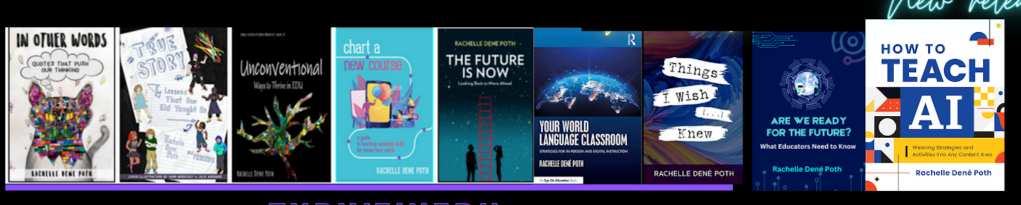
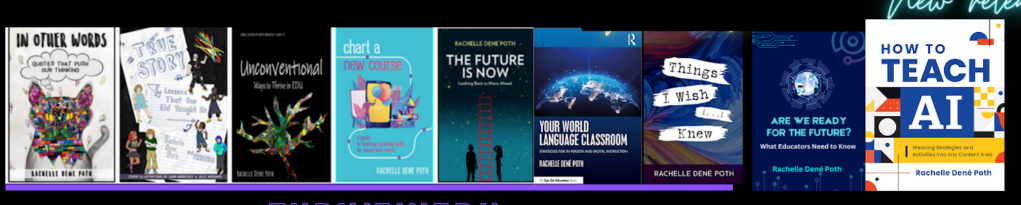
She is the author of nine books including ‘In Other Words: Quotes That Push Our Thinking,” “Unconventional Ways to Thrive in EDU,” “The Future is Now: Looking Back to Move Ahead,” “Chart A New Course: A Guide to Teaching Essential Skills for Tomorrow’s World, “True Story: Lessons That One Kid Taught Us,” “Things I Wish […] Knew” and her newest “How To Teach AI” is available from ISTE or on Amazon.
Contact Rachelle to schedule sessions about Artificial Intelligence, Coding, AR/VR, and more for your school or event! Submit the Contact Form.
Follow Rachelle on Twitter(X) and Instagram at @Rdene915
**Interested in writing a guest blog for my site? Would love to share your ideas! Submit your post here. Looking for a new book to read? Find these available at bit.ly/Pothbooks
************ Also check out my THRIVEinEDU PodcastHere!
Join my show on THRIVEinEDU on Facebook. Join the group here.

Digital Citizenship Week is celebrated in October each year. The focus is on building digital citizenship skills, and there is a designated digcit week with events planned for schools to join in and learn more. These are concepts that teachers and schools should focus on throughout the year as well. With the increased use of digital tools in our classrooms and the amount of technology used in everyday life and work, we must consistently provide learning opportunities for students to develop “digcit” skills.
Being a responsible digital citizen means that all individuals are able to use technology ethically, responsibly, and effectively. It is important to develop an understanding of the impact that one’s digital actions can have on other individuals and on society as a whole. Students and teachers must be able to keep themselves safe, know how to protect their privacy, learn how to critically analyze information, and engage in respectful interactions online.
Teaching digital citizenship skills
Privacy and security: With increased data collection and online tracking of websites we use and how our information is shared, understanding how to safeguard our privacy is key. With more students using digital tools and at a younger age, it is essential to build in activities that will help students to better understand how to protect themselves and to respect the privacy of others as well. For instance, teaching students how to create unique passwords is key for securing personal information. With the increase in cybersecurity attacks over the past few years, updating passwords and even using two-factor authentication (TFA) will help to keep everyone safer.
Communication: With the variety of social media platforms available and how quickly we can post and respond, providing opportunities for students to practice responsible posting is an area that we need to focus on regularly. Even with young students, simulating a Twitter (X) chat or other online discussion can be done using Post-it notes, for example. Depending on grade level, another option is to use a tool like Padlet to help students learn how to properly post and interact with one another.
Dr. Rachelle Dené Poth is a Spanish and STEAM: What’s Next in Emerging Technology Teacher at Riverview High School in Oakmont, PA. Rachelle is also an attorney with a Juris Doctor degree from Duquesne University School of Law and a Master’s in Instructional Technology. Rachelle received her Doctorate in Instructional Technology, and her research focus was on AI and Professional Development. In addition to teaching, she is a full-time consultant and works with companies and organizations to provide PD, speaking, and consulting services. Contact Rachelle for your event!
Rachelle is an ISTE-certified educator and community leader who served as president of the ISTE Teacher Education Network. By EdTech Digest, she was named the EdTech Trendsetter of 2024, one of 30 K-12 IT Influencers to follow in 2021, and one of 150 Women Global EdTech Thought Leaders in 2022.
She is the author of nine books including ‘In Other Words: Quotes That Push Our Thinking,” “Unconventional Ways to Thrive in EDU,” “The Future is Now: Looking Back to Move Ahead,” “Chart A New Course: A Guide to Teaching Essential Skills for Tomorrow’s World, “True Story: Lessons That One Kid Taught Us,” “Things I Wish […] Knew” and her newest “How To Teach AI” is available from ISTE or on Amazon.
Contact Rachelle to schedule sessions about Artificial Intelligence, Coding, AR/VR, and more for your school or event! Submit the Contact Form.
Follow Rachelle on Twitter(X) and Instagram at @Rdene915
**Interested in writing a guest blog for my site? Would love to share your ideas! Submit your post here. Looking for a new book to read? Find these available at bit.ly/Pothbooks
************ Also check out my THRIVEinEDU PodcastHere!
Join my show on THRIVEinEDU on Facebook. Join the group here.
In collaboration with ReadSpeaker, guest post by Amy Foxwell
In today’s digital age, technology is a powerful ally in making education more accessible. One notable advancement is Text-to-Speech (TTS) technology, which transforms written text into spoken words. ReadSpeaker, a leading solution in this field, offers a variety of tools to enhance learning, creating a more accessible and engaging experience for all students.
Enhancing Accessibility
For students with visual impairments or reading disabilities such as dyslexia, TTS technology is a game-changer. ReadSpeaker enables these students to access and understand content more easily by converting text into audio. ReadSpeaker also allows users to select the reading language, speed and volume while simultaneously offering a variety of additional study tools to support student reading and writing.
ReadSpeaker Reading and Writing Support
• Bimodal presentation improves comprehension by presenting information in visual and audio formats at the same time
• Reading tools, such as page mask and reading ruler, available for increased readability
• Dictionary lookup
• Multiple languages available for language fluency and multilingual learners
• Translation check and pronunciation of foreign words and phrases
Supporting Diverse Learning
ReadSpeaker helps students with diverse needs by providing an alternative method of consuming information. TTS allows students to listen to content while following along, enhancing engagement and retention. ReadSpeaker offers voice for any content, including courses, PDFs, ebooks, web research, training materials, quizzes, OCR images, STEM content and more. Learners enjoy a more immersive reading experience, resulting in greater comprehension, increased self-confidence, and improved academic performance.
ReadSpeaker and Universal Design for Learning
The Universal Design for Learning (UDL) framework was developed by CAST to enhance course design to meet the needs of diverse learners. Based on learning science, the UDL framework guides the design of instructional goals, assessments, methods, and materials to meet the individual needs of each student. A champion of UDL for many years, ReadSpeaker provides easy-to-access and easy-to-use text-to-speech for any content on any device and can be used individually or seamlessly integrated into learning platforms or LMSs. ReadSpeaker’s speech-enabled learning tools align with UDL principles by providing visual and auditory alternatives, allowing students to engage with and absorb content in multiple ways according to their needs. Learn more about ReadSpeaker and UDL here.
Supporting Multilingual Education
In increasingly diverse classrooms, language barriers can pose significant challenges. ReadSpeaker offers multilingual support, allowing students to hear text in their native language or practice new languages. This feature is particularly beneficial for non-native speakers who might find reading in a second language daunting. By listening to the pronunciation and intonation, students can improve their language skills more naturally and effectively.
Reading large amounts of text can be overwhelming, especially for students with attention deficit disorders. TTS technology helps reduce the cognitive load by allowing students to listen to text in addition to reading it. ReadSpeaker’s learning tools, such as highlighting text as it reads aloud, improve student focus, comprehension, and engagement with the content.
Making STEM content engaging and interactive
How does text-to-speech support a student who needs to hear math expressions in class and when working at home? Not every TTS system can accurately read mathematical symbols, and many aren’t set up to understand the code that presents math digitally. ReadSpeaker’s advanced math-reading tools remove this barrier to access by providing accurate audio versions of mathematical expressions and text at once with some of the most lifelike AI voices available.
Improve STEM Accessibility With Text to Speech for Math
ReadSpeaker’s text-to-speech solutions provide improved digital accessibility to various populations of learners, including those with learning disabilities, visual impairment, or literacy challenges. TTS tools can be integrated into a secure learning environment or e‑assessment platform, even in locked browsers and proprietary proctoring systems. This capability allows instructors and administrators to better address the diverse needs of students while more easily meeting accessibility accommodation requirements.
ReadSpeaker for LMS provides text-to-speech plugins and audio-enhanced learning tools that can be easily integrated into any LMS. The ReadSpeaker Listen icon will appear in the course window. The learner can then choose whether to activate the ReadSpeaker tools or not. When activated, the ReadSpeaker Listen button can be moved to wherever the learner prefers. The cloud-based solutions ensure that when course content is updated, it is immediately speech-enabled.
By supporting students with disabilities, accommodating diverse learning styles, promoting inclusion, facilitating multilingual education, and enhancing focus, ReadSpeaker helps create a more equitable learning environment. Embracing such technologies can ensure that every student has the opportunity to succeed and realize their individual goals.
Contact Rachelle to schedule sessions about Artificial Intelligence, Coding, AR/VR, and more for your school or your event! Submit the Contact Form.
Follow Rachelle on Twitter(X) and Instagram at @Rdene915
**Interested in writing a guest blog for my site? Would love to share your ideas! Submit your post here. Looking for a new book to read? Find these available at bit.ly/Pothbooks
************ Also check out my THRIVEinEDU PodcastHere!
Join my show on THRIVEinEDU on Facebook. Join the group here.
Teachers everywhere are aware of the effect AI is having on students and education in general. While that may bring back pencil and paper activities to help students do their own thinking, AI can offer teachers some much-needed help. Meet TeachAid, which can be, according to their website, “your AI teaching assistant. Time is precious. Spend it teaching! Let us handle the rest.” That appeals to me because there is never enough time in the day to plan engaging and effective lessons, grade student work, attend meetings, and have a life outside of school. Anything that saves me time is worth a try, and the more I look over what Teach Aid can do, the bigger fan of it I become. I have been teaching for 28 years, and while the formative and summative assessments are pre-planned each year, creating the path to those assessments is up to me. After exploring Teach Aid, I believe it is a platform that can be of value to all teachers by providing actual units, activities, lessons, and learning targets. If nothing else, it can spark ideas for lesson activities.
TICKING AWAY THE MOMENTS THAT MAKE UP A DULL DAY
Teach Aid begins the AI unit creation by asking for specific unit information that will help them generate all the teaching materials needed to effectively teach your unit according to your local curriculum, including lesson plans, presentations, assignment descriptions, rubrics, and more. There are 5 steps to creating the unit:
Basic Information
Unit Timeline
Final Assessment
Customization
Review
YOU FRITTER AND WASTE THE HOURS IN AN OFFHAND WAY
It only takes a few minutes, and then the magic happens. At each step of the way, you can edit or revise what is created before clicking for the AI to continue building the unit, lessons, activities, etc. It really is like magic. Things that might take me several minutes to think through appear before my eyes in seconds. The entire unit may take a few minutes, but it is incredibly fast, provides opportunities for editing, and creates everything needed for teaching the unit. The interactive slides have presenter notes on how to teach or conduct the activity. New teachers can have all the help they need with just a few clicks, and experienced teachers can find inspiration and fresh ideas for current units.
KICKING AROUND ON A PIECE OF GROUND IN YOUR HOMETOWN
Depending on where you live, Teach Aid may already have your state or country’s standards loaded into their system. If not, reach out to them so that they can begin to add them. There are also some limitations currently in the subjects available, depending on where you live, but I also expect this list to grow as the company grows. If what you need isn’t listed, you can still build a unit with standards from another state/country or subject to see what ideas you might get from what is created until your subjects or standards are added to those available. I demonstrated how Teach Aid worked for about 30 2nd year Missouri teachers, and I could hear minds exploding. Audible gasps. There are some content limitations currently. PE and art teachers were envious of teachers of the available subjects, but everyone was duly impressed with the speed, thoroughness, and quality of the units, lessons, activities, etc., produced. We were all impressed with the customization built into the unit creation process.
WAITING FOR SOMEONE OR SOMETHING TO SHOW YOU THE WAY
Even the lesson activity building allows for a lot of customization, even if you choose to have it auto-generated.
At this time, Teach Aid is free for teachers to use, and there is enough content there already for you to experience creating units even if your standards or subject matter has not been added yet. Do click the button to request the standards or subject you need, and then explore states or countries that are included and might be similar enough to what you need for you to develop and customize a unit, lesson, and/or activity.
So when you hear AI discussions going on in your building or department, remember Teach Aid and shed some light on the possibilities AI can provide to teachers. Time is a commodity that is in high demand for our profession, so anything that can free up time for us is a win. A no-brainer. Dive in.
HEADINGS ARE PARTIAL LYRICS FROM THE SONG, TIME, BY PINK FLOYD.
Connect with Laura via @SteinbrinkLaura on Twitter/X
Contact Rachelle to schedule sessions about Artificial Intelligence, Coding, AR/VR, and more for your school or event! Submit the Contact Form.
Follow Rachelle on Twitter(X) and Instagram at @Rdene915
**Interested in writing a guest blog for my site? Would love to share your ideas! Submit your post here. Looking for a new book to read? Find these available at bit.ly/Pothbooks
************ Also check out my THRIVEinEDU PodcastHere!
Join my show on THRIVEinEDU on Facebook. Join the group here.
As we head back into our classrooms for a new school year, educators are thinking about class schedules, grading, lesson plans, school meetings, observations, and so much more. Getting back into the daily teaching schedule can be a challenge, especially after having the summer “off.”
However, many educators don’t take the summer off. Instead, they take advantage of the extra time to engage in professional learning. Whether by attending conferences, joining book studies, participating in online learning events, or even heading to their classroom to prepare for the new school year, being prepared for school is always on teachers’ minds. Having the summer off, even if only for a few weeks, is nice because it provides time to relax and recharge and also time to be better prepared than the year before.
No matter how many years of experience an educator has, a new school year can be stressful. I think it is important to start the year with goals and use our prior experiences to set clear focus points for ourselves and our students.
For many years, I remember conversations with colleagues about how they couldn’t sleep the night before the first day of school. Attributing it to being excited and nervous about starting a new school year and doing it right. In my experience, I always slept well and never really worried about being prepared for the first day of school. For me, it was always the second day and every day after that. For me, the first day of school was simply the time to introduce myself to students, talk about what they could expect in my class, and provide any materials they needed to take home for their families. I started each year with rules and procedures. Unfortunately, I did not realize that the content could wait. I should have placed more importance on creating a supportive classroom community and focusing on building relationships first. Now that I know better before the year starts, there are some questions that I ask myself:
Did I reflect enough on my teaching practice, and have I identified areas I want and need to work on?
Am I prepared with new ideas, whether different methods or digital tools, to bring into my classroom to help engage students in learning?
What are some ways that we can build relationships and get to know one another?
How can I create a welcoming classroom space that fosters creativity and curiosity for learning?
Many more questions cross my mind and likely cross the minds of educators everywhere. It comes down to thinking about and reflecting on what we learned about our practice and methods used during the past school year. What activities and methods have made an impact not only on student learning but also on building essential social-emotional learning (SEL) skills? Which methods or tools helped students feel more connected with their classmates and the content? Cultivating a learning environment where students have choices, feel comfortable, and become more confident amplifies their learning potential. It leads to a supportive classroom community.
As we head into a new school year, it is always the perfect time to try a few new ideas and see how the students respond and the impact on learning and then decide where to go from there. Teaching the content material is important, but finding ways to boost student engagement and foster the development of essential SEL skills is also important. With so many things to consider, I am choosing five focus points for starting the new school year:
Build Relationships: Starting on day one, we need to get to know our students and let them get to know us, too. When we create opportunities for students to connect with each other and build a collaborative and supportive space, we will see how it positively impacts the learning that happens in our classroom. By starting with relationship building, we will create a space where students feel comfortable making mistakes and know they are supported by us and their peers. Creating a comfortable, supportive space is essential for learning. Have students create an “About Me” or use icebreakers to get to know each other and make sure that you participate too.
Set goals and reflect: At the start of the school year, have students set some goals for themselves in your class. Not just students it’s also important that we set goals for ourselves and share them with our students. When we do this together, we hold each other accountable and provide the support that we all need in our classroom space. We know the importance of SEL and by setting goals and reflecting on them throughout the year, we will be focusing on self-awareness and self-management in particular, which are essential for student learning and being prepared for the future. Provide some questions for reflection, such as: How do I think it went? What would I change? Are there areas that I can improve upon?
Create a community: Students need to know how to access resources for the class and to be able to connect with the teacher and classmates. It is important to set up a space or have a system for being able to communicate with students. Sending an email every Friday with a recap of the week, using a messaging app, or designing a class website are all good ways to create a learning community. Having a space where students can interact and access the resources they need to be successful is important, and we have definitely learned how essential it is after our experiences over the past couple of years. Another thing to consider is how to involve students more in the design of the learning experiences in the classroom and have them truly be a part of the learning community.
Promote collaboration: In preparing students for the future, we know that one of the essential skills they need is the ability to communicate and collaborate with others. Students need opportunities to do this in the classroom as well as in a virtual space. Using different methods, like station rotations, where students can work with peers, or through digital tools like Padlet, we can promote collaboration. Students can build content area skills while also building digital citizenship skills and SEL skills.
Foster creativity and curiosity for learning: When we create a learning environment where students feel welcomed and supported, they will feel more comfortable participating in class activities, interacting with their peers, and taking risks with learning. Provide students with different choices for creating and sharing what they have learned. Use methods like Genius Hour or PBL to spark curiosity and promote student-driven learning. Offer choices in digital tools that foster creativity, such as Book Creator, Canva, Genially, Storybird or Storyboard That.
Start the year with some focus areas and involve students in the discussion. Get their feedback, ask for ideas, and enjoy the learning process together. Don’t be afraid to take some risks with new ideas or tools. With new ideas, we can boost student engagement and creativity, spark curiosity for learning, and student needs and interests are better met.
About the Author:
Dr. Rachelle Dené Poth is a Spanish and STEAM: What’s Next in Emerging Technology Teacher at Riverview High School in Oakmont, PA. Rachelle is also an attorney with a Juris Doctor degree from Duquesne University School of Law and a Master’s in Instructional Technology. Rachelle received her Doctorate in Instructional Technology, and her research focus was on AI and Professional Development. In addition to teaching, she is a full-time consultant and works with companies and organizations to provide PD, speaking, and consulting services. Contact Rachelle for your event!
Rachelle is an ISTE-certified educator and community leader who served as president of the ISTE Teacher Education Network. By EdTech Digest, she was named the EdTech Trendsetter of 2024, one of 30 K-12 IT Influencers to follow in 2021, and one of 150 Women Global EdTech Thought Leaders in 2022.
She is the author of nine books including ‘In Other Words: Quotes That Push Our Thinking,” “Unconventional Ways to Thrive in EDU,” “The Future is Now: Looking Back to Move Ahead,” “Chart A New Course: A Guide to Teaching Essential Skills for Tomorrow’s World, “True Story: Lessons That One Kid Taught Us,” “Things I Wish […] Knew” and her newest “How To Teach AI” is available from ISTE or on Amazon.
Contact Rachelle to schedule sessions about Artificial Intelligence, Coding, AR/VR, and more for your school or event! Submit the Contact Form.
Follow Rachelle on Twitter(X) and Instagram at @Rdene915
**Interested in writing a guest blog for my site? Would love to share your ideas! Submit your post here. Looking for a new book to read? Find these available at bit.ly/Pothbooks
************ Also check out my THRIVEinEDU PodcastHere!
Join my show on THRIVEinEDU on Facebook. Join the group here.
Over the past few years, we have seen many changes in education. We live in an increasingly digital world that involves rapid technological advancements through emerging technologies such as artificial intelligence (AI). The technologies are not only impacting our lives as educators, but they are impacting the world of work our students will enter.
To best prepare our students, educators must constantly adapt and evolve to keep up with these changes. However, there are challenges when it comes to these technologies: a lack of professional learning opportunities, not enough time to participate, and uncertainty about the best options for learning. Bringing in new technology can also feel like adding to an already overflowing plate.
Beyond the basic technology skills that educators need for every day teaching, they also need to be knowledgeable about emerging technologies, particularly AI, and how to bring them into their classrooms. With these technologies impacting our work, especially with the capabilities of AI to generate content and concerns about the impact of this technology on our work, it is essential that educators receive training. Over the past five years, my work has focused on collaborating with teachers to get them started with emerging technology including, more recently, AI. Here are some things that work when designing AI-related professional learning.
AI professional development for educators
Professional development focused on implementing classroom technology goes beyond simply training educators to use it and apply it to their curriculum. It requires rich and personalized learning experiences that will engage educators and enable them to see the possibilities for amplifying learning through educational technology.
Dr. Rachelle Dené Poth is a Spanish and STEAM: What’s Next in Emerging Technology Teacher at Riverview High School in Oakmont, PA. Rachelle is also an attorney with a Juris Doctor degree from Duquesne University School of Law and a Master’s in Instructional Technology. Rachelle received her Doctorate in Instructional Technology, and her research focus was on AI and Professional Development. In addition to teaching, she is a full-time consultant and works with companies and organizations to provide PD, speaking, and consulting services. Contact Rachelle for your event!
Rachelle is an ISTE-certified educator and community leader who served as president of the ISTE Teacher Education Network. By EdTech Digest, she was named the EdTech Trendsetter of 2024, one of 30 K-12 IT Influencers to follow in 2021, and one of 150 Women Global EdTech Thought Leaders in 2022.
She is the author of nine books including ‘In Other Words: Quotes That Push Our Thinking,” “Unconventional Ways to Thrive in EDU,” “The Future is Now: Looking Back to Move Ahead,” “Chart A New Course: A Guide to Teaching Essential Skills for Tomorrow’s World, “True Story: Lessons That One Kid Taught Us,” “Things I Wish […] Knew” and her newest “How To Teach AI” is available from ISTE or on Amazon.
Contact Rachelle to schedule sessions about Artificial Intelligence, Coding, AR/VR, and more for your school or your event! Submit the Contact Form.
Follow Rachelle on Twitter(X) and Instagram at @Rdene915
**Interested in writing a guest blog for my site? Would love to share your ideas! Submit your post here. Looking for a new book to read? Find these available at bit.ly/Pothbooks
************ Also check out my THRIVEinEDU PodcastHere!
Join my show on THRIVEinEDU on Facebook. Join the group here.
As generative AI continues to evolve and reshape the way we work, the need for a workforce that can thrive in this new landscape is becoming increasingly apparent. How can we ensure that adult white-collar workers are equipped with the necessary digital, data, and AI literacy skills to meet the needs of businesses and communities? One promising solution lies in adult school CTE programs that focus on reskilling and upskilling adults for the AI-driven future. With an emphasis on lifelong learning and adaptability, these programs can serve as a catalyst for expanding adult education and bridging the skills gap.
The New Landscape of Adult Ed
As we navigate a world of AI, adult education has an opportunity to provide non-credit and credential programs that prioritize digital, data, and AI literacy. These programs can be in various forms, from short-term, intensive courses to flexible online, blended, and in-person learning options. What does this mean for adult learners? With an array of choices at their fingertips, they can now customize their learning experience to align with their needs, interests, and professional goals to meet the ever-evolving world, which will require consistent retooling and upskilling.
Let’s jump into one example of this that is happening now. The Los Angeles Valley College offers a “Data Science Bootcamp,” an intensive, hands-on program designed to equip adult learners with the skills needed to analyze, visualize, and interpret data in today’s data-driven world. Programs like this demonstrate the immense potential of adult education in preparing workers for the future.
Tailoring Programs to Local Communities
To maximize their impact, adult CTE programs must be tailored to the unique needs of local industries and communities. By understanding the specific demands of their region, adult education providers can design relevant and effective programs that truly resonate with learners.
Take, for instance, the partnership between the San Francisco Adult School and local tech companies. By collaborating with these businesses, the adult school has been able to create a curriculum that addresses the specific skills needed for employment in the thriving local tech industry. This close collaboration ensures that students gain the most relevant skills for their local job market while businesses benefit from a more skilled and prepared workforce.
Emphasizing Lifelong Learning in Adult Education
As the world of AI and technology continues to evolve at breakneck speed, becoming a lifelong learner is no longer a luxury – it’s a necessity. Adult CTE programs must prioritize fostering a growth mindset and a commitment to continuous learning among their students.
One way to achieve this is by creating learning environments that encourage curiosity, resilience, and adaptability. For example, an adult education program might incorporate real-world projects, mentorship, and peer collaboration into its curriculum, allowing students to learn from one another and apply their newly acquired skills in practical contexts.
Section 4: The Role of Adult Education in Bridging the Skills Gap
By reskilling and upskilling adults in digital, data, and AI literacy, adult CTE programs can play a critical role in bridging the skills gap in the workforce. The economic and social benefits of expanding adult education in this area are immense, but realizing this potential requires collaboration between adult education providers, businesses, and governments.
Take, for instance, the initiative launched by the state of California to invest in adult education programs aimed at equipping workers with the skills needed for in-demand jobs in the tech sector. This investment demonstrates the importance of collective efforts to support and invest in adult education as a key solution for the challenges ahead.
Conclusion: Navigating an AI-Driven Culture
As we navigate the AI-driven future, the importance of adult education cannot be overstated. Adult education providers have a unique opportunity to redefine and expand their role in this new landscape. By embracing this challenge, they can help to ensure that our workforce is prepared to thrive in the world of AI.
References
To brainstorm and develop various drafts of the blog, the following prompt was utilized on GPT-4 by Open AI. The AI Generative Response was edited and revised: I am an education innovator in adult education. I am writing a blog post on generative AI and how we will have to re-train the adult white collared workforce to meet the needs of our businesses and communities in the world of AI. The premise of the blog is that adult school CTE programs can offer a wide range of programs that integrate digital, data, and AI literacy to reskill adults in our communities to work in these new work environments. Additionally, we will need to have an emphasis on our programs to teach our students to be lifelong learners where they will have to reinvent themselves often to navigate the world we live in. Focus on how non-credit and credential programs we can offer locally can help solve this program for our local communities. Outline in-depth how this is a huge opportunity to expand adult education – keep this as the central theme.
About Rachelle:
Dr. Rachelle Dené Poth is a Spanish and STEAM: What’s Next in Emerging Technology Teacher at Riverview High School in Oakmont, PA. Rachelle is also an attorney with a Juris Doctor degree from Duquesne University School of Law and a Master’s in Instructional Technology. Rachelle received her Doctorate in Instructional Technology, and her research focus was on AI and Professional Development. In addition to teaching, she is a full-time consultant and works with companies and organizations to provide PD, speaking, and consulting services. Contact Rachelle for your event!
She is the author of nine books, and her newest, “How To Teach AI,” is available from ISTE or on Amazon.
Contact Rachelle to schedule sessions about Artificial Intelligence, Coding, AR/VR, and more for your school or your event! Submit the Contact Form.
Follow Rachelle on Twitter(X) and Instagram at @Rdene915
**Interested in writing a guest blog for my site? Would love to share your ideas! Submit your post here. Looking for a new book to read? Find these available at bit.ly/Pothbooks
************ Also check out my THRIVEinEDU PodcastHere!
Join my show on THRIVEinEDU on Facebook. Join the group here
With the school year ending, it does not mean that learning has to stop. Throughout the summer, students and educators have time to relax and recharge, but it can also be a good opportunity to take advantage of some learning experiences. I think it is a fantastic time to dive into STEM learning, especially with having more time to get outside and explore! There are a lot of opportunities that promote engaging, hands-on activities for students and educators. Find some maker projects, ways to connect in the community and engage in place-based learning, or even participate in STEM camps or events that local organizations or schools may offer.
With a reported 3.5 million jobs requiring STEM skills by 2025, it is important to find opportunities that will help students learn about the possibilities in these fields and develop the essential skills that are in demand.
Here are three ideas to consider for the summer that might also be a great way to start the next school year!
1. DIY STEM Projects
Getting involved in STEM learning in the summer does not require many materials at all. When students and educators engage in “do-it-yourself “(DIY) STEM projects, it helps to fuel creativity and excitement in learning. The possibilities for DIY STEM projects are limitless. There are books and resources available online to explore. Dr. Jacie Maslyk shares many ideas in her blogs and books for STEM-focused learning. The benefits are that it allows students to consider different materials and problem-solve or create a design. DIY activities are great for encouraging students to find a solution to a local or global challenge and see the impact they can make when they develop their STEM skills! Projects like this will not only foster a sense of accomplishment but will encourage critical thinking, problem-solving, and innovation. Students can shift from simply being consumers to becoming creators and innovators!
2. Place-Based Learning
With additional time in the summer or even throughout the year, connecting students with opportunities for real-world learning in their community is essential. By volunteering or participating in place-based learning, students can connect with community members working in STEM careers, for example. These collaborations enable students to apply their knowledge in practical, real-world settings. Whether it’s working in a community organization that is focused on nature preservation, assisting with projects in the community, or taking advantage of internships and mentorship programs, students can get a glimpse into the professional world and build self-awareness of their interests in learning and future careers. We want our students to develop their global awareness, learn about the challenges being faced in the world, and then come up with solutions. Connecting with the community and engaging in place-based learning provides more authentic and real-world learning for students, which will promote student engagement and be more meaningful.
3. Virtual Programs and Online Courses
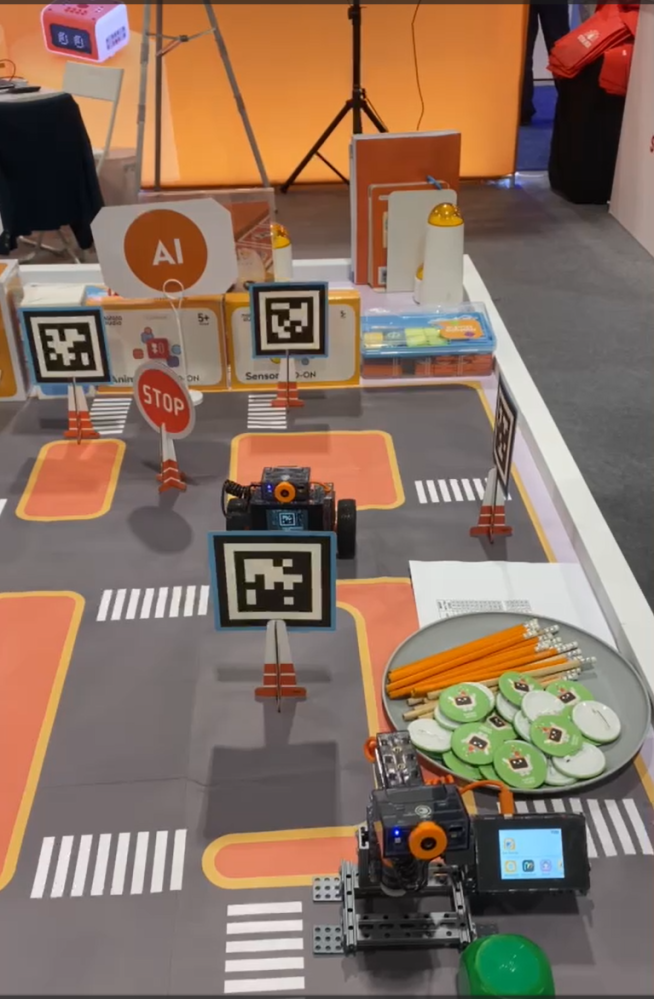
There are many tools available online for students to explore at their own pace and to find a topic of interest. Diving into programs to learn about coding and robotics, for example, offers many great benefits for students. Students can learn about programming languages, create their own software, or build robots or chatbots. With the resources available, students will develop computational thinking and problem-solving skills while also having the opportunity to boost their creativity.
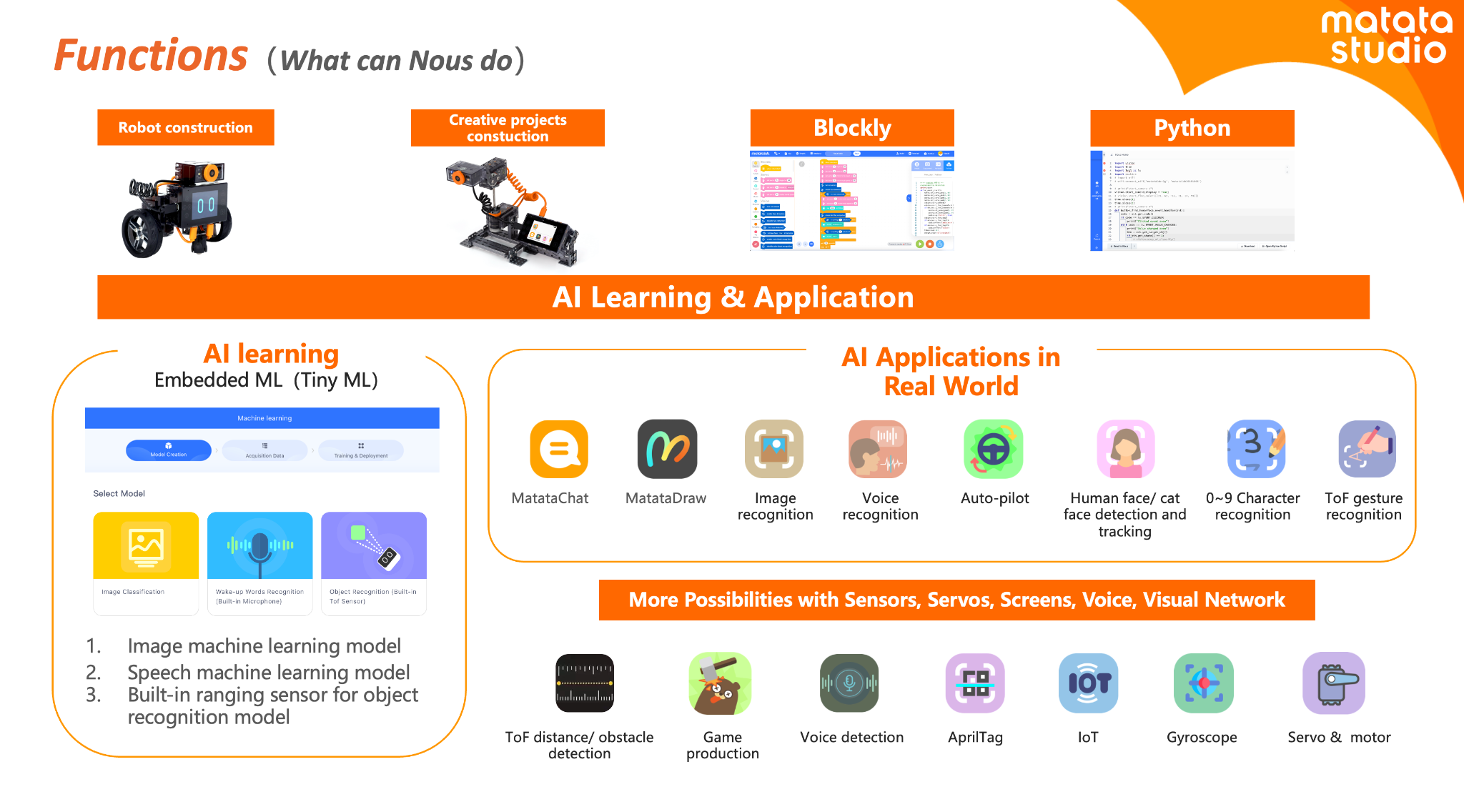
Online courses and virtual programs provide flexibility, which enables students to learn at their own pace and explore topics of interest. Many of the programs and tools available offer interactive simulations, video tutorials, sample activities, and more, which help to engage students more in learning. Some sites such as Code.org, MIT, AIClub, Scratch, and Tynker provide interactive coding tutorials and projects suitable for beginners. I recommend exploring Minecraft Education and Hacking STEM to give even more choices. For some robots, check out MatataStudio products such as TaleBot Pro or Vinci Bot or check out Marty the Robot from Robotical! Interested in augmented and virtual reality, dive into CoSpaces Edu!
Code with Google is focused on closing equity gaps in computer science opportunities and offers free resources for students. For older students and educators looking for courses and more activities, websites like Khan Academy and Udemy have courses covering various STEM topics, allowing students to learn at their own pace and explore their interests.
Summer learning opportunities for STEM can offer students a transformative learning experience that will spark their curiosity for learning and cultivate STEM-focused careers. These opportunities not only enhance academic skills but also equip students with essential 21st-century competencies, such as critical thinking, collaboration, and adaptability.
About the Author:
Rachelle Dené is a Spanish and STEAM: What’s Next in Emerging Technology Teacher at Riverview High School in Oakmont, PA. Rachelle is also an attorney with a Juris Doctor degree from Duquesne University School of Law and a Master’s in Instructional Technology. Rachelle is currently finishing her doctorate with a focus on AI and Professional Development. In addition to teaching, she is a full-time consultant and works with companies and organizations to provide PD, speaking, and consulting services. Contact Rachelle for your event!
Rachelle is an ISTE-certified educator and community leader and served as president of the ISTE Teacher Education Network. She was named one of 30 12 IT Influencers to follow in 2021 and one of 150 Women Global EdTech Thought Leaders in 2022.
Contact Rachelle to schedule sessions about Artificial Intelligence, Coding, AR/VR, and more for your school or your event! Submit the Contact Form.
Follow Rachelle on Twitter(X) and Instagram at @Rdene915
**Interested in writing a guest blog for my site? Would love to share your ideas! Submit your post here. Looking for a new book to read? Find these available at bit.ly/Pothbooks
************ Also check out my THRIVEinEDU PodcastHere!
Join my show on THRIVEinEDU on Facebook. Join the group here
In collaboration with Brisk Teaching, All opinions are my own
The life of an educator is always quite busy! There are so many demands on our days that finding extra time to try something different can be tough! However, when you find out about a great tool that not only helps you to save time and is easy to use but also provides many other benefits that will enhance instruction and impact students, then it’s definitely worth diving into some exploration!
Especially during this school year, which brought even more tools, educators are increasingly turning to technology to streamline workflows and enhance instructional quality. A few months ago, I started exploring something new that I found, and I love sharing it with educators. Brisk Teaching, an AI-powered Chrome extension, is designed specifically for educators! What makes it incredibly powerful is how seamless it is to use. Brisk is not an additional app or tool that you have to manage – it integrates directly into the tools teachers are already using (Google Docs, slides, articles, YouTube videos) to save you time right where you’re already working! Efficiency and productivity with Brisk!
The end of the school year is the perfect time to try out these great features and see how Brisk can save time, help with assessments, and more.
Brisk Teaching is amazing in how it transforms the way educators create their materials. With Brisk, you can quickly transform articles, YouTube videos, Google Docs, and other content into worksheets, quizzes, presentations, and more – right from the original sources. I really enjoy using awesome features like the AI Presentation Maker and AI Lesson Plan Generator, which enable teachers to design high-quality, engaging instructional content in minutes! For example, my favorite option, the AI Presentation Maker, enables educators to convert information obtained from articles, websites, or YouTube videos directly into a Google Slides presentation. The slides are created within minutes, and they automatically save directly in your Google Drive so you can easily change them as you normally would when using Google Slides. It just streamlines the whole process, all possible with a simple prompt, grade level, and design selection. It has been so much fun to demonstrate how quickly the slides are generated from a simple prompt of a few words.
Educators are amazed to see each slide being generated with content, images, and a great layout! Brisk not only simplifies the creation process but also ensures that the content is relevant and engaging for students.
The AI Lesson Plan Generator generates comprehensive plans in alignment with specific teaching objectives, grade levels, and more, which significantly reduces the time that teachers spend on lesson planning. Quickly generate a detailed rubric with the AI Rubric Generator or some Depth of Knowledge (DOK) questions. Brisk Teaching empowers educators to produce a variety of educational resources efficiently, which gives them more time to spend working with students!
Feedback
As we know, feedback is essential for learning. It needs to be authentic, meaningful, and timely. With Brisk Teaching, educators can provide this feedback even faster using the Targeted Feedback Generator. This feature enables educators to provide individualized comments to each student right within the student’s Google Docs.
Additionally, there are several feedback styles to choose from, including Glow & Grow praises and actionable Next Steps. The feedback will help students understand their strengths and identify areas for improvement. For educators, by automating the feedback process, Brisk helps educators keep providing feedback in a time-sensitive manner and promotes more consistent feedback for students. Choosing from the feedback styles can also help foster a supportive learning environment.
Inspect Writing
When you first explore the Inspect Writing feature of Brisk Teaching, seeing the replay of how a student has completed their assignment is really cool. The Inspect Writing feature provides educators with some insight into a student’s writing process, starting with any initial drafts to their final submission. With the replay, educators can develop a greater understanding of how a student approaches their work and can then use this to better target instructional approaches and provide more personalized feedback to better meet student needs and help them to grow.
Inspect writing is also a good way to engage a discussion about academic integrity. I see this as a way to focus on accountability also, especially when working with a group, and also as a way to focus on time management when conducting research or writing.
Differentiation
It is essential that all educators ensure that students have access to the learning materials that best match their reading levels and language needs. Promoting inclusivity is critical, and with Brisk Teaching tools like the Text Leveler and Translate Text Tool, educators can instantly adjust the complexity of texts or translate them into different languages for students. With these options, we can ensure that all classroom materials we use are accessible to students from varying linguistic and academic backgrounds and learning needs.
Why I recommend Brisk
Brisk Teaching is more than just a tool; it provides a comprehensive solution that has been designed by educators for educators. It aims to reduce burnout and enhance instructional effectiveness. It is easy to integrate in the classroom and its key features help to streamline our workflow and save time for us to work more with students and colleagues! As technology continues to evolve, tools like Brisk Teaching will continue to add new features in response to educator and student needs. Stay tuned for some other exciting features coming from Brisk. Brisk Boost for Students coming soon!