From Curiosity to Confidence: Building AI Literacy Together

In collaboration with Kira

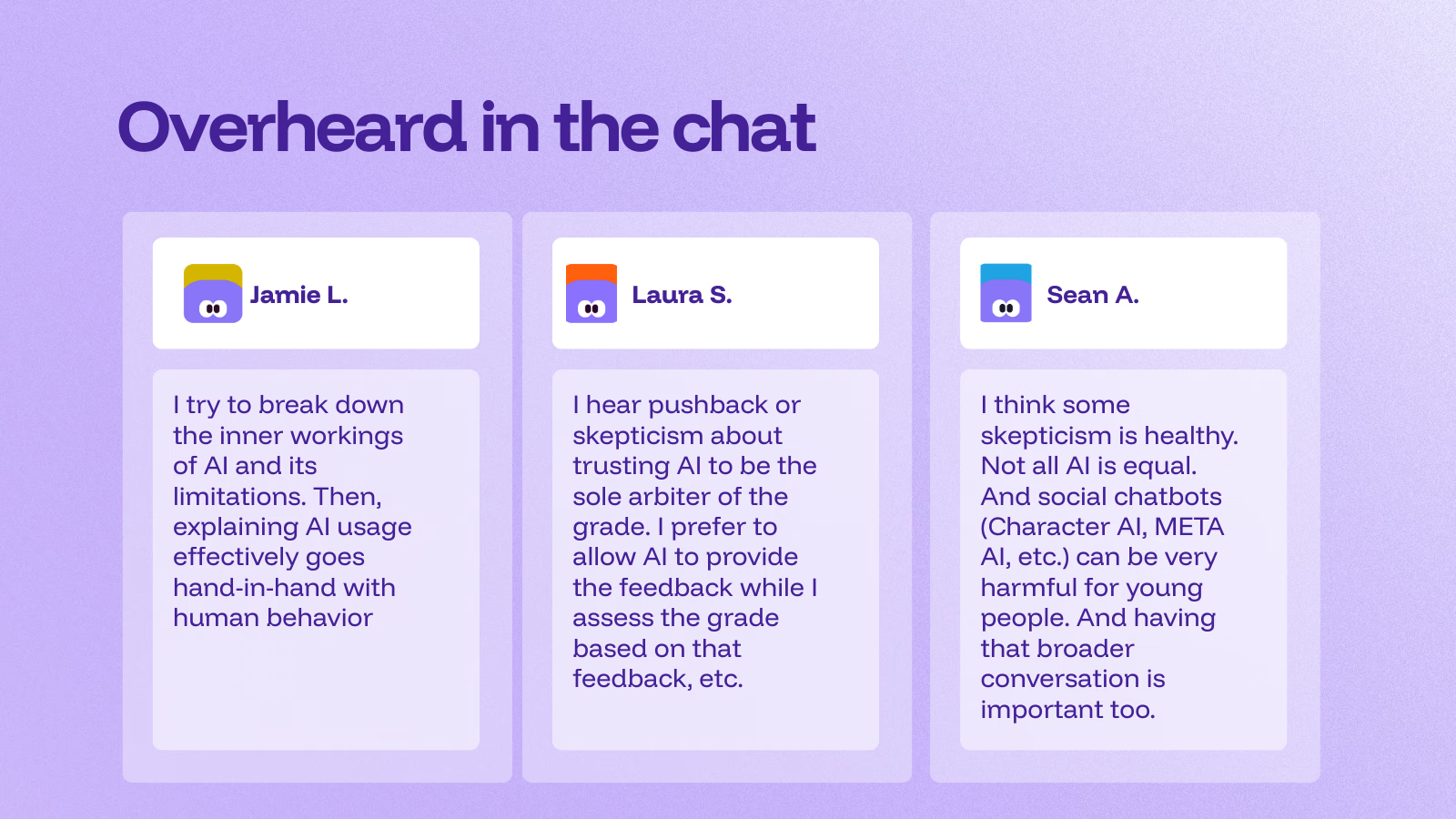
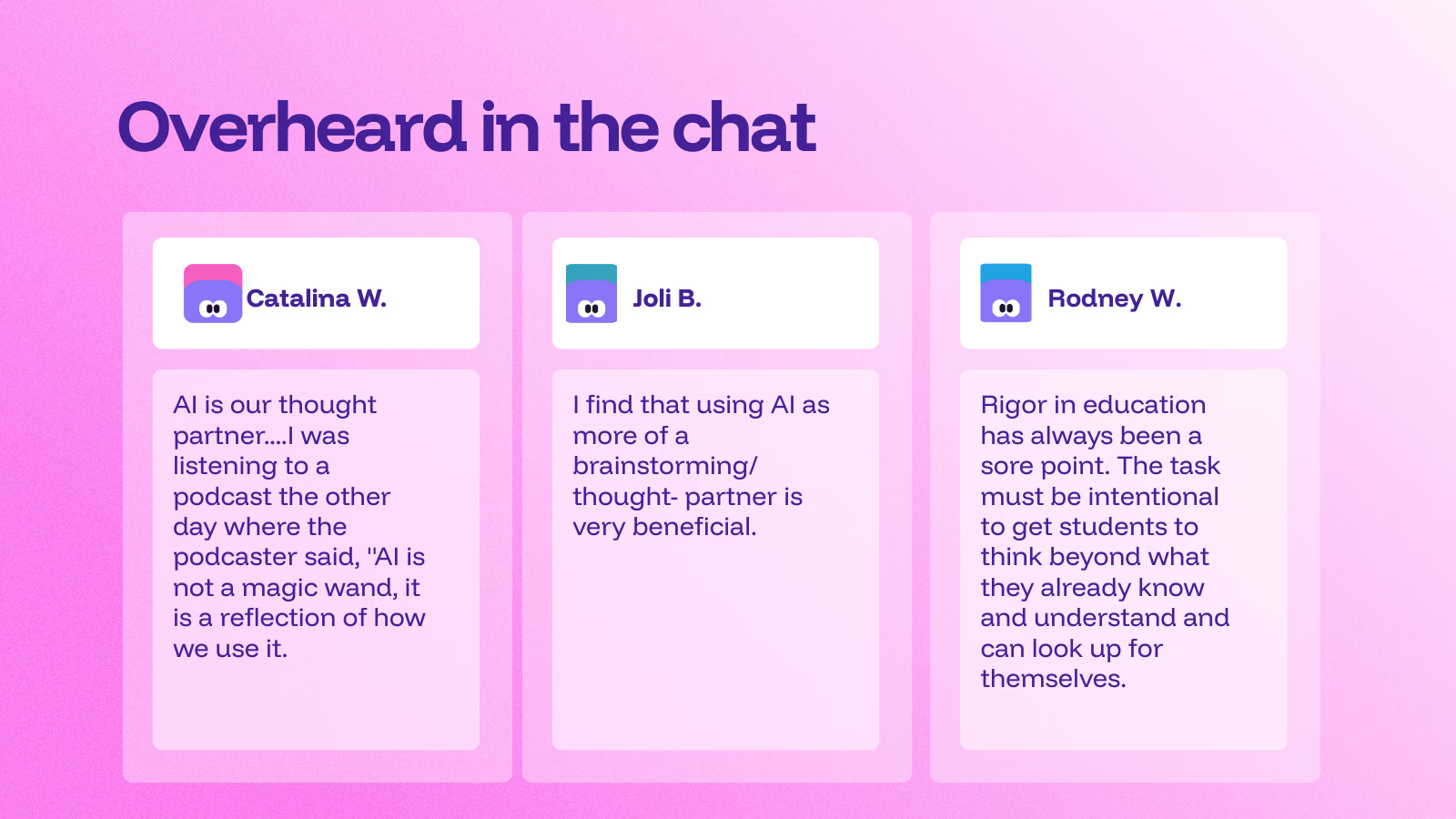
“Where are you with AI today—curious, testing, using weekly, or all in?”

That’s how we opened our recent panel on AI literacy for educators. Whether you feel energized, overwhelmed, or skeptical, you’re not alone, and that’s exactly why having conversations around AI and how to bring it into our schools matters.

Why AI Literacy, Why Now?

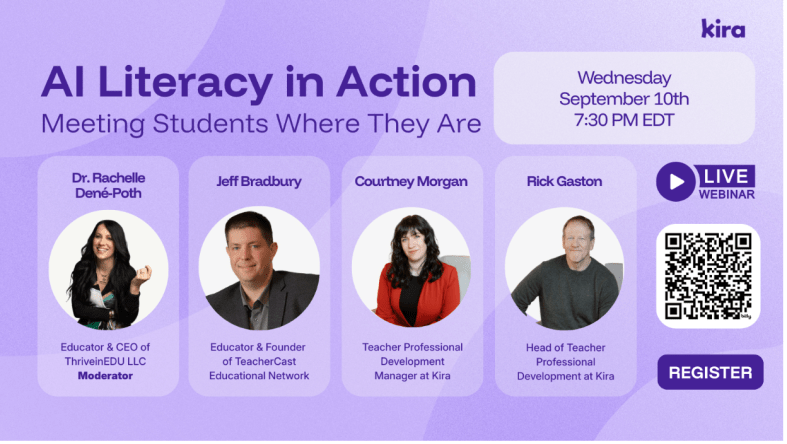
I enjoyed the opportunity to serve as the panelist for this great discussion about AI Literacy. We had so much engagement from attendees from more than 25 countries around the world!

The panelists engaged in rich discussion and offered insight into our role as educators and how we can help our students and ourselves better understand: What do we need to be doing when AI-powered tools surround us?” How does learning change?

Literacy isn’t about knowing how to navigate AI platforms, but rather it is about habits of mind. Asking better questions, evaluating outputs, knowing how to evaluate sources, understanding the limitations of AI, and aligning use with learning goals, ethics, and policy. AI is something that we need to consider and how it is involved in our planning, teaching, assessment, and reflection. And being able to determine whether something is real or not, something that I thought more about after reading the book Futureproof, by Kevin Roos, two years ago. Shifting from digital literacy to discernment is key.

The Skepticism Is Real (and Reasonable)

We started our discussion with what we called initial skepticism. Many teachers are hesitant to introduce AI into their classrooms, schools, or even their own workflows. As Jeff Bradbury put it:

“There are educators out there trying to figure this out, but they are not yet sure how to do it. There are educators out there who are scared. And then you have educators on the other side of the innovation curve… How do you work with all of those at the same time?”

He continued: “That question hits home. In every district I visit, I meet the AI All-Ins, the Cautious Curious, and the Not-Now crowd. Suppose this is your staff, good, because having discussions with educators who have these different viewpoints is key. It means you have internal mentors and internal skeptics—the two groups you need most to build something responsible and resilient, especially when the topic is AI”.

Some ideas shared: Start with a common language or practices. Define “AI literacy” and what that means. Identify how to best use AI (lesson planning, differentiation, feedback drafting) and some ways where you want to avoid the use of AI or be more cautious (grading without verification, sensitive data, replacing teacher judgment). Establishing clear guardrails reduces anxiety and helps to ensure that AI implementation in our schools is consistent and purposeful.

The “Aha” That Changes Everything: Specificity

Jeff told a story about a colleague—a music teacher—who tried AI “seven or eight different ways” to create a budget and concluded, “I hate this thing.” The pivot came with one question: “Were you specific?” Did he tell the AI it was for a middle school music program? The approximate budget? The categories? The constraints?

“You didn’t fail eight ways,” Jeff said. “You found eight ways the system didn’t have enough to listen to you.”

The quality of your prompt is not about clever “hacks”—it’s about context, criteria, and constraints.

Prompting is a pedagogy: We are modeling for students how to ask precise questions, set criteria, and iterate. That is AI literacy.

Meet Teachers Where They Are

Rick Gaston and Courtney Morgan from Kira emphasized a simple, human truth: people learn faster when they feel safe and seen.

“We like to meet teachers where they’re at to help them begin with AI,” Rick said. “Start with lesson content they’re comfortable with and have them experience how quickly AI can provide new ideas in that content area.”

“We believe in learning by doing,” Courtney added. “We facilitate that process so teachers can experience that our AI tools can be their teaching buddies.”

I love that phrase: teaching buddies. Not a shortcut. An assistant or collaborator who drafts, riffs, and reframes so that educators can focus on the human aspects of teaching, such as relationships, feedback, and instructional decision-making.

Time: The Gift Teachers Actually Feel

Jeff’s coaching mantra resonated with the chat: “What is the one thing I can give you that no one else can? Time.” When AI saves a teacher 30 minutes tonight, their stance moves from skeptical to curious. When it saves them three hours before conferences, they become advocates.

Concrete time-savers that build trust:

  • Parent emails: Draft a positive progress update with two examples of growth and one specific next step—translated into Spanish and English.
  • Rubric remix: Convert a long analytic rubric into a student-friendly checklist; add “I can” statements.
  • Formative checks: Generate two exit tickets (one multiple-choice, one open-ended) targeting the same standard; include an answer key/rubric slice.

When teachers see the time they can save and then shift to students or colleague interactions, they’re more willing to explore deeper integrations of AI into their practice.

Additional insights from participants (courtesy of Kira)

About Kira

Kira is an AI-powered teaching & learning platform built to save teachers time, personalize instruction, and keep teachers in control. During the panel discussion, attendees had the chance to learn more about the platform and the AI Tutor. “This is just a quick preview of the Kira platform,” said Courtney, “and why we keep mentioning the built-in AI Tutor we’re really proud of.”

At its core, the AI Tutor is designed to coach, rather than simply provide answers. Students can highlight any passage and ask a question, or simply discuss it directly with the tutor. “You’re going to see me try to make it solve the problem for me,” Courtney joked, “but it won’t. Instead, it walks you through highly scaffolded steps.” That means support questions, targeted hints, and extra practice. The Tutor will work at nudging learners toward the how and why, not just the what. You can adjust the support level and reading level per student. It never gives direct answers and provides context-aware, course-specific feedback.

The AI Tutor is subject-agnostic and works across K–12 courses, math included. It’s available to both teachers and students, and it’s been a game-changer for first-time teachers who lean on it to deepen their own understanding while teaching. The message is clear: AI as a teaching buddy, not a replacement.

Differentiation is built in. Teachers can adjust the tutor’s level of support if students are over-relying on it, or increase it for learners who need more targeted assistance, including those with IEPs or language-learning needs. The goal is precision teaching: the right help, to the right student, at the right moment.

Getting started is easy. Kira offers ready-to-use courses, including AI Demystified for students, answering the big questions, “What is AI? What is it doing? How do I use it responsibly?”—and AI 101 for Educators, which builds teacher AI literacy. Looking to be part of a learning community?

Join the upcoming AI 101 for Educators cohort starting in October. Learn more and express your interest here! It is a short, self-paced PD (about 2 hours) for any subject area that builds confidence using AI in real classrooms.

It will cover:

What is AI, and what AI tools are helpful for educators?

How can I teach my students to use AI responsibly?

How can I use AI tools to enhance my students’ critical thinking?

How can I reduce risks and maximize the benefits of using AI in the classroom?

Once you fill out the form, the team at Kira will follow up with more details.

Learn more about their AI 101 PD cohort here.

About Rachelle

Dr. Rachelle Dené Poth is a Spanish and STEAM: What’s Next in Emerging Technology Teacher at Riverview High School in Oakmont, PA. Rachelle is also an attorney with a Juris Doctor degree from Duquesne University School of Law and a Master’s in Instructional Technology. Rachelle received her Doctorate in Instructional Technology, and her research focus was on AI and Professional Development. In addition to teaching, she is a full-time consultant and works with companies and organizations to provide PD, speaking, and consulting services. Contact Rachelle for your event!

Rachelle is an ISTE-certified educator and community leader who served as president of the ISTE Teacher Education Network. By EdTech Digest, she was named the EdTech Trendsetter of 2024, one of 30 K-12 IT Influencers to follow in 2021, and one of 150 Women Global EdTech Thought Leaders in 2022.

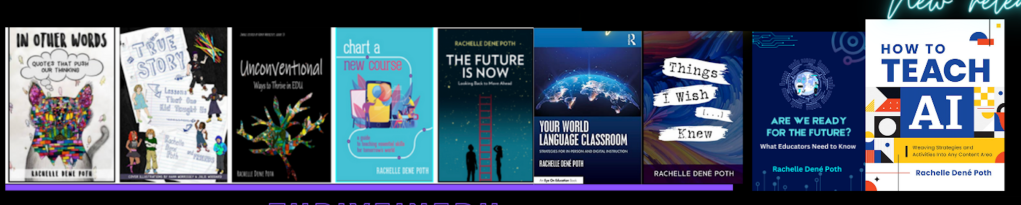
She is the author of ten books, including ‘What The Tech? An Educator’s Guide to AI, AR/VR, the Metaverse and More” and ‘How To Teach AI’. In addition, other books include, “In Other Words: Quotes That Push Our Thinking,” “Unconventional Ways to Thrive in EDU,” “The Future is Now: Looking Back to Move Ahead,” “Chart A New Course: A Guide to Teaching Essential Skills for Tomorrow’s World, “True Story: Lessons That One Kid Taught Us,” “Things I Wish […] Knew” and her newest “How To Teach AI” is available from ISTE or on Amazon.

Contact Rachelle to schedule sessions about Artificial Intelligence, AI and the Law, Coding, AR/VR, and more for your school or event! Submit the Contact Form.

Follow Rachelle on Bluesky, Instagram, and X at @Rdene915

**Interested in writing a guest blog for my site? Would love to share your ideas! Submit your post here. Looking for a new book to read? Find these available at bit.ly/Pothbooks

************ Also, check out my THRIVEinEDU Podcast Here!

Join my show on THRIVEinEDU on Facebook. Join the group here.

Leading with AI: Practical Ideas for School and District Administrators

I started researching artificial intelligence in July 2017. I dove into the topic so that I could write a blog post for Getting Smart in January 2018. I had no idea at that point, thinking ahead, how much time I would invest in learning about AI and how much I would invest in working with students and educators over the past 7 1/2 years.

I love working with students in my classroom and also, I am very much aware of the ethical and legal considerations that we have to think about when it comes to any technology, but more specifically AI. Over the past two years, I have challenged myself to go beyond the training that I have done related to AI and different tools, and now I have also been focusing on AI and the law, working with administrators to evaluate policies, create opportunities to provide professional development for the educators in their school systems, and so much more. I am always looking for more opportunities to work within schools.

And with all these opportunities, things have changed a lot from seven years ago when I started presenting, compared with nearly 2 years ago when ChatGPT came out, and even this year. Artificial intelligence isn’t just a buzzword anymore—it’s becoming a tool that education leaders can no longer ignore. As an educator and consultant who works at the intersection of AI, law, and learning, I’ve seen how quickly AI is reshaping classrooms and professional practices. But what about those leading from an administrator’s viewpoint?

For administrators, AI is not just about the tools students or teachers use; it’s about strategy, policy, and shaping the future of learning in your schools. So how can you, as an education leader, leverage AI effectively and responsibly? Here are some ideas and practical tips to help you get started.

1. Streamlining Administrative Work

One of the most immediate uses of AI is in reducing the workload that often takes administrators away from instructional leadership. AI-powered tools can:

  • Draft communications: If you spend time writing newsletters to families, updates to the school board, or memos for staff, AI can help you to generate polished drafts that you can refine and personalize.
  • Summarize long reports: Instead of sifting through dozens of pages, AI can condense state policy updates, research articles, or professional learning reports into actionable takeaways.
  • Automate scheduling: Tools now exist that can suggest meeting times, analyze calendar patterns, and even help coordinate professional development sessions.

💡 Reminder: Always add your authentic voice and context when using AI for communication. AI should be used as an assistant, not as a replacement for the work we do.

2. Using AI for Data-Informed Decisions

Administrators are constantly making decisions based on data. They focus on assessment results, attendance records, and even budgetary considerations. AI can help to identify patterns and provide insights more quickly. For example:

  • Equity checks: AI can highlight disparities in discipline, participation, or achievement data that might otherwise be hidden.
  • Enrollment predictions: Some districts are already using AI to forecast shifts in student numbers and staffing needs.
  • Resource allocation: Imagine tools that analyze spending trends and suggest areas where funds could be more impactful.

💡 Tip: AI should not replace your own judgment. Use it as a lens to see trends and then combine those insights with your leadership expertise and community input.

3. Supporting Teachers with AI

Your role is so important, especially for supporting teachers:

  • Lesson planning: Teachers can use AI to brainstorm activities aligned with standards or to differentiate for diverse learners.
  • Assessment support: AI-powered graders can provide fast feedback on essays or projects, giving teachers more time to focus on deeper feedback.
  • Professional growth: AI-driven platforms can recommend resources or communities based on teachers’ needs and interests.

💡 Tip: Encourage and support teachers as they experiment with AI. Promote ideas like generating quiz questions or creating rubrics. Building confidence and trust is key.

4. Enhancing Communication and Community Engagement

Administrators recognize that clear communication with families and the broader school community is crucial. AI can assist in many ways:

  • Translation tools: AI-driven translators are becoming increasingly accurate, enabling schools to connect with families in their native languages. Promoting accessibility and inclusivity is absolutely essential.
  • Chatbots for FAQs: Districts can set up AI-powered bots on websites to answer common parent questions about schedules, policies, or enrollment.
  • Sentiment analysis: Some tools can gauge community concerns by analyzing feedback surveys or social media mentions.

💡 Reminder: Being transparent helps to build trust. If you’re using AI to engage families, be clear about what it is and how it works.

5. Keeping Students Safe and Supported

Administrators have a responsibility to ensure that AI tools support—not endanger—student well-being. This means looking at both opportunities and risks:

  • Early warning systems: AI can help flag attendance or behavioral patterns that may indicate a student is at risk.
  • Cybersecurity monitoring: With cyber threats on the rise, AI can help IT teams detect unusual activity more quickly.
  • Digital citizenship: As students use AI themselves, administrators can help set the tone for safe, ethical, and responsible use.

💡 Tip: Always vet AI tools for compliance with laws like FERPA and COPPA, and check with legal teams before large-scale implementation. I am available to help you with policy creation and evaluation for your school!

6. Building an AI-Ready Culture

Perhaps the most critical role for administrators is shaping culture. AI is somewhat new(in the sense that GenAi is new and it can be intimidating, but it’s also full of promise. Leaders can set the tone by:

  • Modeling use: Share examples of how you use AI to save time or make decisions.
  • Creating professional learning opportunities: Dedicate PD sessions to exploring AI tools and their classroom applications.
  • Starting conversations: Make space for teachers, students, and families to share questions and concerns.

7. Policy and Ethical Leadership

AI brings with it new challenges in ethics and policy. Administrators should be proactive in:

  • Drafting AI guidelines: Develop policies for teachers and students that encourage innovation while addressing risks.
  • Evaluating vendors: Not every AI tool is created equal. Ask about how tools protect student data, align with standards, and support equity.
  • Monitoring impact: Establish checkpoints to evaluate whether AI tools are meeting their intended goals.

💡 Tip: Create a small task force of teachers, tech staff, and even students to help monitor AI use in your school or district. Shared ownership builds stronger policies.

Planning Ahead

As an administrator, it’s okay to not have all the answers about AI. You just need to be willing to ask the right questions. Over the past seven+ years, I have seen the most success when educators approach AI with curiosity, caution, and courage.

Curiosity allows you to explore the potential of AI without fear.
Caution keeps you grounded in ethics, equity, and student safety.
Courage helps you lead your community into a future that is still unfolding.

AI can be a powerful tool to help administrators focus on what matters most: supporting teachers, empowering students, and building thriving school communities.

The question isn’t whether AI belongs in education leadership—it’s how you, as an administrator, will guide its use. By starting small, asking thoughtful questions, and keeping your community at the center, you can ensure AI becomes an asset rather than a distraction.

About Rachelle

Dr. Rachelle Dené Poth is a Spanish and STEAM: What’s Next in Emerging Technology Teacher at Riverview High School in Oakmont, PA. Rachelle is also an attorney with a Juris Doctor degree from Duquesne University School of Law and a Master’s in Instructional Technology. Rachelle received her Doctorate in Instructional Technology, and her research focus was on AI and Professional Development. In addition to teaching, she is a full-time consultant and works with companies and organizations to provide PD, speaking, and consulting services. Contact Rachelle for your event!

Rachelle is an ISTE-certified educator and community leader who served as president of the ISTE Teacher Education Network. By EdTech Digest, she was named the EdTech Trendsetter of 2024, one of 30 K-12 IT Influencers to follow in 2021, and one of 150 Women Global EdTech Thought Leaders in 2022.

She is the author of ten books, including ‘What The Tech? An Educator’s Guide to AI, AR/VR, the Metaverse and More” and ‘How To Teach AI’. In addition, other books include, “In Other Words: Quotes That Push Our Thinking,” “Unconventional Ways to Thrive in EDU,” “The Future is Now: Looking Back to Move Ahead,” “Chart A New Course: A Guide to Teaching Essential Skills for Tomorrow’s World, “True Story: Lessons That One Kid Taught Us,” “Things I Wish […] Knew” and her newest “How To Teach AI” is available from ISTE or on Amazon.

Contact Rachelle to schedule sessions about Artificial Intelligence, Coding, AR/VR, and more for your school or event! Submit the Contact Form.

Follow Rachelle on Bluesky, Instagram, and X at @Rdene915

**Interested in writing a guest blog for my site? Would love to share your ideas! Submit your post here. Looking for a new book to read? Find these available at bit.ly/Pothbooks

************ Also, check out my THRIVEinEDU Podcast Here!

Join my show on THRIVEinEDU on Facebook. Join the group here.

Acceleration Academies are Serving the Students Society Wrote off

A guest post by Kelli Campbell

I grew up in a small town in rural Illinois. Neither of my parents has a high school diploma, so I am a first-generation high school graduate. Having that diploma opened a world of possibilities to me that would otherwise have been closed, including going on to earn a college degree, which then led to a terrific career and becoming the CEO of Acceleration Academies.

It was my high school diploma that put me on that path to giving back through a career dedicated to improving education. I began decades ago working on products that brought online educational video into the classroom. Now, I have the privilege of helping young people who, like me, face and overcome barriers impeding their education.

I love telling the story about growing up in rural Illinois to graduation candidates attending our Acceleration Academies. Because I want every young person to know they have a path open to them achieving their own dreams, I say to them, “I am a first-generation high school graduate, and now I’m a CEO. You can be anything you want to be!”

Reconnecting Students Who Have Been Pushed Out

At Acceleration Academies (AA), we focus on students who are disengaged. Usually, that means they have dropped out, but we find that more often than not, these students feel like they were pushed out by a traditional approach to schooling that wasn’t supporting their needs. They may have to work full-time to support their families, or they may already have a little one of their own. They may struggle with mental health, such as paralyzing anxiety about attending a school with 1,000 other students. Some students drop out because of bullying or fall behind because of food insecurity. There are so many challenges students can face that have nothing to do with their ability or drive. Instead, it is a school environment that doesn’t work with the circumstances of their lives.

We partner with local school districts to overcome that barrier by providing an alternative school environment where students get all kinds of support, no matter the challenges they face. They get a second chance at a high school diploma with no cost to them. The districts benefit by graduating more students and recovering the funding they lost when students disenrolled.

‘Content Coaches’ and ‘Graduation Candidates’

Creating a different environment is so central to our model that it even filters into the language we use. Our students are called “graduation candidates” to remind them that they are there to complete a goal – a goal, we tell them, that they are 100 percent capable of reaching. Our teachers are called “content coaches” because they help students work through their classes and assignments. We even have staff who will call students who have trouble waking up to their alarm to make sure they get out the door. Our staff will even help them find a job with an employer who will accommodate their school schedule and prioritize their education.

A Different Environment

All of this, our entire model, is about removing barriers and adding in support to help students overcome obstacles. That includes the setting. Our schools offer a cafe-style environment with wide open spaces, varied seating and working areas, several small rooms for meetings, and enclosed workspaces for students who prefer a more private setting.

Students take one class at a time, generally taking about three to four weeks per class, so their content coaches can guide them one subject at a time. We offer a hybrid format that allows them to learn in-person and online. There’s flexible scheduling for everyone so students who have obligations during traditional school hours can come in during the evenings or on weekends. Pacing is up to the student, guided and encouraged by coaches.

We also operate on a 12-month schedule, rather than the traditional nine-month academic calendar. Many of our students are behind grade level, and they need extra months to get back on track. We’ve also found that students lose connection with school during longer breaks and are less likely to continue with their education when they haven’t attended for even a couple of weeks.

A Win-Win-Win for Everyone

Each AA site is a program of choice within the partner district, which makes it a win-win-win. The district recovers funding when students re-enroll and their graduation rate improves as we matriculate students. Young people get back on track to earn a diploma and all the educational and career opportunities that come with it. Their immediate family and even their communities benefit from the increased economic potential each graduate earns as well.

It’s a win for students who have a variety of reasons for needing something different. For example, those who are mostly on the right track, but get into a little trouble, can continue working at their district’s AA site and then either return to their traditional school or continue with us. It is as much a win for the students who are struggling academically or socially as it is for those who want (or need) to graduate faster. See several inspiring student stories here.

A Gwinnett County Public Schools student told me her story recently. She had been depressed, unable to get out of bed and attend school because she felt afraid, almost paralyzed at school. She enrolled at Acceleration Academies after about three months at her parents’ urging. For the first six weeks, she told me she would come to school and go straight to one of the low-stimulus rooms we offer and wouldn’t talk to anyone. Little by little, she began to feel safe.

A few months later, this student walked with me – who was once, to her, a scary adult – around her school. Now, she is confident and sure of her surroundings. She is able to communicate, to advocate for herself, to tell a painful story about a hard time in her life to a stranger. This young woman is still a graduation candidate in our school, and I hope she earns her diploma. Even if she doesn’t, I’m proud to be a part of an organization that helped her find her confidence and reconnect with her goals and her community.

At every graduation I attend, someone will approach me, maybe a teacher, a caregiver, or a graduate, to tell me their personal story and thank me for Acceleration Academies. Every time, when I ask who wants to stay in school, every one of those students who had been labeled as a dropout raises their hands. It really is such meaningful work we are able to do here, and the only reason I am able to do it is because years ago I overcame my own barriers to earn a diploma. I want every graduation candidate to have the same opportunity to improve their communities, and that means removing every barrier we find with student-centered support.

About Kelli

Kelli Campbell is a first-generation high school graduate and a first-generation college graduate. She is the CEO of Acceleration Academies.


About Rachelle

Dr. Rachelle Dené Poth is a Spanish and STEAM: What’s Next in Emerging Technology Teacher at Riverview High School in Oakmont, PA. Rachelle is also an attorney with a Juris Doctor degree from Duquesne University School of Law and a Master’s in Instructional Technology. Rachelle received her Doctorate in Instructional Technology, and her research focus was on AI and Professional Development. In addition to teaching, she is a full-time consultant and works with companies and organizations to provide PD, speaking, and consulting services. Contact Rachelle for your event!

Rachelle is an ISTE-certified educator and community leader who served as president of the ISTE Teacher Education Network. By EdTech Digest, she was named the EdTech Trendsetter of 2024, one of 30 K-12 IT Influencers to follow in 2021, and one of 150 Women Global EdTech Thought Leaders in 2022.

She is the author of ten books, including ‘What The Tech? An Educator’s Guide to AI, AR/VR, the Metaverse and More” and ‘How To Teach AI’. In addition, other books include, “In Other Words: Quotes That Push Our Thinking,” “Unconventional Ways to Thrive in EDU,” “The Future is Now: Looking Back to Move Ahead,” “Chart A New Course: A Guide to Teaching Essential Skills for Tomorrow’s World, “True Story: Lessons That One Kid Taught Us,” “Things I Wish […] Knew” and her newest “How To Teach AI” is available from ISTE or on Amazon.

Contact Rachelle to schedule sessions about Artificial Intelligence, Coding, AR/VR, and more for your school or event! Submit the Contact Form.

Follow Rachelle on Bluesky, Instagram, and X at @Rdene915

**Interested in writing a guest blog for my site? Would love to share your ideas! Submit your post here. Looking for a new book to read? Find these available at bit.ly/Pothbooks

************ Also, check out my THRIVEinEDU Podcast Here!

Join my show on THRIVEinEDU on Facebook. Join the group here.

AI Isn’t Replacing Teachers — It’s Helping Us Teach Better

Guest blog post by Matthew Mawn,@matthew_mawn

If you’ve ever heard the phrase “AI is coming for your job,” you’re not alone. That may be true in some professions. But when I hear it applied to education, I think back to 2020–2021, when the world learned from kitchen tables and bedroom desks. We all saw, in real time, how irreplaceable teachers are, and the immense value they bring to millions of students every day.

Will AI replace teachers? Not from what I can see. Will it help them reach more students and raise achievement for all learners while saving them time on the backend? Absolutely.

Time Saved is Time Invested in Students

What do teachers want? MORE TIME! When do they want it? NOW!

Ask any teacher what they wish they had more of (besides a higher salary), and the answer is almost always the same: time. Time to prepare lessons, to modify materials for all learners, to provide meaningful feedback, to take a full 30-minute lunch break, and actually enjoy it.

U.S. teachers work an average of 53 hours per week, far beyond their contracted hours. Much of that time is consumed by planning, grading, paperwork, and administrative tasks, exactly the kind of work that pulls teachers away from direct interaction with students. It’s such a recognized problem that the New Jersey Department of Education created a grant program called Expanding Innovations in Teacher Climate and Culture, with the sole goal of finding ways to reduce these burdens.

The world of AI is evolving daily, with new tools designed to take these repetitive tasks off teachers’ plates. AI can generate draft lesson plans, create differentiated practice questions in seconds, summarize student performance data into actionable insights, and even draft parent emails. Teachers who use AI at least once a week report saving an average of 5.9 hours each week, adding up to the equivalent of six full weeks over a standard 37.4-week school year.

Take the math teacher who went from spending 90 minutes a week creating Do Now and Closure Google Forms for her three different preps to crafting them in under 10 minutes, letting the AI do the heavy lifting while she simply reviewed, edited, and published. This saved time not only allowed her to do more with less, it also helped alleviate the burnout that comes from teaching multiple preps day in and day out, all while trying to differentiate and create high-quality materials for every learner. AI gives teachers more time both in and outside the classroom, helping restore the work–life balance that’s so hard to maintain during the school year and providing the breathing room they need to give their all to their students.

Turning Time Saved Into Better Learning

AI can save teachers time, but what can that time be used for (besides taking a breath)? For most of us, it means redirecting energy into the parts of teaching that made us want to pursue this profession in the first place: connecting with our students and helping them grow academically.

Differentiation

Every classroom has students with different readiness levels, language needs, and learning preferences. AI tools like Diffit or MagicSchool can instantly create multiple versions of a passage or assignment, differentiated by grade level, complexity, or language. This allows every student to engage with the same core concept, moving together as one cohesive class. Instead of spending an evening retyping and rephrasing, teachers can review and tweak AI drafts in minutes, ready for the next lesson.

Feedback

Timely, specific feedback drives learning but can easily consume hours of a teacher’s time. AI tools such as FeedbackFruits or Rooted Learning can summarize student work or auto-grade Google Forms and release feedback instantly. Teachers can then refine and personalize those comments, giving students actionable guidance while avoiding burnout.

Relationship Building

Extra time also means more one-on-one moments with students and far fewer late nights creating instructional materials for the next day. Will this also mean less coffee consumption? That’s up for debate.

AI isn’t just saving time, it’s giving teachers the capacity to teach better, connect more deeply, and respond to students’ needs in ways that matter most.

Guardrails for Responsible AI Use

AI is making headlines in every industry, but it’s important to remember that not every tool is created equal, and not every use is risk-free. When evaluating AI tools, pay close attention to your students’ data privacy. Many of these tools request student names, work samples, or other information that could violate FERPA or district policies. Always review the privacy policy before moving forward with a tool.

Accuracy is another factor. AI can and does make mistakes, so it’s essential to review the work before sharing it with students. AI is a great starting point, but the final product always needs a teacher’s eyes.

AI is here to stay, and it has the ability to remove time drains, expand access to differentiated materials, and give teachers the time they need to get back to what matters most, their students. It’s not about replacing teachers, it’s about giving them more room to thrive.

About Matt

Matt Mawn, EdD, is the founder of Rooted Learning, an AI-powered platform that generates standards-aligned, differentiated assessments in minutes. He has over 13 years in K–12 leadership, higher education, and edtech. Connect with him on X or visit Rooted Learning.


About Rachelle

Dr. Rachelle Dené Poth is a Spanish and STEAM: What’s Next in Emerging Technology Teacher at Riverview High School in Oakmont, PA. Rachelle is also an attorney with a Juris Doctor degree from Duquesne University School of Law and a Master’s in Instructional Technology. Rachelle received her Doctorate in Instructional Technology, and her research focus was on AI and Professional Development. In addition to teaching, she is a full-time consultant and works with companies and organizations to provide PD, speaking, and consulting services. Contact Rachelle for your event!

Rachelle is an ISTE-certified educator and community leader who served as president of the ISTE Teacher Education Network. By EdTech Digest, she was named the EdTech Trendsetter of 2024, one of 30 K-12 IT Influencers to follow in 2021, and one of 150 Women Global EdTech Thought Leaders in 2022.

She is the author of ten books, including ‘What The Tech? An Educator’s Guide to AI, AR/VR, the Metaverse and More” and ‘How To Teach AI’. In addition, other books include, “In Other Words: Quotes That Push Our Thinking,” “Unconventional Ways to Thrive in EDU,” “The Future is Now: Looking Back to Move Ahead,” “Chart A New Course: A Guide to Teaching Essential Skills for Tomorrow’s World, “True Story: Lessons That One Kid Taught Us,” “Things I Wish […] Knew” and her newest “How To Teach AI” is available from ISTE or on Amazon.

Contact Rachelle to schedule sessions about Artificial Intelligence, Coding, AR/VR, and more for your school or event! Submit the Contact Form.

Follow Rachelle on Bluesky, Instagram, and X at @Rdene915

**Interested in writing a guest blog for my site? Would love to share your ideas! Submit your post here. Looking for a new book to read? Find these available at bit.ly/Pothbooks

************ Also, check out my THRIVEinEDU Podcast Here!

Join my show on THRIVEinEDU on Facebook. Join the group here.

Professional Development on AI

Prior post on Edutopia

Over the past few years, we have seen many changes in education. We live and teach in an increasingly digital world that involves rapid technological advancements through emerging technologies such as artificial intelligence (AI). The technologies are not only impacting our lives as educators, but they are also impacting the world of work that our students will enter.

To best prepare our students, educators must constantly adapt and evolve to keep up with these changes. However, there are challenges associated with these technologies, including a lack of professional learning opportunities, insufficient time to participate, and uncertainty about the best options for learning. Bringing in new technology can also feel like adding to an already overflowing plate. 

Beyond the basic technology skills that educators need for everyday teaching, they also need to be knowledgeable about emerging technologies, particularly AI, and how to bring them into their classrooms. Over the past five years, my work has focused on collaborating with teachers to get them started with emerging technology—including, more recently, AI. Here are some things that work when designing AI-related professional learning.

AI Professional Development for Educators

Professional development (PD) focused on implementing classroom technology goes beyond simply training educators in how to use it and apply it to their curriculum. It requires rich and personalized learning experiences that will engage educators and enable them to see the possibilities available for amplifying learning through educational technology. 

Building knowledge in an area such as AI and other emerging technologies takes time with consistent and guided exploration. It also requires that educators be able to explore a variety of resources to find what best meets their specific needs. Without support, teachers are less likely to dive into these new technologies, especially if they do not see the relevance to their content area. 

Continue reading this post on Edutopia

About Rachelle

Dr. Rachelle Dené Poth is a Spanish and STEAM: What’s Next in Emerging Technology Teacher at Riverview High School in Oakmont, PA. Rachelle is also an attorney with a Juris Doctor degree from Duquesne University School of Law and a Master’s in Instructional Technology. Rachelle received her Doctorate in Instructional Technology, and her research focus was on AI and Professional Development. In addition to teaching, she is a full-time consultant and works with companies and organizations to provide PD, speaking, and consulting services. Contact Rachelle for your event!

Rachelle is an ISTE-certified educator and community leader who served as president of the ISTE Teacher Education Network. By EdTech Digest, she was named the EdTech Trendsetter of 2024, one of 30 K-12 IT Influencers to follow in 2021, and one of 150 Women Global EdTech Thought Leaders in 2022.

She is the author of ten books, including ‘What The Tech? An Educator’s Guide to AI, AR/VR, the Metaverse and More” and ‘How To Teach AI’. In addition, other books include, “In Other Words: Quotes That Push Our Thinking,” “Unconventional Ways to Thrive in EDU,” “The Future is Now: Looking Back to Move Ahead,” “Chart A New Course: A Guide to Teaching Essential Skills for Tomorrow’s World, “True Story: Lessons That One Kid Taught Us,” “Things I Wish […] Knew” and her newest “How To Teach AI” is available from ISTE or on Amazon.

Contact Rachelle to schedule sessions about Artificial Intelligence, Coding, AR/VR, and more for your school or event! Submit the Contact Form.

Follow Rachelle on Bluesky, Instagram, and X at @Rdene915

**Interested in writing a guest blog for my site? Would love to share your ideas! Submit your post here. Looking for a new book to read? Find these available at bit.ly/Pothbooks

************ Also, check out my THRIVEinEDU Podcast Here!

Join my show on THRIVEinEDU on Facebook. Join the group here.

Transform Public Speaking with Yoodli: Your AI Coach

Guest post by Paula Johnson, see Paula’s other blogs here and subscribe!

Public speaking. Just reading those two words probably made your palms sweat a little. Whether you’re a student giving a book report, a teacher presenting at a PD (with no AC and bad coffee), or someone just trying to sound confident in a meeting, speaking clearly and effectively is a real skill, and one that usually comes with years of awkward ums and cringey filler words.

Enter Yoodli, your friendly-but-firm AI-powered speech coach. Think of it like Toastmasters… if Toastmasters lived inside your laptop and never interrupted you

🧰 What Is Yoodli?

Yoodli is an AI tool designed to help users improve their public speaking skills. It analyzes your speech in real-time or after a recording and gives you feedback on things like:

  • Filler words (“um,” “like,” “you know”)
  • Pacing (Are you sprinting or sedating your audience?)
  • Word choice and sentence complexity
  • Eye contact and body language (with video)
  • And yes, even your “uhhh” to actual word ratio

Yoodli gives you a transcript and a confidence score, plus suggestions that range from helpful to brutally honest. It’s basically Simon Cowell with AI ethics and a smiley face interface.

🏫 Classroom Uses: From the Speech Team to the Math Teacher

Yoodli is one of those tools that sneaks up on you with its usefulness. Here’s how educators can integrate it meaningfully across content areas:

💬 1. Speech & Debate or Language Arts

The most obvious use case. Have students record their speeches or presentations, then analyze their own pacing, tone, and use of filler words using Yoodli. Students can track their growth over time, which is far more helpful (and less awkward) than just watching themselves on video.

🎤 2. ELL/ESL Support

For multilingual students, Yoodli provides private, low-stakes speaking practice. It doesn’t judge accents; it focuses on clarity, pacing, and fluency. Students can speak into the tool and get instant feedback, helping build confidence without the pressure of speaking in front of the class.

🧠 3. Teacher PD & Self-Reflection

Want to see how you really sound during that lesson on quadratic equations? Use Yoodli to record part of your instruction or PD session. You might be surprised how often you say “so yeah” (guilty). This can also be helpful for instructional coaches working with teachers on presentation or communication skills.

🧪 4. Science Fairs and Project-Based Learning

Anytime students are explaining a process or presenting their thinking, Yoodli can give them that extra polish. It encourages students to reflect on how they communicate their ideas, not just what they say, but how they say it.

💻 5. Interview Practice and Career Readiness

Mock interviews? Elevator pitches? College essays turned spoken narratives? Yoodli is ideal for helping students practice for real-world moments where confidence and clarity are key.

🧠 The AI Behind the Tool

Yoodli uses automatic speech recognition (ASR) and natural language processing (NLP) to analyze spoken words in real time. Think of it as a very nerdy parrot that listens, transcribes, and then gently tells you you’re rambling.

Some quick nerd notes:

  • Speech recognition turns your words into text (transcription)
  • NLP analyzes your speech for filler words, tone, sentiment, and repetition
  • Yoodli can detect your pace and word variety over time

Importantly, Yoodli doesn’t train its model on your data without consent. Users can opt into saving their data for progress tracking, but educators should check settings for student accounts. They’ve made good strides toward ethical design—no surprise, since one of the co-founders used to work at Google AI but left to build tech that was more human-focused.

Data privacy tip: Make sure to read the privacy policy if you’re using it with students under 18, and consider creating class-specific accounts or using it in “demo mode” with no login required.


🧪 Try It Out: Tips for Teachers

Here’s how to get rolling without needing a 47-slide training deck:

  • Start small: Have students practice a 1-minute talk on any topic. Favorite food. Least favorite math concept. Why dogs are better than cats. (Yoodli is cat-neutral.)
  • Use the transcript: Yoodli gives a full transcript of each session, great for writing reflection, peer feedback, or revision activities.
  • Gamify it: Who can lower their filler word count the most in one week? Who has the smoothest pacing? Instant leaderboard.
  • Model it: Record yourself first and share the feedback you got. Vulnerability builds classroom trust (and shows that even grown-ups say “like” too much).
  • Be intentional: Don’t let Yoodli become a surveillance tool. Use it for growth, not gotchas. Let students control their recordings and reflection.

👩‍🏫 Final Thoughts: AI Coaching That Doesn’t Need Coffee

Yoodli isn’t replacing speech teachers or taking over your drama class—it’s a supplement, not a substitute. But it is an amazing, low-barrier way to help students hear themselves and improve one of the most universally useful skills: effective communication.

Plus, unlike your coworker in the next room, Yoodli never interrupts you mid-sentence to ask if you’ve “seen the new attendance policy.” So that’s a win.

I believe educators deserve access to tools, knowledge, and support that empower them to do their best work. If my content has helped you, inspired you, or made your day a little lighter, supporting me on Ko-fi helps me continue creating resources that support teachers who are changing the world one student at a time.

If this work supports you, you can support it too: ko-fi.com/paulajohnsontech

About Rachelle

Dr. Rachelle Dené Poth is a Spanish and STEAM: What’s Next in Emerging Technology Teacher at Riverview High School in Oakmont, PA. Rachelle is also an attorney with a Juris Doctor degree from Duquesne University School of Law and a Master’s in Instructional Technology. Rachelle received her Doctorate in Instructional Technology, and her research focus was on AI and Professional Development. In addition to teaching, she is a full-time consultant and works with companies and organizations to provide PD, speaking, and consulting services. Contact Rachelle for your event!

Rachelle is an ISTE-certified educator and community leader who served as president of the ISTE Teacher Education Network. By EdTech Digest, she was named the EdTech Trendsetter of 2024, one of 30 K-12 IT Influencers to follow in 2021, and one of 150 Women Global EdTech Thought Leaders in 2022.

She is the author of ten books, including ‘What The Tech? An Educator’s Guide to AI, AR/VR, the Metaverse and More” and ‘How To Teach AI’. In addition, other books include, “In Other Words: Quotes That Push Our Thinking,” “Unconventional Ways to Thrive in EDU,” “The Future is Now: Looking Back to Move Ahead,” “Chart A New Course: A Guide to Teaching Essential Skills for Tomorrow’s World, “True Story: Lessons That One Kid Taught Us,” “Things I Wish […] Knew” and her newest “How To Teach AI” is available from ISTE or on Amazon.

Contact Rachelle to schedule sessions about Artificial Intelligence, Coding, AR/VR, and more for your school or event! Submit the Contact Form.

Follow Rachelle on Bluesky, Instagram, and X at @Rdene915

**Interested in writing a guest blog for my site? Would love to share your ideas! Submit your post here. Looking for a new book to read? Find these available at bit.ly/Pothbooks

************ Also, check out my THRIVEinEDU Podcast Here!

Join my show on THRIVEinEDU on Facebook. Join the group here.

Increasing Cybersecurity

Schools have experienced an increase in the number of cyberattacks over the past year. Cybersecurity attacks can include data breaches, ransomware, and phishing, all of which disrupt learning. These can result in compromised sensitive personal information, disrupt the learning environment, and, at times, bring a high financial burden due to the need to investigate the attack, add network security, restore files, or make payments to recover the encrypted files stolen in a ransomware attack. We are all susceptible to these attacks and risk having our personally identifiable information (PII) shared with others without even knowing.

With these challenges, schools must take steps to safeguard data and implement policies and best practices for cybersecurity. This can involve everyone in the school:

  • Administrators and IT can work together to create comprehensive cybersecurity policies that outline expectations for staff and students. These policies should include topics like password strength, data protection, and acceptable use of technology.
  • Schools should provide ongoing training for all staff on cybersecurity best practices and incident response procedures.
  • Classroom teachers can guide students in creating strong passwords and teach them about the risks of phishing, malware, and other risks.
  • Students can protect themselves by creating strong passwords, closely evaluating sites and links, and asking for help if they are unsure about an email or a website.

By having clear policies in place and conducting regular audits of digital tools, educators can protect themselves, students, and students’ families from these risks. 

Continue reading the article on Edutopia, where it was originally posted.

About Rachelle

Dr. Rachelle Dené Poth is a Spanish and STEAM: What’s Next in Emerging Technology Teacher at Riverview High School in Oakmont, PA. Rachelle is also an attorney with a Juris Doctor degree from Duquesne University School of Law and a Master’s in Instructional Technology. Rachelle received her Doctorate in Instructional Technology, and her research focus was on AI and Professional Development. In addition to teaching, she is a full-time consultant and works with companies and organizations to provide PD, speaking, and consulting services. Contact Rachelle for your event!

Rachelle is an ISTE-certified educator and community leader who served as president of the ISTE Teacher Education Network. By EdTech Digest, she was named the EdTech Trendsetter of 2024, one of 30 K-12 IT Influencers to follow in 2021, and one of 150 Women Global EdTech Thought Leaders in 2022.

She is the author of ten books, including ‘What The Tech? An Educator’s Guide to AI, AR/VR, the Metaverse and More” and ‘How To Teach AI’. In addition, other books include, “In Other Words: Quotes That Push Our Thinking,” “Unconventional Ways to Thrive in EDU,” “The Future is Now: Looking Back to Move Ahead,” “Chart A New Course: A Guide to Teaching Essential Skills for Tomorrow’s World, “True Story: Lessons That One Kid Taught Us,” “Things I Wish […] Knew” and her newest “How To Teach AI” is available from ISTE or on Amazon.

Contact Rachelle to schedule sessions about Artificial Intelligence, Coding, AR/VR, and more for your school or event! Submit the Contact Form.

Follow Rachelle on Bluesky, Instagram, and X at @Rdene915

**Interested in writing a guest blog for my site? Would love to share your ideas! Submit your post here. Looking for a new book to read? Find these available at bit.ly/Pothbooks

************ Also, check out my THRIVEinEDU Podcast Here!

Join my show on THRIVEinEDU on Facebook. Join the group here.

Imagi Webinar: AI-Ready Educators: Preparing Teachers for the Future of Learning

We had a great turnout for our recent webinar and a great panel! Read more here and check out the recording.

Artificial Intelligence is no longer a concept for the future—it’s transforming classrooms everywhere. The sudden and widespread availability of powerful AI tools has left many educators with a mix of excitement and apprehension. How can we, as educators, prepare our students for an AI-driven future? How do we harness the potential of these tools while carefully and consistently navigating their pitfalls?

These were the central questions addressed in a recent webinar, “The AI-Ready Educator: Preparing Teachers for the Future of Learning,” hosted by ThriveinEDU and Imagi-Labs. The session brought together a panel of experts, including educator, author, and attorney, Dr. Rachelle Dené Poth, who moderated a powerful conversation with panelists Alana Winnick, Beatrice Ionascu, and Ken Shelton about the intersection of computer science, computational thinking, AI, and ethics in modern education.

“We’re not here because we’re experts—we’re here because we’re learners,” said Poth, who has spent the past eight years working with AI in education. “This is a conversation. We’re figuring it out together.” This insightful conversation provided a roadmap for educators looking to become AI-ready.

Understanding the Fundamentals

Before exploring the practical applications of AI in the classroom, it’s essential to understand what AI is. As Beatrice explained, AI systems are designed to perform tasks that typically require human intelligence, such as pattern recognition, language processing, and decision-making, all of which are fueled by data. Ken Shelton further clarified that ‘not all AI is the same,” breaking it down into three types: reactive, predictive, and generative. While we’ve been interacting with reactive AI (like spell check and email spam filters) and predictive AI for years, it’s the recent explosion of generative AI that has captured our collective attention.

Understanding these distinctions is the first step toward developing a nuanced approach to AI in education. A blanket policy to “block all AI,” as Ken pointed out, is not only impractical but also counterproductive, as it would mean eliminating tools we rely on daily. Instead, the focus should be on using these systems effectively and responsibly.

From Educators to Empowerers

The panel opened with introductions from four leaders who are not only immersed in educational innovation but also actively working to shape its future.

Alana Winnick, Educational Technology Director and Data Protection Officer at Pocantico Hills Central School District in New York, emphasized the need for purpose-driven integration of AI. “I also started a program called Students for Innovation, which empowers students to advocate for change in their schools,” she shared. With a book and podcast on generative AI, Winnick has centered her work on amplifying student voices in tech spaces.

Beatrice Ionascu, co-founder and CTO of Imagi, echoed the importance of inspiring student curiosity. “I truly believe that technology education is the key to creating a better world,” she said. “At Imagi, our mission is to make computer science and AI literacy as essential and accessible as reading and math.” With a background in engineering, product design, and education, she brings a unique perspective to building tools that connect students, especially girls, to technology through creative coding.

The Imperative of AI Literacy

A recurring theme throughout the discussion was the concept of “AI literacy.” Ken Shelton offered a comprehensive definition: “AI literacy means knowing, understanding, and using AI in smart and safe ways. It helps people ask good questions about how AI works, how it helps or hurts others, and how it can change or impact the world around us.”

Alana Winnick provided a practical framework for fostering AI literacy in students, assigning them two critical roles: the “detective” and the “DJ”. As detectives, students must be on the lookout for bias and misinformation, understanding that AI is not a magical, infallible source of truth. This is a crucial skill, especially in a world where AI-generated content can be convincingly inaccurate. As DJs, students are encouraged to “remix” AI-generated content, infusing it with their own thoughts, ideas, and voice, ensuring that their work remains a reflection of their own learning and creativity.

The Irreplaceable Human Element

One of the most pressing concerns for educators is the fear that AI will render their roles obsolete. The panelists, however, were unanimous in their belief that the human element in teaching is not only irreplaceable but will become even more critical in an AI-integrated world. Beatrice painted a stark picture of a “dystopic future” where learners are isolated with machines, a vision that underscores the fundamental need for human connection in education.

Ken Shelton passionately argued that AI cannot and should not replace the meaningful interactions that are the bedrock of effective teaching and learning. He cautioned against “cognitively offloading” the human aspects of education to AI, emphasizing that these systems don’t know our students’ individual needs, dreams, and challenges. Alana added that AI, when used thoughtfully, can actually enhance the human element by automating tedious tasks, freeing up teachers to focus on what they do best: building relationships, fostering a positive classroom culture, and providing individualized support. Poth agreed that when using AI in her classroom, she guides students on how to use it for enhancing learning and engages in more conversations and interactions with students because of the time that can be saved when using these tools.

The Role of Computational Thinking

While discussing AI and various important topics, we also emphasized the importance of computational thinking (CT) as a foundational skill for AI readiness. CT includes logic, pattern recognition, decomposition, and abstraction—core elements that help students understand how computers “think” before they ever write a line of code.

Panelists agreed that you can’t fully understand AI without understanding the process of problem-solving that goes into it. Computational thinking is the gateway to coding and beyond.

Winnick added, “We’re seeing kids jump straight to AI tools, but they still need to understand how algorithms are structured, how data works, and how to identify problems worth solving. AI doesn’t replace thinking—it amplifies it when used responsibly.”

AI as a Tool for Creation—not Just Consumption

One key takeaway was that AI should be positioned as a tool that supports students as creators, not just consumers. This shift requires educators to rethink traditional computer science instruction.

“We want students to code, but also to see how AI can help them prototype faster, solve problems differently, or iterate creatively,” Ionascu explained. “That’s why we need to teach both the fundamentals and how to critically use AI tools.”

The panel discussed how students can use AI to generate code, explore new ideas, or debug faster—but only if they’ve first learned the structure and logic of programming.

Ethics Must Be Front and Center

Beyond skills and tools, panelists emphasized that students need to learn how to use AI responsibly, and this starts with intentional discussions about ethics.

“We can’t wait until something goes wrong to start talking about ethics,” said Winnick. “Students need to understand bias, privacy, and the societal impact of AI from the beginning.”

Ionascu added, “In our work at Imagi, we try to normalize conversations about ethics early on. It’s not a separate unit—it’s woven into every experience with technology. Students should be asking, ‘What could go wrong?’ Who is this helping? Who might it harm?”

Shelton also highlighted the role of educators in modeling ethical inquiry. “We don’t need to have all the answers, but we do need to show students how to ask the right questions.” Shelton’s work related to equity is well-known,  and his book “The Promises and Perils of AI in Education: Ethics and Equity Have Entered The Chat,” which he co-authored with Dee Lanier, is a great resource for educators.

Practical Strategies for Educators

The webinar also offered classroom-ready strategies to help educators bridge the gap between foundational computer science and AI-enhanced learning:

  1. Use block-based coding (like Scratch or Imagi) to introduce logic before jumping into text-based languages.
  2. Incorporate AI exploration tools (such as ChatGPT or Google’s Teachable Machine) to show how models are trained.
  3. Encourage journaling or reflection prompts about ethical dilemmas related to AI tools.
  4. Introduce AI early, but always in tandem with skill-building and reflection.

Poth emphasized, “It’s not about having a perfect curriculum. It’s about giving students opportunities to explore, experiment, and reflect.”

Preparing Educators to Prepare Students

At its core, the panel’s message was clear: educators themselves must become AI-literate if they’re going to prepare students for an AI-driven world.

“We have to do the work of learning ourselves,” said Winnick. “That means experimenting with tools, joining communities, reading critically, and being honest with students when we don’t know something yet.”

Ionascu reinforced this, noting that teacher curiosity is contagious. “When students see educators exploring and asking thoughtful questions, it empowers them to do the same.”

As the conversation closed, panelists left attendees with words of encouragement: It is an opportunity to rethink what we teach, how we teach it, and how we prepare students to lead in the future.

The message of the evening was one of hope, responsibility, and action. As AI continues to evolve, so too must our approach to teaching. By grounding our work in computational thinking, ethical reasoning, and curiosity, we can help students not only adapt to the future but shape it. To learn more about the panelists, see below the video. To sign up for our next webinar, register here.

Contact Information:

Consulting Dr. Rachelle Dené Poth: bit.ly/thriveineduPD

X, Instagram, Bluesky: @Rdene915 

LinkedInhttps://www.linkedin.com/in/rachelledenepoth/ 

Website/blog: www.Rdene915.com 

Relevant book: How To Teach AI 

LinkedIn: Beatrice Ionascu

Imagi Labs

Alana Winnick 

AlanaWinnick.com

GenerativeAge.com

Studentsforinnovation.org

Relevant book:  Generative AI

Ken Shelton 

LinkedIn https://www.linkedin.com/in/kenashelton/ 

Twitter  https://x.com/k_shelton 

Website https://kennethshelton.net/ 

Book The Promises and Perils of AI in Education: Ethics and Equity Have Entered The Chat.”

About Rachelle

Dr. Rachelle Dené Poth is a Spanish and STEAM: What’s Next in Emerging Technology Teacher at Riverview High School in Oakmont, PA. Rachelle is also an attorney with a Juris Doctor degree from Duquesne University School of Law and a Master’s in Instructional Technology. Rachelle received her Doctorate in Instructional Technology, and her research focus was on AI and Professional Development. In addition to teaching, she is a full-time consultant and works with companies and organizations to provide PD, speaking, and consulting services. Contact Rachelle for your event!

Rachelle is an ISTE-certified educator and community leader who served as president of the ISTE Teacher Education Network. By EdTech Digest, she was named the EdTech Trendsetter of 2024, one of 30 K-12 IT Influencers to follow in 2021, and one of 150 Women Global EdTech Thought Leaders in 2022.

She is the author of ten books, including ‘What The Tech? An Educator’s Guide to AI, AR/VR, the Metaverse and More” and ‘How To Teach AI’. In addition, other books include, “In Other Words: Quotes That Push Our Thinking,” “Unconventional Ways to Thrive in EDU,” “The Future is Now: Looking Back to Move Ahead,” “Chart A New Course: A Guide to Teaching Essential Skills for Tomorrow’s World, “True Story: Lessons That One Kid Taught Us,” “Things I Wish […] Knew” and her newest “How To Teach AI” is available from ISTE or on Amazon.

Contact Rachelle to schedule sessions about Artificial Intelligence, Coding, AR/VR, and more for your school or event! Submit the Contact Form.

Follow Rachelle on Bluesky, Instagram, and X at @Rdene915

**Interested in writing a guest blog for my site? Would love to share your ideas! Submit your post here. Looking for a new book to read? Find these available at bit.ly/Pothbooks

************ Also, check out my THRIVEinEDU Podcast Here!

Join my show on THRIVEinEDU on Facebook. Join the group here.

Reimagining Assessment with AI: Purposeful Tools for Transforming Learning

Educators today have more options than ever for assessing student learning. Years ago, our toolkit was limited to paper-based tests, verbal check-ins, classroom observations, and creative projects. While effective, these methods were time-consuming and often didn’t lead to meaningful engagement with feedback. In my own experience, students would frequently glance at their grade, then toss the paper aside—missing the valuable feedback meant to help them grow.

We know feedback is critical for student growth—it must be authentic, meaningful, and timely. Since the end of 2022, advances in generative AI have introduced powerful tools that can help educators meet these goals more efficiently and effectively. When chosen and implemented thoughtfully, AI-powered tools can transform how we assess, teach, and connect with students.

Rethinking Assessment with AI

AI tools are not a replacement for strong pedagogy; rather, they serve as a support system that can amplify good teaching. Traditional assessments are now being enhanced—or in some cases, reimagined—with technology that provides real-time data, personalized feedback, and engaging formats that meet students where they are.

When deciding whether to integrate a specific AI tool, I always ask myself:

  • Will it help me assess student learning more efficiently?
  • Can it help me provide feedback that students will actually read and act on?
  • Does it allow for differentiation and accessibility?

One major advantage of AI tools is automated scoring and instant feedback, which significantly reduces grading time. This allows educators to focus on what matters most—supporting students. AI-driven analysis offers immediate and valuable insights into student performance, helping educators to identify trends and tailor instruction to meet evolving needs.

AI can also ensure greater consistency in grading and provide accessible pathways for students with diverse needs through features like text-to-speech, translation, and adaptive learning pathways. With AI tracking student progress, questions and assignments can be adjusted in real-time to offer the right level of challenge and support.

Choosing the Right AI Tools: Questions to Guide You

With so many tools available, selection can be overwhelming. To avoid using tech for tech’s sake, consider these essential questions:

  • What is the purpose? Begin with the “why.” What instructional challenge are you trying to solve?
  • Does it support your content area and learning goals? Choose tools aligned with curriculum standards and classroom objectives.
  • Will it elevate your teaching, not replace it? Technology should enhance, not substitute, quality instruction.
  • Is student data safe? Always evaluate data privacy policies and ensure compliance with FERPA, COPPA, or your district’s guidelines.
  • Does it offer choice and voice? Look for tools that let students express learning in various formats—written, spoken, visual, etc.
  • How user-friendly is it for families and students? Accessibility and ease of use matter for long-term success.

I also ask myself:

  • Do I want students to continue discussions beyond class time?
  • How quickly can I provide feedback?
  • Is there an option for audio, video, or scaffolded feedback?

4 AI Tools to Get Started

Here are four versatile AI tools that I regularly recommend for planning, instruction, and assessment:

⭐️ Curipod

A fast way to create interactive, student-driven lessons. Simply input a topic, and Curipod generates an engaging lesson with polls, open-ended questions, word clouds, and more. It’s great for sparking classroom discussion and promoting real-time student voice.

📘 Diffit

Perfect for differentiating content across grade levels and reading abilities. Input a prompt, website, PDF, or even a video link, and Diffit generates reading passages with vocabulary support and comprehension questions. You can export content to Google tools for seamless integration.

🧠 Eduaide.Ai

Designed by teachers, for teachers, Eduaide offers over 120 content creation tools. From syllabi and lesson plans to gamified activities, feedback, and even IEP support, this tool can save hours of planning time while providing high-quality resources that align with best practices.

Quizizz AI

Quizizz AI makes assessment creation fast and fun. Input a webpage, document, or even a set of questions, and the platform generates quizzes with real-world scenarios and themes. Since last Arpil, Quizizz includes accommodation profiles to ensure equitable access for all learners.

Final Thoughts: Plan with Purpose, Teach with Intention

AI should never be a gimmick. Before adopting any new tool, always reflect on how it will support student learning and make your work as an educator more impactful. The most effective tools are the ones that align with your goals and empower students to become active participants in their learning.

We are also responsible for modeling ethical and responsible AI use in our classrooms. As students explore these tools, we can guide them in using AI as a partner in learning, one that supports curiosity, creativity, and critical thinking.

The future of education isn’t just about technology—it’s about purposefully using technology to create more engaging, inclusive, and personalized learning experiences. AI isn’t here to replace us but to support us in doing what we do best: inspiring and empowering learners.

About Rachelle

Dr. Rachelle Dené Poth is a Spanish and STEAM: What’s Next in Emerging Technology Teacher at Riverview High School in Oakmont, PA. Rachelle is also an attorney with a Juris Doctor degree from Duquesne University School of Law and a Master’s in Instructional Technology. Rachelle received her Doctorate in Instructional Technology, and her research focus was on AI and Professional Development. In addition to teaching, she is a full-time consultant and works with companies and organizations to provide PD, speaking, and consulting services. Contact Rachelle for your event!

Rachelle is an ISTE-certified educator and community leader who served as president of the ISTE Teacher Education Network. By EdTech Digest, she was named the EdTech Trendsetter of 2024, one of 30 K-12 IT Influencers to follow in 2021, and one of 150 Women Global EdTech Thought Leaders in 2022.

She is the author of ten books, including ‘What The Tech? An Educator’s Guide to AI, AR/VR, the Metaverse and More” and ‘How To Teach AI.’ In addition, other books include, “In Other Words: Quotes That Push Our Thinking,” “Unconventional Ways to Thrive in EDU,” “The Future is Now: Looking Back to Move Ahead,” “Chart A New Course: A Guide to Teaching Essential Skills for Tomorrow’s World, “True Story: Lessons That One Kid Taught Us,” “Things I Wish […] Knew” and her newest “How To Teach AI” is available from ISTE or on Amazon.

Contact Rachelle to schedule sessions about Artificial Intelligence, Coding, AR/VR, and more for your school or event! Submit the Contact Form.

Follow Rachelle on Bluesky, Instagram, and X at @Rdene915

**Interested in writing a guest blog for my site? Would love to share your ideas! Submit your post here. Looking for a new book to read? Find these available at bit.ly/Pothbooks

************ Also, check out my THRIVEinEDU Podcast Here!

Join my show on THRIVEinEDU on Facebook. Join the group here.

While I Teach, Socrait Collects The Data I’ve Always Needed

In collaboration with Socrait, Opinions expressed are my own

Educators have a lot of responsibilities, from planning lessons, creating assessments, grading, providing feedback to students, communicating with families, analyzing student data, and more. With so many responsibilities, burnout has become a big factor in education. According to the National Center for Education Statistics, nearly 25% of teachers leave the profession within their first three years. The reason? Teachers feel overwhelmed by administrative tasks and paperwork, emotional and physical exhaustion, and a lack of support.

Socrait was developed for this purpose. While AI continues to make an impact in education, not all AI solutions are designed with teachers in mind. Socrait is a voice-enabled class assistant designed by a teacher who understands the demands of the job. Many other AI tools have been created for administrative efficiency, student engagement, or content generation. Few are built specifically to help teachers reclaim their time, reduce burnout, and focus on what truly matters: teaching and connection, like Socrait provides.

Reimaging the classroom

Socrait’s goal is to reduce teacher burnout by lowering cognitive load during the day and streamlining some of the time-consuming aspects of teaching. Reflecting on our classes each day is important for our own growth, but more importantly, to truly understand our students’ needs. Sometimes after a long day or many activities in class, it’s tough to remember who raised their hand, who received a warning, or which family may need me to send a follow-up email.

Socrait helps with this by automating some of the time-consuming (yet essential) aspects of teaching. Tasks such as taking attendance, logging behavioral incidents, tracking student participation, recording praises, reminders, warnings, and even drafting personalized follow-up emails to families are important and can take away valuable time from our students.

These are essential components of classroom management and communication, but they can also add to a teacher’s daily cognitive and emotional load and, of course, reduce the amount of time that teachers can spend working with students. Socrait provides a solution by working with teachers to facilitate these actions.

How Socrait Works

Getting started with Socrait takes only a few minutes.

  • Before class: Open the Socrait app, press the “stream” button, and begin teaching.
  • During class, the app runs quietly in a pouch that comes on a lanyard. Teach class as you normally would; no special voice commands are required.

While teaching, Socrait listens through a secure mobile app and transforms spoken words into a digital log. At the end of class, simply log into your dashboard, and you will see a summary of attendance, praises, reminders, and any warnings given, plus student participation. It can even draft messages to send to parents, ready for teachers to review before sending. Socrait is also compatible with Google Workspace for Education, making it easy for schools and districts to integrate securely. It has plans to integrate through Clever in the upcoming school year!

What I think makes Socrait so unique is the voice-to-text technology that processes speech without needing to save audio or keep a recording. The audio is processed into useful insights without affecting students’ or teachers’ privacy. With Socrait, teachers can evaluate their class data to look for/identify patterns that will help them to target instruction: Are there students who are consistently disengaged or engaged in the lesson? Is praise being evenly distributed throughout the classroom? What are the most frequent reminders given in class? These insights can promote thoughtful reflection and help educators adjust instruction or classroom management strategies to better align with student needs..

I was amazed by its ability to detect and categorize my comments during instruction. It facilitates accurate tracking of both positive reinforcement and behavioral redirection. Here are some of the statements that I made and how they were categorized in my dashboard.

Great job staying focused during group work, Mia.”

I appreciate how you explained your thinking, Kevin—that was clear and well-stated.”

Thanks for your help in class today, John.

These statements were categorized as praise. The following statements were categorized as warnings:

Cody, I’ve asked you twice to put your phone away. If you could please put it in your backpack.

I’m concerned about your grades, Kelly, as this is your third missing assignment.

At the end of class, here is an example of what you see in your dashboard:

Built with Privacy First

When I try a new tool, the first thing I do is look for information related to privacy and data security, especially when it comes to AI-powered tools. Socrait does not store audio recordings but rather functions through real-time streaming to convert speech into text and then generate summaries, which are stored securely.

More Time for What Matters

Socrait helps teachers to save time. Socratit saves the time they used to spend writing notes, sending emails, or filling out behavior logs and gives teachers an assistant that frees up time for what really matters: building relationships, reflecting on lessons, and taking care of themselves.

With Socrait, teachers are able to:

✔️ Track student participation and engagement in real time

✔️ Automatically log attendance and behavior data

✔️ Generate and send follow-up emails after review

✔️ Reflect with accurate, accessible class summaries

Want to give it a try?

Socrait is currently in Alpha testing, and the best feedback comes from teachers using it in their classrooms. If you’re interested in testing a tool that supports teachers instead of overwhelming them, now is the perfect opportunity!

👉 Sign up today at https://socrait.com to be an early user. You’ll be able to use Socrait daily, and your feedback will help shape its development.

About Rachelle

Dr. Rachelle Dené Poth is a Spanish and STEAM: What’s Next in Emerging Technology Teacher at Riverview High School in Oakmont, PA. Rachelle is also an attorney with a Juris Doctor degree from Duquesne University School of Law and a Master’s in Instructional Technology. Rachelle received her Doctorate in Instructional Technology, and her research focus was on AI and Professional Development. In addition to teaching, she is a full-time consultant and works with companies and organizations to provide PD, speaking, and consulting services. Contact Rachelle for your event!

Rachelle is an ISTE-certified educator and community leader who served as president of the ISTE Teacher Education Network. By EdTech Digest, she was named the EdTech Trendsetter of 2024, one of 30 K-12 IT Influencers to follow in 2021, and one of 150 Women Global EdTech Thought Leaders in 2022.

She is the author of ten books, including ‘What The Tech? An Educator’s Guide to AI, AR/VR, the Metaverse and More” and ‘How To Teach AI’. In addition, other books include, “In Other Words: Quotes That Push Our Thinking,” “Unconventional Ways to Thrive in EDU,” “The Future is Now: Looking Back to Move Ahead,” “Chart A New Course: A Guide to Teaching Essential Skills for Tomorrow’s World, “True Story: Lessons That One Kid Taught Us,” “Things I Wish […] Knew” and her newest “How To Teach AI” is available from ISTE or on Amazon.

Contact Rachelle to schedule sessions about Artificial Intelligence, Coding, AR/VR, and more for your school or event! Submit the Contact Form.

Follow Rachelle on Bluesky, Instagram, and X at @Rdene915

**Interested in writing a guest blog for my site? Would love to share your ideas! Submit your post here. Looking for a new book to read? Find these available at bit.ly/Pothbooks
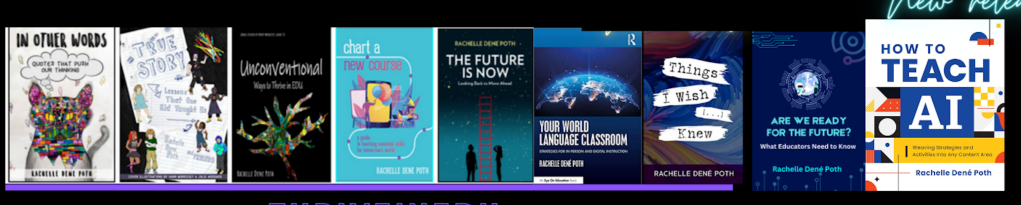
************ Also, check out my THRIVEinEDU Podcast Here!

Join my show on THRIVEinEDU on Facebook. Join the group here.